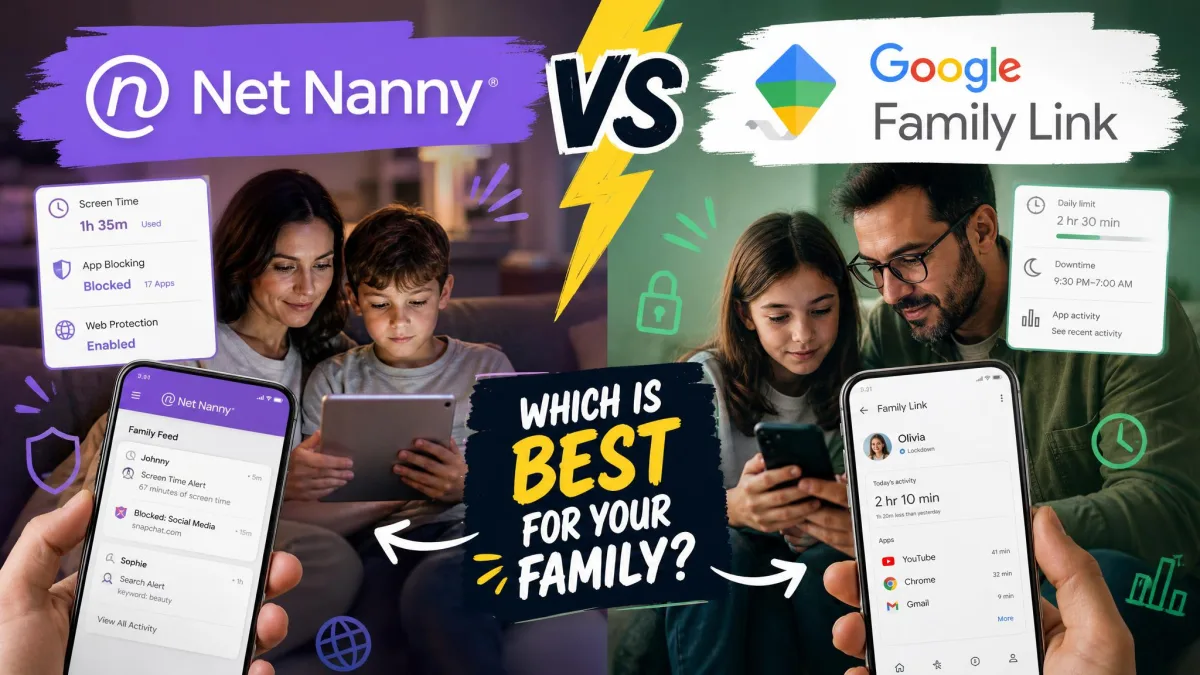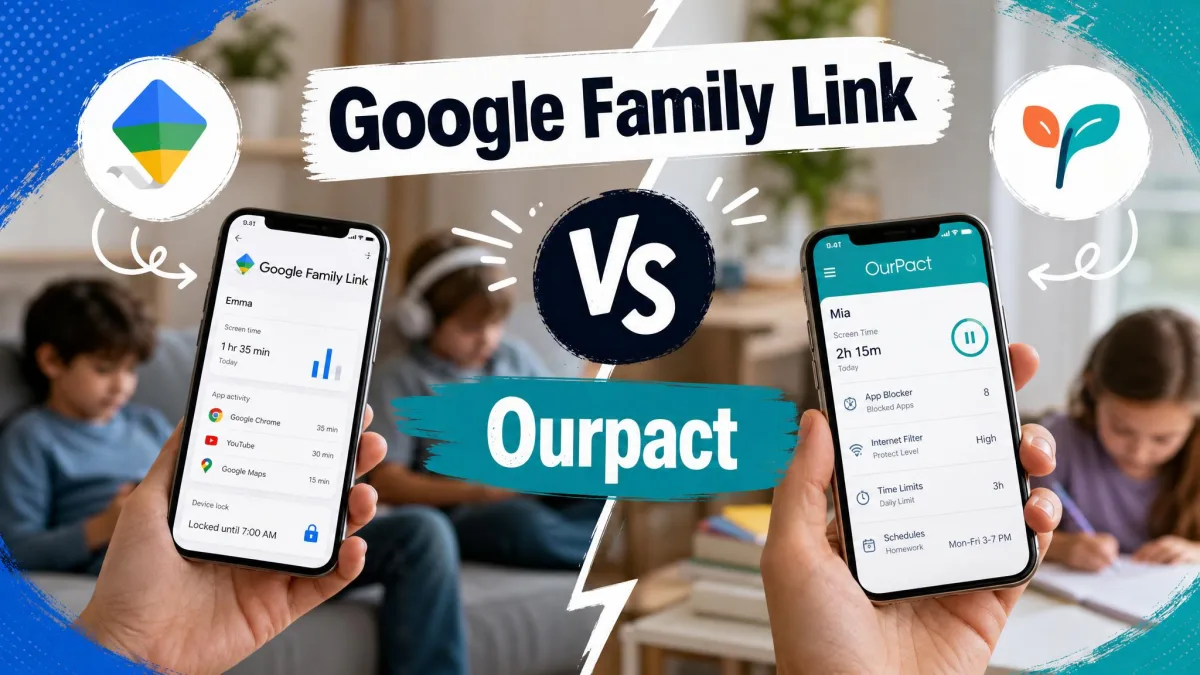
Google Family Link and OurPact are two of the most searched parental control apps, and they solve the same problem in very different ways. Google Family Link is Google's free supervision service, built into the Android account system. OurPact is a paid, cross-platform app that adds screenshots and stronger location tools on top of the basics. One is free and Android-first. The other costs money but works on iPhones too.
We spent weeks running both on real family devices. We set up child accounts, blocked apps, tested schedules, and watched how each held up during ordinary daily use. This comparison is the result. We paid for OurPact's Premium and Premium+ tiers ourselves, and we used Family Link on a supervised Android phone. So every judgment below comes from hands-on use rather than a spec sheet.
The short version is simple. If your household is all Android and you want something free, Family Link is hard to argue with. But if your child uses an iPhone, or you need screenshots and stronger geofencing, OurPact earns its price. The rest of this guide walks through each feature so you can match the app to your family.
We tested both apps the way a parent actually uses them, not in a lab. That meant daily screen-time limits on a real child's phone, location checks during the school run, and living with the setup process from start to finish. The friction we describe is the friction we hit ourselves.
Google Family Link vs OurPact at a Glance
Here is how the two apps line up across the features most parents care about, with a deeper look at each row in the sections below.
| Product | Buy | Price | Platforms | Location |
|---|---|---|---|---|
 |
Check price → | $5.83/moannual | iOS 12+ and Android | Live GPS + geofencing |
 |
Learn more | Free | Android child only | Real-time map |
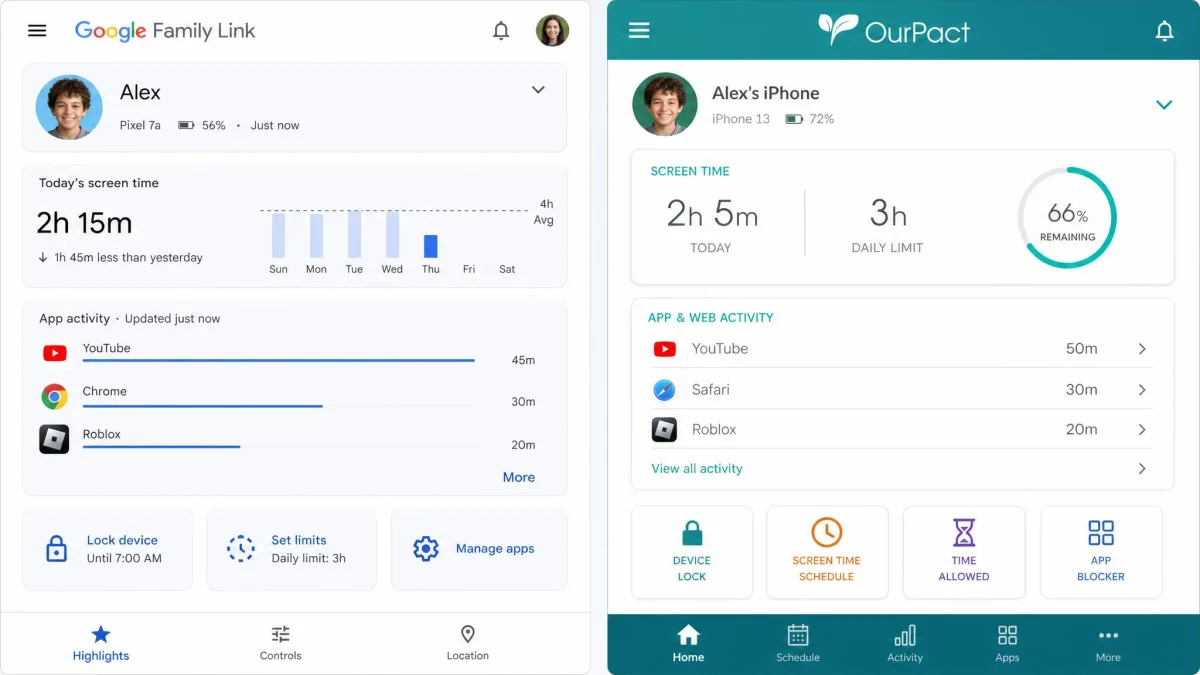
The table flattens a lot of nuance. Family Link scores higher for its price and Android depth, while OurPact scores well for cross-platform reach and content monitoring. Neither is a clean winner, which is exactly why the rest of this comparison matters.
Pricing: Free vs Paid
Price is the first real fork in the road. Family Link and OurPact are not competing on the same terms here, so it helps to see what each account actually gives you before you weigh features.
Google Family Link (free)
Family Link is completely free, with no premium tier, no upsell, and no locked features behind a paywall. You get daily screen-time limits, app blocking, install approvals, web restrictions, and real-time location without paying anything. For a service Google maintains as part of its account system, that is remarkable value, and it is the main reason so many families never look further.
The catch is not money but scope. Family Link only supervises Android, Chrome, and ChromeOS devices as the child device, so an iPhone-owning kid is simply out of reach. We cover that limit in the platform section.
OurPact (Premium $5.83+/mo, Premium+ $8.33+/mo)
OurPact keeps a free plan, but it is deliberately thin: one child device, one schedule, and about 5 manual app blocks per month, so most parents outgrow it in a day. The real product is the paid tier. Premium runs $6.99/month, or $69.99/year, which works out to $5.83/month, and Premium+ costs $9.99/month, or $99.99/year, which is $8.33/month. Paid plans cover up to 20 child devices, and there is a 14-day free trial at signup so you can test before you commit. The one big thing the top tier unlocks is screenshots, which we cover in the content monitoring section.
In our testing the cost felt high relative to what you get, especially next to a capable free rival. The value case for OurPact rests almost entirely on the two things Family Link cannot do: run on an iPhone as the child device, and capture screenshots. If you need either, the price is justified. If you do not, it is a harder sell.
Pros
- Works on iPhone and Android as the child device
- Strong geofencing with separate entry and exit alerts
- Screenshots and keyword content analysis on Premium+
- Tamper-resistant profile that survives app deletion
Cons
- Setup is genuinely painful and slow
- Screen-time allowance drains battery and reappears when the screen sleeps
- Settings sometimes revert on their own
- No activity reports, message or call monitoring
Platform Support (iOS vs Android)
Platform support is where these two apps stop being interchangeable. OurPact works on both iOS 12+ and Android, and the child device can be an iPhone or an Android phone, with app blocking, scheduling, and GPS on each. A household with mixed devices can decide the choice on this row alone.
Family Link is Android-first in a way that matters. The parent app runs on both Android and iOS, so you can manage from an iPhone, but the child's device cannot be an iPhone or iPad. Children must use an Android, Chrome, or ChromeOS device to be supervised at all. In our testing the controls also ran deeper on Android than anywhere else, so even Chromebook supervision feels lighter than the full phone experience.
If your child uses an iPhone, Family Link is not an option for the child device. This single fact sends many iPhone families straight to OurPact or another cross-platform tool.
Screen Time Limits & Scheduling
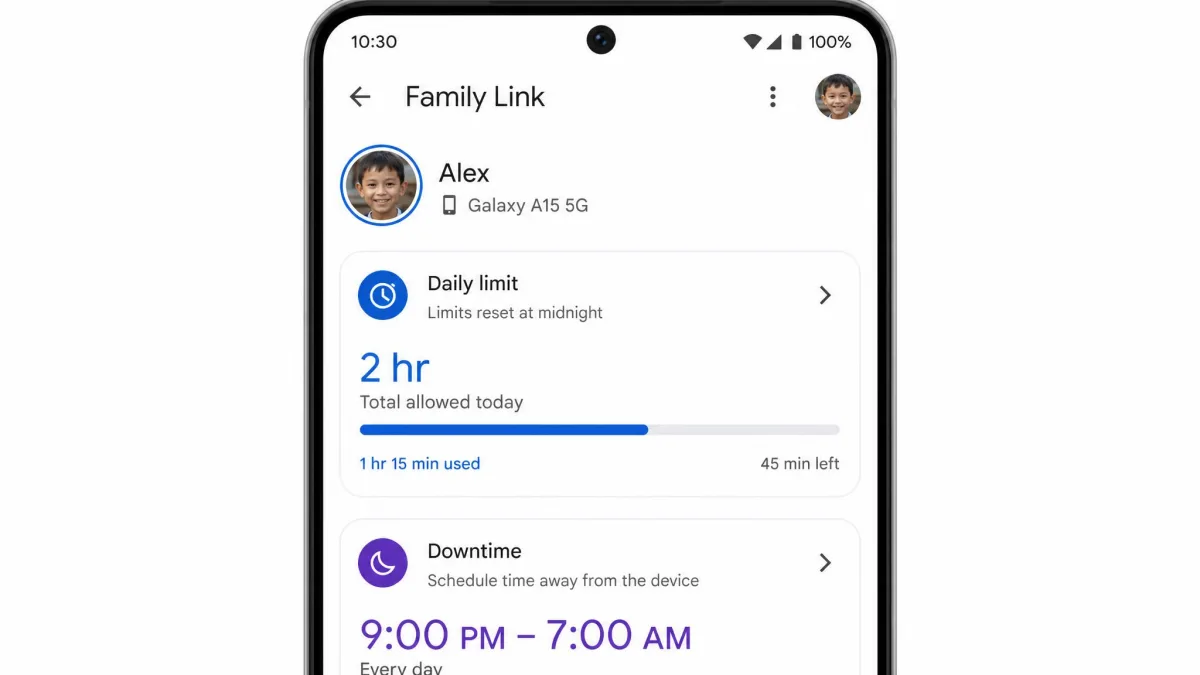
Both apps let you cap daily screen time and schedule downtime, but they go about it differently. Family Link gives you daily limits, a downtime schedule, school-time scheduling, and per-app time limits, all managed from the parent app and applied cleanly on the Android device. That makes it the more granular of the two, and in our use the limits held without much fuss.
OurPact leans on a screen-time allowance and schedule-based rules rather than per-app time caps. The concept is good, because you grant a block of screen time and the child spends it when they like. In practice it was a hassle. The allowance runs through the Control Center Start Broadcast button, so the screen has to stay on, and when the phone sleeps the blocked apps reappear. It also drains the battery noticeably, so we liked the idea more than the execution.
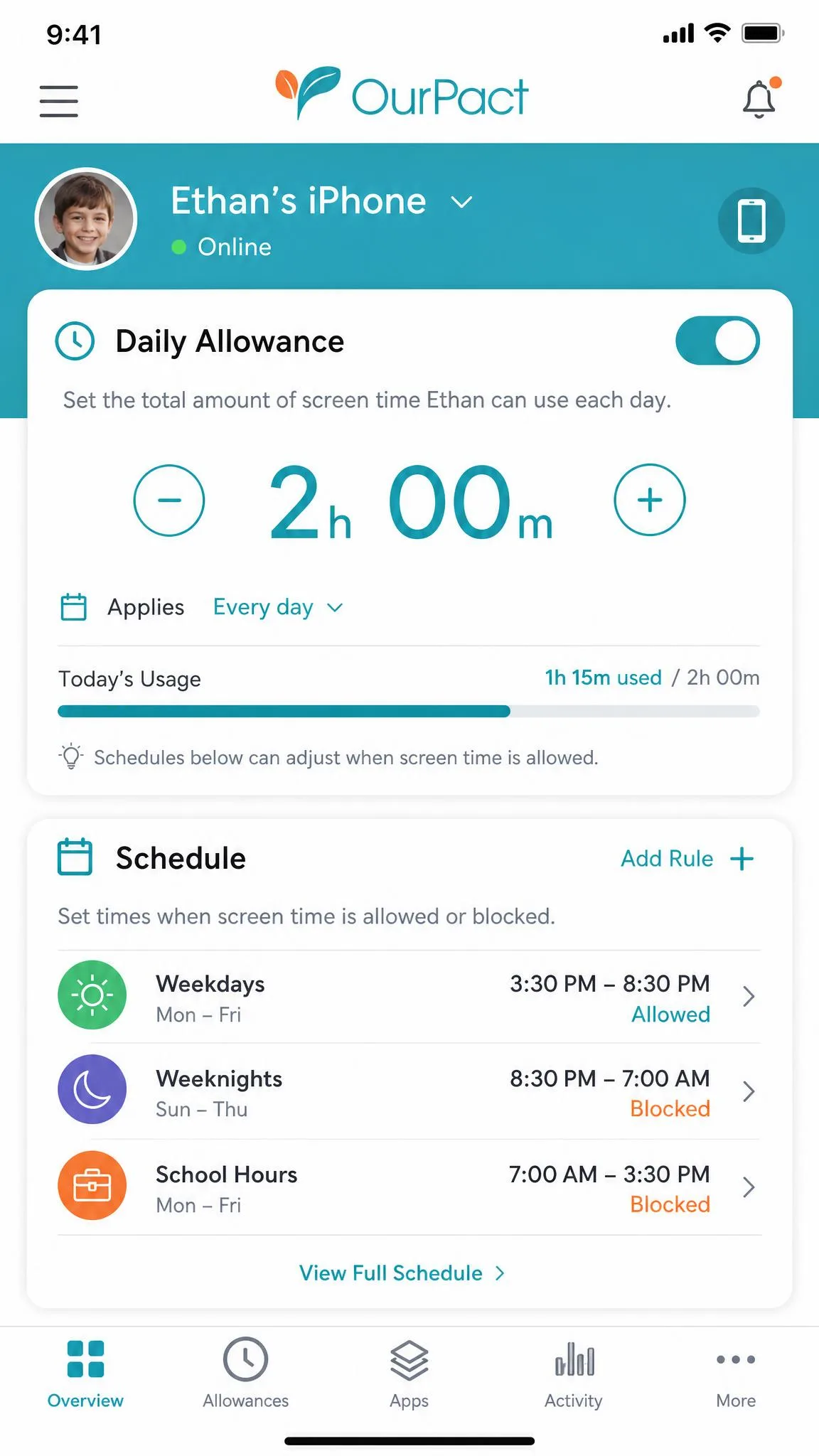
OurPact's screen-time allowance is a great concept and a real chore in practice: let the screen sleep and the blocked apps come right back.
— From our hands-on testing
App Blocking & App Management
Family Link handles app management as part of the account. You can block individual apps, approve or deny every install from Google Play, and set per-app time limits, all without touching the child's phone once it is set up. Install approvals were the standout for us, because nothing new lands on the device without a tap from the parent.
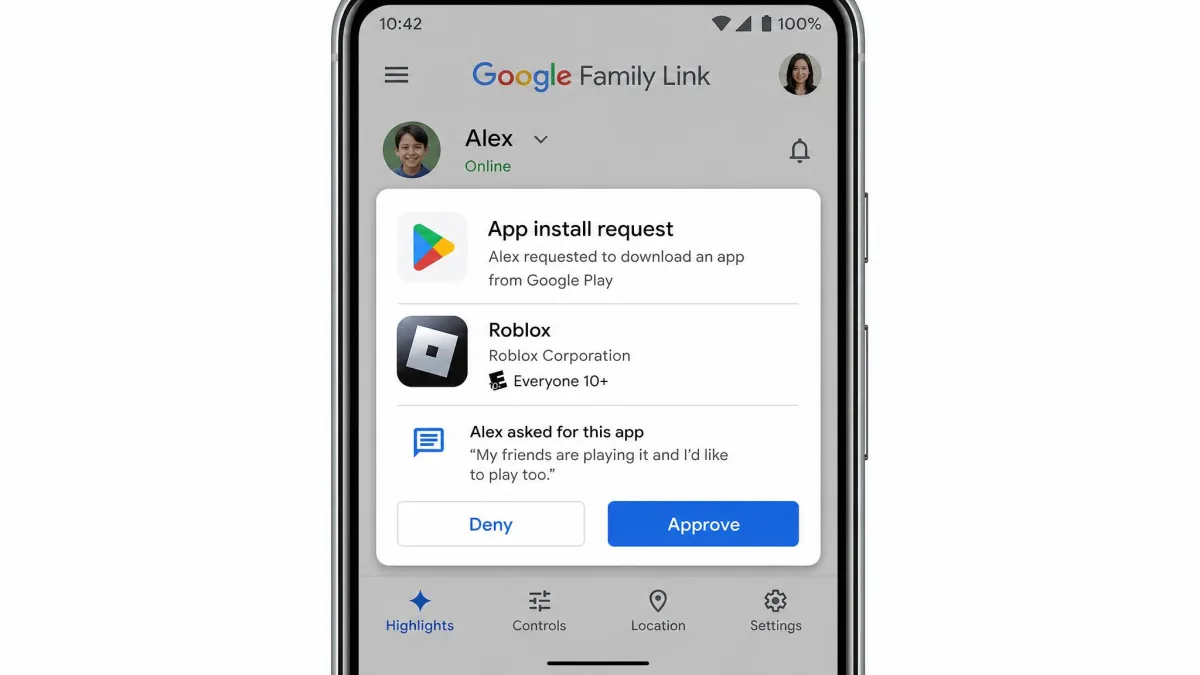
OurPact blocks apps on a schedule, and the free plan caps you at roughly 5 manual blocks per month, which is why most families move to a paid tier fast. Blocking itself works, but reliability was uneven. Apps on the child device would randomly reorder or minimize, and some app settings quietly reverted to Always Allow. The Disable In-App Purchases toggle switched itself off more than once. None of that inspires confidence when you are relying on the block to hold.
Web & Content Filtering
For web filtering, Family Link uses Chrome site restrictions, SafeSearch, and YouTube parental tools tied to the Google account. Because it lives inside Chrome and Google's services, filtering feels native and consistent on Android. It is not a heavy content firewall, but for everyday browsing and search it does the job.
OurPact includes a web filter across its paid tiers and blocks websites on the same schedule system it uses for apps, so it is serviceable rather than deep. If web content is your main worry, a dedicated filtering tool will go further than either app.
Location Tracking & Geofencing
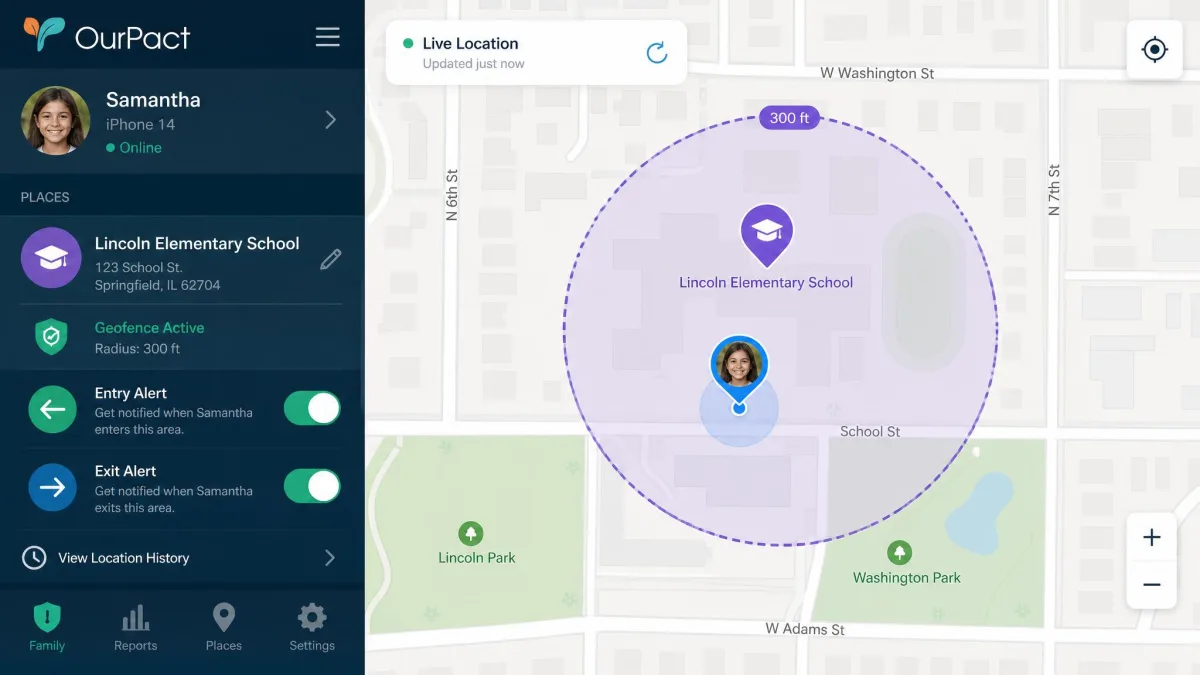
Location is one area where OurPact clearly pulls ahead. Its Family Locator gives accurate live GPS, and geofencing comes with separate entry and exit alerts, so you know both when your child arrives and when they leave. Location history is retained for 14 days on Premium and 30 days on Premium+, and in our testing the tracking was genuinely strong. The honest caveat is that it tracks the device, not the child, so a phone left at a friend's house makes it unreliable for personal safety.
Family Link offers real-time location on a map plus arrive and leave alerts for saved places, which covers the essentials well. We would not lean on the exact location-history retention window here, since Google does not publish a clear figure for it, so treat history depth as a question for OurPact rather than Family Link.
Content Monitoring (screenshots, alerts, activity)
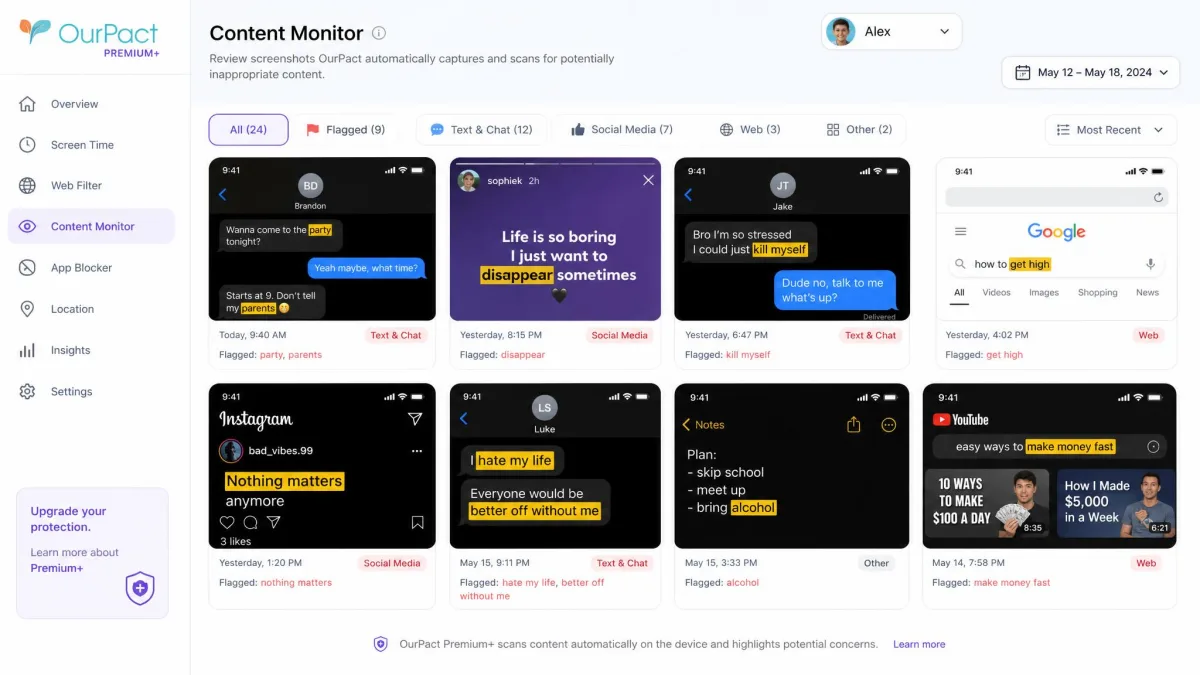
This is the feature that most cleanly separates the two. OurPact's Premium+ tier captures instant and automated screenshots and runs keyword content analysis on them, so you can see what is actually on the screen. No other feature in this comparison gives you that level of visibility, so if content oversight is your priority, this is the reason to choose OurPact and pay for the top tier.
Family Link does not do this at all. It does not read text messages, chats, or DMs, and it does not monitor in-app content inside YouTube, social apps, or browsers. It offers no screenshot capture. That is a deliberate privacy stance from Google, and it makes Family Link weaker for content oversight than any screenshot-based tool.
It is worth noting OurPact has its own gaps too, including no activity or usage reports, no message or call-log monitoring, and no call blocking.
Screenshots are a Premium+ feature only. If you buy OurPact Premium expecting to see your child's screen, you will not get screenshots until you upgrade to the higher tier.
Setup, Ease of Use & Tamper Resistance
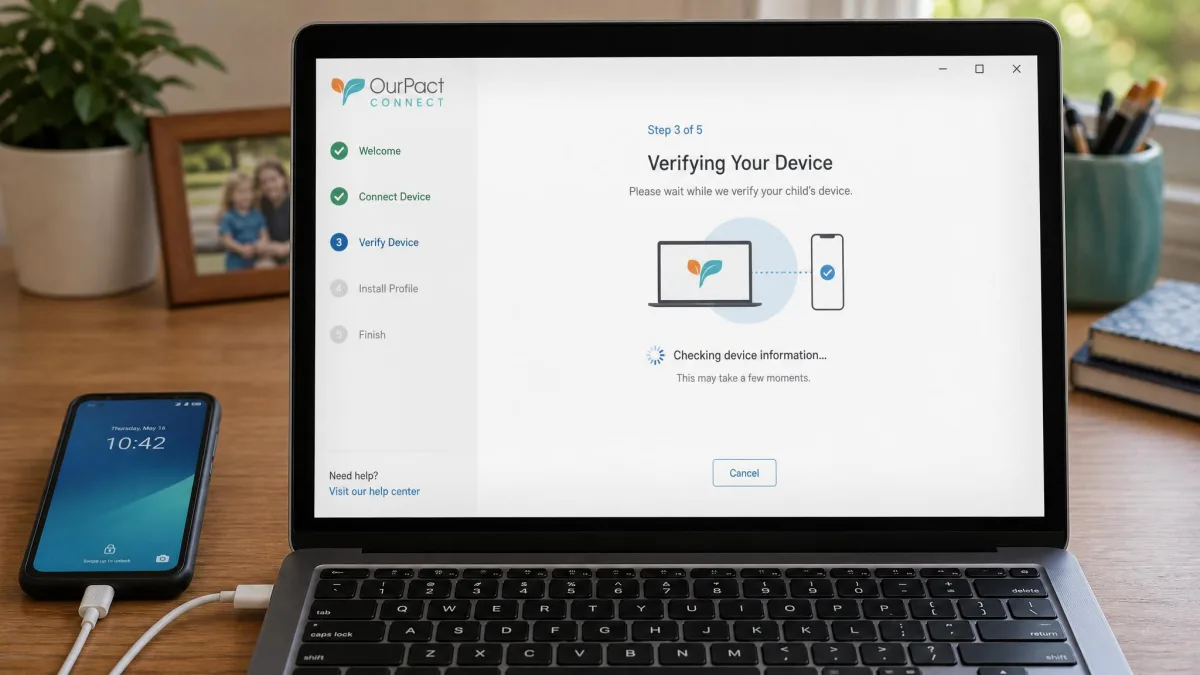
Setup is where OurPact tested our patience the most. Getting it running required a computer, the separate OurPact Connect app, and a USB cable, and it often took several attempts and over an hour of roughly ten device-specific steps. Some parents even report finding apps deleted and wallpapers changed on the child device afterward. It is the single biggest reason we hesitate to recommend it to less technical families.
Family Link is far smoother to set up, since it hooks into the Google account you likely already have, but it is not flawless in daily use. It can feel slow and glitchy. Apps sometimes close on their own, the phone pauses at random, and there is a noticeable delay before the child device reacts when you lift a limit or grant bonus time.
On tamper resistance, OurPact is the stronger of the two. Deleting the app or removing the profile from Settings on the child device does not disable supervision, which is exactly what you want from a control that a curious kid will try to defeat.
Age Limits & the 13-and-Over Problem
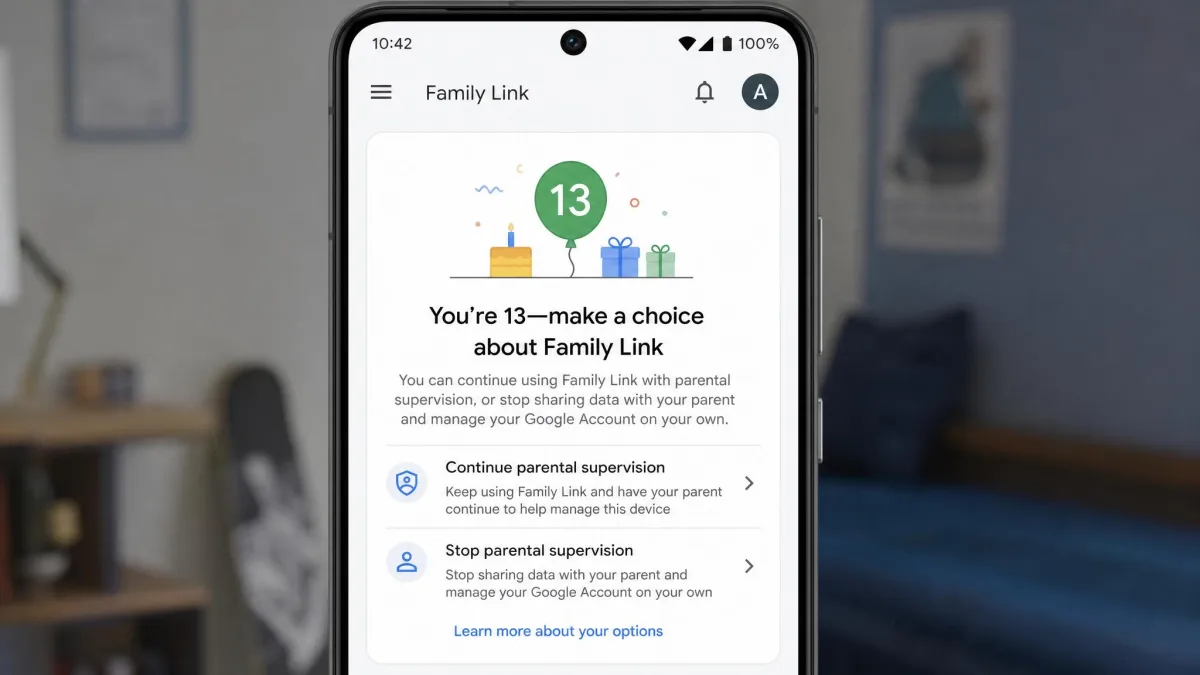
If your child is near or over 13, read this before you choose. With Family Link, a turning point arrives at 13, or the local age of consent, when Google transitions the supervised account toward a standard account and the child can choose to end supervision and remove parental controls. Worse, they receive a notification that effectively prompts them to do so. In practice, that makes Family Link largely ineffective for teenagers.
OurPact has no published age-out, so supervision persists regardless of the child's age, and because the profile is tamper-resistant, a teen cannot simply switch it off. For families of older kids, that difference is decisive, and it is often the reason a parent pays for OurPact despite Family Link being free.
Which One Should You Choose?
Both apps are legitimate, and the right pick depends almost entirely on your devices and your child's age. So here is how we would split it.
Choose Google Family Link if...
Your household runs on Android, your child is under 13, and you want strong core controls for free. Family Link gives you daily and per-app limits, app-install approvals, native web filtering, and real-time location without spending a cent. For the majority of younger Android families it is all you need, so paying for anything else would be money spent on features you will not use.
Choose OurPact if...
Your child uses an iPhone, your child is a teen who could switch Family Link off, or you specifically want screenshots and stronger geofencing. OurPact's cross-platform reach, entry and exit location alerts, and tamper-resistant supervision are things Family Link cannot match, and the Premium+ screenshots give you visibility no free tool offers. Just go in knowing the setup is rough and the screen-time allowance is finicky. If neither app fits, a paid alternative like Qustodio is worth a look for its activity reporting.