Most parents shopping for a parental control app want two different things at once: a warning when a conversation turns ugly, and a way to make the phone go quiet at bedtime. Bark and FamiSafe each do one of those jobs well and the other one only adequately. If your main worry is what your child is reading, sending and being sent, Bark is the better buy. If your main worry is hours on the screen and where the phone physically is, FamiSafe is the better buy, and it costs less.
That split held up across everything we put in front of us. We worked through both apps on their published plans, their device support, and the way each one behaves once it is actually installed on a family phone, weighing the alert feed, the setup flow and the battery cost rather than the marketing copy.
One more thing is worth saying up front. Neither app is a set-and-forget solution, and the differences between iPhone and Android are large enough that the platform your child uses should shape your choice as much as the price does.
Bark vs FamiSafe at a Glance
Here is the shape of the matchup before we get into the individual features.
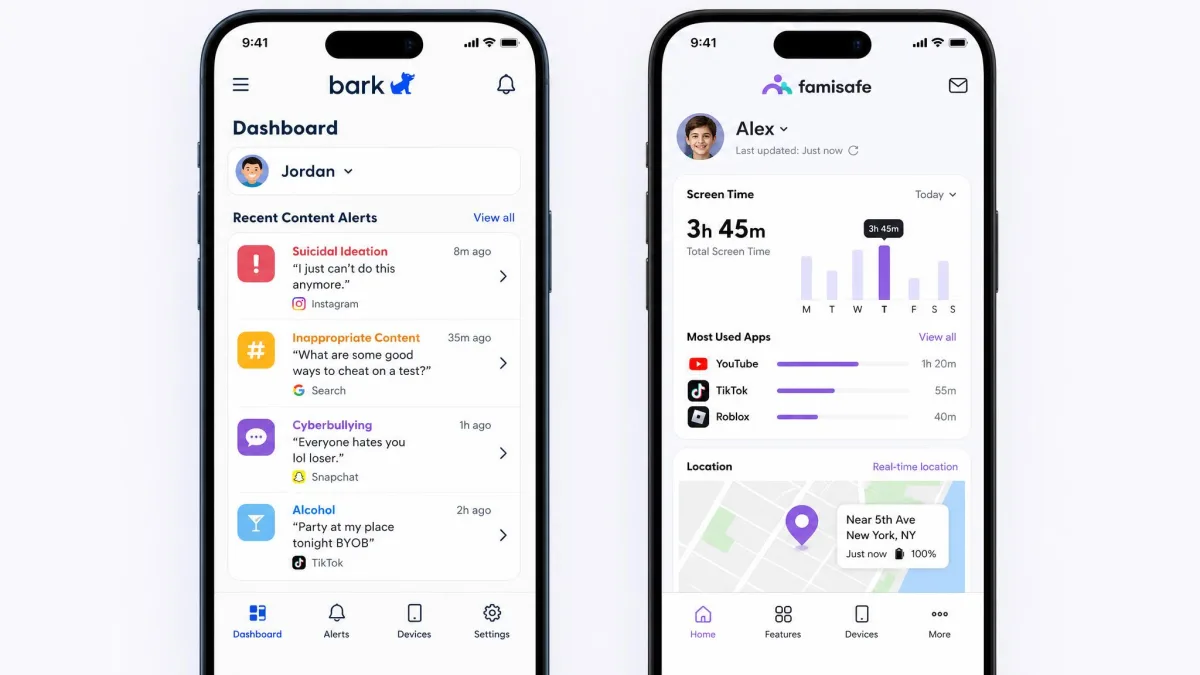
Bark is built around content. It reads what comes into and out of your child's phone, runs it through its own analysis, and tells you when something looks like cyberbullying, contact from a predator, or a sign of self-harm. Blocking and screen time exist, but they are the supporting act. FamiSafe is built around management. It sets limits, blocks categories and apps, maps where the device has been, and adds extras like driving reports and explicit-photo detection in the camera roll.
We compared these two the way a parent would. We lined up what each vendor publishes about plans, device limits and platform requirements, then read that against how the apps behave in daily family use rather than against either company's own comparison page. Where the two vendors disagree with each other, and they do disagree about FamiSafe's device limits and app coverage, we say so instead of picking the flattering number.
Where a figure is disputed between a vendor FAQ, a checkout page and a competitor's comparison page, we flag the disagreement rather than publishing the most convenient version. FamiSafe's device allowance on longer plans is the clearest example in this comparison.
| Product | Bark | FamiSafe |
|---|---|---|
| Monthly price | $14 Premium, $5 Jr | $9.99 |
| Annual price | $99 Premium, $49 Jr | $59.99 |
| Device limit | Unlimited kids and devices | 5 on the monthly plan, more on longer plans |
| Content filtering | Blocking across 19+ categories | Web filtering and app blocking by category |
| Screen time controls | Custom schedules, blocking weaker than monitoring | Limits, schedules and usage reports |
| Social media monitoring | 30+ apps and platforms | Advertised at 30+, much narrower on iOS |
| Text and email monitoring | Texts, email and YouTube with AI alerts | Keyword-level suspicious-text alerts |
| Location plus geofencing | Real-time location with geofence alerts | Live GPS, location history, geofencing, SOS |
| Alerts | AI alerts for cyberbullying, predators, suicidal ideation | Rule-based alerts plus explicit-photo detection |
| iOS / Android / Chromebook | iOS, Android, Chromebook, Kindle | iOS 11+, Android 4.4+, Windows, Mac, Chromebook, Kindle |
| Free trial | 7-day free trial | Free trial offered, length not published |
| Support channels | Email and help center | Email, in-app feedback and web portal, reply within 24 business hours |
Quick Verdict: Which One Should You Buy?
Short answer first, then the reasoning underneath it.
Buy Bark if you have a middle schooler or a teenager with real social accounts and your fear is the content of their conversations. Nothing in FamiSafe matches Bark's ability to read texts, email and 30+ social platforms and surface the messages that matter. Buy FamiSafe if you have a younger child, a house full of devices on a budget, or a specific need for location history and driving reports. At $59.99 per year it undercuts Bark Premium substantially, and its screen time controls are the ones we would trust to actually hold.
The uncomfortable middle case is a family that wants both. If that is you, price out Bark Premium alongside a household router filter, because Bark's own blocking is not strong enough on its own.
Content Filtering and Web Blocking
Filtering is where the two apps look similar on paper and behave differently in the house.
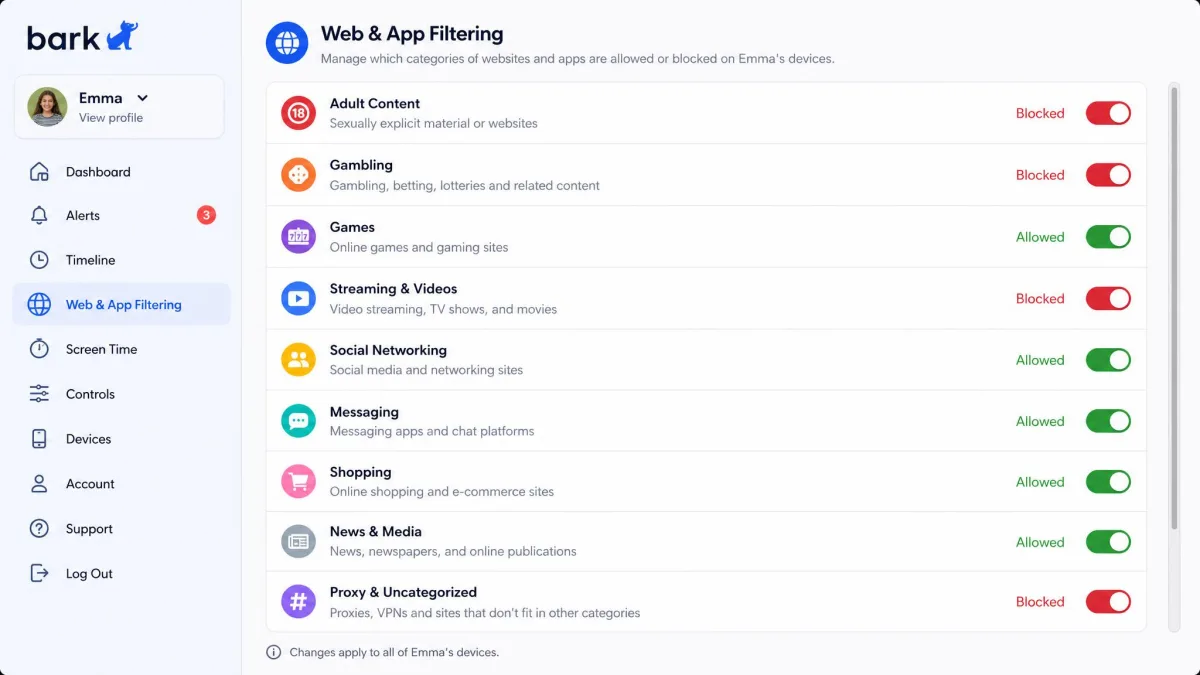
Bark blocks websites and apps across 19+ categories, and it lets you allow or block individual sites on top of the category rules. That is a reasonable set of controls, but Bark is fundamentally an alerting system rather than a hard blocker. Blocking and screen time are the weaker half of the product, and parents who expect a wall find a tripwire instead. Bark's answer to that gap is hardware, which we cover further down.
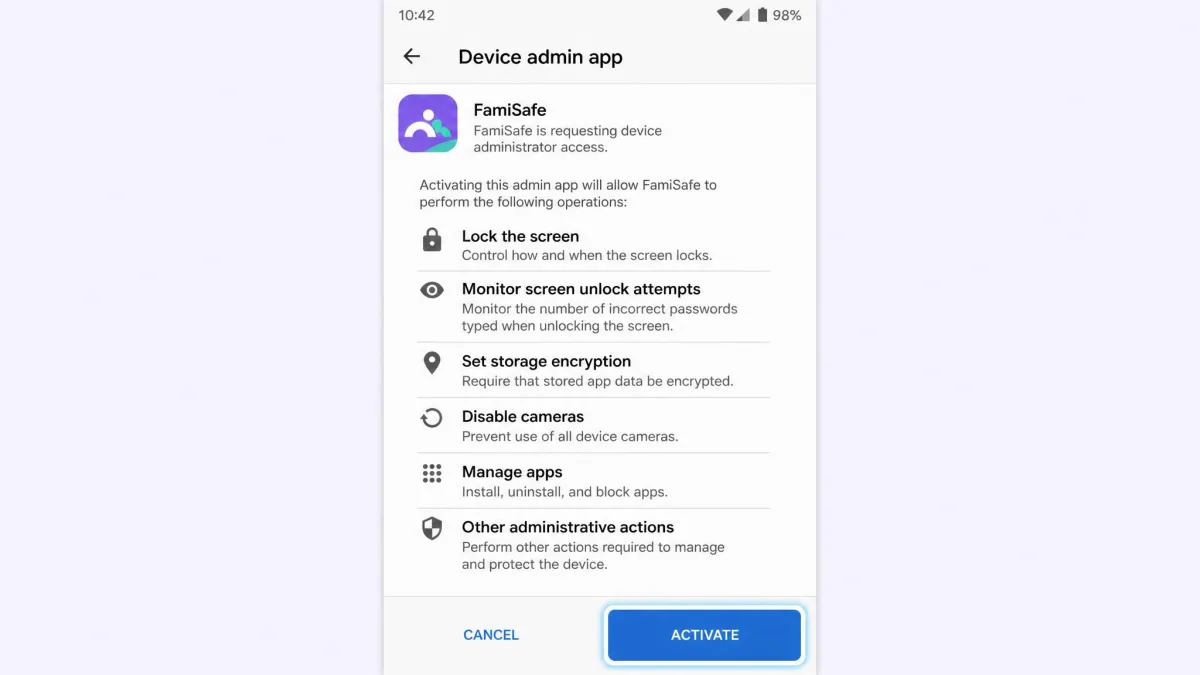
FamiSafe treats filtering as a first-class feature. Web filtering and app blocking work by category, and because FamiSafe installs with device-administrator permission on Android, the rules are harder for a child to shrug off. If you want a category blocked and you expect it to stay blocked, FamiSafe is the more dependable of the two.
Neither app filters everything. Browsers with their own rendering engines, in-app browsers inside games, and shared devices all leak. Filtering works best as one layer of several, not as the whole plan.
Category filtering counts differ because the two companies count differently. Bark publishes 19+ categories as a blockable set, while FamiSafe groups its categories inside a broader web filtering feature without a headline number. Compare the actual category lists during each app's trial rather than the marketing figures.
Screen Time Management and App Blocking
This section is short because the result is clear.
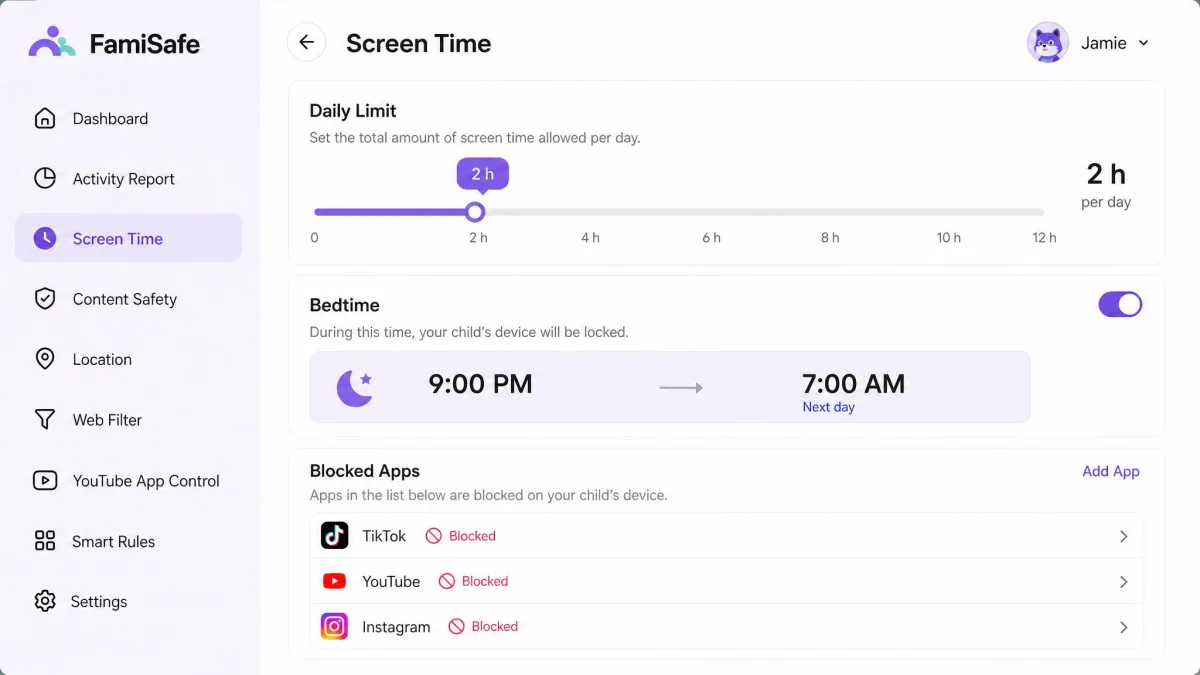
FamiSafe is better at screen time. It offers daily limits, schedules and usage reports, and the reports are detailed enough to show you which app ate the afternoon. Combine that with app blocking that holds on Android and you have a workable bedtime routine.
Bark offers custom screen time schedules, and they are fine for a light touch. You can build a school-day profile and a bedtime profile and let the phone follow them. What you should not expect is enforcement with the same weight. In practice Bark's blocking and screen time tools are weaker than its monitoring side, which is the trade the whole product makes.
Social Media, Text, and Email Monitoring
Here is the reason Bark exists, and the reason many parents pay its higher price.
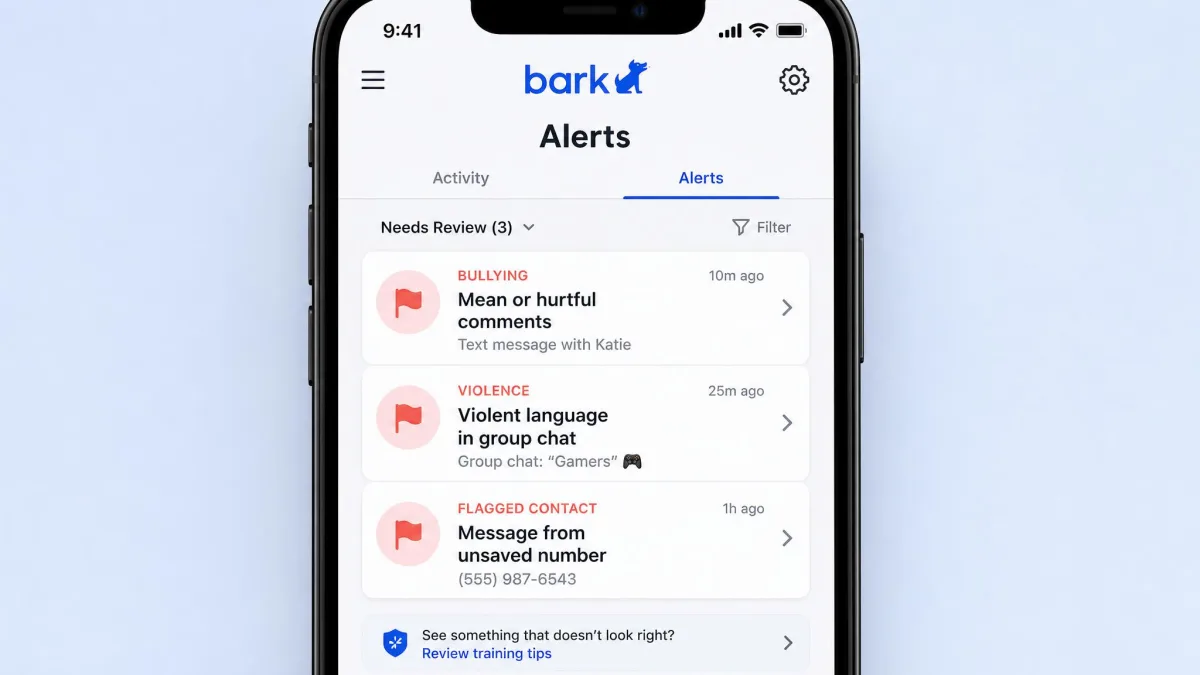
Bark monitors texts, email, YouTube and 30+ apps and platforms, and it reads content rather than just logging that an app was opened. Its alerts are built around specific risks: cyberbullying, contact from predators, and language suggesting suicidal ideation. When it works, it does the thing no screen time app can do, which is tell you that a conversation has turned dangerous without asking you to read every message your teenager sends.
The cost of that sensitivity is noise. Bark's alert feed fills with low-value flags, including unsaved group-chat numbers treated as risky and a basketball conversation flagged as violence. False positives are common enough that Bark's support team routinely walks parents through lowering alert sensitivity, so plan to spend part of your first week tuning thresholds rather than reacting to every ping.
FamiSafe approaches the same ground more narrowly. It offers suspicious-text alerts at the keyword level, explicit-photo detection in the camera roll, and oversight of calls, messages and email. That is useful, and the explicit-photo check is genuinely a feature Bark does not match in the same form. It is not the same thing as reading a conversation for tone.
FamiSafe's social coverage is also the most disputed number in this comparison. The count of monitored social apps depends on the platform, with iOS covering far fewer services than Android, and the advertised total does not survive contact with an iPhone.
Bark tells you what your child is saying. FamiSafe tells you how long they said it for and where they were standing.
Location Tracking and Geofencing
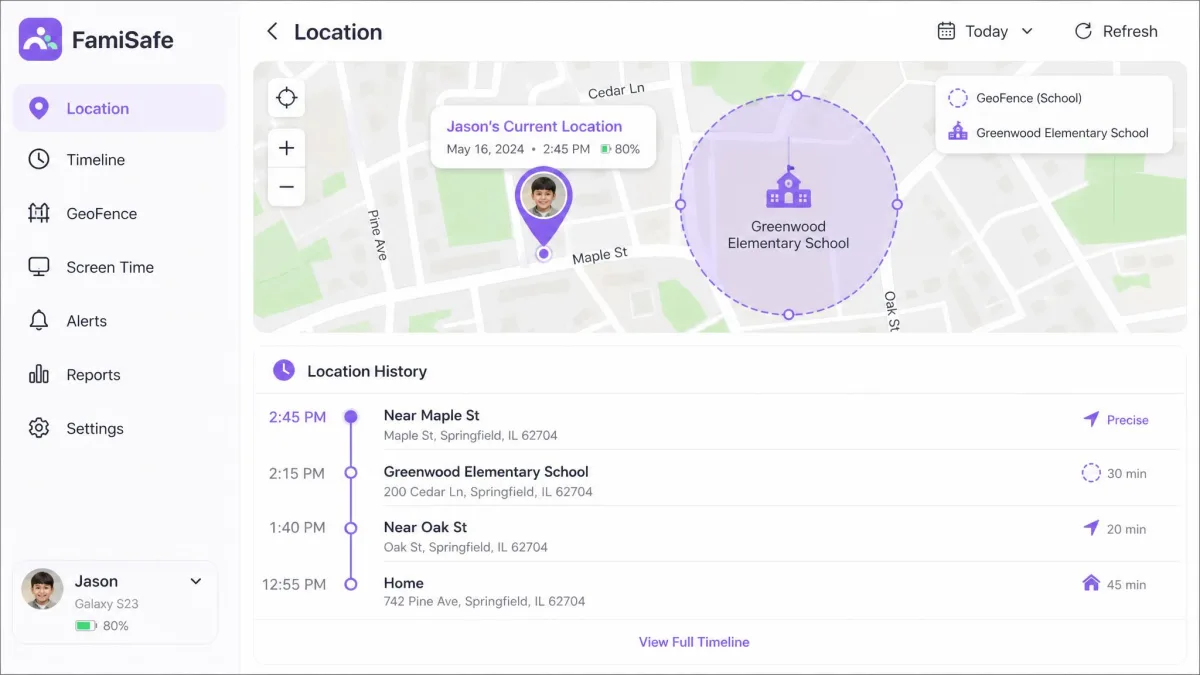
Both apps do location tracking, and both do geofencing. FamiSafe does more with it.
FamiSafe gives you live GPS location, location history you can scroll back through, geofenced zones, and an SOS alert your child can trigger. The history is the differentiator. Knowing where a phone is right now is table stakes, while being able to see the route it took after school is a different kind of reassurance.
The caveat is accuracy. FamiSafe location updates can lag or land off-target, which undercuts a real-time check-in at exactly the moment you want one. Treat a single pin as a strong hint rather than a fact, and give it a minute to settle before you call.
Bark keeps location simpler. You get real-time location with geofence alerts, so you know when a child arrives at school or leaves a friend's house, and that is the whole feature. For most families that is enough, and it is bundled at no extra cost across every device on the account.
Continuous location tracking is the single biggest battery cost in either app. FamiSafe's ongoing tracking and monitoring noticeably shortens the child device's battery life, and battery drain is one of the most common complaints parents raise about Bark as well. A child whose phone dies at 4pm is a child you cannot locate at all.
Alerts, Dashboard, and Remote Management
Bark's dashboard is organized around a stream of alerts. You open it to see what has been flagged, read the surrounding context, and decide whether it matters. That is the right shape for the job, though the stream only becomes useful once you have trimmed the sensitivity down to the categories you actually want.
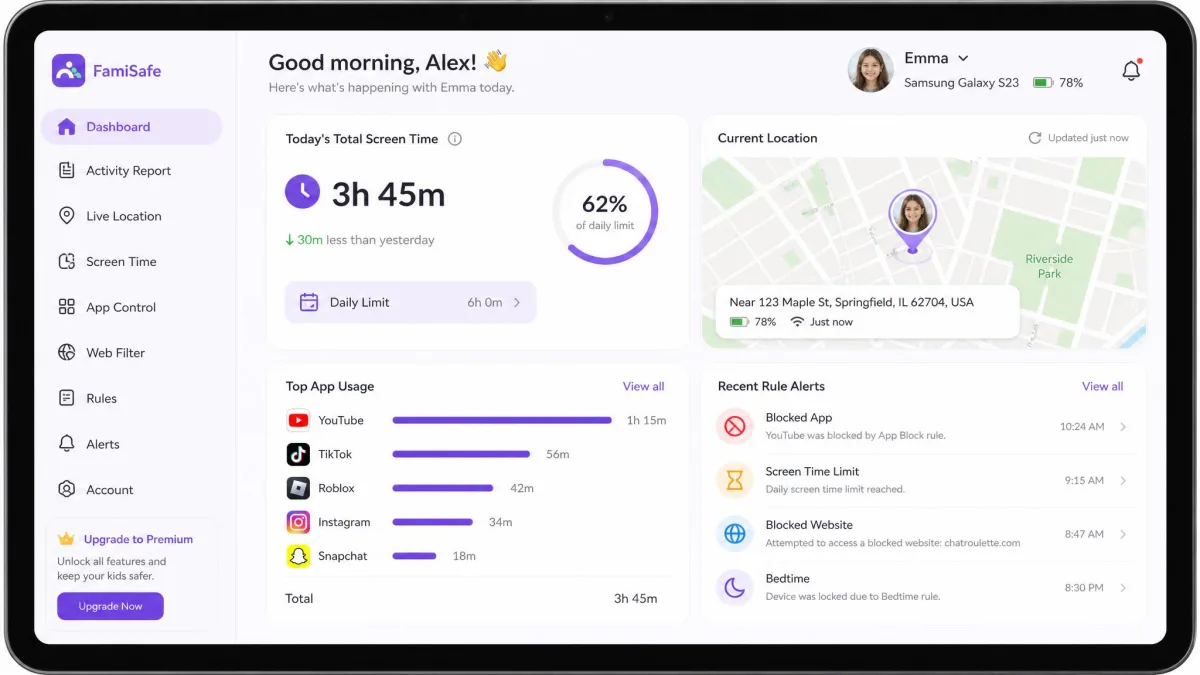
FamiSafe's dashboard is organized around the device. You see today's screen time, the current location, recent app activity and any rule-based alerts in one view, and you change rules from the same place. Remote management feels more immediate, because you can push a new limit or block an app and watch it take effect.
One thing to watch during FamiSafe setup. FamiSafe can confuse the parent device with the child device during pairing, so the dashboard shows data from the wrong phone. If your own screen time appears in the child's report, unpair and set the child device up again.
Ease of Setup and Everyday Use
Neither setup is quick, and both take longer on iPhone.
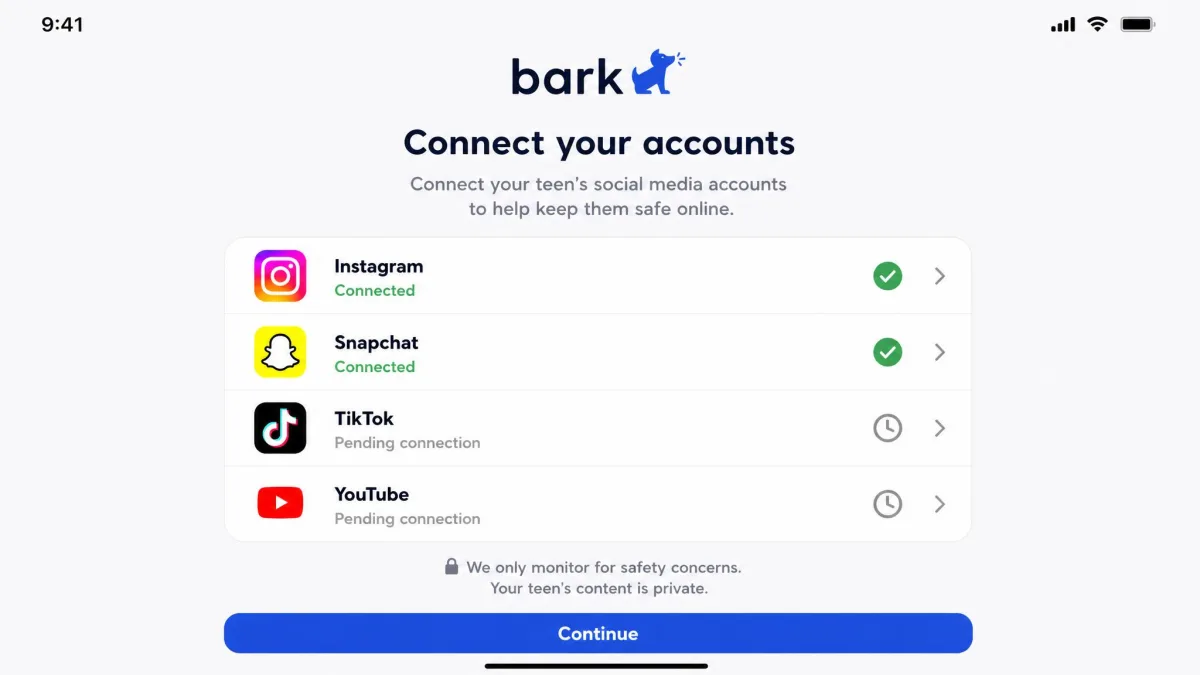
Bark's setup asks for a separate connection step per account and per device, so a household with several social accounts takes longer to finish than a single-phone setup. Budget an evening for a teenager with five linked accounts rather than the ten minutes the marketing implies. On iPhone the process is more fragile still, because iOS setup can stall part-way through, leaving an iPhone connected to the dashboard but not fully monitored. That is the worst of both worlds, since the dashboard still looks healthy. Open the Bark app on the child device once setup finishes, then check that every account reads as connected rather than pending.
FamiSafe's install is more conventional. Install the kids app on the child device, grant the permissions it asks for, then pair it to your parent account. On Android it requests device-administrator permission, which is what makes its rules stick. Ease of use after setup is where FamiSafe pulls ahead, because most of what you do day to day is adjusting a limit rather than triaging a feed.
Supported Devices and Platforms (iOS, Android, Chromebook, Kindle)
Both apps cover the main family platforms, and FamiSafe reaches a little further.
Bark runs on iOS, Android, Chromebook and Kindle, which covers most kids' devices in a typical household. FamiSafe runs on iOS, Android, Windows, Mac, Chromebook and Kindle Fire OS, so it also covers the family laptop. FamiSafe requires Android 4.4 or later and iOS 11 or later, which means an old hand-me-down phone is unlikely to be a problem.
The platform question that actually matters is not which operating systems appear on the list. It is how much each app can see once it is there. Bark's text and social monitoring is far more limited on iPhone than on Android, because Apple restricts what third-party apps can read, and FamiSafe's social coverage narrows on iOS for the same reason. If your child is on Android, both apps deliver close to their full feature set, and so do most of the other parental control apps for Android. If your child is on an iPhone, read both feature lists again with an iOS filter applied, because the gap between the advertised product and the delivered one is widest there. That gap is why our parental control picks for iPhone weigh delivered features rather than advertised ones.
On iOS, the parts of each app that Apple does not restrict are screen time rules, location, geofencing and web filtering. Those four behave close to their Android versions in both apps.
Extra Features: Bark Hardware vs FamiSafe Driving Reports
The extras go in opposite directions, and they tell you what each company thinks the real problem is.
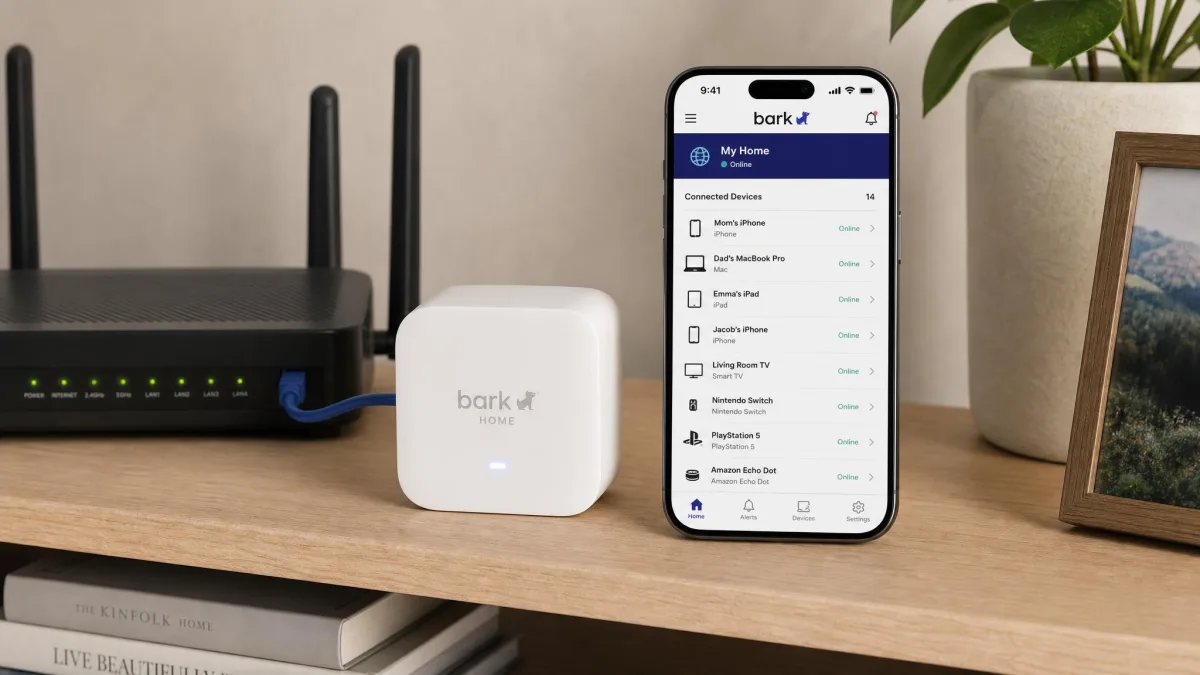
Bark sells hardware. Bark Home is a router-level filter at $6 per month or a $79 one-time purchase, and it applies rules to devices the app cannot reach, including games consoles and smart TVs. Bark Phone puts the software inside the device itself, with device payments of $10 per month over 24 months and service plans starting at $29 per month. Bark Watch is $15 per month for service plus $10 per month for the device, aimed at a younger child who needs calls and location without a browser. Bark Premium also includes access to Talkspace Go.
FamiSafe adds software features instead. Driving reports summarize how a teen driver has been behaving on the road, which is a genuinely useful thing to have when a new licence arrives. It also offers ambient sound recording, which raises consent questions we would think hard about before turning on.
Recording audio or reading messages without your child's knowledge carries legal and relationship risk, and the rules differ by state and by the child's age. COPPA governs what services may collect about under-13s, but the practical advice is simpler: tell your child what is being monitored and why.
Privacy, Data Handling, and Tamper Resistance
Those extras raise a question the feature lists never answer directly. Both apps collect a lot about your child, which is the point and also the risk. The question worth asking is how much they collect, who sees it, and whether the child can switch it off.
Bark's design limits what you see by default. Rather than handing you a transcript, it surfaces the flagged excerpts, which is the closest either app comes to letting you monitor a phone without invading your child's privacy while still catching the serious material. That is the more defensible posture of the two, and it is the reason we would hand Bark to a teenager with less argument than a full-transcript tool.
Tamper resistance is Bark's weak spot on iOS. Bypassing monitoring on an iPhone is not difficult, and Bark's own answer to that is its hardware line rather than a software fix. FamiSafe is harder to remove on Android, because device-administrator permission stops the child app being uninstalled without the parent knowing. It is not airtight either, since a child can sometimes reach the device settings screen and switch off GPS tracking or other monitors.
Customer Support Compared
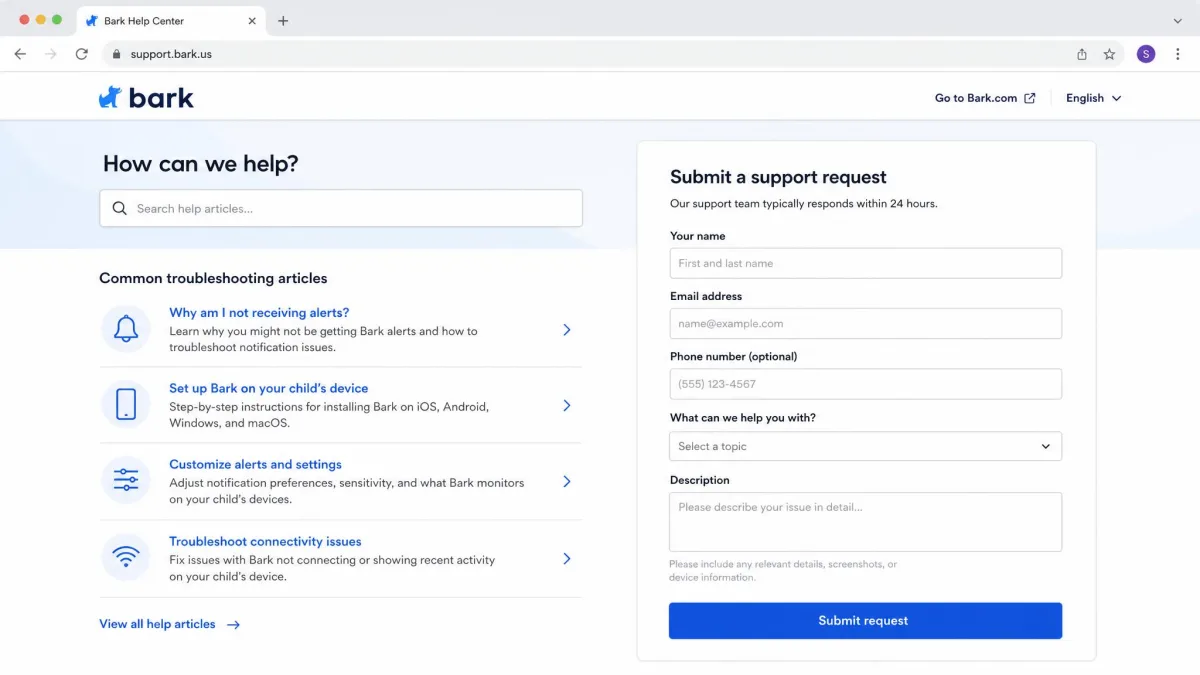
Support is the one category where the app that loses on monitoring publishes the clearer promise. FamiSafe's help runs through email, an in-app feedback form and the web portal, with email replies typically arriving within 24 business hours. That is a specific commitment, and specific commitments are easier to hold a company to.
Bark offers email support and a help center, and its support team is well practised at the sensitivity-tuning conversation that most new customers need. The pattern in parent complaints is less flattering. Bark complaints cluster on battery drain, a glitchy or slow app, and customer service that is slow to reply, and Bark's Trustpilot listing skews heavily negative, with 71% of reviews leaving one star. Go in expecting to wait if something breaks.
FamiSafe's Trustpilot listing has drawn contributions from 129 reviewers, a much smaller sample that is worth less as a signal in either direction.
Pricing and Plans Compared
Price is the cleanest win in this comparison, and it belongs to FamiSafe unless your household is large.
Bark Pricing (Bark Jr vs Bark Premium)
Bark sells two software tiers. Bark Jr is $5 per month or $49 per year plus tax, and it covers screen time management, web filtering and location. It does not include the content monitoring that makes Bark distinctive, so treat it as a younger-child product. Bark Premium is $14 per month or $99 per year plus tax, and it adds the text, email, YouTube and social monitoring with AI alerts.
The number that changes the maths is the device limit. A single Bark subscription covers every kid and device in the house, so a family with several phones does not buy again per device. For a three-child household, Bark Premium at $99 per year is a different proposition than it looks like at first glance.

FamiSafe Pricing and Device Limits
FamiSafe is cheaper at every billing interval. It is $9.99 per month for up to 5 devices, $19.99 per quarter, which works out at roughly $6.66 per month, or $59.99 per year, about $4.99 per month billed annually.
Two things are worth watching. First, the device allowance on FamiSafe's quarterly and annual plans differs between the FAQ and the checkout pages, so confirm the count at purchase; published figures range from 10 to 30 to unlimited depending on which page you read. Second, FamiSafe's promotional first-term price rises at renewal, for instance from about $6.66 per month to $9.99, so the second year costs more than the first.

Free Trials and Refund Policy
Bark offers a 7-day free trial on the app subscription. That is enough time to see how noisy the alert feed gets for your particular child, which is the single most useful thing a trial can tell you here.
FamiSafe offers a free trial too, but does not publish a day count on its site or FAQ, so treat the length as unconfirmed until you see it at checkout. Bark's 60-day money-back guarantee is easy to misread: it covers the Bark Phone and Bark Watch hardware only, and even then the monthly service and data fees are non-refundable. The app subscription carries no published money-back window, and while some third-party write-ups quote a 30-day app guarantee, that does not match what bark.us documents, so confirm the terms with Bark before you pay. FamiSafe's refund window changes with the store used, because App Store and Google Play purchases follow Apple's and Google's rules rather than Wondershare's. Buying direct from the vendor rather than through an app store generally gives you the clearest recourse.
Bark: Pros and Cons
Pros
- Best-in-class content monitoring across texts, email, YouTube and 30+ apps and platforms
- AI alerts target cyberbullying, predator contact and suicidal ideation specifically
- One subscription covers unlimited kids and devices
- Shows flagged excerpts rather than full transcripts, which respects a teen's privacy
- Hardware options extend rules to consoles, TVs and the whole home network
- 7-day free trial before you commit
Cons
- The alert feed produces frequent false positives until you tune the sensitivity
- Blocking and screen time controls are weaker than the monitoring side
- Text and social monitoring is much thinner on iPhone than on Android
- iOS setup can stall part-way and still look connected in the dashboard
- The most expensive option here at $14 per month or $99 per year
- Parent reviews cluster on battery drain and slow support replies
FamiSafe: Pros and Cons
Pros
- Cheaper at every billing interval, from $59.99 per year
- The strongest screen time limits, schedules and usage reports in this matchup
- Live GPS with location history, geofencing and an SOS alert
- Device-administrator permission on Android makes it hard to uninstall quietly
- Covers Windows and Mac as well as phones, tablets and Chromebooks
- Driving reports and explicit-photo detection have no direct Bark equivalent
Cons
- The monthly plan covers only 5 devices, and longer-plan limits are inconsistently published
- Social monitoring is far narrower than advertised, especially on iOS
- Continuous tracking noticeably shortens the child device's battery life
- Location updates can lag or land off-target
- Promotional pricing rises at renewal
- Pairing can occasionally attach the wrong device to the wrong profile
Which Parental Control App Is Right for Your Family?
The choice is genuinely about which problem keeps you up at night.
Choose Bark If Your Priority Is Content Monitoring
Day one with Bark is a tuning job rather than an installation job. Connect every social account before you judge the coverage, then spend the first evening pulling the sensitivity down category by category until the feed shows you only the things you would act on. If you also need hard blocking, decide early whether Bark Home or your existing router handles that layer, because leaving it to the app alone is the mistake parents make most often here.
Choose FamiSafe If Your Priority Is Screen Time and Location
Day one with FamiSafe is a permissions job. Grant device-administrator access on Android during the install rather than after it, confirm the parent and child devices have paired to the right profiles before you build any rules, and set your first limits a little looser than you think you need so the opening week is not a running argument. Two housekeeping items belong in your calendar as well: confirm the device allowance at checkout, and note the renewal date so the promotional price does not surprise you a year later.
Alternatives Worth Considering
Neither app is the only credible option, and several alternatives solve the same problems differently.
Net Nanny is the closest thing to a filtering-first product, and our Bark vs Net Nanny comparison covers where it takes the blocking crown. Qustodio sits between these two on features and price, and it is the one we would look at if the Bark and FamiSafe split feels too stark, so start with Bark vs Qustodio. If FamiSafe is the side you are leaning toward, Canopy vs FamiSafe, Kaspersky Safe Kids vs FamiSafe, Kids360 vs FamiSafe and Mobicip vs FamiSafe each pit it against a different kind of rival. For the long-form single-product view, read our Bark review and our FamiSafe review.
It is also worth remembering that the free built-in options, Apple's Screen Time and Google Family Link, already handle limits and basic filtering at no cost. If screen time is your only goal, try those first and see whether you need to pay for anything at all.
Frequently Asked Questions
What is the difference between Bark and FamiSafe?
Which is cheaper for a large family?
Can kids delete or bypass Bark or FamiSafe?
Can I reduce FamiSafe's battery cost without losing tracking?
Does Bark read every text message?
What do I need to set up in iOS itself alongside either app?
What to Do Next
Run one trial at a time, not both at once. Install the app on the child's actual device rather than a spare, tell your child it is there, and give it a full school week before you judge it. A week is long enough to see whether Bark's alerts settle into something useful and whether FamiSafe's limits survive contact with a determined ten-year-old.
If you are still torn after that week, let the platform decide. Android households can pick on features. iPhone households should pick on what actually works, and that is a shorter list than either vendor's page suggests. Pew Research on teens and screen time is a useful reality check on how much of this is a software problem in the first place.