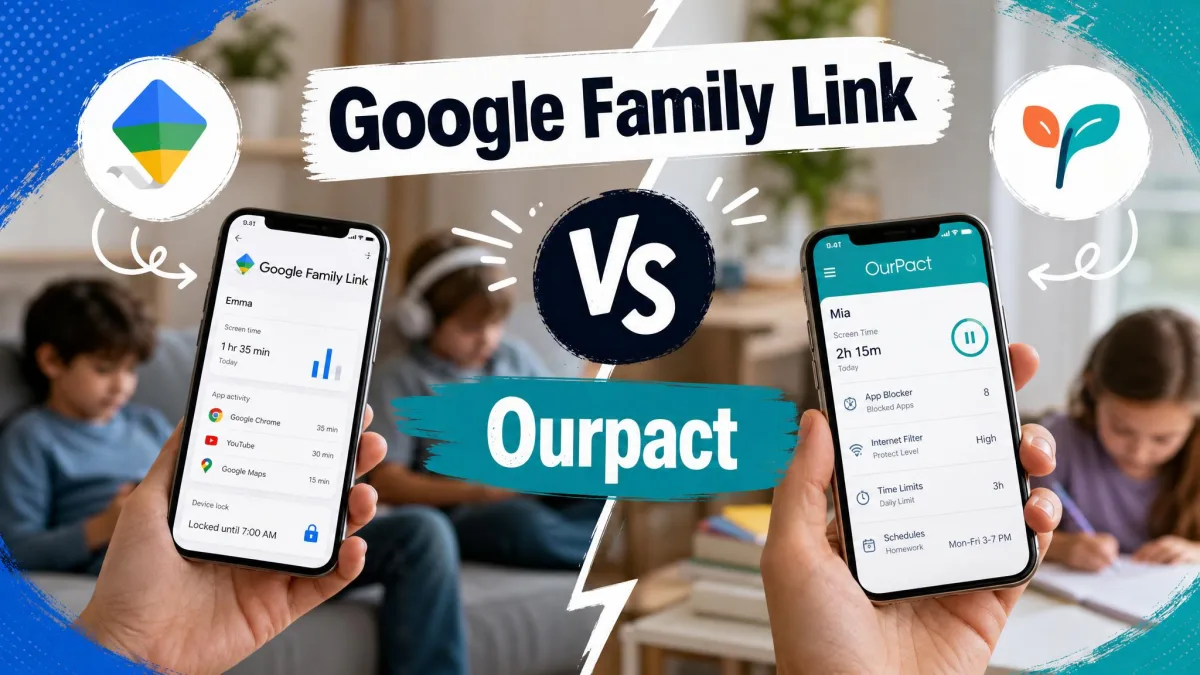
Most parents shopping for parental control software are really choosing between two jobs. One job is filtering the web so your kids do not stumble onto adult content. The other job is capping screen time so devices go quiet at bedtime and during homework. Net Nanny and OurPact each lean hard toward one of those jobs, and picking the wrong one for your family is the most common mistake we see.
Net Nanny built its name on content filtering. OurPact built its name on screen-time scheduling. Both now claim to do everything, but our testing shows the old strengths still hold. We set up both apps on real family devices, a Windows laptop, an iPhone, and an Android phone, and lived with them for several weeks of ordinary school-week use. We paid for the mid tiers ourselves rather than relying on demo accounts.
This guide compares the two head to head on filtering, screen time, app blocking, location, pricing, and day-to-day reliability. Our goal is simple: help you keep your kids safe without paying for features your household will never touch.
Net Nanny vs OurPact at a Glance
If you want the short version, here it is. Net Nanny is the stronger content filter and the better fit for families whose main worry is what kids see online. OurPact is the stronger scheduler and the better fit for families whose main worry is how long kids stare at a screen.
OurPact edges ahead as our overall pick for most families, mainly because it costs less, works cleanly across both iOS and Android, and is much harder for a child to disable. Net Nanny wins on filtering quality, but its weak tamper protection and its billing reputation held its score back in our testing.
Before you buy either app, write down your one biggest worry. If it is what your child sees, filtering matters most. If it is how long they are online, scheduling matters most. That single answer usually decides the winner for your family.
Net Nanny Overview
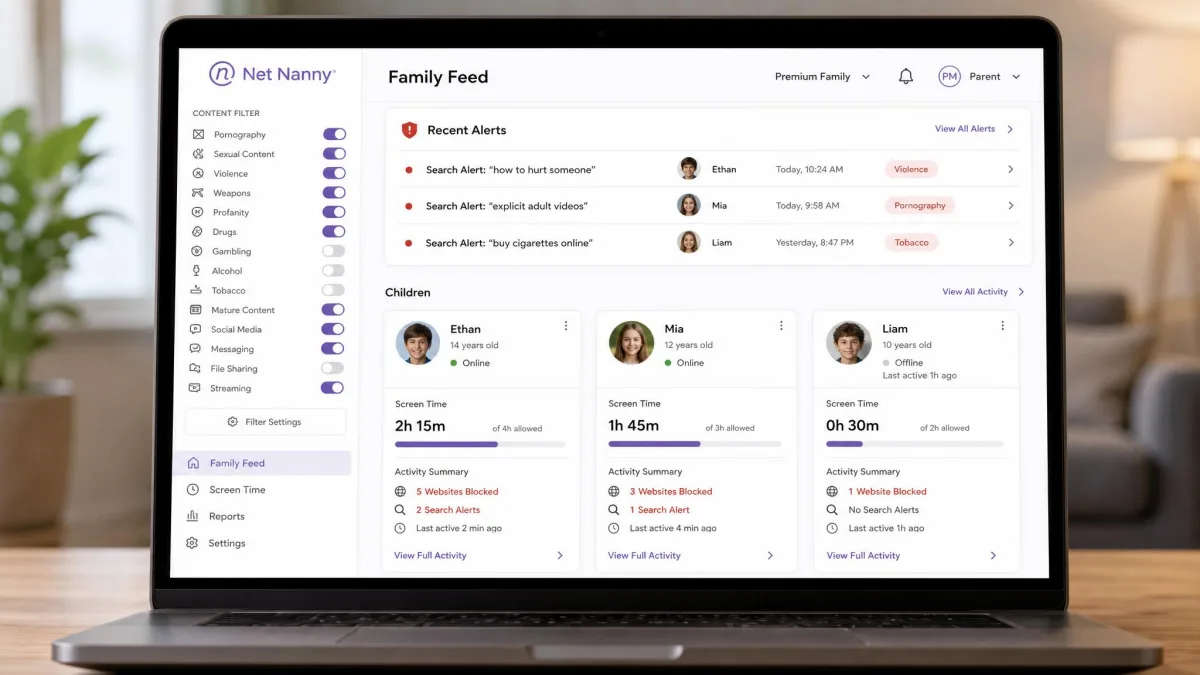
Net Nanny is a filtering-first parental control app for Windows, macOS, and iOS. Its headline feature is a dynamic, real-time content filter that reads pages as they load instead of relying on a fixed blocklist. In our testing the filter reacted in well under a second, noticeably faster than the list-based blockers we have used, and its category-based website blocking is the strongest part of the app.
The rest of the toolkit is broad. You get pornography and adult-content blocking, a website blocker with allow and block lists, screen time limits, app blocking on mobile, instant alerts on flagged searches, activity reporting, YouTube monitoring, GPS location tracking, and social media protection. For a filtering product, that is a comprehensive spread.
The weak spots are real and worth knowing before you commit. Our custom filters occasionally missed explicit song lyrics and inappropriate phrases even after we configured them. Tamper protection is thin: the app can be disabled with just an email and password and no parent notification, and an iOS management profile can be removed in a few clicks. That matters for older, more determined kids.
Best for
Net Nanny is best for parents of younger children whose main concern is web safety and blocking adult content. It also suits Windows-first households, since desktop filtering is where Net Nanny is strongest and most reliable.
Pros and Cons
Pros
- Fast dynamic content filter that reads pages in real time
- Strong category-based website blocking and allow/block lists
- Broad feature set including alerts, reporting, and GPS location
- Reliable filtering on Windows and macOS desktops
Cons
- Weak tamper protection; the app is easy to disable
- Android support is disputed and reported as unreliable
- Annual billing only, with billing and cancellation complaints
- Custom filters can miss explicit lyrics and phrases
Pricing
Net Nanny uses annual billing only, with no monthly option. Pricing starts at $39.99 a year for one desktop device, moves to $54.99 a year for the 5-device Family Pass, and reaches $89.99 a year for the 20-device Family Pass. Introductory promo discounts do not always carry over to renewal, so budget for the standard rate in year two.
Net Nanny offers a 3-day free trial that activates when you sign up, which is separate from its 14-day money-back guarantee on paid plans. The trial lets you try the app before billing starts; the guarantee gives you a refund window after you pay. Do not confuse the two when you plan your test period.

OurPact Overview
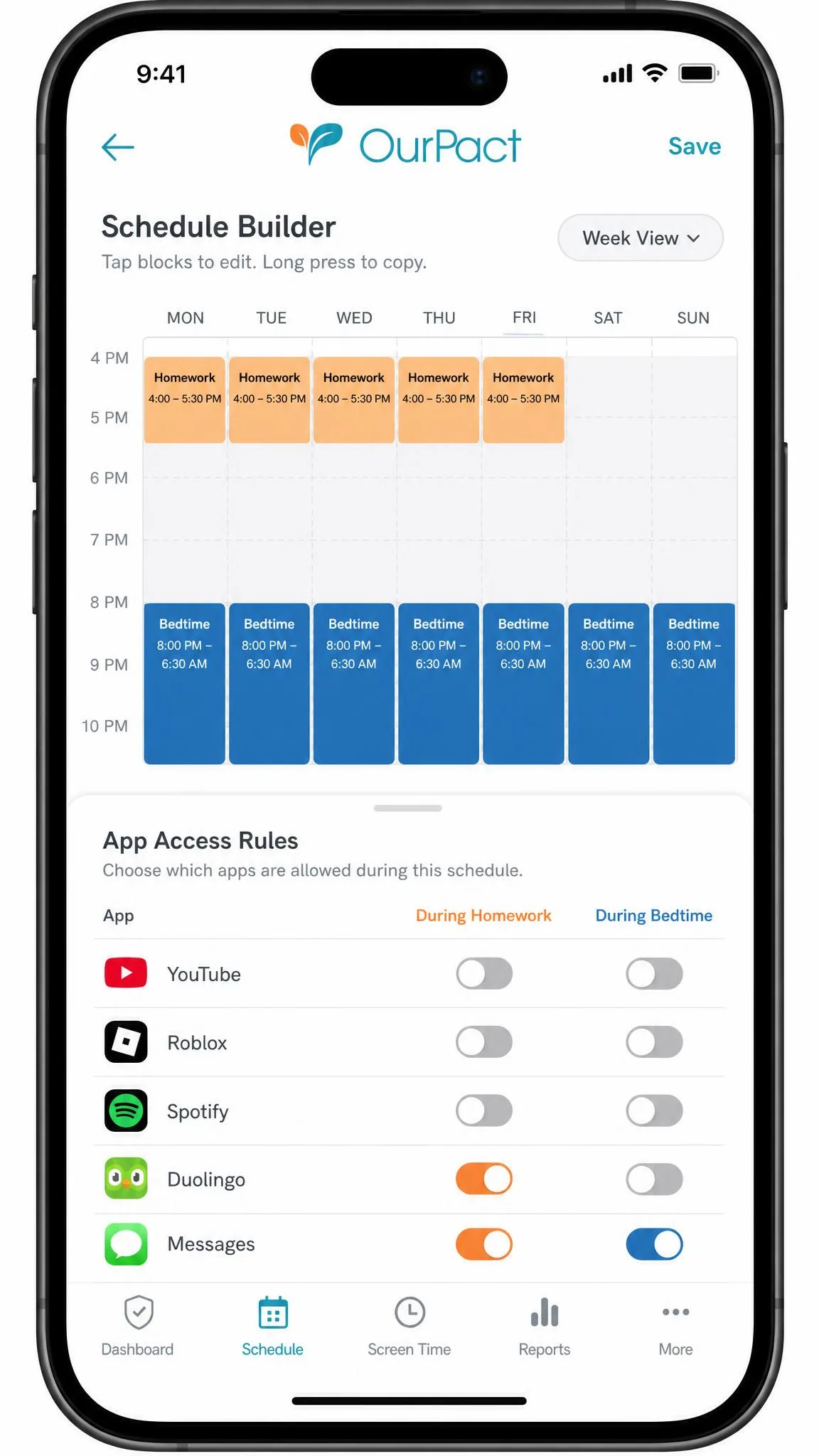
OurPact is a screen-time-first parental control app for iOS and Android, with genuine cross-platform management of mixed devices. Its core strength is scheduling. You build daily and weekly screen-time schedules, drop in bedtime blocks, and add homework blocks that cut off distractions during study time. In our testing this is the part of the app that felt the most polished and purpose-built.
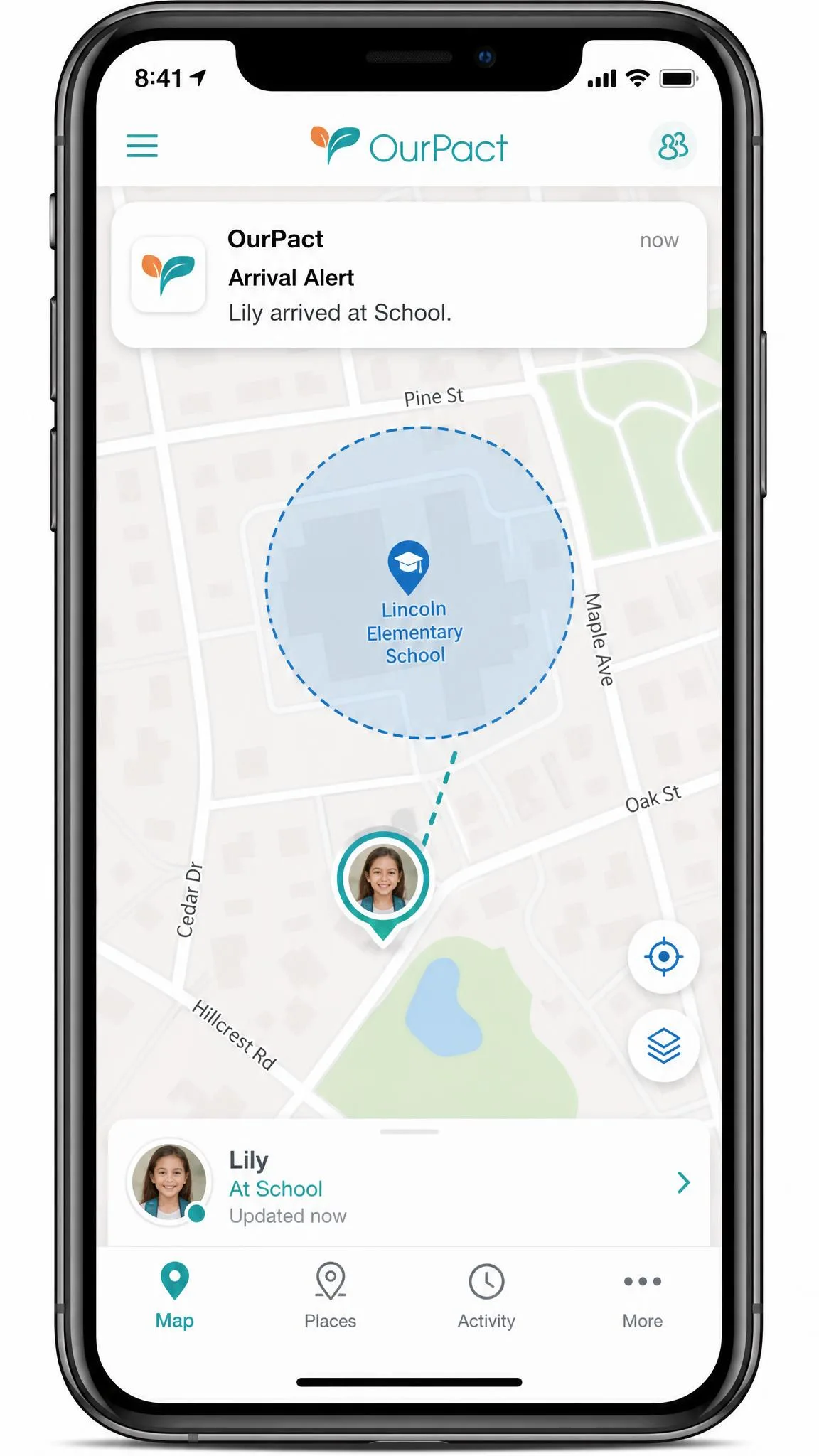
Around that core sits a solid feature set: per-app blocking and allowing with age ratings, real-time GPS location with history, geofencing with arrival and departure alerts, a smart web filter for adult content, in-app purchase blocking, and app deletion prevention. On the top tier you also get AI-flagged screenshots and gallery views, plus tamperproof removal on iOS 18 and later.
The trade-offs are clear. Web filtering is the weak link, blocking adult content only, with no call or message logs. The most useful visibility features, screenshots and gallery, sit behind the top Premium+ tier, which frustrated us when cheaper plans felt one step short. We also saw scheduled shutdowns and location occasionally behave unreliably.
Best for
OurPact is best for families focused on screen time and healthy device habits, especially households that mix iPhones and Android phones and want one app to manage them all without paying per device.
Pros and Cons
Pros
- Best-in-class screen-time scheduling, bedtime, and homework blocks
- True cross-platform support across iOS and Android
- Per-app blocking with age ratings and strong location tools
- Free plan to start, then flat-rate pricing up to 20 devices
Cons
- Weak web filtering that blocks adult content only
- Screenshots and gallery locked to the top Premium+ tier
- Setup can be lengthy and fiddly across platforms
- Scheduled shutdowns and location can be inconsistent
Pricing
OurPact starts with a free plan at $0 for one device, with 5 manual blocks and web blocking. The Plus plan is $1.99 a month for up to 10 devices with unlimited manual and automated blocks. Premium is $6.99 a month or $69.99 a year for up to 20 devices, unlimited schedules, and the family locator. Premium+ is $9.99 a month or $99.99 a year, adding screenshots and gallery. New users get a 14-day free trial.
OurPact's flat-rate pricing means the 20-device Premium plan costs the same whether you cover two kids or six. Larger families get the most value here, since there is no per-device fee stacking up.

Head-to-Head Feature Comparison
Here is the side-by-side view of how the two apps stack up on the features that matter most. We have kept the rows to the deciding factors so you can scan the differences quickly.
| Product | Buy | Content filtering | Screen time | App blocking | Location | Cross-platform | Max devices | Free trial | Anti-tamper | Price |
|---|---|---|---|---|---|---|---|---|---|---|
|
Check price → | Adult content only, weak | Daily/weekly schedules, bedtime, homework | Per-app with age ratings | Real-time GPS, history, geofencing | iOS and Android | 20 | 14-day | App-deletion block, tamperproof iOS 18+ | Free;$1.99-$9.99/mo |
|
Check price | Dynamic real-time filter, strong | Time limits, pause/disconnect | Yes (mobile) | GPS, some manual setup | Windows, macOS, iOS (Android disputed) | 20 | Disputed (3 or 14-day) | Weak, easily disabled | $39.99-$89.99/yr |
Content Filtering and Web Safety
This is the clearest split between the two apps. Net Nanny wins content filtering, and it is not close. Its dynamic filter analyzes each page as it loads rather than checking a static list, which means new and unrated sites get evaluated on the spot. In our testing the filter caught adult content quickly and let us tune categories with real precision. For parents whose top worry is what their kids see online, this is the reason to choose Net Nanny.
OurPact's smart web filter, by contrast, blocks adult content and little else. There are no call or message logs, and the filtering is coarse compared with Net Nanny's category system. It is enough to keep casual browsing clean, but it will not satisfy a parent who wants granular control over sites, searches, and content types.
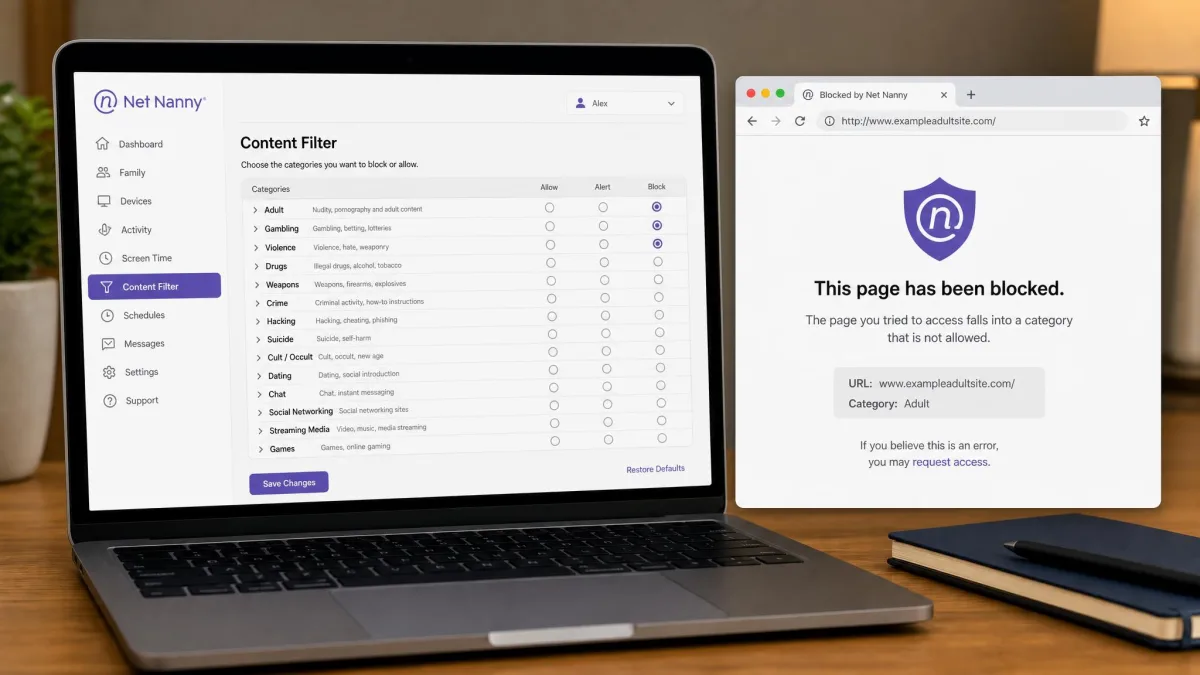
Net Nanny reads pages in real time and blocks in under a second; OurPact blocks adult content and stops there. For filtering-first families, that gap decides the whole contest.
— From our hands-on testing
One honest caveat on Net Nanny: even with custom filters configured, we saw it miss explicit song lyrics and some inappropriate phrases. No filter is perfect, and pairing any app with an ongoing conversation about online safety still does more than software alone. The wider issue of child and youth safety online is bigger than any single tool.
Screen Time and Scheduling Controls
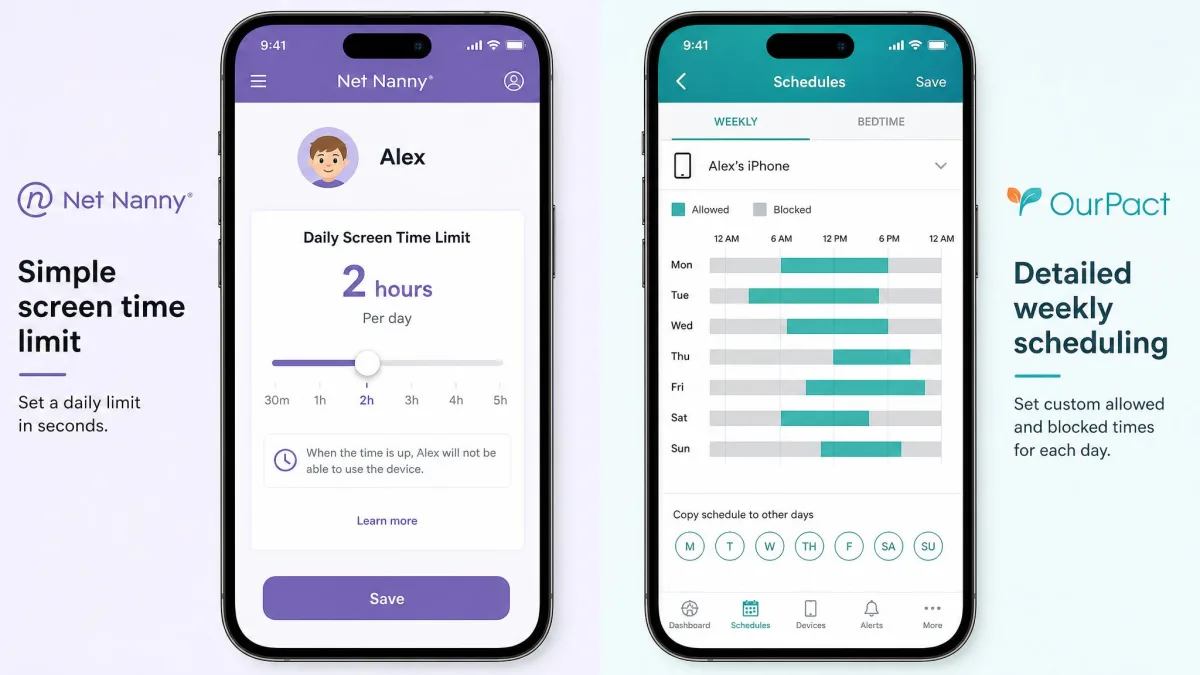
Flip the question to screen time and the winner flips too. OurPact is built for this. You create daily and weekly schedules, set bedtime blocks that switch devices off at night, and add homework blocks that clear distractions during study hours. The scheduling grid is the most refined part of the app, and it is what most families will touch every single day.
Net Nanny does offer screen time limits, along with pause and disconnect options that cut internet access on demand. They work, but they feel like a secondary feature bolted onto a filtering product rather than the main event. If your household runs on routines and you want granular control over when devices are usable, OurPact is the more natural fit.
One reliability note from our testing: OurPact's scheduled shutdowns occasionally failed to fire on time. It did not happen often, but when a bedtime block silently skips, kids notice before you do. Build in a quick nightly glance at the dashboard until you trust the schedule on your devices.
App Blocking and Management
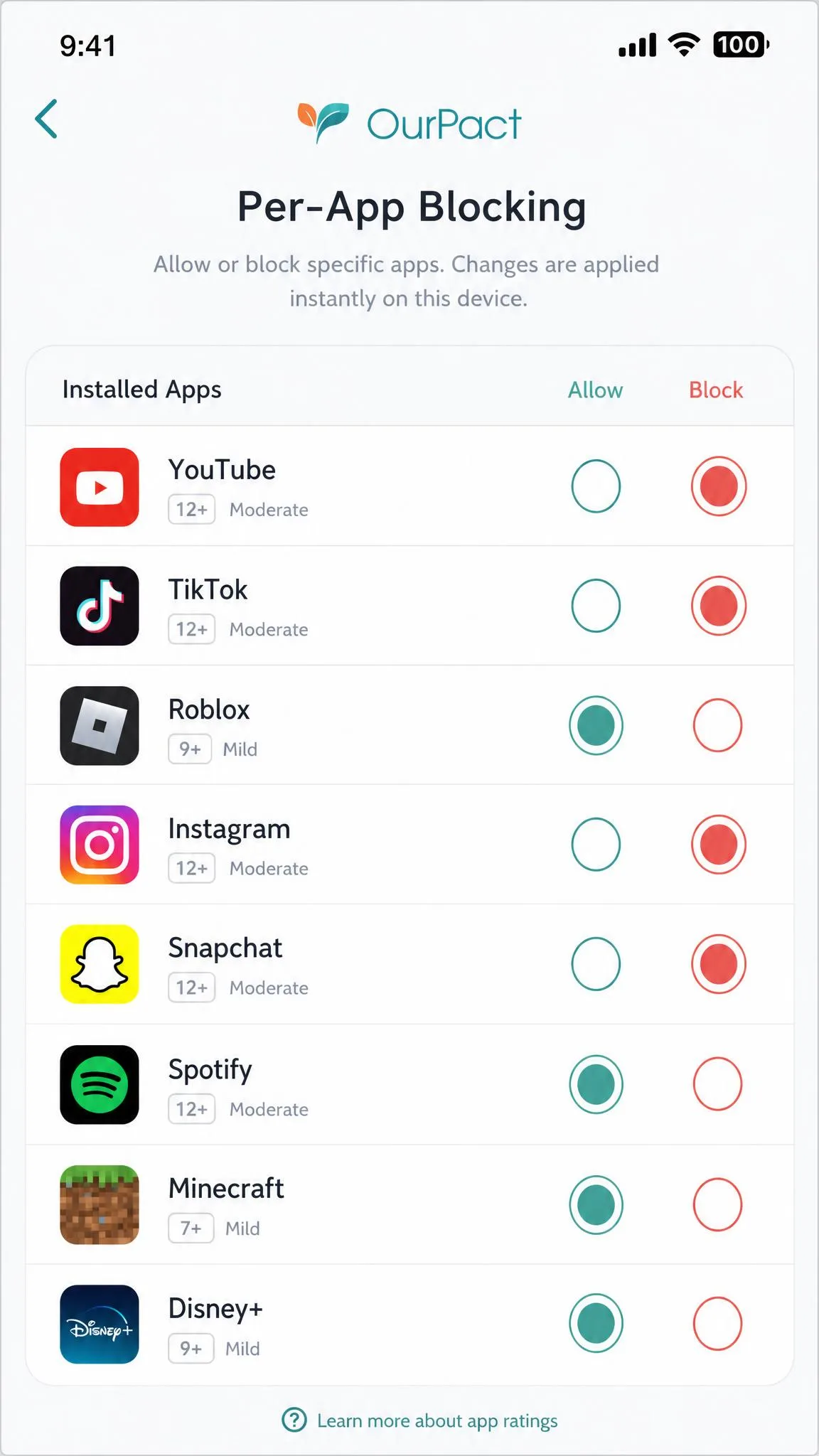
Both apps block apps, but OurPact does it with more finesse. Its per-app blocking includes age ratings, so you can allow or block titles based on how they are classified, and you can grant or revoke access to individual apps on the fly. Combined with its scheduling, this makes OurPact strong for managing exactly which apps a child can open and when.
Net Nanny supports app blocking on mobile as well, and it works, but the controls are less detailed. It leans on its filtering and time limits as the primary levers. If fine-grained app management is high on your list, OurPact gives you more direct control over each installed app.
Platform and Device Support
Platform support may settle the decision on its own. OurPact runs on both iOS and Android and manages mixed households from one account, which is exactly what most families need when kids carry different phones. Its App Scrambling feature is iOS-only, and some location behavior varies by operating system, but the core experience is genuinely cross-platform.
Net Nanny officially supports Windows 10 and later, macOS, and iOS 11 and later. Android is where things get murky. The current, full app is not available on current Android devices; a promised 2024 Android update never shipped, and sources diverge on whether a limited older parent app still runs at all. If any Android app is present, expect it to be unreliable, and in our testing the child app frequently failed to connect after several attempts. If you have Android kids, OurPact is the safer bet.
Both apps cover up to 20 devices at their top tiers, so raw device count is a tie. The difference is which platforms those devices run, and here OurPact is more dependable across the board.
If your family is entirely on Windows PCs and iPhones, Net Nanny's platform gaps will not affect you, and its stronger filtering becomes the deciding factor. The Android question only matters if an Android device is in the mix.
Location Tracking and Geofencing
OurPact offers the more complete location toolkit. You get real-time GPS, location history, and geofencing with arrival and departure alerts, so you can be notified when a child reaches school or leaves a friend's house. The family locator sits in the Premium tier and is a genuine reason to step up from the free or Plus plans.
Net Nanny includes GPS location tracking too, though some of it needs manual setup, and it does not offer the same geofencing alerts. Reports on its location accuracy vary, from a noticeable delay to spot-on positioning. As a location tool, Net Nanny is a useful extra rather than a headline feature, whereas OurPact treats it as core.
Alerts, Monitoring and Reporting
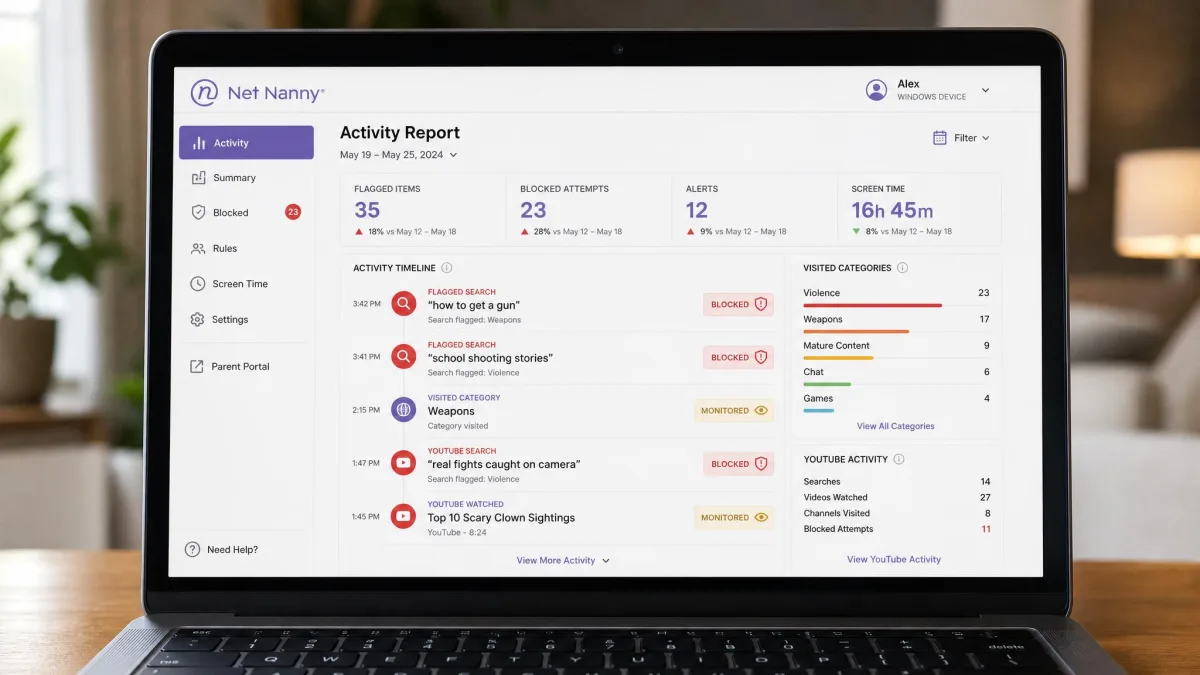
Net Nanny is the stronger app for parents who want to see what is happening. It sends instant alerts on flagged searches, provides activity reporting, and monitors YouTube, giving you a running picture of your child's browsing and searching. For a filtering-first household, that visibility pairs naturally with the blocking.
OurPact's monitoring is thinner on the standard tiers. Its most revealing features, AI-flagged screenshots and gallery views, are locked to the top Premium+ plan, which frustrated us because basic content visibility feels like something cheaper plans should include. If ongoing monitoring and alerts rank high for you, Net Nanny delivers more without pushing you to its priciest tier.
Ease of Use and Setup
Neither app is effortless to install, and you should set aside time for both. OurPact setup can be hectic. It may require USB debugging on Android, disabling Find My iPhone on iOS, and often a computer for pairing, and it took us around 30 minutes to get fully running. Once installed, though, the daily dashboard is clean and easy to use.
Net Nanny has its own friction. Account setup requires a mobile device and cannot be finished from a desktop browser, which is genuinely annoying for computer-first parents who expected to manage everything from a laptop. After setup, the parent dashboard is straightforward. Expect a fiddly first hour with either app, then smooth day-to-day use.
Do your setup on a quiet evening, not five minutes before you hand a child their phone. Both apps ask for permissions and pairing steps that go faster when you are not rushing, and OurPact in particular wants a computer nearby.
Pricing and Value Compared
On price, OurPact is the clear value winner, and it starts free. Its free plan covers one device with basic blocking, Plus is $1.99 a month for up to 10 devices, Premium is $6.99 a month or $69.99 a year for up to 20 devices, and Premium+ is $9.99 a month or $99.99 a year. The flat-rate structure means large families pay the same as small ones at each tier.
Net Nanny is annual billing only, at $39.99 a year for one device, $54.99 a year for 5 devices, and $89.99 a year for 20 devices. For a single desktop, Net Nanny and OurPact Premium land in similar territory once you annualize. For multiple devices, OurPact's flat rate is usually the cheaper path, and its free plan lets you try the concept before spending anything.
Value is not only price, though. Pew Research has documented how central devices have become to family life, and children's engagement with digital devices keeps rising. The best value is the app you will actually keep using, which is why matching the tool to your main worry matters more than saving a few dollars.
User Reviews and Reliability
Reliability is where we have real reservations about Net Nanny. It carries a poor 2.1 rating on Trustpilot, and billing is a recurring problem, with difficult cancellation and unauthorized recurring charges. In one case we saw an account charged four times after auto-billing was disabled. Support is email and ticket only, with no live phone line, and can be slow to respond. Its weak tamper protection compounds the concern, since a child can disable the app without alerting you.
OurPact is not flawless either. Its support responds by email only, often within about seven days, and we saw scheduled shutdowns and location behave inconsistently at times. Its refund policy also appears strict, though we could not confirm the terms on the official pricing page. On balance, OurPact's problems are annoyances, while Net Nanny's billing and tamper issues are the kind that erode trust.
Whichever app you choose, watch your billing statements after signing up and keep a written record of any cancellation. Recurring-charge complaints are common in this category, and a saved confirmation email is your best protection.
The Verdict: Which Should You Choose?
The honest answer is that the right pick depends on your main worry, exactly as the title suggests. Choose Net Nanny if content filtering is your priority, especially for younger kids on Windows and iOS, where its fast dynamic filter is the best part of either app. Just go in knowing its tamper protection is weak and its billing reputation is shaky.
Choose OurPact if screen time is your priority, if you manage a mix of iPhones and Android devices, or if you want to start free and scale up. It is cheaper, harder for kids to disable, and built around the scheduling that most families use every day. For those reasons it takes our overall recommendation for the typical household.