Most parents shopping for a parental control app want two different things at once, and no single product does both perfectly. You want to know that your child is safer online without reading every private message they send, and you want screen time limits that actually hold when a phone goes to school and comes home again. Bark and Qustodio each solve one half of that problem well and the other half only partly. We ran both apps on family Android phones, iPhones and a Windows laptop across several rounds of testing, checking alerts, filtering, location and screen time against normal daily use rather than a lab script. What follows is where each app earned its keep, where each one let us down, and which one we would put on a child's phone in 2026.
Every hands-on claim in this comparison comes from running Bark and Qustodio on real family devices across Android, iOS and Windows. Pricing was checked against both vendors on 26 August 2026.
Bark vs Qustodio at a Glance
The short version is that these two apps are built on opposite philosophies. Bark watches content and tells you when something looks wrong. Qustodio watches behaviour and shows you what happened. That difference shapes everything else, from what you see on the dashboard to how your teenager reacts when they find out the app is installed.
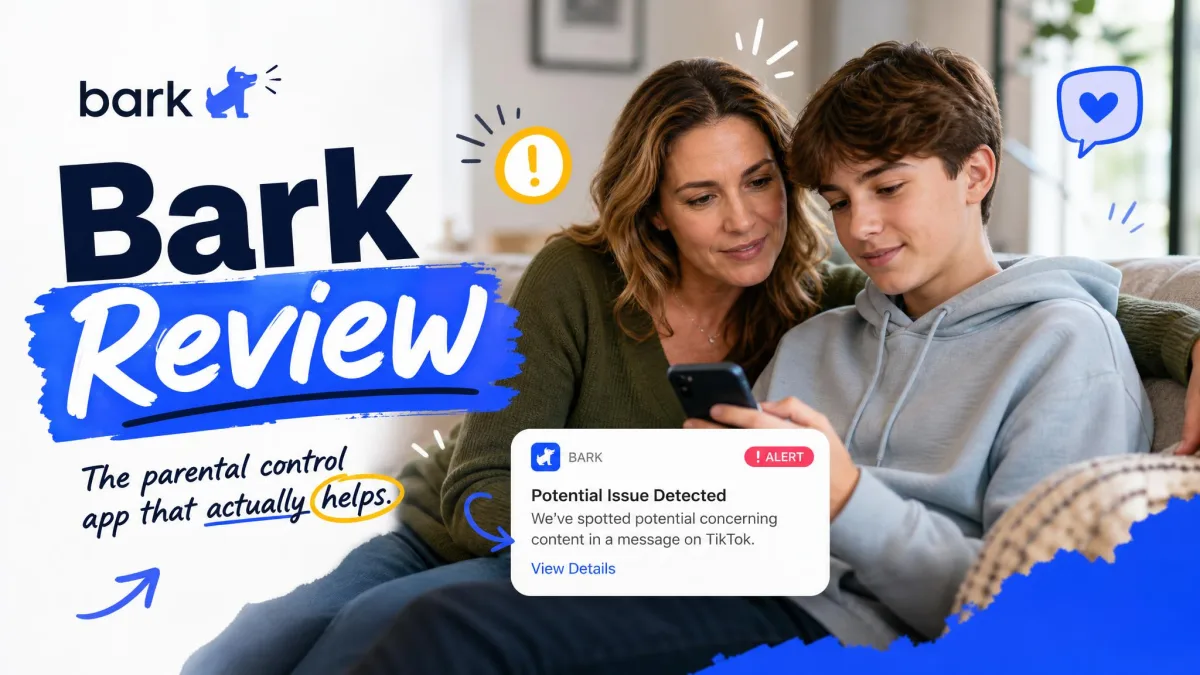
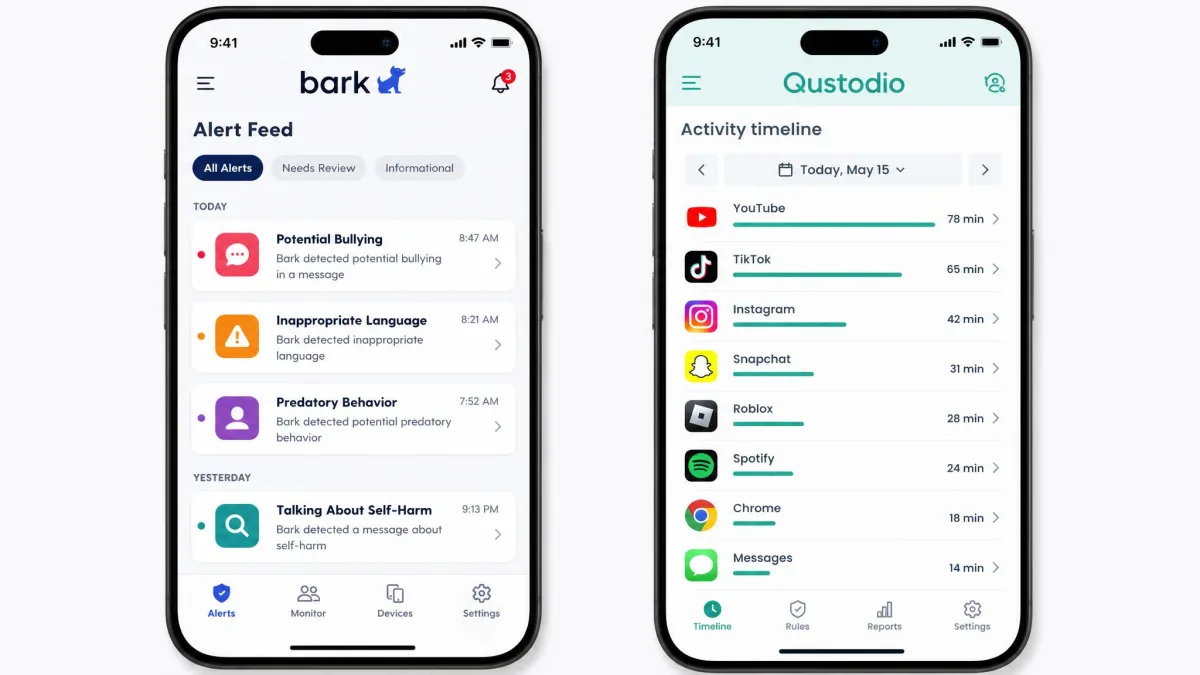
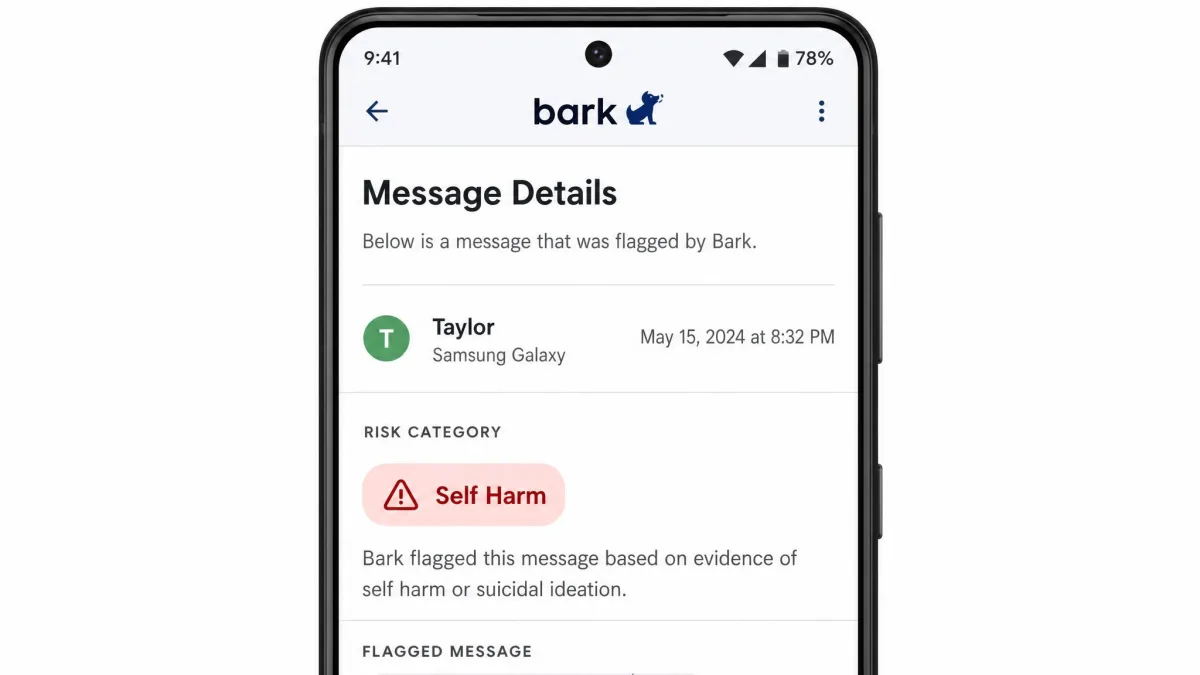
Bark reads texts, email and activity across more than 30 social media and chat platforms, then flags material that falls into any of 29 categories of potential danger, including cyberbullying, sexual content, predators and suicidal ideation. You do not get a transcript. You get a snippet and a nudge to have a conversation. In our testing that approach caught slang and emoji misuse that a plain keyword filter would sail past, though it also fired on a beer emoji it read as alcohol content and on a charity donation email it read as violence.
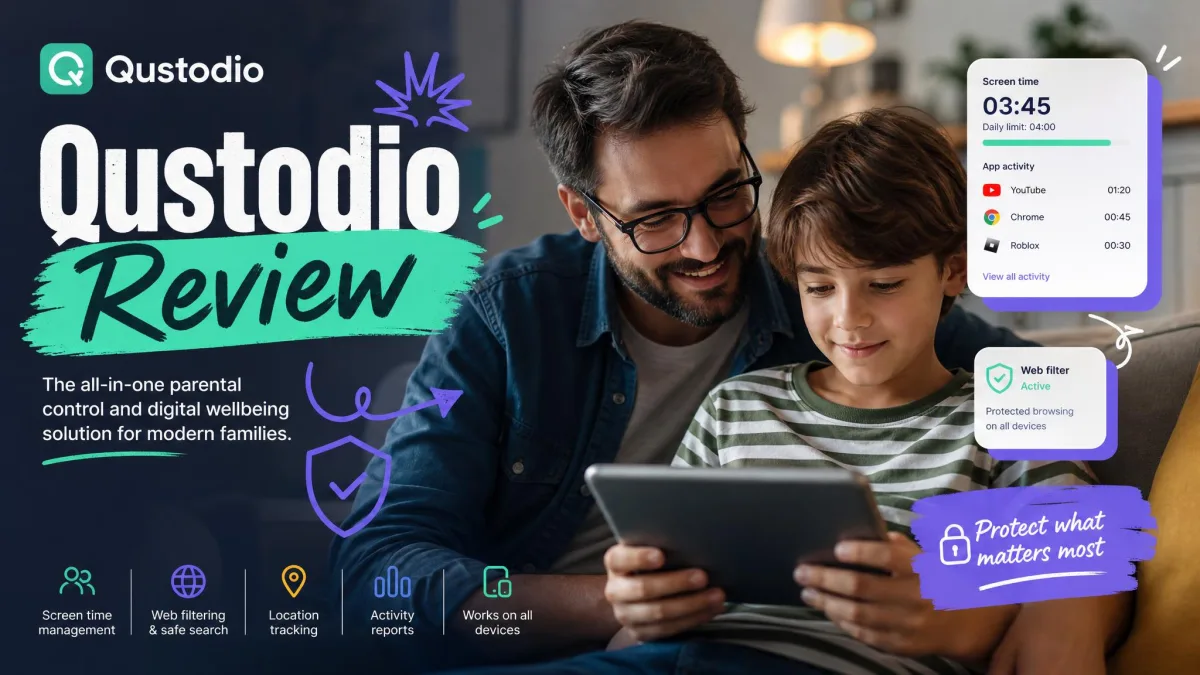
Qustodio takes the opposite route. It gives you a near real time activity timeline showing which app was opened and for how long, daily and per-app screen time limits, web filtering across 29 content categories, and location tracking with history. On Android it adds call and SMS monitoring plus a panic button.
Both apps are well regarded outside our own bench. SafeWise's 2026 Kids Safety Awards named Bark Best Overall at 4.8 out of 5 and Qustodio Best Value at 4.75 out of 5. Our verdict lands slightly differently, and we explain why in the sections below.
Bark vs Qustodio Comparison Table
| Feature | Bark | Qustodio |
|---|---|---|
| Monitoring approach | Flags risky content and sends alert snippets | Shows full activity and message content on supported platforms |
| Social media coverage | 30+ platforms | Time tracking on all apps, content on six apps, mostly Android |
| Text and email monitoring | Texts and email across Gmail, Outlook, Yahoo, iCloud and Comcast | SMS and calls on Android, no email monitoring |
| Screen time limits | Schedules and daily limits, no per-app timers | Daily, per-app and routine-based limits |
| Web filtering | Category and custom site blocking | 29 content categories |
| App blocking | Yes, iOS and Android | Yes, limited on iOS |
| Location tracking | Yes, check-ins and live location | Yes, live location and history |
| Geofencing | Yes, though alerts proved unreliable in testing | Yes, though alerts proved unreliable in testing |
| iOS support | Partial, needs desktop or Bark Sync for full scanning | Partial, VPN profile, no SMS reading |
| Android support | Full | Full, including calls, SMS and panic button |
| Devices per plan | Unlimited devices, unlimited children | Free 1 device, Basic 5 devices, Complete unlimited |
| Starting price | $99 per year | Free plan, then about $55 per year |
| Free plan | No, 7-day trial only | Yes, one device |
Bark Overview: What It Does Best
Bark is a content safety net rather than a control panel. Once it is installed and connected to your child's accounts, it works quietly in the background and only surfaces when its scanning finds something in one of those 29 risk categories. Parents who want to know that their child is safer online without reading every group chat tend to find that framing much easier to live with.
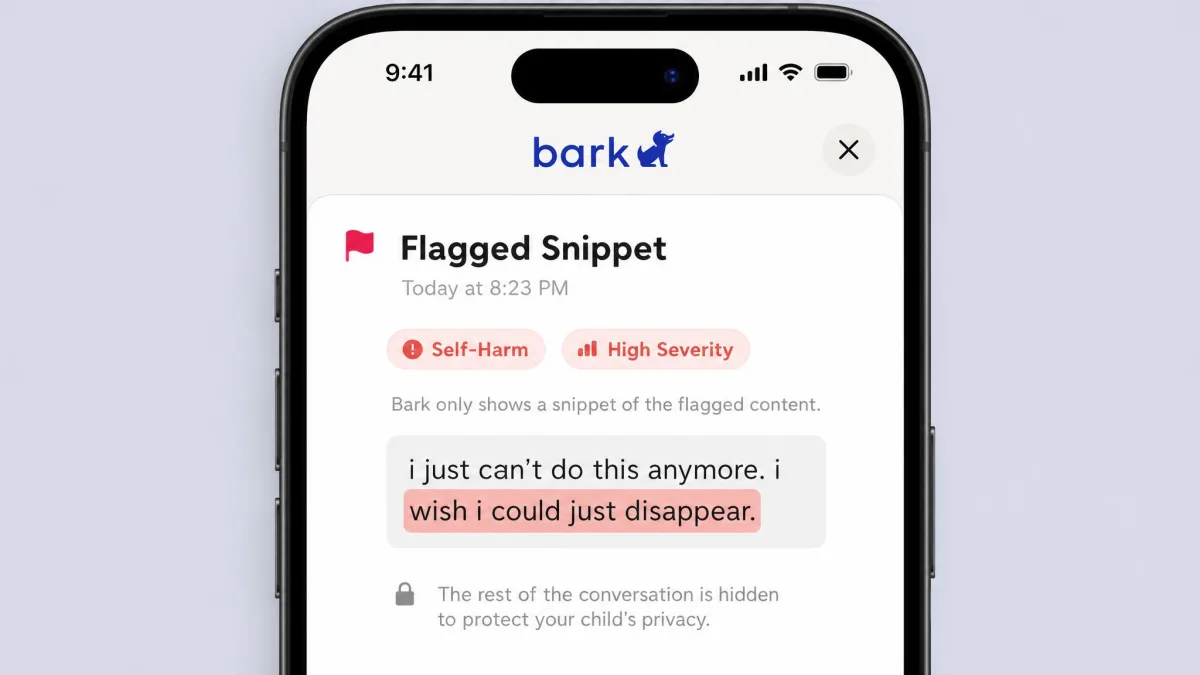
The scanning itself is the strongest part of the product. Bark catches slang and emoji misuse that keyword filters miss, which matters because the language kids use to talk about self-harm, drugs and bullying changes faster than any block list. When an alert arrives, you see the flagged snippet and the platform it came from, not the whole conversation. Teenagers accept that trade far more readily than full-text logging, and in a household where trust is already fragile it can be the difference between an app that stays installed and one that gets argued off the phone within a week.
Bark also covers ground Qustodio does not touch. Email monitoring spans Gmail, Outlook, Yahoo, iCloud and Comcast, which is genuinely useful for school accounts where a lot of quiet contact happens. It watches more than 30 social media and chat platforms. It handles web and app blocking, screen time scheduling, and location check-ins with geofencing. And the whole thing covers unlimited devices and unlimited children on one subscription, so a family with four kids pays exactly what a family with one kid pays.
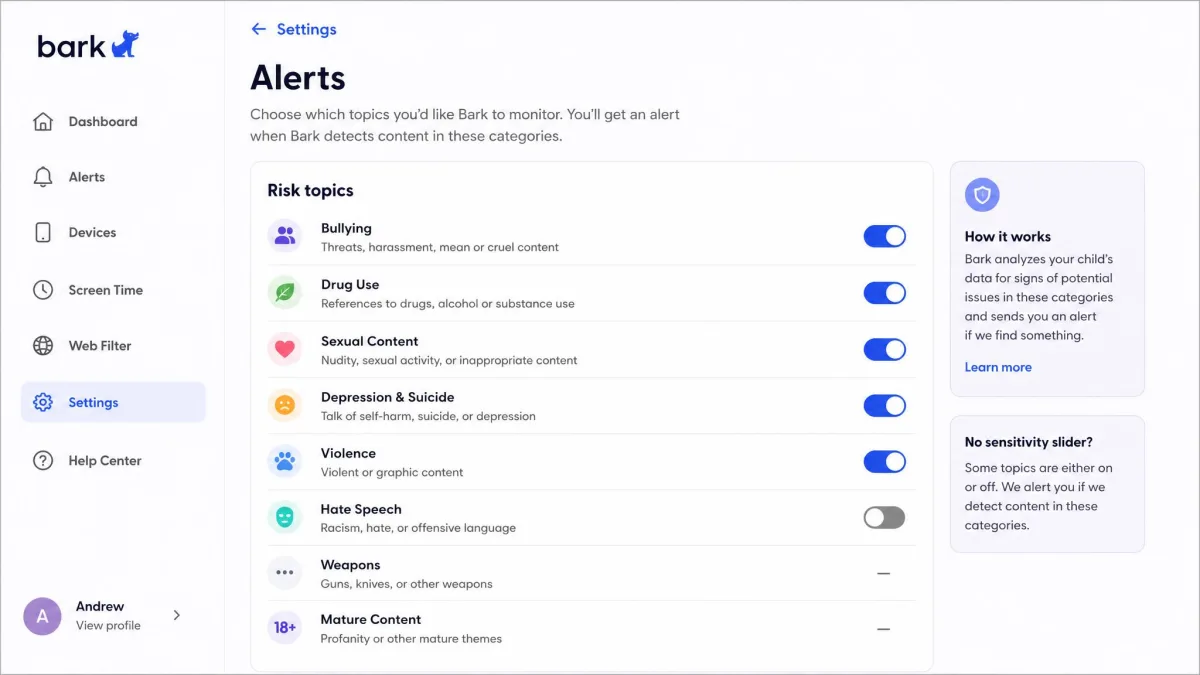
Where Bark disappointed us was reliability and navigation. Its real time alerts failed to fire across repeated test sessions, even though the daily summary alerts kept arriving on schedule. Manual location check-ins, by contrast, worked normally throughout. The dashboard splits alerts and settings across screens that do not follow an obvious order, so finding a specific setting means hunting rather than navigating. Some alert categories also have no sensitivity slider, which leaves you choosing between every alert for that topic or none at all.
Bark Pros
Pros
- Content scanning that understands slang and emoji, not just keywords
- 29 risk categories including cyberbullying, predators and suicidal ideation
- Covers 30+ social platforms plus texts and five email providers
- Unlimited devices and unlimited children on one price
- Shows snippets rather than full transcripts, which teens accept more easily
- Setup wizard includes scripts for the conversation with your child
Cons
- Real time alerts did not fire consistently in our testing
- Geofencing alerts failed to trigger even when location worked
- Dashboard navigation is confusing and settings are scattered
- No per-app time limits, so screen time control is coarse
- False positives on harmless content such as a beer emoji
- No free plan, and $99 per year is a big ask for one child
Bark Cons: The One That Would Stop Us Buying
Of everything in that grid, one entry is a deal-breaker rather than an annoyance. An app whose whole promise is that it will tell you when something is wrong has to tell you every time, and Bark's real time alerts did not. The daily summary still landed, so nothing was lost permanently, but a summary the next morning is a different product from an alert in the moment, and that difference is what the $99 is buying.
Best For
Bark suits parents of tweens and teens whose main worry is what their child is exposed to and who they are talking to, rather than how many hours the phone gets used. It is also the obvious pick for larger families, because the flat price stops mattering per head once you pass two or three devices. If your household runs on Android, you get the full version of the product with none of the caveats we cover further down.
Qustodio Overview: What It Does Best
Qustodio is the more conventional parental control app, and in 2026 that turns out to be a strength. It does the ordinary jobs, filtering, limits, schedules, blocking and location, and it does them the same way every time you check. Across repeated rounds of testing its dashboard updated close to real time, showing which app was opened and for how long, and its filtering blocked mature content reliably while flagging searches for terms like "weed" and "cyberbullying".
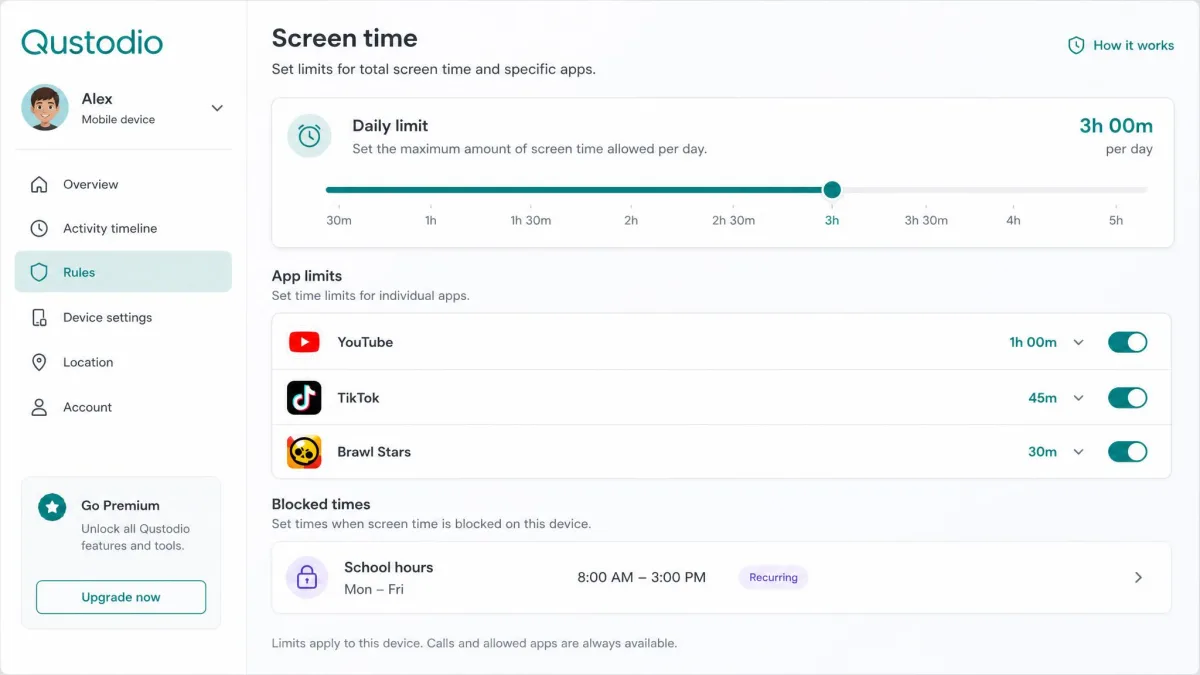
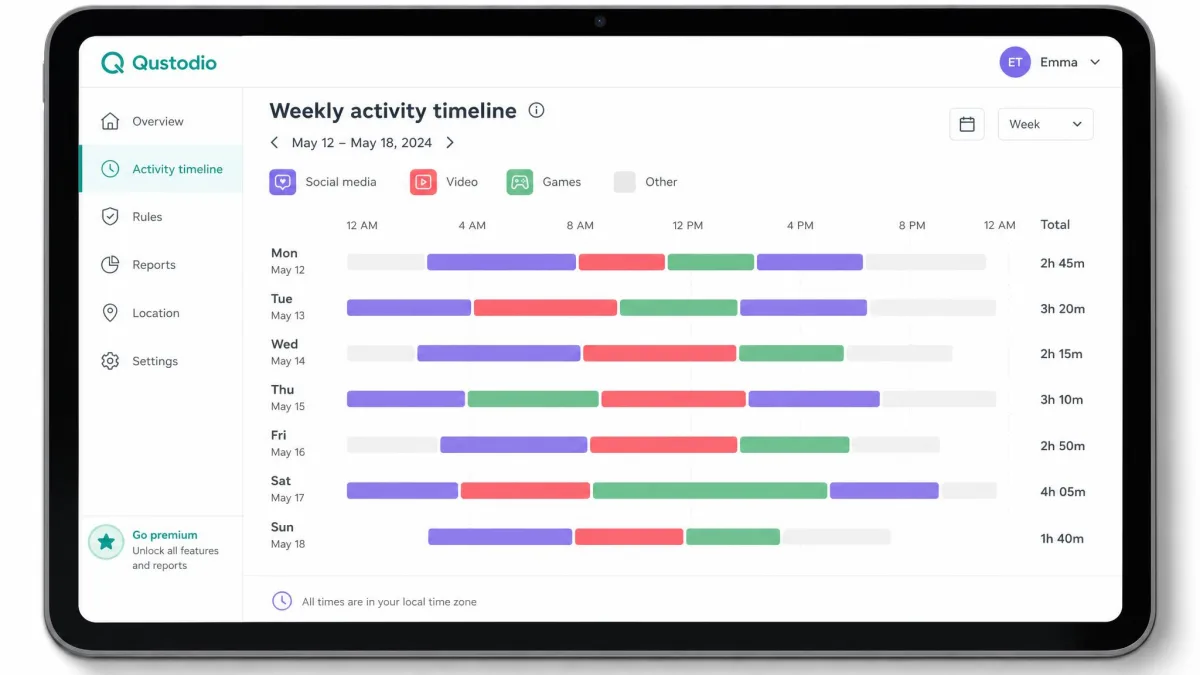
The screen time controls are the clearest win over Bark. You can set a daily cap, then a separate per-app timer, then blackout periods and routines for school hours and bedtime. That is three levels of control where Bark gives you one, and it is the reason plenty of households that started with Bark end up adding a second app for scheduling. Qustodio also produces a 30-day activity report and a timeline that makes a week of phone use legible at a glance, which is far more useful for a conversation than a raw number of hours.
On Android, Qustodio is a noticeably bigger product than it is on iPhone. You get call and SMS monitoring, a panic button, YouTube monitoring, Instagram content monitoring and granular app blocking. Its web filtering runs across 29 content categories, and there is a permanently free plan covering 1 device if you want to try the filtering and daily limits before paying anything.
The gaps matter, though. Qustodio does not scan images, so anything visual is invisible to it. Its social media content monitoring is limited by message encryption, so a number of apps show usage time only. Its GPS tracking added roughly 10 to 15 percent battery drain on the child's phone, which a teenager will notice and complain about. Syncing activity from the child's device to the parent dashboard can lag by 10 to 15 minutes, and the Windows app interface looks dated next to the mobile dashboard.
Qustodio Pros
Pros
- Daily, per-app and routine-based screen time limits
- Web filtering across 29 content categories that blocked reliably in testing
- Dashboard updates close to real time with app-by-app detail
- Free plan covering 1 device, and a 30-day money-back guarantee on paid plans
- Call and SMS monitoring plus a panic button on Android
- Activity timeline and 30-day reports that are genuinely readable
Cons
- Does not scan images at all
- Geofencing alerts failed to trigger in our testing
- GPS tracking costs roughly 10 to 15 percent battery on the child's phone
- Panic button and Instagram monitoring are Android only
- Dashboard sync can lag 10 to 15 minutes behind the device
- Email support is limited to paid plans and phone support sits behind an add-on
Qustodio Cons: The One That Would Stop Us Buying
None of those cons is fatal on its own, but one of them narrows what the app can ever do for you. Qustodio can tell you a child spent an hour in a chat app, and on several platforms that is all it can tell you. If you want to know what was actually said or sent, this is the wrong app for the job, and no setting inside it changes that.
Best For
Qustodio is the better fit for families with younger children, for households that care most about hours and habits, and for anyone who wants a free starting point. It is also the app we would choose if reliability is the deciding factor, because nothing about it surprised us across repeated testing rounds.
Feature-by-Feature Comparison
Both apps advertise long feature lists, and on paper Bark's is longer. What matters is which features hold up in daily use, so this section works through them one at a time.
Content Monitoring and Alerts
This is the category Bark exists for, and it wins it. Bark scans text content and photos across texts, email and more than 30 platforms, then classifies what it finds into 29 categories of potential danger. The classification is smarter than a block list, catching coded language and emoji that a straight keyword match would ignore. The cost of that sensitivity is noise. During testing it flagged a beer emoji as alcohol content and a charity donation email as violence, and because some categories have no sensitivity slider you cannot dial an over-eager topic down without switching it off entirely.
Qustodio's equivalent is narrower. It offers AI alerts with message snippets on six apps: WhatsApp, Instagram DM, Snapchat, TikTok, X and LINE. That list moves as platforms tighten message encryption, so coverage on any single app can drop without notice. Qustodio also does not scan images, so a photo that would trigger a Bark alert passes through unnoticed. If your concern is what your child is being sent rather than what they are opening, Bark is the app that answers it.
Neither app shows you everything. Bark deliberately shows only flagged snippets, and Qustodio's content view is limited to the platforms that still allow message access. If you are expecting a complete transcript of your child's digital life, no mainstream parental control app in 2026 will give you one.
Social Media and Message Monitoring
Bark covers 30+ social media and chat platforms and pairs that with text monitoring and email monitoring across Gmail, Outlook, Yahoo, iCloud and Comcast. For a parent who wants to know if something has gone wrong on Discord or in a school email thread, that breadth has no equivalent on Qustodio's side.
Qustodio tracks time spent in every app but reads content in far fewer. On Android it monitors calls and SMS and can see Instagram content, and it flags YouTube activity. On iPhone, Apple's restrictions block SMS monitoring entirely. Qustodio does not monitor email on any platform. In practice, Qustodio tells you your child spent 90 minutes in a messaging app, while Bark tells you something in that app looked concerning.
Screen Time Limits and Scheduling
Qustodio wins this one clearly. It offers daily limits, per-app limits, blackout periods and routines, which means you can allow two hours of phone use, cap one game inside that at thirty minutes, and shut everything except calls down between 9pm and 7am. Bark gives you schedules and daily limits but cannot set per-app time limits, so its screen time control is coarser. Bark's time limits also behaved inconsistently for us, which is a common reason households running Bark add a second app purely for scheduling.
If screen time is the reason you are shopping at all, this section alone should decide it. Buying Bark for hour control and then paying for a second app to make the schedule stick is a worse deal than simply buying Qustodio.
Web and Content Filtering
Qustodio filters across 29 content categories and blocked mature content reliably in our testing, including flagging searches for terms like "weed" and "cyberbullying" so we could see what a child had tried to look up rather than just what got through. Bark handles web filtering by category and by custom site, which covers the basics and lets you block a specific site your child keeps returning to.
Both are adequate for a primary-age child. Qustodio's category filtering is the more thorough of the two, and its search-term flagging closes a gap that pure blocking leaves open, because knowing what a child searched for is often more informative than knowing the page was blocked.
Web filtering on an iPhone depends on Qustodio's VPN profile staying installed, and that profile is visible in Settings. A determined teenager can find it and remove it. Check periodically that the profile is still in place rather than assuming silence means compliance.
App Blocking and App Management
Bark blocks apps on both iOS and Android and pairs blocking with its scheduling, so you can cut off social media during homework hours. Qustodio blocks apps and games too, but its blocking is limited on iOS, where Apple restricts detailed app-usage insight and granular app blocking. On Android, Qustodio's app management is the more precise of the two because blocking and per-app timers work together.
The practical read is that app blocking is close to a tie on Android and tilts toward Bark on iPhone, where Bark's blocking is less constrained than Qustodio's.
Location Tracking and Geofencing
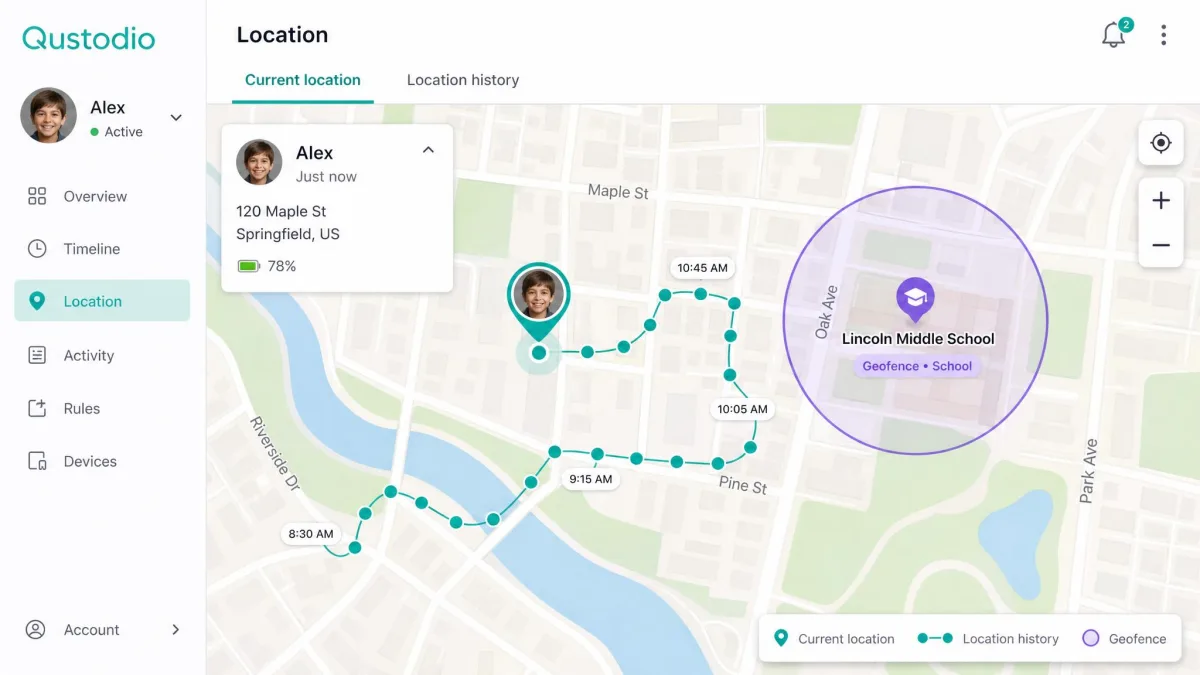
Both apps do live location well enough. Bark offers location check-ins and live location, and Qustodio offers live location plus history, which is the more useful of the two if you want to know where a phone has been rather than only where it is now. Qustodio's family locator sits in the same dashboard as everything else, so you are not switching contexts to use it.
Geofencing is where both apps let us down. Bark's geofencing alerts failed to trigger even when manual location check-ins worked normally, and Qustodio's geofencing also failed to trigger during repeated testing. Neither app's safe-zone alerts are dependable, and we would not want any parent buying either product on the strength of that feature. It is also worth knowing that Qustodio's GPS tracking adds roughly 10 to 15 percent battery drain on the child's phone, which on an older handset is the difference between making it to dinner and not.
Activity Reports and Dashboards
Qustodio's dashboard is the better product. It updates close to real time, showing which app was opened and for how long, and its activity timeline and 30-day reports turn a week of use into something you can actually discuss with a child. The one caveat is sync lag, which ran 10 to 15 minutes behind the device in our testing, so the dashboard is current rather than instantaneous.
Bark's dashboard is where the app is weakest. Alerts and settings are split across screens that do not follow an obvious order, and we spent longer than we should have hunting for individual settings. The alert feed itself is clear once you are in it. Getting to the thing you want to change is the frustrating part.
Bark has the smarter scanning engine and Qustodio has the app you will actually enjoy opening every day. Over a school year, the second one wins more arguments than the first.
— From our hands-on testing across Android, iOS and Windows
Device and Platform Support: iPhone vs Android
Both apps are stronger on Android than on iOS, and if your child is on an iPhone you should read this section before you read the pricing.
On Android, Bark installs a full monitoring client and covers texts, email, photos and its full list of platforms. Qustodio on Android is equally complete, adding call and SMS monitoring, a panic button, Instagram content monitoring and granular app blocking. Anything either app advertises, you get.
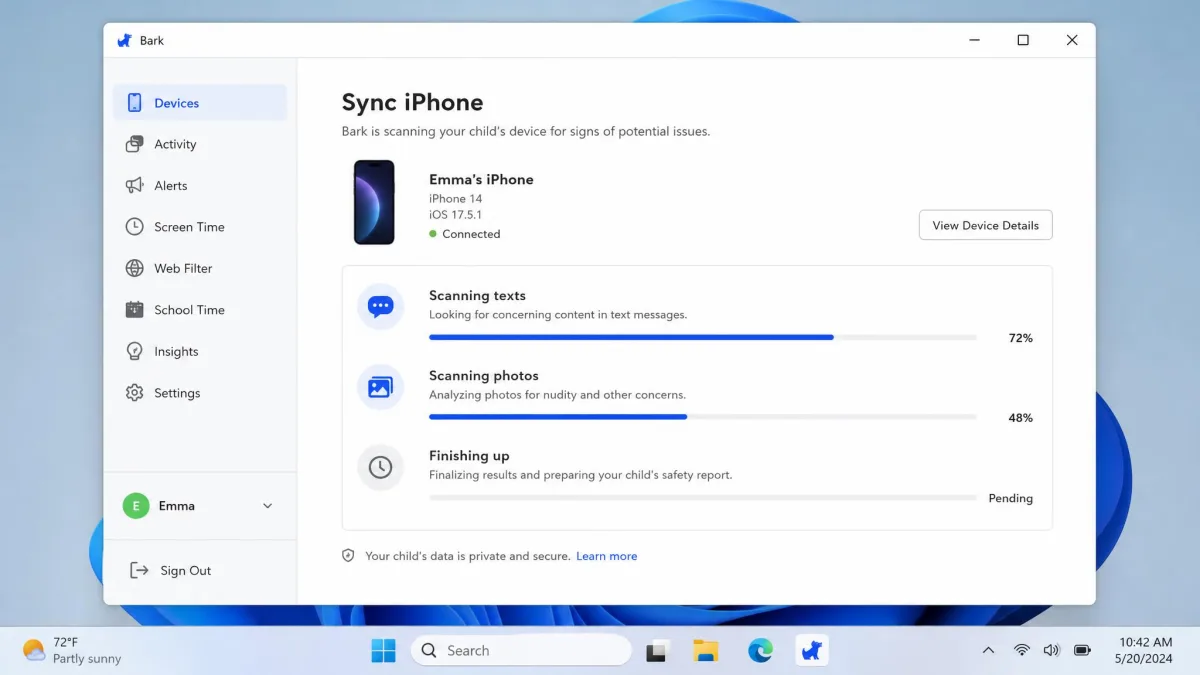
On iOS, both apps shrink. Bark scans texts, photos, videos, email and Safari on iPhone and iPad only when the device is on the same Wi-Fi network as the desktop app, and it cannot scan Snapchat, Instagram, Discord, TikTok or Roblox. Coverage on iPhone shifts with each iOS release, and the exact list of chat apps that still get scanned keeps changing, so treat any list you read, including ours, as a snapshot. Bark sells a way around part of this: the Bark Sync charger for iPhone and iPad costs $6 a month or $49 a year and handles the syncing without a computer in the room.
Qustodio on iOS runs into Apple restrictions that block SMS monitoring, detailed app-usage insight and granular app blocking, and its VPN profile is visible in Settings. Its panic button and Instagram content monitoring are Android only, so an iPhone household loses both. Screen time limits, web filtering and location all still work.
On an iPhone, neither app can read text messages the way it can on Android. Bark needs a desktop connection or its own hardware to scan at all, and Qustodio cannot read SMS on iOS under any configuration. If message monitoring is your reason for buying, an iPhone changes the answer.
Setup and Ease of Use
Installation is not a formality with either app, and it is worth setting aside an evening.
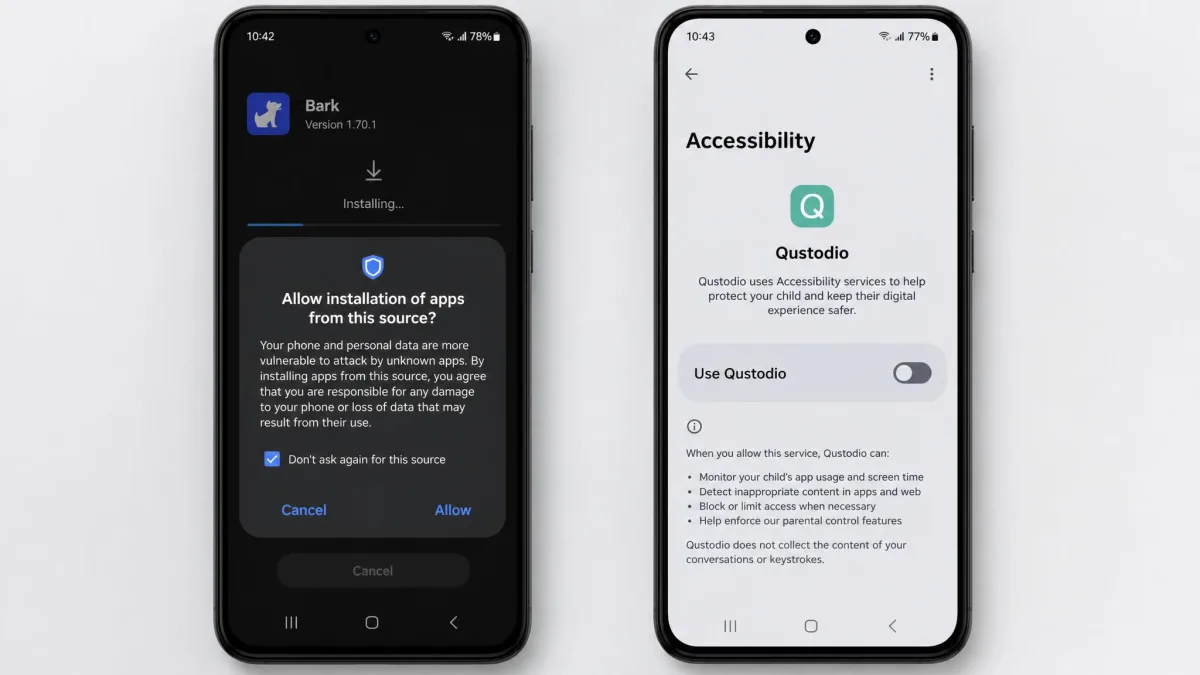
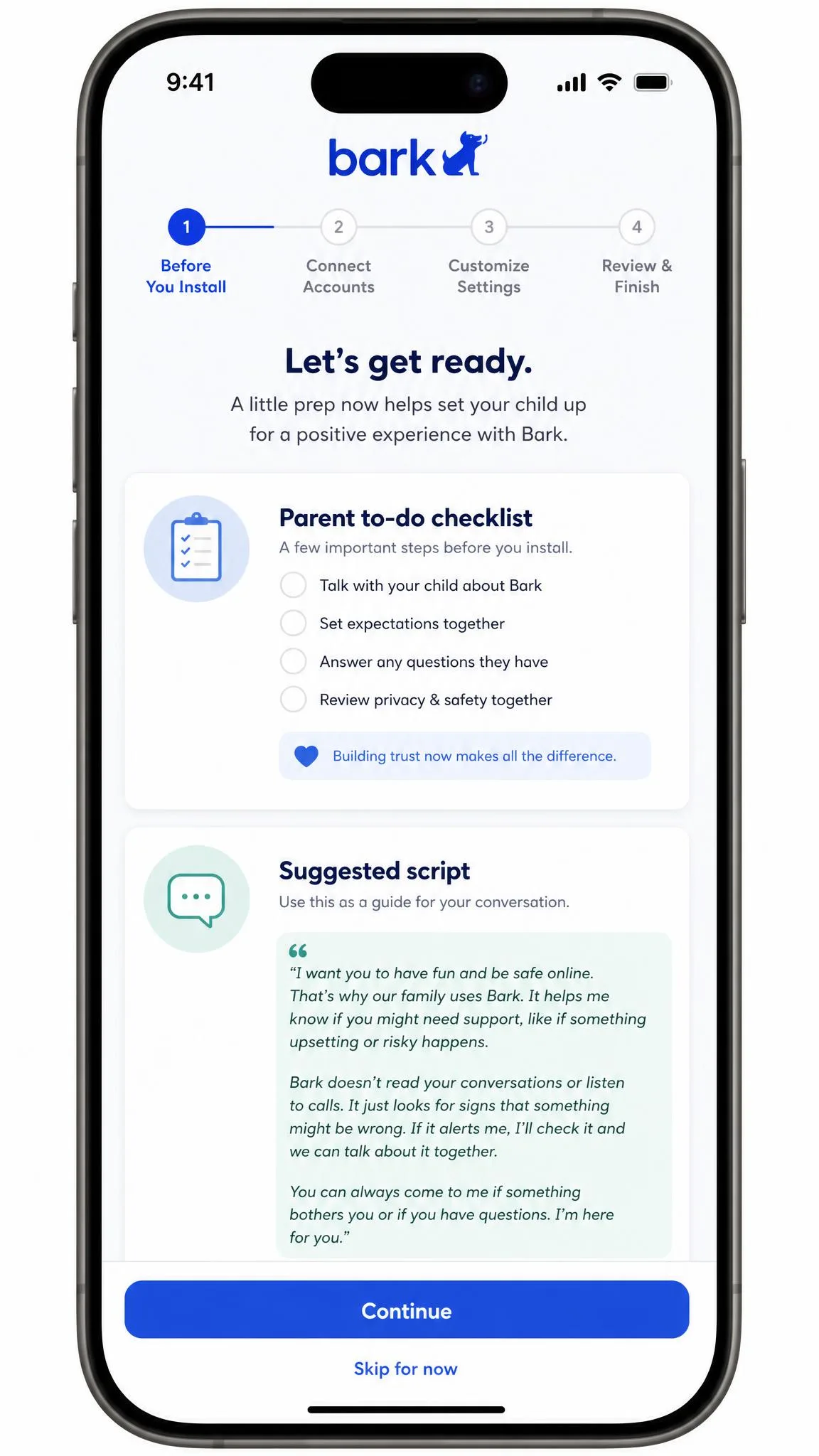
Bark's Android install requires sideloading an APK, and the iPhone route needs a computer connection that can run close to 45 minutes. Across platforms, installation takes 20 to 45 minutes per device, with iOS needing extra desktop steps. Install time swings widely by platform, so the Android and iOS ends of that range feel like different products. What Bark does well is the human side of setup: the wizard walks parents through a to-do list and offers scripts for the conversation with the child, which is a small thing that makes a genuinely awkward moment easier.
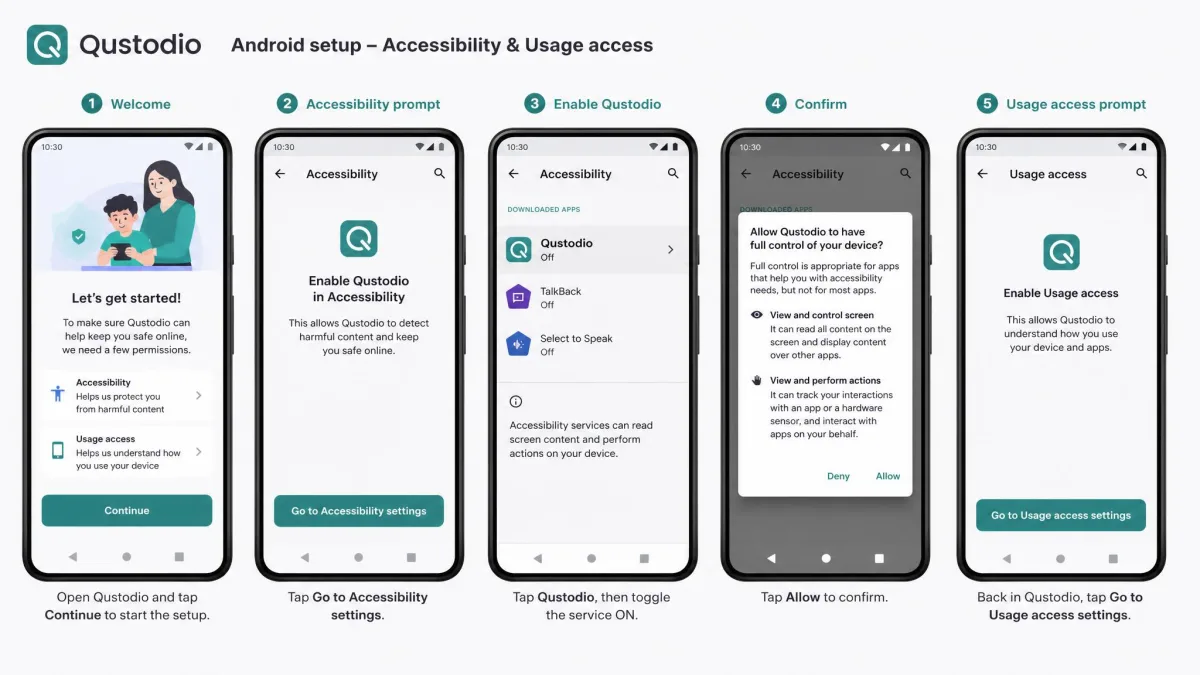
Qustodio's setup walks through each permission step by step and performed consistently across repeated testing rounds. Windows installation takes about 10 minutes, while iOS needs VPN configuration and Android needs accessibility permissions, so setup time varies sharply by platform. One thing to watch for: antivirus software can interfere with the Qustodio installation on Mac, so pause your security suite if the installer stalls.
Day to day, Qustodio is the easier app to live in. Its mobile dashboard is clear and current, though its Windows app interface looks dated next to it. Bark's dashboard navigation is the single most common source of friction we hit, and it does not improve much with familiarity.
Install on your own phone first and spend ten minutes clicking through the parent dashboard before you touch your child's device. Both apps have settings you will want configured before the app announces itself, and Bark in particular is easier to learn when nobody is waiting for their phone back.
Pricing and Plans Compared
Setup effort is a one-evening cost. Price is the one that recurs, and it is where these two apps stop looking similar, because they charge on completely different logic. Bark charges one flat rate for your whole family. Qustodio charges by device count, starting at free.
| Plan | What you get | Price |
|---|---|---|
| Qustodio Free | 1 device, web filtering, daily screen time limits | Free, permanently |
| Qustodio Basic | 5 devices, full feature set | About $55 to $60 per year |
| Qustodio Complete | Unlimited devices, full feature set | About $100 to $110 per year |
| Bark Jr | Screen time, filtering and location, no content monitoring | Roughly $5 to $6 per month |
| Bark Premium | Full content monitoring, unlimited devices and children | $99 per year |
| Bark Sync charger | iPhone and iPad syncing without a computer | $6 per month or $49 per year |
| Bark Home | Whole-network filtering and scheduling hardware | $6 per month or $79 one-time |
Bark Pricing
Bark Premium is $99 per year and covers unlimited devices and unlimited children, which is the number that decides most large-family purchases. There is a 7-day free trial and no free tier. The monthly rate is quoted at $14 on Bark's own pricing page and at $14.99 elsewhere, so check the checkout total before subscribing. Bark Jr, the screen-time-only tier, runs roughly $5 to $6 a month, though that rate is quoted at both $5 and $5.99 depending on billing period and promotion.
Bark also sells hardware, and the costs add up if you say yes to all of it. The Bark Sync charger is $6 a month or $49 a year, Bark Home is $6 a month or $79 as a one-time purchase, and Bark Phone service plans run $29 to $79 a month with a $10 per month device payment over 24 months.

Qustodio Pricing
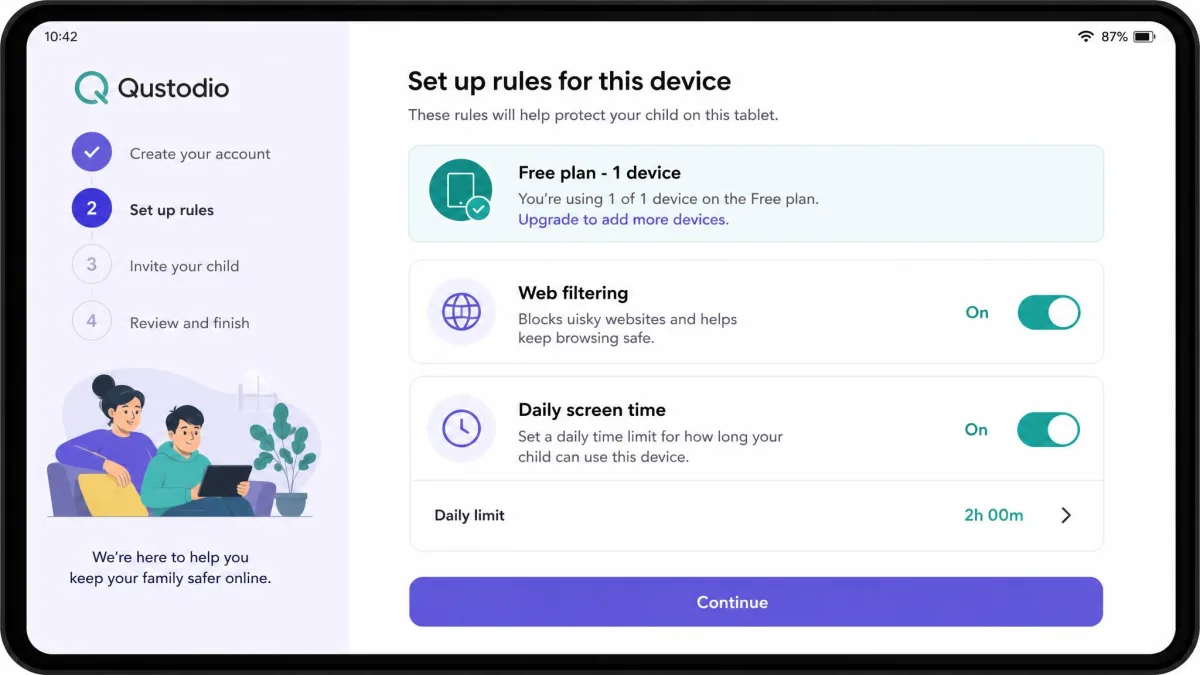
Qustodio starts at nothing. The permanently free plan covers 1 device with web filtering and daily screen time limits, which is enough to run a real trial on a child's phone rather than a demo. Basic covers 5 devices for roughly $55 to $60 a year, and Complete covers unlimited devices for roughly $100 to $110 a year. Those annual rates are listed anywhere from $54.95 to $59.95 and from $99.95 to $109.95 depending on promotion and region, so treat them as a range rather than a fixed number and confirm the total at checkout on Qustodio's current pricing page. Paid plans carry a 30-day money-back guarantee.
The arithmetic is simple enough. One or two children on five or fewer devices, and Qustodio Basic costs about half what Bark does. Three or more children with phones, tablets and laptops, and Bark's unlimited-device pricing pulls level with or beats Qustodio Complete while adding content scanning that Complete does not include.

Privacy: How Much Should You Actually See?
This is the question underneath the whole comparison, and it deserves more than a shrug. Monitoring a child's phone is not a neutral act. It changes what they tell you, what they hide, and how they behave when they think nobody is watching, and the app you choose decides how far that goes.
Bark's design is the more restrained of the two. It shows only flagged snippets rather than full conversation transcripts, which teens tend to accept more readily than full-text logging. You are not reading their group chat. You are being told that something in it looked like it needed a parent. For a 15-year-old who reasonably expects some private life, that framing is defensible in a way that a full message log is not.
Qustodio's design assumes you want to see activity, and on Android it will show you calls, SMS and app-by-app usage in detail. That is appropriate for a nine-year-old and increasingly hard to justify for a sixteen-year-old. The app does not force you to use everything it offers, and the more mature setup is to run its filtering and limits while leaving message monitoring switched off.
Whichever you pick, tell your child the app is there and what it does. Covert monitoring tends to end badly, and the practical benefit of an app your child knows about is that it shapes behaviour rather than just recording it.
Bark's snippet-only approach is the one to reach for if your child is old enough to push back on being monitored. It gives you the alert without handing you their whole conversation, which makes the app much easier to defend when they ask why it is on their phone.
Customer Support
Neither dashboard matters much at 10pm on a school night when an install has failed, which is where support stops being an afterthought. Nobody buys a parental control app for its support desk, right up until that moment. Bark offers email and live chat with replies typically inside an hour, which matched what we saw when we needed help. Qustodio reserves email support for paid plans and puts phone support behind a paid add-on, so free-plan users are working from the help centre alone.
Bark takes this category. If you are on Qustodio's free plan and hit a problem, budget some patience.
Best by Age: Younger Kids vs Teens
Everything so far has compared the two apps in the abstract. In practice, the age of the child changes the answer more than any other single factor, so it is worth being direct about it.
For younger children, roughly primary-school age, Qustodio is the better option. What you need at that stage is a firm boundary: filtered browsing, a daily cap, a bedtime blackout and a location pin. Qustodio does all four dependably, its 29 content categories cover the material you would not want a seven-year-old finding, and the free plan lets you start on a shared tablet without paying anything. Content scanning is largely wasted here because a child that age is not on the platforms Bark is best at reading.
For tweens and teens, Bark becomes the stronger argument. By 13 the risk has moved from stumbling onto bad content to being contacted, pressured or drawn into something through a message. That is exactly what Bark's 29 alert categories are built to catch, and its snippet-only reporting is the version of monitoring a teenager is most likely to tolerate. Its email monitoring also matters more at this age, because school accounts become a real communication channel.
Plenty of families end up wanting both, and if that is you, the sensible combination is Qustodio for the limits and Bark for the alerts rather than paying twice for overlapping features.
Which One Should You Choose?
Choose Bark If
Choose Bark if your main worry is content and contact rather than hours, if you have three or more children whose devices would blow past Qustodio's five-device Basic tier, or if email monitoring across Gmail, Outlook, Yahoo, iCloud and Comcast solves a problem you actually have. Choose it if your child is a teenager who will accept an alert-based app but not a full activity log. Choose it if you are on Android, where Bark's monitoring runs without caveats.
Choose Qustodio If
Choose Qustodio if screen time is the reason you are shopping, because per-app limits, blackout periods and routines have no equivalent on Bark. Choose it if you have one or two children on five or fewer devices, where it costs roughly half what Bark does. Choose it if you want to try before you pay, since the free plan on 1 device is a real trial rather than a teaser. And choose it if you would rather have a shorter feature list you can trust than a longer one you have to keep double-checking.
Consider an Alternative If
Consider something else if geofencing is your priority, for the reasons covered above, because a dedicated family location app will serve you better. Consider an alternative if you need deep iPhone message monitoring, because Apple's restrictions cap what either product can do there. And if you want a school-focused filter or a router-level solution covering every device in the house, this pair is not the right shortlist. Our comparisons of Canopy vs Qustodio and Kaspersky Safe Kids vs Qustodio cover two of the closest competitors, and our full Bark review goes deeper on Bark's hardware line.
Verdict: Bark vs Qustodio
Qustodio is the better parental control app for most families in 2026, and it is not because it has the longer feature list. It does not. Bark's scanning is smarter, its platform coverage is broader, and its family pricing is more generous. But Qustodio does its job the same way every single time, and after several rounds of testing that consistency outweighed Bark's cleverness. The dashboard was current, the filtering blocked what it should have, and the screen time limits held. Bark's real time alerts failed to fire, its geofencing stayed silent, and its settings took longer to find than they should have.
That said, this is a genuine split rather than a rout. If the thing keeping you up at night is who is messaging your 14-year-old, Bark answers that question and Qustodio largely does not. If the thing you need is a phone that switches off at nine and a browser that behaves, Qustodio is the better choice and costs less to get there.
Before You Buy
A few things trip parents up after purchase rather than before it, and they are worth knowing now. Both apps need the child's device in your hands for setup, and neither install is a two-minute job. Both apps are visible on the device, so plan the conversation rather than hoping it goes unnoticed. And both apps will occasionally get something wrong, whether that is Bark flagging a beer emoji or Qustodio's dashboard running a quarter of an hour behind. Treat what either app tells you as a prompt to ask a question, not as a final answer.