Most parents shopping for a parental control app are really choosing between two different jobs. One job is reading what your kid says and getting an alert when something in a message looks wrong. The other job is drawing clear lines around websites, apps, and hours, then letting the child live inside them. Bark is built for the first job, and Norton Family is built for the second. We put this comparison together from the vendors' own current pricing and feature documentation plus published hands-on testing of both apps on iPhone and Android, and we have flagged the places where a feature works on paper but breaks on a real device.
Bark vs Norton Family at a Glance
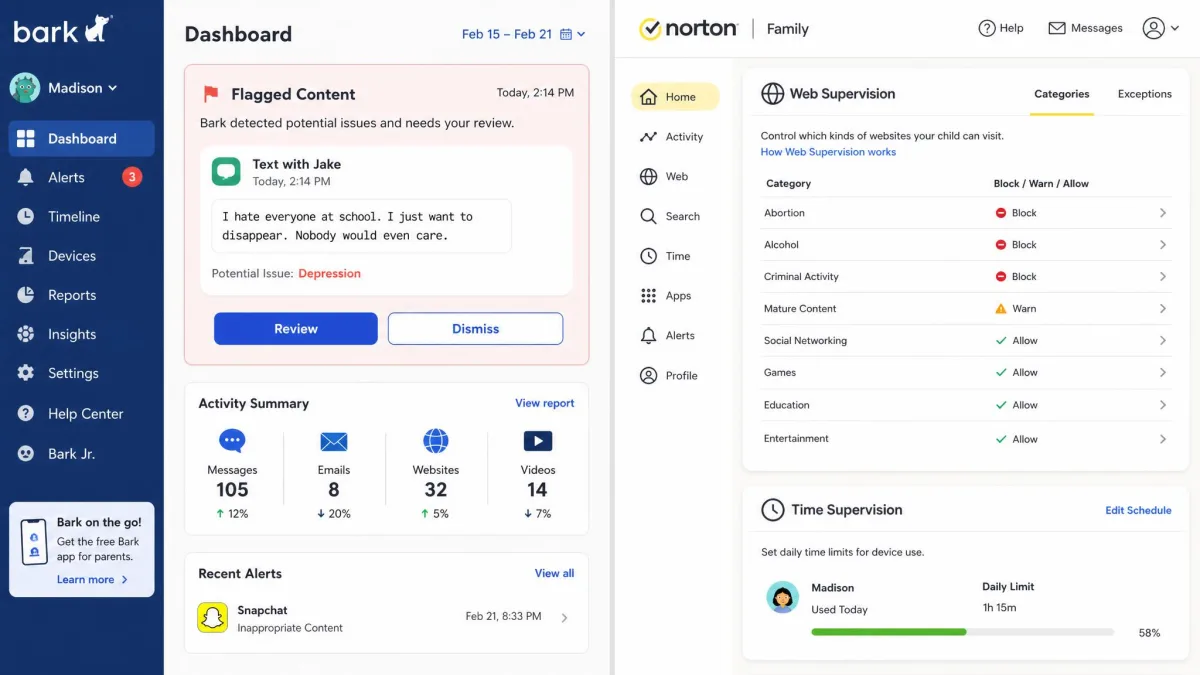
These two apps rarely compete on the same feature. Bark's whole premise is content: it runs an AI scan over your child's messages, email, and social activity, and it only interrupts you when something matches one of 29 issue categories such as bullying, self-harm, suicidal ideation, contact from a predator, or sexual content. You are not reading your kid's texts. You are being told when a text needs your attention. Our full Bark review covers how those alerts hold up over weeks of ordinary use.
Norton Family takes the older, more structural approach. It supervises the web, blocks categories you do not want visited, enforces daily limits and schedules, adds a School Time mode for focused hours, and reports on search terms and YouTube videos. It never surfaces the messages a child exchanges, and since April 2025 it also stopped blocking calls during Time Curfew and Instant Lock periods.
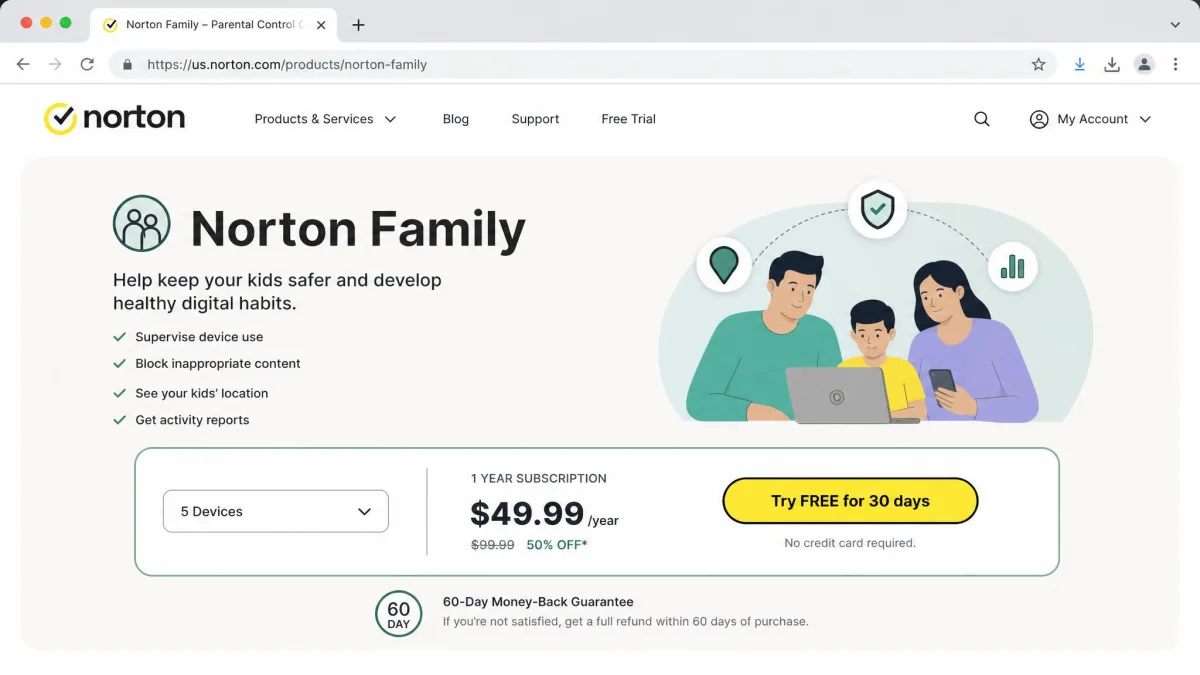
Price separates them as clearly as features do. Bark Premium runs $99 per year, Bark Jr is $49 per year for the lighter screen time and location tier, and Norton Family is $49.99 per year on its standalone plan.
Side-by-Side Feature Comparison
| Product | Bark | Norton Family |
|---|---|---|
| Social media monitoring | Yes, 30+ apps and platforms | No |
| Text and email monitoring | Yes, texts and email scanned | No |
| Web filtering | Yes, 18 categories | Yes, 47 categories |
| Screen time limits | Yes, custom schedules | Yes, limits, scheduling and School Time |
| Location tracking | Yes, with alerts and check-ins | Yes, 30-day location history |
| App blocking | Yes | Android and Windows only |
| YouTube and streaming monitoring | Yes, YouTube monitoring | Yes, YouTube video supervision |
| Supported platforms | iOS, Android, Chromebook, Windows, macOS, Amazon Fire | Windows, Android, iOS (no macOS) |
| Device count | Unlimited devices and accounts | Up to 15 child profiles, no stated device cap |
| Annual price | $99 Premium / $49 Bark Jr | $49.99 |
| Free trial | 7-day | 30-day |
Read that table as two shapes rather than a score. Bark fills the top rows and Norton Family fills the middle ones. If both columns matter to you equally, neither app is a complete solution on its own, and the cheaper of the two leaves the bigger hole.
Content, Text, and Social Media Monitoring
This is the single biggest gap between them, and it decides the purchase for most families. Bark reads. Norton Family does not.
How Bark's AI alerts work
Bark connects to your child's accounts and device, then runs everything it can see through a content model tuned to 29 issue categories. When something matches, you get an alert with the flagged text, a category label, and suggested talking points. The scan covers texts, email, YouTube, saved photos and videos, and 30+ apps and platforms, which is why Bark reaches into places a filter never touches.
Sensitivity is the setting that decides whether you trust it. Turned all the way up, Bark over-flags: one violence alert fired on an email sentence about donating to a charity for war victims. Dialled back to the normal setting, ordinary daily use produced no false positives at all. Leave it on normal unless you have a specific reason not to.
Two limits are worth knowing before you buy. Alerts do not always land in real time, so there can be a lag between the activity and the notification reaching you. And Bark can miss activity inside the Brave browser without sending any warning that Brave was installed, which is an easy workaround for a kid who goes looking for one.
Bark's message and social monitoring is far thinner on iPhone than on Android, because Apple restricts what a third-party app is allowed to read. If your child is on iOS, you are buying a reduced version of Bark's headline feature.
What Norton Family sees and reports
Norton Family reports on behaviour rather than content. You get search terms, the websites visited, the YouTube videos watched, and app use on the platforms where App Supervision runs. Email alerts and periodic activity summaries land in your inbox, and your child can send an access request when a blocked site is one they actually need for homework.
What you will not get is a single text message. Message monitoring here is absent rather than limited, and no setting turns it on. If that is the job you are hiring for, the apps that do monitor a child's texts are a different shortlist entirely.
Web Filtering and Website Blocking
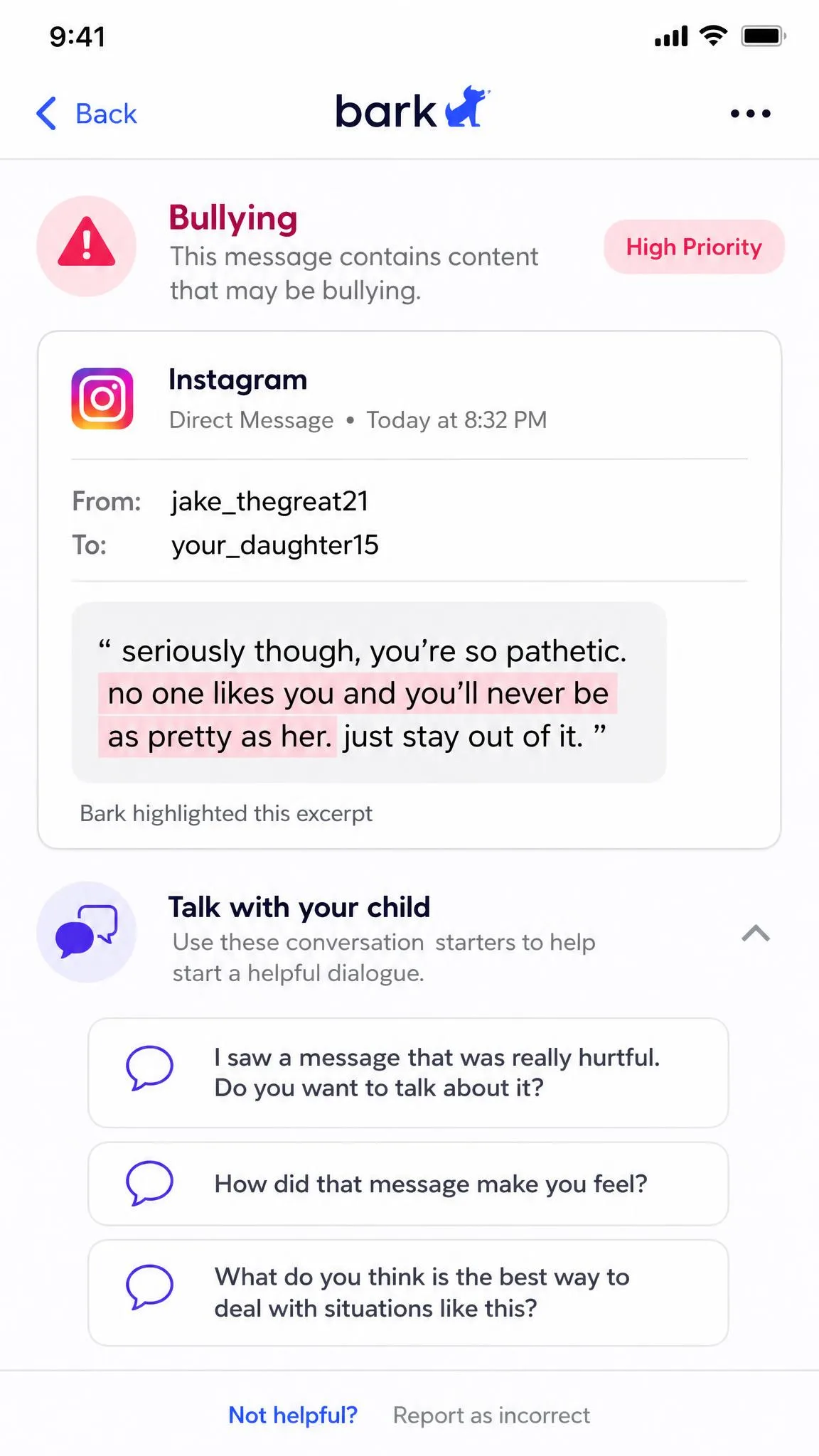
Norton Family wins on breadth. It filters across 47 website categories against Bark's 18, and the extra granularity shows up when you want to allow one slice of a topic and block the rest. Bark's list is coarser but covers the categories most parents actually toggle, and blocking is applied per child rather than per device.
Both apps share the same weakness, and you should assume your child will find it. A VPN or a second browser defeats Norton Family's filtering, and a moderately tech-aware kid gets there quickly. Bark has its own version of the problem with Brave. Neither vendor is unusual in this: web filtering on a personal device is a fence, not a wall.
Norton Family's iPhone behaviour deserves its own warning. On iOS it only filters and logs browsing that happens inside the Norton Family browser. Open Safari or Chrome and the filtering does not apply, which means the feature is only as good as your ability to block every other browser on the phone.
The FTC's guidance on kids' online safety makes the same point that both apps demonstrate: filtering software works best alongside conversations about what your child is doing online, not instead of them.
Screen Time Limits and Scheduling
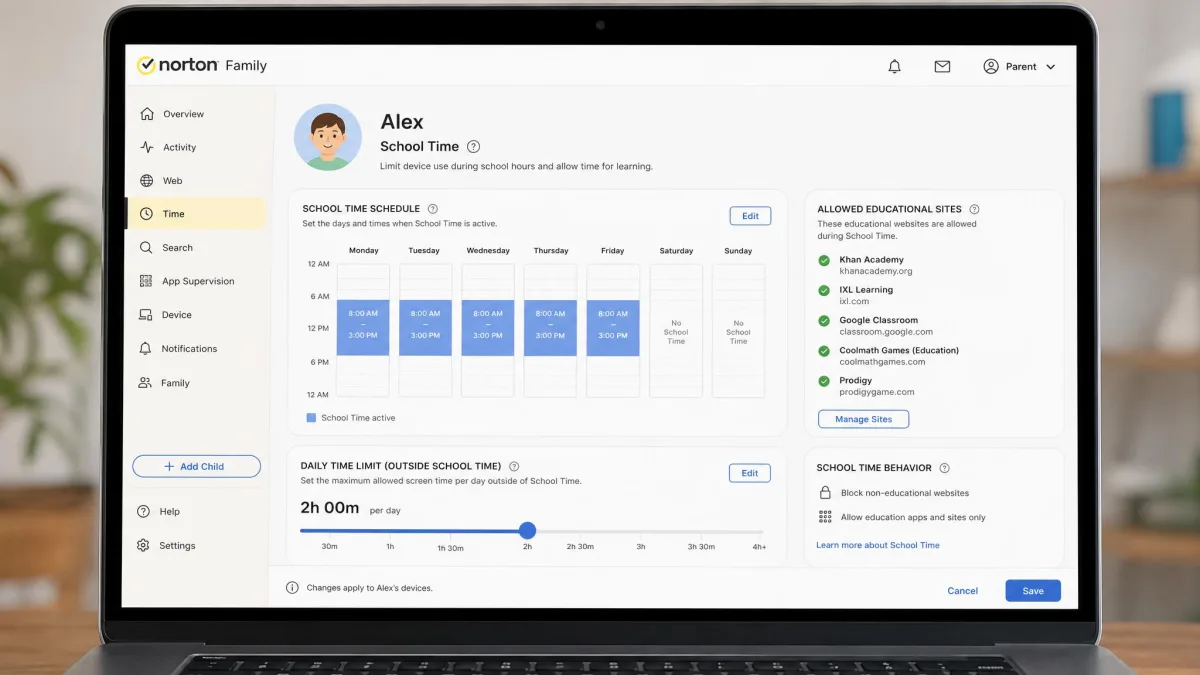
Norton Family is the stronger tool here, and it is not close. You get daily time limits, a weekly schedule, a Time Curfew, an Instant Lock to end the session immediately, and School Time, which narrows the device to schoolwork during set hours. Everything sits on one dashboard, so changing a rule takes a few seconds.
The caveats matter. School Time leans on the Norton Family browser in the same way web filtering does, so it only holds once every other browser is blocked, and it does not catch every bypass tool. Since April 2025 the app also no longer blocks incoming calls during a curfew or a lock, which surprises parents who bought it for exactly that.
Bark handles screen time capably rather than exhaustively. You build custom schedules per child and change them from the parent app or the web dashboard without touching your kid's device, which matters at 9pm on a school night. Its weakness is organisation: there is no single control screen, so blocking, screen time, and alert rules live in separate places.
Location Tracking and Check-Ins
Both apps track a phone, and the difference is what they do with the trail. Bark shows the current location, lets a child send a check-in, and fires alerts when a device arrives at or leaves a place you have marked. Norton Family keeps 30-day location history on Android and iOS, so you can look back at a week rather than only at right now.
For a younger child being dropped off and picked up, Bark's check-ins and arrival alerts are the more useful pattern day to day. For an older teen with a car, Norton Family's history answers the questions you did not know to ask in advance.
Device and Platform Support
Those location differences only matter on hardware each app can actually reach, and that is where the two separate again: Bark covers more ground, while Norton Family covers less of it but publishes clearer minimum requirements. Neither app is equally capable across every platform it claims, so the device your child carries changes what you are really buying.
iPhone and iPad
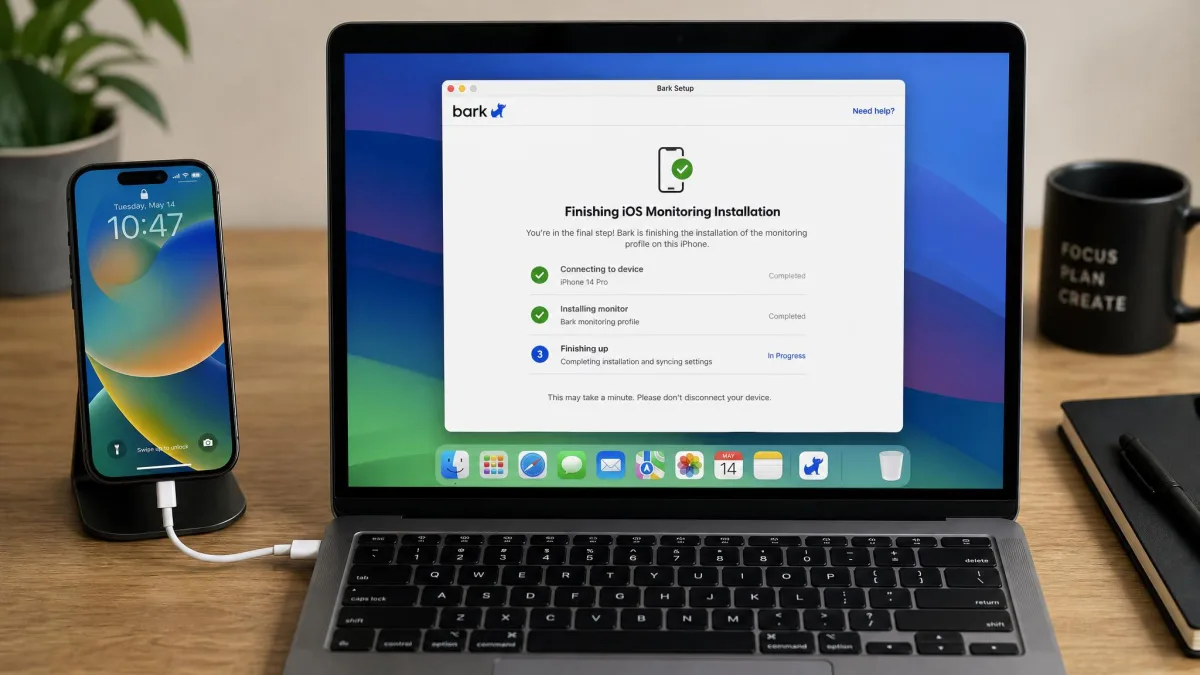
Bark runs on iOS and iPadOS, but this is where it costs you the most effort and delivers the least, a pattern that holds across most of the best parental control apps for iPhone. The install is the fussy one: the iPhone has to be plugged into a computer and the setup finished through Bark's desktop app. After that, the text and social monitoring you paid for is meaningfully thinner than the Android version.
Norton Family supports the current iOS version plus the two previous releases. On the iPhone its filtering only applies inside the Norton Family browser, and App Supervision is unavailable entirely, so app blocking and app-use reporting do not exist on iOS.
Android
Android is the better platform for both apps, as it is for nearly every parental control app on Android, and if you have any choice in the matter this is where to run them. Bark's Android setup goes without hassle apart from one step people miss: the built-in Android VPN has to be disabled before web filtering and screen time enforcement work. Norton Family needs Android 8 or later, and it is on Android that App Supervision, filtering, and time rules all behave as advertised.
Windows, Mac, and Chromebook
Bark supports Windows, macOS, Chromebook, and Amazon Fire, and Bark Home extends coverage to routers and gaming consoles. Norton Family runs on Windows PCs that are not in S Mode, so it belongs on any shortlist of parental control software for PC, and it does not support macOS at all. If there is a MacBook in the house, Norton Family cannot supervise it, and that alone settles the choice for some families.
Setup, Ease of Use, and What Your Kid Sees
Platform coverage decides what an app can see, but the daily experience decides whether you keep using it, and on that measure Norton Family is the easier app to live with. Its single dashboard keeps rules and reports in one place, which makes routine management quicker than moving between screens. Bark spreads the same work across more places, and while nothing is hard to find once you know where it is, the learning curve is steeper in week one.
Support tips the same way. Bark has no 24/7 live chat, so an urgent setup question waits for a reply, which is frustrating on the evening you are trying to get a new phone locked down.
What your child experiences matters too. Bark is deliberately quiet: it surfaces only what trips an alert rather than handing you a transcript, so a teen keeps most of their privacy. Norton Family is visible by design. Your child sees the blocks and the timer, and can ask you to unblock a site. Removing Bark from a device requires the parent code.
Pricing and Plans Compared
| Plan | Price | What you get |
|---|---|---|
| Bark Premium | $99 per year, or $14 per month | Full content monitoring, filtering, screen time, location |
| Bark Jr | $49 per year, or $5 per month | Screen time, filtering, location, no content alerts |
| Norton Family | $49.99 per year | Web supervision, time limits, School Time, location history |
Bark Premium and Bark Jr pricing
Bark Premium is $99 per year, or $14 per month if you pay monthly. Bark Jr is $49 per year, or $5 per month, and it drops the content alerts while keeping screen time, filtering, and location. That is the plan that competes with Norton Family on price, and it is also the plan that gives up the reason to buy Bark.
Bark markets device coverage as unlimited, so there is no fixed number to quote: one subscription covers the accounts and devices in your household. A 7-day free trial is available and a credit card is required to start it.

Norton Family pricing and Norton 360 Deluxe bundling
Norton Family is $49.99 per year for the standalone subscription, which is the first-year price. Norton's renewal rate is set at the then-current price and is not fixed to the first-year figure, so check the number before the second year bills. The plan covers up to 15 child profiles with no stated device cap, and it comes with a 30-day free trial plus a 60-day money-back guarantee on annual subscriptions. Our Norton Family review goes through what that subscription actually covers on each platform.
Norton Family is also included with Norton 360 Deluxe, which is the route most people take if they want antivirus and a VPN anyway. That bundle costs $49.99 for the first year, about $4.17 per month, and it renews at $124.99 per year for 5 devices with 50GB of cloud backup. The introductory year is 60% off that renewal rate, so the second year is where the real cost of the bundle shows up.

Pros and Cons of Each App
Bark pros and cons
Bark's case is straightforward. It is the only one of these two that tells you what your child is actually saying and hearing, and it covers nearly every device in the house. Its costs are the price, the fussy iOS install, the weaker iOS monitoring, and a settings layout that takes a while to learn. SafeWise's family safety team reviewed 30 parental control apps and named Bark its best pick for covering almost any device, which matches what the platform list shows.
Pros
- Content scanning across texts, email, YouTube, and 30+ apps
- Alerts across 29 issue categories, with conversation prompts
- Unlimited devices and accounts on one subscription
- Covers macOS, Chromebook, and Amazon Fire
Cons
- $99 per year for the tier that actually matters
- Thinner message and social monitoring on iPhone
- An iOS install that needs a computer and a cable
- Alerts do not always land in real time
- Brave browser activity can slip through unflagged
- Only a 7-day free trial
Norton Family pros and cons
Norton Family's case is value and control. For half the money you get more filtering categories, better time management, and a tidier interface, and if you already run Norton 360 Deluxe you may own it already.
Pros
- $49.99 per year for the standalone plan
- 47 website filtering categories
- School Time, curfews, and instant lock
- 30-day location history on Android and iOS
- Up to 15 child profiles per account
- A 30-day free trial and a 60-day money-back guarantee
Cons
- No message or email monitoring of any kind
- No macOS support at all
- No App Supervision on iOS
- iPhone filtering confined to Norton's own browser
- Renewal billed at the then-current rate
Web filtering on a personal device is a fence rather than a wall, and every family we know of eventually finds out where the gate is.
Which One Should You Choose?
Choose Bark if...
Your worry is a conversation rather than a website. Choose Bark if your child is on social media, if you want to be told about bullying, self-harm, or an adult making contact, and if you would rather receive an alert than read a transcript. Choose it as well if your household runs a mix of Macs, Chromebooks, Fire tablets, and phones, because Norton Family cannot cover half of that list. Budget for the Premium tier rather than Bark Jr, since Jr is the plan that drops the content alerts you came for, and run it on Android wherever you have the choice.
Choose Norton Family if...
Your worry is time and access. Choose Norton Family if your kids are younger, if the argument in your house is about how many hours and which sites, and if you want the standalone subscription with the more detailed filter list. It is the better buy for a Windows and Android household, and it is close to free if you already subscribe to Norton 360 Deluxe. Accept that it will never show you a message.

Frequently Asked Questions
What happens to Bark's coverage when my child opens a new social account?
Can Norton Family run alongside Apple's own Screen Time on an iPhone?
Is Norton Family included with Norton 360 Deluxe?
Will I be told if my child tries to remove the app?
Which is cheaper for a big family?
Does either monitor YouTube or streaming?
The Verdict
If you can only buy one, buy the app that answers the question you are actually asking, because these two answer very different ones. Norton Family is the better value and the better rule-setter, and for a household of younger kids on Windows and Android it is the sensible purchase at half the money. But most parents who start shopping for a parental control app are not lying awake about website categories; they are wondering what is in the group chat, and only one of these two will ever tell them.
We would spend the extra $50 a year, run it on Android where it performs best, keep sensitivity at normal, and treat both the alerts and the blocks as the start of a conversation rather than the end of one.