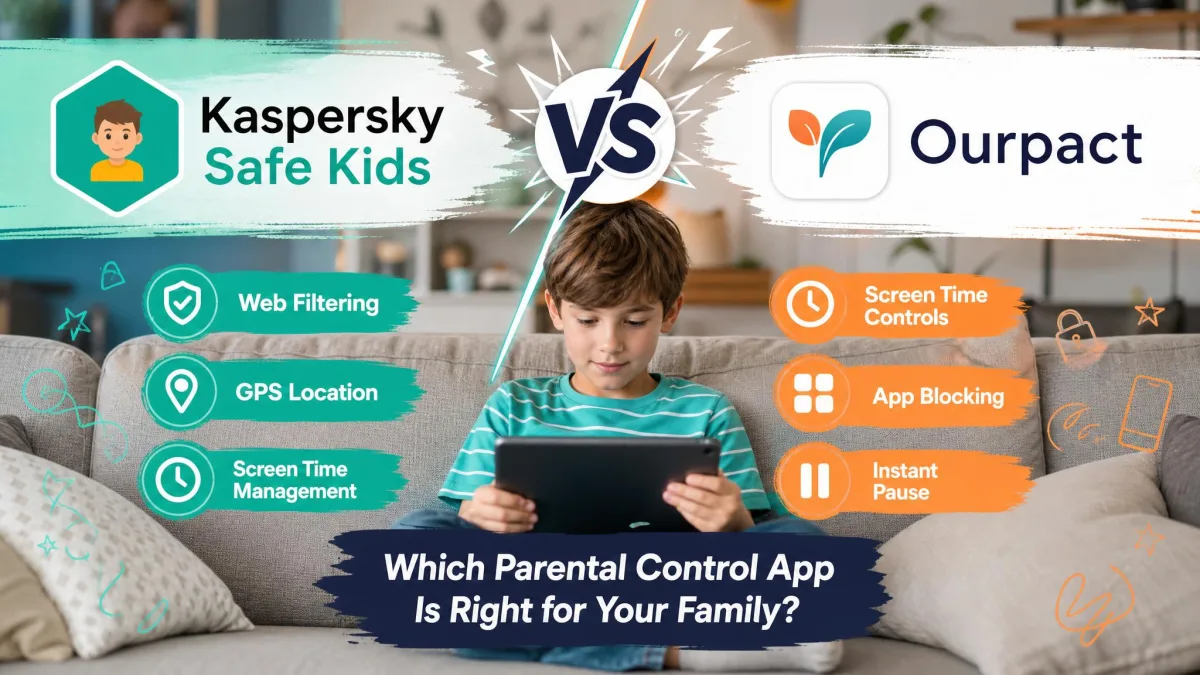
A parental control app is software that sits on a child's phone, tablet or computer and gives a parent remote control over what that device can reach. In practice that means three jobs: filtering web content, limiting screen time, and showing where the device is. Kaspersky Safe Kids and OurPact both do all three, but they come at the problem from opposite directions. Kaspersky is a security company's take, wide in platform coverage and cheap to run. OurPact is a mobile-first scheduling tool built around blocking and unblocking apps on demand.
We compared the two across pricing, filtering accuracy, app blocking, scheduling, location tools, setup and support, leaning on independent lab data for filter performance and on hands-on findings for everything the spec sheets will not tell you. Here is how they separate.
Kaspersky Safe Kids vs OurPact at a Glance
The short version is that these apps are not really competing for the same parent. Kaspersky is the value pick and the coverage pick. If your child uses a Windows laptop for homework and an Android phone for everything else, only one of these two apps can see both devices, and it is not OurPact.
OurPact earns its higher price on control. Its whole design assumes you will be reaching for your phone during the day to grant twenty minutes of games or shut down a tablet at dinner, and it makes that fast.
| Product | Kaspersky Safe Kids | OurPact |
|---|---|---|
| Free plan | Filtering, YouTube safe search, app control and daily limits | Trial-led, with a limited 1-device free option |
| Paid price | About $14.99 per year | $69.99 per year Premium, $99.99 Premium+ |
| Platforms supported | Windows, macOS, Android, iOS | iOS and Android only |
| Devices per plan | Up to 500 devices, 100 child profiles | 20 child devices |
| Web filtering | Yes, 92% Windows and 87% Android in lab testing | Yes, web filter and adult content blocking |
| App blocking | Yes, by age, category and time | Yes, plus instant block and unblock |
| Screen time scheduling | Premium only | Yes, on all paid tiers |
| Location and geofencing | Premium only, safe areas plus battery alerts | Live location, 14 or 30 days of history, arrival alerts |
| Activity reports | App, web and YouTube reports | Screen time and location logs |
| YouTube and social monitoring | YouTube search history, no social monitoring | Screenshots with AI flagging, no social monitoring |
| Call and SMS monitoring | No | No |
| Support channels | Knowledge base, forums, contact form | Email only |
Pricing and Plans: Free Tiers, Paid Tiers, and Value
Price is the widest gap between these two apps, and it is not close.
Kaspersky Safe Kids pricing
Kaspersky Premium sits at about $14.99 per year. Treat that as a ballpark rather than a fixed number: the list price moves with region and storefront, and Kaspersky is no longer sold to U.S. consumers, so the figure you see depends heavily on where you buy. Canadian pages have quoted CA$24.99 for a first year and UK pages GBP20.99, with renewal a little higher than the introductory rate.
Two details soften the risk of paying. There is a 7-day free trial of the full Premium feature set, after which the app quietly reverts to free functionality rather than locking you out. There is also a 30-day money-back guarantee if you decide the app is not for you.
The free tier is unusually generous. It covers web content filtering, YouTube safe search, app usage control by time, age or category, and daily screen time limits. What you give up by not paying is screen time scheduling, child location control and safe areas, the battery tracker, YouTube search history and real-time alerts. For a family that only needs a filter and a daily cap, the free version is a complete product.
One paid account also scales absurdly far. A single My Kaspersky account connects up to 100 child profiles and up to 500 devices, which is less a family plan than a small institution's plan.
OurPact pricing
OurPact Premium is $6.99 billed monthly, or $69.99 billed annually, which works out to about $5.83 a month. Premium+ is $9.99 monthly or $99.99 annually. Both tiers cover up to 20 child devices, so the difference between them is features rather than headcount: Premium+ adds automated screenshots and stretches location history from 14 days to 30.
You get a 14-day free trial with full access to Premium features, which is twice Kaspersky's trial window and long enough to survive a school week and a weekend. A free tier limited to one device with five manual blocks has been offered, though OurPact's entry-level free option has shifted over time and may not appear on the pricing page you land on.
The refund position is the weak spot. There is no money-back guarantee, and refunds are granted only where the app is not working as advertised. The annual subscription renews automatically, and refund requests raised after a renewal has already gone through are frequently declined. Diary the renewal date.
Which app is better value
On raw cost, Kaspersky wins by roughly four to one, and covering a Windows PC on top makes the gap wider still. OurPact is worth its price only if the scheduling and instant-blocking model is the specific thing you need, or if screenshots matter to you. For most families with more than one child and more than one device type, Kaspersky is the better spend.
Start both apps on their free trials in the same week, on the same child device, before you pay for either. Fourteen days with OurPact and seven with Kaspersky is enough to learn which dashboard you will actually open on a busy Tuesday evening, which is the only test that matters long term.
Platform and Device Support: iOS, Android, Windows, and Mac
Kaspersky Safe Kids runs on Windows, macOS, Android and iOS. OurPact runs on iPhone, iPad, Android phones and Android tablets, with no Windows or Mac client at all. If a laptop is in the picture, that single line decides the comparison before any feature gets compared.
OurPact needs iOS 12 or later on Apple devices, which is a low enough bar that hand-me-down iPads still qualify.
The more interesting split is what each app can do once installed. Both are constrained on iOS by the same platform rules Apple sets, and both work around them differently. Kaspersky leans on a configuration profile and Safari-level filtering. OurPact leans on Apple's mobile device management pathway, which is what lets it genuinely hide and restore app icons rather than just nagging.
That pathway has costs. On iOS, OurPact's allowance mechanism runs through the Control Center broadcast button, so the screen has to stay on while apps are granted, and the apps vanish again the moment the screen sleeps. Battery drain follows. OurPact will also occasionally report a device as offline when the device is plainly online, a quirk of the same MDM route.
Apple's own Screen Time and Family Sharing tools sit underneath both apps, and it is worth knowing what they already give you free before you pay a third party to duplicate it.
On iOS, every third-party parental control app is working inside Apple's restrictions, not around them. Expect fewer features on an iPhone than the same app offers on Android, expect setup to involve profiles or a child Apple ID, and be sceptical of any product claiming full iOS parity. Both apps here lose capability on Apple hardware.
Web Filtering and Content Blocking
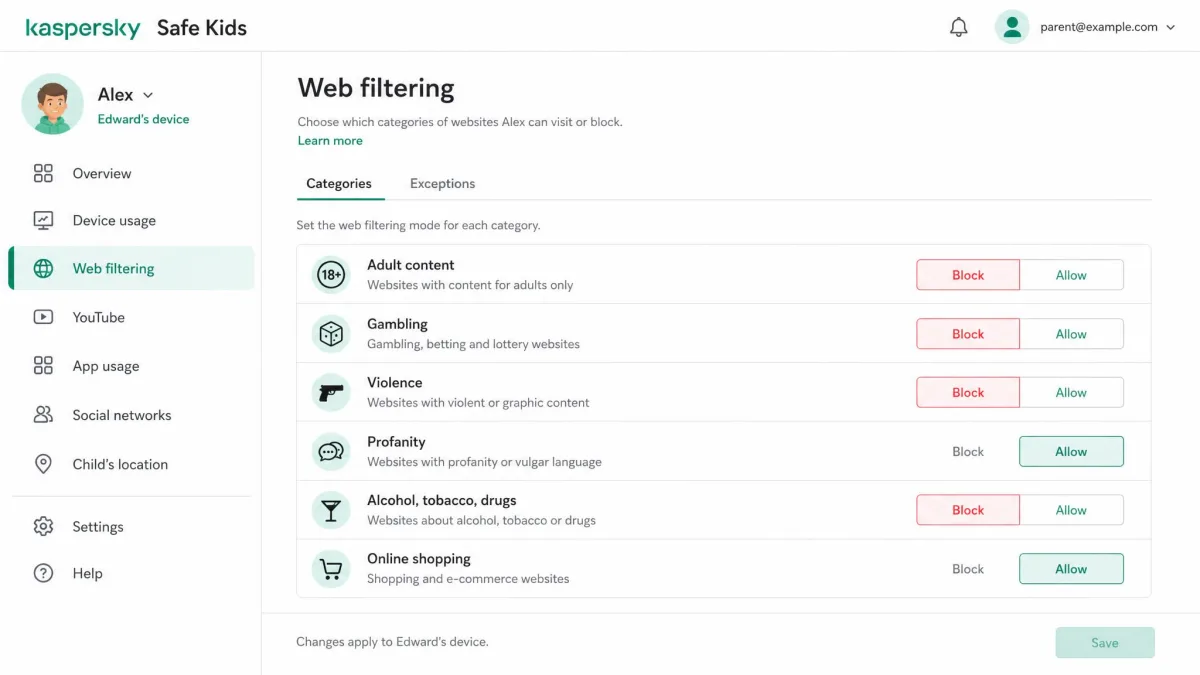
Filtering is where Kaspersky's day job shows. In AV-TEST's independent parental control assessment, Safe Kids blocked 92% of inappropriate sites on Windows across 13 categories, up from 90% the year before, and 87% on Android, up from 85%. The lab measured against roughly 7,000 websites in six languages, so this is a serious corpus rather than a spot check.
Over-blocking matters just as much, because a filter that eats homework sites gets uninstalled by week three. Kaspersky's false positive rate fell to 5.6% on Windows and 4.8% on Android in that same run, both improvements on the previous year.
A filter is only as good as its false positives. Blocking 92% of the bad web is worthless if it also blocks the school library, and that is where the lab numbers earn their keep.
— From our comparison testing notes
Alongside category blocking, Kaspersky enforces safe search on Google, Bing and Yahoo, plus YouTube safe search, and it logs the YouTube search history a child types. Its web monitoring accurately shows which sites were visited and the search terms used to reach them, which is more useful than a bare list of domains.
OurPact filters the web and blocks adult content, and it does that job competently, but it publishes no comparable independent block-rate data and its filter is not the reason anyone buys it. Where OurPact pulls ahead is the blunt instrument: it can pull the whole internet away instantly, on demand, across every managed device at once.
App Blocking and App Management
Both apps block apps. They disagree completely on how.
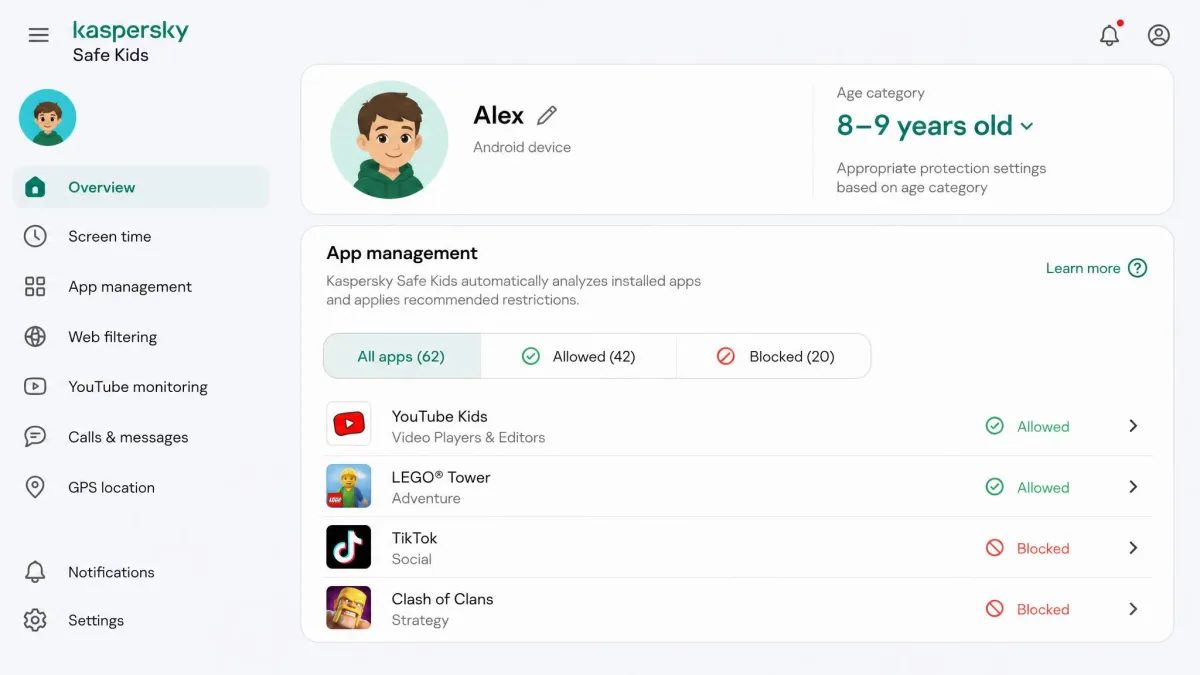
Kaspersky's app control filters by age category, so a single age setting handles most of the work and you are not hand-picking every title your child downloads. You can also restrict individual apps by time or by category. It is a set-it-once model, and it suits a parent who wants to configure the rules in one sitting and then leave them alone.
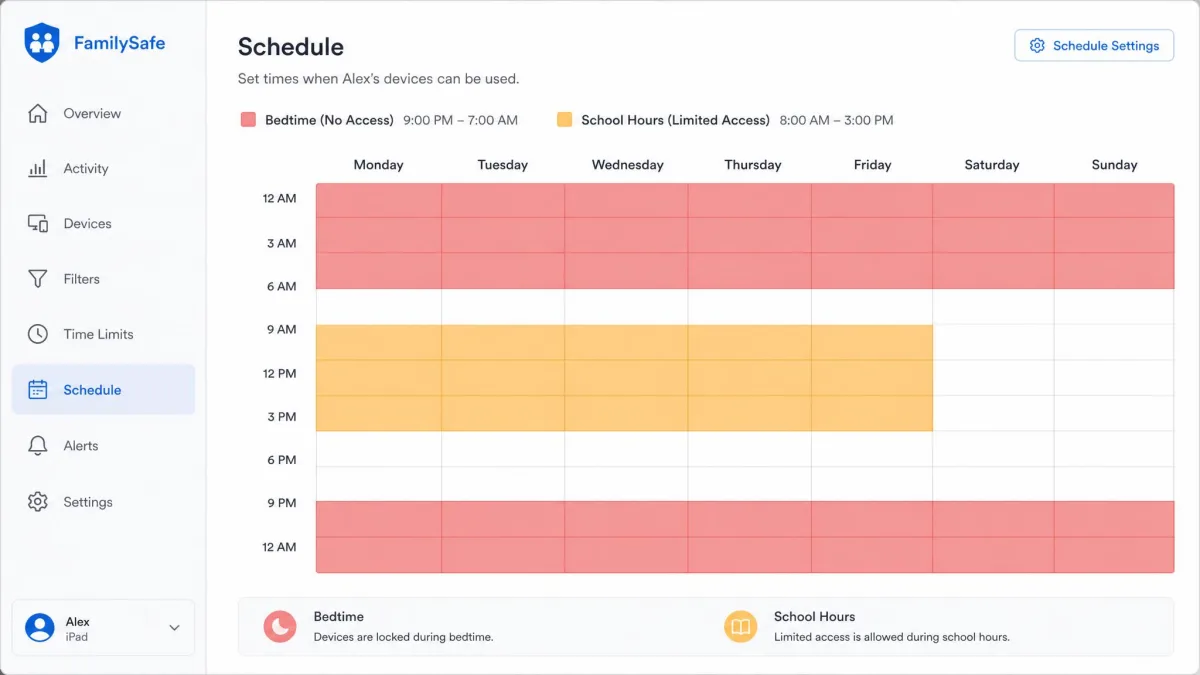
OurPact is built for intervention. Its app blocker pairs with instant block and unblock, so you can strip games off a tablet mid-argument and restore them after homework without editing a schedule. On iOS it also prevents app deletion and blocks in-app purchases, and it adds removal protection on iOS 18 and later. On Android it can restrict airplane mode, closing a well-known kid workaround.
The catch is consistency. OurPact reorders the child's installed apps at random and minimizes screens during monitoring, and these are long-standing behaviors rather than one-off faults. Blocked apps can also revert to Always Allow on their own after a glitch, which is the failure that matters most, because a permissive failure stays invisible until you check.
Screen Time Limits and Scheduling
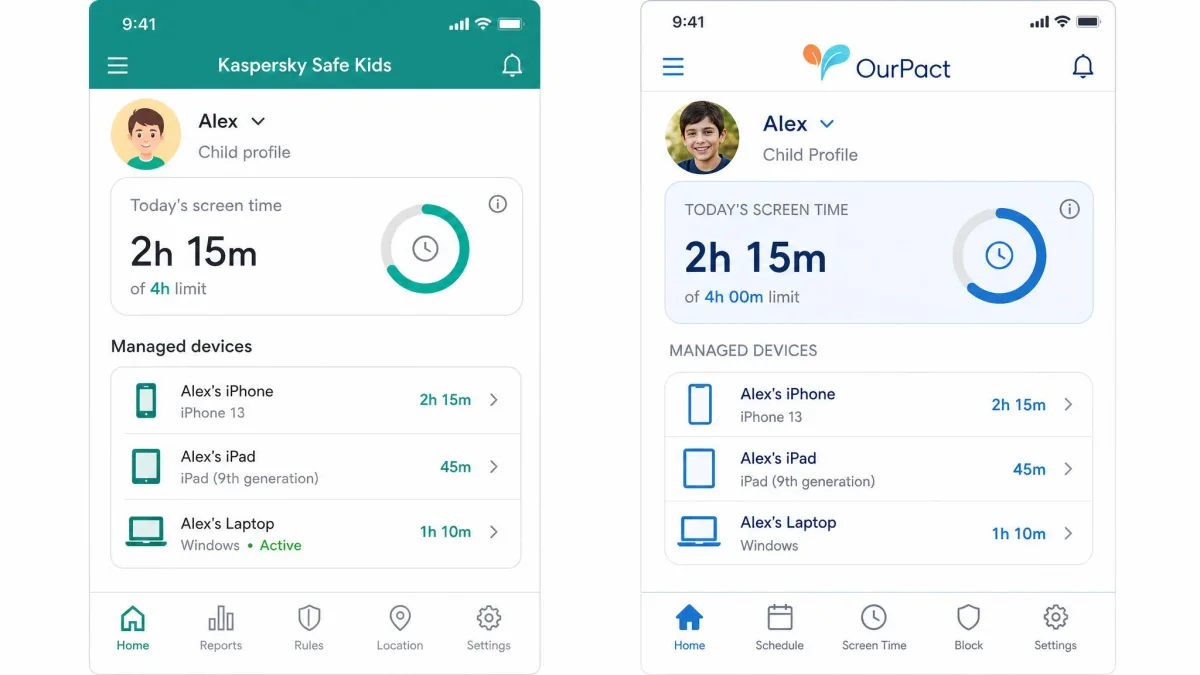
Daily limits are table stakes and both apps have them. Kaspersky's free tier includes daily screen time limits, which is genuinely rare, and its child-side request button lets a kid ask for extra time rather than simply hitting a wall.
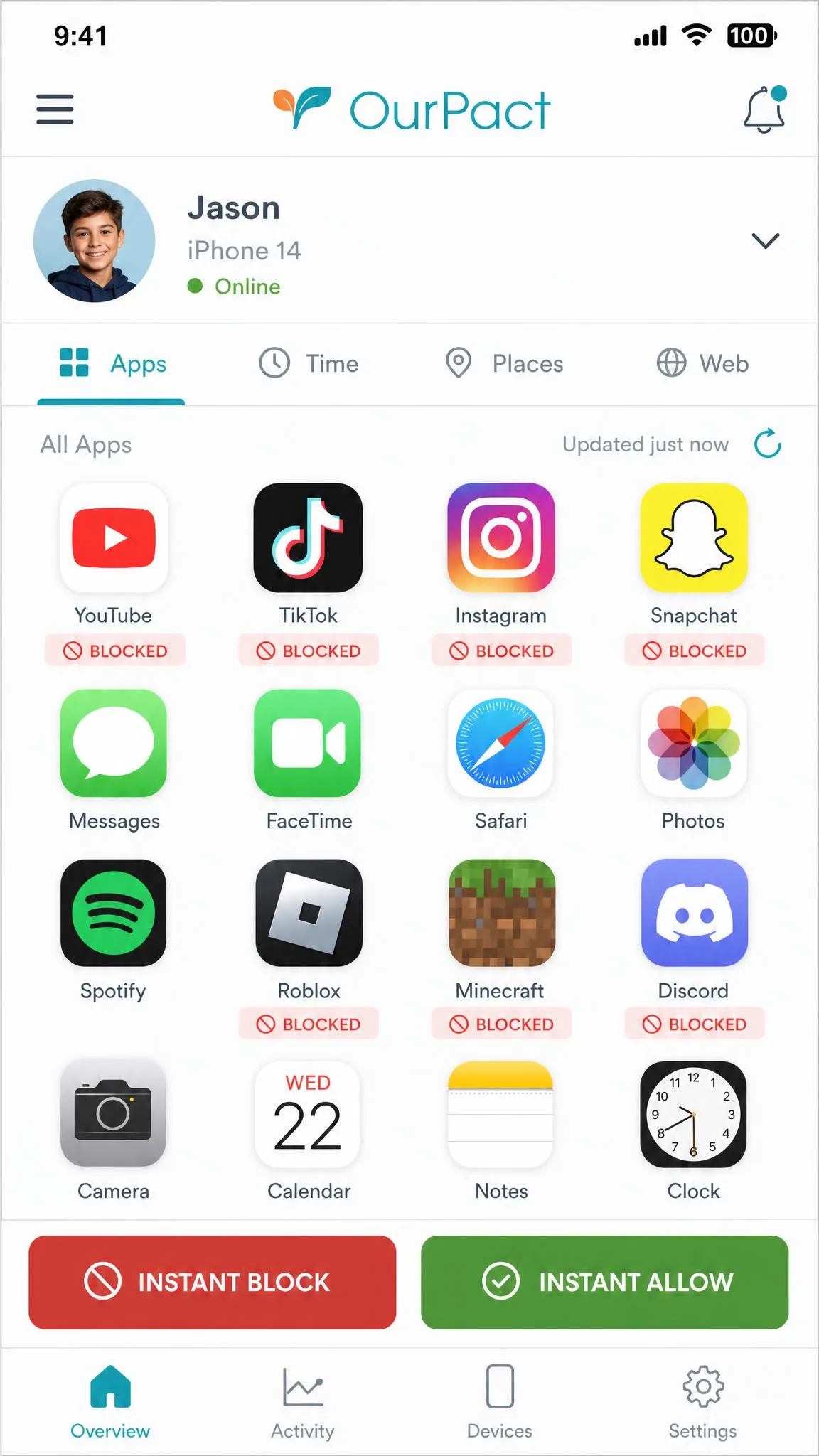
Scheduling is the split. OurPact gives you custom block schedules on every paid tier, built around school hours, bedtime and family time, and switching between them takes seconds. Kaspersky puts screen time scheduling behind Premium, so the free version caps the hours but cannot decide which hours they are.
For a household running a tight weekday rhythm, OurPact's scheduler is the better tool and the reason to pay. For a household that mostly needs a cap and a filter, Kaspersky's Premium scheduling at about $14.99 a year does the same job for a fraction of the outlay.
It is worth setting these limits against real guidance rather than instinct. Harvard's Center for Digital Thriving makes the point plainly: what a child does with the hours matters more than the number of hours, and a blanket cap that treats a video call with grandparents the same as an endless feed is a crude setting. Both apps let you carve out exceptions, and you should use them. If you want a starting framework, the American Academy of Pediatrics offers one, and its family media plan tool turns the guidance into per-child rules you can then mirror in whichever app you pick.
Location Tracking and Geofencing
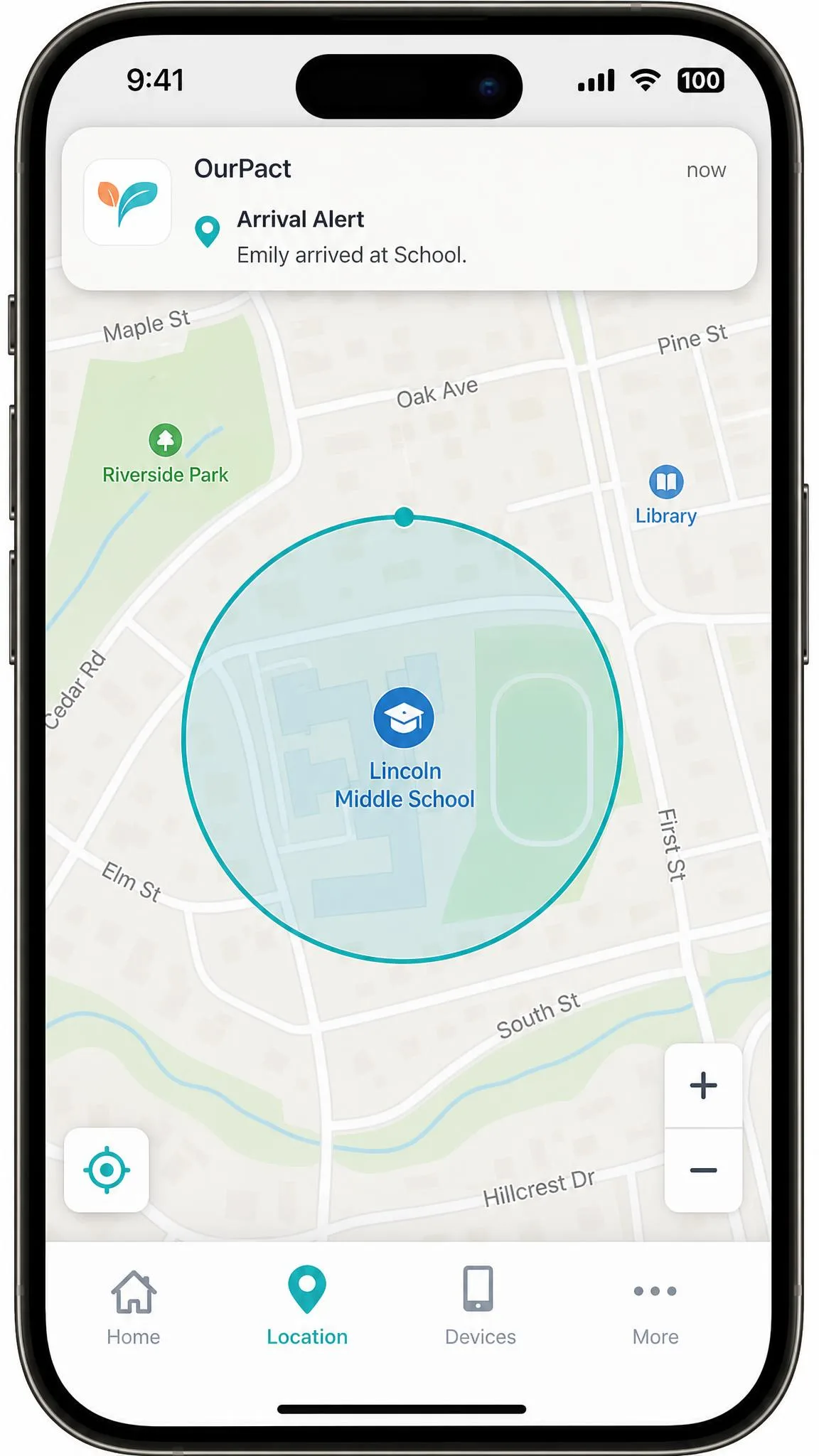
OurPact treats location as a first-class feature. You get live GPS, location history covering 14 days on Premium and 30 days on Premium+, and geofence alerts on both arrival and departure. Arrival alerts are the ones parents actually use, because "she got to school" is a more useful notification than a map you have to open.
Kaspersky puts location behind Premium too, and adds safe areas plus a battery level alert, which is a small feature with outsized value given that a dead phone looks identical to a missing child on any map.
Kaspersky's tracking updates reliably and in real time on the parent map, and on that core job it is dependable. The safe-area feature is not. Allowed areas can disappear after being saved, which silently kills the boundary alerts they were meant to trigger, and the problem persists across sessions rather than resolving itself. If geofencing is the feature you are buying for, that is disqualifying, and OurPact takes this category outright.
After you save a geofence in either app, check the next day that it still exists and that it actually fired. A boundary alert that fails silently is worse than no alert at all, because you stop checking the map.
Monitoring, Activity Reports, and Alerts
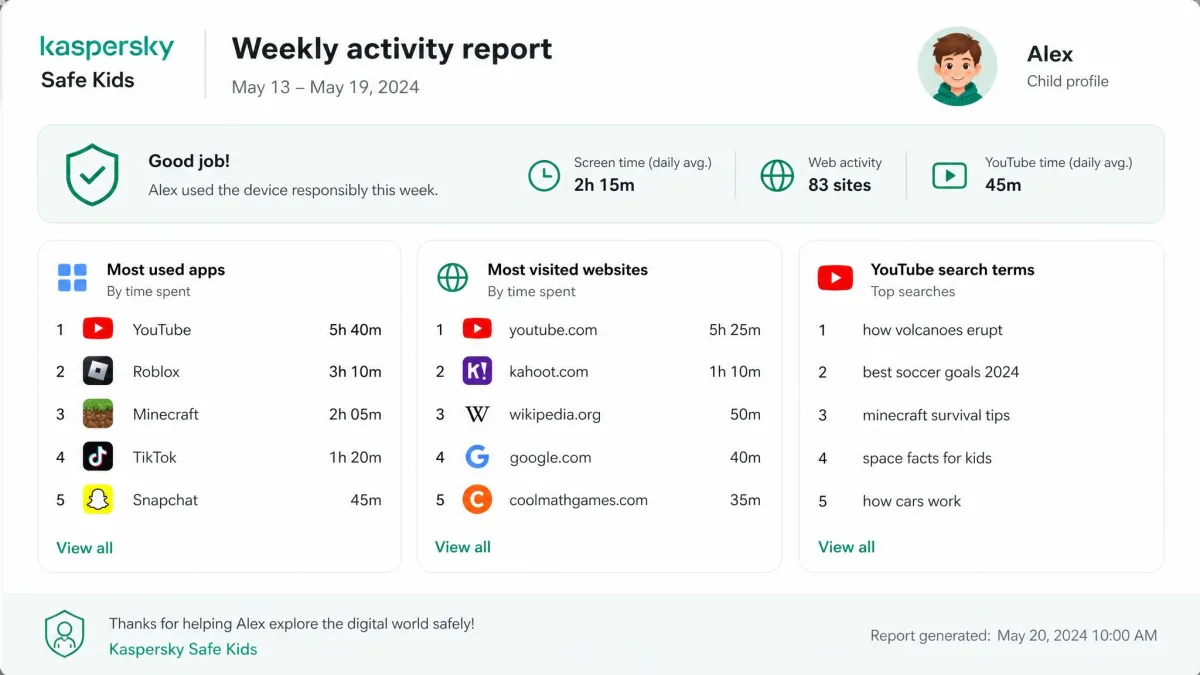
Kaspersky's reporting is the more thorough of the two. It produces activity reports for apps, web and YouTube, keeps YouTube search history, and sends real-time alerts when a child requests access to something blocked. Every request lands in your notifications, which keeps you in the loop without you needing to open the dashboard daily.
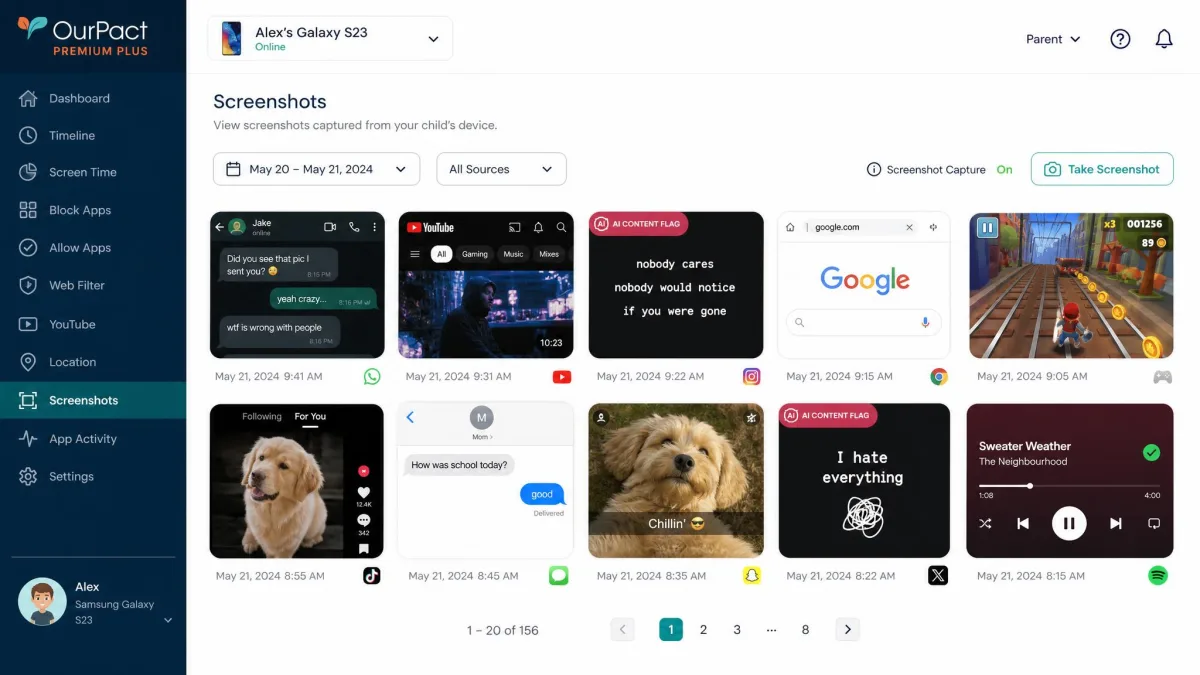
OurPact reports screen time and location, and on Premium+ adds its most distinctive feature: on-demand and automated screenshots, with AI content flagging and an encrypted gallery. Nothing in Kaspersky's toolkit matches it. If you want to know what is on the screen rather than which app is open, this is the only one of the two that can tell you.
Screenshots come with an asterisk. OurPact's automated capture can switch itself off without warning, so a quiet gallery does not reliably mean a quiet week.
The bigger gap applies to both apps equally. Neither monitors calls or the contents of text messages, and neither reads social media conversations. Kaspersky does not monitor social platforms at all. If reading your child's direct messages is the requirement, this comparison is the wrong one and you need a different category of app.
Monitoring works best when a child knows it exists. Covert screenshot capture on an older teen's phone tends to end in a discovered app and a damaged conversation, not better behavior. Tell them what is running and why, and keep the rules visible.
Installation, Setup, and Ease of Use
Setup is where these two apps feel most different, and where a lot of parents give up.
Kaspersky's Android setup is quick, driven by a QR code scan and an app download, and you can have a child profile live in a few minutes. iOS setup is markedly harder and can require creating a separate child Apple ID, which turns a five-minute job into an evening. Once running, the parent dashboard is easy to navigate but slow to load, and that slowness is the daily friction rather than any confusion about where things are.
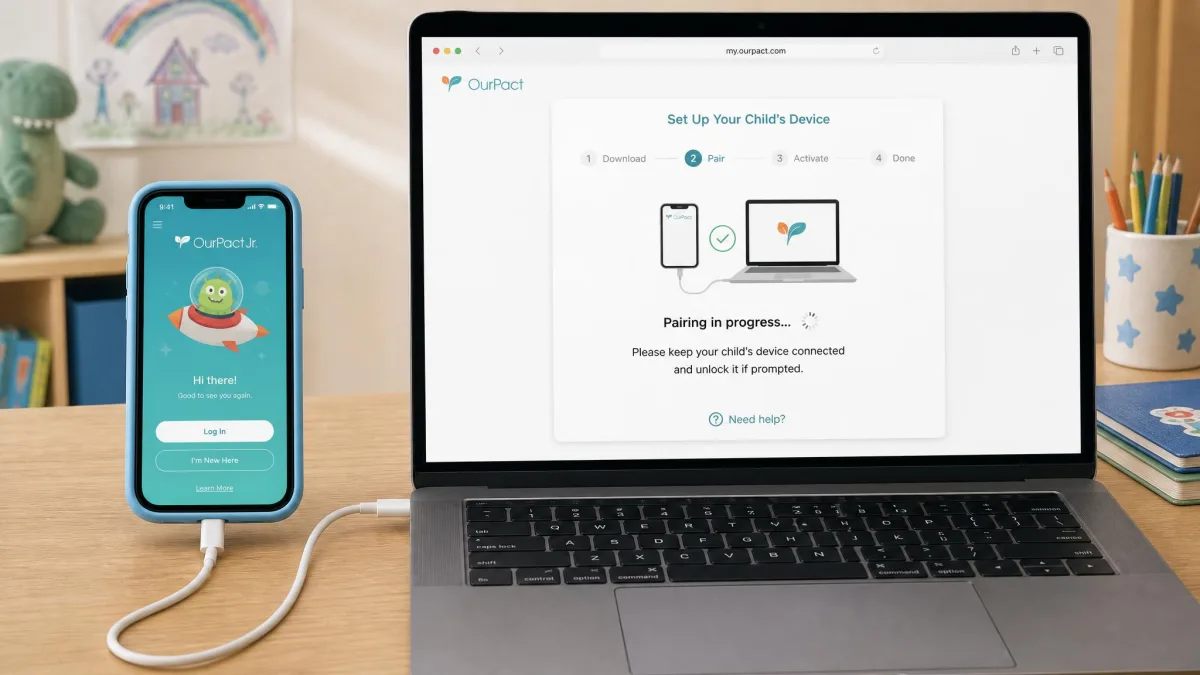
OurPact asks more of you up front. Initial setup runs to nine or more steps and can involve pairing the child device to a computer over USB, which stretches past an hour on a slow connection. Without access to a computer, that full setup path is effectively unavailable. A lighter route exists remotely through OurPact Jr., but the initial pairing stays fiddly and installation still takes roughly 30 minutes.
Remember that OurPact is two apps, not one: OurPact for the parent and OurPact Jr. for the child device. That trips people up during setup more than any technical step does.
Day to day, OurPact's app tiles crowd the control panel in no useful order, which makes it clunky the first few times you use it. It gets faster once you know where things live, but neither app has what we would call an obvious interface.
The setup gap is the single most underrated difference here. Kaspersky on Android is a QR code and a download. OurPact can mean an hour, a USB cable and a laptop you have to borrow. If you are installing on a school night, plan accordingly.
Privacy, Data Handling, and the Kaspersky Question
Any app in this category collects sensitive data about a minor: browsing, location, app use, sometimes screen contents. In the U.S., that collection sits under the Children's Online Privacy Protection Rule (COPPA), which governs how services handle personal information from children under 13. Read each vendor's privacy policy for retention periods and third-party sharing before you install, whichever way you go.
Kaspersky carries an additional and specific question. The company is Russian, and the U.S. Commerce Department prohibited sales and software updates for Kaspersky products to U.S. customers from September 29, 2024, under a determination announced that June. That is not a rumor or a reputational wobble; it is a formal restriction with a date attached. Wirecutter excluded Safe Kids from its parental control testing over security concerns about the firm behind it.
None of that is evidence that Safe Kids mishandles a child's data, and the product itself performs well in independent lab testing. But an app that cannot receive updates in your country is a different proposition from one that can, and that is a practical concern as much as a political one.
If you are in the United States, Kaspersky software cannot lawfully be sold to you and cannot be updated, following the Commerce Department prohibition effective September 29, 2024. Whatever you make of the ownership question, an unpatched security app on a child's device is not a position worth defending. U.S. readers should treat OurPact or a free alternative as the practical choice.
Customer Support
Neither company will impress you here.
Kaspersky offers a knowledge base, community forums and a contact form. The form is awkward, because it does not accommodate a general question and keeps steering you back toward self-help guides and the forums. If your problem is common, the documentation will solve it. If it is not, getting a person is work.
OurPact is email only, with no phone line, and replies can take up to about seven days. For a screen-time app that is often merely annoying, but combined with the automatic renewal and the tight refund policy, a week of waiting can cost you real money.
On customer sentiment the two land close together. OurPact holds 4.4 out of 5 across more than 56,650 App Store ratings, and what parents praise most is that one dashboard runs both iPhone and Android kid devices. Kaspersky's own site reports 4.7 out of 5 from 1,422 reviews, on a much smaller sample and on the vendor's own page, so weight it accordingly.
Pros and Cons of Each App
Kaspersky Safe Kids pros and cons
Pros
- Roughly $14.99 a year, a fraction of OurPact's price
- The only one of the two that covers Windows and macOS as well as mobile
- 92% Windows and 87% Android block rates in AV-TEST's certification
- Genuinely useful free tier with filtering, app control and daily limits
- Up to 100 child profiles and 500 devices on one account
- 7-day Premium trial plus a 30-day money-back guarantee
Cons
- Safe areas can vanish after saving, silently killing geofence alerts
- Parent dashboard is slow to load
- iOS setup is fiddly and may require a separate child Apple ID
- No social media monitoring of any kind
- Support contact form does not handle general questions
- Cannot be sold or updated in the U.S. since September 29, 2024
OurPact pros and cons
Pros
- Best-in-class scheduling with school, bedtime and family time blocks
- Instant block and unblock across every managed device at once
- Live location plus 14 or 30 days of history and arrival alerts
- Automated screenshots with AI flagging on Premium+
- 14-day full-feature free trial
- Runs iPhone and Android child devices from one dashboard
Cons
- $69.99 a year, around four times Kaspersky's price
- No Windows or Mac support at all
- Setup can take an hour and may need a computer and a USB cable
- Randomly reorders child apps and minimizes screens
- Blocked apps can revert to Always Allow after a glitch
- Email-only support with waits of up to about seven days
- No money-back guarantee, and the annual plan renews automatically
Alternatives to Kaspersky Safe Kids and OurPact
If neither app fits, three directions are worth a look.
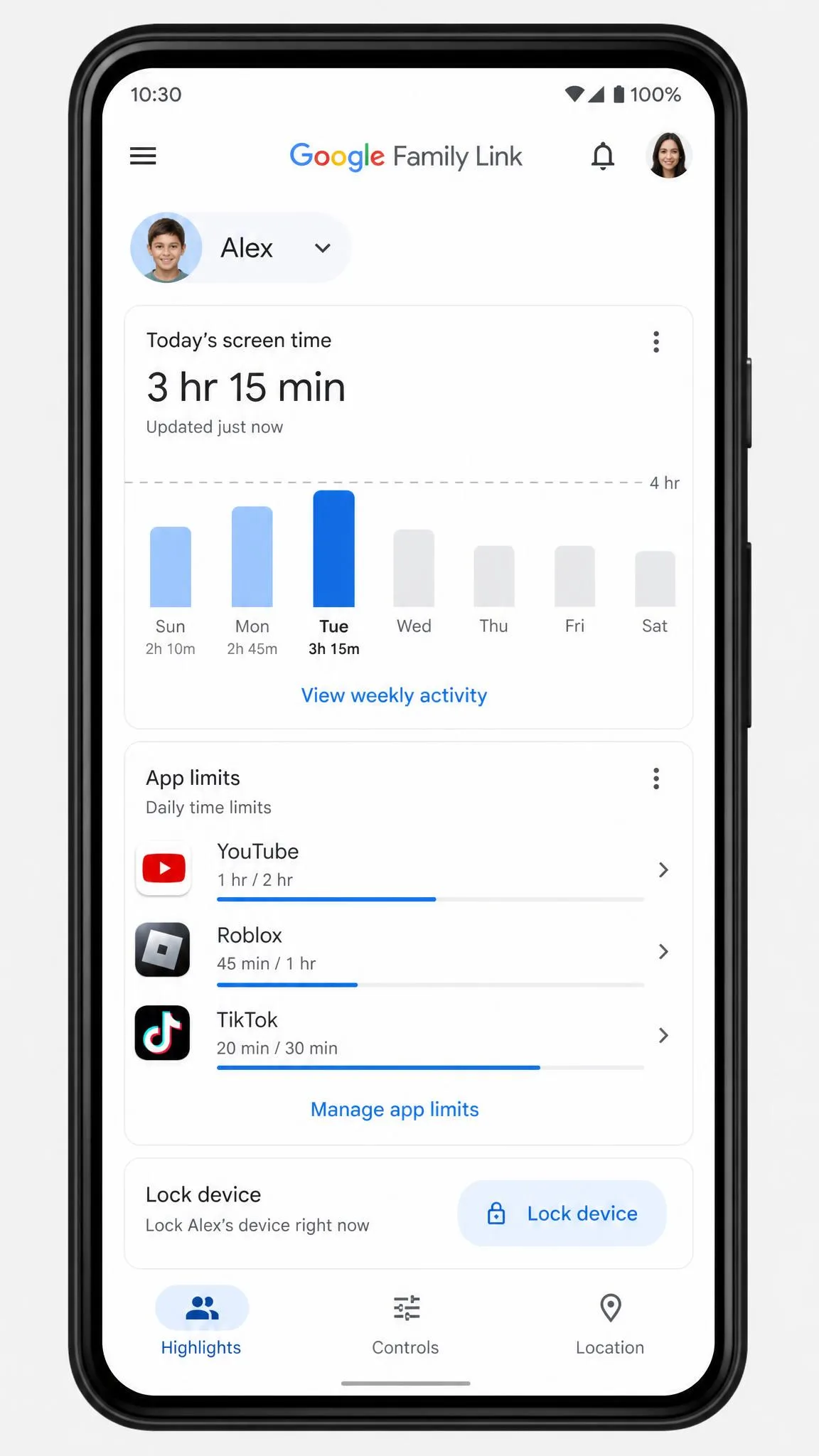
Google Family Link is free and covers screen time limits and schedules, Play Store download approval, app-level time limits, remote device lock, location sharing and content filters for Search, Chrome and YouTube on Android and ChromeOS. For an Android-only household it removes most of the reason to pay anyone, and it is the natural first stop for U.S. parents who have ruled Kaspersky out.
Apple's built-in Screen Time is the equivalent move on iPhone and iPad. It is free, it cannot be uninstalled by a tech-savvy child the way a third-party app can, and it handles downtime, app limits and content restrictions without a subscription.
Beyond those, Qustodio, Bark, Net Nanny, Mobicip and FamiSafe all compete directly, and they split roughly the same way this comparison does. Some are filter-led, some are alert-led, and a couple do read messages and social platforms if that is your requirement.
Common setup mistakes to avoid
Two errors account for most of the disappointment we see with either app.
The first is installing on the parent device by accident. Both products ship a parent side and a child side, and OurPact's two-app model makes this especially easy to get wrong. Install OurPact Jr. on the kid's phone, not OurPact.
The second is setting rules that are too tight on day one. A filter that blocks half the homework web, or a schedule that kills the tablet at 7pm on a Saturday, guarantees a fight and an uninstall attempt. Start permissive, watch the activity reports for a week, then narrow the rules to what the data shows you actually need to manage.
Which One Should You Choose?
Kaspersky Safe Kids wins this comparison on value, coverage and filtering, and it is the app we would put on a mixed-device household first. OurPact wins on scheduling, instant control and location, and it is the better product if those specific jobs are the reason you are shopping.
Choose Kaspersky Safe Kids if
- You need to manage a Windows PC or a Mac as well as phones
- Web filtering accuracy is your top priority
- You want a capable free tier, or the cheapest paid plan available
- You are managing several children across many devices
- You are outside the United States and can buy and update it normally
Choose OurPact if
- Your household is iPhone and Android only
- You want to block and unblock apps instantly through the day
- School, bedtime and family time schedules are the feature you need
- Geofence arrival alerts and location history matter to you
- Screenshots with AI flagging are worth the Premium+ price
- You are in the U.S., where Kaspersky is not a practical option