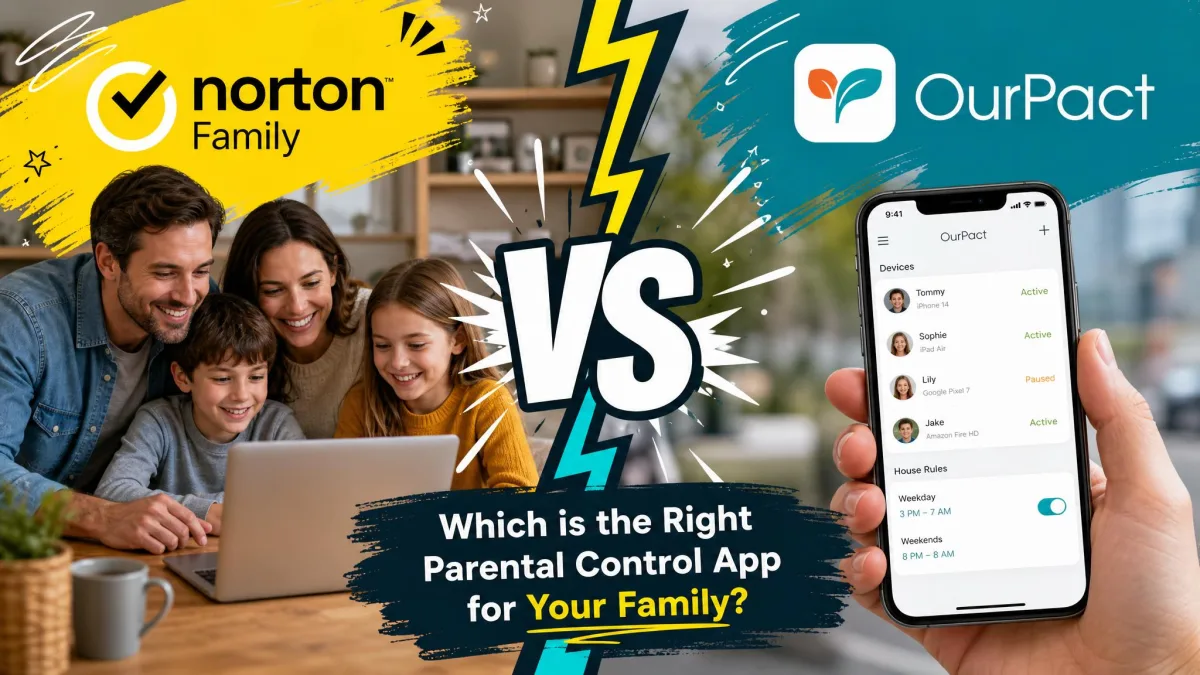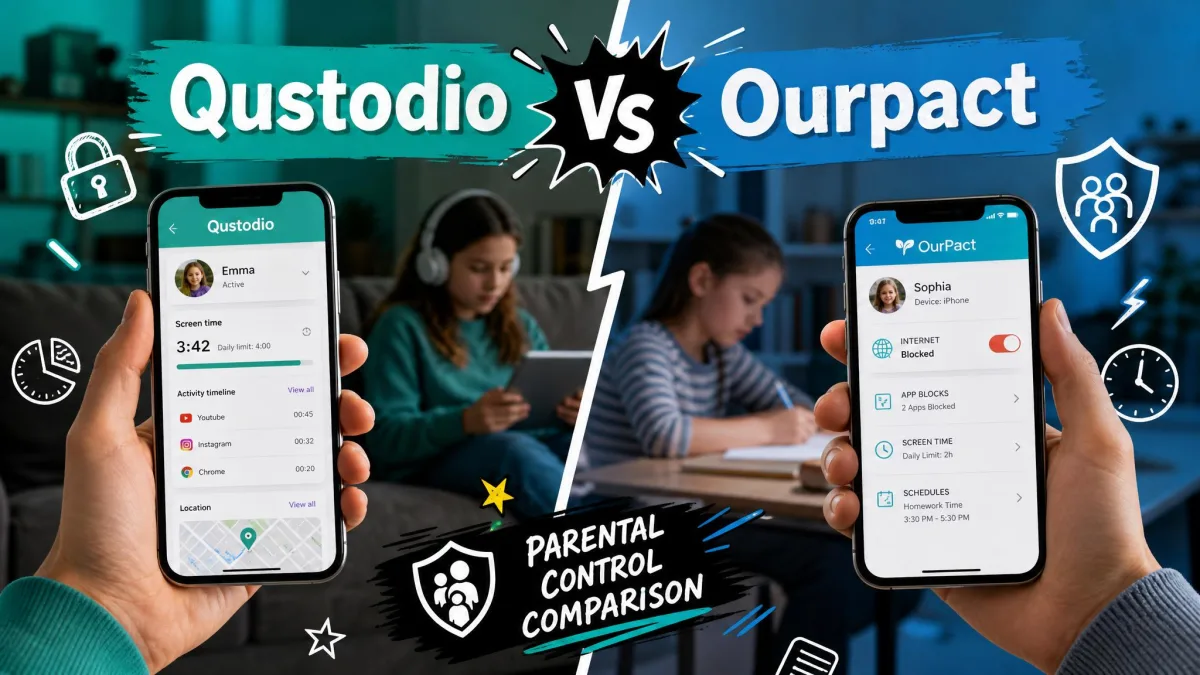
You have narrowed the search to two of the best-known parental control apps, and now you have to pick one. Qustodio wants to be the all-in-one dashboard that watches web, apps, calls, and location across every screen in the house. OurPact takes a leaner path, focused on screen time and app control with a strong grip on the iPhone.
Both do the core job well. The right choice depends on which devices your kids use, how much you want to see, and how much friction you can tolerate during setup. We put both apps on real family phones, tablets, and a laptop to find where each one pulls ahead.
This comparison walks through platforms, screen time, filtering, app blocking, location, communication monitoring, ease of use, and price, then gives you a clear verdict for common family situations.
We ran Qustodio and OurPact side by side on an iPhone, an Android phone, and a Windows laptop, installing each from scratch and testing the blocks the way a curious kid would. The notes below reflect what actually held up and what got in our way.
Qustodio vs OurPact at a Glance
Here is the short version before we get into the detail.
Qustodio is the broader tool. It covers Windows, Mac, Chromebook, and Kindle Fire on top of iOS and Android, adds web filtering across many categories, and is the only one of the two that reads calls and texts on Android. If you want one dashboard for a mixed-device household, it wins.
OurPact is the sharper instrument for screen time and app control, and it enforces those rules on the iPhone using Apple's own approved method rather than a VPN profile a child can switch off. If your kids are iPhone-first and screen time is your main worry, OurPact is easier to trust.
Main Differences Between Qustodio and OurPact
The two apps solve the same problem from different angles.
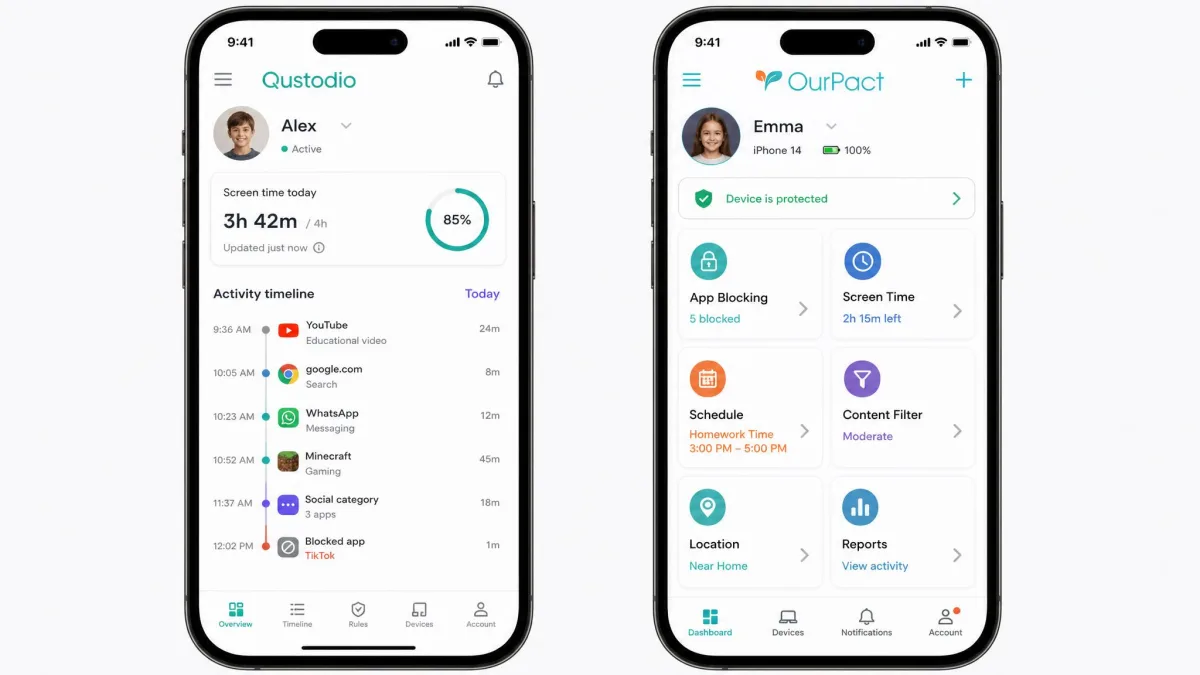
Qustodio is a monitoring-and-control suite. It filters the web, logs activity, reports on YouTube and searches, tracks location with geofencing, and on Android reads calls and texts. Breadth is its pitch, and it delivers a genuinely comprehensive dashboard.
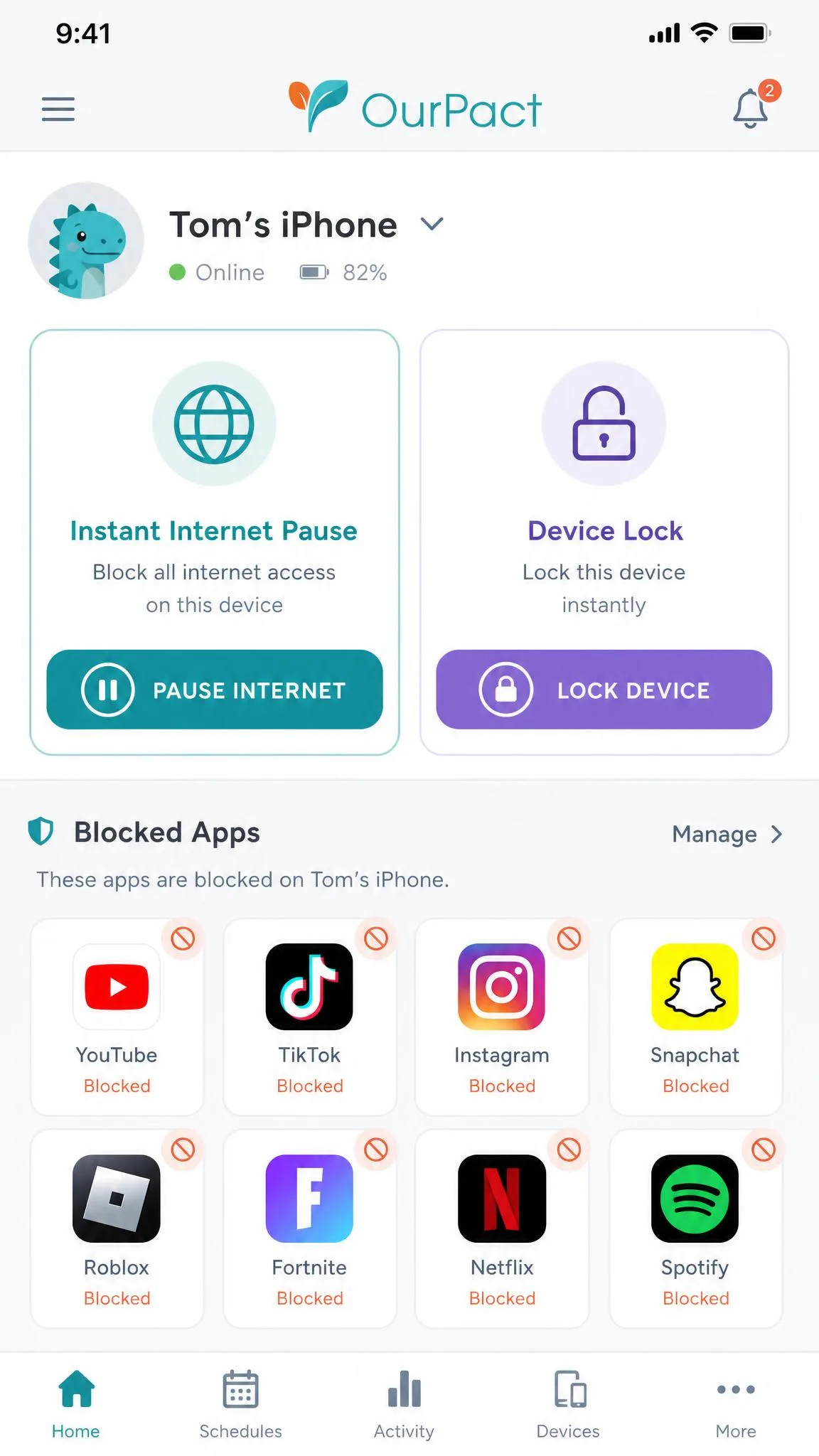
OurPact is a screen-time and app-management tool first. It blocks apps, pauses the internet, sets schedules, and shares location, with optional screenshots on its top tier. It does less on purpose, and the trade is a cleaner, tighter experience on the platforms it supports.
The single biggest split is the iPhone. Qustodio relies on a VPN configuration that a child can see and disable in Settings, while OurPact uses Apple-approved native control that is much harder to shake off. The second split is reach: only Qustodio protects computers and Chromebooks.
Platform & Device Coverage
Where your kids spend their screen time decides a lot here, so start with the hardware.
iOS (iPhone/iPad) enforcement: VPN profile vs Apple-approved native
On iPhone, Qustodio installs a VPN configuration to do its filtering and monitoring. In testing, that profile is visible to the child in Settings, which means Qustodio cannot watch stealthily, and a determined kid can switch the profile off and slip the leash. It works, but it leans on the child not touching it.
OurPact enforces its rules through Apple-approved native controls rather than a VPN profile. In practice that made its blocks and schedules noticeably harder to defeat on the iPhone, and it did not depend on a toggle the child could reach.
On iPhone, Qustodio's protection runs through a VPN profile the child can see and disable in the Settings app. If you are monitoring an iPhone-savvy teen, check the profile regularly or lean toward OurPact's native enforcement.
Android support
On Android both apps are strong. Qustodio unlocks its fullest feature set here, including call and text monitoring and its panic button, because Android grants the deeper permissions those features need. OurPact runs its screen time, app blocking, and location features well on Android too, though it does not add communication monitoring on any platform.
Desktop & Chromebook (Qustodio's edge)
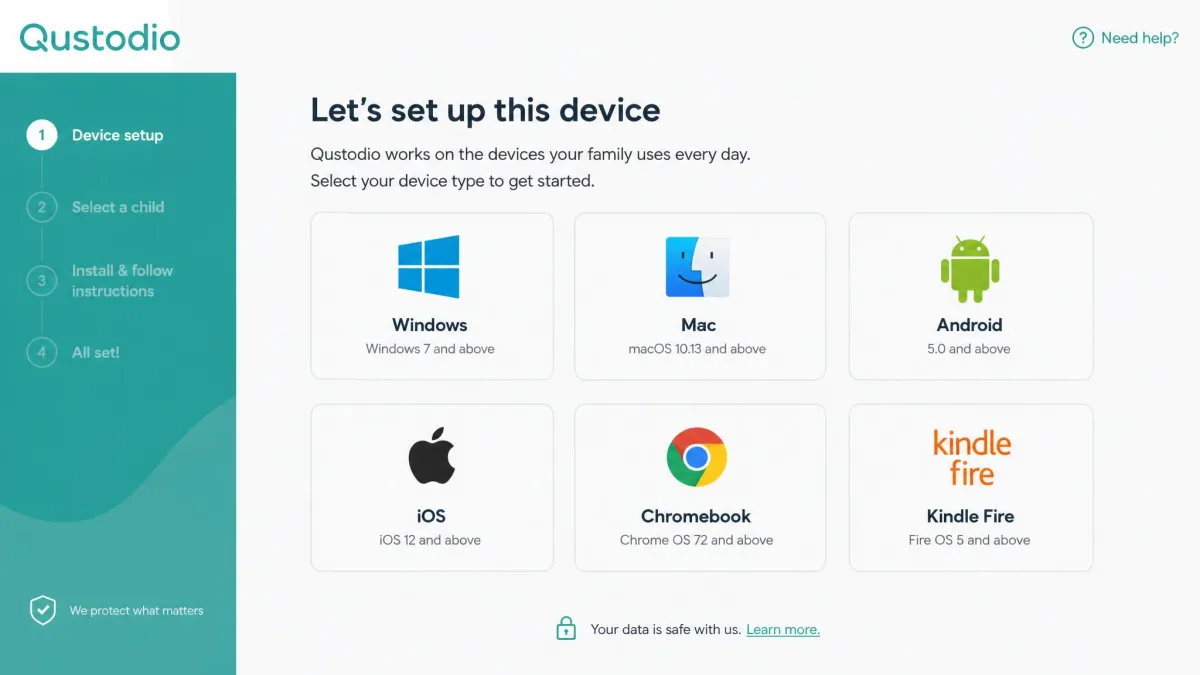
This is a clean win for Qustodio. It runs on Windows, Mac, Chromebook, and Kindle Fire in addition to phones and tablets. OurPact is iOS and Android only, with no desktop or Chromebook app at all. If your child does homework on a laptop or a school-issued Chromebook, only Qustodio can see and manage that screen.
Device limits (OurPact 20 vs Qustodio unlimited)
Qustodio's top Complete plan covers unlimited devices, which suits big families or households with a lot of screens per kid. OurPact's paid plans cap out at 20 child devices. Twenty is plenty for most families, but if you are counting phones, tablets, and laptops across several children, Qustodio removes the ceiling entirely.
Screen Time Management & Scheduling
Both apps handle the core screen-time job, and both do it well.
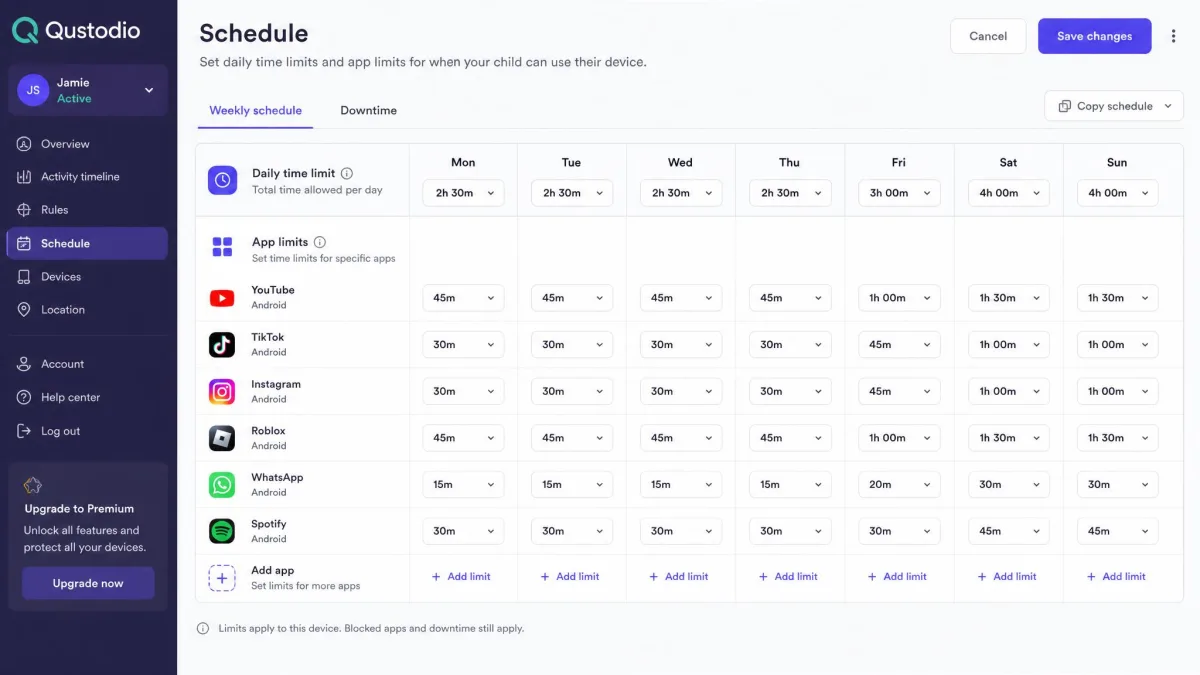
Qustodio lets you set daily time limits, build custom routines and schedules, and apply per-app time caps so a specific game gets its own budget. The scheduling is flexible and the reporting behind it is detailed, which helps you see where the hours actually go.
OurPact leans into this area as its main strength. You get scheduled blocks, daily allowances, and an instant lock that pauses the device on demand. Setting a block schedule felt fast and direct, and in testing the schedules held: attempts to outsmart them failed. For families whose whole goal is controlling when and how long screens are used, OurPact's approach is tighter and quicker to manage.
Web & Content Filtering / Monitoring
This is where the two apps diverge most in philosophy.
Qustodio AI content alerts
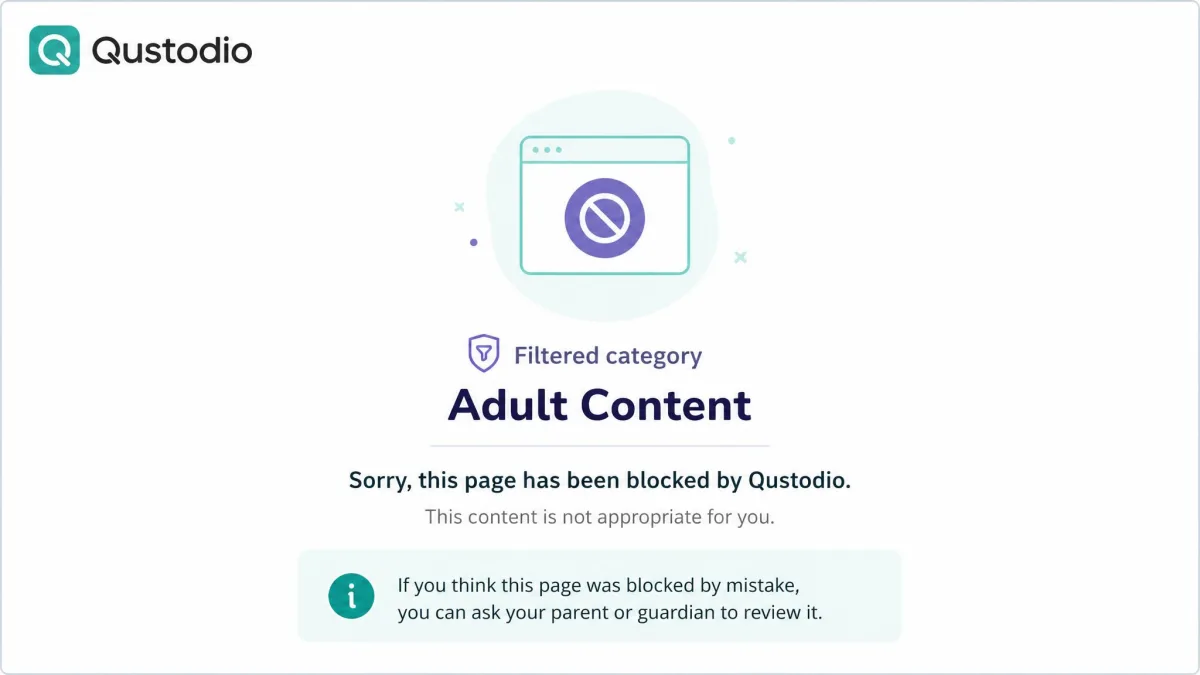
Qustodio is built around filtering. It screens the web across a wide set of content categories and adds AI content alerts that flag concerning activity for you. In our testing the web filter blocked consistently across different browsers and even caught attempts to bypass it with a VPN, which is exactly the reliability you want from a filter. OurPact has a web and adult-content filter, but it is not the core of the product the way it is for Qustodio.
OurPact OCR screen snapshots
OurPact's answer to monitoring is visual. On its Premium+ tier it captures periodic screenshots and runs OCR on them to read on-screen text and flag harmful content. It is a different kind of window into what your child sees, and it can catch things a category filter cannot. Two caveats from testing: the screenshot feature is exclusive to the pricier Premium+ plan, and OurPact minimizes open screens during capture, an odd quirk that can interrupt the child mid-task.
If you want a filter that quietly blocks bad sites, Qustodio fits better. If you want to actually see what appeared on screen, OurPact's screenshots are the stronger tool.
Qustodio's web filter blocked consistently across browsers and caught VPN-bypass attempts in testing, while OurPact answers with periodic OCR screenshots that read the screen itself.
— From our hands-on testing
App Blocking & Instant Internet Pause
Both apps block apps, and both did it reliably in testing.
OurPact adds an instant internet pause and instant device lock that stop everything with one tap, which is genuinely useful at the dinner table or at bedtime. Its app blocking held up well: our attempts to work around the schedules and blocks failed. One rough edge is that OurPact randomly reorders the blocked apps on the child's device, which looks messy even though it does not weaken the block.
Qustodio blocks apps and sets per-app time limits, but its app detection was less consistent. In one test it flagged only one of two newly installed games, so a brand-new app can slip through until Qustodio catches up. If instant, dependable app and internet control is your priority, OurPact edged ahead here.
Location Tracking & Family Locator
Both apps show you where a device is, with different extras.
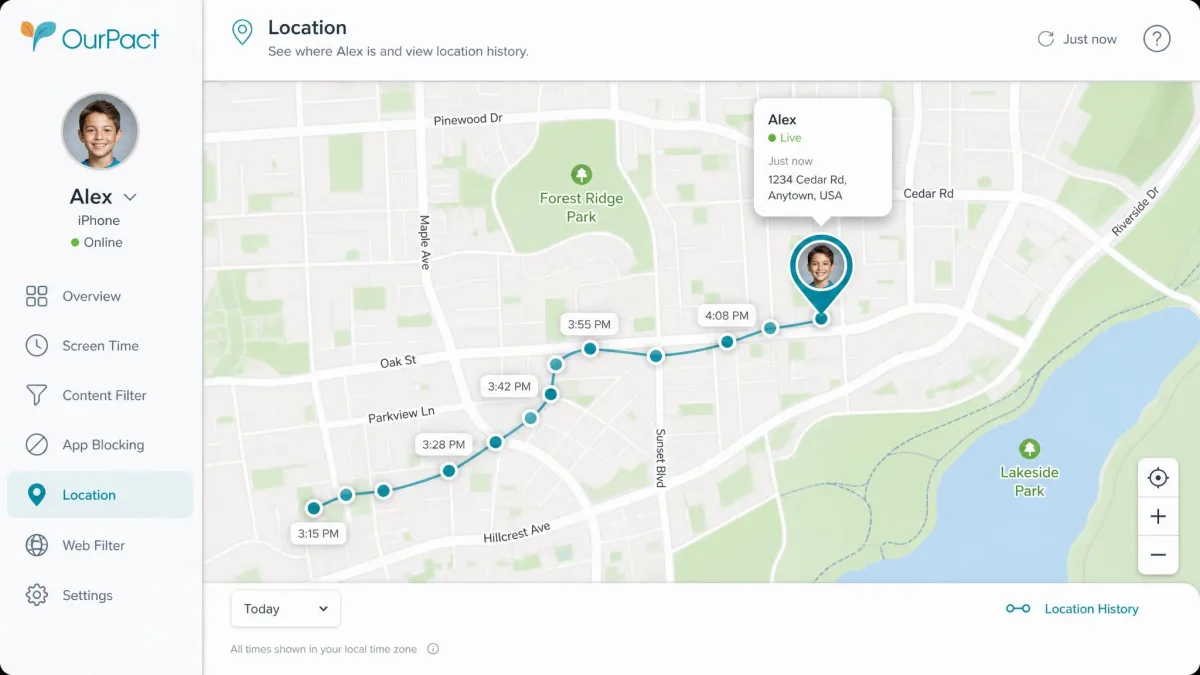
Qustodio tracks location and adds geofencing, so you get an alert when a device enters or leaves a zone you draw, with roughly a 200-meter radius. That radius is fine for "left school" or "arrived home" alerts rather than pinpoint street-level tracking. One cost to note: the GPS tracking is the main reason Qustodio added roughly a 10 to 15 percent increase in battery drain on the monitored device in our testing.
OurPact shares live location plus location history and alerts. Its accuracy was good, down to the venue in testing. The honest limitation, true of every app like this, is that it tracks the device and not the child, so a phone left at a friend's house tells you where the phone is, not where your kid is.
Call & Text (Communication) Monitoring
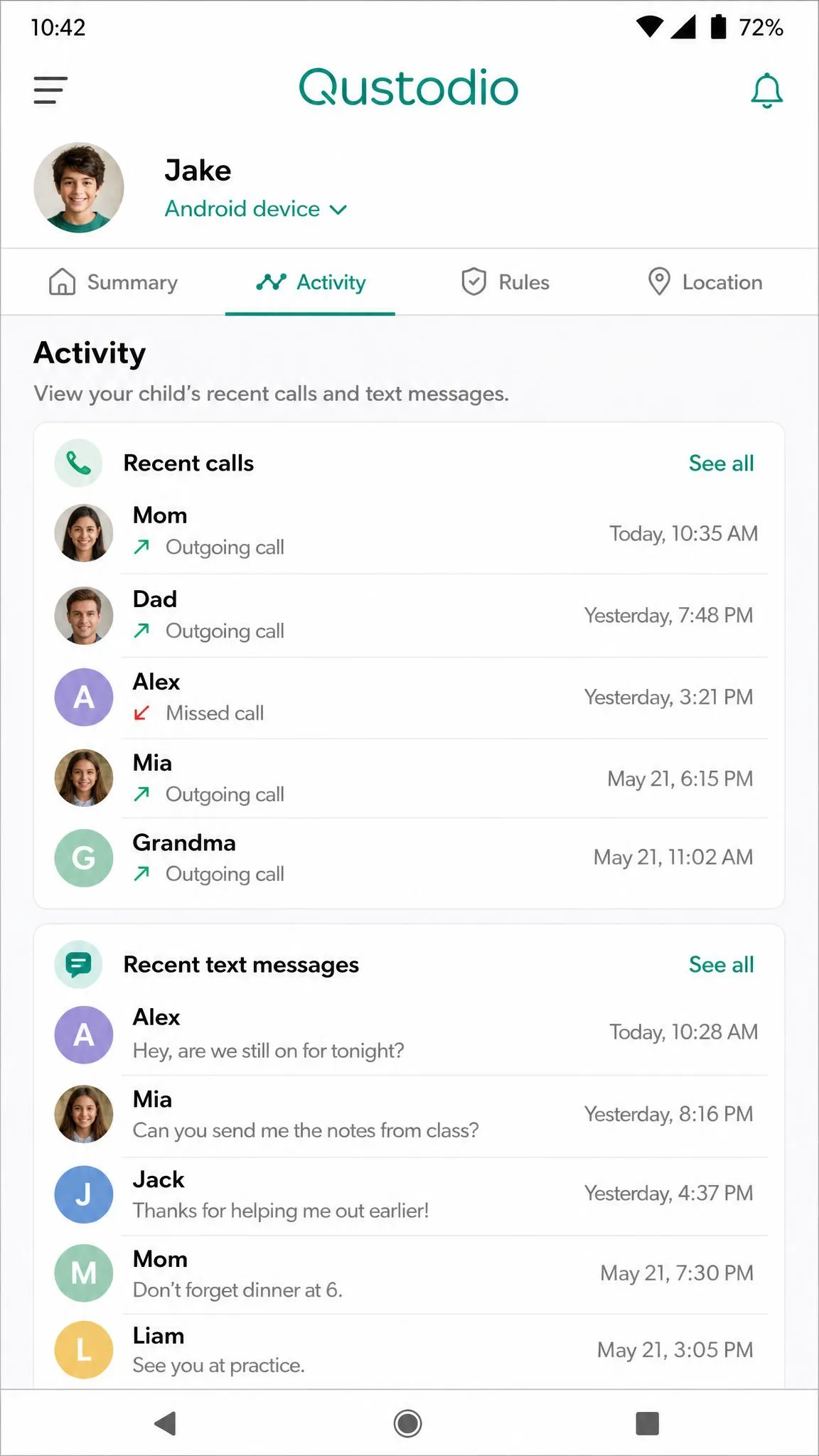
This is a clean split. Qustodio monitors calls and text messages, but only on Android, where the permissions allow it. It is a real feature that OurPact simply does not match. Setup was the catch: Qustodio's call and text monitoring needs separate configuration and shared Wi-Fi, which felt inconvenient to get running.
OurPact does not offer text-message or call monitoring at all, and it does not read search history either. If reading who your child calls and texts matters to you, and your child is on Android, Qustodio is the only choice of the two.
Ease of Use, Setup & Reliability
Once running, both dashboards are approachable. Getting there is where they differ.
Qustodio's Windows setup was quick, around ten minutes. iOS took the most steps because of the VPN configuration, but it was still manageable in one sitting. Day to day the app was steady, with the app-detection miss and the battery drain noted above as the main blemishes.
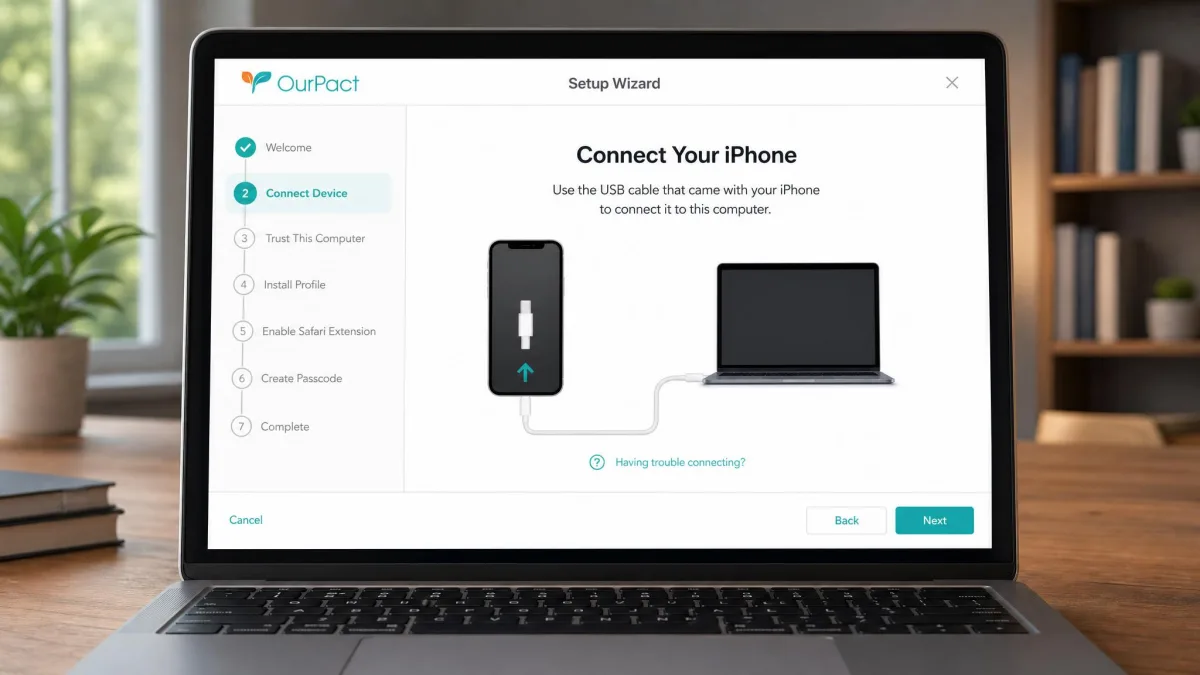
OurPact's setup was the tougher one. It needed a computer, a USB cable, and around ten device-specific steps, and it took us over an hour to complete. Once configured it was reliable and its blocks held firmly, but the first hour tests your patience. Support is email-only and can be slow, so plan to solve setup snags yourself. We also saw scattered reports of app deletions or phone wipes affecting a minority of users; it was not widespread, but it is worth a backup before you start.
Budget your setup time honestly. Qustodio's Windows install took about ten minutes, while OurPact needed a computer, a USB cable, and over an hour. Do the OurPact setup when you are not rushed.
Pricing & Plans Compared
Both apps offer a free 1-device plan and a paid ladder above it. Here is how they line up.
Qustodio pricing and plans
Qustodio's free plan covers a single device at no cost. Its paid Basic plan runs roughly $54.95 to $59.95 per year for up to 5 devices, and the top Complete plan runs roughly $99.95 to $104.95 per year for unlimited devices. Prices shift with current promotions, so check the live figure before you buy. Qustodio adds a 3-day free trial and backs purchases with a 30-day money-back guarantee.

OurPact pricing and plans
OurPact offers a free plan with one device, one automated schedule, and five manual blocks per month. Its Premium plan is $6.99 per month or $69.99 per year, and Premium+ is $9.99 per month or $99.99 per year, with paid plans supporting up to 20 child devices. The OCR screenshot feature is exclusive to Premium+. A 14-day free trial is available at signup; OurPact does not state a money-back guarantee.

At a Glance
| Product | Buy | Platforms | Max devices | App blocking | iOS enforcement | Price |
|---|---|---|---|---|---|---|
|
Check price → | Windows, Mac, Android, iOS, Chromebook, Kindle | Unlimited | Yes, per-app limits | VPN profile (kid can disable) | ~$99.95/yr Complete |
|
Check price | iOS, Android only | 20 | Yes, plus instant internet pause | Apple-approved native | $69.99/yr Premium |
A fuller side-by-side:
| ComparisonKey features |
Our pick
Qustodio
★8.5/10
$99.95 /yr
|
OurPact
★8.1/10
$69.99 /yr
|
|---|---|---|
| Coverage | ||
| Windows, Mac & Chromebook | ✓Yes | ✗No |
| iOS support | ✓Yes | ✓Yes |
| Android support | ✓Yes | ✓Yes |
| Max devices | Unlimited | 20 |
| Controls | ||
| Screen-time scheduling | ✓Yes | ✓Yes |
| App blocking | ✓Yes | ✓Yes |
| Instant internet pause | ✗No | ✓Yes |
| Web/content filtering | 29 categories | Adult filter |
| OCR screenshots | ✗No | Premium+ |
| Monitoring | ||
| Location & geofencing | ✓Yes | ✓Yes |
| Call/SMS monitoring | Android only | ✗No |
| Value | ||
| Free plan | ✓Yes | ✓Yes |
| Trial | 3-day | 14-day |
| Money-back guarantee | 30-day | Not stated |
| Check price → | Check price | |
Pros and Cons
Qustodio pros and cons
Pros
- Covers desktop and Chromebook, not just phones
- Web filtering across many categories with AI content alerts
- Only one of the two with Android call and text monitoring
- Unlimited devices on the top plan, plus a 30-day money-back guarantee
Cons
- iPhone protection runs through a VPN profile a child can disable
- App detection missed a newly installed app in testing
- GPS tracking added roughly 10 to 15 percent battery drain
OurPact pros and cons
Pros
- Apple-approved iPhone enforcement that is hard to bypass
- Fast, reliable app blocking plus instant internet pause
- OCR screenshots show what actually appeared on screen
- Longer 14-day free trial
Cons
- iOS and Android only, with no desktop or Chromebook app
- Setup needs a computer, a USB cable, and over an hour
- No call, text, or search-history monitoring
- Email-only support that can be slow
Which Should You Choose? (Verdict)
If you are still weighing options, other tools worth a look include Net Nanny for filtering, Mobicip for cross-platform families, Bark for social and message alerts, and Norton Family for households already in Norton's ecosystem. Each trades breadth against simplicity in its own way, and much of the parental control research points to matching the tool to your child's actual devices rather than chasing the longest feature list.