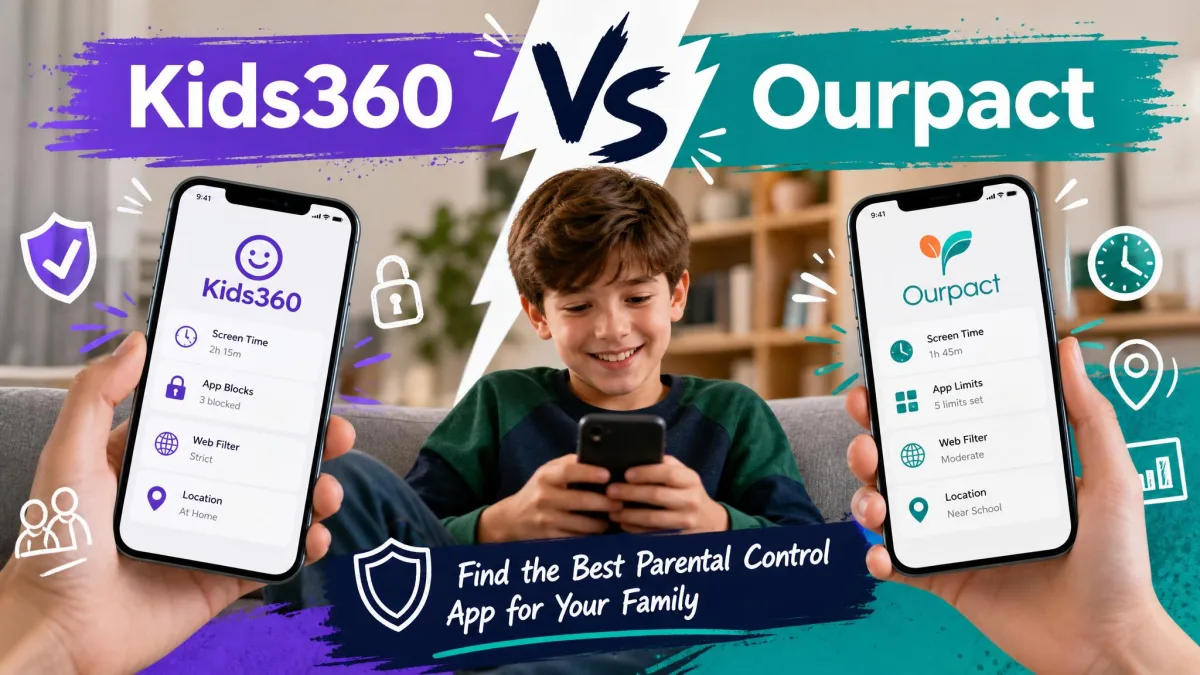
We set up both apps the way a parent would: Kids360 paired to a child's Android phone through its companion Alli360 app, and OurPact paired to an iPhone through Apple's MDM profile, with the parent dashboards running side by side. We checked the same scenarios in each one, including daily screen time limits, blocking a game mid-afternoon, filtering web content, and pulling up a child's location on a map.
What separates them is the mechanism, not the feature list. OurPact leans on Apple's MDM framework and a weekly scheduling grid, so a rule is something the operating system enforces on your behalf. Kids360 builds the whole experience around tasks a child completes to earn minutes back, so a rule is something the child negotiates with. Those are two different theories of how a family manages a phone, and the right fit depends on which one your household already runs on.
Below we break down pricing, features, platform support, setup and reliability, then name the winner for each type of family.
Kids360 vs OurPact at a Glance
Both apps aim at the same job, which is helping you set limits and keep your kids safe online without policing every tap. They get there differently. OurPact is a scheduling and blocking tool built around a parent's calendar. Kids360 is a habit-building tool built around tasks, rewards and usage statistics.
| Product | Buy | Monthly price | Annual price | Free plan or trial | Platforms | Devices per plan | Screen time limits | App blocking | Web filtering | Location | Reports | Kid rewards | Setup | Support |
|---|---|---|---|---|---|---|---|---|---|---|---|---|---|---|
 |
Check price → | $6.99 Premium, $9.99 Premium+ | $69.99 Premium, $99.99 Premium+ | 14-day free trial | iOS 13.0 or later, plus Android | Up to 20 child devices | Drag-and-drop schedules, Allowance time bank, device-wide | Yes, including iMessage and texting apps | Yes, plus AI harmful-content flagging on Premium+ | Real-time, geofence entry and exit alerts, 14 or 30 days of history | Screenshots on Premium+, no app usage reports | No, the Jr. app is view-only | MDM profile, iPhone pairing may need a computer | Email and chat |
 |
Check price | Sold as in-app purchases, $7.99 to $79.99 | Up to $79.99 per year | Free trial, length not stated by the vendor | iOS 17.0 or later, plus Android | Not published | Daily limits, per-app limits, school and rest schedules | Yes | Yes | GPS location | App usage statistics, no screenshots | Yes, tasks earn extra screen time | Two apps plus a pairing code | Chat only |
How We Tested Kids360 and OurPact
We installed each app on a real family setup rather than a clean lab phone, because the friction that matters shows up in the ordinary version of this job. That meant a parent phone, a child phone, existing accounts, existing games, and a child who had opinions about being limited.
For each app we ran the same checks. We created a daily screen time limit and watched whether the phone actually locked when the clock ran out. We blocked a game during a school block and timed how fast the icon went away. We turned on web filtering and tried a handful of sites that should be caught. We opened the location map, walked the child device out of a geofence, and waited to see what arrived.
We also paid attention to what happens after the honeymoon. Permissions drift, dashboards fall behind, and children get clever. Those failures decide whether an app is still working in month three, so we weighted them heavily.
We bought or trialled both subscriptions ourselves. Neither Eturi Corp., which publishes OurPact, nor MINDCARE LAB LTD, which publishes Kids360, had any input into this comparison.
Pricing and Plans Compared
Price is where these two stop looking similar. OurPact publishes a plain two-tier price list. Kids360 sells through in-app purchase, which makes the number you end up paying harder to predict before you commit.
Kids360 pricing and free trial
Kids360 is a free download with in-app purchases ranging $7.99 to $79.99, so the top of that band is roughly the cost of a year. The vendor advertises a free trial on its site but does not state the length, and the trial has been offered at different lengths by region, so check the terms on the screen in front of you before the charge lands.
There is a wrinkle in the order of operations. The paywall arrives after you finish setting up the child-side Alli360 app, not before, so a parent who assumed the app was free hits the cost at the end of the work rather than the start. Kids360 prices also vary by country, store and promotional offer, so the figure a parent sees at checkout may differ from any published number.
OurPact pricing: Free, Premium, and Premium+
OurPact keeps it simple. Premium is $6.99 per month, or $69.99 per year, which works out to $5.83 per month. Premium+ is $9.99 per month, or $99.99 per year, which works out to $8.33 per month. Both plans cover up to 20 child devices, which is generous for a large family or a household sharing tablets.
The step up to Premium+ buys two things: screenshot viewing with AI harmful-content flagging, and 30 days of location history instead of 14. Every new account gets a 14-day free trial, which is long enough to see whether the rules hold before you pay.
A permanently free tier is not listed on the current pricing page, though older reviews still describe one capped at five blocked apps, five filtered sites, one schedule and one device. OurPact's free tier has come and gone across versions, so what a new signup gets today may not match older write-ups.
Which is better value?
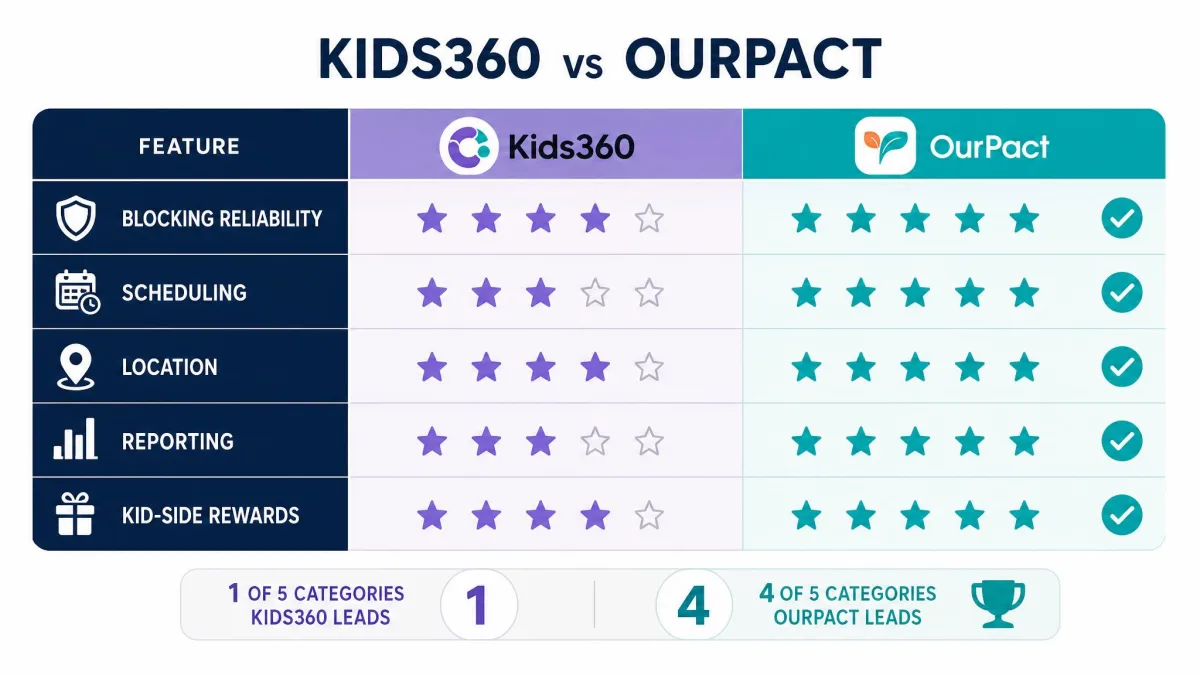
For most families, OurPact. You can see the price before you start, the trial is stated in days, and one subscription stretches across a house full of devices. Kids360's ceiling of $79.99 per year sits in the same neighbourhood as OurPact Premium, but you are buying it without a published device count and without a stated trial length.
Kids360 earns its money back only if your child actually uses the reward system. That is a fair thing to weigh, not a consolation prize, because an app your child engages with survives longer than one they only resent.
Feature-by-Feature Comparison
Screen time limits and scheduling
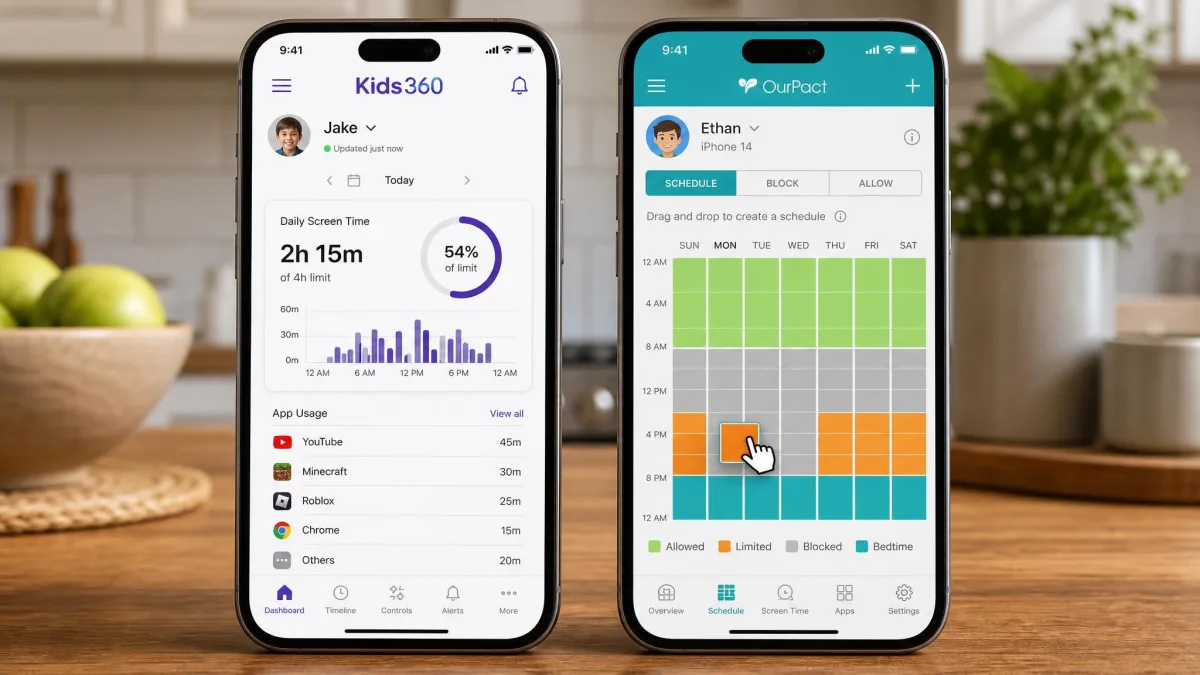
OurPact's scheduling is the best part of the app. You drag blocks across a weekly grid to set limits for school, homework and bedtime, and you can hand your child an Allowance, which is banked time they spend when they choose. The catch is that the limits are device-wide rather than per-app, so you can stop the phone but you cannot cap one game at 30 minutes while leaving everything else open.
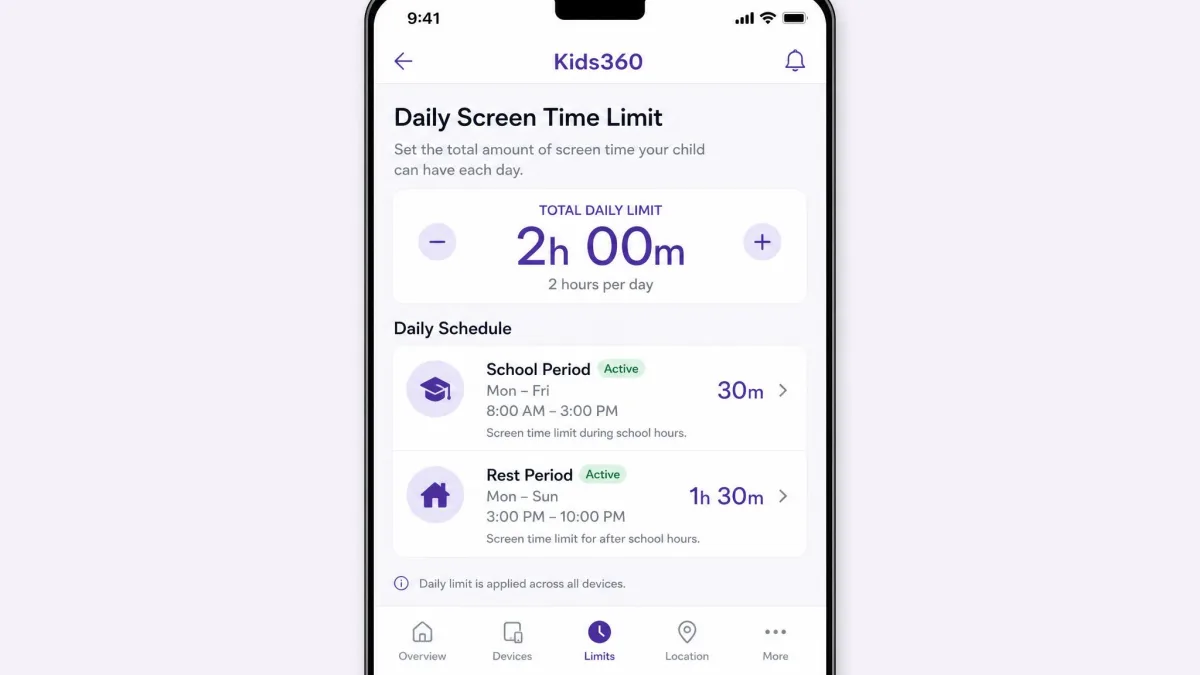
Kids360 goes the other way. It offers daily totals, per-app limits, and separate school and rest-period schedules, which is more granular on paper. In practice the schedules are the weak link, because they can fail to apply and leave a child able to keep using the phone past the limit that was set. A limit that only mostly fires is worse than a blunt one that always does.
Set the first schedule with your child in the room and agree on the blocks together. Families who do this hit fewer arguments in week two.
App blocking and content filtering
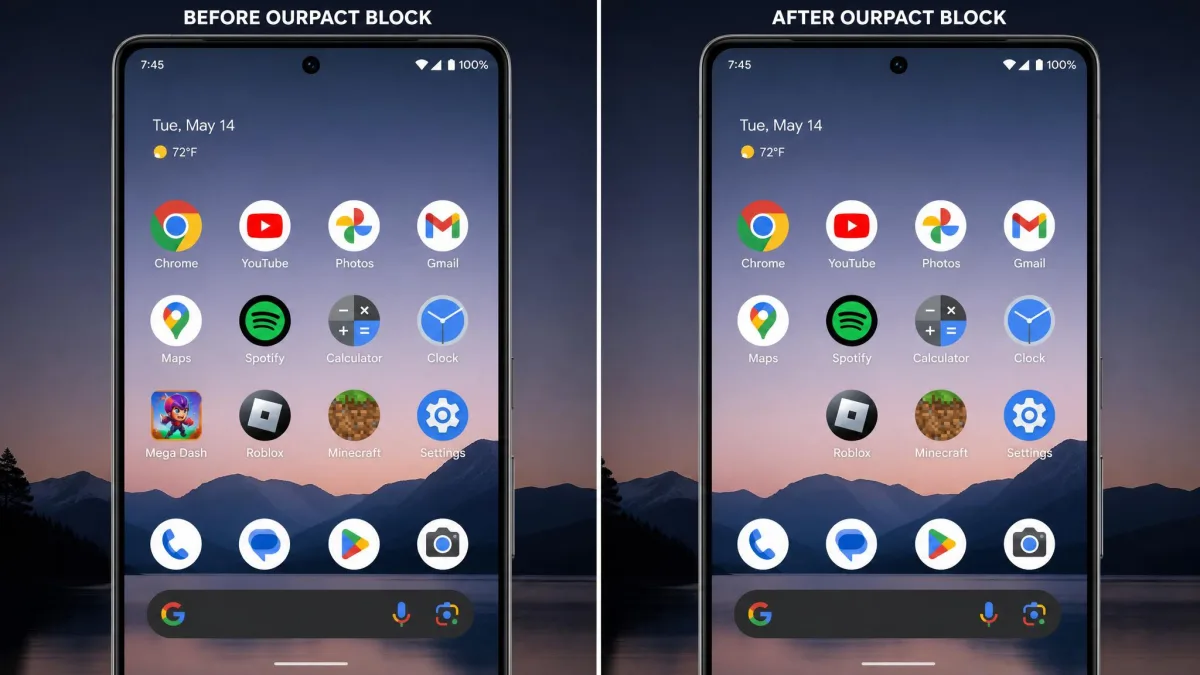
Blocking is OurPact's home ground. On Android, blocking an app makes the icon disappear from the home screen within about five to ten seconds, and the app stays unlaunchable until the schedule ends or you unblock it. On iOS, blocked apps are hidden by the MDM profile rather than removed, and they come back when the rule lifts. OurPact will also block iMessage and third-party texting apps, which very few competitors will touch on an iPhone.
Kids360 blocks apps and filters websites too, and on Android it does the job. On iPhone it is less certain, because several headline Kids360 features such as time limits and app blocking can turn out to be unavailable once setup is finished. Content filtering on both apps is category-based, so treat it as a first line of defence against inappropriate content rather than a guarantee.
Location tracking and geofencing alerts
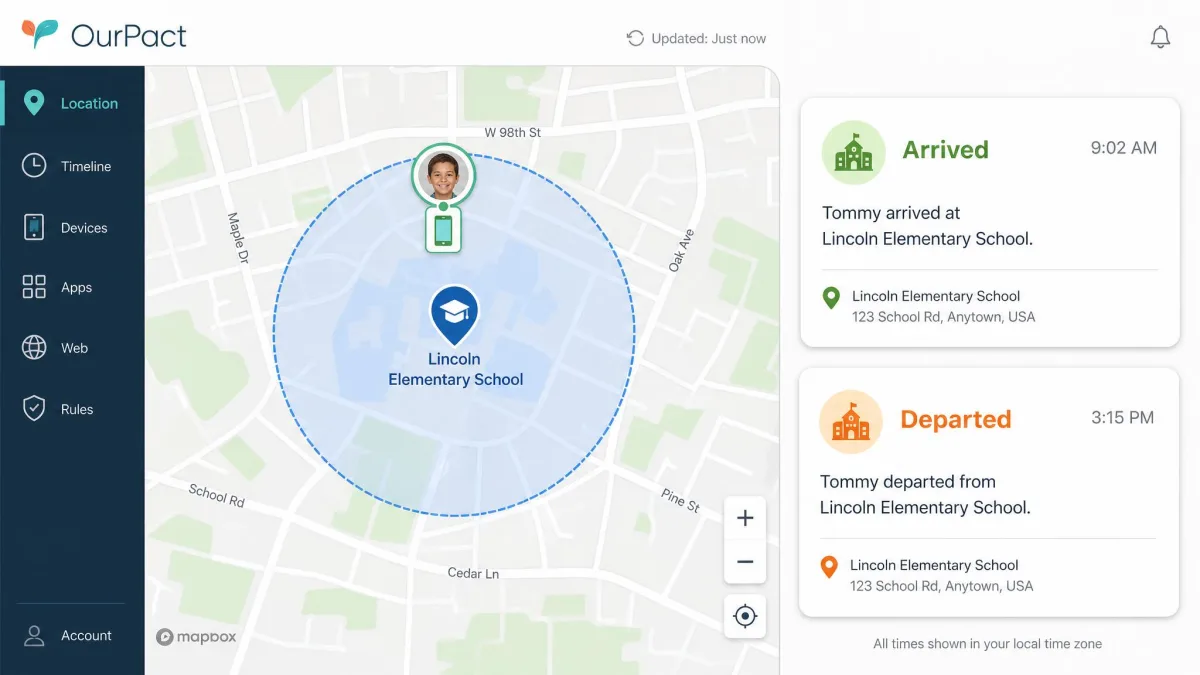
OurPact tracks location in real time and sends geofence alerts, and it sends separate entry and exit alerts rather than one combined ping. That is more notifications than some parents want, but it is also more information, because you know when your child arrived and when they left. Premium keeps 14 days of location history and Premium+ keeps 30, which is enough to answer a question days after you thought to ask it.
Kids360 offers GPS location, and the map is easy to read. It is less precise in practice, because the position can read as an approximate area rather than an exact spot, and a child who switches off device GPS stops the tracking entirely. There are no geofence entry and exit alerts of the kind OurPact sends.
Activity reports, screenshots, and monitoring
This is where both apps disappoint anyone hoping for full message, social media and YouTube visibility. Neither one reads your child's chats.
OurPact takes periodic screenshots on Premium+, with AI flagging for harmful content, but keyword alerts are not real-time, because a flag only surfaces after a screenshot has been captured and processed. It offers no app or web activity usage reports at all, and no call or SMS history logs. You pick the capture interval yourself, from 5, 10, 15 or 20 minutes, with 5 minutes as the default, and you can also grab a screenshot on demand. Images sit in the View gallery for 14 days and are then deleted permanently. OurPact does not publish a daily cap, and at the tighter intervals the volume gets genuinely tiring to sift through. On Android, capture runs by itself whenever the device is in use; on iPhone the child has to start Screen Broadcast in OurPact Jr. first, so a child who stops the broadcast stops the screenshots.
Kids360 goes the other way again. It gives you app usage statistics, so you can see which apps ate the afternoon, but it takes no screenshots. It does not read private chats or direct messages, and it does not monitor social media content either, so social apps can only be blocked, time-limited or put on a schedule by app or category. YouTube is the one exception: Kids360 reports which videos were watched, alongside search history, browser activity, daily screen time and the most-used apps.
If reading messages is your actual requirement, neither app is your tool. A monitoring-first product such as Bark is designed for that job, and our Kids360 vs Bark comparison covers the trade-off.
Rewards, tasks, and the kid-side experience
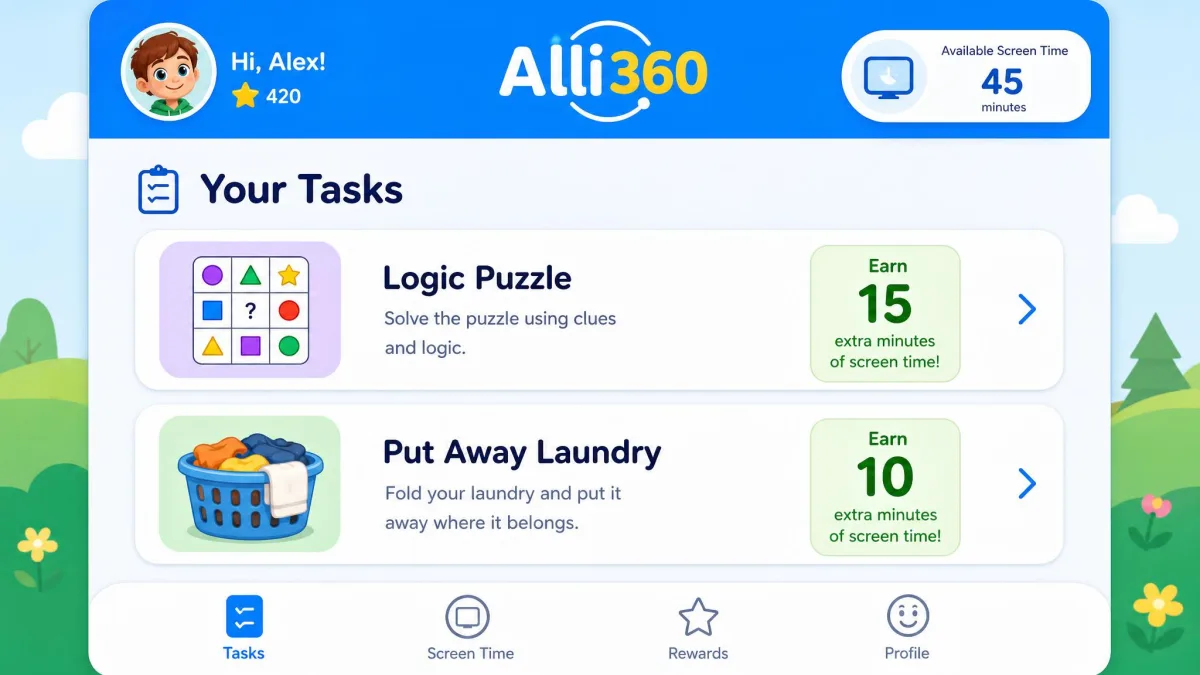
Kids360's task-and-reward system is the part parents praise most. Kids earn extra screen time by finishing assigned tasks, the app ships developmental tasks covering logic, attention and critical thinking, and you can create your own. Combined with a parent dashboard that is easy to navigate, it turns a limit into a deal your child can win.
OurPact has nothing equivalent. The child-side OurPact Jr. app is view-only, and its reception says so. It sits at 1.3 out of 5 from about 7.8K App Store ratings, most of them written by teenagers objecting to being blocked. It also crashes and freezes for some households, and it can rearrange home screen icons without asking.
Kids360 asks your child to earn screen time. OurPact simply takes it away. Which one fits depends less on features than on the child in your house.
Platform Support: iOS vs Android
Both apps run on iOS and Android, but neither is equal across the two.
OurPact leans on Apple's MDM framework, which is why its iOS blocking is so decisive. That same choice creates a hard limit: only one MDM profile can be installed on an iOS device at a time, so OurPact cannot run alongside another MDM-based parental control app. Its Screen Time View data is also less dependable on iOS than on Android because of Apple's constraints. The Jr. app requires iOS 13.0 or later, which is forgiving on older hardware.
Kids360 needs iOS 17.0 or later on the parent app, so an older parent phone is out. It is the stronger of the two on Android and the weaker on iPhone, since features can turn out to be unavailable there after setup. On the Android side, OurPact Jr. needs Android 7 or higher, and it is not compatible with Xiaomi, Motorola, TCL, Honor, OnePlus, Oppo, Tecno Mobile or ZTE handsets, which rules out a lot of family phones before you start. Kids360's child-side Alli360 app is listed at Android 7.0 or higher on current builds, though older listings still cite Android 5.0, and that floor has moved with app versions, so an old phone that once ran it may no longer take the current build.
If your family is mixed, OurPact handles the split more evenly. If everyone is on Android, Kids360 is genuinely competitive.
Installation and Setup
Setting up Kids360
Kids360 needs two apps: Kids360 on your phone and Alli360 on your child's, paired with a code. Install the parent app, create your account, then install Alli360 on the child device and enter the code the parent app shows you. Grant the Android permissions it asks for as you go, because the app cannot enforce anything without them.
Expect maintenance. Permissions on Android can drop and need re-granting, so if limits stop firing, check permissions before you blame the schedule. Removing Kids360 later can also be awkward, with uninstall attempts that do not stick.
Setting up OurPact
OurPact's Android setup is straightforward. Install the Jr. app on the child device, sign in, and accept the accessibility permissions. Open the OurPact parent app, then tap Rules to build the first schedule.
iPhone is harder. Pairing an iPhone can require a computer, the OurPact Connect utility and a USB cable, and the pairing can fail several times before it takes. Set aside a quiet half hour and do it once, properly, rather than squeezing it in before school.
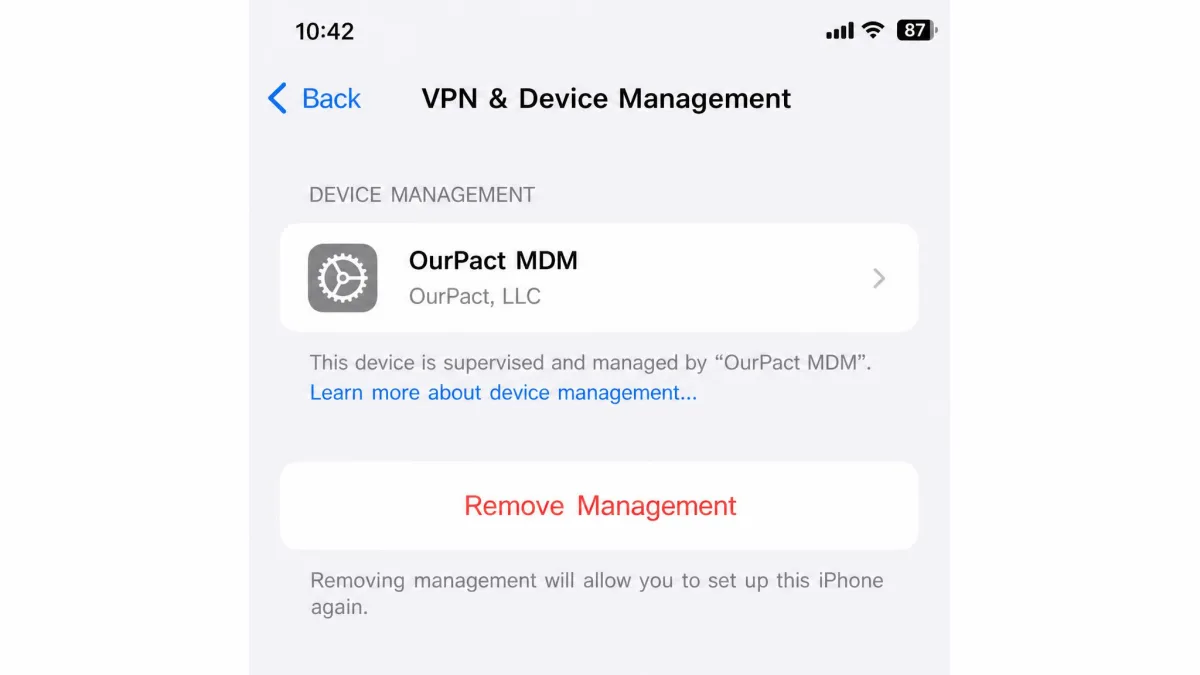
On an unsupervised iPhone, a child who knows the passcode can delete the MDM profile from Settings and drop the controls. Supervising the device with Apple Configurator before you pair closes that gap.
Ease of Use and the Parent Dashboard
OurPact's parent app is built for a person who wants to change a rule quickly. The weekly grid is the whole interface, and you can grant an extra hour with a couple of taps. What it does not give you is insight, because there is no app or web usage report, so you can see what you allowed but not much about what your child actually did.
Kids360 is the more informative dashboard. Usage statistics, tasks and activity all sit in one place, and parents consistently find it easy to navigate. Its weakness is freshness, because the dashboard can lag behind what the child's phone is actually doing, which undercuts trust in the numbers.
Neither app monitors Windows or macOS, so if your child's main device is a laptop, look elsewhere.
Reliability, Battery Use, and Circumvention
Reliability is the honest tiebreaker here, and OurPact takes it. Its protections keep working even if your child deletes the child-side app, which is the single most common circumvention attempt in any house. On Android its blocks land in seconds and stay landed.
Kids360 is less consistent. Schedules can fail to apply, permissions can lapse, and location can go quiet if GPS is switched off. Independent scoring reflects that gap. OurPact lands around 3 out of 5 with independent reviewers, strong on strict screen time control and weak on activity insight, while Kids360's Trustpilot average is 3.6 out of 5 across 204 reviews, split sharply between 41% one-star and 40% five-star.
That split is worth sitting with. Kids360 works well or badly depending mostly on which phone you install it on, which is why its own store scores of 4.6 on the App Store and 4.7 on Google Play sit so far above its Trustpilot average.
Battery is the other daily cost, and neither app escapes it. Nobody publishes measured drain figures for either one, so we will not put a number on it, but the pattern is consistent. Kids360 leans hard on the child phone's battery despite advertising battery optimisation, partly because it needs a constant internet connection to keep reporting, and the handset can run warm through a school day. OurPact is fine until you turn on screenshots, at which point the capture cycle becomes the heaviest thing on the device. Both apps at least show you the child's battery level, Kids360 next to their location on the map and OurPact in real time on iOS, so you can see a dying phone before the tracking goes quiet.
Privacy, Consent, and Legal Considerations
Monitoring your own minor child's device is legal in most places, but that is not the same as it being a good idea unannounced. Tell your child what is being tracked and why. Research data on parents and screen time shows how normal these controls have become, and the practical difference between a rule and a betrayal is usually whether the child knew about it.
There is a data question too. Kids360's App Store privacy label discloses identifiable data used for tracking across apps and for third-party advertising, which is a heavier disclosure than most parents expect from a child-safety app. Read the label before you install, and treat age-appropriate rules as a conversation rather than a surveillance setting.
Customer Support Compared
Neither company runs a phone line, so plan on writing rather than calling.
OurPact answers by email or chat only, and a reply can take around a week. Kids360's support is chat-only, replies can be slow or absent, and cancellation and refund disputes are a recurring theme in its reviews. Neither vendor publishes a money-back guarantee beyond store policy, so if you need to cancel, do it through your Apple or Google account rather than waiting on a support reply.
Kids360 Pros and Cons
Pros
- Tasks and rewards give kids a way to earn extra screen time
- Per-app time limits plus school and rest-period schedules
- App usage statistics that show where the day actually went
- Parent dashboard is easy to navigate
- Strong store ratings, 4.6 on the App Store and 4.7 on Google Play
Cons
- Screen time schedules can fail to apply
- Several features can be unavailable on iPhone after setup
- Android permissions drop and need re-granting
- No published device count and no stated trial length
- Chat-only support, with recurring refund and cancellation complaints
OurPact Pros and Cons
Pros
- The most decisive app blocking we tested, including iMessage
- Drag-and-drop scheduling plus an Allowance time bank
- Real-time location with geofence entry and exit alerts
- Up to 20 child devices on either paid plan
- Protections survive deletion of the child-side app
Cons
- iPhone pairing may need a computer, a cable and several attempts
- No app or web usage reports, and no call or SMS logs
- Screenshots and AI flagging are Premium+ only, and alerts are not real-time
- The child-side Jr. app crashes for some households
- Device-wide limits only, with no per-app caps
Which App Should You Choose?
Choose Kids360 if...
Your child is on Android, they are young enough that rewards still motivate, and you care more about understanding their habits than about ironclad enforcement. The task system is the reason to buy it, and the app usage statistics give you something to talk about at dinner rather than just a locked screen. Our full Kids360 review goes deeper on the kid-side experience.
Choose OurPact if...
You have iPhones in the house, more than a couple of devices to cover, or a child who has already worked out how to get around a limit. OurPact's blocking holds, its geofence alerts arrive, and its price is on the label before you start. It is the app we would install in our own home first.
Alternatives Worth Considering
If neither fits, three others cover the gaps. Google Family Link is free, works well on Android, and handles basic limits and app approval without a subscription. Qustodio adds the activity reporting both apps here lack, and our Kids360 vs Qustodio piece compares them directly. Net Nanny is the stronger web filter if inappropriate content is your main worry.
For desktop coverage, none of these apps solve it. All five here are phone-first, so a family laptop still needs its own controls.
Frequently Asked Questions
What happens to my rules when my child gets a new phone?
Can my child delete or bypass the app?
Is either app free?
Does either take screenshots of my child's phone?
Which one drains less battery?
Can I run both on one Android phone?
Do they work across a mixed iOS and Android family?
Final Verdict
The household this comparison has not spoken to directly yet is the mixed one, where an older child is on an iPhone and a younger sibling is on a hand-me-down Android. That is the case where a single subscription earns its keep, because siblings compare rules forensically, and two different apps mean two different sets of rules to defend at dinner. One account covering both handsets under the same schedule is worth more to family peace than any individual feature on either list.
If we were starting over, we would change the order we did things in. We set the schedules first and had the conversation second, and week two was worse for it. We would supervise the iPhone with Apple Configurator before pairing anything, rather than discovering the deleted-profile route later. And we would treat the free trial as a genuine test rather than a formality, running one deliberate rule-breaking attempt on the child's phone while it still costs nothing to walk away.