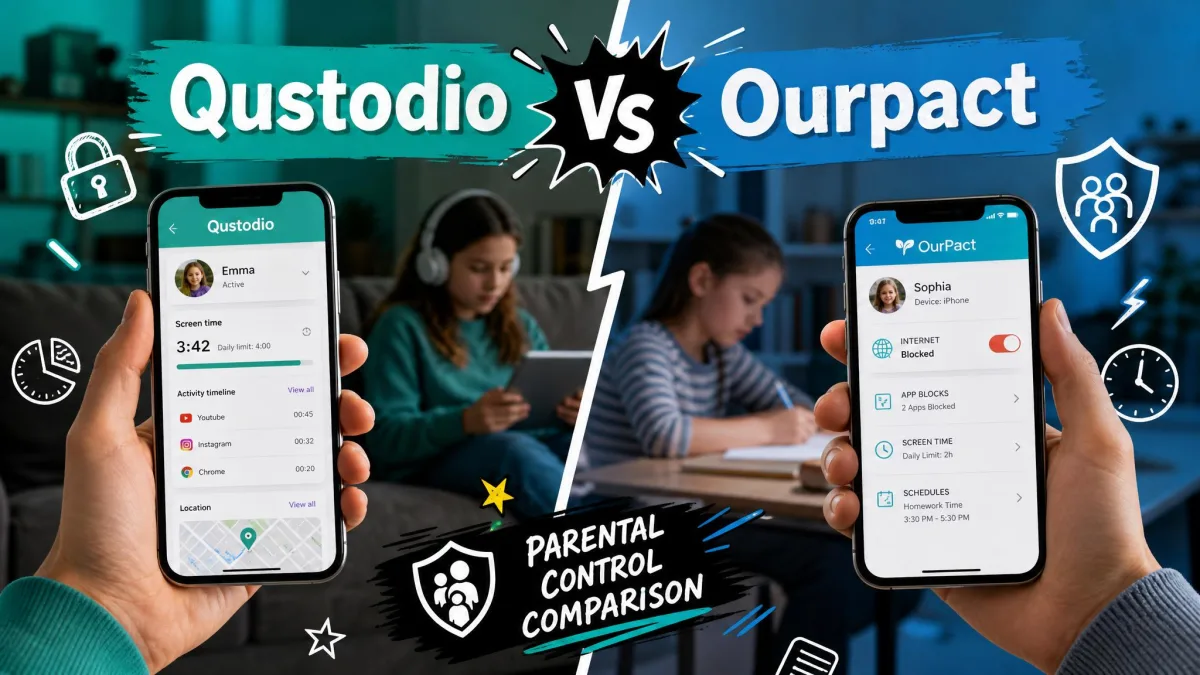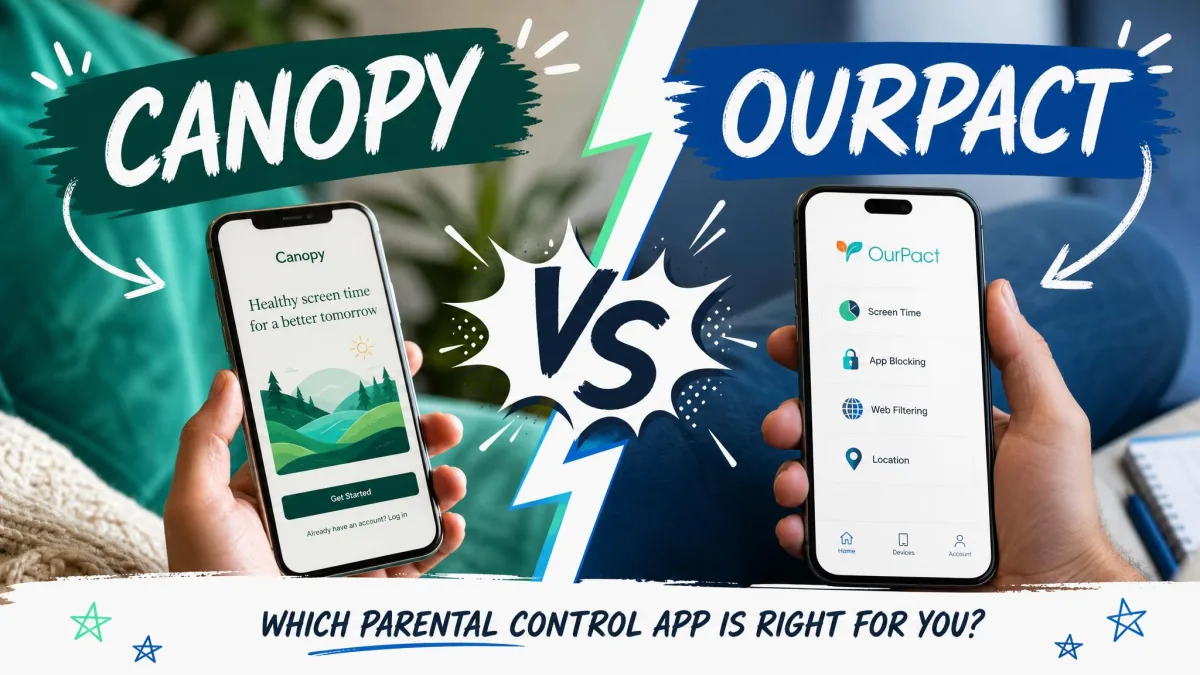
Most parental control apps are good at one job and merely adequate at the rest, and these two are a textbook example of that split. Canopy is built around a real-time content filter that tries to catch explicit images before your child ever sees them. OurPact is built around app blocking and daily schedules, so the phone simply stops working at dinner time. Our verdict, in one line: pick Canopy if what keeps you up at night is what your child might see, and pick OurPact if what you actually want is control over when and how long the device is used.
That distinction matters more than any feature count, because neither app covers the other's territory well. The table below sets out where each one lands before we get into the detail.
We set both apps up on a family iPhone and an Android phone, paired them the way a parent actually has to, and lived with the alerts, blocks and schedules rather than just reading the marketing pages.
Canopy vs OurPact at a Glance
Here is the short version, and then the evidence behind it.
| Feature | Canopy | OurPact |
|---|---|---|
| Real-time content filtering | Yes, patented real-time image and text filtering | Web filter, adult content only |
| Explicit-image blocking | Yes, core feature | Screenshot scanning on Premium+ only |
| App blocking | Limited, browser-shortcut conversion | Yes, core strength |
| Website blocking | Yes | Yes, adult categories |
| Screen time limits | Internet downtime only | Yes, daily limits and instant lock |
| Scheduling | Downtime windows | Yes, automated block schedules |
| Location tracking | Location alerts, no history | Live location plus 14 days or 30 days history |
| Sexting prevention | Yes, real-time photo detection | No |
| Removal prevention | Yes, stronger on Android | Yes, includes iOS 18 removal protection |
| Activity reports | Alerts only | No |
| iOS support | iOS 12 and later | Yes, includes iOS 18 protections |
| Android support | Android 5.0 and later | Yes |
| Desktop support | Windows, macOS, Chromebook | None, mobile only |
| Free plan | No | Limited free tier |
| Starting price | $8.33/month billed annually | $6.99/month, or $69.99/year |
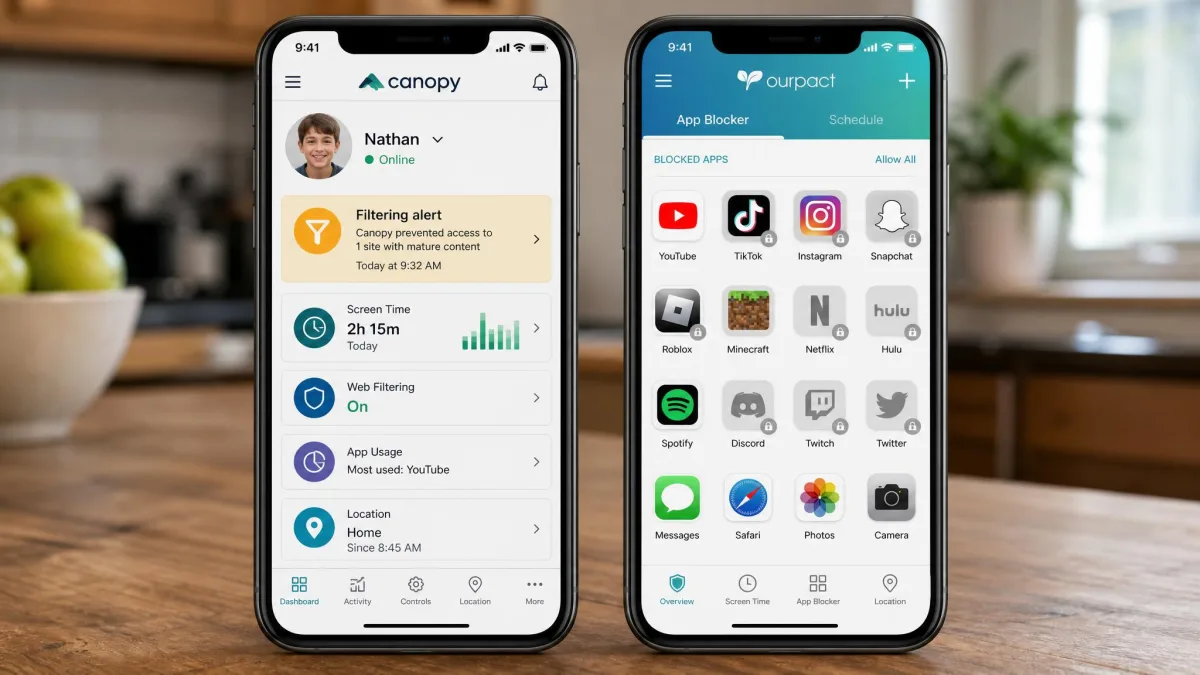
The two apps are close in price and wildly different in shape. Canopy is a content filter that has grown a few screen time features around the edges. OurPact is a device manager that has grown a basic web filter around the edges. If you go in expecting either one to be a complete parental control suite, you will be disappointed, and that is the single most useful thing to know before you pay for either.
Head-to-Head Feature Comparison
With the shape of each app clear, here is how they compare feature by feature, in the order most parents care about.
Content Filtering and Explicit-Image Blocking
This is Canopy's whole reason for existing, and it works differently from the category-blocklist approach almost every competitor uses. Instead of blocking a whole site because it might contain something explicit, Canopy scans the page as it loads and covers only the offending image. In our testing the filter censored just the explicit part of a page with a small white rectangle and left the rest of the site usable, which is a much better experience for an older child doing homework than a blunt block screen.
There is a cost to that approach, and it is speed. Canopy noticeably slows browsing while its real-time filter is active, and on an older phone you will feel it. It is not unusable, but it is the trade you make for scanning every image on every page.
Canopy also extends the same filtering to AI chatbots, covering ChatGPT, Gemini, Grok and Claude, which is a genuinely current feature that most parental control apps have not caught up to yet. Social media is handled by converting some apps into browser shortcuts so the filter can see the content, which works but changes how your child uses those apps and is worth explaining to them in advance.
OurPact's web filter is far more basic. It blocks adult content and stops there, so plenty of other risky sites stay reachable. Premium+ adds screenshot capture with harmful content flagging, but that is a review-after-the-fact system rather than a filter. OurPact's content alerts are not real time: they only fire once a screenshot has been captured and scanned, so you find out what happened rather than preventing it.
If your child is a younger reader who mostly browses in one or two apps, OurPact's adult-content block plus a hard schedule may be enough. If they are a teenager with an open browser and a group chat, Canopy's filtering is doing work OurPact simply does not attempt.
App Blocking and Website Blocking
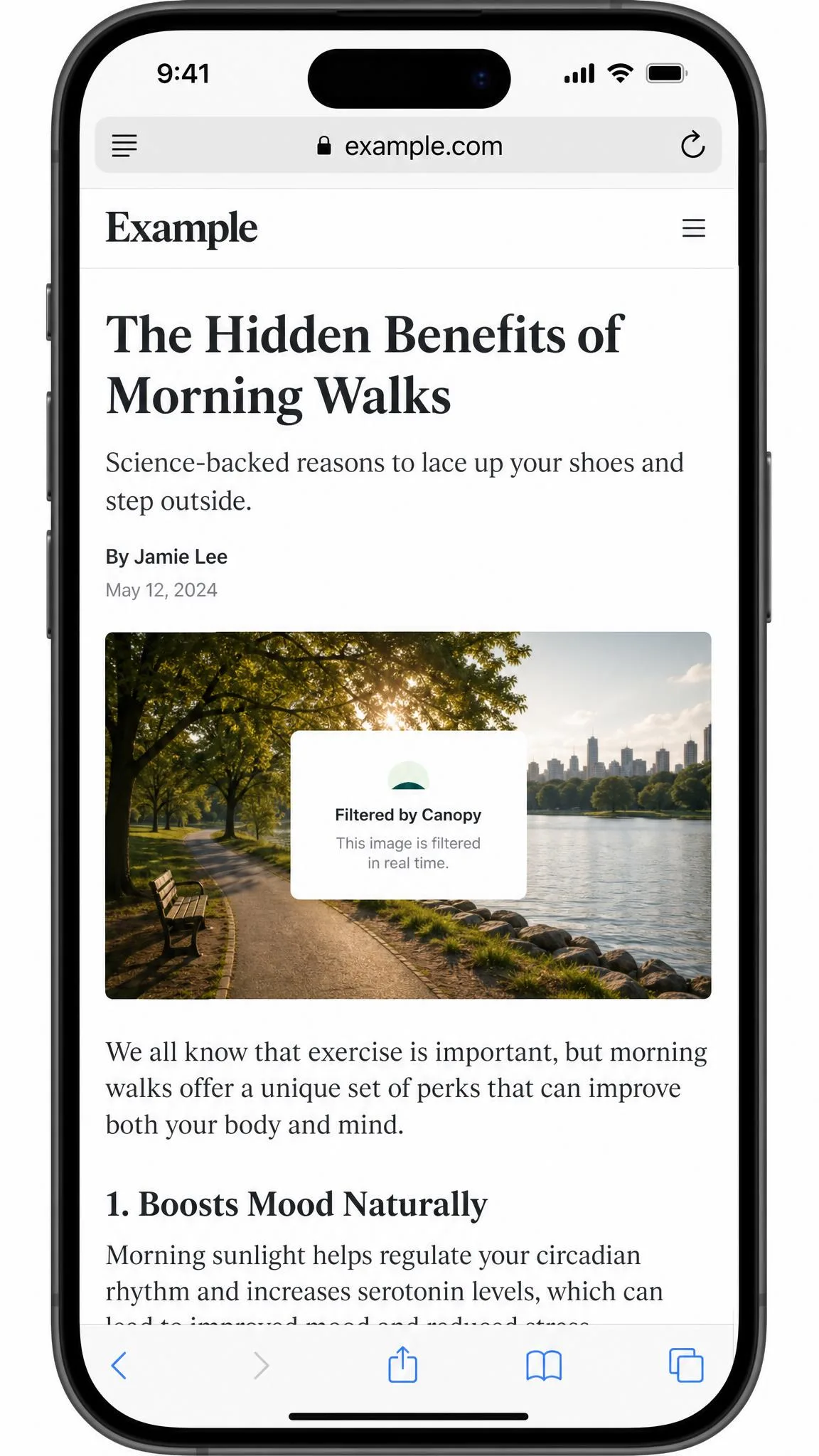
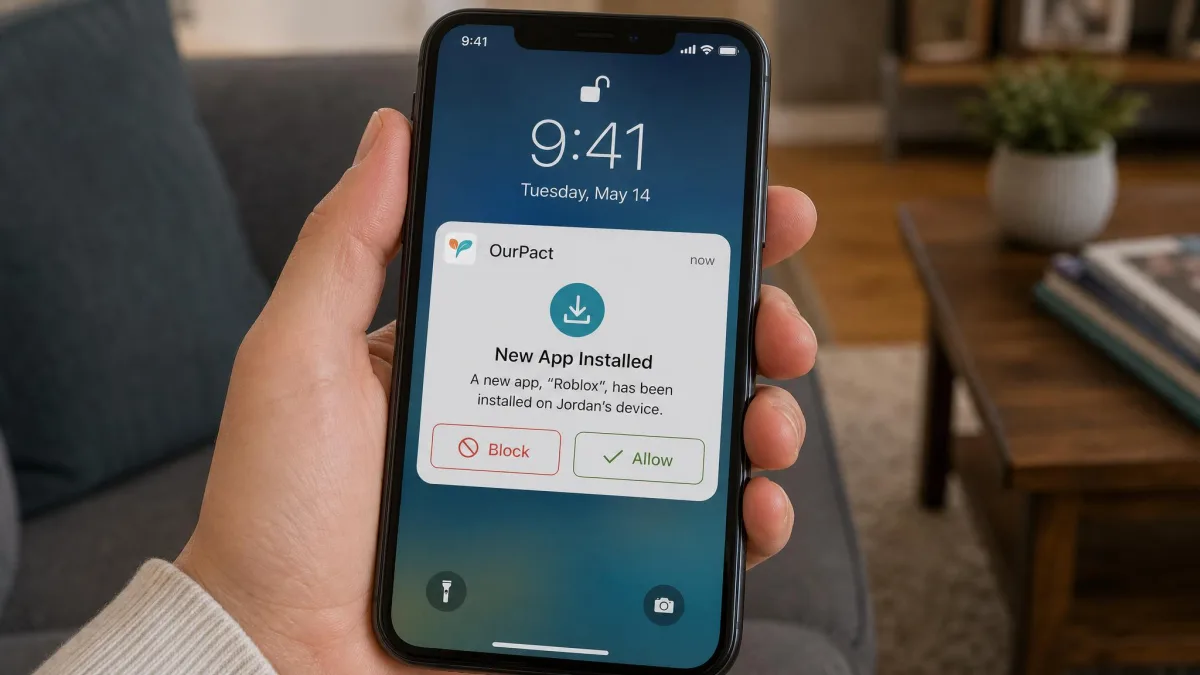
Here the result flips completely. OurPact's app blocker is the best thing either app does. You can block individual apps on demand, set them to unblock on a schedule, and get an alert when a new app is installed so nothing quietly appears on the device. Once OurPact is paired, app blocking and block schedules apply cleanly and on time, which is exactly what you want from a feature you will use every single day.
Canopy does not really compete here. It has no app-level screen time limits, and its approach of turning certain apps into browser shortcuts is about filtering, not blocking. If you want to say "no TikTok until homework is done", OurPact does that in two taps and Canopy does not do it at all.
Website blocking is closer. Both apps block adult categories, and both let you add your own blocked sites. Canopy's advantage is that it is filtering the page contents rather than checking a list, so it catches explicit material on sites that would never appear on a blocklist.
Screen Time Limits and Scheduling
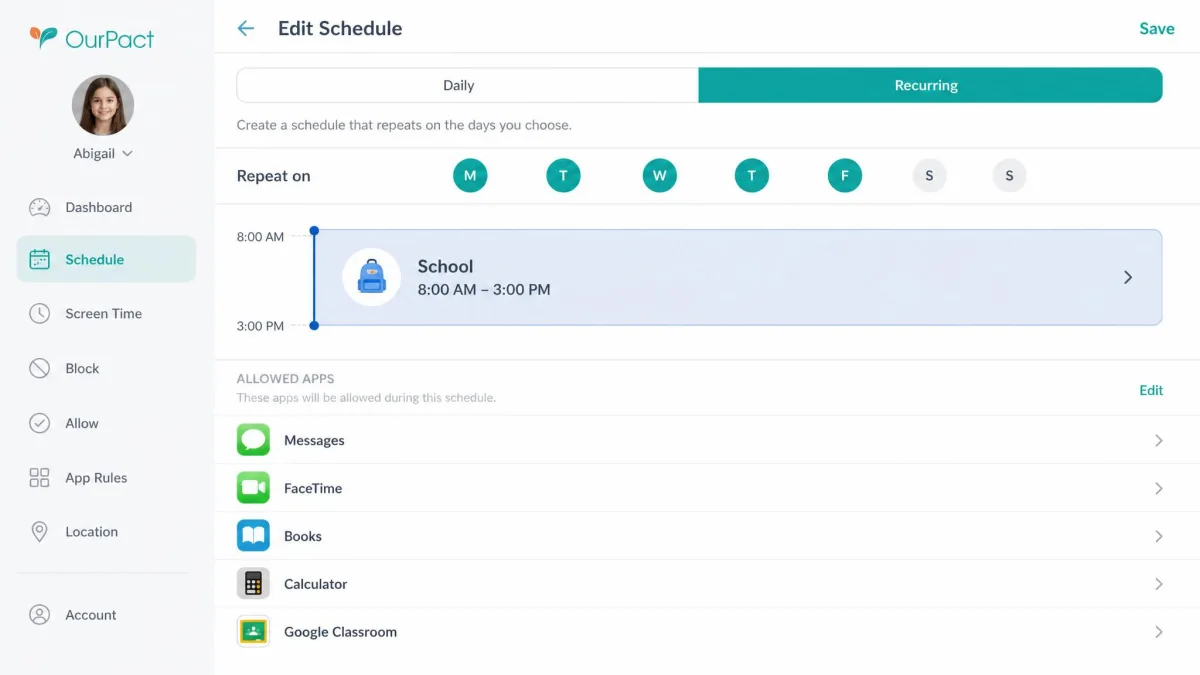
OurPact again. It gives you daily screen time allowances, automated block schedules for school hours and bedtime, and an instant lock button for the moments when you need the phone down now. The schedules are the reason most families stick with it.
The allowance system is the weak spot. On iPhone, OurPact's screen time flow is clunky, needs the screen kept awake, and drains the battery, so we ended up leaning on schedules and instant lock rather than the daily allowance. That is a real limitation if a fixed hourly budget is the thing you most want.
Canopy's version of screen time is internet downtime scheduling: you pick windows where the connection is off. On Android that downtime holds. On iPhone it can leave apps still open, which undermines the whole point of a bedtime cutoff. There are also no time-of-day filter profiles, so you cannot loosen the filter at the weekend and tighten it on a school night.
Location Tracking
OurPact treats location as a first-class feature. You get live location, entry and exit geofence alerts, and location history: 14 days on Premium and 30 days on Premium+. In our testing the separate entry and exit alerts worked dependably, which matters because a geofence that only tells you half the story is barely worth switching on.
Canopy offers location alerts and geofencing but no location history at all, so you can see where the device is now and get told when it crosses a boundary, but you cannot look back at yesterday. Its geofence alerts were also less dependable for us, sometimes failing to arrive even after the device had physically left the mapped area. If knowing where your child is ranks high on your list, this comparison is not close.
Sexting and Removal Prevention
Canopy is the only one of the two that attempts sexting prevention, using real-time photo detection to stop an explicit image being sent and to alert you when it triggers. It is a meaningful feature and no OurPact tier matches it. It is also inconsistent on borderline images, and swimwear photos can still send with strict settings switched on, so treat it as a safety net rather than a guarantee.
Removal prevention is a draw with an asterisk. Canopy resists removal well on Android, where uninstalling it requires the parent account, but on iPhone it can be deleted from the child's device without much effort. OurPact resists removal harder: deleting the app or its profile does not end supervision, and it adds iOS 18 removal protection on top. The one caveat is that on iOS, blocks can lapse if the VPN or device management profile is switched off in Settings, or if the phone is restarted mid-block.
Removal protection is only as strong as the weakest device in your family. If you have a tech-confident teenager on an iPhone, check the app is still paired every week or two rather than assuming silence means compliance.
Activity Reports and Parent Dashboard
Neither app is strong here, and if a detailed dashboard is what you are shopping for, neither is your answer. Canopy is alert-driven: you get notified when the filter or the sexting detection fires, and that is essentially your record. OurPact offers no activity reports, no call or message history and no search history view, so beyond screenshots on Premium+ there is very little to review.
Canopy's parent app is the tidier of the two to navigate, and its support is a genuine advantage: phone and chat support answered us quickly and helpfully, which is one of its most consistent strengths. OurPact's support is email only and replies can take about a week, which is a long time to wait when a block has stopped working.
Pricing and Plans Compared
The feature split is close enough that price often decides it, and price is where OurPact pulls ahead for most families, though the device counts complicate the comparison.
Canopy Pricing
Canopy sells three tiers, all billed annually. Essential is $8.33 per month and covers 1 device. Plus is $9.99 per month for up to 3 devices. Premium is $12.50 per month for up to 10 devices. There is no ongoing free plan, and there is a 30-day money-back guarantee from account creation, which is the practical way to try it without risk. Canopy advertises about a week of free trial access on signup, though its trial length is presented differently across signup flows and no free tier exists once it ends.
OurPact Pricing (Free, Premium, Premium+)
OurPact's Premium tier is $6.99 per month, or $69.99 per year, which works out at roughly $5.83 per month. Premium+ is $9.99 per month or $99.99 per year, about $8.33 per month, and adds instant and automated screenshots, harmful content flagging, customized detection and an encrypted gallery. Both paid tiers cover up to 20 child devices, which is unusually generous, and both come with a 14-day free trial.
A free plan has historically existed, covering 1 child device with 5 manual app blocks, 5 web filters and 1 schedule. It is no longer shown on the main pricing page, so what it still includes varies by signup path. The same applies to a $1.99 Plus tier that some listings describe: it does not appear on OurPact's current pricing page and may no longer be sold to new accounts.
Which Costs Less Over a Year
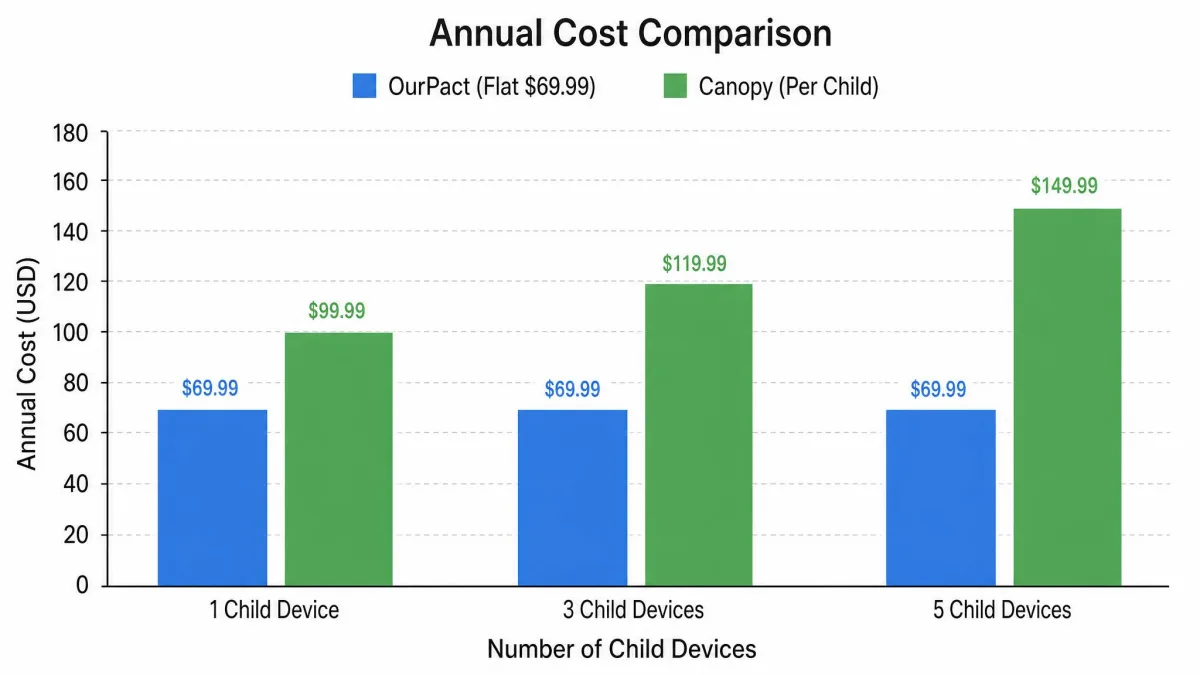
For one child, OurPact Premium at $69.99 per year undercuts Canopy Essential, which lands near $100 per year at $8.33 per month billed annually. For three children, the gap widens sharply: OurPact is still $69.99 because its device cap is 20, while Canopy moves you to Plus at $9.99 per month, close to $120 per year. A family with four or more devices is looking at Canopy Premium at $12.50 per month, or $150 a year, against the same $69.99 from OurPact.
So OurPact is meaningfully cheaper, and the more children you have the wider that gap gets. Canopy's price buys you filtering technology OurPact does not have, plus desktop coverage. Whether that is worth roughly double is the actual decision in front of you.
Device and Platform Support
iPhone and iPad
Canopy supports iOS 12 and later on iPhone and iPad, but support and reliability are not the same thing. In our testing, several Canopy settings simply did not take effect on iPhone, downtime left apps open, and the app itself could be removed from the child's device without much effort. If your children are on iPhones, that is a serious mark against it.
OurPact handles iOS more confidently. Its iOS controls include preventing app deletion, blocking in-app purchases and restricting Siri, and it adds iOS 18 removal protection. You can find the current listing for OurPact on the App Store if you want to check compatibility with your device before starting.
Android Phones and Tablets
Canopy supports Android 5.0 and later, and this is where it is at its best. Its protections behave far more reliably on Android than on iPhone, scheduled downtime holds, and uninstalling the app requires the parent account. If your family is Android-first, the Canopy case gets a lot stronger.
OurPact is solid on Android too, with the same app blocking and schedules, and it adds Android-specific controls for disabling Airplane Mode and reducing ad tracking. The Google Play listing is worth a look for device compatibility notes.
Windows, Mac and Chromebook
This one is short. Canopy covers Windows, macOS and Chromebook alongside iOS and Android. OurPact has no Windows or macOS client at all, so its coverage is mobile only.
For a household where the school Chromebook and the family laptop are where most browsing actually happens, that is not a minor gap. It is the difference between a filter that covers your child's internet use and one that covers the phone in their pocket.
Mixed-Device Families
Most families are mixed, and this is where the honest answer gets awkward. Because OurPact does not cover Windows or macOS, mixed-device families end up leaning on Canopy for laptops and Chromebooks even when they prefer OurPact on the phones. Some parents run Canopy on the computers and OurPact on the phones, which works but means two subscriptions and two dashboards.
Neither app covers a whole modern family on its own. The question is which gap you can live with, not which app is complete.
Setup and Ease of Use
Installing Canopy
Features decide which app you want; setup decides whether you ever get there, and Canopy's install is the more ordinary of the two. You create a parent account, install the app on the child's device, and grant the permissions it asks for, which on iOS includes a filtering profile. Set aside a quiet evening slot and have the child's device passcode to hand. The friction here is less about the install and more about the conversation, since converting social apps to browser shortcuts changes how the phone feels and is best explained rather than discovered.
Installing OurPact
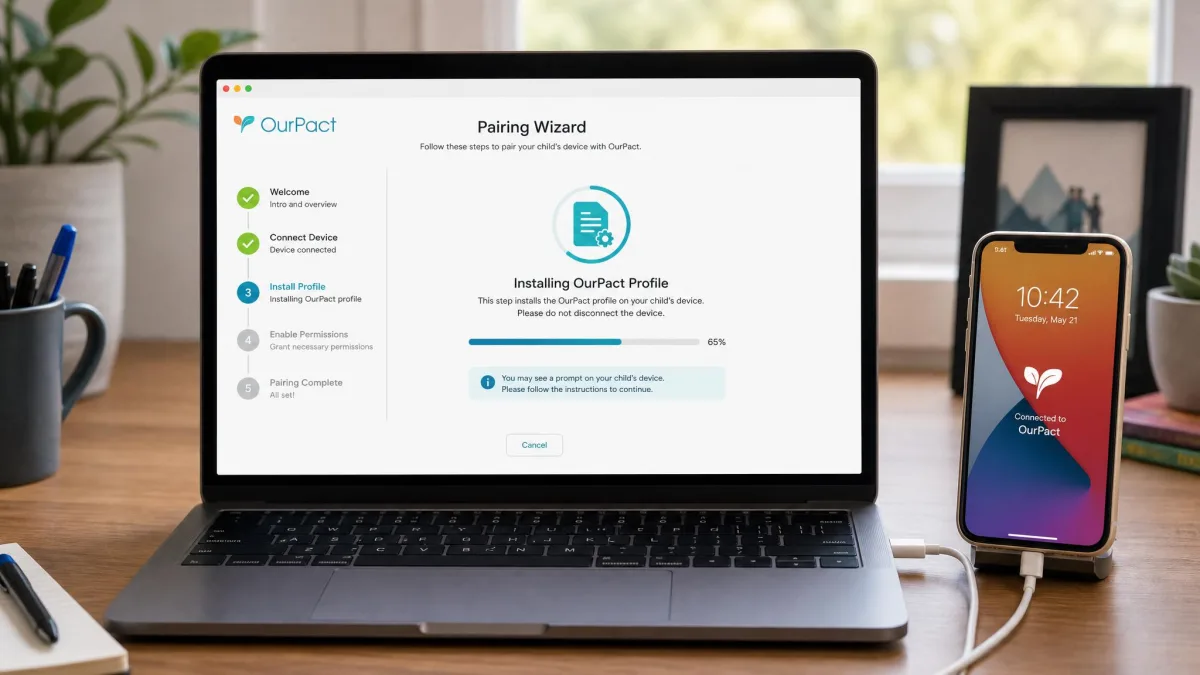
OurPact's setup is not a simple app install, and this catches people out. Pairing a child's iPhone needs a computer and a USB cable, and it can take several attempts before it takes. Android pairing requires turning on Developer Options and USB debugging first, and iOS pairing requires switching off Find My iPhone before you start. Budget roughly half an hour for the first device before anything is enforceable.
Do OurPact's pairing on a weekday evening when nobody needs the phone, with the laptop already charged and the cable already plugged in. Trying to squeeze it in before school is how families give up on day one.
Once it is paired, though, the day-to-day experience is good, and that is the trade: a painful first hour in exchange for blocks and schedules that fire on time. The one recurring annoyance is connectivity, since drops between the parent app and the child device do happen and a block can look applied on your screen before it has landed on theirs.
Can Kids Bypass or Delete Either App?
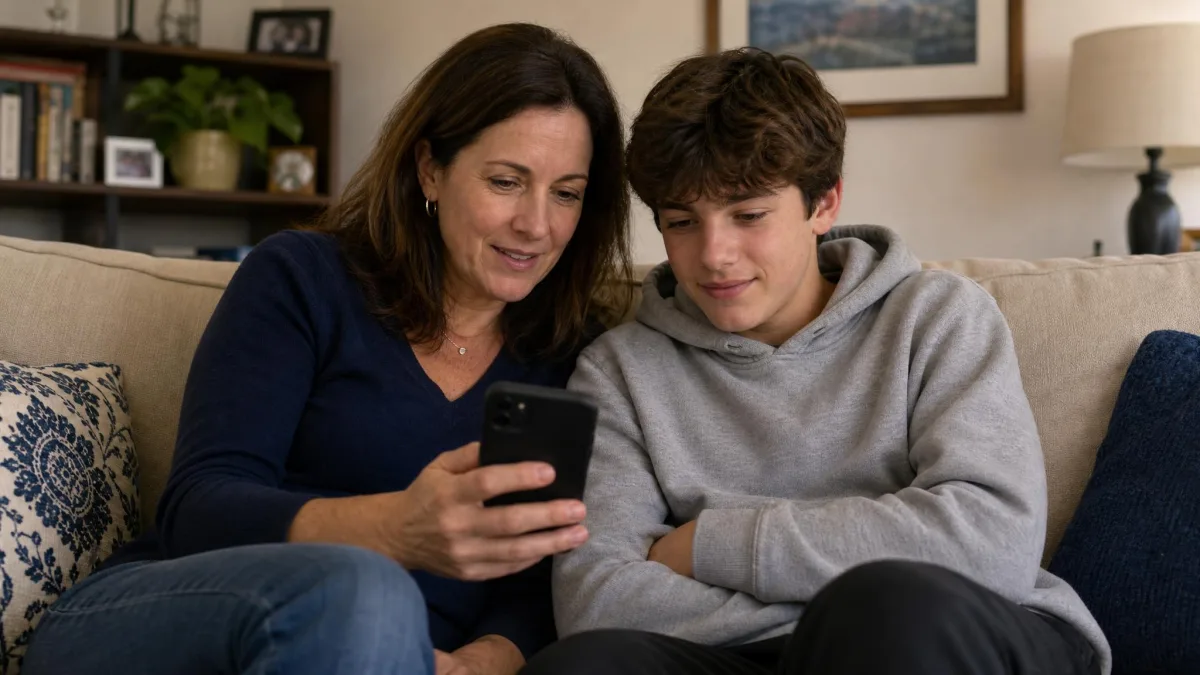
The features hold up in testing; the harder question is whether they survive a determined teenager. Assume yours will try, because they will, and the honest answer differs by platform.
Canopy is hard to remove on Android, where uninstalling requires the parent account. On iPhone it is much weaker: the app can be deleted from the child's device without a great deal of effort, which means the whole filter goes with it. If you are running Canopy on an iPhone, check the parent dashboard regularly rather than trusting the absence of alerts.
OurPact is the tougher of the two overall. Deleting the app or its device profile does not end supervision, and iOS 18 removal protection closes another common route. The residual risk is more subtle: on iOS, blocks can lapse if the VPN or management profile is switched off in Settings, or if the phone is restarted mid-block, so a child who works out that particular trick can win a window of unsupervised access without ever deleting anything.
How to Choose a Parental Control App
Before you compare feature grids, decide which of these three jobs you are actually hiring an app to do.
- Stopping harmful content. You want real-time filtering, image detection and alerts. Canopy is built for this.
- Controlling time and access. You want app blocking, schedules and daily limits. OurPact is built for this.
- Knowing what happened. You want reports, message visibility and search history. Neither of these apps covers it well.
Then check five practical things. First, the platforms in your house, including laptops and Chromebooks, since desktop coverage is where most comparisons quietly fall down. Second, how many devices the plan covers, because per-device pricing changes the maths fast. Third, how the app behaves on iOS specifically, since Apple's restrictions mean many features work better on Android. Fourth, how removal-resistant it is on the device your child actually uses. Fifth, what support looks like when something breaks, because it will.
Finally, use the free trial properly. Install it, live with it for a week, and try to break it the way your child would. A free trial you never test is just a delayed subscription. Keep the goal in view: the point is keeping your kids safe online, not watching everything they do.
Canopy Pros and Cons
Pros
- Real-time explicit image, video and text filtering that censors content instead of blocking whole sites
- AI chatbot filtering that covers ChatGPT, Gemini, Grok and Claude
- Sexting prevention with real-time photo detection and parent alerts
- Covers Windows, macOS and Chromebook as well as iOS and Android
- Fast, helpful phone and chat support
- 30-day money-back guarantee from account creation
Cons
- Noticeably slows browsing while the filter is active
- Several settings behave unreliably on iPhone, including downtime
- Can be deleted from a child's iPhone without much effort
- No app-level screen time limits and no location history
- Geofence alerts can fail to arrive after the device leaves the area
- No free plan, and higher annual cost than OurPact
OurPact Pros and Cons
Pros
- Best-in-class app blocking with alerts when a new app is installed
- Automated block schedules and instant lock that apply cleanly and on time
- Live location with dependable entry and exit geofence alerts
- 14 days of location history on Premium, 30 days on Premium+
- Covers up to 20 child devices on both paid tiers
- Cheaper, from $6.99 per month or $69.99 per year, with a 14-day free trial
Cons
- Web filter blocks adult content only, so other risky sites stay reachable
- Content alerts are not real time and depend on screenshots being scanned
- No Windows or macOS support at all
- Fiddly pairing that needs a computer, a cable and about half an hour
- Screen time allowances are clunky on iPhone and drain the battery
- Email-only support with replies that can take about a week
Which One Should You Choose?
Choose Canopy If Your Priority Is Content Filtering
All of that detail comes down to two clean cases. If the thing you actually worry about is what your child sees and sends, Canopy is the app. Nothing OurPact offers comes close to real-time image filtering and sexting prevention, and the desktop and Chromebook coverage means the protection follows your child onto the devices where most browsing happens. It is at its best on Android, where the protections hold and removal is genuinely hard.

Choose OurPact If Your Priority Is App Blocking and Schedules
If your daily friction is about time rather than content, OurPact is the better buy and the cheaper one. Blocking apps, running a school-hours schedule and locking the phone instantly are things you will use every day, and OurPact does all three well once it is paired. It suits the household where the argument is about bedtime and homework rather than about what turns up in a browser.
Choose it especially if your children are younger, your household is phone-and-tablet only, and you are comfortable adding a separate filter on the family computer.
Alternatives Worth Considering
Neither app is a complete suite, so it is worth knowing what else is available before you commit.
Qustodio is the closest thing to an all-rounder here, combining web filtering, app blocking, screen time limits and the detailed activity dashboard that both Canopy and OurPact lack. It covers desktop as well as mobile, which solves the mixed-device problem in one subscription.
Bark takes a different approach, monitoring texts, email and social media for signs of trouble and alerting you rather than blocking everything, which suits older teenagers and parents who want oversight without heavy restriction. Norton Family is the value option for large families, with unlimited devices on a single plan and solid web supervision, though it is Windows and mobile focused. Mobicip sits between the two extremes, with strong filtering plus proper screen time scheduling and a genuinely usable parent dashboard.
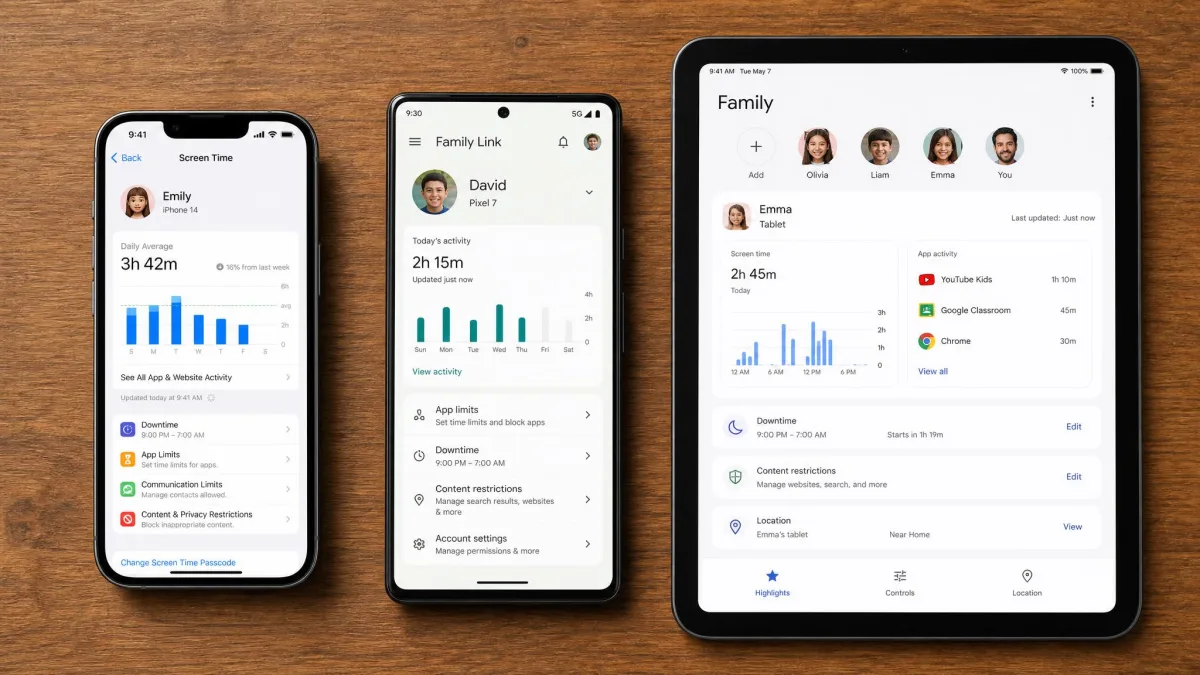
Whichever you pick, the research consistently points the same way: apps work best alongside agreed rules rather than instead of them, and studies of adolescent screen use published through SAGE journals have found that shared, negotiated limits hold up better over time than imposed ones. Another practical note: check whether you already have basic controls available, since Apple's Screen Time and Google Family Link are free and may cover the simple cases before you pay anything.
Frequently Asked Questions
What happens if my child swaps from an iPhone to an Android phone mid-plan?
Does OurPact work as well on Android as on iOS?
Can my child delete or bypass Canopy or OurPact?
Is either app free?
Does Canopy block explicit images in real time?
Can I run both apps together?
Will either app work on a school-managed Chromebook?
Which is better for younger kids versus teenagers?
Final Verdict
Canopy takes the win overall, and we would rate it 8.2 out of 10 against OurPact's strong but narrower showing. It earns that on the strength of its real-time filtering, its sexting prevention and the fact that it is the only one of the two that protects a laptop or a Chromebook. It scores 3.4 on the iOS App Store and 3.1 on Google Play, and that spread tells the story: the technology is good and the day-to-day experience, especially on iPhone, is uneven.
OurPact deserves more credit than a second place usually implies. It blocks apps better than anything Canopy offers, and its schedules and geofence alerts are reliable in a way Canopy's are not. If your family is phone-only and your problem is time rather than content, buy OurPact and do not look back.
The practical advice is simpler than the comparison. Work out which of the two problems you actually have, use both free trials on your own devices, and pay for the one that solves your problem rather than the one with the longer feature list.