Mobicip and FamiSafe end up on the same shortlist for most parents, and on the surface they look almost interchangeable. Both filter the web, both cap daily screen time, both put a map with your child's location in front of you. The differences only show up once you have them running on real family devices, and those differences are the reason one of them will suit your household better than the other. We set both apps up on Android and iOS handsets, worked through the permission prompts a child would see, and compared what each dashboard actually reports back. This comparison covers pricing, content filtering, screen-time scheduling, app blocking, location, social media alerts and platform support, then names a winner for the two most common family situations.
Mobicip vs FamiSafe at a Glance
The two apps are built on different ideas of what a parent needs. Mobicip is a controls product: it decides what a child can reach and when, and its dashboard is mostly a place to write rules. Wondershare FamiSafe is a monitoring product: it watches what happens on the device and pushes the interesting parts to you as alerts. Almost every other difference between them, price included, follows from that one.
That trade sits at the centre of every section below. The comparison table sets out where each app lands on price, filtering, scheduling, location and alerts, and the sections after it explain what those rows feel like once the software is running on a child's phone rather than sitting on a pricing page.
Side-by-Side Comparison Table
| Feature | Mobicip | FamiSafe |
|---|---|---|
| Starting price | $2.99/month (Lite, billed annually) | $4.99/month (annual, $59.99/year) |
| Cheapest option without an annual commitment | Free Basic plan | $9.99/month |
| Free plan | Yes, 2 devices | No, trial only |
| Free trial | 7-day, all premium features | 3-day, one device |
| Devices per plan | 5 / 10 / 20 by tier | 5 monthly, 10 quarterly, 10 annual |
| Platforms supported | iOS, Android, macOS, Windows, Chromebook, Kindle | iOS, Android, Mac, Windows, Chromebook, Kindle Fire OS |
| Web filtering | AI real-time page filter plus custom blacklist | Category web filter plus browser history |
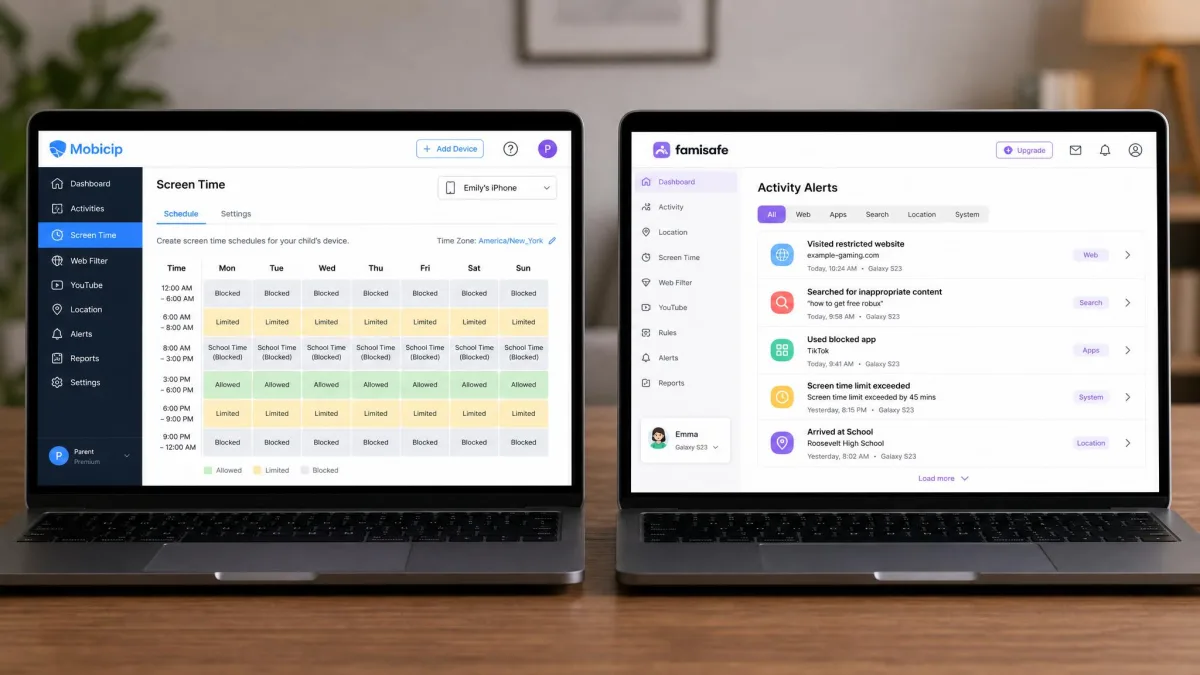
| Screen time scheduling | Daily limits plus named schedules | Daily limits plus app rules |
| App blocking | Yes, plus per-app time limits | Yes, plus app rules |
| Location and geofencing | Yes, updates about every 20 minutes | Yes, real-time GPS plus safe-zone alerts |
| Social media monitoring | Yes, narrower scope | Yes, 30+ apps including YouTube and TikTok |
| Keyword alerts | No custom keyword list | Yes, custom keywords and teen slang |
| Driving safety | No | Yes, driving behavior reports |
| Call and SMS monitoring | No | Yes |
| Activity reports | Yes | Yes, plus real-time screen view |
| Ease of setup | Simple dashboard, Android VPN profile friction | 15 to 20 minutes per device, permission-heavy |
| Our score | 8.4/10 | 8.1/10 |
Pricing and Plans
Price is where these two separate most cleanly, because they are built on different commercial models. Mobicip sells tiers by device count and keeps a free plan alive at the bottom. FamiSafe sells one feature set at three billing frequencies, with the discount attached to the length of your commitment.
Mobicip Pricing (Free, Lite, Standard, Premium)
The free Basic plan covers 2 managed devices with no credit card, which is enough for a single child with a phone and a tablet. Paid tiers scale by devices: Lite is $2.99 per month for up to 5 devices, Standard is $4.99 per month for up to 10, and Premium is $7.99 per month for up to 20, all billed annually. Those annual totals come to $35.88, $59.88 and $95.88 per year. There is also a 7-day free trial that unlocks the full premium feature set, which is long enough to see whether the filter behaves on your child's actual browsing habits.
One point to check before you pay, though it turns out to be simpler than the tier names suggest. Mobicip's paid plans differ by device count only, not by feature: Lite, Standard and Premium all list the same tools, including per-app time limits and the social media monitor, and Mobicip pricing confirms that the $7.99 Premium tier buys headroom for up to 20 devices rather than extra capability. The one thing worth confirming at checkout is the refund window, because a 30-day money-back guarantee is described for yearly plans but is not restated on Mobicip's own pricing page. Our full Mobicip review goes deeper on what each tier gives you day to day.

FamiSafe Pricing (Monthly, Quarterly, Annual)
FamiSafe has no permanent free tier, so access is trial then subscription. The monthly plan is $9.99 for up to 5 devices, the quarterly plan is $19.99 for up to 10 devices, and the annual plan is $59.99 for up to 10 devices, which the site advertises as $4.99 per month. The free trial runs 3 days on a single device with truncated reports, and several of the headline extras, including explicit content detection, do not function during that trial. Plan around that if you intend to judge the app on its alerts.
The quarterly plan works out at about $6.66 per month for the first term, then renews at the full price, so it is not the rate a family keeps paying. That renewal pattern applies across the range: introductory discounts cover the first term only. It catches people out, and the reminder email can land in spam. The refund window is 7 days and is granted only for unresolved technical issues, one per customer, which is narrower than a straightforward money-back guarantee. Check current FamiSafe pricing before you commit, and read our FamiSafe review for the longer account.

Which Offers Better Value?
At equal device counts the two land closer than the headline numbers suggest. Mobicip Standard and the FamiSafe annual plan both cover 10 devices for roughly $60 a year. Below that, Mobicip wins outright: $35.88 buys 5 devices, and the free Basic plan covers a first child at no cost at all. Above that, Mobicip Premium is the only way to manage 20 devices under one account.
Value is not only the sticker, though. FamiSafe's extra monitoring is worth real money if you would otherwise pay for a second app to cover messages or driving. If you would not use those features, you are paying for capability you never open.
Content and Web Filtering
Filtering is the feature most parents buy these apps for, and it is the one where a small accuracy gap becomes a daily annoyance.
How Mobicip Filters
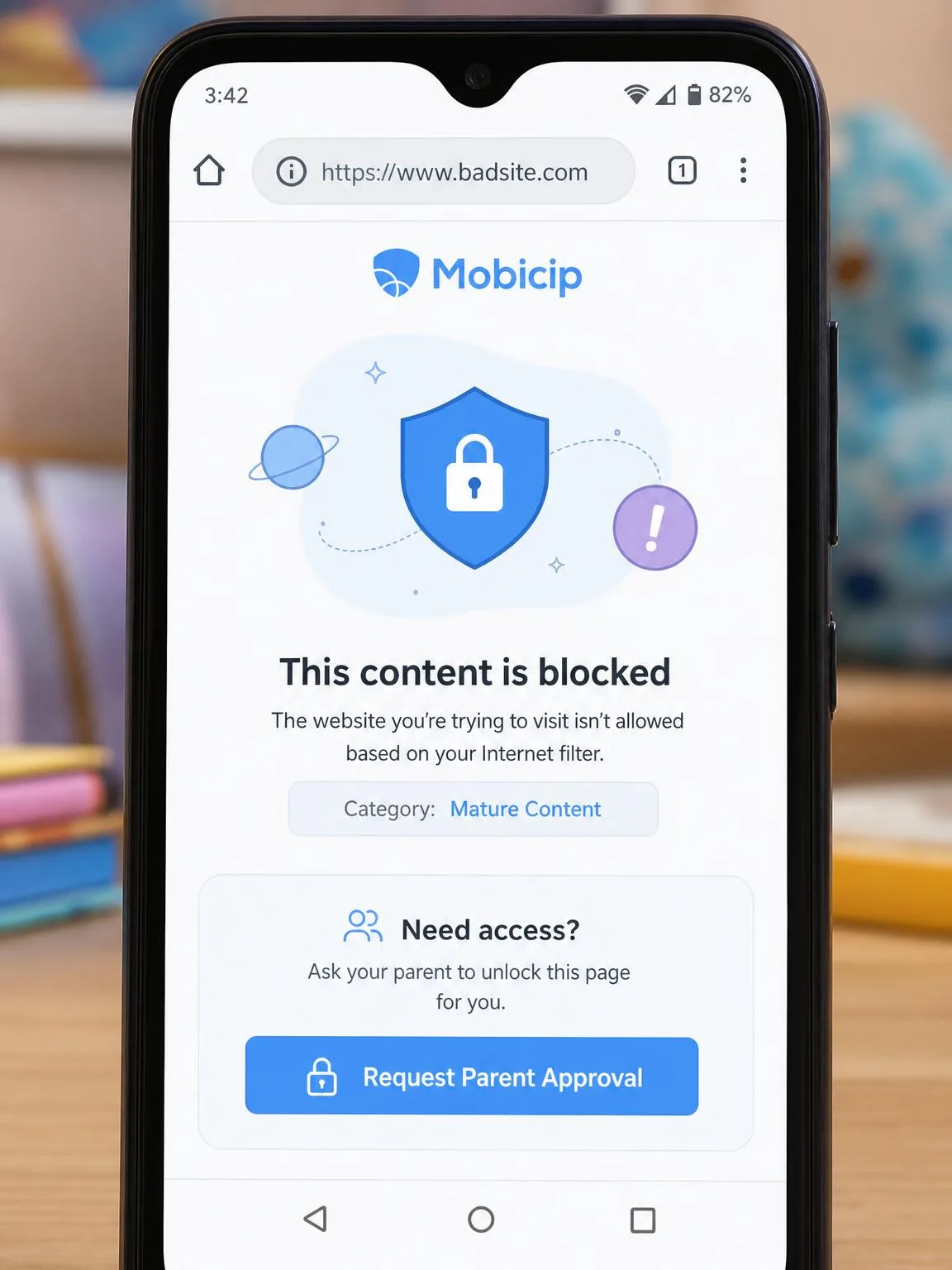
Mobicip runs an AI web and content filter that evaluates pages in real time rather than relying only on a category list, and you can layer your own blacklist on top. That approach catches new sites a static list would miss. It is not airtight: most blocked sites stay blocked, but a blacklisted site can still load occasionally. It also over-blocks. We have seen it cut off an app a parent explicitly allowed, and it can trip Zoom into a firewall or proxy error straight after install.
The mechanism behind that behavior matters. On Android, Mobicip's filtering runs through a local VPN profile, and the phone can fail to re-establish that connection until it is restarted. While the profile is down, messaging apps like WhatsApp stop working, which your child will notice long before you do.
How FamiSafe Filters
FamiSafe uses a category web filter paired with browser history logging, so you get both the block and the record of what was attempted. It is a more conventional design and it behaves predictably, but it does less inference on pages it has not classified. Where FamiSafe pulls ahead is what sits alongside the filter: explicit image detection, YouTube and TikTok history, and AI risk detection that reads for risky keywords and teen slang.
Filtering Verdict
Mobicip filters more aggressively and FamiSafe reports more thoroughly. For a younger child whose browsing you want narrowed, Mobicip's real-time filter plus custom blacklist is the stronger tool, provided you are willing to whitelist the occasional false positive. For an older child whose browsing you want visibility into rather than walls around, FamiSafe's history and detection layer is more useful.
On iOS, both apps work inside Apple's platform restrictions rather than around them. Mobicip's app blocking cannot report detailed per-app usage time on iPhone or iPad, and FamiSafe's social media monitoring is much thinner on iOS than on Android. If your child is on an iPhone, expect less granular data from either app than the marketing pages imply.
Screen Time Limits and Scheduling
Mobicip Scheduling
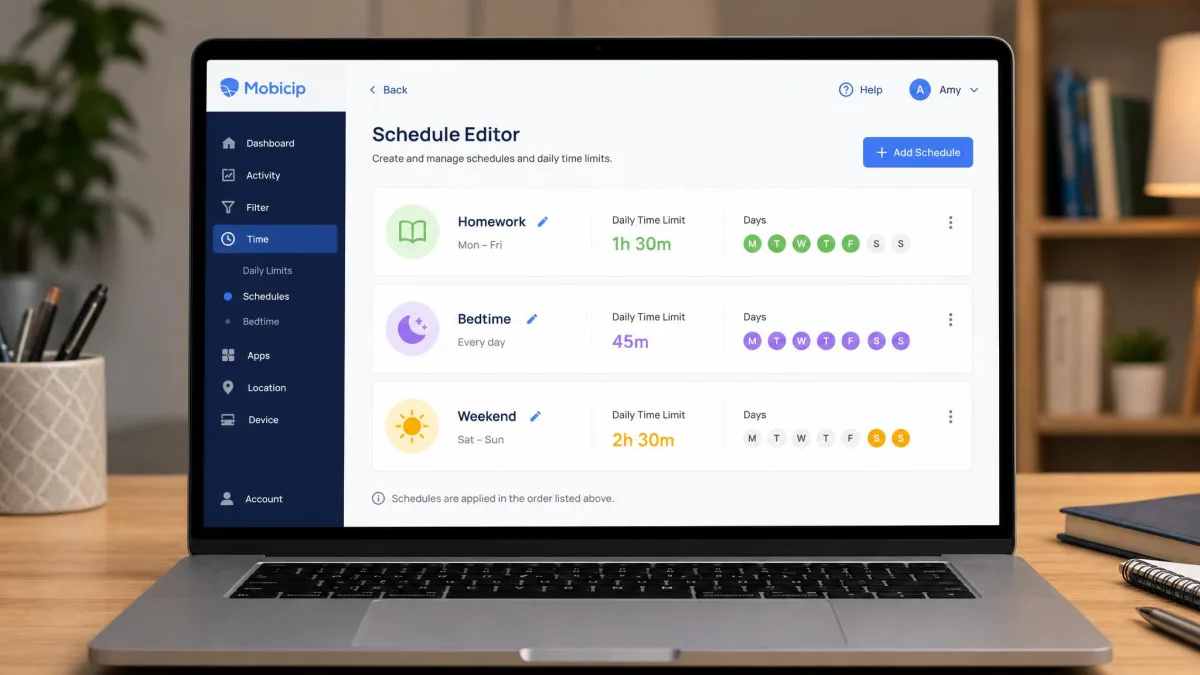
Mobicip's scheduling is the feature we would miss most if we moved away from it. You set daily limits, then create named schedules such as homework, bedtime or weekend, each with its own rules about what is available. Switching between them takes a couple of taps in the dashboard, which is how families actually work: term time and school holidays are not the same week. Per-app time limits sit underneath the overall cap, so you can leave the browser open and still close the games at nine.
FamiSafe Screen Time
FamiSafe handles daily limits well and layers app rules on top, so an app can be blocked, allowed, or time-boxed within the day's total. It adds two things Mobicip has no equivalent for: real-time screen viewing, which shows you what is on the child device now, and instant device lock from the parent app. The scheduling itself is less expressive than Mobicip's named schedules, and rebuilding rules for a different week is more manual.
Screen Time Verdict
Mobicip wins on scheduling flexibility, FamiSafe wins on live control. A parent who wants to set rules once and let them run should look at Mobicip. A parent who intervenes in the moment will get more out of FamiSafe.
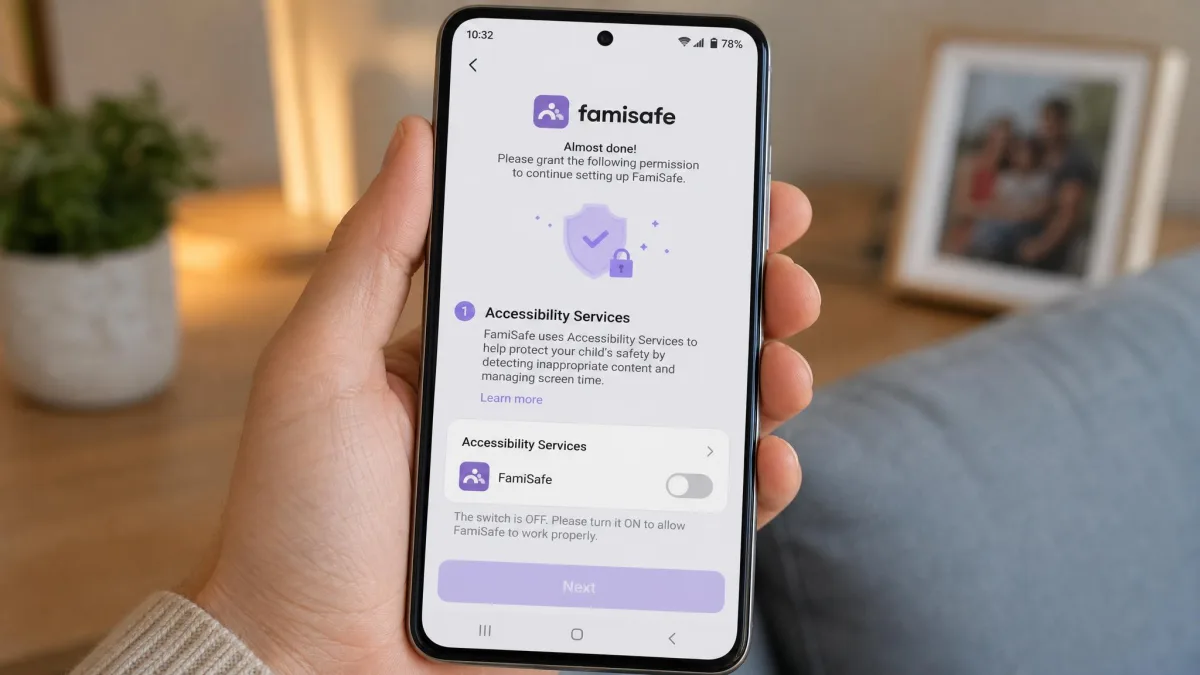
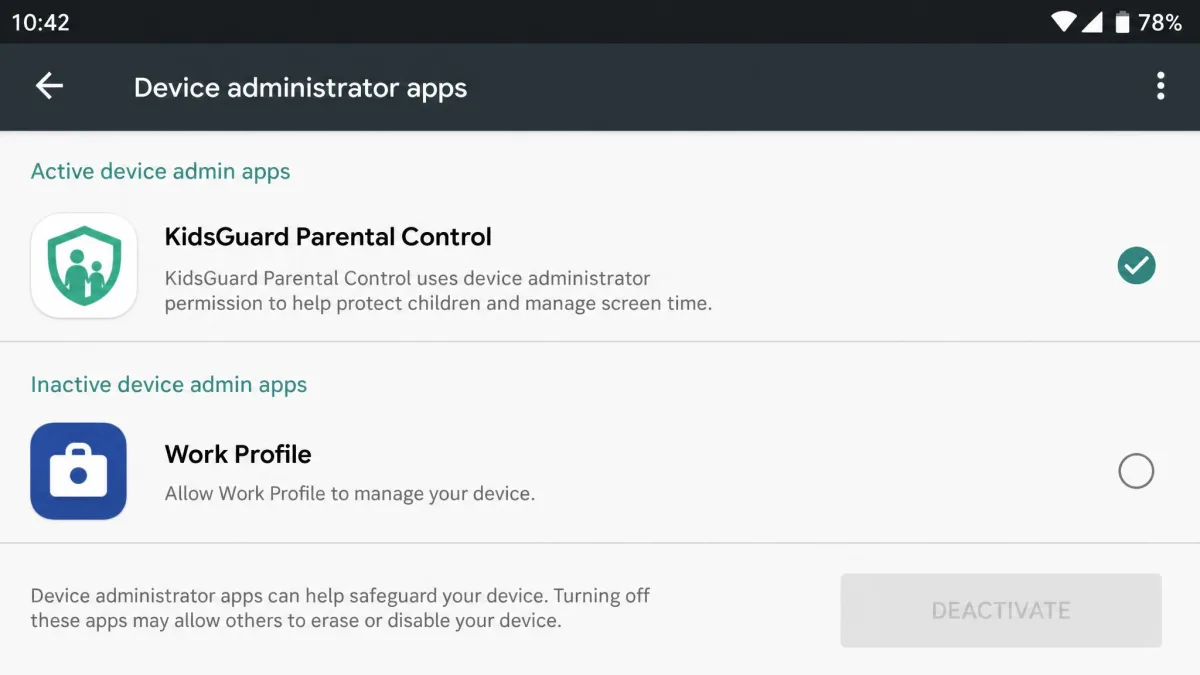
FamiSafe's Android install leans on Accessibility Services and Device Administrator permissions, which are the hooks a monitoring app needs rather than the ones a timer needs. Read the feature list the same way and the priorities are clear: this is a monitoring product first and a limits product second, which is why the scheduling feels thinner than Mobicip's even though the daily caps work perfectly well.
App Blocking and App Management
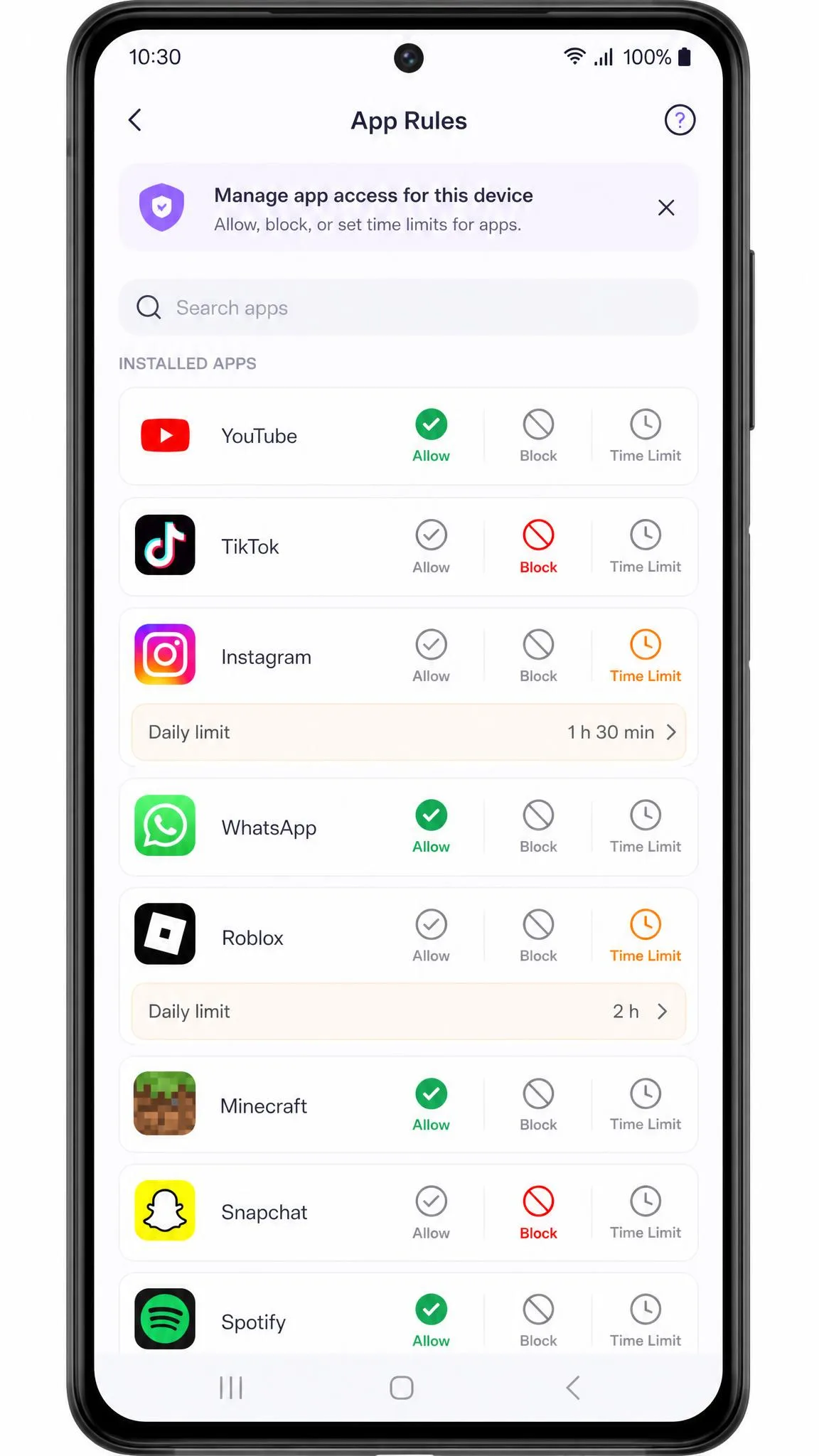
Both apps block apps and both survive the obvious workarounds, but they get there differently. Mobicip pairs app blocking with per-app time limits, so an app can be capped rather than banned outright, which is easier to negotiate with a teenager than a flat no. FamiSafe uses app rules with the same block-or-allow logic plus scheduling, and it reports app usage in more detail on Android.
The platform gap is the thing to plan around. Android gives both apps deeper hooks, so app-level blocking and usage reporting are more complete there. On iOS the same controls exist in a reduced form, and Mobicip in particular cannot break out per-app usage time.
Location Tracking and Geofencing
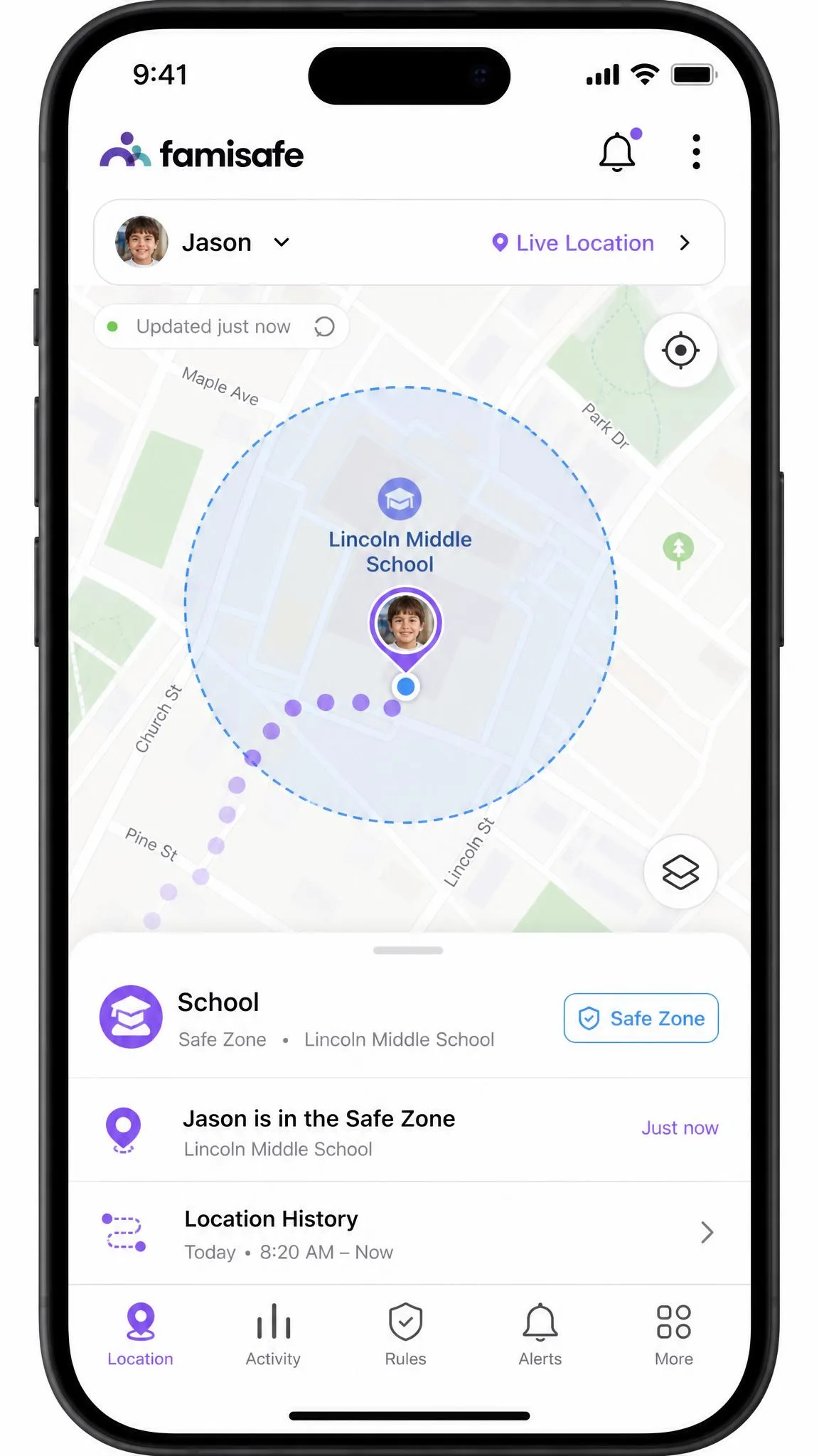
FamiSafe is the stronger location tool. It offers real-time GPS, location history and geofencing with safe-zone alerts, and in normal use the tracking is quick and precise. Pins can still drift badly, though: we have seen a child placed on a dual carriageway when she was actually at school. Treat a single odd reading as a glitch rather than an emergency, and check the location history before you act on it.
Mobicip includes a family locator with geofencing, but its updates refresh roughly every 20 minutes. That is fine for confirming a child arrived at school and poor for following a journey. If location is your main reason for subscribing, FamiSafe is the better buy.
Both apps sit inside a wider picture of your child's safety online, and location is the feature where the balance between oversight and a child's independence gets tested first. Tell your child the tracking exists.
Social Media Monitoring and Alerts
Explicit Content and Keyword Alerts
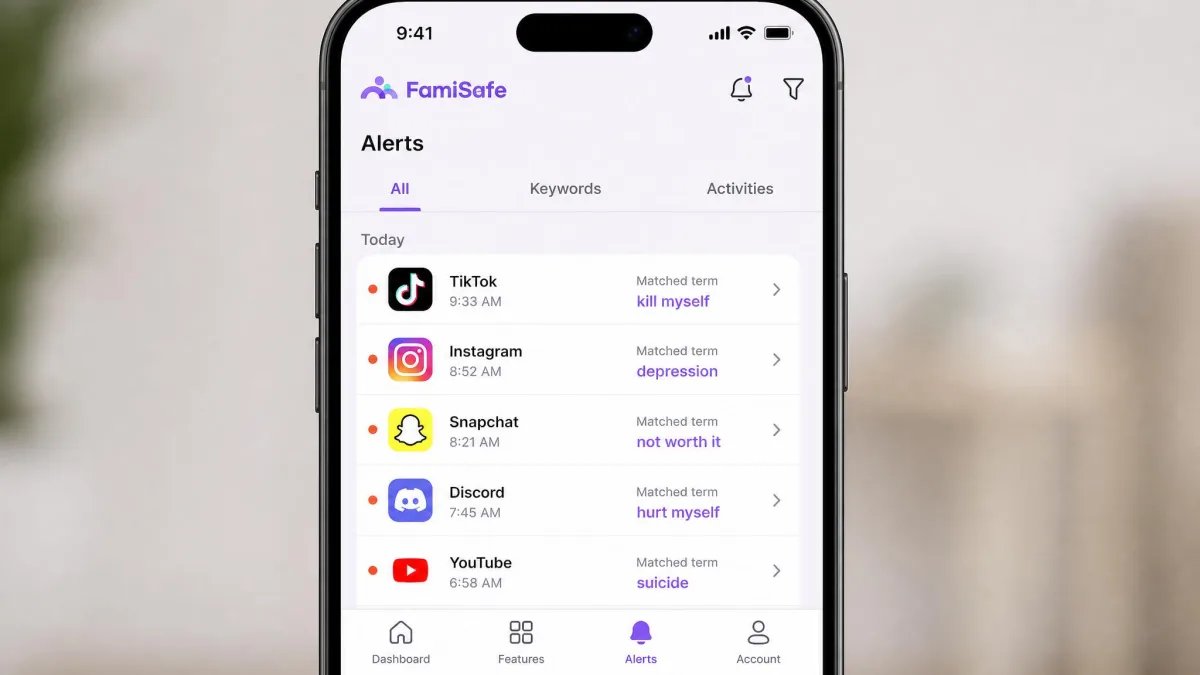
FamiSafe monitors social media across 30+ apps, including YouTube and TikTok history, and adds explicit image detection and AI risk detection tuned for risky keywords and teen slang. Custom keyword and theme alerts are its real differentiator: you build your own trigger lists rather than trusting a vendor category list, which matters if you are watching for bullying, self-harm language or a specific name.
Mobicip has social media monitoring too, but the scope is narrower and there is no custom keyword list. It also has no call or SMS monitoring at all, where FamiSafe logs both. If message content is part of what you want to see, Mobicip cannot do it.
Driving Safety Monitoring (FamiSafe)
FamiSafe produces driving behavior reports covering speed and hard braking, plus SOS alerts the child can trigger. For a family with a newly licensed teen this is a genuine reason to pick FamiSafe, and Mobicip offers nothing comparable.
Activity Reports and the Parent Dashboard
Both apps deliver daily and weekly activity reports covering browsing, apps and screen time. Mobicip's dashboard is easy to navigate but looks dated next to newer competitors, and the detailed reporting is solid rather than exciting. FamiSafe's reports are more detailed, particularly on Android, and the real-time screen view gives you a live look that no report can match.
Mobicip tells you what your rules did. FamiSafe tells you what your child did.
— From our hands-on testing notes
Device and Platform Support
Mobicip covers iOS, Android, macOS, Windows, Chromebook and Kindle. FamiSafe matches that spread more closely than its marketing suggests: Wondershare lists Android, iOS, Kindle Fire OS, Windows, Mac and Chromebook, so the Kindle and Mac builds are current rather than legacy leftovers, and parents can also reach the dashboard from any browser. Platform coverage is therefore close to a tie, and the decision comes down to the floors underneath it.
On Android, FamiSafe runs on Android 4.4 or later, which is generous enough to cover the hand-me-down handsets most families press into service for a first phone. The iOS floor is murkier: Wondershare's FAQ says iOS 11 or later, while the current App Store listing asks for iOS 13.0 or later, so an iPhone still on iOS 11 or 12 may not be able to install the child app at all. Check the App Store page against your child's actual handset before you buy. Wondershare does not publish a minimum macOS version, so if you are buying primarily to manage an ageing MacBook, ask support first.
Setup, Installation, and Ease of Use
FamiSafe setup runs about 15 to 20 minutes per device: install the parent app, create the family profile, then install the child app and work through its permission grants. On Android those grants lean on Accessibility Services and Device Administrator permissions, and an older, tech-aware child can stall the whole process simply by refusing the prompts. Sit with them for that part. Once it is running, the parent interface is straightforward enough to set rules without reading a manual.
Mobicip's setup is lighter on paper but has its own snag. Installation on a child's Android handset can stall with the progress bar barely moving, and device rights management can block the install outright on a managed school device. The VPN profile is the recurring friction point afterwards.
Support differs more than you would expect. FamiSafe runs live chat that answers within minutes, email inside 24 hours and a phone line during business hours. Mobicip offers email and live chat only, with no phone line. Neither app requires rooting or jailbreaking the child's device, which is worth confirming because some competitors still do.
How We Compared Mobicip and FamiSafe
We installed both apps on Android and iOS child devices and ran them from the parent side the way a family would: setting daily limits, building schedules, blocking a handful of apps, adding sites to a blacklist and then trying to break the rules we had just written. We checked how quickly location refreshed, how alerts arrived, what the dashboard reported the next morning, and how each app behaved when a permission was revoked. We also read the current pricing and refund terms on both vendors' own pages rather than relying on review-site summaries, because introductory rates and renewal rates are not the same number.
Scores reflect four things: filtering accuracy, control depth, reporting quality and setup friction. We weighted setup friction more heavily than most comparisons do, because an app a child can stall during install is not protecting anyone.
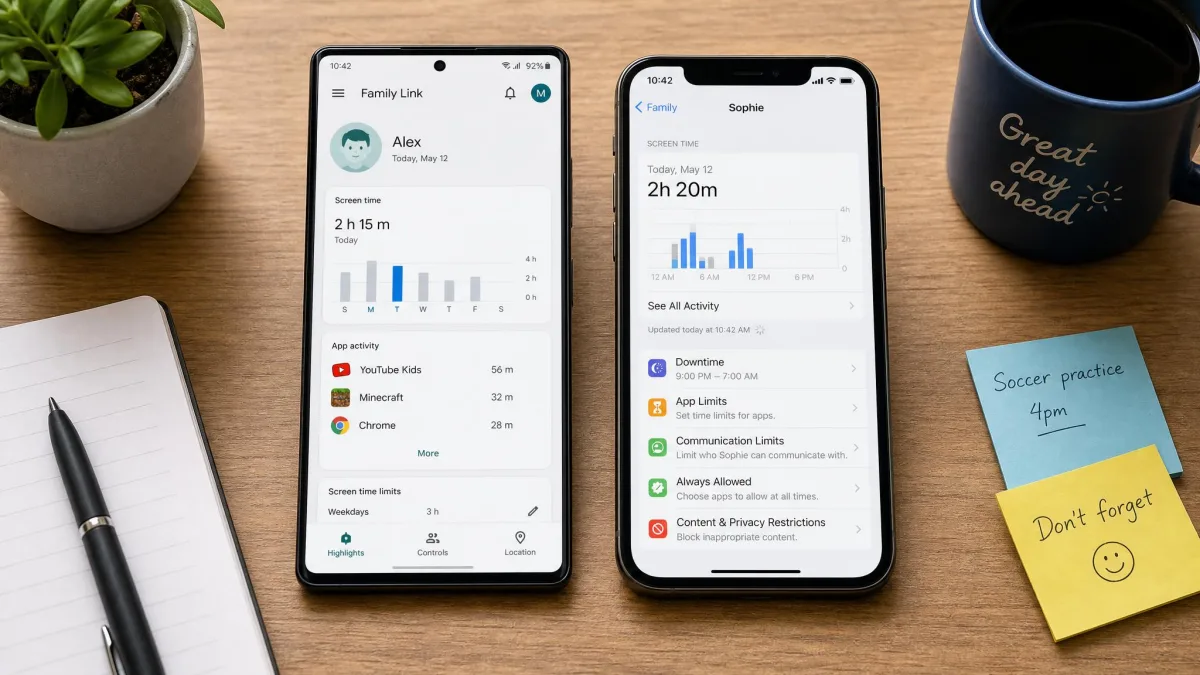
Can Kids Bypass Mobicip or FamiSafe?
Neither app is bypass-proof, and any vendor claiming otherwise is overselling. FamiSafe's Device Administrator permission blocks force-quit and uninstall on Android, which stops casual tampering, but a determined child can still remove the app in a handful of steps. Mobicip's VPN-based filtering has a softer failure mode: if the profile drops, filtering stops until the phone is restarted, and a child who notices that pattern has found a workaround without doing anything technical.
Treat monitoring as a conversation rather than a secret. Both apps are visible on the child device, a tech-savvy teen will work out what is running, and finding it unannounced does more damage to trust than the app repairs.
Privacy and Data Security
Both apps collect sensitive data about a minor, including browsing history, location and, in FamiSafe's case, message content. That is a genuine security consideration, not a formality. Use a strong, unique password on the parent account, turn on two-factor authentication where it is available, and remove old devices from the account when a child outgrows the app. COPPA sets out what services handling children's data are obliged to do, and it is a useful yardstick when you read either vendor's privacy policy.
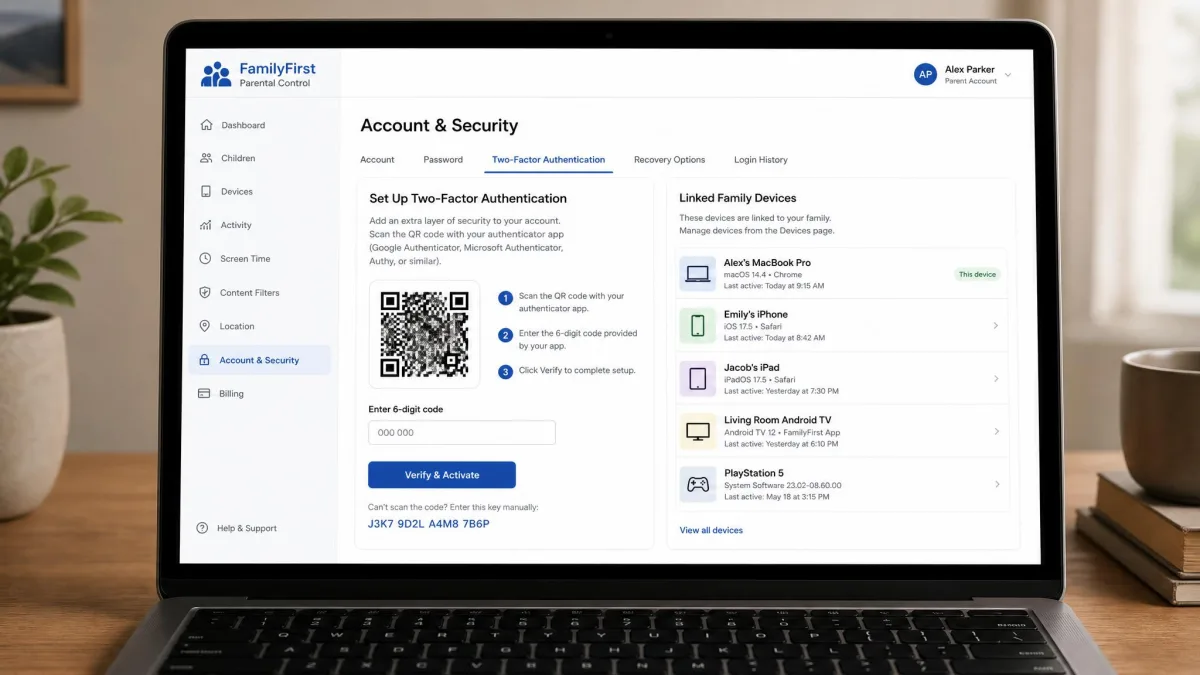
Scope your monitoring to what the child's age needs. Reading a 16-year-old's messages because the plan includes the feature is a choice, not a default.
Pros and Cons
Mobicip Pros and Cons
Pros
- Cheapest entry point at $2.99/month and a genuine free plan for 2 devices
- Named screen-time schedules that fit term time, holidays and weekends
- Real-time AI filtering plus a custom blacklist
- Widest platform list, including macOS and Kindle
- 7-day trial with all premium features unlocked
Cons
- Android filtering depends on a VPN profile that can drop and break messaging apps
- Over-blocks as well as under-blocks, including apps you allowed
- Location refreshes only about every 20 minutes
- No call or SMS monitoring and no custom keyword alerts
- Dashboard looks dated, and support has no phone line
FamiSafe Pros and Cons
Pros
- Social media monitoring across 30+ apps, including YouTube and TikTok
- Custom keyword and teen-slang alerts you define yourself
- Real-time GPS, safe-zone alerts and location history
- Call, message and driving behavior reporting
- Live chat, email and phone support, with 35M+ users behind it
Cons
- No permanent free plan and only a 3-day trial on one device
- Key features, including explicit content detection, are disabled during the trial
- Introductory prices renew at full rate, and the reminder can land in spam
- Refunds are 7-day and only for unresolved technical issues
- Heavy on the child device's battery, and thinner on iOS than Android
Which Should You Choose?
Choose Mobicip If You Want Flexible Screen Time Scheduling
Route yourself here if your child is roughly primary or early-secondary age, if the household runs a mix of laptops, Chromebooks and tablets alongside phones, and if the thing you picture yourself doing is writing a rule rather than reading a feed. Parents who set everything up at the start of term and then barely open the dashboard again are the ones who get the most out of this app. You will have to accept the Android VPN friction and the occasional false positive, so factor in an evening of whitelisting once your child hits the first wrongly blocked site.
Choose FamiSafe If You Want Alerts and Driving Safety
Route yourself here if your child is a teenager with their own phone, if that phone is an Android handset rather than an iPhone, and if you expect to open the parent app most days. This is the choice for the parent whose worry is a person or a conversation rather than a website, and for the household with a newly licensed driver in it. It asks for more of your attention in return, so be honest about whether you will actually give it, because an alert feed nobody reads is worse than a rule that quietly holds.
Alternatives Worth Considering
If alerts are what you want but you would rather not read your child's messages yourself, Bark is the obvious third option: it scans for concerning content and notifies you without handing you the full transcript, which suits families that want safety without surveillance. Net Nanny and Qustodio are the closest comparisons on filtering quality, and Kaspersky Safe Kids is the budget pick with a usable free tier. Widen the shortlist to those three before you subscribe to anything.