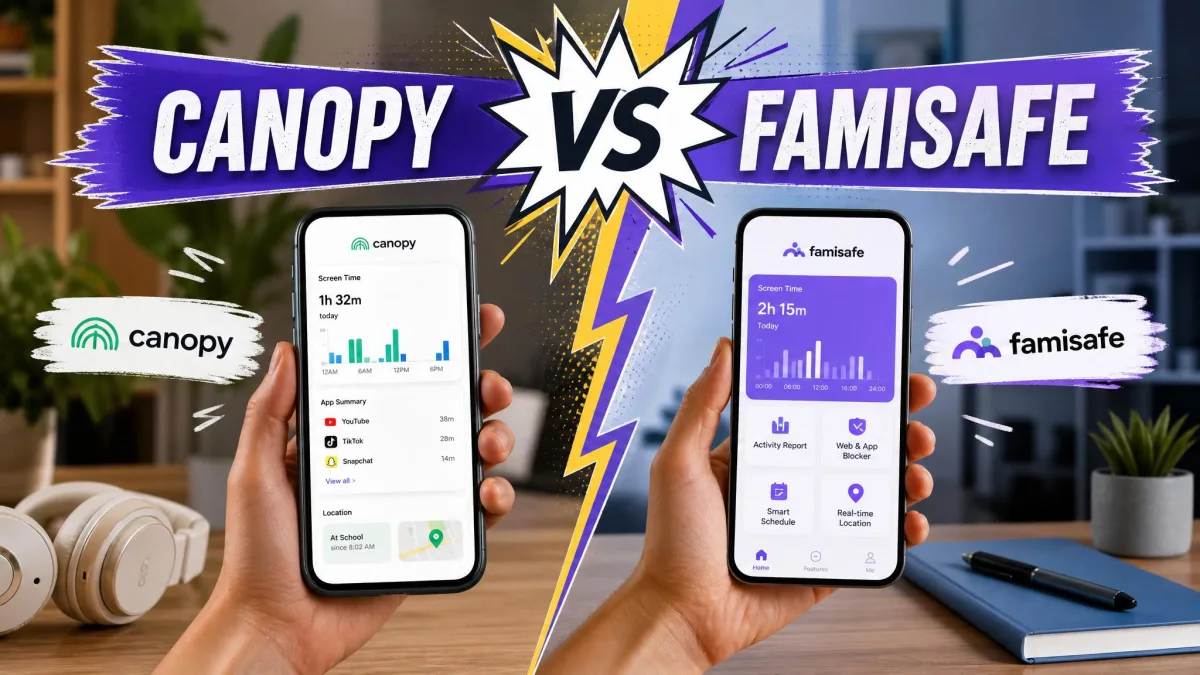
Canopy is a content filter first and a parental control app second. It runs an AI smart filter that blurs explicit images and video the moment they load. It is built for families whose main worry is a child seeing pornography or being drawn into sexting. FamiSafe by Wondershare is the opposite shape. It is a broad monitoring suite, and it watches screen time, apps, live location, calls and messages from one parent dashboard. It also reports on more than 30 social apps.
We compared both apps on filtering behaviour, screen time controls, location accuracy and monitoring depth. We also weighed anti-tamper strength and real published pricing. Throughout, we scored what each app actually does on a child's phone rather than what the feature list promises. That distinction matters more here than in most comparisons. Both apps have places where the setting shows as active and the behaviour does not follow.
Canopy vs FamiSafe at a Glance
The short version is that these two apps solve different problems. They price themselves accordingly. Canopy charges more per device and spends that money on real-time image filtering. FamiSafe charges less and spends it on coverage across activities, apps and locations. The table below sets out the features families check first.
| Feature | Canopy | FamiSafe |
|---|---|---|
| Content filtering | AI smart filter blurs explicit images and video in real time, whiteout at the page region level | Category web filter plus explicit content detection, needs manual list work |
| Screen time limits | Yes, schedules and downtime | Yes, schedules and daily limits |
| App blocking | Yes | Yes, block and allowlist |
| Location tracking | Location alerts and geofencing | Live GPS with history and geofencing |
| Social media monitoring | Not offered | 30+ apps |
| Message monitoring | No email or SMS scanning | Calls, messages and email, Android only |
| Anti-tamper | Removal requires parental approval, delete alerts | Device administrator uninstall protection |
| Device support | iOS, Android, Windows, Mac, Chrome | iOS, Android, Windows, Mac, Chromebook |
| Max devices | 10 devices | 10 devices on the annual plan |
| Annual price | $12.50/month billed annually on Premium | $59.99 per year |
| Free trial | 7-day | 3-day |
| Buy | Check price | Check price → |
What Is Canopy?
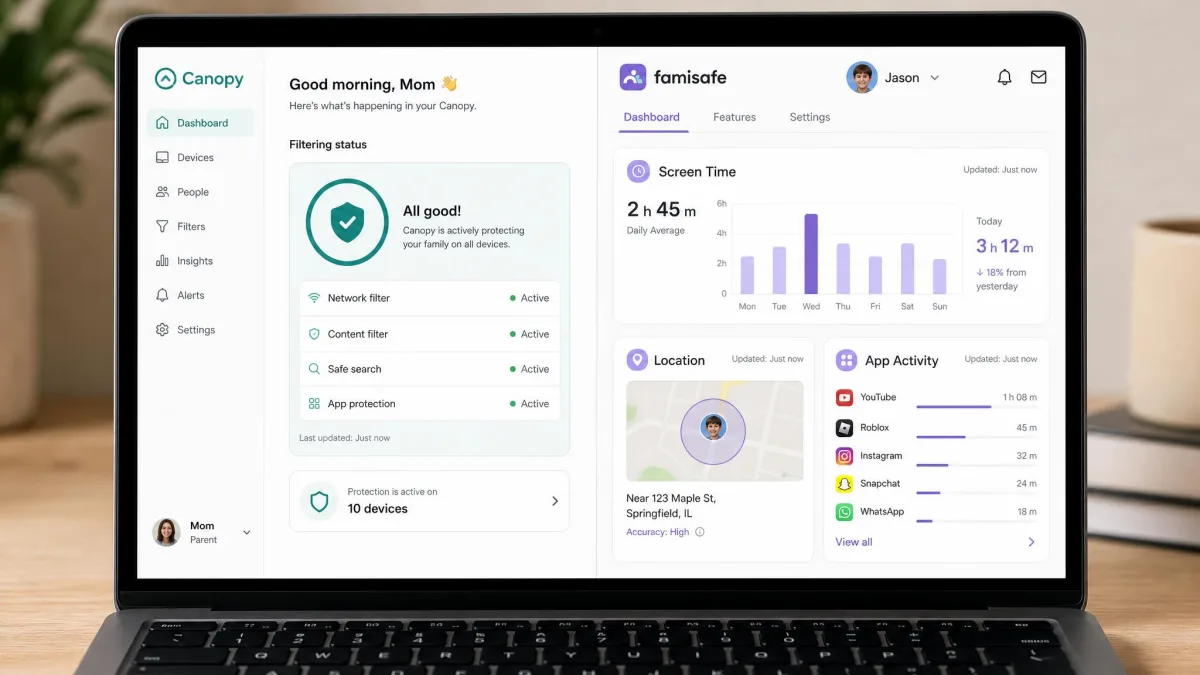
Canopy is an AI content filter for families. It is built on filtering technology its parent company NetSpark has developed over 14 years. Instead of matching a site against a blocklist, it reads what is on the screen and acts on the image itself. It blurs nudity before a child registers what they are looking at. That single design decision explains most of what is good about the app, and most of what is missing from it.
What is in the box? Porn blocking on every site, plus lingerie and swimwear filtering. Sexting prevention with alerts, and filtering of AI chatbot content. App and website blocking, screen time management and location alerts round it out, alongside per-user personalization and removal protection that needs a parent's approval. It runs on iOS, Android, Windows, Mac and Chrome. Phone and chat support are included, which is rare at this price.
What it does not do is read messages. There is no email or SMS scanning and no social app monitoring. It also cannot see inside privacy-focused browsers such as Brave and DuckDuckGo, which is the obvious hole a determined teen finds first. It leaves the content inside on-demand streaming services alone as well. Netflix, Hulu, HBO and Amazon Prime Video all play unfiltered. That is a deliberate choice. It keeps Canopy light on the device and defers to each service's own parental controls. In practice you still have to set up a kid profile and maturity rating inside every streaming app. The only lever Canopy gives you is blocking that app or site outright with a custom filtering rule. The Google Play community rates it 4.1 out of 5, and it scored 4.2 out of 5 in hands-on testing at All About Cookies. Its Trustpilot score sits far lower, on a very small review base that has moved between 1.9 and 2.5 out of 5.
What Is FamiSafe?
FamiSafe is Wondershare's family monitoring app, and its pitch is coverage. The vendor reports 35M+ users across 200+ countries. The feature list reads like a checklist of every parental control category. Screen time management and scheduling sit alongside app blocking and allowlisting. Live GPS location with history, geofencing and SOS alerts handle the where. A web filter with explicit content detection handles the what. Then comes the monitoring layer: social apps, calls, messages, email, YouTube and TikTok history, suspicious photo detection, custom keyword alerts, driving safety reports and one-way audio.
That breadth comes with an asterisk on Apple hardware. SMS and YouTube monitoring are Android-only. iOS browsing history requires installing a VPN or configuration profile before anything shows up in the dashboard. It is worth saying plainly that iOS restricts every third-party parental control app the same way, so message-level gaps on iPhone are not unique to FamiSafe. Even so, FamiSafe can behave poorly enough on iOS that families running iPhones end up looking elsewhere.
Wondershare states that FamiSafe uses AES-256 encryption with no publicly reported breach since 2018. That breach-free window rests on a vendor security claim with no independent audit behind it.
If your child uses an iPhone, test the features you care about within the trial window and confirm each one actually fires. On iOS we found Canopy's app blocking, geofencing and downtime scheduling all displayed as configured while none of them took effect. FamiSafe's message and video history need extra profiles before they report anything at all.
Content Filtering: Canopy's AI Blocking vs FamiSafe's Category Filters
This is the clearest gap between the two apps. It is the reason a family picks Canopy at all.
Real-Time Image and Site Filtering
Canopy filters the page rather than the domain. When it finds explicit material it whites out only that region. The rest of the site stays readable instead of the whole page disappearing. A child researching a school topic does not lose the article because of one image in a sidebar, and a parent gets fewer complaints about over-blocking. Canopy's vendor-derived accuracy figure puts the filter at 99.8% of nudity and pornography identified. That number has not been reproduced under independent test conditions, so read it as a direction rather than a score.
The filter is not infallible. On Android with filtering set to Strict, we watched a bikini photo pass straight through Canopy's sexting detection. That is exactly the borderline case the lingerie and swimwear setting is meant to catch. The filtering layer also slows browsing noticeably on some devices. That is the practical cost of inspecting content in real time.
FamiSafe approaches the same problem from the category side. Its web filter blocks by content category, with explicit content detection layered on top. It takes a lot of manual list-building before it behaves the way a parent expects. Some of its web filters are easier to bypass than they should be. For a younger child who mostly needs age-appropriate content on a tablet, that is workable. For a teen actively looking for a way around the filter, Canopy's image-level approach is the stronger wall.
Custom Word and Keyword Alerts
FamiSafe takes the lead back here. Its custom word and theme alerts let you define your own trigger list. You are not trusting a vendor's category list to stay current on slang, and the vocabulary a child is exposed to changes faster than any product roadmap. In use, FamiSafe's keyword detection surfaced genuinely concerning contact. It caught predatory messages inside game chat that no filter would have blocked, because the words themselves were the signal. The trade-off is noise. The AI misreads context often enough to generate false positives, so expect to dismiss alerts that turn out to be a joke between friends.
Canopy has no equivalent. Its alerts fire on explicit images and on sexting attempts, not on words you choose. If you want a detailed record of what your child is typing and to whom, Canopy is not the app.
Screen Time Limits and App Management
Both apps manage daily limits and both let you block apps outright. The difference is in how much you can shape a day, and how much you can trust the numbers.
FamiSafe is the more flexible of the two. You set daily limits and build schedules for school hours and bedtime. You also choose between blocking apps and allowlisting only the ones you approve. Allowlisting is the setting most parents of younger kids end up wanting, and Canopy does not offer it in the same form.
Canopy handles screen time management and downtime scheduling competently on Android. Its reporting is the weak link. Its screen time reports lag behind actual usage even after a manual refresh, so a mid-week check is less useful than it should be. The number you are looking at is not the number your child has actually spent. On iOS, downtime scheduling was one of the settings that appeared configured and did nothing.
FamiSafe's own reporting is more current, but it is not instant. Its alert notifications can lag behind the activity that triggered them. Treat both apps as a daily picture rather than a live feed. The other daily cost worth knowing is battery. FamiSafe's background monitoring takes roughly 10 to 15 percent of the child device's battery over a day, and a teenager will notice.
Agree the rules with your child before you turn the app on. Setting limits without that conversation tends to produce a week of arguing about the app instead of about screen time. Both of these apps are easy to set up in an evening once everyone knows what is being managed.
Location Tracking and Geofencing
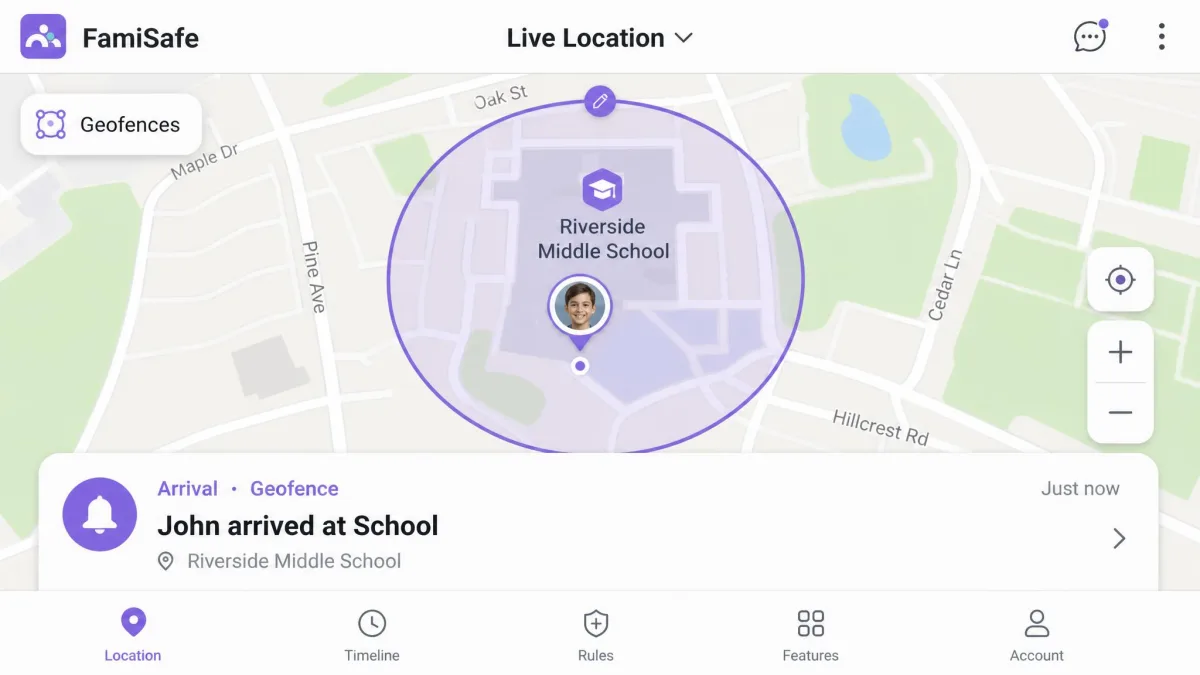
FamiSafe wins this section without much argument. Its location tracking lands within metres consistently and its geofence alerts fire reliably. It also keeps location history, so you can check where a device has been rather than only where it is, and geofences can trigger SOS alerts. The caveat is coverage-dependent. FamiSafe's GPS can drift and sync late in areas where Google Maps coverage is weak.
Canopy offers location alerts and geofencing, but they are not the part of the product it has invested in. Canopy's geofence alerts do not always fire. One test device moved two blocks outside the zone and nothing arrived. An alert that comes sometimes is worse than no alert at all, because you stop checking it. If knowing when your child arrives at school is a core reason you are buying an app, buy FamiSafe.
Social Media and Message Monitoring
Canopy does not compete here. There is no email or text message scanning and no social app monitoring, by design.
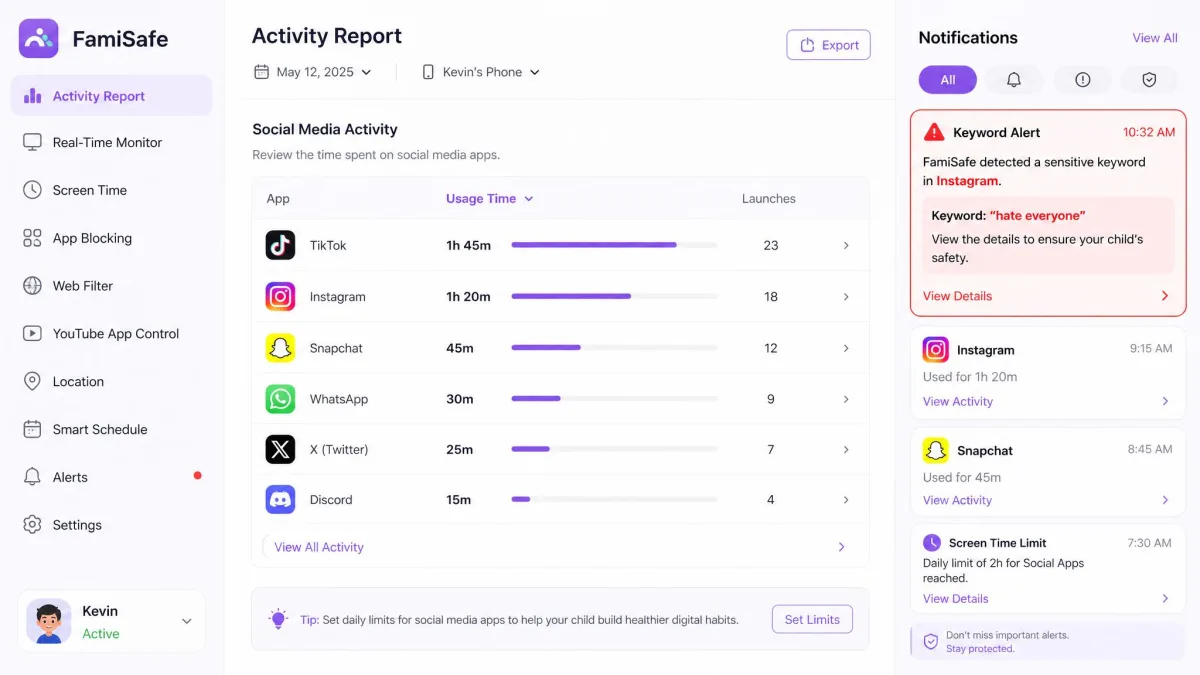
FamiSafe monitors calls, messages and email. It tracks YouTube and TikTok history, flags suspicious photos, and reports on activity across 30+ social media apps. That is the headline claim, and it is worth tempering. FamiSafe's social app monitoring underdelivers against the 30+ figure in practice, and YouTube and TikTok coverage is the weakest part of it.
Used realistically, FamiSafe gives you a full activity history on Android and a reasonable view of who your child is talking to. On iOS it gives you a much thinner one. That is still more than Canopy offers anywhere.
Location is the other half of that dashboard, and it is where the app looks best.
Anti-Tampering and Removal Prevention
Neither app survives a determined, technical teenager. The question is how quickly you find out.
Canopy requires parental approval to remove the app, and it sends a prompt alert when the child app is deleted from the device. That alert is the important part. Removal protection that can be defeated is still useful if it tells you the moment it happens.
FamiSafe's uninstall protection leans on device administrator permissions. A technical teen can revoke those far more easily than an enterprise-grade lock, and once revoked, monitoring stops. FamiSafe's app can also crash on its own, and installation sometimes needs a second attempt. A gap in the activity log is not automatic proof of tampering. Check that the app is running before you draw a conclusion.
Device Compatibility: iOS, Android, Windows, Mac and Chromebook
On paper the two are close. Canopy covers iOS, Android, Windows, Mac and Chrome. FamiSafe covers iOS, Android, Windows, Mac and Chromebook from one parent dashboard, with the available features varying by platform. You can see Canopy's mobile builds on its App Store listing and Google Play listing.
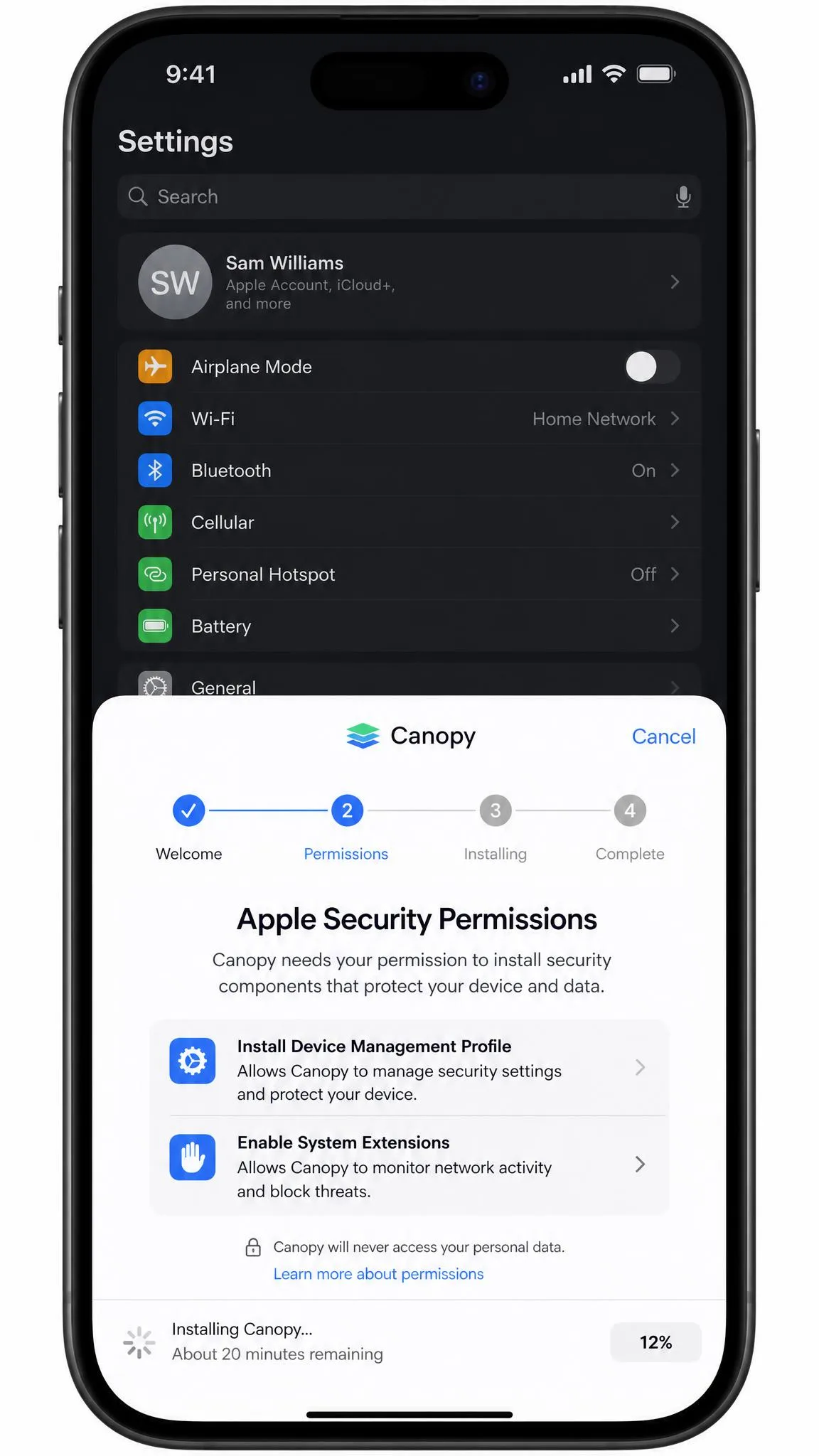
In use the gap is wide. Canopy's Android setup is noticeably smoother, with accurate permission prompts and the child app arriving where it should. Canopy's iOS setup ran about 20 minutes on our test iPhone. Most of that was spent hunting. The Apple security instructions point to the wrong menu, and the anti-theft setting has to be found by hand. Worse, several iOS features installed cleanly and then did nothing at all.
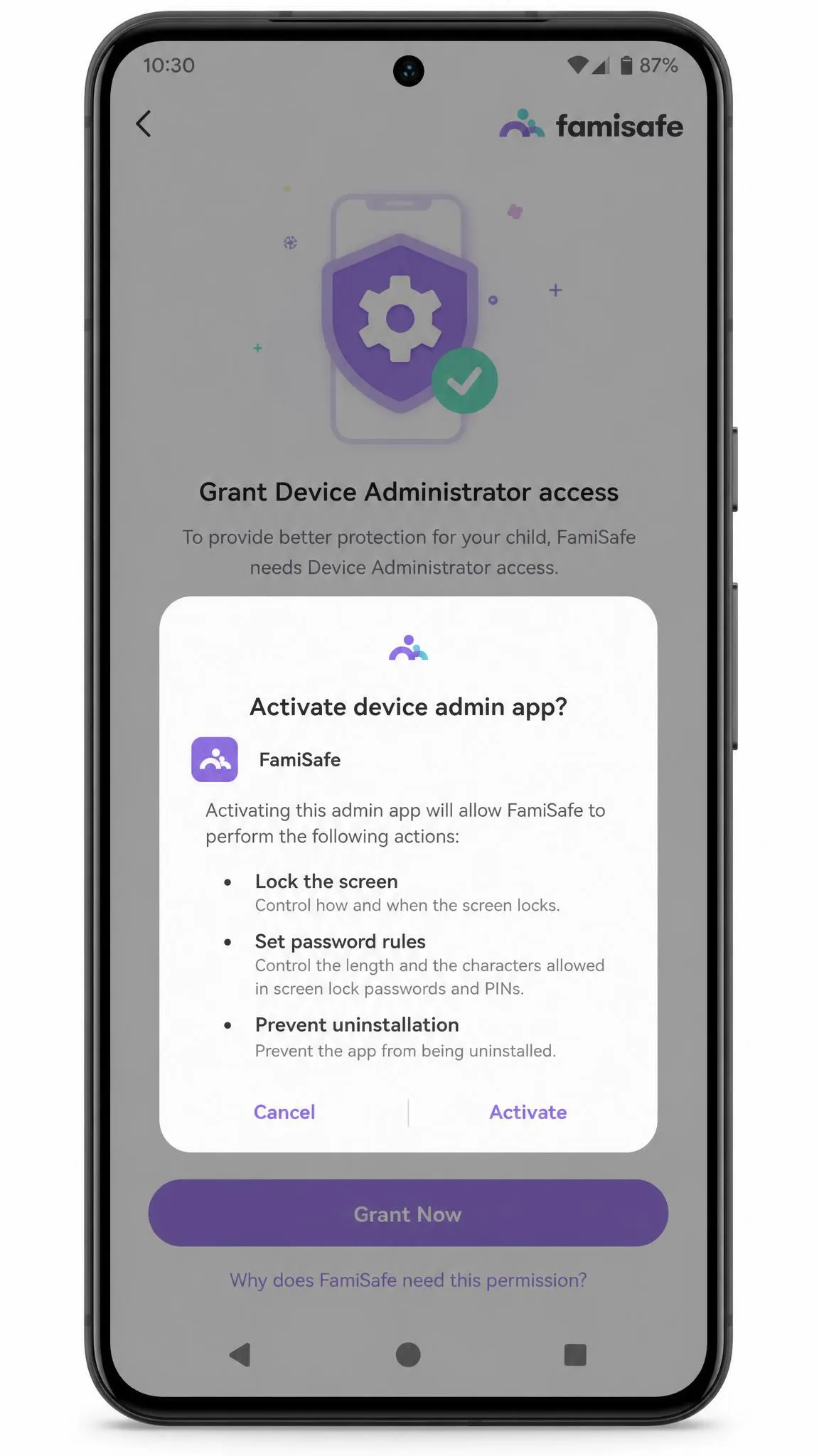
FamiSafe's iOS install triggers security warnings. Its Android install requires granting Device Administrator access before monitoring starts. Neither is a fault so much as a consequence of what the app is doing. Both are moments where a parent stalls.
The honest summary is short. On Android, both apps work as described, so choose on features. On iOS, both apps lose capability, so test hard during the trial before you commit a year of money.
Pricing and Plans Compared
Price is where FamiSafe makes its strongest case, especially for families with more than one child.
Canopy Pricing
Canopy pricing runs three tiers billed annually. Essential is $8.33 per month for 1 device. Plus is $9.99 per month for up to 3 devices. Premium is $12.50 per month for up to 10 devices. Every plan comes with a 7-day free trial and a 30-day money-back guarantee measured from account creation, which is the more generous refund window of the two apps.
Third-party sites quote Canopy's annual totals anywhere from roughly $95.90 to $119.90 per year. Tier names and device caps have been restructured, so the per-year total attached to each tier varies by which plan lineup you land on. Check the price on Canopy's own page before you buy, not the one in a comparison table.
FamiSafe Pricing
FamiSafe plans are structured by billing period rather than by feature set. You get the full app at every tier. The monthly plan is $9.99 for up to 5 devices, the quarterly plan is $19.99 for up to 8 devices, and the yearly plan is $59.99 for up to 10 devices. That works out to $4.99 per month. There is a 3-day free trial on the annual plan, a free tier covering 1 device with limited features, and a 7-Day money-back guarantee.
Cost Per Device for Larger Families
Run the numbers on a three-child household and the gap is stark. Canopy's Premium tier covers up to 10 devices at $12.50 per month, which is $150 a year. FamiSafe's annual plan covers the same 10 devices for $59.99. That is roughly two and a half times the price for a product that filters better and monitors far less.
| Plan | Devices | Effective monthly | Billed |
|---|---|---|---|
| Canopy Essential | 1 | $8.33 | Annually |
| Canopy Plus | 3 | $9.99 | Annually |
| Canopy Premium | 10 | $12.50 | Annually |
| FamiSafe monthly | 5 | $9.99 | Monthly |
| FamiSafe quarterly | 8 | about $6.66 | $19.99 per quarter |
| FamiSafe yearly | 10 | $4.99 | $59.99 per year |
The fair way to read that table is not that FamiSafe is cheap. It is that Canopy costs what a specialist costs. You are paying for one capability done well.
Ease of Setup and Day-to-Day Use
Setup difficulty is one thing. Living with the dashboard afterwards is another, and FamiSafe's first run is where most parents wobble. It takes roughly 15 to 20 minutes per device, and the opening screen feels overwhelming, with tiles for every feature competing for attention before you have decided which ones you want.
That first impression fades. FamiSafe's parent dashboard is plain enough that a non-technical parent can get through first setup without reading documentation, which is more than can be said for most apps in this category. Canopy's Android flow is cleaner still, with prompts that match what the phone actually asks for.
Support differs in a way that will matter eventually. Canopy's email support replied to us within about an hour, with specific and usable guidance, though responsiveness was not consistent across every enquiry. FamiSafe's customer support can be slow to respond. Its agents are competent once you reach them.
Pros and Cons
Canopy Pros and Cons
Pros
- Filters at the image level, so Strict mode stays usable for a ten-year-old
- Defers to streaming services rather than slowing them, which keeps the app light
- Per-user personalization lets one subscription cover kids of different ages
- Phone and chat support, plus a refund window that opens long before renewal
- Custom filtering rules can block a whole app or site when the filter is not enough
Cons
- Privacy browsers such as Brave and DuckDuckGo sit outside its view entirely
- The iOS setup wizard points at the wrong Apple menus, adding minutes of hunting
- Nothing in the app tells you what your child is saying, only what they are shown
- Streaming content is unfiltered, so each service still needs its own kid profile
- The published 99.8% accuracy figure has never been independently reproduced
FamiSafe Pros and Cons
Pros
- One dashboard covers phones, tablets, Windows, Mac and Chromebook together
- Allowlisting is the practical setting for younger kids, and Canopy has no equal
- Location history answers where a device has been, not just where it is now
- Every billing tier includes the full feature set, so no capability sits behind an upsell
- A permanently free single-device tier lets you audit the dashboard before paying
Cons
- Alert notifications can arrive well after the activity that triggered them
- Web filters need hours of manual list-building before they behave predictably
- Keyword alerts misread context often enough that dismissing false positives is routine
- The app crashes occasionally, and a first install sometimes fails outright
- Background monitoring is visible in the child device's daily battery drain
Which Should You Choose?
Choose Canopy If Your Priority Is Blocking Explicit Content
Buy Canopy if the thing that keeps you up at night is your child seeing pornography or being pulled into sexting, and if that child is on Android. Nothing else in this comparison filters images as well. The whiteout behaviour means you can leave it on Strict without breaking the internet for a ten-year-old. Accept that you are buying a filter and not a monitor, and that the iPhone experience is materially weaker.
Choose FamiSafe If You Want Broad Monitoring on a Budget
Choose FamiSafe if you have more than one child and want location tracking you can trust. You get a full history of apps, messages and activity rather than a wall in front of one category of content. At $59.99 a year for 10 devices it is the better value by a wide margin, and its custom alerts catch things a category filter never will. Expect to build your web filter lists by hand. Expect to check that alerts are current rather than assuming they are live.

Alternatives Worth Considering
Neither app is the only sensible answer. If Canopy's filtering appeals but you want message monitoring alongside it, our Canopy vs Bark comparison covers the closest alternative, since Bark reads content rather than blocking images. If FamiSafe's price is right but its reliability worries you, Kaspersky Safe Kids vs FamiSafe is the comparison to read next. Kaspersky Safe Kids vs Canopy covers the same ground from the filtering side.
For a deeper look at either app on its own, see our full Canopy review and our FamiSafe review. Families working to a tight budget should start with the best free parental control apps. Anyone in an all-Apple home will get more from the leading parental control apps for iPhone than from either product here.
It is also worth reading the wider evidence before you choose any app. Pew Research on parenting in the age of screens sets out how other families actually manage devices at home.