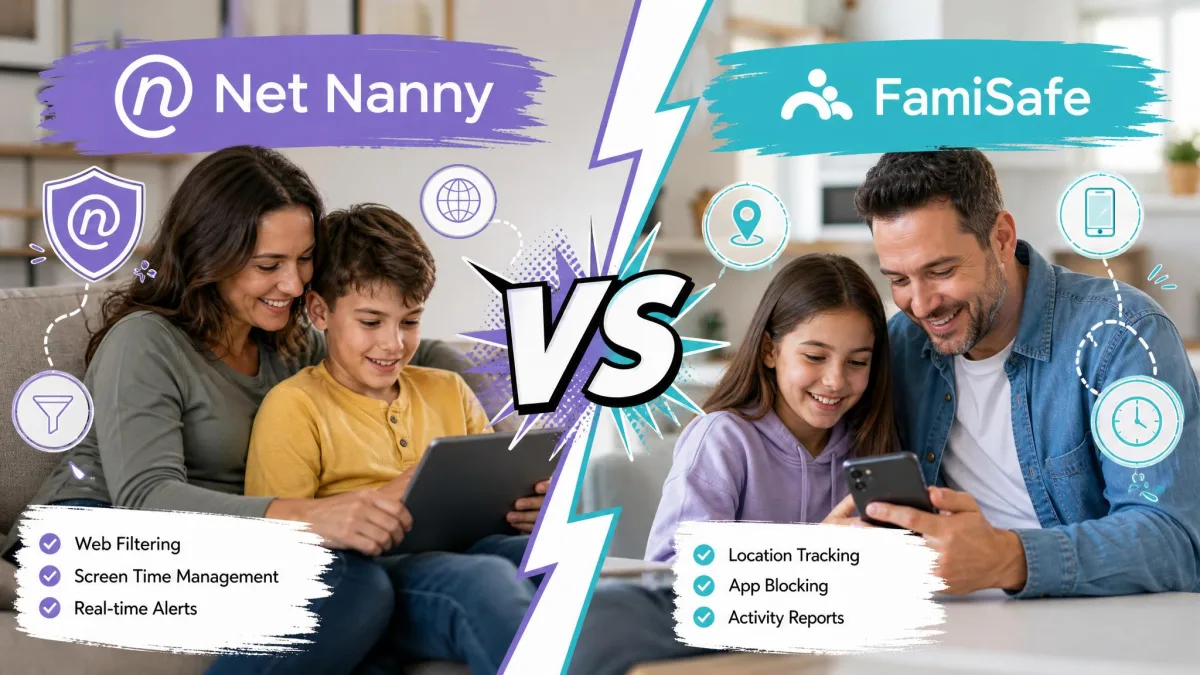
Net Nanny and FamiSafe are two of the best-known parental control apps, but they solve the problem from opposite ends. Net Nanny built its name on category-based web and content filtering, blocking sites in real time before a child ever loads them. FamiSafe leans toward monitoring and location, giving parents a wider view of apps, screen time and where a child physically is.
That single difference shapes almost every decision here. If your main worry is what your kids see online, filtering matters most. If you want to keep children safe online across phones, tablets and computers while tracking location, broad monitoring matters more. We ran both apps on real family devices to see which one earns your money in 2026.
Our testing covered Windows and iOS for Net Nanny, plus iOS and Android for FamiSafe, over several weeks of daily household use. We paid for the plans ourselves and set each app up the way a typical parent would, without vendor help.
Net Nanny vs FamiSafe at a Glance
If you want the short version, here it is. Net Nanny is the better content filter and the safer choice for younger children on Windows, Mac or iPhone. FamiSafe is the more complete parental control app, especially for Android households or parents who need location tracking and geofencing.
FamiSafe takes our overall pick for most families because it works everywhere and does more. Net Nanny remains the specialist we would recommend when filtering quality is the top priority. The table below shows how the two products line up across the features parents ask about most.
| Feature | Net Nanny | FamiSafe |
|---|---|---|
| Web filtering | Category-based content filter, top-rated internet filter | Web filter with browser history and picture detection |
| Screen time | Daily limits, no per-app exemptions | Screen time limits plus real-time screen viewer |
| App blocking | App blocking, limited on iOS | App rules to block or allow apps |
| Location tracking | Basic location tracking | Real-time GPS, geofencing, driving report, SOS |
| Social/text/AI monitoring | Social media protection, YouTube, no call or text logging | 30+ social apps, TikTok, one-way audio, no call or text logging |
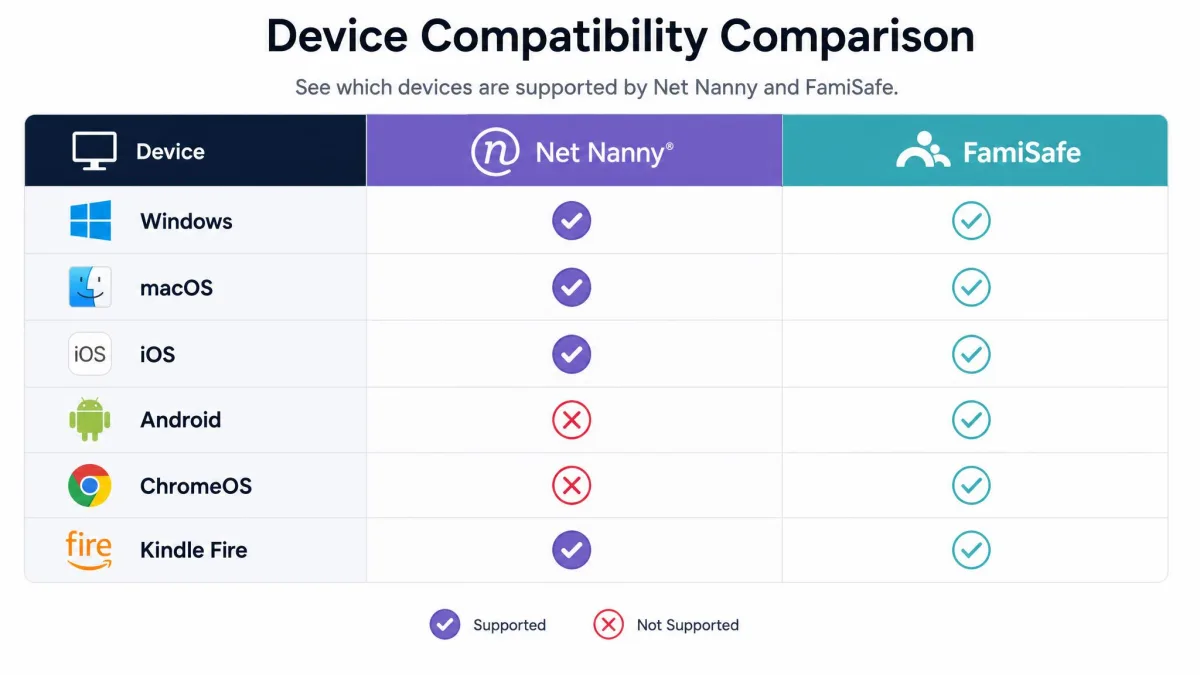
| Platforms | Windows, macOS, iOS | iOS, Android, Windows, Mac, ChromeOS, Kindle Fire |
| Price | $54.99/yr for 5 devices | $59.99/yr for 10 devices |
What Is Net Nanny?
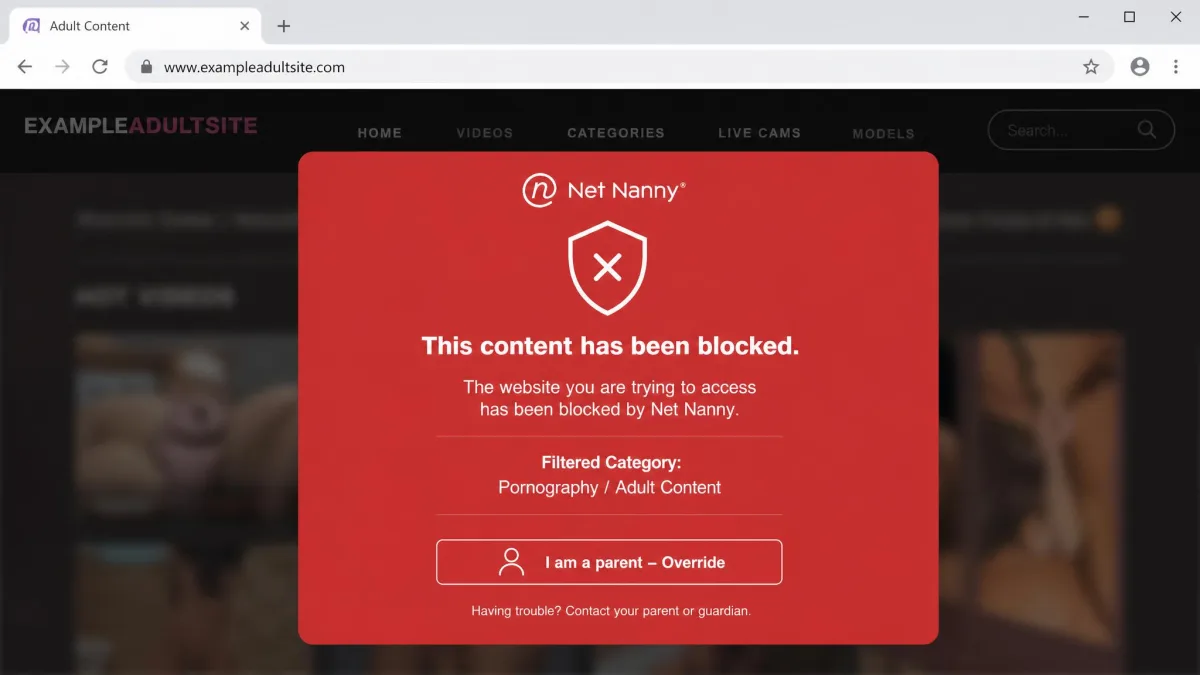
Net Nanny is a parental control app that has been used by millions of parents since 1996, and content filtering has always been its core strength. The app scans pages in real time and blocks categories like pornography and violence before the content loads, rather than relying only on a fixed blocklist. That approach is what earns it a reputation as one of the best internet filters available.
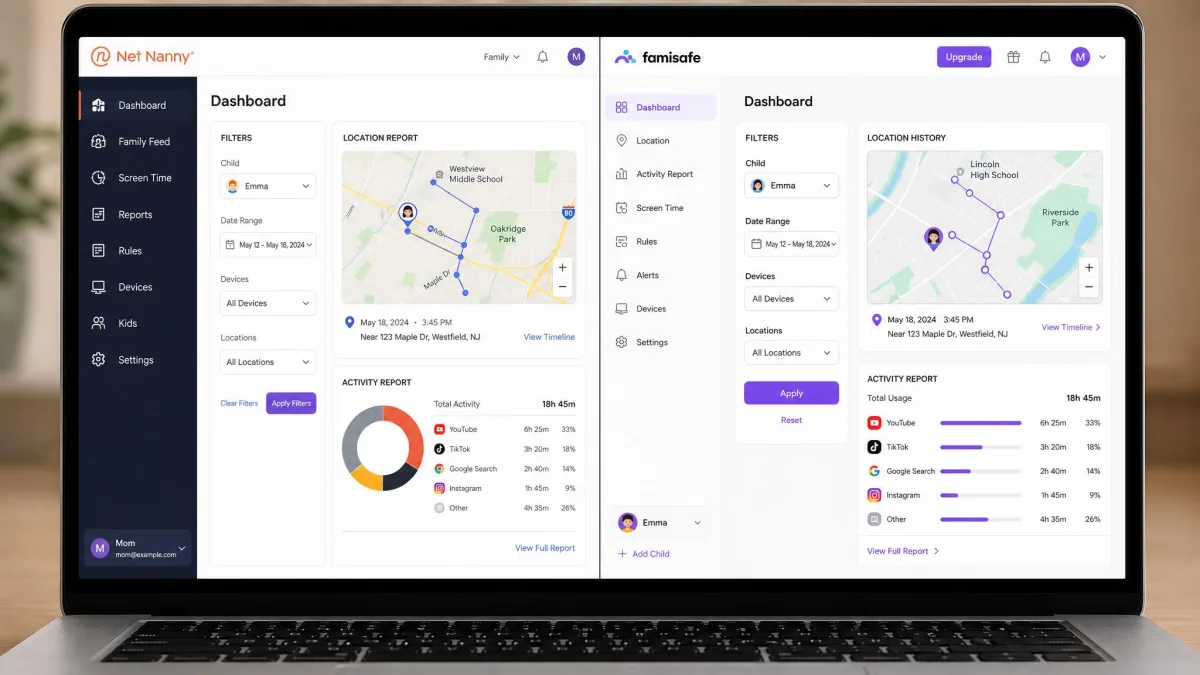
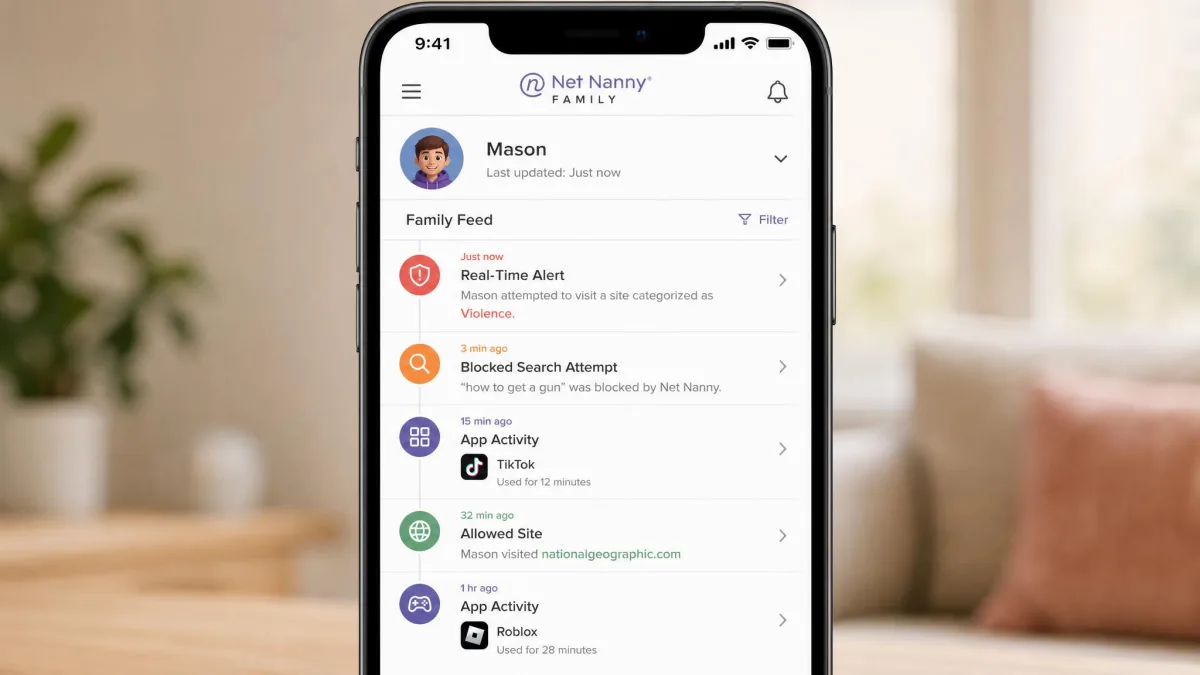
Beyond filtering, Net Nanny provides screen time management, app blocking, location tracking, and a Family Feed that surfaces real-time alerts and app activity. Parents manage everything from a single dashboard on the web or the companion app. It is a focused product that does filtering extremely well and adds the rest as support features.
In our testing, the category filter handled text-based sites reliably and blocked the obvious targets without much tuning. It struggled more with video-heavy platforms and image-driven feeds, where inappropriate material slips through the category logic. For families whose children mostly browse and search, that is a strong result.
What Is FamiSafe?
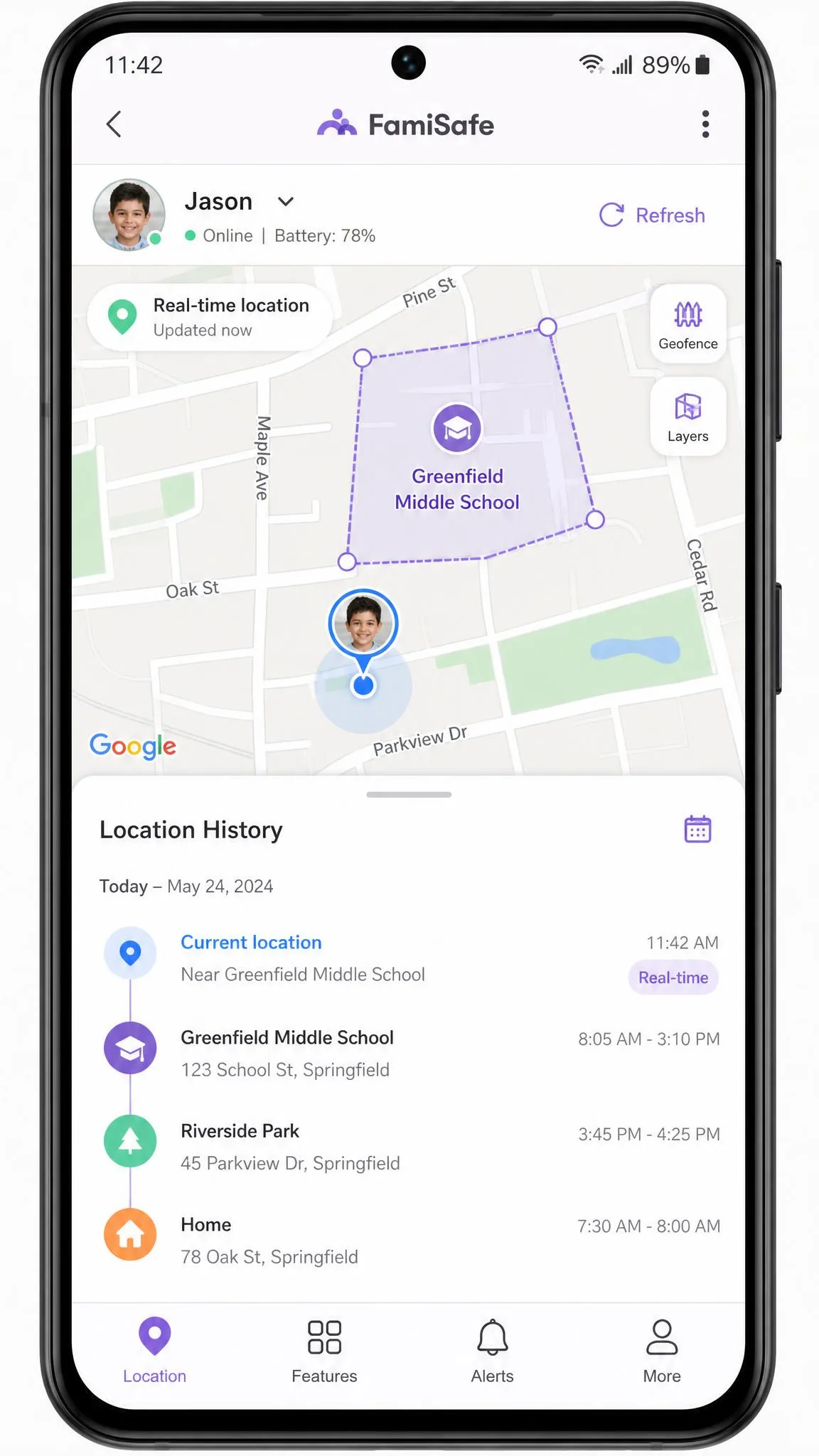
FamiSafe is Wondershare's parental control app, and it takes a monitoring-first approach. The company reports 35M+ users across 200+ countries, and the feature list is broad: web filtering, screen time, app rules, real-time location, geofencing, a driving report, an SOS alert, and detection across 30+ social apps including TikTok and YouTube. It also offers a real-time screen viewer and one-way audio.
Where Net Nanny concentrates on the browser, FamiSafe tries to give parents visibility into the whole device. It flags inappropriate pictures, logs browser history, and lets you build custom alert word lists rather than only toggling preset categories. That flexibility suits parents who want to watch for specific risks.
FamiSafe installed within minutes in our testing and ran smoothly on most devices with no significant lag or crashes. The trade-off is battery: the app puts a noticeable drain on the child's device, which older kids will notice and complain about.
Feature-by-Feature Comparison
Both apps cover the parental control basics, but the depth varies a lot by feature. Here is how they compared across the areas that matter most in daily use.
Web & Content Filtering
This is Net Nanny's home turf. Its category-based filter works largely as advertised for pornography and violence, blocking sites in real time rather than checking a static list. In our testing it was the more accurate filter for everyday browsing and search, which is why it keeps winning this category.
FamiSafe filters the web too, and adds browser history logging plus inappropriate-picture detection. It is competent, but the filtering felt a step behind Net Nanny's category accuracy. If your only goal is blocking bad sites, Net Nanny is the stronger tool.
No content filter catches everything on video platforms. Pair either app with the built-in restrictions on YouTube and TikTok for younger children.
Screen Time Management
Net Nanny offers daily screen time limits, and they work, but bluntly. Once a daily limit is reached, internet access stops entirely, including educational and productivity apps, with no way to exempt individual apps. That is fine for hard cutoffs and frustrating when a child still needs a homework tool.
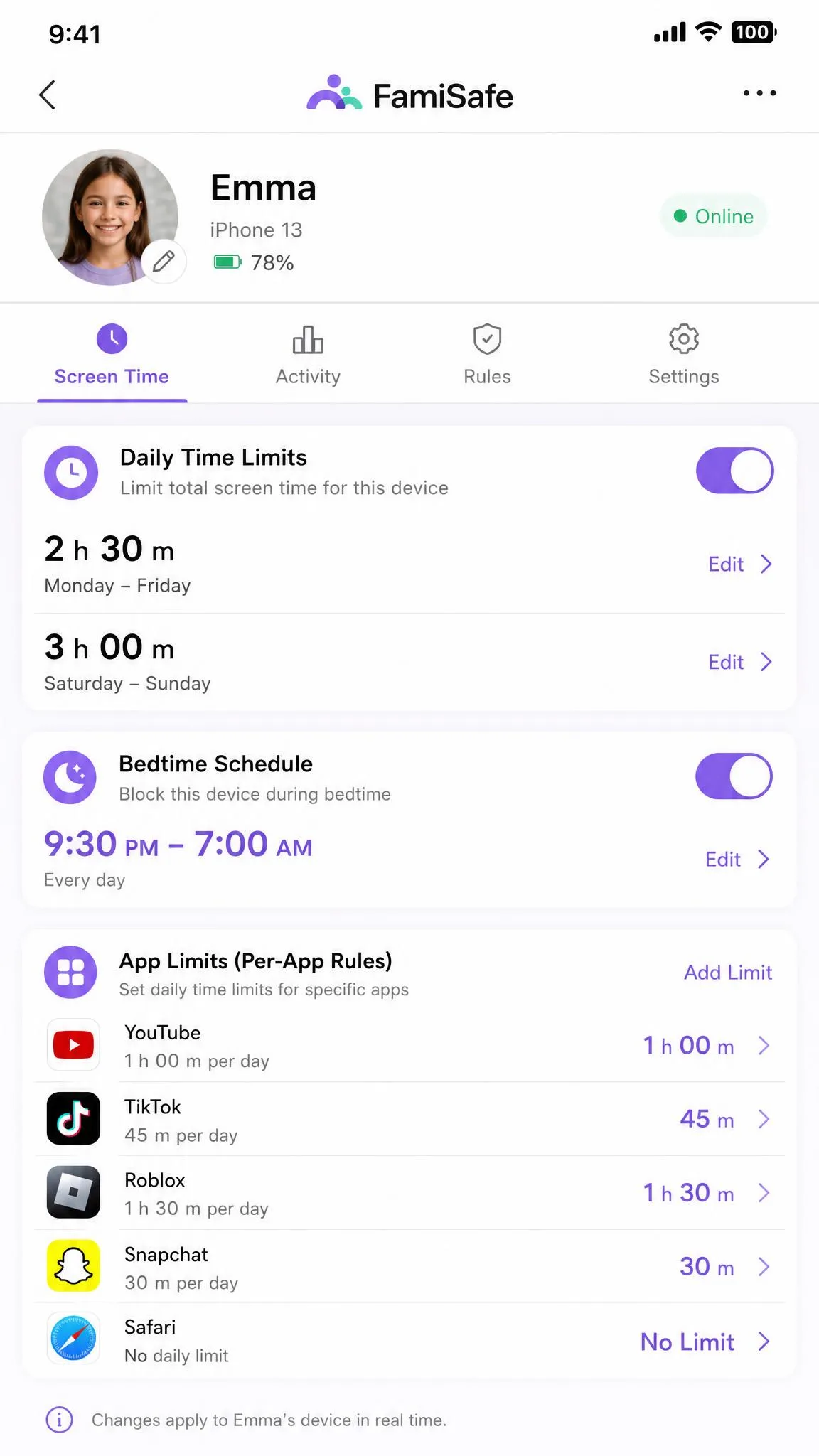
FamiSafe handles screen time with more nuance, adding app rules and a real-time screen viewer so you can see what is on the screen right now. For families who want flexible limits rather than an all-or-nothing switch, FamiSafe is easier to live with.
App Blocking & Monitoring
Both apps let you block apps, but FamiSafe gives you more control and better visibility. It offers app rules to allow or block individual apps and reports activity across them. Net Nanny blocks apps as well, though app blocking is limited on iOS because of Apple's restrictions.
Net Nanny also gives no per-app usage analytics, so you cannot see time spent inside apps versus browsers. FamiSafe closes that gap with clearer per-app reporting, which is a meaningful advantage for parents of teens.
Location Tracking & Geofencing
This category is a clear FamiSafe win. It provides real-time GPS location, geofencing, a driving report, and an SOS alert, giving parents a genuine safety layer beyond screen management. In our testing the location tracking was generally precise, though it showed occasional delays or inaccuracies in updates.
Net Nanny includes location tracking, but it is basic by comparison and has no geofencing or driving features. If knowing where your child is matters as much as what they browse, FamiSafe is the obvious choice.
Social Media, Text & AI Chat Monitoring
FamiSafe monitors far more here, detecting 30+ social apps plus TikTok and YouTube activity, and it adds one-way audio so a parent can listen in when needed. Net Nanny offers social media protection and YouTube monitoring, but a narrower view overall.
The important caveat applies to both: neither app monitors calls or text messages. Net Nanny does not log SMS, and FamiSafe lacks call monitoring and message logging as well. If reading your child's texts is a requirement, you will need a different category of app.
Neither Net Nanny nor FamiSafe reads SMS or logs phone calls. Do not buy either one expecting text message monitoring.
Reports, Alerts & Remote Management
Both apps centralize control in a parent dashboard and send alerts, but they frame the information differently. Net Nanny's Family Feed pushes real-time alerts and app visibility, which is clean for a filtering-first workflow. FamiSafe's reports are broader, covering location, app usage, and social detection in one activity view.
FamiSafe is more flexible for parents who want custom word or theme alert lists rather than only toggling preset categories. Net Nanny keeps things simpler, which non-technical parents may prefer once setup is done.
Platform & Device Support (iOS, Android, Windows, Mac)
Platform support is where many buying decisions end, and the two apps are not close. FamiSafe is compatible with iOS, Android, Windows, Mac, ChromeOS and Kindle Fire, so it covers essentially every device a family owns. Net Nanny supports Windows, macOS and iOS, and requires iOS 11+ and Windows 10+.
The gap that matters most is Android. Net Nanny does not support Android, Chromebook or Kindle Fire, which is a deal-breaker for mixed-device households. On iOS, Net Nanny also loses per-app time limits and deeper device management because of Apple's sandboxing restrictions.
FamiSafe is the safer bet if your kids use Android or Chromebooks. Net Nanny only makes sense when every device in the house runs Windows, Mac or iOS.
Ease of Use & Setup
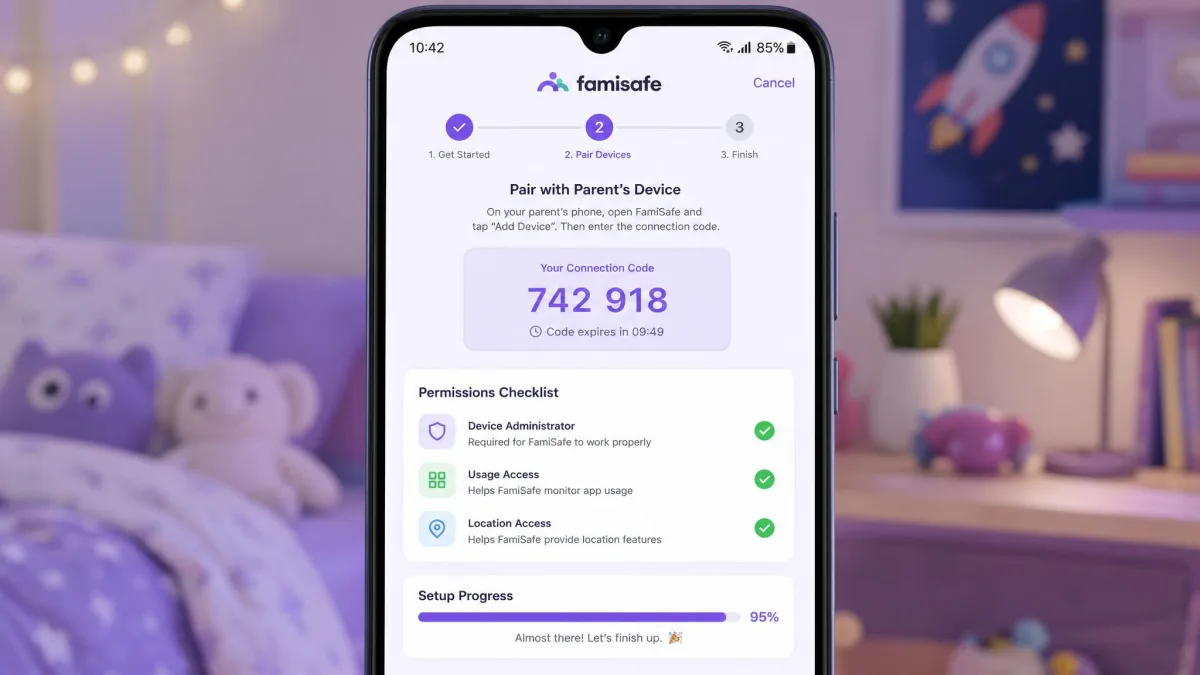
FamiSafe was the smoother install for us. It set up within minutes and ran without significant lag or crashes on most devices. The pairing process can feel less streamlined than expected, and older device models see limited functionality, but the core experience is quick to reach.
Net Nanny setup was more involved. The installation and dashboard navigation felt fragmented and can be overwhelming to non-technical parents, especially across multiple devices. Once it is running, the dashboard is straightforward, but getting there takes more patience.
For a parent who wants to be protecting devices the same afternoon, FamiSafe is the easier start. Net Nanny rewards the effort with strong filtering, but it asks for more upfront.
Pricing Plans Compared
Both apps use annual subscriptions, and the value depends on how many devices you need to cover. Net Nanny charges $39.99/year for one desktop device, $54.99/year for the 5-Device Family Protection Pass, and $89.99/year for 20 devices. Those are promotional prices below the regular rates of $49.99, $79.99 and $129.99 respectively.
FamiSafe is $9.99/month, or $59.99/year for its best-value annual plan, which officially covers up to 10 devices. It also lists a $19.99/quarter option, and it includes a 3-day free trial plus a free plan limited to one device. FamiSafe backs purchases with a 7-day money-back guarantee.
Per device, FamiSafe is the better deal at scale: $59.99 for 10 devices undercuts Net Nanny's 5-device plan on a cost-per-device basis. Net Nanny is more competitive if you only need to protect one or two computers.
FamiSafe's device allowance on the quarterly plan varies between listings, showing 8 or 10 devices depending on the source. Confirm the current count at checkout before you buy.
Net Nanny Pricing & Decision
Choose Net Nanny if your household runs on Windows, Mac and iPhone, and filtering quality is your priority. The 5-device family plan is the sweet spot for most families that fit its platform limits.

FamiSafe Pricing & Decision
Choose FamiSafe if you need broad platform support, location tracking, and monitoring across more apps. For most mixed-device families, it is the more complete and better-value pick.

Pros and Cons
Net Nanny Pros and Cons
Pros
- Top-rated, category-based content filter that blocks sites in real time
- Clean parent dashboard and Family Feed once set up
- Strong choice for younger children on Windows, Mac and iOS
- Millions of parents and a track record since 1996
Cons
- No Android, Chromebook or Kindle Fire support
- Screen time cutoff blocks all internet with no per-app exemptions
- No per-app usage analytics or call and text monitoring
- Setup can feel fragmented for non-technical parents
FamiSafe Pros and Cons
Pros
- Works on iOS, Android, Windows, Mac, ChromeOS and Kindle Fire
- Real-time GPS location, geofencing, driving report and SOS alert
- Monitors 30+ social apps plus TikTok and YouTube
- Fast setup and better value per device on the annual plan
Cons
- Web filtering trails Net Nanny on accuracy
- Noticeable battery drain on the child's device
- No call monitoring or message logging
- Short free trial and limited functionality on older devices
Which One Should You Choose?
Match the app to your devices first, then to your filtering-versus-monitoring priority. Run down this quick decision tree and stop at the first line that fits your household:
- Younger kids, an all-Apple or all-Windows house, and filtering is the top job: Net Nanny.
- Any Android phone, tablet or Chromebook in the mix: FamiSafe (Net Nanny simply does not run on them).
- You need real-time location, geofencing, or a driving report for a new teen driver: FamiSafe.
- You want the simplest dashboard to live with once setup is finished: Net Nanny.
- You are covering five or more devices on one bill: FamiSafe, on cost per device.
Most families land on one of the FamiSafe lines above, which is why it is our default recommendation. Net Nanny is the deliberate choice when a Windows/Mac/iOS household values filtering accuracy over everything else.
Our Verdict
If we were setting this up in our own home from scratch, we would start with FamiSafe's 3-day trial before committing a cent, because the short window still shows you the pairing flow and the location map on a real child device. The cost math reinforces that instinct: FamiSafe's $59.99 for 10 devices works out to roughly $6 per device a year, while Net Nanny's $54.99 covers 5 devices, closer to $11 each. Only the single-desktop buyer, paying Net Nanny's $39.99, comes out ahead on price with the specialist filter.
What we would do differently the second time around is decide filtering-first or monitoring-first before installing anything, rather than paying for one app and discovering it fights your device mix. Net Nanny earns its keep as the pure filter; FamiSafe earns its keep as the safety-and-visibility layer. Pick the job, then the app.