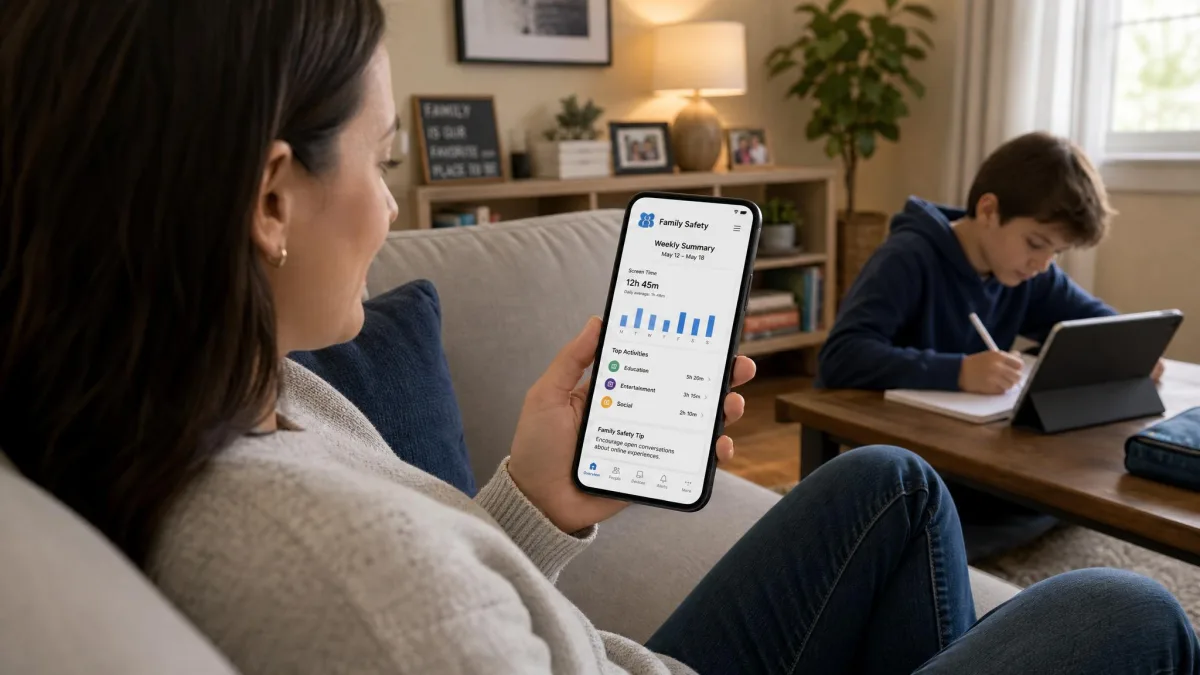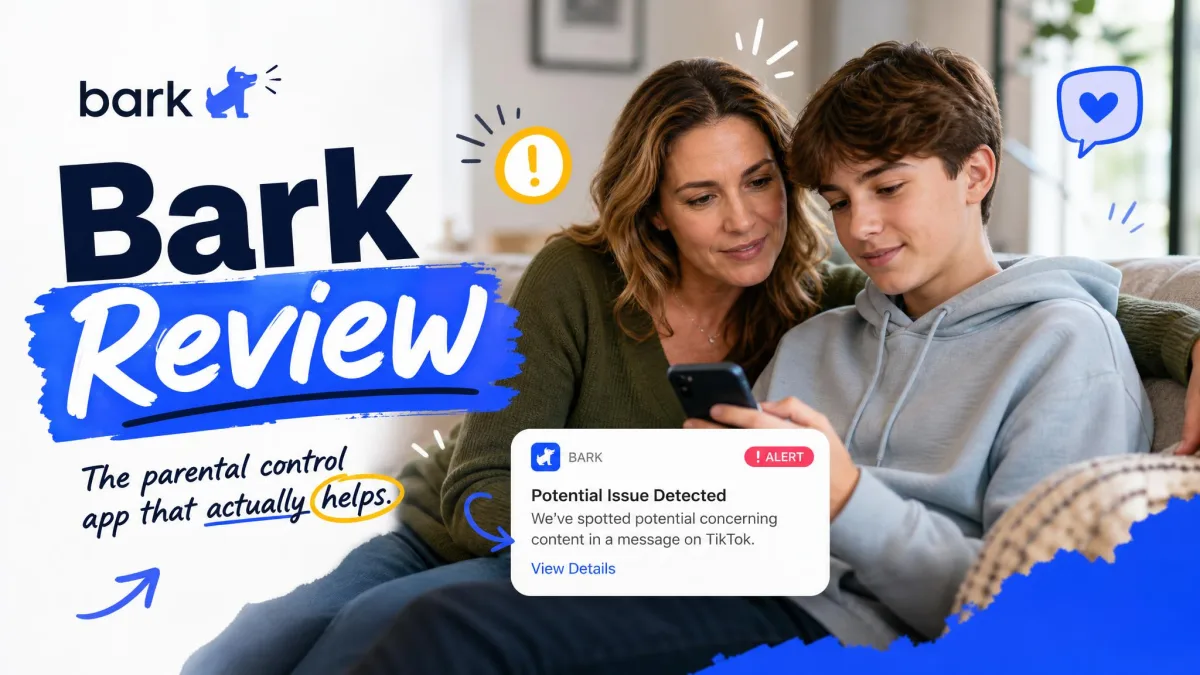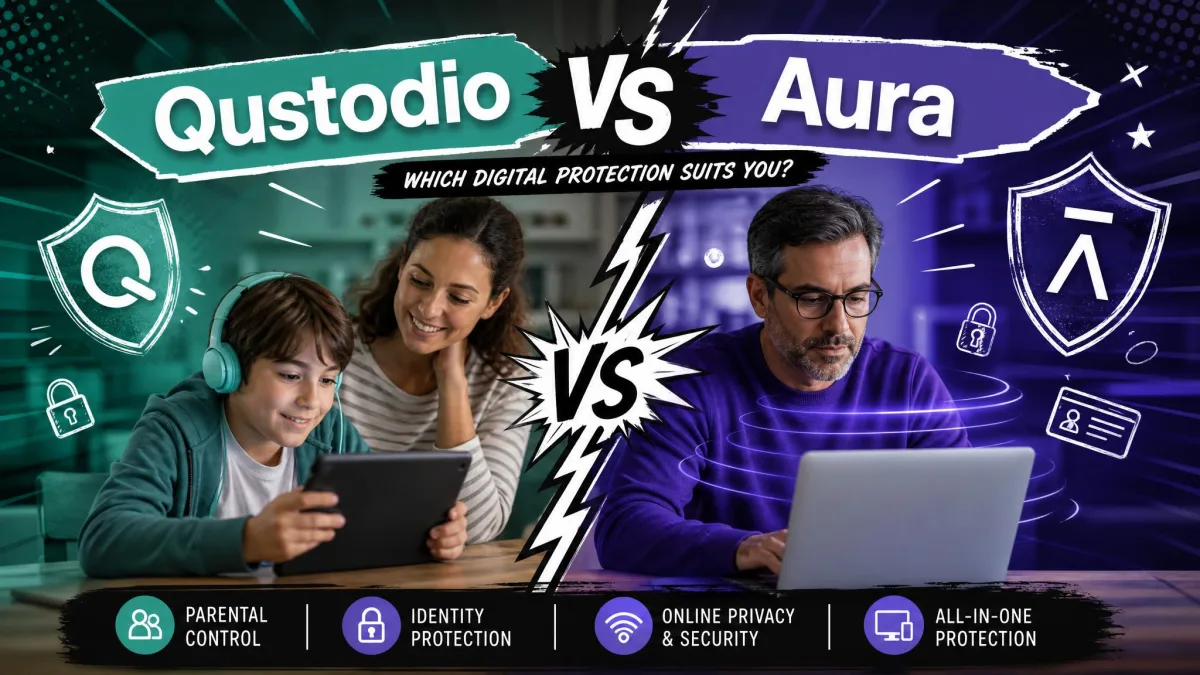
Bark is a content monitoring service. It reads what a child sends and receives across texts, email, YouTube and 30+ apps and social platforms, then sends an alert when something in that stream looks concerning. Aura is a whole-family security suite that happens to include parental controls. It blocks and filters instead of reading, and it wraps the household in identity theft protection, antivirus and a VPN.
That single difference decides most of this comparison. Choose Bark if you want to know what your child is actually saying and hearing, especially on social media and in private messages. Choose Aura if you want the internet itself made safer for everyone in the house, with credit and identity cover for the adults bundled in.
The rest of this guide walks the two apps through pricing, filtering, screen time, alerts, location and platform limits, then lands on a clear pick for each type of family.
Bark vs Aura at a Glance
Here is the head-to-head on the features parents ask about most.
| Feature | Bark | Aura |
|---|---|---|
| Content and message monitoring | Texts, email, YouTube and 30+ apps with AI alerts | No private message monitoring, identity-risk oriented |
| Website, app and content filtering | Website and app blocking on both tiers | Blocks content categories via a local VPN |
| Screen time limits | Custom schedules and daily limits | Daily limits per child and per app, plus pause internet |
| Real-time alerts | Alerts across 23+ risk categories | Cyberbullying alerts in games, wellbeing insights |
| Location and geofencing | GPS location, check-ins, location alerts | Not offered |
| Identity theft protection | Not offered | Family plan adds 3-bureau credit monitoring and up to $5 million insurance |
| iOS support | Partial, desktop-app scan over Wi-Fi, no browsing history | Supported, with Apple limits on app blocking |
| Android support | Full on-device scanning | Fullest feature set |
| Devices covered | Unlimited children and devices | Unlimited kids and devices, 5 adults on Family |
| Price per month | $5 (Jr) or $14 (Premium) | $10 Kids annual, $32 Family annual |
The Core Difference in One Sentence
Bark tells you what your child is saying, and Aura decides what your child can reach.
Everything else follows from that. Bark is built around a scanning engine that reads message content and flags it against the things parents actually lose sleep over: bullying, self-harm signals, sexual content and substance references. It does not hand you a transcript of your child's group chat, and that restraint is deliberate: parents get the concerning excerpt, not the whole diary. Aura never opens that door at all. Its parental controls sit on a local VPN that inspects traffic, blocks the categories you have switched off, and enforces the schedule you set.
One approach suits a parent who is worried about who their teenager is talking to. The other suits a parent who wants a younger child's internet fenced off and the family's data protected while they are at it.
What Bark Is Built For
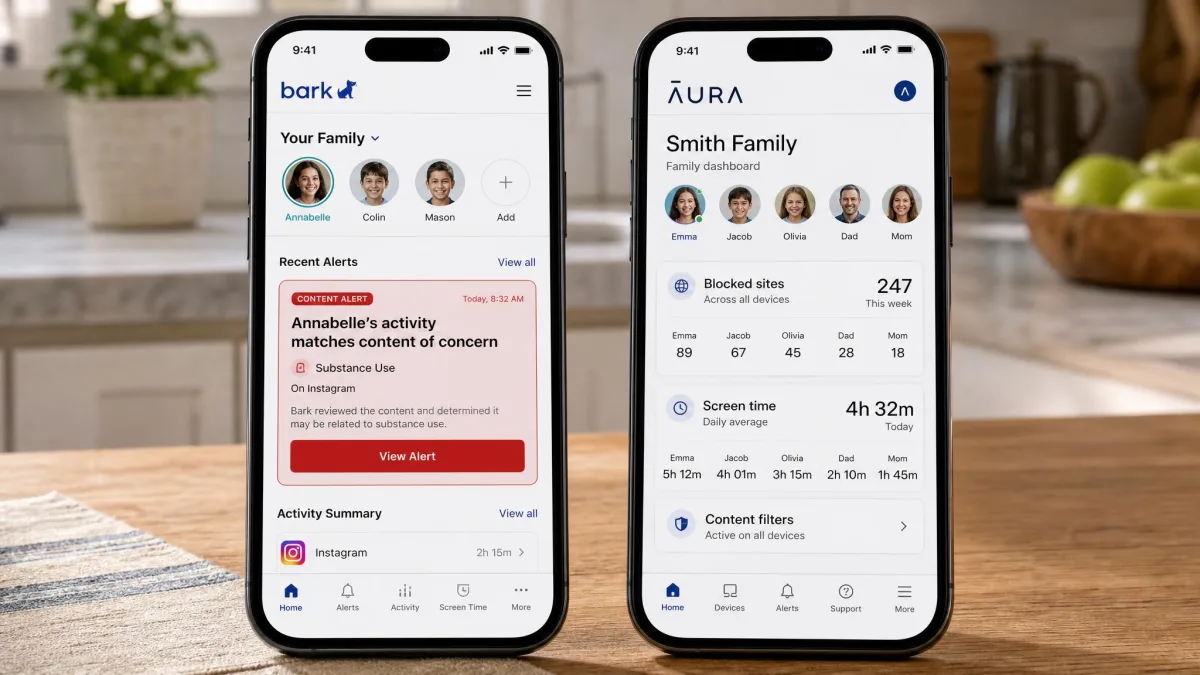
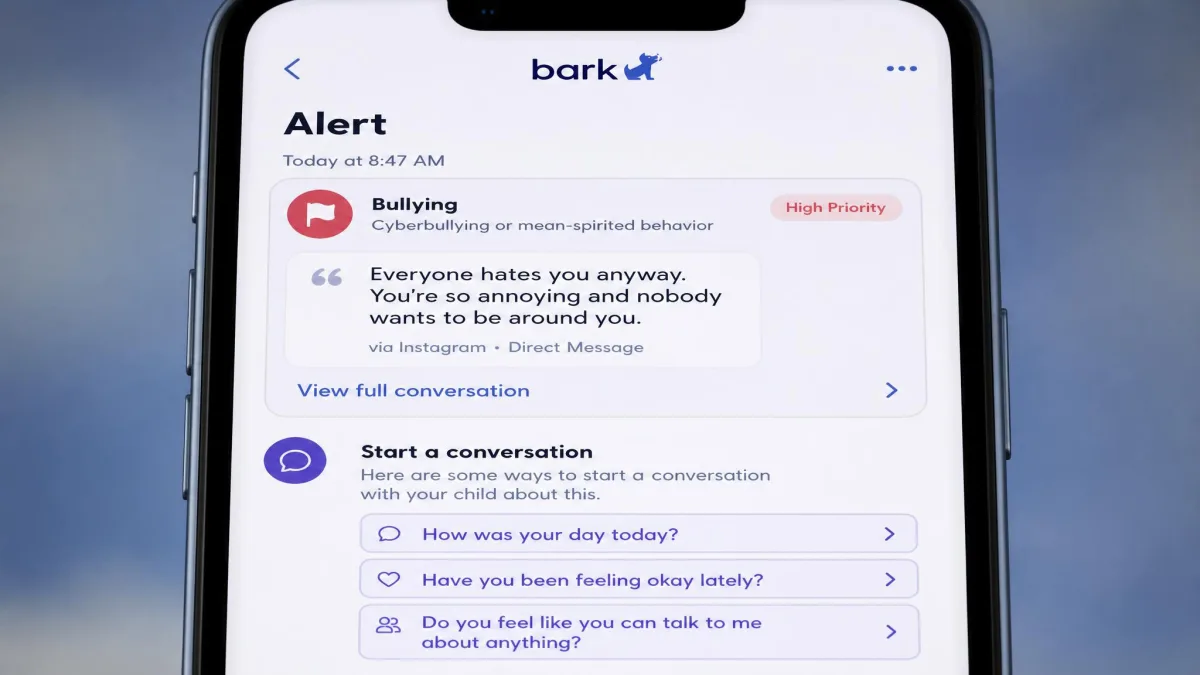
Start with the reading half of that split. Bark exists for the conversation you cannot see. It connects to texts, email, YouTube and more than 30 social platforms, then applies AI detection to the content flowing through them. When it finds something worrying, you get an alert with the flagged excerpt and guidance on how to respond, with child psychologist guidance included on the Premium tier.
Our first real alert from Bark was a false alarm, and it taught us more about the app than any feature list did. A friend had sent a birthday message with a beer emoji in it, and Bark surfaced the text as a substance-related flag: the alert card carried the excerpt, the risk category and a short prompt for how to raise it with the child. We read it, decided there was nothing to raise, and dismissed it. That was the pattern for the first week or so, a few alerts a week to wave through before the flags that remained were the ones worth reading.
The sensitivity behind that false alarm is the point rather than a defect. Bark's detection picks up slang, swearing acronyms and emoji, and a system tuned never to fire on a birthday message would also miss the conversation you bought it for.
What Bark deliberately does not give you is a full history. You see flagged content only, not the complete browsing or search log, and browsing history is unavailable altogether on iPhones. There is also no contact management, so you cannot control who your child messages or calls. That is a real gap for parents of younger kids.
Pros
- Reads texts, email, YouTube and 30+ apps, which nothing else in this comparison attempts
- Every alert arrives with the flagged excerpt and guidance on how to open the conversation
- GPS location, check-ins and location alerts included on both tiers
- Bark Jr starts at $5 a month, the cheapest entry point here
Cons
- False positives are common while detection settles in
- No contact management, so you cannot control who your child talks to
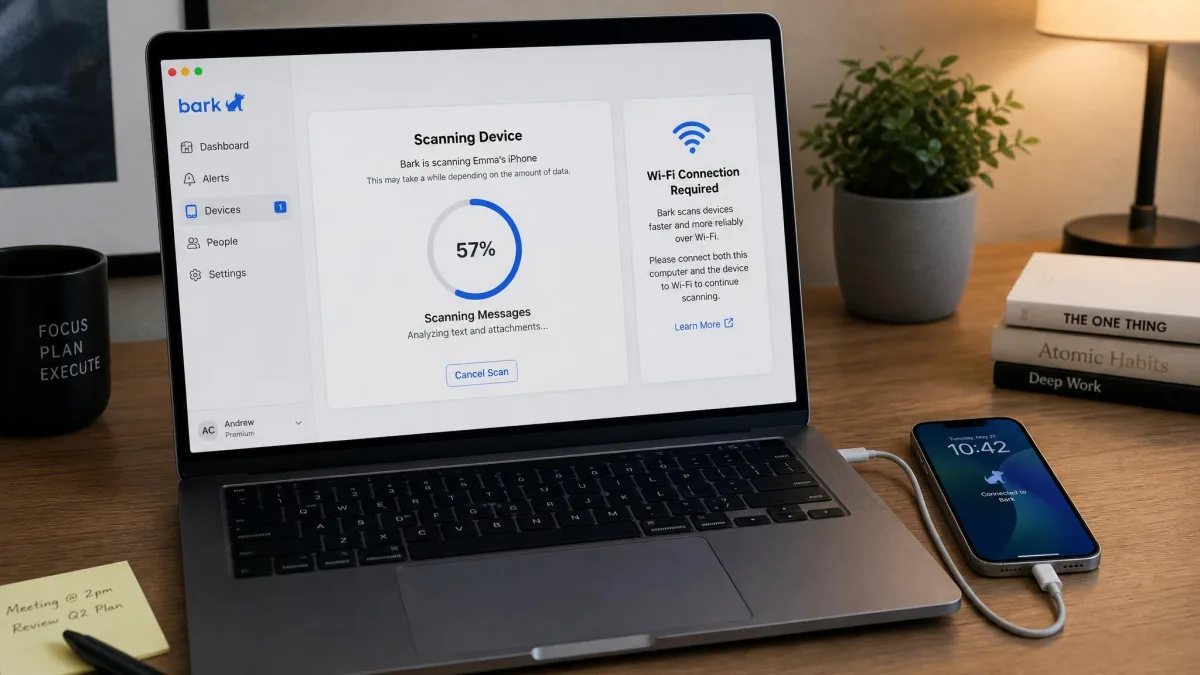
- iPhone monitoring depends on Wi-Fi and a desktop scan
- Support runs through chat and email only, with long waits and automated replies first
- No identity, credit or antivirus protection of any kind
What Aura Is Built For
Aura starts from the household, not the child. Its parental controls cover content filtering across more than 25 categories, screen time limits per child and per app, a pause-the-internet button, online history reports, safe gaming with cyberbullying alerts, in-game voice and text monitoring, and wellbeing insights built with clinical psychologists. The Family plan then layers on 3-bureau credit monitoring, instant credit lock, home and auto title monitoring, financial transaction alerts, antivirus, a VPN, a password manager and spam call protection.
In practice the filtering is good rather than perfect. It caught roughly 90% of the sites we would want blocked for a child, which means a determined teenager can still find gaps. It is a strong default for a nine-year-old and a soft ceiling for a fifteen-year-old.
Aura shows no private messages. Its social coverage is oriented toward identity-theft risk rather than reading DMs, so if your reason for buying is "I need to know what is in that group chat", Aura is not the product. The Aura parental controls plan is upfront about this, and we would rather a company be clear about the line it will not cross.
The one dependency to plan for is the VPN profile. Aura's parental controls do not activate at all unless that profile is allowed on the child's device, and a second commercial VPN cannot run alongside it. The good news is that the local VPN adds no meaningful battery drain or slowdown during normal browsing, app use or video streaming on either platform.
Pros
- Blocks 25+ content categories with a genuinely easy filtering interface
- Screen time limits work per child and per app, plus an instant pause-internet control
- Family plan adds credit monitoring, antivirus, VPN and a password manager
- Up to $5 million in total identity theft insurance, up to $1 million per adult
- 14-day free trial and a 60-day money-back guarantee on annual plans
Cons
- Nothing works until you allow the VPN profile, and no second VPN can run alongside it
- No message or social DM monitoring
- Parental controls run on phones and tablets only, with no desktop, laptop or Chromebook coverage
- Filtering misses around one site in ten
- Billing and cancellation friction is the most common complaint
Neither app is fully functional on an iPhone. On iOS, Bark's message monitoring only runs when the phone is on Wi-Fi and scanned through the desktop app, so alerts can arrive hours late. Aura's app blocking runs into Apple's own limits. App usage tracking and app blocking work more completely on Android for both products, because Apple restricts what third-party apps can see.
Bark vs Aura: Feature-by-Feature Comparison
Content and message monitoring
This is the widest gap between the two apps and the fastest way to make your decision. Bark monitors texts, email, YouTube and 30+ apps, applying AI detection to the content itself. Aura monitors none of it.
Aura does watch gaming environments, with cyberbullying alerts and in-game voice and text monitoring, which matters more than parents expect given how much social life now happens inside games. But there is no equivalent to Bark's email and DM scanning. If message monitoring is why you are shopping, this section ends the comparison.
Website, app, and content filtering
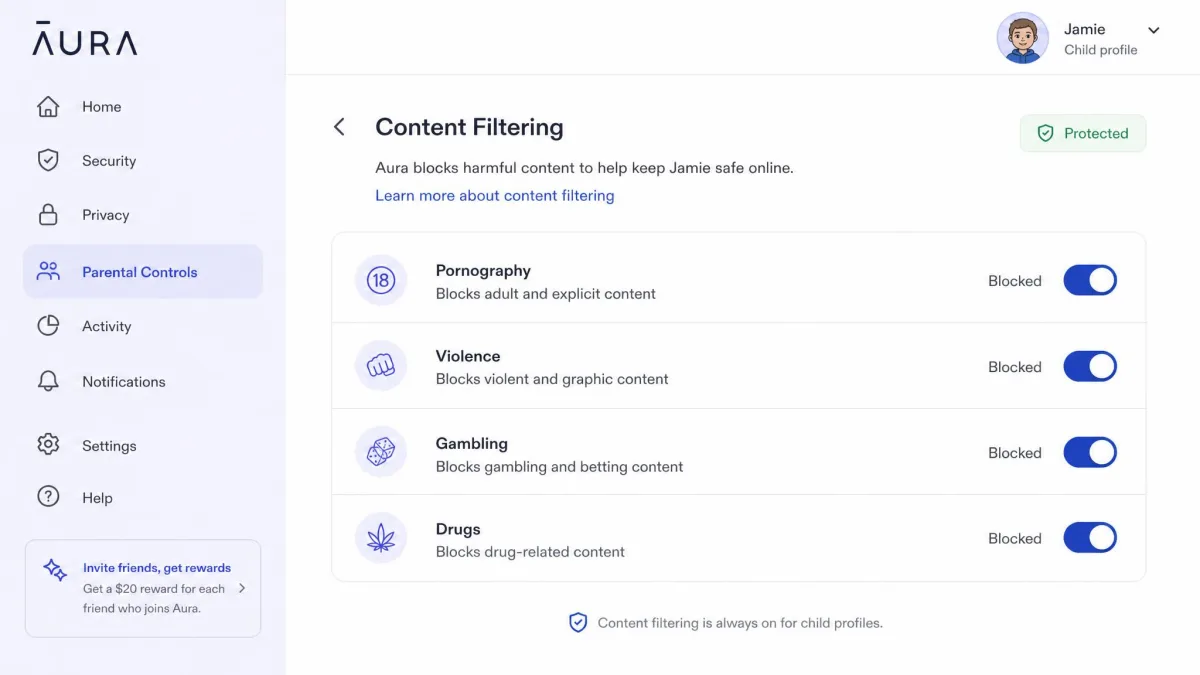
Aura wins this one. It blocks more than 25 content categories including pornography, violence, gambling and drugs, and the category toggles are clear enough that a parent can set them up without reading a manual. Bark's blocking is coarser: you block websites and apps, and you can build custom schedules around them, but you are working from a shorter list.
Bark's filtering runs through a VPN on the child's device and can slow browsing noticeably. Aura's local VPN did not produce that effect for us during normal use.
Bark also sells two products that extend filtering beyond the phone: the Bark for Chrome extension for browsers on a shared computer, and Bark Home, a network filter starting at $6 a month that applies rules to game consoles, smart TVs and anything else on your Wi-Fi. Aura's parental controls do not extend to a network device, so the equivalent there is a parental control router bought separately.
Screen time limits and scheduling
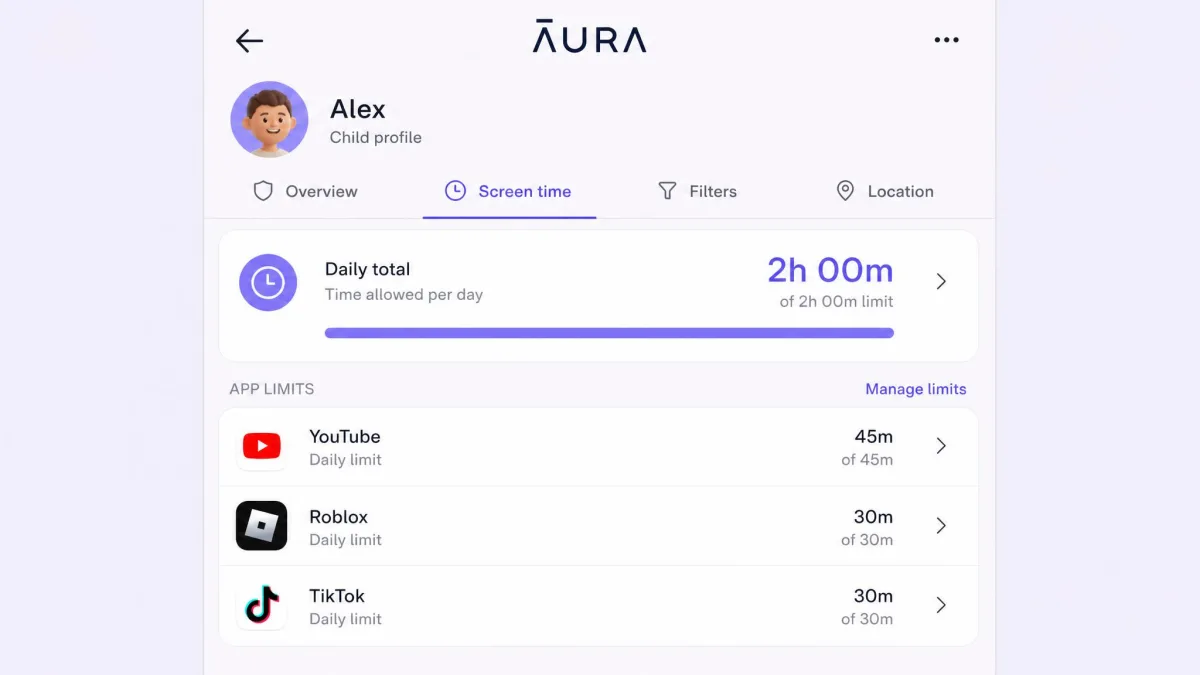
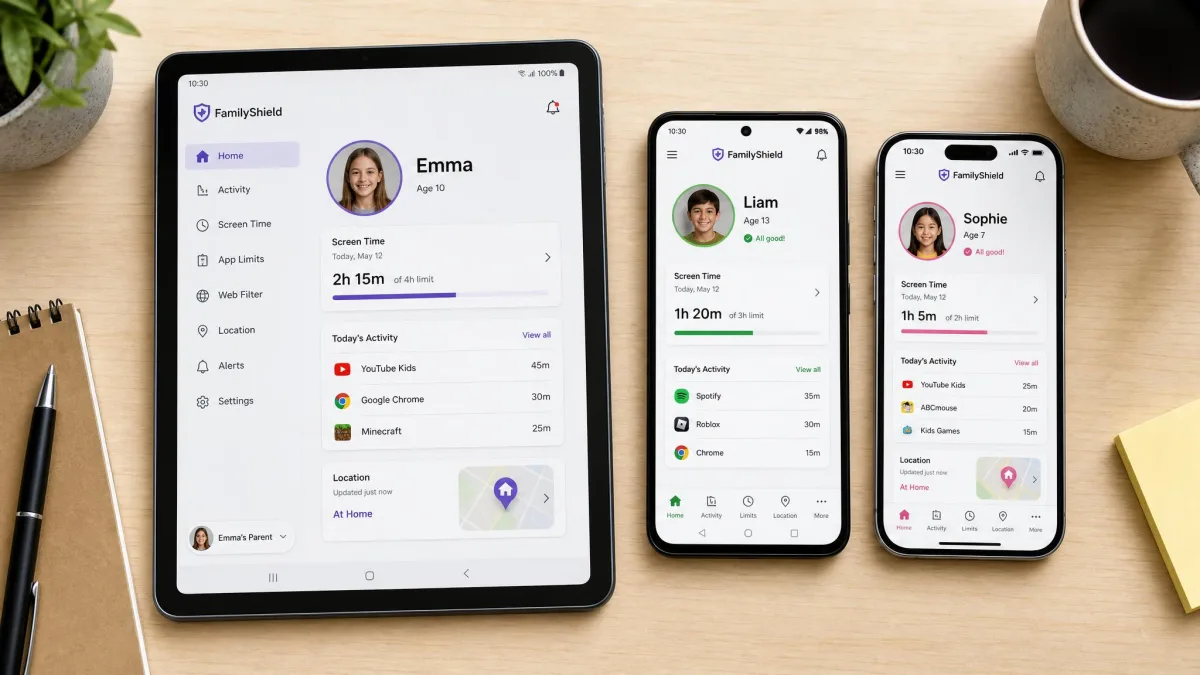
Both apps handle the basics well, and the difference is one of shape. Bark leans on schedules: bedtime, school hours, homework blocks, each with its own rules about which apps are allowed. Aura leans on limits, with a daily total per child, a separate cap per app, and a pause-the-internet button for the moment dinner is on the table.
Families with older kids tend to prefer Bark's schedule model because it maps onto a school week. Families with younger kids tend to prefer Aura's caps, because a five-hour Roblox afternoon is the actual problem they are solving. Neither app tells you where to set the dial, so it is worth checking what that daily total should be by age before you pick a number.
Real-time alerts and notifications
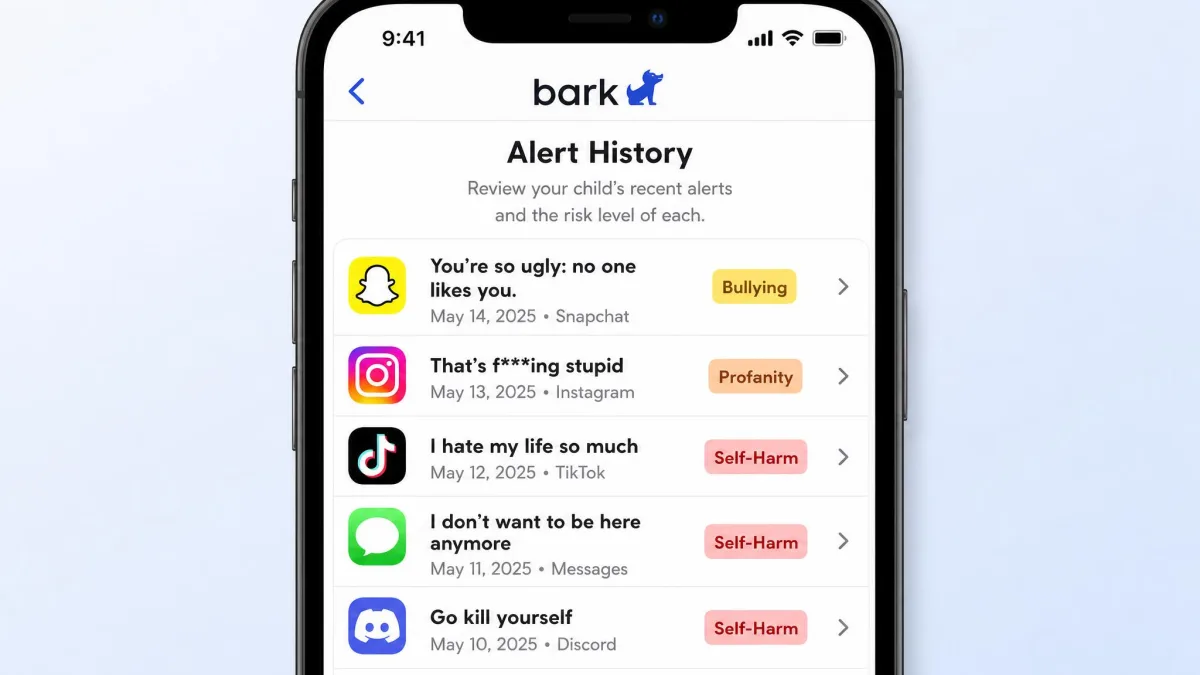
Bark's alerts are the product. They arrive with the flagged excerpt, a risk category and guidance for the conversation that follows. Across 23+ categories, the coverage is broad enough that you will hear about bullying, self-harm signals, sexual content and substance references without setting anything up yourself.
Aura's alerts are narrower and calmer. You get cyberbullying flags from games, wellbeing insights that summarise patterns rather than incidents, and blocked-attempt notices. For a parent who does not want a phone buzzing all evening, that restraint is a feature rather than a shortfall.
Location tracking and geofencing
Bark includes GPS location, check-ins and location alerts on both tiers, including the $5 Bark Jr plan. Aura's parental controls include no location tracking or geofencing at all.
For a lot of families this single line settles it. If you want to know your child got to school, Aura cannot tell you, and you would need a second app alongside it.
Bark's hardware draws sharper criticism than its software. The Bark Watch can be glitchy, its GPS unreliable, and its battery can run flat before the school day ends. If location is your priority, treat the phone app as the product and the watch as a gamble.
Online security and identity theft protection
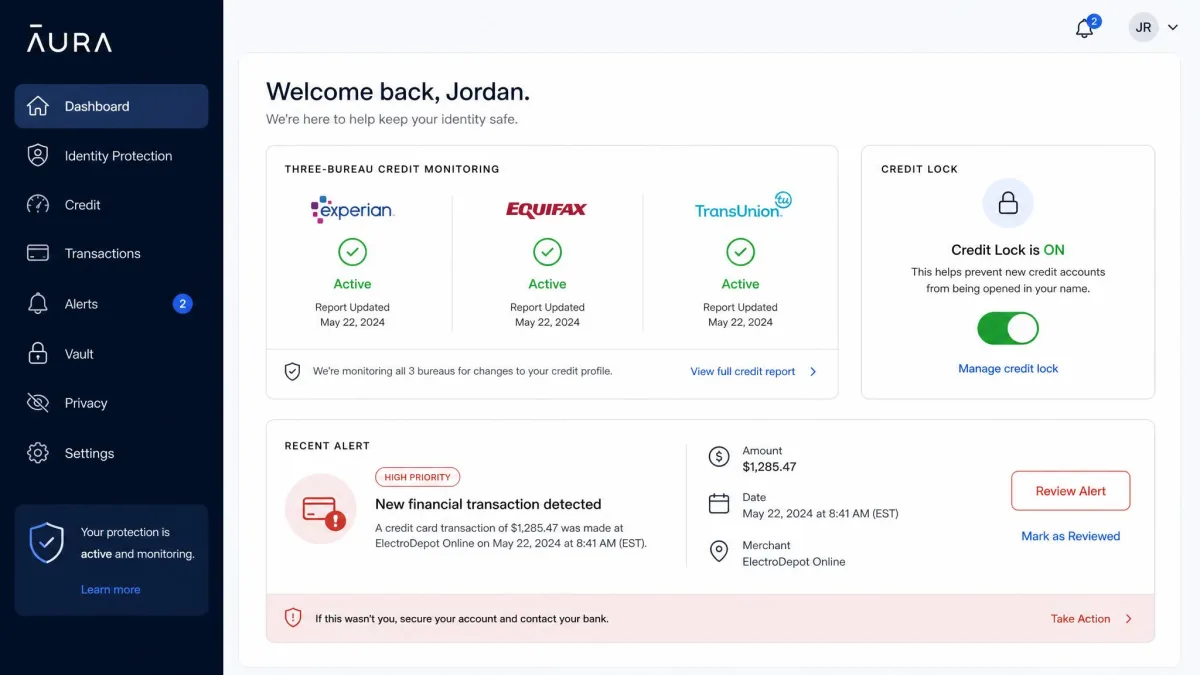
Nothing in Bark's lineup competes here, so this is Aura's differentiator in full. The Family plan carries up to $5 million in total identity theft insurance, up to $1 million per adult, plus 3-bureau credit monitoring, instant credit lock, home and auto title monitoring, financial transaction alerts, antivirus, a VPN, a password manager and spam call protection.
That matters more than it sounds when children are involved. A child's identity is an attractive target precisely because nobody checks a nine-year-old's credit file for a decade. The FTC's COPPA requirements for kids apps govern what services may collect from under-13s, but they do nothing about data already circulating after a school district breach. If you were going to buy identity protection separately anyway, Aura's bundle changes the value calculation.
Device and platform support (iOS vs Android)
Bark runs fullest on Android, where scanning happens on the device itself. The iPhone path needs a computer, the desktop app and a Wi-Fi connection before scanning works, and browsing history is unavailable on iPhones entirely.
Aura's parental controls run on iOS and Android phones and tablets only. There is no desktop, laptop or Chromebook monitoring, which is a meaningful gap if your child does homework on a school-issued laptop. Bark covers that ground through its Chrome extension and its network filter, and dedicated parental control software for PC covers it more thoroughly than either.
Bark vs Aura: Pricing and Plans Compared
Those platform gaps only turn into a decision once the two price ladders sit next to each other, and the cheaper app here is also the one doing more monitoring.
| Plan | Monthly | Annual | What is included |
|---|---|---|---|
| Bark Jr | $5 | $49 | Screen time, web and app blocking, GPS location |
| Bark Premium | $14 | $99 | Everything in Jr plus text, email, social and YouTube monitoring |
| Aura Kids | $13 | $10 per month billed annually | Filtering, screen time, pause internet, safe gaming, wellbeing tools |
| Aura Family | $50 | $32 per month billed annually | All Kids features plus identity, credit, antivirus, VPN, password manager |
Bark Jr vs Bark Premium
Bark Jr is $5 per month or $49 per year, plus tax. It covers screen time, web and app blocking, and location only. Bark Premium is $14 per month or $99 per year, plus tax, and it adds the content monitoring for texts, email, social media and YouTube that most people mean when they say "Bark".
Both tiers cover unlimited children and unlimited devices, which quietly makes Bark the cheapest option here for a big family. There is a 7-day free trial, and payment details are required up front.

Aura plan tiers
Aura Kids is $13 per month billed monthly, or $10 per month on an annual plan. Aura Family is $50 month to month, or $32 per month on an annual plan, and it covers 5 adults plus unlimited kids and unlimited devices. The trial runs 14 days, and annual plans carry a 60-day money-back guarantee, which is unusually generous for this category.

Which is better value for your family
On parental controls alone, Bark is cheaper at every comparable point. Bark Premium at $14 against Aura Kids at $13 buys far more monitoring for a dollar more, and Bark Jr at $5 undercuts everything in this comparison.
Aura Family changes that maths only if you would otherwise pay for identity protection and antivirus separately. Priced against a standalone credit monitoring subscription plus antivirus plus a password manager, $32 a month covering five adults is competitive. Priced purely as a parental control app, it is expensive.
Every price above excludes tax, so your checkout total will be higher depending on your state. Both companies also adjust plan contents periodically, so check the current tier breakdown before you commit to an annual term.
Setup and Ease of Use
Aura is the faster install by a wide margin. Setup lands around 7 minutes on iOS and 9 minutes on Android, though a fuller per-child configuration with every category and limit tuned can run closer to 20 minutes. The one hard requirement is allowing the VPN profile on the child's device, without which nothing works at all.
Bark's Android install also finishes in a few minutes. The iPhone path is the slow one, because you need a computer, the desktop app and a Wi-Fi connection before scanning works. Budget somewhere in the range of 30 to 45 minutes for a full iOS setup, though the real figure swings widely depending on how many social accounts and email hosts you connect during onboarding. You will be configuring email forwarding, connecting each social account by hand, and layering Apple Screen Time on top for blocking.
The setup step nobody schedules is the conversation. Teenagers on monitored devices can experience Bark as surveillance rather than safety, and an install done quietly is an install that gets resented later. We would rather spend ten minutes explaining what gets flagged and what stays private than spend a month arguing about it. Aura is easier here, because "the Wi-Fi filters bad sites" lands very differently than "I read your messages".
Support is worth factoring in too. Bark's runs through chat and email only, with long waits and automated replies before a human answers. Aura's recurring complaints cluster around billing surprises, cancellation friction, and VPN conflicts that block legitimate websites.
Which Should You Choose?
Choose Bark if...
You have a tween or teenager with a social life you cannot see. You want alerts about bullying, self-harm and sexual content rather than a filtered internet. You need location tracking and check-ins. You have several children and several devices and want one flat price to cover them all. Your child is on Android, where Bark works fullest.
Choose Aura if...
Your children are younger and blocking is more useful to you than reading. You want the filtering set up in under ten minutes and then largely forgotten. You already pay for identity protection, antivirus or a password manager and would rather consolidate. You want protection that covers the adults in the house, not just the kids. You would rather set the rules once and let the filter hold them than read a stream of alerts.
Consider something else if...
You need contact management, which neither app offers. You need full browsing and search history rather than flagged excerpts. Your child's main device is a laptop or Chromebook, where Aura does not reach and Bark works only through its browser extension. Or you want both message monitoring and identity protection, in which case you are looking at two subscriptions rather than one.
Alternatives to Bark and Aura
Neither app is the only reasonable answer, and several rivals solve the gaps described above. Our Bark vs Qustodio comparison covers the strongest all-round alternative, while Bark vs Net Nanny looks at a filtering-first rival with stronger web controls. For location specifically, Bark vs Life360 is the head-to-head that matters, and Bark vs Google Family Link covers the free option most Android families already have. Bark vs FamiSafe weighs a cheaper monitoring rival.
On the Aura side, Canopy vs Aura sets it against a real-time image filter, and Kaspersky Safe Kids vs Aura compares it with a security-brand alternative. If you want the longer single-product write-ups, our Bark Review goes deeper on alert quality, and our Aura review covers the identity protection side of the bundle.
It is worth remembering that software is only one layer. No app substitutes for a child who knows what to do when something goes wrong.
Frequently Asked Questions
Do these apps still work on a phone the child paid for themselves?
Is Bark or Aura cheaper?
Does Aura's gaming monitoring cover chat apps like Discord?
Which is better for a young child versus a teenager?
Can you use Bark and Aura together?
Do either work fully on iPhone?
Can a kid uninstall or bypass them?
What parents get wrong when choosing
The most frequent mistake is buying monitoring when what you wanted was blocking. A parent who wants a nine-year-old kept away from adult content does not need alerts about substance references. They need a category filter and a bedtime schedule, which Aura does faster and more cleanly. The reverse mistake is just as costly, because a filter bought for a fifteen-year-old gets routed around inside a week.
The second is assuming the free trial answers the question. Bark's runs 7 days with payment details required up front, and Aura's runs 14 days, which is barely long enough to see whether the alerts are useful to you. Aura's 60-day money-back guarantee on annual plans is the more forgiving trial in practice.
Verdict: Bark vs Aura in 2026