You have noticed that your teenager now lives inside Discord, and you would like some idea of who they talk to. Or you run a growing server, and you need eyes on channels you cannot read all day. Or you just want to hear your own voice while you talk, because your headset makes you sound like you are shouting.
All three of those are possible, and none of them requires anything shady. Discord ships its own parental tool, phone monitoring apps fill part of the gap, server owners get a built in activity record, and mic monitoring is a five minute settings change.
We set up each option ourselves on real accounts and devices, so we will walk through what each one actually reveals, what it quietly hides, and what it costs. Along the way we will be honest about the limits, because most of the frustration people report comes from expecting a method to do something it was never built to do.
What "Monitoring Discord" Actually Means (Three Different Goals)
Discord is a chat platform built around servers, which are private communities made up of text and voice channels. People also send direct messages, or DMs. The word "monitor" covers three different jobs here, and mixing them up is the fastest way to buy features you will never use.
Monitoring your child's Discord activity
This is the parent job. You want to know who your child talks to and which communities they have joined. Family Center handles part of it, and a monitoring app on the phone handles the rest.
Monitoring a server you own or moderate
This is the admin job. You are watching a community rather than a person: who was banned, who deleted what, who changed a role at 2am. Audit logs and logging bots cover it.
Mic monitoring: hearing your own voice in Discord
This one is not surveillance at all. Mic monitoring, also called sidetone, loops your own microphone back into your headphones so you can judge how loudly you are speaking. Discord has no setting for it, so you set it up in Windows or in your headset software.
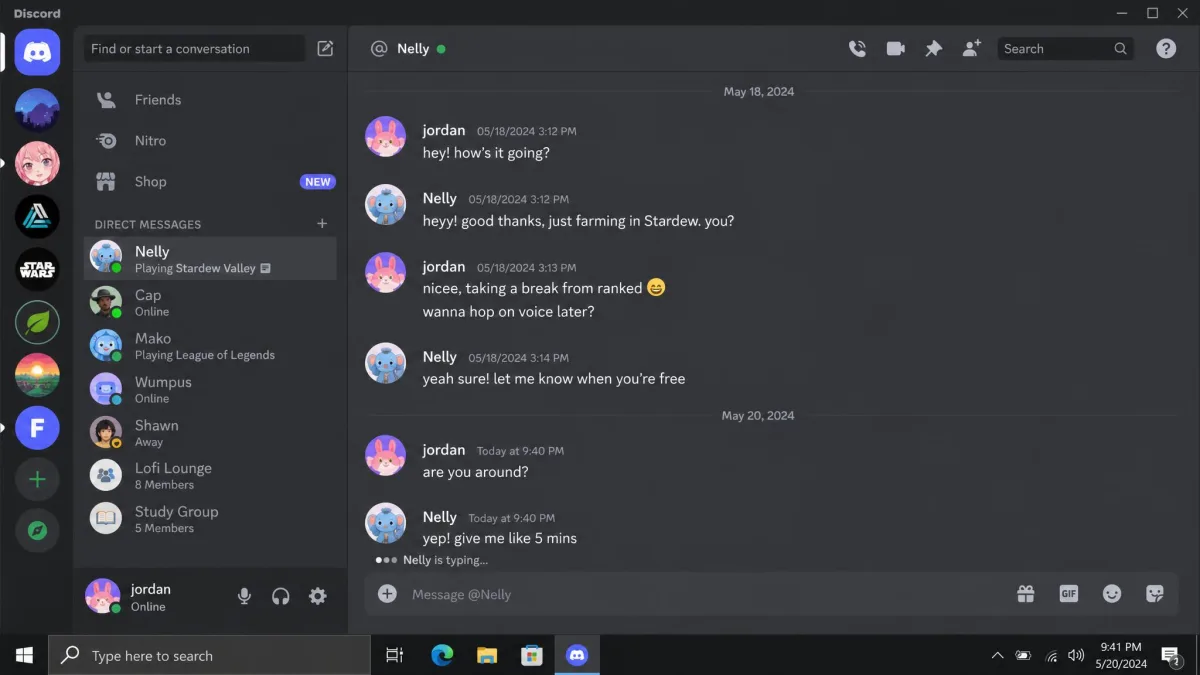
Risks on Discord Parents Should Know About
Discord's Terms of Service set a minimum age of 13 in Discord's Terms of Service, and plenty of younger users create an account anyway by typing a different birth year. That mismatch is the root of most parental concern.
Strangers, DMs and grooming
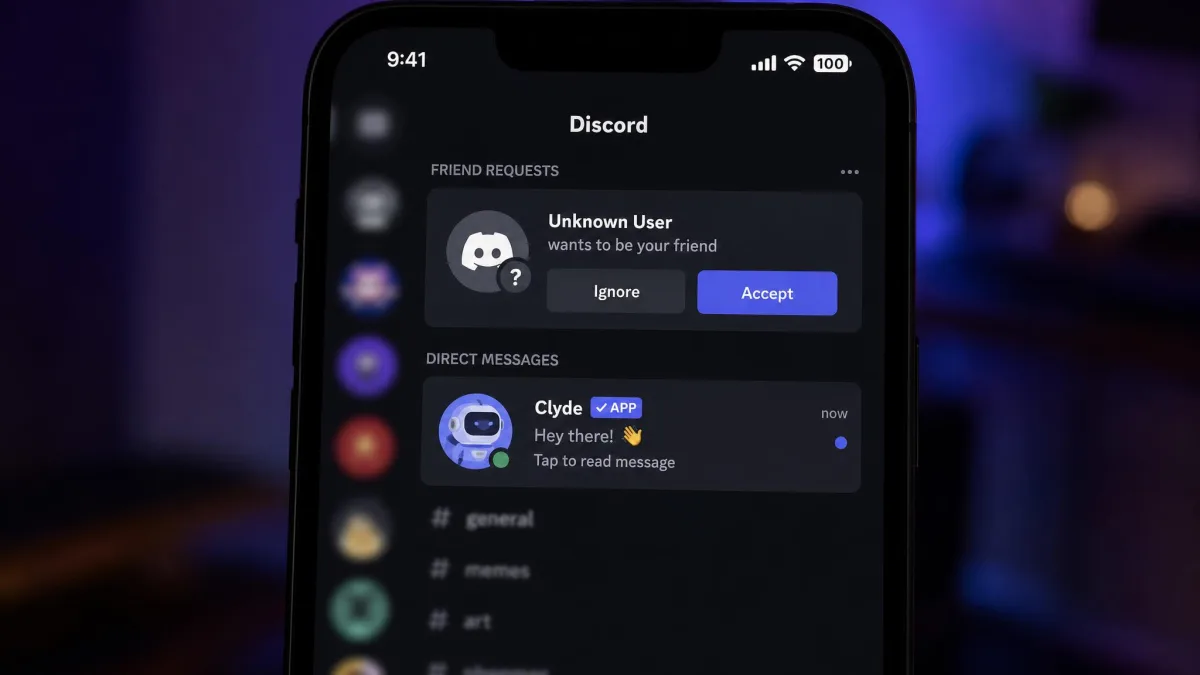
Public servers put your child in a room with adults they have never met. A friend request followed by a private DM is the standard pattern, and it happens where no moderator can see it.
Explicit servers and NSFW content
Age restricted channels exist, and so do whole servers built around adult material. Discord's Safety Center documents the reporting tools available to users.
Cyberbullying and disappearing evidence
Messages on Discord can be deleted by their author. If a group chat turns cruel, the proof can vanish before you ever see it, which is why parents end up wanting a monitoring method rather than a screenshot.
Method 1: Discord's Built-In Family Center
Family Center is Discord's own parental dashboard, and it is free. It is built for teen accounts aged 13 to 17, and a November 2025 update added weekly purchase visibility so you can see spending as well as activity.
What Family Center shows you, and what it hides
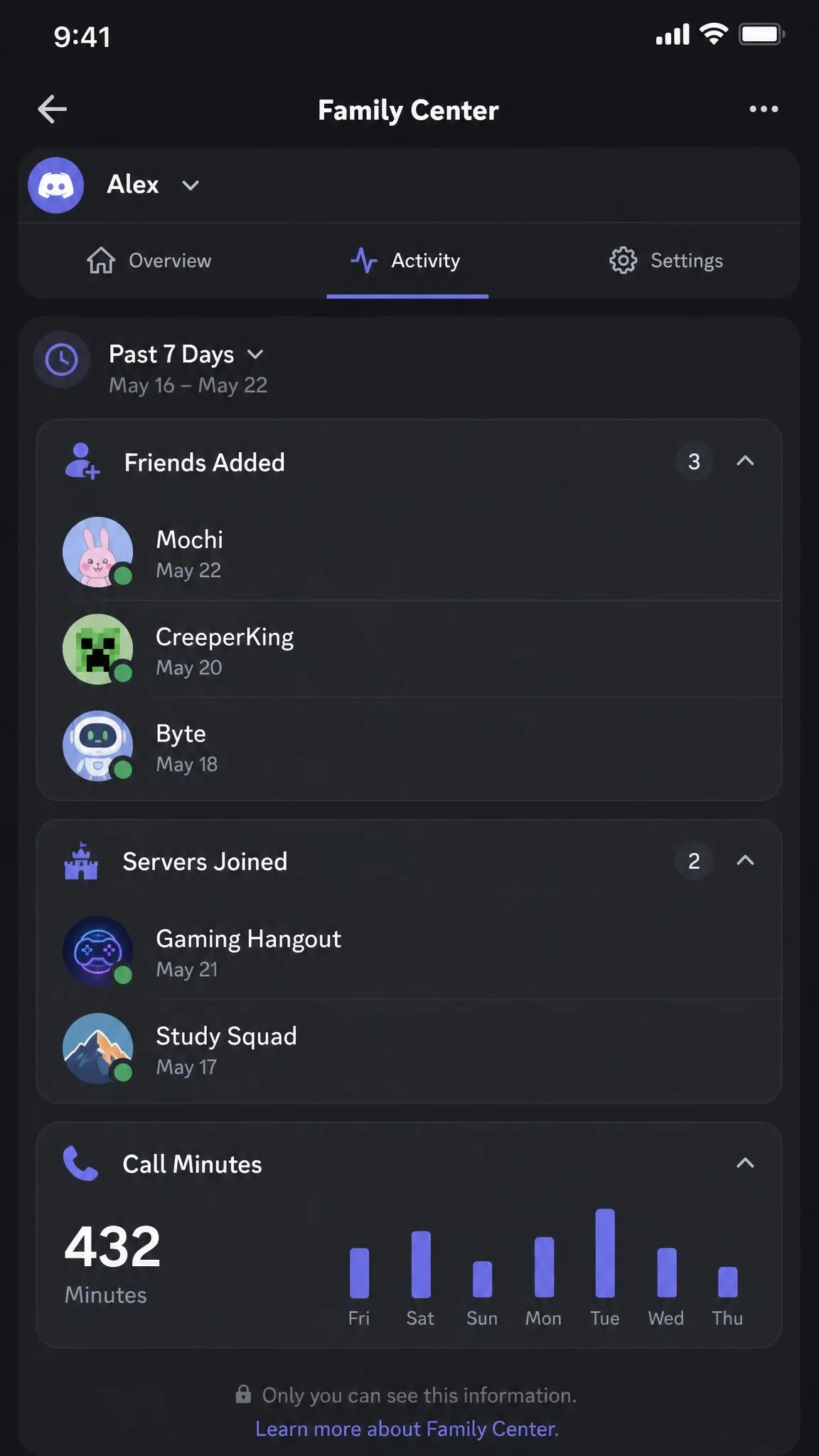
The activity feed covers the last 7 days. You see newly added friends, the usernames of people your teen messaged or called in DMs and group DMs, the servers they joined, total voice and video call minutes, and the top five users and servers they spent time with. Discord also sends a weekly email summary.
What you never see is content. There are no chat logs and no call transcripts. Parents who set this up expecting to read conversations are usually disappointed, because the feed lists names and minutes and nothing else.
How to set up Family Center step by step
Linking is opt in and the teen has to start it. On the parent side, the Connect with Teen screen only works once your teen has generated a fresh code on their own device, which is the step most people miss.
- Ask your teen to open User Settings, then Family Center, then generate their QR code.
- On your own phone, open User Settings, then Family Center, then scan that code.
- Wait for your teen to approve the request on their device.
- Open the activity feed and turn on the weekly email summary.
Your teen can disconnect the link whenever they want, and the connection simply stops reporting. Treat that as a feature rather than a flaw: it is what keeps this a conversation instead of a stakeout. Full setup detail lives in Discord's Family Center for parents and guardians.
Before you link anything, open User Settings, then Privacy and Safety on your teen's account, and set direct messages to friends only. It blocks the most common stranger contact route in about thirty seconds.
Privacy and Safety settings worth changing first
Turn on the message content filter for all messages, restrict who can add your teen as a friend, and disable DMs from server members. These cost nothing and prevent more problems than any dashboard detects after the fact.
Method 2: Monitoring Apps for a Child's Phone
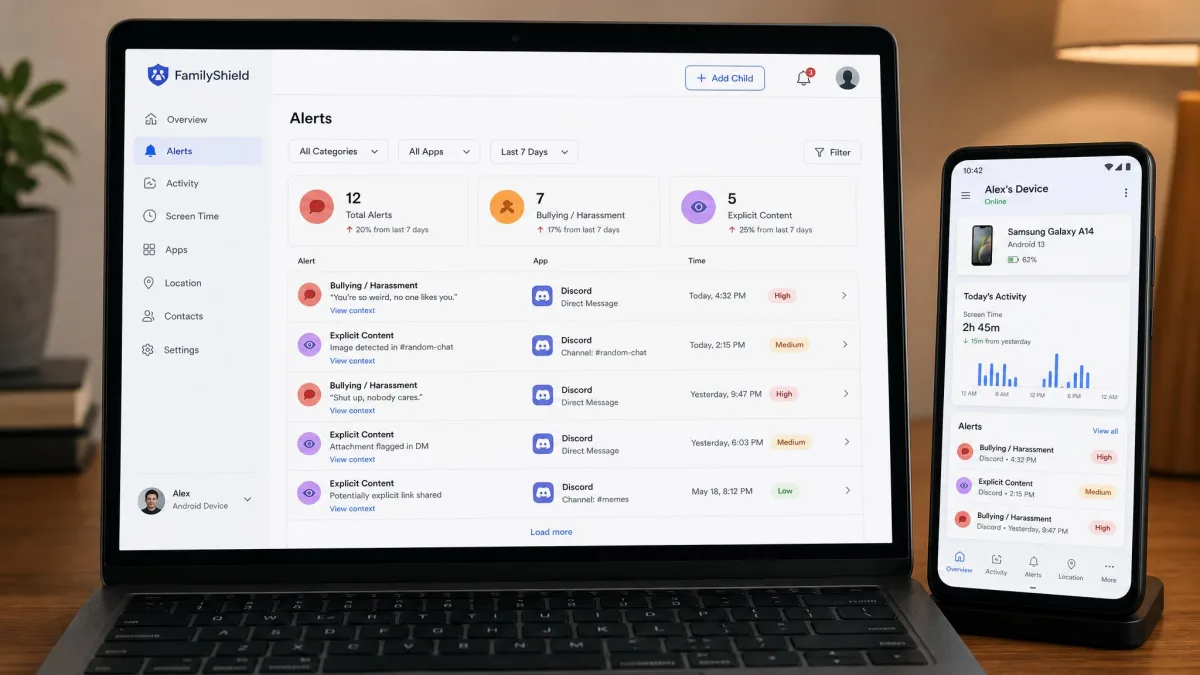
If you need message content rather than names, you need software on the device. These apps sit outside Discord, capture what appears on screen, and report to a web dashboard you check from anywhere. It is the only route that shows actual text.
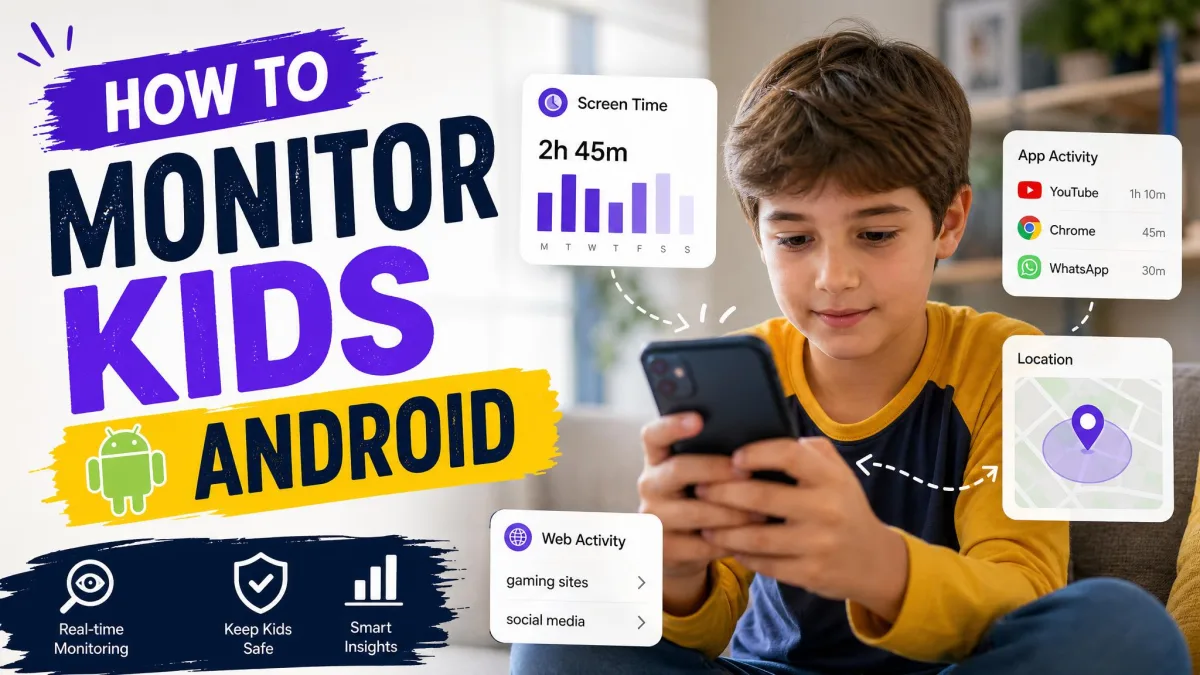
How to monitor Discord on Android
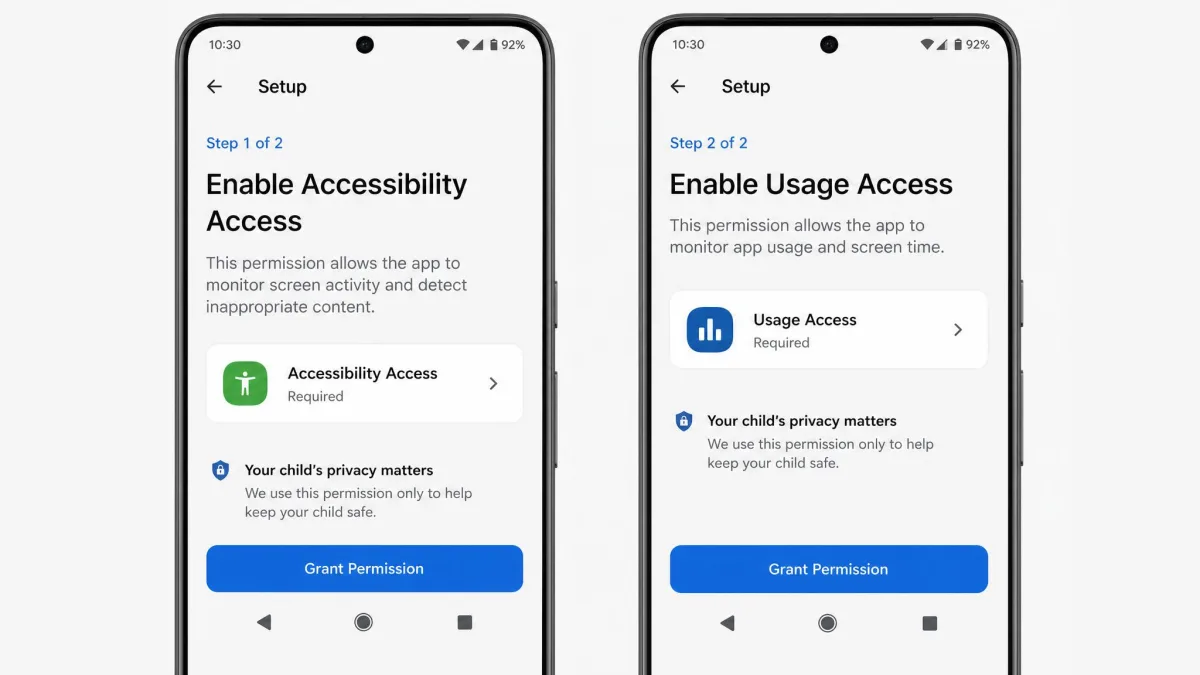
Android is where these tools work properly. You install the app on your child's phone, which means you need the handset in your hand and its passcode. Setup is more fiddly than the marketing suggests, mainly because the wizard branches into several device specific paths depending on the model.
mSpy captures social app messages, keystrokes, screenshots, GPS location, call and SMS logs and browser history. Its deepest social app capture needs a rooted device, and that requirement is easy to miss before you pay. Bark takes the opposite approach and monitors 30+ platforms with alert based scanning: you get a notification that something concerning appeared rather than the conversation itself, which suits some parents and frustrates others.
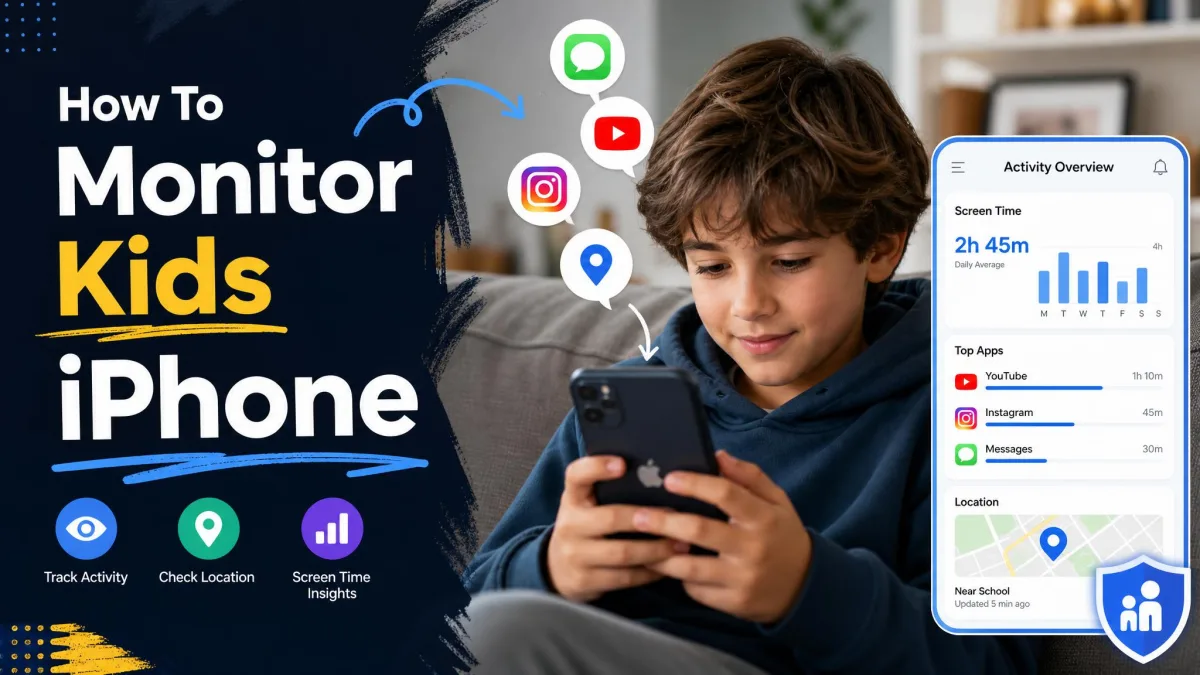
How to monitor Discord on iPhone
iPhone is the disappointment. Apple's restrictions cut in quickly, Discord content scanning drops out, and what survives is blocking and screen time control. Bark can block Discord on iOS but cannot scan inside it. Qustodio behaves the same way, with social monitoring on Android only.
mSpy takes an iCloud credential route with no app on the handset, and data can take a while to populate after setup, which is a common trigger for support tickets. It also will not give you what most parents buy it for here: Discord monitoring is an Android-only feature, so no iPhone setup captures Discord message content, jailbroken or not. What the no-jailbreak route does deliver is contacts, call history, text messages, browser history, iOS notes, new-app alerts, WhatsApp, calendar events and connected Wi-Fi networks. If Discord is the reason you are shopping, an iPhone target ends in disappointment.
What these apps can and cannot see
They can see message text, screenshots and app usage on Android. They cannot see anything that never touched the monitored phone, so a child who moves to Discord on a laptop or via a school Chromebook disappears from the feed. Nothing recovers conversations from before you installed them.
Hidden icon modes exist in this category, and we do not recommend using them on a teenager. Covert monitoring tends to end one way, and the damage to trust outlasts whatever you found.
Free vs paid: what you actually get
Free means Family Center and Discord's own settings, and that is genuinely useful. Paid means content. mSpy Premium runs $11.67 per month on the 12-month plan, or $39.99 for a single month, with a 14-day money-back guarantee. Bark Premium is $14 per month on the annual plan and covers unlimited devices. Qustodio Complete costs $99.95 per year, Basic is $54.95 per year, and there is a 30-day money-back guarantee on direct purchases.
Method 3: Server-Side Monitoring for Admins and Moderators
Owning a community changes the question. You are keeping a record of what happened to the server, not tracking a person.
Reading Discord's audit log
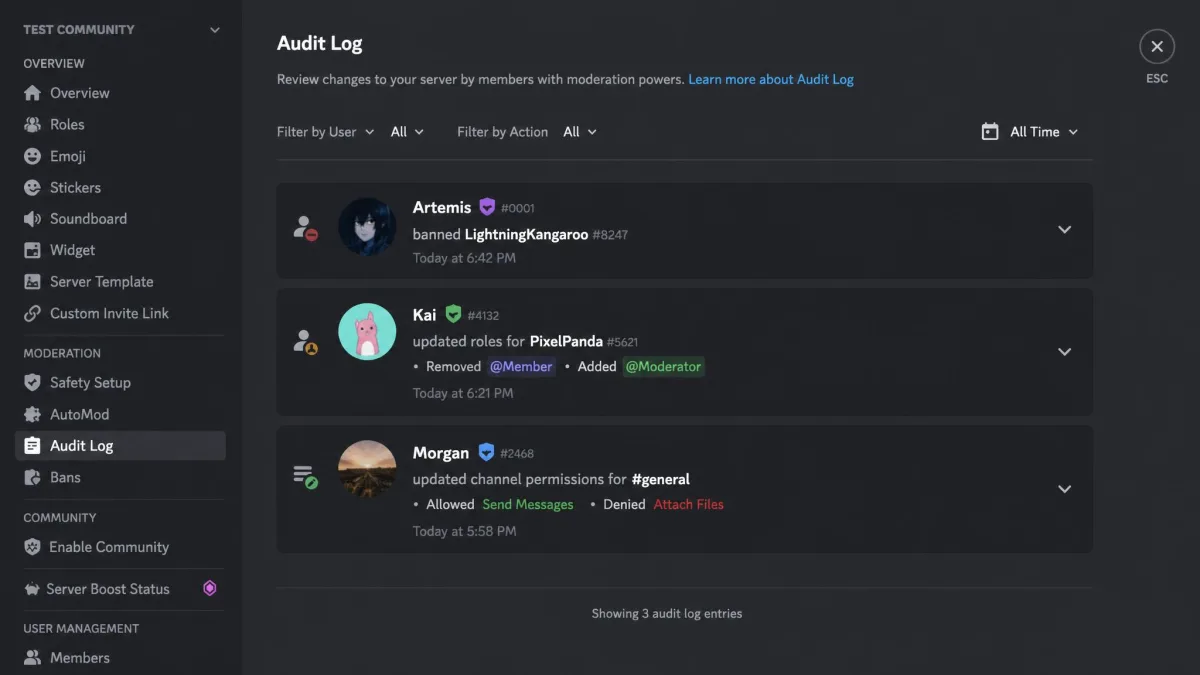
Open Server Settings, then Audit Log, and you get a running list of administrative actions: bans, kicks, role and channel changes, and message deletions performed by moderators. You need the View Audit Log permission, which comes with Administrator and usually sits on Manage Server roles.
Discord keeps entries for 90 days, although the visible window can be shorter than that cap on busy servers, so older entries may already be gone. The reference documentation for Discord's server audit log lists every action type it records.
The important limit: the audit log answers who did what to the server, not who said what in it. A moderator chasing a message a user deleted themselves will not find it here.
Moderation and logging bots
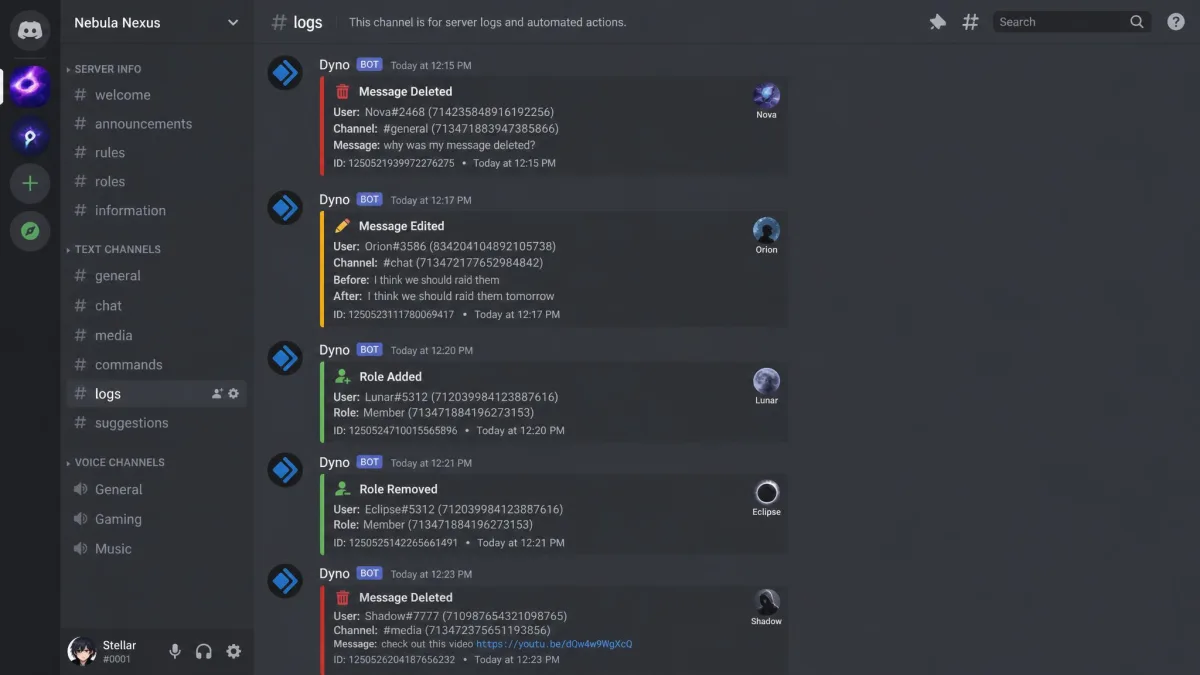
That is what logging bots are for. Dyno's Action Log module records message deletes and edits, joins and leaves, role and nickname changes, bans and kicks, and writes them into a log channel you choose. Logging is free at the basic tier, and Dyno Premium starts at $4.99 per month for extended storage.
One rule decides whether this works: a bot only captures events after you invite it. Anything deleted before setup is unrecoverable, so install it on the quiet day, not the day of the incident.
Multi-server dashboards
If you moderate several communities, a dashboard pulls their logs into one view. Corddeck is free for up to 3 channels, which is enough to test the idea before you commit to anything.
Method 4: Mic Monitoring (Hear Yourself While You Talk)
Noise cancelling headphones are the usual reason people go looking for this. With the outside world sealed off, you cannot judge your own speaking volume. Discord has no built in sidetone setting, so you enable it in Windows or your headset and the app picks it up through your default audio device.
Windows sound settings method
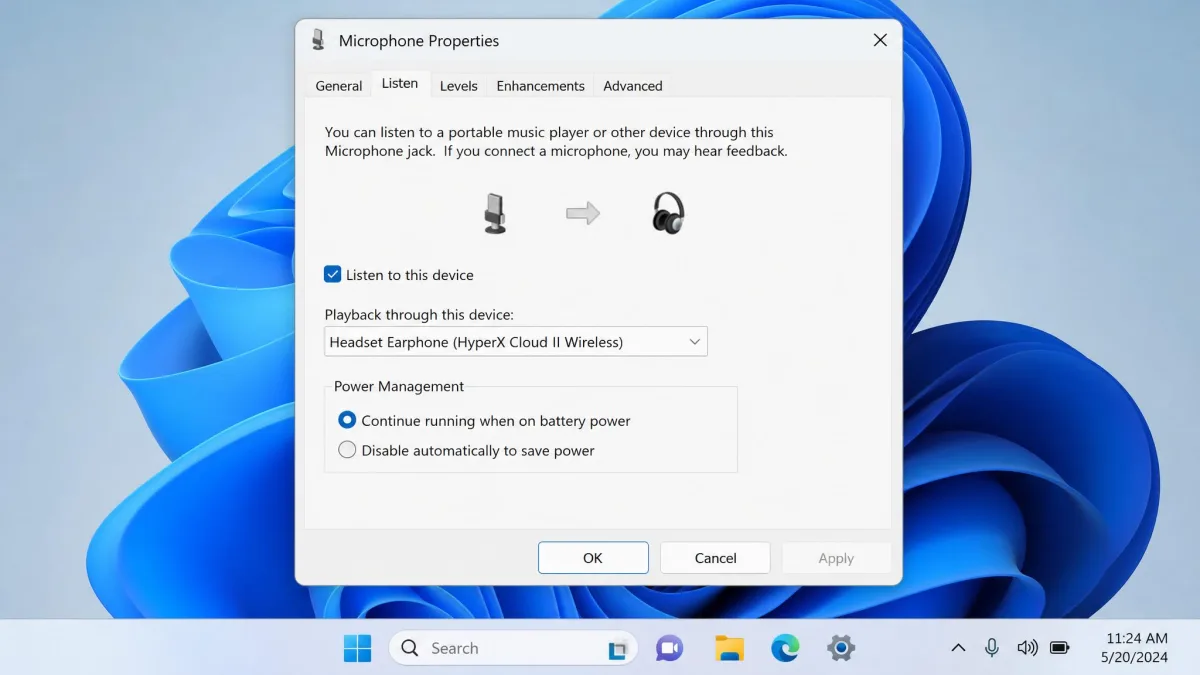
Open Sound settings, then More sound settings, then the Recording tab. Open your microphone's Properties, choose the Listen tab, and tick Listen to this device.
Two things to expect. There is no volume slider here, so the loopback often comes back far too loud and has to be trimmed with your headset wheel or the manufacturer's app. And it works properly only through a headset: on open speakers it creates an echo loop that everyone else in the call can hear.
Headset software method
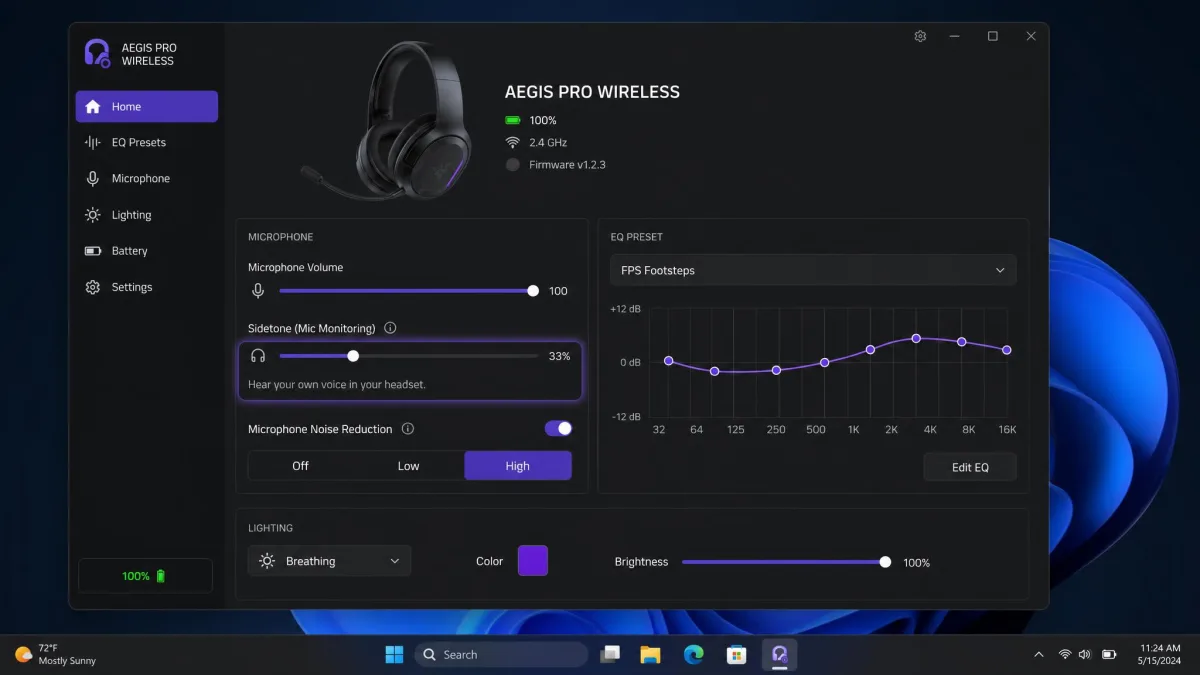
Most gaming headsets ship a companion app with its own sidetone slider, and that is the better route because you get level control. If your headset echoes your mic back only while Discord is open, the companion app's sidetone setting is the thing to check first, not Discord.
Test the result before you join anyone. Open User Settings, then Voice and Video, and run Let's Check, so you hear the loopback level on your own time rather than mid conversation.
Which Method Should You Use? A Quick Comparison
| Method | What it shows you | Device support | Cost | Needs consent or device access | Difficulty |
|---|---|---|---|---|---|
| Friend and server names, call minutes, no message text | Any device running Discord | Free | Teen must approve the link | Easy | |
| Message content on Android, blocking only on iPhone | Android full, iOS limited | From $11.67 to $14 per month | Needs physical access to the phone | Moderate | |
| Moderator actions for 90 days, plus deletes and edits if a bot is running | Any server you own or moderate | Audit log free, Dyno Premium from $4.99 | Needs the View Audit Log permission | Moderate | |
| Your own voice looped back to your headset | Windows and most gaming headsets | Free | Only your own device | Easy |
Is It Legal to Monitor Someone's Discord?
Monitoring your own minor child
In the United States, parents generally may monitor a minor child's devices and accounts, particularly on hardware the parent owns and pays for.
Monitoring another adult's account without their knowledge, including a partner or an adult child, can break wiretapping and computer access laws in many places. The rules differ by state and country, so check yours before you install anything, and get consent when the person is not your minor child.
Consent, adults, and Discord's Terms of Service
Family Center is designed around consent by default, since the teen initiates the link and can end it. That is the model we would copy even where the law does not force you to: tell your child what you have set up and why. Discord's own Safety Center resources for families are a reasonable place to start that conversation, and NCMEC's NetSmartz online safety resources give you age appropriate material to work through together.
Extra Steps to Make Discord Safer
Monitoring is the last layer, not the first one. Before you buy anything, do the free work.
- Set DMs to friends only and turn the message content filter to scan all messages.
- Review the server list together every month and leave the ones nobody uses.
- Agree that unknown friend requests get declined, no exceptions.
- Keep voice chat in shared space rather than a bedroom where you cannot hear it.
- Talk about what to do if someone asks for photos, money or a move to another app.
Kids who feel able to report something uncomfortable stay safer than kids who are simply watched, whether the platform is Discord, YouTube or whatever you've not heard of yet.
Frequently Asked Questions
Can I monitor Discord for free?
Is it legal to monitor someone's Discord?
Can I see deleted Discord messages?
Will they know I am monitoring their Discord?
What can Family Center actually show me?
How do I monitor Discord on iPhone versus Android?
How do I read a Discord server's audit log?
How do I turn on mic monitoring so I can hear myself?
The Bottom Line
Start free and start honest. Family Center plus tightened privacy settings covers most families, and it takes an evening. Add a monitoring app only when you have a specific reason and an Android phone, because on iPhone you will not get the features you are paying for. If you run a community, invite a logging bot before you need one. And if you came here for mic monitoring, you were never in the surveillance business: tick one box, trim the volume, and go enjoy the call.