Qustodio and Aura are two of the best-known names in family safety software, but they solve slightly different problems. Qustodio is a dedicated parental control app built around monitoring and time limits. Aura is a broader family security suite that folds parental controls into identity theft protection, a VPN, and antivirus. Knowing which lens you are shopping through is half the decision.
We set both up on real family devices, an Android phone, an iPhone, and a Windows laptop, and ran the same tests on each: filtering adult content, capping screen time per app, checking location, and timing support replies. We used each app across everyday family routines before scoring it. The findings below come from that hands-on run rather than the spec sheets.
TL;DR / Quick Verdict
Qustodio is the better pick for most families who mainly want strong monitoring, filtering, and screen time control on a range of devices. Its content alerts fired reliably in our tests, the dashboard is clean, and it works across Windows, Mac, Chromebook, Android, iOS, and Kindle. Aura wins if you want family safety and identity protection in one subscription, and its setup is faster, but it skips location tracking entirely and its cyberbullying alerts were unreliable for us.
Qustodio vs Aura at a Glance
Here is how the two stack up across the features families ask about most. Ratings reflect our hands-on testing at the time of writing.
| Product | Buy | Screen time | Web filtering | Location | Price |
|---|---|---|---|---|---|
 |
Check price → | Per-app limits, 15-min steps | Category and URL, reliable alerts | Yes (geofencing patchy) | $59.95/yr |
 |
Check price | Limits and scheduling | Auto-blocks adult sites | None | $10/mo |
How We Chose
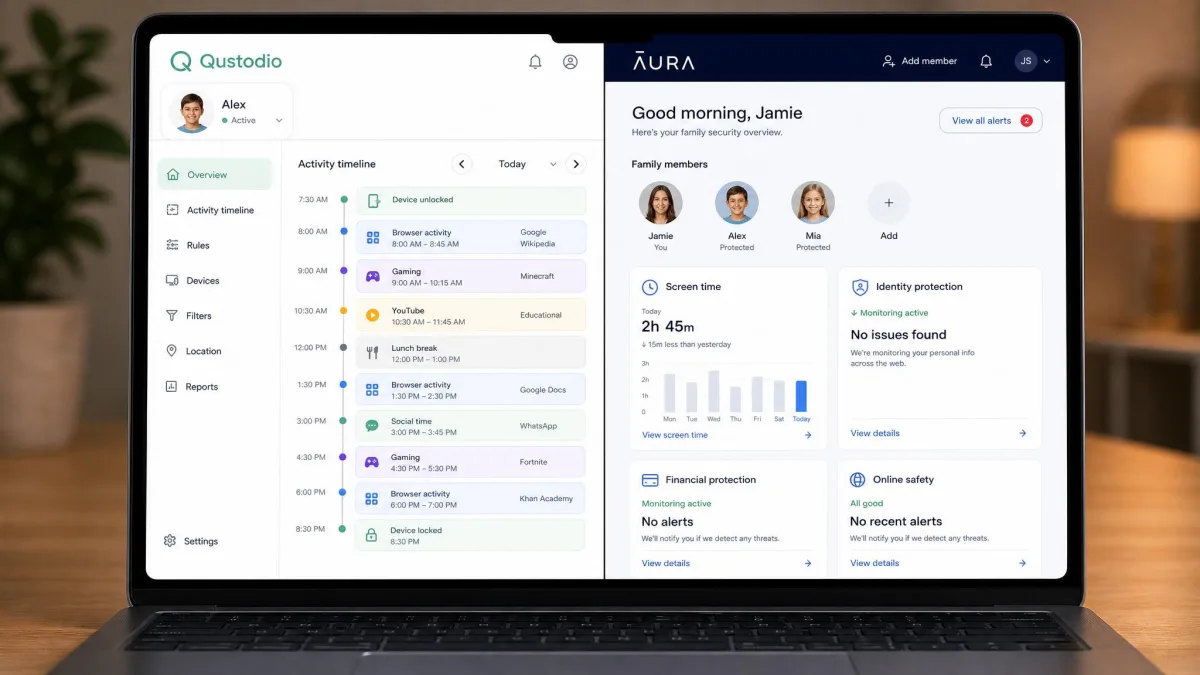
We buy or subscribe to every app ourselves so nothing is a vendor demo. For this comparison we installed Qustodio and Aura on the same three devices, an Android phone, an iPhone, and a Windows laptop, and created identical child profiles on each. Then we scored them on the things that actually matter day to day: how well filtering blocks adult content, whether screen time limits hold, how accurate location and monitoring are, how long setup takes, and how fast support answers.
We ran each test at least twice before trusting a result. Where our findings lined up with published lab testing, such as allaboutcookies rating Qustodio 5.0/5 and Aura 4.8/5, we noted it. Where they did not, we went with what we saw on the devices.
Before you pay, install the app on one device during the free trial and try to bypass it yourself. That single test tells you more about a parental control app than any feature list.
Feature-by-Feature Comparison
Screen Time Management
Both apps handle screen time well, and both let you set per-app limits in 15-minute increments. The difference is in the detail. Aura's screen time reporting updated immediately when a child hit a cap in our testing, and scheduling was easy to set. Qustodio's per-app limits held across every app we tried, with one exception: Bluesky once slipped past a limit while YouTube stayed properly blocked.
For families who want granular control over specific apps, Qustodio's per-app enforcement felt slightly more thorough. For families who want quick daily schedules and instant feedback, Aura's live updates are a nice touch.
Web Monitoring & Content Filtering
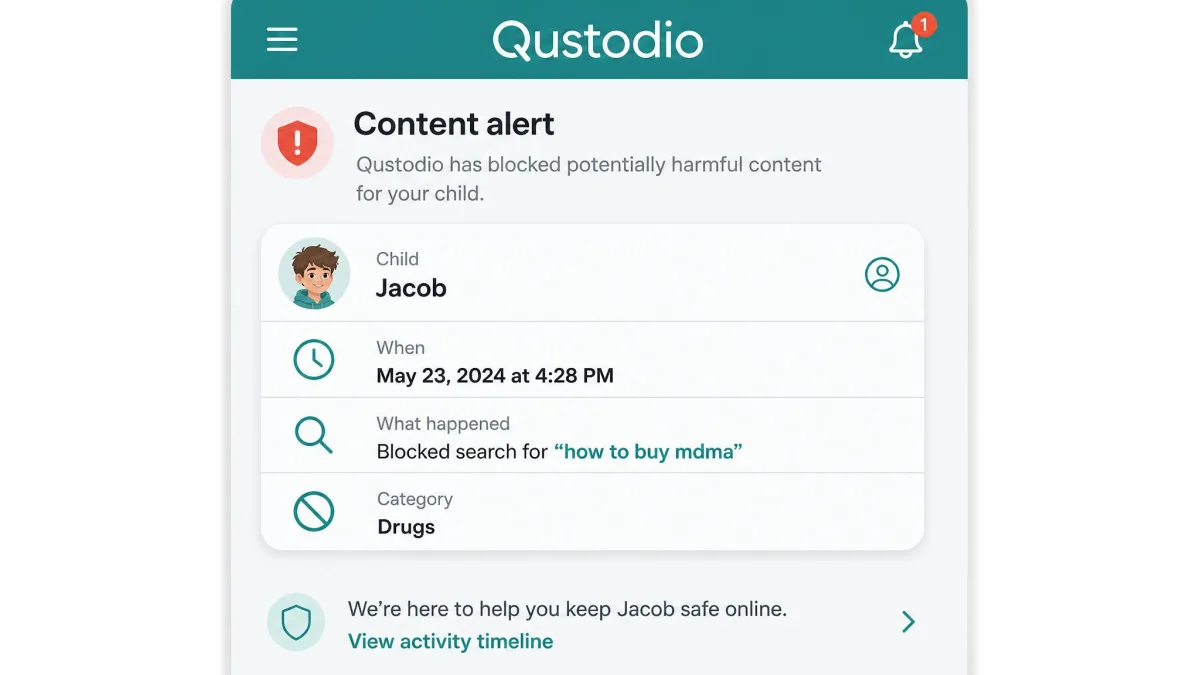
This is where Qustodio earned its lead. When a tester searched for cyberbullying and drug-related terms, Qustodio reliably triggered alerts every time. Its YouTube monitoring also accurately detected videos, Shorts, and ads, which is rare. You can filter by category or by specific URL, and the dashboard updates in near real time.
Aura's filter is strong on the blocking side. It automatically blocked OnlyFans and enforced safe search across browsers without any tuning from us. You can read more about Aura's parental controls and Qustodio's parental control features on each vendor's own page. For the underlying reasons filtering matters, the UN's online child safety guidance is a useful primer.
Qustodio reliably triggered alerts when we searched for cyberbullying and drug-related terms, while Aura's cyberbullying alerts never fired across multiple test sessions.
— From our hands-on testing
App & Website Blocking
Both apps block apps and websites cleanly. Qustodio offers straightforward per-app blocking that held up in testing. Aura adds a handy "Pause the Internet" button that cuts a child's connection instantly, which is useful at dinner or bedtime. One caution on game detection: Qustodio missed a title in our tests, detecting only one of two installed games, so do not assume every game is covered automatically.
Location Tracking & Text/Message Monitoring
This is the clearest split between the two. Qustodio includes a family locator with geofencing, though the boundary alerts did not fire reliably across our testers, so treat location as useful for a general check rather than a precise safety net. Aura does not offer location tracking at all, which is a real gap if knowing where your child is matters to you.
On messages, Qustodio can monitor SMS, iMessage, and call logs, but only on the Premium plan, and text monitoring requires iOS 14 or later and a separate setup on the same Wi-Fi network. Aura does not monitor SMS. It does watch in-game voice and text chat through its Safe Gaming feature instead.
Qustodio's panic button works on Android only. The iOS version exists in the app but did not function in our testing, so do not rely on it for an iPhone.
Whole-Family & Identity Protection
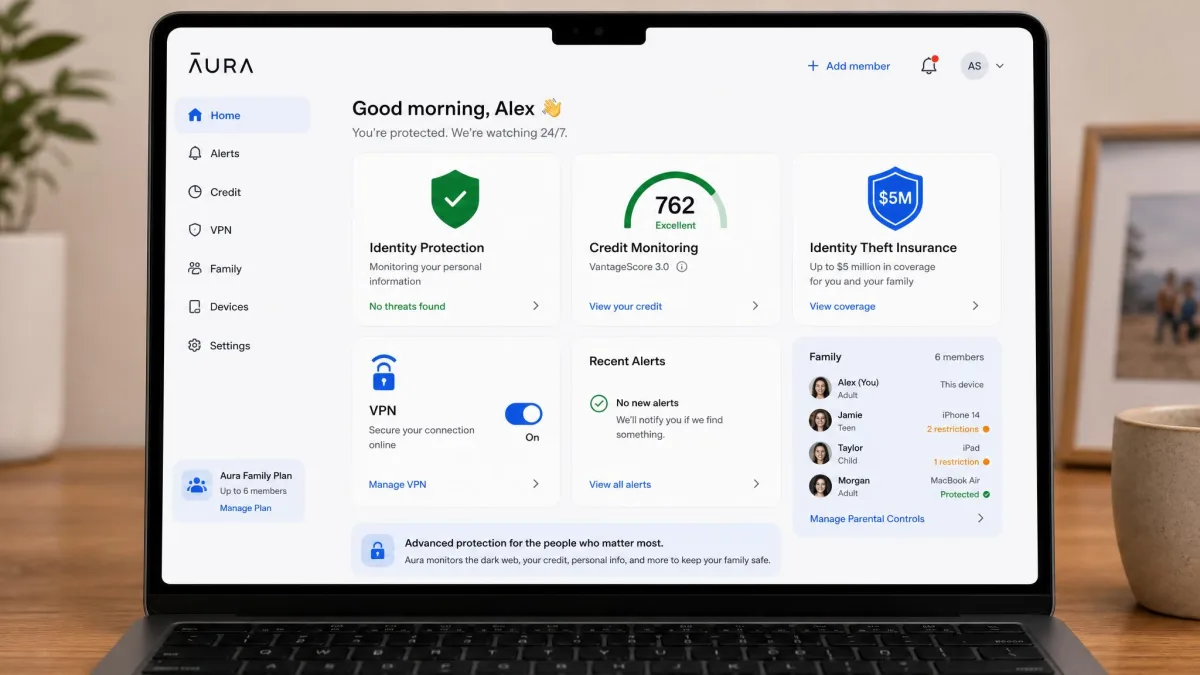
This is Aura's home turf. Its Family plan goes well beyond parental controls, adding child and family identity theft protection, 3-bureau credit monitoring, a credit lock, home and auto title monitoring, financial transaction alerts, antivirus, a VPN, a password manager, AI spam call protection, and up to $5M in identity theft insurance. If you were going to buy several of those services separately, bundling them behind one family subscription can make sense.
Qustodio does not try to be a security suite. It stays focused on parental monitoring and control, and does that job well.
Setup & Ease of Use
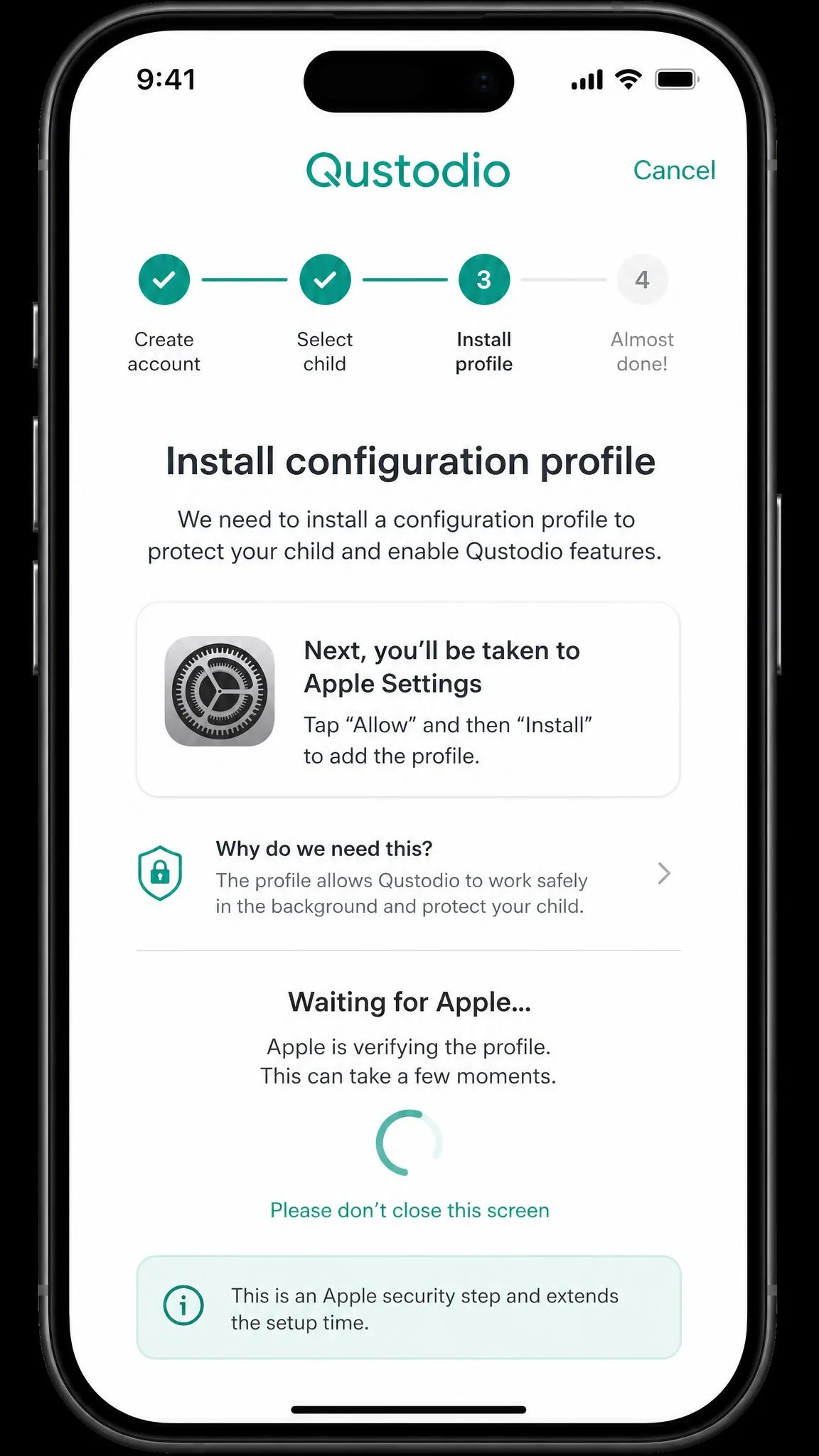
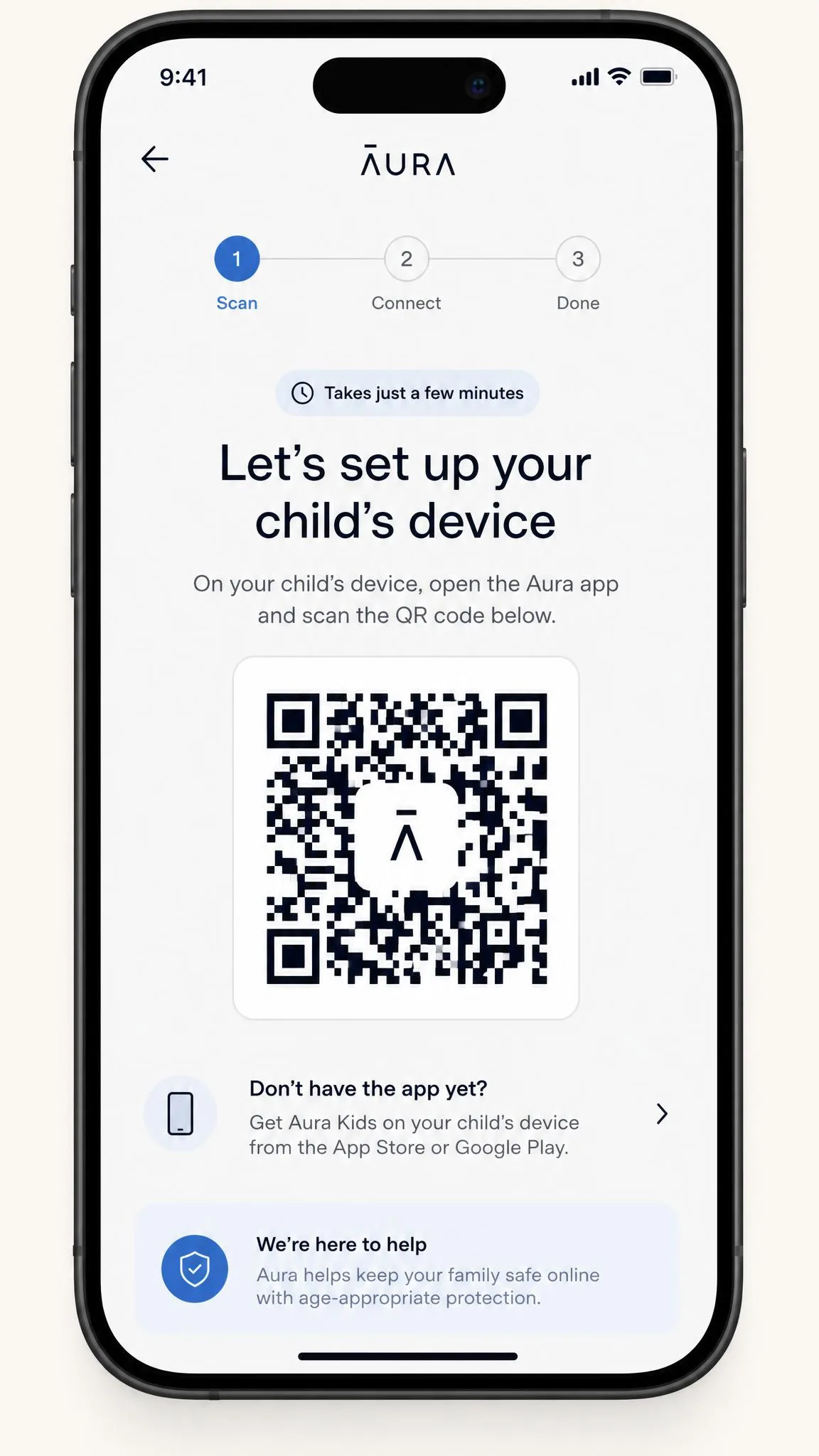
Aura is faster to get going. Setup runs through a QR code and took just a few minutes on our devices. Qustodio's Android setup was quick too, about 10 minutes, but its iOS setup took closer to an hour because of an Apple security delay during installation. Once running, Qustodio's interface is clean and intuitive, with near real-time dashboard updates that made daily checks painless.
Customer Support
Support is a straightforward win for Aura, which offers 24/7 chat, phone, and email. Qustodio's support is more limited: email replies took up to 48 hours in our experience, and its support hours are narrower. If fast, live help matters to you, Aura has the edge here.
Pricing & Plans Compared
Pricing is where the two apps look very different, because they are really selling different things. Read each plan for what it includes, not just the headline number.
Qustodio's paid plans start at $59.95 per year for its Basic tier, which covers up to 5 devices, roughly $5.00 a month. Its Complete tier is listed at $104.95 per year for unlimited devices, though we would verify Qustodio's Complete pricing and device allowance at signup, as it has shifted between editions and some recent reviews still cite $99.95 for 10 devices. There is a permanently free version, but it protects a single device with only basic features. Qustodio backs paid plans with a 30-day money-back guarantee.
Aura is priced per month. Its Kids plan is $10 a month billed annually ($13 billed monthly) and covers unlimited kids and unlimited devices. The Family plan is $32 a month billed annually ($50 billed monthly), adds the full identity and security suite, and covers 5 adults plus unlimited kids and devices. Aura offers a 14-day free trial and a 60-day money-back guarantee on annual plans, which is generous.
Qustodio charges once a year and works out cheaper for pure parental control. Aura's monthly Family price is higher, but it replaces several separate security subscriptions, so compare total cost against what you already pay.
Pros and Cons
Qustodio Pros and Cons
Pros
- Reliable content and keyword alerts across our tests
- Per-app screen time limits that mostly held firm
- Broadest device coverage: Windows, Mac, Chromebook, Android, iOS, Kindle
- Includes location tracking, which Aura lacks
- Clean, near real-time dashboard
Cons
- iOS setup can take about an hour
- Geofencing alerts were unreliable for us
- Text and call monitoring is Premium-only
- Email support can take up to 48 hours
Aura Pros and Cons
Pros
- Fast QR-code setup in a few minutes
- Strong automatic adult-content blocking and safe search
- Bundles identity protection, VPN, antivirus, and $5M insurance
- 24/7 chat, phone, and email support
- Generous 60-day money-back guarantee
Cons
- No location tracking at all
- Cyberbullying alerts did not fire in our testing
- A child can delete the app without triggering an alert
- No SMS or iMessage monitoring
- Family plan is pricier month to month
Which Should You Choose?
Choose Qustodio if parental control is the actual job you are hiring for. It filters more reliably, enforces per-app limits well, covers more device types, and is the only one of the two that tracks location. It is also the cheaper route to solid monitoring if you do not need the extra security tools.
Choose Aura if you want family safety and identity protection in a single subscription, and you are willing to give up location tracking to get it. Aura sets up faster, blocks adult content automatically, and its 24/7 support and identity insurance are genuine advantages for a whole household.
Common Mistakes Families Make
The most common mistake is buying on the feature list without testing tamper resistance. Neither app is bulletproof: a child was able to delete the Aura app without setting off an alert, and Qustodio's game detection missed a title. Try to bypass the app yourself during the trial before you commit.
The second mistake is assuming an alert-based feature is real-time. Aura surfaces some gaming concerns in a weekly report rather than as instant alerts, so a "monitoring" claim does not always mean you will hear about something the moment it happens. Finally, do not overlook the platform requirements, especially for message monitoring, and keep children's online privacy rules in mind so oversight stays proportionate to your child's age.