If you have narrowed your parental control shortlist down to two names, you have probably noticed that these two apps are not really trying to do the same job. Canopy is built around one idea, which is stopping explicit images before a child ever sees them. Aura is built around a much wider idea, which is wrapping the whole household in filtering, screen time controls, gaming safety and identity security under one subscription.
Our short answer: choose Canopy if your main worry is explicit images, nudity and sexting on a phone, and choose Aura if you want one service covering content filtering, screen time and family security together. Canopy is the sharper tool, Aura is the broader solution, and the right pick depends entirely on which of those two problems keeps you awake.
Canopy vs Aura at a Glance
Canopy filters what a child can see, on the device, as the page or feed loads. Its smart filter reads images and video in real time and strips explicit material out before it renders, and it alerts a parent about outgoing explicit photos, which almost nothing else in this category does.
Aura filters too, but by category and website rather than by image. Where it pulls ahead is breadth: age-based filtering templates, SafeSearch enforcement, screen time scheduling, a Pause the Internet button, app blocking, wellbeing reports, and in-game alerts for cyberbullying and predatory contact.
We compared both apps on a family Android phone, an iPhone and a Windows laptop, working through setup, filtering accuracy, screen time enforcement and removal attempts on each device, and we cross-checked what we found against published hands-on testing before naming a winner.
Canopy vs Aura: Feature Comparison Table
Here is the side by side view before we get into the detail of each app.
| Feature | Canopy | Aura |
|---|---|---|
| Starting price | $8.33/mo billed annually (Essential) | $10/mo billed annually (Kids plan) |
| Devices covered | 1 to 10 depending on tier | Unlimited children and devices on Kids |
| Real-time content filtering | Yes, AI image and video filtering | Yes, category and site blocking |
| Sexting and nudity detection | Yes, with parent alerts | No |
| App blocking | Yes | Yes |
| Screen time limits | Yes, plus internet downtime scheduling | Yes, 100+ per-app limits and Pause the Internet |
| Location tracking | Yes, check-ins and geofence alerts | No |
| Social media monitoring | Filters social feeds, keyword alerts | Wellbeing and social insights, no message reading |
| Removal prevention | Yes, anti-tamper on Android | Partial, manual on iOS, deletable on Android |
| Platform support | iOS, Android, macOS, Windows, Chromebook | iOS 16+, Android 12.0+, Windows for gaming |
| Free trial | 1-week | 14-day |
What Is Canopy?
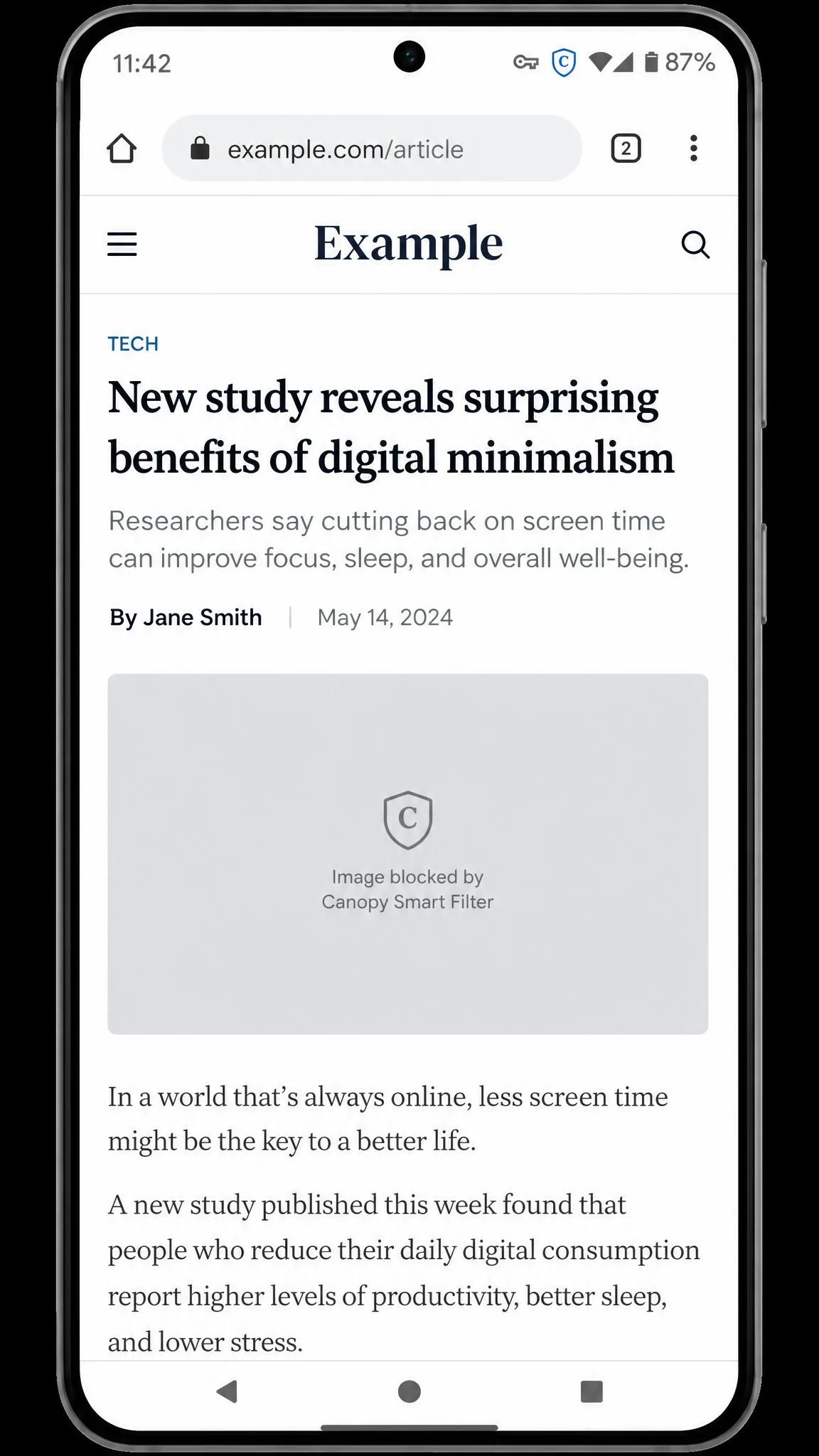
Canopy is a parental control service whose headline claim is filtering explicit images and video the moment they appear, rather than relying on a blocklist of known bad websites. It installs on the child's device and routes traffic through a local VPN so the filter can inspect content in transit.
That VPN approach is what makes the smart filter possible, and it is also the source of most of Canopy's rough edges. The clearest example showed up on the iPhone in our test set. We set the account up from the parent app, blocked a short list of apps, drew a geofence around the house and set an evening screen time rule, then handed the phone back expecting the behaviour we had already seen on the Android handset. Instead the blocked apps opened straight from the home screen, the geofence alerts never fired when the phone left the area, and the evening rule came and went without stopping anything. Nothing in the parent dashboard suggested a problem, which is the part that stings, because the rules looked applied and simply were not. If you want the longer version, we cover it in our full Canopy review.
Canopy Key Features
The feature list is focused rather than sprawling. Real-time AI image and video filtering sits at the centre, and sexting prevention watches for outgoing explicit photos. Canopy also filters AI chatbots including ChatGPT, Gemini, Claude and Grok, which most rivals have not caught up with.
Around that core you get app and website blocking, internet downtime scheduling, location check-ins with geofence alerts, an accountability-partner mode for older teens, and removal prevention that stops the app being uninstalled.
Canopy Pricing and Plans
Canopy's pricing is tiered by device count. Essential is $8.33 per month billed annually and covers one device. Plus is $9.99 per month billed annually for up to three devices. Premium is $12.50 per month billed annually for up to 10 devices. Every tier includes a 1-week free trial, and there is a 30-day money-back guarantee measured from account creation.
Read the device counts carefully. A household with two kids, two phones and a shared laptop is already past the Essential tier, so the honest comparison for most families is Canopy Plus or Premium against Aura's Kids plan, not the headline starting price.
Canopy Pros and Cons
Pros
- The only app of the two that detects nudity in images and video in real time
- Sexting alerts warn a parent about outgoing explicit photos
- Removal prevention holds up on Android, where the app cannot be deleted without parental permission
- Filters AI chatbots as well as websites
- Covers macOS and Chromebook, which Aura does not
- Location check-ins and geofence alerts are included
Cons
- Much weaker on iPhone: in hands-on testing blocked apps still opened, geofence alerts never fired and screen time rules failed to enforce
- The smart filter over-blocks harmless material, with medical images, artwork and fitness photos among the usual false positives
- Image filtering does not reach inside native apps like TikTok and Instagram, only their browser versions
- Blocking is close to all-or-nothing, with little granular control over individual categories
- The VPN can conflict with other apps that need the same VPN or MDM slot
What Is Aura?
Aura is a family online safety service rather than a parental control app in isolation. The controls sit inside a wider product that also sells identity theft protection, a VPN, antivirus and a password manager on its adult plans, which is the main reason it keeps turning up in shortlists next to specialist tools. Our longer write-up is in our full Aura review.
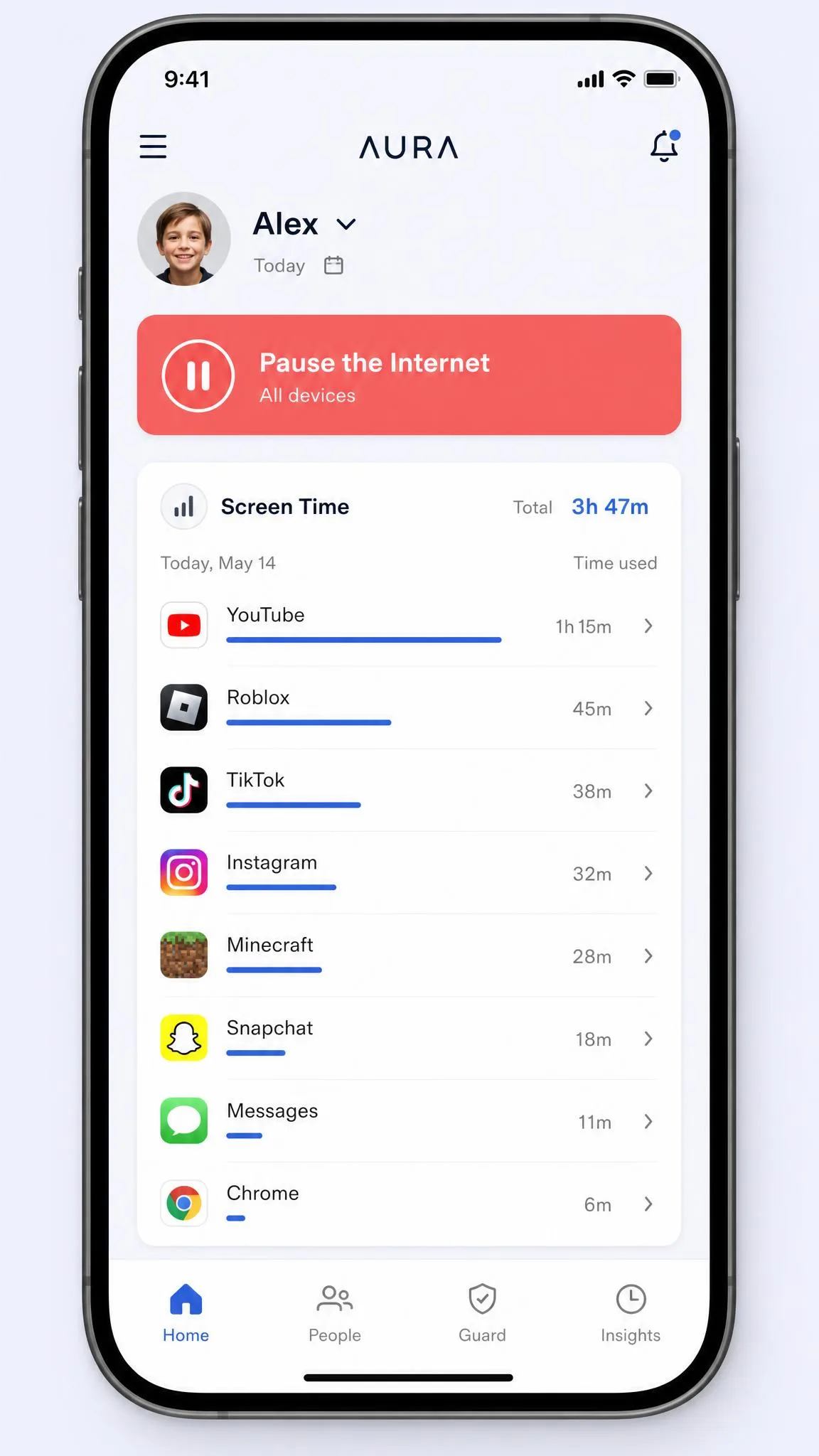
Setup is refreshingly plain, and the install is where that shows. We downloaded the child app on the family Android phone, signed in with the parent account, created a profile for the child and picked an age band from the template list rather than building a filtering list by hand. When we opened the parent dashboard a few minutes later, the first thing it showed was that day's activity for the profile, app by app usage with the screen time still left on the clock and the Pause the Internet button sitting at the top. There was no VPN profile to wrangle and no MDM step to get wrong, and the whole sequence took us minutes rather than an evening.
Aura Key Features
Content filtering runs on age-based templates with site blocking and SafeSearch enforcement, so you pick an age band and adjust from there instead of building a list yourself. Screen time limits are the standout: per-app limits reach more than 100 apps, alongside scheduling and a Pause the Internet control for the moment dinner is on the table.
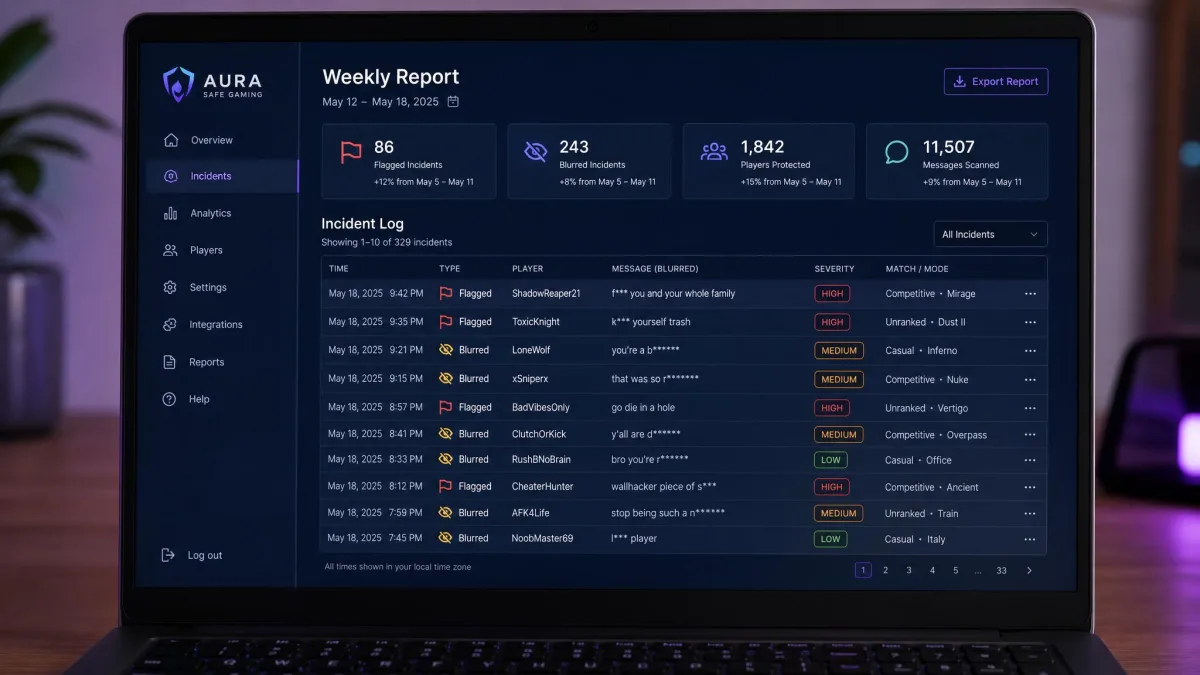
Online Wellbeing reports analyse tone and social patterns with clinician-designed recommendations rather than showing you raw messages, which is a deliberate privacy choice. Safe Gaming, powered by Kidas, monitors in-game voice and text across 200+ PC games and flags cyberbullying and predator contact.
Aura Pricing and Plans
The Kids plan is $10 per month billed annually, or $13 per month if you pay monthly, and it covers unlimited children and devices. The Family plan is $32 per month annually or $50 per month monthly and covers 5 adults plus unlimited children and devices, with the identity and security tools included. Individual is $12 per month annually or $15 monthly for 1 adult and 10 devices. There is a 14-day free trial and a 60-day money-back guarantee on annual plans.
Aura Pros and Cons
Pros
- Unlimited children and devices on the Kids plan, so household size does not change the price
- Pause the Internet stops the connected devices on the account in one tap
- In-game monitoring for 200+ PC games with cyberbullying and predator alerts
- Straightforward setup with a clear daily activity dashboard
- Wellbeing insights respect a teen's privacy by analysing patterns instead of showing messages
- 14-day free trial and a 60-day money-back guarantee on annual plans
Cons
- No SMS, call or email monitoring by design
- No nudity or sexting detection
- The child app can be deleted on Android without notifying the parent, and iOS deletion prevention has to be configured by hand
- Safe Gaming reports arrive weekly rather than in real time
- No macOS or Chromebook coverage
Content Filtering and Explicit Content Blocking
This is the clearest difference between the two, and it is the reason both apps exist.
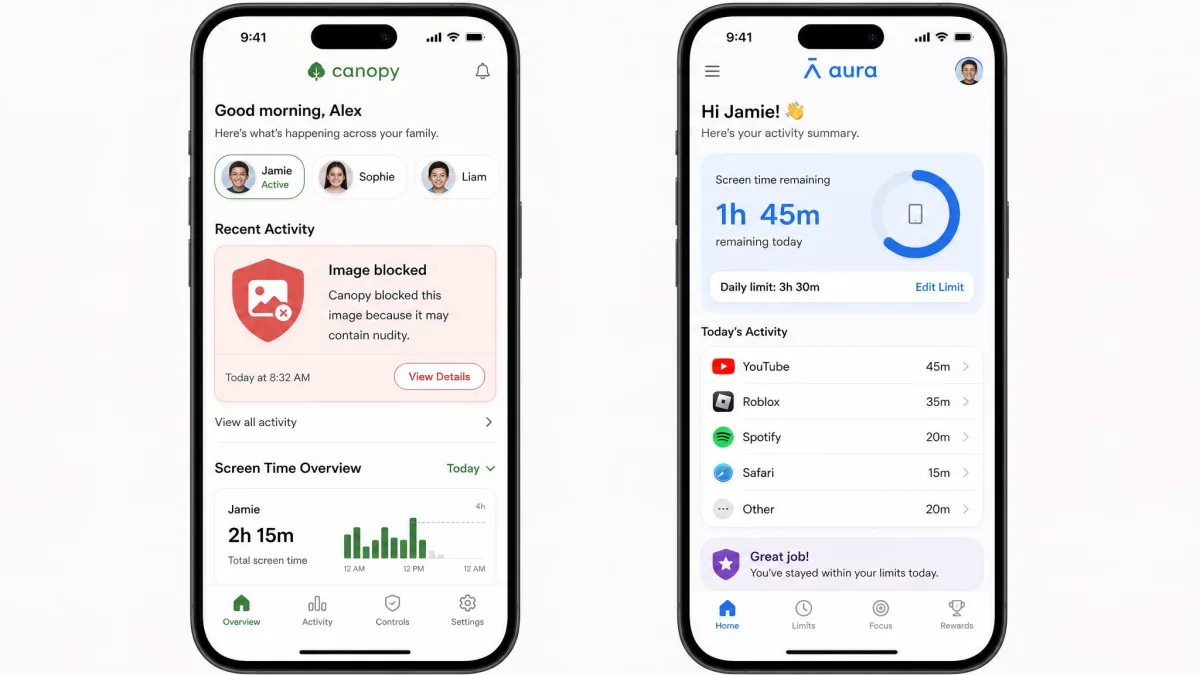
Canopy inspects images and video as they load and removes explicit material from the page or feed. When it works, nothing appears on screen at all, which is a different experience from a blocked-site warning that tells a curious child exactly where the interesting thing was.
The catch is accuracy in both directions. Canopy's smart filter over-blocks harmless material, with medical images, artwork and fitness photos the usual false positives, so expect a run of unblock requests in the first week. Some explicit websites and images also slip past. The bigger structural limit is that image filtering does not reach inside native apps such as TikTok and Instagram, only their browser versions.
Aura's filtering blocks by category and by website. It is quicker to set up and far less chatty, but it cannot tell you anything about an image on an allowed site, and it can be overly strict and block legitimate sites. Neither app escapes false positives.
If your children use native social apps rather than browsers, Canopy's central selling point applies to less of their day than the marketing implies. Block the native apps outright, or accept that the smart filter is only covering browser traffic.
Screen Time Limits and App Blocking
Aura wins this one without much argument. Per-app limits stretch across more than 100 apps, scheduling is straightforward, and Pause the Internet is the single most useful button either app offers on a weeknight. Blocking an individual app takes a couple of taps from the dashboard.
Canopy has screen time controls and internet downtime scheduling, but two things hold it back. Screen time reports lag behind actual usage rather than updating live, so a check at 6pm may not reflect the last hour of the day. And the enforcement gap we hit on the iPhone applies here too, so the Android build is the one these controls are worth buying for.
Social Media and Text Message Monitoring
Neither app is a message reader, and that is a design decision on both sides.
Canopy filters social feeds and raises keyword alerts, and its sexting prevention flags outgoing explicit photos to a parent. That prevention is not airtight: bikini photos have gone through by text on Android in testing, so treat it as a strong warning system rather than a guarantee.
Aura skips SMS, call and email monitoring entirely by design, favouring blocking content before it loads over reading conversations. Online Wellbeing insight stands in its place. For a teenager that trade is often worth making, and it sits comfortably with the FTC guidance on children's online privacy, which frames oversight as something to match to the actual risk. The American Academy of Pediatrics makes a similar point about family media plans built on conversation rather than surveillance alone.
Location Tracking and Geofencing
Short section, clear result. Canopy includes location check-ins and geofence alerts. Aura offers no location tracking or geofencing at all, which leaves a real gap for parents who want to know where a child is.
One caveat is worth knowing. Canopy's location refresh is deliberately slowed to limit battery drain, and battery use is a recurring theme in its low-star reviews. Treat it as periodic reassurance rather than a live tracker.
Removal Prevention and Tamper Resistance
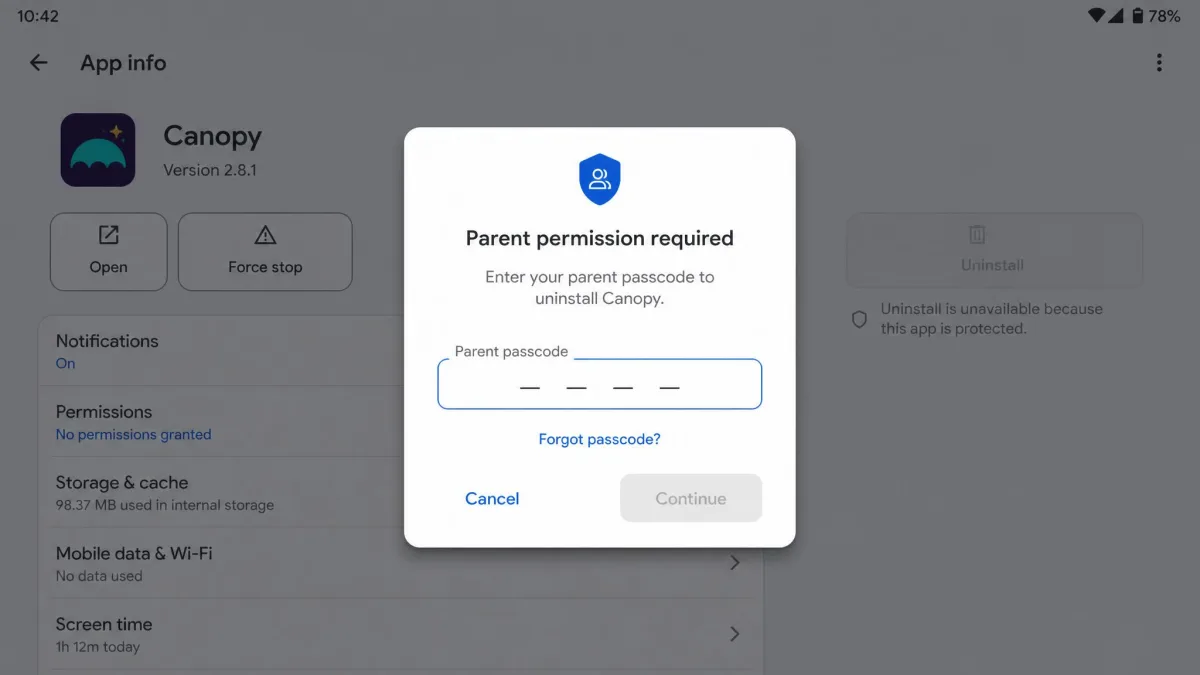
Canopy's removal prevention is its second-best feature after the smart filter. On Android the app cannot be deleted without parental permission, which closes the loophole that defeats most parental control setups within a month.
Aura is weaker here. On Android, the child app can be deleted without notifying the parent, and on iOS deletion prevention has to be configured by hand during setup. If you install Aura, do that configuration step at install time rather than promising yourself you will get to it later.
Device Compatibility and Setup
Canopy supports iOS, Android, macOS, Windows and Chromebook, which is the broader list. Aura's parental controls run on iOS 16 or later and Android 12.0 or later, with Windows covered only for the Safe Gaming component. There is no macOS or Chromebook support, so a child's laptop stays outside Aura's filter unless it is a Windows gaming PC.
Coverage is not the same as quality, though. If your household is on iPhones, the enforcement failures we walked through earlier should weigh more heavily than Canopy's longer platform list.
Setup reflects the same split. Canopy needs a device VPN, and installation gets complicated on Android phones with restrictive security settings. It can also conflict with other apps that rely on a VPN or an MDM profile, and routing traffic through the filter can slow browsing noticeably on some connections. Aura asks for none of that, which is why its install was finished in the time Canopy's VPN profile took to settle.
Pricing Compared: Which Offers Better Value?
On the sticker, Canopy looks cheaper at $8.33 against $10. On a real household, that flips.
| Scenario | Canopy | Aura |
|---|---|---|
| One child, one device | $8.33/mo (Essential) | $10/mo (Kids) |
| Two kids, three devices | $9.99/mo (Plus) | $10/mo (Kids) |
| Three kids, six devices | $12.50/mo (Premium) | $10/mo (Kids) |
| Kids plus adult identity protection | Not offered | $32/mo (Family) |
Aura's Kids plan does not scale with device count, so the more devices you add, the better the value looks. Canopy's Premium tier at $12.50 for 10 devices is still reasonable, but you are paying more for a narrower feature set. Aura also gives you longer to change your mind, with a 14-day free trial against Canopy's 1-week, and a 60-day money-back guarantee against Canopy's 30-day.
Canopy is priced like a specialist tool and behaves like one. Aura is priced like a household service, and for most families that is the more honest match to the problem.
— From our side-by-side comparison
What Real Users Say About Canopy and Aura
Aura carries a Trustpilot community score of 4.1 out of 5, with 84% of reviewers awarding five stars and the support team drawing repeated praise in those Trustpilot reviews. The picture is not uniformly good. Customer service is uneven, and upselling and unexpected charges are recurring billing complaints. Store scores are more modest at 3.3 out of 5 on the App Store and 3.8 on Google Play, while All About Cookies rates Aura's parental controls 4.8 out of 5 and named it a 2026 Editors Choice for teens.
Canopy sits lower. It scores about 3.5 stars on the App Store, though that number drifts as new ratings land, so treat it as approximate. Published Google Play figures range from about 3.2 to 3.9, so the exact score there is unsettled. SafetyDetectives scored Canopy 7.2 out of 10 and ranked it 18th of 27 apps tested, while All About Cookies rates it 4.2 out of 5. The complaints in Canopy's Trustpilot reviews cluster around three things: battery drain, filtering that either blocks too much or misses explicit material, and support that can be slow to respond when a problem drags on.
Which Should You Choose?
Both apps are competent. They are aimed at different fears, and picking well means being honest about which fear is yours.
Choose Canopy If Your Priority Is Content Filtering
Canopy is the right call when the thing you want blocked is explicit imagery and the child in question is on Android. The smart filter, the sexting alerts and the anti-tamper protection form a package nothing else in this price range matches, and it is also the better pick if you need macOS or Chromebook coverage or want location check-ins.
Go in with clear expectations. You will spend the first week handling false positives, native social apps stay outside the image filter, and browsing may feel slower. If your kids are on iPhones, look at Mobicip instead.
Choose Aura If Your Priority Is All-in-One Family Safety
Aura is the better choice for most families. It covers more of the day to day: screen time that actually enforces, per-app limits, app blocking, gaming safety and wellbeing insight, on a plan that does not charge more as the device count grows. Adding identity protection and a VPN for the adults on the Family plan is genuinely useful rather than filler.
Accept the gaps before you commit. There is no location tracking, no message monitoring, no nudity detection, and the child app is deletable on Android. If message-level monitoring is what you want, Bark is built for that job and neither of these apps is.
Canopy vs Aura FAQs
Is Canopy or Aura better for younger kids?
Can a child uninstall Canopy or Aura?
Does Aura include identity-theft protection that Canopy lacks?
How much does each cost per month?
What happens when a child gets a new or upgraded phone?
Can you use both together?
What if neither one fits?
The Bottom Line
If you want a rule of thumb, settle two questions before you compare feature lists: how many devices you need to cover, and which platforms they run. Past three or four devices, per-device pricing stops making sense and the unlimited plan wins on cost alone. An iPhone-only household should discount Canopy's long platform list heavily, because enforcement is where it falls down. A household with a MacBook or a Chromebook in it has the opposite problem, since Aura's filter does not reach either machine.
Budget for the trial period too. Either app takes a week of tuning before its alerts settle into something you trust, so start the free trial on a quiet week rather than the night before a school holiday.
Canopy remains our recommendation when explicit imagery is the problem you are solving, especially on Android. Be clear-eyed that you are buying one excellent capability rather than a complete solution, and give the free trial a proper week before you commit.