We set up Norton Family and Aura on real family devices and ran them head-to-head across Windows, Android, and iOS. The goal was simple: figure out which one actually keeps a household safer without turning oversight into surveillance. What we found is that these two products answer very different questions, even though the search results line them up as rivals.
Norton Family is a dedicated, device-first parental control app. Aura is an identity-first protection suite that folds parental controls into a broader family security plan. That split shapes almost everything below, from how each one blocks content to what you pay and what you get for the money. We tested the filtering, the screen-time tools, the location features, and the extras like antivirus and VPN, and we noted where each one quietly fell short.
Both are paid products, and we licensed each one ourselves rather than leaning on marketing pages. Where a claim is about pricing or a plan detail, we checked it against the official listings. Where it is about how the software behaves in daily use, it comes from our own hands-on time with the apps.
Norton Family vs Aura at a Glance
These two products overlap on the surface and diverge underneath. Norton Family concentrates everything into supervising a child's devices and online activity. Aura treats a child's safety as one slice of a whole-family security plan that also guards adults' identities and finances. Neither app supports macOS, so Mac households should factor that in before either purchase.
Quick-Verdict Comparison Table
| Product | Buy | Best for | Parental controls | Identity protection | Price |
|---|---|---|---|---|---|
 |
Check price → | Watching and guiding kids' devices | Device-first, GPS + geofencing | Not included | $49.99/year |
 |
Check price | Protecting the whole family in one app | Bundled, device-level blocking | Up to $5M insurance | $10/mo Kids, $32/mo Family |
What Is Norton Family?
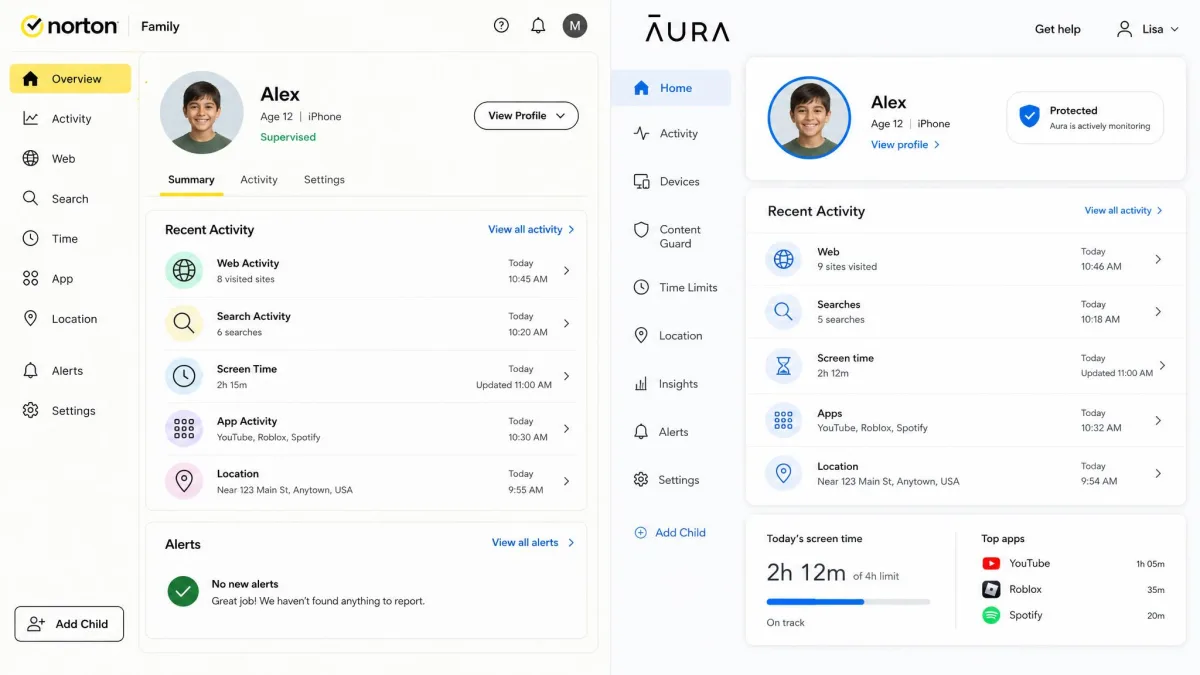
Norton Family is a standalone parental control service built to supervise the devices your kids use. It focuses on web supervision, search-term monitoring, YouTube video supervision, time scheduling with an instant device lock, GPS location with geofencing, and weekly or monthly email activity reports. There is also a School Time allowlist for keeping learning devices on task and an Access Request feature that lets a child appeal a block.
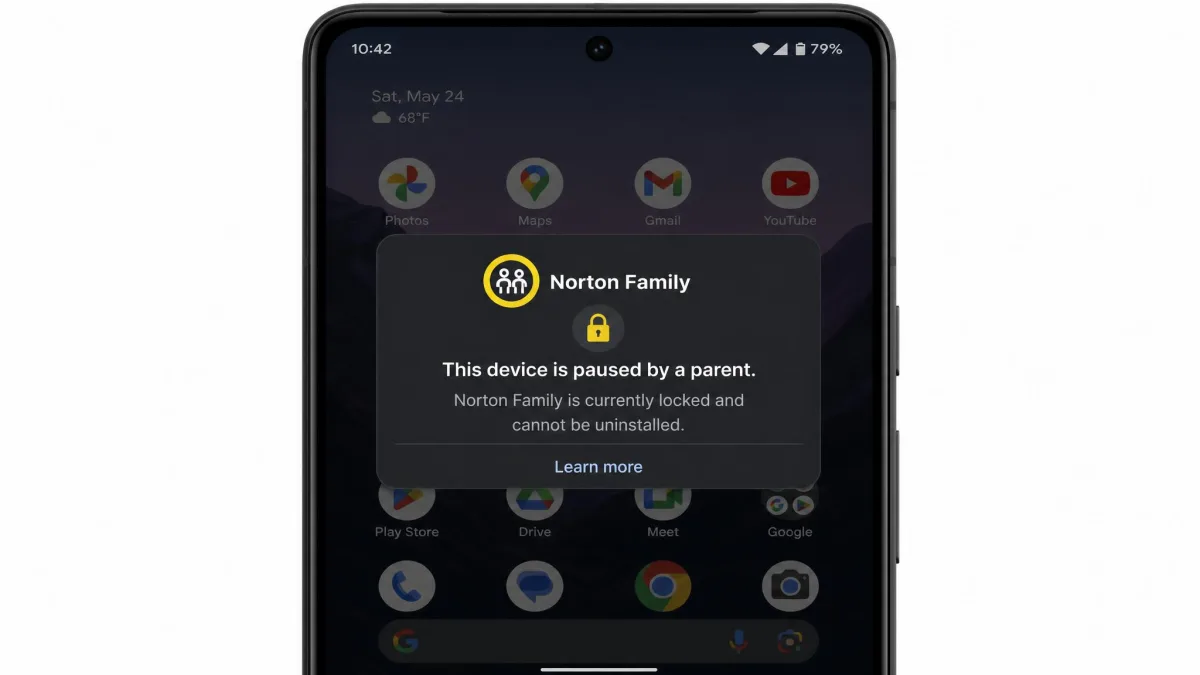
In our testing, the appeal of Norton is control. When we blocked a category and a child hit the wall, the request landed in the parent inbox and we could approve or deny it on the spot. Its remote lock also prevents a child from uninstalling the app, which closes a loophole that trips up a lot of parental tools.
What Is Aura?
Aura is an all-in-one online safety service that includes parental controls as part of a wider identity and security plan. Alongside content filtering and screen-time tools, every Aura plan carries identity theft protection with 3-bureau credit monitoring, an instant credit lock, financial transaction alerts, antivirus, a VPN, a password manager, and spam call and message protection. The Family plan adds up to $5M in identity theft insurance.
Aura blocks content at the device level rather than per browser, which made its filtering harder for kids to sidestep during our testing. Its parenting tools are genuinely useful, but they are one feature among many rather than the whole product.
Norton asks how closely you want to watch a child's devices. Aura asks how well you want to protect your whole family, kids and adults alike.
Parental Controls Compared
This is where the device-first versus identity-first split shows most clearly. Both offer solid filtering and scheduling, but each has a gap the other fills.
Content Filtering & Web Blocking
Norton uses web supervision to filter and log browsing by category, and it works well on managed browsers. We did hit one weakness: Norton's search monitoring stops working when kids browse in Chrome on iOS, which leaves a hole on Apple devices. Aura takes a different approach and blocks content at the device level with SafeSearch enforced, so the filtering held up more consistently across browsers in our hands-on time.
On iPhones and iPads, Norton's per-browser approach can miss activity in Chrome. If your kids are on iOS and lean on Chrome, test the filtering yourself during the trial before you commit.
Screen Time & Scheduling
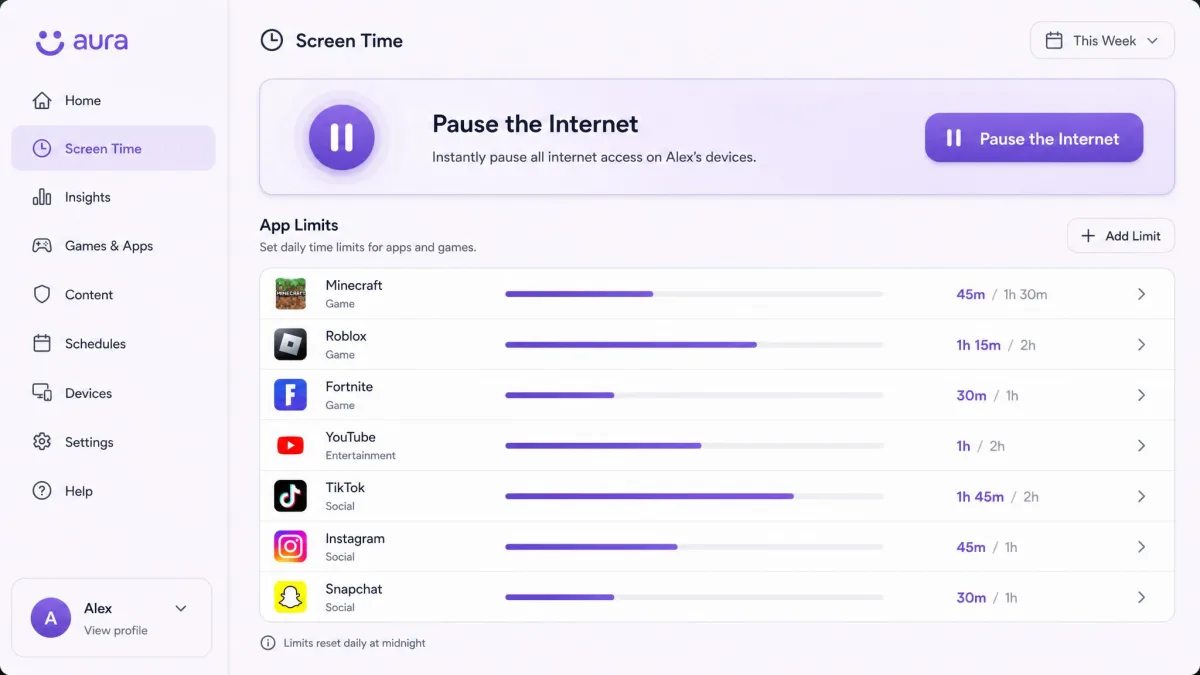
Norton's scheduling is straightforward, and the instant device lock is genuinely handy at bedtime or dinner. What it cannot do is set screen-time limits on a per-app basis. Aura can, and it also offers a Pause the Internet button that cuts a child's connection immediately. If you want to cap a single game or app rather than the whole device, Aura is the more flexible of the two.
Location Tracking & Geofencing
This is Norton's clearest win. It offers GPS location with geofencing alerts and keeps a 30-day location history, so you can see where a child has been and get a ping when they arrive at or leave a set place. Aura has no location tracking at all, which is a real gap for parents who want to know where their child is. If location matters to you, that difference alone may settle the decision.
Social Media, Search & Video Monitoring
Norton logs search terms and supervises YouTube viewing, which gives parents of younger kids a clear window into what they are watching and searching. Aura leans on cyberbullying and predator alerts plus in-game voice and text monitoring across 200+ PC games, which is a strong fit for gaming households. One caveat from our testing: Aura's cyberbullying monitoring did not trigger during our hands-on sessions, so we would treat it as a supplement rather than a guarantee.
Identity Theft & Family Safety Protection
Here the products stop competing and simply do different jobs. Norton Family is a parental control app and does not include identity theft protection. Aura builds its whole plan around it. Every Aura plan includes 3-bureau credit monitoring, an instant credit lock, and financial transaction alerts, and the Family plan adds up to $5M in identity theft insurance with $1M of coverage per adult.
In our testing, Aura's fraud alerts arrived fast, averaging around 3 minute delivery after a triggering event. For a household that wants to protect kids and parents from identity fraud under one subscription, this is Aura's headline advantage and something Norton Family simply does not attempt.
If you already run identity protection through your bank or another service, Norton Family plus that existing cover may duplicate less and cost less. If you have nothing in place, Aura consolidates parental controls and identity protection into a single bill.
Antivirus & Device Security
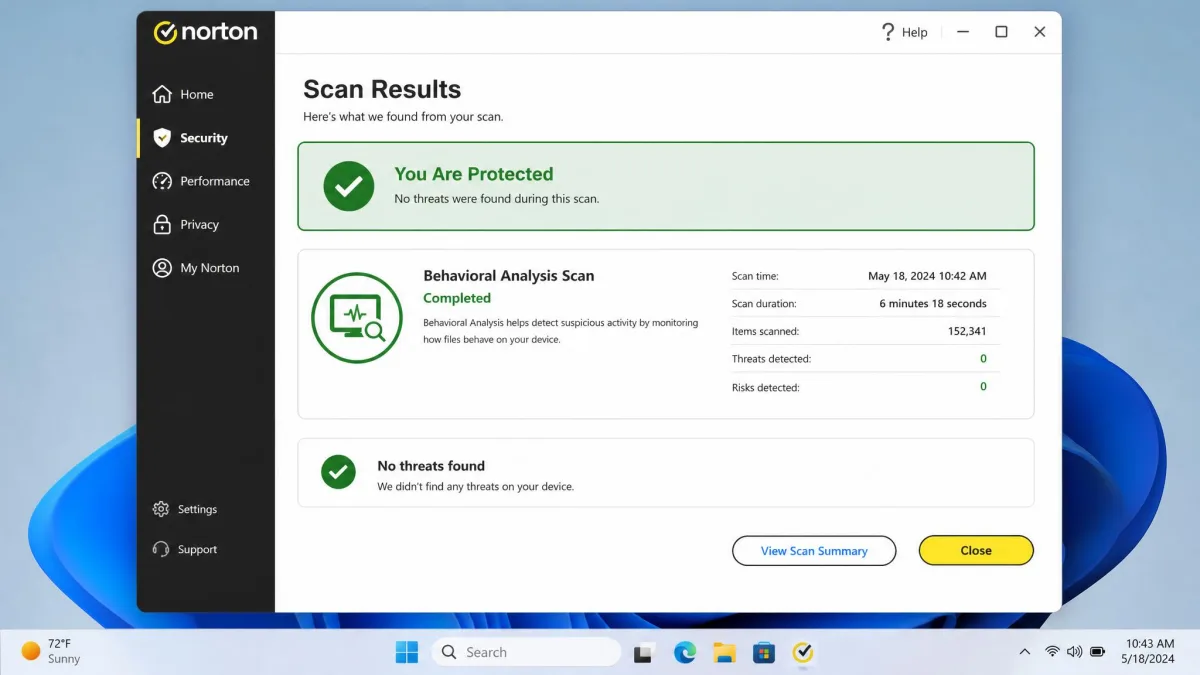
Norton Family on its own does not bundle antivirus; that lives in the broader Norton 360 suite. Where Norton's security engine does appear, its antivirus shows industry-leading detection with behavioral analysis, and it is one of the most respected engines in independent lab testing. You can sanity-check that reputation against AV-TEST lab results and AV-Comparatives real-world tests, which track detection rates across the major vendors.
Aura includes antivirus in its Family plan. In our testing it was functional and did the job, but it is less sophisticated than Norton's engine. For most families the Aura antivirus is perfectly adequate; for those who want best-in-class malware defense, Norton's security pedigree is stronger.
VPN & Online Privacy
Privacy tools are another area where Aura's bundle pays off. Aura includes a VPN and a password manager in every plan, so a family gets encrypted browsing and secure logins without buying anything extra. Norton reserves its VPN for mid- and higher-tier bundles, so Norton Family buyers do not get a VPN with the parental control app alone. If online privacy for the whole household is on your list, Aura delivers it out of the box while Norton asks you to step up to a pricier package.
Pricing & Plans Compared
Pricing is where the two philosophies really separate, because you are not comparing like for like. Norton sells parental control as one focused product. Aura sells a whole security suite that happens to include it.
Norton Family Pricing
Norton Family costs $49.99 per year as a standalone parental control subscription. It comes with a 30-day free trial and a 60-day money-back guarantee on the annual plan, which gives you plenty of room to test it on your own devices. One thing to watch: Norton renewals tend to climb sharply after the first year, so the second-year price can be well above the introductory figure. Norton does not publish a fixed renewal number, so check the current renewal terms on the Norton Family page before you commit.
Aura Pricing
Aura's Kids plan runs $10/month billed annually, or $13 a month if you pay monthly. The Family plan is $32/month billed annually, or $50 a month monthly, and covers 5 adults plus unlimited kids. Aura includes a 14-day free trial and the same 60-day money-back guarantee on annual plans. In our testing, Aura keeps everything in one app with consistent annual pricing and no renewal surprises, which is a welcome contrast to Norton's climbing second-year cost.
Which Is Better Value
If you only need parental controls, Norton Family at $49.99/year is far cheaper than any Aura tier, and its trial is longer at 30-day versus 14-day. If you want identity protection, antivirus, VPN, and parental controls together, Aura's Family plan replaces several separate subscriptions, which can make its higher monthly price the better overall deal. Value here depends entirely on how much of Aura's bundle you would otherwise buy anyway.
Ease of Use & Device Compatibility (iOS vs Android)
Both apps are approachable, and setup on a parent phone took only a few minutes in each case. The differences show up on the child's device. Norton covers Windows PCs in addition to Android and iOS, an advantage for households with Windows computers, and its Android support requires Android 8.0 or later. Aura runs on the same mobile platforms but skips the desktop parental control that Windows families value. Neither app supports macOS, so Mac households will find both lacking on that front.
One practical durability point from our testing stood out. Kids can delete the Aura app from their own phone, while Norton's remote lock prevents uninstall. For younger or more determined kids, that resilience makes Norton harder to defeat.
Pros and Cons
Pros
- Norton: GPS location, geofencing, and 30-day location history that Aura lacks entirely
- Norton: Remote lock stops kids uninstalling the app
- Aura: Identity theft protection with up to $5M insurance built into the Family plan
- Aura: VPN, password manager, and antivirus included in every plan
- Aura: Per-app screen-time limits and device-level content blocking
Cons
- Norton: No identity protection, VPN, or antivirus in the standalone Family app
- Norton: Search monitoring drops out in Chrome on iOS, and renewals climb sharply
- Aura: No location tracking at all
- Aura: Cyberbullying alerts did not trigger in our hands-on testing
- Aura: Kids can uninstall the app from their own device
Common Mistakes to Avoid
The biggest mistake we see is treating these two as interchangeable and buying on price alone. They solve different problems, so the cheaper option is only cheaper if it does what you actually need. A second common error is skipping the trial: both offer a free trial and a 60-day money-back guarantee, so there is no reason to buy blind. Set each one up on your kid's real device and try to break the filtering yourself before you decide.
Parents also overlook platform gaps. If your household runs Windows, Norton's desktop coverage matters. If your kids live on iPhones and use Chrome, test Norton's filtering carefully, and remember neither app covers a Mac. Finally, do not assume a parental control app also protects your family's identity. Only Aura does that, and only if you buy the plan that includes it.