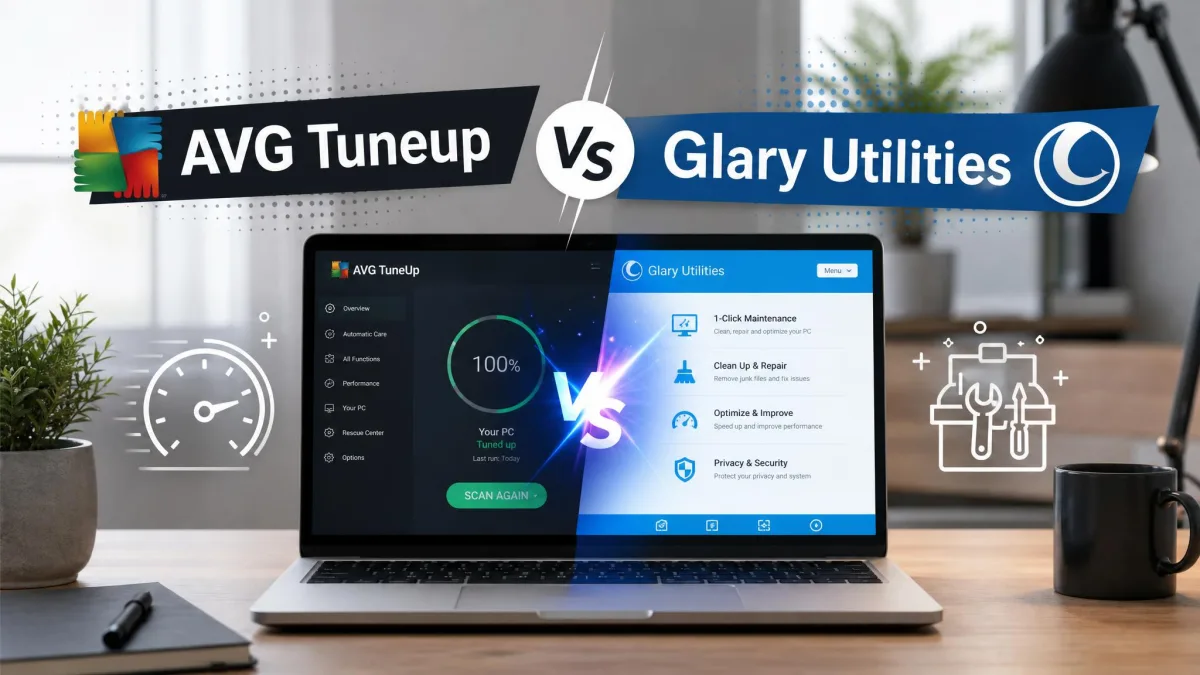
Your Windows PC takes longer to boot than it used to, the disk is nearly full, and every app seems to hang for a second before it opens. Two names come up constantly when you go looking for a fix: AVG TuneUp and Glary Utilities.
One is a polished subscription suite that runs maintenance for you. The other is a free toolbox of more than 20 utilities that expects you to drive. We put both through the same cleanup work on cluttered Windows machines, and below we compare them on price, features, cleaning power and the speed gains you can actually expect.
AVG TuneUp vs Glary Utilities at a Glance
Here is the full side-by-side before we get into the detail.
| Product |  |
 |
|---|---|---|
| Price (annual) | $65.99 (1 PC) or $79.99 (10 devices) | $39.95 Pro, free tier is permanent |
| Free version | 7-day trial only | Yes, permanent free edition |
| Devices per licence | 1 or 10 depending on plan | 3 PCs |
| Junk/disk cleanup | Yes | Yes |
| Registry cleaner | Yes | Yes |
| Startup manager | Yes, startup optimizer | Yes |
| Privacy/tracking cleanup | Yes, browser cleaner | Yes, privacy eraser and file shredder |
| Software updater | Yes | Yes, full automation in Pro |
| Driver updater | No, sold as a separate AVG product | No |
| Uninstaller | Yes, with bloatware remover | Yes |
| Duplicate file finder | Yes | Yes |
| Disk defrag | Yes | Yes |
| Automatic/scheduled maintenance | Yes, 24/7 Automatic Maintenance | Pro only |
| Platforms | Windows, Mac, iOS, Android | Windows only |
| Support | Standard subscriber support, 30-day money-back guarantee | Priority support in Pro, 90-day money-back guarantee |
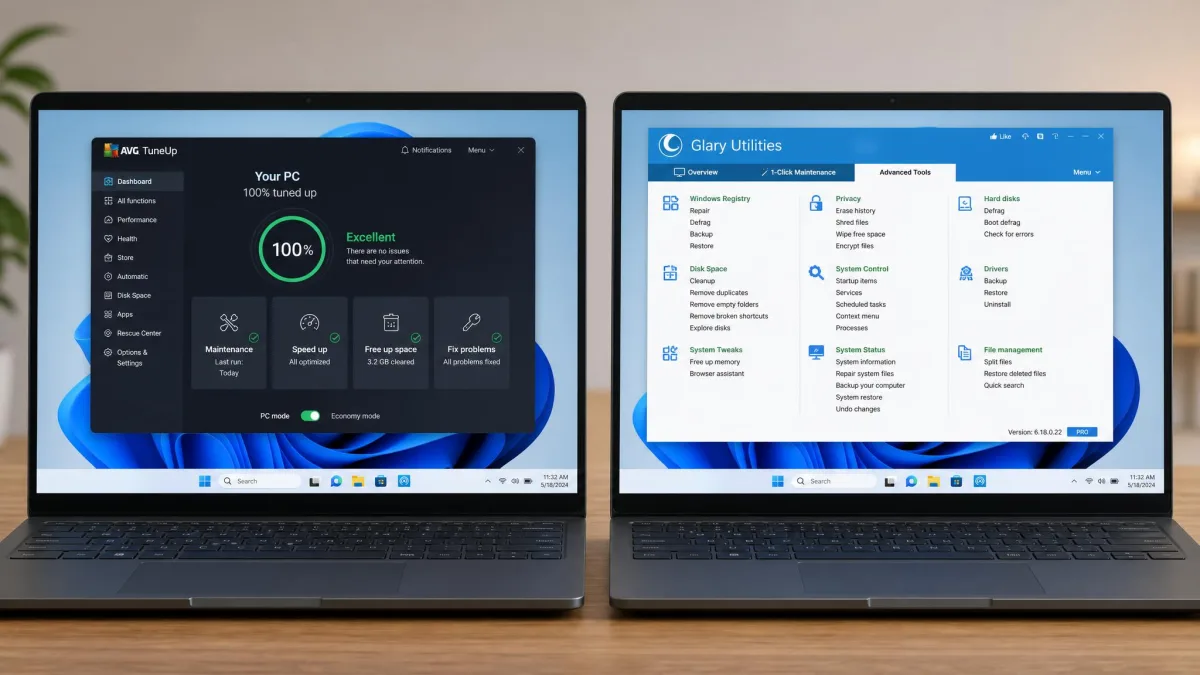
The feature lists are close to identical. What separates them is who does the work, what you pay, and how many machines you cover.
What Each Tool Actually Does
AVG TuneUp: Automated Maintenance, Subscription-Only
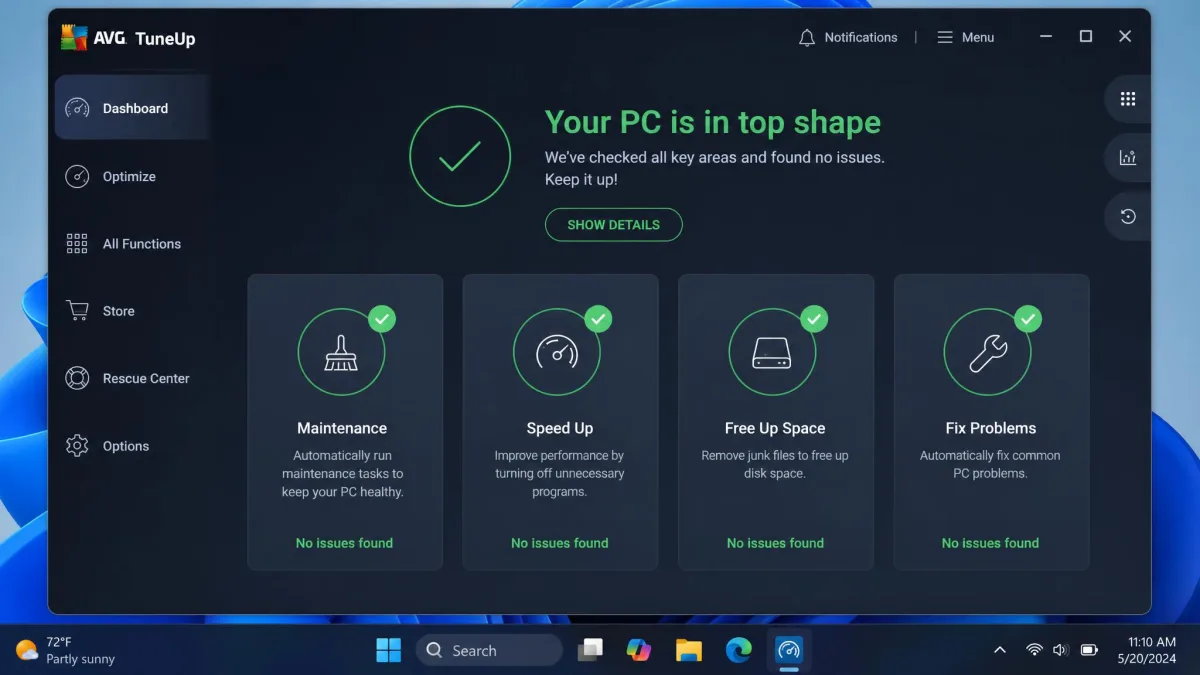
AVG TuneUp is built around the idea that you should not have to think about maintenance at all. Its Automatic Maintenance feature runs on a schedule in the background, clearing junk files, tidying the registry and reporting back with a summary.
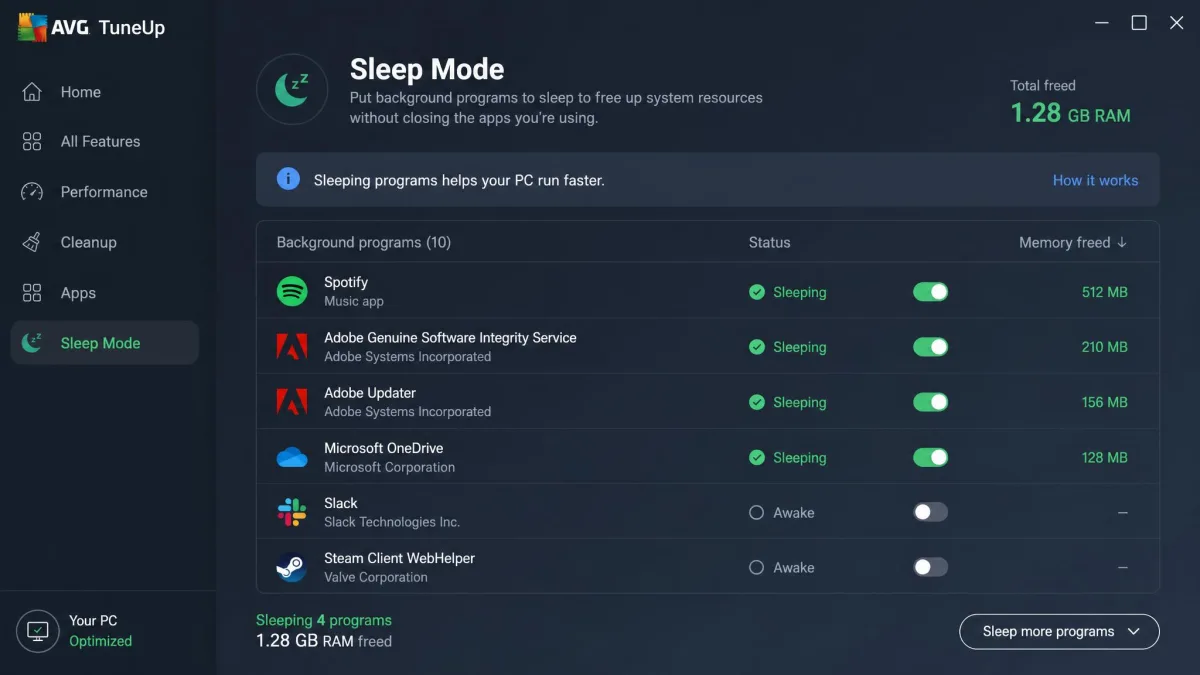
Sleep Mode is the genuinely distinctive piece. It puts background programs into a dormant state until you actually open them, and in our testing it throttled background apps in a way Windows' own tools cannot match.
Around that sit the familiar modules: disk cleanup, a browser cleaner, a software uninstaller with a bloatware remover, a registry cleaner, a software updater, a startup optimizer, a duplicate and large file finder, and disk defrag. There is no free edition, only a trial.
Glary Utilities: A Toolbox of 20+ Manual Utilities
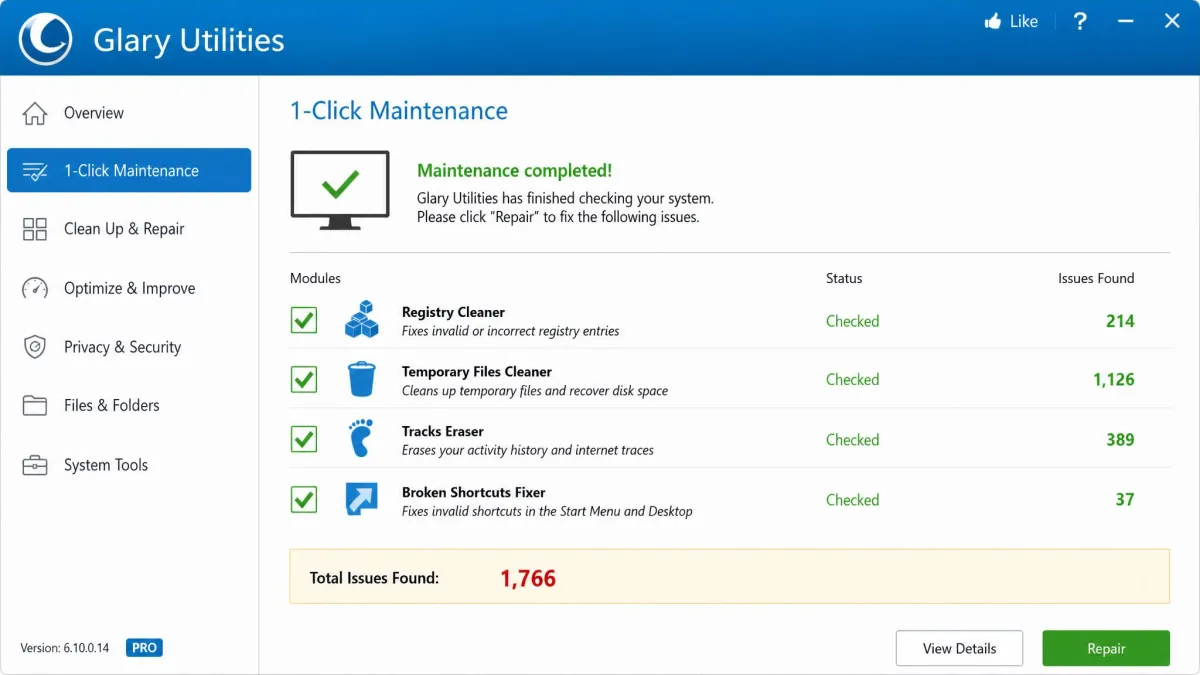
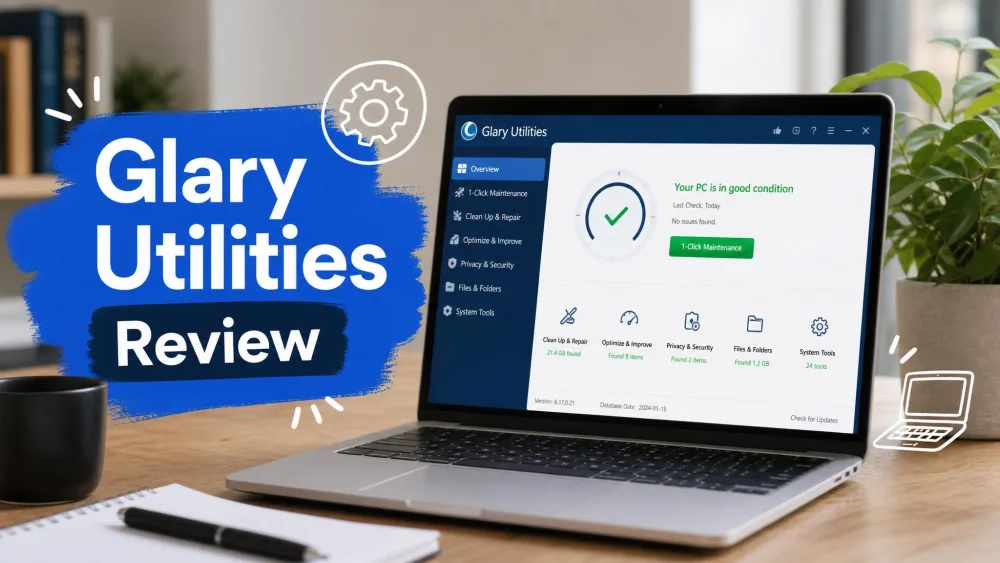
Glary Utilities takes the opposite approach. It hands you more than 20 separate tools and lets you pick the one you need, with a 1-Click Maintenance button on the front page for people who would rather not choose.
The kit covers disk cleanup, registry cleaning and repair, a startup manager, a privacy eraser and file shredder, a software updater, a duplicate file finder, a disk space analyzer, file recovery, an uninstaller and disk defrag. The current release is version 6.45 for Windows, updated in July 2026.
Everything above is in the free edition, and that free edition is permanent rather than a trial. Glary Utilities Pro adds automatic background maintenance, real-time optimization, fully automatic program updates and priority support.
Features Compared Head to Head
Junk File and Disk Cleanup
Both tools find the same categories of junk files: browser caches, temporary folders, leftover installers, log files and orphaned application data.
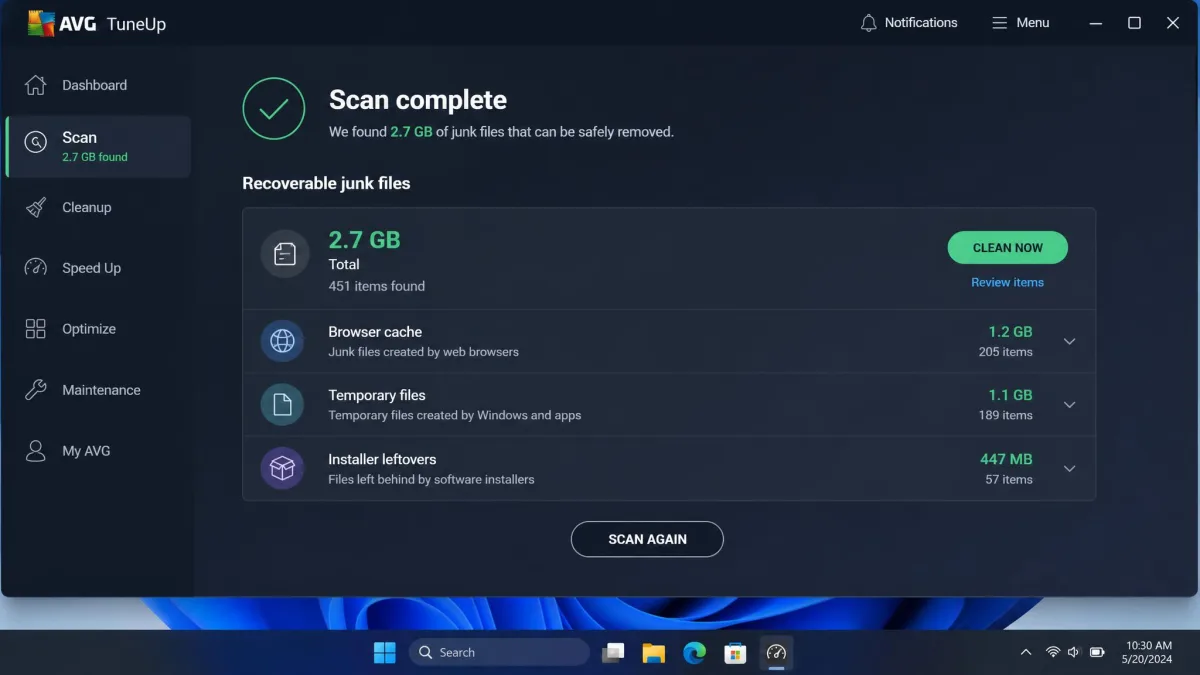
AVG is the faster of the two. A full scan finishes in roughly 30 seconds, and on one cluttered test machine it freed 2.7 GB of junk files in a single pass. Glary takes longer, with a full scan running two to five minutes depending on how much clutter it has to sort through, and a typical first pass recovers on the order of a gigabyte or more. That figure scales with how long the machine has gone without a cleanup, so a well maintained PC yields far less.
Speed is not the whole story though. AVG's scan over-reaches, and on our test machine it flagged an entire Downloads folder as junk, so you need to read the list before you hit clean.
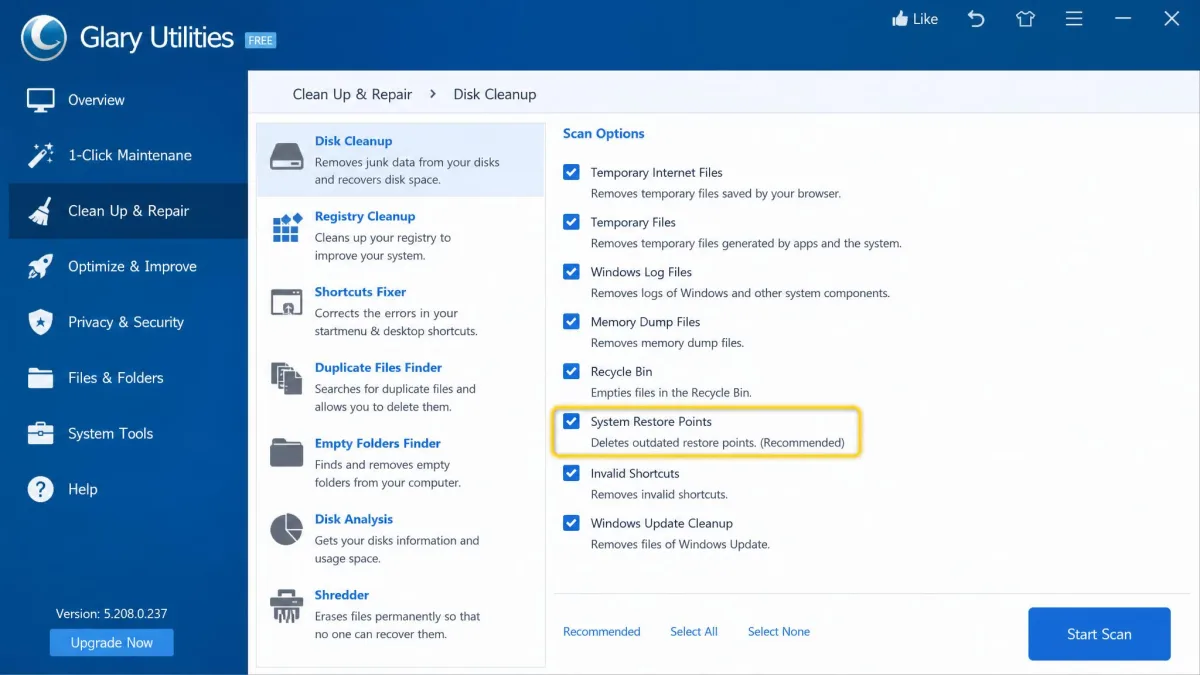
Glary's disk cleanup can wipe your stored system restore points if you leave the defaults in place. Uncheck that item before your first run, because restore points are the safety net you want if a cleanup goes wrong.
Registry Cleaning and Repair
This is the module both vendors oversell. Glary's registry cleaner produces a smaller speed gain than the marketing suggests, and it behaves more like routine housekeeping than a one-time fix.
AVG's registry and shortcut cleaning goes further than we wanted. In our testing it stripped out working links to Settings, which is exactly the kind of collateral damage that turns a cleanup into an afternoon of repair work.
Treat registry cleaning as tidying rather than tuning. Neither tool made a machine measurably faster on that module alone, and both removed things we would have kept.
Startup and Background Program Management
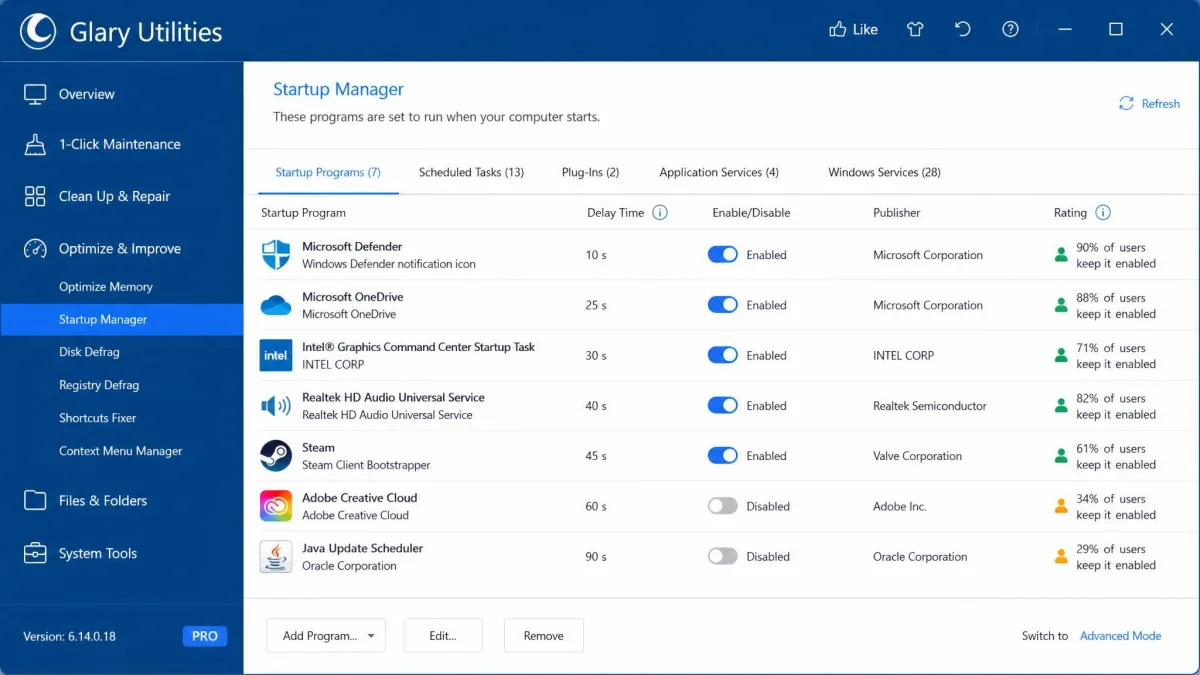
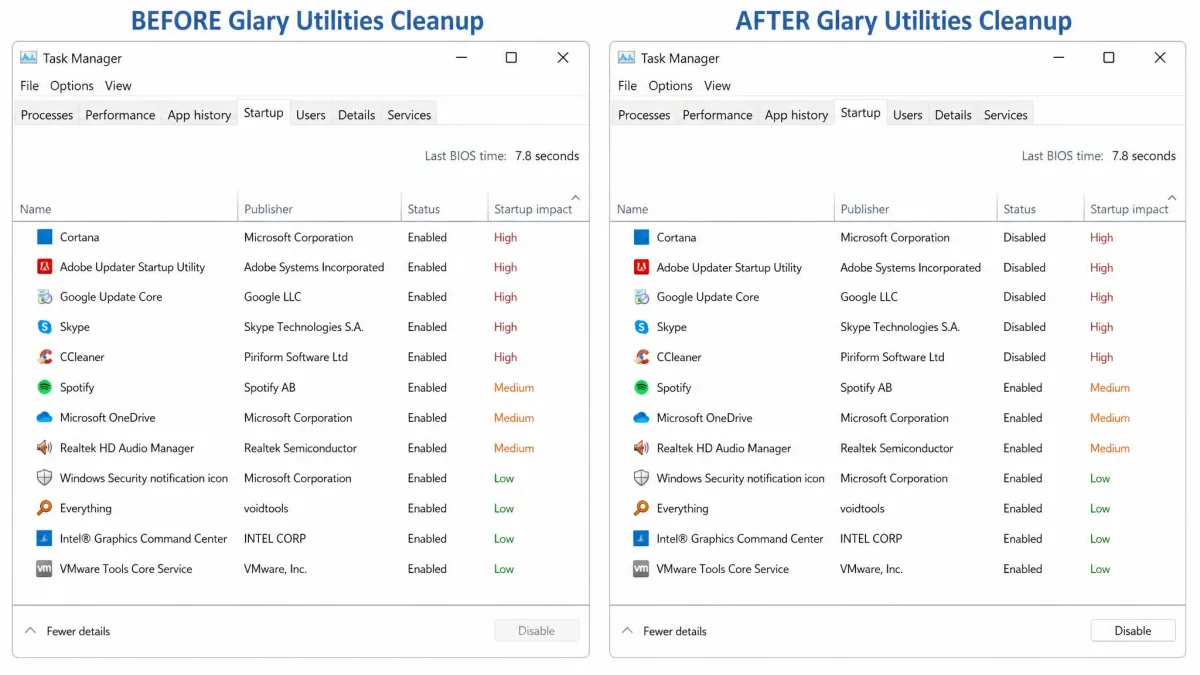
If you only use one module, use this one. Glary's startup manager delivered the most tangible boot time improvement of anything in its suite, and it is clearer about what each entry does than Windows' built-in startup manager.
AVG's startup optimizer does the same job and pairs it with Sleep Mode, which handles programs that are already running rather than only the ones that launch at boot. That combination is the strongest argument for paying AVG's subscription.
Privacy and Tracking Cleanup
Glary bundles a privacy eraser and a file shredder, so you can wipe browsing traces and then destroy the files themselves beyond recovery. AVG covers the same ground through its browser cleaner, which clears caches, cookies and history across installed browsers.
For most people the two are equivalent. If you want secure deletion rather than simple removal, the shredder gives Glary the edge.
Automatic vs Manual Maintenance
This is the real dividing line. AVG runs maintenance 24/7 without being asked, and our PC stayed responsive while it worked in the background.
Glary's free edition expects you to open it and press the button. Automatic background maintenance is a Pro feature, so if hands-off upkeep is what you are buying, you are comparing paid AVG against paid Glary rather than against the free tier.
Pricing and Licensing
AVG TuneUp Pricing
AVG TuneUp lists at $65.99 per year for a single PC, or $79.99 per year for up to 10 devices. The 10-device plan is the better value by a wide margin if you have a household of machines to look after.
First-year promotional pricing often lands somewhere around $26 to $35, though the introductory price rotates by season and region, so the figure you are quoted at checkout may differ. There is a 7-day free trial with no credit card required, but note that AVG's own page states seven days while some roundups describe a 30-day free tune-up window, so trial length varies by download route. Paid versions carry a 30-day money-back guarantee.
It runs on Windows 7, 8, 10 and 11, on macOS 10.10 or later, and on Android 10 or later.
Glary Utilities Free vs Pro
The free edition costs nothing and stays free with no time limit. Glary Utilities Pro costs $39.95 per year, one licence covers 3 PCs, and Glarysoft offers a 90-day money-back guarantee. There is also a Technician edition at $169 per year for people servicing other people's machines.
Per machine, Pro works out at roughly $13 a year against AVG's $65.99 for one PC. That gap is the single most important number in this comparison.
Run the free Glary edition for a month before you spend anything. If the manual 1-Click Maintenance run fits into your routine, you never need to pay either vendor.
Performance and System Impact
AVG advertises 79% faster startup, 30% better work performance and 71 GB reclaimed. Those are vendor lab figures measured on a heavily cluttered reference machine, and real-world gains on a maintained PC are much smaller. On our older test machine AVG shaved a little off boot time, well short of anything dramatic.
Glary's results followed the same pattern with one bright spot. After a first cleanup pass, apps that had been slow to open launched almost instantly, which is the kind of improvement you notice without a stopwatch.
Neither tool is heavy to run. AVG's installer is 113 MB and setup takes a few minutes. One caution worth knowing: we have seen machines report 100% disk usage after an AVG TuneUp run, which usually settles once background indexing finishes.
Ease of Use and Interface
AVG wins this comfortably. Its dashboard is well organized, the per-module controls are granular, and you can tell at a glance what state the machine is in.
Glary Utilities looks dated. The layout is busy and has barely changed in years, and finding the right tool among 20-plus tiles takes a moment the first time. It is functional rather than pleasant.
Both nag you. AVG pushes persistent subscription pop-ups and upsell nudges once the trial starts running, and the free Glary tier shows occasional reminders to upgrade to Pro. AVG's are the more insistent of the two.
Safety, Bundleware, and What to Watch For
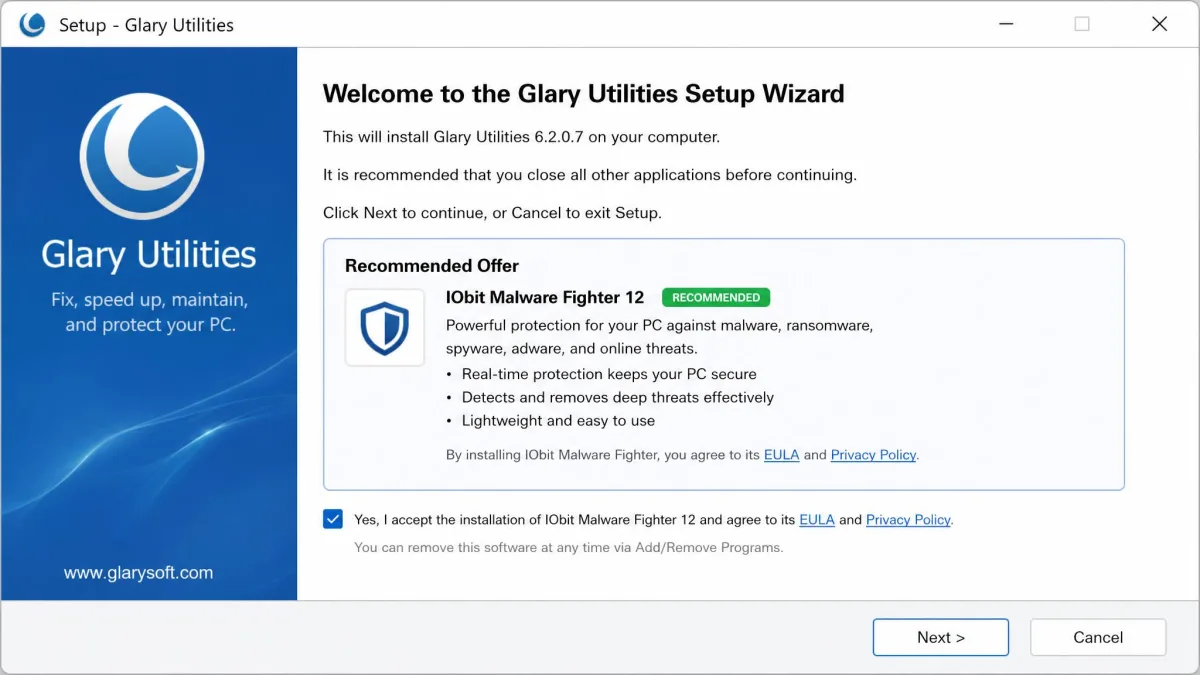
Glary Utilities is digitally signed, passes VirusTotal checks and has a release history stretching past 15 years, so the software itself is not the problem. The installer is. It offers extra bundled software, and while you can deselect it, the opt-out is not clearly signposted. Read every setup screen and watch the default options.
Both tools will delete something you wanted if you accept every default. Review AVG's junk list before cleaning, and untick system restore points in Glary's cleanup module. Two minutes of reading saves a rollback.
AVG carries no bundleware, which is the benefit of a paid product. Its risk sits in the cleaning aggressiveness described earlier rather than in what it installs alongside itself.
AVG TuneUp Pros and Cons
Pros
- Sleep Mode throttles background apps better than anything built into Windows
- Automatic Maintenance runs 24/7 with no input from you
- Fast scanning, with a full pass in roughly 30 seconds
- Clean, well organized dashboard with granular per-module control
- Covers Windows, Mac, iOS and Android on one subscription
- 30-day money-back guarantee
Cons
- $65.99 per year for a single PC, with no free edition at all
- Junk scan over-reaches and flagged a whole Downloads folder
- Registry and shortcut cleaning stripped working Settings links
- Persistent subscription pop-ups during and after the trial
- Advertised speed gains far exceed what we measured
Glary Utilities Pros and Cons
Pros
- Permanent free edition with more than 20 working tools
- Pro is $39.95 per year and covers 3 PCs
- 90-day money-back guarantee, three times AVG's window
- Startup manager gives the clearest boot time improvement here
- Privacy eraser and file shredder for secure deletion
- Digitally signed with a 15-year release history
Cons
- Dated, busy interface that has barely changed in years
- Installer offers bundled software with a poorly signposted opt-out
- Disk cleanup can wipe system restore points on defaults
- Automatic maintenance is locked behind Pro
- Windows only, with no Mac or mobile coverage
- Scans take two to five minutes against AVG's 30 seconds
Which One Should You Choose?
Choose AVG TuneUp If...
You want maintenance to happen without you, you have several devices including Macs or phones, and the subscription is not a stretch. Sleep Mode alone justifies it if your machine runs a lot of background software that you rarely close.
We rate AVG TuneUp 7/10. It is a capable, well built suite whose main problem is that a free competitor does most of the same work.
Choose Glary Utilities If...
You are on Windows, you do not mind pressing the button yourself, and you would rather spend nothing. The free edition covers the cleanup, registry, startup and privacy work that most slow PCs actually need.
We rate Glary Utilities 7.8/10. Community scores diverge widely, from roughly 3.3/5 on Trustpilot to 4.6/5 on Software Advice, with G2's community sitting around 4.1/5, and that spread mostly tracks how people feel about the installer rather than the tools.
Better Free Alternatives Worth Considering
If neither appeals, CCleaner remains the best known junk and registry cleaner, and BleachBit is the open-source option with no bundleware to dodge. Ashampoo WinOptimizer and Iolo System Mechanic sit closer to AVG in the paid, automated tier.
We have run several of these head to head, including AVG TuneUp against CCleaner, BleachBit and Ashampoo WinOptimizer, and Glary against CCleaner and Avast Cleanup Premium. The pattern repeats: the free options handle the cleanup, and you pay for automation.