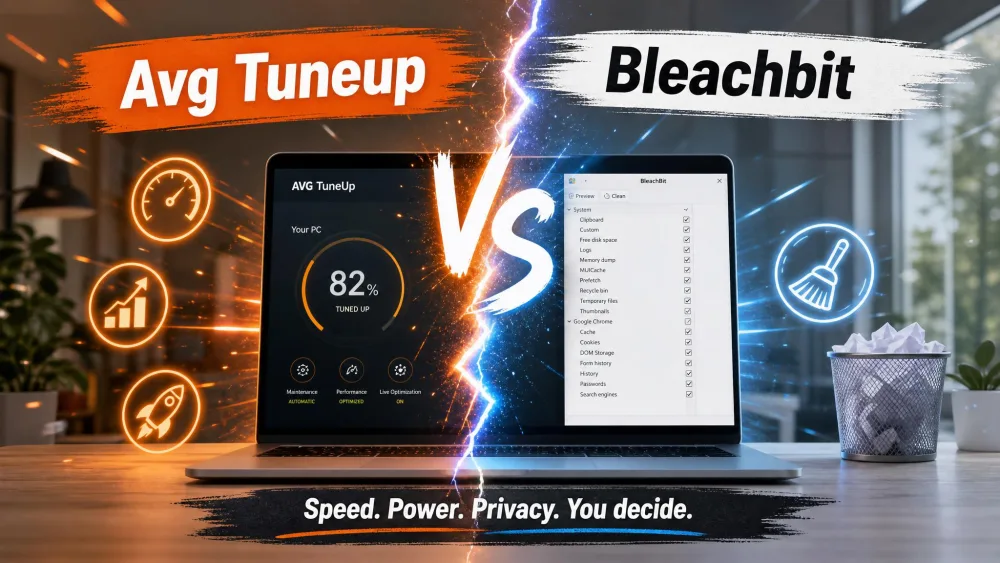
AVG TuneUp is a paid, all-in-one Windows optimization suite that cleans junk, tidies the registry, manages startup apps, and updates software from a single guided dashboard. BleachBit is a free and open-source cleaner that erases junk files, wipes privacy traces, and shreds sensitive data across both Windows and Linux. This comparison decides which one fits your PC and your budget in 2026.
The short version: AVG TuneUp is the friendlier, more feature-rich choice for a Windows home user who wants tune-up extras and a polished interface. BleachBit is the smarter pick for privacy-focused and technical users who want thorough cleaning and secure shredding at zero cost. We ran both through real before-and-after cleanup passes on Windows, and the findings below reflect that hands-on time.
AVG TuneUp vs BleachBit at a Glance (Quick Verdict)
Both tools free up space and clear clutter, but aim at different people. AVG TuneUp bundles cleaning with optimization extras like Sleep Mode and a startup optimizer; BleachBit stays narrow on purpose: clean, shred, and protect privacy.
Comparison Table: Features, Pricing, and Platforms
Here is how the two tools line up on the features that matter most.
| Feature | AVG TuneUp | BleachBit |
|---|---|---|
| Price / licensing | Paid subscription (MSRP around $49.99/yr, 10 devices; discounted at retail) | Free / open-source (GPLv3) |
| Platform support | Windows-centric (also Mac, Android, iOS) | Cross-platform: Windows 10/11 and Linux |
| Junk / temp-file cleaning | Yes | Yes |
| Registry cleaning | Yes, dedicated cleaner | Limited / minimal |
| Software updater | Yes | No |
| Startup / sleep-mode optimization | Yes (Sleep Mode, startup optimizer) | No |
| Secure file shredding | No | Yes (shred plus wipe free space) |
| Privacy / tracking cleanup | Yes (browser cleaner) | Yes (history, cookies, caches) |
| Ease of use | Polished, guided GUI | Plain checkbox GUI, steeper for novices |
| Open-source | No (proprietary) | Yes (GPLv3) |
AVG TuneUp Overview
AVG TuneUp is a proprietary optimization suite sold on an annual subscription. It runs on Windows 11, 10, 8, and 7, with macOS and Android builds available, though the richest feature set is Windows-first. A single license covers up to 10 devices, with a 7-day free trial (no card required) plus a 30-day money-back guarantee.
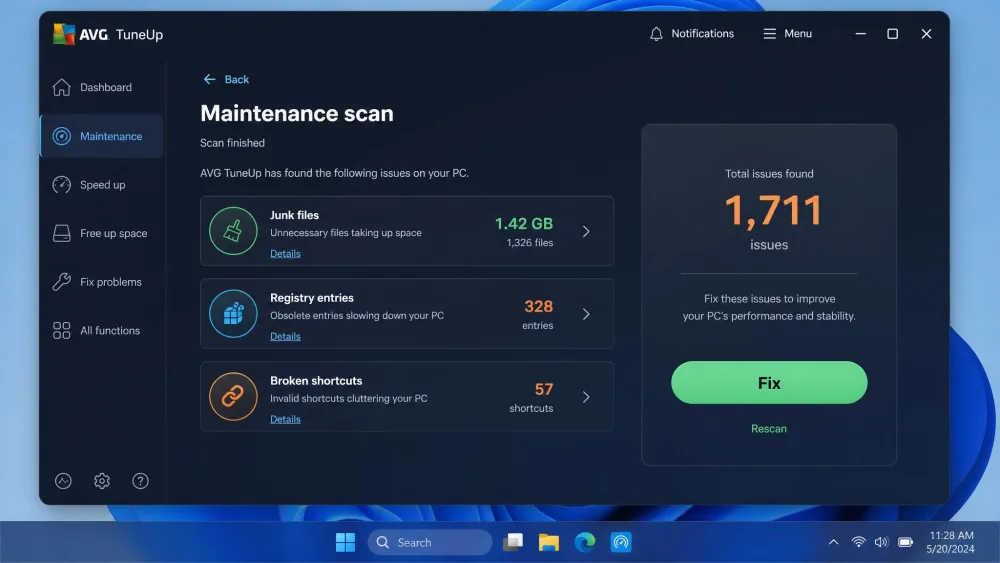
In our testing, the Maintenance scan was thorough. One pass surfaced roughly 252 MB of obsolete files, more than 1,000 junk items, and 82 registry entries in a clean, guided report, and the interface holds your hand from scan to fix. Worth knowing: AVG TuneUp is essentially the same product as Avast Cleanup, since they share a developer.
Key Features
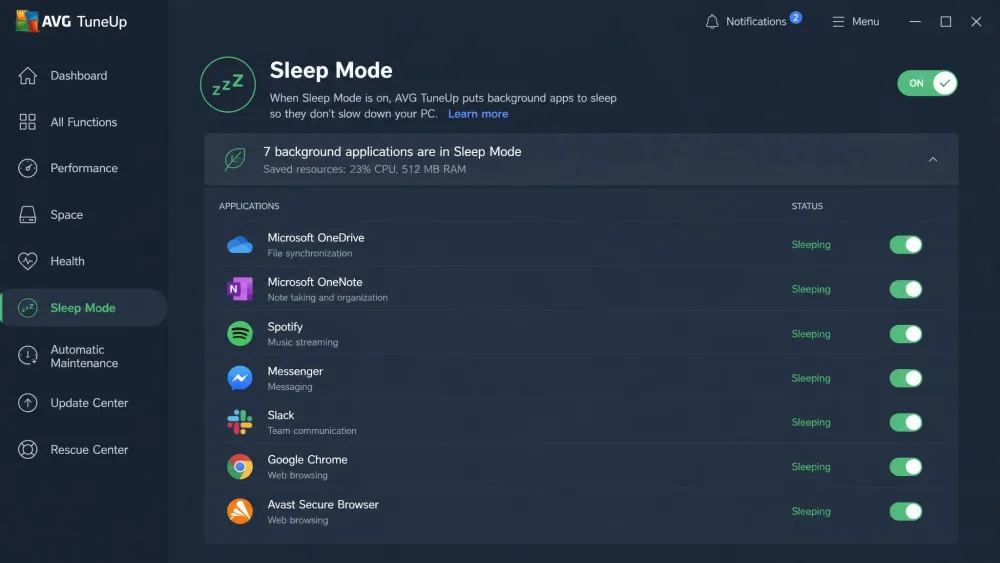
AVG TuneUp packs a dedicated registry cleaner, a disk and junk cleaner, a browser cleaner, Sleep Mode that suspends resource-draining background apps, startup speed optimization, a Software Uninstaller for bloatware, a Software Updater, disk defrag, a duplicate-file finder, and 24/7 Automatic Maintenance in the background.
Pros
Pros
- Thorough, guided cleaning with a polished, beginner-friendly interface
- Genuine optimization extras: Sleep Mode, startup optimizer, software updater
- One license covers up to 10 devices across Windows, Mac, and Android
- 7-day trial and 30-day money-back guarantee lower the risk of trying it
Cons
- Paid annual subscription rather than a one-time purchase
- Windows-centric, with no Linux support
- Broken-shortcut counts can be inflated by extra registry items it lumps in
- Functionally close to Avast Cleanup, so it is not a unique offering
BleachBit Overview
BleachBit is a free and open-source cleaner released under the GPL open-source license, with no ads, upsells, or subscriptions. The current stable release, BleachBit 6.0.2, runs on both Windows 10/11 and Linux, its biggest structural advantage over AVG. There is no registration and no account: you download it, and it works offline.
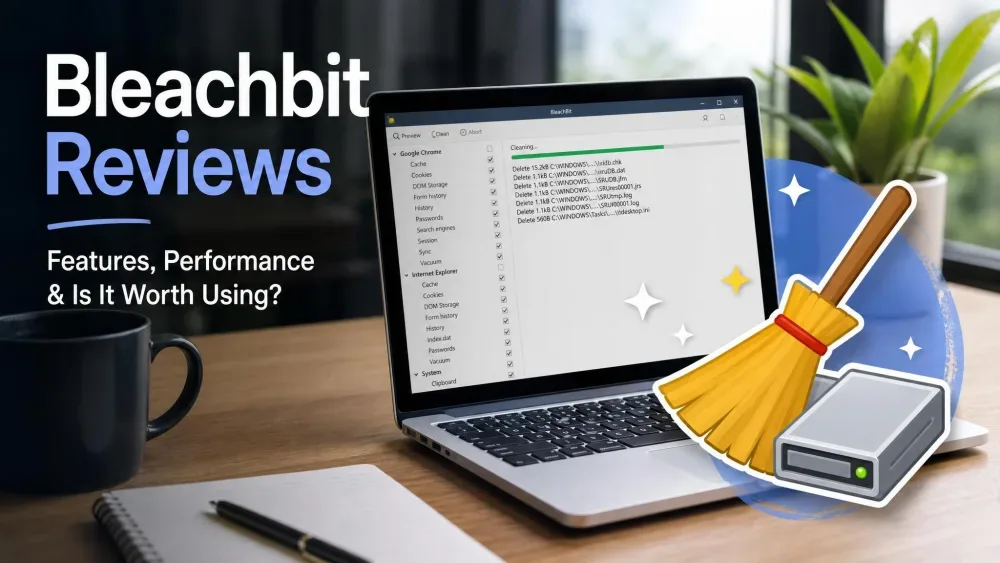
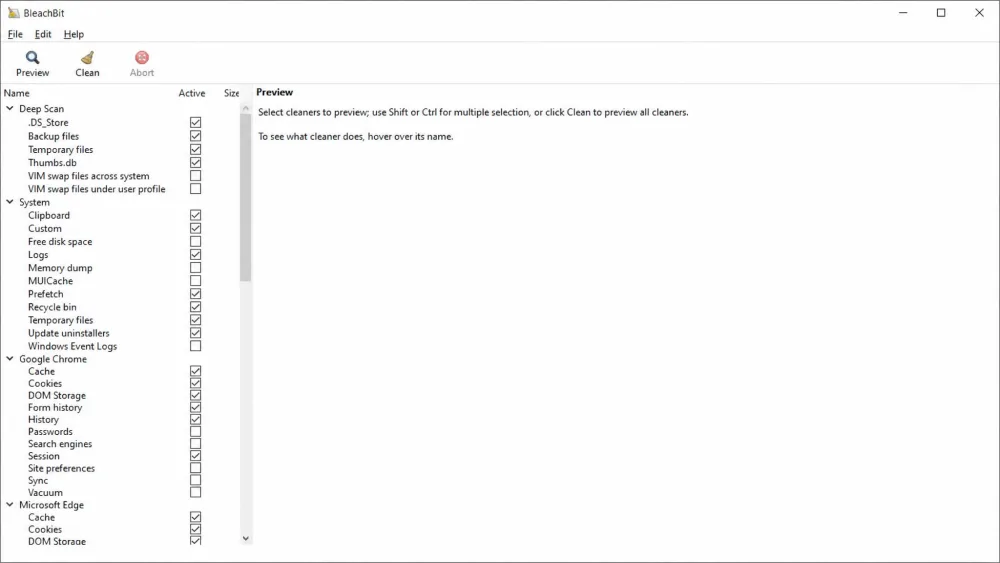
BleachBit cleans effectively in practice. In one pass it flagged 895 junk items and more than 1,100 privacy traces, and a rescan afterward left only small bits behind. The catch is the interface: a long, plain list of checkboxes covering Deep Scan, History, Cache, and more that can intimidate a newcomer unsure which boxes are safe to tick.
BleachBit's cleaning is aggressive and irreversible. There is no built-in undo and no recycle-bin safety net, so the preview-before-delete list is your main defense against removing something you actually need. It does pop up explicit risk warnings for sensitive categories like saved passwords, but read those previews carefully.
Key Features
BleachBit handles junk and temp-file cleaning, browser cache, history, and cookie cleaning, a cookie manager that keeps chosen cookies, secure file shredding, wipe-free-disk-space, and a preview-before-delete step. For technical users it adds a command-line interface for scripting plus custom CleanerML cleaner rules. It also exposes a basic Windows registry cleaner option, though registry cleaning is limited and not where its strength lies.
Pros
Pros
- Completely free and open-source, with no ads or upsells
- Cross-platform: runs on both Windows and Linux
- Secure file shredding and wipe-free-space that AVG does not offer
- CLI and CleanerML scripting reward power users who want automation
Cons
- Plain checkbox interface that intimidates less technical users
- No undo and no recycle-bin safety net once you clean
- Registry cleaning is minimal compared with dedicated suites
- App detection can miss installed browsers, and pop-ups can feel excessive
Head-to-Head: Cleaning Power and Performance
On raw cleaning results the two tools are closer than the price gap suggests. Both removed large volumes of junk and privacy data in our passes and left the system tidy. The differences show up in what each does around the core clean.
Junk and Registry Cleaning
For everyday junk and temp files, both tools deliver. AVG TuneUp's guided report made it easy to see what was being removed and why, while BleachBit's checkbox model put that control in your hands at the cost of a steeper first run.
Registry cleaning is where they diverge. AVG TuneUp includes a dedicated registry cleaner in its maintenance routine. BleachBit exposes only a limited Windows registry option, with coverage shallow to the point of barely counting. If registry housekeeping matters to you, AVG is the more serious tool, though aggressive registry cleaning rarely delivers the speed gains people expect.
Privacy and Secure Deletion
This is BleachBit's home turf. It cleans browser history, cookies, and caches, lets you retain specific cookies, and adds two features AVG lacks: secure file shredding and wiping free disk space so deleted files cannot be recovered. AVG TuneUp's browser cleaner clears tracking data too, but stops short of secure shredding.
BleachBit does something AVG TuneUp does not: it shreds files and wipes free space so deleted data stays gone.
System Optimization Extras
Here the roles reverse. AVG TuneUp is a genuine optimization suite, not just a cleaner. Sleep Mode suspends resource-draining background apps, the startup optimizer trims what loads at boot, and the Software Updater and Uninstaller help keep the system lean. BleachBit does none of this; it is a cleaner and a shredder, and stays in that lane. If you want your cleanup tool to also tune performance, AVG is the only one that tries.
Pricing and Value: Paid Suite vs Free and Open-Source
This is the clearest split in the comparison. BleachBit is free forever at $0, with no tiers, no upsells, and full source code under the GPL. AVG TuneUp is a paid annual subscription, and its price is a moving target. Direct from AVG, the 10-device tier runs roughly $60 the first year and climbs to around $70 on renewal, while retailers often undercut that in the $10 to $35 range. The first year is discounted and the subscription auto-renews at the higher rate, so check the renewal price before you buy.
On pure value, BleachBit is hard to argue with: it matches AVG on core cleaning and beats it on secure deletion, for nothing. AVG earns its price only if you actually use the optimization extras. If all you need is a clean drive and cleared privacy traces, you are paying for features you will not touch.
Windows already ships with a basic cleaner. Before paying for anything, run the built-in Windows Disk Cleanup to see how much a free tool recovers on its own.
Ease of Use and Interface
AVG TuneUp is the easier tool to live with: a polished, guided dashboard, results in plain language, and a fix flow of a couple of clicks.
BleachBit asks more of you. Its interface is a long list of checkboxes with sparse descriptions, and it does not always make clear which options are safe. The frequent pop-up warnings, while useful, can wear on you. Power users will value the transparency and preview step; novices may find the first run daunting.
Which One Should You Choose?
Choose AVG TuneUp If...
You are a Windows home user who wants an all-in-one tune-up with little friction. You value the optimization extras and would rather pay for a guided experience than tick checkboxes yourself. The 7-day trial and 30-day guarantee make it low-risk to see whether the extras earn their keep.
Choose BleachBit If...
You want thorough cleaning and strong privacy tools for free, you care about secure file shredding, or you run Linux as well as Windows. Technical users who automate cleaning through the CLI or write custom rules will get the most out of it. As long as you respect the preview step and the lack of an undo, BleachBit is the better fit.
Frequently Asked Questions
Is BleachBit safe, and does it have an undo?
Is AVG TuneUp worth it in 2026?
Is BleachBit really free?
Which is better for a Windows home user versus a Linux or power user?
Does BleachBit clean the registry like AVG?
Final Verdict
Both tools do the core job well, so the winner depends on what you want around it. AVG TuneUp is the better all-in-one Windows suite: polished, guided, and packed with optimization features BleachBit does not attempt. BleachBit is the better value and stronger privacy tool, cleaning just as effectively while adding secure shredding, Linux support, and a $0 price.
For most Windows home users who want extras and an easy ride, AVG TuneUp is worth paying for. For privacy-focused and technical users who want free, open-source cleaning with secure deletion, BleachBit wins outright.