Your Windows PC has slowed down, the drive is nearly full, and you are looking at two very different answers to the same problem. One is a polished subscription that starts at $29.88 for a year. The other is a 20-tool suite that costs nothing at all for personal use. We put both on the same neglected Windows machine and ran them through the same cleanup work, then watched what each one actually changed.
The short version is that neither tool performs magic on healthy hardware, and both free up real disk space on a machine that has been left alone for a couple of years. Where they split is on polish, automation, and what you get for the money. Avast Cleanup Premium buys you a beginner-friendly dashboard and hands-off scheduling. Glary Utilities gives you more individual tools than you will probably ever use, for free, wrapped in an interface that has not changed much in years.
Avast Cleanup Premium vs Glary Utilities at a Glance
Here is how the three options line up, including Glary's paid tier, since the free-versus-Pro question shapes the whole value comparison.
| Product | Buy | Price (free tier / annual) | Junk file cleaning | Registry cleaner | Startup manager | Uninstaller | Duplicate finder | Driver updater | Privacy/tracks cleaner | Automatic maintenance | Devices covered | Platforms | Support |
|---|---|---|---|---|---|---|---|---|---|---|---|---|---|
 |
Check price → | No free tier; $29.88 first year, renews $65.99 | Yes | Yes (no backup) | Yes | Yes (bloatware removal) | No | No | Yes | Yes | 1 PC, or 10 devices on the higher plan | Windows, macOS, Android, iOS | 30-day trial, 30-day refund |
 |
Check price | Free | Yes | Yes | Yes | Yes | Yes | No | Yes | Manual only | Unlimited personal use | Windows | Community/self-serve |
 |
Check price | $39.95/year | Yes | Yes | Yes | Yes | Yes | No | Yes, plus auto-erase on logoff/shutdown | Yes, scheduled | 3 PCs | Windows | 24/7 support, 90-day refund |
The pattern is clear even before you install either one. Glary has the wider toolbox, Avast has the wider platform reach and the friendlier front end, and only Glary offers a genuinely useful free tier.
How We Tested
We installed both tools on the same Windows laptop, an older consumer machine that had been in daily use for years without a cleanup pass, then ran each product's one-click maintenance routine and worked through the individual modules by hand. Between runs we restored the machine so neither tool inherited the other's work. We watched disk space before and after, timed boot, and kept Task Manager open to see what each program cost in memory and CPU while it ran.
We also paid attention to the parts of ownership that a benchmark misses: how pushy the installer and the app are, what happens when the subscription renews, and whether the cleanup removes anything you might want back.
Both products were run on the same physical machine with the same starting disk state, because a cleanup tool that goes second always looks worse than one that goes first.
Cleaning Performance: Junk Files and Disk Space
This is the axis most buyers care about, and it is where the two tools land closest together.
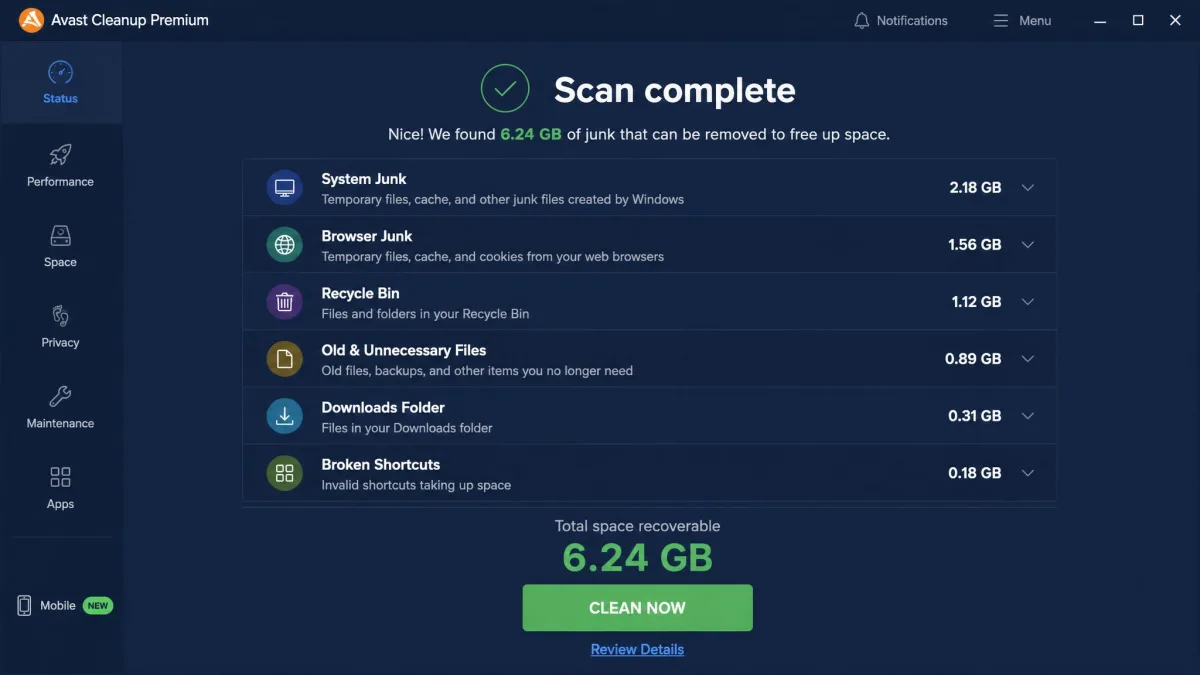
Avast Cleanup Premium clears a meaningful batch of junk and frees genuine disk space on a neglected machine. On our older Windows laptop it recovered several gigabytes of temporary files, browser leftovers, and installer caches, and it shaved a few seconds off boot time. What it did not do was produce a dramatic speed gain on hardware that was already in decent shape. If your PC is slow because it has 8GB of RAM and a spinning drive, no cleaner fixes that.
Avast splits its work into Basic, Full, and Custom scan modes, so you can either accept the defaults or pick exactly which categories get emptied. The Full pass is the one worth running, and it takes a few minutes rather than a few seconds.
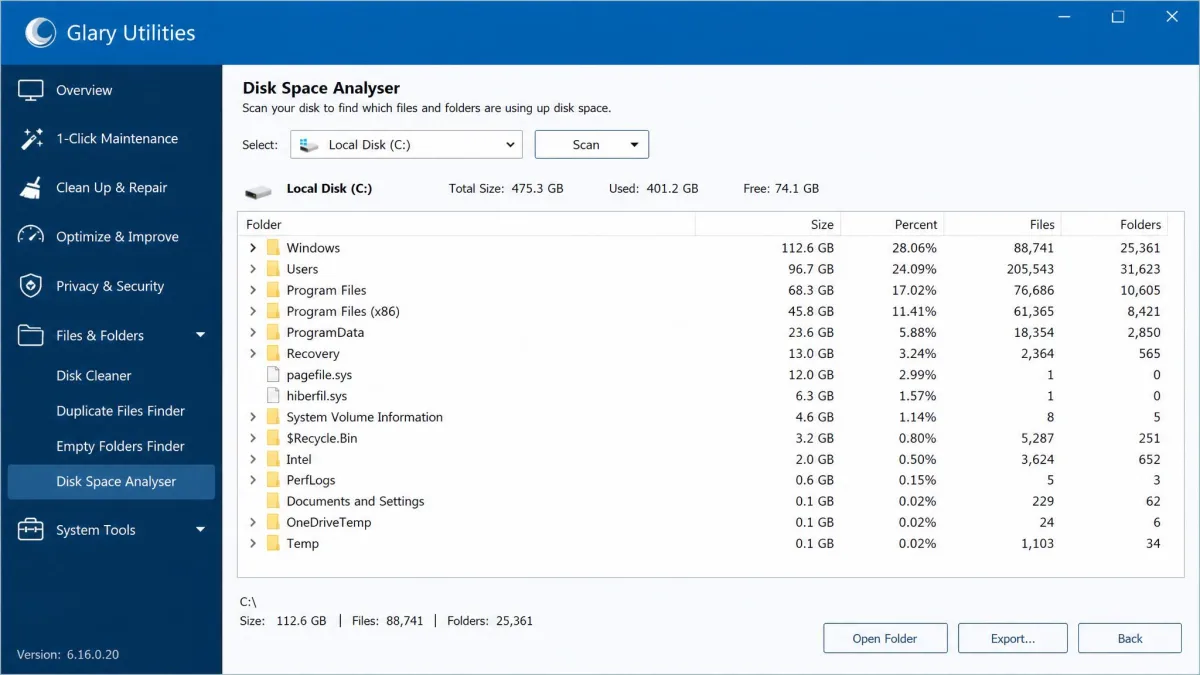
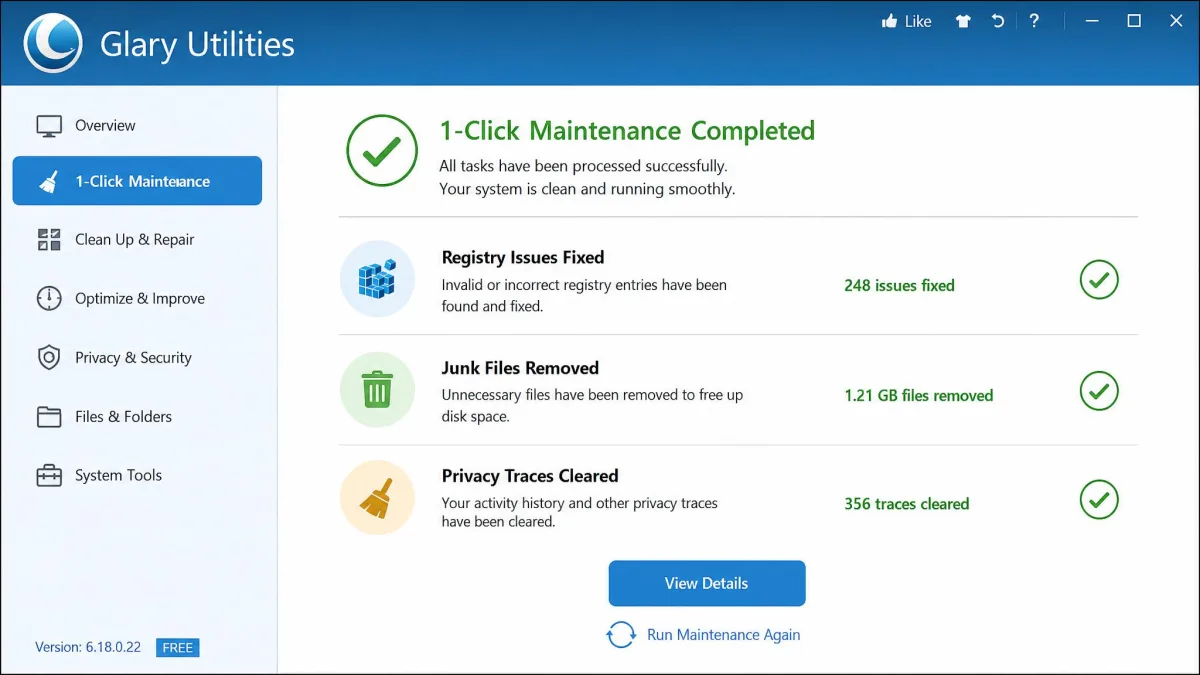
Glary Utilities attacks the same targets through its 1-Click Maintenance routine, plus a separate disk cleanup module and a disk space analyser that shows you which folders are actually eating the drive. That analyser is the piece Avast has no answer for, and it is genuinely useful when the junk is not junk at all but a forgotten folder of video files.
Glary's disk cleanup can wipe your existing System Restore points. If you rely on System Restore as a rollback plan, uncheck that item before you run the routine, and create a fresh restore point afterwards.
On raw space recovered the two finish close enough that we would not pick between them on that number alone. Avast is the safer default for someone who wants to press one button. Glary is better if you want to see where the space went and decide for yourself.
Registry Cleaning and Repair
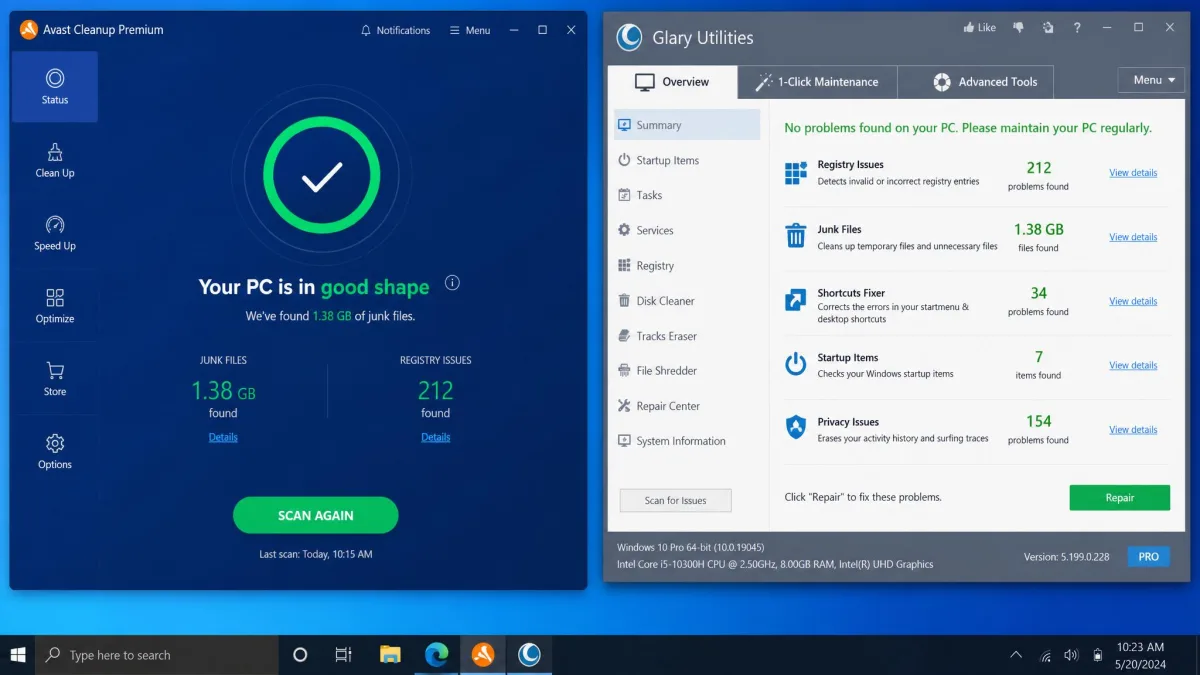
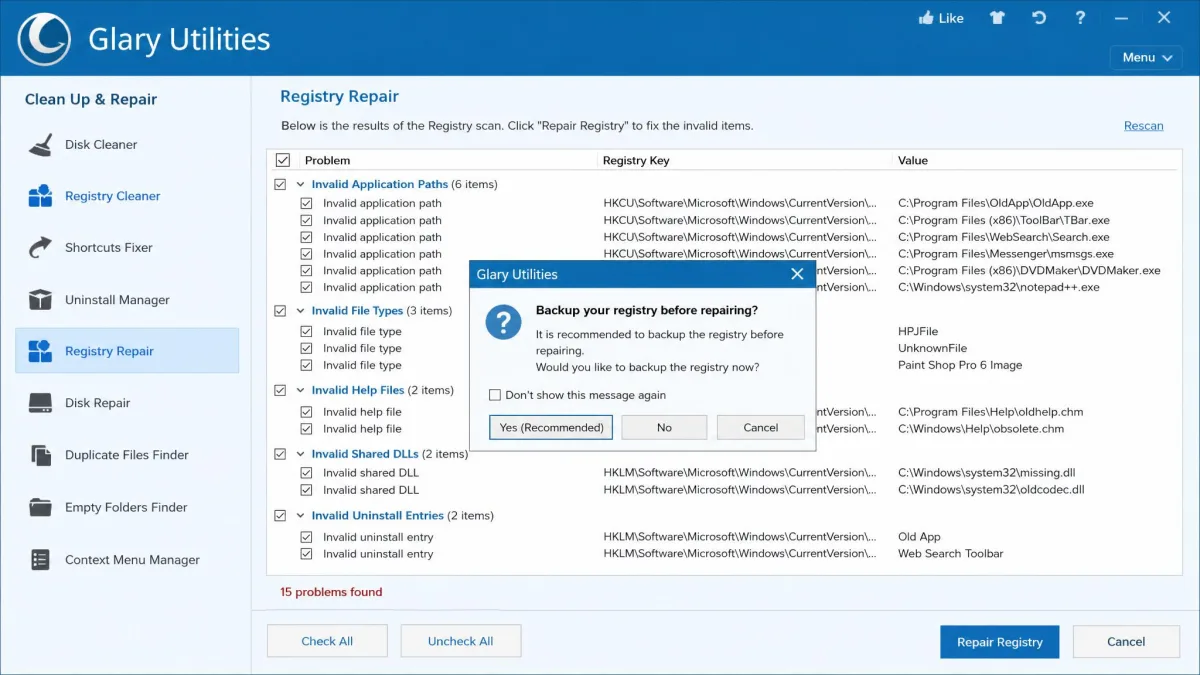
Both suites include a registry cleaner, and both find hundreds of orphaned entries on a machine that has seen a few years of software churn. We are not going to pretend either one made our test laptop faster. In our testing the registry cleaner delivered little measurable real-world benefit on either product, which matches what we have found across every tune-up suite we have run.
The difference that matters is safety. Avast's registry cleaner has no registry backup feature, so it deletes entries with no built-in rollback. Glary's registry repair module keeps a backup and lets you restore a previous state, which is the behaviour we expect from any tool that edits the registry at all.
Whichever tool you use, create a System Restore point before your first registry pass. It costs about thirty seconds and it is the only cheap insurance against a cleaner removing an entry some old application still needs.
Startup and Boot Speed Optimization
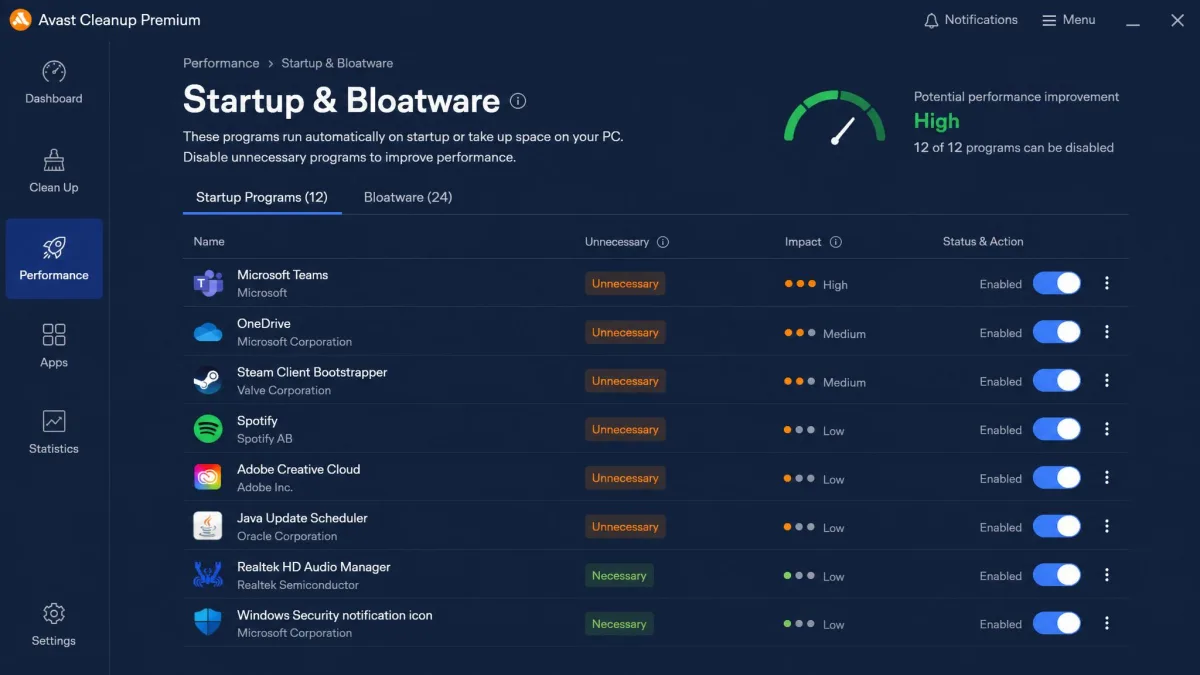
Startup management is where a cleaner can genuinely help an older machine, because cutting the login-time queue is the one change you feel every morning.
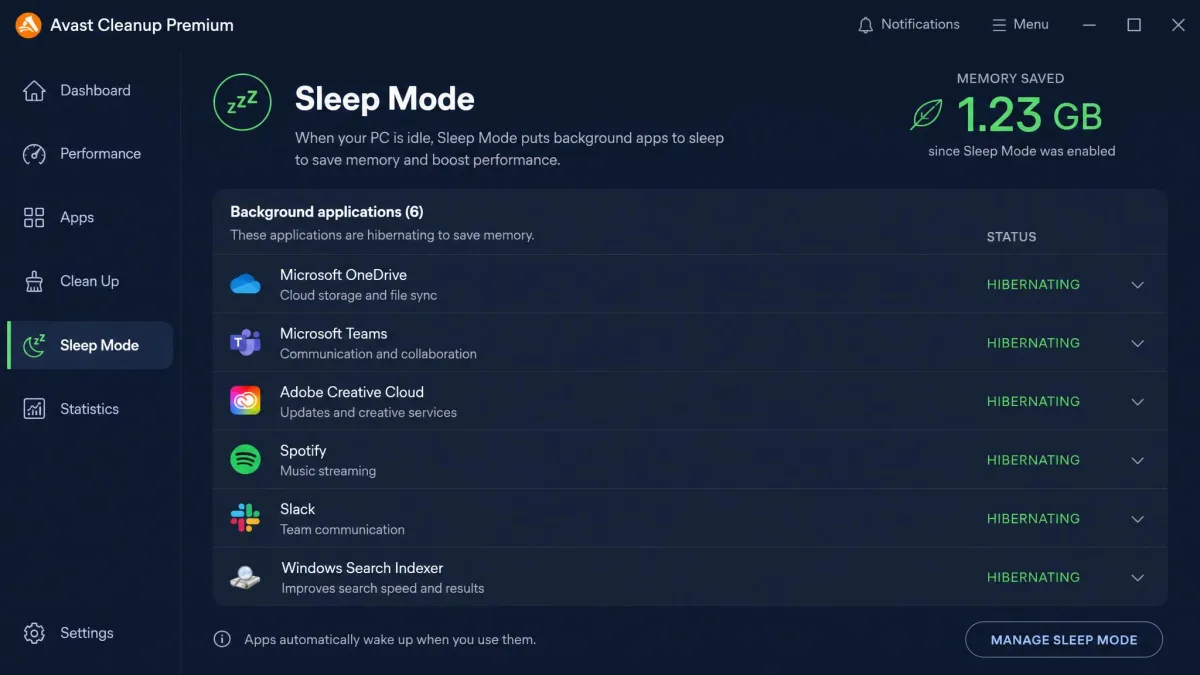
Avast handles this two ways. Its startup and bloatware manager lists what launches with Windows and flags what it considers unnecessary, and Sleep Mode hibernates background applications you are not currently using. Sleep Mode is the more interesting feature of the two. It noticeably reduces memory pressure by putting idle apps to sleep, and the applications wake normally when you launch them again, so you do not pay for the saving with broken software.
Glary's startup manager is a plain list with delay and disable options. It does the job, it shows you a community-sourced opinion on each item, and it asks you to make the call. There is no equivalent to Sleep Mode.
On our test laptop the cleanup shaved a few seconds off boot with either tool. Avast edges this section because Sleep Mode keeps working after boot, not just during it.
Extra Tools: Uninstaller, Duplicate Finder, Driver and Privacy Tools
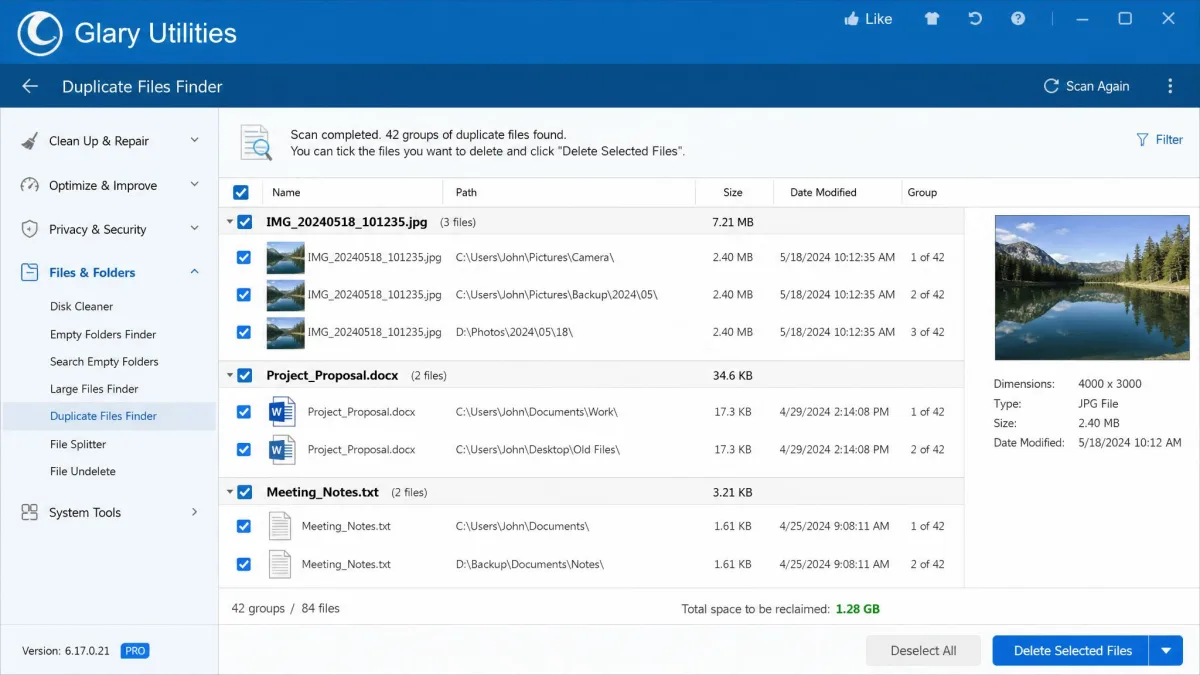
Glary wins this section on volume and it is not close. The free suite packs over 20 tools, including a duplicate file finder, a file shredder, file recovery, a software update tracker, an uninstaller, and a privacy and tracks cleaner. Avast has no duplicate file finder at all, which is a real gap when photo libraries are the usual reason a drive fills up.
Avast counters with a software updater, browser cleanup, and a bloatware-focused uninstaller that ranks preinstalled programs by how unnecessary it considers them, combining blacklists, its own heuristics, and user ratings. That ranking is the part worth having, because the hard question with preinstalled software is rarely how to remove it and almost always whether you should.
Neither product includes a driver updater, so if that is on your list, both are the wrong purchase.
Ease of Use and Interface
Avast Cleanup's interface is beginner-friendly, and the automatic maintenance scheduling needs no configuration after install. You open it, you see a scan button and a health score, and you press the button. For someone who wants a tune-up tool they never have to think about, that is exactly right.
Glary Utilities looks dated next to it, with dense tool lists rather than a guided dashboard. The 1-Click tab softens this, but the moment you leave it you are reading a grid of small icons with terse labels. Installation can be fiddly too. Experienced users will not mind and will appreciate having everything on one screen. A less confident user will bounce off it.
Pros
- Avast is the easier product to hand to a non-technical user
- Glary puts every tool one click from the main window
- Both offer a genuine one-click routine for people who want no decisions
Cons
- Glary's dense tool grid and fiddly install slow down first-time users
- Avast pushes frequent upsell notifications for its other products
System Impact and Resource Usage
A cleaner that sits in memory all day has to justify the space it occupies. Avast Cleanup stays light in the background, sitting at roughly 70-80 MB RAM and 0-2.9% CPU while idle, and climbing only modestly to about 82-101.5 MB RAM and up to 12.7% CPU while it is actively cleaning. On a modern machine you will not notice it. On a 4GB laptop, 80 MB of permanently resident RAM is worth knowing about before you commit.
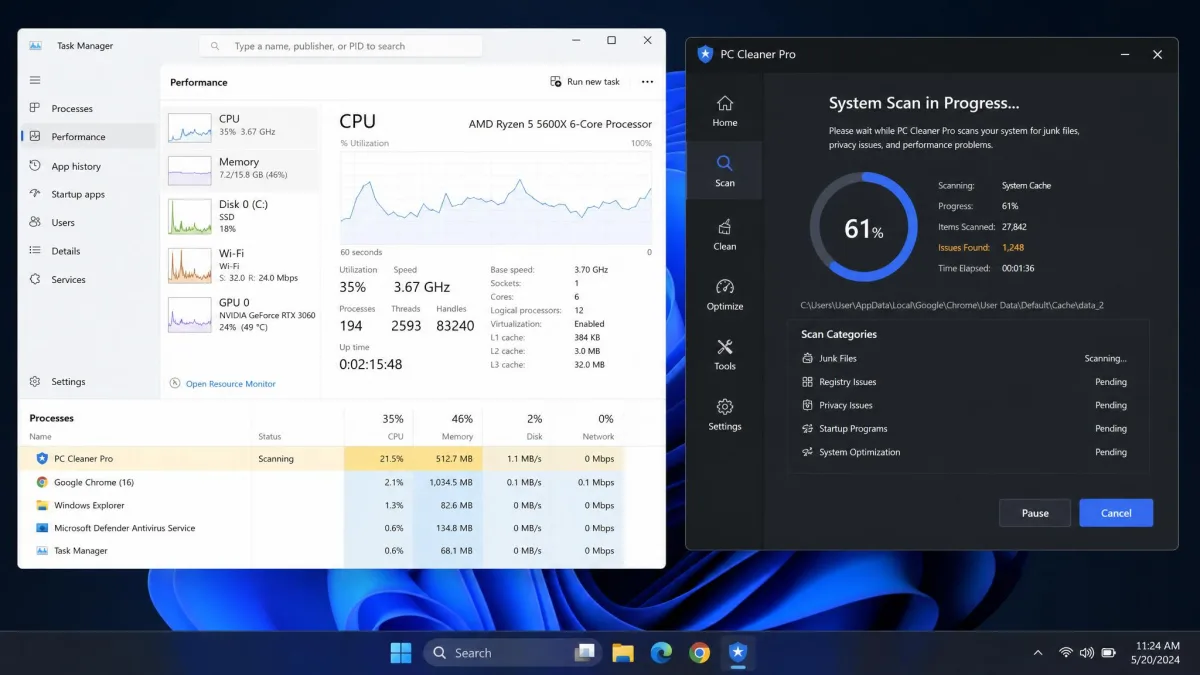
Glary Utilities is not a permanent resident on the free tier, because nothing runs on a schedule unless you upgrade to Pro. That makes the free version effectively zero-cost at idle: you launch it, you clean, you close it. Pro's scheduled maintenance brings it closer to Avast's always-on footprint.
Avast's own stated requirements are modest, at 1GB RAM and 2GB of free disk space, which is well below what any machine running Windows 10 or 11 already has.
Safety, Privacy and Data Handling
Both tools do things that are irreversible, and both give you fewer guardrails than we would like in at least one place. In each case the fix is the same: read the checklist before you press the button rather than after, because the default selections are written to be thorough rather than cautious.
On the privacy side, Avast is a security brand with a long memory attached to it, and it is fair to want to know what a cleanup tool is transmitting. Glary's tracks cleaner and file shredder cover local privacy hygiene well, and Pro adds automatic erasure of privacy tracks on logoff or shutdown, which is the kind of thing you set once and forget.
Pricing and Value
Avast Cleanup Premium pricing
Avast has no free tier. A single Windows PC costs $29.88 for the first year and renews at $65.99 per year. The 10-device plan runs $34.68 for the first year and $79.99 per year after that, which is the better buy if you have a household of machines and phones to cover. There is a 30-day free trial with no credit card required, and a 30-day money-back guarantee if you buy and change your mind.
That renewal number is the one to write down. Avast subscriptions auto-renew at the undiscounted price, and cancellation and refund requests can be slow or awkward to complete. Set a calendar reminder for month eleven.
Glary Utilities Free vs Pro pricing
Glary Utilities is free for personal use, with no feature timer and no nag-driven crippling of the core tools. The current build is version 6.45 for Windows, updated July 20, 2026, so it is actively maintained rather than abandoned freeware.
Glary Utilities Pro costs $39.95 per year, and one license covers up to 3 PCs. Glarysoft backs it with a 90-day money-back guarantee and 24/7 technical support. Promotional discounts of up to 70% surface periodically and can drop the first year to around $11.95, though those offers are limited-time and the standard renewal stays at $39.95 per year. What Pro buys is automation: scheduled 1-Click Maintenance, scheduled web updates, automatic background update installs, auto-erase of privacy tracks on logoff or shutdown, and a commercial-use license.
Which is better value
Glary's free tier covers the core cleaning toolset, so the paid upgrade mostly buys automation rather than extra capability. That is the single most important sentence in this comparison. If you are willing to launch a program yourself once a month, Glary costs you nothing and does 90% of what either paid product does.
Avast's first-year price of $29.88 is cheaper than Glary Pro's $39.95, but it covers one PC against Glary's three, and it renews at $65.99 against Glary's flat annual figure. Over two years, one PC on Avast costs about $95.87. Two years of Glary Pro across three PCs costs $79.90.
Support, Updates and Platform Coverage
Platform coverage is Avast's clearest structural advantage. Cleanup Premium runs on Windows 10 and 11 across 32-bit, 64-bit, and ARM64, and still supports Windows 7 and 8.1 with Service Pack 1. It also has macOS 10.13 or later, Android 10 or later, and an iOS client, so the 10-device plan genuinely covers a mixed household.
Glary Utilities is Windows only. There is no Mac, Android, or iOS client, and none appears to be coming.
For support, Avast gives you a 30-day trial and a 30-day refund window. Glary's free tier is community and self-serve only, while Glary Utilities Pro adds 24/7 technical support. In practice we found Glary's customer service responses can be slow, so factor that in if you expect hand-holding.
User Ratings and Reputation
Glarysoft's Trustpilot community rates the company 3.3 out of 5, while its Facebook following of 120,000 shows a 98% recommendation rate. Those two numbers disagree, and both are worth keeping: people who chose the product like it, people who had a billing or support problem went to Trustpilot to say so.
Avast as a brand sits at 4.3 out of 5 on Trustpilot, though that score covers every Avast product rather than Cleanup Premium on its own, and it moves as new reviews land. Independent review scores for Cleanup Premium cluster around 4.0 out of 5. Glarysoft claims 200 million users across its product line, which tells you the free suite has genuine reach rather than that it is better.
The recurring complaint against Avast is not the software. It is the commercial behaviour around it: frequent upsell notifications for other products, and renewals that arrive at full price.
Pros and Cons
Avast Cleanup Premium pros and cons
Pros
- Beginner-friendly interface with automatic maintenance that needs no setup
- Sleep Mode measurably reduces memory pressure from idle background apps
- Covers Windows, macOS, Android, and iOS on the 10-device plan
- 30-day free trial with no credit card, plus a 30-day refund window
- Light background footprint at roughly 70-80 MB RAM idle
Cons
- No free tier, and the renewal jumps to $65.99 per year for one PC
- Registry cleaner deletes entries with no registry backup
- No duplicate file finder and no driver updater
- Frequent upsell notifications for other Avast products
- Cancellation and refund requests can be slow to complete
Glary Utilities pros and cons
Pros
- Over 20 tools, free for personal use with no crippled core features
- Duplicate finder, disk space analyser, file shredder, and file recovery included
- Registry repair keeps a backup before it changes anything
- Actively maintained, with version 6.45 released July 2026
- Pro covers 3 PCs for $39.95 with a 90-day refund window
Cons
- Interface looks dated, with dense tool lists rather than a guided dashboard
- Disk cleanup can wipe existing System Restore points
- Windows only, with no Mac or mobile client
- Free tier runs everything manually, since scheduling is Pro-only
- Installation can be fiddly and support responses can be slow
Which Should You Choose?
Choose Avast Cleanup Premium if...
You want a tune-up tool you can install and forget, you are cleaning phones and Macs as well as a PC, or you are setting this up for someone who will not read a checklist. The scheduled maintenance and Sleep Mode are the two features Glary cannot match at any price, and the beginner-friendly front end is worth real money when the person using it is not you.
Choose Glary Utilities if...
You are comfortable launching a program yourself, you want the widest toolbox, or you object on principle to paying a subscription for maintenance work Windows arguably should do on its own. The free tier is not a demo. It is the whole cleaning suite, and for most single-PC Windows users it is the right answer.
Frequently Asked Questions
Is the free version of Glary Utilities enough?
Is Avast Cleanup Premium worth the subscription?
Can you run both on the same PC?
What actually breaks if a registry cleaner deletes an entry something still needs?
When does scheduled maintenance actually run, and can I keep it out of my way?
Will either meaningfully speed up an older laptop?
Final Verdict
If we were setting this up again from scratch, we would change one thing about our own process: install Glary first and live with it for a month before spending anything, because the paid case only becomes clear once you know whether you actually remember to run a cleanup yourself. The one condition that flips our call is other people's machines. The moment you are maintaining a PC you do not sit at, the argument for a tool that does the work unattended beats the argument for the tool with more buttons.