You want one cleaner on your PC, not two, so which of these two veterans deserves the install? For most people it is CCleaner, because its cleaning engine is faster to reach, its interface stays out of your way, and it is the only one of the pair with Mac and Android builds. Glary Utilities wins on a different axis: it hands you roughly 20 to 30 tools for free, covers 3 PCs on one paid licence, and includes utilities that CCleaner locks behind a subscription.
Both suites have been on the market for well over a decade, and both still get regular updates. The differences that matter in 2026 are not really about who removes more junk files. They are about interface polish, how aggressively each product upsells you, what the free version actually includes, and how much registry risk you are willing to accept.
CCleaner vs Glary Utilities at a Glance
The short version is that these two products solve overlapping problems with very different philosophies. CCleaner is a focused cleaner with a premium tier bolted on. Glary Utilities is an all-in-one suite that throws almost everything into the free edition and charges for automation.
| Feature | CCleaner | Glary Utilities |
|---|---|---|
| Free price | Free | Free |
| Pro price | $44.95/year, 1 PC | $39.95/year, 3 PCs |
| Money-back guarantee | 30-day | 90-day |
| Junk file cleaning | Yes, Custom Clean and Health Check | Yes, 1-Click Maintenance and disk cleaner |
| Registry cleaner | Yes | Yes, plus registry defrag |
| Startup manager | Yes | Yes |
| Driver updater | Yes, paid | Yes, driver manager |
| Software updater | Yes | Yes |
| Disk analyzer | Yes, paid tiers | Yes |
| File recovery | Recuva, in Professional Plus | Yes, file undelete, included |
| Real-time monitoring | Yes, Performance Optimizer, paid | No real-time monitor |
| Scheduled cleaning | Yes, paid | Yes, Pro |
| Supported Windows versions | Windows 11, 10, 8.1, 8 | Windows 11, 10, 8, 7 |
| Mac support | Yes, separate CCleaner for Mac | No |
What Is CCleaner?
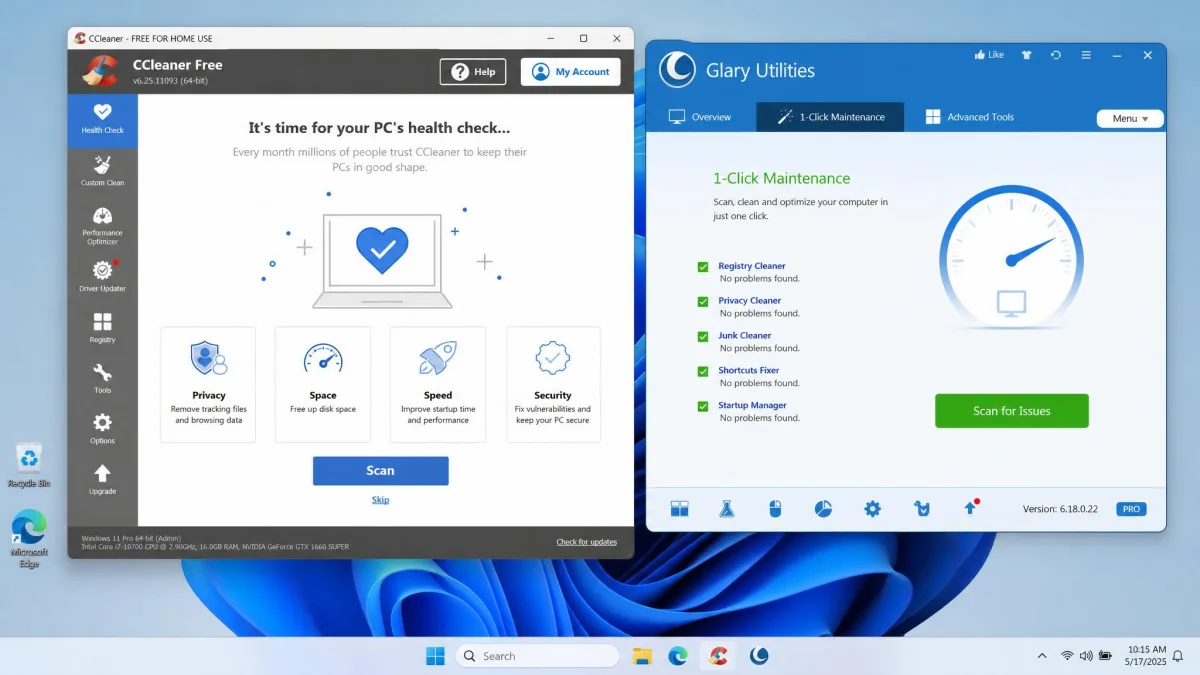
CCleaner is the tool most people picture when they hear "PC cleaner". It removes temporary files, browser caches, log files and Recycle Bin content, and it includes a registry cleaner that most rivals now treat as a legacy feature. The free build covers manual junk cleaning, browser cleaning and the registry tool, which is enough for the majority of users.
The paid ladder is where things get busier. CCleaner Professional lists at $44.95 per year for one PC and adds scheduled cleaning, real-time monitoring through the Performance Optimizer, driver updates and premium support. Professional Plus sits above it at $39.95 per year against a $64.95 list price, folding in Recuva file recovery and Speccy system information. Paid tiers are frequently discounted, so the price you see at checkout can sit well below the list figure.
Key Features
- Custom Clean and Health Check for junk and browser data
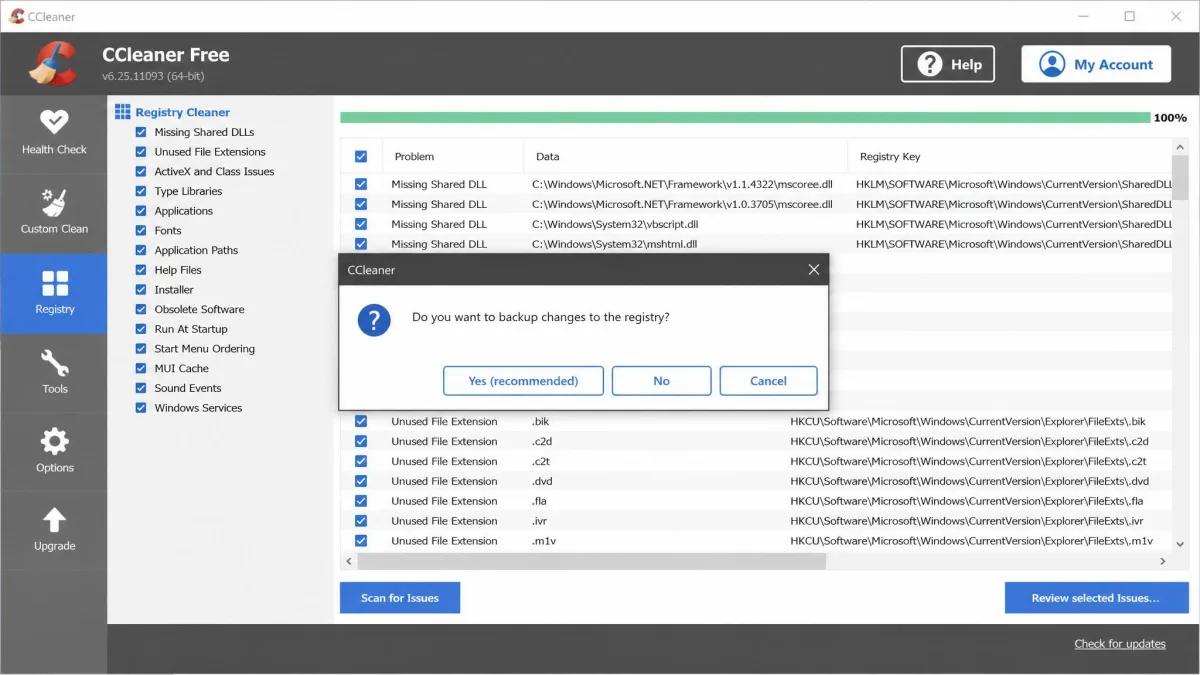
- Registry cleaner with a backup prompt before every fix
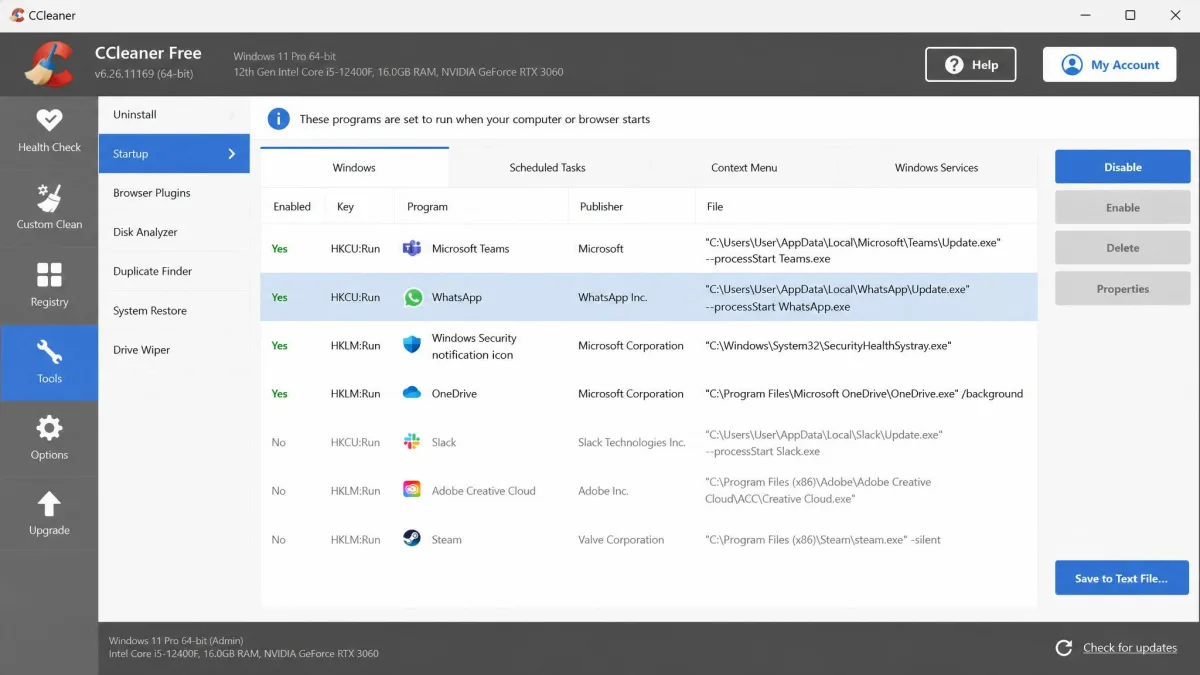
- Startup manager, Duplicate Finder and Drive Wiper
- Driver Updater and Software Updater on paid tiers
- Cloud Drive Cleaner and browser plugin manager
- Scheduled cleaning and a real-time Performance Optimizer on Professional
Support runs through a website knowledge base plus live chat for paying customers, and purchases carry a 30-day money-back guarantee on the current term.
Who It Is For
CCleaner suits people who want cleaning to be a two-minute chore rather than a hobby. It also suits anyone with mixed hardware, because it runs on Windows 11, 10, 8.1 and 8 in both 32-bit and 64-bit form, including Windows on ARM, and separate builds exist for macOS and Android. S mode is the one exception.
What Is Glary Utilities?
Where CCleaner narrows its focus, Glary Utilities widens it. Glarysoft's product page describes a maintenance suite rather than a cleaner, and the current release is Glary Utilities 6.45 for Windows, updated on 20 July 2026. Glarysoft states the suite is trusted by 200 million users.
The free edition is unusually generous for this category. It bundles the bulk of the toolkit, including several utilities CCleaner reserves for its paid tiers, so the free-versus-free comparison genuinely favours Glary on breadth. The tool count depends on how you group the modules, so the suite is best described as roughly 20 to 30 utilities.
Key Features
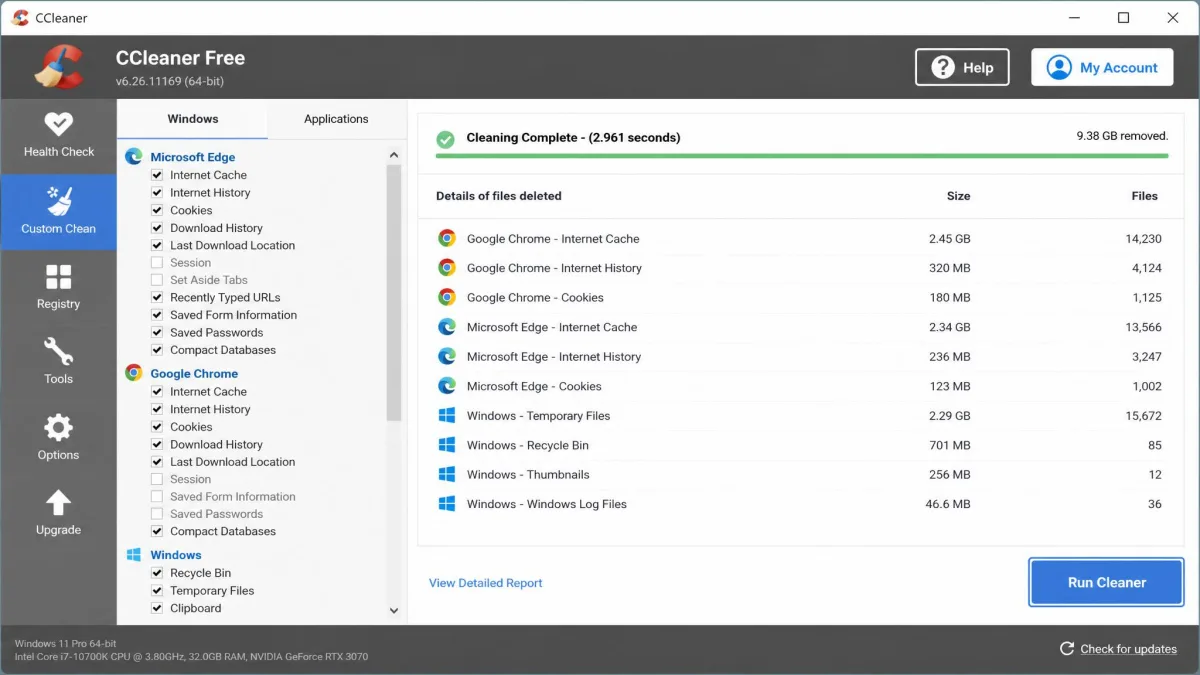
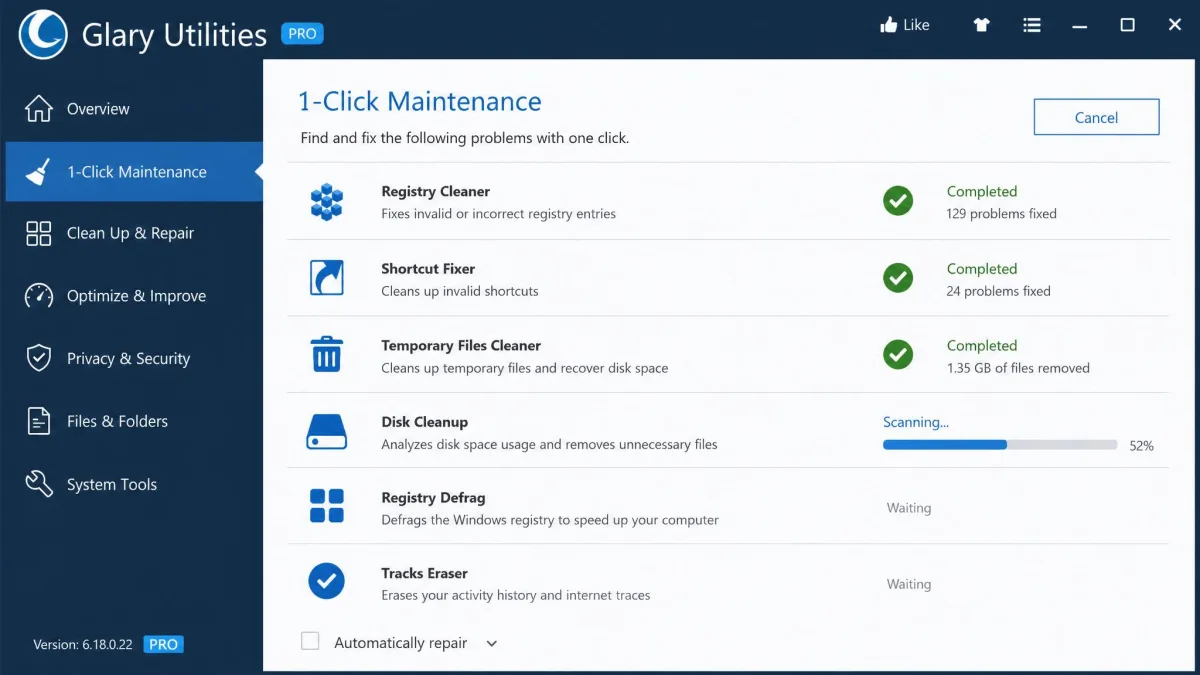
- 1-Click Maintenance, running several cleanup passes in sequence
- Disk cleaner, registry cleaner and registry defrag
- Startup manager, memory optimizer and shortcuts fixer
- Driver manager, software updater and spyware remover
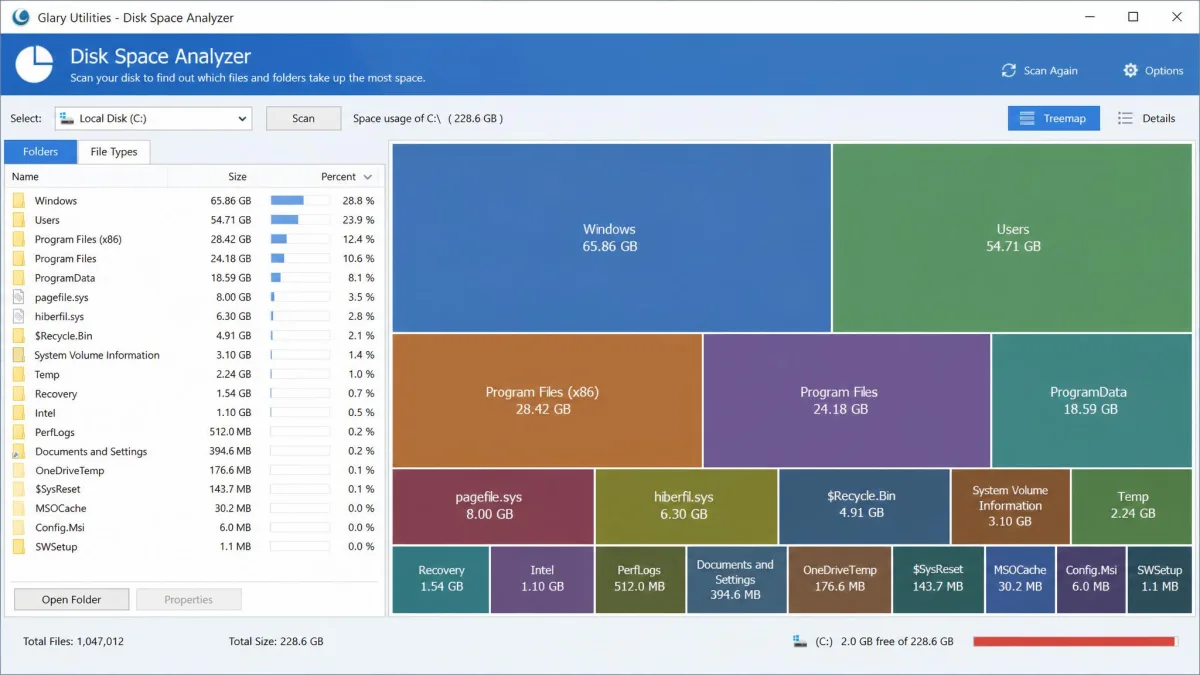
- Duplicate file finder, empty folder finder and disk space analyzer
- File undelete, file encryption, file shredder and tracks eraser
- Process manager, uninstall manager and scheduled automatic maintenance
Glary Utilities Pro lists at $39.95 per year and a single licence covers 3 PCs, which is the best value on paper of anything here. Pro ships as a fully functional 30-day trial, and Glarysoft backs purchases with a 90-day money-back guarantee. Promotional pricing is common on both sides, so check the current figure at checkout.
Who It Is For
Glary Utilities is for the tinkerer with one Windows PC and no interest in paying for basics. If you like having a shortcuts fixer, a shredder and a disk analyzer in the same window, this is the more satisfying product. Our longer Glary Utilities review digs further into the individual modules.
Head-to-Head Comparison
With the two products introduced, here is how they compare on the six things that actually decide which one stays installed.
Junk and Temp File Cleaning
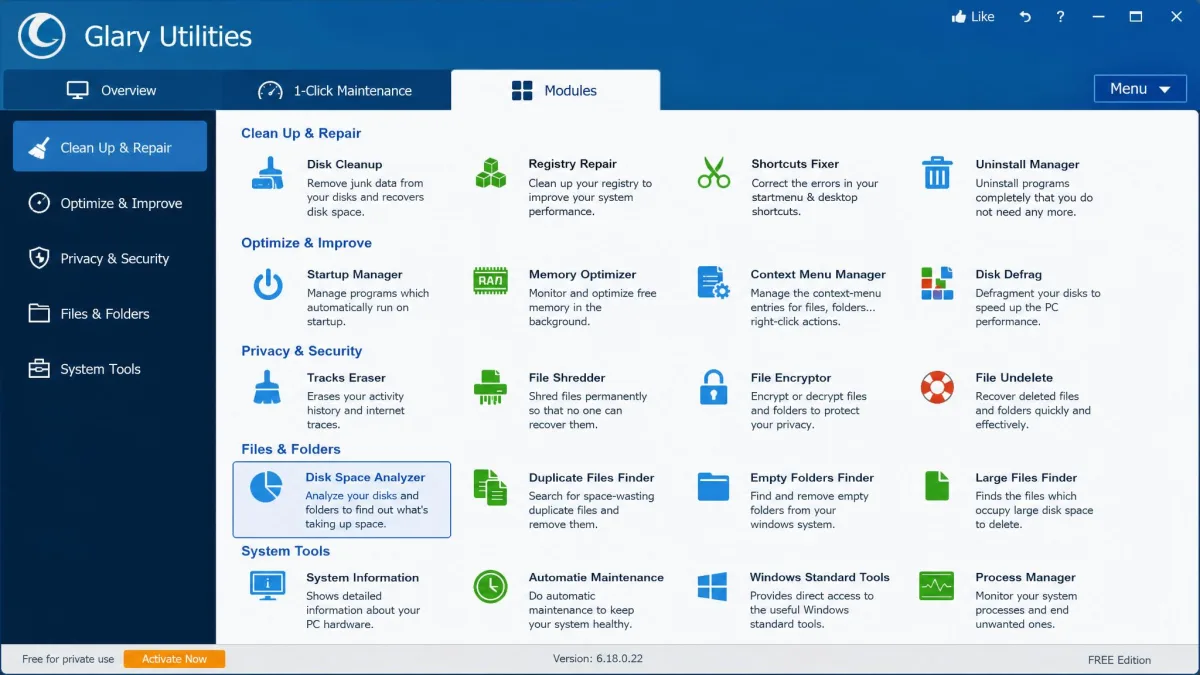
Both clear real space, and on a machine that has not been cleaned in months a CCleaner junk scan pulls back several gigabytes, most of it Chrome and Edge cache. On an SSD it identifies temp files, browser data and Recycle Bin content within seconds, which is the main practical reason it feels lighter than the alternative.
Glary's disk cleaner covers the same ground and folds it into 1-Click Maintenance, so cleanup, shortcut repair and registry work all run in one pass. That is more convenient, but it is also less selective. No independent test runs both cleaners on the same machine and reports gigabytes freed side by side, so treat any "X frees more" claim you read elsewhere with suspicion.
Glary's disk cleanup can remove stored System Restore points. If you rely on System Restore as your rollback safety net, exclude that item before you run a full maintenance pass.
Registry Cleaning and Repair
Glary offers more here on paper, because it adds a registry defrag pass on top of the standard cleaner. CCleaner's registry tool is narrower but prompts you to save a backup before every fix, which is the behaviour you want.
The honest answer is that registry cleaning produces little measurable speed gain on a modern Windows 11 machine. Deleting the wrong entries can occasionally cause software errors or odd Windows behaviour, though serious breakage is uncommon. Export a registry backup first, and only clean when you are troubleshooting a specific fault.
Registry cleaning is a troubleshooting tool, not a speed tool. Treat it that way and neither product will hurt you.
Performance and Startup Optimization
Both suites include a startup manager, and both let you disable the launch entries that actually slow a boot. Running Glary's 1-Click Maintenance on a neglected machine produces a noticeable launch-speed improvement, with slow-opening applications becoming close to instant.
CCleaner approaches the same goal from the paid side. Its Performance Optimizer monitors in the background and puts idle apps to sleep, which is a genuinely different mechanism, and it is a Professional feature rather than a free one.
User Interface and Ease of Use
This is CCleaner's clearest win. Its interface is clean and easy to navigate, with the main cleaning actions reachable in one or two clicks, and nothing about it demands that you learn a layout first.
Glary Utilities takes the opposite approach and surfaces its whole toolbox straight from the main menu, so individual utilities are quick to reach without hunting through submenus. The trade-off is visual: the interface looks dated next to CCleaner's, and that is the single most common complaint about the suite.
Extra Tools and Utility Breadth
Glary takes this one outright. File undelete, encryption, splitting, shredding and disk analysis all sit in the free edition, while CCleaner reaches a comparable spread only once you buy Professional Plus and pick up Recuva and Speccy.
CCleaner's counter-argument is depth over breadth. Its Software Updater and Driver Updater are more actively maintained, and its Cloud Drive Cleaner handles OneDrive and Dropbox caches that Glary's disk cleaner leaves alone.
Customer Support and Updates
CCleaner offers a website knowledge base plus live chat for paying customers, and CCleaner's knowledge base is the faster of the two self-service routes. Glarysoft runs support through email and Glary Utilities documentation, with no live chat option at any tier.
Update cadence is close. Glary shipped 6.45 in July 2026, and CCleaner pushes builds on a similar rhythm across Windows, macOS and Android.
Safety, Privacy, and Registry Risk
Neither product is dangerous, but both ask for trust, and CCleaner asks for more of it. The 2017 supply-chain malware incident still shapes how cautiously people treat CCleaner installs, even though the affected builds are nine years gone. Download from the vendor rather than a mirror and that specific risk is closed.
The live irritation is commercial rather than security-related. CCleaner's installer feels more commercial than older builds, with several upgrade prompts during setup, and upgrade nudges, monitoring alerts and premium suggestions appear far more often than they used to. Some of those popups surface without the app being open. Subscriptions also auto-renew, and renewal charges can land without an advance reminder, so diarise the date.
Reputation scores split along the same line. CCleaner holds a Trustpilot rating of about 4.2 out of 5 across a large base of reviews, though that score drifts between 4.1 and 4.2 as new reviews land. Glary Utilities has a far smaller public review footprint, so there is less independent feedback to go on.
Pricing: Free vs Paid Compared
CCleaner Free vs CCleaner Professional
Free covers manual junk cleaning, browser cleaning and the registry cleaner, and that is the honest limit of it. Professional at $44.95 per year for one PC adds the automation: scheduled cleaning, real-time monitoring, driver updates and priority support.
Professional Plus lists at $64.95 and is commonly offered at $39.95, which is where Recuva and Speccy enter the picture. If you only clean when you remember to, the free build is sufficient.
Glary Utilities Free vs Glary Utilities Pro
Glary's free edition is the more capable of the two free products, full stop. Pro at $39.95 per year mostly buys automation and coverage: scheduled automatic maintenance, priority updates, and 3 PCs on one licence.
The 30-day trial is fully functional, and the 90-day money-back guarantee is three times CCleaner's 30-day window. For a household with several Windows machines, the per-PC maths is not close.
Pros and Cons
CCleaner Pros and Cons
Pros
- Clean, user-friendly interface with cleaning two clicks away
- Junk scan finds temp files and browser data within seconds on an SSD
- Registry cleaner prompts for a backup before every fix
- Works on Windows, macOS and Android
- Stronger Trustpilot reputation of the two
Cons
- $44.95 per year covers only one PC
- Frequent upgrade prompts, including popups outside the app
- Subscriptions auto-renew without a reliable advance reminder
- Several tools, including scheduling, are paid-only
Glary Utilities Pros and Cons
Pros
- Roughly 20 to 30 utilities, most of them free
- One Pro licence covers 3 PCs at $39.95 per year
- 90-day money-back guarantee and a full 30-day trial
- Whole toolbox reachable from the main menu
- 1-Click Maintenance noticeably improves launch speed on a neglected PC
Cons
- Interface looks dated next to CCleaner's
- Windows only, with no Mac or Android build
- Disk cleanup can wipe stored System Restore points
- Email-only support, with no live chat
- Thin review sample, so scores move a lot
Which One Should You Choose?
Choose CCleaner If
You clean occasionally, you value a user-friendly interface over tool count, or you own a Mac or Android device you want covered by the same brand. It is also the safer pick if you share the PC with someone less technical, because there is less opportunity to click the wrong thing.
Choose Glary Utilities If
You have more than one Windows PC, you want an all-in-one suite of tools without paying, or you actually enjoy running individual utilities. The 3-PC licence and 90-day guarantee make it the lower-risk purchase.
Alternatives Worth Considering
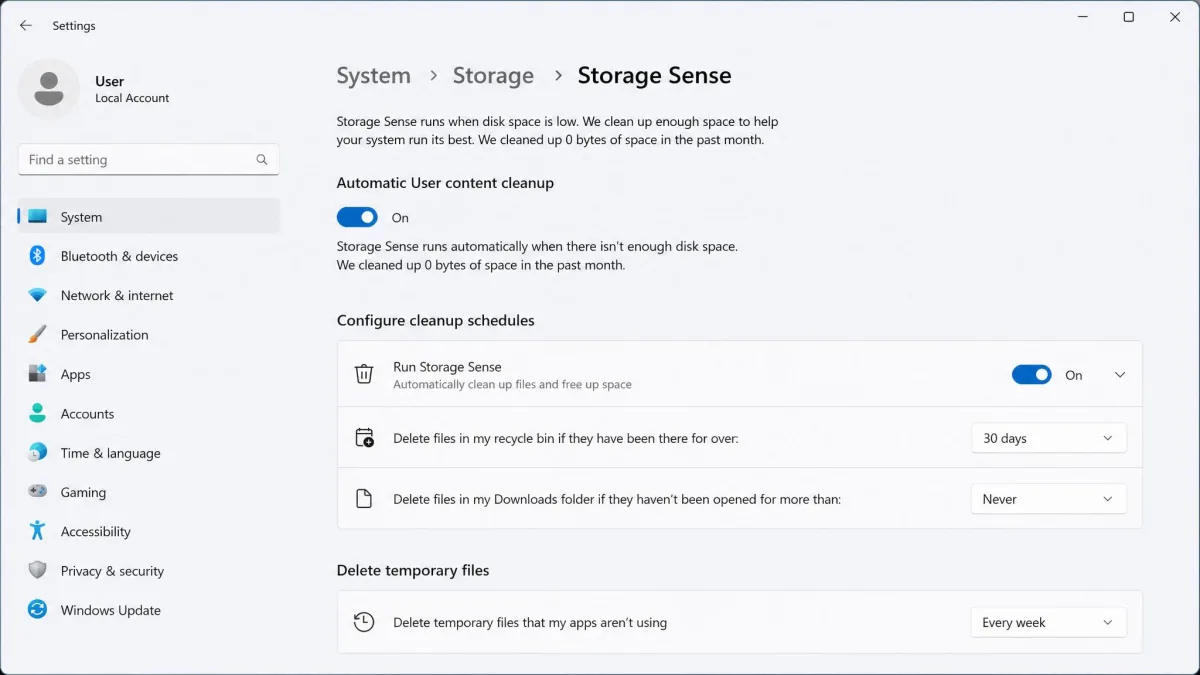
Before you install either, check whether you need one at all. Windows 11's own Storage Sense already automates much of what a cleaner does, and Windows' built-in Disk Cleanup handles system files without a third-party install. A cleaner earns its place mainly on older machines or small SSDs.
If you want something leaner, BleachBit is open source and free of upsell, and Wise Disk Cleaner sits between the two products here on complexity. We compare those matchups directly in CCleaner vs BleachBit and CCleaner vs Wise Disk Cleaner.
Both products can be installed side by side, but do not schedule both. Overlapping automatic cleanups produce confusing results and double the registry risk for no extra benefit.
Frequently Asked Questions
Is CCleaner still safe to use in 2026?
Is Glary Utilities free forever?
Can I run CCleaner and Glary Utilities together?
Which is better for older or low-spec PCs?
Does either one work on Mac?
Is the paid version worth it?
The Verdict
Weigh the two on cost per machine rather than on cleaning power and the decision gets easier. CCleaner takes the overall recommendation on interface, speed and cross-platform coverage, and it is the one we would put on a family PC. It also asks for the most patience, between the upsell prompts and the auto-renewing single-PC licence.
Glary Utilities is the better buy in one specific and common case: more than one Windows PC in the house. At $39.95 for 3 PCs with a 90-day guarantee behind it, the value gap over CCleaner's $44.95 single seat is wide enough to outweigh the dated interface. Neither is a bad choice, and if your machine already runs Windows 11 with Storage Sense enabled, holding off on both is a perfectly respectable third option.