If your PC has started to feel sluggish, it's tempting to reach for a one-click tool that promises to make it fast again. AVG TuneUp is one of the best-known. It's a paid maintenance suite for Windows, Mac, iOS, and Android that bundles disk cleanup, a startup optimizer, background-app throttling, a software updater, and a bloatware remover into one dashboard. We ran it through our usual cleanup routine to see how much it speeds things up, what it costs, and whether it does anything Windows can't already do for free.
What Is AVG TuneUp?
AVG TuneUp is the current name for one of the oldest PC-maintenance products still on sale. It began as TuneUp Utilities in 1997, before AVG bought the maker in 2011 and rebranded it. AVG itself dates to 1991, founded in Brno as Grisoft, and now belongs to Gen Digital.
Today it's a subscription cleaner and optimizer. For the company background, see the AVG Technologies page.
AVG TuneUp Pricing & Plans
AVG TuneUp is paid software with a short trial, and the list price is where many buyers hesitate.
Free Trial vs. Paid Subscription
There's a 7-day free trial, and you don't need a credit card to start it. That's long enough to run a full scan and see how your PC feels. There's no permanent free version, though: once the trial ends, you're on a paid subscription or you're out. If you buy and change your mind, a 30-day money-back guarantee widens the risk-free window.
Licensing (Single-PC ~$65.99/yr vs. 10-Device ~$79.99/yr)
The standard plan costs $65.99 per year and covers one PC. The 10-device plan runs $79.99 per year and covers up to 10 devices across Windows, Mac, iOS, and Android. Those are renewal-list prices. AVG almost always offers a first-year discount that drops the cost to roughly $26 to $35, but that promo rotates by season and region, so treat it as a moving target.
Key Features & Tools
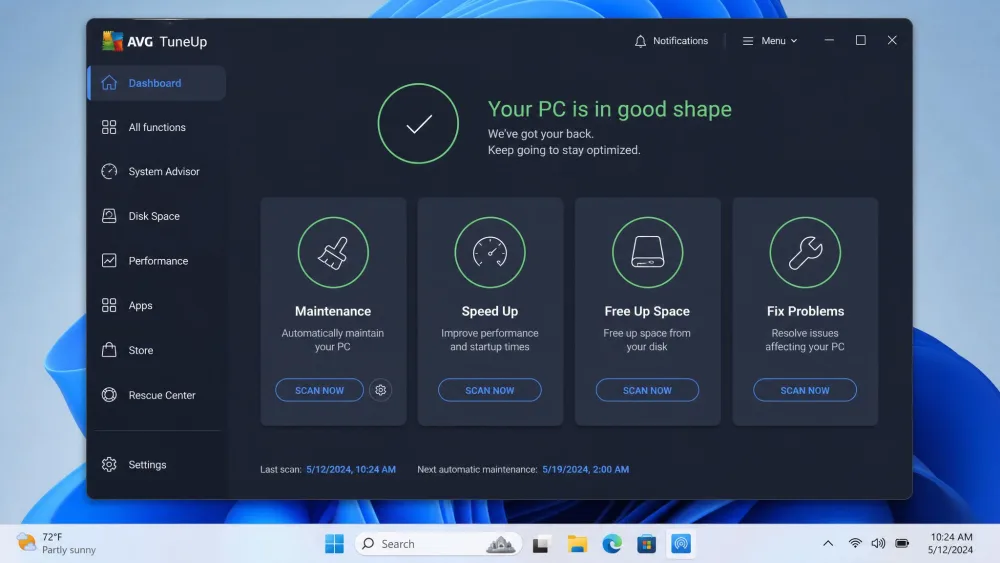
AVG TuneUp isn't one tool, it's a dashboard of about a dozen. Most fall into four groups: automatic maintenance, cleanup, updates, and system tuning.
Sleep Mode & Automatic Maintenance
The headline feature is Automatic Maintenance, which runs cleanup and repair tasks on a schedule so you don't have to. Alongside it sits Sleep Mode, AVG's patented background-app throttling. It hibernates background programs you aren't using and wakes them when you need them, which is the one thing Windows has no real equivalent for.
Disk Cleaner & Browser Cleaner
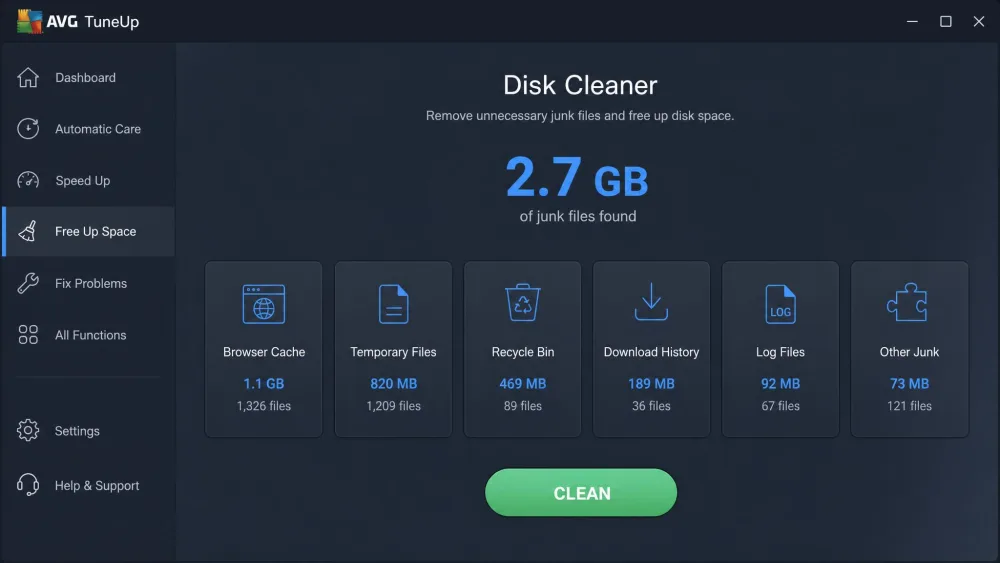
The Disk Cleaner hunts down temporary files, caches, and installer junk, while the Browser Cleaner clears tracking cookies and cached data. In our testing it freed up meaningful space: on one test machine it reclaimed 2.7 GB, more than most cleaners we've run. It also over-reaches, flagging our entire Downloads folder, about 6 GB of files we wanted, as junk. Review the list before you hit clean.
Software Updater & Uninstaller
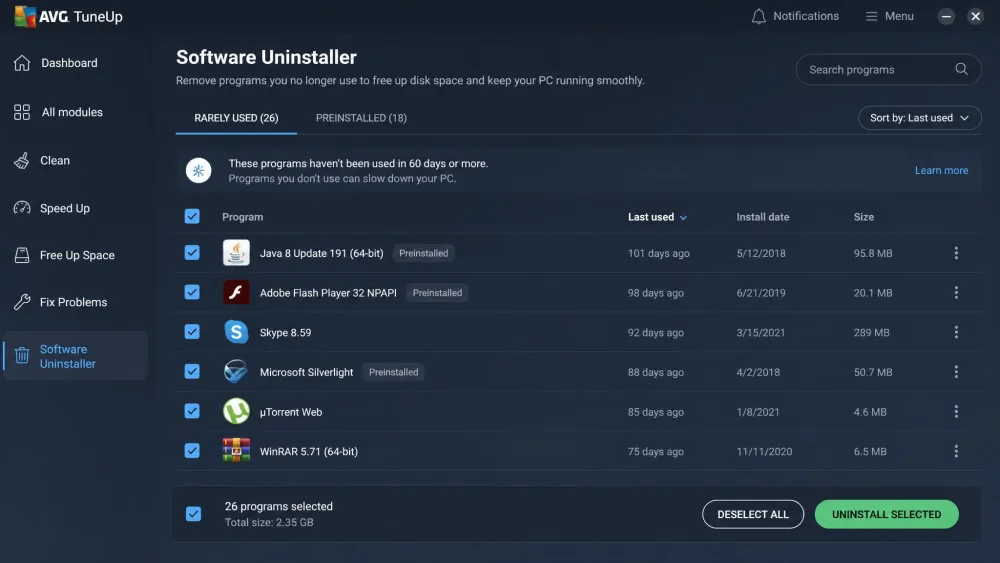
The Software Updater scans installed programs and offers to patch outdated ones, useful for apps that never self-update. The Software Uninstaller is really a bloatware remover, surfacing programs you rarely open and preinstalled junk you never chose. Its ranking is the weak link, scoring most programs at either zero or five stars.
Registry Cleaner & Startup Optimizer
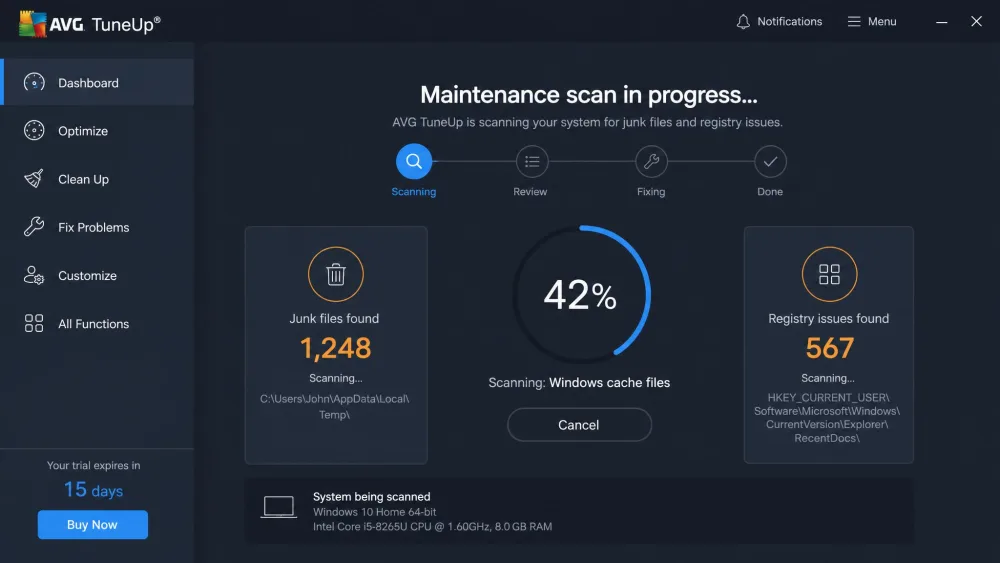
The Registry Cleaner scans for broken or orphaned entries, and the Startup Optimizer flags programs that launch with Windows and slow your boot. On one test PC it flagged around 300 broken registry items and 560 dead shortcuts. These tools can trim boot time, but registry cleaning is where optimizer suites have historically caused trouble, so be conservative.
Performance & Testing
We ran AVG TuneUp through our standard cleanup routine on Windows test machines, timing scans and watching resource use.
Impact on Boot Time & Speed
AVG advertises big numbers: up to 79% faster startup, 30% quicker work performance, and gigabytes reclaimed. Those are the vendor's own figures, measured under ideal conditions, and we couldn't reproduce anything that dramatic. A full scan finished in about 30 seconds, and clearing startup items and junk shaved a little off boot time on an older machine. If your PC is already lean, expect small gains.
Effect on System Resources
The better news is what AVG TuneUp doesn't do: bog down your PC while it works. Our test machines stayed responsive during maintenance, with scanning and cleaning happening quietly in the background. On a two-year-old laptop it cleaned junk files, unused apps, and outdated programs without noticeable lag.
Real-World Reliability & the 100% Disk-Usage Complaints
AVG TuneUp also carries a reliability caveat worth knowing before you buy. A common complaint online is that the tool can leave a machine stuck at 100% disk usage after running it, and that it's stubborn to undo. Older reports describe aggressive registry and shortcut cleaning stripping out links to Settings, Add/Remove Programs, and System Restore.
To be fair, newer testing, including ours, shows controlled, low-impact operation, so this isn't universal, and AVG actually markets Sleep Mode as a fix for 100% disk usage.
Go easy on the Registry Cleaner and one-click repairs on an older Windows install. Over-aggressive registry and shortcut cleaning is what has historically broken access to Settings and System Restore, so review each list before you delete anything.
Ease of Use & Interface
This is where AVG TuneUp earns its keep. The 113 MB installer sets up in a couple of minutes, and the dashboard is well organized. Tools are grouped into clear categories, each task explains what it's about to do, and you get granular control over what gets cleaned.
The friction is commercial, not technical. Expect frequent subscription pop-ups and renewal reminders, plus an interface that nudges you toward AVG's other paid products. It isn't pushy enough to ruin the experience, but it is persistent.
AVG TuneUp does real work. The catch is that Windows now does most of the basics for free.
AVG TuneUp vs. Windows Built-In Tools (and Competitors)
The hardest question for AVG TuneUp isn't whether it works. It's whether you need it. Windows already ships free equivalents for most basics: Disk Cleanup and Storage Sense handle junk, the Task Manager manages startup programs, Windows Update patches the OS, and Settings uninstalls apps. What Windows lacks is a registry cleaner, a third-party software updater, and Sleep Mode's throttling. Those three are AVG's real reasons to exist. Against paid rivals, the value math gets harder still.
| Tool | Price | Free option | Platforms | Standout |
|---|---|---|---|---|
| AVG TuneUp | $65.99/yr (1 device), $79.99/yr (10) | 7-day trial | Windows, Mac, iOS, Android | Sleep Mode throttling |
| Windows built-in tools | Free | Built in | Windows only | No extra cost |
| Ashampoo WinOptimizer | ~$30 one-time | Trial, frequent giveaways | Windows only | One-time price |
| Glary Utilities | $39.95/yr Pro | Free edition | Windows only | Free tier |
If you only run Windows on a budget, a one-time or free tool is easier to justify than a yearly subscription. AVG TuneUp makes most sense for set-and-forget maintenance across several devices, including Macs and phones.
Pros and Cons
Pros
- One-click optimization and automatic background maintenance
- Sleep Mode throttles background apps, something Windows can't do
- Software Updater plus a genuinely useful bloatware remover
- Covers up to 10 devices across Windows, Mac, iOS, and Android
- Clean, beginner-friendly interface with granular control
Cons
- Pricey annual subscription ($65.99/yr single, $79.99/yr for 10)
- Overlaps free tools already built into Windows
- Reported 100% disk-usage and slowdown complaints
- Persistent subscription pop-ups and upsell nudges
Is AVG TuneUp Worth It? (Final Verdict)
AVG TuneUp is a polished, capable cleaner with two or three tools Windows genuinely lacks. As a company, AVG scores well with users, rated "Excellent" at roughly 4.5/5 on Trustpilot, though that's a company-wide figure, not TuneUp-specific. The sticking point is price: for a single Windows PC, it's hard to justify $65.99 a year when Windows covers most of the same ground for free.