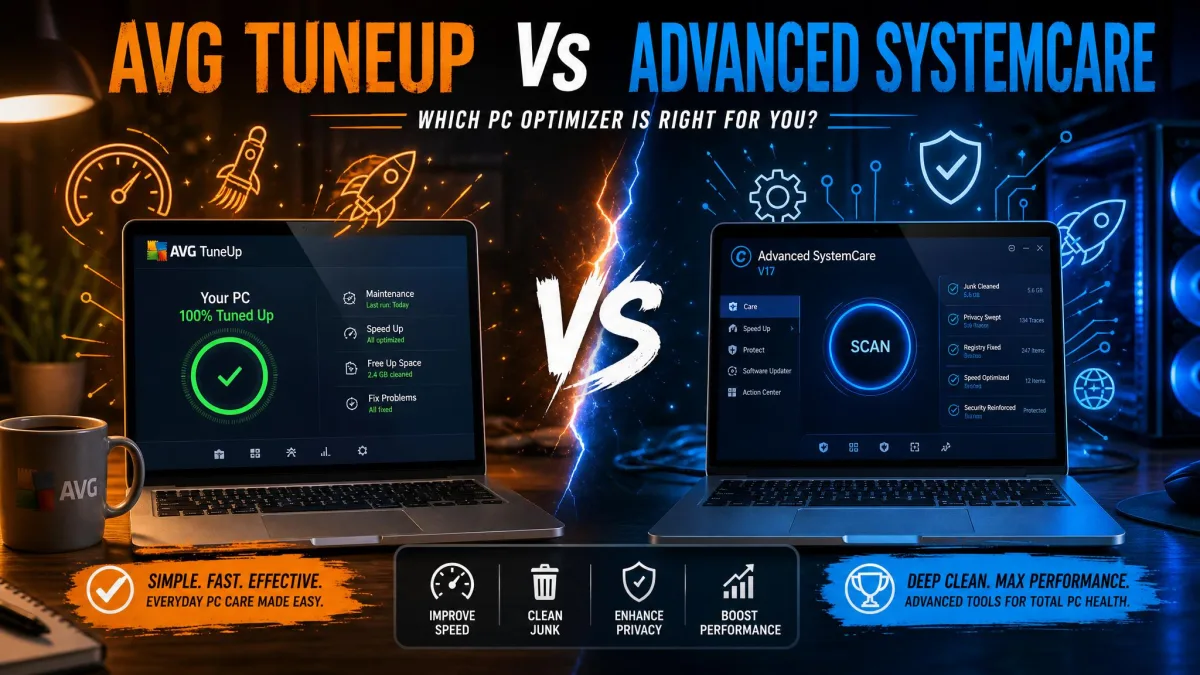
Every PC slows down with age. Updates pile on, startup programs multiply, and junk files fill the drive until routine tasks feel sluggish. A tune-up tool can recover much of that speed for a fraction of the cost of a new machine, which is why optimizers like AVG TuneUp and Advanced SystemCare stay popular.
Both promise faster startups and a cleaner drive, but they go about it very differently. AVG TuneUp is a polished paid suite with strong guidance built in, while Advanced SystemCare wraps one of the broadest feature lists in the category around a free edition.
In this guide we compare how each handles cleaning, performance, startup management, registry care, and privacy, what each costs, and which is the better buy in 2026.
Overview: What Is AVG TuneUp?
AVG TuneUp is the optimization suite from AVG Technologies, now part of Gen Digital after the Avast and Norton merger in 2022. The code began as TuneUp Utilities in the late 1990s, was acquired by AVG in 2011, and shipped its first AVG-branded release in 2012. Today it runs on Windows 11 through 7, plus Mac, Android, and iOS.
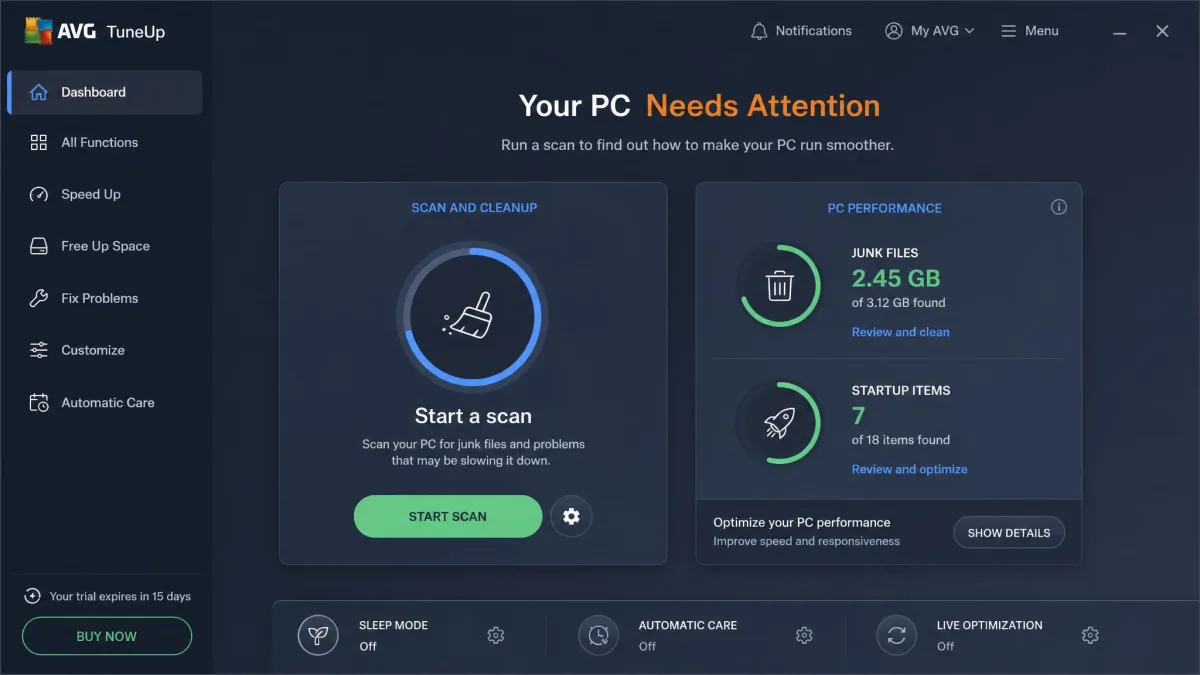
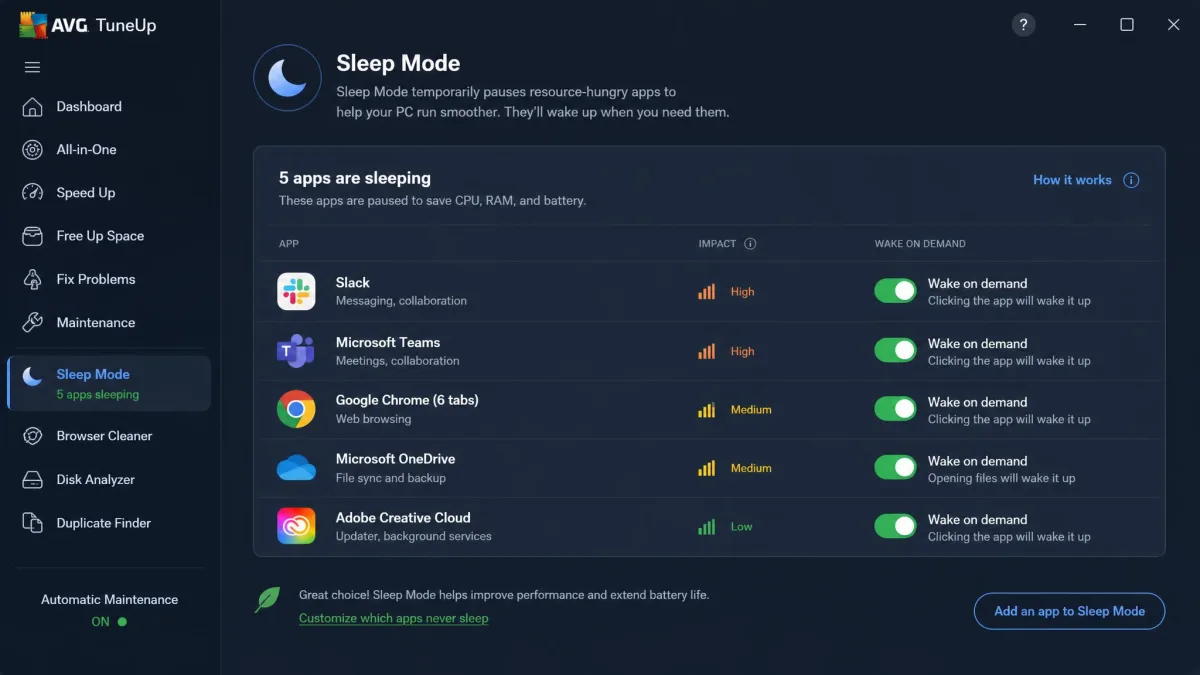
The feature set covers disk and browser cleaning, a registry cleaner, an uninstaller with bloatware ratings, a software updater, duplicate-file detection, and a startup manager. Sleep Mode is a patented system that puts resource-hungry apps to sleep and wakes them on demand, while 24/7 Automatic Maintenance tidies up on its own.
Overview: What Is Advanced SystemCare?
Advanced SystemCare comes from IObit, founded in 2004, with more than 15 years behind this product line and more than 250 million users. It runs on Windows only, from Windows 11 back to Windows XP, on hardware as modest as 512 MB of RAM.
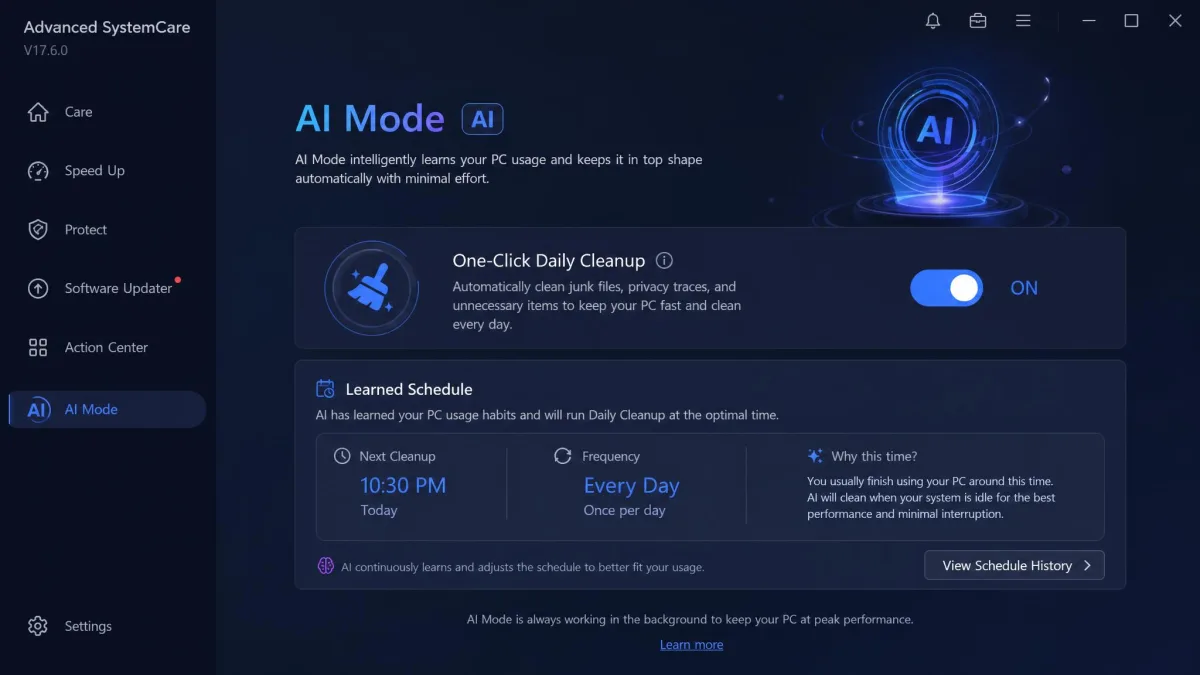
Where AVG TuneUp is a focused suite, Advanced SystemCare is a toolkit: junk, large-file, app, and extension cleaners; a Startup Optimizer, Turbo Boost for gaming, and real-time tuning; privacy and protection tools; and an AI Mode that learns your habits. IObit Advanced SystemCare is free at the base level, with advanced features gated behind the paid editions.
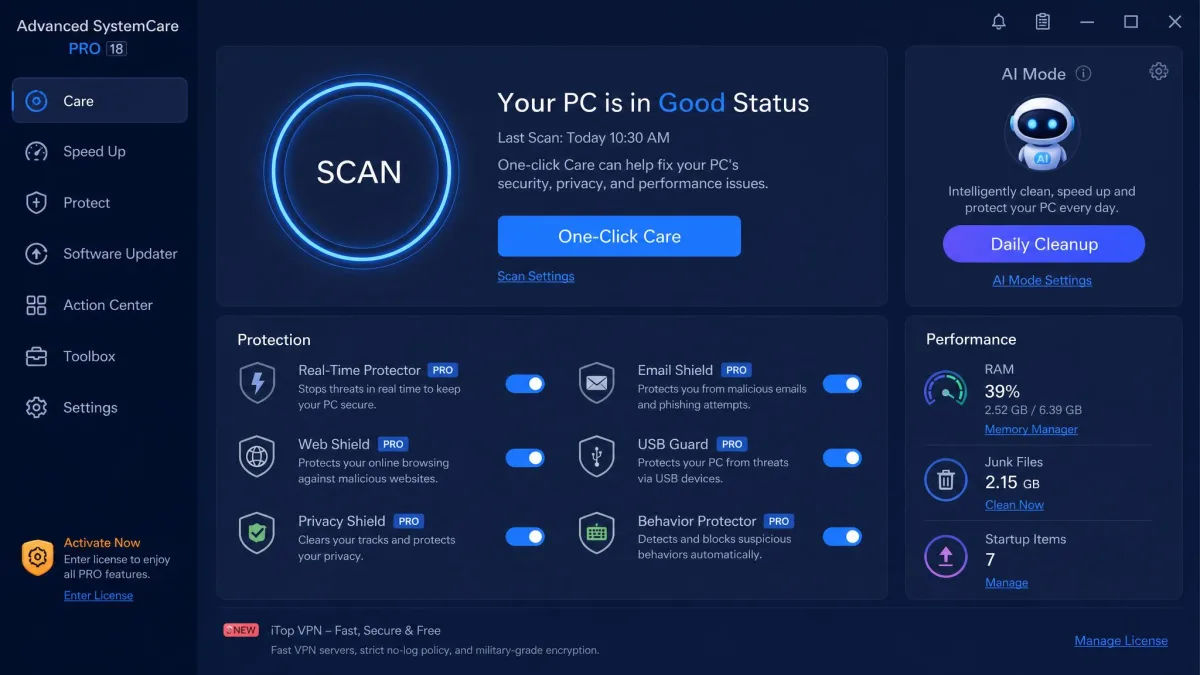
The Advanced SystemCare installer pre-checks boxes for other IObit products, including Driver Booster and the IObit browser, and the defaults can change browser settings. Choose custom install.
Feature Comparison
To compare them fairly, we ran both tools through the same routine on an older laptop and a newer desktop, measuring boot time before and after each cleanup.
Cleaning and Junk File Removal
AVG TuneUp's Disk Cleaner targets installer files, old backups, and temporary files, with a Browser Cleaner for browsing traces. One honest finding from our testing: Windows' built-in Storage Sense recovered 3.8 GB of the 4.2 GB AVG flagged on our older test PC, leaving AVG a unique contribution of roughly 400 MB.
Advanced SystemCare's cleaners cast a wider net, adding a Large File Finder, an App and Extension Cleaner, and an AI Mode that scans junk across 200-plus programs. On a neglected older laptop, the first scan took about 3 minutes and cleared roughly 6.2 GB. On a tidy newer desktop, the same scan finished in under 90 seconds and found only about 800 MB.
Performance and Speed Optimization
Performance is where both vendors make their loudest claims. AVG promises 79% quicker startups, 30% faster work performance, and 71 GB of cleaned-up junk. IObit's lab tests claim up to 50% faster startup, 50 GB of junk cleaned, and a 35% performance gain on a 2015 HP Notebook.
Our measurements were more modest. On a 2019 HP Pavilion with an i5 and 8 GB of RAM, AVG TuneUp cut boot time from 47 seconds to 38 seconds. On a 2024 build it moved from 11 seconds to 10 seconds, within measurement noise. Advanced SystemCare followed the same curve: boot dropped from 52 to 41 seconds on a neglected older laptop after Startup Optimizer and Turbo Boost ran; a tidy newer desktop barely moved.
Both delivered their biggest gains on hardware five years old or older; on a recent build, expect only modest gains.
Startup Manager
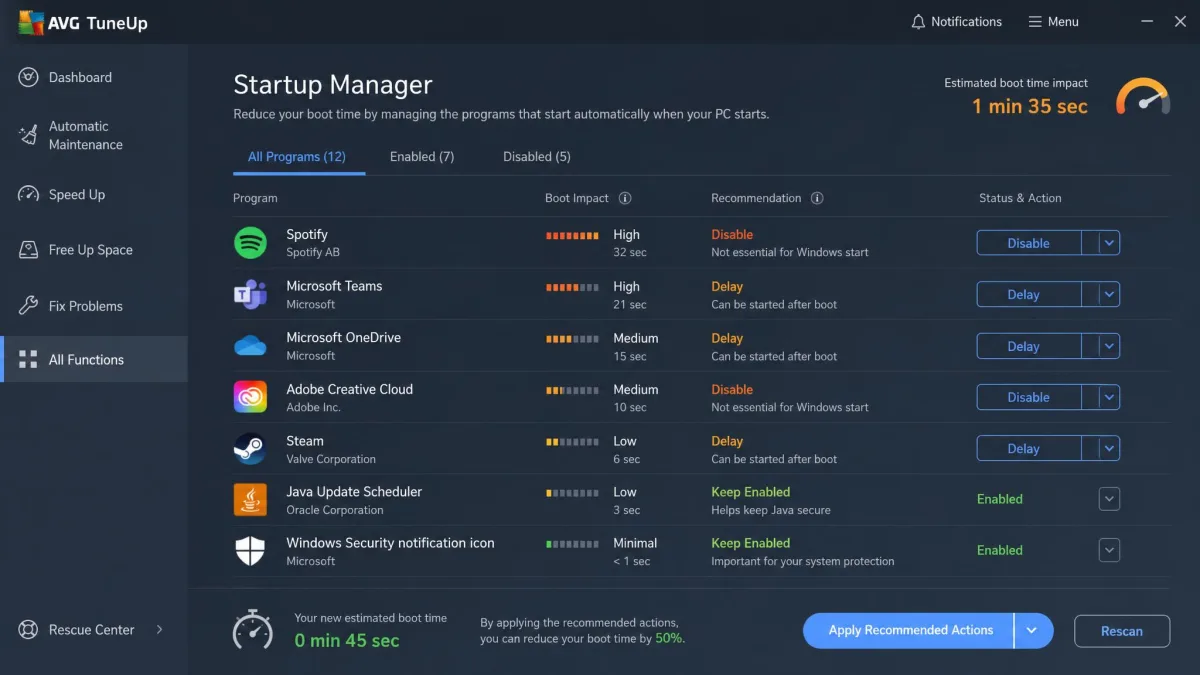
Startup management is where AVG TuneUp earns its keep. Its Startup Manager lists every auto-launch item with an impact rating and a recommendation, so you can see what slows boot and what is safe to disable. It was the standout feature in our testing.
Advanced SystemCare's Startup Optimizer is more automatic. It disables or delays auto-launch programs with a click and pairs with Turbo Boost during gaming. Less information, but also less effort.
Registry Cleaner
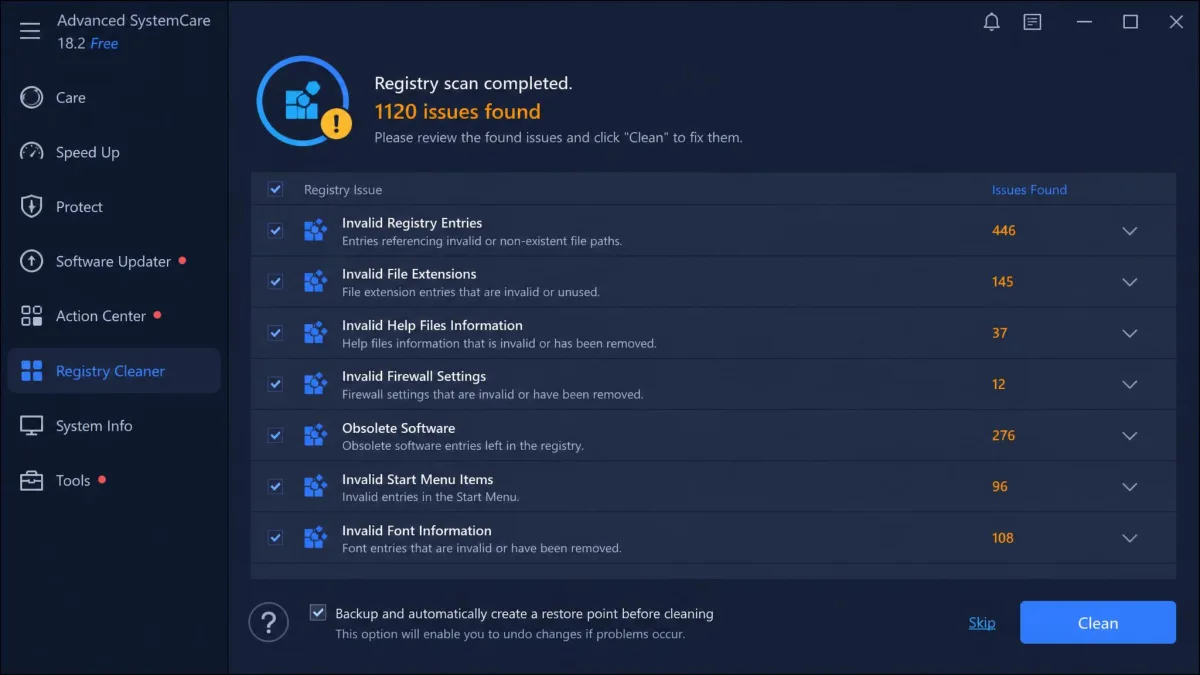
Both tools include a registry cleaner, and both are more careful than those of a decade ago. AVG ships its cleaner disabled by default and buried in advanced settings, which we consider the right call: the measurable benefit on modern Windows is close to zero, and the risk, while small, is not zero.
Advanced SystemCare's registry cleaner creates a restore point first, and in our testing it proceeded cautiously and never broke an application. We still treat registry cleaning as optional.
Privacy and Security Tools
On privacy, the two tools diverge sharply. AVG TuneUp's Browser Cleaner removes browsing traces and tracking cookies, and that is roughly the extent of it. Advanced SystemCare bundles a much larger toolset: Privacy Sweep, Real-Time Protection, webcam-access detection (Face ID), DNS Protector, and Browser Protection. The Ultimate edition adds a full antivirus engine, though the standard protection modules are not a substitute for a dedicated antivirus.
Ease of Use and Interface
AVG TuneUp is the easier tool to live with: the interface is simple and quick to learn, maintenance runs on its own schedule, and the app stays out of the way. Advanced SystemCare is the opposite, a dashboard dense with toggles and troubleshooters, though AI Mode offers a one-click daily cleanup that learns your habits. SourceForge's community rates its ease of use a perfect 5 out of 5.
Here is the whole comparison at a glance.
| Feature | AVG TuneUp | Advanced SystemCare |
|---|---|---|
| Junk-file cleaning | Disk Cleaner plus Browser Cleaner | Disk Cleaner, Large File Finder, App Cleaner; AI Mode scans 200+ programs |
| Performance boost | Patented Sleep Mode and 24/7 Automatic Maintenance | Turbo Boost, Real-time TuneUp, Hardware Accelerator |
| Startup manager | Guided Startup Manager with impact ratings | Startup Optimizer that disables or delays launch |
| Registry cleaner | Present, disabled by default | Registry cleaner with a built-in restore point |
| Privacy tools | Browser cleaning for traces and cookies | Privacy Sweep, Real-Time Protection, Face ID, DNS Protector |
| Free tier | None; 7-day scan-only trial | Free edition, advanced features gated |
| Pricing | $34.99 first year; renewal roughly $60-$80/year | Free; Pro roughly $17-$30/year (promo-driven) |
Pricing: AVG TuneUp vs Advanced SystemCare
Pricing is where these two tools split most clearly. AVG TuneUp has no free tier: its 7-day trial scans the system and shows every problem but cleans nothing until you pay. The first year costs $34.99, with a 30-day money-back guarantee. Renewal is the catch: promo-driven rates land between roughly $60 and $80 a year, and the subscription auto-renews unless you cancel manually.
Advanced SystemCare is genuinely free at the base level. The free edition cleans and optimizes with no time limit, and advanced features sit behind Pro, promo-priced at roughly $17 to $30 a year depending on PC count. Ultimate adds a full antivirus engine at $49.99 a year for three PCs, regularly discounted. Paid editions come with a 60-day money-back guarantee and 24/7 support.
Check the AVG PC TuneUp official product page and the Advanced SystemCare free download for current offers, since both vendors run frequent promotions.

Pros and Cons
AVG TuneUp Pros and Cons
Pros
- Guided Startup Manager with impact ratings
- Patented Sleep Mode pauses resource-hungry apps instead of closing them
- Simple interface that stays out of the way
- One license covers up to 10 devices across Windows, Mac, Android, and iOS
Cons
- Subscription auto-renews at a much higher rate after year one unless you cancel
- Upsell prompts push other AVG products right after checkout
- Boot-time gains were within measurement noise on our newer test PC

Advanced SystemCare Pros and Cons
Pros
- Deepest feature set of the two, from privacy sweep to gaming boosts to 30-plus troubleshooters
- Registry cleaner with a restore point that ran cautiously in our testing
- AI Mode automates daily cleanup once it learns your habits
- Turbo Boost pauses background services during gaming, which AVG TuneUp lacks
Cons
- Promotional pop-ups and upgrade prompts intensify once a paid license lapses
- Company-level Trustpilot ratings sit between about 2 and 3 stars, with billing and support complaints common
- Windows only, with no Mac, Android, or iOS version
Alternatives to Consider
Both tools have strong competition. CCleaner is the most recognizable name in the category, and we have pitted it against both in our AVG TuneUp vs CCleaner and CCleaner vs IObit Advanced SystemCare head-to-heads. System Mechanic from iolo takes a broader repair-and-maintenance approach. Ashampoo WinOptimizer rounds out the field, and our AVG TuneUp vs Ashampoo WinOptimizer comparison covers it. Avast Cleanup Premium vs IObit Advanced SystemCare is a related head-to-head on the IObit side. None of these is a bad fallback, but the two tools here cover the most ground.
Which One Should You Choose?
Choose Advanced SystemCare when you want the most capability for the least money: its paid tiers cost a fraction of AVG's first-year price, its feature list is the deeper of the two, and it suits an older machine best.
Choose AVG TuneUp when you want a polished, low-friction tool and are comfortable paying for it. Its startup guidance is the most informative of the two.