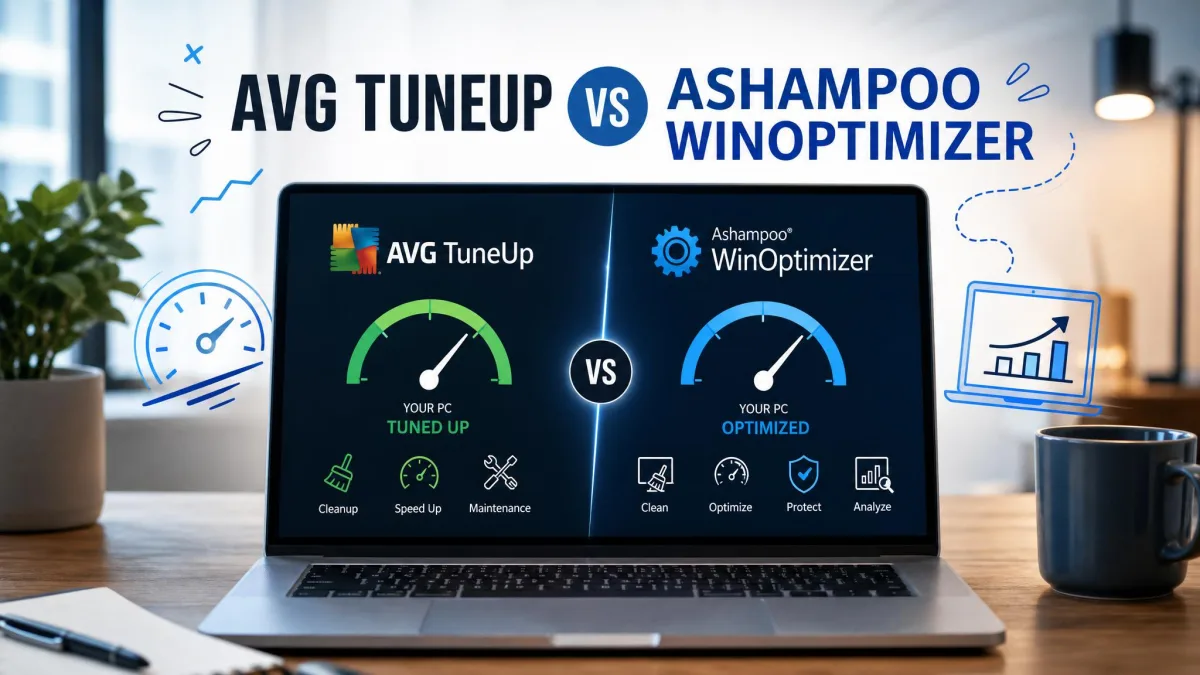
Your PC used to boot in seconds, and now you have time to make coffee while it thinks about it. AVG TuneUp and Ashampoo WinOptimizer both promise to fix that, but they go about it in very different ways. AVG sells one subscription that follows you across every device you own and runs quiet maintenance in the background. Ashampoo sells a Windows-only toolbox with thirty-plus modules and a price that undercuts almost everything else in this category.
So which one deserves your money? We compared them on the things that actually change how a machine feels day to day: how much junk each one finds, what it does to performance, what a licence really covers, and how much of the work you have to do yourself.
AVG TuneUp vs Ashampoo WinOptimizer at a Glance
Here is how the two suites line up on the specifications that decide most purchases. Read the price row alongside the licence row, because the gap between them is where this comparison is won and lost.
| Feature | AVG TuneUp | Ashampoo WinOptimizer |
|---|---|---|
| Price (annual) | $34.99 first year, $79.99 list | from $14, lifetime licence also sold |
| Licences / PCs covered | 10 devices | 3 to 10 depending on tier |
| Free version | None, 7-day trial only | Yes, WinOptimizer FREE (limited) |
| Trial length | 7-day, no card required | 30 days with an account, 7 without |
| Money-back guarantee | 30-day | 30-day |
| Junk cleaner | Disk Cleaner, Browser Cleaner | Drive Cleaner, Internet Cleaner |
| Registry cleaner | Yes | Registry Optimizer |
| Startup manager | Yes | Startup Manager, Boot Center |
| Driver updater | No, app updater only | No, app updater only |
| Defrag | Yes | Yes |
| Privacy and anti-spy tools | Browser trace cleaning | Privacy Traces Cleaner, Privacy Manager, File Wiper, Encrypter |
| Real-time background optimization | Sleep Mode, weekly Automatic Maintenance | Live-Tuner, Auto-Clean |
| Platform support | Windows 7-11, macOS, Android, iOS | Windows 10 and 11 only |
| Support channels | Web support, phone and chat on paid plans | Email only |
| Module count | Around 15 tools | Over 30 modules |
| Our rating | 7.6/10 | 8.5/10 |
AVG TuneUp: Features, Strengths and Weaknesses
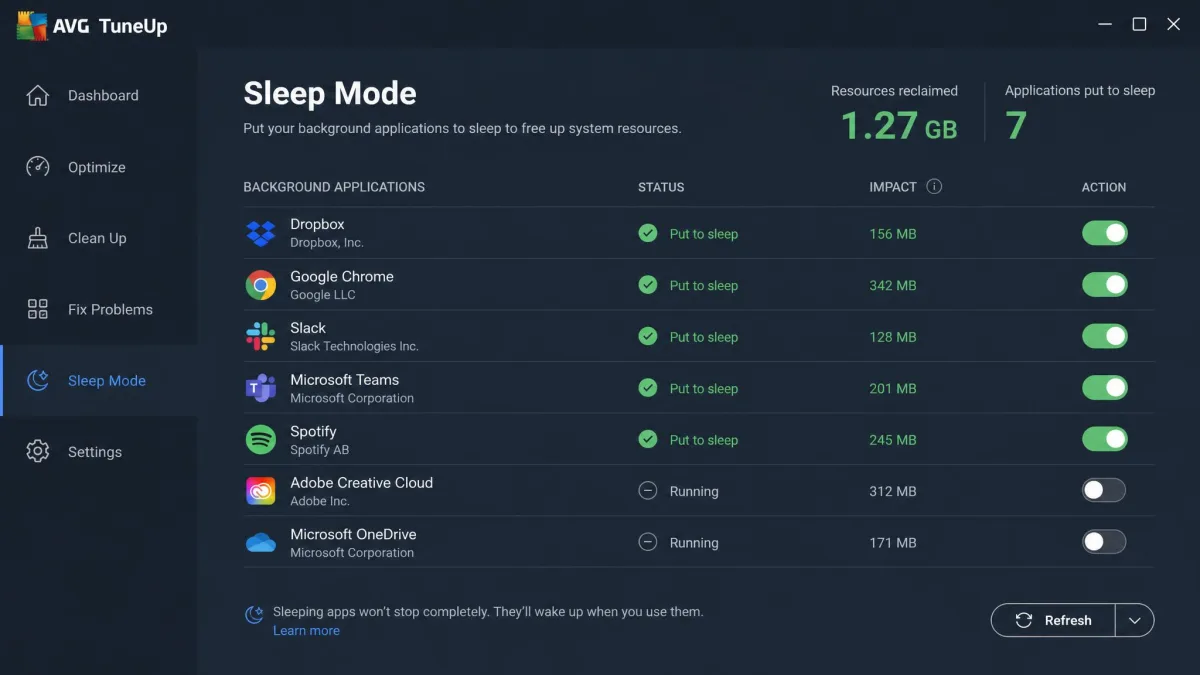
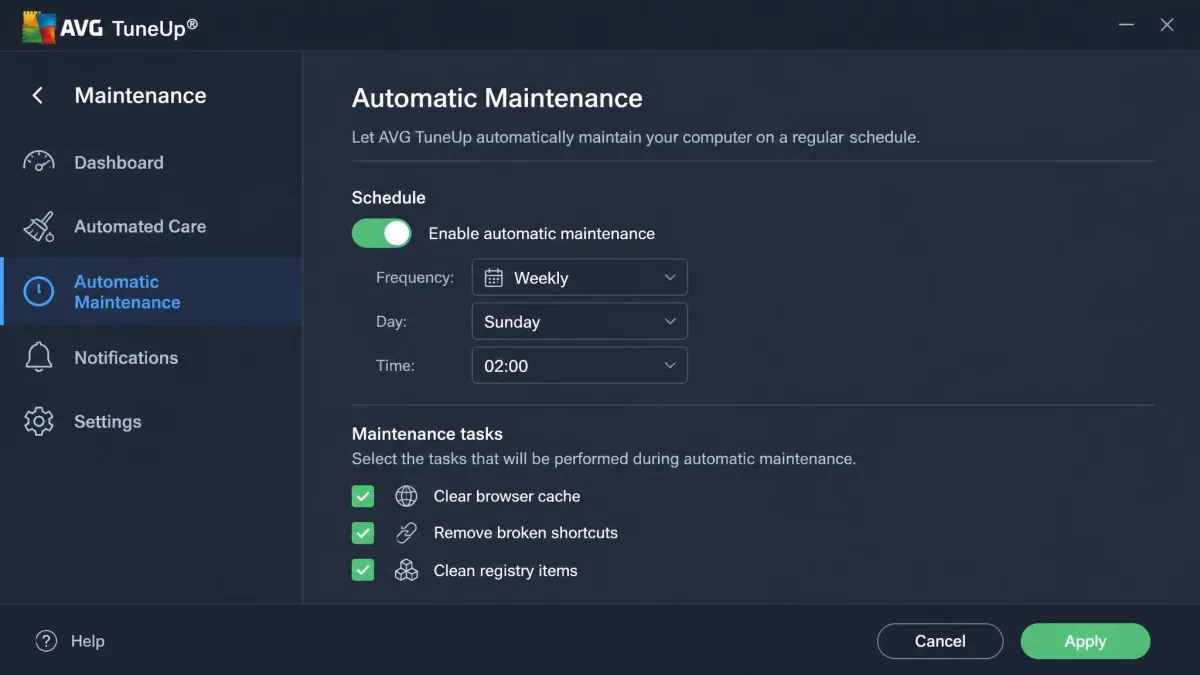
AVG TuneUp is built around the idea that you should not have to think about maintenance. Its signature tool, Sleep Mode, hibernates background apps you are not using and wakes them only when you need them. Automatic Maintenance then runs a weekly pass over the usual suspects on a schedule you set once and forget.
Around that sit the tools you would expect: Disk Cleaner, Browser Cleaner, Registry Cleaner, a duplicate finder, disk defrag, a Software Updater for applications, and a Software Uninstaller that tries to flag bloatware. It runs on Windows 7 through Windows 11, with builds for macOS 10.10 and later and Android 10 and later.
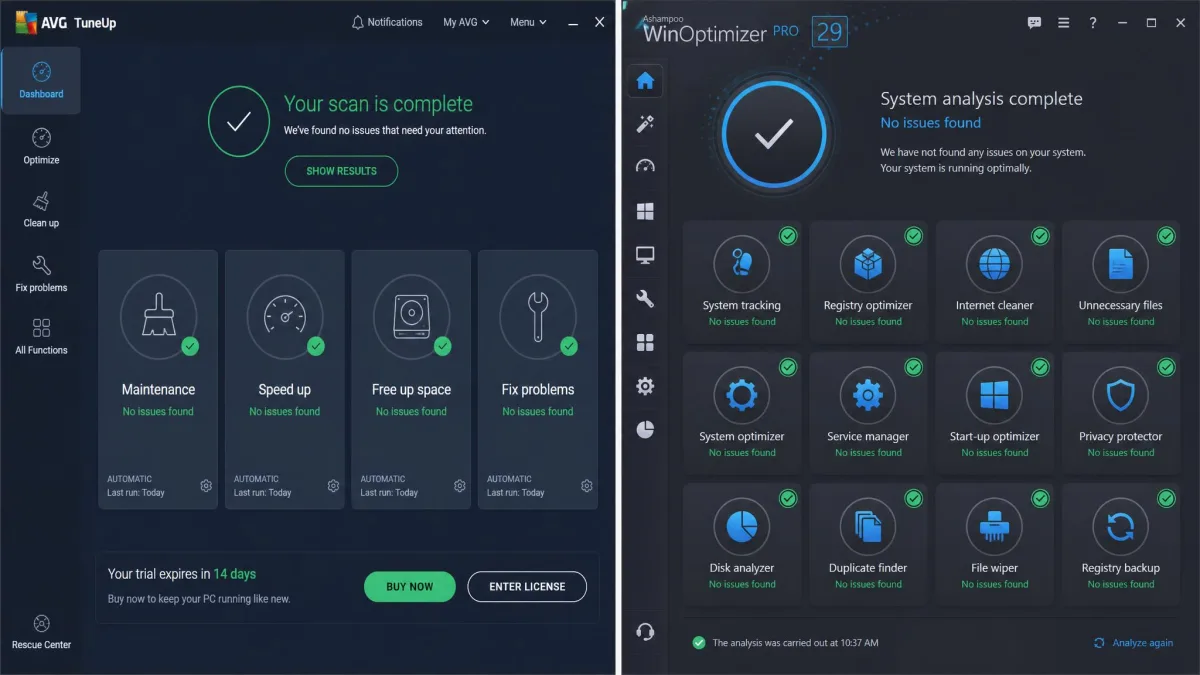
A first scan finishes in roughly 30 seconds, and the machine stays usable the whole time it works in the background. On a used laptop that scan surfaced 2.7GB of removable files, along with 560 broken shortcuts and around 300 broken registry entries. Those are the numbers worth paying attention to.
The headline figure is less honest. AVG flagged 6.3GB of potential space recovery on the same machine, but roughly 6GB of that was simply the contents of the Downloads folder. Deleting your own downloads is not cleanup, it is housekeeping you could do in File Explorer, and the reclaimable-space total is inflated by counting it.
The Software Uninstaller has a similar problem. Its "unnecessary programs" detection is inconsistent, and the last-used dates and program ratings it shows are unreliable enough that we would ignore them and make the keep-or-remove call yourself.
AVG TuneUp can leave a machine sitting at 100% disk usage after a run, and that state can be stubborn to undo. It is not universal and newer builds run at lower impact, but set a restore point before your first full optimization.
AVG TuneUp Pros and Cons
Pros
- One licence covers up to 10 devices across Windows, Mac, Android and iOS
- Sleep Mode genuinely reduces background app activity on busy machines
- Automatic Maintenance runs weekly with no input from you
- Fast scans, around 30 seconds, with the PC still usable
- 7-day trial needs no credit card, backed by a 30-day money-back guarantee
Cons
- $79.99 list price per year is expensive for a maintenance utility
- Reclaimable-space totals are inflated by counting your Downloads folder
- Bloatware detection and last-used dates are too unreliable to trust
- No free edition at all
- Mac coverage only comes with the pricier 10-device licence
Ashampoo WinOptimizer: Features, Strengths and Weaknesses
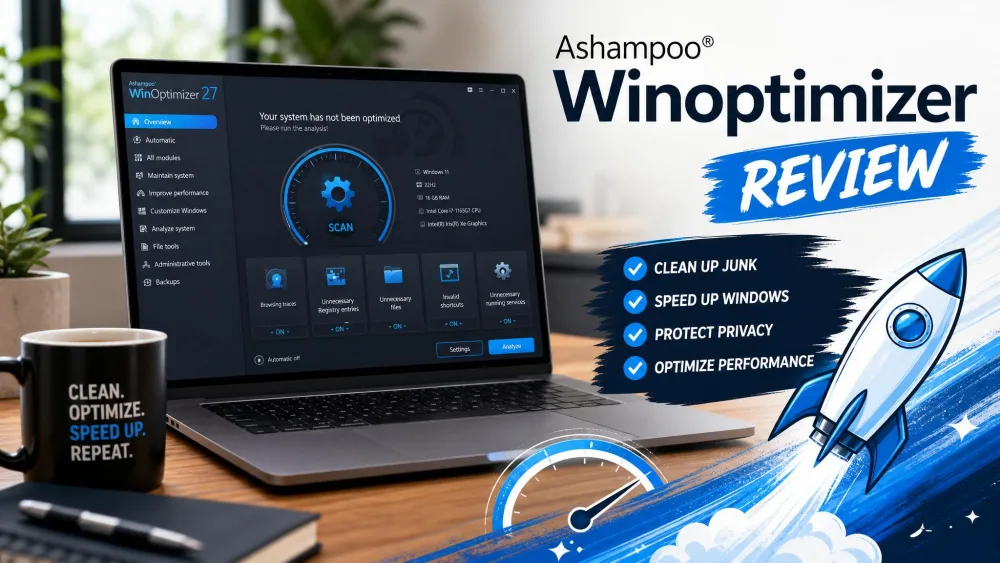
Ashampoo WinOptimizer takes the opposite approach. Rather than hiding the machinery, it hands you over 30 individual modules and lets you decide how deep to go. The current edition is WinOptimizer Pro 29, and it runs on Windows 10 and Windows 11 only.
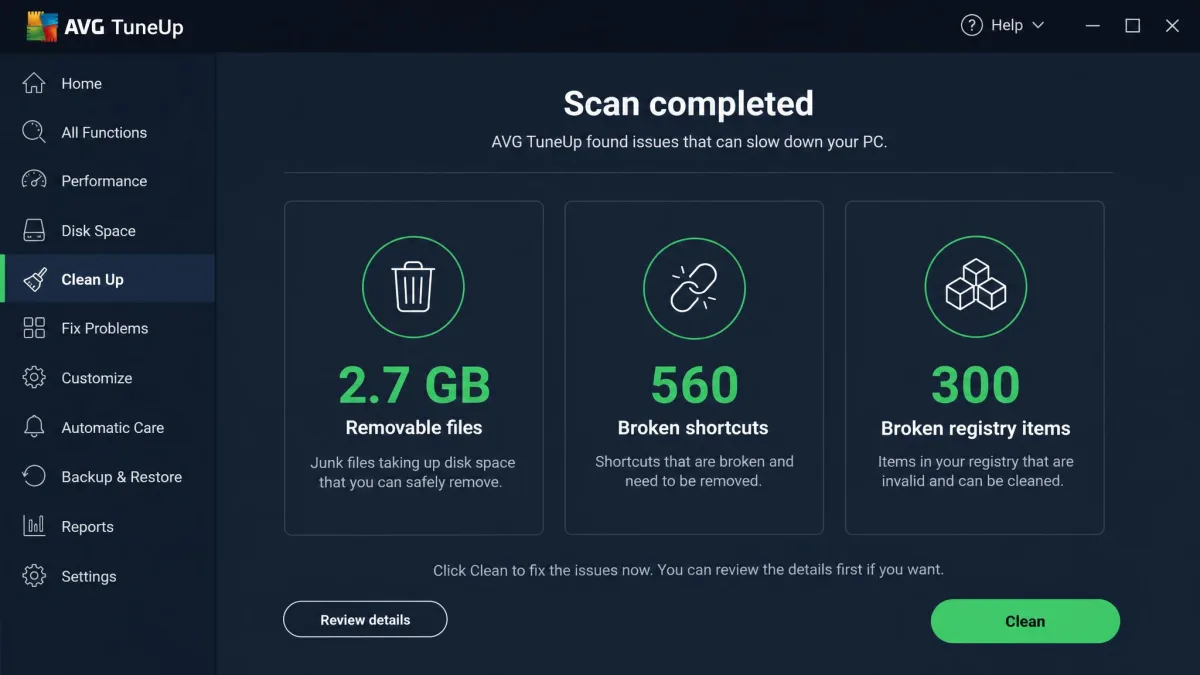
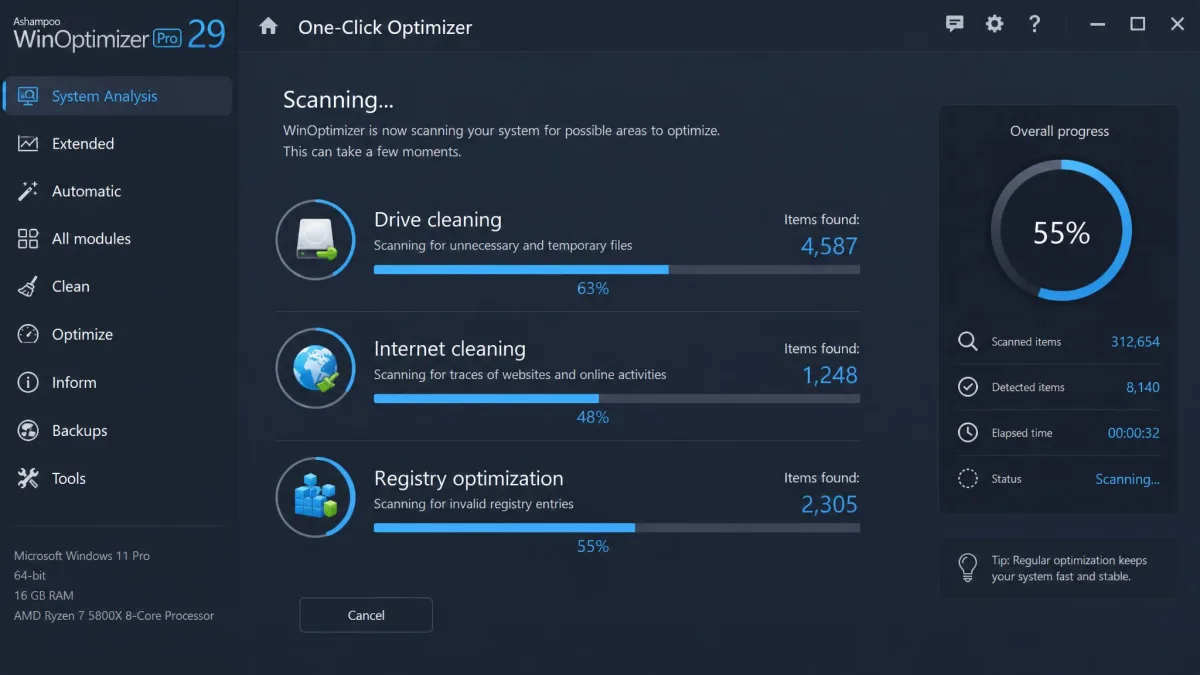
The core cleanup tools are the One-Click Optimizer, Drive Cleaner, Internet Cleaner and Registry Optimizer, with Auto-Clean and Live-Tuner handling ongoing maintenance. Around those sit a Startup Manager, Boot Center, Service Manager, Process Manager, Firewall Manager, DiskSpace Explorer and a system benchmark, plus a privacy set that is unusually deep for the price.
That module count sounds intimidating, and it is the thing most buyers worry about. In practice the interface stays easy to navigate even for beginners, because the One-Click Optimizer does most of the work and everything else is opt-in. Installation is straightforward too, with one catch worth knowing before you start.
The 30-day trial requires either a licence key or a free Ashampoo account. Without registering, it stops at 7 days, which puts it level with AVG rather than four times better.
Not every module earns its place. The system analysis, the file recovery tool and the built-in uninstaller are the weakest of the set and lag noticeably behind dedicated software for the same jobs. Treat them as extras rather than reasons to buy.
Support is email only, with no live chat and no phone line. That reads badly on a specification sheet, though a test enquiry came back inside 17 minutes, which is faster than plenty of vendors with three channels.
Leave Live-Tuner and Auto-Clean off for your first week and run the One-Click Optimizer manually instead. You will see exactly what the suite changes before you hand it standing permission to change things on its own.
Ashampoo WinOptimizer Pros and Cons
Pros
- Sold as a one-off licence as well as an annual one, so you are not locked into a renewal
- Privacy tooling goes as deep as telemetry controls and secure file wiping
- Beginner-friendly despite the module count, thanks to the One-Click Optimizer
- Free edition available, plus a 30-day registered trial
- Rated 4.6 out of 5 across 1,356 verified customer reviews on Ashampoo's own store, with 79.9% at five stars
Cons
- Windows 10 and 11 only, with no Mac, Android or iOS build
- System analysis, file recovery and the uninstaller are weak modules
- Email is the only support channel
- Device coverage varies confusingly between editions
- Each release is an incremental refinement, so upgrading from a recent version changes little
Pricing and Licenses Compared
This is where the comparison stops being close. AVG TuneUp lists at $79.99 per year for the 10-device licence, discounted to $34.99 for the first year. A single Windows device costs $65.99 per year, which is an odd piece of pricing: paying for ten devices is cheaper than paying for one, so nobody should buy the single-device tier.
WinOptimizer starts from $14, with upgrade pricing at $16 for existing owners. Even at full price it costs a fraction of what AVG charges annually, and Ashampoo also sells a one-off lifetime licence, though lifetime pricing varies widely by campaign and device count, so the figure you see may differ from the one someone quoted you last month.
Device coverage is the one place AVG has a clean answer. One AVG licence covers up to 10 devices spanning Windows, Mac, Android and iOS. WinOptimizer's coverage swings between 3 and 10 depending on which edition and promotion is live, so check the tier before buying rather than assuming.
One more thing on AVG: buying direct from the vendor is markedly more expensive than buying the same licence through a retailer. If you decide AVG is your pick, compare a couple of resellers first.

Head-to-Head: Cleaning and Junk Removal
Both suites find junk. The difference is how honestly they report it.
AVG's scan turned up 2.7GB of genuinely removable files in about 30 seconds, plus hundreds of broken shortcuts and registry entries. That is a solid result. The 6.3GB headline it puts next to that result is not, because it counts your Downloads folder as reclaimable space.
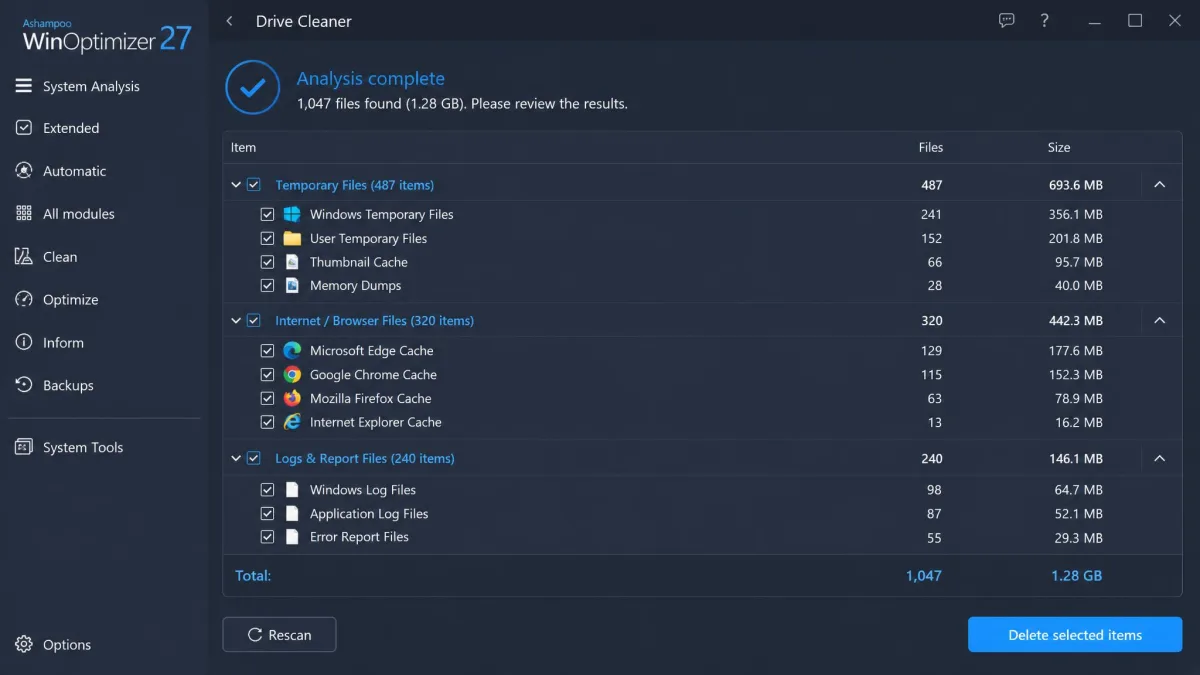
WinOptimizer splits the same work across Drive Cleaner, Internet Cleaner and Registry Optimizer, and the One-Click Optimizer chains all three. Ashampoo claims its cleaning algorithms run up to 50% faster in the current generation, though that is a vendor claim about scan speed relative to older versions, not a measure of how much faster your PC gets. No current-version review has published a controlled GB-freed figure for WinOptimizer, so we would not put a number on the gap.
WinOptimizer gives you finer control over what gets deleted, and AVG gives you a bigger number on screen. Only one of those helps.
Head-to-Head: Real-World Speed and Performance Impact
Treat every speed claim in this category with suspicion, including the ones on the box.
AVG markets a 79% quicker startup and 30% faster work performance. Those are vendor marketing figures from a controlled bench, not a gain a typical PC should expect. No independent review has published a measured before-and-after boot-time figure for either suite in a current version, and we are not going to invent one.
What these tools reliably do is reclaim disk space and cut the number of programs fighting for resources at login. AVG's Sleep Mode is the more interesting mechanism here, because hibernating background apps addresses a real cause of sluggishness rather than deleting temporary files and hoping. WinOptimizer's Startup Manager and Boot Center attack the same problem from the login side.
If your machine is slow because the drive is nearly full or fifteen applications launch at boot, either suite helps. If it is slow because of ageing hardware, neither will save it.
Head-to-Head: Interface and Ease of Use
AVG wins on first impressions. Its dashboard is uncluttered, the scan runs itself, and you can use the machine while it works.
WinOptimizer looks busier, and thirty modules on one screen is a lot to take in. It stays easy to navigate anyway, because the One-Click Optimizer sits front and centre and the rest is there when you go looking. Beginners do not have to touch the deep tools to get value.
Automation, Scheduling and Background Maintenance
AVG's Automatic Maintenance runs on a weekly schedule you configure once, and Sleep Mode works continuously without prompting. This is the strongest argument for the subscription: you install it, and the machine looks after itself.
WinOptimizer answers with Auto-Clean and Live-Tuner, which handle ongoing cleanup and process prioritization in the background. They are capable, but they are modules you switch on rather than the organizing principle of the product.
Privacy and Extra Tools
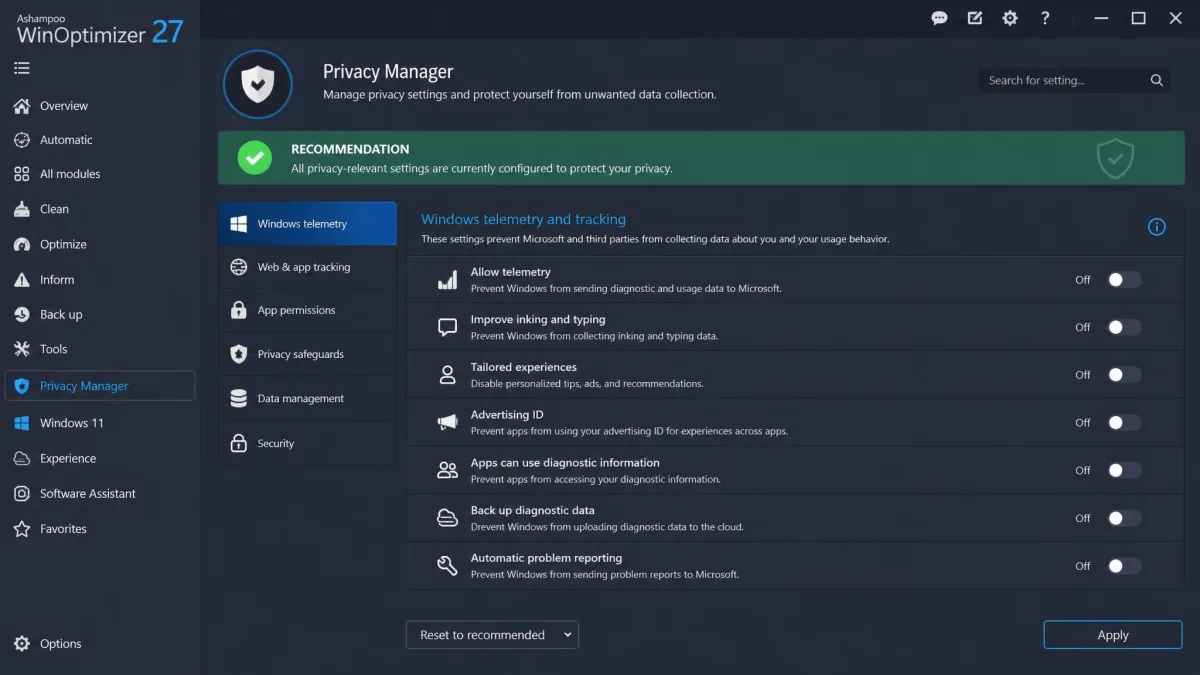
WinOptimizer's privacy set is the most complete thing in this comparison at any price. Privacy Traces Cleaner and Privacy Manager handle tracking data and Windows telemetry settings, File Wiper overwrites files so they cannot be recovered, and the Encrypter protects what you want to keep. Add Crash Analyzer 2, DiskSpace Explorer, a File Splitter and a Link Checker, and you have a genuinely well-rounded toolbox.
AVG's privacy work is limited to browser trace cleaning. Neither product includes a driver updater, despite what you may have read: both ship a Software Updater that covers applications, not hardware drivers.
Free Versions Compared
AVG has no free edition. You get a 7-day trial with no credit card required, and after that you pay.
WinOptimizer FREE exists, which sounds like a decisive win until you check what it leaves out. The free build omits the 1-Click Optimizer, Boot Center, Drive Cleaner, Registry Optimizer and the uninstaller, which is to say most of the reason you would install it. It is thin enough that real maintenance work still needs the paid licence.
The more useful free route is the trial. Register an Ashampoo account and you get 30 days rather than 7, which is enough time to judge whether the suite changes anything on your machine.
Do You Even Need a Tune-Up Utility on Windows 11?
Fair question, and the answer for a lot of people is no.
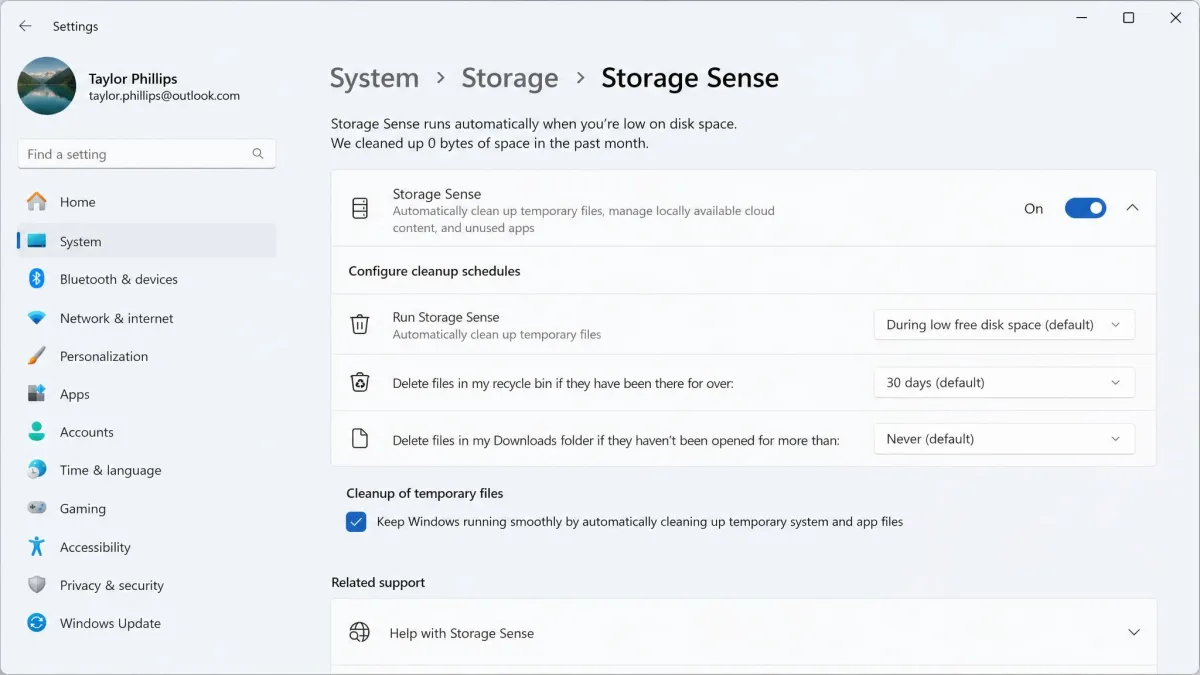
Windows 11 already runs Storage Sense, defragments and trims drives on a schedule, and lets you manage startup applications from Task Manager. Microsoft's own Windows maintenance guidance covers most of what a paid suite automates, and it costs nothing. Registry cleaning, the classic selling point of this category, has not meaningfully improved performance on Windows for years.
What a suite like WinOptimizer or AVG TuneUp buys you is consolidation and nudging. Everything sits in one place, it runs on a schedule you do not have to remember, and it surfaces problems you would never go looking for. That is worth $14. Whether it is worth $79.99 a year is a harder case to make.
Judge these suites on disk space reclaimed and startup programs disabled, never on the percentage on the box. Every vendor in this category quotes a benchmark from a machine that looks nothing like yours.
Which One Should You Buy?
Ashampoo WinOptimizer takes this comparison for most Windows households. AVG TuneUp is the better product in one specific situation, so it is worth working out which of the two you are in before you spend anything.
Choose AVG TuneUp if...
You own a mix of Windows PCs, Macs, phones and tablets and want one licence covering up to 10 devices. You would rather the software maintain the machine on its own than hand you tools. Sleep Mode appeals because you keep too many applications open. Be aware that Mac coverage only comes with the pricier 10-device licence, so a single-Mac buyer pays for the multi-device tier regardless.
Choose Ashampoo WinOptimizer if...
You are on Windows 10 or 11, you want the deepest set of tools for the money, and you like being able to see and control what gets changed. The privacy modules, file wiper and startup controls justify the price on their own. The 30-day registered trial lets you check the fit before spending anything.
Frequently Asked Questions
Is AVG TuneUp or Ashampoo WinOptimizer better for older PCs?
Can you run both at once?
How do I uninstall either one cleanly if I decide against it?
What happens to my licence if I replace or retire the PC?
Is either safe to run on a work laptop managed by an IT department?
Can registry cleaning break an installed application?
What About the Alternatives?
If neither suite fits, two names come up repeatedly. IObit Advanced SystemCare has a more generous free tier than either product here, though its upsell prompts are constant. Iolo System Mechanic sits closer to AVG on price and philosophy, favouring automation over manual control. Buy either direct from the vendor rather than through a redirect, and check what the renewal price becomes after the first year.