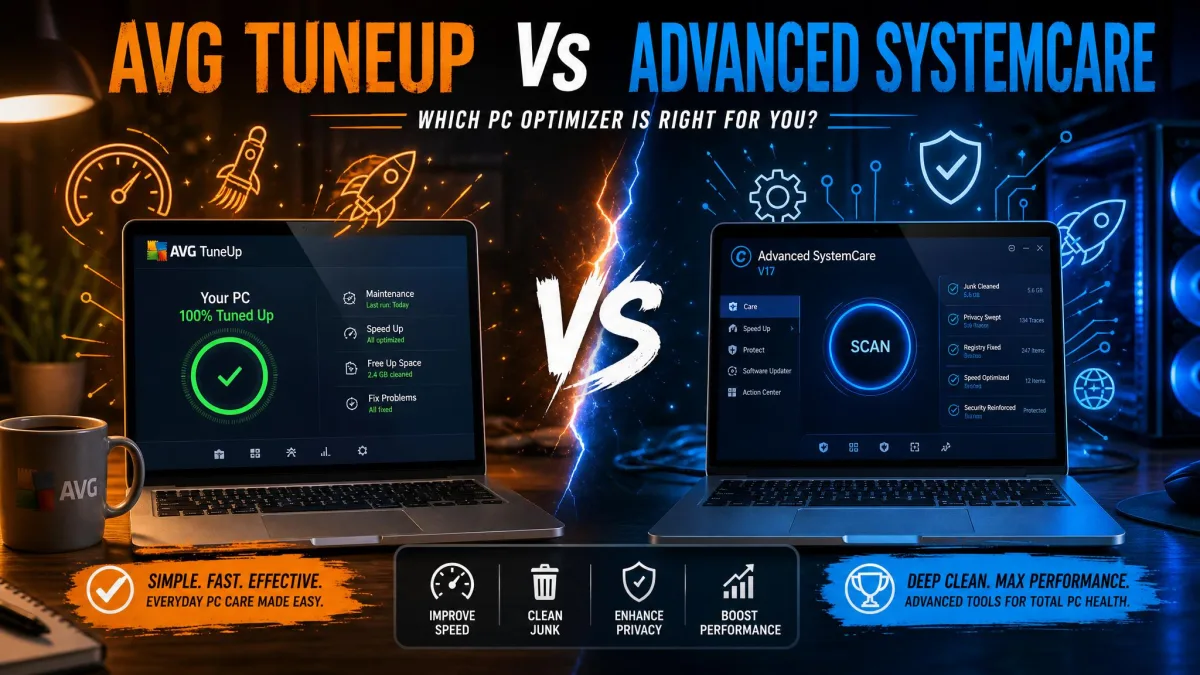
So which one actually keeps your Windows PC running clean, AVG TuneUp or CCleaner? We put both through our usual before-and-after cleanup routine, and the answer depends on what you want. One is a free, no-frills cleaner; the other is a paid all-in-one toolbox that runs on autopilot.
We tested both on Windows 11 machines over several cleanup cycles, watching how much junk each pulled, how each handled the registry, and how much the startup tweaks changed boot time. This comparison walks through features, ease of use, performance, safety, and pricing, then names a winner.
Here is the short version before we dig in.
AVG TuneUp vs CCleaner at a Glance (Quick Verdict + Comparison Table)
Here is how the two stack up side by side before we get into the detail.
| Feature | AVG TuneUp | CCleaner |
|---|---|---|
| Price/plans | ~$65.99/yr list (1 device), promos lower | Free; Pro $44.95/yr; Pro Plus $64.95/yr |
| Free version | No (7-day trial only) | Yes (CCleaner Free) |
| Junk/disk cleaning | Yes (Disk Cleaner, deep clean) | Yes (top-ranked for space freed) |
| Registry cleaner | Yes | Yes (more granular reports) |
| Startup manager | Yes (Startup Optimizer) | Yes |
| Sleep/economy mode | Yes (patented Sleep Mode) | No |
| Software updater | Yes | Yes |
| Duplicate finder | Yes | Yes |
| Platforms (Win/Mac/Android/iOS) | Win/Mac/Android | Win/Mac/Android/iOS |
| Device count | 1 or up to 10 | 1 (Free/Pro), 3 (Pro Plus), 5 (Premium Bundle) |
| Free trial length | 7 days | 14 days |
| Ease of use | Simple, quick to learn | Beginner-friendly, slightly dated |
What Each Tool Is
Both apps promise a faster, tidier PC, but they come at the job from different angles: one leans lightweight and free, the other comprehensive and paid.
AVG TuneUp Overview
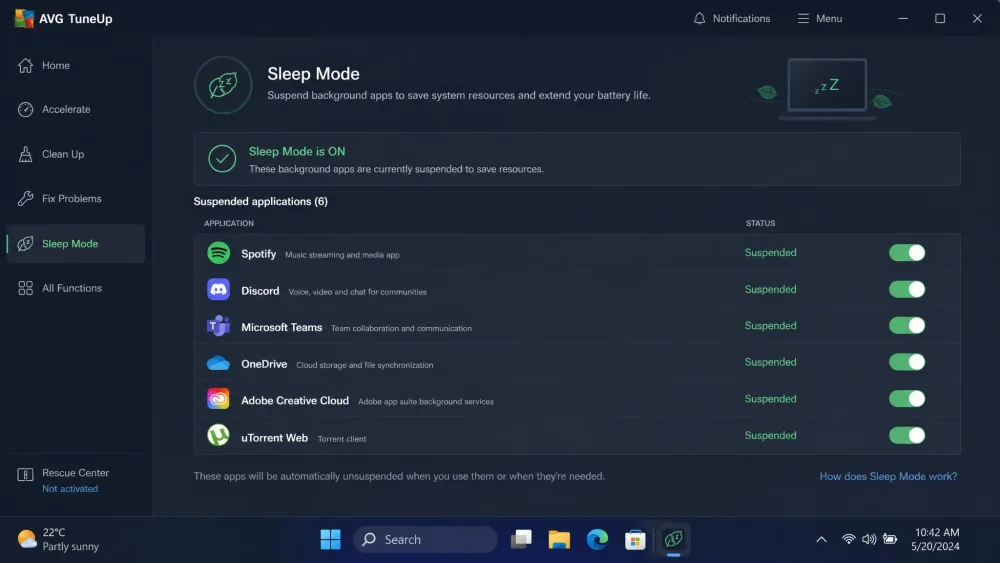
AVG TuneUp is a paid maintenance suite built around automation. Its headline feature is a patented Sleep Mode that suspends resource-hogging background apps until you need them. It also bundles a Disk Cleaner, Software Updater, Software Uninstaller with bloatware removal, a registry cleaner, browser cleanup, a startup optimizer, a disk defragmenter, and 24/7 auto-maintenance.
It runs on Windows 11, 10, 8, and 7, with separate editions for macOS 10.10 and above and Android 10 or later. The Windows edition carries the most complete feature set, so that is where AVG feels most at home.
CCleaner Overview
CCleaner is the veteran of the category, and it is the tool most people picture when they think "PC cleaner." The free version handles junk and disk cleanup, registry cleaning, a startup manager, browser cleanup, and a duplicate finder. Paid tiers add a software updater, a driver updater, PC Health Check, a performance optimizer, and real-time monitoring.
It covers Windows, Mac, Android, and iOS, which is one platform more than AVG.
Features Compared
This is where the two really separate. AVG casts a wider net, while CCleaner does the core jobs well and skips the extras.
Junk & Disk Cleanup
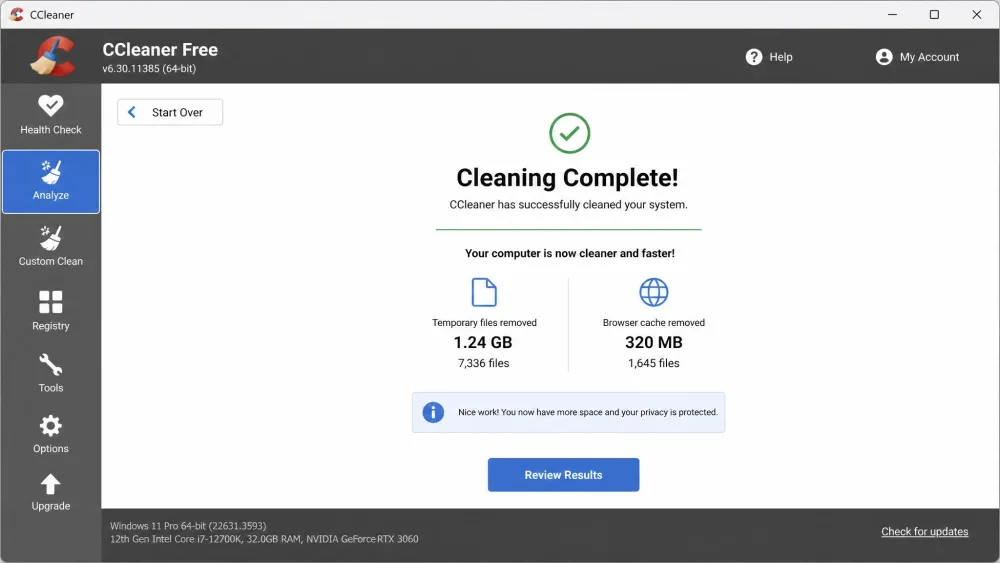
Both tools clear temp files, caches, and browser leftovers, and both freed up space on every machine we ran them on. In our cleanup runs, CCleaner reclaimed more raw disk space, landing at the top for total space freed, with AVG close behind in second. AVG made up ground on breadth, sweeping a wider range of junk, including logs, leftover installers, duplicates, empty folders, and broken shortcuts, through its deep clean and auto-maintenance.
The split is simple. CCleaner is the sharper tool for maximum gigabytes back, while AVG is the more thorough tool for tidying every corner of the drive. To just free up space fast, CCleaner gets you there.
Before any deep clean, let the tool preview what it plans to delete. Both apps show you the list first, and skimming it once keeps a stray browser session or saved login from vanishing.
Registry Cleaning
Both scan the Windows registry for orphaned and broken entries, and CCleaner's scanner was clearly the more granular. In one run it surfaced 1,111 registry issues against AVG's 229, a far more detailed report of what could be cleaned.
That said, more entries is not automatically better. Registry cleaning offers modest real-world gains on modern Windows, so treat it as light housekeeping. CCleaner simply gives you a more complete picture.
Performance & Startup Optimization (Sleep Mode vs quick-clean)
This is AVG's strongest ground. Its patented Sleep Mode parks background apps that would otherwise drain resources, and its Startup Optimizer trims what loads at boot. When we removed startup programs with AVG TuneUp, boot time noticeably improved on our test machine.
AVG advertises up to 79% quicker startup and 30% faster work performance, though those are the vendor's own figures rather than numbers we reproduced. CCleaner takes a lighter approach: a quick startup manager and a performance optimizer on paid tiers, without anything like Sleep Mode. For hands-off, ongoing speed, AVG has the edge here.
Extra Tools (uninstaller, duplicate finder, browser cleanup)
Both include a duplicate finder and browser cleanup, and both handle them well. The differences sit at the edges. CCleaner bundles a driver updater right in the app, while AVG's is a separate paid product. AVG counters with a disk defragmenter and bloatware removal that CCleaner lacks, plus a software uninstaller that clears out leftovers.
Ease of Use and Interface
Neither app is hard to use, but they suit different comfort levels.
AVG TuneUp
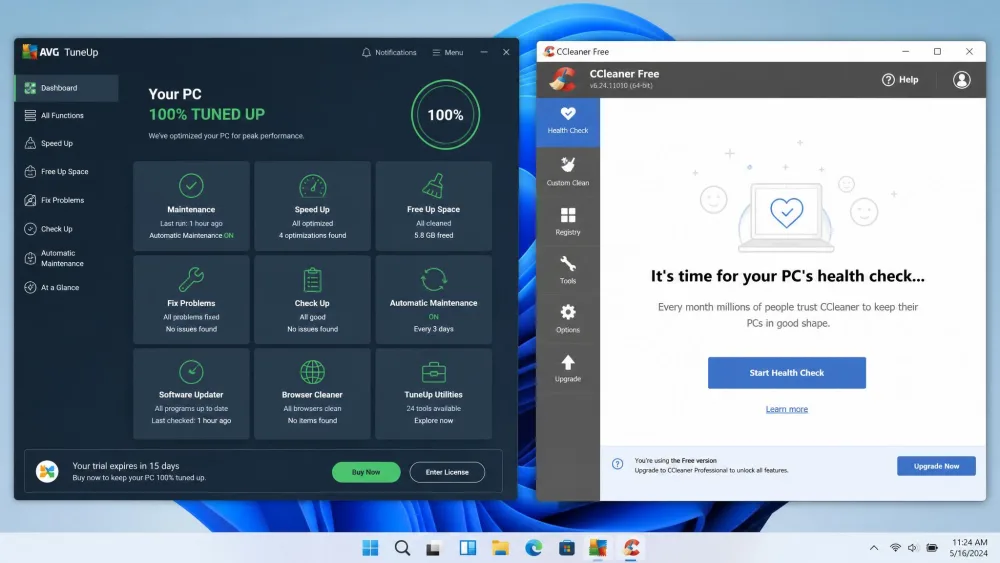
AVG TuneUp is easy to get to grips with quickly. The dashboard groups tasks into clear tiles, and the automated maintenance means you can set it once and largely leave it alone. It packs in more tools than CCleaner, which makes it a better fit for people who like tinkering with settings.
CCleaner
CCleaner is the more beginner-friendly of the two. Its sidebar layout is intuitive and the interface stays minimal, so first-timers rarely feel lost. The look does feel a little dated, and it takes a short while to learn where everything lives, but it stays serviceable and cleanly organized.
CCleaner is the tool you hand a nervous first-timer. AVG TuneUp is the one you give someone who wants every maintenance lever in a single app.
Performance and System Impact
Both apps are light on resources during normal use, and neither dragged our test systems down while idle. The real performance story is about what each does for the PC, not to it.
CCleaner's model is manual and occasional: you open it, run a clean, and close it, which keeps its footprint tiny. AVG TuneUp runs continuously through its 24/7 auto-maintenance and Sleep Mode, working to claw back resources in the background. On older or lower-spec machines, AVG's automation tends to pay off more.
On a modern PC with an SSD and plenty of RAM, you may not feel a dramatic difference from either tool. The gains are clearest on older, cluttered machines that have never had a proper cleanup.
Privacy, Safety, and Reputation
Both are established, widely used products from major security vendors, and both are safe to run when downloaded from their official sites. CCleaner had a well-publicized security incident years ago, but it has been a mainstream, trusted cleaner for a long time since.
The main caution is the same for any cleaner: registry and deep-clean tools delete things, so use the preview and stick to the defaults unless you know what an entry does. If you want a fully manual alternative for freeing space, Storage Sense and Disk Cleanup do the job at no cost.
CCleaner gives you only medium control over what gets removed, with fewer per-item options than power users want. If you need surgical control over every deletion, check the selection screen carefully before you clean.
Pricing and Plans
Price is where CCleaner pulls clearly ahead, mostly because it has a real free tier and AVG does not.
AVG TuneUp Pricing
AVG TuneUp is subscription-only, with no free version, just a 7 days free trial with no credit card needed, backed by a 30-day money-back guarantee. List pricing runs around $65.99 per year for a single Windows device, but the checkout figure moves constantly with promotions, region, and device-count bundles. A plan covering up to 10 devices lists near $79.99 per year yet is routinely sold far lower on promotion. AVG is often flagged as expensive when bought direct, which pushes some buyers toward discounted third-party keys.
CCleaner Pricing
CCleaner keeps it simpler. CCleaner Free costs nothing for one device and covers the core cleaning jobs. CCleaner Professional is $44.95 per year for one device, Professional Plus is $64.95 per year for up to three devices, and the Premium Bundle is $64.95 per year for up to five devices. Paid tiers add a 14-day trial of Pro features with no credit card, plus a 30-day money-back guarantee. For most people, the free tier already does what they need.
Pros
- Genuinely capable free version that freed up space on every test machine
- Beginner-friendly sidebar and minimal interface
- Lightweight, with a tiny system footprint
- More granular registry reporting
- Covers one more platform (iOS) than AVG
Cons
- Interface feels a little dated
- Only medium control over per-item deletions
- No true auto-maintenance mode
- Best extras are locked behind paid tiers
Pros
- Suspends resource-hogging background apps automatically
- 24/7 auto-maintenance keeps the PC tidy hands-free
- Cleans a wider range of junk file types
- Includes a disk defragmenter and bloatware removal
- Simple, quick-to-learn dashboard
Cons
- No free version, subscription-only
- List pricing is high before promos
- Driver updater is a separate paid product
- Fewer supported platforms than CCleaner
Head-to-Head Summary Table
The two tools win different contests. CCleaner takes price and simplicity; AVG TuneUp takes automation, breadth of cleaning, and startup optimization. Choose on that basis and neither will disappoint.
Which One Should You Choose?
The decision comes down to budget and how hands-on you want to be.
Choose AVG TuneUp If...
You want an all-in-one toolbox that runs on autopilot. AVG suits people who would rather set up automated maintenance once than remember to clean manually. Its auto-maintenance, defragmenter, and bloatware removal make it the stronger choice for older PCs that need ongoing help.

Choose CCleaner If...
You want to free up space and speed up your PC without paying, or without paying much. CCleaner is the better fit for beginners, for anyone on a budget, and for people who prefer a quick manual clean now and then. Its free tier covers the essentials, and the Pro upgrade is cheaper than AVG.

Verdict
Both tools do their core job well, so there is no loser here, just two different buyers.