Glary Utilities is a Windows maintenance suite built around a one-click cleanup pass and a toolbox of small utilities. Advanced SystemCare is IObit's all-in-one tune-up app, folding cleaning, real-time protection and driver updates into one automated dashboard. Both run free, both sell a Pro upgrade. Glary Utilities takes our win in 2026, mostly because it leaves you alone while it works.
Advanced SystemCare covers more ground, adding real-time protection and driver updates that Glary Utilities does not attempt at any price. Below we compare the two on cleaning, registry repair, startup control, privacy tools, pricing and upsell pressure.
Glary Utilities vs Advanced SystemCare at a Glance
| Product | Glary Utilities | Advanced SystemCare |
|---|---|---|
| Free version limits | Scheduling and auto-updates are Pro-only | Deep registry fix and driver updater are Pro-only |
| Junk/disk cleanup | Disk cleaner, space analyzer | Disk cleaner, large file finder |
| Registry cleaner | Yes | Yes, deep fix in Pro |
| Startup manager | Yes | Startup Optimizer |
| Privacy/tracks cleaning | Yes, plus file shredder | Yes, plus DNS Protector |
| Driver updates | No | Yes, in Pro |
| Real-time protection | No | Yes |
| Malware/security module | No | Antivirus in Ultimate |
| One-click optimization | 1-Click Maintenance | AI mode |
| Scheduled maintenance | Yes, in Pro | Yes |
| Number of tools bundled | Over 20 | 25 |
| Supported Windows versions | 11, 10, 8/8.1, 7, Vista, XP | 11, 10, 8, 7, Vista, XP |
| Pro price (annual) | $39.95 | $29.99 list |
| Devices per licence | 3 PCs | 3 PCs |
| Refund window | 90-day | 60-day |
| Upsell/bloat pressure | Light | Heavy, even on paid |
What Is Glary Utilities?
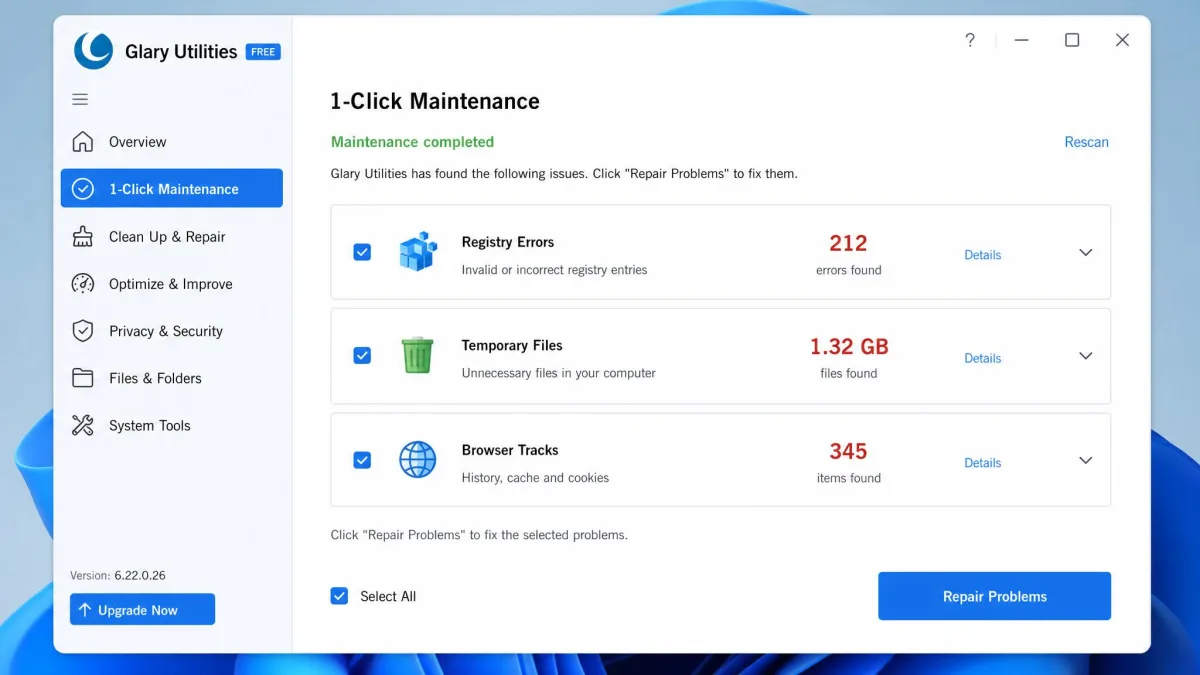
Glary Utilities bundles over 20 tools behind one dashboard. The current build is Glary Utilities 6.45 for Windows, and Glarysoft claims 200 million users. The headline feature is 1-Click Maintenance, which chains junk file cleanup, registry error repair and tracks cleaning into a single pass. Everything else sits in a tool grid: a disk space analyzer, a startup manager, a file shredder, a duplicate file finder, file undelete, an uninstall manager and a memory optimizer. Scheduled maintenance and automatic updates are held back for Pro.
Who Glary Utilities Is Built For
It suits someone who wants a specific job done without being sold anything on the way. Capterra's 16 verified reviewers average it 4.6 out of 5 and single out one-click maintenance as the feature they use most, and it stays comparatively ad-light in daily use.
The catch is discoverability. The interface looks dated, its busy layout has barely changed in years, and in-app explanation of what each tool does is thin. Our full Glary Utilities review goes deeper on the individual modules.
What Is Advanced SystemCare?
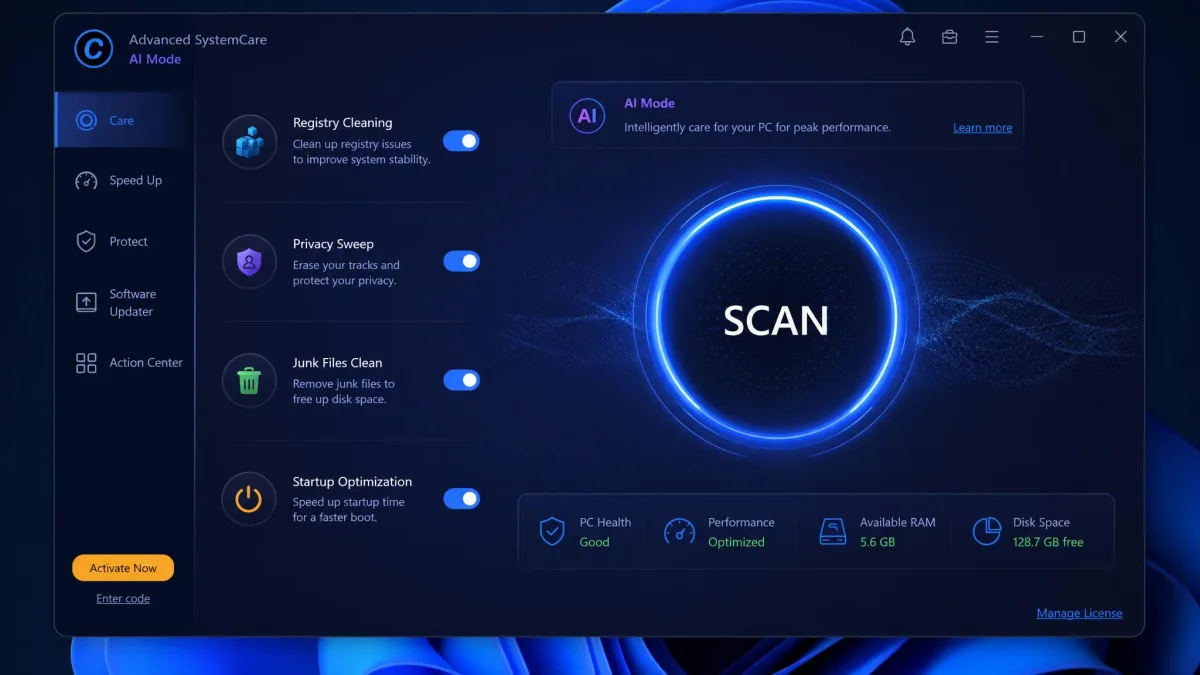
Advanced SystemCare is a broader product by design. Alongside the registry cleaner, disk cleaner, large file finder and startup optimizer, it adds real-time protection, browser anti-tracking, a DNS protector and Face ID intruder alert. Driver updates and deep registry fix are Pro features, and Ultimate folds in a full antivirus engine. The framing is automation rather than a toolbox: AI mode runs a full clean without configuration, and requirements are modest at 512 MB RAM, a 1 GHz CPU and 300 MB of free disk space.
Who Advanced SystemCare Is Built For
This is the pick for people who want one app watching the machine continuously. If you want driver updating, live protection and cleaning under one licence, it covers ground Glary Utilities does not attempt.
You pay for that in attention. It pushes upsell pop-ups and prompts to install other IObit tools, and those continue on the paid version. The Action Center, which looks like a maintenance panel, is mostly a hub for IObit's other offers.
Feature-by-Feature Comparison
Junk File Cleaning and Disk Space Recovered
Both apps clear browser caches, temporary files and installer leftovers. Advanced SystemCare goes wider with a large file finder and an app and extension cleaner. Glary Utilities counters with a disk space analyzer that shows where the space actually went, which is more useful than a raw megabyte total. Worth knowing first: Windows' built-in Disk Cleanup already removes most of what these tools find.
Glary Utilities' disk cleanup can remove stored system restore points, which quietly costs you a rollback option. Check that category before you approve a cleanup pass.
Registry Cleaning and Repair
Glary Utilities makes registry repair a first-class part of 1-Click Maintenance, while Advanced SystemCare includes a registry cleaner free and reserves its deep registry fix for Pro. Be realistic about the payoff: on Windows 11, removing a few thousand orphaned keys will not change how the machine feels, and both vendors lean harder on the error count than the result deserves.
Startup and Boot-Time Optimization
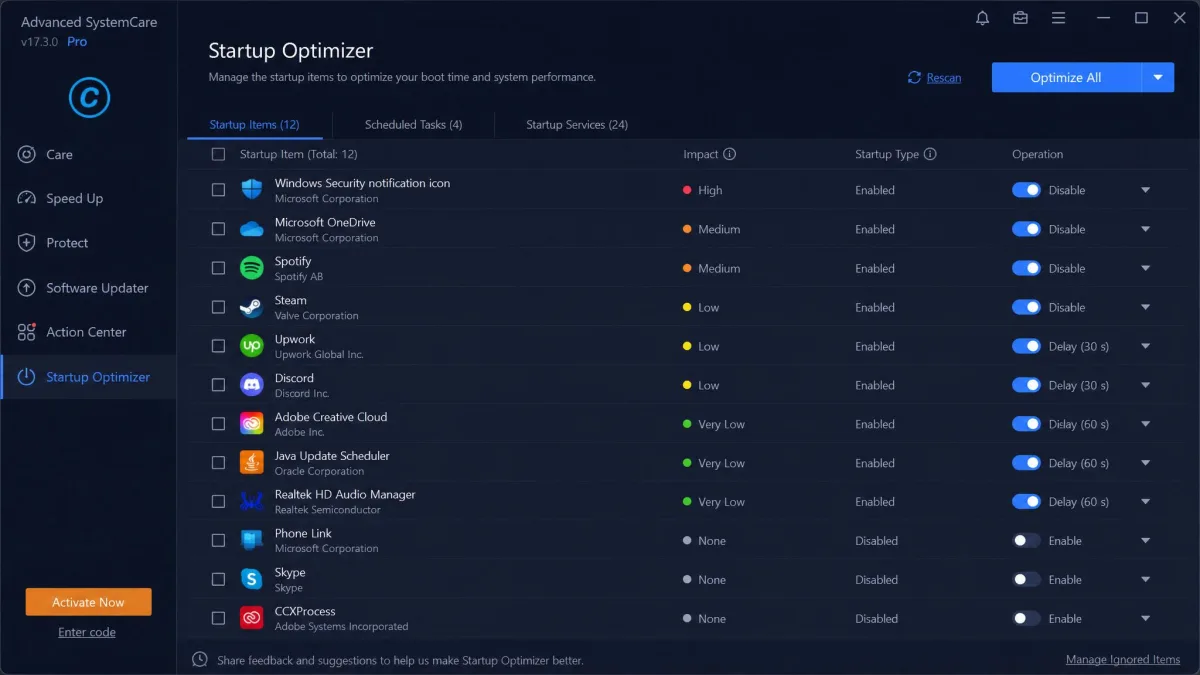
This is where either tool genuinely helps. Both list what launches with Windows and let you disable entries without hunting through Task Manager, and Advanced SystemCare adds a delay option that staggers slow starters instead of stopping them. If you only ever use one feature in either suite, make it this one. You can also follow Microsoft's guidance on startup apps and do the same job manually for free.
Privacy and Security Tools
Glary Utilities handles privacy as cleanup: tracks cleaning, plus a file shredder for anything you want gone permanently. That is the whole scope, and it is coherent. Advanced SystemCare treats privacy as protection, with anti-tracking, a DNS protector, real-time protection and Face ID intruder alert. If you already run Microsoft Defender, most of that is duplicated coverage rather than new coverage.
Driver Updates and Extra Utilities
Glary Utilities does not update drivers. Advanced SystemCare Pro does, and that is a real functional gap, though third-party driver updaters can install a generic driver where a vendor-specific one belonged. Glary Utilities answers with breadth instead: over 20 small tools, most doing one thing without asking questions.
Interface and Ease of Use
Glary Utilities Interface
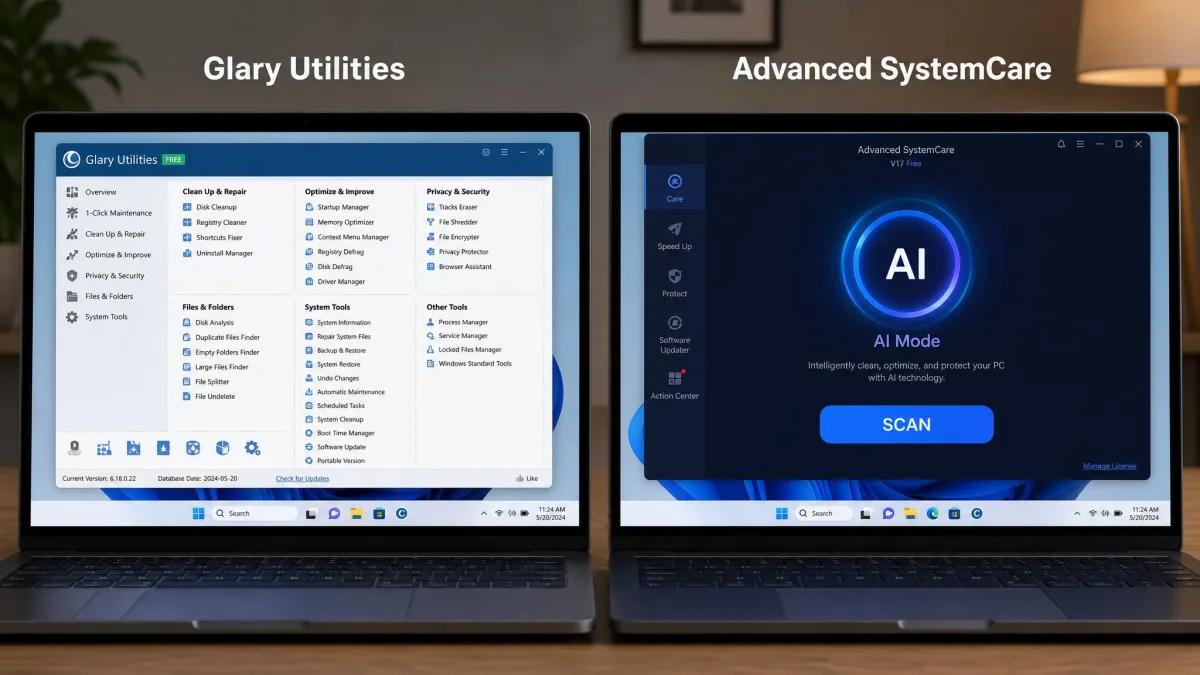
Functional and dated. The layout is busy, it has barely changed in years, and beginners slow down inside it. Once you know which tool you want, the friction disappears.
Advanced SystemCare Interface
The better-designed app by a clear margin. AI mode cleans without configuration and the dashboard reads at a glance. That polish is undercut by what shares the screen with it, because the panels surfacing maintenance results also surface offers.
Performance in Everyday Use
No credible third party publishes measured scan durations, junk volumes or boot-time deltas for either tool in 2026, and we will not invent numbers to fill that gap. What follows comes from documented hands-on use of both apps.
Scan Speed and System Impact
Advanced SystemCare can temporarily slow the machine while an optimization scan runs, which is the trade-off for how much it inspects in one pass. You notice it if you keep working through a scan. Glary Utilities' 1-Click Maintenance pass is light, but its heavier modules are the exception: the duplicate file finder and defragmentation runs are slow enough that you should start them and walk away.
What Each Clean Actually Recovers
Both tools find junk. What separates them is what happens next: Glary Utilities reports and stops, while Advanced SystemCare reports and then offers a related IObit product to address whatever it just flagged.
Pricing: Free vs Pro
| Tier | Glary Utilities | Advanced SystemCare |
|---|---|---|
| Free | Full toolbox, manual runs only | Cleaning, startup optimizer, basic protection |
| Pro | $39.95/yr, 3 PCs, adds scheduling | $29.99/yr list, adds driver updater |
| Top tier | Technician, $169/yr for 3 PCs | Ultimate adds antivirus |
| Refund window | 90-day | 60-day |
Glary Utilities Free vs Glary Utilities Pro
The free version is genuinely usable, and the upgrade mainly buys automation. Glary Utilities Pro pricing lists at $39.95 per year covering 3 PCs, with a 90-day money-back guarantee, the longest window here. Pro is frequently discounted, seen as low as $7.95, though promotional pricing rotates constantly and renewal reverts toward list. A Technician edition sits above it at around $169 per year for 3 PCs, though that tier's pricing moves with promotions.
Advanced SystemCare Free vs Pro vs Ultimate
The free tier is broad, unusually so, since it includes real-time protection. Advanced SystemCare Pro lists at $29.99 per year for 1 PC, adds the driver updater and deep registry fix, and a paid licence covers 3 PCs for a year. Ultimate layers an antivirus engine on top.
Pinning down what you will pay is harder than it should be. IObit's checkout runs a countdown timer and a coupon stack, so the 1-year, 3-PC bundle has been seen anywhere from about $21.98 to $31.98. It then auto-renews at the regular price, with 7 days' advance notice.
Both vendors sell 3-PC licences and both refund windows are generous for the category. Install the free build of each first, because both free tiers cover the maintenance most people actually need.
Is Either Pro Version Worth Paying For?
Glary Utilities Pro is worth it if you will genuinely use scheduled maintenance, since unattended cleanup is the one thing the free version cannot do. Advanced SystemCare Pro is worth it only if you want the driver updater and do not already run separate security software. If you are buying either to make a slow PC fast, neither will deliver that alone.
Pros and Cons
Glary Utilities Pros and Cons
Pros
- Over 20 tools, with a genuinely capable free version
- Comparatively ad-light, with little in-app promotion
- 90-day money-back guarantee on Pro, the longest here
- One Pro licence covers 3 PCs
Cons
- Dated, busy interface that slows beginners down
- Thin in-app explanation of what each tool does
- Disk cleanup can remove system restore points
- Duplicate file finder and defragmentation runs are slow
- Installer can offer bundled extra software
- Support can be slow when installs fail
Advanced SystemCare Pros and Cons
Pros
- Modern interface, and AI mode cleans without configuration
- Broadest feature set here, including real-time protection
- Free tier is unusually generous for the category
- $29.99 per year list price undercuts Glary Utilities Pro
Cons
- Persistent upsell pop-ups that continue after you pay
- The Action Center is mostly a hub for other IObit offers
- Can temporarily slow the machine during a scan
- Licensing splits across products, so bundled utilities may want a separate licence
- Countdown-timer checkout, with auto-renewal at the higher price
Bloatware, Upsells and What to Watch Out For
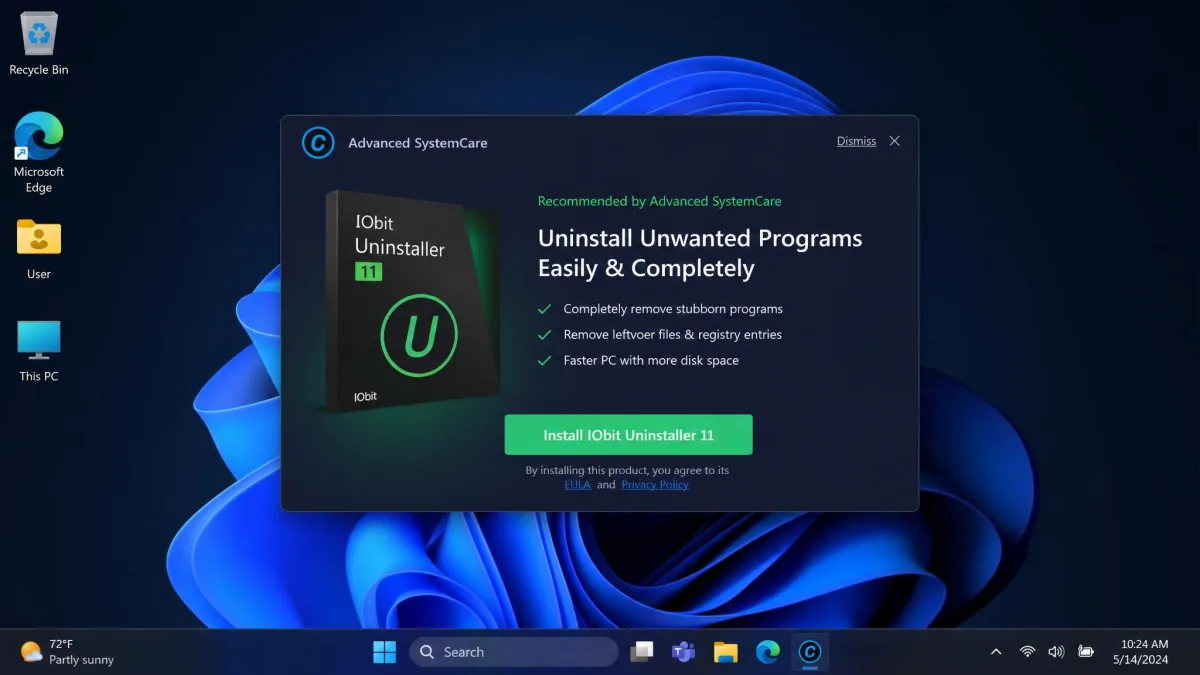
This is the deciding category, and it is not close. Advanced SystemCare's upsell pressure is constant and does not stop when money changes hands. Trustpilot's 1,300-plus reviews of IObit average 3.0 out of 5, and ads and bundled extras are the recurring complaint behind that score.
Glary Utilities is not spotless. Its installer can offer bundled extra software, so read the setup screens rather than clicking through, and Glarysoft's support can be slow when an install goes wrong. But once installed, it stays quiet. G2's community rates it 4.1 out of 5 across 13 reviews while Trustpilot has it at 3.3, so sentiment splits by venue.
Set scheduled maintenance to run weekly rather than daily, and review the cleanup categories once before you automate them. A scheduled pass that silently clears restore points is worse than no schedule at all.
Which One Should You Choose?
Choose Glary Utilities If...
- You want a toolbox you open when something is wrong, not a resident app
- You are cleaning up two or three household PCs on one licence
- You value being left alone over having the prettiest dashboard
- You already run security software and do not need another layer
Choose Advanced SystemCare If...
- You want one app handling cleaning, protection and drivers together
- You would rather press one button than choose between 20 tools
- You are setting up a machine for someone who will not maintain it manually
- You can tune out regular promotional prompts
Whichever way you lean, buy on a day you are not being hurried. IObit's checkout in particular is built to compress that decision.
Alternatives Worth Considering
CCleaner
CCleaner sits between the two on philosophy and is the most expensive of the three, with Professional at $44.95 per year and Professional Plus at $64.95 for three devices. Our CCleaner vs Glary Utilities comparison breaks that matchup down properly.
Wise Care 365
Wise Care 365 is the closest match to Glary Utilities in spirit and undercuts both on price. Pro runs $29.95 per year for 1 PC or $39.95 for 3 PCs, and it still sells a lifetime licence at $69.95 for 1 PC or $89.95 for 3. If annual subscriptions put you off, that is worth a look.