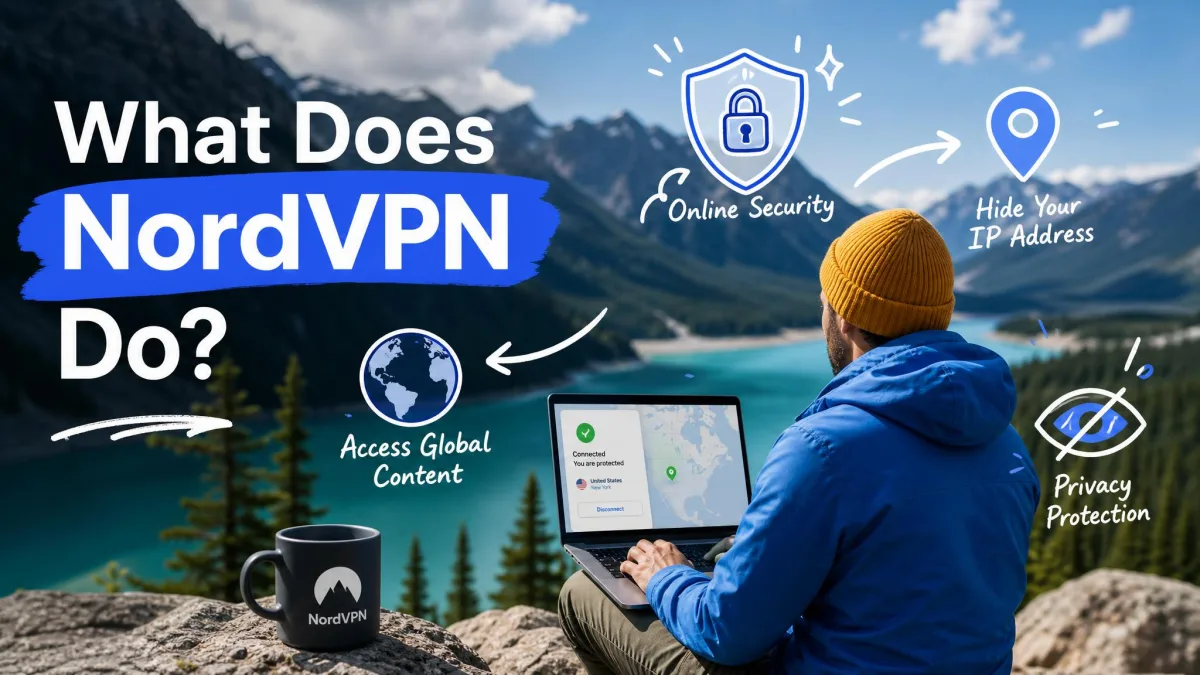
NordVPN is a virtual private network, an app that encrypts your internet traffic and routes it through a secure server before it reaches the wider internet. In plain terms, it hides what you do online from your internet provider, and it hides your real location from the websites you visit. That is the quick answer, and the rest of this guide explains how each part actually works.
We have spent years explaining and verifying how consumer VPNs behave, so this is a walk through what NordVPN does, not a sales pitch. We will cover the encryption, the IP masking, the security features people ask about most, and the practical things a connection changes day to day. Where a figure is contested across sources, we flag it rather than pretend there is one clean number.
What Is NordVPN? (Quick Answer)
NordVPN is a paid VPN service run by Nord Security, a company founded in 2012 and incorporated in Panama. A VPN, or virtual private network, is software that builds an encrypted tunnel between your device and a server the provider operates. Your traffic travels inside that tunnel, so nobody on the network between you and the server can read it.
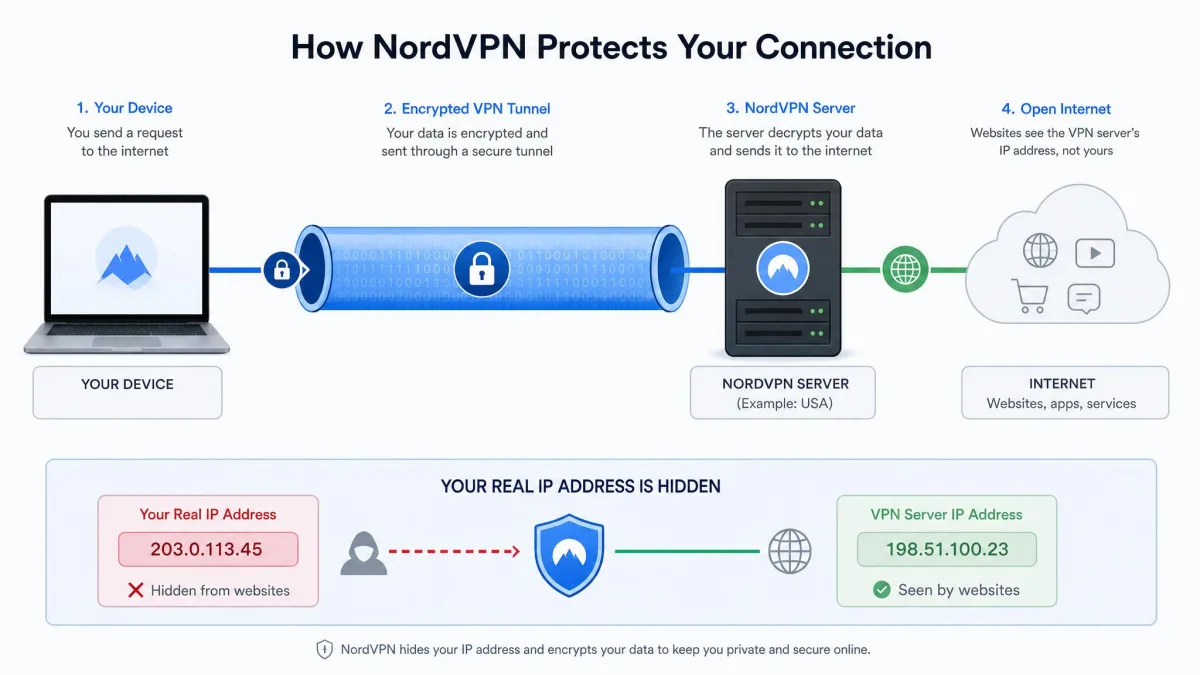
You install the app, sign in, and connect. From that point your data leaves your device already scrambled, passes through NordVPN's chosen server, and only then continues to the website or service you wanted. The site sees the server's address, not yours.
That single change has knock-on effects for privacy, security, and access, which is why the same app gets recommended for such different reasons. If you want the fuller picture, the NordVPN features list and the vendor's own What is NordVPN explainer set out the official scope.
A VPN is not antivirus and not a magic cloak. It protects data in transit and masks your IP, but it will not stop you from typing a password into a fake site or clicking a bad download. Treat it as one layer, not the whole defense.
How Does NordVPN Work?
Three things happen every time you connect: your traffic is encrypted, your IP address is swapped for the server's, and your data is routed through NordVPN's network. Each step is worth understanding on its own.
Encrypting Your Internet Traffic
Encryption is the core of what a VPN does. NordVPN uses AES-256 encryption with its OpenVPN and IKEv2 connections, and ChaCha20 with its newer NordLynx protocol. AES-256 is the same class of cipher used to protect classified government data, so the practical takeaway is simple: the scrambling is strong enough that intercepting the traffic gets an attacker nothing readable.
This layer of encryption matters most where the network is not yours to trust. On shared or public connections, anyone able to watch the traffic sees only ciphertext instead of your logins, messages, and browsing.
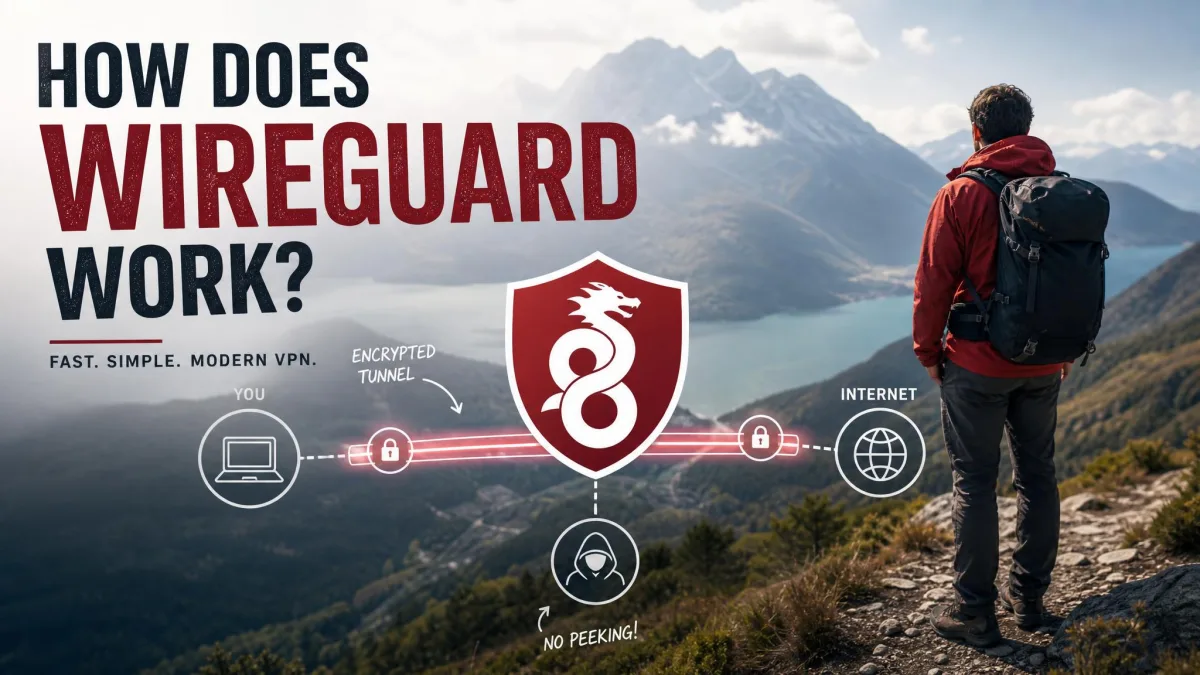
Protocol choice affects speed as well as security. NordLynx is built on the WireGuard protocol, and it is noticeably faster than OpenVPN in practice. On a nearby domestic server the speed drop is small, often only around 10 to 15 percent of your raw connection, which is why most people can leave the protocol on automatic and never think about it again.
Hiding Your IP Address and Location
Every device online has an IP address, a number that identifies your connection and roughly reveals your location. When you connect through NordVPN, websites see the IP address of the server you chose, not your own. Pick a server in another country and, as far as the internet is concerned, that is where you are.
This is the feature people mean when they say a VPN makes you "anonymous." It is more accurate to say it breaks the easy link between your activity and your real address. Your internet provider can still see that you connected to NordVPN, but not what you did afterward.
Hiding your IP is also what powers most of the access benefits later in this guide, from unblocking region-locked services to sidestepping location-based tracking.
The Server Network and Connection Process
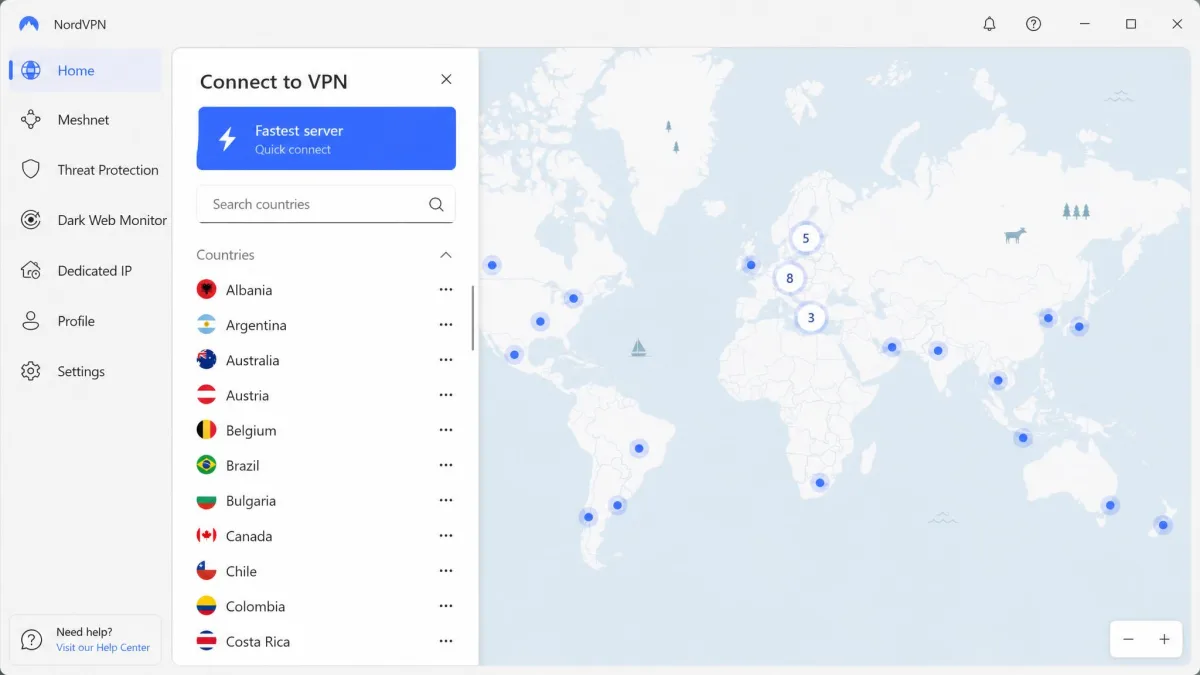
NordVPN runs a large server network, in the region of 7,000 or more servers spread across 100 or more countries. Counts vary between sources and change often, so treat any exact figure with caution, but the practical point holds: there are plenty of locations to choose from, and enough capacity that servers rarely feel crowded.
Connecting is straightforward. You open the app, and one tap connects you to the fastest available server based on your location and current load. If you want a specific country, you pick it from the list instead. Advanced users can drill into individual cities or specialty servers, but the default one-tap path is what most people use.
Notably, NordVPN runs its servers in RAM-only mode. The entire server operates from volatile memory, so every reboot wipes it clean and nothing is written to a permanent disk. That design choice directly supports the no-logs promise we cover below.
Key Security and Privacy Features
Beyond the core tunnel, NordVPN bundles a set of features aimed at closing common gaps. These are the ones worth knowing.
Kill Switch
A kill switch is a safety net for the moment a VPN connection drops. If the tunnel fails for any reason, the kill switch cuts your internet instead of letting traffic fall back to your normal, unprotected connection. NordVPN offers both a system-wide kill switch and an app-specific version that only blocks chosen apps.
Without one, a brief dropout can expose your real IP for exactly the moment you were trying to hide it. With it on, you simply lose connectivity until the VPN reconnects, which is the safer failure.
Split Tunneling
Split tunneling lets you decide which apps use the VPN and which use your regular connection. You might route your browser through NordVPN for privacy while letting a banking app or a local device connect directly. It is a practical way to keep the protection you want without breaking the services that dislike VPN traffic.
Double VPN and Onion Over VPN
Double VPN sends your traffic through two servers instead of one, encrypting it twice and adding a second layer of separation between you and your destination. Onion Over VPN routes your connection through the Tor network after the VPN server, combining NordVPN's encryption with Tor's anonymity layers. Both trade speed for extra privacy, and both are aimed at users who need stronger cover than a single hop provides.
Threat Protection (Malware and Ad Blocking)
Threat Protection is NordVPN's built-in filter against malware, trackers, and ads. It blocks known malicious sites, scans downloads for threats, and strips intrusive ads and trackers as you browse. On the higher tiers it appears as Threat Protection Pro with an expanded feature set. It runs alongside the VPN rather than replacing your antivirus, but it removes a lot of the low-level junk before it reaches your device.
If a website misbehaves or a download stalls, Threat Protection's blocking is the first thing to toggle off as a test. It occasionally catches something it should not, and turning it off briefly tells you whether it is the cause.
No-Logs Policy and Independent Audits
A no-logs policy means the provider does not record what you do while connected. That claim is only as good as the proof behind it, and this is where NordVPN's record is genuinely strong. Its no-logs policy has been audited repeatedly, by PwC in 2018 and 2020 and by Deloitte in the years since, with Deloitte confirming the policy again in January 2024.
The RAM-only server design reinforces this: because nothing is written to disk, there is little for a server to retain even if someone seized it. Back in 2018 a single datacenter in Finland was breached through a third-party provider, disclosed publicly in 2019, but investigators found no evidence user activity was exposed, and it prompted the wider move to audited, hardened infrastructure. You can read more about NordVPN's ownership and audits for the full history.
What NordVPN Actually Does For You
Features are one thing. Here is what the service changes in everyday use.
Keeps Your Browsing Private From Your ISP and Snoopers
Your internet provider can normally see every site you visit. With NordVPN connected, it sees only encrypted traffic heading to a NordVPN server, and nothing about where you go next. In our leak testing checks, connections held up against DNS and WebRTC leak tests, meaning your real address and DNS requests stayed inside the tunnel rather than slipping out a side channel.
Unblocks Streaming and Bypasses Geo-Restrictions
Because you can appear to be in another country, NordVPN is widely used to reach streaming libraries and services that are locked to a region. In practice it reliably unblocks the major platforms, including Netflix, BBC iPlayer, Disney+, Hulu, HBO Max, and Amazon Prime Video, helped by its SmartPlay feature.
It is worth being honest that this is a cat-and-mouse game. Streaming services actively block VPN servers, so occasionally a given server stops working and you switch to another. Most of the time the fix is that simple.
Secures You on Public Wi-Fi
Public Wi-Fi in cafes, airports, and hotels is the classic case for a VPN. On an open network, others may be able to watch unencrypted traffic. NordVPN's encryption closes that window, so your logins and personal information stay private even on a network you do not control. This is also why it is a sensible habit for online banking away from home.
Prevents Bandwidth Throttling
Some internet providers slow down specific kinds of traffic, such as video streaming or large downloads, once they recognize it. Because NordVPN encrypts your traffic, your provider can no longer see what type of activity it is, which makes that selective throttling much harder to apply. The result can be steadier speeds for the very activities that were being targeted.
Extra Tools Beyond the VPN
Dedicated IP, Password Manager, Encrypted Storage, Meshnet
NordVPN has grown into a small suite rather than a single app. A dedicated IP gives you a personal address that only you use, which reduces the "you look like a bot" checks that shared VPN IPs sometimes trigger. Meshnet lets you link your own devices into a private encrypted network, useful for remote access and secure file transfer between machines.
The higher plans fold in Nord Security's other products. NordPass is a password manager for storing and generating logins, and NordLocker is encrypted cloud storage for files you want kept private. Browser proxy extensions round out the list for people who only want protection inside Chrome, Firefox, or Edge.
What Devices Does NordVPN Work On?
NordVPN has apps for all the main platforms: Windows, macOS, Linux, iOS, and Android. It also offers browser extensions for Chrome, Firefox, and Edge, and it can be installed on compatible routers to cover every device on your home network at once.
One account covers several devices at the same time. NordVPN's current support documentation lists up to 10 simultaneous connections, though older references still cite six, so it is worth confirming the number when you sign up. Setting it up on a router counts as a single connection while protecting everything behind it, which is a common way around any device limit.
Installing NordVPN on your router protects smart TVs, consoles, and other gadgets that cannot run the app themselves. It only uses one of your connection slots, no matter how many devices sit behind it.
Who Should Use NordVPN?
NordVPN suits anyone who regularly uses untrusted networks, wants to keep browsing private from their provider, or watches streaming content from other regions. Frequent travelers, remote workers, and households that want one subscription across many devices get the most from it.
It is less essential if you only ever use a single trusted home network and have no interest in geo-restricted content, though the privacy benefit still applies. The desktop app can be memory-hungry at times, and live chat support, while available around the clock, can be slow to answer at peak periods. Neither is a dealbreaker for most people, but both are worth knowing before you commit.
Pricing at a Glance
NordVPN sells several tiers. The entry plan covers the VPN itself; Plus adds the NordPass password manager; Complete adds NordLocker encrypted storage; and an Ultra tier sits at the top. Every plan carries a 30-day money-back guarantee, and there is a 7-day free trial on Android.
Month-to-month billing runs about $12.99 for the basic plan, which is the premium end of the market. Longer commitments cut that sharply: a two-year plan drops the effective rate to roughly $2.99 to $3.49 per month during promotions, though it renews at a higher price afterward. Because promotional rates shift constantly, always check the current figure before subscribing.
| Plan | Password manager | Encrypted storage | Threat Protection | Money-back |
|---|---|---|---|---|
| Basic | No | No | Yes | 30-day |
| Plus | Yes | No | Yes | 30-day |
| Complete | Yes | Yes | Yes | 30-day |
The auto-renewal can charge you roughly two weeks before the term actually ends, which catches some subscribers off guard. If you plan to cancel, set a reminder well ahead of the renewal date rather than waiting for the last day.
Frequently Asked Questions
Does NordVPN have a free trial?
Does NordVPN work in China?
Is NordVPN blocked by Netflix?
How many devices can I use with one account at the same time?
Does NordVPN keep logs?
How does NordVPN protect online banking?
Conclusion
At its heart, NordVPN does three things: it encrypts your internet traffic, hides your IP address and location, and routes you through a secure global server network. Everything else, from the kill switch to Threat Protection to the streaming access, builds on those three foundations.
For most people the practical value is a mix of privacy from their provider, safety on untrusted networks, and freedom from region locks, all from one app across their devices. Backed by a genuine no-logs record and audited infrastructure, it earns its place as a default recommendation, provided you buy on a longer plan to avoid the steep monthly rate. If you want the deeper hands-on assessment, our NordVPN review digs further into performance and value.