A double VPN routes your internet traffic through two VPN servers instead of one, encrypting your data twice before it reaches the website you are visiting. You might also see it called multi-hop, double-hop, or a chained VPN, and every one of those names points to the same idea: an extra layer of encryption and an extra server standing between you and the open internet.
We tested double VPN features across several major providers to understand what that second hop actually buys you, and where it quietly costs you. The short version is that the feature is real and useful for a narrow set of people, and mostly unnecessary for everyone else. This guide walks through how the technology works, what you gain, what you give up, and which services offer it.
What Is a Double VPN?
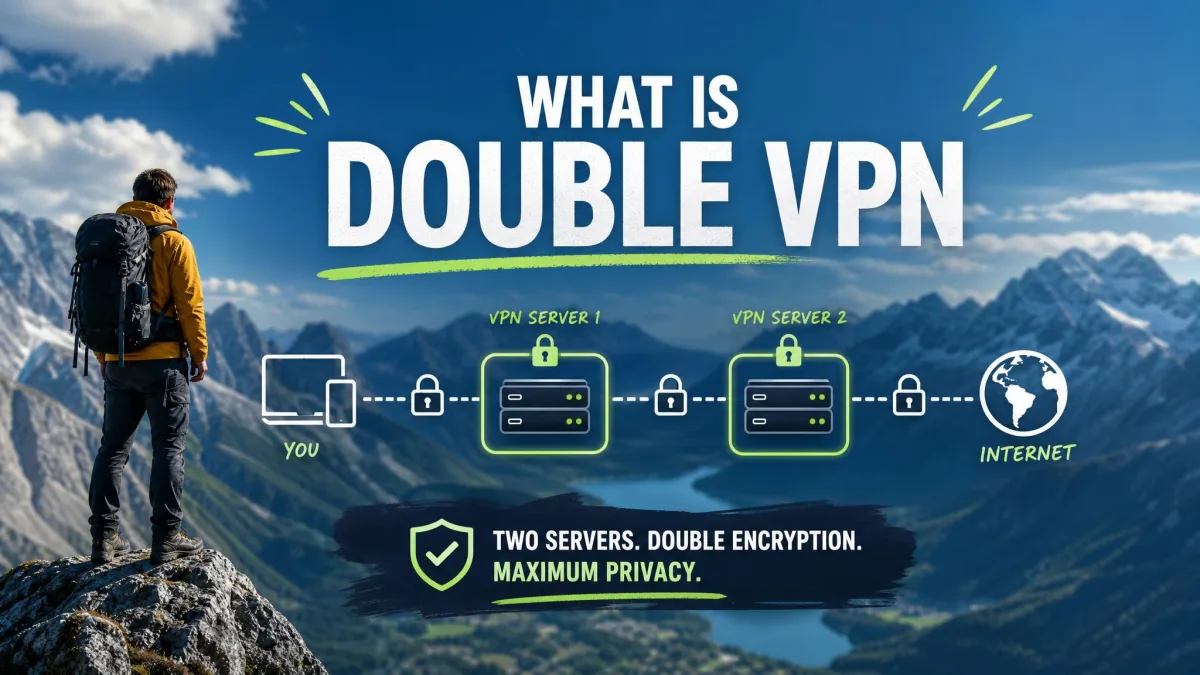
A double VPN is a connection that passes your traffic through two separate VPN servers, one after the other, rather than a single server. Your device encrypts the data, sends it to the first server, and that server encrypts it again before passing it to a second server. Only then does your traffic reach the wider internet. The result is two layers of encryption and two IP address changes on a single connection.
The feature goes by several names depending on the provider. NordVPN calls it Double VPN, Surfshark calls it MultiHop, Proton VPN calls it Secure Core, and Windscribe calls it Double Hop. They differ in the details, but the core promise is the same: more distance and more encryption between your device and the sites you visit.
The terms double VPN, multi-hop, double-hop, and chained VPN all describe the same basic setup. When you compare providers, focus on how the second hop is built, not on the marketing name attached to it.
How Does a Double VPN Work?
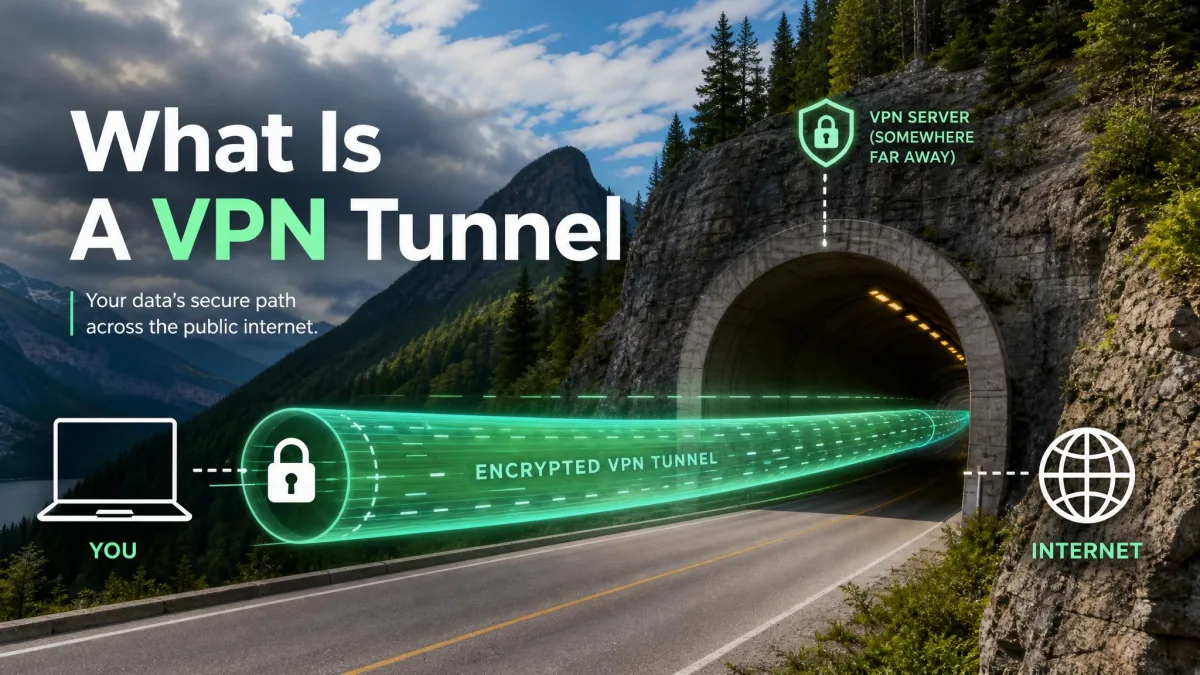
A single VPN creates one encrypted tunnel between your device and a server, then that server forwards your traffic to its destination. A double VPN adds a second tunnel and a second server, so your data is wrapped, unwrapped, and rewrapped along a longer path. The extra step is what delivers both the added privacy and the slower speeds.
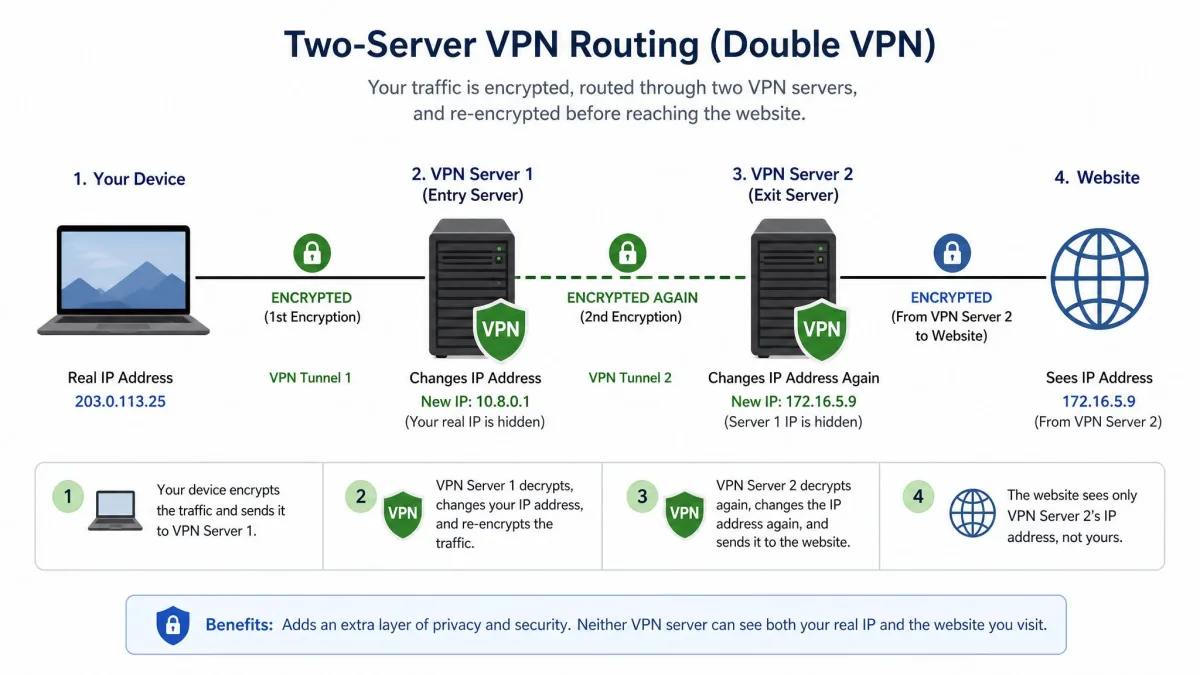
Double Encryption and Two-Server Routing
Here is the path your data takes. Your device encrypts the traffic first, then sends it to the entry server. The entry server changes your IP address and encrypts the data a second time before forwarding it to the exit server. Because the entry server has already stripped and replaced your original IP, the exit server has no information about who you are or where you connected from. Websites only ever see the address of that final exit server.
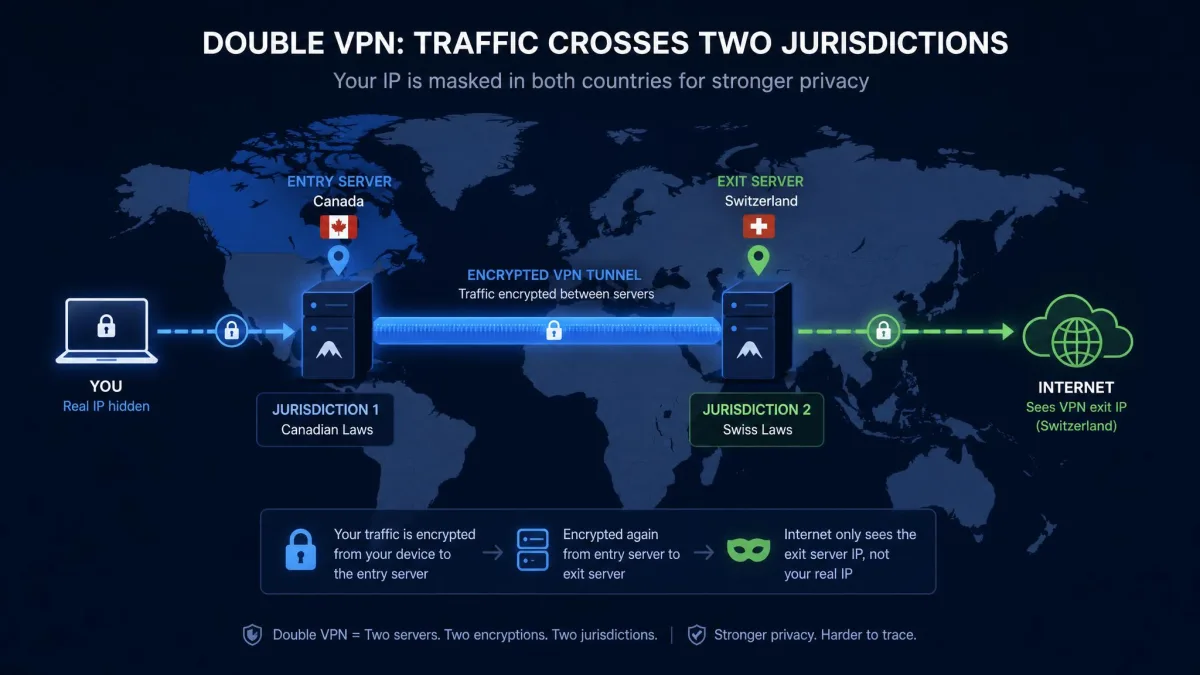
That structure is the real security benefit. Your traffic can cross two different servers in two different jurisdictions, and if the exit server is ever compromised, it still cannot trace the connection back to your real IP. The double encryption itself is often oversold, though. A single VPN already encrypts your traffic with protection that is effectively uncrackable, so the second layer adds separation between servers more than it adds meaningfully stronger encryption.
Double VPN vs. Onion Over VPN and Tor
Double VPN is sometimes confused with Tor or Onion over VPN, but they solve different problems. Tor routes your traffic through multiple volunteer-run relays for maximum anonymity, and no single party controls the whole path. That decentralization is its strength and also the reason it is slow.
A double VPN, by contrast, uses two servers operated by one provider. You are trusting that single company rather than a distributed network of volunteers, which makes double VPN faster and easier to use but less decentralized than Tor. Some providers, including NordVPN, offer an Onion Over VPN option separately for people who want the Tor network layered on top of a VPN connection.
Benefits of Using a Double VPN
The advantages of a double VPN come down to separation and redundancy. Your real IP is masked twice, your traffic is encrypted at two points, and no single server holds both your identity and your destination. For someone whose threat model includes a compromised server or a hostile network operator, that separation matters.
Pros
- Double encryption across two servers adds an extra layer of protection.
- Your IP address is masked by the exit server, which never sees your real address.
- Traffic can cross two different jurisdictions, adding legal and geographic distance.
- If one server is compromised, it alone cannot link your identity to your activity.
Cons
- Speeds are noticeably slower because your data is encrypted and routed twice.
- Server-location choices are limited to a handful of preset pairs.
- The setup is more resource-intensive and can drain a phone's battery faster.
Routing through two jurisdictions is an underrated benefit. When your entry and exit servers sit in different countries, no single legal authority can compel one operator to hand over a complete picture of your connection. Proton VPN builds its whole Secure Core feature around this idea, placing entry servers in privacy-friendly countries.
No single server ever holds both your real IP address and your final destination, and that separation is the real point of a double VPN.
— From our hands-on testing notes
Drawbacks of Using a Double VPN
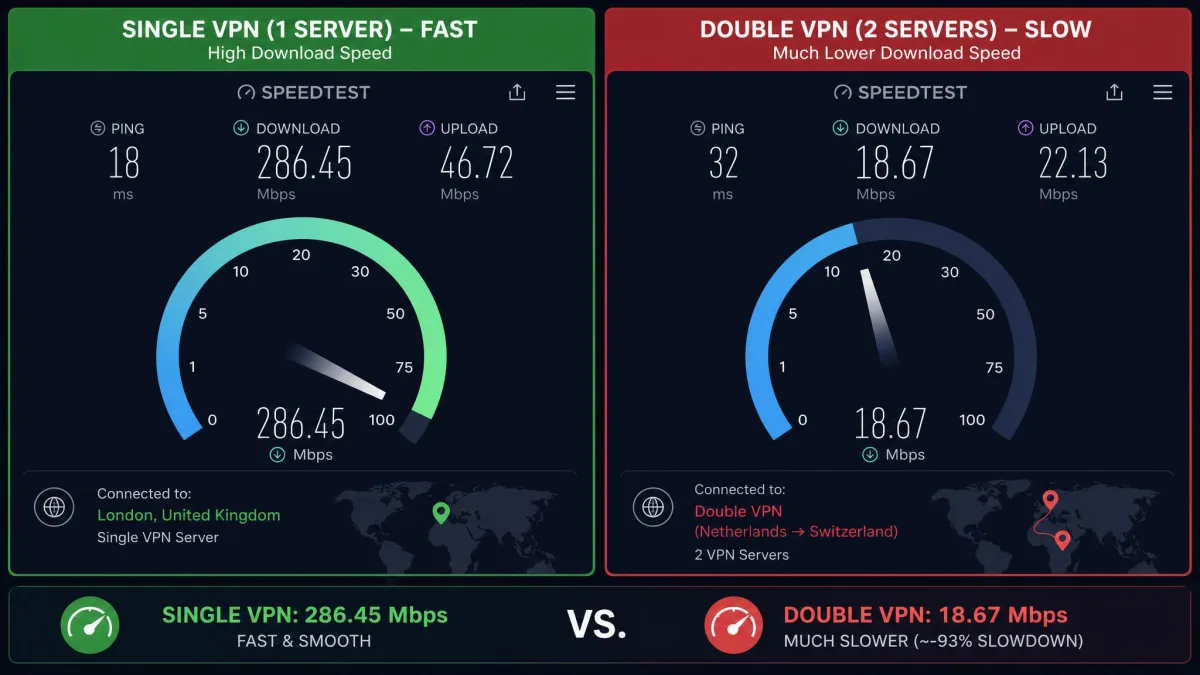
The trade-offs are significant, and speed is the big one. Encrypting your traffic twice and bouncing it across two servers naturally slows your connection. In our testing, the drop is enough that streaming and large file transfers become frustrating rather than merely slower. Published measurements have clocked a worst-case connection at only about 10 percent of its original single-VPN speed, and while that figure is an extreme example rather than a universal rule, the direction is always the same: you will lose speed.
The second cost is choice. A normal VPN gives you hundreds or thousands of server locations. A double VPN cuts that down to a handful of preset server pairs, so you cannot always land in the exact country you want. Encrypting twice also makes your device work harder, which can mean slightly slower performance and faster battery drain on a phone.
Do not expect to stream Netflix or move large files over a double VPN. There simply is not enough speed left after two rounds of encryption, and this is by design rather than a fault you can fix in settings.
When Should You Use a Double VPN (and Who Needs It)?
For everyday browsing, a double VPN is overkill, and we would leave it off unless you have a specific reason to turn it on. A single VPN already hides your destination sites from your internet provider and encrypts your traffic strongly enough for shopping, banking, and general privacy. Adding a second hop mostly just slows you down.
The security upside is narrow but genuine. Activists, journalists, and high-profile targets who face serious surveillance benefit most, because for them the separation between two servers in two jurisdictions is worth the speed penalty. If you are researching a sensitive story, operating under a repressive government, or otherwise a specific target, the extra layer earns its cost. For a typical user checking email on café Wi-Fi, it does not.
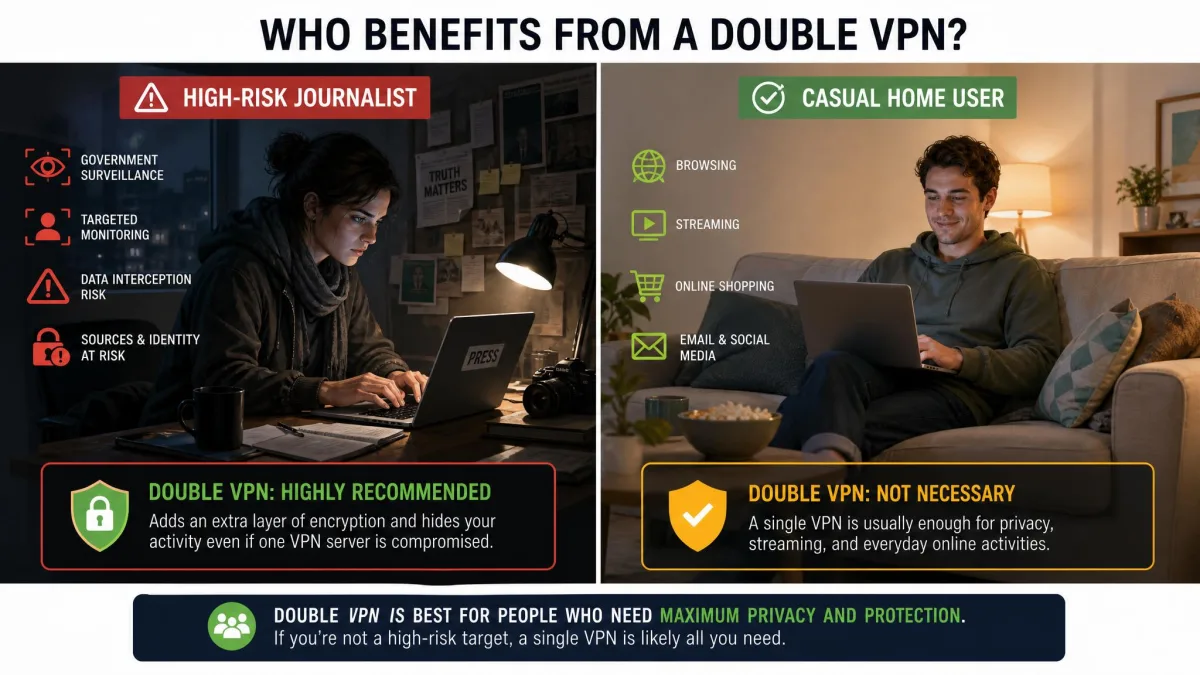
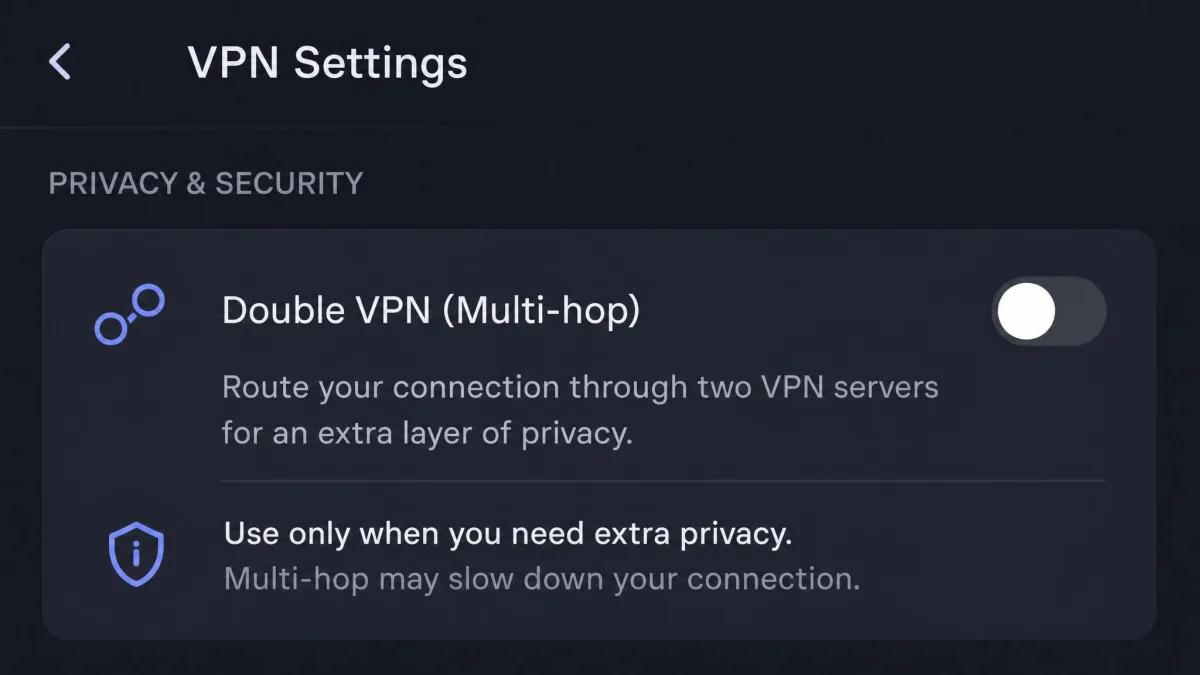
A good rule of thumb: keep double VPN switched off by default and turn it on only for the specific sessions where you need the extra protection. Running it full time trades away speed you will notice for security most people never use.
How to Set Up a Double VPN
You have two ways to build a double VPN. The first is to use a provider's built-in multi-hop feature, which is what we recommend for almost everyone. The second is to chain two separate VPNs together yourself, which is more flexible in theory and far more fragile in practice.
Using a Built-In Multi-Hop Feature
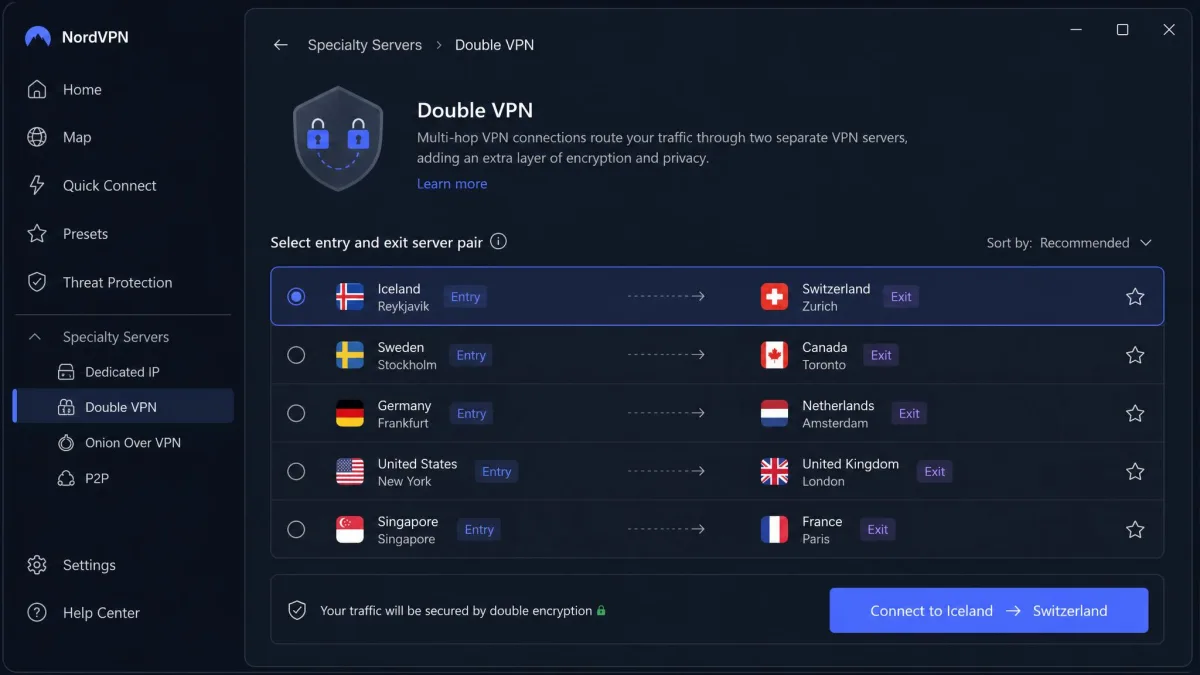
Built-in multi-hop is the reliable path. You open your VPN app, find the double VPN or multi-hop section, pick a server pair, and connect. The provider has already tested and optimized those server combinations, so the connection tends to come up cleanly on the first try. This is the method we would steer any reader toward.
Chaining Two VPNs Manually
Chaining two different VPN services by hand is possible, but it is finicky. In our experience the manual approach often fails or simply refuses to connect, because two separate clients fight over routing and network settings. Unless you have a specific technical need and the patience to troubleshoot it, a built-in feature will save you a lot of grief.
Which VPN Providers Offer Double VPN?
Several leading providers offer a double VPN feature, and they take noticeably different approaches to how you choose your servers. The table below sums up the main differences before we look at each one.
| Provider | Feature name | Server selection | Notes |
|---|---|---|---|
| NordVPN | Double VPN | Predefined server pairs only | Requires OpenVPN; Onion Over VPN also available |
| Surfshark | MultiHop | Preset pairs plus custom entry/exit | Pick any two servers you want |
| Proton VPN | Secure Core | Fixed hardened entry, any exit | Entry servers in Switzerland, Iceland, Sweden |
NordVPN Double VPN
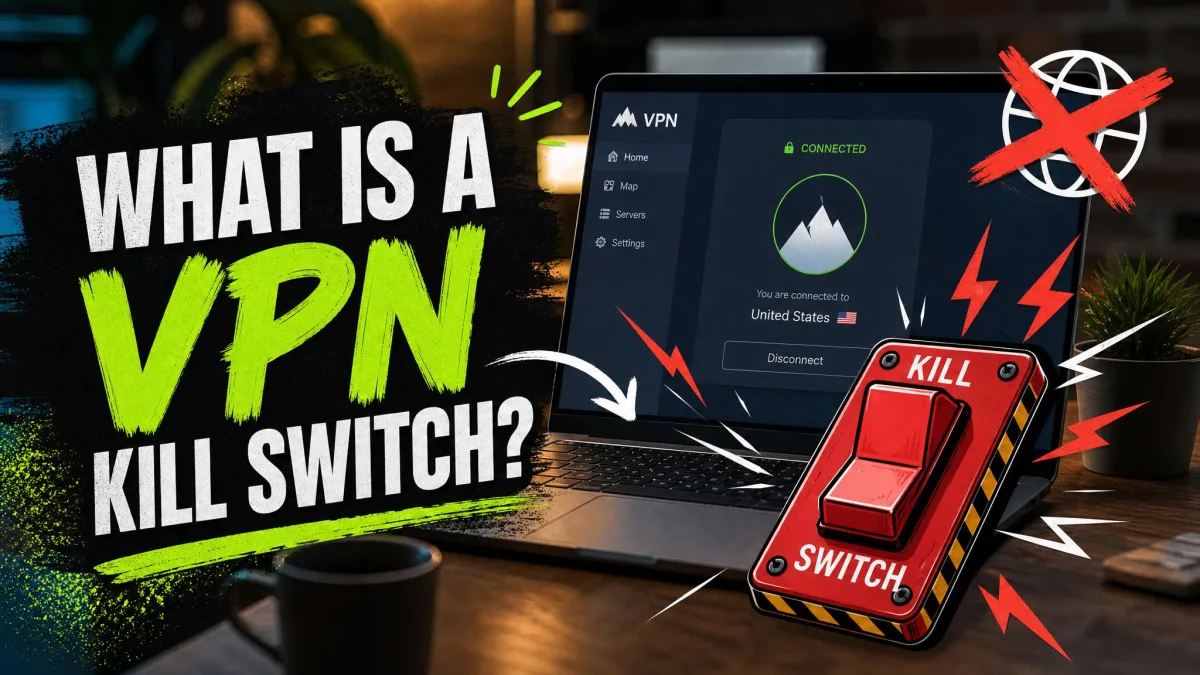
NordVPN's Double VPN encrypts your traffic twice across two NordVPN servers and supports the kill switch, and it sits alongside Onion Over VPN in the provider's specialty server list. You connect through predefined server pairs rather than building arbitrary combinations, so your options are set in advance.
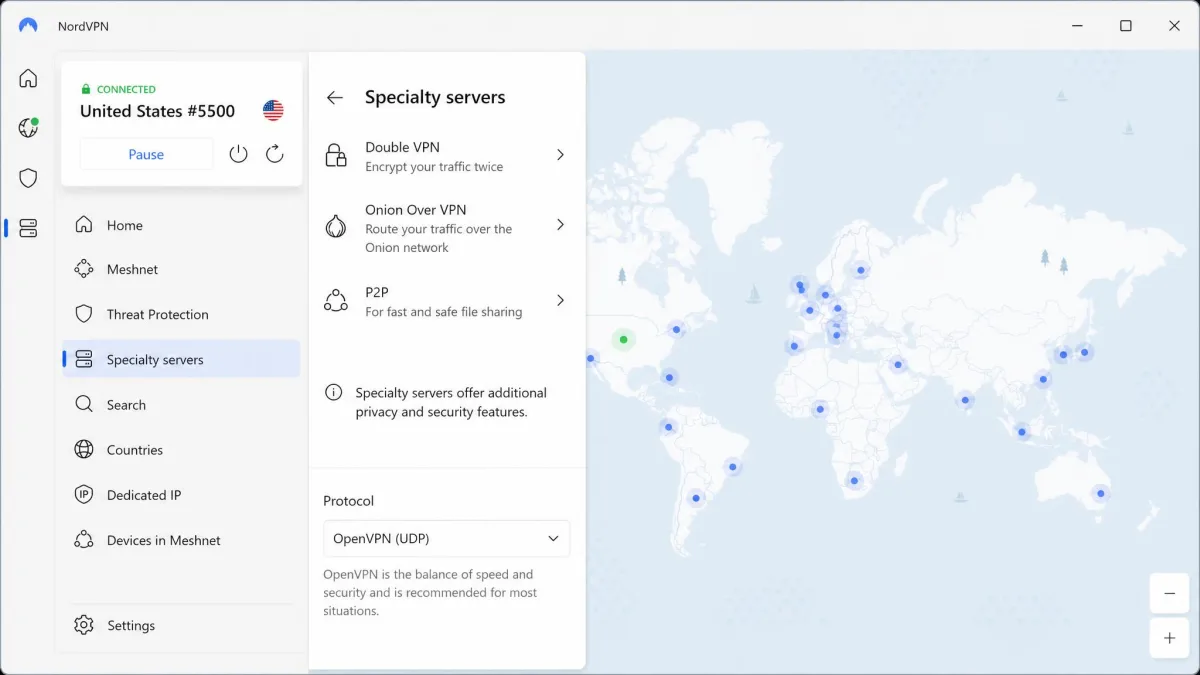
One quirk caught us out during testing: on Windows and macOS the Double VPN option can seem to vanish entirely. The fix is that Double VPN only runs over the OpenVPN protocol, not NordLynx, so you need to switch your protocol to OpenVPN (TCP or UDP) in settings before the specialty servers reappear. You can read the details on the NordVPN Double VPN feature page.
Surfshark MultiHop
Surfshark's MultiHop is the most flexible of the three. Alongside its preselected country pairs, its Dynamic MultiHop lets you pick any entry and any exit server to build your own custom combination, which none of the fixed-pair systems allow. It encrypts your traffic across two servers and masks your IP with the exit server, and it is available on iOS, macOS, Android, Windows, and Linux.
Turning it on is simple. On desktop you select MultiHop from under the search bar on the home screen, and on iOS you find it under the Advanced tab. Full details are on the Surfshark MultiHop feature page.
Proton VPN Secure Core
Proton VPN's Secure Core takes a privacy-first angle. Instead of letting you route through any two servers, it sends your traffic through hardened entry servers located in three privacy-friendly countries, Switzerland, Iceland, and Sweden, before connecting to a second VPN server. If that exit server is ever compromised, your real IP stays protected behind the Secure Core hop.
Those entry servers are owned and operated by Proton in high-security data centers and use full-disk encryption, and the exit network reaches across a large global footprint. It is the strongest design for anyone whose main concern is a network-based attack on the exit server. Windscribe offers a comparable approach with its Windscribe Double Hop feature, which proxies your connection through any two locations by pairing its desktop app with its browser extension.
Is a Double VPN Worth It?
For most people, a double VPN is not worth the speed you sacrifice. This is a point where honest reviewers disagree, and it is worth laying both sides out. Some users argue the feature is largely marketing, since a single VPN already hides your destinations from your ISP and its encryption is effectively uncrackable. Other coverage treats it as a legitimate tool for a narrow set of high-risk users. Both are correct, depending on who you are.
Our own take lands in the middle. If you are a typical user, keep it off and enjoy the faster single-VPN connection you are paying for. If you genuinely face surveillance, the extra jurisdictional separation and server redundancy are worth the slowdown. The feature is a specialized tool, not an everyday upgrade, and treating it that way is the way to get value from it.