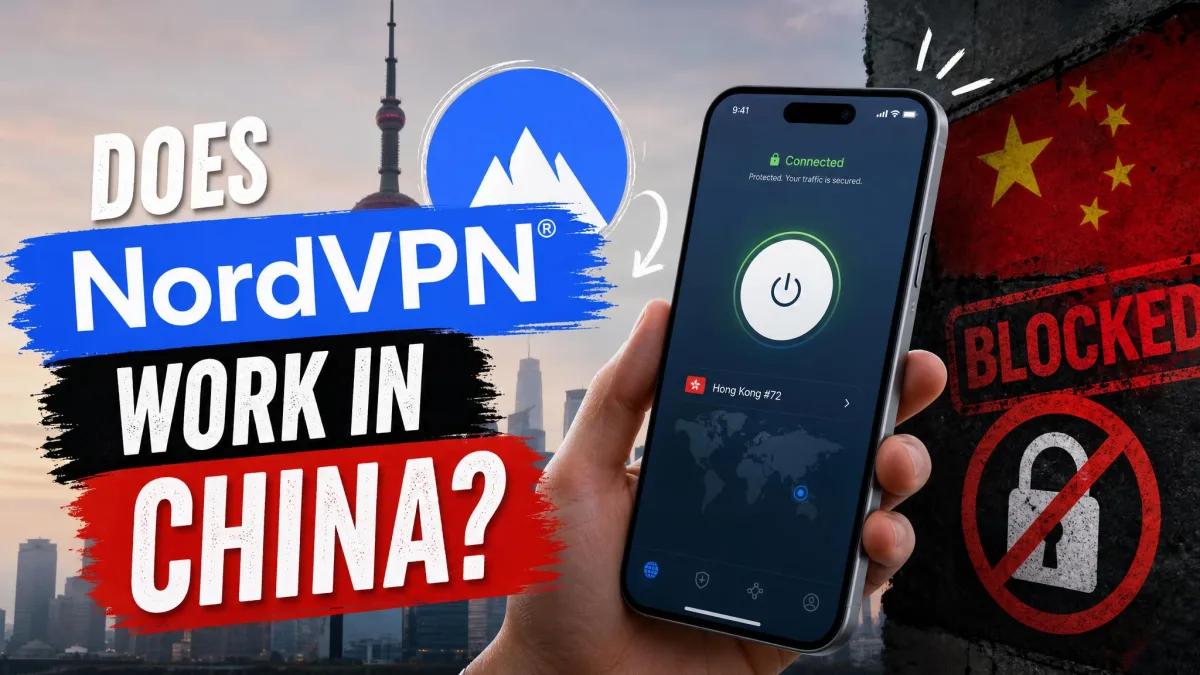
If you have a trip to China coming up, or you have already landed and your usual apps refuse to load, you need to know whether NordVPN will actually get you online. It can, but only with specific settings, and results from inside China are mixed, so treat any connection as a bonus rather than a promise. Timing is not optional: set up everything in this guide before you arrive, because the app, the website and the app stores are hard to reach once you are there.
Below we cover where things stand in September 2026, the settings we use, and what to do when it fails. Our full NordVPN review covers the service outside China.
Does NordVPN Work in China? The Short Answer
Sometimes, and the status as of September 2026 can change from one week to the next.
NordVPN's own support center is the clearest sign of trouble. It now has a dedicated section titled "I can't connect from China", and those articles state that the NordVPN apps for iOS, Android, macOS, Linux and Android TV are fully blocked in China. On Windows, NordVPN says its server configurations for both apps and manual connections have recently been blocked, that its developers are working on a solution, and that you should try another device in the meantime. The workaround it offers on iOS, Android and macOS is a manual IKEv2/IPsec connection rather than the regular app.
NordVPN's own guidance on using a VPN in China, dated January 2026, takes a similar line: the Great Firewall actively hunts for ordinary VPN traffic, so only services that use strong obfuscation tend to work with any consistency.
Independent testing from inside China is split. Technerdo's spring 2026 test in Shanghai, Chengdu and Xi'an got NordWhisper connected in 13 of 14 sessions. VPN Life's multi-city testing through September 2026 recorded a 0% success rate, obfuscated servers included. Both can be true at different times: blocking differs by city, carrier and network, and it tightened sharply during Beijing's 2026 VPN crackdown, when carriers were ordered in April 2026 to comb through their networks and block VPN services.
Install NordVPN, log in and change your settings before you travel. Once you are in mainland China, the app stores and NordVPN's website are hard or impossible to reach, and a status that works on Monday can flip without notice by Friday.
Why China Blocks VPNs: The Great Firewall
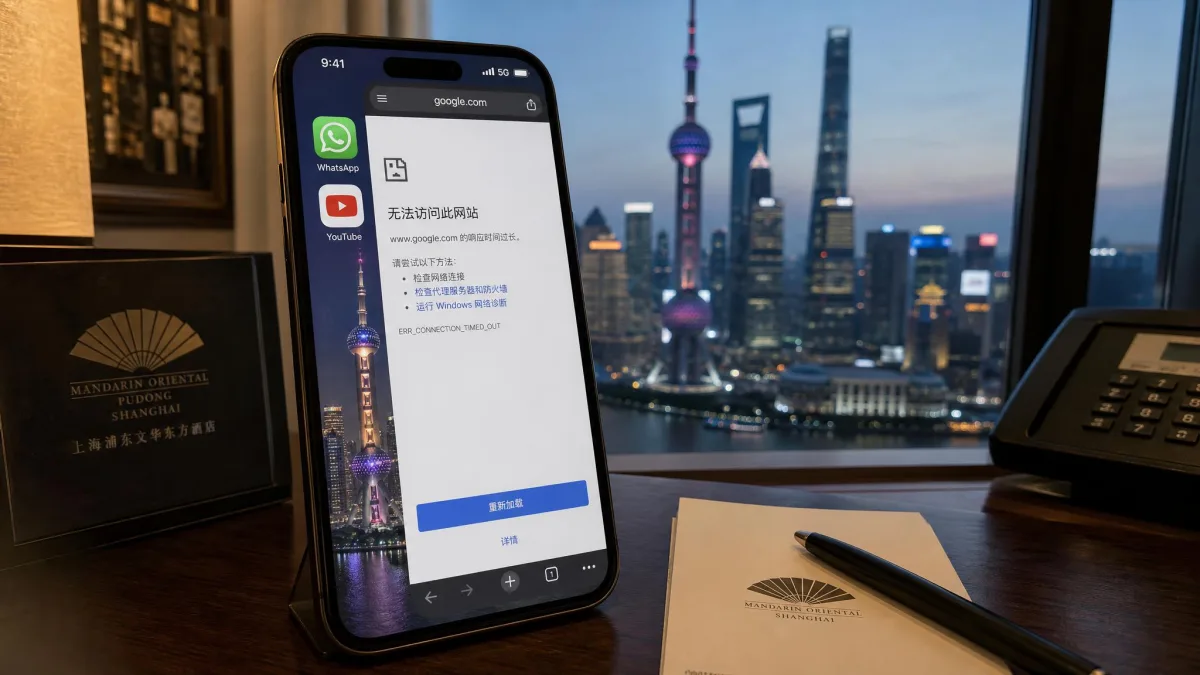
Those mixed results make more sense once you see what NordVPN is up against. The Great Firewall is China's national filtering system, built to keep a long list of foreign services out of reach. The websites blocked in mainland China include Google Search, Gmail, Maps and YouTube, along with Facebook, Instagram, WhatsApp, Twitter/X, Reddit, Telegram, Signal, Discord and Wikipedia. Netflix is not available in China at all.
A VPN defeats that filter by tunneling your traffic to a server abroad, which is exactly why the Great Firewall works so hard to spot VPNs. It uses deep packet inspection to fingerprint the shape of known VPN protocols, blocks the IP addresses of known VPN servers, and filters DNS lookups so that some domains never resolve in the first place.
Enforcement also comes in waves. Blocking gets more aggressive during politically sensitive periods such as party congresses, the annual NPC sessions, anniversaries and national holidays. The 2026 push went further than earlier years by disrupting live VPN connections, pulling apps from app stores and rolling out new censorship technology. LetsVPN, a service built for Chinese users, suspended its mainland service in April 2026 before resuming without a guarantee.
How NordVPN Gets Past the Great Firewall
NordVPN's answer to deep packet inspection is disguise: it tries to make VPN traffic look like ordinary encrypted web traffic that the firewall has no reason to stop. We explain the general technique in our guide on how to make a VPN undetectable, and NordVPN applies it through two linked features.
Obfuscated Servers
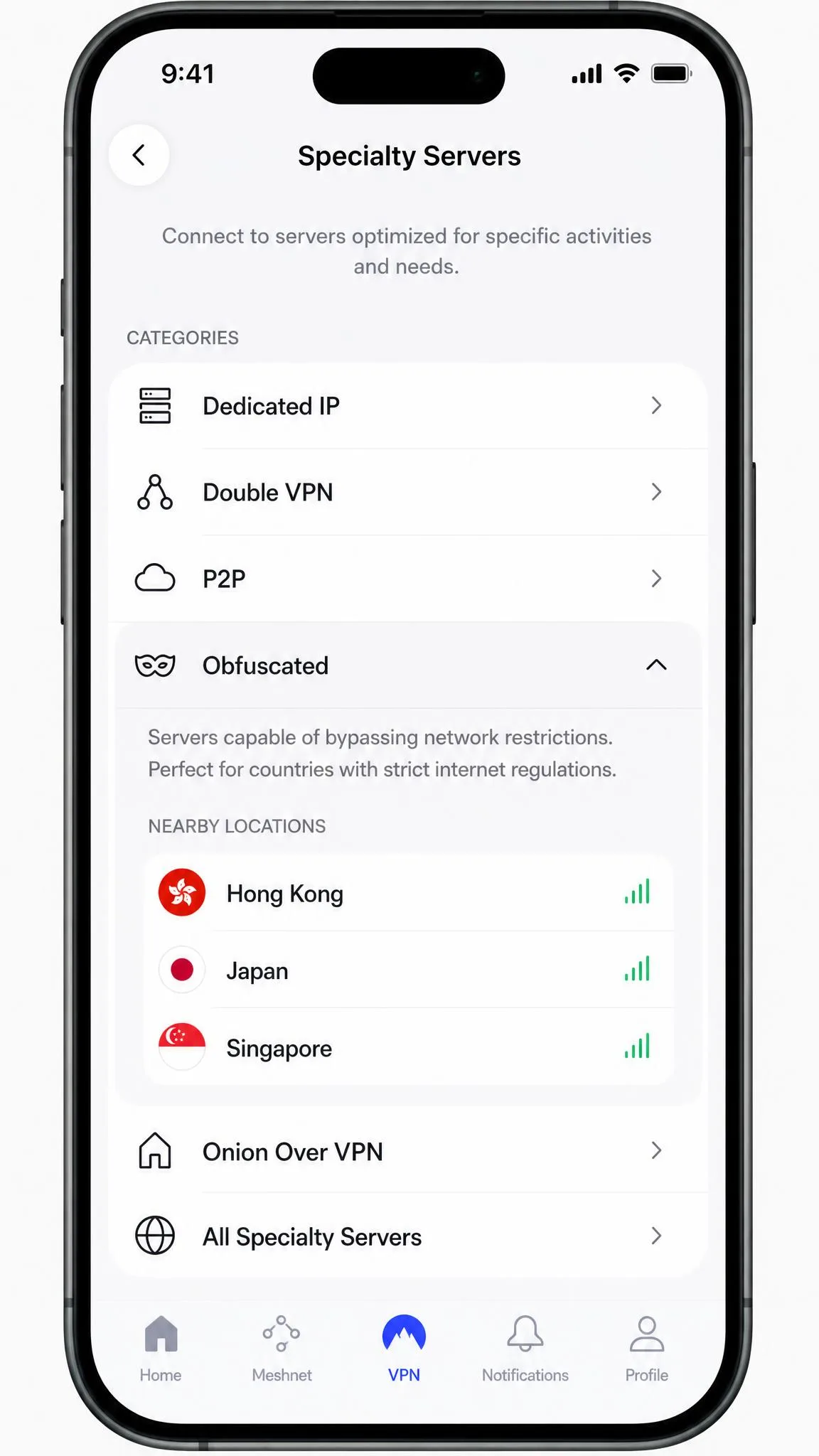
Obfuscated servers are a separate category in NordVPN's server list, built to strip away the signature of a VPN connection. When we switch the category on, the list hides every non-obfuscated location, and once connected the app marks the server with a small incognito icon.
The big 2026 change happens under the hood. NordVPN's support documentation says its Obfuscated Servers category now runs on the NordWhisper protocol instead of OpenVPN, even though the category looks and works the same in the app. After that upgrade, obfuscated servers can no longer be reached through the manual OpenVPN connection method. Linux is the exception: there, obfuscated servers still only work with OpenVPN (TCP) and OpenVPN (UDP).
NordWhisper Protocol
NordWhisper is NordVPN's protocol for networks that block traditional VPN traffic, from campus networks to filtered hotel and airport Wi-Fi. It is available on Windows, macOS, iOS, Android, Linux and Android TV, and it is included on every NordVPN plan, including Basic.
When NordWhisper does connect, the first or second attempt is usually the one that works, and the tunnel tends to hold through long sessions such as a multi-hour video call. The catch is that it can be throttled for hours during sensitive windows, which is why a fallback matters. NordWhisper is also not compatible with Dedicated IP, Meshnet or Onion Over VPN servers, so leave those features off for this trip.
Kill Switch
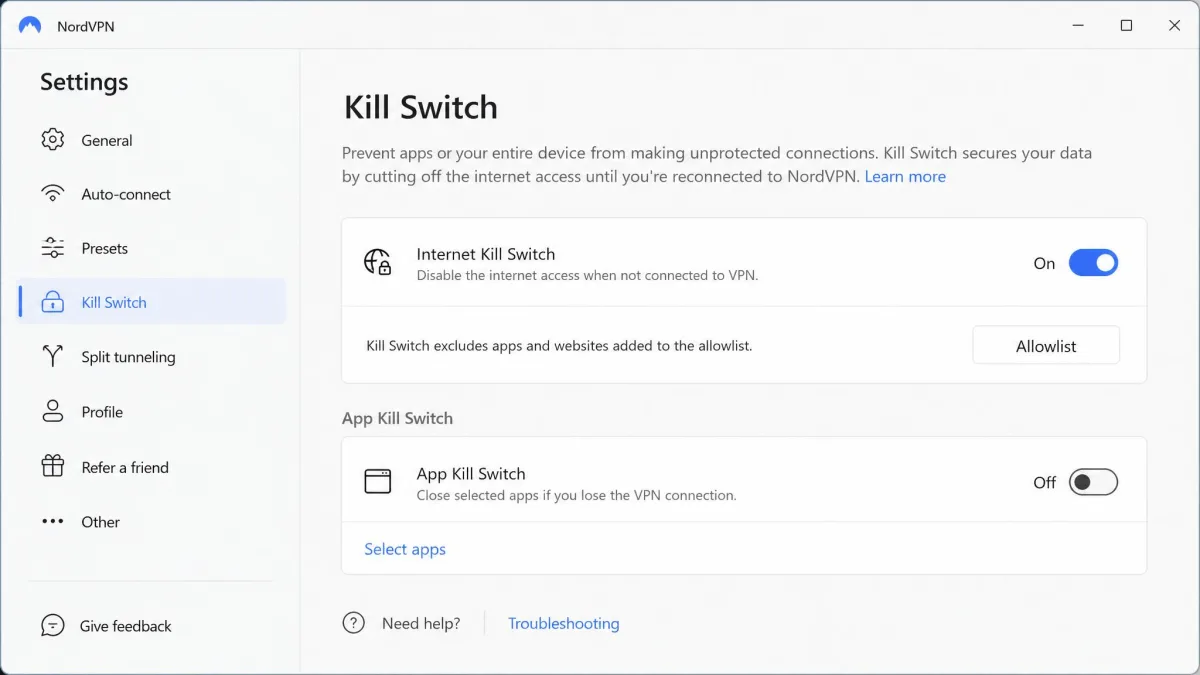
The kill switch does not help you get through the firewall, but it protects you when a connection drops. If the tunnel falls over, the Internet Kill Switch cuts traffic so your apps do not quietly fall back to the filtered local connection and leak requests over it.
How to Set Up NordVPN for China Before You Travel
Every step below happens at home, on an unfiltered connection.
We do not treat any VPN as a sure thing in China, NordVPN included. Before we recommend it to a traveler, we set it up exactly as below: NordWhisper selected, the kill switch on, the app logged in once so it caches the server list, a manual IKEv2 profile saved as a fallback, and a second, unrelated VPN installed, because two different services tend to fail at different times.
Step 1: Subscribe and Install Before You Leave
Buy your subscription and install NordVPN on every device you plan to use: phone, laptop and tablet. A plan covers up to 10 devices at once, so there is no reason to skip one. If the app is not installed before you clear customs, you will not be able to install it from airport Wi-Fi, hotel Wi-Fi or a local SIM, because Google Play is blocked in mainland China and VPN apps are not listed in the China-region App Store.
Then open the app and log in once on each device. That first login lets the app cache its server list, which matters because both the sign-in step and the server-list fetch can fail from inside China.
Step 2: Turn On the Kill Switch
Open Settings (the gear icon on desktop, or your profile icon on mobile), go to Kill Switch, and turn on Internet Kill Switch. Leave it on for the whole trip.
Step 3: Switch to the Right Protocol
NordLynx, NordVPN's WireGuard-based default, has no obfuscation, and it gets detected and dropped by the Great Firewall within seconds of the handshake. Change it before you go.
NordWhisper is the protocol to pick first. On Windows, open Settings, go to Connection and security, and set the protocol to NordWhisper. On macOS, the setting sits under Settings, then General. On Android and iOS, tap your profile icon, open Settings, then VPN protocol. On Linux, run nordvpn set technology NORDWHISPER.
OpenVPN (TCP) is your fallback. It is the third step in NordVPN's own order for restricted countries, after NordWhisper and the Obfuscated category, and NordVPN describes it as more resilient against blocks than UDP. OpenVPN over TCP port 443 still tends to get through when NordWhisper is being throttled, but it is much slower from mainland China: fine for browsing and chat, frustrating for video. On Linux, obfuscated servers still run over OpenVPN (TCP) or OpenVPN (UDP), so there the fallback and the Obfuscated category go together. Older guides say obfuscated servers only appear after you select OpenVPN, and that may still hold on an older app version, since NordVPN rolls updates out gradually. If the Obfuscated category is missing, update the app first, then switch to OpenVPN (TCP) and check again.
Finally, save a manual IKEv2/IPsec profile, since that is the workaround NordVPN's China support pages point to for iOS, Android and macOS. Manual setups use separate service credentials from your Nord Account dashboard (under "Set up NordVPN manually"), not your normal login, so copy them down now.
Step 4: Connect to an Obfuscated Server
On Windows and macOS, open the server list, go to Specialty servers, and pick Obfuscated Servers. On iOS and Android, tap Specialty Servers on the home screen, then Obfuscated. On Linux, run nordvpn set obfuscate on and then nordvpn connect, or enable Obfuscation in the GUI's settings.
Pick the nearest obfuscated exit. Hong Kong and Tokyo usually give the lowest latency from the mainland, with Singapore adding roughly 40 to 60 ms, though the real number depends on your city, carrier and route that day.
Step 5: Test Your Connection
Connect, then check that a site such as ipinfo.io shows an IP address in the country you picked, and run a DNS leak test (dnsleaktest.com works) to confirm lookups go through NordVPN rather than your local provider. Repeat both on every device, and try your manual IKEv2 profile once too.
NordVPN Not Working in China? Try These Fixes
Even with everything set up correctly, expect failures. NordVPN can fail on every attempt across several cities, devices and networks, with the app stuck on "Connecting" or throwing a connection error, and a connection that does come up can drop again quickly. Work through these fixes in order, starting with the quickest.
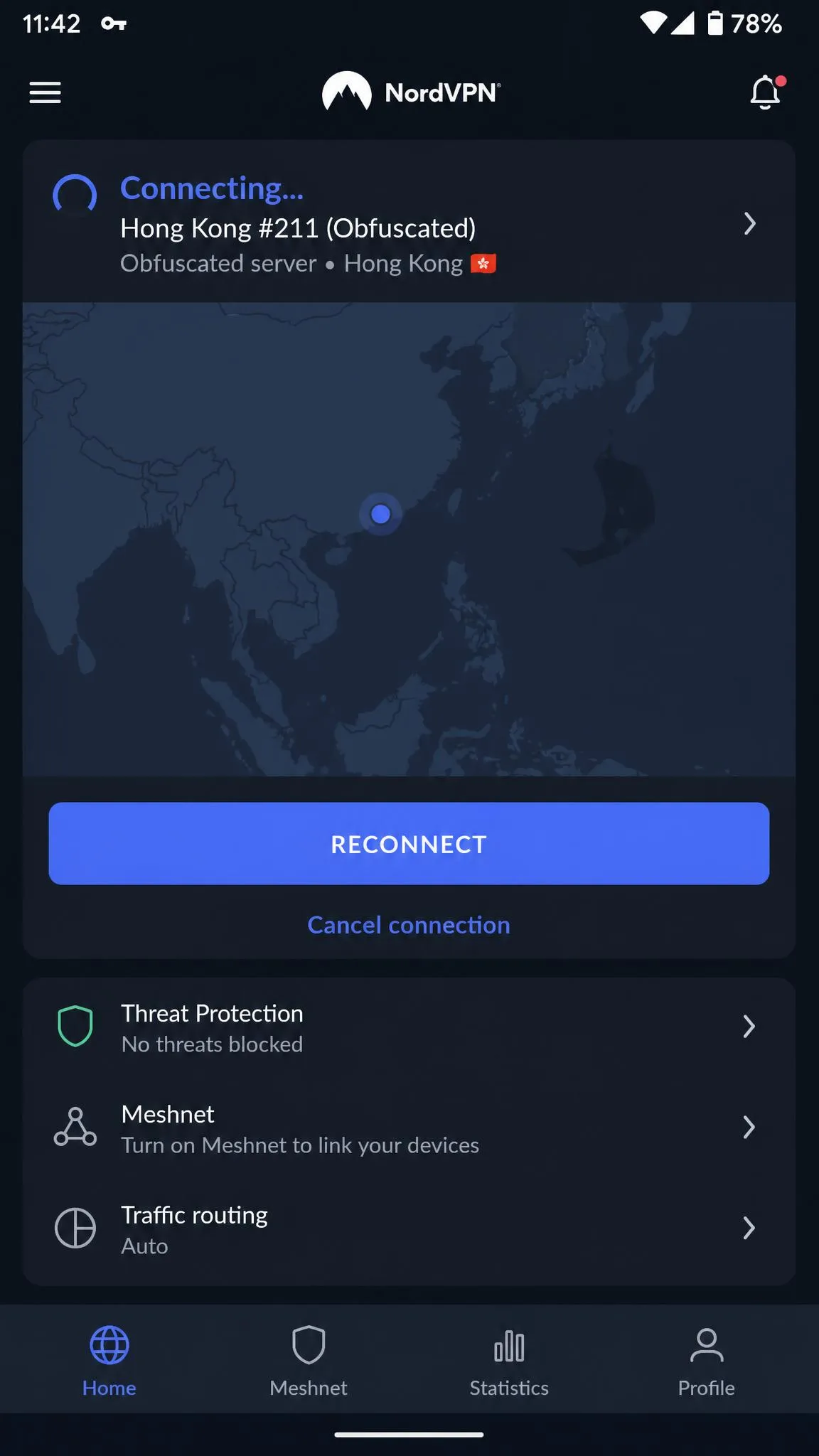
- Switch servers or press Reconnect. Individual obfuscated servers get blocked, and moving to another obfuscated location or pressing Reconnect for a fresh IP often brings the connection back. Rotating between Hong Kong, Japan and Singapore is how many people in China kept working through the 2026 crackdown.
- Swap protocols. If NordWhisper will not connect, follow NordVPN's own order: try the Obfuscated category next, then switch to OpenVPN (TCP). Move back to NordWhisper later when the throttling eases.
- Change networks. Hotel Wi-Fi can block the VPN even when mobile data on a local SIM or a roaming plan gets through, and what works on one carrier or in one region may fail on another.
- Clear cookies and browser data. Cached cookies can expose your real location and trigger blocks even with the VPN connected.
- Toggle the kill switch. After a drop, the kill switch can occasionally fail to restore internet access. Turning it off and back on clears the stuck state.
- Set custom DNS and turn off split tunneling. In settings, try custom DNS servers such as 8.8.8.8 and 8.8.4.4, and disable split tunneling so every app goes through the tunnel.
- Reset network settings and restart your device.
- Fall back to manual IKEv2. When the app route fails, the manual IKEv2 profile from Step 3 can still serve as a working backup connection.
Two things will not help. Running two VPN apps at once makes them fight over the system VPN slot, so disconnect one fully before you try the other. A manual Shadowsocks connection to a NordVPN server does not work either, because NordVPN does not support Shadowsocks.
If you are still stuck, NordVPN offers 24/7 live chat plus email at support@nordvpn.com, with email replies within 24 hours. Support staff do not promise a working connection from China and may advise against relying on it there. For general connection problems outside China, our guide to fixing NordVPN when it is not connecting covers the wider set of causes.
NordVPN China Alternatives That Also Work
A second VPN installed before the trip is the most useful backup you can carry, for the reason we gave in our setup note above. We compare the options properly in our guide to the best VPNs for China; here is the short version.
ExpressVPN applies obfuscation automatically on all servers, so there is no stealth toggle to remember. Its Automatic protocol (usually Lightway) is the recommended China setting, and its kill switch is called Network Lock. We cover the details in our guide to whether ExpressVPN works in China. Proton VPN relies on its Stealth protocol plus alternative routing, but it connects from China only intermittently, and Proton itself does not promise that it will work there. Our page on whether Proton VPN works in China walks through its setup.
| Product | Buy | Obfuscation | China-ready protocol | Kill switch | Mainland servers | Money-back | Intro price (2-year) |
|---|---|---|---|---|---|---|---|
 |
Check price → | Obfuscated servers (now on NordWhisper) | NordWhisper; OpenVPN (TCP) fallback; manual IKEv2 | Internet Kill Switch | None | 30-day | about $3.49/mo |
 |
Automatic on all servers | Automatic (Lightway); Android: Automatic, Lightway TCP | Network Lock | None | 30-day | about $2.99/mo | |
 |
Stealth + alternative routing | Stealth | Kill switch | None | 30-day (Plus) | about $2.99/mo |
Intro prices move with rolling promotions and region, so treat those figures as a guide rather than a quote. Skip free VPNs for this job. Free tiers tend to be the first to get blocked, and signing up from inside China can stall on CAPTCHA services that are themselves blocked.
Is It Legal to Use NordVPN in China?
Getting connected is only half the question; the other half is whether you are allowed to be. Using NordVPN in China sits in a gray area, and the risk for an ordinary visitor is low. In January 2017, the Ministry of Industry and Information Technology (MIIT) issued a notice barring the setup or rental of dedicated lines or other channels, including VPNs, for cross-border business without its approval. Only government-approved VPNs, which must comply with Chinese oversight, are permitted, which makes unapproved foreign services such as NordVPN unauthorized.
In July 2017, MIIT said it "has not banned personal VPN use", explaining that the notice targets businesses and individuals who provide cross-border telecom services through VPNs without approval. In practice, enforcement falls on providers and sellers far more than on individual visitors. That is not a guarantee, so avoid selling or sharing VPN access. If you want our view on NordVPN's privacy record itself, see our breakdown of whether NordVPN is safe.
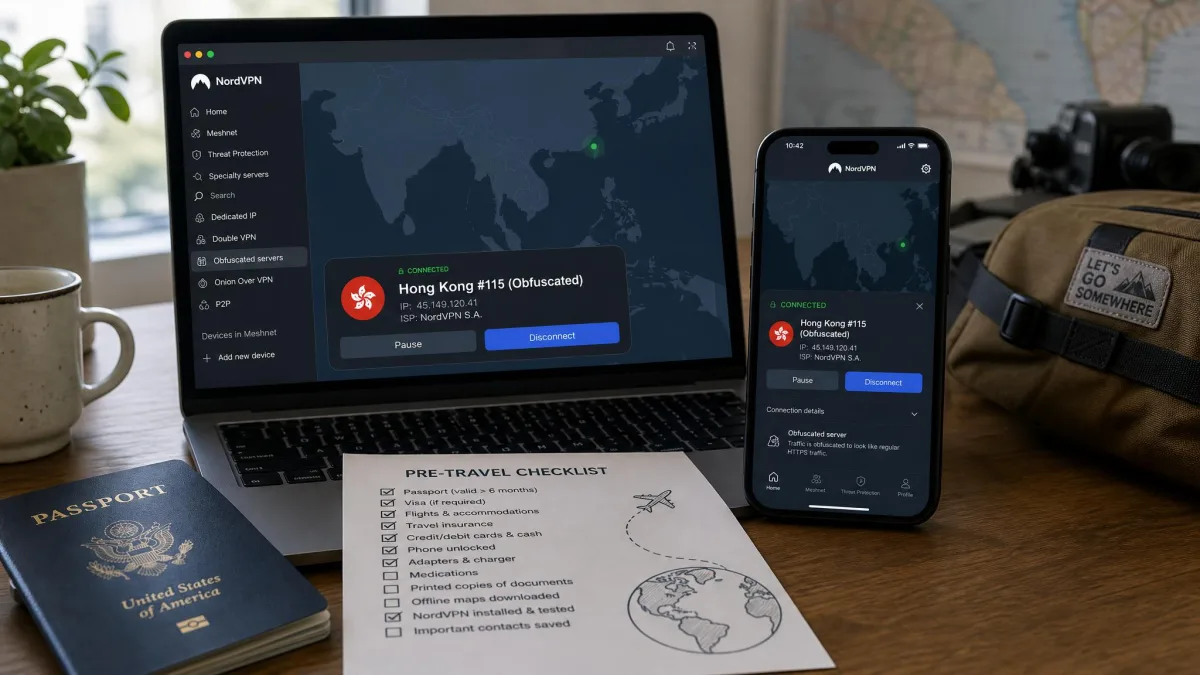
Pre-Travel Checklist
Run through this list at home, a few days before you fly:
- Buy NordVPN directly from NordVPN's website, which keeps refunds simpler than an app store purchase.
- Install the app on every device you are taking, and log in once on each so it caches the server list.
- Set the protocol to NordWhisper, and note how to switch to plain OpenVPN (TCP) as a fallback.
- Turn on Internet Kill Switch.
- Connect to a nearby obfuscated server, confirm your IP and DNS, and save a manual IKEv2 profile.
- Install a second, unrelated VPN as a backup, and never run both at once.
- If your home carrier offers roaming, keep it active as a backup route, since roaming data passes through your home country.
Bottom Line
NordVPN is worth setting up for China, but not worth relying on alone. Its obfuscated servers and NordWhisper give it a fighting chance on the right day, and when it connects the tunnel tends to hold well. Its own support pages, however, say the apps are blocked, and independent results in 2026 range from near-perfect to nothing at all. A NordVPN plan bought only for China can fail for an entire stay and leave your work tools out of reach.
Our advice: if you already pay for NordVPN, configure it exactly as above and keep the backup from the checklist ready. If you are buying a VPN only for this trip, compare it against the other options in our China guide first, and use the refund window if it lets you down.