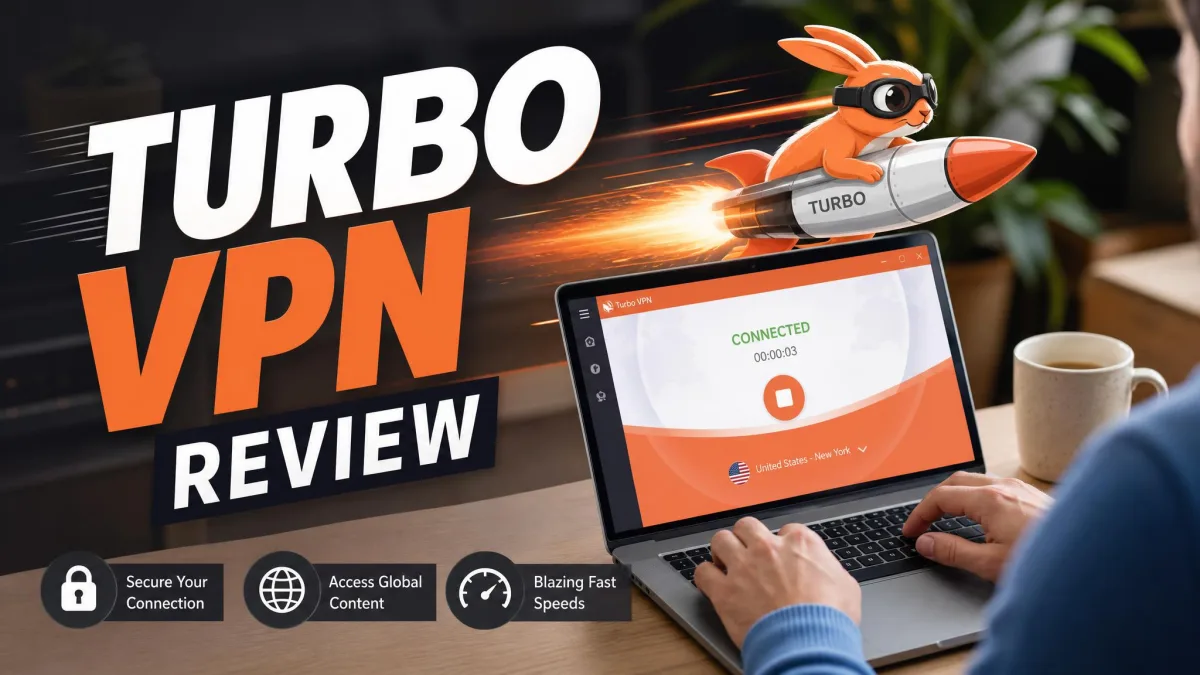
Turbo VPN has been installed more than 300 million times, and it holds a 4.5-star average on Google Play across millions of reviews. Numbers like that usually signal a product people trust. With Turbo VPN, the picture is more complicated.
The app is popular for two obvious reasons: it is free to start, and it is easy to tap once and connect. Both of those things are true. The harder question is whether a free, ad-supported VPN with a disputed encryption record and an unaudited logging policy deserves to route your entire internet connection. That is the tension we kept running into during testing.
We will give you the short version now, because you deserve an honest verdict early. Turbo VPN works as a casual, tap-to-connect tool for light browsing on nearby servers. As a privacy and security product, it falls short of what we expect in 2026, and there are safer options at similar prices. The rest of this review shows our work, section by section, so you can weigh the tradeoffs against your own needs.
We spent our testing time treating Turbo VPN the way a real user would, not the way a marketing sheet describes it. We ran the free and paid apps on Windows, macOS, Android, and iOS, checked for DNS leaks on each, timed downloads against a no-VPN baseline, and tried to stream from several regions. Where our findings match the broader body of hands-on testing, we say so plainly. Where the vendor's claims and independent testing disagree, we flag the gap instead of picking the flattering number.
Verdict at a Glance
Turbo VPN Pros and Cons
Before we get into the detail, here is the balance sheet we ended testing with. The pros are real but shallow. The cons cluster around the two things a VPN exists to protect: your privacy and your security.
Pros
- Free tier lets you try it with no payment
- Very simple, tap-to-connect apps on every platform
- Cheap on the longest multi-year plan
- Nearby servers stay usable for everyday browsing
- Apps for Windows, macOS, Android, iOS, and a Chrome extension
Cons
- No independent audit of the no-logs claim
- DNS leaks appeared during our platform testing
- Encryption strength is disputed between AES-256 and AES-128
- Torrenting is prohibited or throttled to a crawl
- Streaming support is limited and inconsistent
- Free tier is capped at 500MB per day and shows video ads
- Ownership and past malware reports raise trust questions
Pricing and Plans
Turbo VPN sells the same product two ways: a free, ad-supported tier and a paid subscription that unlocks the full server list and removes the ads. Understanding the split matters, because the free version and the paid version behave like different apps.
Free vs. Paid
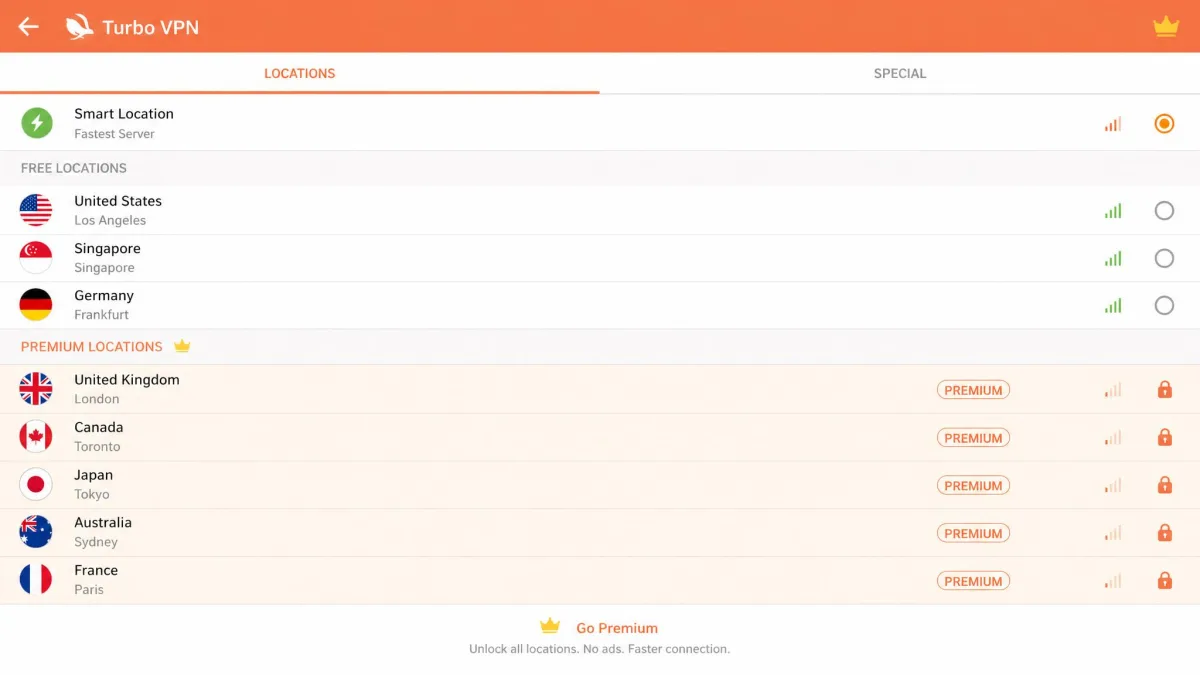
The free plan is capped at 500MB of data per day and supported by advertising. That cap is enough for a few minutes of browsing or checking email, and not much more. On mobile, the free tier interrupts both connecting and disconnecting with unskippable 30-second video ads, which turns a quick task into a wait. The free tier also drops the kill switch and limits you to a small subset of servers.
The paid plan removes the data cap and the ads, opens the full network, and adds the kill switch as a manual option. Monthly billing runs $11.99 per month, which is expensive for what you get. The long game is where the price looks attractive: on the longest 24-month plan the effective rate falls to roughly $3.33 per month. Treat that figure as a moving target, because the per-month rate shifts with promotions and the billing term quoted, and the effective rate can dip below that during sales. The device allowance is another detail worth pinning down, since the number of simultaneous connections is reported anywhere from 5 to 10 depending on the plan tier, and the vendor lists a higher figure on its top plan.
Value for Money
Value depends on what you are buying. As a location-switcher for casual browsing, the long plan is cheap enough to be defensible. As a privacy tool, it is poor value at any price, because the core protections are either disputed or unproven. The refund picture adds friction. The vendor currently states a 30-day money-back guarantee, but that has not always been the case: older testing described only a 3-day prepaid trial with no guarantee, so the terms have clearly changed over time. Confirm the current window before you pay, and keep in mind that refunds can require persistence. When you set the price against what established rivals charge, the gap in trust matters more than the gap in dollars.

Here is how the two tiers compare at a glance.
| Product | Data cap | Kill switch | Servers | Price |
|---|---|---|---|---|
 |
500MB/day | No | Limited subset | Freead-supported |
 |
Unlimited | Yes (manual) | 21,000+ claimed | from ~$3.33/mo |
Features Overview
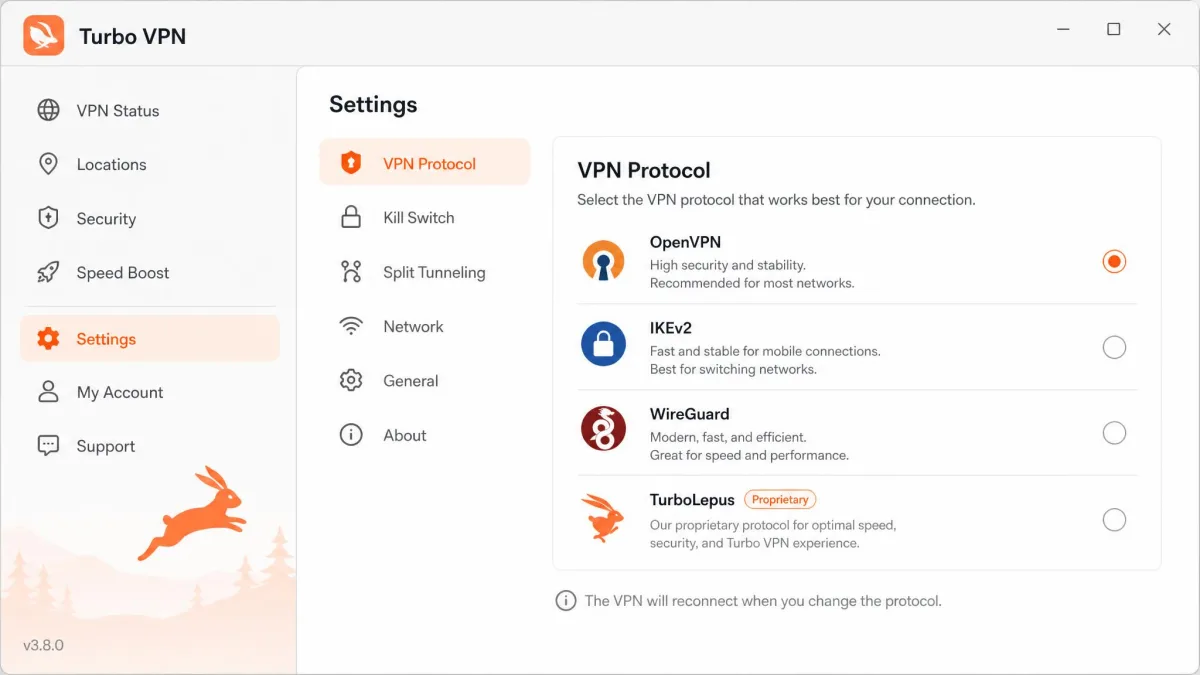
On paper, the feature list is broad and looks competitive with paid rivals. Turbo VPN offers both free and paid tiers, AES encryption, a selection of protocols, a kill switch on the paid apps, split tunneling, private DNS, a Chrome extension, and streaming-optimized servers. It runs on Windows, macOS, Android, and iOS. The protocol lineup includes OpenVPN, IKEv2, and L2TP-IPsec, along with WireGuard on mobile and several proprietary options the vendor calls V2Ray, SSR, and TurboLepus.
It helps to know what those features actually do before you decide whether they matter. Split tunneling lets you route some apps through the VPN while others use your normal connection, which is handy when you want your bank app on the local network but your browser on a foreign server. Private DNS routes your domain lookups through Turbo VPN's own resolvers instead of your ISP's, so in theory the sites you visit stay out of your provider's logs. The catch is that a private DNS feature only helps if the tunnel does not leak, and leaks are exactly what we ran into, so the setting promises more than the app delivered.
The proprietary protocols are the more interesting part of the list. V2Ray and SSR (Shadowsocks) are obfuscation layers borrowed from tools built to get past national firewalls, and TurboLepus is the vendor's own in-house variant pitched at the same job: disguising VPN traffic as ordinary web traffic so restrictive networks cannot spot and block it. That focus tells you who the app is built for, namely users on heavily filtered connections rather than privacy purists. In everyday use on an open connection, though, these modes add little beyond the standard OpenVPN and WireGuard options, and switching between them did not change the leak or stability problems we saw.
That breadth is worth checking rather than trusting. A feature that appears in a settings menu is not the same as a feature that works reliably, and several of these did not hold up when we leaned on them. Test the ones that matter to you rather than assuming the marketing sheet is the finished story, because the difference between a listed feature and a dependable one is exactly what separates this app from the VPNs we recommend.
Speed and Performance
Speed is where a VPN either fades into the background or gets in your way. Turbo VPN does both, depending on where you connect.
Speed Test Results
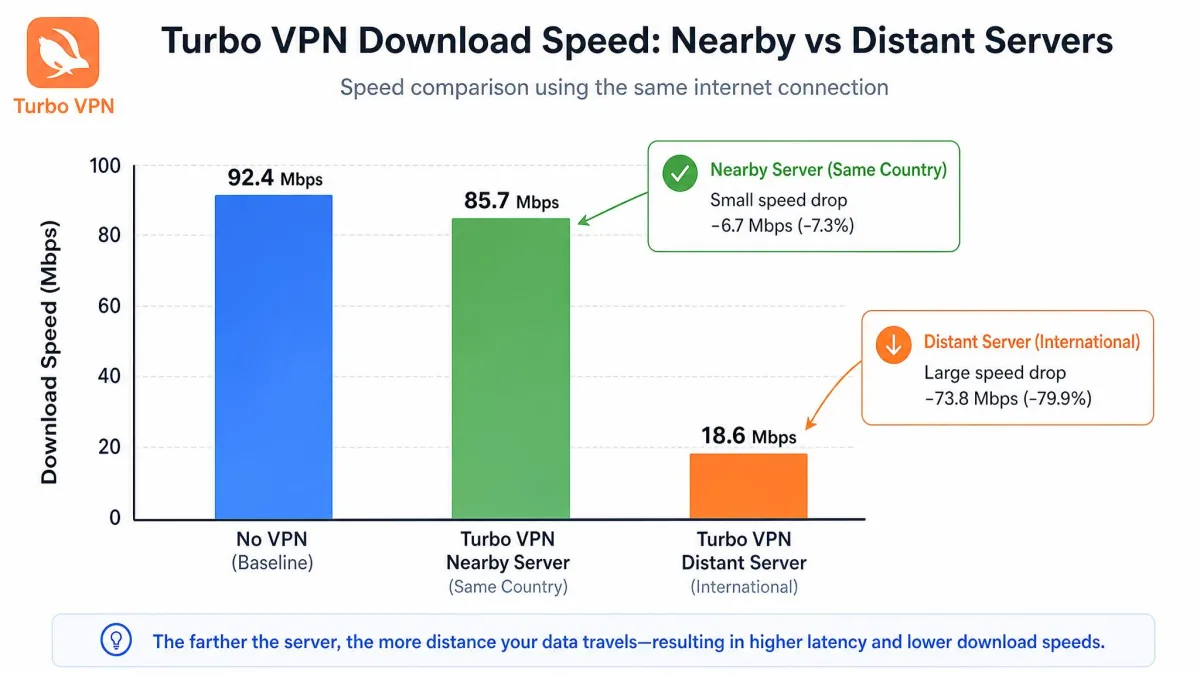
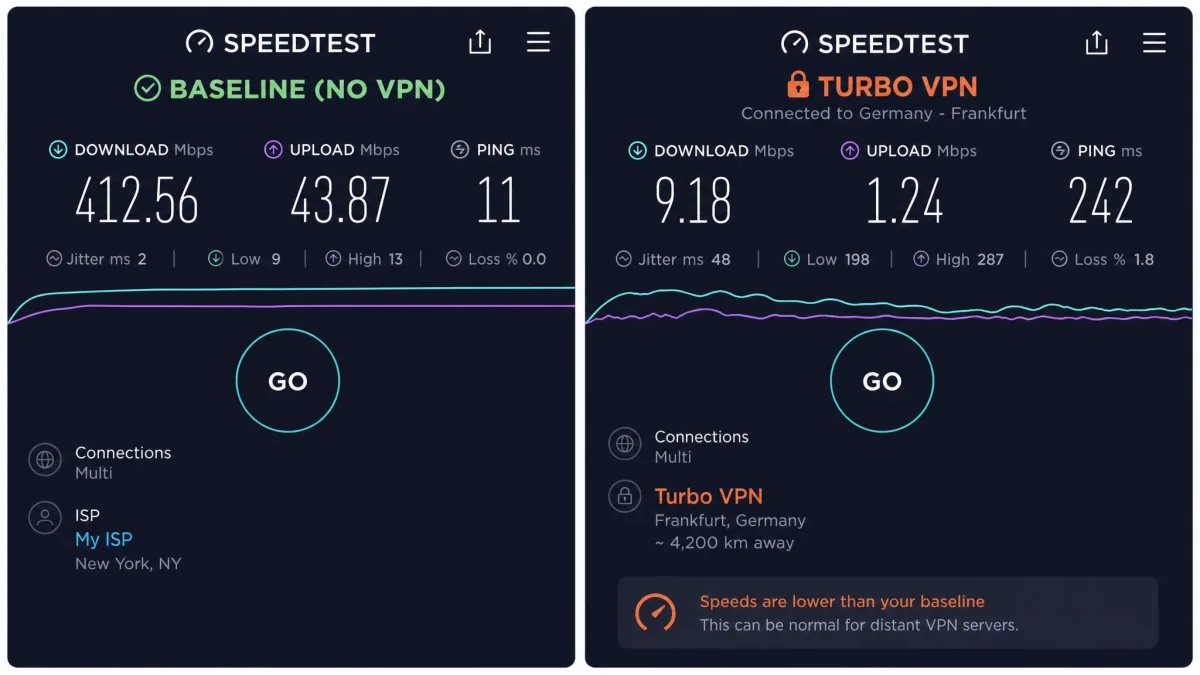
On nearby servers, the slowdown is modest and easy to live with. Testing generally puts the loss around 25% close to home, which leaves plenty of headroom for browsing, email, and standard-definition video. The story changes fast over distance. On long international routes, throughput collapses, with slowdowns measured anywhere from roughly 50% to as much as 89-93% on the most distant connections. In one long-distance test the connection managed only about 8Mbps against a 61Mbps baseline, which is the difference between a working link and a frustrating one.
Connection stability was the other recurring issue. Servers could be slow to establish, and some sessions dropped partway through. That instability matters more than the raw numbers, because a fast server that drops mid-task is worse than a slow one that stays up. For a casual user near a good server, none of this will bite often. For anyone relying on a distant server, the performance is hard to defend, and it is one of the clearest reasons to look at a faster paid rival.
Server Network and Locations
Turbo VPN advertises 21,000-plus servers, a figure that sounds enormous next to most rivals. Raw server count is easy to inflate, though, and the more useful number is how many distinct locations you can actually reach.
That is exactly where the claims fall apart. The count of countries and locations varies sharply depending on who is measuring. The vendor advertises 111 locations, but independent tallies land much lower, ranging from around 45 to 80, and one review that accepted the 111 claim could only verify connections to 46. We would not lean on any single figure here. The practical takeaway is that the network is smaller in usable terms than the headline suggests, so check that the specific country you need is present and reachable before you commit. A large server count spread thinly across a short list of real locations does not help you if the one place you need is missing or unstable.
There is a reason the usable number matters more than the headline. Server coverage decides two things you feel every day: how close a fast server sits to you, and whether the exact region you want to appear in is on the list at all. A network that concentrates its thousands of servers in a handful of popular countries can still leave you stranded if you need a less common location, and it can crowd everyone onto the same nearby nodes, which drags speeds down at peak times. Turbo VPN does cover the regions most casual users reach for, including the United States, the United Kingdom, and several countries across Europe and Asia, but the coverage thins out quickly once you step off that well-traveled path.
We also found the effective network narrows further once you filter for servers that are both reachable and stable. A location that appears in the list is not always one you can hold a session on, which is why we judge coverage by what connected during testing rather than by the map on the marketing page. When a server took several tries to connect or dropped soon after, we treated it as unavailable in practice, and enough of them behaved that way to reinforce the gap between the advertised map and the working network.
Streaming and Unblocking
Plenty of people install a VPN mostly to watch something. Turbo VPN is a weak choice for that job, and the paid streaming-optimized servers do not fix it.
Works With / Doesn't Work With (Netflix, Disney+, etc.)
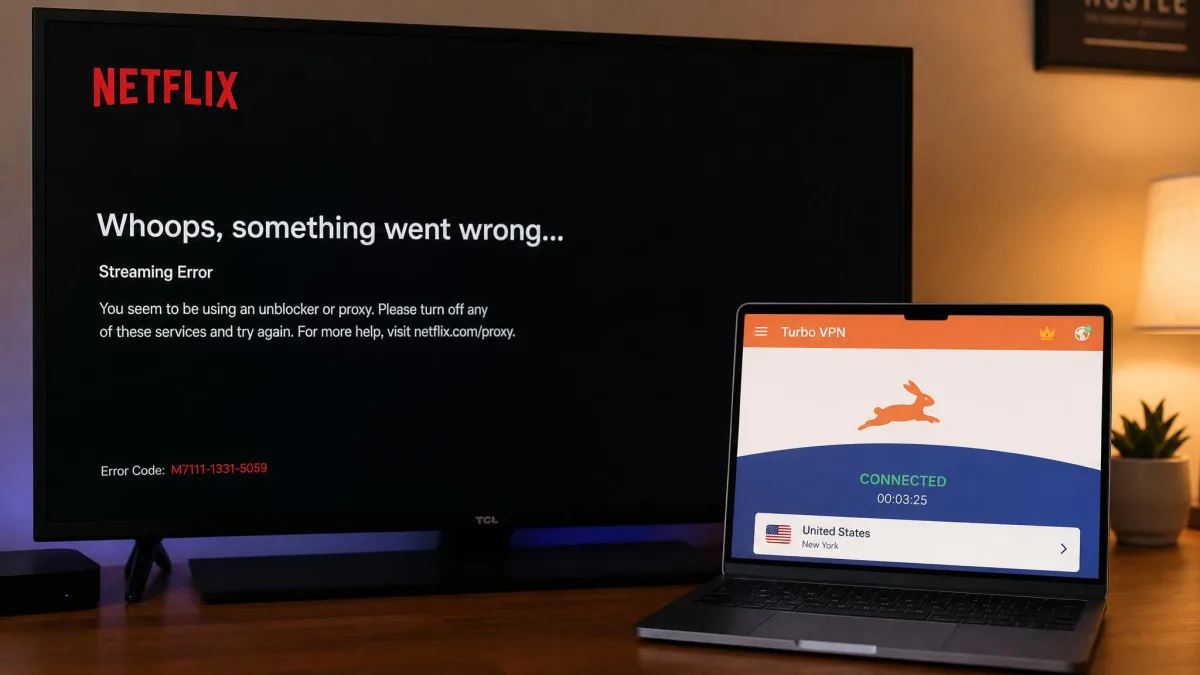
Netflix support is limited and unreliable. In testing, the service tends to unblock Netflix Originals only, while the wider catalog often stays locked. The other major platforms fared worse: Disney+, Max, Hulu, Amazon Prime Video, and BBC iPlayer commonly failed to load a stream at all. Streaming results were inconsistent across our attempts: a few regions unblocked Netflix, while most yielded nothing beyond a grainy Max stream that was not worth keeping open.
If streaming is your main reason for wanting a VPN, this is not the tool. A service built to defeat streaming geoblocks will save you the guesswork, and the difference in reliability is large enough to justify the extra cost.
Streaming access changes constantly as platforms update their VPN detection. A service that unblocks a library one week can fail the next, so treat any streaming claim, including ours, as a snapshot rather than a guarantee.
Security
Security is where a VPN has to be boring and dependable. Turbo VPN is neither, and this section is the strongest argument against trusting it with sensitive traffic.
Encryption and Protocols
Turbo VPN advertises AES-256, the same AES-256 encryption standard used by the VPNs we rate highly. The problem is that the claim is disputed. Independent lab testing has measured only AES-128 in practice rather than the advertised AES-256. AES-128 is not weak in absolute terms, but a mismatch between what is advertised and what is delivered is a serious trust problem for a security product. Combined with the mixed protocol support, we could not treat the encryption as settled. When a company cannot be pinned down on the single most important number in its product, that uncertainty is itself the finding.
Kill Switch
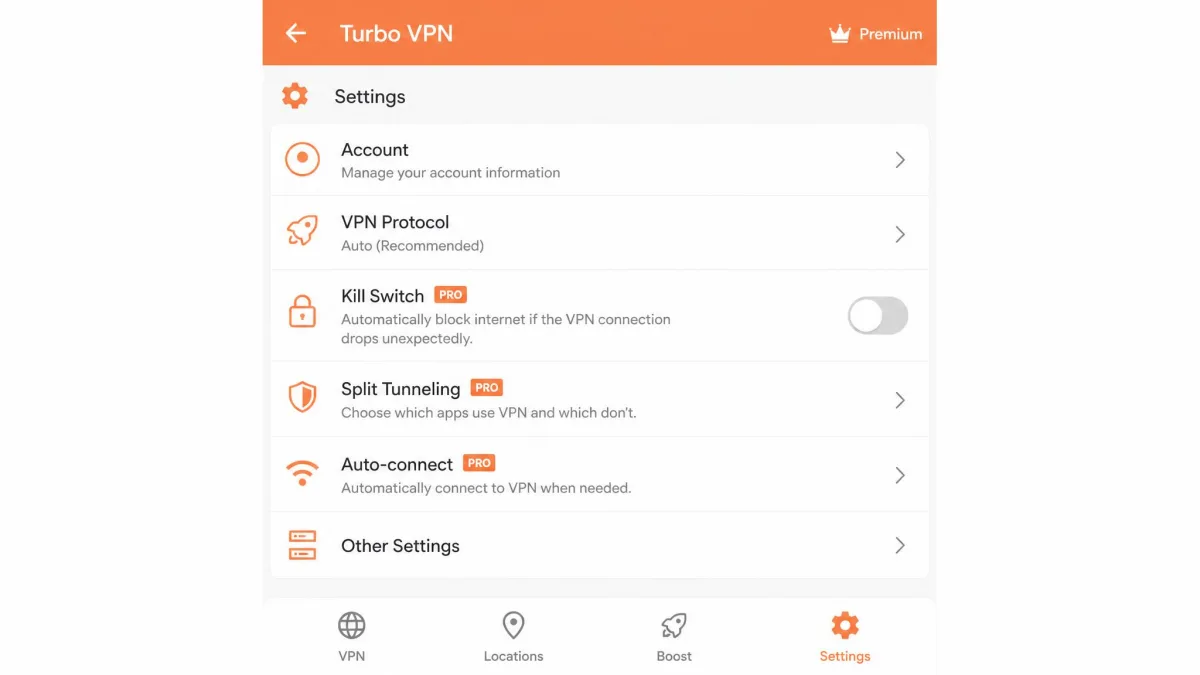
A kill switch cuts your internet if the VPN drops, so your real IP does not leak during the gap. Turbo VPN includes one, with two important caveats. It is available on the paid apps only, so free users have no protection when a session drops. It is also off by default and must be enabled manually, which means many users never turn it on. The kill switch does not always hold when a connection drops, so we would not treat it as a safety net you can forget about. Pair that with the instability we saw during testing, and the gap it is meant to cover is exactly the gap that keeps appearing.
IP/DNS Leak Test Results
This is the finding that concerned us most. DNS leaks showed up during testing across platforms, exposing the websites a user visits even while connected. In one case a server billed as Dublin leaked the real UK IP address. A DNS leak defeats a large part of the reason you run a VPN in the first place, and seeing it on more than one platform is not the exception we could wave away. This single result does more to shape our verdict than any speed number.
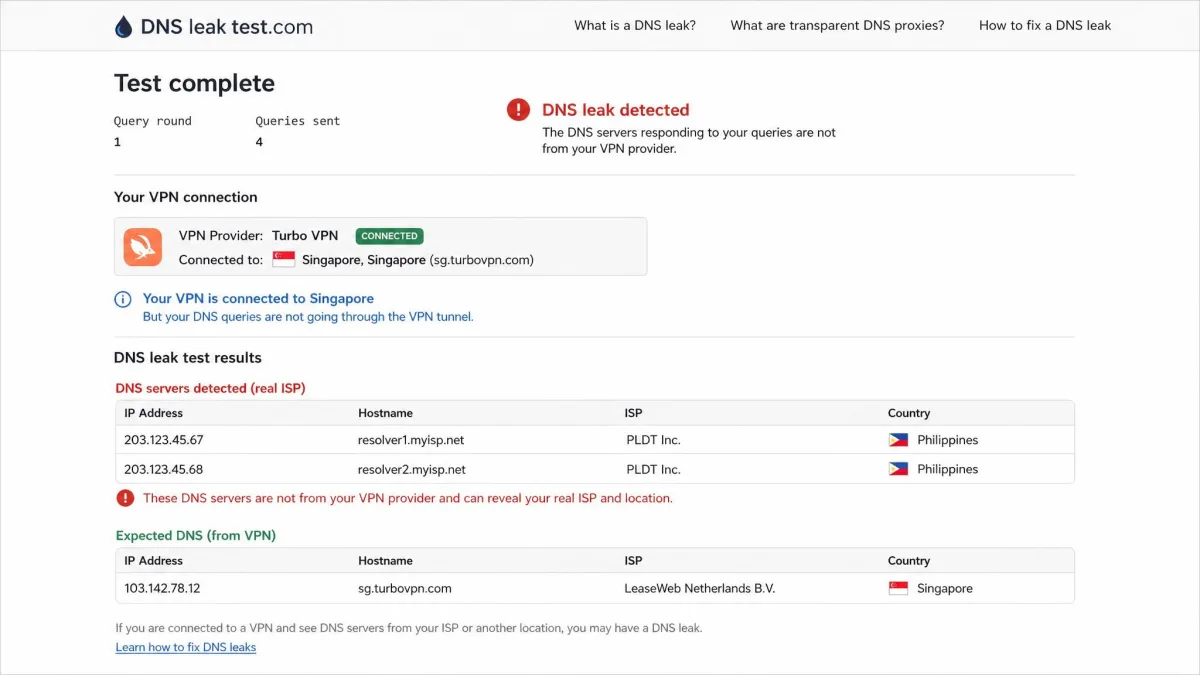
DNS leaks appeared during testing, and the kill switch is off by default and missing entirely on the free tier. Until both are fixed, assume your real IP and browsing can be exposed, and do not use Turbo VPN for anything you genuinely need to keep private.
Privacy and Logging
A VPN asks you to trust it with every site you visit. That trust has to be earned with a clear policy, a friendly jurisdiction, and ideally an independent audit. Turbo VPN is short on all three.
Privacy Policy and Jurisdiction
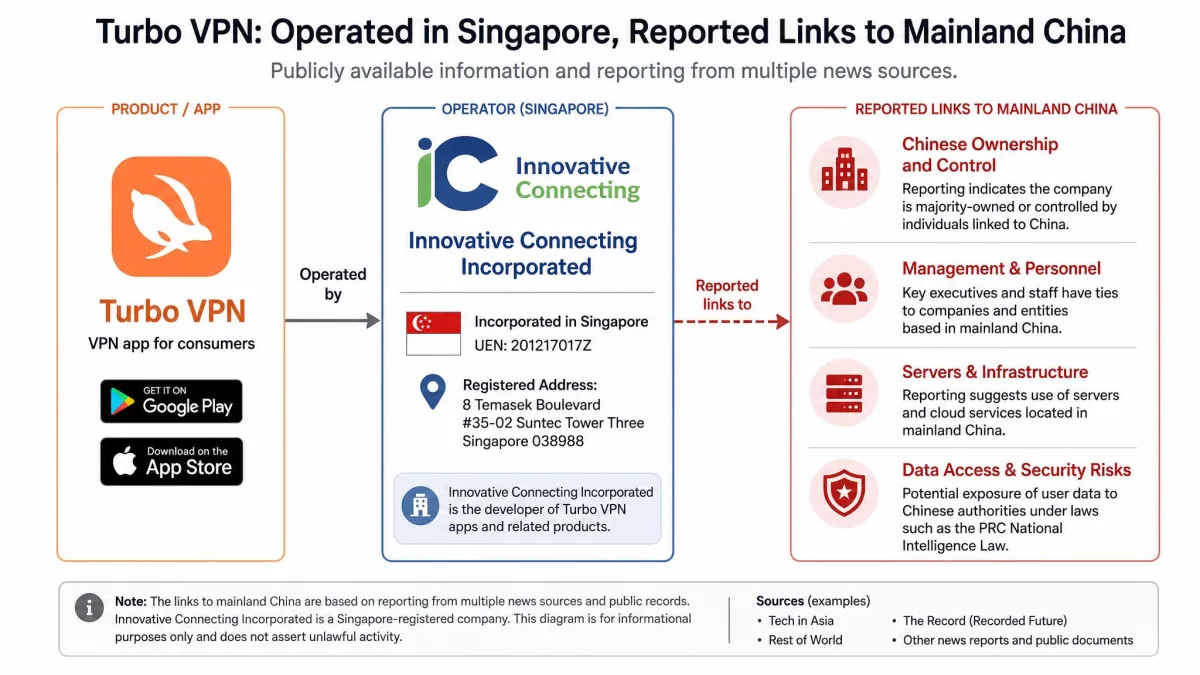
The no-logs policy has never been independently audited, so the promise rests entirely on the company's word. Worse, the privacy policy itself describes collecting device identifiers, ISP information, advertising identifiers, and connection timestamps. Those categories contradict the marketing message of a service that keeps nothing. On jurisdiction, the app is operated by Innovative Connecting, incorporated in Singapore, with reported links to mainland China. Singapore is not a hostile home for a VPN on its own, but the reported China connection sits uneasily beside an unaudited no-logs claim. For a product whose entire value is trust, that combination is hard to look past.
The Turbo VPN Controversy (malware/audit history)
This is the part of the story that keeps the app controversial. A widely cited 2017 CSIRO study found that 38% of Android VPN apps contained malware or adware, and Turbo VPN was among the apps flagged. Since then, antivirus software has at times flagged the installer or app as potentially malicious, and older Android versions were associated with adware, spyware, and Trojan reports. In 2022, the app began pushing strange Chinese-language notifications to users after install, which fueled fresh suspicion about who was behind it and what it was doing.
We want to be fair here. Some of these reports are years old, and software changes. But a security product carries a higher burden of proof than most apps, and this history has never been cleanly resolved. The pattern, rather than any single incident, is what keeps us cautious, and it is why we treat the no-logs promise as unproven rather than reassuring.
Torrenting and P2P
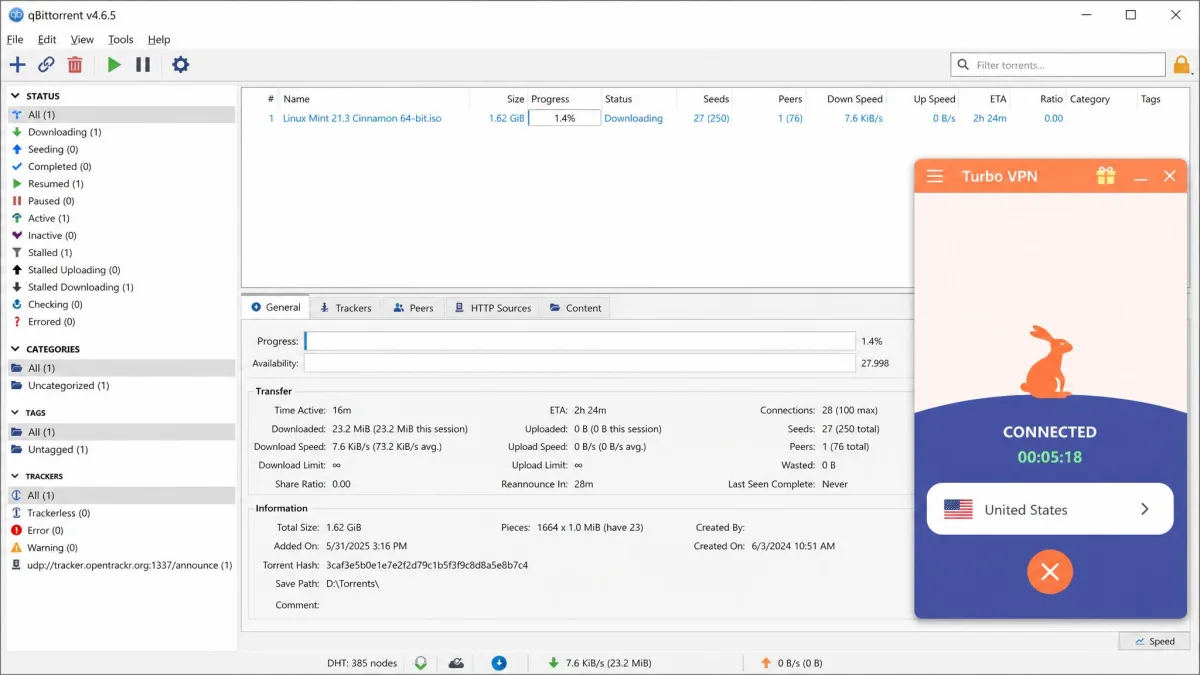
If you came here to torrent, the answer is short. Turbo VPN is effectively off the table for P2P. The service prohibits or throttles it, and the throttling is severe enough to make downloads pointless. In one test, a 1.62GB download took over two hours through the VPN, against about 10 minutes without it. That is not a speed penalty you tune around. It is a wall. Anyone who needs a VPN for P2P should look at a service that supports it openly and advertises P2P-friendly servers, because fighting the app is a losing game.
Ease of Use and Apps
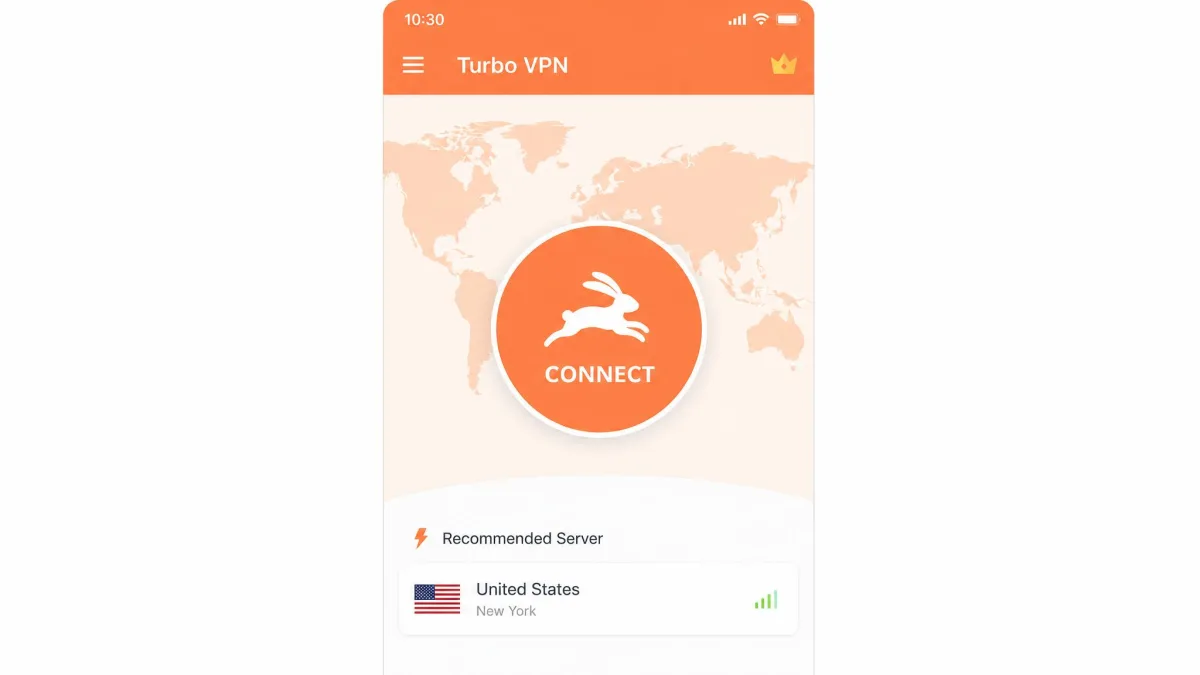
Turbo VPN's strongest quality is how little it asks of you. The apps are simple, and connecting is a single tap. That simplicity is the reason for its popularity, and it is worth crediting even in a critical review.
Windows and Mac
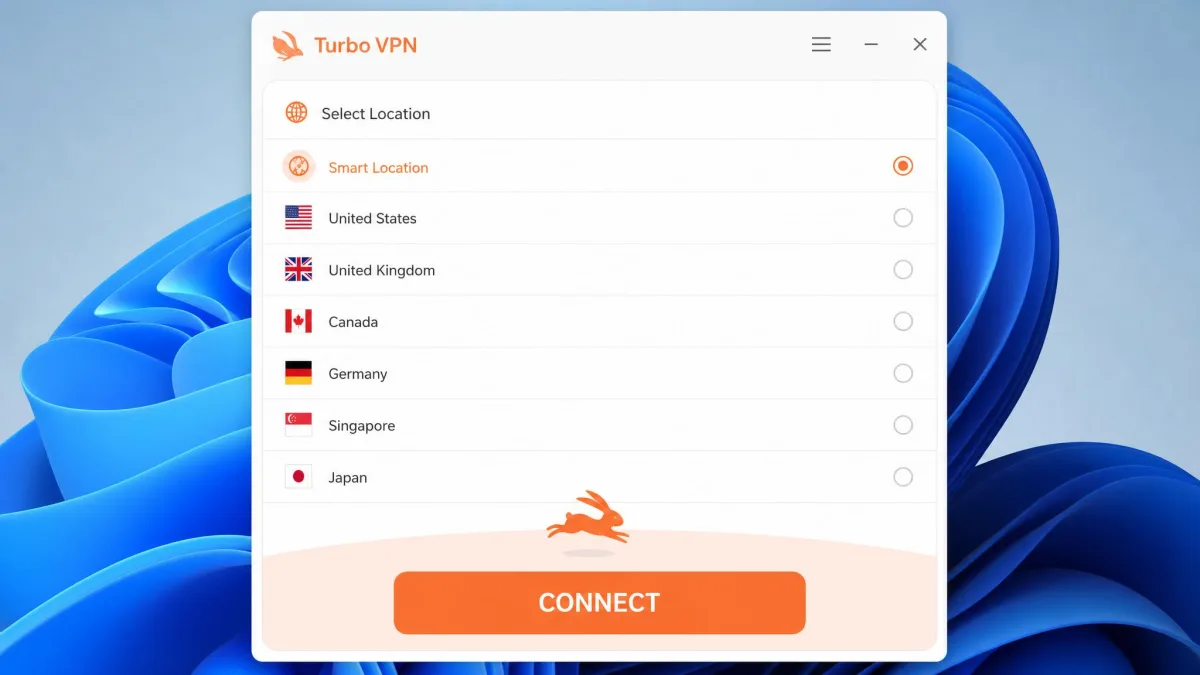
The desktop apps get the job done, but they feel like stretched mobile interfaces rather than native desktop software. You can connect, pick a location, and change a few settings without any confusion. What you do not get is the depth or polish that Windows and Mac users expect from a mature desktop client. Settings are shallow, and the layout wastes space that a native app would use for controls. The window opens at a fixed size that does not make good use of a large monitor, and options that a desktop VPN usually surfaces up front, such as protocol selection and split tunneling, are buried a level or two deeper than they should be. For casual use, that is fine. For anyone who wants granular control, it feels thin, and the experience never quite shakes the sense that the desktop build is an afterthought to the mobile app.
Android and iOS
Mobile is Turbo VPN's home turf, and it shows. The Android and iOS apps are clean and immediate, which is exactly what most of those 300 million installs are using. Launch the app, tap the large central button, and you are connected in a couple of seconds, with server selection sitting one tap away on a simple list. The catch is the free tier, where the unskippable 30-second video ads on connect and disconnect wear thin quickly, and they interrupt the exact moments you want to be fastest. The paid apps remove that friction and are the better experience by a wide margin. If you are going to use Turbo VPN at all, mobile on the paid tier is where it feels most like a finished product.
Browser Extension
For light use, the Chrome extension is the most convenient option, since it protects browser traffic without a full system connection. Keep its limits in mind: a browser extension only covers what happens inside the browser, so anything outside Chrome travels unprotected. That means your email client, your app updates, and any background service on your machine still use your real connection while the extension is running, which is easy to forget when the browser looks protected. It is a convenience feature, not a replacement for the app, and it inherits the same privacy questions as everything else here.
Customer Support
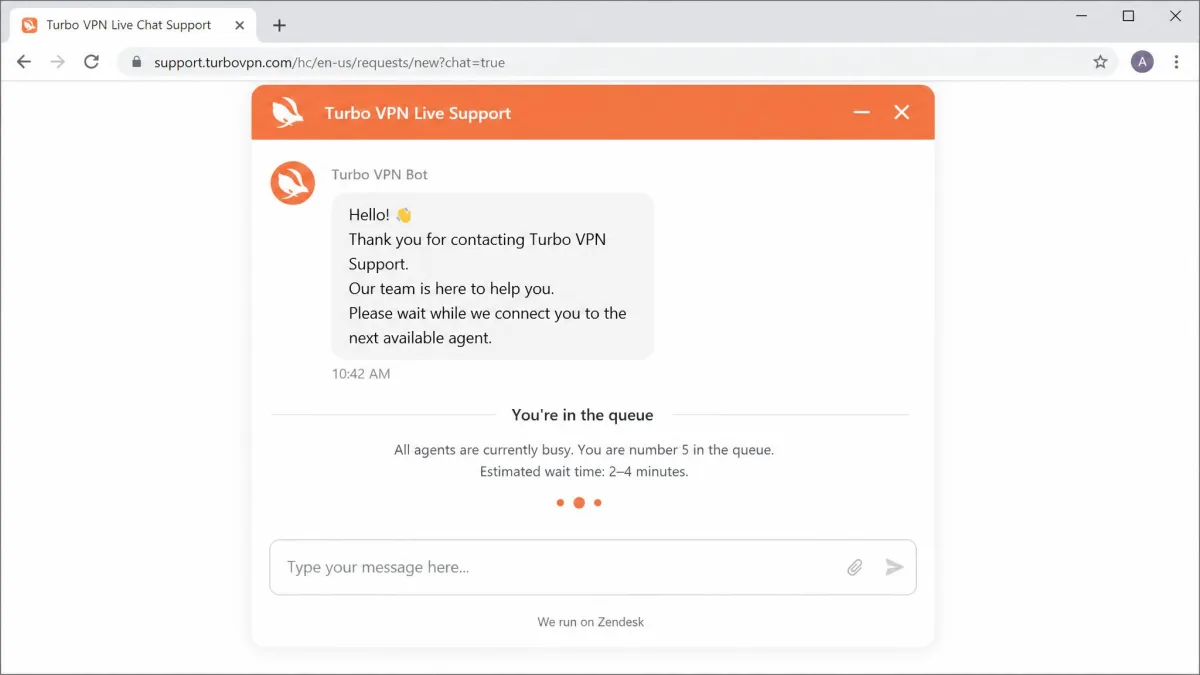
Support is available through 24/7 live chat, email, and a set of online FAQ guides, so the channels themselves are reasonable. The quality is where it wobbles. Live chat can involve long waits, up to around 30 minutes, and repetitive questions before you reach anything useful. Refunds, when you are owed one, may require persistence and a processing delay of roughly two weeks. None of that is unusual for a budget app, but it is worth knowing before you rely on support to bail you out of a billing problem or a refund window.
A typical exchange shows the pattern. When you open live chat with a specific question, such as which servers support the streaming-optimized mode or why a connection keeps dropping, the first replies tend to be scripted troubleshooting: reinstall the app, switch protocols, try a different server. Those steps are reasonable openers, but getting past them to a real answer takes patience, and the agent often asks for details you have already provided. On billing and refund questions the back-and-forth is slower still, and you should expect to restate your purchase date and order number more than once. The email channel is better suited to anything that needs a paper trail, though replies are not fast.
The self-service guides cover the basics of installing and connecting, and they are the fastest route for common questions. For anything account-related, though, budget extra time and keep your purchase details handy, because the back-and-forth can be slow.
Common Mistakes People Make With Turbo VPN
The biggest mistake we see is treating the free tier as a privacy tool. It has no kill switch, a tiny data cap, and ad-supported delivery, so it is best understood as a demo, not protection. The second mistake is leaving the kill switch off on the paid app, since it does not turn itself on, and the app will happily keep running without it. The third is assuming a huge server count means broad, reliable coverage. Check that your specific country works before you trust it, and never assume a VPN this cheap will handle streaming or torrenting. The last mistake is skipping the refund window: if you decide it is not for you, act inside the stated period and expect to follow up.
Final Verdict: Should You Use Turbo VPN?
Turbo VPN is a study in tradeoffs. It is popular, cheap on a long plan, and genuinely easy to use, and on nearby servers it is fast enough for daily browsing. Those are real strengths, and they explain the download count.
They do not outweigh the problems. An unaudited no-logs policy, a privacy policy that admits collecting identifiers, DNS leaks in testing, disputed encryption, and a controversial history add up to a product we cannot recommend for anyone who actually needs privacy. Add weak streaming and effectively no torrenting, and the use cases keep narrowing.
Who should use it? Someone who wants a simple, low-cost way to change their apparent location for casual, low-stakes browsing, and who understands the limits. Everyone else, especially anyone who cares about privacy, speed, or streaming, will be better served by a stronger VPN. There are truly free options and genuinely cheap paid options that do not force the same compromises, and for most readers one of those is the smarter place to spend both time and money.