Aloha VPN is the free VPN built into the Aloha Browser, a privacy-focused mobile and desktop browser. It is not a standalone app you buy and install next to Chrome. Instead, the VPN, an ad blocker, and a set of security tools all live inside one browser. That design shapes everything about how Aloha works, what it protects, and who it suits.

We spent time with Aloha across Android, iOS, Windows, and macOS to see whether the free VPN holds up for real browsing. The short answer: it is a genuinely useful privacy layer for casual web use, but it is a browser feature first and a VPN second. If you want a full, always-on tunnel for every app on your device, this is not that.
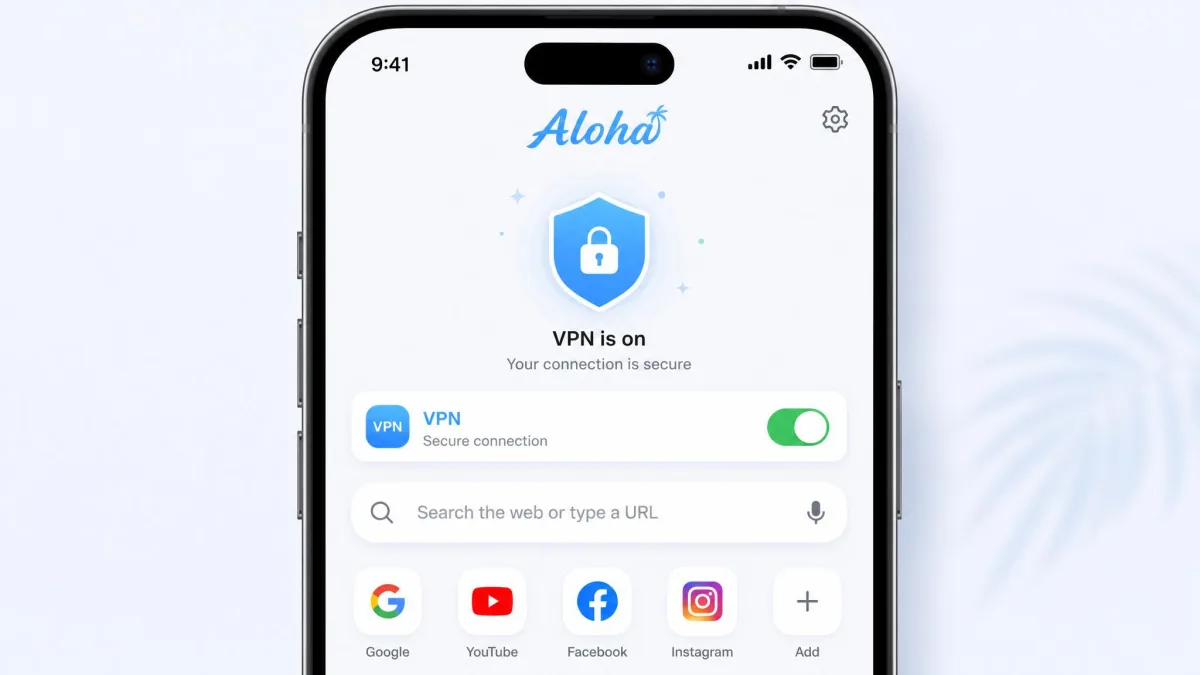
Onboarding is refreshingly frictionless. The app opens to a clean, minimalist home screen with no account creation and no tracking permissions to approve before you start browsing.
What Is Aloha VPN? (Browser-Integrated VPN Overview)
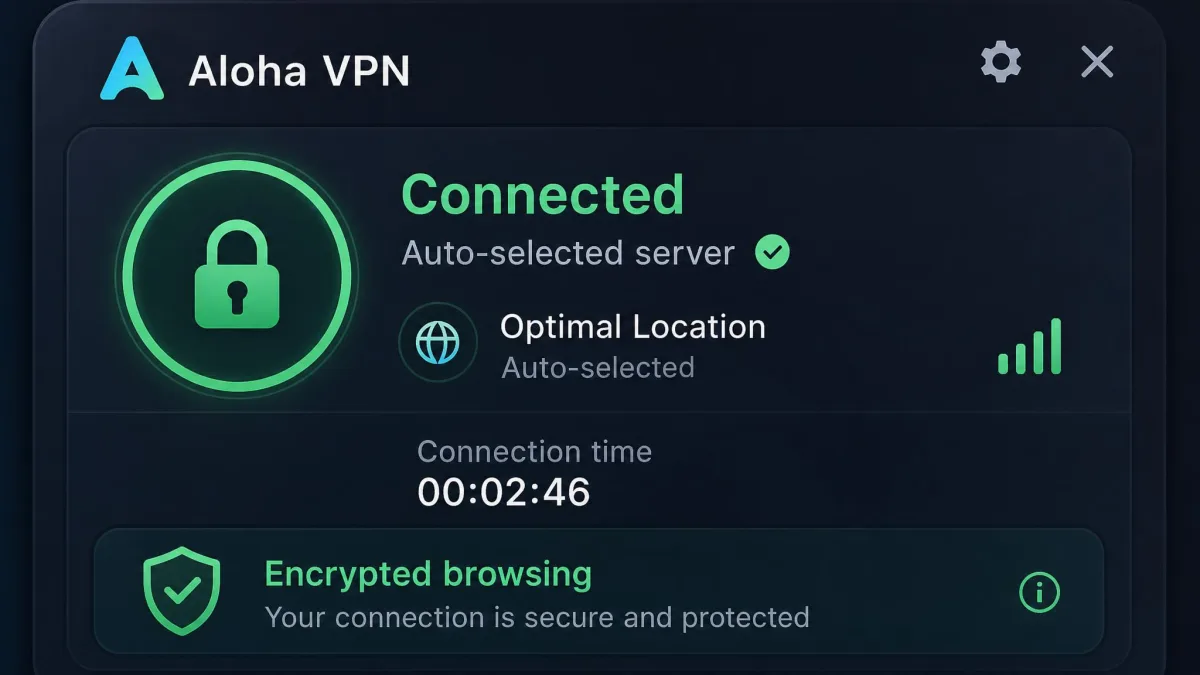
Aloha VPN is a virtual private network bundled inside the Aloha Browser rather than sold as a separate product. When you switch it on, it encrypts your browser traffic and routes it through a remote server, which hides your real IP address from the sites you visit.
The key thing to understand is scope. On the free tier, the VPN protects only traffic that flows through the Aloha Browser. Other apps on your phone, your email client, your games, your other browsers, keep using your normal connection. That is a very different promise from a system-wide VPN like a standalone paid service.
This browser-first approach has real appeal. There is nothing to configure and no separate subscription needed to get started. But it also sets clear limits on what Aloha can and cannot do for your privacy.
Aloha's free VPN covers browser traffic only. Anything outside the Aloha Browser stays on your regular, unprotected connection unless you upgrade to premium for system-wide coverage.
Aloha VPN Features
Aloha bundles a surprising amount into one browser. The VPN is the headline, but the privacy toolkit around it is what makes the package interesting.
Built-In Free VPN
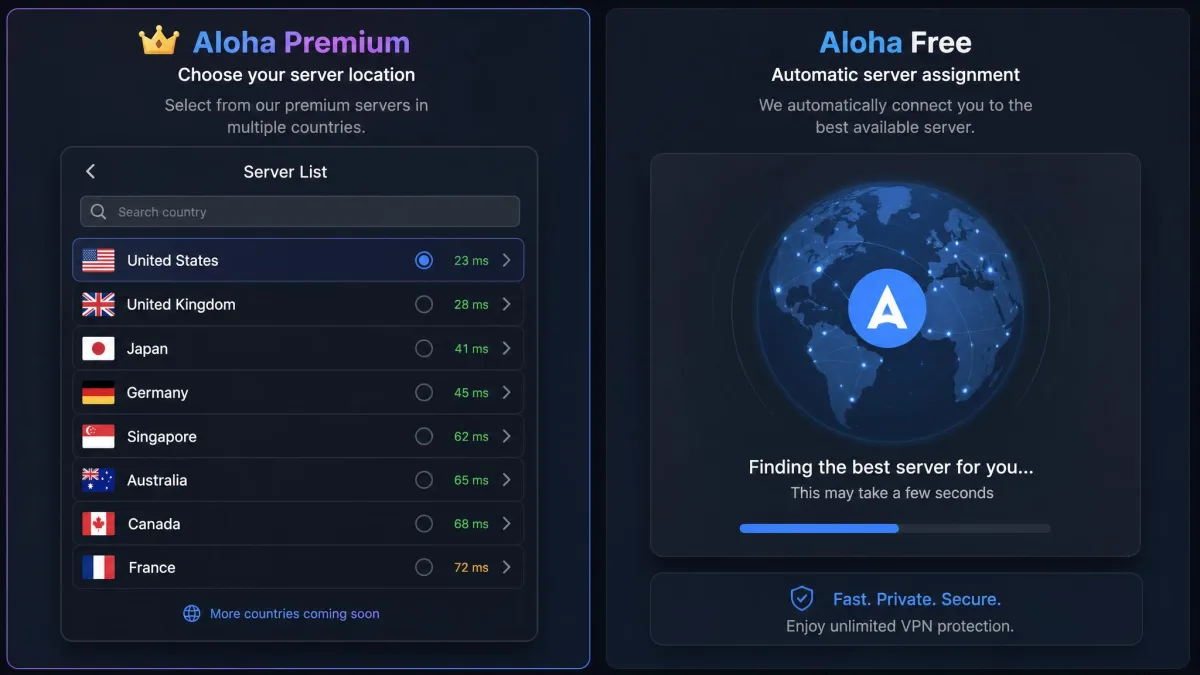
The free VPN is on-demand and simple to use. You flip a switch and Aloha auto-selects a server for you. On the free tier there is no manual location control, so you take whatever server the app assigns. In our use the connection was stable enough for streaming, downloads, and everyday browsing, though it is not built for choosing a specific country.
Ad and Tracker Blocking
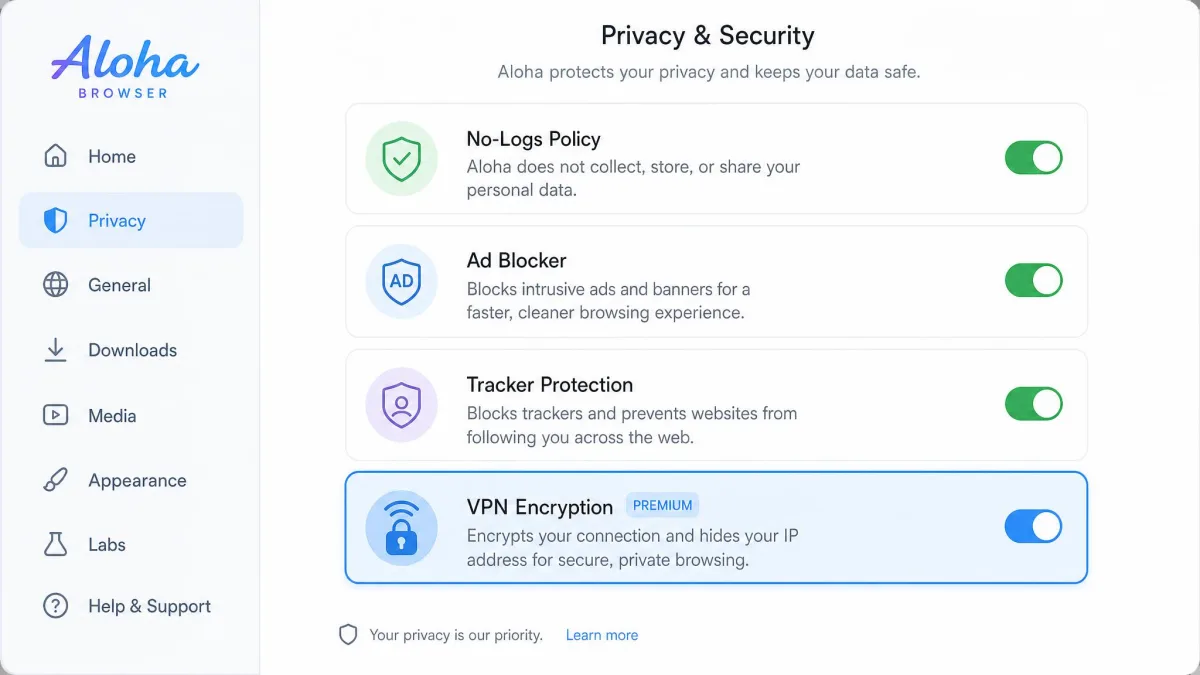
Aloha ships with an ad blocker that is on by default, plus tracker and tracking protection that runs quietly in the background. This combination cuts a lot of clutter and cross-site tracking without any setup. The trade-off is control: ad blocking is a one-size-fits-all switch, with no granular filters and no way to customize what gets blocked.
Security Extras (File Lock, Private Mode, Dark Web)
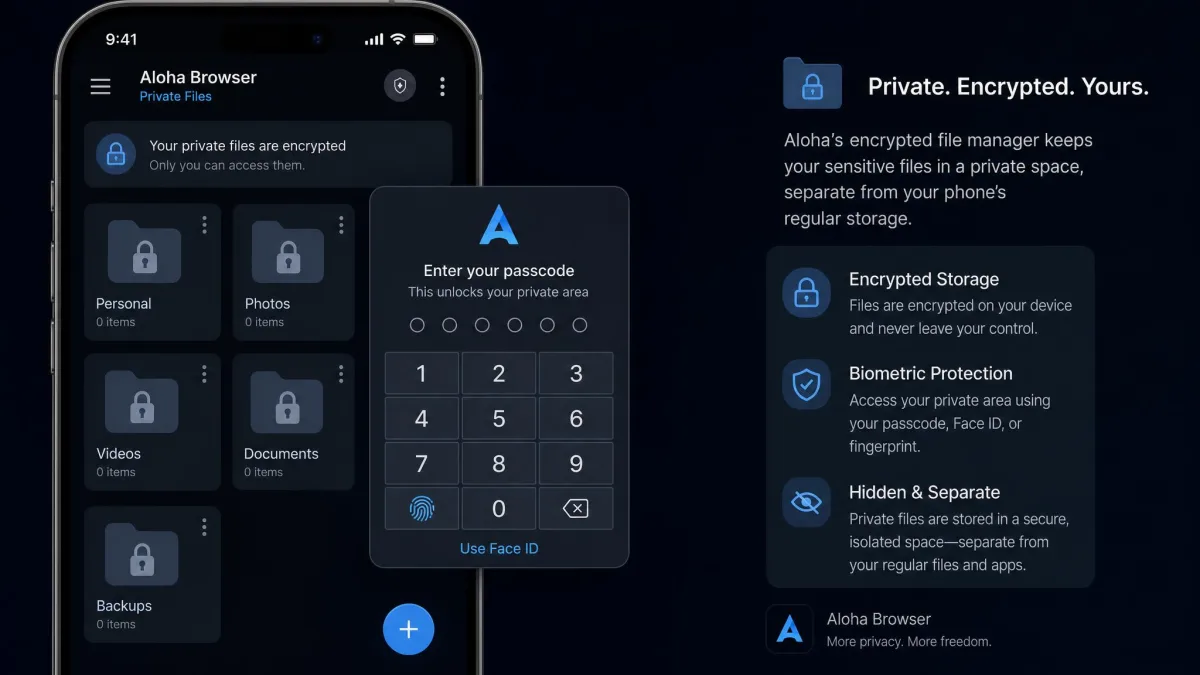
Beyond the VPN, Aloha adds an encrypted file manager with passcode and biometric locks, a private browsing mode, passcode and biometric tab locks, dark mode for websites, multi-thread downloads, and a media player. Downloaded files are isolated in encrypted storage separate from your phone's regular folders. That is good for privacy, though there is no easy way to back up or organize a media collection once it lives there.
Security and Privacy
Security is where a VPN earns or loses your trust, so we looked closely at what Aloha encrypts, what it logs, and what it actually promises.
Encryption and Protocols
Aloha uses AES-256 encryption, the same military-grade cipher standard used by mainstream VPNs and banks. That is a solid foundation. The tunnel itself runs on a proprietary VPN protocol rather than a well-known open standard like WireGuard or OpenVPN. Aloha does not disclose the exact basis of that protocol, so it cannot be independently scrutinized the way an open protocol can.
Logging Policy and Transparency
Aloha states a no-logs policy and says it does not store access logs on its VPN servers. The company also says its privacy practices are regularly audited by Leviathan Security Group. We would weight that more heavily if a detailed public audit report existed. As it stands, no full report is available for independent review, and Aloha notes it may still collect anonymous usage metadata to operate the service.
Aloha is built for privacy, not anonymity. It hides your IP from websites, but it is not a tool for evading a determined adversary.
— From our hands-on testing
Privacy vs Anonymity
This distinction matters. Aloha is genuinely good at reducing everyday tracking and hiding your IP from the sites you browse. It is not designed for anonymity, and it offers limited advanced VPN configuration. If your threat model involves anything beyond ad networks and casual snooping, you want a dedicated audited VPN, not a browser feature.
Server Network and Locations
Aloha's server footprint is hard to pin down, and that is worth being honest about. The published counts simply do not agree. Aloha's own pages contradict each other, describing the network in one place as over 50 country servers and in another as 80-plus locations, and third-party reviews scatter even wider, from roughly 360 to 1,000 servers across 30-plus countries. With that spread we treat any exact figure as unstable rather than pretending to a precise count.
For free-tier users the count is somewhat academic. You do not choose a location anyway, so the practical experience is simply whatever nearby server Aloha assigns. Manual country selection is a premium feature.
Speed and Performance
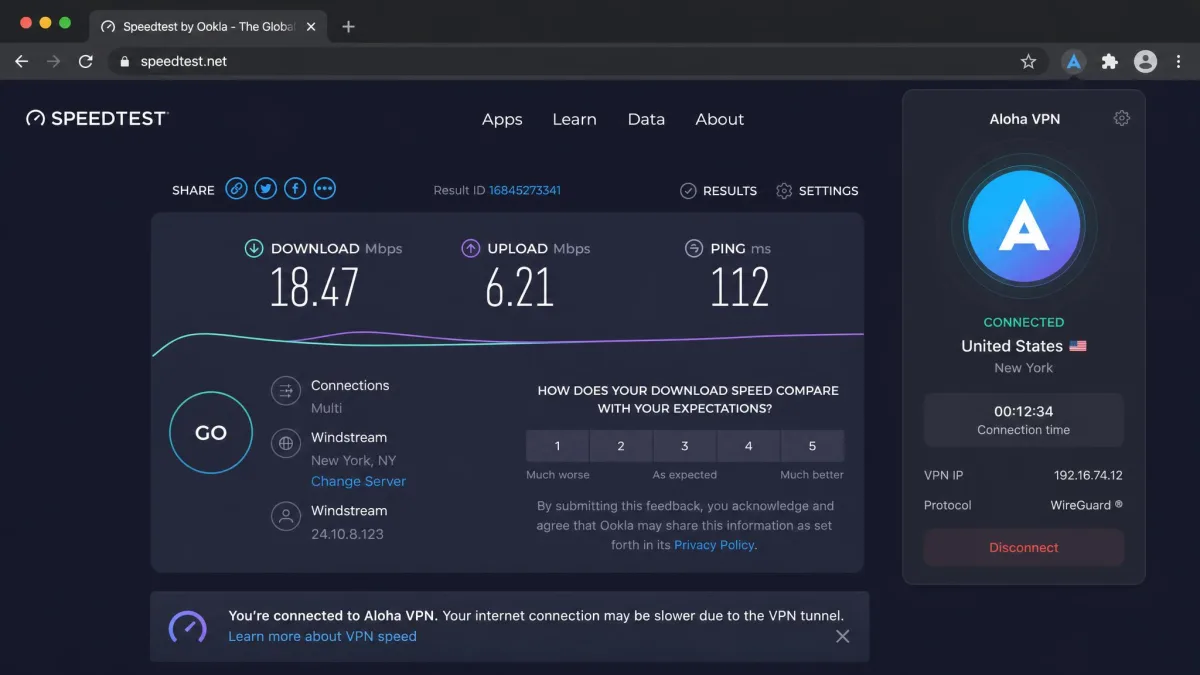
Speed is the make-or-break test for any VPN, and Aloha's results were mixed. At its best, the connection was stable enough for streaming, downloads, and general browsing without obvious lag.
The rougher edges showed up under longer use. Enabling the VPN can noticeably slow the connection, and at times the tunnel dropped out and needed repeated manual reactivation. Some sessions degraded over time, with the app feeling sluggish after a couple of weeks. We also saw the VPN stop connecting after an OS update on one device.
Streaming, Torrenting, and Everyday Use
For casual streaming, Aloha does the job. It handled video playback and downloads without much trouble during normal browsing sessions. The multi-thread download engine is a nice touch for grabbing large files, and premium unlocks faster download threads.
Torrenting is a different story. A standalone torrent client runs outside the browser, so the free VPN's browser-only tunnel never touches it. Everyday browsing, private tabs, and light streaming are where Aloha feels most at home.
Compatibility and Platforms (Android, iOS, Windows, macOS)
Aloha runs on Android, iOS, Windows, and macOS, with the desktop apps arriving in late 2024 and early 2025. The mobile apps are the mature, polished versions, which makes sense given Aloha's phone-first history.
One structural limit stands out for power users: the browser lacks extension support. If your workflow depends on browser add-ons, Aloha will feel constraining no matter which platform you run it on.
Ease of Use and Interface
This is Aloha's strongest area. The interface is clean and minimalist, and getting protected takes one tap. No account, no signup wall, and no permissions gauntlet before you can browse.
The friction shows up later. Frequent popup prompts push premium upgrades during normal browsing, which wears thin. Still, for a first-time VPN user who wants privacy without a manual, Aloha is about as approachable as it gets.
Pricing and Plans (Free vs Premium)
The free tier is the reason most people try Aloha, and it is genuinely usable: VPN, ad blocking, and the privacy tools all work without paying. The catch is that the tunnel is browser-only, servers are auto-selected, and premium upsell popups are a constant.
Premium unlocks manual region and country selection, phone-wide system-wide VPN coverage, autostart and always-on VPN, the fastest servers, folder locking, and faster downloads. Pricing is where things get murky. Sources cite roughly $5.99 per month for the monthly plan, though other listings show less, and annual pricing is cited variously around $2.99 to $4.19 per month depending on the source and region. Treat any figure as approximate and check the current price in your app store before you commit.
Premium pricing and refund terms vary by store and region. Aloha advertises a 30-day money-back guarantee, but cancellation is hard to find in the app and refunds are difficult to obtain.
We would also flag the billing problems we ran into. Cancellation is buried in the app, and we found repeated or unauthorized charges after upgrading, plus premium access revoked after an app update. None of this is universal, but it is common enough to note before you hand over payment details.
Pros and Cons
Pros
- Genuinely free VPN with no account or signup required
- Clean, one-tap interface that is easy for beginners
- AES-256 encryption plus a default ad and tracker blocker
- Useful privacy extras: encrypted file locker, private mode, tab locks
- Stable enough for casual streaming and everyday browsing
Cons
- Free VPN protects browser traffic only, not the whole device
- Proprietary protocol with no public independent audit report
- Server and pricing figures are inconsistent across sources
- Connection can slow, drop, or need manual reconnection
- Frequent premium upsell popups and reported billing headaches
Frequently Asked Questions
Is Aloha VPN safe?
Is Aloha VPN free?
Does Aloha VPN keep logs?
Can Aloha VPN unblock streaming?
Which platforms does Aloha VPN support?
How Aloha Compares
| Product | Price | Servers | Logging | Streaming | Platforms |
|---|---|---|---|---|---|
 |
Free; Premium ~$5.99/mo (varies) | Disputed (80+ locations, up to 1,000 servers) | Claims no-logs; audited, no public report | Works for casual streaming | Android, iOS, Windows, macOS |
 |
Free | ~3 broad regions | No-log claim | Limited | Desktop and mobile |
 |
Free browser; Brave VPN ~$9.99/mo | Guardian-powered, many countries | No-log (Guardian) | Via paid VPN | Desktop and mobile |
 |
Free browser; Mozilla VPN paid | Mullvad-powered, many countries | No-log (Mullvad) | Via paid VPN | Desktop and mobile |
Among browser-integrated VPNs, Aloha's free tier is more generous than most. Opera's free VPN is easier to find but limited to a few broad regions, while Brave and Firefox push their real VPN muscle into paid, audited add-ons. Aloha's edge is bundling; its weakness is the transparency gap.
Final Verdict: Should You Use Aloha VPN?
Aloha VPN is a good free privacy layer for casual browsing, wrapped in one of the cleanest interfaces we have used. For hiding your IP from websites, cutting ads and trackers, and keeping sensitive files locked on your phone, it delivers real value without asking for an account.
The limits are just as real. The free tier only covers the browser, the protocol is unaudited in public, and the server, pricing, and refund details are inconsistent enough that we would go in cautiously. Reliability wobbles and aggressive upsells round out the picture. If you need an always-on, system-wide, independently verified VPN, look to a dedicated Aloha VPN alternative. If you want a simple, free browser with privacy baked in, Aloha is worth a try.