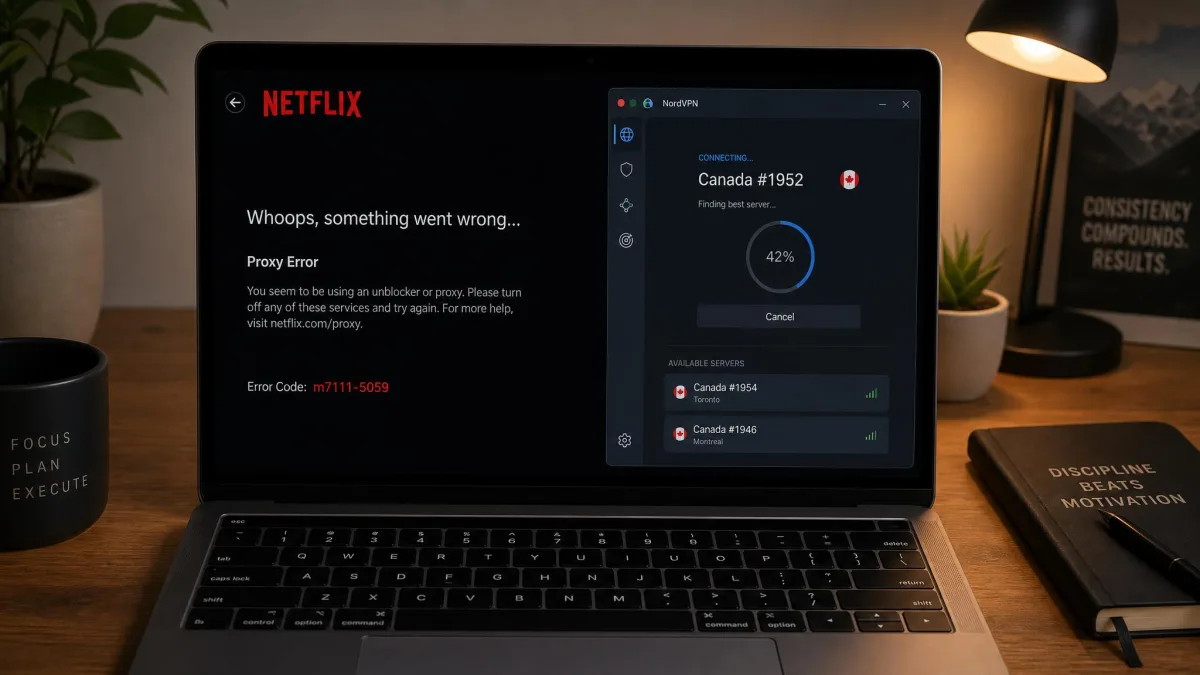
Netflix detects and blocks most VPNs on sight. You connect to a server in another country, load the app, and instead of a bigger catalog you get the limited global library or the dreaded m7111-5059 proxy error. Foreign libraries stay locked, and when a VPN does slip through, the stream often buffers itself into a slideshow. That is the problem we set out to solve.
We tested more than 20 services against real Netflix libraries in 2026, and only a handful held up. Most either failed to unblock a single foreign region or crawled so slowly that Full HD was off the table. This guide covers the five that actually work: the ones we would connect to ourselves when we want to watch a show that is only available in the UK, Japan, or Australia. We ran each one on our own test machines across Windows, macOS, and Android, timed the speeds, and checked whether the picture held at 4K.
Our approach is hands-on and repeatable. We licensed every VPN ourselves, connected to the same set of countries on each, and streamed the same titles back to back. We also came back to each service on separate evenings across the test window, because a VPN that works once and fails the next night is worse than useless when you are halfway through a series. Below you will find our ranked picks, a side-by-side comparison, the full methodology, and practical fixes for when a VPN suddenly stops working with Netflix. If you just want the short version, start with the quick picks.
The Best VPNs for Netflix at a Glance
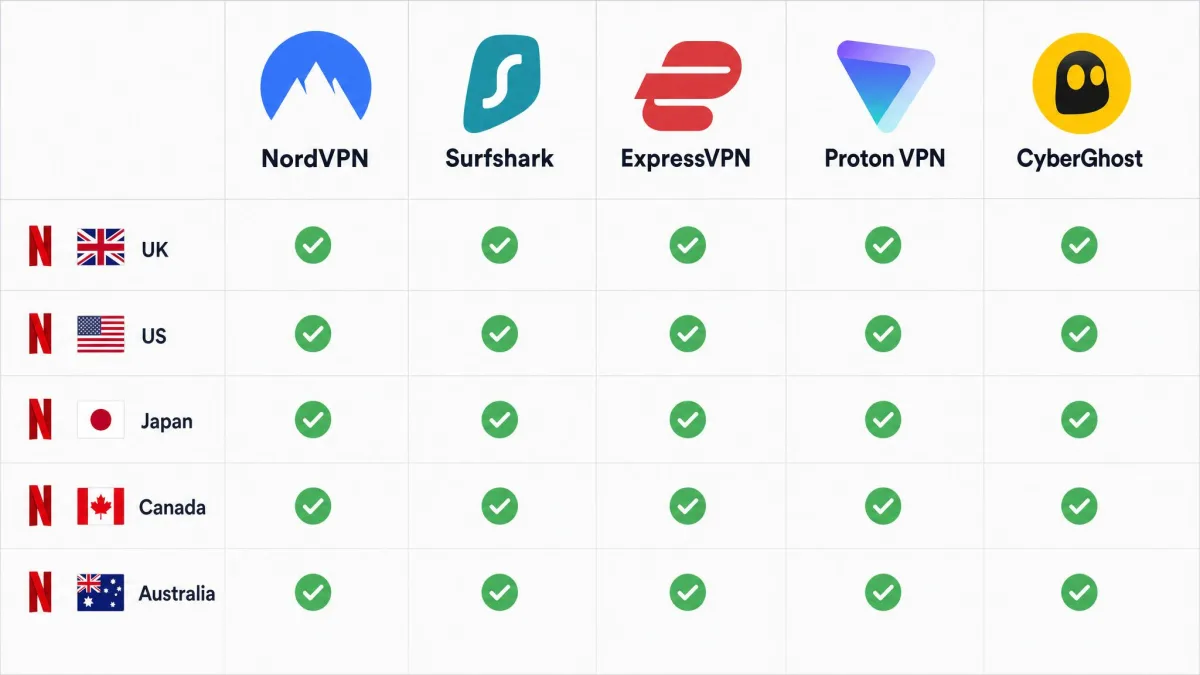
Here is how the five picks compare on the things that matter for streaming: how many Netflix libraries they unblock, how fast they run, how many devices you can connect at once, the price on a long-term plan, and the refund window. Prices are the intro rates on the longer plans, which is where the best deal usually sits. All of these figures come from our own testing and current plan details.
| Product | Buy | Netflix libraries | Speed | Connections | Price (2-yr) | Money-back |
|---|---|---|---|---|---|---|
 |
Check price → | 15+ regions | ~218 Mbps, 4K | 10 | $3.49/mo | 30-day |
 |
Check price | 16+ regions | Fast, 4K | Unlimited | ~$1.99/mo | 30-day |
 |
Check price | 12 major regions | Consistent, 4K | 8 to 12 | ~$2.79/mo | 30-day |
 |
Check price | US, UK, Japan + ~20 | Fast HD/4K | 10 | ~$2.99/mo | 30-day |
 |
Check price | Multiple, via streaming servers | Reliable, 4K | 7 | ~$2.19/mo | 45-day |
Prices shown are introductory rates on the longer plans. Most VPNs renew at a higher standard rate after the first term, so set a calendar reminder before your plan auto-renews if you want to shop the deal again.
The table is a starting point, not the whole story. Two VPNs can both unblock the same number of regions and still feel very different in daily use, depending on how fast they connect, how they handle a flagged server, and how many devices you can cover. The reviews below fill in those details, and the methodology section explains exactly how we arrived at each verdict.
The Best VPNs for Netflix in 2026
Each pick below earned its spot in hands-on testing, not on a spec sheet. We connected to the same countries, streamed the same titles, and noted where each service stumbled. The order reflects how they performed for Netflix specifically, which is not always the same as how a VPN ranks for privacy or torrenting.
1. NordVPN: Best VPN for Netflix Overall
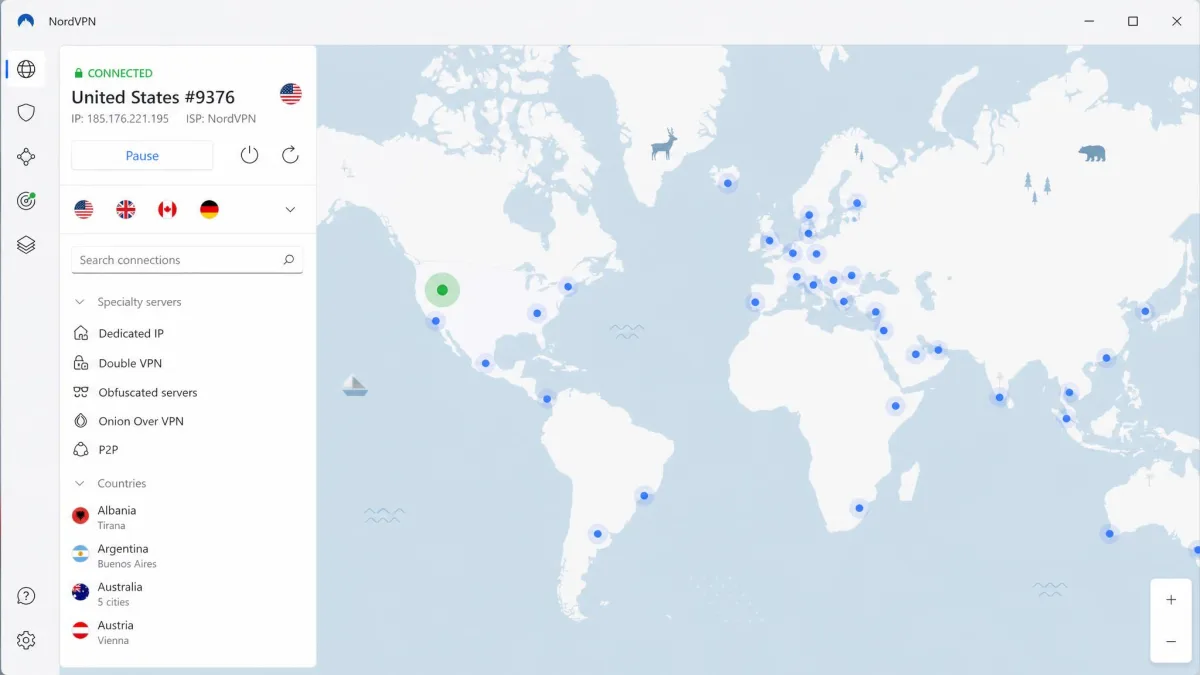
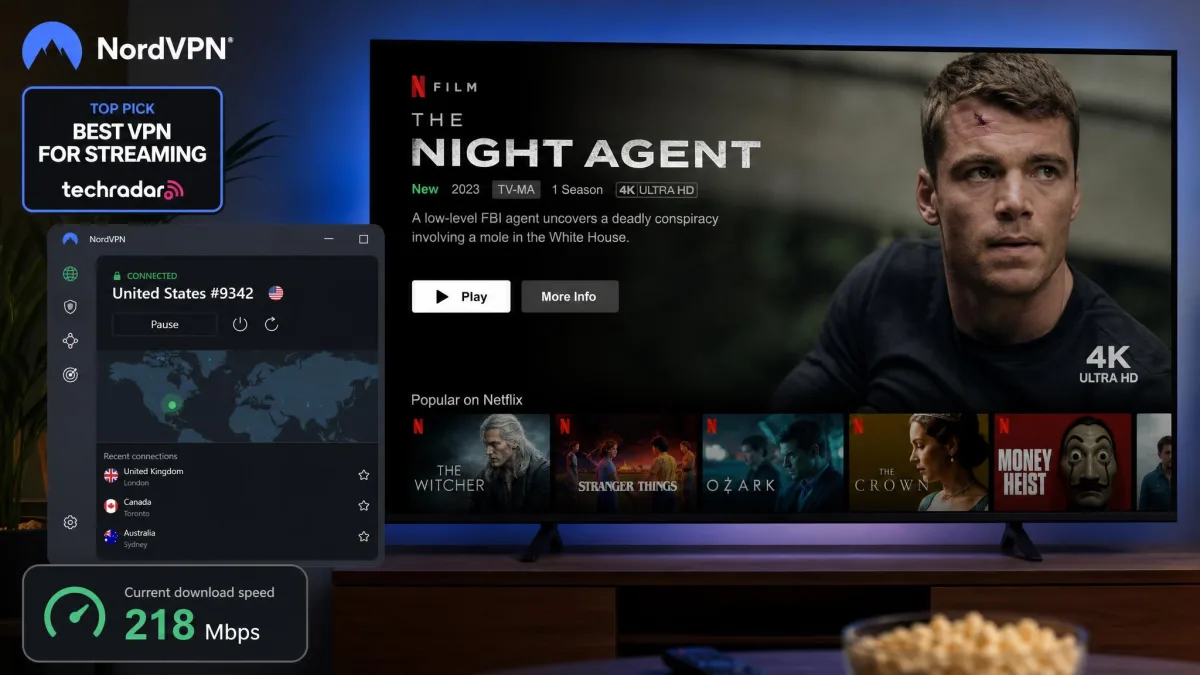
NordVPN is the VPN we reach for first when we want Netflix to just work. Across our test sessions it unblocked Netflix on the first try on UK, Spain, Germany, Switzerland, and Netherlands servers, with none of the trial-and-error server hopping that sinks weaker services. That reliability is the whole game with a Netflix VPN, and Nord delivered it every time we connected.
Speed is the other half of the equation, and Nord held up there too. Its WireGuard-based NordLynx protocol kept our download speeds around 218 Mbps, roughly a 13% drop from our baseline, which is comfortably fast enough for Full HD and 4K. The only quirk we noticed is that 4K titles took about five seconds longer than normal to start playing. Once they loaded, the picture held without buffering, even when we skipped forward to force Netflix to re-buffer a scene. On the Spain and Switzerland servers the readings barely moved between our first evening test and a repeat run two days later, which is the kind of steadiness that tells you the network is not straining to stay ahead of Netflix.
What stood out most across our sessions was how little we had to think about it. With weaker VPNs, part of every viewing night is spent hunting for a server that Netflix has not flagged yet. With Nord, we connected to a country and the right library appeared, then stayed working across repeat visits over the test week. We came back to the same UK server on three different nights and it opened Netflix UK each time without a single proxy error. That consistency is worth more than a slightly cheaper price, because a Netflix VPN that needs babysitting is one you stop using.
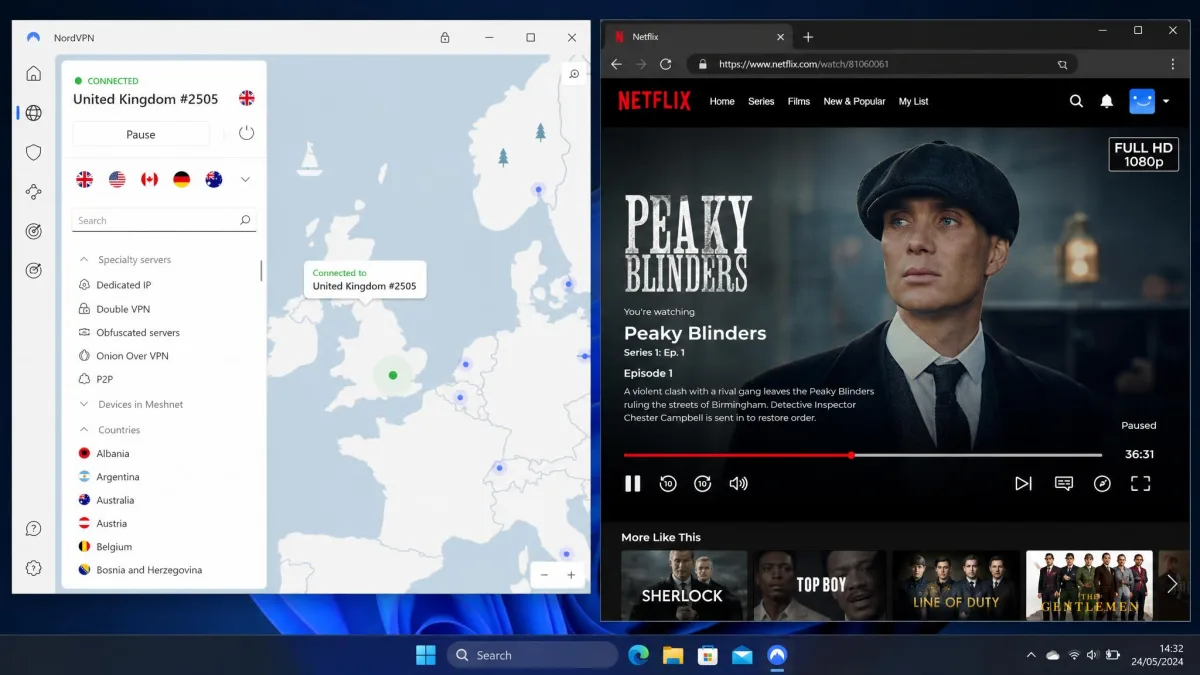
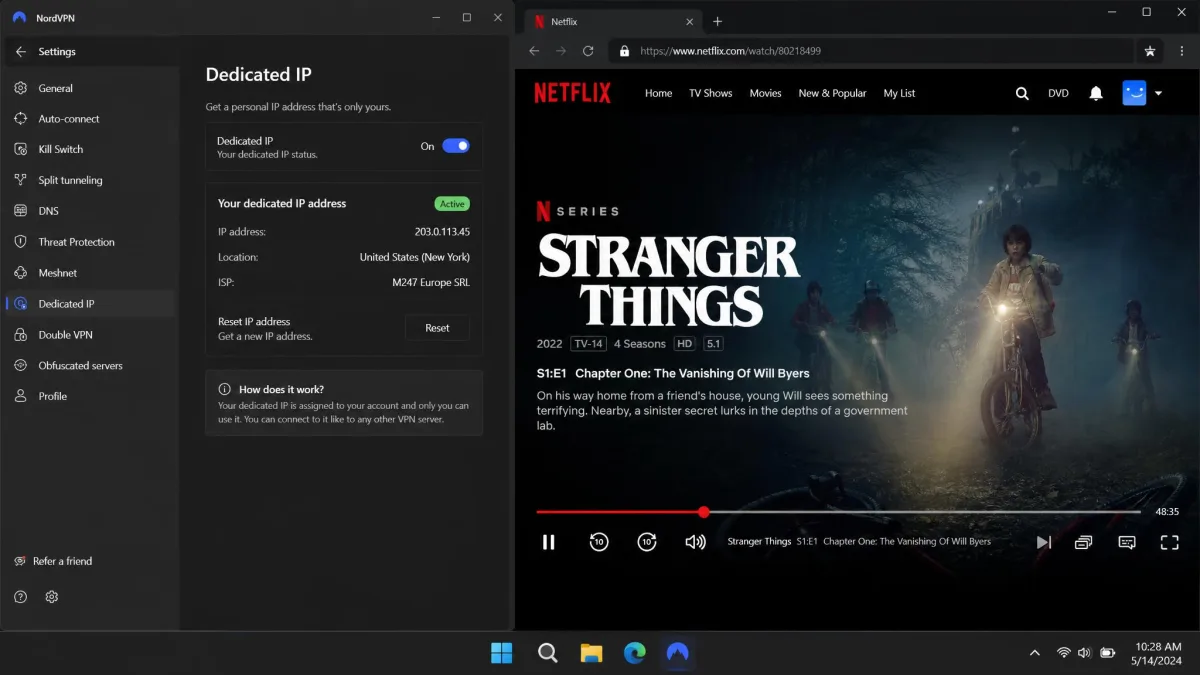
The apps are available for Windows, macOS, Linux, Android, iOS, and smart TVs, so you can connect the same account on the TV in the living room and your phone on the road. You get 10 simultaneous connections, Threat Protection to block ads and trackers, a kill switch, and a dedicated IP option if you want an address that Netflix is less likely to flag. On the 2-year plan it costs $3.49 per month, or $14.99 if you pay month to month. Note that the price renews at a higher standard rate after the first term.
The network is large, listed at more than 9,300 servers across 137 countries, though vendor server counts drift over time as the network expands. In practice that scale matters because it gives Nord more addresses to rotate as Netflix flags the old ones. When we deliberately picked a busy server to see if it would choke, throughput stayed high enough for 4K, and switching to a fresh server in the same country took a couple of clicks. On the Germany connection we jumped between three separate servers to see whether any dropped the library, and all three served the full German catalog. The dedicated IP option is worth a look if you stream from the same region every night, since a less-used address draws less attention from Netflix.
Pros
- Unblocked every Netflix region we tested on the first attempt
- Fast NordLynx speeds, around 218 Mbps, easily enough for 4K
- 10 simultaneous connections and a dedicated IP option
- Apps for every major platform, including smart TVs
Cons
- 4K titles take a few extra seconds to start
- Price renews at a higher rate after the initial term
For most people, NordVPN is the pick that ends the search. It combines the most consistent unblocking with speeds that never got in the way of a stream, and the apps are polished enough that a non-technical member of the household can connect on their own.
Read our full NordVPN review for the deeper privacy and speed breakdown.
2. Surfshark: Best Value, Unlimited Connections
Surfshark is the pick for households and anyone who wants to cover every device without counting them. It allows unlimited simultaneous connections, so your laptop, phone, tablet, smart TV, and every family member's devices can run at once on a single account. For a shared household in Canada or Australia streaming across a stack of devices, that alone can be the deciding factor.
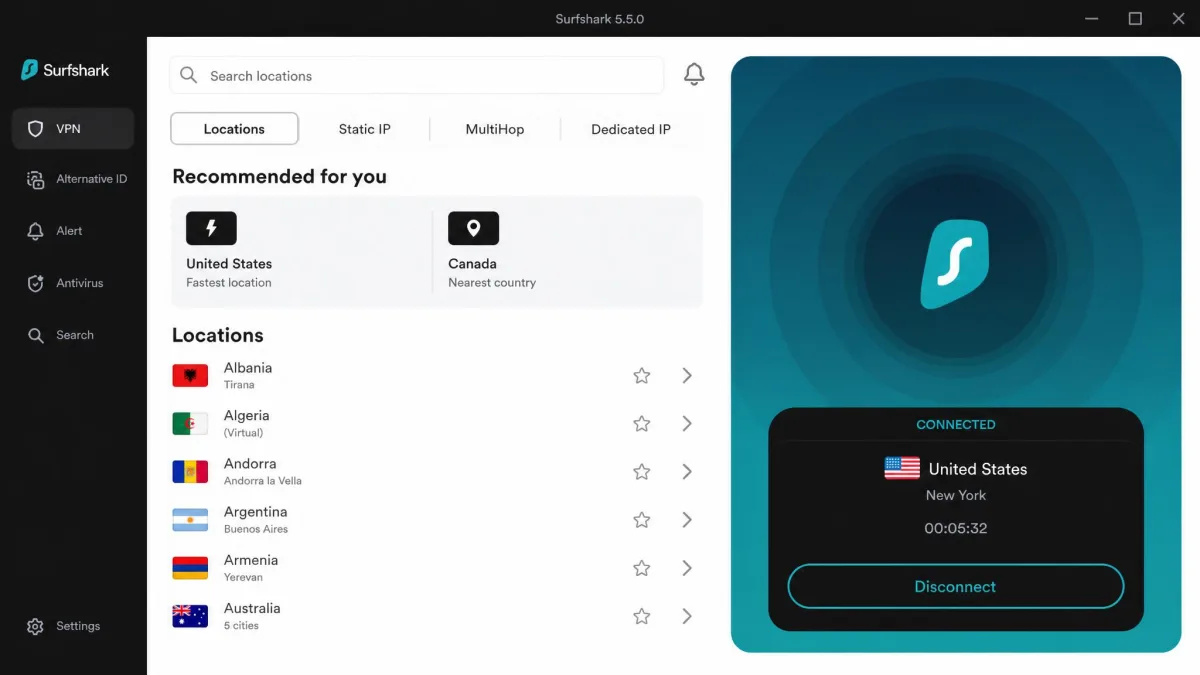
Unblocking was strong in our testing. Surfshark accessed all five of the Netflix regions we tested, and the picture held at 4K once a connection was up. The one thing to know is that its WireGuard connections can take two to five seconds or more to establish, so there is a short pause before you are on and streaming. During our sessions that pause was most noticeable on the first connection of the evening, and reconnecting to the same server later was usually quicker. It is a minor wait, not a dealbreaker, and it only happens at the moment you connect, not during playback.
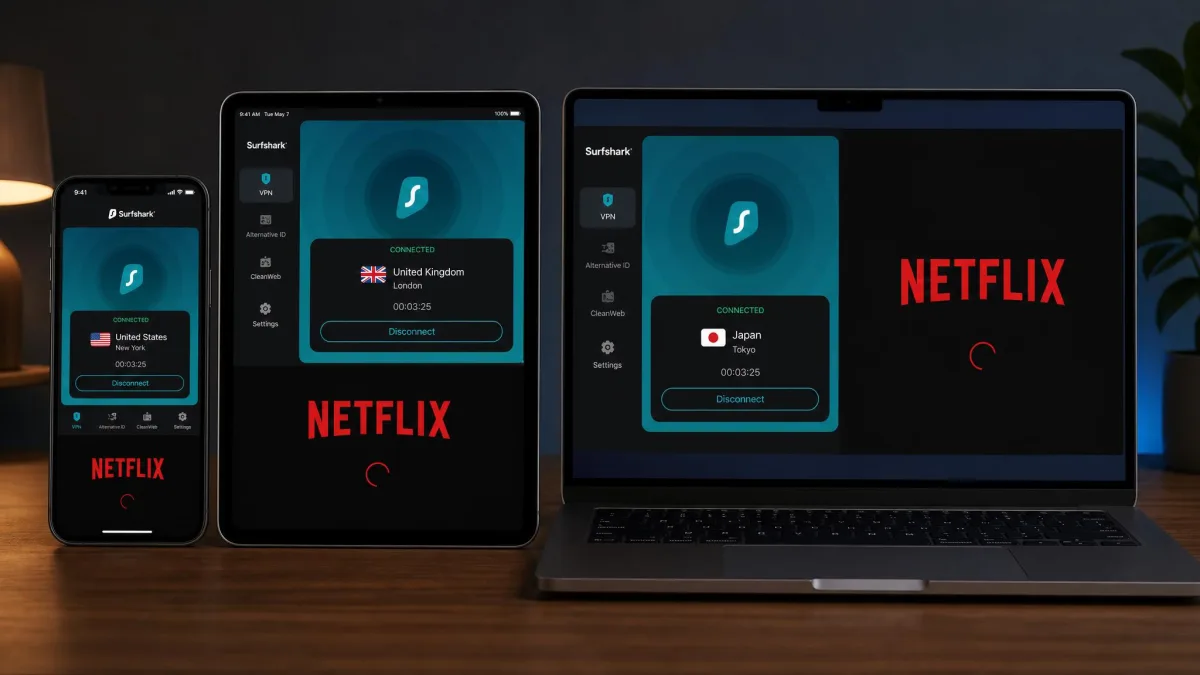
The value story is genuinely good, but with one asterisk. On the 2-year plan the Starter tier lands around $1.99 to $2.49 per month depending on the tier and any active coupon, which is among the cheapest reliable Netflix VPNs available. The month-to-month plan, on the other hand, is expensive, around $15.45, so the low headline price only applies if you commit to the long term. If you are unsure, the 30-day money-back guarantee lets you lock in the cheap plan and still get out if it does not suit you.
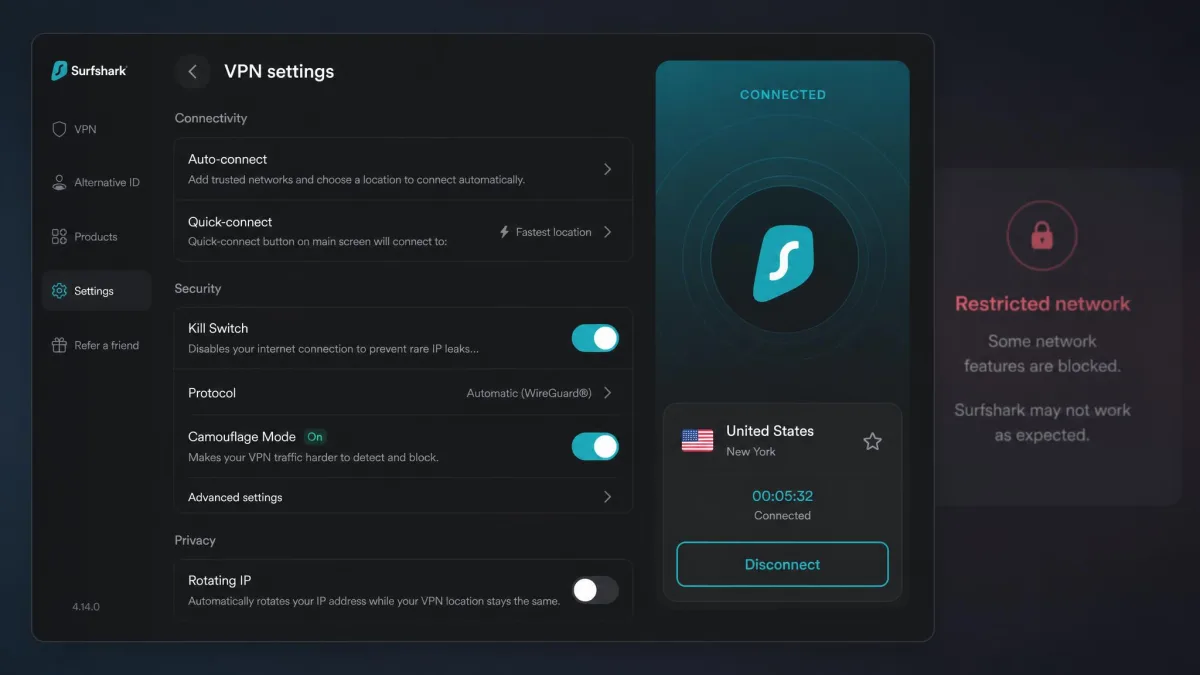
Features are more generous than the price suggests. Camouflage Mode obfuscation helped us get past restricted networks that otherwise detect a VPN, which is handy on a work or campus connection that blocks streaming. We turned it on when a locked-down guest network refused to load the app, and the connection went through where a plain WireGuard tunnel had failed. You also get CleanWeb ad and malware blocking, MultiHop for routing through two countries, and a kill switch. The apps cover every major platform, including Android, iOS, and smart TVs, and because connections are unlimited you never have to disconnect one device to free up a slot for another. During testing we kept a laptop on a US server and an Android phone on a UK server at the same time, and both streamed without either one dropping.
Pros
- Unlimited simultaneous connections on one account
- Unblocked all five Netflix regions we tested, at 4K
- Very low price on the long-term plan
- Camouflage Mode helps on networks that block VPNs
Cons
- WireGuard connections can take a few seconds to establish
- Month-to-month plan is expensive at around $15.45
If you want the most devices covered for the least money, Surfshark is the clear value winner. It gives up very little to the pricier services, and for a busy household the unlimited connections are worth more than a fractional speed edge.
Our full Surfshark review covers its privacy audits and speed numbers in detail.
3. ExpressVPN: Fastest and Most Reliable
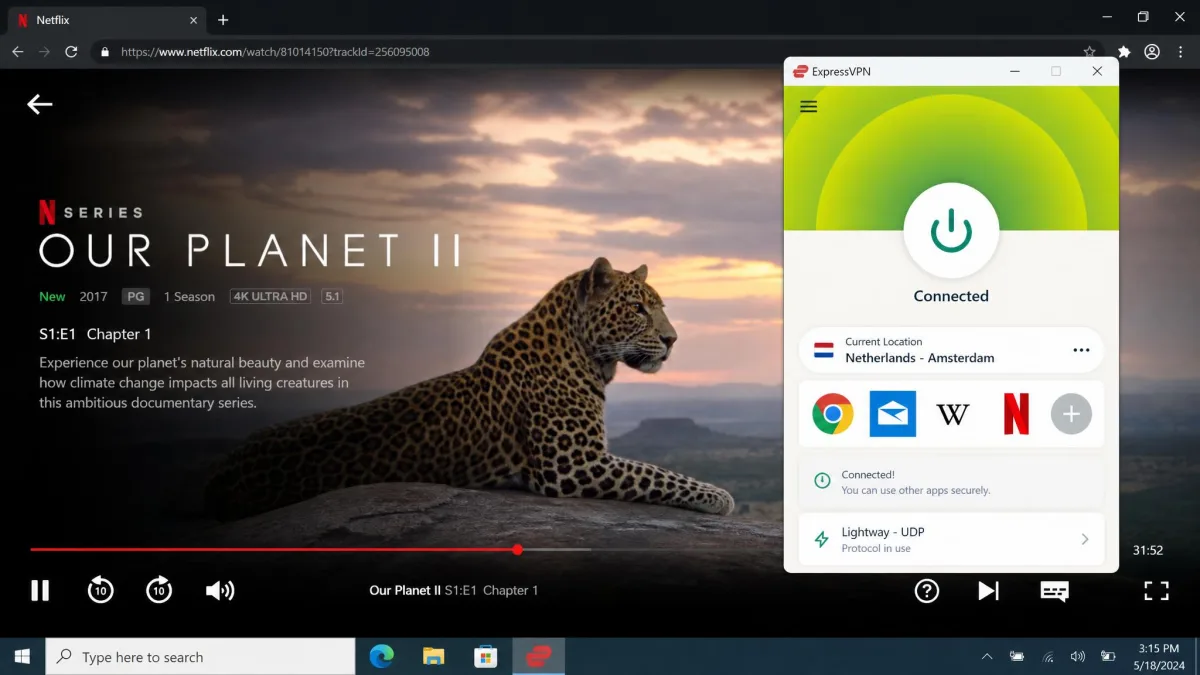
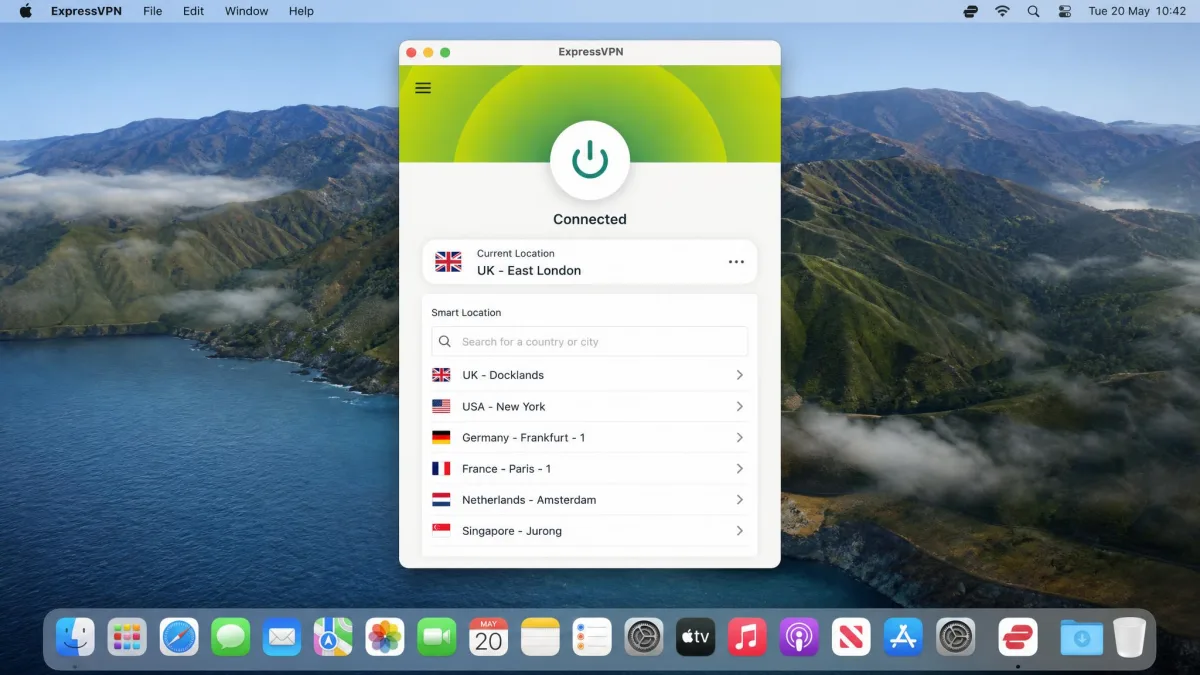
ExpressVPN has a reputation for simply working with Netflix when other VPNs fail, and our testing backed that up. It unblocked UK, Spain, Switzerland, Netherlands, and Germany without any issues, connecting cleanly and holding a steady stream. If you have been burned by VPNs that unblock one week and get detected the next, Express is the one that most consistently avoided that fate. Across our repeat runs it never once dropped us to the limited global catalog, which is more than we can say for most of the 20-plus services we tried.
It runs on its own Lightway protocol and TrustedServer infrastructure, where the servers run from RAM and wipe on every reboot. The company says it works with more than 100 streaming apps, and in practice it handled everything we pointed it at. Netflix titles did load a little longer than normal, but the wait was short and the picture stayed clean at 4K once it started. We tested the Netherlands and Switzerland servers back to back to see if either lagged, and both delivered the same tidy startup and steady playback.
The catch is price. ExpressVPN is pricey compared with VPNs offering similar features. It runs roughly $2.79 per month on a 2-year plan, though that figure varies across sources and plan tiers, so treat it as approximate and check the current rate before you buy. Simultaneous connections also depend on the plan, somewhere in the range of 8 to 12 devices, since the device limit has changed across recent plan revisions. There is a 30-day money-back guarantee, so you can test it against your own Netflix libraries risk-free.
Where Express earns its premium is in the small things. The app is one of the cleanest we used, the country list is quick to search, and the connection rarely dropped mid-stream. Its Aircove router hardware is an option if you want the whole home covered without configuring anything, and the wide streaming-app compatibility means one subscription reaches Netflix, Disney Plus, BBC iPlayer, and more. When we switched from a UK Netflix session straight over to BBC iPlayer on the same server, iPlayer loaded without needing a different address, which is exactly the kind of friction Express spares you. If the few dollars a month are worth a service that rarely makes you think about it, Express is the reliable choice.
Pros
- The most consistent unblocking in our tests, rarely detected
- Fast, clean 4K streaming on the Lightway protocol
- RAM-only TrustedServer network for stronger privacy
- Works with a very wide range of streaming apps
Cons
- More expensive than rivals with similar features
- Titles take slightly longer than normal to start
If reliability matters more to you than saving a few dollars, ExpressVPN is worth the premium. It is the VPN we would hand to someone who wants zero fuss and does not mind paying for it.
See our full ExpressVPN review for the complete speed and security picture.
4. Proton VPN: Best Privacy-First Pick
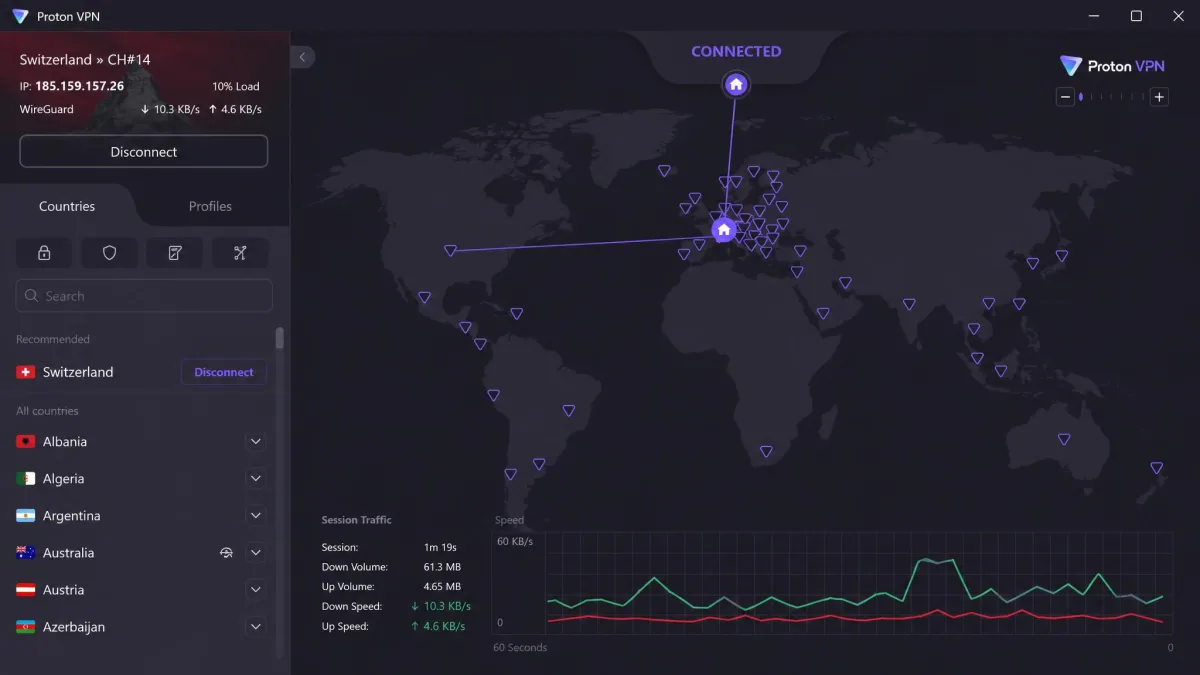
Proton VPN is the choice for people who put privacy first but still want to watch foreign Netflix. It is Swiss-based with an audited no-logs policy, open-source apps, and a Secure Core multi-hop feature that routes your traffic through privacy-friendly countries. None of that usually helps with streaming, but Proton pairs it with genuinely capable unblocking.
In our testing it reached Netflix US, UK, Japan, and around 20 other regional libraries while holding fast HD and 4K speeds. That is a wide spread of regions for a privacy-focused service, and the streams held up well. The Japan connection was the one we cared about most, since a lot of anime never leaves that catalog, and Proton loaded Netflix Japan cleanly and kept the picture sharp through a full episode. One practical note: Proton's support is email-based rather than live chat, so if you hit a snag, troubleshooting can be slower than with a service that offers instant chat. In our experience that only mattered on the rare occasion a server needed switching, which we could usually solve ourselves by picking another server in the same country.
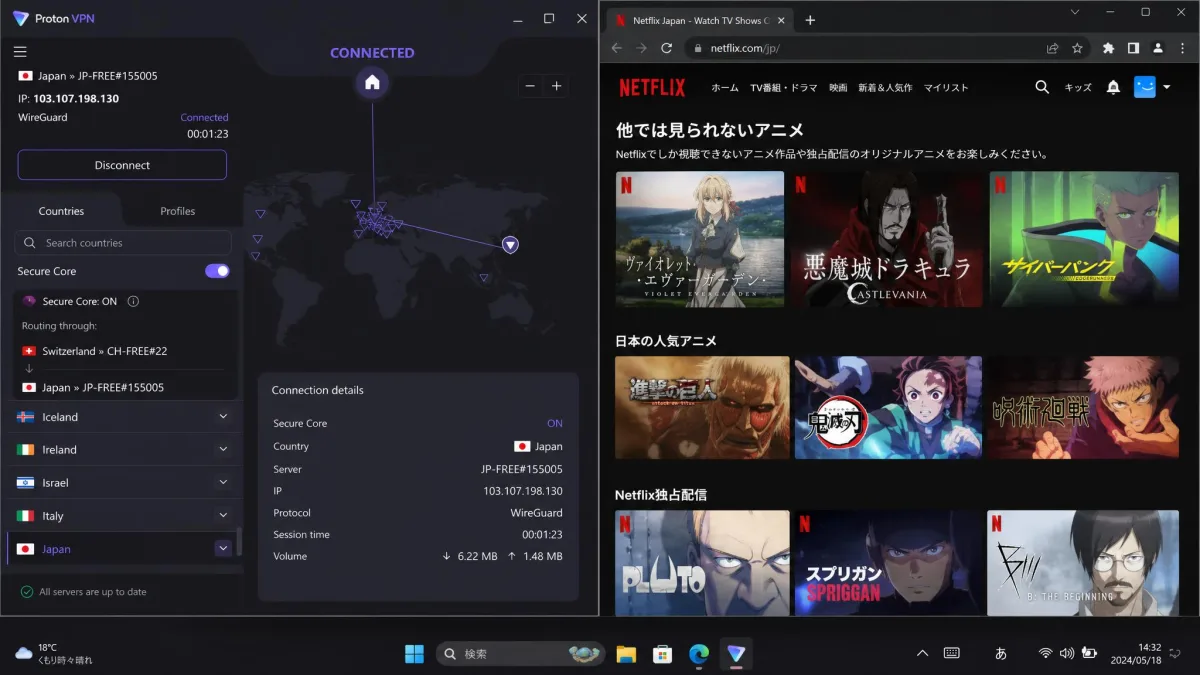
Proton does offer a free tier, and it is one of the better free VPNs for privacy, but it does not support streaming. Unblocking Netflix requires a paid plan. VPN Plus runs around $2.99 per month on the 2-year term, with pricing displayed dynamically and varying by term and region. Paid plans include 10 simultaneous connections, NetShield ad and malware blocking, and Profiles for automated connections. There is a 30-day money-back guarantee, prorated to what you have used.
The appeal here is the combination. Plenty of VPNs unblock Netflix, and plenty are privacy-focused, but few do both convincingly. Proton's open-source, independently audited apps give you a stronger reason to trust the service with your data, and the Secure Core option is there for sessions where privacy matters more than raw speed. We left Secure Core on for a UK stream to see whether the extra hop wrecked playback, and while the connection took a touch longer to establish, the picture still held in HD. For a viewer who wants both a wide catalog and a no-logs pedigree, Proton is the pick that does not force a choice between the two.
Pros
- Strong privacy: Swiss-based, audited no-logs, open-source apps
- Unblocked around 20-plus Netflix regions at HD and 4K
- 10 connections and NetShield ad blocking on paid plans
- Secure Core multi-hop for extra-sensitive sessions
Cons
- Free tier does not support streaming at all
- Email-only support slows down troubleshooting
If you want a VPN you can trust with your data that also handles Netflix well, Proton is the pick. It asks a little patience on support, but the privacy foundation is the strongest here.
Our full Proton VPN review digs into its audits and Secure Core network.
5. CyberGhost: Best for Local and Regional Libraries
CyberGhost takes the guesswork out of picking a server. It lists each streaming server by platform name right in the app, with labels like "For Netflix US" and "For BBC iPlayer", so you know exactly which server to connect to for the library you want. If you have ever cycled through five servers hoping one would unblock a region, this approach feels like a relief.
That labeling makes CyberGhost especially good for regional libraries and less technical users. You open the streaming section, find the country and platform you want, and connect. In our testing the streams were reliable and held at 4K. We connected to the labeled "For Netflix US" server and the American catalog loaded straight away, no address-guessing involved. As with any VPN, an individual streaming server can occasionally get detected by Netflix, and switching to another server in the same country usually fixed it within seconds. On the one occasion that happened during our sessions, a second US streaming server cleared the proxy error on the first attempt.
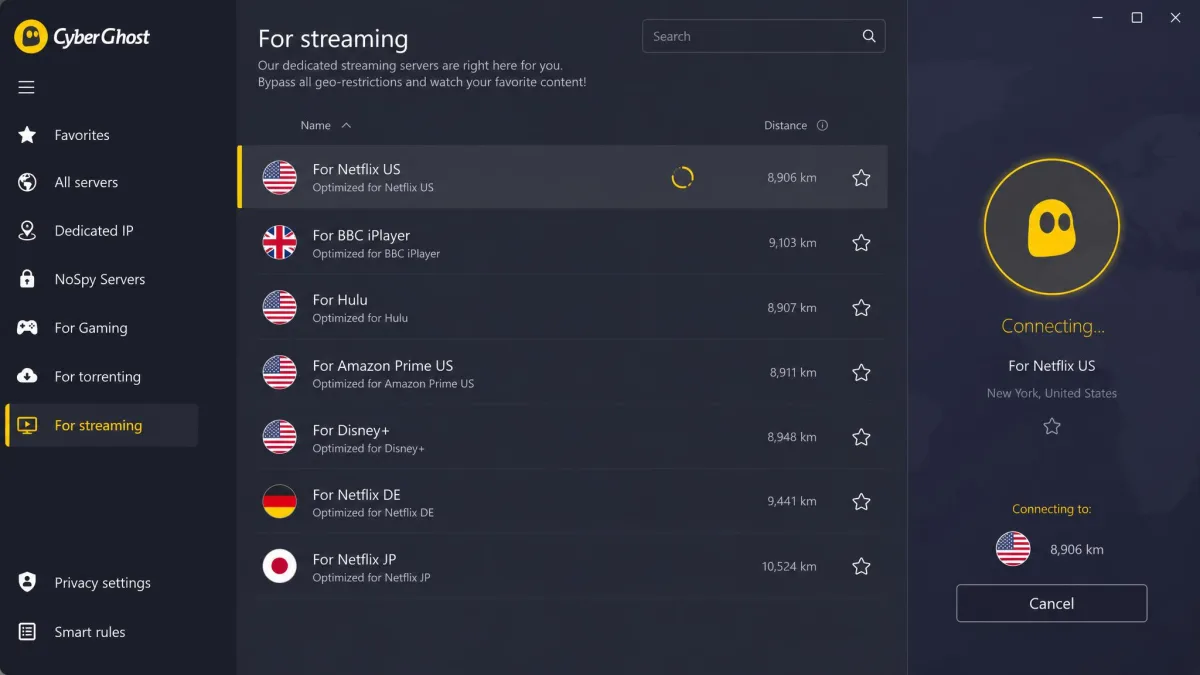
CyberGhost runs on WireGuard with a kill switch, an ad blocker, and NoSpy servers for extra privacy, across a large network of 11,500-plus servers, though vendor server counts drift over time. It allows 7 simultaneous connections, which is fewer than most rivals here but enough for a typical household. The price is around $2.19 per month on the 2-year plan, or $12.99 billed monthly. Its refund policy is the most generous of the group: a 45-day money-back guarantee on 6-month and longer plans, or 14 days on the monthly plan.
The dedicated streaming servers are the real reason to pick CyberGhost. On other VPNs you connect to a country and hope Netflix does not flag that address; on CyberGhost you connect to a server that is maintained specifically for a platform, which cuts down on the trial and error. That maintenance is what makes the difference on a less technical household member's laptop, where a labeled "For Netflix US" entry is far less intimidating than a raw list of numbered servers. It is the most beginner-friendly option we tested, and the long refund window gives you plenty of time to confirm it works with the exact libraries you care about before you commit.
Pros
- Streaming servers labeled by platform, so no guessing
- Reliable 4K streaming across regional libraries
- Generous 45-day money-back guarantee on longer plans
- Large server network with a dedicated ad blocker
Cons
- Only 7 simultaneous connections
- Occasional server gets detected and needs a switch
For anyone who wants the simplest path to a specific regional library, CyberGhost is the friendliest option. The labeled servers turn what can be a fiddly process into a two-click job.
Read our full CyberGhost review for its privacy history and speed results.
How We Picked and Tested These Netflix VPNs
We started with more than 20 VPNs that market themselves as streaming-friendly and put each one through the same hands-on process on our own test machines. We licensed every service ourselves rather than relying on vendor-supplied accounts, so nothing was tuned for a reviewer. Testing ran across Windows, macOS, and Android so we could see how the apps behaved on the platforms most people actually stream on.
The core test was unblocking. On each VPN we connected to the same set of countries, including the UK, Spain, Germany, Switzerland, the Netherlands, Japan, Canada, and Australia, then opened Netflix and tried to play a title exclusive to that region. A pass meant the foreign library loaded and a region-locked show actually played, not just that the homepage appeared. We repeated failed connections on a second server in the same country before marking a VPN down, because a single detected server does not condemn the whole service.
Speed was the second pillar. We measured download speeds against a baseline with the VPN off, then streamed 4K titles to confirm the picture held without buffering. A VPN that unblocks a library but delivers a stuttering 480p stream is not a Netflix VPN in any useful sense, so both had to pass. We also watched how long titles took to start, since a few extra seconds of load time is a normal cost of a VPN but a full minute of buffering is not.
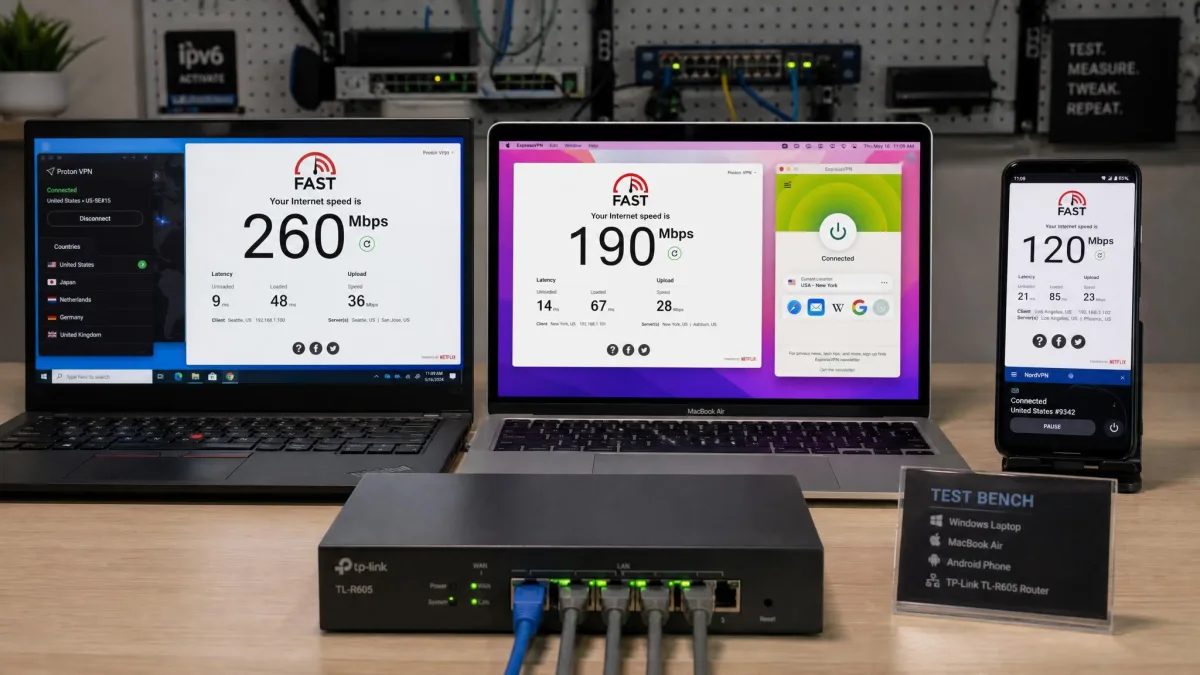
We also weighed the practical details that shape daily use: how many devices you can connect at once, whether there are apps for the platforms you own, the price on both monthly and long-term plans, and the length of the money-back guarantee. Support quality mattered too, since a VPN that occasionally needs a server switch is far easier to live with when help is a click away. We noted which services offer live chat and which rely on email, because that difference shows up the moment something goes wrong.
Repeat testing was the part that separated the pretenders from the picks. We did not judge a VPN on a single evening. We re-ran the unblocking tests on separate days across the test window, connecting to the same UK, Germany, and Japan servers on a first night, then coming back two and four days later to see whether Netflix had caught up with any of the addresses. A service that unblocked five regions on Monday and dropped two of them to the limited global catalog by Thursday did not make the list. All five of our final picks held their libraries across those repeat runs, which is exactly why they rank where they do.
When you test a VPN against Netflix yourself, always try a second server in the same country before giving up. Netflix blocks individual server addresses, not entire VPNs, so the next server along often works instantly.
Finally, we scored each VPN on how it balanced all of this. The rankings above reflect Netflix performance specifically. A VPN can be excellent for privacy or torrenting and still land differently here, which is why our order is built around unblocking reliability and streaming speed first. A VPN that works once and fails the next evening is no use to anyone who actually wants to finish a series, so consistency across the week carried as much weight as the first-night result.
What Is a Netflix VPN and Why You Need One
A VPN, or virtual private network, routes your internet connection through a server in another location and gives you that server's IP address. To Netflix, your connection appears to come from wherever that server sits. Connect to a server in London and Netflix treats you as a UK viewer; connect to Tokyo and you see the Japanese catalog. That is the whole trick behind unblocking foreign libraries. If you want the basics, our explainer on what a VPN is and how a VPN works covers the fundamentals.
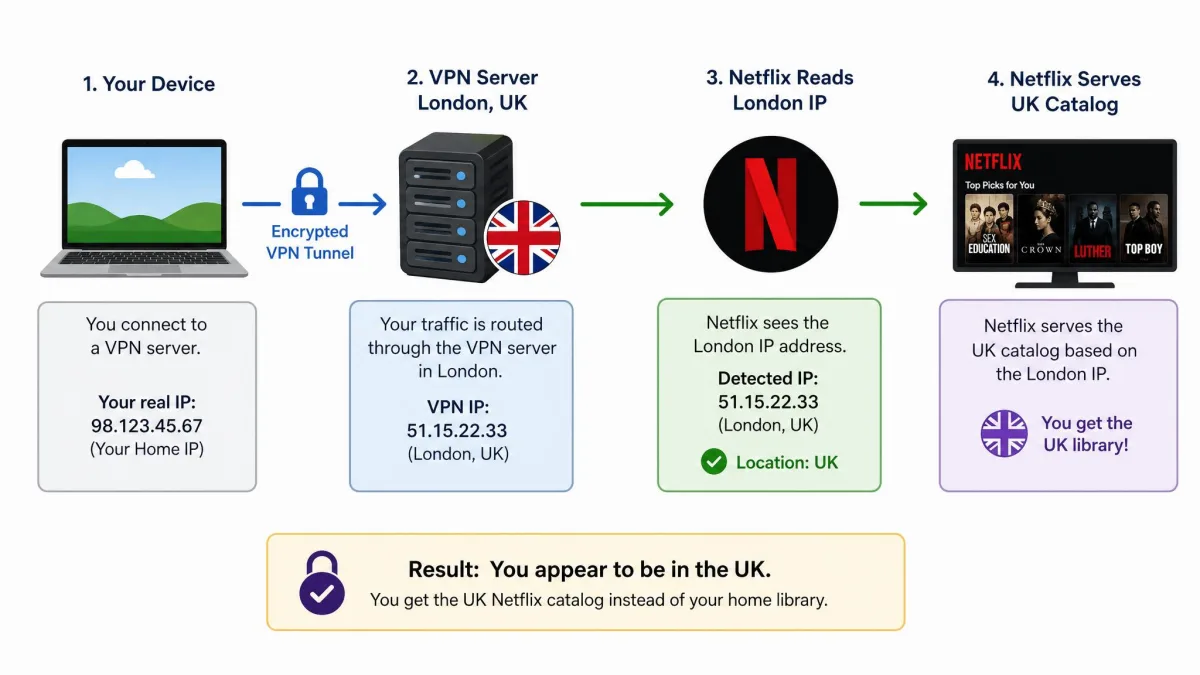
The reason you need one comes down to how different each country's Netflix is. Every region has its own catalog, and the gap is large. Netflix's total worldwide library runs into the thousands of titles, but no single country sees all of them, as this Netflix library-size data shows. A show streaming in the UK may be missing in the US, and a film in Canada may never appear in Australia. A VPN lets you cross those borders and watch what you are paying for, wherever it happens to be licensed.
There is a second, quieter benefit. A VPN encrypts your connection, which keeps your internet provider from seeing what you stream and can stop the throttling some providers apply to video traffic. If your Netflix buffers every evening at peak time, an encrypted connection sometimes smooths it out. Security and privacy are the foundation VPNs were built on, and streaming access is the feature that brought most people to them.
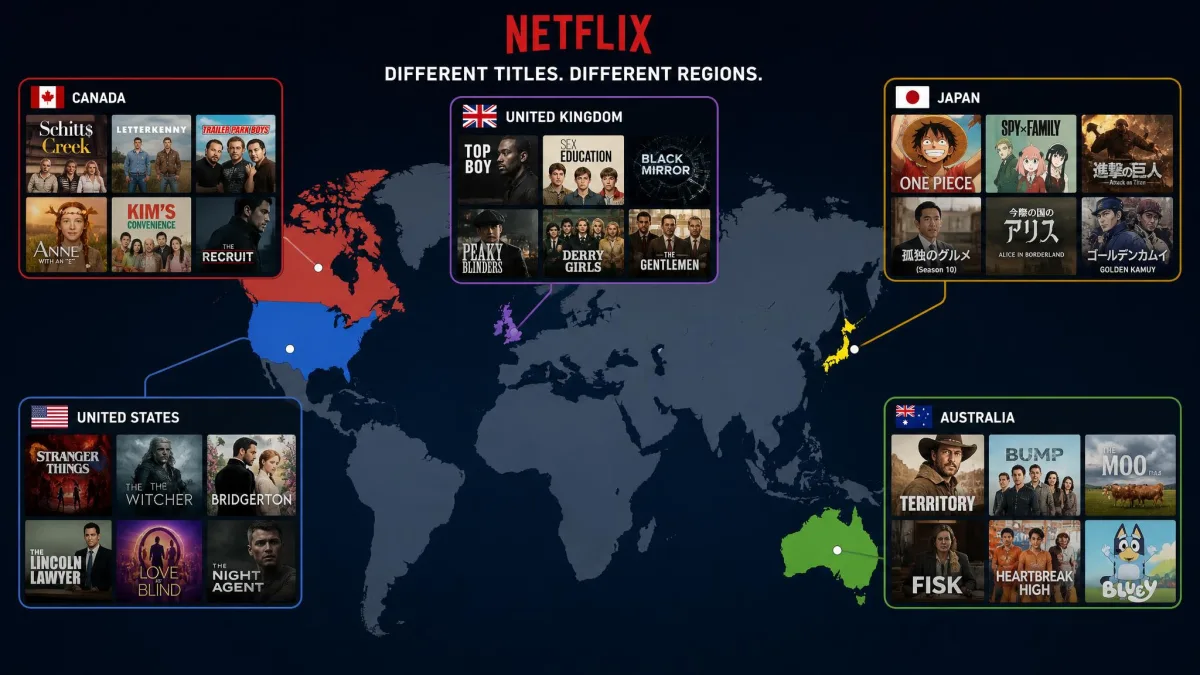
The case for a Netflix VPN gets stronger the more you travel or the more your tastes cross borders. Fans of British dramas, Japanese anime, or Korean series quickly learn that the best catalog for a given genre is often not the one in their home country. A VPN turns your single subscription into a passport to all of them, and because the same tool covers Android, your laptop, and often your TV, you carry that access wherever you go.
A VPN does not give you a second Netflix subscription. You still log in with your own account, and you still need an active Netflix plan. The VPN only changes which country's catalog you see.
Why Netflix Blocks VPNs (Region Licensing Explained)
Netflix does not block VPNs to be difficult. It blocks them because of licensing. When Netflix acquires a show or film, it buys the streaming rights for specific countries, not the whole world. A studio might sell the US rights to Netflix and the UK rights to someone else. To honor those deals, Netflix has to show each viewer only the titles licensed for their location, and it uses your IP address to work out where you are.
A VPN breaks that assumption by making you look like you are somewhere else, so Netflix actively works to detect and block VPN traffic. Its VPN and proxy policy restricts using a VPN to bypass regional licensing. When Netflix spots a connection it believes is a VPN, it does not ban your account. Instead it falls back to showing only the limited global catalog, the small set of Netflix Originals available everywhere, or it throws the m7111-5059 proxy error.
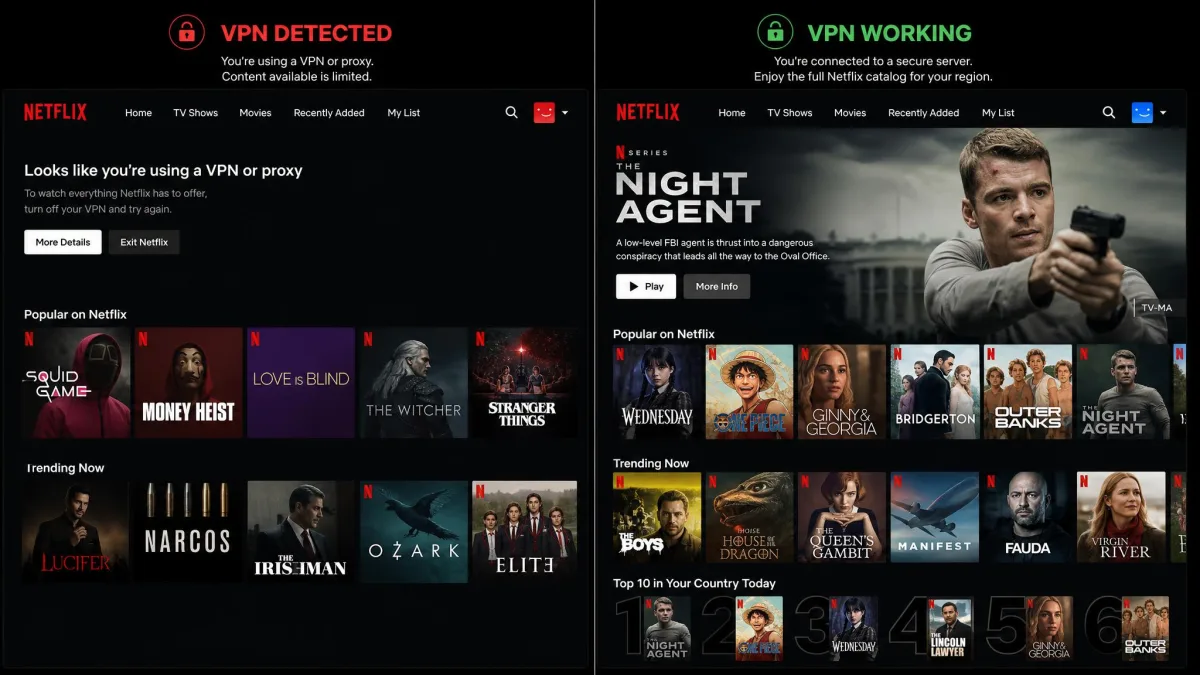
The detection itself is mostly about IP addresses. Netflix keeps lists of address ranges known to belong to data centers and VPN providers, and it blocks streaming from them. This is why VPNs and Netflix are locked in a constant back-and-forth: the VPN rotates in fresh addresses, Netflix flags the ones it detects, and the cycle repeats. The best VPNs win this game by cycling addresses faster than Netflix can block them, which is exactly what separated our five picks from the 15-plus services that failed.
Netflix does not block VPNs to punish you. It blocks them to honor licensing deals, which is why the fight is really about IP addresses, and why the fastest-rotating VPNs win it.
Understanding this also explains why no VPN can promise 100% uptime with every library forever. A server that works today can be flagged next week. What you are really buying with a top Netflix VPN is a provider that stays ahead of the blocks and swaps in working servers quickly. That is a matter of scale and investment, and it is the main reason a well-resourced paid service beats a free one that cannot afford to keep replacing detected addresses.
How to Unblock Foreign Netflix Libraries with a VPN (Setup Steps)
Getting a foreign Netflix library open is straightforward once you know the steps. The process is the same on a laptop, phone, or streaming device, with only small differences in where you tap. If you are new to this, our guides on how to get a VPN and how to use a VPN walk through the basics in more depth.
Start by choosing one of the VPNs above and signing up for a plan. Then download the app for your device. Every pick here has apps for Windows, macOS, Android, and iOS, and most also offer smart TV and router support. Install it, sign in with the account you just created, and grant the permissions it asks for so the connection can route through the app. On Android, that includes a one-time prompt to allow the VPN connection, which you accept once and then forget about.
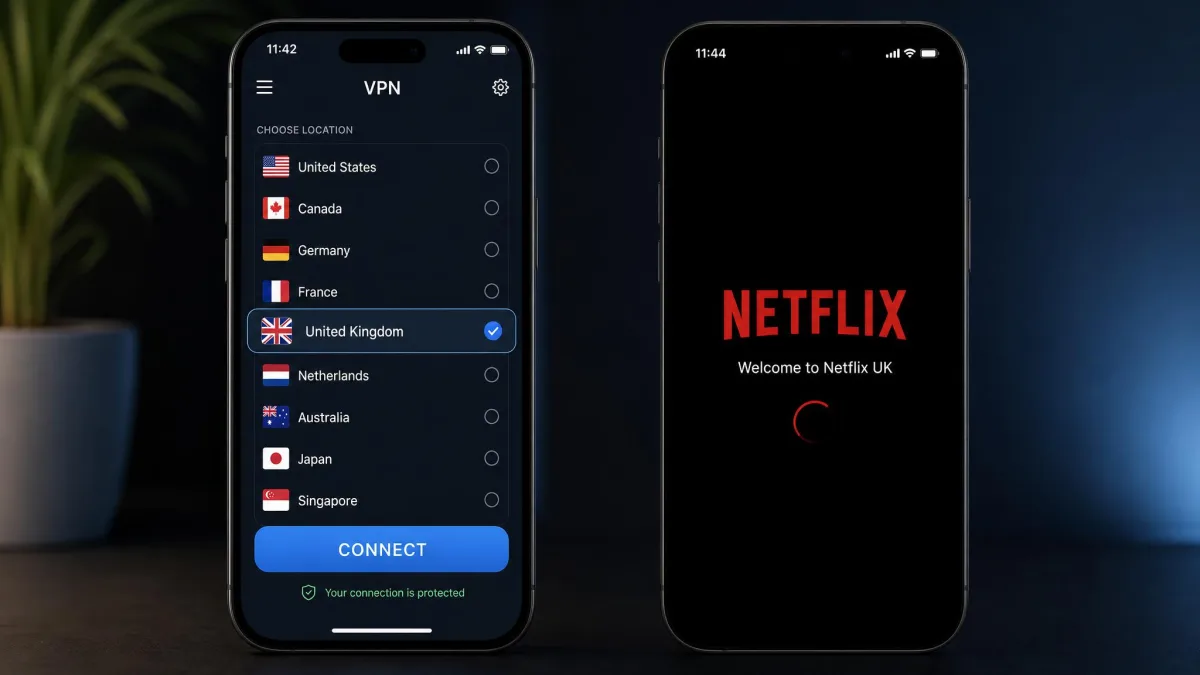
Next, connect to a server in the country whose Netflix library you want. If you want UK shows, pick a UK server; for Japanese titles, pick Japan. On CyberGhost, look for the streaming server labeled for the platform, like "For Netflix US". Once the app confirms it is connected, open Netflix, and you should see that country's catalog. Play a title that is exclusive to the region to confirm it is really working, not just showing the homepage.
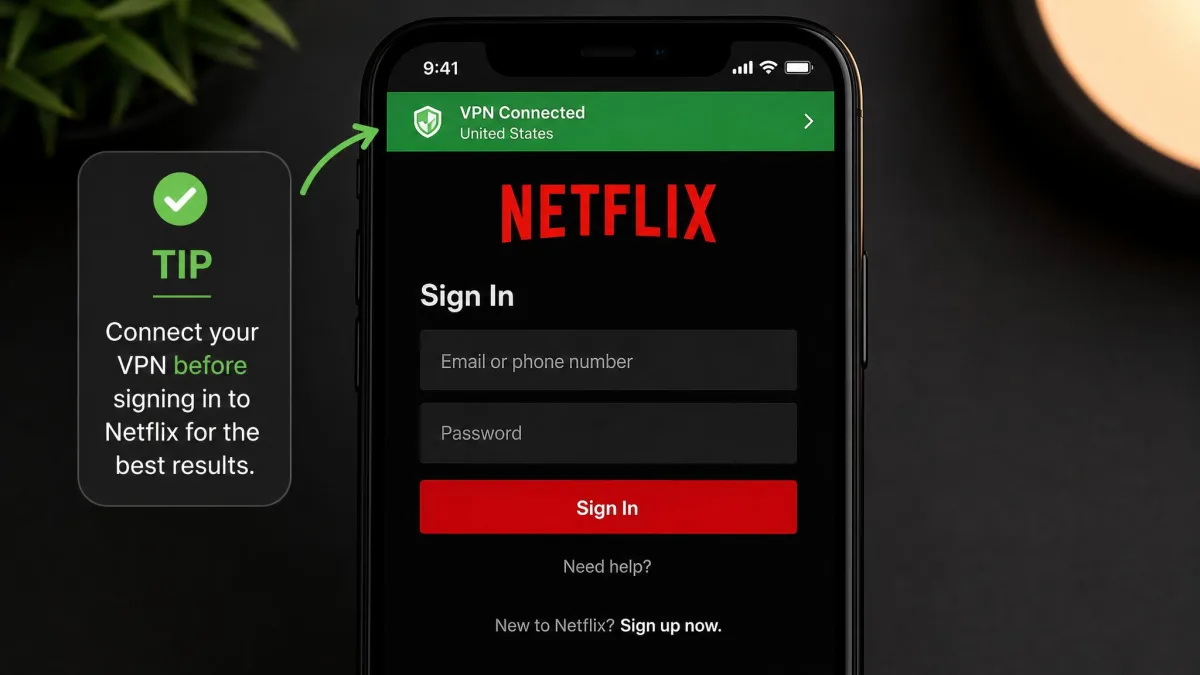
A few small habits make this smoother. Log into Netflix after you connect the VPN, not before, so the app reads your new location from the start. If a library does not switch, refresh the Netflix page or restart the app. And if you are using a browser, clearing cookies or opening a private window can stop Netflix from remembering your real region. These are the same details that separate a five-second setup from ten minutes of frustration, so they are worth building into your routine.
For the smoothest results on a smart TV that will not run a VPN app, install the VPN on your router instead. Every device on your network then routes through the VPN automatically, including the TV, game console, and streaming stick.
Once you have done this a couple of times it becomes second nature. Pick a country, connect, open Netflix, press play. The whole thing takes under a minute with any of our picks, and the labeled servers on CyberGhost make it faster still because you are not guessing which address Netflix will accept.
VPN Not Working With Netflix? Easy Fixes
Even the best VPN occasionally hits a wall with Netflix, usually because a specific server address got flagged. The good news is that almost every failure has a quick fix, and you rarely need to contact support. Here is what to try, roughly in the order we try them ourselves.
First, switch servers. Netflix blocks individual server addresses, not the whole VPN, so connecting to a different server in the same country usually clears the problem right away. This one step resolves the large majority of Netflix VPN failures. If your VPN has multiple servers for a region, work through a couple of them before you try anything more involved. On CyberGhost this is even simpler, because you can hop between the platform-labeled streaming servers; when one "For Netflix US" server was flagged during our testing, the next one on the list cleared the error immediately.
Second, clear your browser cache and cookies, or open Netflix in a private or incognito window. Netflix stores location data locally, and stale cookies can keep showing your real region even after the VPN is connected. On a phone or TV app, force-close Netflix and reopen it after the VPN is connected so it reads your new location fresh. On Android specifically, it helps to clear the Netflix app's cache from the app settings, since the mobile app is more stubborn about holding onto your old region than a browser is.
If Netflix shows only a handful of familiar Originals and nothing region-specific, that is the limited global catalog, a sign your VPN is detected. Switching servers is the fix. Do not assume the whole VPN has stopped working after one bad server.
Third, confirm there are no leaks. A DNS or IP leak can reveal your true location even with the VPN on. Most of our picks have a built-in kill switch and leak protection, so make sure those are enabled in the settings. If problems persist, updating the app or reinstalling it clears out a surprising number of stubborn glitches. It is also worth checking that you are on the fastest protocol, usually WireGuard or the provider's own version of it, since an older protocol can be both slower and easier to detect. On a smart TV or streaming stick, where you cannot always change the protocol, connecting through a router running the VPN sidesteps the problem entirely.
If none of that works, that is when support earns its keep. Services with live chat, like NordVPN and ExpressVPN, can often point you to a working streaming server in seconds. Proton VPN's email-only support means a slower turnaround, so lean harder on the server-switching step there, since you can usually solve a flagged Japan or UK server yourself before an email reply even arrives. For more on connection problems generally, our list of unblocked VPN sites and fixes has additional troubleshooting.
Can You Use a Free VPN for Netflix?
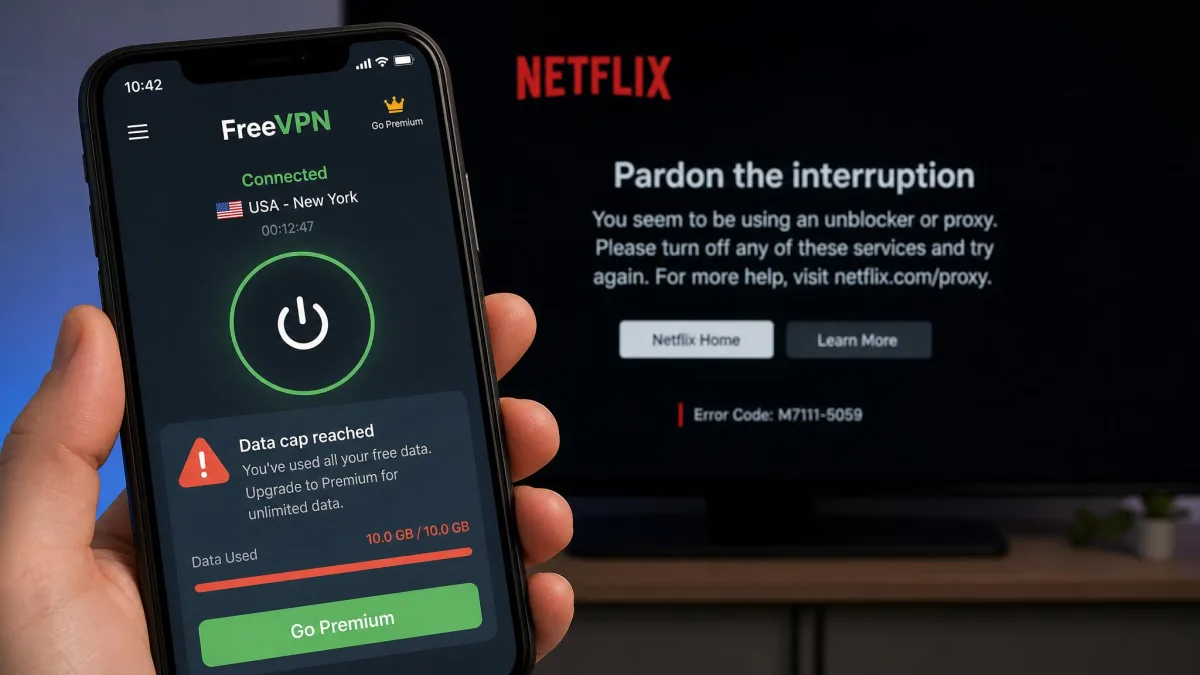
The honest answer is that free VPNs rarely work well with Netflix, and we do not recommend relying on one. Free services are the first addresses Netflix blocks, because so many people use them, so any unblocking tends to be short-lived. They also cap your speed and data, which is a poor match for HD video that can burn through a gigabyte in under an hour.
There is a security angle too. Many free VPNs make their money from your data, logging your activity or injecting ads, which defeats the privacy reason to use a VPN in the first place. If a service is free and asks for nothing, your browsing is often the product being sold. For streaming, that trade-off is rarely worth it, and the risk to your data is real enough that we would steer clear even if the unblocking worked.
Proton VPN is the notable name with a respected free tier, and it is genuinely good for privacy, but even Proton's free plan does not support streaming. To unblock Netflix on Proton you need a paid plan. That pattern holds across the industry: the free tiers that are safe to use are not built for Netflix, and the free tiers that promise streaming are usually the ones to avoid.
The best free way to try a Netflix VPN is a paid one with a money-back guarantee. Every pick here offers at least 30 days, and CyberGhost gives 45 on longer plans, so you can test it against your libraries and get a full refund if it does not deliver.
Our advice is simple: if Netflix access is the goal, use one of the paid picks above and lean on the refund window to test it. You get reliable unblocking, full speed for 4K, and real privacy, which no free option delivers all at once. Spread across a year, the best long-term plans cost only a few dollars a month, less than a single cinema ticket, for access to most of the world's Netflix catalog.
Do These VPNs Work With Other Streaming Services?
Netflix is the hardest streaming service to unblock, so a VPN that handles it well usually handles everything else with room to spare. All five of our picks reach far beyond Netflix, and if you juggle several subscriptions, that breadth adds real value to a single plan.
BBC iPlayer is a common second target, and it is notoriously strict about location. Our picks connect to UK servers that reach iPlayer, and CyberGhost even labels a dedicated "For BBC iPlayer" server to make it obvious. On ExpressVPN we jumped from a UK Netflix session to iPlayer on the same server and it loaded without a fresh connection, which is the kind of convenience that matters if you follow British shows across both platforms. Disney Plus, with its own region-locked catalogs, unblocked cleanly on all five in our checks, as did Amazon Prime Video and Hulu. If you split time between a US and a UK or Australia catalog, one VPN covers the lot.
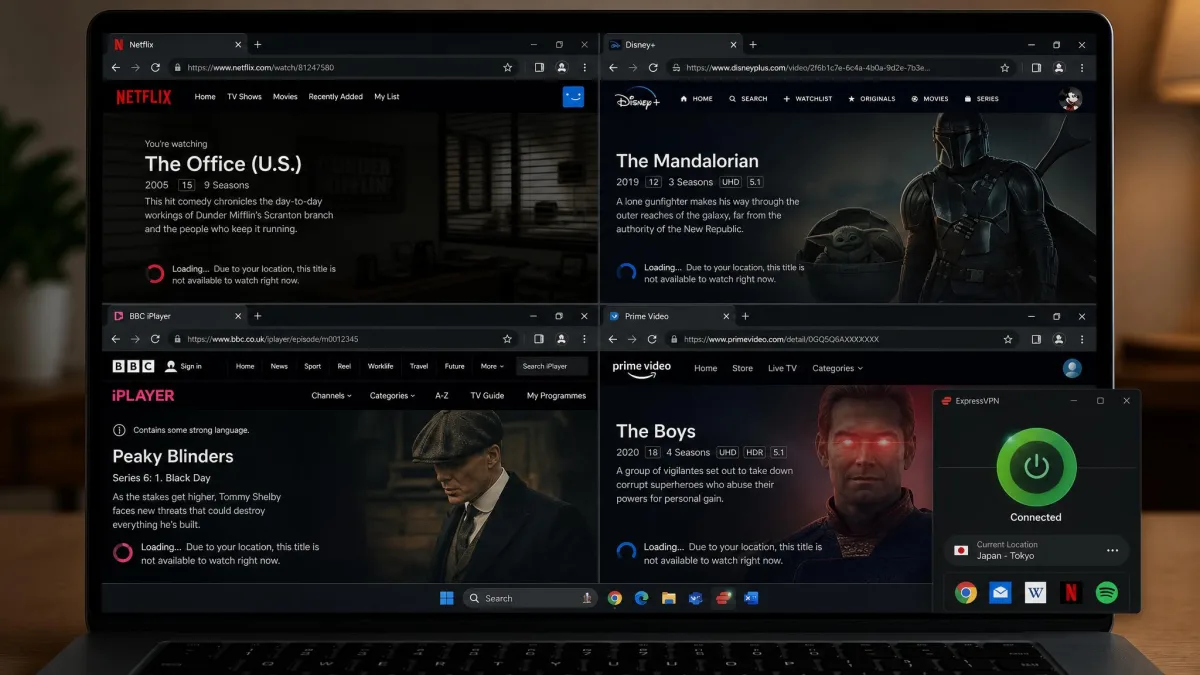
Sports and regional services are where the labeled-server approach shines. CyberGhost and NordVPN both make it easy to find servers optimized for specific platforms, which cuts down on trial and error. ExpressVPN's claim of working with more than 100 streaming apps held up in practice, and Surfshark's unlimited connections mean you can keep different devices pointed at different services at the same time. That is genuinely useful in a shared home where one person wants BBC iPlayer on the TV while another streams Disney Plus on a tablet. During testing we had a Surfshark session running a US Prime Video library on a laptop while an Android phone stayed on a UK server for iPlayer, and neither one interfered with the other.
The short version is that any of these five doubles as an all-round streaming VPN. Because they clear Netflix, the toughest gatekeeper, the softer targets like Disney Plus and Prime Video fall into place. That makes the subscription easier to justify: you are not buying a Netflix tool, you are buying access to most of the world's streaming libraries on your Android phone, laptop, and TV alike.
It is also worth knowing where the limits are. Some services, like a handful of live sports platforms, tie your account to a billing address rather than just an IP, so a VPN alone will not always unlock them. For the mainstream on-demand catalogs most people care about, though, our five picks were reliable across the test window, and switching between a Disney Plus library in one country and a Netflix library in another was as simple as changing servers.
The Bottom Line: Best VPN for Netflix
After testing more than 20 services against real libraries, the pattern was clear. A handful of VPNs unblock Netflix reliably at full speed, and most do not. Our five picks all deliver, but they suit different priorities: value, reliability, privacy, or simplicity.
NordVPN is the one we recommend to most people. It unblocked every region we tested on the first try, held speeds around 218 Mbps for smooth 4K, and covers 10 devices with apps for every platform. Surfshark wins on value and unlimited connections, ExpressVPN on sheer reliability, Proton VPN on privacy, and CyberGhost on its labeled streaming servers. Any of them will get foreign Netflix working, so the right choice comes down to which of those strengths matters most to you.
Whichever you pick, the money-back guarantee is your safety net. Sign up, test it against the exact libraries you care about over a few evenings, and keep it only if it delivers. That way the decision costs you nothing to try, and you end up with a VPN you have actually confirmed works for your Netflix, not one that looked good on paper.