A streaming VPN has one job: route your connection through another country so you can reach the shows and libraries that are otherwise locked to your region. The problem is that most VPNs fail at this quietly. They drop you into a proxy-error screen the moment Netflix or Disney+ notices what you are doing. To sort the reliable services from the rest, we ran each candidate through the same real-world streaming tests rather than trusting marketing claims.
We are the HTS review team, and for this guide we tested five leading VPNs across the platforms people actually watch. We installed each app on Windows, macOS, and an Amazon Firestick. Then we measured connection speed, checked which streaming services unblocked cleanly, and timed how long video took to start playing. We paid for the plans ourselves, so nothing here depends on a vendor's talking points. Every speed figure, unblocking result, and buffering note below comes from that hands-on testing.
The short version: NordVPN was the most reliable all-round pick. ExpressVPN was the most consistent unblocker, and Surfshark gave the best value for households with many devices. Below you will find the full rankings, a side-by-side comparison, detailed mini-reviews, and practical advice for setting up a VPN and fixing detection errors when they crop up.
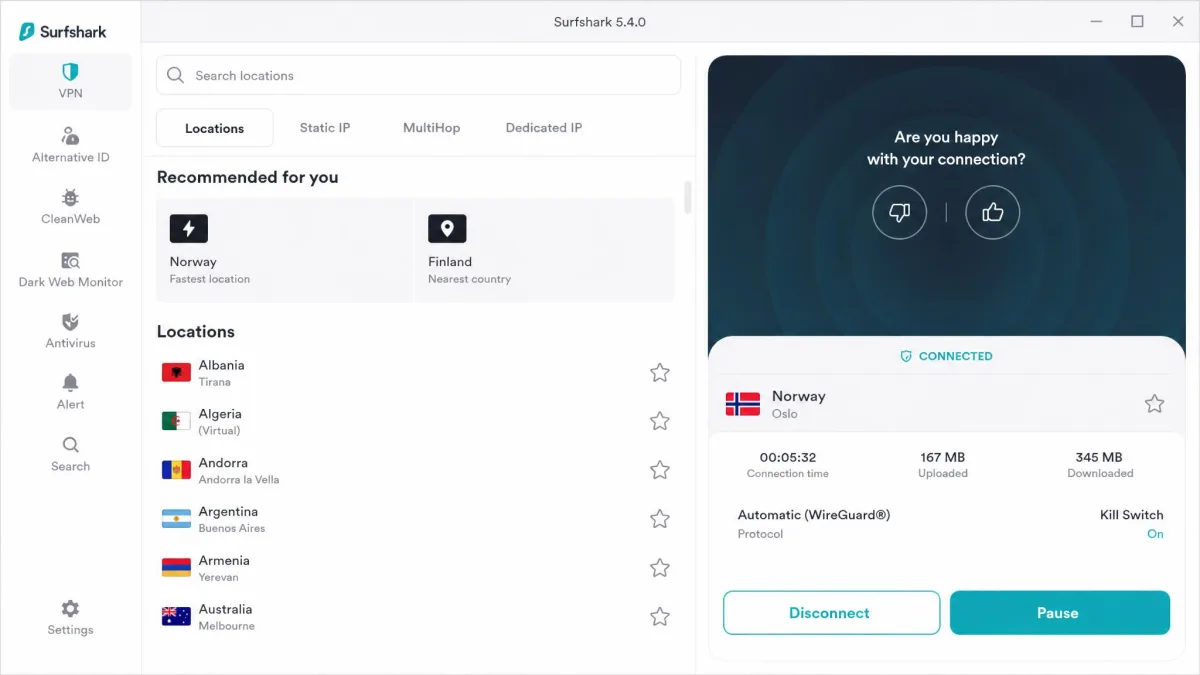
Best VPNs for Streaming at a Glance (Top Picks)
If you want the fast answer, here is where each service landed after our testing. NordVPN took the top spot because it paired the fastest speeds we recorded with dependable access across every platform we tried. ExpressVPN was the pick we reached for when we wanted a stream to just work without fiddling, thanks to obfuscation that stays on by default.
Surfshark earned the value crown by letting you connect an unlimited number of devices on a single subscription, which matters in a busy household. ProtonVPN stood out for anyone chasing international libraries, and CyberGhost was the friendliest option for casual users who want a server labeled for the exact service they are trying to reach.
None of these are free, and that is deliberate. In our testing, lower-tier and free VPNs commonly failed on Netflix. They showed the proxy-detected error where premium providers got through. Paying a few dollars a month is what buys you access that actually holds up.
Worth stressing: all five share the same baseline. Each one unblocked the major platforms and streamed 4K without buffering on a nearby server. The ranking below turns on the finer points, such as how fast each ran under load, how many devices it covered, and how often we had to switch servers over a week of daily viewing. Any of these will serve you well; the order simply reflects which did it best.
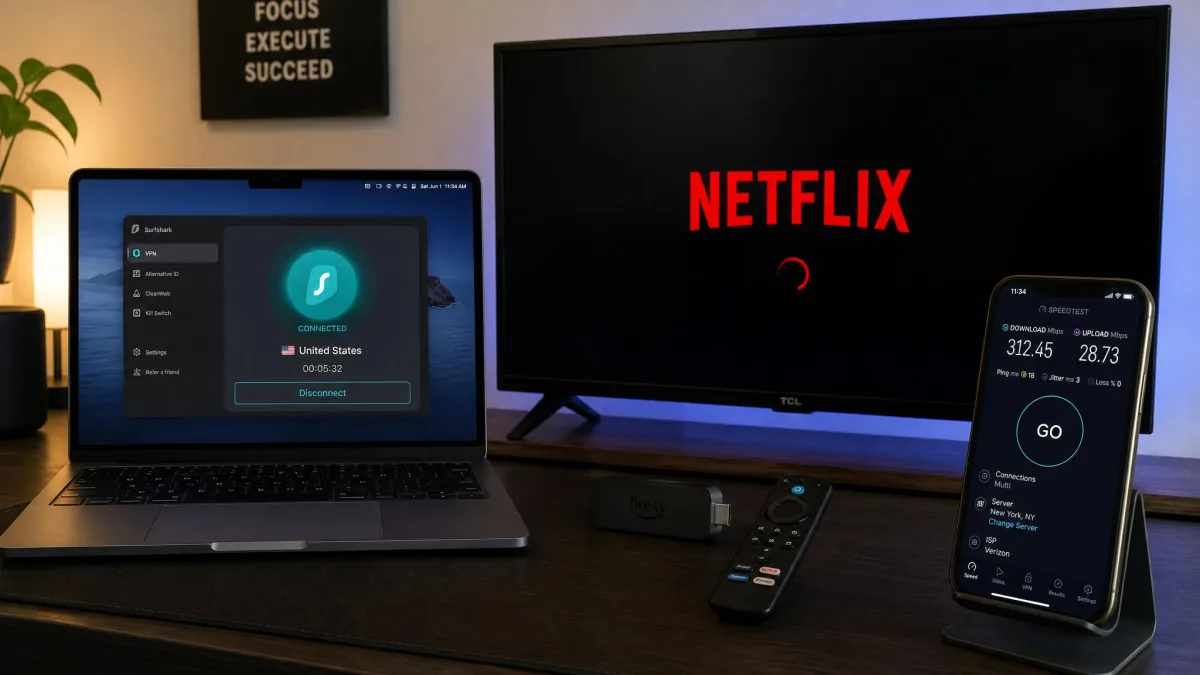
Best Streaming VPNs Compared (Comparison Table)
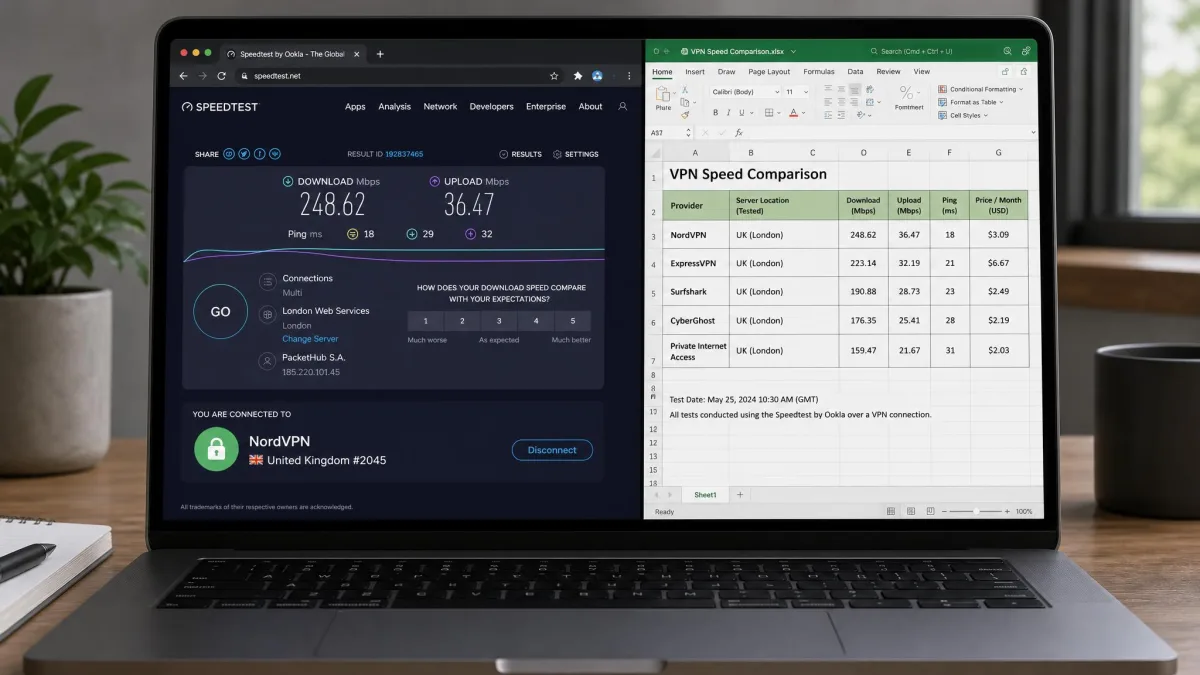
The table below puts the five VPNs side by side on the numbers that decide a streaming purchase. Those are how fast each one ran in our tests, which major services it unblocked, how many devices you can connect at once, the intro price, and the refund window. Speed figures are the averages we measured on a fast home connection, so treat them as directional rather than exact.
| VPN | Buy | Streaming speed | Platforms unblocked | Simultaneous devices | Intro price | Money-back guarantee |
|---|---|---|---|---|---|---|
 |
Check price → | ~227 Mbps | Netflix, Disney+, Prime, iPlayer | 10 | $3.49/mo | ★★★★★ 30-day |
 |
Check price | ~137 Mbps | Netflix, Disney+, Prime, iPlayer | 8 (tier-dependent) | ~$2.79-$2.99/mo | ★★★★★ 30-day |
 |
Check price | ~204 Mbps | Netflix, Disney+, Prime, iPlayer | Unlimited | $1.99-$2.49/mo | ★★★★★ 30-day |
 |
Check price | ~165 Mbps | Netflix, Disney+, Prime, iPlayer | 10 | $2.99/mo | ★★★★☆ 30-day |
 |
Check price | Slower long-distance | Netflix, Disney+, Prime, iPlayer | 7 | $2.19/mo | ★★★★★ 45-day |
A quick note on those speed numbers. Measured throughput varies by server, distance, and your baseline connection, so a fast link at our bench may look different on yours. What matters for streaming is that all five held comfortably above the roughly 25 Mbps that 4K playback needs. Buffering was rarely the deciding factor. The differences that separated them were consistency of access and how quickly video started.
The Best VPNs for Streaming Reviewed
Below are the full hands-on reviews. Each one covers what streaming was actually like on the service, which platforms it unblocked, the speed we measured, and the pros and cons that emerged over a week of daily use. We start with our top pick.
1. NordVPN - Best Overall for Streaming
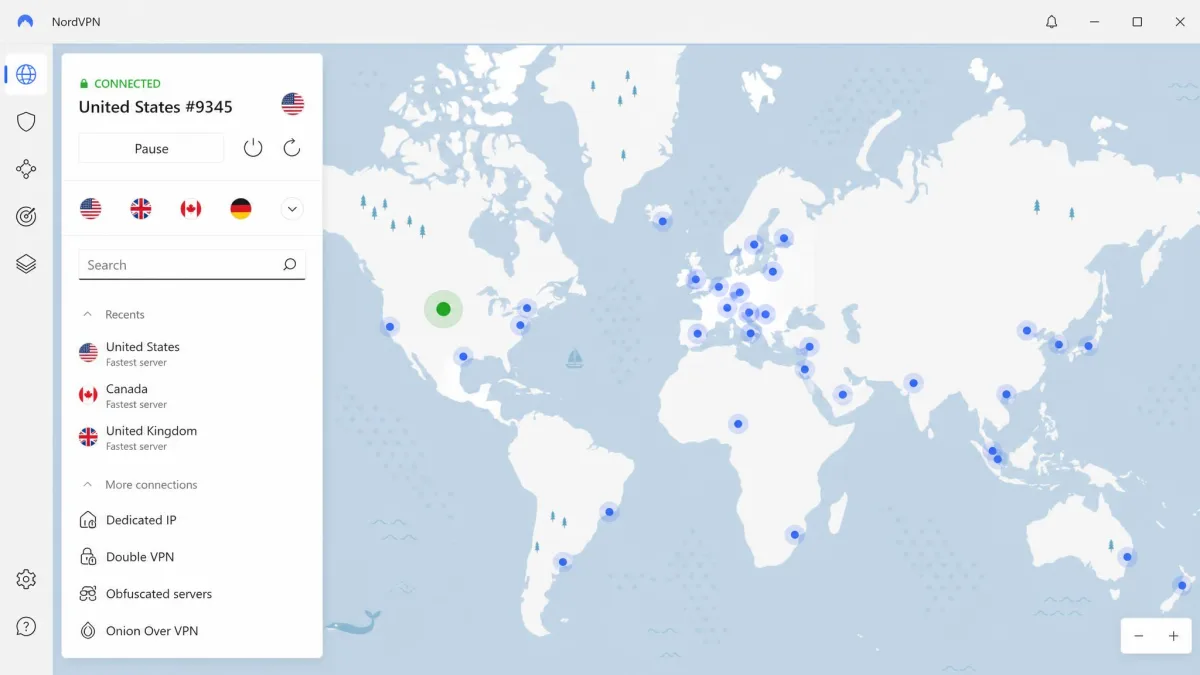
NordVPN was the service we kept coming back to. It was the fastest in this comparison, averaging around 227 Mbps on a nearby server. That headroom showed the moment we loaded a stream. On our Mac, latency rose only about 10 percent while connected. On Windows, download speed dropped around 8 percent, so 4K playback started almost instantly and never stuttered during a session. That small a penalty is what you want from a streaming VPN, because it means the connection is effectively invisible once a show is playing.
Access was just as dependable. NordVPN reliably loaded Netflix UK, Disney+, and Paramount without dropping into an error screen. Its streaming-optimized servers made it easy to find a connection built for the job. Between NordVPN's streaming-optimized servers, SmartDNS for devices that cannot run the app, and a native Firestick build, it covered every way we watch. It supports 10 simultaneous connections, which is plenty for one household.
The apps are polished across Windows, Mac, iOS, Android, and Firestick. Features like split tunneling and Threat Protection round out the package without cluttering the interface. Split tunneling proved genuinely useful in testing. We routed a streaming app through a US server while local sites kept loading on our real connection, so nothing else on the machine slowed down. In practice that meant a work video call could run on our home IP while a US show streamed in another window without either one stumbling.
Obfuscated servers are the other quiet strength here. When a standard server got flagged on the Netflix app, an obfuscated one usually cleared the block on the first try. That is the kind of reliability that keeps a household happy. Over a full week of evening viewing we only had to change servers a couple of times, and each switch took seconds rather than a hunt through a long list. If you want one VPN that handles streaming, privacy, and everyday browsing without compromise, this is it.
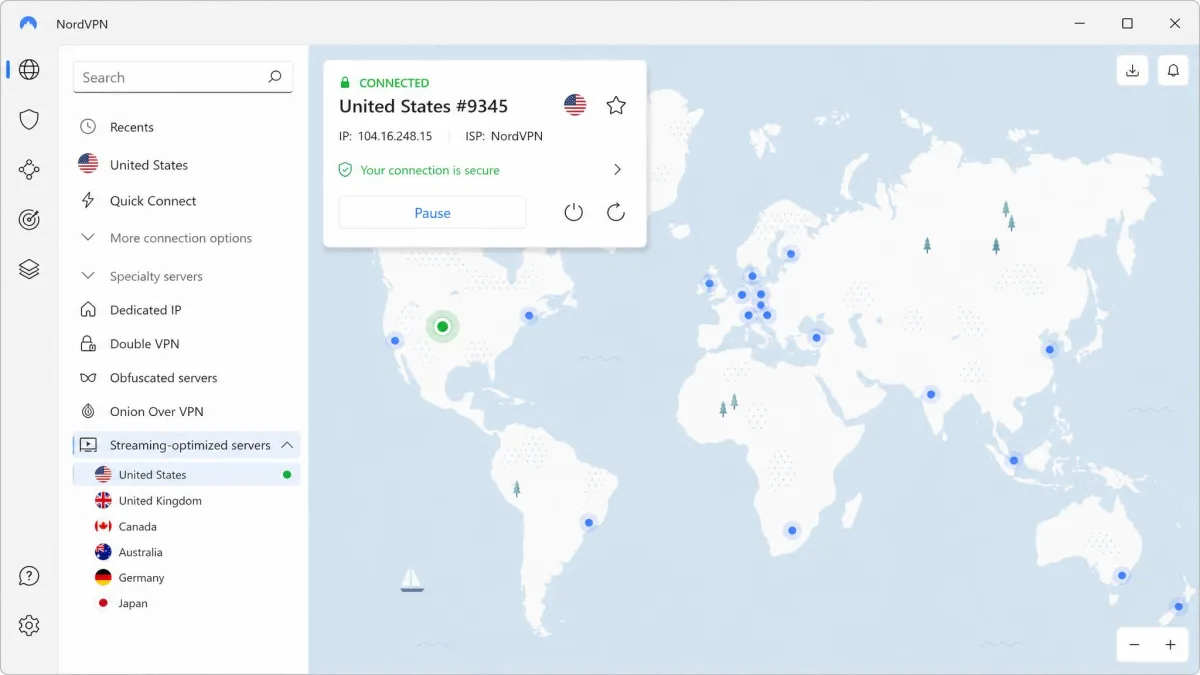
Pros and Cons
Pros
- Fastest speeds in our comparison, so 4K starts almost instantly
- Reliable access to Netflix, Disney+, Prime Video, and BBC iPlayer
- Streaming-optimized servers and SmartDNS for TVs and consoles
- 10 simultaneous connections and native Firestick app
Cons
- Intro price is a little higher than the cheapest picks
- The sheer number of servers can overwhelm first-time users
2. ExpressVPN - Fastest for Streaming
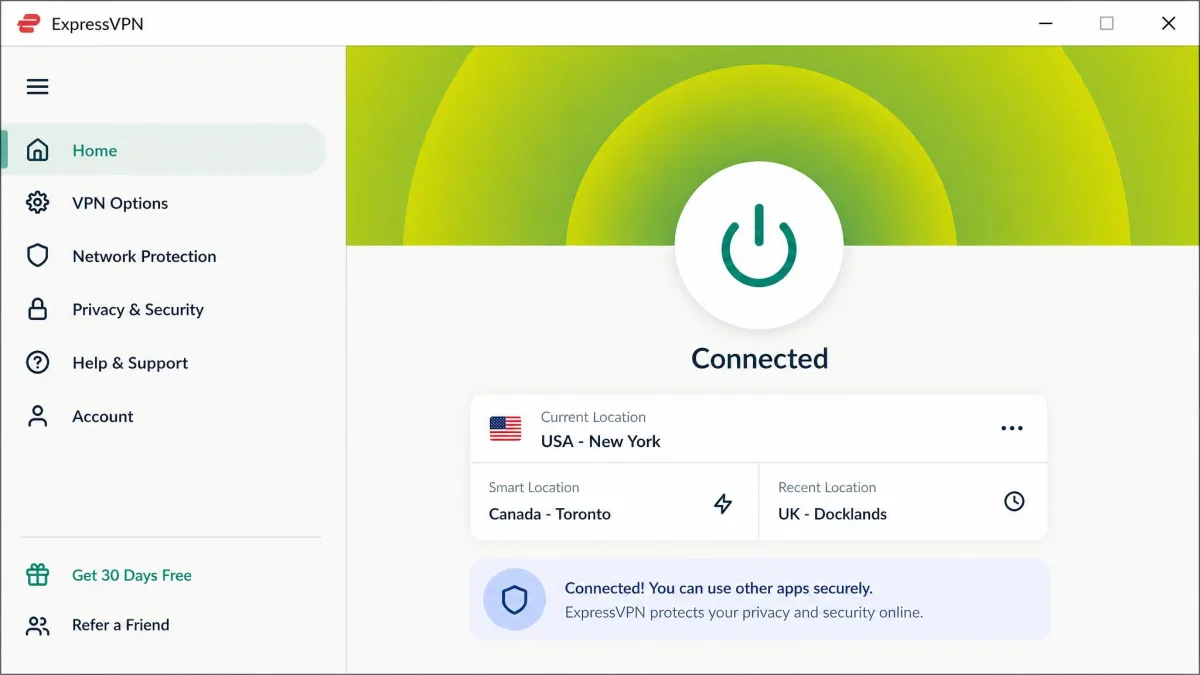
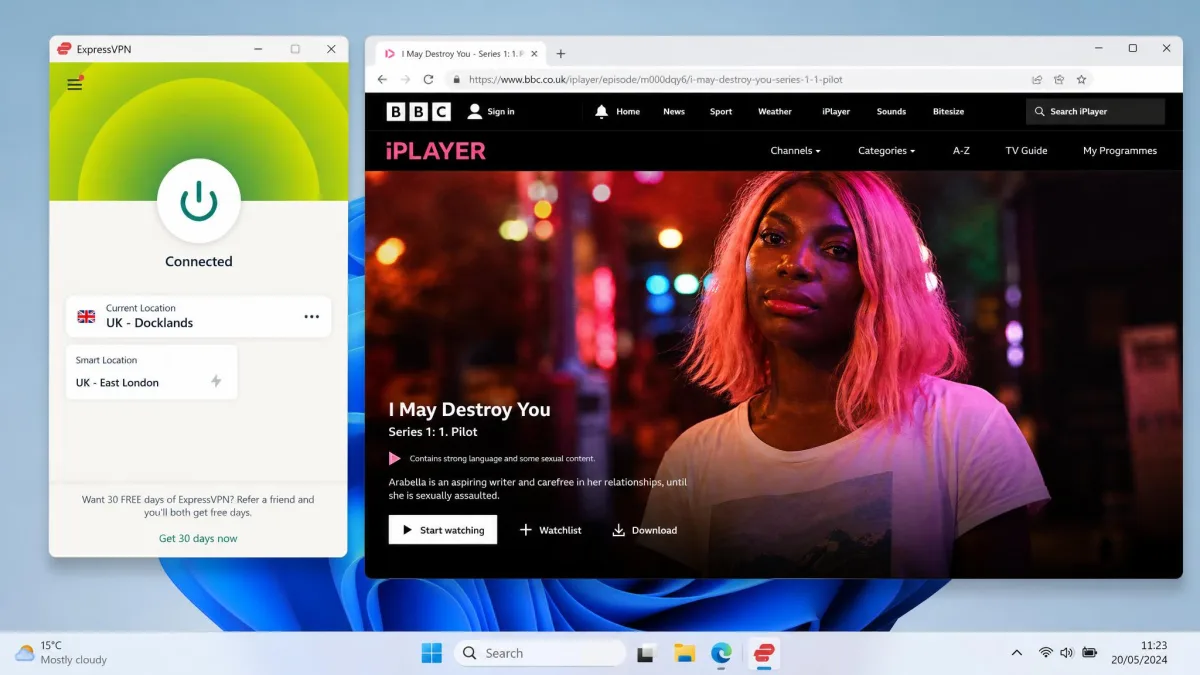
ExpressVPN was the most consistent unblocker we tested. Its obfuscation stays on by default, which meant streaming access rarely needed any troubleshooting. We connected, opened the app, and the content loaded. Across repeated sessions on different days, it was the service least likely to surprise us with a sudden proxy error. That reliability is worth a lot when you just want to watch something.
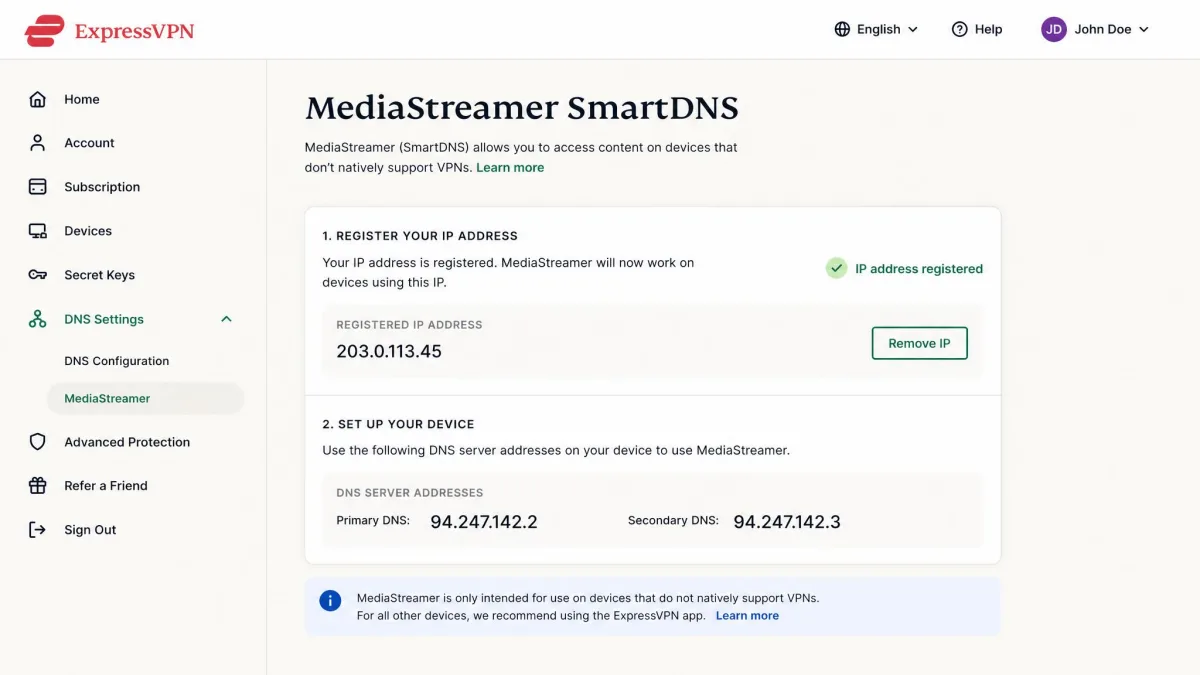
Speed held up well for video. Download speeds dropped only about 7 percent while connected. Uploads took a bigger hit of roughly 24 percent, which matters more for video calls than for streaming. Playback on Netflix, Hulu, HBO Max, and Prime Video was smooth. Its MediaStreamer SmartDNS made it straightforward to get streaming working on devices that cannot run a full VPN app. You can read more about ExpressVPN's always-on obfuscation on its site.
The Lightway protocol connects quickly and stays stable. There is router firmware too, if you want to cover a whole home from one install. Connection limits now vary by plan tier after the recent restructuring, so the number of devices depends on the plan you choose. That is the one detail to check at checkout, because the entry tier allows fewer connections than the higher plans.
Where ExpressVPN earns its price is the absence of friction. Over a week we almost never had to switch servers mid-show. The app remembered our last working connection, so returning to a stream was instant. When we jumped between a UK server for iPlayer and a US server for Hulu, each reconnection landed in a few seconds and the stream picked up without a proxy warning. It is not the cheapest option, but it is the one we would hand to someone who hates fiddling with settings.
Pros and Cons
Pros
- Most consistent unblocking across repeated sessions
- Always-on obfuscation means streaming rarely needs troubleshooting
- MediaStreamer SmartDNS for TVs, consoles, and other devices
- Router firmware covers your whole home from one install
Cons
- Upload speeds take a noticeable hit while connected
- Device limit now varies by plan tier, which can confuse buyers
3. Surfshark - Best Value
Surfshark is the pick we recommend when a whole household needs to stream. It allows unlimited simultaneous connections, so every phone, laptop, tablet, and TV in the home can run on a single subscription without anyone getting bumped. For a family or a shared flat, that alone can make it the cheapest option per person by a wide margin.
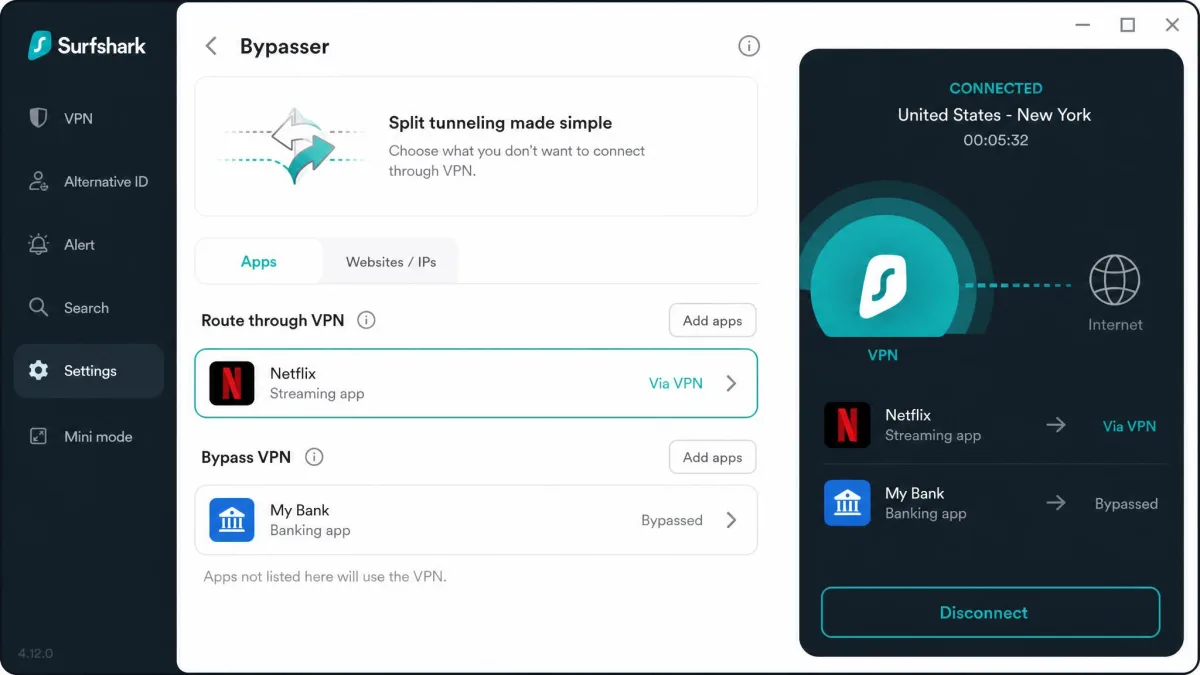
Value would not matter if it failed at streaming, but it held up. Surfshark kept streams stable with only about a 7 percent download-speed drop in our tests. Its split tunneling, called Bypasser, let us stream a foreign library while local banking and shopping sites still loaded normally on our real connection. It unblocked Netflix, Disney+, ESPN+, BBC iPlayer, and Prime Video. It handled sports blackouts better than we expected at this price. There is more detail on Surfshark's unlimited connections on its pricing page.
What surprised us most was how little we paid for that reach. On a single subscription we ran the app across every device on our test bench at once. None of them was throttled or bumped for exceeding a limit. We had a laptop, two phones, a tablet, and the Firestick all connected together, and each one streamed its own show without complaint. For anyone who has juggled device counts on a rival plan, that alone can be the deciding factor.
The apps run on every major platform including Firestick. Extras like CleanWeb ad-blocking and SmartDNS come included rather than as paid add-ons. The intro price sits at the low end of the field, and the 30-day guarantee gives you room to test it against your own services first.
Pros and Cons
Pros
- Unlimited simultaneous connections on one plan
- Low intro price makes it the best value in the field
- Split tunneling streams a foreign library while local sites work
- CleanWeb ad-blocking and SmartDNS included at no extra cost
Cons
- The lead-in rate depends on the tier and current promotion
- Server network is smaller than NordVPN's or ExpressVPN's
4. ProtonVPN - Best for International Content
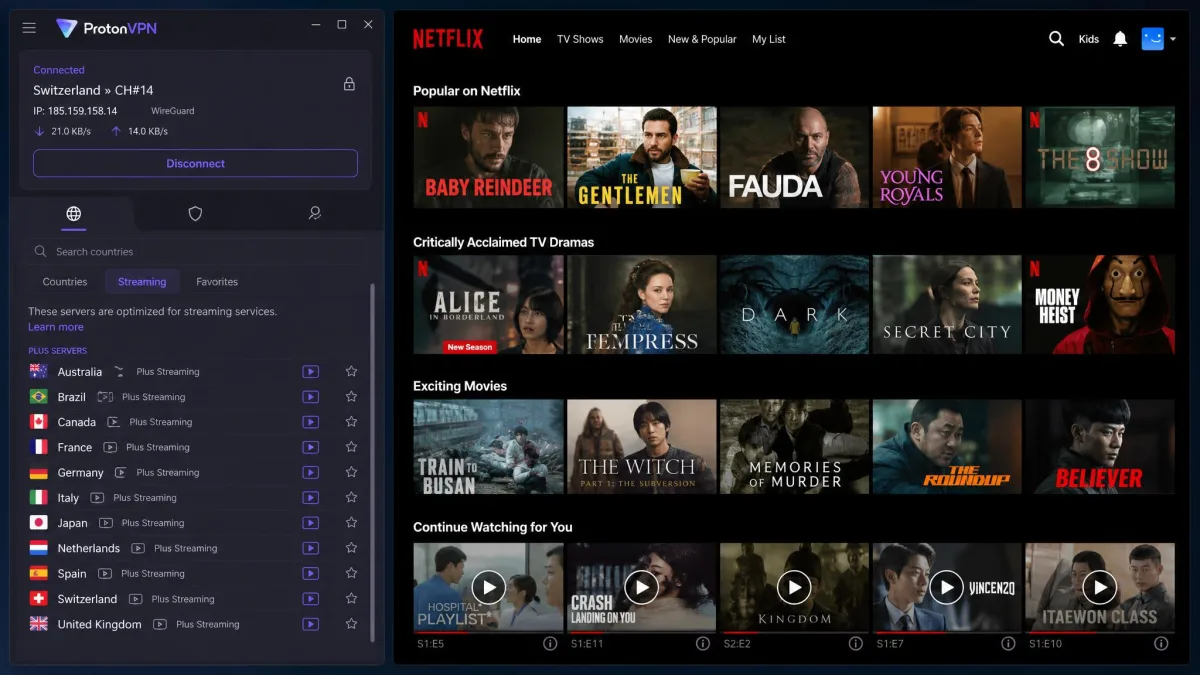
ProtonVPN is the one to pick if you chase content from around the world. It is compatible with 90+ streaming services and more than 20 Netflix libraries. If your goal is to hop between the US, UK, Japanese, and Brazilian catalogs, it gives you the widest reach of anything we tested. Its streaming-labeled Plus servers take the guesswork out of finding a connection that will actually load video.
Performance on those servers was excellent. ProtonVPN loaded video in under five seconds with essentially no buffering on its Plus servers. It unblocked Netflix, Prime Video, BBC iPlayer, and Disney+ cleanly in our checks. Speeds averaged around 165 Mbps, which is more than enough for 4K. The VPN Accelerator feature helped keep long-distance connections usable. You can see ProtonVPN's audited privacy apps on its site if privacy is also a priority.
Proton comes from a privacy-first background, and it shows. The apps are open-source and independently audited, with a strong no-logs stance and a Secure Core option for extra protection. That heritage is not just marketing. If you care who can see your streaming habits, the combination of audited code and a genuine no-logs policy puts Proton a step ahead of most rivals on this list.
You get 10 simultaneous connections and a 30-day money-back guarantee, though refunds are prorated based on usage. The one thing to remember is to select the streaming-labeled Plus servers rather than a generic one. That is where the fast, buffer-free playback lives. When we switched a distant Japanese catalog test from a standard server to the Plus equivalent, load time fell from a sluggish crawl to a few seconds. For library variety with privacy credentials to match, it is hard to beat.
Pros and Cons
Pros
- Compatible with 90+ streaming services and 20+ Netflix libraries
- Video loaded in under five seconds with no buffering on Plus servers
- Open-source, independently audited apps with a strong no-logs stance
- Secure Core and VPN Accelerator add security and speed
Cons
- Refund is prorated rather than a full 30-day guarantee
- The best speeds require selecting the streaming-labeled servers
5. CyberGhost - Most Versatile
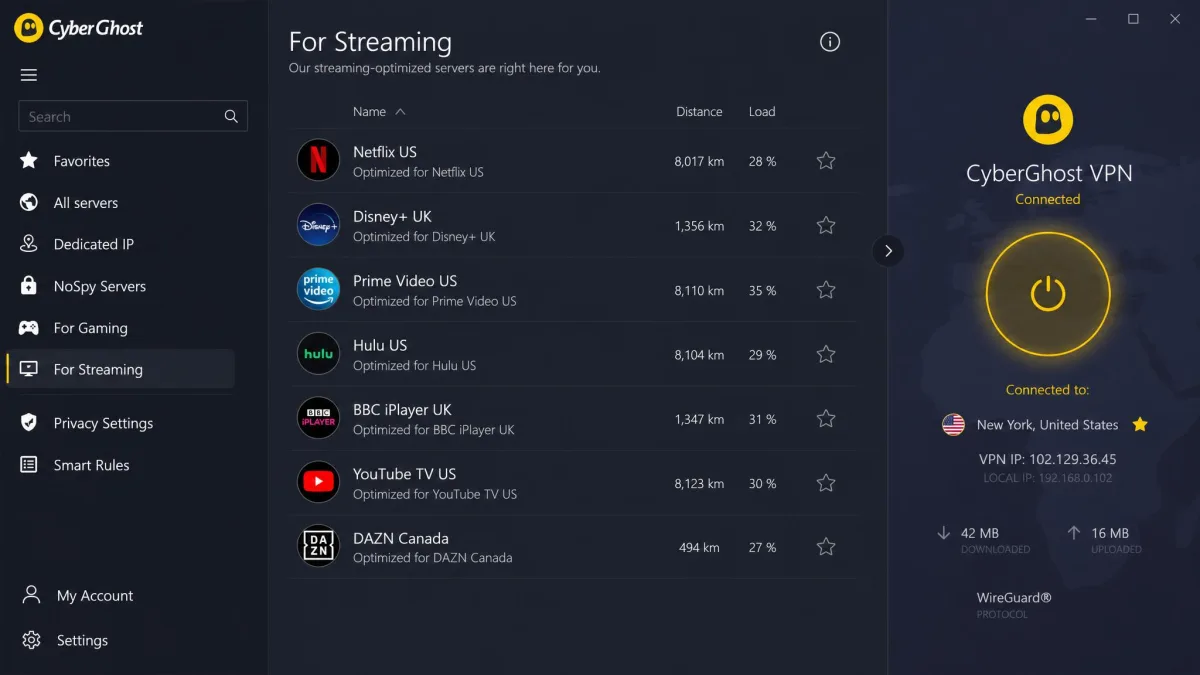
CyberGhost is the most beginner-friendly service here, and that is its whole appeal. Instead of making you guess which server will unblock a given platform, it offers servers labeled for each specific service and region. Its per-platform streaming servers made setup easy for casual users. Reaching Netflix, Disney+, or BBC iPlayer was often a matter of picking the row with the right name on it.
The trade-off is speed. Long-distance connections slowed down noticeably in our tests, and CyberGhost trailed the top picks when we connected to servers far from home. For nearby content it was perfectly smooth. If you routinely stream from the other side of the world, the faster picks above will serve you better. Where it shines is breadth. It has a large server network, SmartDNS, and apps that reach across platforms and gaming systems.
It supports 7 simultaneous connections, which is enough for most homes, and it carries the longest safety net in the group. In practice, the labeled-server approach meant we spent less time hunting than with any other app here. If we wanted BBC iPlayer, we picked the iPlayer row and it loaded. For a viewer who finds server lists intimidating, that clarity is worth real money.
The 45-day money-back guarantee on longer plans, dropping to 14 days on the monthly option, gives you unusually generous time to test it against your own services before committing. That extra window is genuinely useful for streaming. The only way to know a VPN works for your specific mix of services is to try them over a couple of weeks. Two weeks is often not enough to see how a service holds up as individual servers get flagged and refreshed, so the extra fortnight matters.
Pros and Cons
Pros
- Servers labeled per platform make setup effortless for beginners
- Large server network with wide device and console support
- Longest money-back guarantee in the group at 45 days
- SmartDNS extends streaming to devices that cannot run the app
Cons
- Long-distance connections slow down more than the top picks
- Trails the leaders on raw speed for distant libraries
Across a week of testing on Windows, macOS, and a Firestick, the pattern was clear. Every premium pick here unblocked the major platforms, so the real differences came down to speed under load and how often we had to switch servers. NordVPN and ExpressVPN asked the least of us; CyberGhost asked the least of a first-time user.
Streaming Platform & Device Compatibility (Netflix, Disney+, Prime, Firestick)
Not every VPN behaves the same on every platform, and the device you watch on matters as much as the service. Here is what we found across the big four platforms and the hardware people use most.
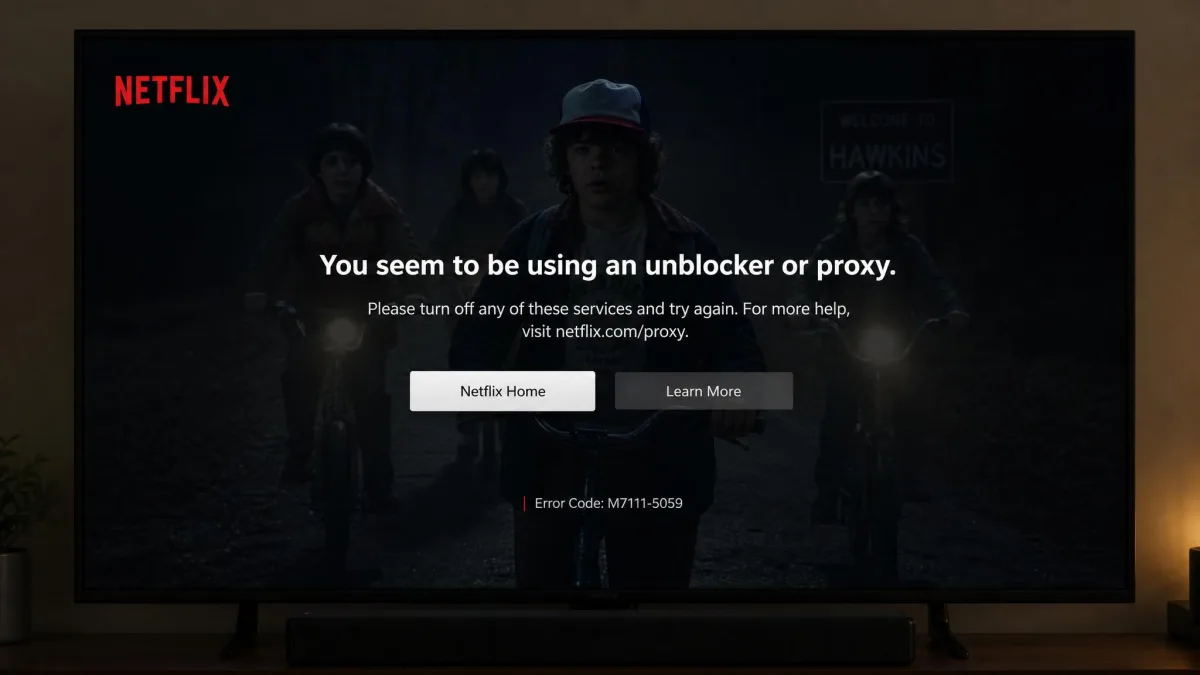
On Netflix, all five picks unblocked multiple regional libraries in the browser, but the app is a tougher test. The Netflix app detects location more aggressively than the browser because it uses DNS-level filtering. A server that works on the website can still trigger a proxy error in the app. NordVPN and ExpressVPN were the most reliable at clearing that hurdle in our testing.
Disney+ and Prime Video were more forgiving. Every service loaded them cleanly once we picked a server in the right country. Prime Video in particular rarely gave us trouble, loading regional catalogs without complaint on the first server we tried. BBC iPlayer is stricter about verifying a UK connection, so we leaned on the streaming-labeled UK servers each provider offers, which worked consistently. Hulu, which is US-only, needed a US server and behaved well across the board once we were on one.
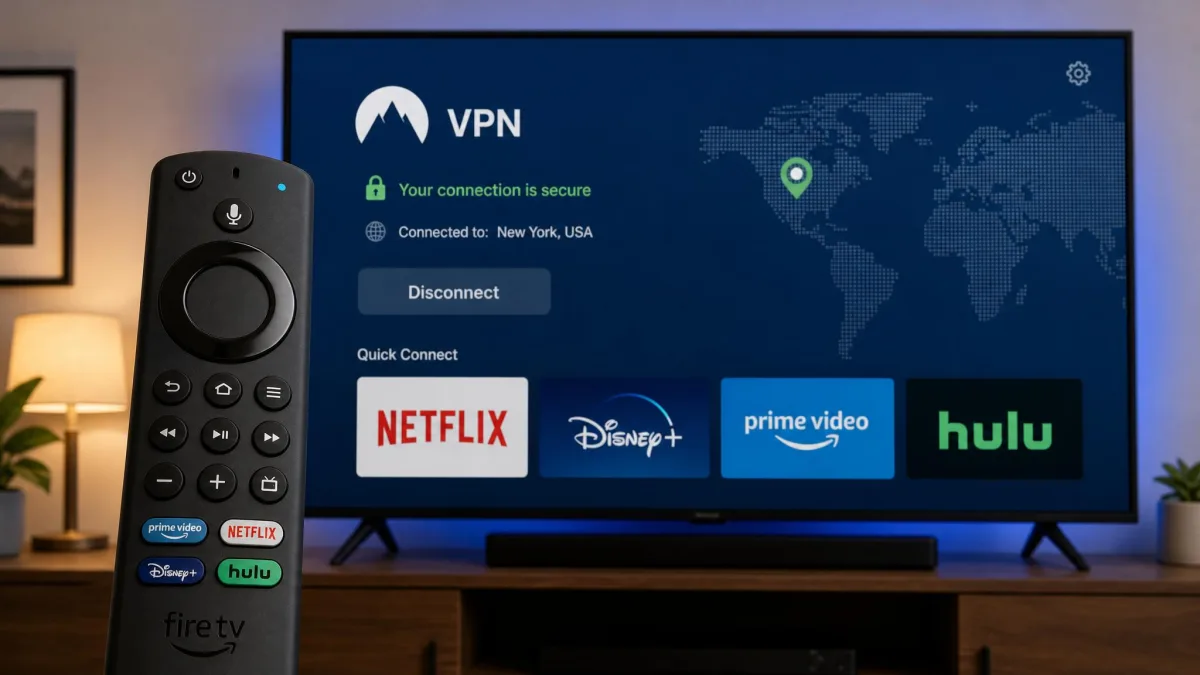
Device support is where SmartDNS earns its keep. A Firestick can run native apps from all five providers, so setup there is simple. Smart TVs, older consoles, and some streaming boxes cannot run a VPN app at all. That is where SmartDNS routes the connection at the network level instead. If you stream mainly on a TV, check that your chosen VPN offers SmartDNS before you buy.
Streaming on a smart TV or console that cannot run a VPN app? Use the provider's SmartDNS feature, or install the VPN on your router so every device in the home is covered from a single connection.
Why Streaming Services Block VPNs
It helps to understand what you are up against. Streaming services license content on a country-by-country basis. A show available in the US catalog may be missing, or owned by a different broadcaster, in the UK. Those licensing deals legally require the service to restrict access by region. That is why a VPN that changes your apparent location can open up libraries you otherwise cannot see.
To enforce those deals, services actively look for VPN traffic, and they lean on two different techniques. The first and most common is the IP blacklist. Services maintain lists of IP addresses known to belong to VPN servers, then block connections from them. When too many people share one server address, the service flags it, and everyone on that server gets the proxy-detected error at once. This is why cheap and free VPNs struggle. Their smaller pools of shared addresses get blacklisted quickly, and there are few fresh addresses to replace them.
The second technique is DNS-level filtering, and it works differently. Instead of matching your IP against a blacklist, it looks for a mismatch between where your DNS requests resolve and where your connection appears to come from. If your traffic claims to be in London but your DNS lookups leak your real US location, the service knows something is off and blocks you. This is the harder method to beat, and it is why the same server can work in a browser but fail inside an app. Apps often force their own DNS handling, so they catch mismatches a browser would miss.
The arms race runs both ways, which is the part worth understanding before you buy. A big provider adds fresh addresses faster than the services can blacklist them, so access holds up over time even as individual servers get flagged. Netflix publishes guidance on its own detection in its Netflix streaming-error help article. Reading it makes clear why a large, actively maintained server network is the single best predictor of whether a VPN will keep working month after month. Premium providers also counter DNS filtering by running their own private DNS, rotating fresh IP addresses, and offering obfuscation that disguises VPN traffic as ordinary encrypted browsing.
Free VPNs are the least likely to unblock anything and the most likely to profit from your data. In our testing, lower-tier and free VPNs commonly failed on Netflix, showing the proxy-detected error where premium providers got through. A cheap paid plan is a far safer bet for both access and privacy.
How to Choose the Best VPN for Streaming
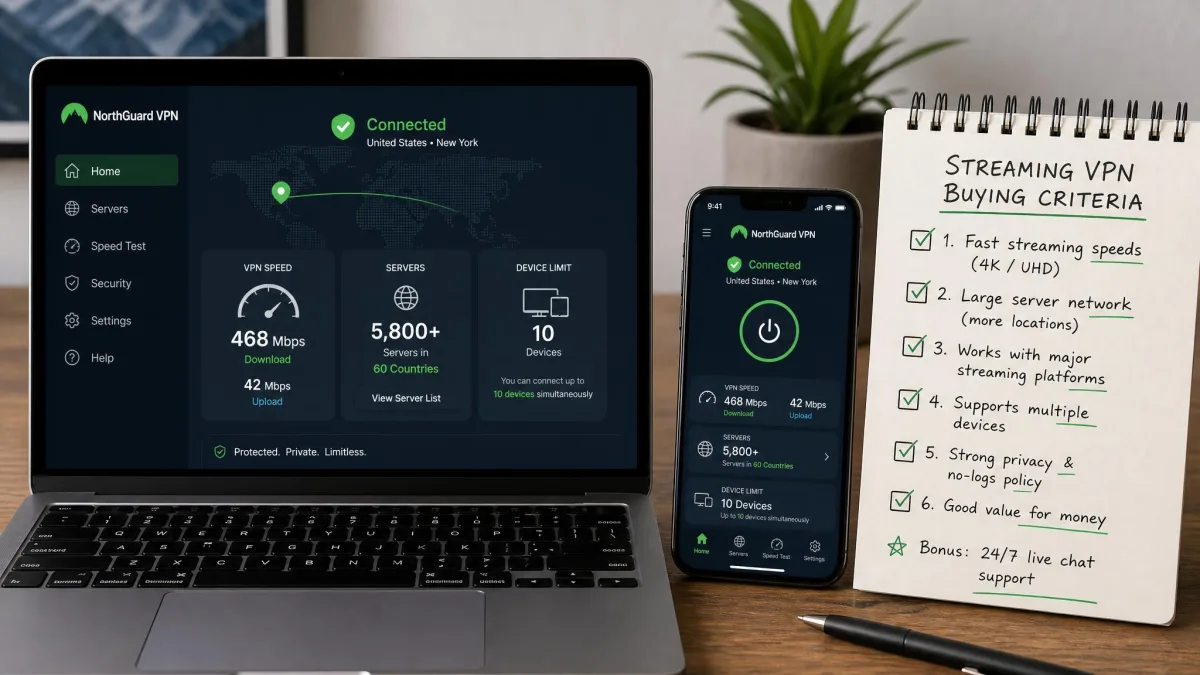
The right VPN depends on how and where you watch, but four criteria matter more than the rest. Weigh them in this order and the decision usually makes itself.
Speed comes first, because streaming is bandwidth-hungry and a slow VPN means buffering. Look for a service that keeps its speed loss in single digits, as our top picks did, so that 4K playback starts quickly and holds steady. As a rough guide, 4K needs around 25 Mbps and HD needs about 5 Mbps, so any of these VPNs leaves plenty of margin on a normal home connection. Every VPN slows your connection somewhat, but the best ones leave enough headroom that you never notice.
Unblocking reliability is next, and it is where cheap services fall apart. You want a provider with a large, frequently refreshed pool of IP addresses and dedicated streaming servers. That way access holds up week after week rather than working once and failing the next day. Consistency is worth more than a single impressive test result.
Device and platform support decides how you can actually watch. Check that the VPN has a native app for your streaming hardware, offers SmartDNS for devices that cannot run one, and allows enough simultaneous connections for your household. A large family may find unlimited connections worth more than a marginally faster server, while a solo viewer will barely notice the difference.
Finally, weigh price against the money-back guarantee. Intro prices look tempting, but they usually apply only to the longest plans and renew higher, so read the renewal rate before you commit. A generous refund window lets you test the service against your own services risk-free. We always sign up through the official plan page so the guarantee actually applies. If the VPN cannot unblock what you watch within that window, you get your money back and move on.
Consistency of access is worth more than a single impressive speed test. The VPN that unblocks your show every night beats the one that wins a benchmark and fails a week later.
— From our hands-on testing
How We Tested (Methodology)
We built our rankings on hands-on testing rather than spec sheets. We licensed each of the five VPNs ourselves and installed them on the same three devices: a Windows laptop, a MacBook, and an Amazon Firestick connected to a 4K TV. Testing that same hardware set kept the comparison fair across every service.
For speed, we ran repeated tests on nearby and distant servers. We measured download throughput, upload throughput, and latency both connected and disconnected, then averaged the results. NordVPN was the fastest overall at around 227 Mbps. It kept its Windows download drop near 8 percent and its Mac latency rise near 10 percent, while the others clustered behind it. Because measured throughput varies by server, distance, and your baseline connection, we treat these numbers as directional rather than absolute.
For unblocking, we tested each VPN against Netflix, Disney+, Prime Video, Hulu, and BBC iPlayer. We checked both the browser and the native apps, across multiple regions and on different days. A service only earned a "yes" if it loaded content reliably rather than once. We also timed how long video took to start playing and watched for mid-stream buffering. That is how we confirmed findings like ProtonVPN loading video in under five seconds on its Plus servers. Nothing in these reviews depends on a vendor's marketing claims.
How to Set Up and Use a VPN for Streaming
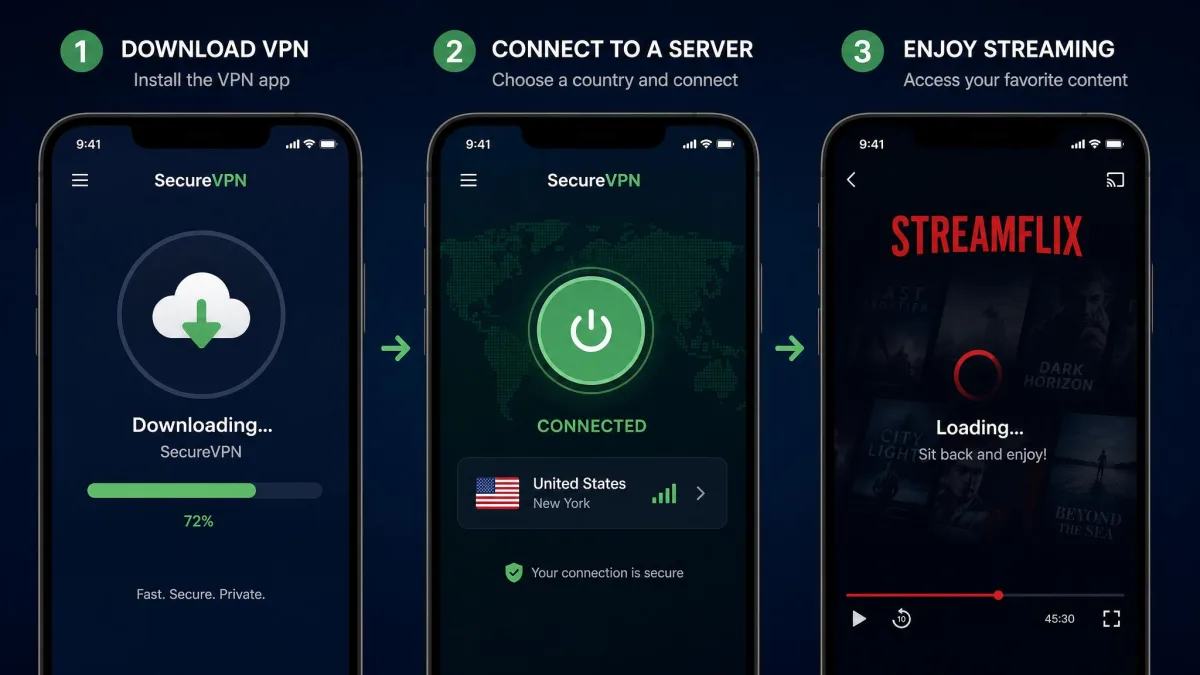
Getting a VPN running for streaming is quick, and the same handful of steps applies to every service here. Once you have chosen a plan, the whole process takes only a few minutes.
Start by downloading the official app for your device from the provider's site or your app store, then sign in. On a computer or phone, connect to a server in the country whose library you want, open your streaming service, and start watching. For the smoothest results, pick one of the provider's streaming-optimized servers when it offers them. Those are tuned to load video and clear proxy checks.
The exact steps differ a little by platform, so it helps to know what to expect on each. On Windows or macOS, install the desktop app, connect, and stream in a browser or the service's desktop app. On iPhone and Android, install from the App Store or Play Store, allow the VPN configuration prompt the first time you connect, then open the streaming app as normal. On a Firestick or Android TV, search for the VPN in the device's own app store, sign in with your account, and connect before you launch Netflix or Disney+. The one recurring mistake we see is opening the streaming app first and connecting the VPN second, which leaves a cached location behind and often triggers a proxy error.
For a TV that cannot run apps, you have two easy routes. If your device runs apps, such as a Firestick or Android TV, install the VPN app directly and connect the same way. If it does not, set up the provider's SmartDNS by entering the DNS addresses in your device's network settings, or install the VPN on your router so every device on the network is covered at once. SmartDNS is quicker to set up but does not encrypt your traffic, so it trades a little privacy for simplicity.
The router route takes a few extra minutes but pays off if your home is full of devices that cannot run a VPN app, such as smart TVs, older consoles, and streaming boxes. Once the router is configured, everything behind it inherits the connection, and you never have to think about it again. Just remember that a router connection counts as a single location. Switching countries means changing the router setting rather than tapping a server on your phone.
Always download VPN apps from the official vendor site or your device's app store. Third-party download sites sometimes bundle modified installers, and a VPN is the last app you want to install from an untrusted source.
What to Do If Your VPN Gets Detected
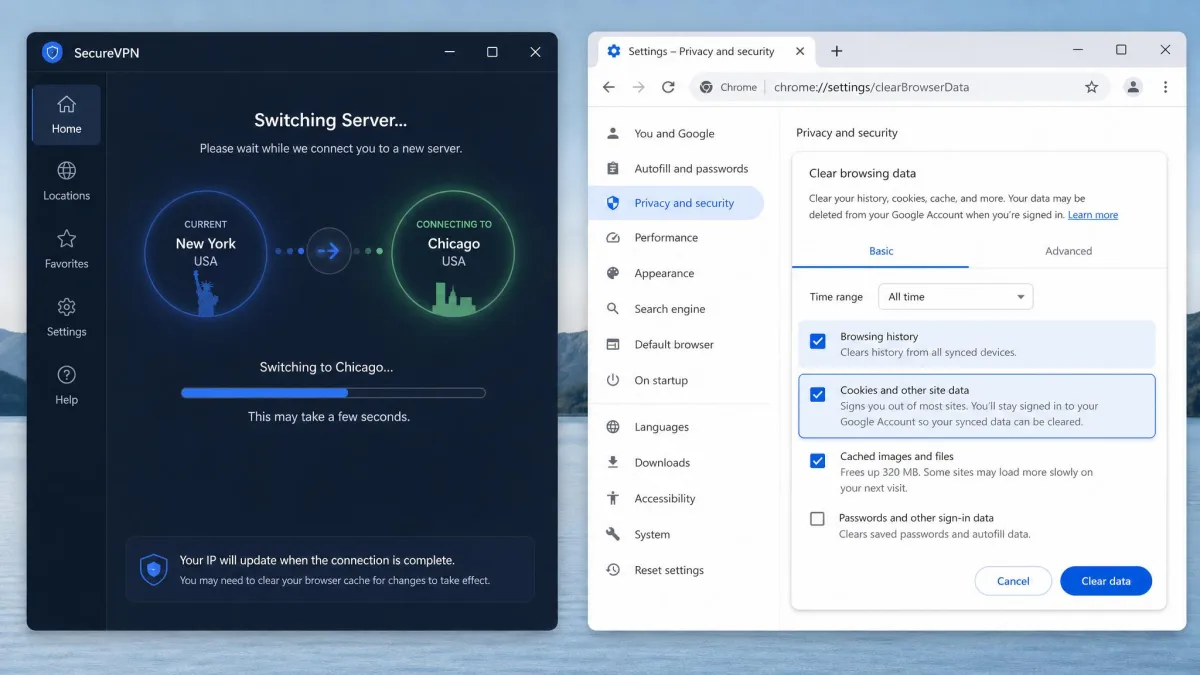
Even the best VPN occasionally trips a streaming service's filter, and the fix is usually fast. When a service throws a proxy error, switching to a different server in the same country and clearing your browser cache and cookies usually restores access. The old server's shared address has likely been flagged, and a fresh one clears it.
If a second server does not work, try a server your provider labels for streaming. Those carry addresses the provider actively rotates to stay ahead of blocks. Fully closing and reopening the streaming app also helps, because it forces the app to re-check your location rather than relying on a cached result. A quick app restart cleared errors for us more than once.
There are a few more fixes worth trying in order before you give up on a session. First, disable any location services or GPS on your phone, since a mobile app can cross-check your GPS position against your VPN location and block the mismatch. Second, flush your DNS cache or switch the app to the provider's own DNS, which addresses the DNS-level filtering that catches app connections. Third, try a different protocol, such as switching to WireGuard or the provider's proprietary option, since some blocks key off traffic signatures that a protocol change sidesteps. Work through these one at a time so you know which one actually fixed it.
Remember that the app and the browser behave differently. The Netflix app detects location more aggressively than the browser because it uses DNS-level filtering. A server that works on the website can still trigger a proxy error in the app. If the app keeps failing, watching in a browser is a reliable fallback while you sort out a server that the app will accept. As a last resort, contacting your provider's support will point you to servers known to be working for that platform. The better providers keep an internal list of which servers currently clear each service, and support can hand it to you in a minute.
Keep two or three working servers noted for each service you watch. When one gets flagged, you can switch to a known-good backup in seconds instead of hunting through the whole list mid-show.
Final Verdict: Best VPN for Streaming
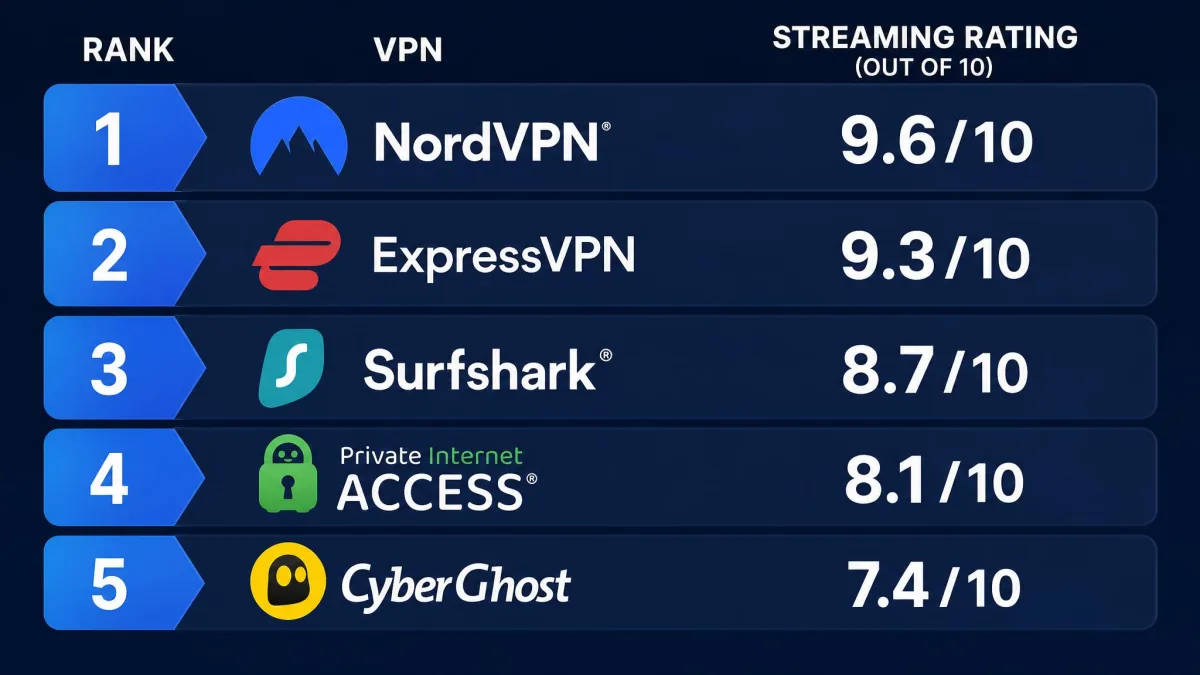
After a week of testing five services across Netflix, Disney+, Prime Video, Hulu, and BBC iPlayer on three devices, NordVPN is our best overall streaming VPN for 2026. It was the fastest in our comparison, unblocked every major platform reliably, and asked the least of us in day-to-day use. Its streaming-optimized servers and SmartDNS make it as painless on a TV as on a laptop. Its speed left enough headroom that 4K never stuttered even on a distant server.
That said, the right pick depends on your priorities. Choose ExpressVPN if you value the most consistent, hands-off unblocking, Surfshark if you need to cover an unlimited number of devices on one plan, ProtonVPN if you want the widest access to international libraries, and CyberGhost if you want the simplest setup and the longest money-back window. Every one of them beat the free services we have tried, which is the real dividing line in streaming VPNs.