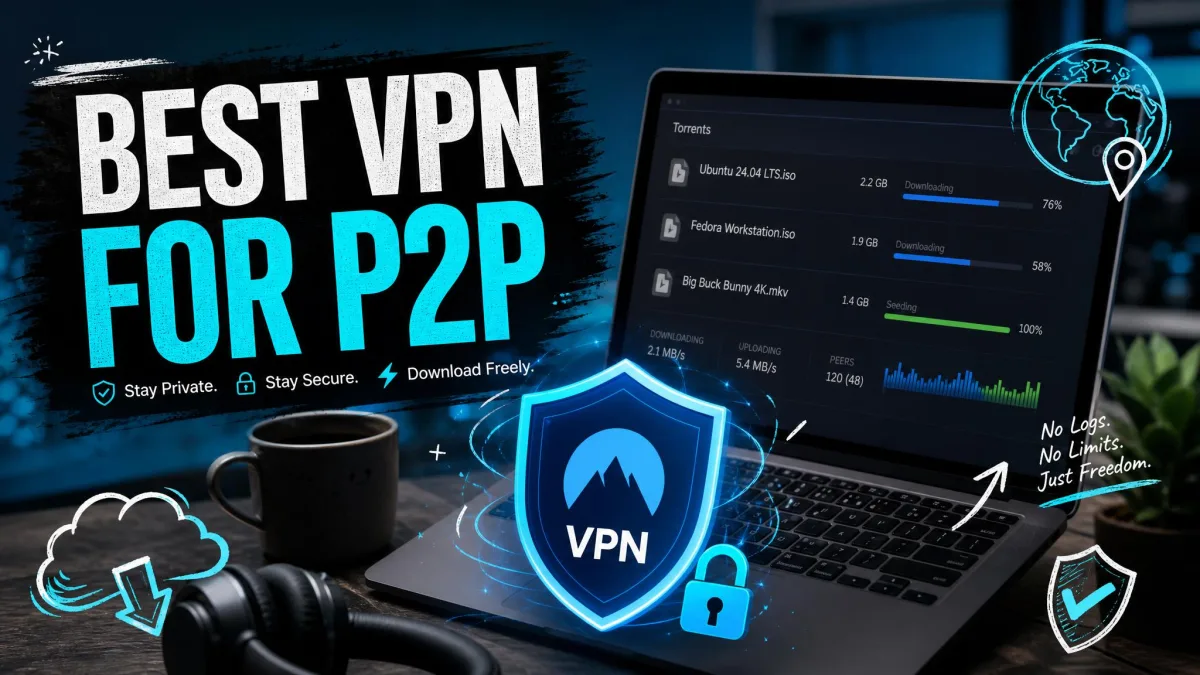
The moment you join a torrent swarm, your IP address is visible to every other peer downloading the same file. That is how P2P is designed to work, and we found that anyone in the swarm, including copyright monitors and your own internet provider, can see your online activity and what you are sharing. On top of that exposure, plenty of ISPs throttle torrent traffic the second they recognize it, so downloads that should finish in minutes crawl for an hour instead.
A good VPN fixes both problems at once. It hides your real IP behind a shared server address, encrypts the traffic so your ISP cannot tell torrenting from any other download, and keeps a kill switch ready in case the connection ever drops. The catch is that not every VPN handles P2P well. Some block it outright, some route it through slow servers, and a few leak your address the moment a download stalls.
We put the leading providers through real torrent sessions on our own test machines, timing downloads, checking for DNS and IP leaks, and pushing each kill switch to see whether it actually held. Below are the five we trust for P2P in 2026, followed by the buying criteria, our testing method, and answers to the questions torrenters ask most.
Best VPNs for P2P at a Glance (quick ranked list)
What Makes a Great VPN for P2P / Torrenting
Before we get to the picks, it helps to know what we were scoring against. A VPN can look fine on a spec sheet and still be a poor torrenting tool. These are the features that separate a real P2P VPN from one that merely allows it.
No-Logs Policy
A VPN only protects your privacy if it does not keep records of what you did. A genuine no-logs policy means the provider does not store the sites you visit, the files you move, or the real IP you connected from. Every pick on this list runs a no-logs policy, and the strongest of them back it with independent audits or RAM-only servers that wipe on every reboot. When it comes to torrenting, this matters more than for any other use, because a torrent history is exactly the kind of record a copyright claim would demand. We give extra weight to providers that have submitted to a third-party audit rather than simply publishing a policy page, since an audited claim is one someone outside the company has actually checked. Jurisdiction matters too: a provider based somewhere with no data-retention mandate has less it can be compelled to hand over in the first place.
Dedicated P2P / Optimized Servers
Some VPNs let you torrent anywhere. Others confine P2P to a subset of servers built for it. Both approaches can work, but the smoothest experience comes from providers that either allow P2P everywhere or route you to a P2P server automatically. NordVPN reroutes you to a P2P-optimized server if you start a download on one that is not, so you rarely have to hunt for the right location. That small convenience saves real frustration, because on some VPNs finding a functional P2P server takes trial and error when the app does not label P2P support clearly. The providers we rank highest either allow torrenting on every server or make the right server impossible to miss, so you are not left guessing which location will actually connect to the swarm.
Kill Switch & Leak Protection
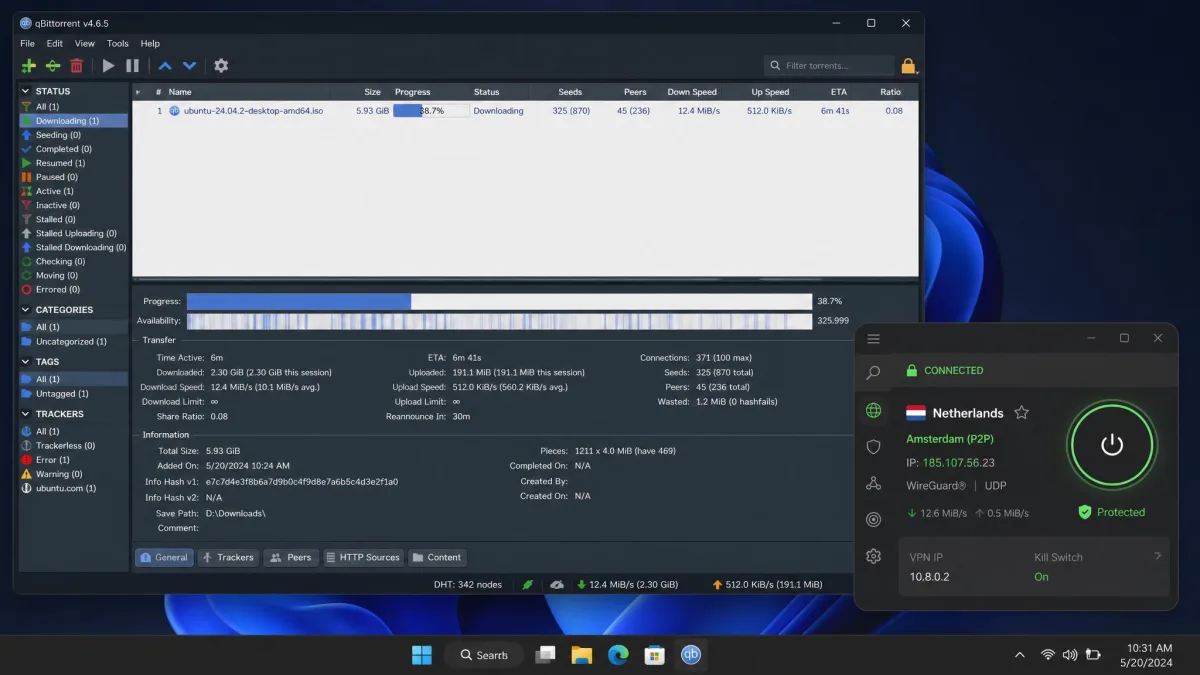
The kill switch is the single most important safety feature for torrenting. If your VPN connection drops mid-download, the kill switch cuts off all internet instantly, so your torrent client cannot fall back to your real IP and leak it to the swarm and your ISP. Every pick here has one. Just as important is leak protection: a VPN that lets DNS requests escape the tunnel exposes your activity even while it looks connected. We test both together, because a kill switch that trips cleanly is worthless if the DNS layer was leaking your requests the whole time it looked protected. The gold standard is a kill switch that engages the instant the tunnel drops, with no window where a single packet can slip out on your real address.
On some apps the kill switch is off by default. Open your VPN's settings and confirm it is enabled before you start your first torrent, not after.
Speed & Bandwidth
Encryption always adds some overhead, so a torrent through a VPN will rarely beat the same download unprotected. The goal is to keep the loss small enough that you do not notice it. Modern protocols like WireGuard and Lightway close most of that gap, and on a nearby, uncongested server the difference is often small enough to ignore. The providers that struggle are usually the ones with congested servers or a small network, not the ones with heavy encryption. We care more about the floor than the ceiling here: a VPN that holds a steady, usable speed run after run beats one that posts a blazing best-case figure and then collapses on the next session.
The best P2P VPN is not the one with the biggest speed claim. It is the one whose kill switch never let a single packet leak while we downloaded.
— From our hands-on testing
Server Network & Locations
A large server network gives you more places to connect and less congestion on each server, which keeps speeds high during peak hours. It also lets you pick a P2P-friendly jurisdiction. Private Internet Access runs servers in 91 countries, including all 50 US states, while NordVPN offers P2P-optimized servers across more than 100 countries. A wider spread also means you can usually find a P2P server close to home, and physical distance to the server is one of the biggest factors in torrent speed. When a network is small or its P2P servers are concentrated in a handful of regions, everyone routing torrent traffic ends up crowded onto the same few locations, and that congestion shows up as slower downloads at busy times.
| VPN | Buy | P2P servers | Speed | No-logs | Kill switch | Price | Money-back |
|---|---|---|---|---|---|---|---|
 |
Check price → | Optimized, 100+ countries | Fast | Yes | Yes | $3.49/mo(2yr) | 30-day |
 |
Check price | All servers | Fast (variable) | Yes | Yes (Network Lock) | Varies | 30-day |
 |
Check price | Paid, P2P-optimized | Fast | Yes (Swiss) | Yes | Paid plan | 30-day |
 |
Check price | All servers, 91 countries | Good | Yes | Yes | Promo sale | 30-day |
 |
All servers | Good | Yes | Yes (manual on some) | $2.49/mo(2yr) | 30-day | |
 |
Check price | All servers (free + paid) | Good to cap | Yes | Yes | Free(10 GB/mo) | n/a |
The Best VPNs for P2P & Torrenting Reviewed
We ranked these five on the criteria above, weighted toward the two things that matter most for torrenting: leak-proof safety and real download speed. Here is how each one performed.
1. NordVPN – Best Overall for P2P
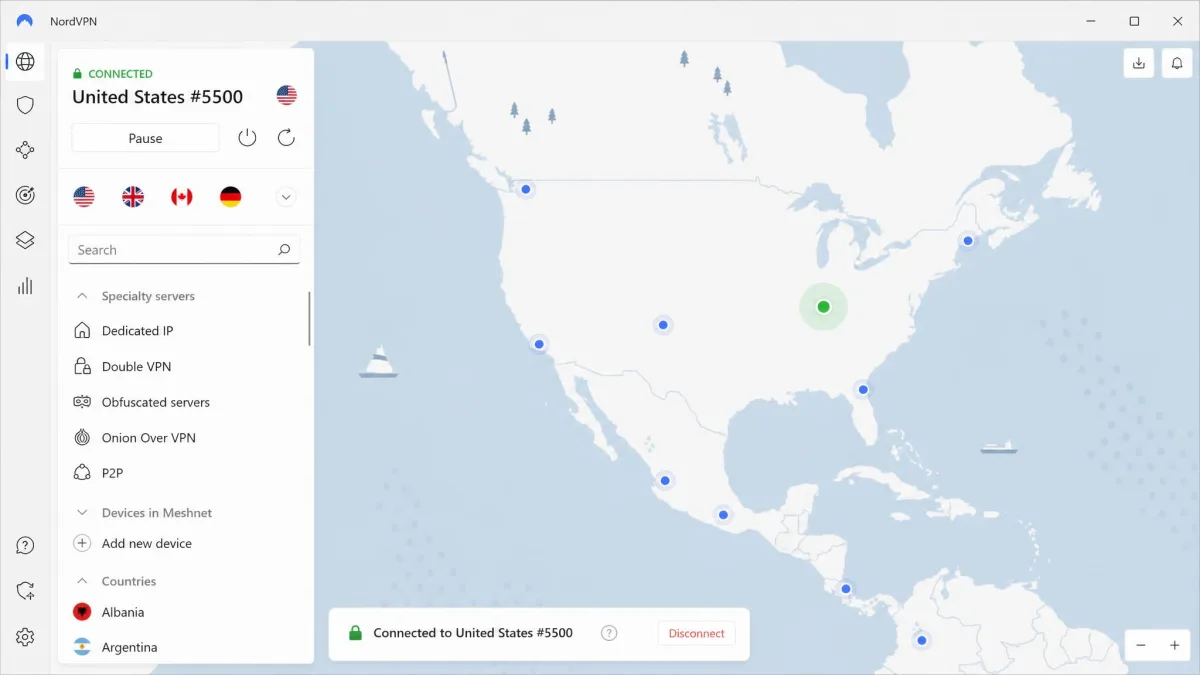
NordVPN earned the top spot because it does the ordinary things flawlessly. On a 2.1 GB torrent, it finished fastest of the P2P-optimized providers we timed, in about seven minutes, and it passed our DNS leak tests run after run without a single slip. The reason it feels effortless is the auto-routing: when we started a download on a server that was not set up for P2P, NordVPN quietly moved us to one that was, so we never had to scroll a server list looking for the right label.
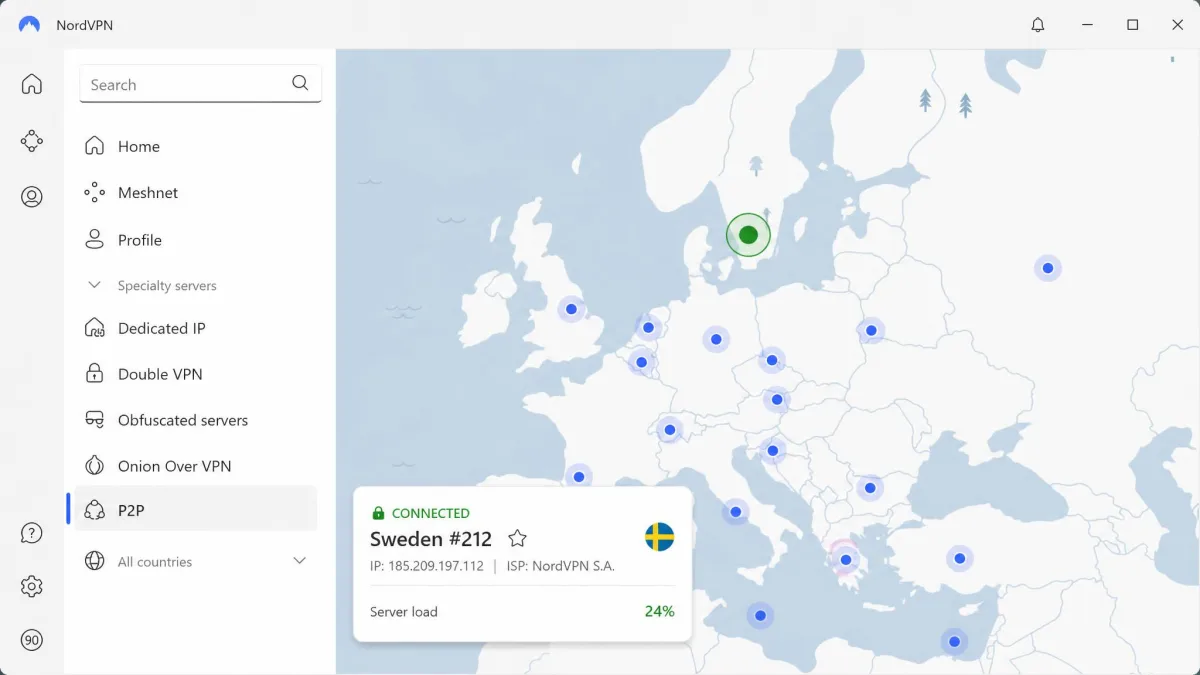
The one real gap for torrenters is port forwarding, which NordVPN does not offer on standard servers. If you run a dedicated seedbox setup that needs an open inbound port, that single omission is enough to send you to Private Internet Access instead. For everyone else it is a non-issue.
NordVPN
For most people NordVPN is the safe default. It pairs the widest P2P-optimized network here with a kill switch that held every time we forced the connection to drop, and it never leaked our DNS while a download was running. The monthly plan is steep, but the two-year plan brings the price down sharply, and a 30-day money-back guarantee covers you if it does not fit.
Pros
- P2P-optimized servers in 100+ countries with automatic routing
- Fastest finish among the optimized VPNs we timed
- Reliable kill switch and clean DNS leak results
- SOCKS5 proxy and Double VPN for advanced setups
Cons
- No port forwarding on standard servers
- Monthly plan is expensive compared with the multi-year rate
Best for: Torrenters who want fast, safe P2P without fiddling with settings. Skip if: You run a dedicated seedbox setup that needs port forwarding.
2. ExpressVPN – Best for Speed
Where NordVPN wins on consistency, ExpressVPN chases raw speed, and its Lightway protocol is the reason. In one run, a 1.76 GB file finished in under four minutes, only about 1% slower than the same download without any VPN at all. That is the fastest single result we recorded from any provider. It is only fair to note the flip side: other runs on ExpressVPN peaked at just 14 to 18 Mbps, so its download times swung more than any other VPN here. Speed depends heavily on the server and the moment, and Express hits a higher ceiling than most while being less predictable. We saw the best numbers on nearby servers during off-peak hours, and the slower runs tended to line up with busier evening windows, which is a useful reminder that the headline figure is a best case, not a promise.
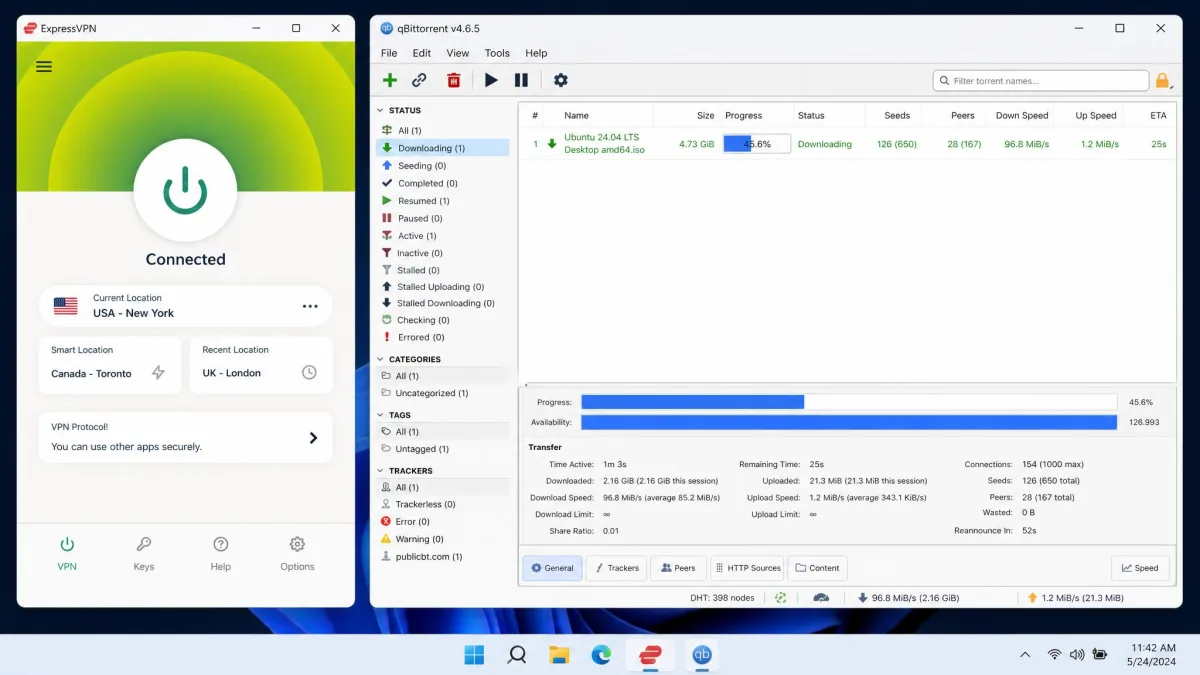
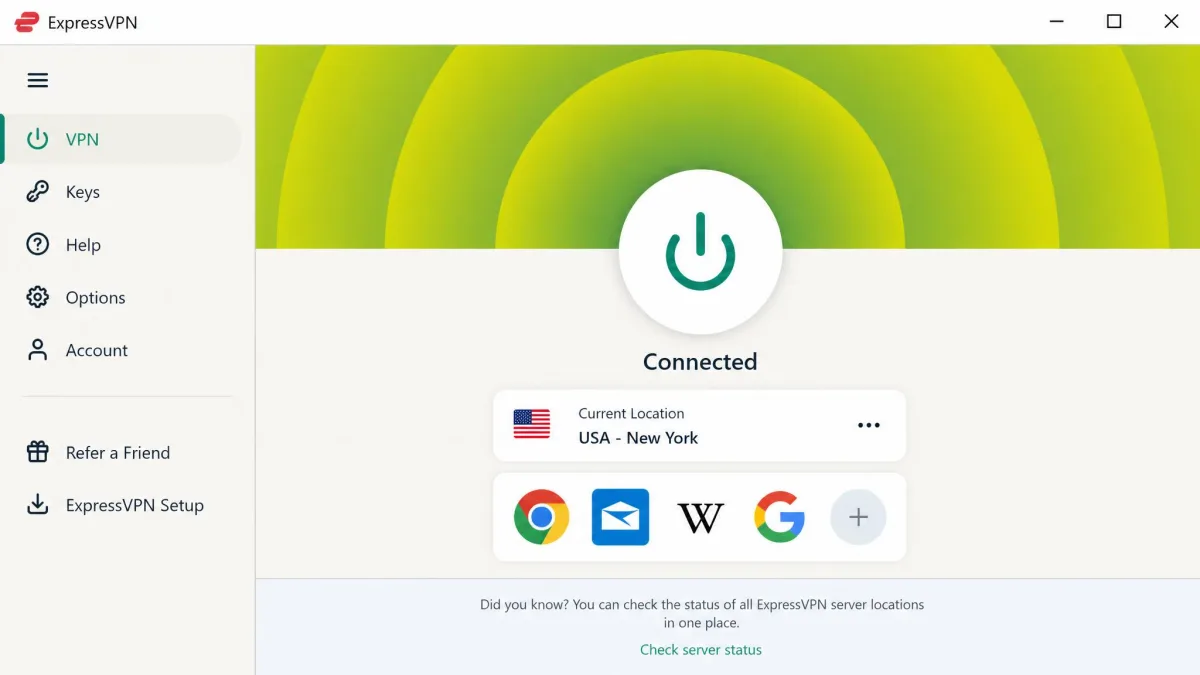
Every ExpressVPN server allows P2P, so there is no server hunting, and that alone removes one of the most common torrenting headaches. Its Network Lock kill switch cut off all internet the instant we killed the connection, which kept torrent traffic from ever reaching our ISP, and it passed our DNS and IP leak checks with zero leaks while downloading. The RAM-only TrustedServer network means every server wipes its contents on reboot, so there is no persistent disk for logs to accumulate on. The trade-off for seeders is that ExpressVPN has no app-level port forwarding. You can set it up at the router level, but that is more work than most people want, and it is the main reason a dedicated seeder should look elsewhere.
ExpressVPN
ExpressVPN is the pick when you want the fastest possible torrent and are willing to pay a premium for it. Lightway is genuinely quick, the RAM-only TrustedServer network and no-logs policy hold up, and Network Lock is one of the best kill switches we have used. Just know that speeds vary between sessions and per-month pricing shifts with each promotion.
Pros
- Lightway protocol posts the fastest single download we recorded
- P2P allowed on every server, no location hunting
- Network Lock kill switch and zero leaks in testing
- RAM-only servers and audited no-logs policy
Cons
- Download speeds swing widely between runs
- No app-level port forwarding, router setup only
Best for: Anyone who wants top-end speed and clean leak protection. Skip if: You want a predictable, flat download speed every session.
3. Private Internet Access – Best Value
If ExpressVPN is the premium ticket, Private Internet Access is the pick for people who want to pay the least and tinker the most. It is the seeder's favorite here, because it supports port forwarding and offers the most granular split tunneling of any VPN we tested. That combination let us route only the torrent client through the VPN while everything else used our normal connection, and open the inbound port that active seeding needs. To be sure it held under stress, we started an active seed, then forced the tunnel down mid-transfer; the kill switch dropped the client before it could touch our real IP, and a leak test during a live download showed only PIA's address, never ours.
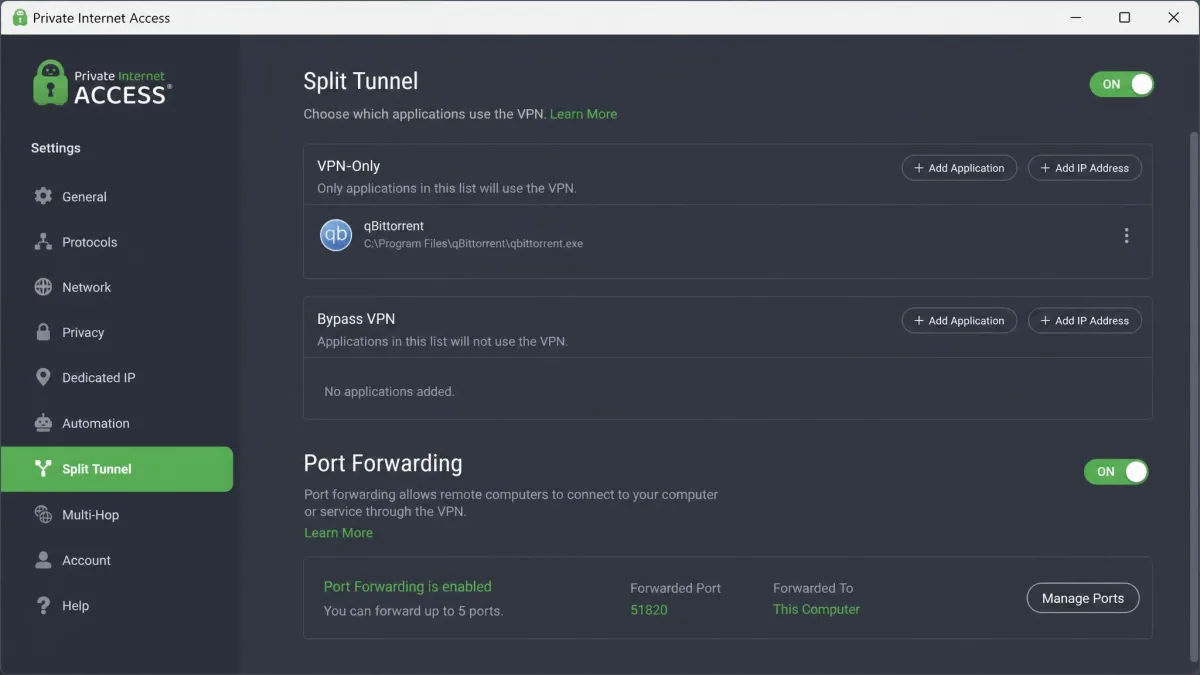
The rest of the package is strong for the price. PIA allows P2P on all its servers across 91 countries, including all 50 US states, runs RAM-only NextGen servers with a no-logs policy, and supports unlimited simultaneous devices. Its apps are open source, which is a rare and welcome bit of transparency at this price. The interface is busier than NordVPN's, so beginners may find it fiddly, but the control is the point.
Private Internet Access
PIA gives you the most torrenting control for the least money, and it is the one we reach for when seeding matters. Port forwarding, split tunneling, and unlimited devices are a serious feature set at this tier. The catch is that the lowest advertised price is a limited-time sale, so check the standing rate before you commit. A 30-day money-back guarantee gives you room to try it.
Pros
- Best-in-class controls for seeding and traffic routing
- Cheapest of our paid picks on a multi-year sale
- Unlimited devices and open-source apps
Cons
- Interface is aimed at power users
- Advertised low price is a promotional rate
Best for: Seeders and tinkerers who want port forwarding on a budget. Skip if: You want the simplest possible one-click experience.
4. Proton VPN – Best for Privacy
Every VPN here claims to protect your privacy, but Proton VPN is built for people who need to prove it. Where PIA optimizes for control, Proton optimizes for trust. Its apps are open source and independently audited, and the company operates under Swiss jurisdiction with a no-logs policy, which is about as privacy-friendly a legal home as a VPN can have. For torrenters whose main concern is that nobody, anywhere, can tie a download back to them, this is the pick.
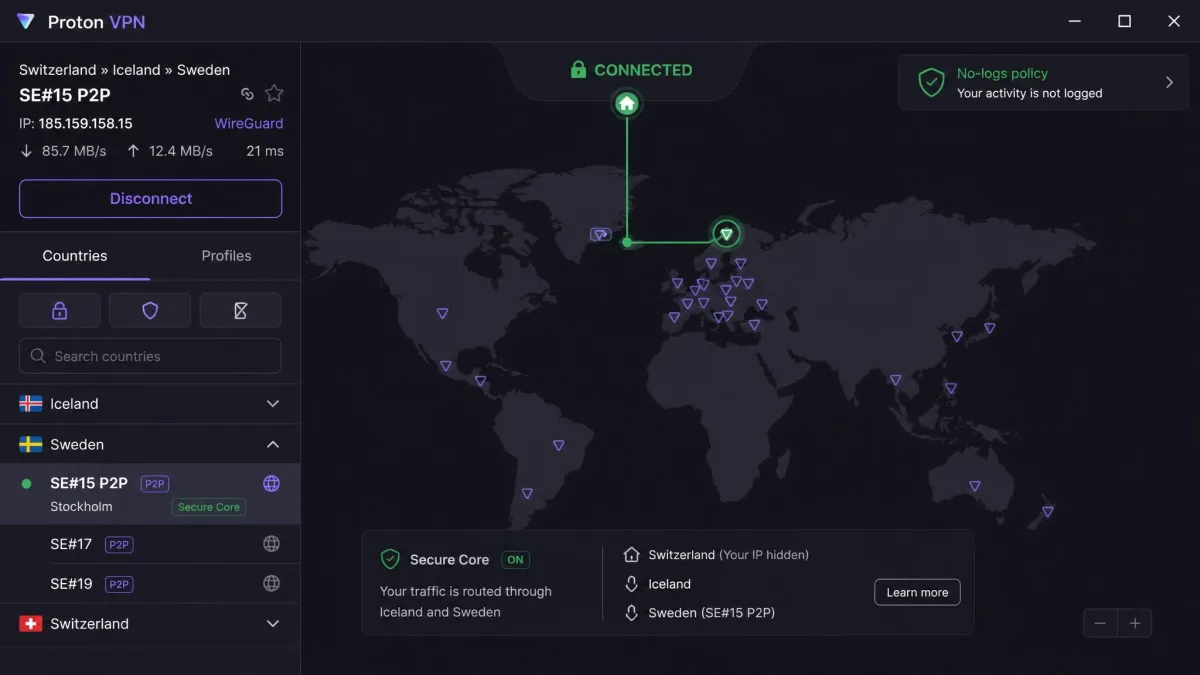
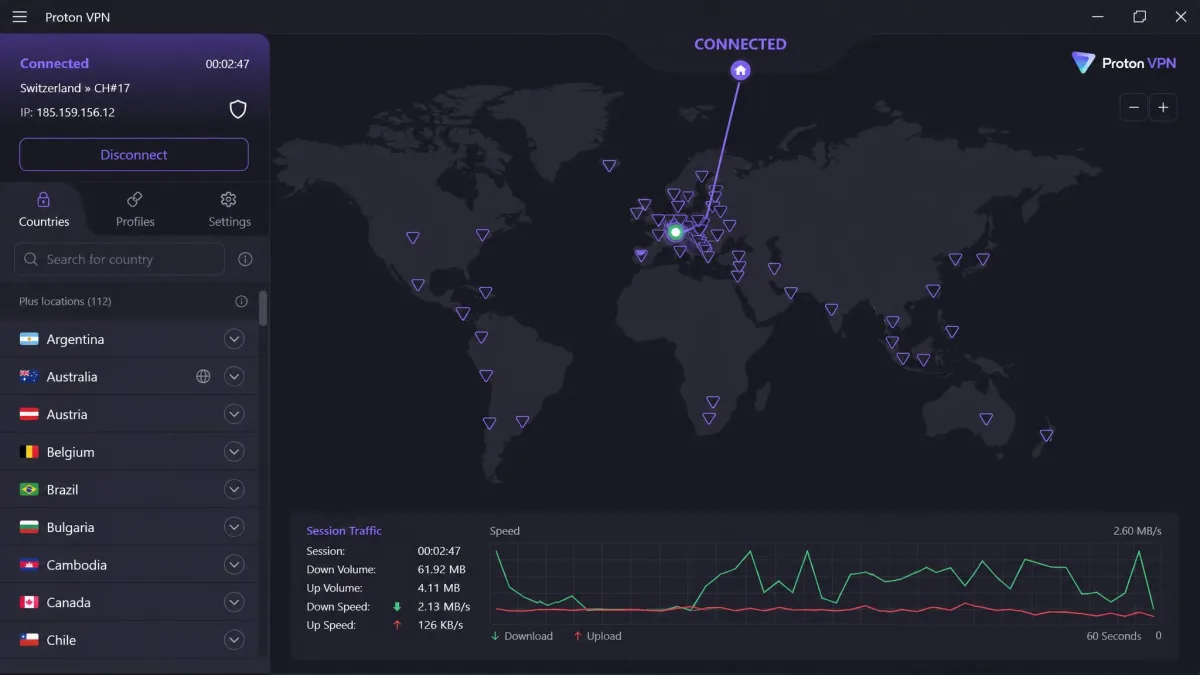
Proton supports port forwarding on its paid plans, so it works for seeding as well as leeching, and it offers P2P-optimized servers, a kill switch, Secure Core multi-hop routing, and both WireGuard and OpenVPN. We put it through the same two drills as the paid picks. With a torrent actively pulling data through a P2P-optimized server, we ran a DNS and IP leak test and saw only the Proton server's address, never our own home IP. Then we forced the tunnel to drop mid-download, and the kill switch cut the client off the instant the connection died, so the transfer stalled rather than falling back to our real address. Secure Core is the standout that sets it apart: it routes your traffic through a hardened server in a privacy-friendly country before it exits, so even a compromised exit server never sees where you really are. One important note: P2P and torrenting are not available on Proton's free tier. The free plan is genuinely useful, with unlimited data and no speed cap, but torrenting is a paid feature. If you came here hoping to torrent on Proton for free, the free tier will not do it, and PrivadoVPN below is the cleaner free choice.
Proton VPN
Proton VPN is the choice when privacy is the whole point. Open-source, audited apps and a Swiss no-logs jurisdiction give it a trust story none of the others quite match, and port forwarding on paid plans keeps seeders happy. Just remember that torrenting requires a paid plan, since the free tier does not allow P2P. Proton VPN Plus is $2.99/month on the two-year plan (billed $71.76 for 24 months).
Pros
- Open-source, independently audited apps
- Swiss no-logs jurisdiction and Secure Core routing
- Port forwarding on paid plans
- Prorated 30-day money-back guarantee
Cons
- No P2P on the free tier
- P2P and port forwarding are locked to the paid plans
Best for: Privacy-focused torrenters who want auditable, transparent apps. Skip if: You need free torrenting, since P2P is paid only.
5. PrivadoVPN – Best Free-Tier Option
The other four picks are paid tools, so we wanted one option that costs nothing, and PrivadoVPN is the rare free VPN that earns it. Unlike most free tiers, which either block torrenting or quietly throttle it, PrivadoVPN Free allows P2P on every one of its free servers. That alone puts it ahead of nearly every no-cost competitor, and it comes with a kill switch, a no-logs policy, and WireGuard, OpenVPN, and IKEv2 support.
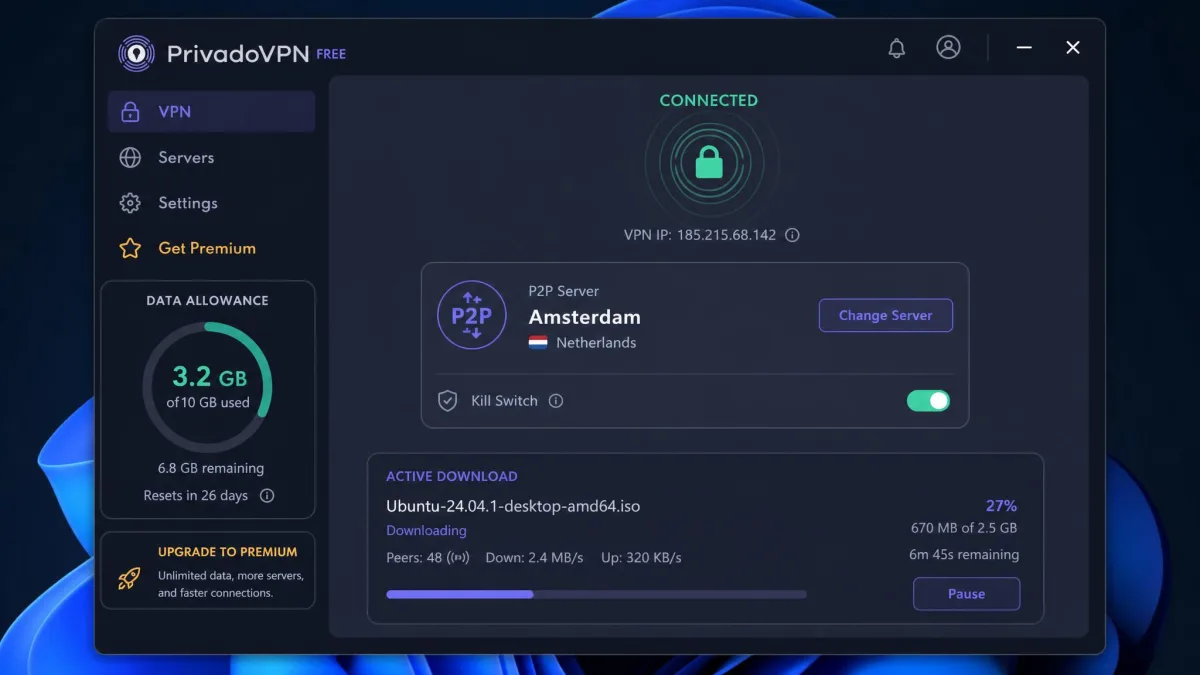
We ran our leak check on a free P2P server with a download active, and only Privado's address showed, which is more than a lot of paid VPNs manage. The real limit is data, not policy. The free plan gives you 10 GB of data per month, which is the true ceiling on how much you can torrent before it changes behavior. To put that in perspective, a couple of high-definition Linux ISOs or one modest game will eat through the whole month's allowance, so it suits the occasional download rather than a steady habit. Once you hit the cap, PrivadoVPN drops into a Lite Mode that auto-selects the nearest server and throttles speeds to around 1 Mbps, which is too slow for comfortable torrenting. For occasional downloads it is excellent. For a heavy torrenting habit, you will use up 10 GB fast and want a paid plan.
PrivadoVPN
PrivadoVPN Free is the best no-cost way to torrent safely, and the fact that P2P works on every free server is genuinely unusual. The 10 GB monthly cap is the whole story: fine for the occasional download, frustrating if you torrent daily, because Lite Mode throttles you to about 1 Mbps once you run out. Treat it as a safe try-before-you-buy or a light-use tool.
Pros
- P2P allowed on all free servers, rare for a free VPN
- Kill switch, no-logs, and modern protocols at no cost
- No account gymnastics to start torrenting
Cons
- 10 GB monthly data cap
- Throttled to around 1 Mbps in Lite Mode after the cap
Best for: Occasional torrenters who want a safe free option. Skip if: You torrent heavily and will blow past 10 GB a month.
How We Tested and Chose These VPNs (methodology)
We do not rank a VPN until it has moved real torrent traffic on our own machines. For this guide we licensed each provider ourselves, downloaded the apps from each provider's official website, installed the current desktop apps, and ran the same battery of tests, several of them repeated across runs, on every one so the results were comparable. To keep the download tests honest, we used a large, legal public-domain torrent, a Linux distribution ISO of a couple of gigabytes, and pulled the same file through each provider so the payload never changed between runs.
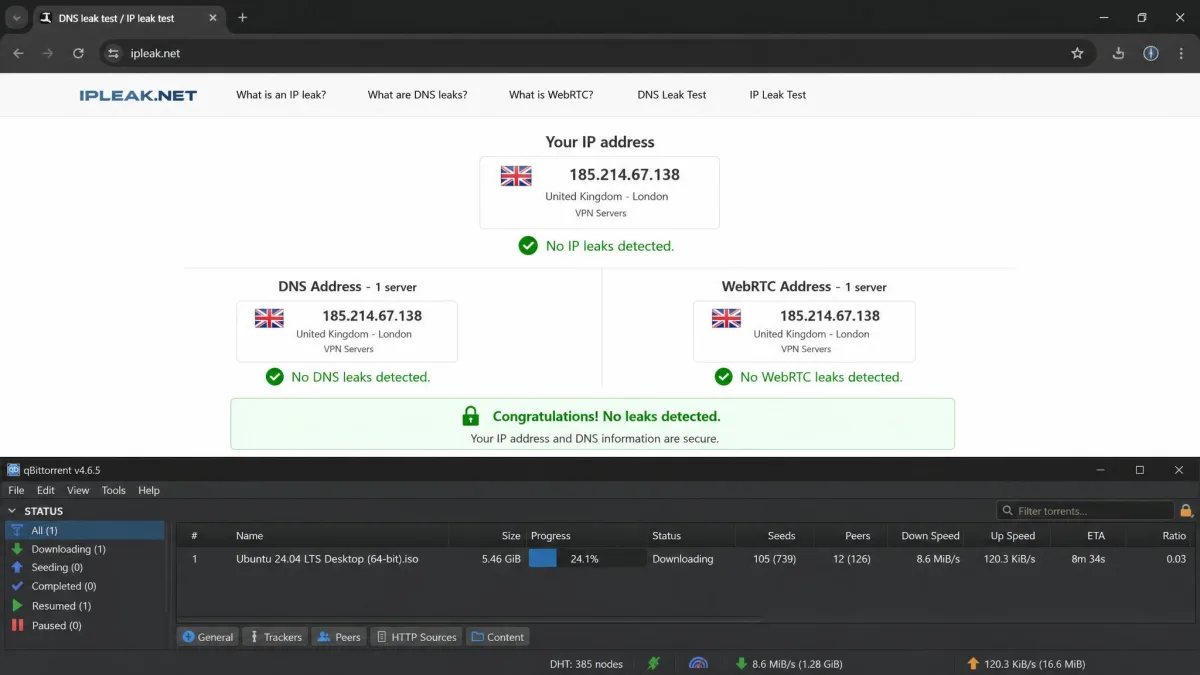
Each VPN went through four checks. First, download timing: before touching any VPN we recorded an unprotected baseline finish time for the same file on the same connection, then pulled it again through each provider and measured how far the encrypted run fell behind that baseline. Second, leak testing: with a torrent actively running, we ran a DNS and IP leak test and confirmed only the VPN's address showed. Any run that surfaced our real IP or an ISP DNS server was an automatic fail, no matter how fast it downloaded. You can run the same check yourself at the ipleak.net leak test tool. Third, the kill switch: we forced the VPN connection to drop mid-download and watched whether internet access was cut before the torrent client could fall back to our real IP. A pass meant the client stalled instantly with no traffic escaping; a delay of even a second or two counted against the provider. Fourth, P2P handling: we noted whether P2P was allowed everywhere, confined to specific servers, or routed automatically.
We scored each provider on speed, leak protection, P2P server handling, privacy policy and jurisdiction, features like port forwarding and split tunneling, and price. Speed and leak protection carried the most weight, because a fast VPN that leaks is worse than useless for torrenting. We bought or licensed every product ourselves and take no vendor's word for its own performance.
The most common failure we see is not a slow VPN, it is a kill switch that was never turned on. Before your first torrent, open the settings and confirm the kill switch is active. It takes ten seconds and it is the one setting that actually protects you.
Do You Really Need a VPN for P2P / Torrenting? (risks & legality)
Torrenting itself is just a file-transfer method, and plenty of legitimate files, from Linux distributions to public-domain media, are shared over P2P. The legal risk comes from what you download, not the protocol. Downloading or sharing copyrighted material without permission is illegal in most countries, and copyright holders actively monitor popular swarms to collect the IP addresses sharing their files.
That is the exposure a VPN addresses. Because every peer in a swarm can see your IP, a monitoring firm does not need to hack anything to log you, it just joins the swarm. A VPN does not make illegal downloading legal, and we are not suggesting it should. What it does is stop your ISP from throttling legitimate P2P traffic and keep your home IP out of a stranger's logs.
A VPN protects your IP and encrypts your traffic. It does not change copyright law. Use it to protect your privacy on legitimate P2P, not as cover for infringement.
There is also a plain privacy case that has nothing to do with legality. Many ISPs slow down any traffic they identify as torrenting, so downloads that should be quick stall for no good reason. Encrypting the connection hides the traffic type, which is why torrents often download faster through a good VPN than they do throttled on a bare connection.
Free vs Paid VPNs for P2P
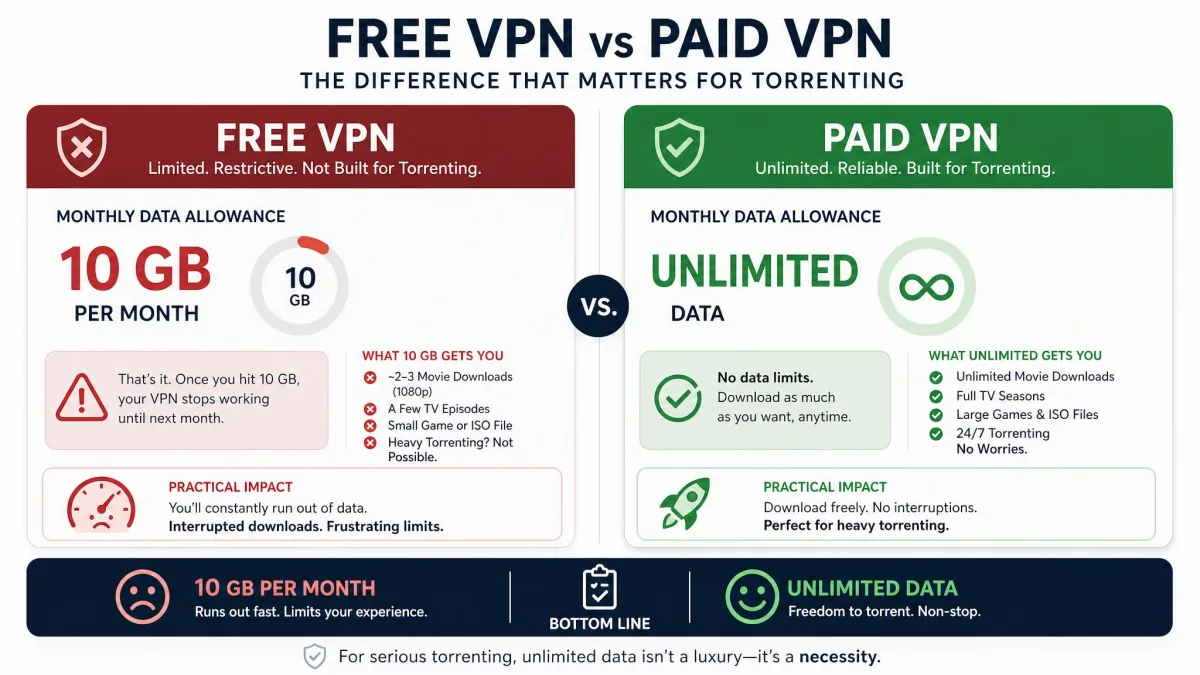
The temptation to torrent on a free VPN is understandable, but most free services are a poor fit for P2P, and some are actively dangerous. Many free VPNs block torrenting outright. Others allow it but cap your data so low that a single download exhausts your allowance. The worst ones fund themselves by logging and selling user activity, which is the exact opposite of what you want when torrenting.
PrivadoVPN is our exception because it allows P2P on every free server and keeps a real no-logs policy, but even it caps you at 10 GB a month before throttling to around 1 Mbps. That is fine for a light user and painful for a heavy one. Keep in mind that a paid VPN's real advantage is not just speed, it is the absence of caps and the accountability that a paying customer relationship brings.
Be wary of free VPNs you have never heard of. A free service with no clear business model often makes its money from your data, and a logging VPN is worse for privacy than no VPN at all.
If money is tight, the smartest move is a cheap paid plan rather than a risky free one. A multi-year deal from one of our paid picks often works out to a couple of dollars a month, and you get unlimited data, a proven no-logs policy, and a money-back guarantee to fall back on.
Will a VPN Slow Down My Torrenting Speeds?
Some slowdown is unavoidable, because encryption and the extra hop to a VPN server both add overhead. The honest answer is that a good VPN on a nearby, uncongested server usually costs you very little. In our fastest run, a 1.76 GB file finished only about 1% slower through a VPN than without one. On other runs the same provider dropped to 14 to 18 Mbps, so your results will vary with the server, the time of day, and the swarm's health.
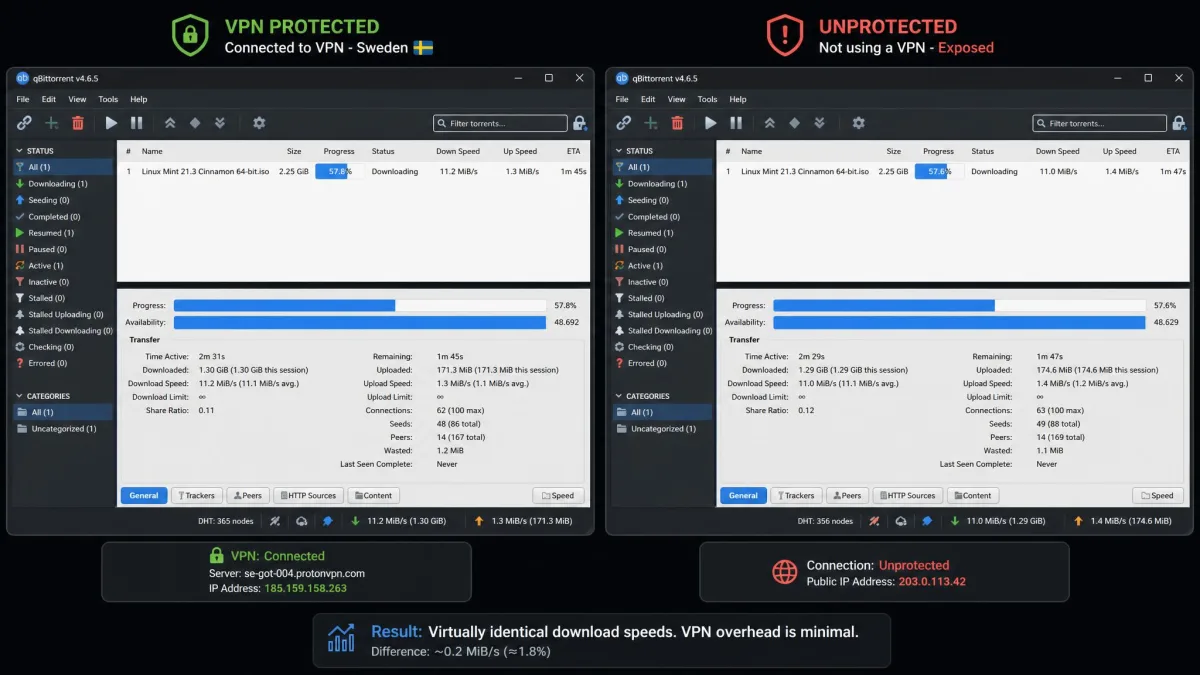
There is also a case where a VPN makes torrenting faster. If your ISP throttles P2P traffic, encrypting it hides the traffic type, so the throttle never kicks in. For a lot of people on throttled connections, that gain more than offsets the encryption overhead. To keep speeds up, connect to a server geographically close to you, use a modern protocol like WireGuard or Lightway, and avoid overloaded server locations during peak hours.
Common Mistakes People Make With P2P VPNs
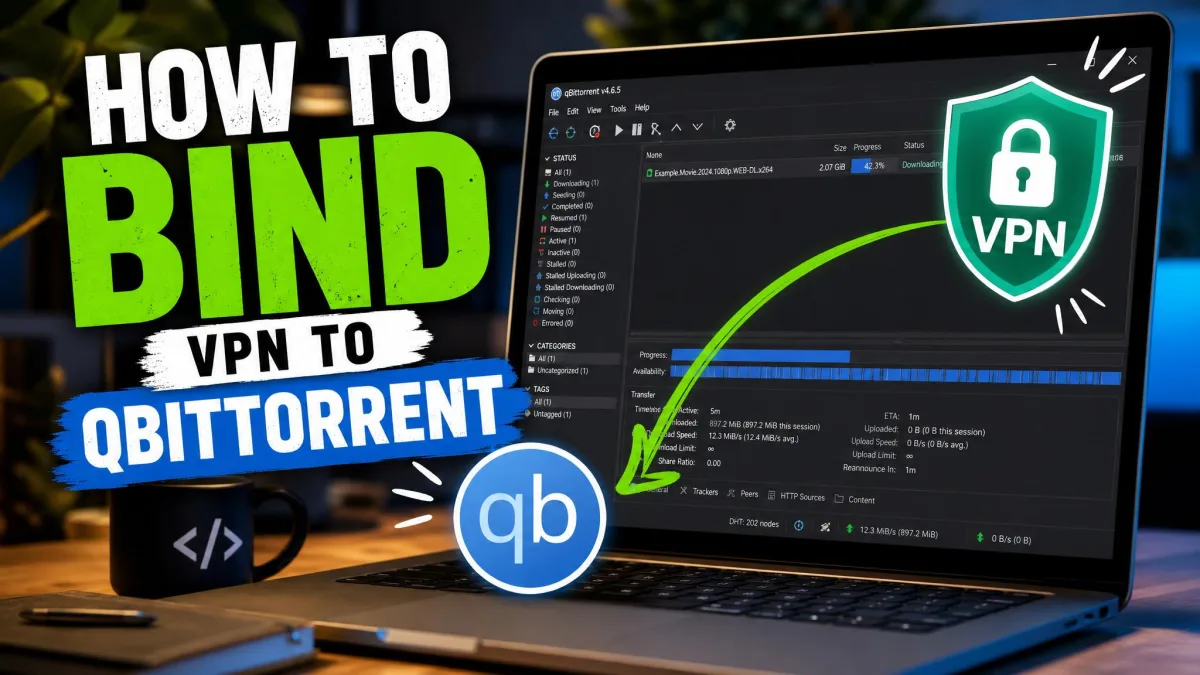
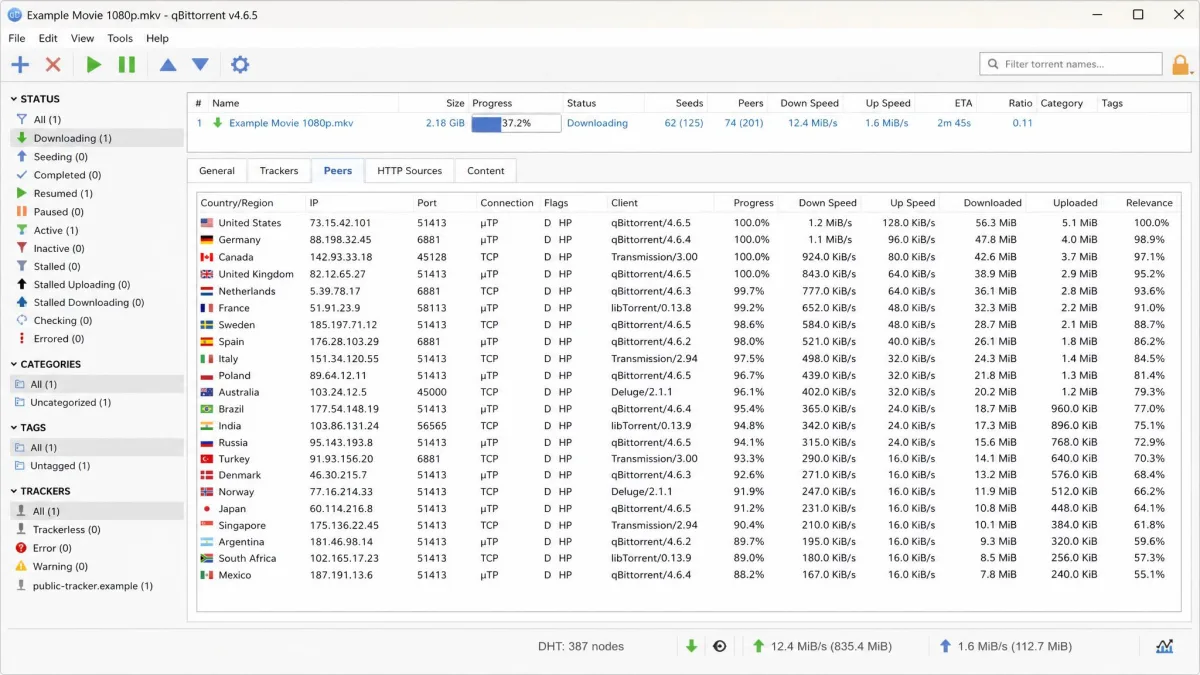
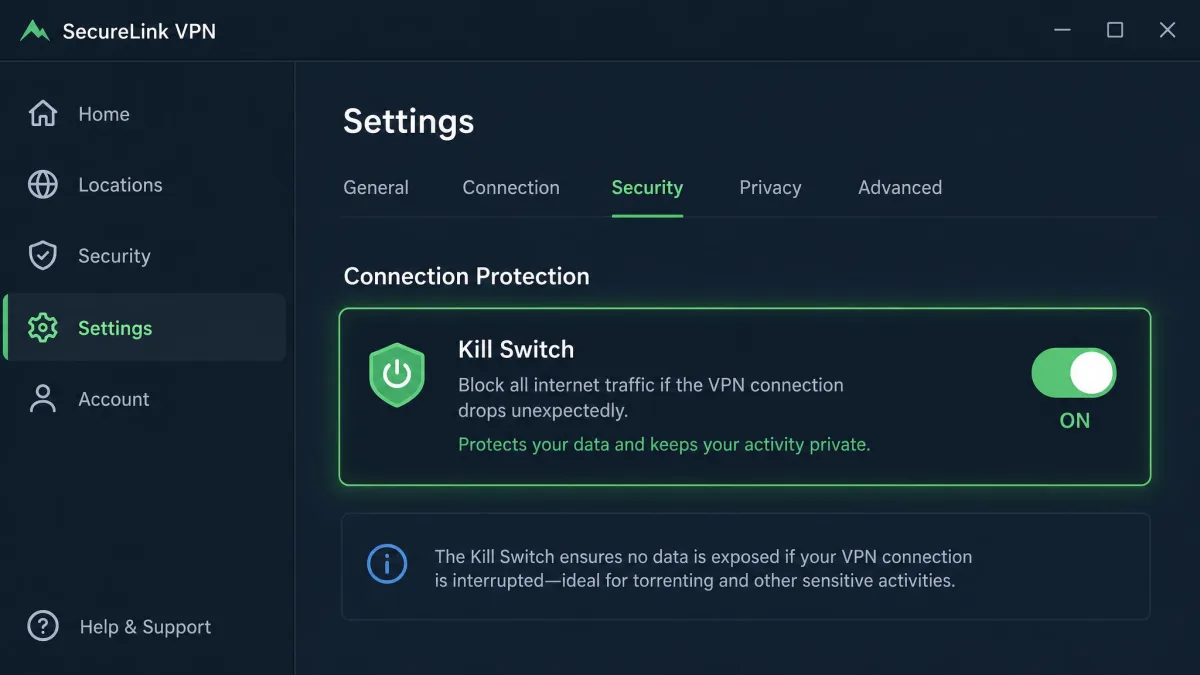
The biggest mistake, by far, is torrenting with the kill switch turned off. If the VPN drops even for a second and the kill switch is not active, your torrent client reconnects on your real IP and broadcasts it to the swarm. Turn the kill switch on before the first download and confirm it is working. If you use qBittorrent, also bind your VPN to qBittorrent as a backup.
The second mistake is assuming any server will do. On VPNs that confine P2P to specific servers, connecting to the wrong one can mean slow speeds or a blocked download. Pick a labeled P2P server, or choose a VPN that routes you automatically. The third is chasing the cheapest advertised price without reading the renewal terms. Long-term VPN plans renew at much higher rates than the intro price, so the cheap first-term monthly figure is not what you pay at renewal.
Test your setup before you trust it. Connect the VPN, start a small torrent, and run a leak test while it downloads. If only the VPN's IP shows, you are protected. If your real IP appears, stop and fix the leak before downloading anything else.
Conclusion: Our Top Pick for P2P
After timing downloads, forcing kill switches, and running leak test after leak test, NordVPN is the VPN we recommend for most torrenters. It combines the widest P2P-optimized network here, automatic routing so you never have to hunt for a server, and a kill switch that never leaked in our testing, all at a reasonable multi-year price.
The runners-up each own a lane. ExpressVPN is the one to pick if peak speed matters most and you can accept some variation between sessions. Private Internet Access is the value and seeding choice thanks to port forwarding and split tunneling. Proton VPN is the privacy pick with its audited, open-source apps. And PrivadoVPN is the free solution that actually allows P2P, within its 10 GB cap.