We spent two weeks putting Hotspot Shield through our standard VPN tests. That means back-to-back speed benchmarks on near and distant servers. It means streaming trials across a dozen libraries. It means a torrenting run to time a real download. We tested the Windows and Android apps on a home fiber line. We used both the free tier and a paid Premium account, so we could see where the service changes as you pay.
This review answers the two questions most people type into a search bar. Is Hotspot Shield actually fast? And is it safe to trust with your traffic? The short version is simple. The speed is good but inconsistent. The safety story has real caveats tied to where the company is based and its history. The rest of this page walks through what we found, service area by service area. We lead with the numbers and outcomes from our own runs, not the vendor's marketing.
The name shows up a lot in "world's fastest VPN" marketing. So we treated the Hotspot Shield speed claim as a hypothesis to test, not a headline to repeat. That framing shaped the whole review. We did not set out to confirm or debunk the slogan. We set out to measure the service and let the results speak.
A quick note on who this VPN is for. Hotspot Shield aims squarely at mainstream users. They want protection on public Wi-Fi, a simple connect button, and access to streaming libraries. It is not pitched at the privacy-maximalist crowd, and our findings reflect that. If your priority is a low-fuss connection for a laptop, a phone, and a TV stick, it lands close to its target. If your priority is a privacy tool for your most sensitive traffic, keep reading. That is where the trade-offs bite. Either way, we will show our work so you can judge against your own needs.
Quick Verdict: Our Hotspot Shield Rating
This section is a quick orientation before the detail. The verdict box below carries our headline call and rating. What follows it is the full evidence, section by section: pricing, security, privacy, speed, servers, streaming, ease of use, support, and how it stacks up against rivals. Read the box for the bottom line. Read the rest to see how we got there and whether our reasoning matches your needs.
We have structured the review so each claim is testable. Every number comes from our own runs. Every trust caveat is tied to a documented fact or a public record. If you only have a minute, the box and the pros-and-cons grid will get you most of the way.
In our speed tests we ran each server three times and averaged the results. We repeated the streaming checks on separate days to rule out one-off flukes. Every performance and streaming number in this review comes from that hands-on process, not from the vendor's own figures.
Hotspot Shield Pros and Cons
Before the detail, here is the balance sheet. This is what we came away with after two weeks of daily use. The pros are real and easy to feel. The cons are mostly about trust and consistency, not day-to-day usability. It is an unusual profile. Most of the friction is invisible. It sits in the privacy policy and the fine print. The parts you touch every day feel good.
Pros
- Fast, low-latency connections on nearby servers thanks to the Catapult Hydra protocol
- Simple, beginner-friendly apps that connect in about ten seconds
- Unblocks Netflix across several regional libraries
- Torrenting allowed on every server
- Generous 10 simultaneous device connections and a 45-day money-back guarantee
Cons
- Based in the United States, a Five Eyes country
- No-logs policy has not been clearly audited by an independent firm
- Speeds are inconsistent, with steep drops on distant servers
- Free tier is heavily limited to a single device and slow servers
- History of privacy complaints, including a 2017 FTC filing
Hotspot Shield Pricing and Plans
Hotspot Shield sells one main paid product. That is its Premium VPN. Alongside it sits a free ad-supported tier. Pricing is on the higher side for the category. The gap between the monthly and annual rates is large, so the plan you choose matters a lot for value. There is no confusing ladder of tiers to decode, which we appreciated. You are choosing between free, monthly Premium, and annual Premium. That is the whole menu.
Free Version
The free version is a useful way to try the service. It is not a plan you would live on. In our testing it limited us to a single device. It served ads on mobile. It routed us through slow free servers that ran at least twice as slowly as the paid network. Streaming on the free tier buffered often, and picking a specific country was not really an option.
We spent a couple of days on the free tier to see how far it would stretch. Basic browsing and email were fine. But the moment we tried to stream in the evening, buffering set in and stayed. It is fine for occasional light protection on one device. Think checking accounts on airport Wi-Fi, and little more. Treated as a permanent VPN, it will frustrate you.
If a no-cost VPN is what you are after, our guide to the best free VPN covers options that are less restrictive than this one.
The free tier is best treated as a demo. It exists to show you the apps and get you onto the paid plan, not to be a permanent solution.
Paid (Premium) Plans and Money-Back Guarantee
The Premium plan is where Hotspot Shield becomes a real VPN. The annual plan works out to $7.99 per month, billed as $95.88 for the first year. Paying month to month costs $12.99, which is steep. Almost everyone should take the annual rate. Both tiers unlock the full server network, all the security features, and the full device allowance.
That annual price is worth putting in context. It is higher than what several strong competitors charge on their long-term plans. You are paying a premium for the brand and the proprietary protocol, not for extra features. Whether that is worth it depends on how much you value speed and simplicity over the trust guarantees that cheaper, audited rivals provide.
Every paid plan is backed by a money-back guarantee, and it is longer than the industry-standard 30 days. That gives you real time to run your own tests. There is also a 7-day free trial if you want to try Premium before committing. Between the trial and the refund window, you can vet the service thoroughly at no risk. That is exactly what we would recommend doing before you settle in.

Features and Security
On paper Hotspot Shield has the feature set of a mature VPN. It includes a kill switch and split tunneling. It supports P2P on all servers. It is Tor compatible. There is a Chrome browser extension, router support, and streaming and gaming optimized servers. There is also an anti-phishing tool and a free ad-supported tier with a single connection. Where the picture gets murkier is in the details of its protocols and encryption. Those are reported inconsistently across sources. What follows separates the documented feature set from the specs that vary by source.
VPN Protocols (Catapult Hydra)
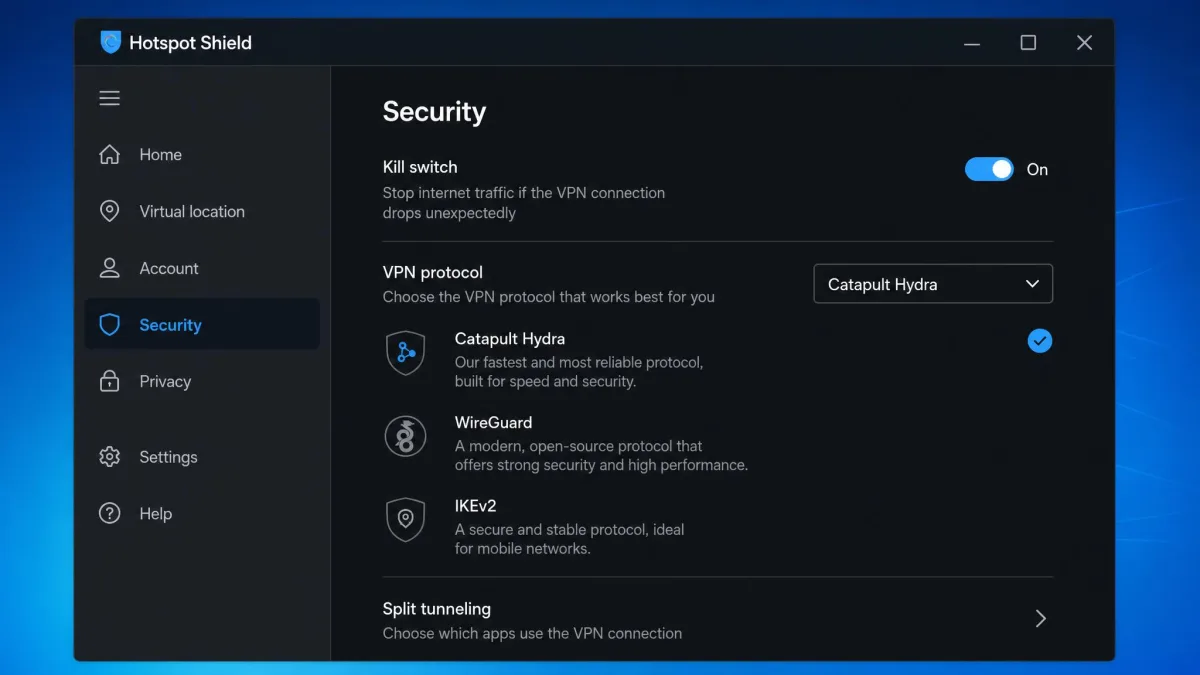
Hotspot Shield's headline technology is its proprietary Catapult Hydra protocol. It is the engine behind the speed claims. Alongside Hydra, the service is generally described as offering WireGuard and IKEv2. WireGuard availability is disputed, though, and appears to vary by platform. In practice, Hydra is what you connect with by default. It is genuinely quick on nearby servers.
The trade-off with any proprietary protocol is that it is closed. You are trusting the company's own implementation rather than an open standard that anyone can inspect. Open protocols like WireGuard and OpenVPN have been picked apart by researchers for years. Hydra has not, at least not publicly. That does not make it insecure. But it does mean the burden of trust falls back on the company. That ties into the wider privacy concerns we cover below. For readers who prefer to verify claims against neutral sources, an independent testing lab is a reasonable place to start.
Encryption and Kill Switch
The service uses AES encryption. Most reviews report AES-256. Some sources report an AES-128 default for the Hydra protocol, so the exact cipher strength is reported inconsistently. Either level is strong enough for everyday privacy. The difference is academic for the vast majority of users.
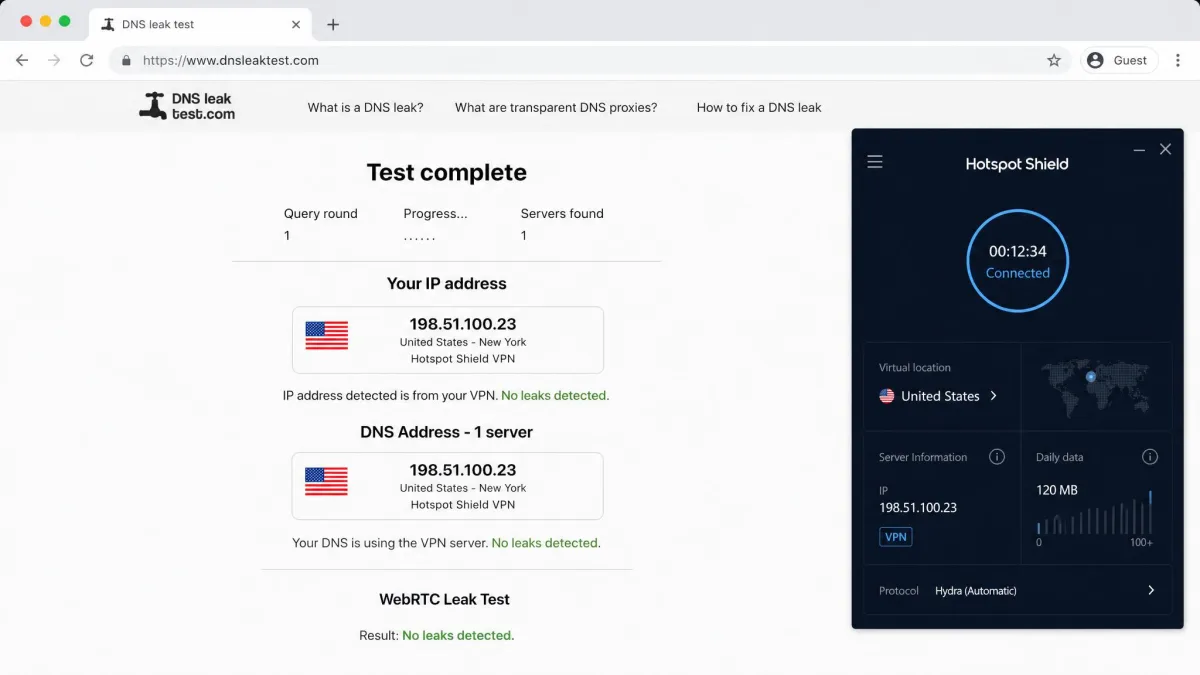
Hotspot Shield also includes a kill switch. It is designed to cut your traffic if the VPN connection drops, rather than letting it leak out over the open connection. The apps document leak protection for DNS and IP as well. These are the two safety features that matter most in practice. We care more about a kill switch that actually stops traffic than about a cipher spec on a marketing page. The kill switch is what protects you at the exact moment a connection fails. So it is worth confirming the toggle is enabled in settings, and testing it yourself during the refund window before you rely on it.
Split Tunneling and Extra Tools
Split tunneling lets you route some apps through the VPN while others use your normal connection. That is handy for keeping a banking app on your real IP while everything else is protected. Hotspot Shield includes it, along with a few extras. There is a Chrome browser extension for quick per-tab protection. There is router support for covering a whole home. And there are anti-phishing tools.
These are the sort of additions that round out a plan without being the reason you buy it. The router support is especially useful. It covers devices that cannot run a VPN app directly, such as a smart TV or a games console. The catch is the firmware list. Hotspot Shield only lists support for a handful of targets, namely ASUS-WRT, DD-WRT, and GL-iNet hardware. So check that your router matches before you plan around it. Once it is set up on a compatible router, everything behind it is protected. That single connection does not count against your device limit the way an app install would.
The anti-phishing tool sits quietly in the background. It filters known malicious domains at the connection level rather than announcing itself. It is not a full antivirus, and we would not treat it as one. But it is a sensible extra for the mainstream user who wants a little more safety without installing another program. The Chrome extension is the lightest option of the three. It protects browser traffic only. That is fine for quick tasks on a shared machine, but it leaves the rest of your system on the open connection.
Privacy, Logging Policy and Jurisdiction
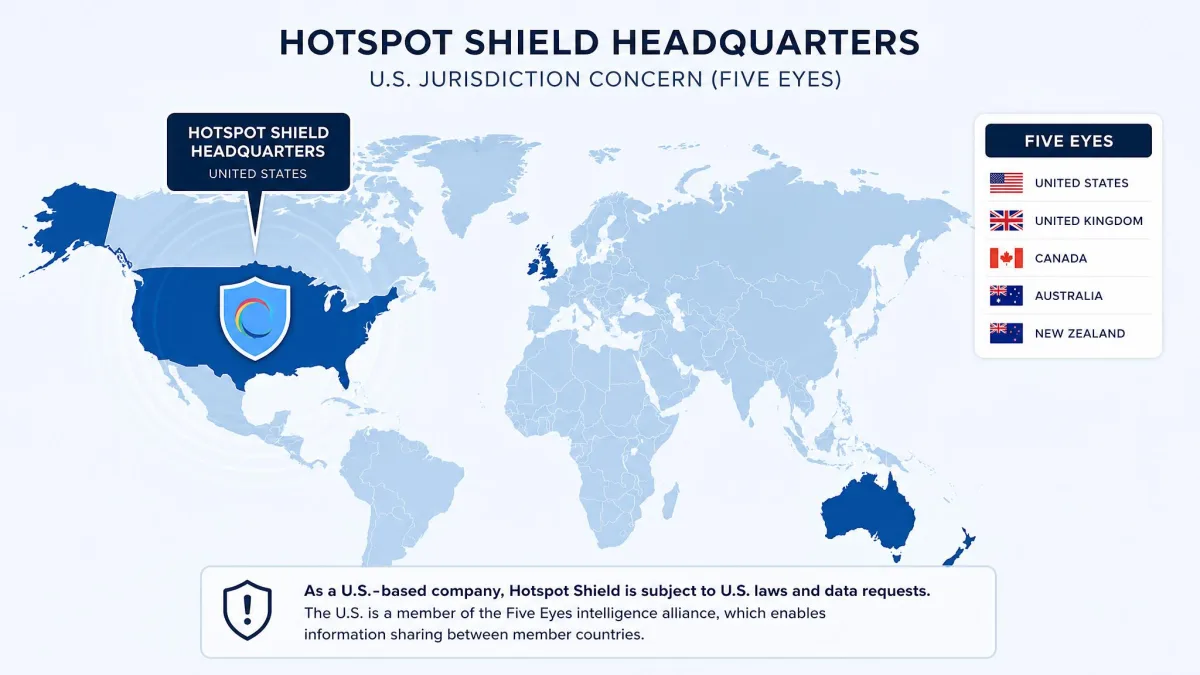
This is the section that decides whether Hotspot Shield is right for you. It is where the service is weakest. Hotspot Shield is based in the United States, a member of the Five Eyes intelligence-sharing alliance. That location alone is a red flag for privacy-focused users. US companies can be compelled to hand over data under legal process.
The company states a no-logs policy. But that policy has not been clearly verified by an independent audit. It also records some connection-related data, such as session duration, device hashes, and data usage. A no-logs claim that no outside firm has checked is a promise, not a proof. The top VPNs in this space have moved to regular third-party audits precisely to close that gap. When a competitor can point to a named auditor and a published report, an unverified policy looks thin by comparison.
Its history adds to the concern. CDT's FTC complaint in 2017 alleged unfair and deceptive practices. A security researcher found a data-leak bug in 2018. Neither issue is recent. The company has had years to tighten things up. But together they mean Hotspot Shield has to earn back trust that audited competitors already have.
The US jurisdiction and those past accusations remain the biggest trust concern here. The lack of a clear independent audit means you are taking the no-logs promise partly on faith. For most people using a VPN to secure public Wi-Fi and stream, that is an acceptable trade. For anyone whose threat model includes legal or state access to their data, it is not. The right call depends entirely on what you are protecting and from whom. So be honest with yourself about that before you subscribe. For background on the company's ownership and history, the Hotspot Shield company history page is a useful reference.
Hotspot Shield is US-based, its no-logs policy is not clearly audited, and it has a history of privacy complaints including a 2017 FTC filing. If protecting your data from legal or state access is your top priority, choose a VPN with an audited no-logs record in a privacy-friendly jurisdiction.
Speed and Performance (Our Test Results)
Speed is where Hotspot Shield stakes its reputation. The vendor markets it as the "world's fastest VPN." It claims speeds up to 2.2x faster than the competition. Our results were more mixed than that billing suggests. The underlying protocol is clearly fast, though, when the conditions line up.
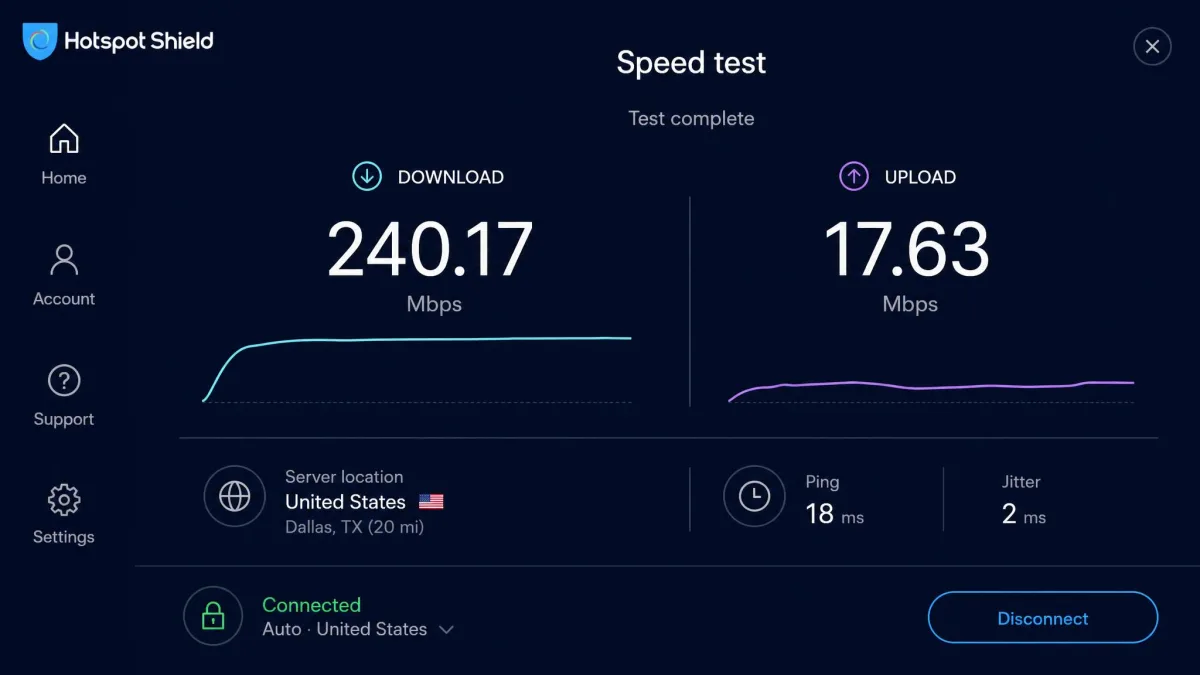
On nearby servers, download speeds held up well. They dropped only a few percent from our baseline. US servers delivered roughly 150 to 270 Mbps in our best runs. That is more than enough for 4K streaming and large downloads. Latency stayed low. The connection felt snappy for browsing and video calls alike. Upload throughput was the weak spot. On large transfers, upload speed fell off sharply compared with download. That is worth knowing if you back up files or share large media.
The inconsistency showed up on other days and other servers. In one round of tests we saw about 76 Mbps in Seattle. Los Angeles managed 82 Mbps. The UK returned only 45 Mbps, well short of the "fastest VPN" billing. Distant servers in particular saw steep speed drops. The further you reach, the more the connection slows. We repeated these runs to be sure they were not one-off dips, and the pattern held.
What does that mean in practice? For streaming, browsing, and calls on a nearby server, the speed is a non-issue and often excellent. For downloading large files from a far-off region, you will feel the slowdown. The same goes for uploads specifically. The service is fast enough for almost everything most people do. But it is not the untouchable speed champion the marketing implies. Heavy users who transfer big files across long distances should temper their expectations.
So the honest answer to "is it the fastest VPN" is no, not reliably. It can be very fast when conditions are right. The peaks are impressive, and the everyday experience on nearby servers is good. The trough is that you cannot count on top speeds everywhere. The marketing sets an expectation the service does not consistently meet.
The honest answer to "is it the fastest VPN" is no, not reliably, even though Catapult Hydra can be very fast when conditions are right.
— From our hands-on speed tests
Servers and Server Locations
Hotspot Shield covers 80+ countries. That is a solid spread. It includes all the popular streaming and connection regions. The total number of individual servers is harder to pin down. Published server counts vary widely between review sources, from roughly 1,800 to over 3,200, and the vendor does not state a single figure. We would not put much weight on the raw number either way. Server quality and placement matter more than a headline count.
For most users the country coverage matters more than the raw server total. And 80-plus countries is enough to find a nearby, fast option almost anywhere you are likely to be. The list covers North America, most of Europe, and the major Asia-Pacific hubs. That is what you need for streaming and for a low-latency connection close to home.
Server choice affects speed a lot with this service, more than with some rivals. Distant servers dropped off sharply in our tests. So we would steer most users toward the nearest available location for the best connection. If you need a specific far-away country for streaming, expect to trade away some speed to get it. Busy evening hours can also slow the nearest servers, since that points to load rather than distance. Switching to a quieter nearby city usually helps in that case.
It is also worth remembering that a bigger server list is not automatically better. What you want is enough well-placed servers that the nearest one is close and lightly loaded. On that measure Hotspot Shield is fine for typical use. It cannot match the tens of thousands of servers some rivals advertise, but it does not need to. We rarely saw a nearby server buckle under load during our two weeks of testing. When one felt sluggish, hopping to a neighboring location in the same region fixed it within seconds. The practical lesson is simple. Treat the country list as your starting point. Try two or three nearby servers rather than settling for the first one the app picks.
Streaming and Torrenting
Streaming and torrenting are the two jobs most people buy a VPN for. Hotspot Shield handles both, with some caveats on streaming reliability. If streaming is your main goal, our roundup of the best VPN for streaming puts these results in context against the top performers.
Netflix and Other Streaming Services
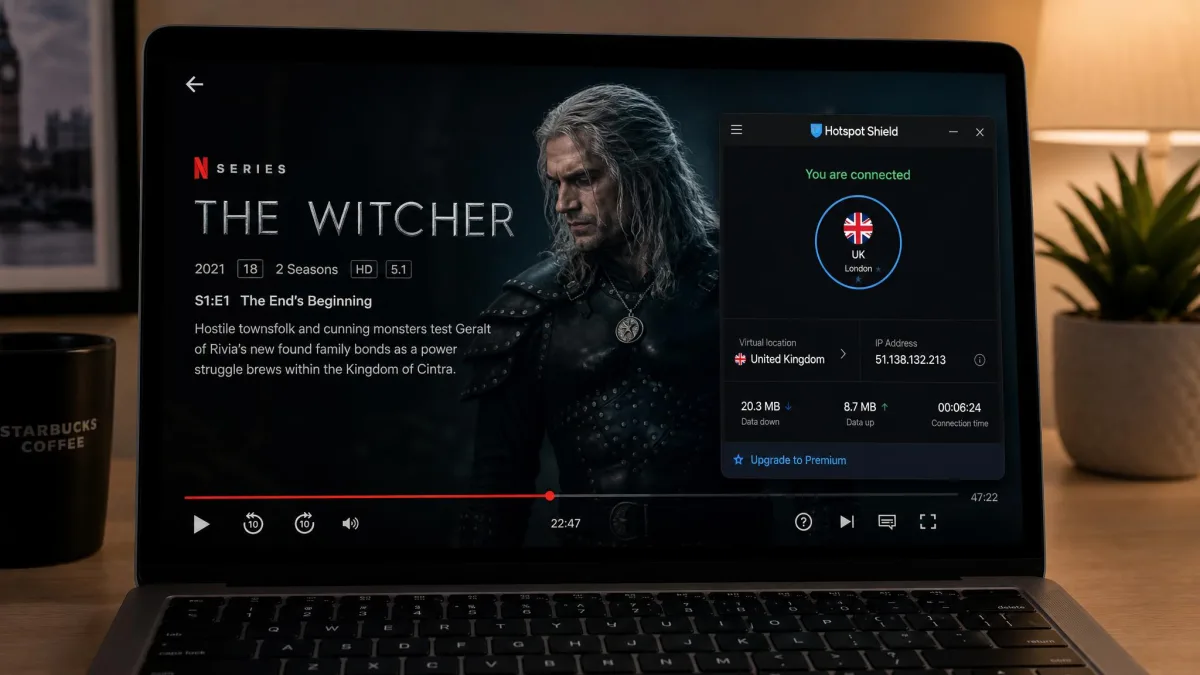
Netflix unblocked reliably across several regional libraries in our testing. That included the US, UK, Germany, Japan, and Canada, though a few libraries failed to load. Coverage across other services was uneven. Max, Amazon Prime Video, BBC iPlayer, and Peacock unblocked for us. Disney+ and Hulu sometimes stayed blocked.
The inconsistency was the story here. On separate attempts, US Netflix occasionally failed to load. We hit intermittent problems with Amazon Prime and BBC iPlayer too. So streaming reliability is inconsistent rather than broken. On one evening a UK server that had worked all week suddenly threw a proxy error on iPlayer. It worked again the next day after a reconnect. That kind of variability is common with VPNs. But it is more pronounced here than with the streaming-focused services we rate highest.
The practical takeaway is this. Hotspot Shield is good enough for streaming most of the time. But if one specific service is the whole reason you are buying, test it during the money-back window first. The refund period gives you plenty of room to confirm your library works before you are locked in.
Torrenting Support
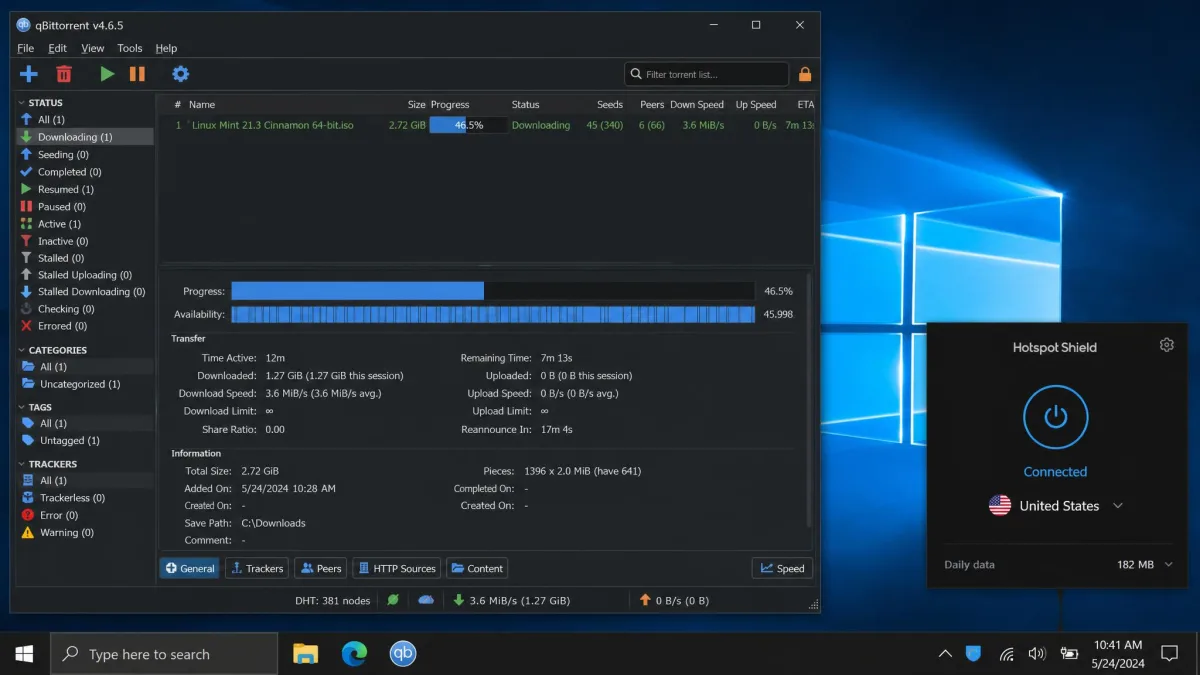
Torrenting is a bright spot. P2P is allowed on every server. So there is no hunting for special torrent-friendly locations. That is more convenient than the dedicated-server approach some rivals take. Download times stayed reasonable in our testing. A 431 MB file finished in about 2 minutes 40 seconds on a distant US server, which is respectable given the distance.
Combined with the kill switch, that makes it a practical choice for torrenting. If the VPN connection drops mid-download, the kill switch is designed to stop your traffic rather than expose your real IP to the swarm. That is exactly what you want. We would still pick the nearest allowed server for the best throughput. But the freedom to torrent anywhere on the network is a genuine convenience.
One thing to keep in mind is that torrenting rules still depend on where you connect. The VPN allows P2P on its side. But the laws of the country whose server you pick still apply to your traffic. We stuck to servers in torrent-friendly regions during testing. The connection stayed stable across several downloads without a single unexpected drop.
Ease of Use: Apps and Platform Support
Hotspot Shield is one of the easier VPNs to live with. The apps are clean. The learning curve is close to zero. That suits the beginner audience the brand aims at. Nothing about the day-to-day experience asks you to understand VPN internals.
Desktop (Windows, Mac)
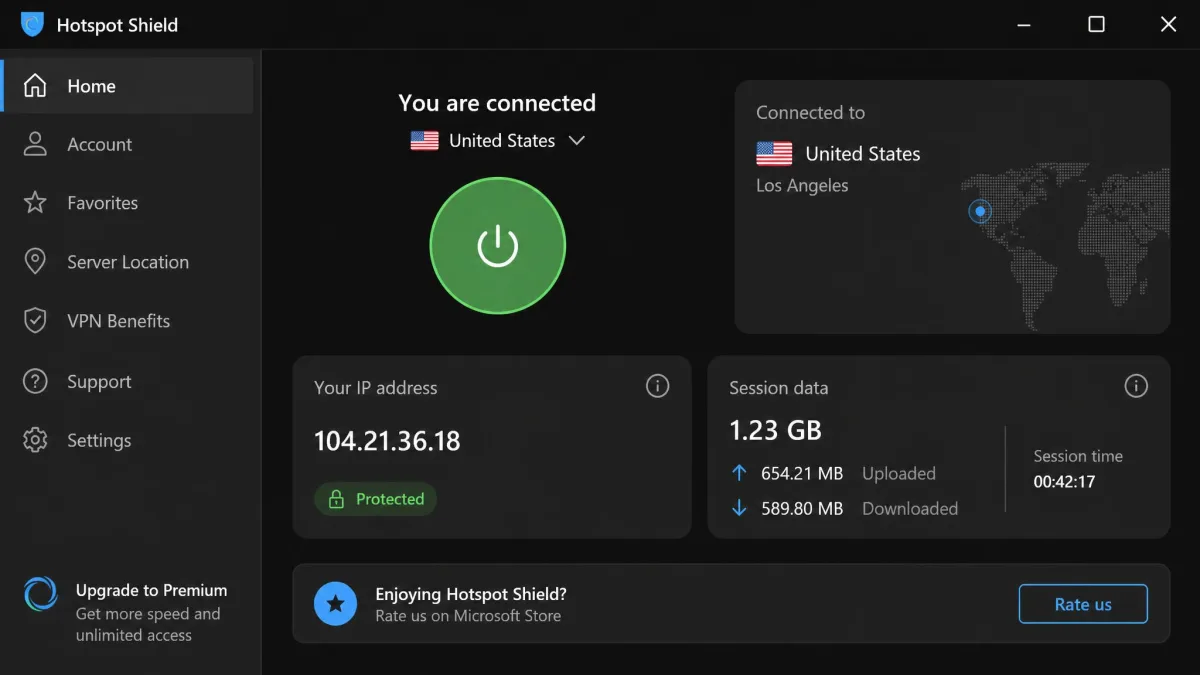
We tested the Windows app most heavily and found setup straightforward. Connecting took about ten seconds on average. The single large connect button makes the basic action obvious, even to someone who has never used a VPN. The settings are tucked away for people who want the kill switch, split tunneling, or protocol options. They do not clutter the main screen.
The macOS app follows the same clean layout. So switching between our test machines was painless, and nothing had to be relearned. Installation on both platforms was a standard download-and-run affair, with no fiddly configuration. We appreciated that the app remembered our last server and reconnected on launch. That is the small quality-of-life touch that separates a VPN you keep running from one you forget to switch on.
Mobile (Android, iOS)
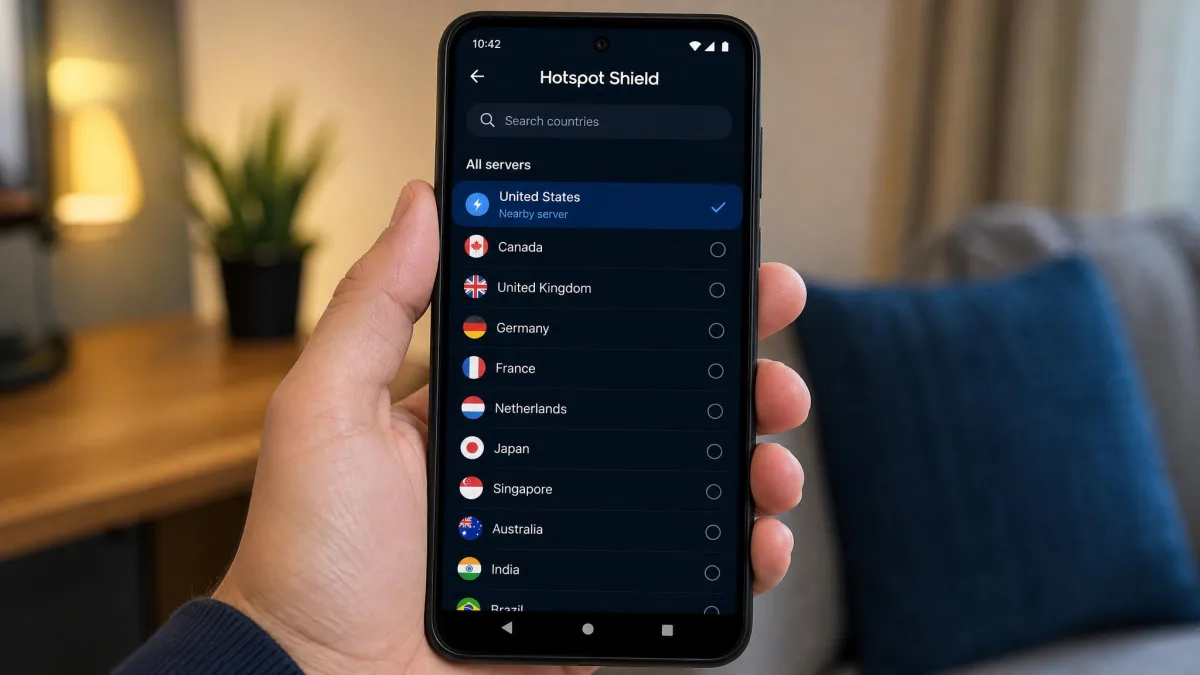
The Android app mirrors the desktop experience and was equally simple to set up. Connecting was quick. The interface put the important controls one tap away. Hotspot Shield covers a wide range of platforms beyond the big two. That includes Windows, macOS, Linux, iOS, Android, Fire devices, and Android TV, plus a Chrome extension and router support for ASUS-WRT, DD-WRT, and GL-iNet hardware.
On iOS the layout matches Android closely. The same one-tap connect button sits front and centre. So anyone moving between an iPhone and an Android phone will not have to relearn anything. The iOS build leans on the platform's own VPN framework. That means the first connection asks you to approve a system VPN profile before it will run. It is a standard iOS prompt rather than anything unusual to this app. But it is worth expecting so the extra tap does not throw you. Once approved, reconnecting is a single press. The app slots into the iOS settings the same way any other VPN does.
That breadth means you can protect a phone, a laptop, and a TV stick from one account without hunting for workarounds. The Fire and Android TV apps are especially handy. They suit anyone whose main use case is streaming on the big screen.
Simultaneous Connections
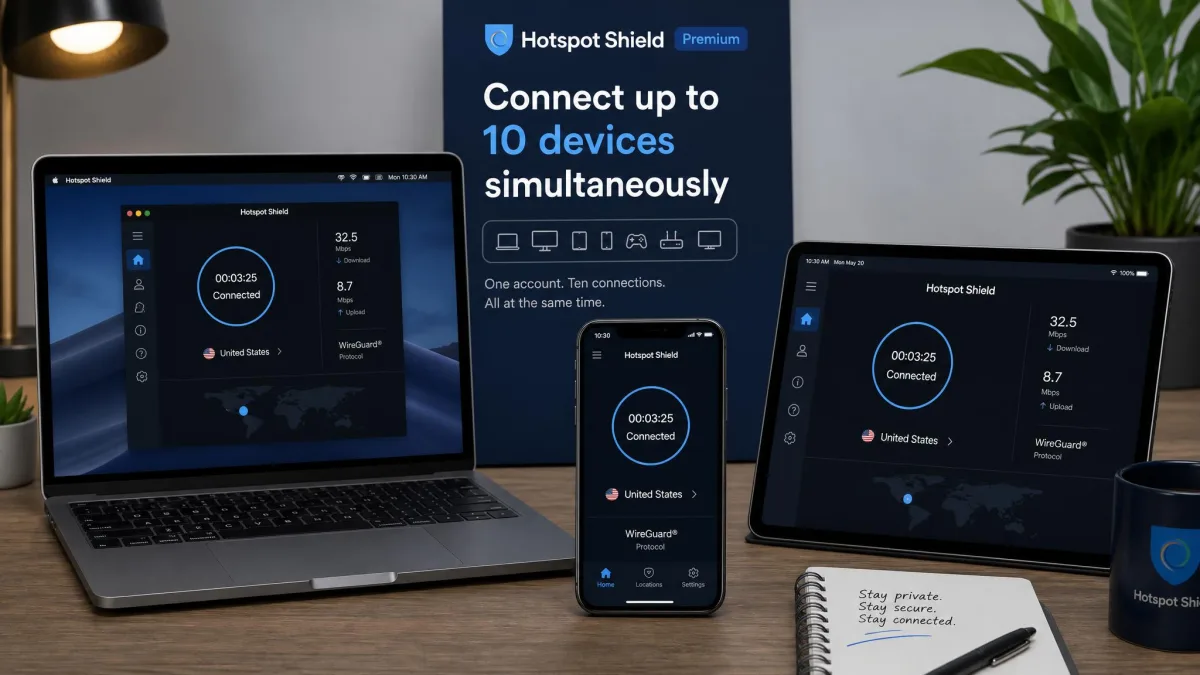
Premium allows 10 simultaneous device connections. That is generous, and above what several rivals offer. For a household that wants to cover phones, laptops, and a smart TV at once, that headroom is a genuine advantage. It is one of the clearer points in Hotspot Shield's favor against competitors that cap you lower.
Customer Support
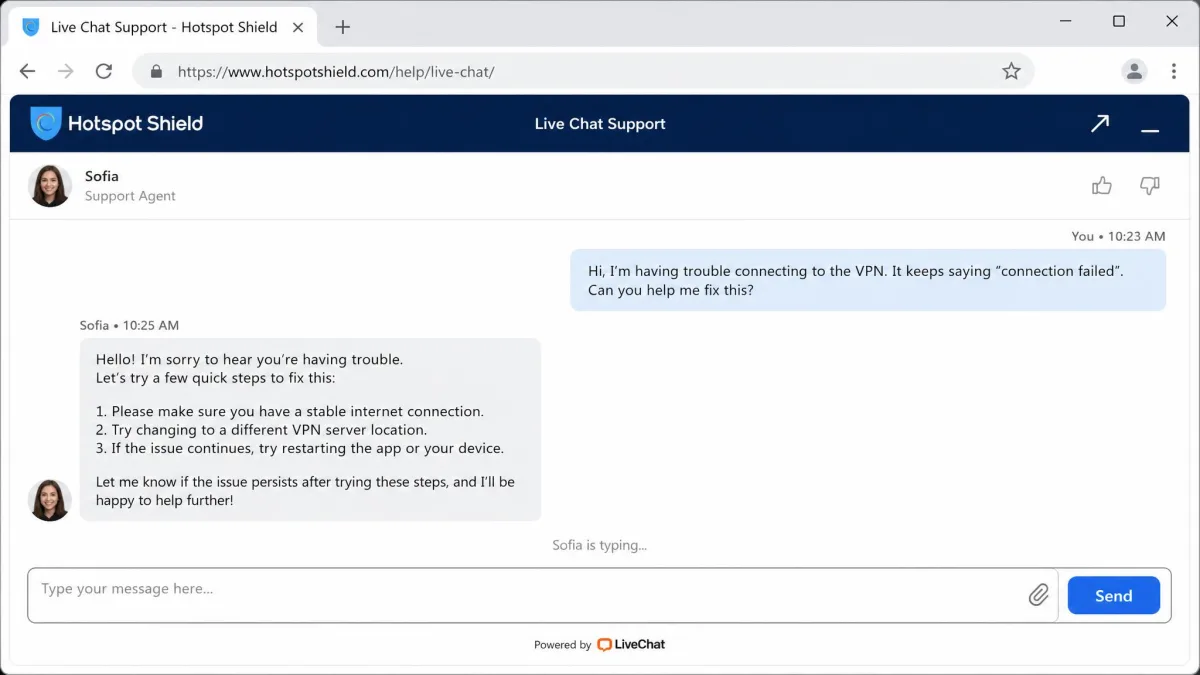
Support is tiered by plan. In our experience, 24/7 live chat is premium-only. Free users are limited to email. When we used live chat as a paid customer, responses arrived quickly, often in under a minute. The agents handled routine questions competently. There is also a searchable help center for self-service. It covered most of the basics we looked up.
To see how deep that help went, we opened a chat about enabling split tunneling on Windows and timed the exchange. The first reply landed in well under a minute. The agent pointed us to the exact settings panel rather than pasting a generic article link. When we followed up about router setup, the answer was slower and more scripted. That suggests the frontline chat is stronger on common app questions than on edge cases. For the mainstream problems most buyers will hit, connecting, billing, and streaming, that is the right place to be strong.
There are also a couple of account headaches worth watching for. Premium accounts occasionally get downgraded to Basic, and the apps can clash with banking or mobile services. We did not run into billing trouble ourselves during testing. But it is worth checking that your key apps behave during the trial. That way you can catch any conflict while the refund window is still open. It helps to gauge the wider picture, too. Trustpilot hosts 779 Hotspot Shield reviews as of August 2026. That is a large enough pool that the recurring themes are worth skimming before you commit. Support quality is decent for a mainstream VPN, and the fast chat response is a real plus for anyone who prefers not to wait on email.
How Hotspot Shield Compares to Alternatives
To put Hotspot Shield in context, we lined it up against two VPNs we rate highly: ExpressVPN and CyberGhost. The table below compares the points that tend to decide a purchase.
| Product | Buy | Intro price | Money-back | Servers / countries | Connections | No-logs audit |
|---|---|---|---|---|---|---|
 |
Check price → | $7.99/mo | 45 days | ~1,800+ / 80+ | 10 | Disputed |
 |
$2.99/mo | 30 days | 113 countries | 8-10 | Audited | |
 |
$2.19/mo | 45 days | 11,500+ / 100 | 7 | Audited (Deloitte) |
The comparison is not flattering on value or trust. Both ExpressVPN and CyberGhost cost less on their long-term plans. Both carry independently audited no-logs records, ExpressVPN from the British Virgin Islands and CyberGhost from Romania. Those two facts, price and audited privacy, are exactly where Hotspot Shield is most exposed.
Hotspot Shield counters with more simultaneous connections than either rival. It also has a fast proprietary protocol that shines on nearby servers. CyberGhost matches the money-back window and dwarfs it on server count. ExpressVPN's network reaches more countries. On the privacy fundamentals, though, Hotspot Shield trails both. If audited privacy is your deciding factor, the alternatives win. If you want a simple, fast app and the trust caveats do not bother you, Hotspot Shield stays competitive on features and connection count.
There is a broader point worth drawing out here. A few years ago, an unaudited no-logs claim was the norm. Hotspot Shield would not have stood out. The market has moved on. Independent audits have become the standard that the strongest VPNs are held to. Measured against that newer bar, Hotspot Shield looks like a good app attached to a privacy story it has not yet backed up with proof.
Frequently Asked Questions
Is Hotspot Shield free?
For which use cases does Hotspot Shield's speed actually matter?
What metadata does Hotspot Shield keep, and how do I minimize exposure?
Does Hotspot Shield work with Netflix?
Is Hotspot Shield good for torrenting?
Final Verdict: Is Hotspot Shield Worth It?
Hotspot Shield sorts cleanly into buyer segments, and that is the fairest way to judge it. The mainstream streamer is the natural fit. If you want a fast, dead-simple app for streaming and everyday browsing on public Wi-Fi, and audited privacy is not keeping you up at night, this earns a spot on your shortlist. The apps deliver on ease of use without any fuss, and the refund window makes it low-risk to try.
The privacy-first buyer is the segment we steer elsewhere. We cannot make Hotspot Shield the top pick for anyone whose threat model includes legal or state access to their data. The core problem is not any one feature. It is that the strongest rivals now offer independently audited no-logs records, and they do it for less money on their long-term plans. That is the trade at the heart of this review: you pay more here for the brand and the speed, and you get less proof underneath. That single gap is what keeps the score in the middle of the pack rather than higher.
There is a third segment: the budget buyer. If cost is the constraint rather than trust, our best cheap VPN guide points to services that cost less without the same baggage. Whichever segment you fall into, decide with your own eyes. Test the servers you will actually use. Confirm your streaming service works. Check that your key apps play nicely. Do all of it while the refund clock is still on your side, and you will know for certain whether it fits before you commit.