If your VPN keeps getting flagged on work Wi-Fi, blocked by a streaming service, or cut off by a country's firewall, the VPN itself is rarely the whole problem. Something in your connection is giving it away, and each detector looks for a different clue. A school firewall watches ports. A censor inspects the shape of your packets. A streaming site checks where your IP address comes from and whether your browser tells a different story.
No VPN setup hides from every detector, and the right fix depends on who is doing the detecting. So "beat every detection method" here means we cover every method in use, one at a time, with the change that removes that signal.
Quick answer: the undetectable VPN checklist
Work down this list and you will have removed the common detection signals:
- Turn on obfuscation so your encrypted traffic looks like regular HTTPS traffic.
- Switch VPN protocols when one is blocked.
- Run the VPN over port 443.
- On censored networks, use a stealth protocol that mimics a real TLS connection.
- If every VPN is blocked, fall back to Shadowsocks, Tor bridges or an SSL tunnel.
- Change server, or get a dedicated IP, when a website flags your address.
- Close DNS, WebRTC and IPv6 leaks.
- Match your device's timezone, language and GPS to the server.
- Clear cookies and sign out of accounts that tie you to home.
| Detection method | Who uses it | What it sees | How to beat it |
|---|---|---|---|
| DPI and protocol fingerprinting | ISPs, censors, corporate firewalls | Packet patterns typical of OpenVPN or WireGuard | Obfuscation or a stealth protocol |
| Port blocking | Schools, hotels, workplaces | Traffic on default ports 1194 (OpenVPN) or 51820 (WireGuard) | Move the VPN to TCP 443 |
| Fully encrypted traffic and active probing | Great Firewall of China | Random-looking bytes, then probes sent to your server | A stealth protocol that mimics TLS |
| IP reputation and hosting ASN | Streaming services, banks, websites | A datacenter or known VPN address | New server or a dedicated IP |
| DNS, WebRTC and IPv6 leaks | Websites, streaming services | Your real IP or your ISP's DNS resolver | Leak protection, WebRTC and IPv6 off |
| Timezone, language and GPS mismatch | Websites, apps | Device settings that disagree with your IP location | Match the device to the server |
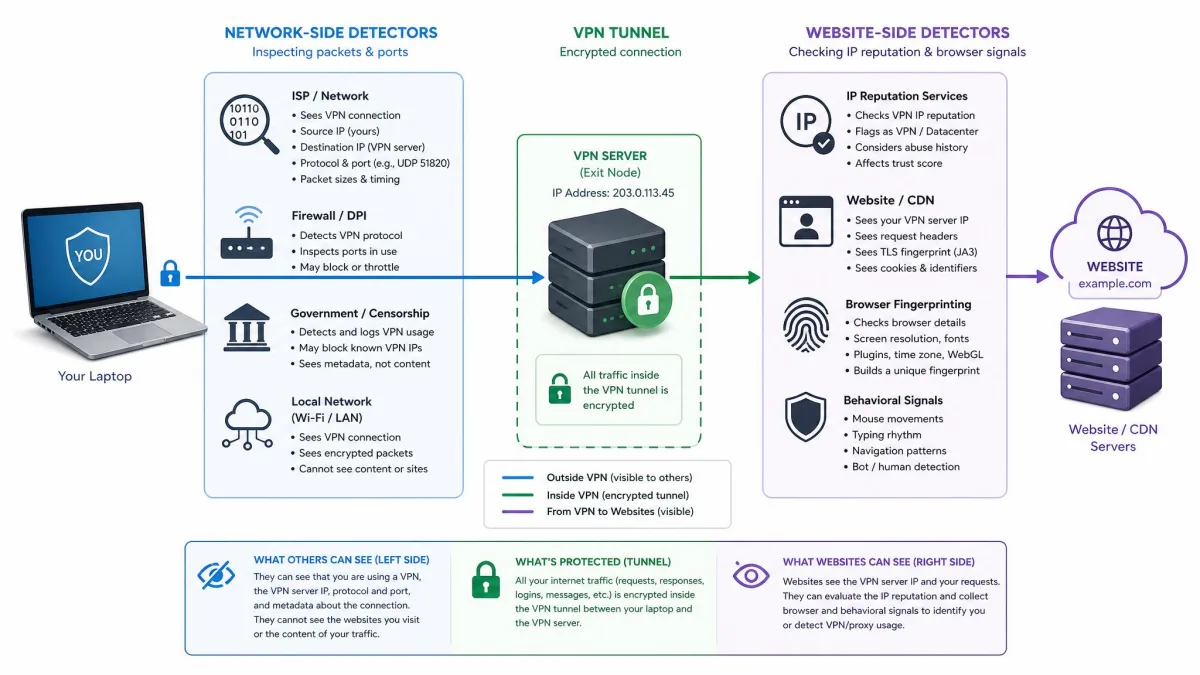
Networks (firewalls, ISPs and censors) inspect your traffic, while websites and streaming services inspect your IP address and browser signals, so we have grouped the methods by which one you are hiding from.
Hide the VPN from your network: beating firewalls, ISPs and censors
The operator of the network you are on, whether that is an office, a campus, a hotel or a national ISP, sees every packet leave your device. It cannot read the encrypted contents, but it can often recognize that a VPN is carrying them.
1. Deep packet inspection and protocol fingerprinting: use obfuscation
Deep packet inspection (DPI) is a firewall technique that examines the structure of each packet, not just its address. Standard VPN protocols have recognizable handshakes, and DPI boxes are built to spot them. In "OpenVPN is Open to VPN Fingerprinting," a USENIX Security 2022 paper tested with a million-user ISP, researchers identified over 85% of OpenVPN flows with negligible false positives. They also caught connections to 34 of 41 "obfuscated" commercial VPN configurations, so a toggle labeled obfuscation is not always enough.
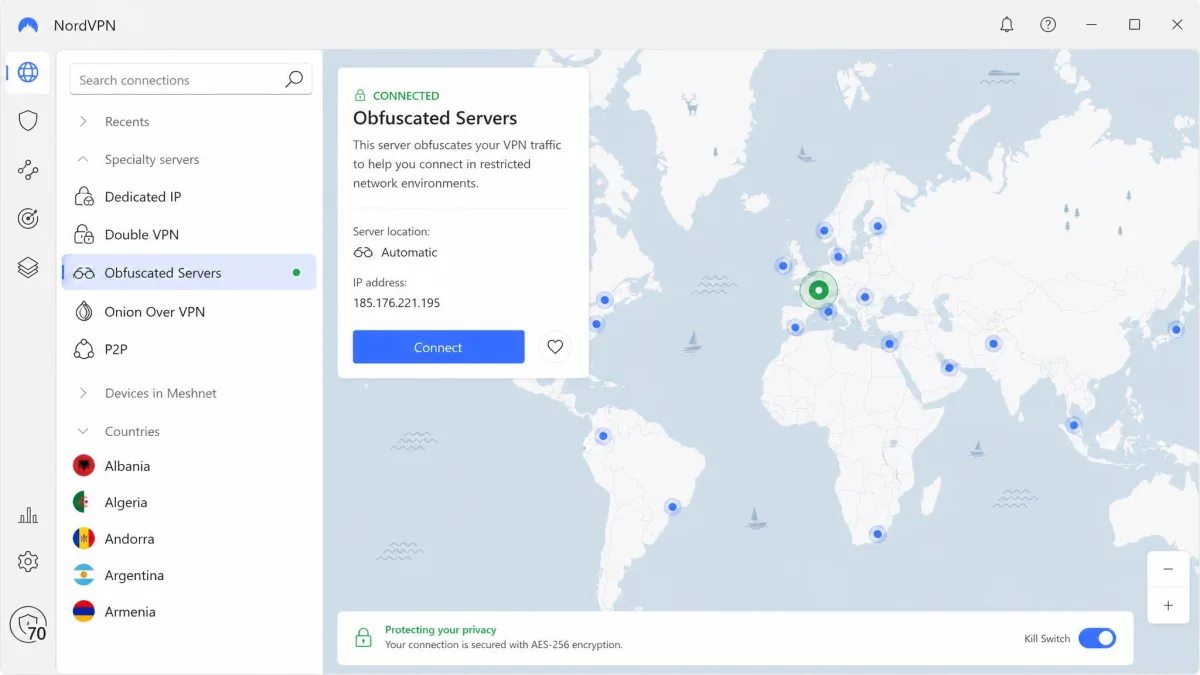
The fix is still obfuscation, done well. It adds an extra layer that hides the VPN's fingerprint, so your connection looks like regular HTTPS traffic. Here is where to find it:
- NordVPN: go to Specialty servers > Obfuscated Servers on Windows or macOS, or Specialty Servers > Obfuscated on Android and iOS. The category now runs on NordWhisper instead of OpenVPN.
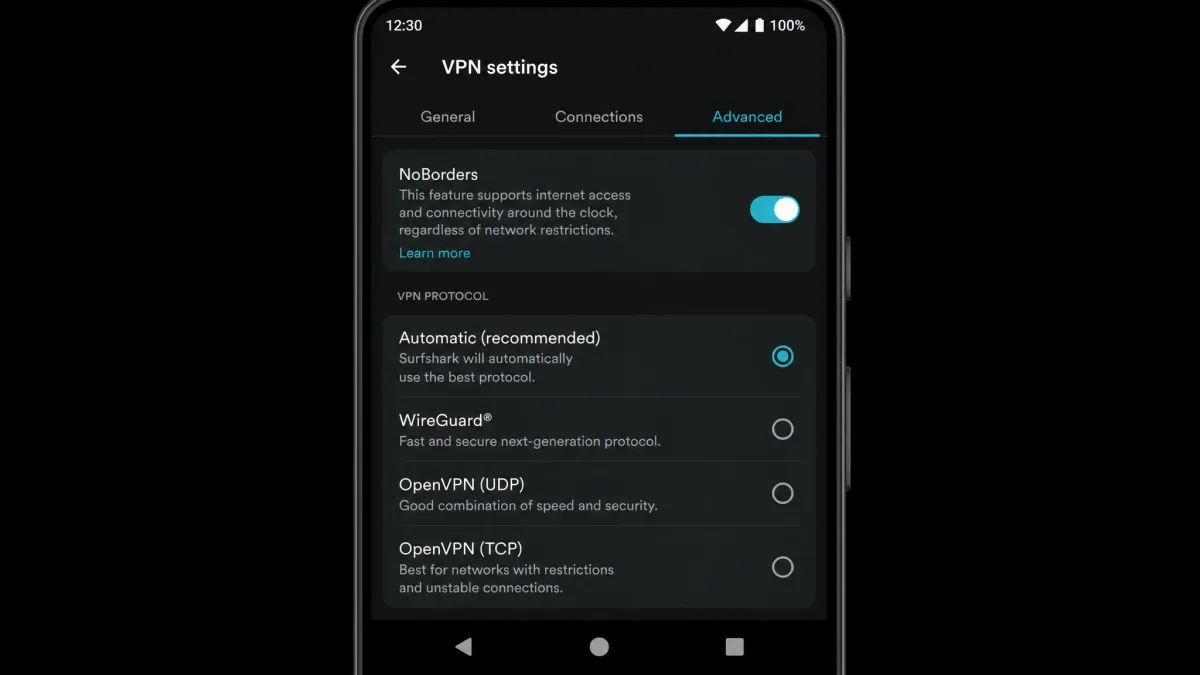
- Surfshark: switch the protocol to OpenVPN, and Camouflage Mode turns on automatically. It does not run on WireGuard or IKEv2.
- ExpressVPN: obfuscation is applied automatically on supported platforms, though ExpressVPN does not publish exactly which platforms and protocols qualify.
- Mullvad: leave the anti-censorship setting on Automatic. Our guide to Mullvad's stealth protocol and obfuscation modes walks through each method.
Expect a speed cost, because every packet gets wrapped in an extra layer. On hotel Wi-Fi that blocks NordLynx, NordVPN's obfuscated connection opens everything back up, just more slowly.
2. Protocol blocking: switch VPN protocols
Some firewalls skip fingerprinting and block whole protocols. WireGuard is the usual casualty. It runs only over UDP, and WireGuard's own documentation says it does not support tunneling over TCP and "does not focus on obfuscation," leaving that job to a layer above it.
So when a fast protocol fails, switch to another one before you blame the server. OpenVPN over TCP is the classic fallback. Surfshark shows why: Camouflage only kicks in after you manually move the app from its WireGuard default to OpenVPN, and TCP works best on hostile networks.
Protocol lists are shrinking, though. Mullvad shut down OpenVPN on January 15, 2026, so its anti-censorship methods now wrap WireGuard instead of replacing it. If your provider has an automatic mode, as Proton VPN does with Smart, let it cycle protocols first.
3. Port blocking: run the VPN over port 443
Port blocking is the bluntest method, and it is common on school and hotel networks. OpenVPN's registered default port is 1194, UDP by default. WireGuard's conventional default is UDP 51820, a convention rather than a requirement. A firewall that only allows web ports drops both without looking deeper.
Port 443 carries every HTTPS website, so blocking it would break the internet for everyone on that network. Moving your VPN there helps it blend in. OpenVPN Access Server listens on UDP 1194 and TCP 443 by default for this reason. Mullvad's UDP-over-TCP method uses TCP port 80, 443 or 5001 on desktop, and Windscribe's WStunnel runs OpenVPN over WebSockets on port 443 only.
A port change is not a disguise on its own. Proton says its Stealth protocol is more censorship-resistant than simply running a VPN over TCP port 443, because DPI can still recognize a VPN handshake on any port. Treat 443 as the answer to port filters, and obfuscation as the answer to inspection.
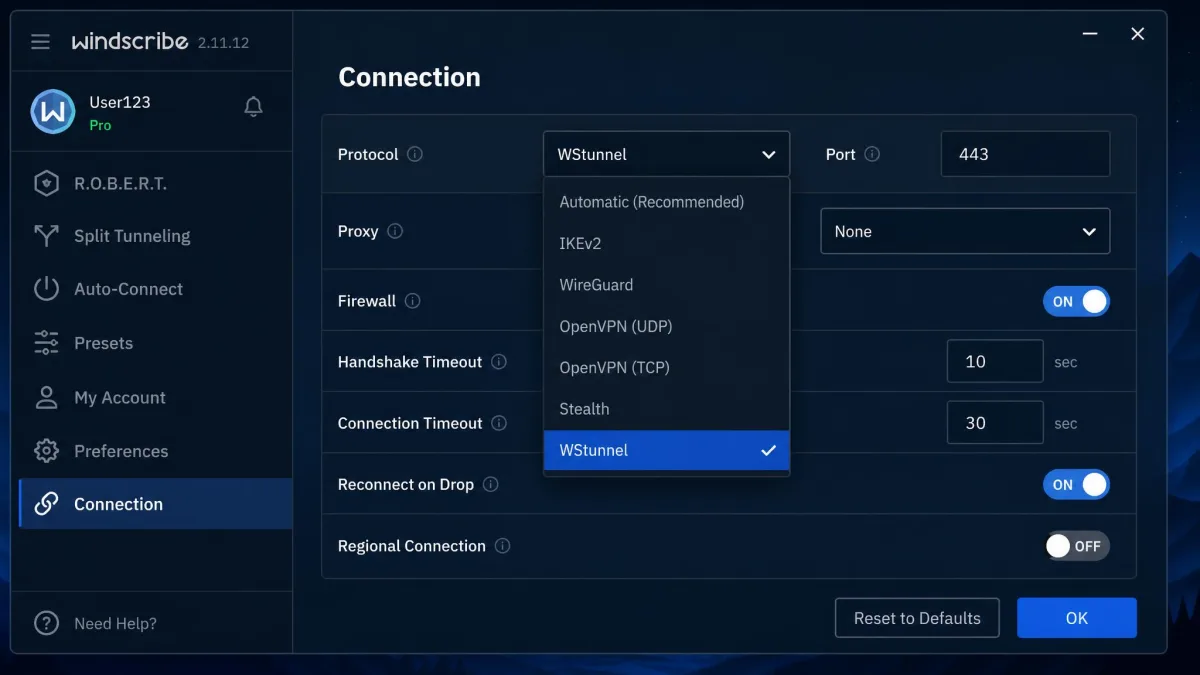
4. TLS fingerprinting and active probing: use a stealth protocol that mimics HTTPS
TLS fingerprinting means reading the details of the handshake that opens an encrypted session, which reveals what software made it. Active probing means the censor connects to your server itself to see whether it answers like a proxy.
China's Great Firewall uses both. In a 2023 USENIX Security paper, researchers documented how China's Great Firewall detects fully encrypted traffic. From early November 2021, the firewall passively blocked traffic that looked like random bytes, which catches Shadowsocks, VMess and obfs4. It works by exemption: traffic that looks like TLS or HTTP, or contains enough printable text, passes. The system blocked about 26% of connections to the affected IP ranges, which were mostly hosting and VPS subnets. Active probing then confirms suspects by replaying or mutating a recorded first packet and sending it to your server from many Chinese IP addresses.
The answer is a protocol that looks like a real TLS session, not random noise:
- Proton VPN Stealth, launched October 6, 2022, uses obfuscated TLS tunneling over TCP. See how it fares with Proton VPN's Stealth protocol in China.
- NordWhisper, launched in January 2025, carries traffic inside ordinary web traffic.
- Mullvad's QUIC mode wraps WireGuard and sends it on UDP port 443.
- Astrill's OpenWeb, developed in 2009, is TCP-based and looks like HTTPS.
Keep expectations realistic. Proton VPN in China connects intermittently even with Stealth set up in advance, working on a good day and going dark for an afternoon or a week.
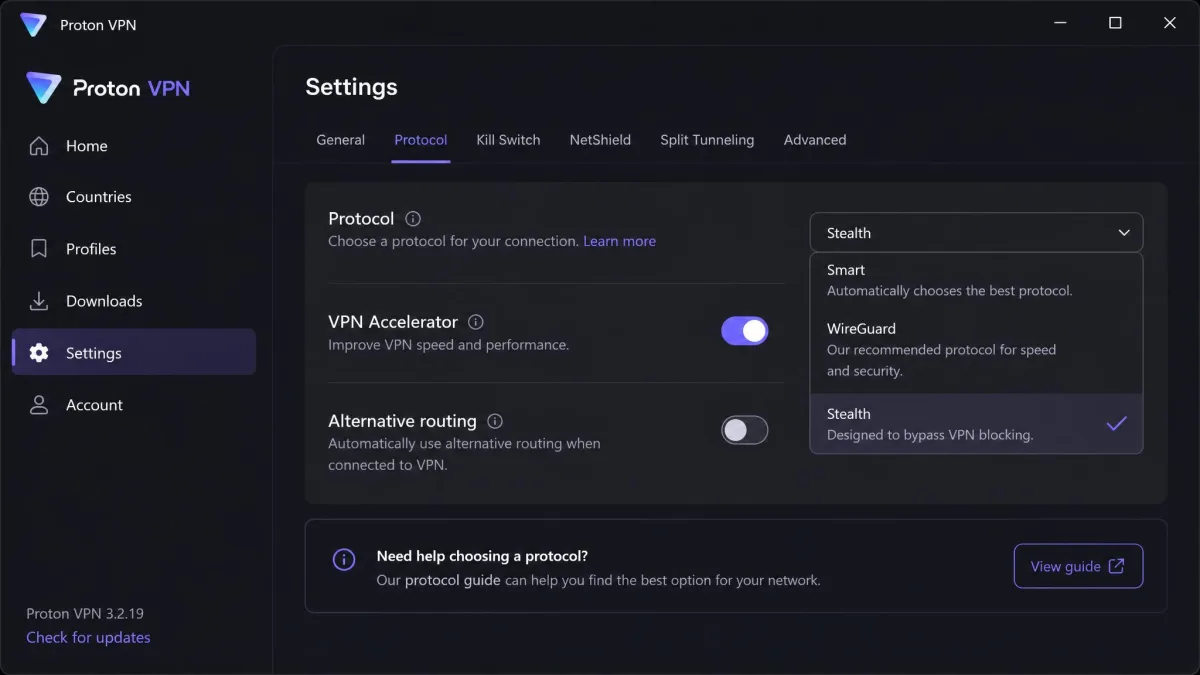
5. When VPNs are blocked outright: Shadowsocks, Tor bridges and SSH/SSL tunnels
When a network blocks every commercial VPN you try, step outside the VPN category.
Shadowsocks is an encrypted proxy built for censorship resistance. Mullvad offers it as an obfuscation method, and PIA has a Shadowsocks proxy under its Multi-Hop settings. Forcing Mullvad's Shadowsocks mode shrinks the server list, with many desktop locations showing "No servers match your settings." Given the 2021 firewall findings above, plain Shadowsocks is now a weaker choice in China than a TLS-mimicking protocol.
A plain Tor connection is easy to spot, so use a Tor bridge to hide that you are connecting to Tor. Open Tor Browser, go to Configure Connection > Bridges and choose Select a Built-In Bridge. Try obfs4 or WebTunnel first. Snowflake routes through volunteer browser proxies, and meek is the slow last resort. Tor with bridges suits messaging and email better than video. To combine Tor with a VPN, see our explainer on Onion over VPN.
The third option is a tunnel inside a tunnel. You can wrap OpenVPN in a TLS tunnel with stunnel so it looks like an ordinary encrypted web session. Windscribe's Stealth protocol is exactly that: OpenVPN wrapped in an extra SSL/TLS layer via stunnel. SSH tunnels work too, but they are noticeably slower than a normal VPN and poor for streaming.
Obfuscation hides that you are using a VPN. It does not make you anonymous. Your VPN provider still sees your traffic, and every account you sign into still knows who you are.
Hide the VPN from websites and streaming services
Websites cannot inspect your packets the way a network can. They see the IP address you arrive from and everything your browser volunteers. Obfuscation does nothing here, so the fixes change.
6. IP reputation and datacenter ASN lists: change server or get a dedicated IP
Every IP address belongs to an ASN (autonomous system number), which identifies the network that owns that block of addresses. IP-intelligence databases such as IPinfo label addresses as vpn, proxy, tor, relay or hosting. Home users rarely browse from datacenter space, so a hosting ASN is a strong VPN signal on its own, and many unrelated accounts behind one IP make it stronger.
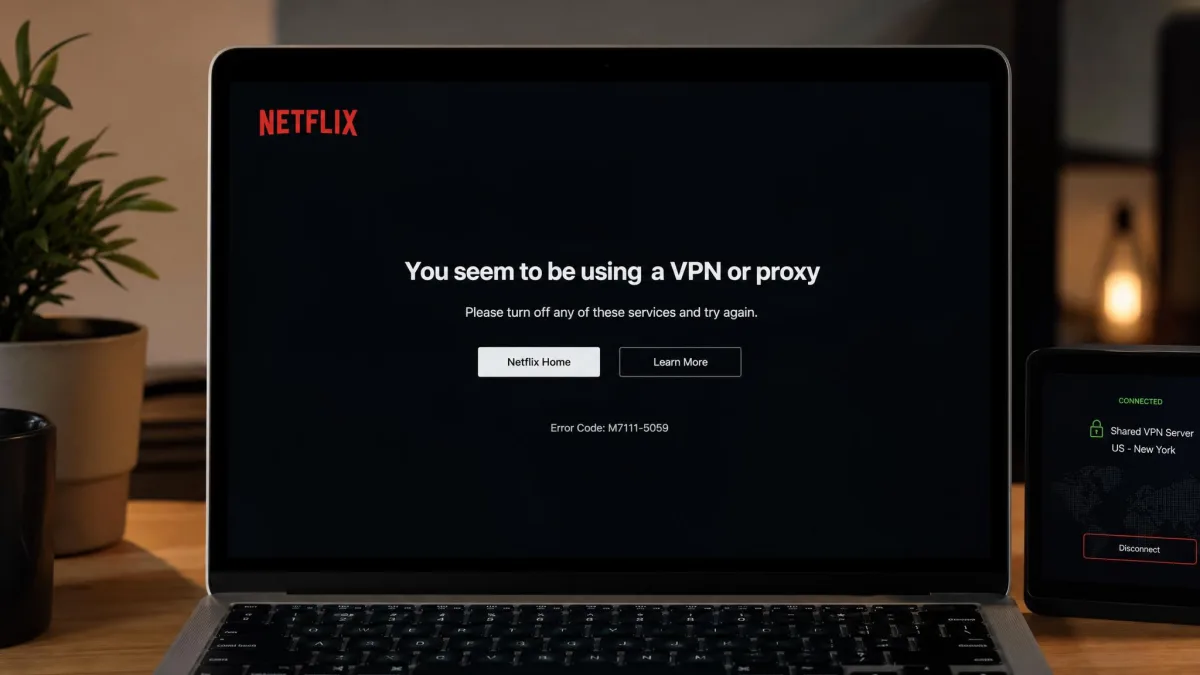
Streaming services lean on this hardest. In 2021, Netflix began adding residential IP addresses to its VPN blocklists, catching some ordinary subscribers along the way. Netflix also says VPNs are not supported on ad-supported plans or Live events. When it flags you, expect a message along the lines of "You seem to be using a VPN or proxy."
The free fix is to switch servers, ideally in the same city. The durable fix is a dedicated IP, an address assigned only to you. It sharply cuts "prove you're human" CAPTCHA prompts on sites like Google and GitHub, and it holds up against Netflix's proxy blocks longer than a shared IP, though streaming platforms can still recognize it. Typical options:
- Surfshark: from $3.75/mo, in 16 locations.
- NordVPN: an add-on from about $4 a month on a long plan.
- ExpressVPN: 29 locations, included in Express Pro and a paid add-on on lower tiers.
- Windscribe: billed yearly, $24/year for datacenter or $96/year for residential, across 10 datacenter locations.
- Proton VPN: business Professional tiers only, at $39.99 per dedicated server per month.
7. DNS, WebRTC and IPv6 leaks: close every leak
A clean IP address is useless if your device leaks the real one beside it.
A DNS leak happens when your device keeps asking your ISP's resolver to look up websites. The site sees a VPN IP next to a home ISP resolver, and the mismatch gives you away. Our explainer on what a DNS leak is and how to prevent it covers the setting to change.
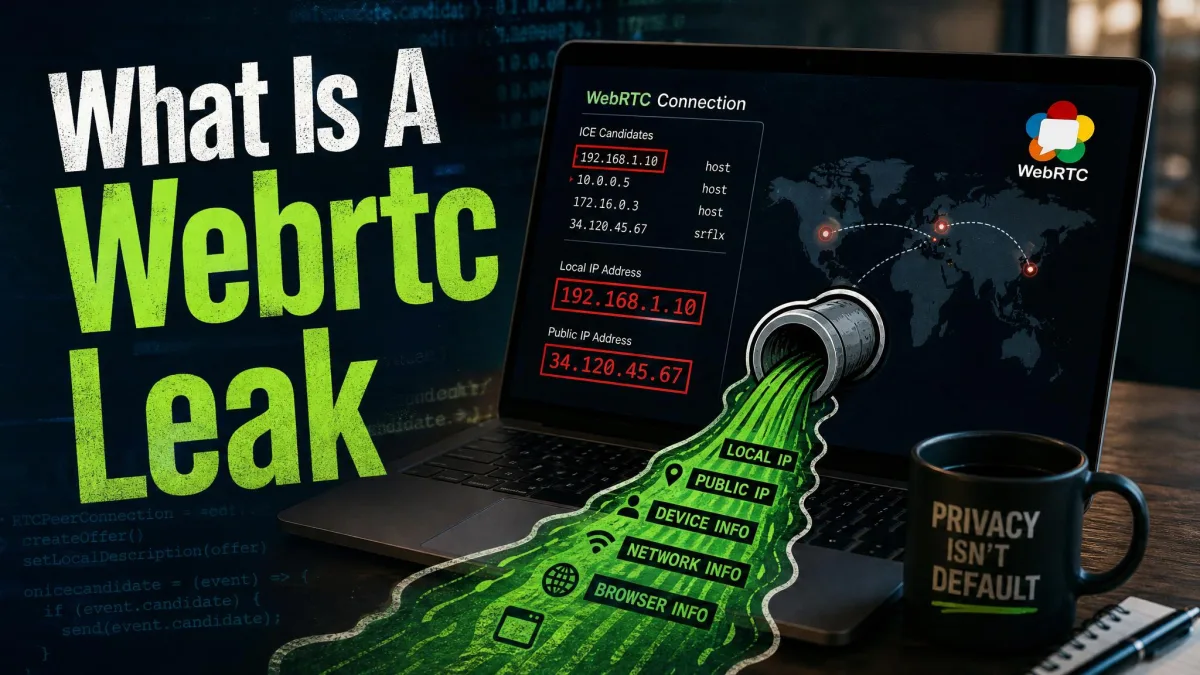
WebRTC, which powers browser video calls, queries outside servers to find your network addresses, and any page script can read the result without asking. Read what a WebRTC leak is and how to fix it for the full walkthrough. In Firefox, open about:config and set media.peerconnection.enabled to false, which turns WebRTC off entirely and breaks browser video calls. Chrome has no built-in switch, and Google's WebRTC Network Limiter extension narrows the risk without fully removing it.
An IPv6 leak happens when a VPN routes only IPv4. Dual-stack devices prefer IPv6 when a site supports it, so that traffic skips the tunnel. Choose a VPN that tunnels or blocks IPv6, or turn IPv6 off. Pair all three fixes with a VPN kill switch so a dropped tunnel does not expose you.
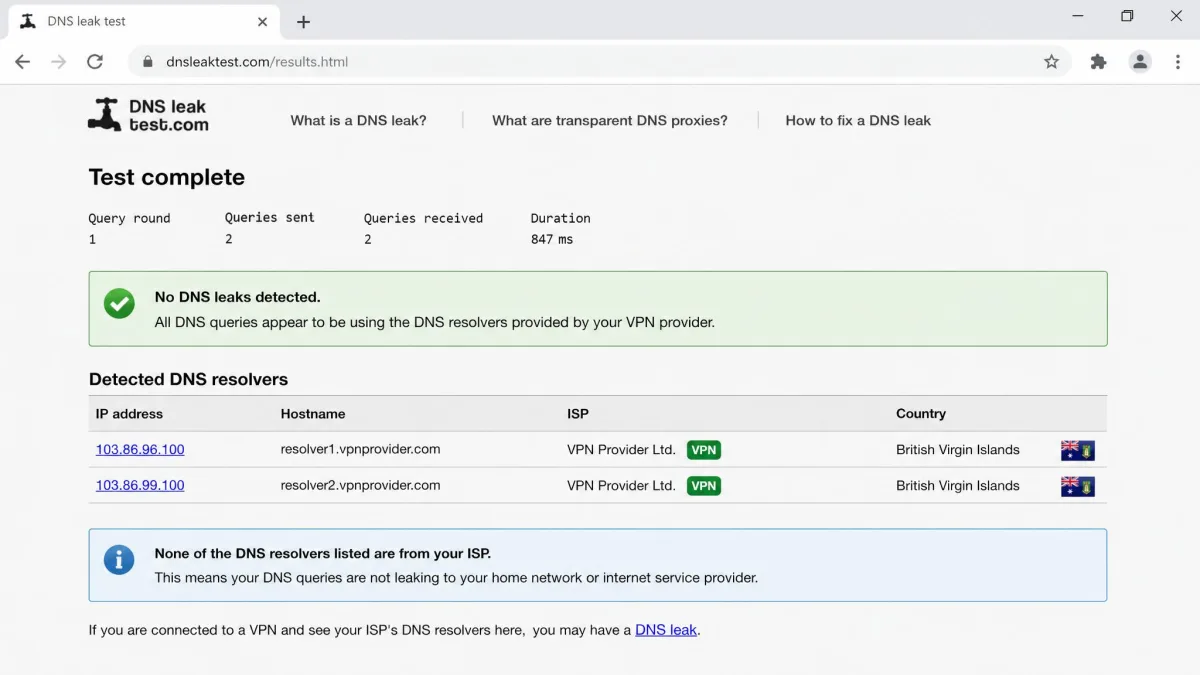
Run a DNS and WebRTC leak test with the VPN off and note your real IP and resolver. Then run it again with the VPN on. If either value reappears, you have a leak to fix.
8. Timezone, language and GPS mismatches: match your device to your VPN location
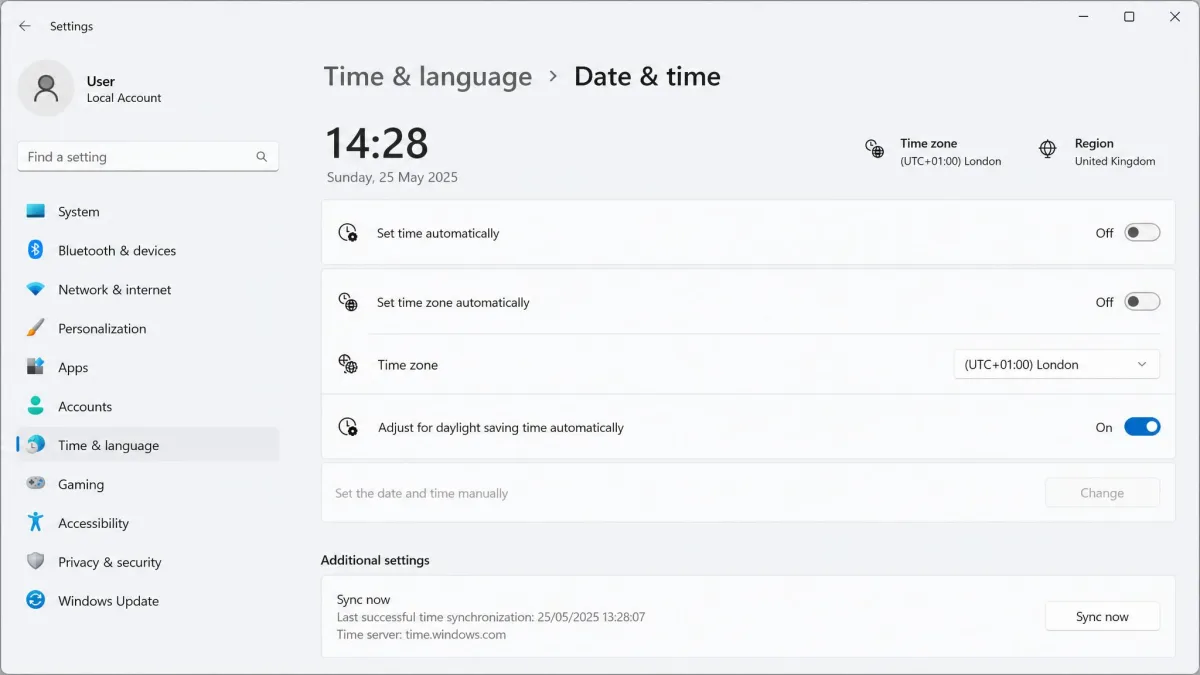
Websites compare your IP location with what your device reports. A browser set to Chicago time and US English that arrives from a Tokyo IP looks off, and some fraud systems also compare your browser's user agent with your operating system's network fingerprint.
Make the device agree with the server. Before you connect, change your system timezone and, if needed, your browser language to match the VPN location. On phones, apps ask for GPS directly. Surfshark's GPS override on Android sets the phone's GPS to the server's location: turn on Developer options, go to Select mock location app and choose Surfshark. On iPhone, deny location access to the app instead.
9. Browser fingerprints, cookies and account signals: clear what ties you to home
Even with a clean IP and no leaks, your browser carries history. Cookies, cache and signed-in accounts can hold your real country. Leftover cookies can reveal your real location to Netflix, and clearing them before switching to a fresh server often clears the proxy error.
Your fingerprint (screen size, fonts and graphics details) is harder to change and follows you across IP addresses. You can still separate it from your home identity. Use a private window or a dedicated browser profile for VPN sessions, and sign out of accounts registered in your home country.
Quick fixes when your VPN still gets detected
If a network still blocks you after all that, try three quick moves. Switch from filtered school or hotel Wi-Fi to your phone's hotspot, which often works because mobile carriers rarely filter VPN traffic. Rotate to a new server or location. Then try another provider, since one stealth protocol can get through where another fails.
For the blocker-by-blocker troubleshooting sequence, see our guide on how to bypass a VPN blocker. This page explains why each detection method works, and that one walks you through what to do when you are stuck.
What to look for in an undetectable VPN
When you choose a VPN to avoid detection, look for features that remove specific signals rather than marketing labels:
- A stealth protocol that mimics TLS, especially if you travel to censored countries.
- Port 443 support and several protocols, with an automatic mode that cycles them.
- Built-in DNS, WebRTC and IPv6 leak protection plus a kill switch.
- A dedicated IP option if websites are your main problem.
- A large server network with plenty of addresses to rotate. ExpressVPN, for example, covers 113 countries.
Proton VPN stands out on cost. Stealth is available on all Proton VPN plans, including Free, on Windows, macOS, Android, iOS/iPadOS, Android TV and Linux (Linux GUI 4.18.0 or later, with the Proton Protocols beta on). On office networks where IT blocks standard VPN protocols, Stealth consistently gets through where WireGuard and OpenVPN are refused. It runs noticeably slower than WireGuard, though, so treat it as your fallback for blocked networks.

NordVPN suits you better if you also want a dedicated IP. Its obfuscated servers now run on NordWhisper, which is noticeably faster than the old obfuscated OpenVPN servers.

Mullvad is the privacy pick at a flat EUR 5 per month, with no dedicated IPs by design so users blend in on shared addresses. Surfshark's NoBorders mode detects restrictive networks and turns itself on, or you can go to Settings > VPN settings > Advanced and switch it on yourself. For country-specific rankings, see our best VPNs for China, and for campus networks, the best VPN for school Wi-Fi.
Do a dedicated IP, double VPN or your own VPN server help?
Partly, and each one targets a different detector. A dedicated IP helps against websites, double VPN helps against neither, and your own server trades one problem for another.
Pros
- A dedicated IP stays off shared-address blocklists
- Double VPN adds a second encryption hop for privacy
- Your own server starts with an address no VPN list has seen
Cons
- Streaming platforms can still recognize and block a dedicated IP
- Double VPN slows you down a lot and still shows your network a VPN tunnel
- A cloud-hosted server sits in datacenter ranges that IP databases already label
Double VPN is a privacy feature, not a stealth one, as our explainer on what double VPN is covers. A self-hosted VPN also needs obfuscation to get past DPI, and on a cloud server it is easy to flag by its IP alone.
Can a VPN be truly undetectable?
Not against every detector. You can remove the signals a detector relies on, but a determined operator keeps adding new ones, as the Great Firewall's 2021 move against fully encrypted traffic showed.
Who is trying to detect your VPN (websites vs networks vs governments)
Detectors differ in budget. A website mostly checks your IP against a reputation database and looks for leaks. A school or workplace firewall blocks ports and known protocols, sometimes with DPI. A government censor runs DPI at national scale, adds active probing, and updates its rules when people find a way around them. The higher up that list you go, the more likely a setup works one week and fails the next.
The two things that give a VPN away: your traffic and your IP
Every method in this guide comes back to two signals. Your traffic can reveal a VPN through its fingerprint, port, handshake or randomness. Your IP can reveal it through its ASN, its blocklist history, or the leaks and device settings that contradict it.
Why websites, schools and countries block VPNs
Knowing why a block exists helps you judge whether getting around it is worth the risk.
- Censorship. Governments block VPNs because they let people reach news and platforms the state filters.
- School and workplace policy. Admins block VPNs so content filters and security monitoring keep working on a managed network. Work Wi-Fi can flag a standard VPN connection the moment it connects.
- Streaming licensing. Services license shows country by country and block VPNs to honor those deals.
- Fraud prevention. Banks and stores treat VPN and datacenter IPs as a risk signal, because fraudsters use them to fake a location.
How to test whether your VPN is detectable
You can check your own exposure in a few minutes. Start with the basics in our guide to check if your VPN is working, then run these checks while connected:
- Look up your VPN IP. An IP lookup that shows the owning organization tells you whether the address belongs to a hosting provider or carries a VPN or proxy label.
- Run a DNS leak test. The listed resolvers should belong to your VPN provider, not your ISP.
- Run a WebRTC leak test. No address in the results should match your real IP.
- Check IPv6. If an IPv6 test shows an address and your VPN does not tunnel IPv6, that address is leaking.
- Compare your timezone. A browser fingerprint page shows your browser's timezone beside your IP location. They should agree.
- Try the real target. Only the streaming site, bank or network you care about can tell you what its detector thinks.
Is it legal to make a VPN undetectable?
In most countries, yes. Using a VPN with obfuscation is legal in most of the world, and privacy on public Wi-Fi is a perfectly good reason to do it. The risk comes from what the block protects.
Some countries restrict or ban VPNs, and hiding one there can carry legal consequences. Getting around a streaming service's VPN block can breach its terms of service and cost you the account, and doing it on a school or work network can break an acceptable-use policy. Check the rules that apply to you before you connect.
FAQ
Can a free VPN avoid detection?
Can my ISP see that I'm using a VPN?
Does obfuscation stop Netflix from detecting a VPN?
Does changing DNS make a VPN harder to detect?
Is NordVPN (or any VPN) truly undetectable?
Can a VPN be undetectable on iPhone or Android?
Hotel Wi-Fi won't let my VPN connect, what now?
The bottom line
Making a VPN undetectable is a matter of removing signals, one detector at a time. For network blocks, turn on obfuscation, move to port 443 and use a TLS-mimicking stealth protocol where censorship is serious. For websites and streaming services, fix the IP, close every leak, and make your device agree with your location.
Expect some trial and error on the most restrictive networks, where a working setup can stop without warning. Start with your provider's built-in stealth mode, run the checks above, and keep Tor bridges ready as a fallback.