Malwarebytes Privacy VPN is the virtual private network that ships alongside the company's better-known antivirus tools. It is a budget, WireGuard-only service. It targets people who already trust the Malwarebytes brand and want a simple privacy layer without shopping around. Our verdict after testing: it is competent and easy to use, with a genuinely useful 60-day money-back guarantee. But a small server network, inconsistent streaming, and a US home base keep it a tier below the top providers.
We spent time with the apps on Windows, Android, and iOS. We ran speed and leak checks, then pushed it against the streaming and privacy tasks most people actually need a VPN for. This review lays out what we measured, where the service falls short, and who should buy it in 2026.
Quick Verdict / At a Glance
Here are the raw specs at a glance before we dig into the testing:
- Protocol: WireGuard only, no OpenVPN or IKEv2 fallback
- Encryption: AES-256
- Platforms: Windows, macOS, Android, iOS (no Linux, router, or browser extension)
- Price: $39.99 per year for the single-device tier, billed annually
- Device tiers: 5 up to 20 simultaneous connections depending on plan
- Underlying network: AzireVPN infrastructure, audited by X41 D-Sec in 2026
That is a lean sheet by 2026 standards. The essentials are covered on the four platforms most people use, and the WireGuard core keeps nearby connections quick. The pros and cons below sort out where those specs translate into real strengths and where they leave gaps.
Pros and Cons
Here is the short version of what we liked and what frustrated us after living with the service.
Pros
- Long 60-day money-back guarantee, and it was honored when tested
- Very easy to install and use, with a helpful first-run tutorial
- Fast WireGuard connections on nearby servers
- AES-256 encryption and a no-logs policy on audited AzireVPN infrastructure
- Backed by a well-known security brand and often cheap in a bundle
Cons
- Small server network with disputed, unstable counts
- Streaming beyond Netflix is inconsistent
- No kill switch or split tunneling on mobile apps
- No Linux, router, or browser-extension support
- US jurisdiction (Five Eyes) and slow customer support
Pricing and Plans
Malwarebytes sells Privacy VPN two ways: on its own and bundled with its antivirus. The bundle is usually where the value is. As a standalone purchase the VPN is annual-only. There is no month-to-month option. The single-device plan runs $39.99 per year, which works out to about $3.33 per month. The five-device plan runs $59.99 per year, or roughly $4.99 per month. You can confirm current pricing and device tiers on the official Malwarebytes VPN page before you buy, since bundle promos can shift the effective cost.
Do the standalone-versus-bundle math before you check out. The two paths rarely cost the same. On its own, the five-device VPN sits $20 above the single-device plan for four extra connections. So if you only cover one or two devices, the cheaper tier is the obvious pick. But say you were already going to buy Malwarebytes Premium security. In that case the bundled suite folds the VPN in at a marginal cost, usually far less than the $39.99 standalone line. The right price depends less on the VPN's own sticker and more on whether antivirus is already in your cart. Buyers who want only a VPN, and nothing else from Malwarebytes, pay closest to full freight.
You pay by credit card or the usual online methods. Setting up an account takes only an email address. There is no free tier, which is common for VPNs at this price. What sets the plan apart is the guarantee, covered next.
If you already pay for Malwarebytes Premium antivirus, check the bundle price before buying the VPN separately. The combined plan is often cheaper per month than adding the VPN on its own.
Bundles and Money-Back Guarantee (60-day)
The standout commercial feature is the 60-day money-back guarantee. It is one of the longer refund windows in the category. Most VPNs give you 30 days; Malwarebytes doubles that. We treat refund policies as promises to be tested. When we requested the refund, it was honored without a fight. That matters here more than usual. Two months is long enough to see whether the small server network and patchy streaming will bother you before your money is locked in.
Requesting the refund is straightforward. It is worth knowing the path before you buy, so the guarantee feels like a real safety net rather than fine print. You reach out through support, reference the order confirmation from your purchase email, and ask for your money back within the 60-day window. The annual plan bills the full year up front, so the guarantee is doing real work. It converts what looks like a $39.99 or $59.99 commitment into a low-risk two-month trial. Our advice is simple. Keep the purchase receipt handy, and use the service hard during those first weeks. Test the servers and streaming platforms you care about, so that if it does not fit you still have time to claim the refund.
Bundling is the other half of the pricing story. The VPN is frequently sold with Malwarebytes antivirus. If you were going to buy the security suite anyway, the VPN often costs very little on top. As a standalone purchase it is still budget-priced. But you are paying budget money for a budget network.
Features
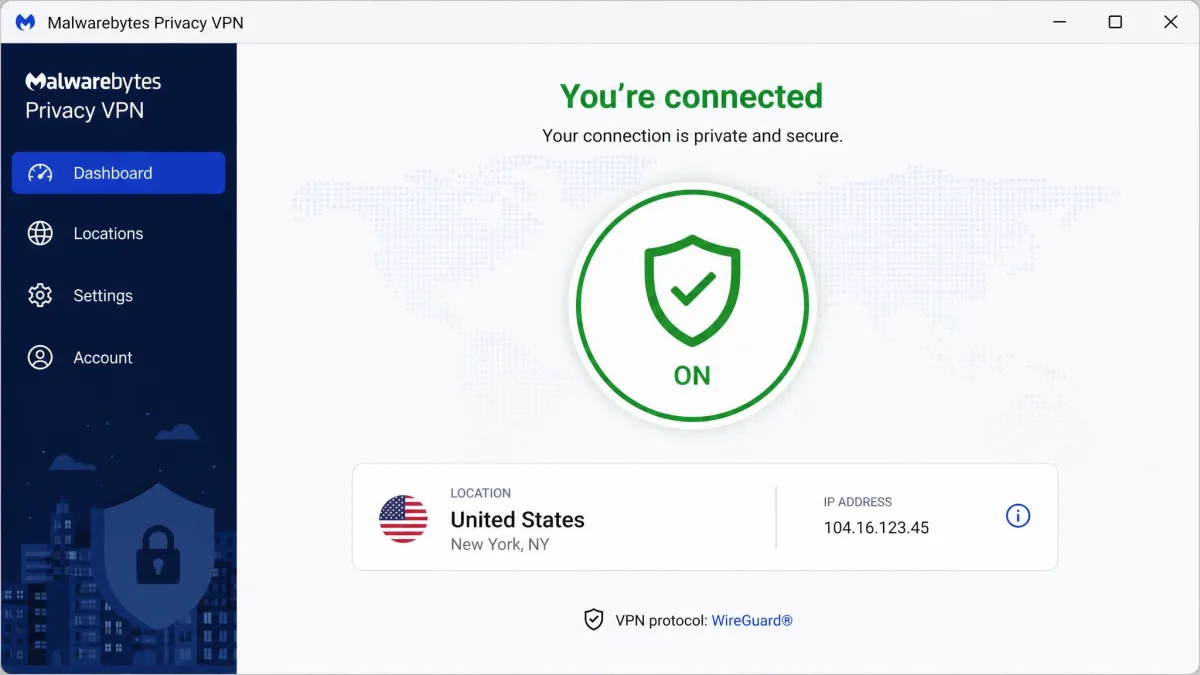
Malwarebytes Privacy VPN keeps its feature list short and focused. You get the WireGuard protocol, a kill switch, and split tunneling on desktop. You also get a no-logs policy, Browser Guard ad and tracker blocking, a static per-session IP address, and apps for Windows, macOS, Android, and iOS. There is no Linux client, no router firmware, and no browser extensions. Your coverage stops at those four platforms.
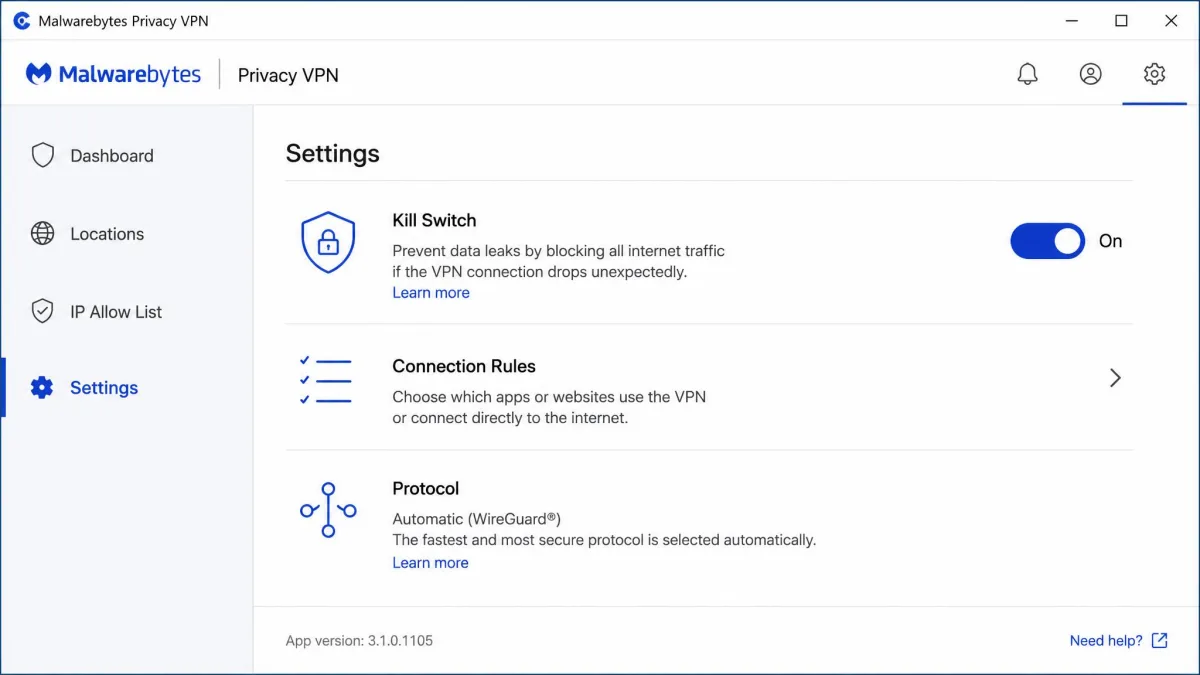
That is a lean set by 2026 standards, but the essentials are present on the platforms most people use. The catch, which we return to below, is that some of these features are desktop-only.
Kill Switch, Split Tunneling, and Connection Rules
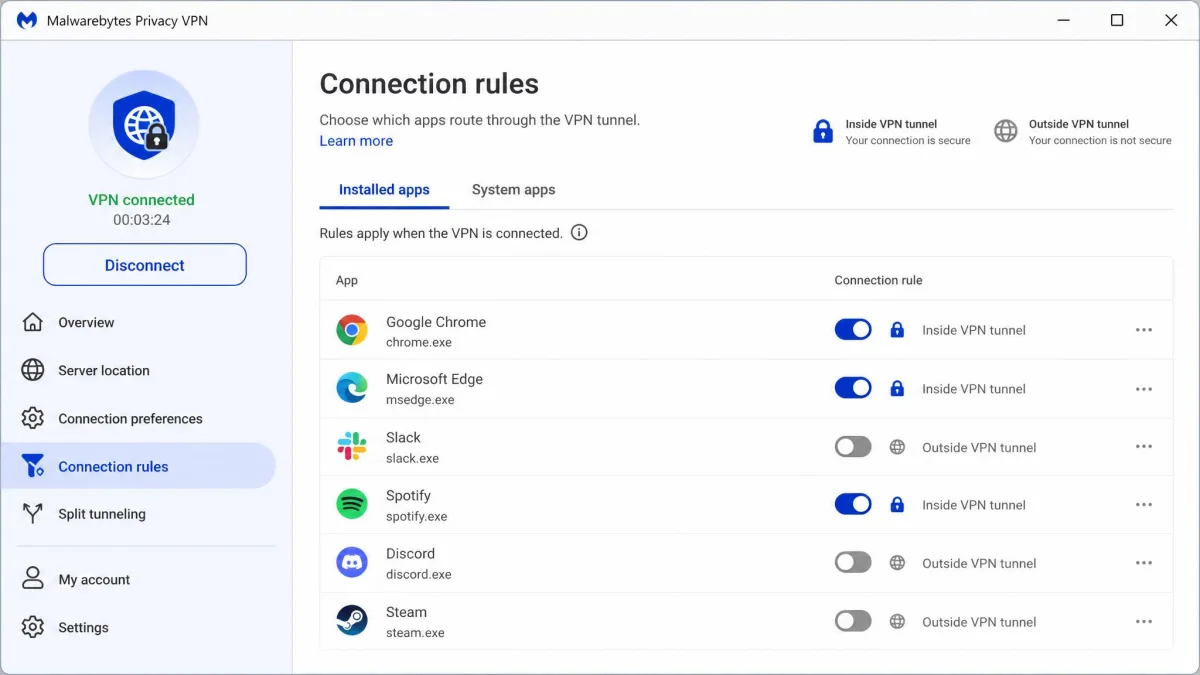
The kill switch is built into the desktop apps and does its job. If the VPN connection drops, your internet traffic is blocked rather than leaking out unprotected. This is table stakes for a privacy tool, and it works as expected on Windows and macOS.
Split tunneling is also here, but Malwarebytes hides it under the non-standard label "connection rules." In our testing this made the feature genuinely hard to find. Nobody scanning the settings for "split tunneling" will think to look there. Once you locate it, connection rules let you choose which apps route through the VPN and which use your normal connection.
Both the kill switch and split tunneling are desktop-only. The Android and iOS apps ship without them, so if mobile privacy is your priority, this is a real gap. A kill switch that only protects your laptop leaves your phone exposed on public Wi-Fi.
Protocols (WireGuard)
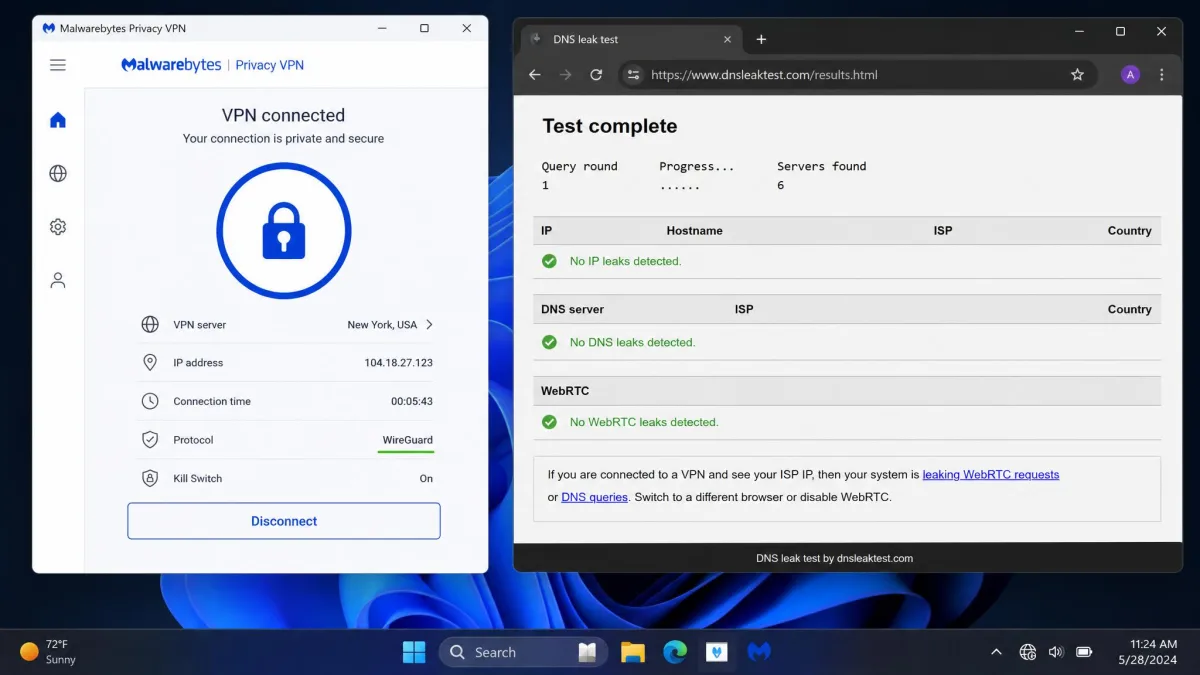
Malwarebytes Privacy VPN uses WireGuard and only WireGuard. There is no OpenVPN or IKEv2 option to fall back on. For most people this is fine. WireGuard is modern, fast, and secure, and it is the reason nearby connections feel quick. But if you are on a network that blocks WireGuard traffic, or you specifically want a protocol choice, you will not find one here. The single-protocol approach keeps the app simple at the cost of flexibility. In our leak tests the connection held up, with no DNS or IP leaks detected while the app was active, so the WireGuard implementation is doing its job. WireGuard also reconnects quickly after your device wakes from sleep or switches between Wi-Fi and mobile data. That is one of the small quality-of-life wins that make the app pleasant to leave running all day.
Privacy and Security
On paper the security fundamentals are solid. Malwarebytes Privacy VPN encrypts your traffic with AES-256, the same 256-bit standard used across the industry, and pairs it with WireGuard's modern cryptography. Combined with the kill switch, that covers the core of what a VPN needs to keep your data private on an untrusted network.
The bigger questions with any VPN are who runs the servers, what they log, and which government can compel that data. Those are where Malwarebytes gets more complicated.
The security basics are all here, but a VPN lives or dies on trust, and trust is where Malwarebytes has the most to prove.
— From our hands-on evaluation
No-Logs Policy and Audits
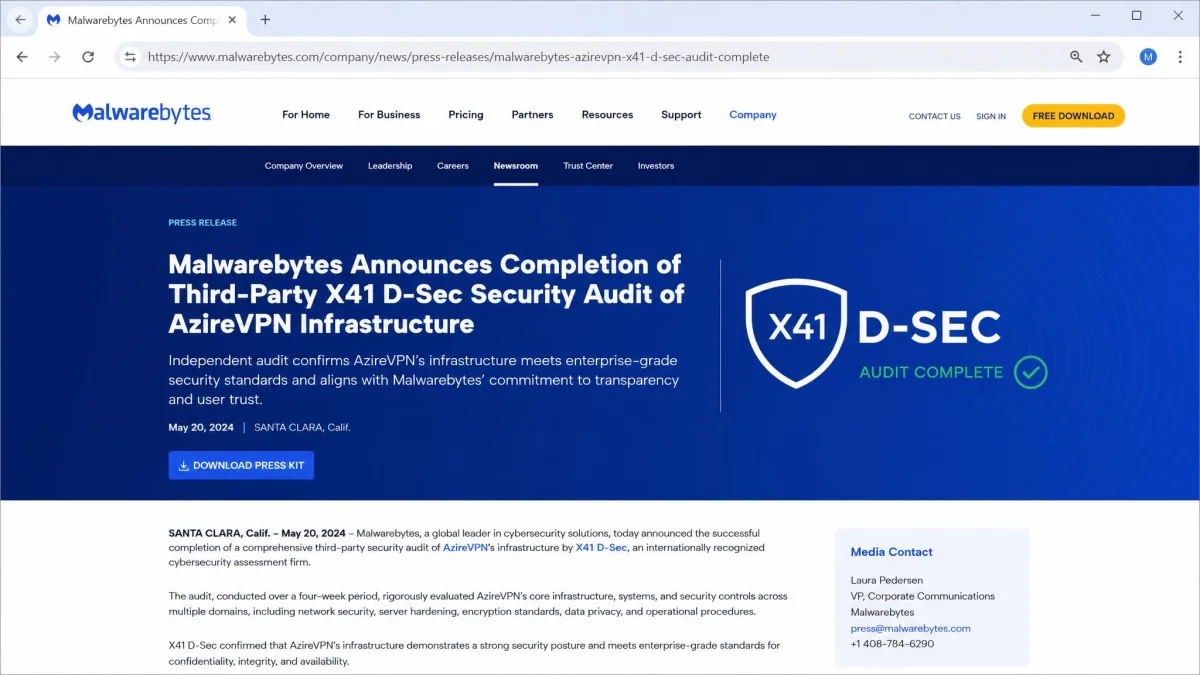
Malwarebytes states a no-logs policy, meaning it does not record what you do while connected. For years that claim was hard to fully verify. The picture improved in 2026. The underlying network completed its first third-party security audit that year, a white-box penetration test and source-code review carried out by X41 D-Sec. The audit found and prompted fixes for some issues, which is what audits are supposed to do. Its completion is a meaningful step toward the transparency the top providers already offer.
An independent audit does not erase the trust gap with longer-established no-logs VPNs. But it moves Malwarebytes from "trust us" to "here is the evidence," and that is the right direction.
Jurisdiction and Underlying Provider
Two facts shape the privacy verdict. First, Malwarebytes is a U.S. company, which places it inside the Five Eyes intelligence-sharing jurisdiction. For most users that is a non-issue. But privacy purists and anyone with a serious threat model tend to prefer providers based outside that alliance.
Second, the server network no longer runs on Mullvad. Malwarebytes acquired the Swedish provider AzireVPN in late 2024 and transitioned its network off Mullvad's infrastructure to AzireVPN around March 2025. If you read older reviews that credit Mullvad, that information is now stale. The current provider is AzireVPN, and the 2026 audit covered that AzireVPN infrastructure specifically. The switch is largely behind the scenes for users. But it matters for understanding who actually operates the servers your traffic passes through.
Speed and Performance
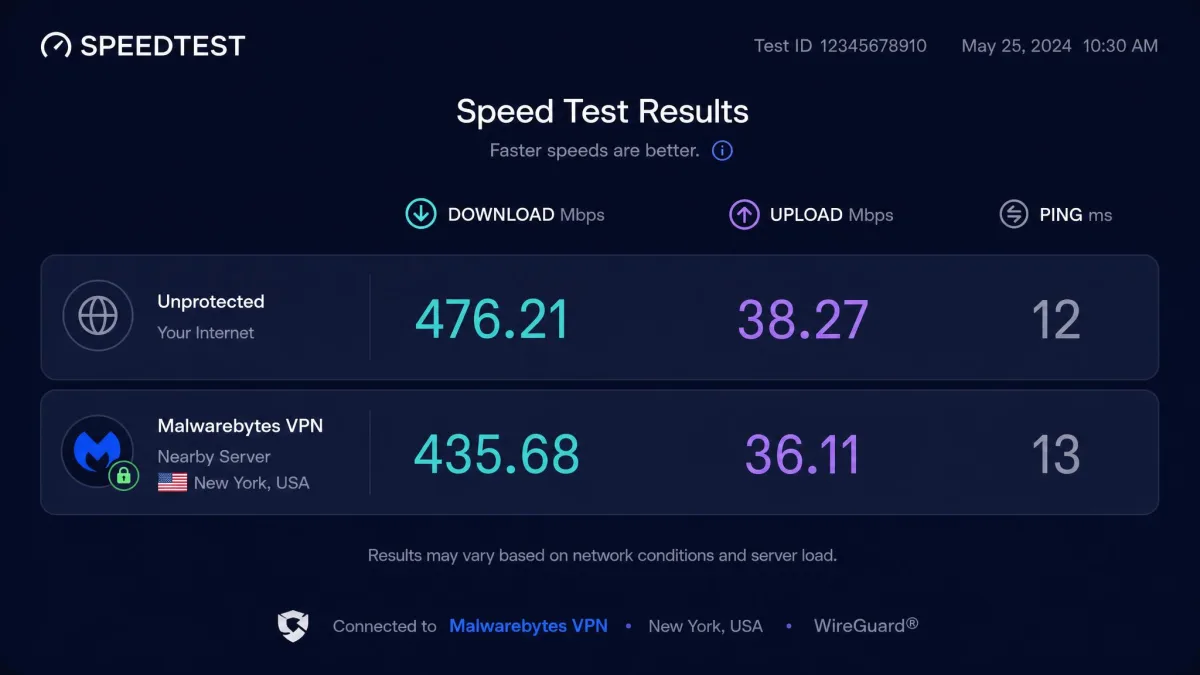
Speed is the test we care about most. Here Malwarebytes lands in respectable middle ground. WireGuard keeps things quick when you connect to a server near you, and the app feels responsive for everyday browsing and video.
We judge VPN speed by the percentage of your base connection you lose, not headline numbers, because your starting speed depends on your own internet. A VPN that costs you a quarter of a fast line still leaves you plenty; one that costs 60% turns a good connection into a frustrating one.
Speed Test Results
On nearby servers, the speed loss was modest. On a roughly 45 Mbps base connection, nearby US servers landed around 35 Mbps, about a 22% drop. That is well within the range where streaming, browsing, and video calls stay smooth. We avoid quoting a single universal Mbps figure. The absolute numbers scale with each connection's own base rate rather than being a fixed property of the VPN.
Distant servers are where the numbers diverge. On that same 45 Mbps base, far-off locations such as Australia and France still delivered in the mid-30s Mbps. That is only about a 24 to 26% loss. On faster connections the long-distance hit is steeper, closer to 60%, because absolute speeds scale with your own line. Either way the direction is the same. Expect a gentle dip nearby and a heavier hit the farther you reach, with the exact percentage set by your own line and route.
One weak spot stood out. Latency spiked badly on Windows. That makes Malwarebytes a poor choice for online gaming, where a stable, low ping matters more than raw throughput. For streaming and general use the speeds are fine. For competitive gaming, look elsewhere.
Servers and Locations
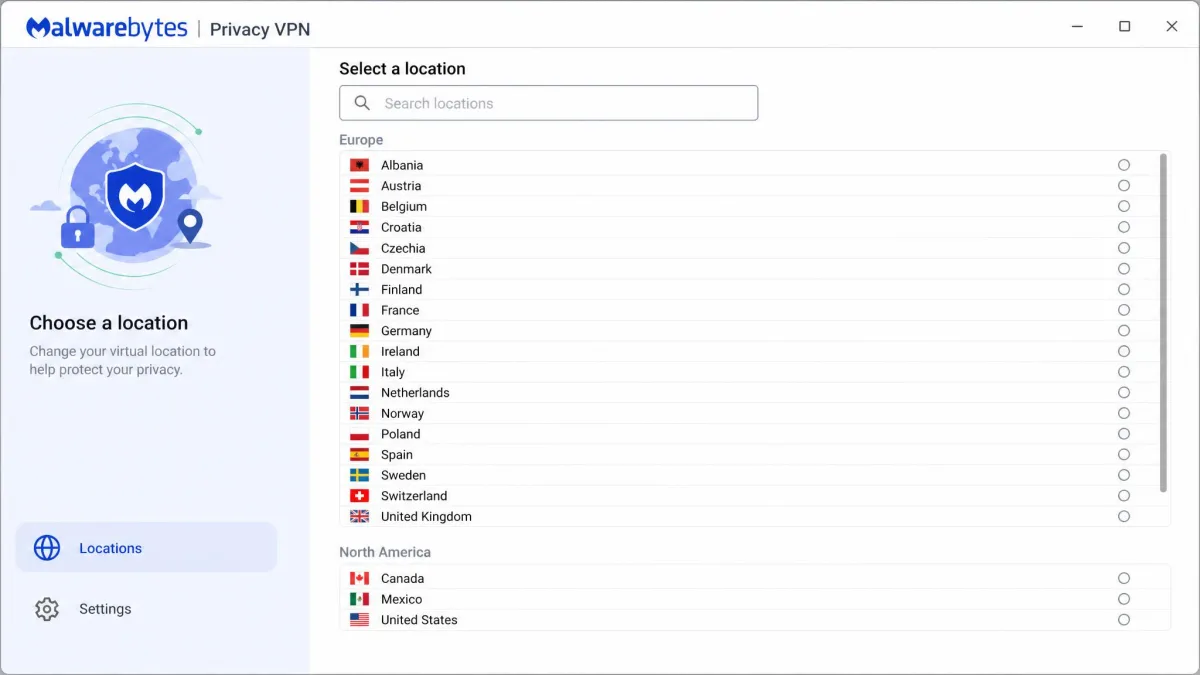
This is Malwarebytes Privacy VPN's clearest weakness. The network is small by category standards, and its exact size is genuinely hard to pin down. The official page lists one figure, but the counts published range widely. Server totals land anywhere from around 150 to 500-plus, across roughly 30 to 60 locations. Those ranges do not overlap cleanly. So we will not quote a single number as fact. The count is simply unstable and disputed between sources.
What is consistent is the shape of the network. Coverage is concentrated in Europe and North America, with thin representation elsewhere. The small footprint can feel congested at peak times. There are also no recommended or optimized server options in the app, which leaves beginners guessing which location to pick. A "fastest server" button is a small thing that this VPN is missing.
The practical impact of a small network is easy to underestimate until you hit it. Fewer servers means each one carries more users. So during evening peak hours a nearby location can slow down noticeably, even though the raw speed test looked fine at midday. A large provider spreads that load across thousands of machines. Here you may find yourself manually cycling through a short list to find one that is not busy. The missing "fastest server" option makes this worse. There is no built-in way to let the app pick the least-loaded machine for you. You are left reading the location list and guessing, which is exactly the kind of friction a beginner-focused VPN should have designed away. If the country you need sits outside Europe or North America, the thin coverage can mean a single congested option or none at all. Confirm the list matches your travel and streaming map before you commit.
If you regularly need servers in Asia, Africa, South America, or the Middle East, check the current location list before buying. Coverage outside Europe and North America is sparse, and the 60-day guarantee is your safety net if the countries you need are not there.
Streaming (Netflix and Other Platforms)
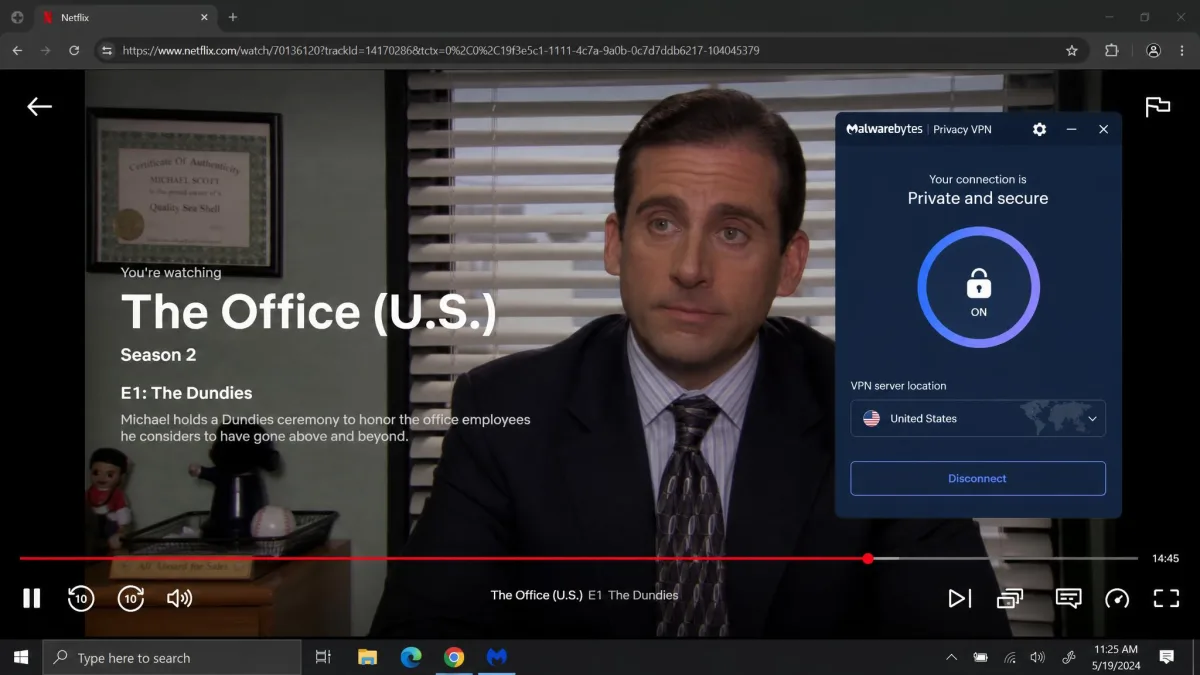
Streaming results were the most variable part of our evaluation. Your experience will depend on which service you want and which server you land on. The good news: Netflix unblocked reliably. Across repeated rounds, Malwarebytes got into Netflix in the US, Canada, UK, and Australia. So the biggest streaming library in the world is well covered.
Beyond Netflix, results get shakier. It is worth breaking this down platform by platform, because the differences are stark. HBO Max loaded on some servers but not others, so it is a coin toss rather than a sure thing. Hulu is aggressive about detecting VPN traffic. It frequently threw its proxy-error screen and refused to play region-locked titles. Disney+ behaved similarly, loading the interface but blocking playback on many of the servers we tried. BBC iPlayer is one of the harder platforms for any VPN to crack. It was the least reliable of the group and often failed outright.
The common thread is the network size. Smaller server pools get flagged and blocklisted faster than the sprawling networks of the top providers. A VPN this size will always trail on the pickier services. If Netflix is your main streaming need, Malwarebytes handles it. If you juggle several services, expect to hunt for a working server. Use the money-back window to test your specific platforms, and accept that some will stay stubbornly blocked.
Torrenting and P2P
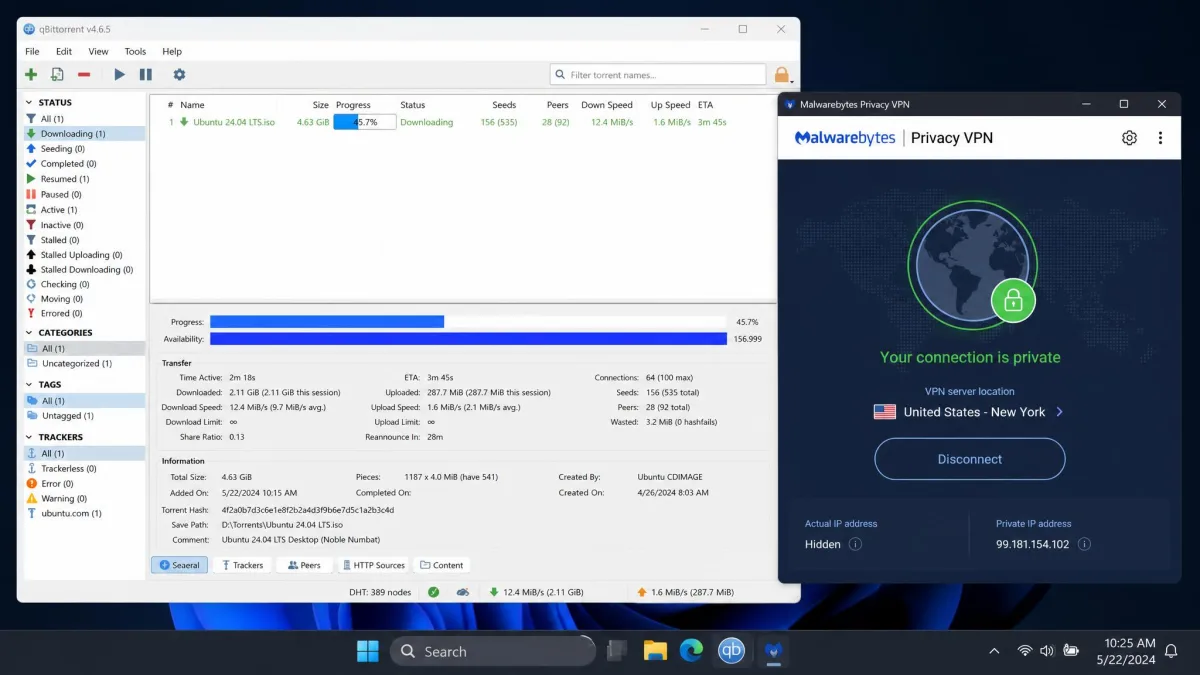
Torrenting is allowed and it works, but it is not a strength. In practice P2P transfers ran slowly. There is also no port forwarding, a feature many dedicated torrenters rely on to improve connection speeds and seeding. The no-logs policy and desktop kill switch give you the privacy basics for downloading. But the small, sometimes congested network and the missing port forwarding make Malwarebytes a functional rather than a first-choice option for heavy P2P users.
We were able to complete downloads without the connection dropping. The desktop kill switch meant a mid-transfer disconnect would not expose our real IP address. But the modest speeds turn large files into a waiting game. Serious torrenters who want maximum throughput and configurable ports will find dedicated P2P providers a better fit.
Bypassing Censorship (China)
Malwarebytes Privacy VPN does not work in China. When the question of the Great Firewall came up, support could offer no evidence that the service bypasses it. There are no obfuscation or stealth features designed to disguise VPN traffic. If you are traveling to or living in a country with heavy internet censorship, this is not the VPN to rely on. The top providers that work in China build in specialized obfuscation. Malwarebytes has not, and it does not claim to.
The same limitation applies, to a lesser degree, in other heavily restricted regions. Without stealth technology to disguise VPN traffic as ordinary HTTPS, the service is easy for a determined network filter to spot and block. For a traveler who only needs privacy on hotel and airport Wi-Fi in most of the world, this will never come up. For anyone whose reason for buying a VPN is defeating national-level censorship, it is a dealbreaker.
Apps, Device Compatibility, and Ease of Use
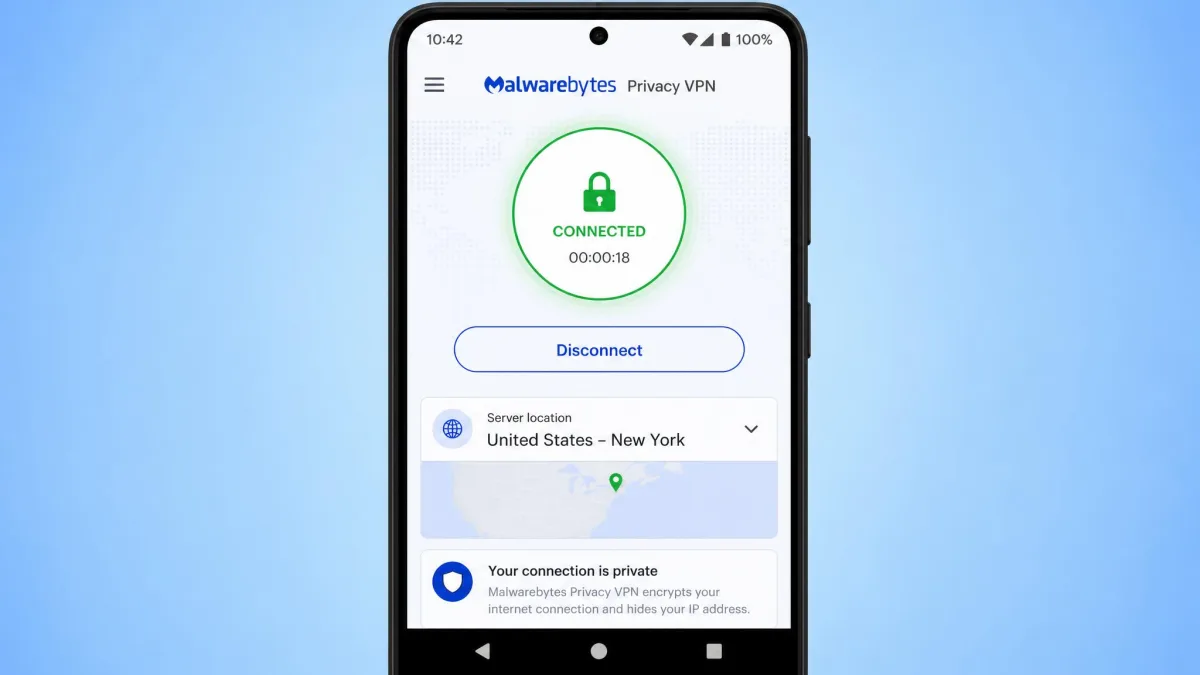
Ease of use is where Malwarebytes shines. The app installs and runs right away. A helpful tutorial walks first-time users through connecting, which makes this one of the friendlier VPNs for someone who has never used one. The interface is a clean, single-screen design. Pick a location, hit connect, and you are protected. For a non-technical user who just wants privacy without a manual, that simplicity is a genuine selling point.
We handed the Android app to someone who had never used a VPN before, and they were connected within a minute without asking a single question. That is exactly the bar a budget, brand-driven VPN should clear, and Malwarebytes clears it.
The compatibility story is narrower. You get apps for Windows, macOS, Android, and iOS, and that is the whole list. There is no Linux client, no router support, and no browser extensions. So you cannot cover a smart TV, a games console, or your whole home through a router the way you can with larger providers. And as noted, the Android and iOS apps drop the kill switch and split tunneling that the desktop versions include. The mobile experience is simpler but less protected.
Customer Support
Support is a soft spot. When we needed help, response times were slow and the answers were not always useful. Live chat waits ran to ten minutes or more. Email tickets could sit for multiple days before a reply. This service is aimed at beginners, who are the people most likely to need help. That makes the slow support a real drawback.
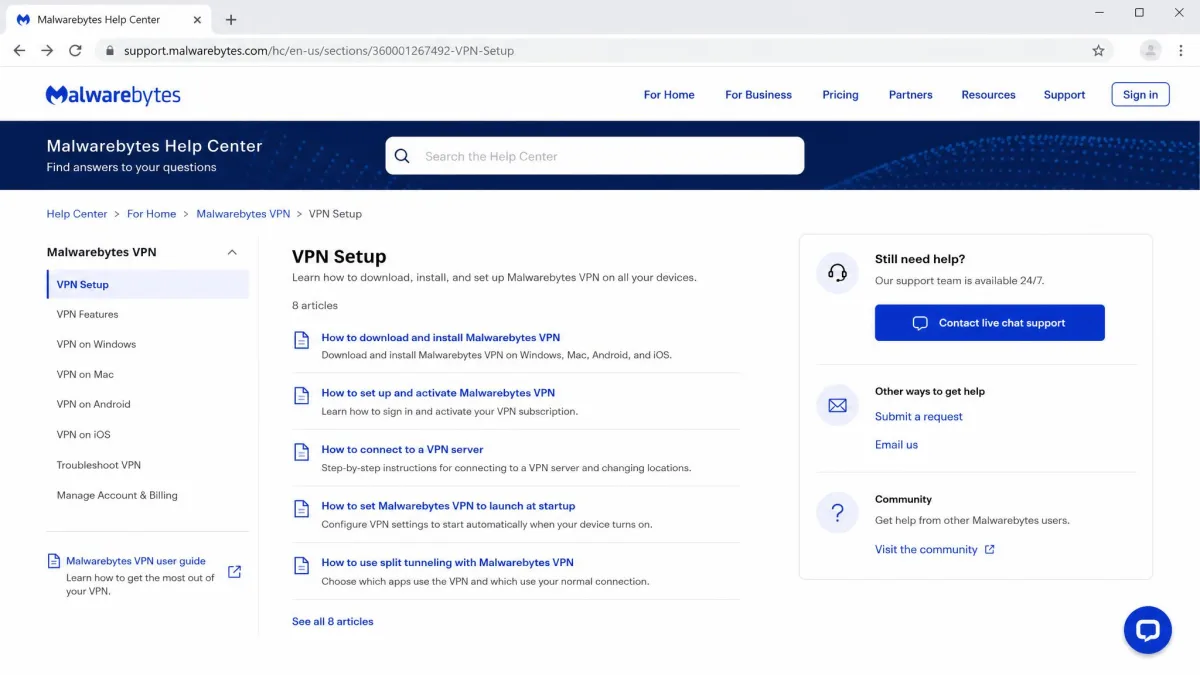
The saving grace is the self-serve side. There is a searchable knowledge base that covers the common ground a new user hits. It walks through installing the app on each platform, connecting for the first time, finding the kill switch and connection rules, and handling billing and account questions. For a VPN this simple, those articles genuinely resolve most of what a beginner needs, and reaching for them is faster than waiting in a chat queue. Where the knowledge base falls short is the non-standard stuff. It cannot tell you why a particular streaming platform will not unblock, or which server to choose when there is no "fastest" option, because those answers depend on live conditions.
That leaves the human channels carrying the hardest cases, which is exactly where the slow response times sting most. A stuck refund, a double charge, or an account that will not activate can only be fixed by a person. Those are the moments when a ten-minute chat wait or a multi-day email gap turns a small problem into a frustrating one. Our practical advice is simple. Keep your purchase records and order confirmation handy, try the knowledge base first, and lean on the money-back guarantee as your ultimate backstop if a billing or account issue drags on.
How Malwarebytes VPN Compares to Top VPNs
Stacked against the leading names, Malwarebytes is the budget option that trades breadth and polish for simplicity and a low price. ExpressVPN and NordVPN beat it on speed consistency, server count, and streaming reliability. Surfshark matches it on price while offering unlimited devices. Mullvad, the network's former supplier, remains a stronger pure-privacy pick that many buyers choose to use directly.
| Product | Buy | Speed loss (nearby) | Servers | Netflix | Price/month | Devices |
|---|---|---|---|---|---|---|
 |
Check price → | ~26-34% | 150+ to 500+ (disputed) | US/CA/UK/AU (partial) | ~$3.33 (annual) | 5 to 20 (by plan) |
 |
Check price → | Under 10% | 105 countries | Reliable | ~$6.67 | 8 |
 |
Check price → | Under 15% | 8,000+ servers | Reliable | ~$3.39 | 10 |
 |
Check price → | ~15% | 3,200+ servers | Reliable | ~$2.19 | Unlimited |
 |
~15% | 600+ servers | Partial | Flat 5 EUR | 5 |
The pattern is clear. Malwarebytes is cheaper than ExpressVPN and competitive with NordVPN and Surfshark on price. But it lags all of them on server count and streaming breadth. Where it competes is simplicity, the long guarantee, and bundle value for existing Malwarebytes customers. The number of devices you can connect at once, from 5 up to 20, depends on which plan tier you buy. It is not a single fixed figure the way most rivals quote.
Final Verdict
Malwarebytes Privacy VPN earns a 6.4 out of 10 from us. It is an honest, easy-to-use, budget VPN that does the core job well. You get strong AES-256 encryption, quick WireGuard speeds on nearby servers, a genuinely simple setup, and a 60-day money-back guarantee that removes most of the risk of trying it. The 2026 third-party audit of its AzireVPN infrastructure is a welcome step toward transparency.
But it is a tier below the leaders, and the reasons are consistent. The server network is small and its size is disputed. Streaming works for Netflix and little else with confidence. There is no China support, no Linux or router coverage, and the mobile apps drop the kill switch and split tunneling. Support is slow when you need it. If you already use Malwarebytes and want cheap, straightforward privacy, especially in a bundle, it is a reasonable buy backed by a long refund window. If you want the fastest speeds, the widest server list, or reliable streaming across many platforms, your money goes further with a top-tier provider.