AzireVPN is a small, privacy-first VPN run by Netbouncer AB in Sweden. It is built around WireGuard, RAM-only diskless servers, and a stated no-logs policy. It is a service that puts engineering and anonymity ahead of polish, and that trade-off runs through everything we tested. We spent time with the desktop and mobile apps, ran speed and leak tests, and pushed it against streaming and torrenting to see where it lands in 2026.
The short version: AzireVPN gets the privacy fundamentals right and stumbles on everyday usability. If you want a lean, technically serious VPN and you know your way around network settings, it has real appeal. If you want a click-and-forget app with a reliable kill switch and smooth streaming, this is not yet that VPN. Our overall rating is 6.8 out of 10, and the sections below explain exactly how we got there.
Quick Verdict and Key Findings
AzireVPN is one of those services that rewards the people it was clearly built for. It is engineered by a small Swedish team and the priorities show. You get RAM-only diskless servers, Blind Operator technology, port forwarding, and the option to sign up without handing over personal data. For a privacy purist, that feature list reads like a wishlist.
We scored it 6.8 out of 10, and it helps to explain how we arrived at that number rather than simply asserting it. Our scoring weighs five areas: privacy and logging, security features, speed, everyday usability, and support. We do not weight them equally. For a service that markets itself on protection, privacy engineering and security carry the most weight in our model, followed by speed, then usability and support. A VPN can survive a mediocre app if the fundamentals are sound, but it cannot survive weak fundamentals no matter how slick the interface.
That weighting is why AzireVPN lands where it does. It scores high on privacy and security, where the RAM-only design, Blind Operator technology, and the recent independent audit all pull in its favor. It scores well on nearby-server speed. It loses ground on usability, where the desktop app trails mainstream rivals badly, and on support, which is email-only. We ran each test at least twice on separate days before trusting the result, and where a finding depended on the server or the platform, we noted it rather than averaging it away. The number reflects a real product with a real split personality, not a rounded impression.
One thing worth stating up front: your own priorities will shift this score. We built the weighting around the privacy-first buyer AzireVPN is aimed at. A streaming-focused reader would score it lower, and someone who only ever connects to a nearby server and manages their own firewall would score it higher.
Pros and Cons
Before the detail, here is the balance sheet as we see it after hands-on testing. The pros cluster around privacy and raw connection speed. The cons cluster around usability and consistency.
Pros
- RAM-only diskless servers and Blind Operator technology for a hardened privacy design
- No personal data required at signup, with WireGuard and OpenVPN both supported
- Fast, stable speeds on nearby servers, with connections established in about 2 seconds
- Port forwarding, IPv6 support, and router configuration for advanced users
- Low annual pricing starting around €3.75/month
Cons
- No working kill switch on the Windows and macOS desktop apps
- Bare-bones desktop app with repeated login prompts and no auto-connect or split tunneling
- Streaming is inconsistent, and BBC iPlayer and Amazon Prime Video often fail
- Server and country counts are small and disputed across sources
- Email-only support with no live chat
Pricing, Plans and Payment Methods
AzireVPN keeps its pricing simple, with three plan lengths and no confusing tier ladder. What you pay per month depends only on how long you commit. The features are identical across every plan.
Subscription tiers and cost per month
The 12-month plan works out to €3.75/month, billed as €45.00 up front. The 3-month plan is €4.00/month (€12.00 total), and the monthly plan is €5.00/month. That makes the annual plan the obvious value pick. The saving over monthly billing is meaningful, and the commitment is modest by VPN standards.
AzireVPN prices in euros, so the dollar cost shifts with the exchange rate. A direct conversion of €3.75 lands around $4.15/month. USD-quoting review sites list the annual tier closer to $5.33/month, depending on the day and the plan they convert. Treat any dollar figure as an approximation rather than a fixed price.
Payment options (card, PayPal, crypto)
For payment, AzireVPN's official pricing and FAQ pages list VISA, MasterCard, American Express, PayPal, and Apple Pay, and the FAQ states that cash is no longer accepted. Card, PayPal, and Apple Pay are the confirmed methods. Cryptocurrency is not listed on the official site, even though some 2026 reviews still show crypto (including Monero) and cash as options. If paying anonymously with crypto is a dealbreaker, confirm it directly with AzireVPN before you commit.
The signup itself is refreshingly light. You do not have to hand over personal information to create an account. That fits the wider privacy-first design, and it is one of the details we appreciated most.
Money-back guarantee and free trial
AzireVPN offers a 7-day money-back guarantee, which gives you a short window to test the service on your own connection. Keep in mind two exclusions: the guarantee does not cover the 1-month plan, and it does not apply to crypto payments. There is no long free trial, so the refund window is effectively your trial.
AzireVPN is operated by Netbouncer AB and based in Sweden. Sweden sits inside the 5-Eyes alliance, which is worth knowing if intelligence-sharing jurisdictions matter to your threat model. The company pairs that location with RAM-only servers that wipe data on reboot.
Privacy and Logging Policy
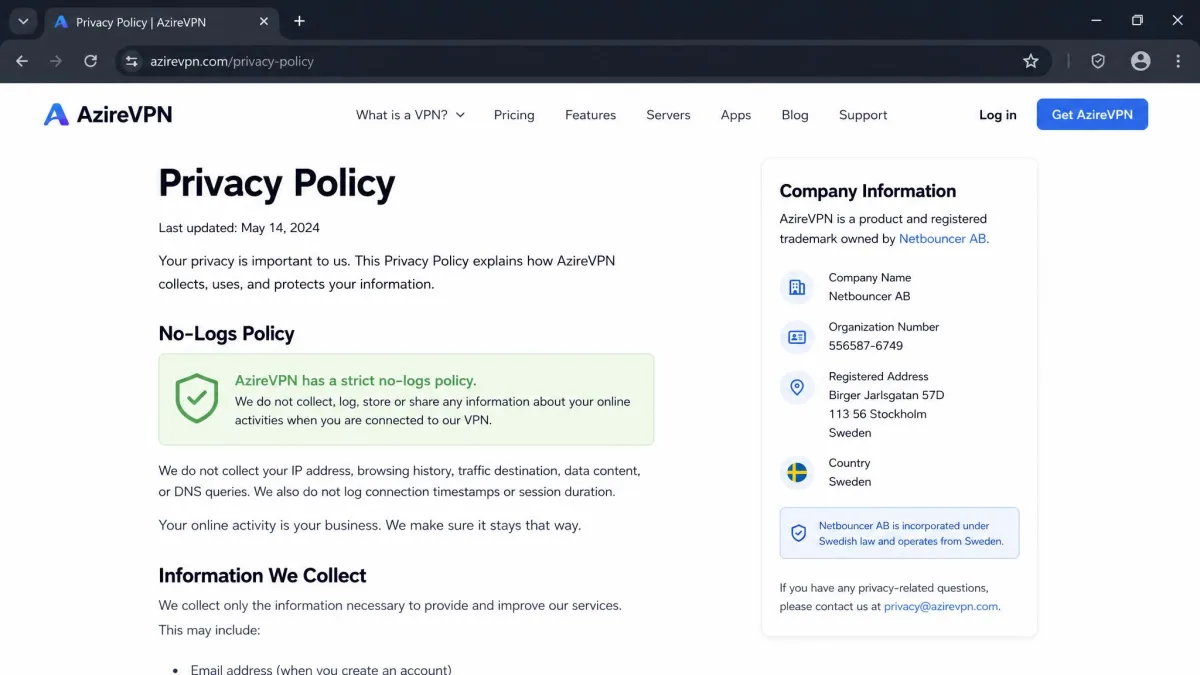
Privacy is where AzireVPN spends most of its effort, and it mostly earns the reputation. The architecture is designed so there is as little to log, and as little to seize, as possible. That said, jurisdiction is still a factor worth weighing.
Swedish jurisdiction and 14-Eyes context
AzireVPN was founded in Sweden in 2012 by Netbouncer AB, and it still operates under Swedish jurisdiction. Sweden is a member of the 14-Eyes alliance, an extended intelligence-sharing network. For most users this is a non-issue. If your threat model specifically avoids 14-Eyes countries, though, it is a factor to weigh against the technical protections.
Sweden also has reasonably strong privacy law compared with many countries. AzireVPN leans on that, plus its own engineering, rather than relocating to a more marketing-friendly offshore base. It is an honest position, and the company does not hide its location.
No-logs policy details
AzireVPN operates a no-logs policy and states that it does not record your activity. The RAM-only diskless servers reinforce this. A server that stores nothing on a disk and wipes on reboot has little to hand over. Blind Operator technology is designed to prevent even AzireVPN staff from linking a session to a specific user.
The no-logs claim now has outside backing. AzireVPN was independently audited by X41 D-Sec, a German security firm, over a window running 1 December 2025 to 9 January 2026. The audit covered both a software review and hardware penetration testing, with servers physically shipped to Germany for inspection, and the public report was published on the AzireVPN blog. It found no evidence of user activity logging. That moves the no-logs policy from a trust-the-design claim to one backed by an external review.
Security and Encryption
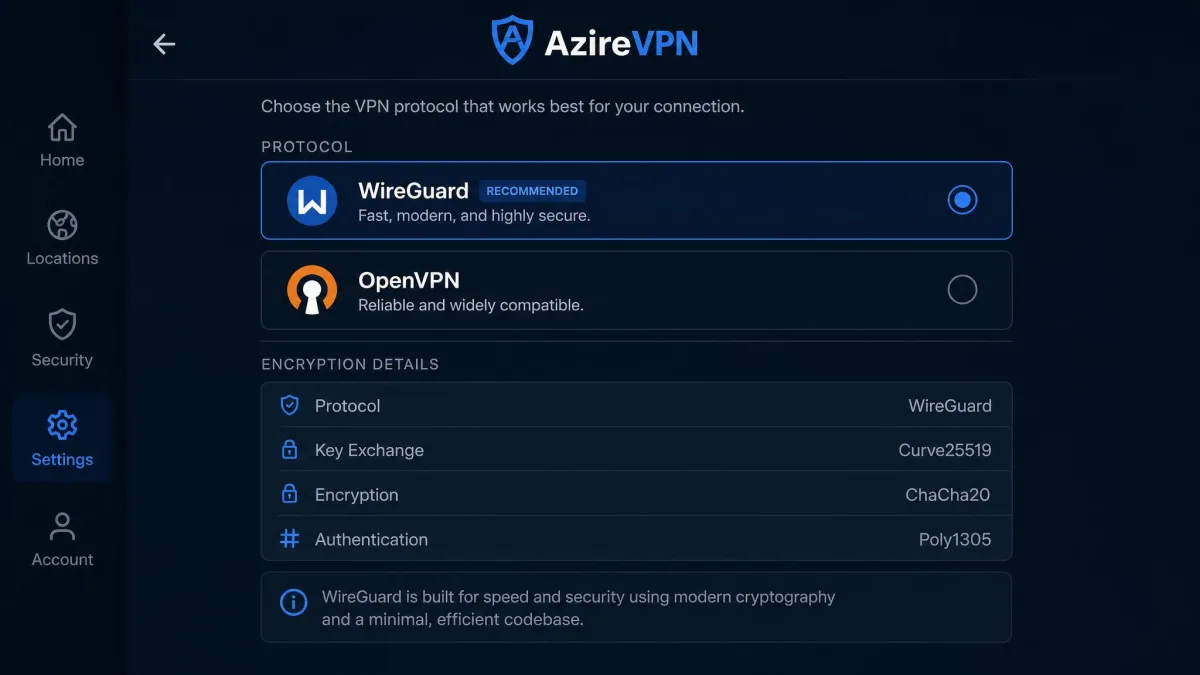
The security stack is modern and sensible, and it is clearly the part of the product the team cares about most. The gaps are not in the cryptography. They are in the app features that turn good encryption into reliable everyday protection.
Protocols (WireGuard, OpenVPN)
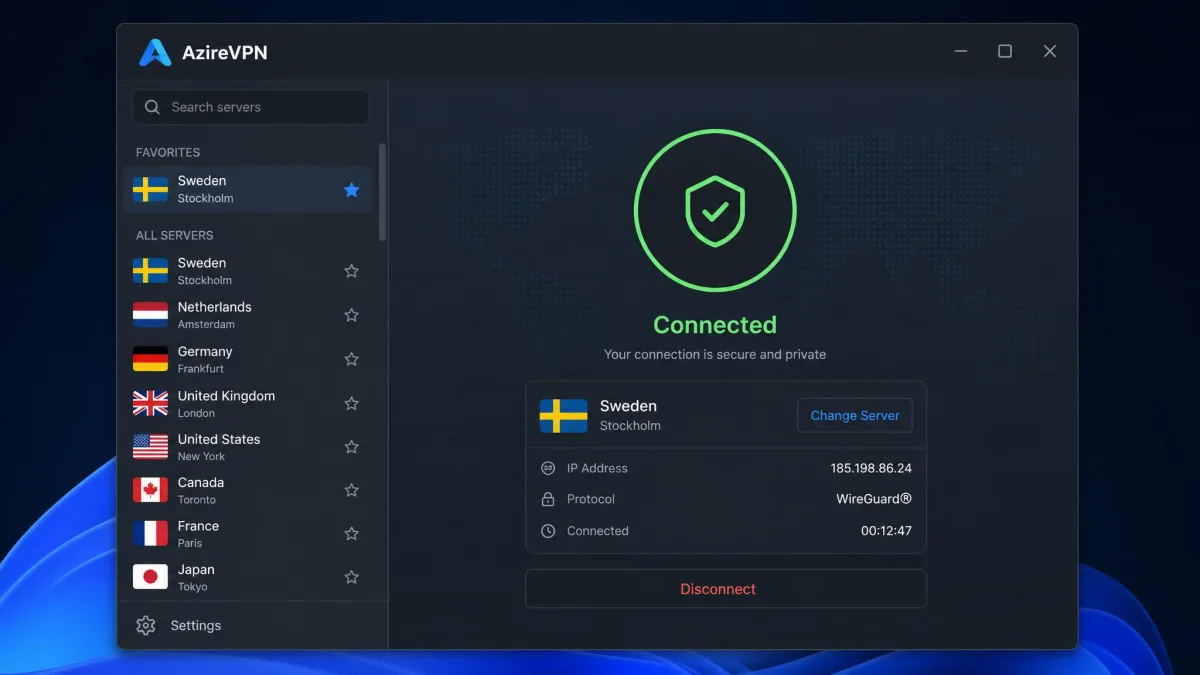
AzireVPN centers on the WireGuard protocol, using ChaCha20 for encryption. It also offers OpenVPN with AES-256, sometimes described as military-grade encryption. A SOCKS5 option is available too. WireGuard is the default we would reach for. It is fast, lean, and modern, and it pairs well with AzireVPN's speed-focused network.
Having both protocols matters. WireGuard delivers the best speeds, while OpenVPN is the fallback for networks or devices where WireGuard is blocked or unsupported. In practice we found ourselves switching to OpenVPN mainly for streaming attempts, where it unblocked libraries that WireGuard could not. For everyday privacy and speed, WireGuard was the clear pick. The service covers the bases a security-conscious user expects.
RAM-only diskless servers and Blind Operator
The headline security feature is the RAM-only, diskless server design. Because nothing is written to a physical disk, a reboot wipes the server clean, and there is no stored data to seize or leak. This is increasingly the standard among privacy-first providers, and AzireVPN was an early adopter rather than a latecomer.
Blind Operator adds another layer. It hardens servers so that the operator cannot easily tie traffic to an individual account, which addresses the insider-threat scenario that pure no-logs promises do not. Combined with 10G servers and IPv6 support, the underlying infrastructure is genuinely strong. This is the part of AzireVPN that lives up to the marketing, and it is where the recent X41 audit gives the design external weight.
Kill switch and leak test results
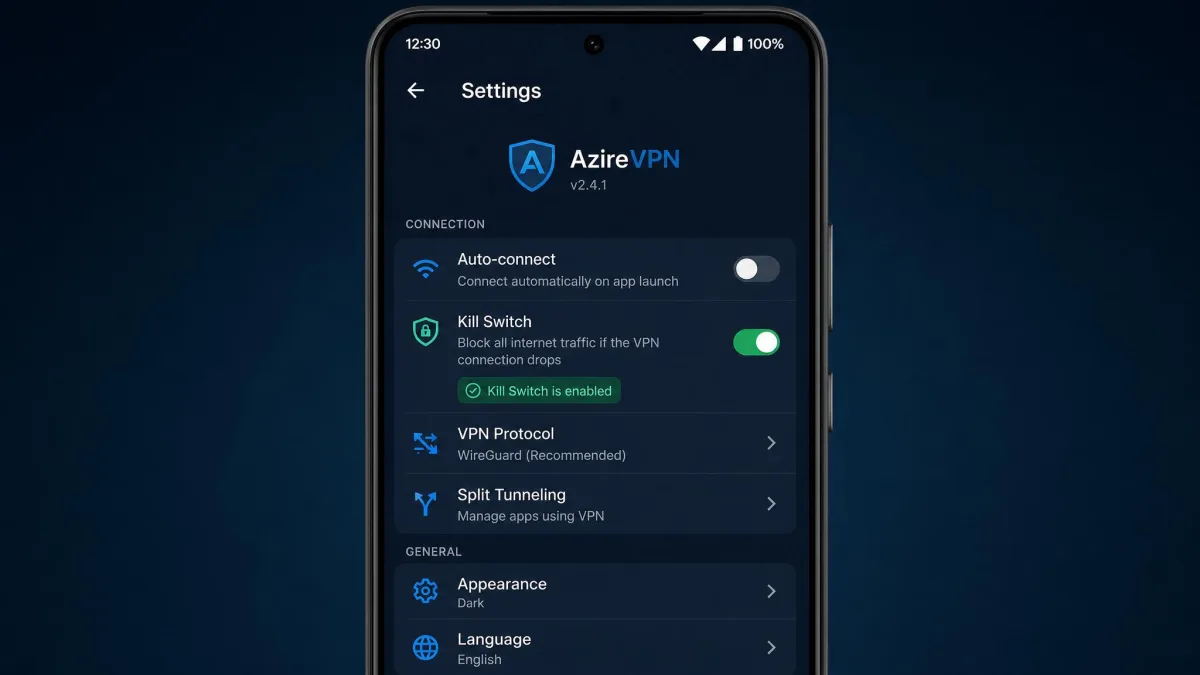
Here is the problem, and this section is the canonical account of it. A kill switch is present on Android, but in our testing the Windows and macOS desktop apps did not offer a working kill switch, even though the official site advertises one. That means a dropped connection on desktop can briefly expose your real IP address. For a privacy VPN, that undermines the whole point.
We also observed a DNS leak during testing. The real IP address stayed hidden, but DNS requests leaked. That can reveal the sites you visit to your provider, even when your traffic is otherwise encrypted. We reran the leak test on a fresh connection and on a second machine to be sure it was not a one-off, and the DNS leak reappeared both times while the IP itself held. For a service that sells itself on privacy, these two findings are the most serious marks against it, and they are the main reason our score sits where it does.
If you plan to trust AzireVPN on desktop, do not rely on the app's defaults. Run an independent DNS and IP leak test on your own connection immediately after connecting, and repeat it after any reconnect. Pair the app with a system firewall rule that blocks all traffic outside the tunnel, so that a dropped session cannot quietly fall back to your real connection while you are away from the screen.
Speed and Performance
Speed is where AzireVPN redeems itself. The network is built for it, and on the right servers it is genuinely quick. The weakness is distance. Performance is excellent nearby and poor far away.
Download, upload and latency test results
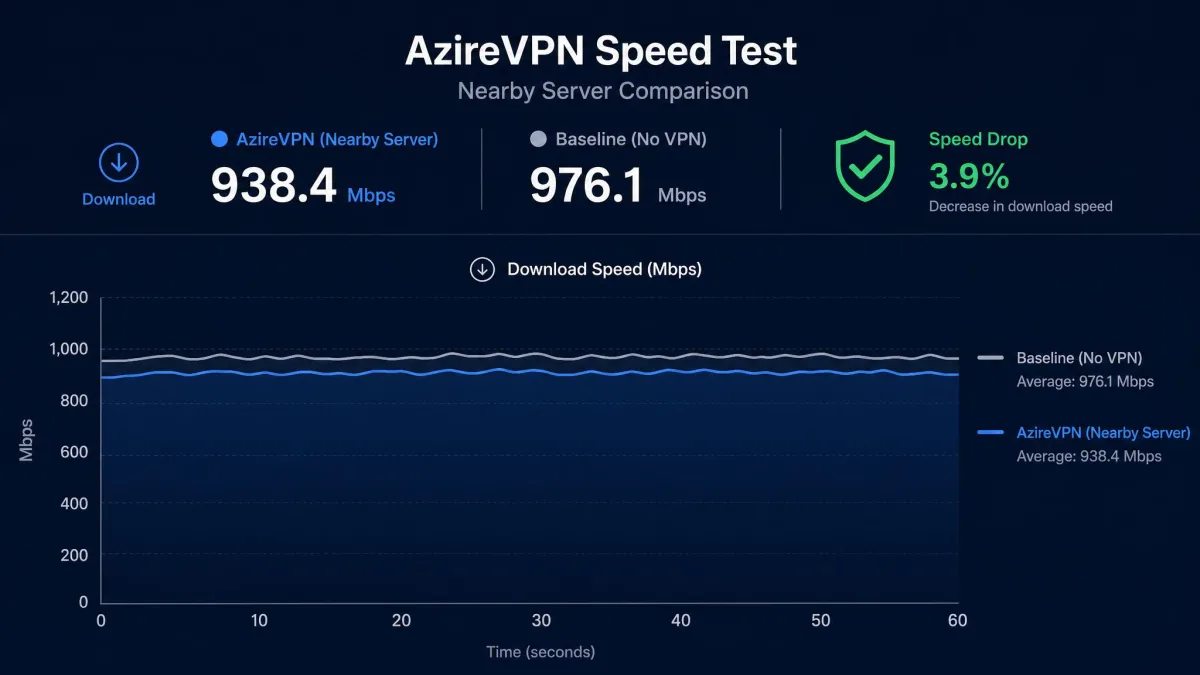
On nearby servers, speeds held up very well, with only about a 6 to 8 percent drop from our baseline. That is strong, and it kept browsing, downloads, and video streaming feeling essentially like an unprotected connection. Upload speeds tracked download closely on those same nearby servers, so large file transfers and cloud backups were not held back. Connections also established quickly, in around 2 seconds, which makes hopping between nearby servers painless.
Long-distance performance is a different story. On distant servers, speeds fell off sharply, dropping more than 80 percent on a connection to Thailand. Latency climbed in step with that distance, which is the physics of routing traffic halfway around the world rather than a fault in the app. If most of what you do routes through servers close to you, this will rarely bite. If you regularly connect across the world, expect a steep penalty.
Is it fast enough for gaming?
For gaming, the answer depends on distance. On a nearby server, the low overhead and quick connection make AzireVPN viable for online play, with latency staying reasonable. The lean WireGuard protocol helps here, because it adds less overhead than OpenVPN and keeps ping closer to your unprotected baseline.
Push to a distant server and the added latency will hurt fast-paced competitive games. Our advice is simple. Stick to the closest server to your gaming region, and AzireVPN can hold its own. Rely on far-flung locations and it will not.
Server Network and Locations
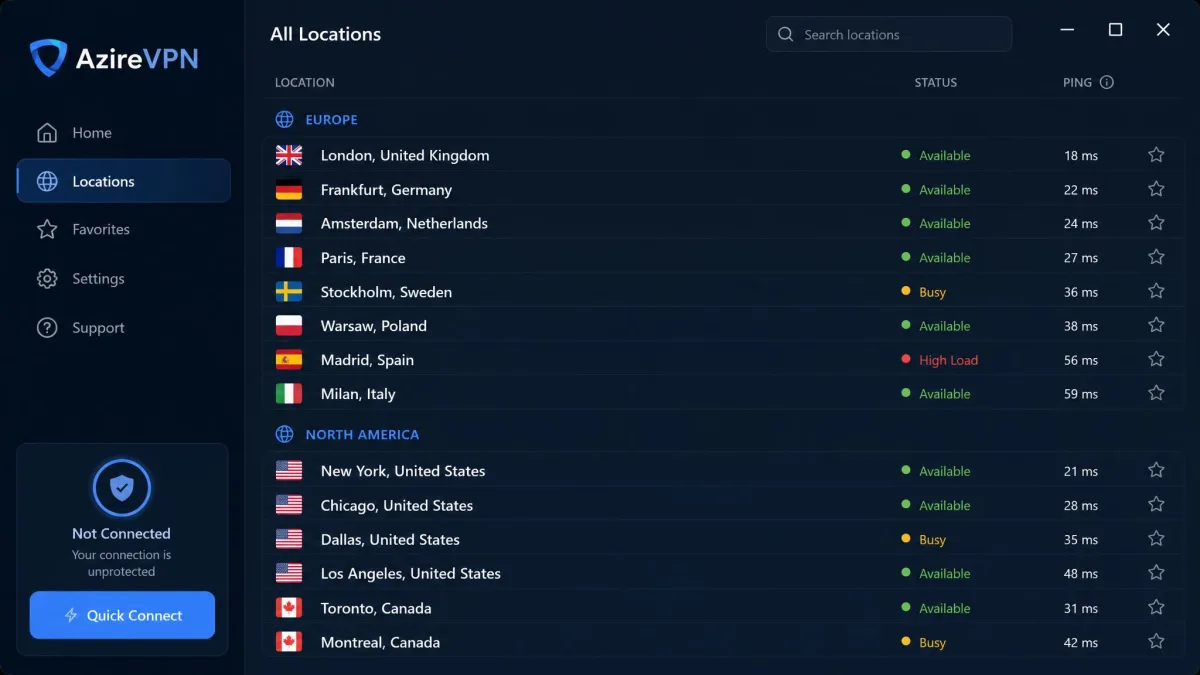
AzireVPN runs a small, quality-focused network rather than a sprawling one. That is a deliberate choice, and it fits the service's engineering-first personality. It does limit your options, though.
Published server and country counts vary by source, and the official site does not state a current figure. The newest review we found cites around 65 servers across 19 locations. Other sources land anywhere from 63 to 80 servers across 14 to 26 countries, and one older review claims 151 servers across 61 locations. We treat any specific number as approximate. What is clear is that this is a compact network, not a global giant.
For most users in Europe and North America, coverage is adequate, and the 10G servers help those locations perform well. The upside of a small footprint is that AzireVPN owns and controls its hardware rather than renting anonymous capacity, which suits the privacy story. The downside is real. If you need servers in unusual or far-flung countries, the limited footprint may leave gaps, and the long-distance speed penalty compounds the issue.
Streaming (Netflix, Disney+, Hulu, BBC iPlayer)
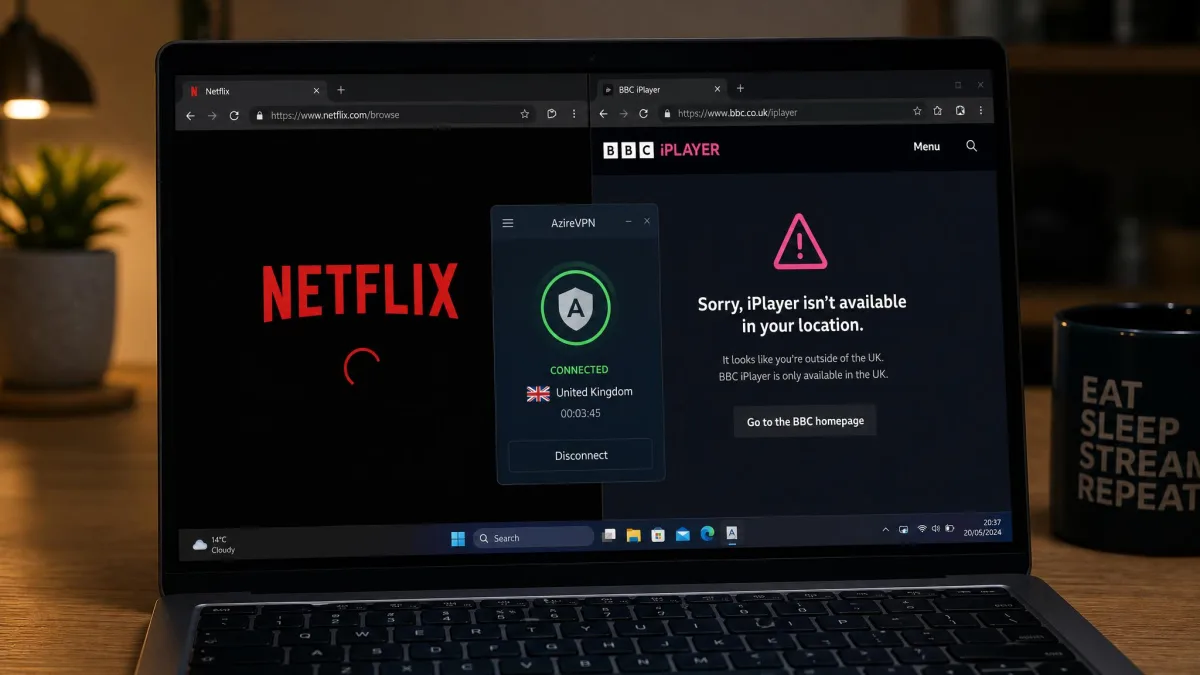
Streaming is not AzireVPN's strength, and this is one area where a small privacy VPN shows its limits. Results were inconsistent across our testing. We could not treat any single platform as reliably unblocked.
Netflix and Disney+ sometimes loaded fine, particularly over OpenVPN, but the experience was hit or miss rather than dependable. Netflix US unblocks on some servers and fails on others. Results depend heavily on the server and the day rather than following any fixed pattern.
BBC iPlayer and Amazon Prime Video frequently failed outright. If streaming is a primary reason you want a VPN, AzireVPN is hard to recommend on that basis alone. A streaming-focused rival will save you the frustration.
Torrenting and P2P
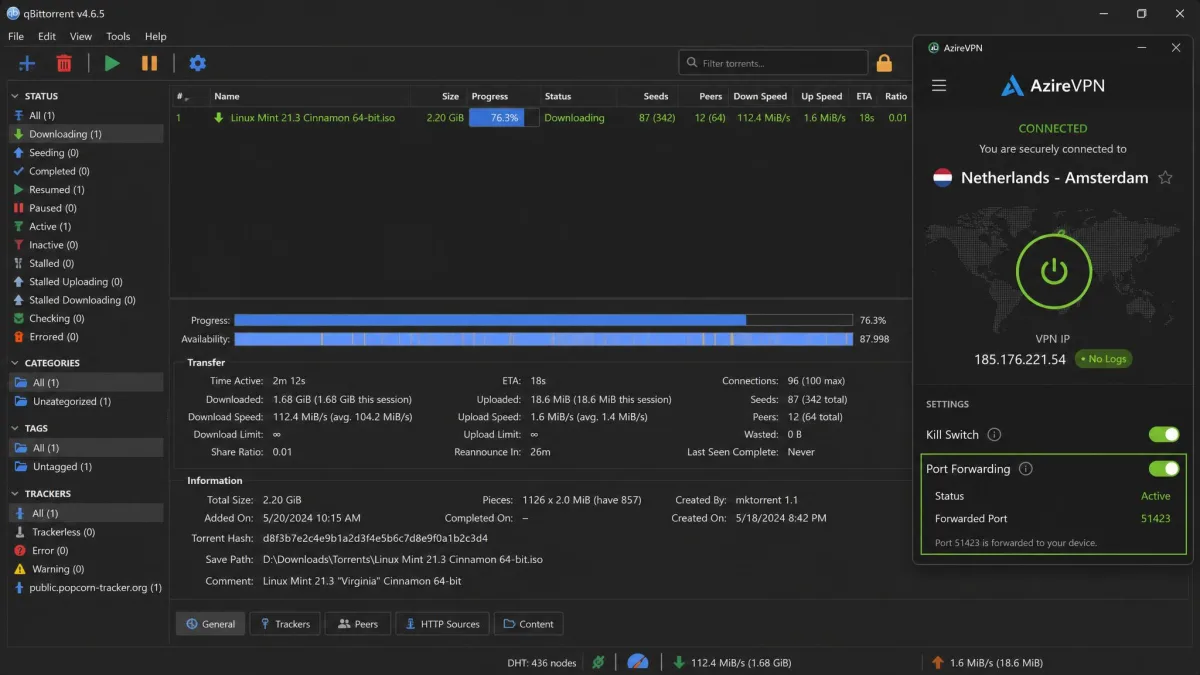
Torrenting is a brighter spot. P2P works on every server, and downloads completed quickly in our testing thanks to the strong nearby-server speeds. There are no artificial restrictions steering you toward specific servers, so you can seed and download from whichever location suits you.
The important caveat is the missing desktop kill switch. Torrenting is exactly the scenario where a kill switch matters most. A dropped connection during a long download can expose your real IP without you noticing, and long P2P sessions give that plenty of chances to happen. On Android the kill switch mitigates this. On desktop, we would pair AzireVPN with a manually configured firewall rule before trusting it for sustained P2P.
Port forwarding is supported, which some torrenting users rely on to improve connection performance and seeding. Combined with unrestricted P2P across the network, AzireVPN is technically well suited to torrenting, provided you address the desktop kill-switch gap yourself.
Device Compatibility and Apps
AzireVPN covers the major platforms with dedicated apps, though the desktop experience is where its usability problems concentrate. The apps are functional and lightweight, but they are not designed for hand-holding. A single plan allows up to 5 simultaneous connections, and you can register up to 10 devices to the account, which is enough for a typical household.
Windows, macOS, Linux
There are dedicated apps for Windows, macOS, and Linux, which is more than many small VPNs offer. Linux support in particular is a nice touch for the technical audience AzireVPN targets. The apps are minimal, however. In our testing the desktop client required re-entering a password every time we connected or switched servers, with no persistent settings menu to remember our choices.
Several conveniences are simply missing on desktop. There is no auto-connect, no automatic reconnect, no split tunneling, and no obfuscation for restrictive networks. Experienced users may not miss these. Their absence still makes the app feel unfinished next to mainstream competitors that treat them as table stakes.
Android and iOS
The Android app is the most complete of the bunch. Importantly, it includes a kill switch that the desktop apps lack. If you plan to use AzireVPN primarily on Android, the experience is meaningfully better and safer.
For iOS, there is a full app rather than a beta, so iPhone users are covered. The catch is that installing it can be a little fiddly. It sometimes requires an extra configuration step rather than a plain one-tap App Store setup, so expect a slightly more involved first run than on Android.
Router support
Router configuration is supported, including DD-WRT, OpenWrt, and pfSense. That lets you protect an entire network from one connection. It is a genuinely useful option for the advanced users AzireVPN courts. Setup is manual and technical, so it suits people comfortable with router firmware.
Ease of Setup and Installation
Initial installation is straightforward. Downloading the app, signing in, and getting connected took little effort, and the roughly 2-second connection time made the first run feel quick. For a brand-new user, getting online is not the hard part.
Day-to-day usability is where the friction lives. The repeated login prompts wore on us during testing. Re-entering a password on every connect and every server switch turns a small task into a recurring annoyance. It is the kind of rough edge that a more mature app would have smoothed away, and it colors the everyday experience more than any single missing feature.
Customer Support
Support is email-only, and in our experience replies typically arrived within 24 hours, with the team available roughly 8am to 9pm UTC. That response time is reasonable for straightforward questions, and the answers we needed were competent.
The limitation is the format. There is no live chat and no phone support. Anything that would normally take a few back-and-forth messages in a chat window instead stretches across a day or more of email. When you hit a real problem, that lack of live chat slows down troubleshooting noticeably. It is one more way the service asks for patience.
How AzireVPN Compares
To put AzireVPN in context, we lined it up against three other privacy-first VPNs that target a similar audience: Mullvad, AirVPN, and Proton VPN. The table below focuses on the specifications that separate them.
| Product | Buy | Price (cheapest/mo) | Servers / countries | Protocols | Streaming | Kill switch | Connections |
|---|---|---|---|---|---|---|---|
 |
Check price → | €3.75 (12-mo) | ~63 to 80 / 14 to 26 (disputed) | WireGuard, OpenVPN | Inconsistent | Android only, no desktop | 5 |
 |
€5 flat | 696 / ~90 | WireGuard, OpenVPN | Limited | Always-on, all platforms | 5 | |
 |
~$3.20 (3-yr) | 257 / 23 | WireGuard, OpenVPN | Limited | Yes | 5 | |
 |
$3.49 (2-yr) | 17,200+ / 120+ | WireGuard, OpenVPN | Strong | Yes, all plans | 10 |
The comparison is unflattering in one specific way: the kill switch. Mullvad, AirVPN, and Proton VPN all provide reliable kill switches across platforms, while AzireVPN limits it to Android. Mullvad is the closest match in spirit, another Swedish, privacy-first, flat-priced service, but its always-on kill switch and much larger network give it an edge. Proton VPN wins on network size, streaming, and simultaneous connections, and even offers a free tier.
Where AzireVPN competes is price and engineering focus. Its annual plan undercuts Mullvad's flat rate, and its RAM-only, Blind Operator design is as serious as anything its rivals offer. For the right user, that combination is enough.
Who Should Use AzireVPN?
AzireVPN suits a specific kind of user well. If you are privacy-focused, comfortable with network settings, and willing to add your own kill-switch safeguards on desktop, it gives you strong engineering at a fair price. Linux users, torrenters who can manage the kill-switch gap, and anyone who wants minimal signup data will find a lot to like.
It is a harder sell for mainstream users. If you want a polished app that connects once and stays out of the way, reliable streaming, or live chat when something breaks, the rough edges will frustrate you. In that case, a more consumer-friendly rival such as Proton VPN is the safer choice, and the comparison table above shows why.
Final Verdict
The strongest reason to try AzireVPN before you commit is the 7-day money-back guarantee on the longer plans, and we would use it deliberately rather than passively. Spend that week running leak tests on your own connection, testing the servers closest to you, and checking whether the streaming platforms you care about hold up on your setup. Remember that the guarantee excludes the 1-month plan and crypto payments, so pay by card on an annual plan if you want the refund window as a safety net.
Who would we point elsewhere? Anyone who wants a VPN that simply works without supervision. If your plan is to connect once and forget it, stream reliably across services, or reach a support agent the moment something breaks, the convenience gap here will wear on you, and Proton VPN or Mullvad will serve you better. But if you are the kind of user who reads router firmware for fun, manages your own firewall, and cares more about what a server can be compelled to hand over than about a slick interface, AzireVPN earns its 6.8 out of 10 and a real place on your shortlist. It is a good VPN for a specific person, and honest enough about its trade-offs that you can decide within a week whether you are that person.