Managing a separate antivirus subscription and a standalone VPN gets old fast. You pay two bills, track two renewal dates, and juggle two apps that never quite talk to each other. So the appeal of a single package that protects your devices and your privacy is obvious. One subscription, one login, one company to hold accountable.
The catch is that most all-in-one bundles are good at one half of the job and mediocre at the other. Plenty of suites ship a strong malware engine bolted to a slow VPN, or a fast VPN welded to a forgettable scanner. We wanted to know which combos actually deliver on both fronts, so we put the leading options through the same hands-on checks.
Our testing focused on the things that separate a real bundle from a marketing package. We ran each antivirus against live malware and the standard EICAR test file to confirm detection. We checked every bundled VPN for DNS leaks and a working kill switch. We measured VPN speed on both a local connection and a transatlantic route, and we tested behavior across Windows, macOS, Android, and iOS. Below are the five bundles that earned a recommendation, plus the runners-up that fell short.
Best Antivirus With VPN at a Glance
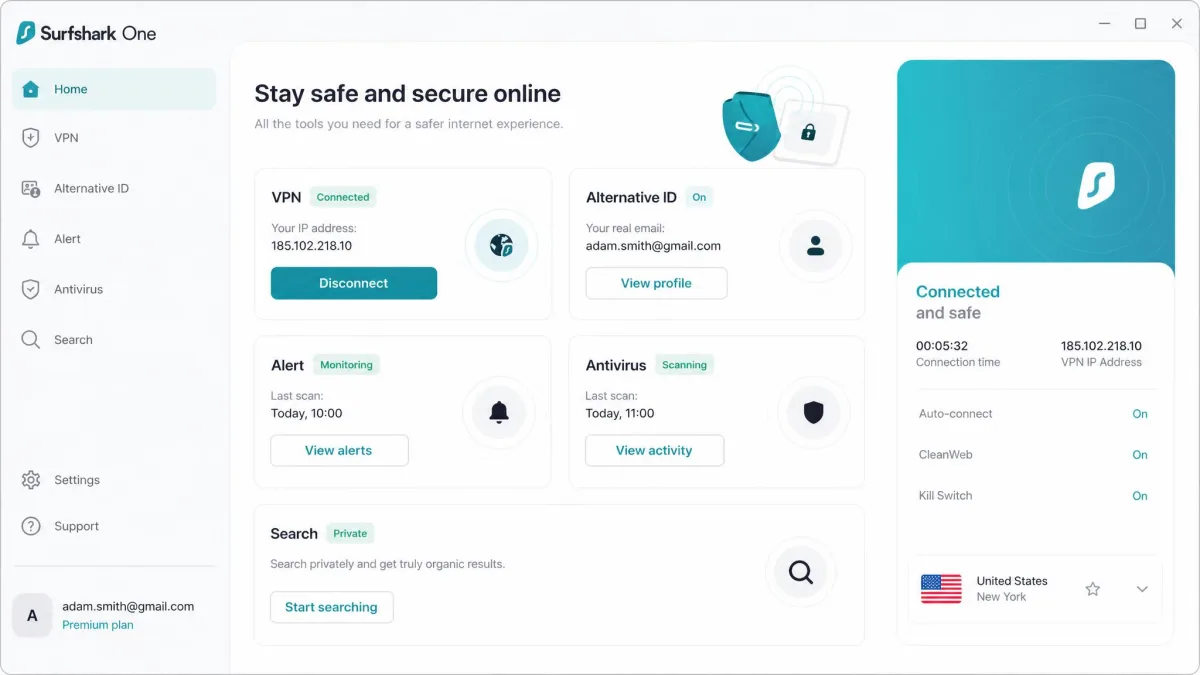
If you only have a minute, here is the short version of what we found. Norton is the bundle we would hand to most people, because it does both jobs well and throws in extras that matter. Surfshark is the choice when the VPN carries most of the weight for you. McAfee wins on price without gutting the feature set.
The five picks below are ranked and labeled by who they suit best. Every one includes a genuinely unlimited VPN, real-time malware protection, and coverage for multiple devices. Prices are first-year intro rates unless noted, and every bundle renews higher, so read the renewal column before you commit.
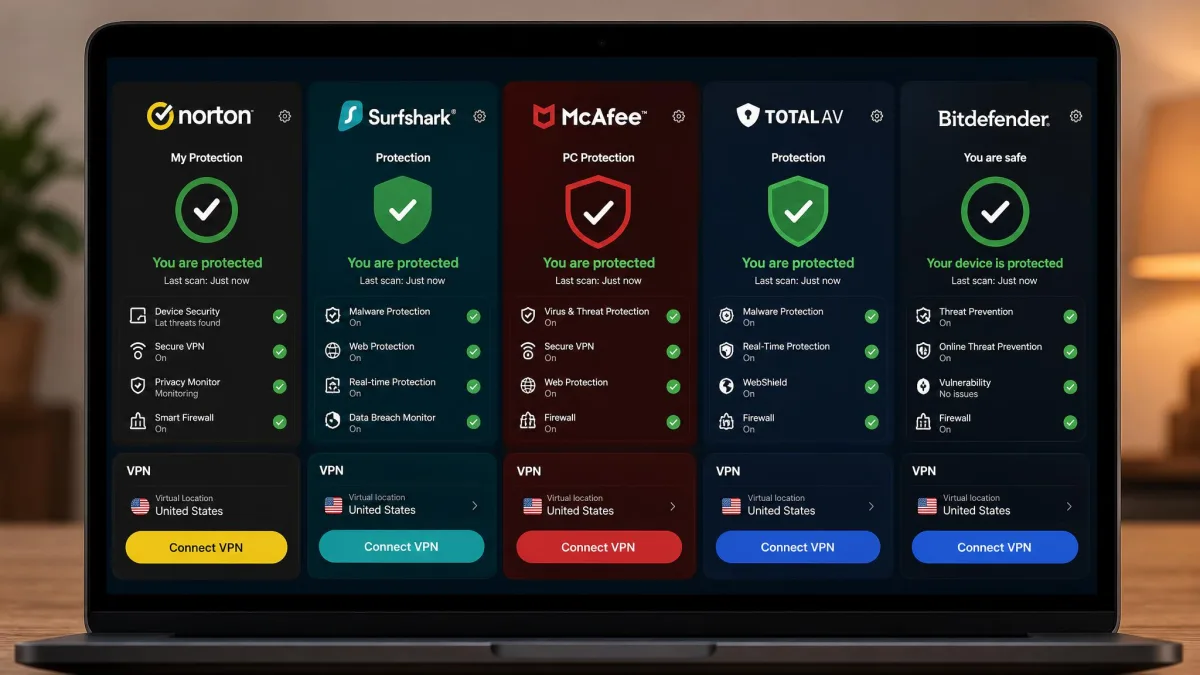
5 Best Antivirus With VPN in 2026
Each review below leads with what stood out most in our hands-on checks, then covers the features, the trade-offs, and who the bundle is really for. We bought or activated each suite ourselves and tested the antivirus and the VPN as a pair, the way you would actually use them.
1. Norton 360 Deluxe - Best Overall Antivirus With VPN
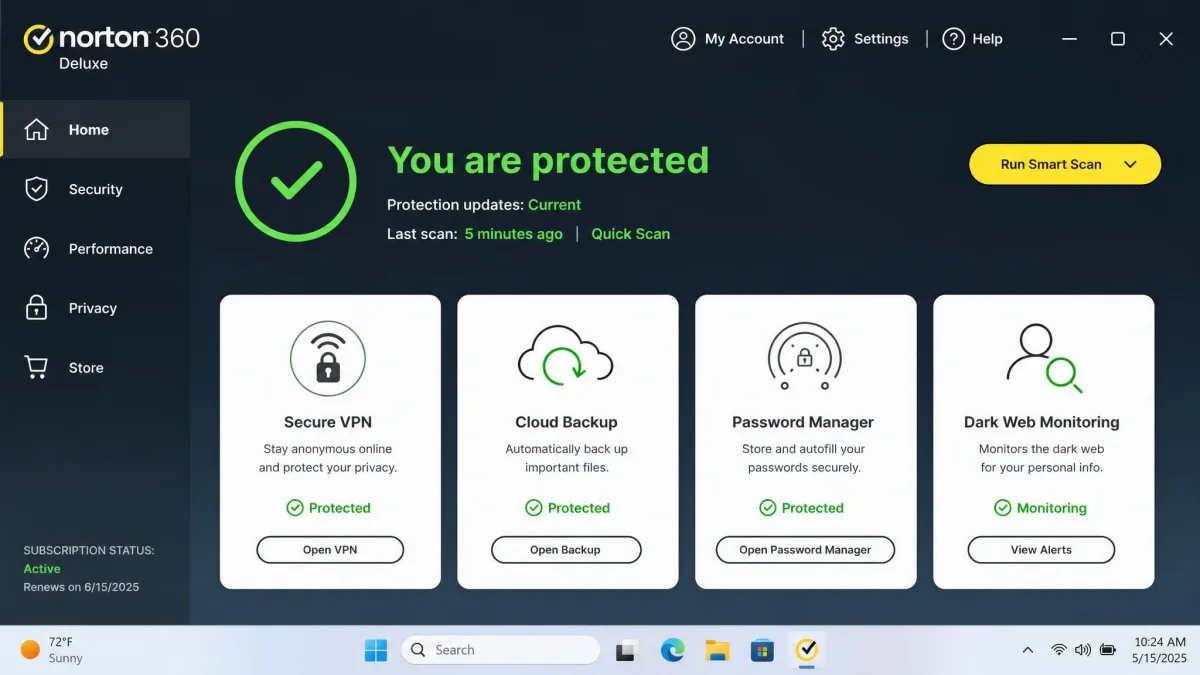
Norton earned the top spot because it rarely stumbles on either half of the job. When we threw malware samples at it, the scanner caught 100% of them, and it did so with minimal system slowdown and few false positives. That combination is harder to find than it sounds. A scanner that catches everything but bogs down your machine gets switched off, and one that runs light but misses threats is worse than nothing.
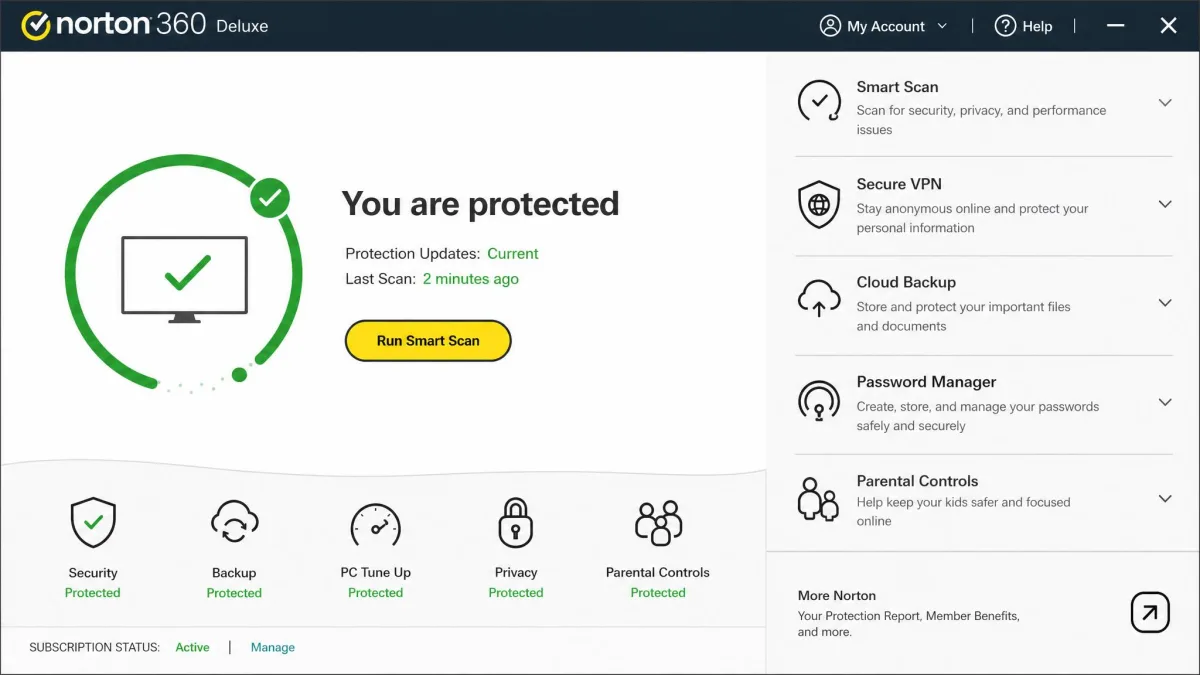
The bundle itself is the most complete here. You get the antivirus, an unlimited Secure VPN, a password manager, dark web monitoring, 50 GB of cloud backup, parental controls, and newer AI-based scam and deepfake detection. The Deluxe plan covers 5 devices. First-year pricing is $49.99, and it renews at $124.99 per year, which is a steep jump you should plan for.
The VPN is the weaker half. In our leak checks, Norton's VPN showed DNS leaks and lacked a kill switch on macOS and iOS, so privacy-critical users on Apple devices should be cautious. Streaming performance was middling too, noticeably slower than a dedicated VPN when we loaded video. For everyday browsing and public Wi-Fi it is fine, but it is not the bundle to buy if the VPN is your main event.

Norton 360 Deluxe
Norton was the standout across our checks, catching 100% of the malware samples we ran with minimal slowdown and few false positives. The scanner sat quietly in the background during everyday use, and the wider bundle covered ground the others left open, from 50 GB of cloud backup to dark web monitoring that flags your details if they surface in a breach.
Pros
- Caught 100% of malware samples with minimal system impact
- Genuinely complete bundle: 50 GB cloud backup, password manager, dark web monitoring
- Unlimited VPN data on every plan tier
Cons
- VPN showed DNS leaks and lacks a kill switch on macOS and iOS
- Renewal jumps sharply to $124.99 per year
- VPN streaming performance trails a dedicated service
Best for: People who want one bundle that handles security, backup, and identity monitoring without gaps. Skip if: Your priority is a fast, leak-free VPN on a Mac or iPhone.
2. Surfshark One - Best for a Feature-Rich VPN
Where Norton leads with its scanner, Surfshark leads with its VPN, and that is exactly why it lands here. This is the bundle built around the connection, and it shows. The VPN covers 100 countries, which is the widest reach in this roundup, and it comes with unlimited simultaneous devices, so one subscription protects the whole household.
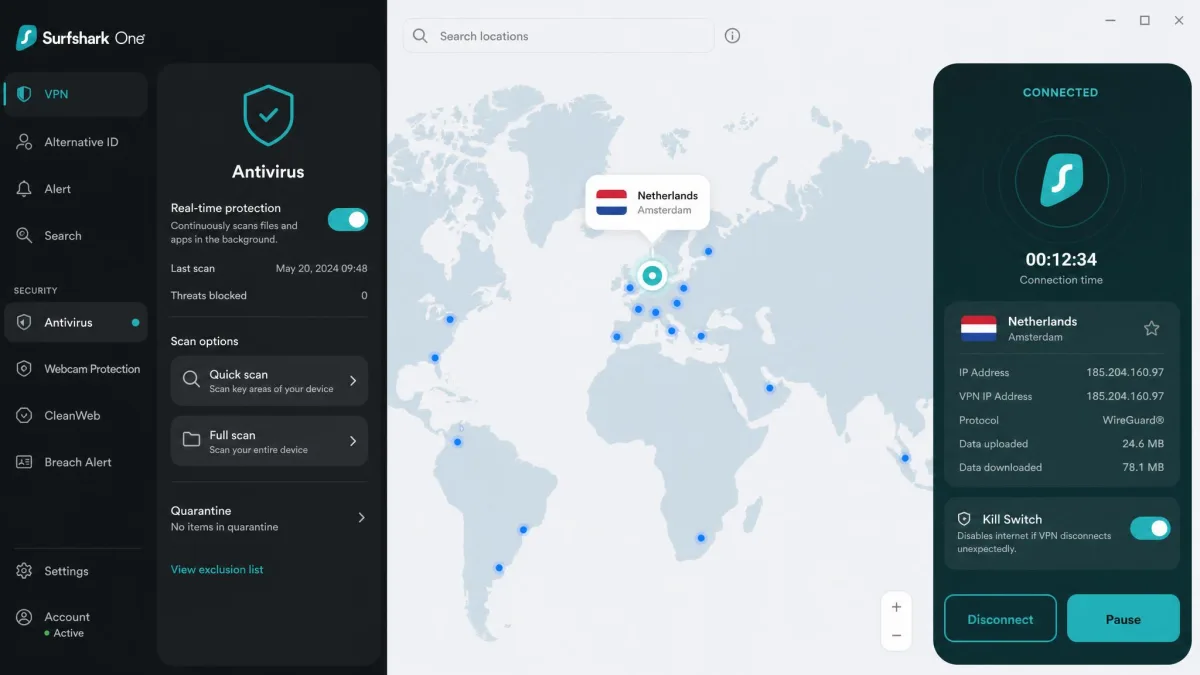
Our checks backed up the marketing. Surfshark's antivirus caught the EICAR test file immediately, we saw no DNS leaks, and the kill switch worked reliably every time we forced a drop. On speed, the VPN lost only about 6% on a local connection, which you will not notice, and roughly 34% on a demanding transatlantic route, which is respectable for a bundled service. It also works out of the box, so first-time users are not left hunting through settings.
The wider package leans toward privacy rather than the kitchen-sink approach. Surfshark One adds webcam protection, the Alert data-breach monitor, a private Search engine, and Alternative ID for generating throwaway identities. Intro pricing is aggressive at around $2.79 per month on the two-year plan, though it renews near $99 per year. If the VPN does most of the work in your setup, this is the bundle to beat.

Surfshark One
Surfshark's VPN did the best work of any bundle here. Its antivirus caught the EICAR test file on contact, we found no DNS leaks, and the kill switch cut our connection cleanly whenever the tunnel dropped. Speed held up too, losing only about 6% locally and around 34% on a transatlantic hop, and the whole thing worked out of the box for a first-time setup.
Pros
- Widest VPN reach here at 100 countries, plus unlimited devices
- No DNS leaks and a reliable kill switch in our checks
- Easy out-of-the-box setup for newcomers
Cons
- Antivirus is lighter on extras than Norton or McAfee
- Renews near $99 per year after the intro period
- Bigger speed drop on long-haul transatlantic routes
Best for: Households that want one subscription covering unlimited devices with a genuinely capable VPN. Skip if: You want deep antivirus extras like cloud backup or identity monitoring.
3. McAfee Total Protection - Best Value Bundle
If Surfshark is the VPN specialist, McAfee is the budget champion that still covers the essentials. It carries the lowest first-year price in this roundup at $29.99, and its top Total Protection tier covers unlimited devices, which is unusual at this cost. For a large family or a house full of gadgets, the math is hard to argue with.
The protection holds up under scrutiny. McAfee posted a perfect 6/6 across protection, performance, and usability in AV-TEST independent lab results from June 2026, so the malware engine is genuinely strong. In our own use it delivered top online detection, though offline detection was a step weaker, so keep it updated and connected. The bundle also includes an unlimited Secure VPN powered by TunnelBear, with AES-256 encryption, a kill switch, and a no-logs policy.
The VPN is the part to temper expectations on. It handled geo-unblocking poorly in our testing, struggling with streaming libraries that Surfshark opened without complaint. The wider suite makes up for it with dark web monitoring, SSN and identity monitoring, a firewall, and a file shredder. Renewal climbs to $84.99 per year, still the gentler increase in this group.
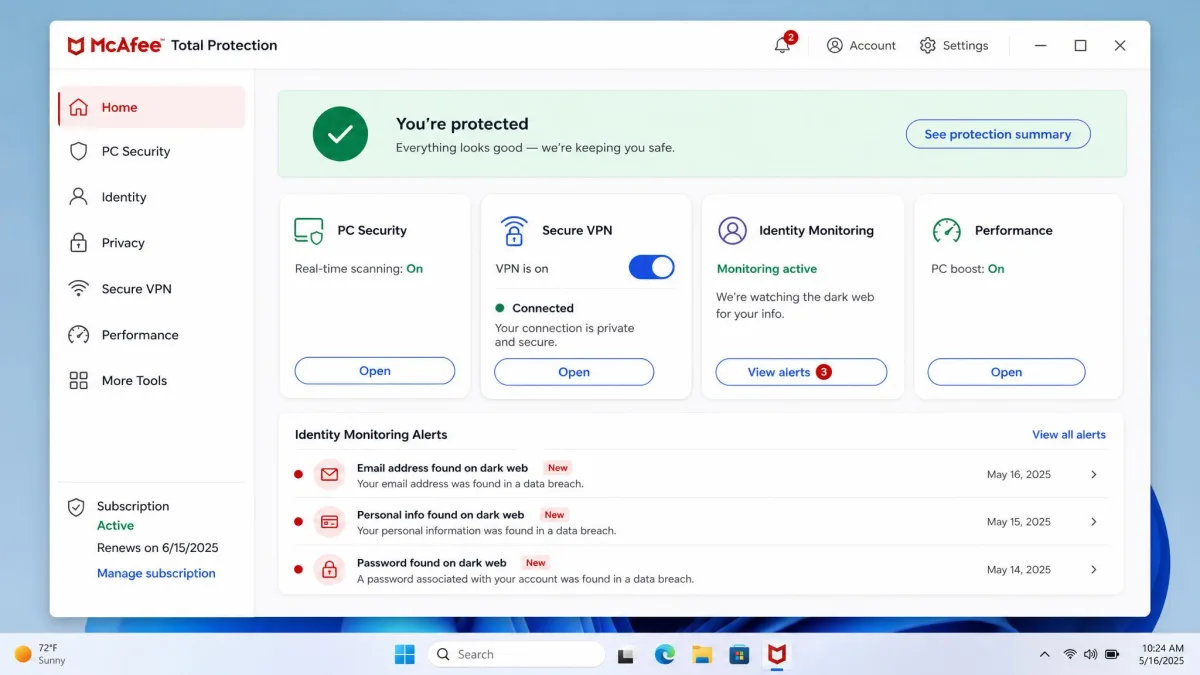

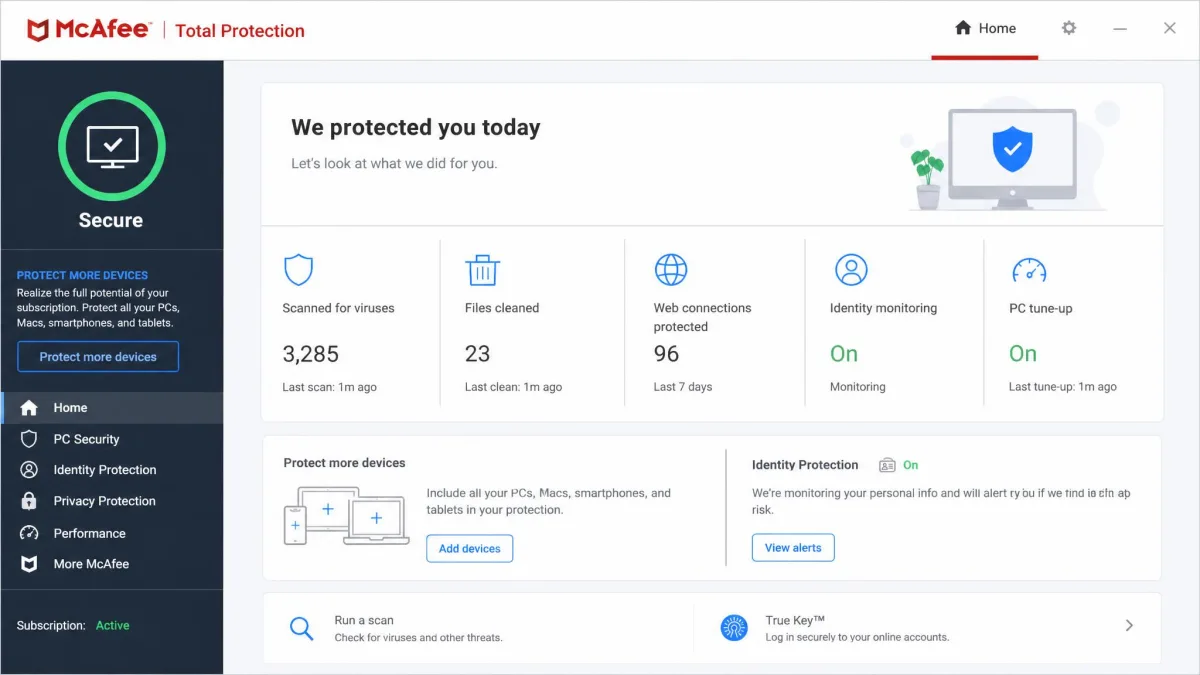
McAfee Total Protection
McAfee gave us the most protection per dollar. It scored a perfect 6/6 in AV-TEST's June 2026 lab run, and in daily use its online malware detection was excellent, though offline detection lagged a little. The included TunnelBear-powered VPN kept us encrypted for browsing, but it stumbled on geo-unblocking, so streaming fans should temper expectations.
Pros
- Lowest first-year price with unlimited-device coverage on the top tier
- Perfect 6/6 AV-TEST score for protection, performance, and usability
- Identity monitoring, firewall, and file shredder included
Cons
- Bundled VPN handles geo-unblocking poorly
- Offline malware detection weaker than online
- Full feature set requires the top tier
Best for: Big households or multi-device users who want strong protection on a tight budget. Skip if: You need the VPN to reliably unblock streaming libraries.
4. TotalAV Total Security - Best for Beginners
TotalAV takes a different tack from the heavyweights above: it wraps its protection in the friendliest interface here. The dashboard is clean, the buttons are large and labeled plainly, and the built-in system tune-up tools give newcomers a satisfying one-click way to clear junk and duplicate files. If a relative has asked you which security app they should install, this is the one that will not generate a support call.
The bundle includes real-time antivirus, an unlimited VPN, WebShield safe browsing, data-breach monitoring, an ad blocker, and a password manager. It covers up to 6 devices on the Total Security tier. The VPN is where the polish thins out. It lost about 25% of our baseline speed on a fast connection, unblocked Netflix inconsistently, and is missing a kill switch on Mac, which is a real gap for privacy-focused users.
The bigger caveat is the sales approach. TotalAV upsells aggressively during install and renewal, and steep renewal pricing is the most common complaint we found from buyers. Intro pricing sits around $49 for the first year but varies by promo and tier, and it renews near $129.99, with rates differing across the Internet Security and Total Security plans. Go in knowing you will need to manage the renewal actively.
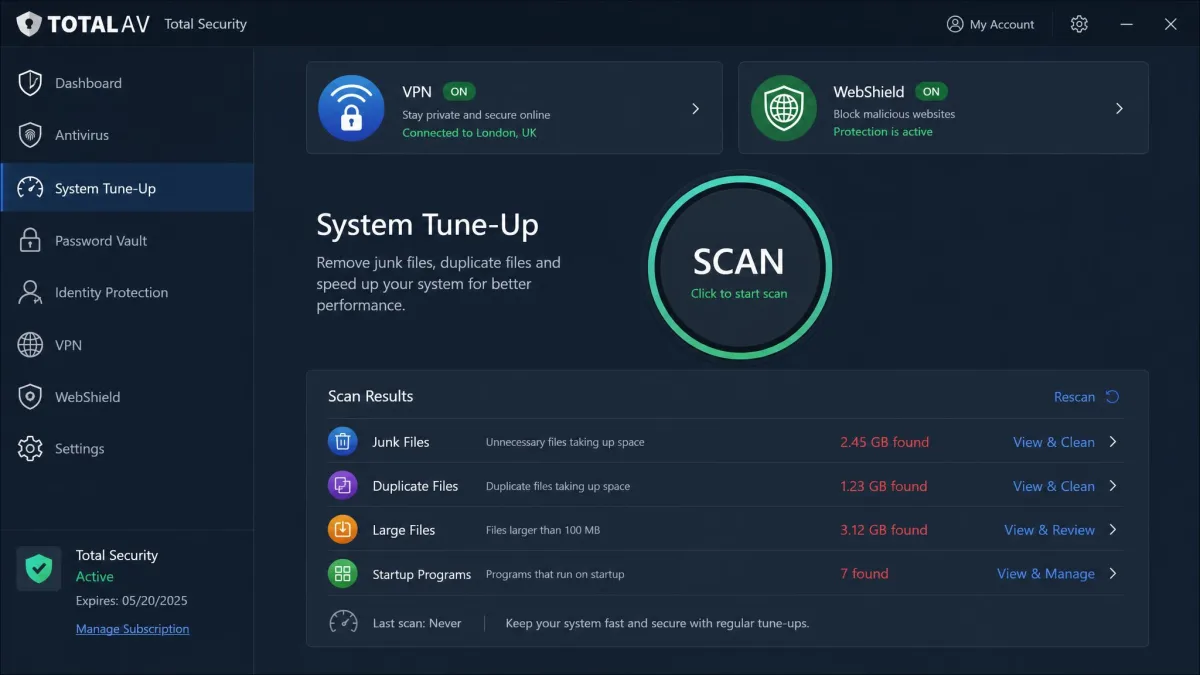

TotalAV Total Security
TotalAV was the easiest bundle to hand to someone new. The tune-up tools cleaned junk and duplicates in a single click, and nothing about the layout required a manual. The VPN was the soft spot: it lost about 25% of our baseline speed, unblocked Netflix inconsistently, and shipped without a kill switch on Mac. Aggressive upselling during setup is the other thing to brace for.
Pros
- Clean, approachable interface with helpful system tune-up tools
- Unlimited VPN and safe-browsing WebShield included
- Covers up to 6 devices
Cons
- VPN lost about 25% speed and unblocks streaming inconsistently
- No kill switch on Mac
- Aggressive upsells and steep renewal pricing
Best for: First-time users who want protection that is genuinely simple to run. Skip if: You want a fast, streaming-capable VPN with a Mac kill switch.
5. Bitdefender Premium Security - Best for Mac
Bitdefender rounds out the list as the pick that stays out of your way, which makes it a natural fit for Mac users who resent a heavy security app. It ran light on system resources during scans in our testing, and its autopilot mode needs almost no configuration, quietly making sensible decisions in the background. On a laptop you want to stay fast and cool, that restraint counts for a lot.
The protection credentials are top-tier. Bitdefender posted full marks, a 6/6 across protection, performance, and usability, in AV-TEST independent lab results from June 2026, matching the best scores in this group. The Premium Security tier includes an unlimited VPN, ransomware remediation, an anti-tracker, scam and email protection, a password manager, and webcam and microphone protection. It covers 5 devices.
There is one trap to avoid. Bitdefender's unlimited VPN only arrives on this Premium tier. The cheaper plans cap the VPN at 200 MB per day, which is barely enough for a single email session, so buying down a tier defeats the whole purpose. Premium Security is $64.99 for the first year and renews at $129.99. Pay for the tier that actually includes the unlimited connection.
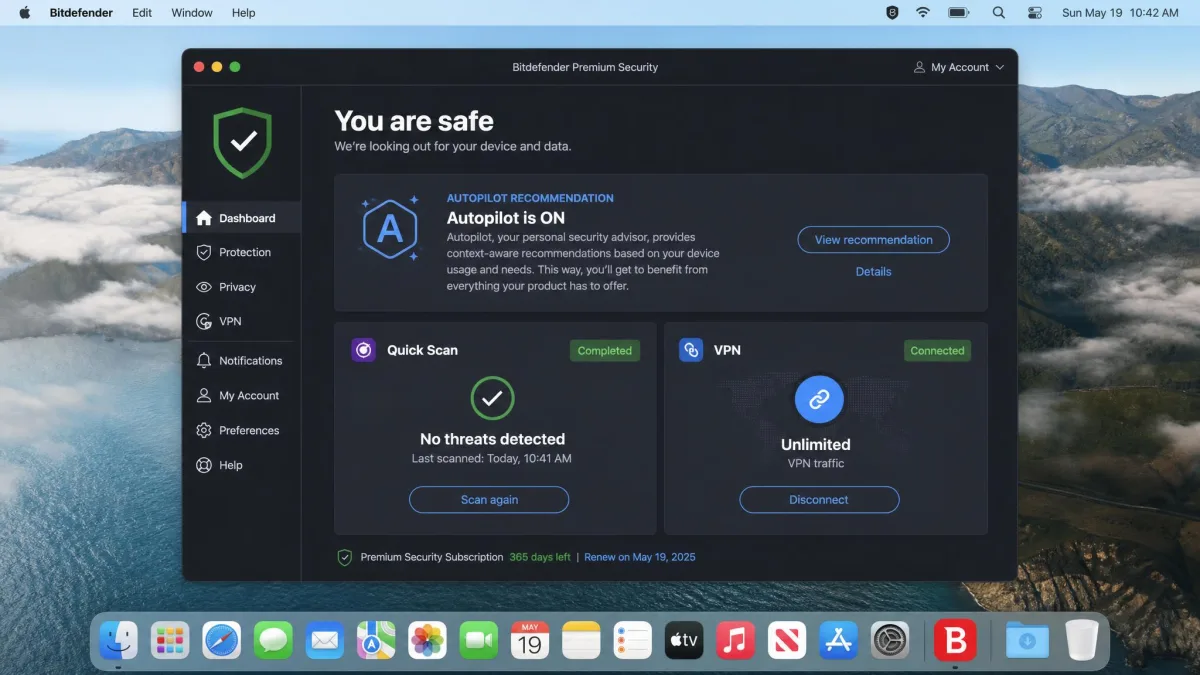

Bitdefender Premium Security
Bitdefender was the quietest bundle on our machines. It ran light on resources during scans, and autopilot mode handled decisions without pestering us for input, which is exactly what you want on a laptop. It earned full 6/6 marks in AV-TEST's June 2026 run. The one thing to watch: the unlimited VPN lives only on this Premium tier, since the base plans cap the VPN at 200 MB per day.
Pros
- Light on system resources with a set-and-forget autopilot
- Full 6/6 AV-TEST marks for protection, performance, and usability
- Strong privacy extras, including anti-tracker and webcam protection
Cons
- Unlimited VPN only on the Premium tier (base tiers cap at 200 MB/day)
- Renewal rises to $129.99 per year
- Covers 5 devices, fewer than the unlimited-device rivals
Best for: Mac users who want top protection without a heavy, chatty security app. Skip if: You are tempted by a cheaper tier and need the unlimited VPN.
Antivirus With VPN Comparison Table
Here is how the five bundles line up on the numbers that decide most purchases: VPN data cap, server-country reach, device coverage, malware detection, price, and the one feature that sets each apart. We list lab marks for malware where an independent lab published them, since those are the enforceable claims.
| Product | Buy | VPN data cap | Server countries | Max devices | Malware detection | Price/year | Standout feature |
|---|---|---|---|---|---|---|---|
|
Check price → | Unlimited | 29 | 5 | 100% (our testing) | $49.99intro | 50 GB cloud backup + dark web monitoring |
|
Check price | Unlimited | 100 | Unlimited | No leaks, caught EICAR | $2.79/mointro | Unlimited devices + 100 countries |
|
Check price | Unlimited | 50 | Unlimited | AV-TEST 6/6 | $29.99intro | Unlimited devices + identity monitoring |
|
Check price | Unlimited | 50+ | 6 | Strong online detection | ~$49intro | System tune-up tools |
|
Check price | Unlimited | ~50 | 5 | AV-TEST 6/6 | $64.99intro | Autopilot + full lab marks |
How We Tested and Ranked These Antivirus-VPN Bundles
Scores mean nothing without a method, so here is exactly how we graded these bundles. We bought or activated each suite ourselves and used the antivirus and VPN together, the way you would day to day, rather than testing the two halves in isolation.
For the antivirus half, we ran each engine against live malware samples and the standard EICAR test file to confirm real-time detection. We watched for system slowdown during scans and noted false positives on clean files. Where an independent lab had published results, we leaned on those marks.
For the VPN half, we checked every connection for DNS leaks, confirmed whether the kill switch actually cut traffic when the tunnel dropped, and tested behavior across Windows, macOS, Android, and iOS. We measured speed twice: once on a nearby local server and once on a demanding transatlantic route, since the long-haul number is where bundled VPNs tend to fall apart. We also tried each VPN against popular streaming libraries.
When you compare bundles, weigh the renewal price, not just the intro rate. Every suite here jumps significantly at year two, and that second-year figure is what you will actually live with.
We then weighed each bundle on protection strength, VPN quality, device coverage, extra features, ease of use, and value. A bundle had to be genuinely competent at both jobs to rank, because a great scanner tied to a broken VPN is not the all-in-one product this guide is about.
Why You Need Both Antivirus and a VPN
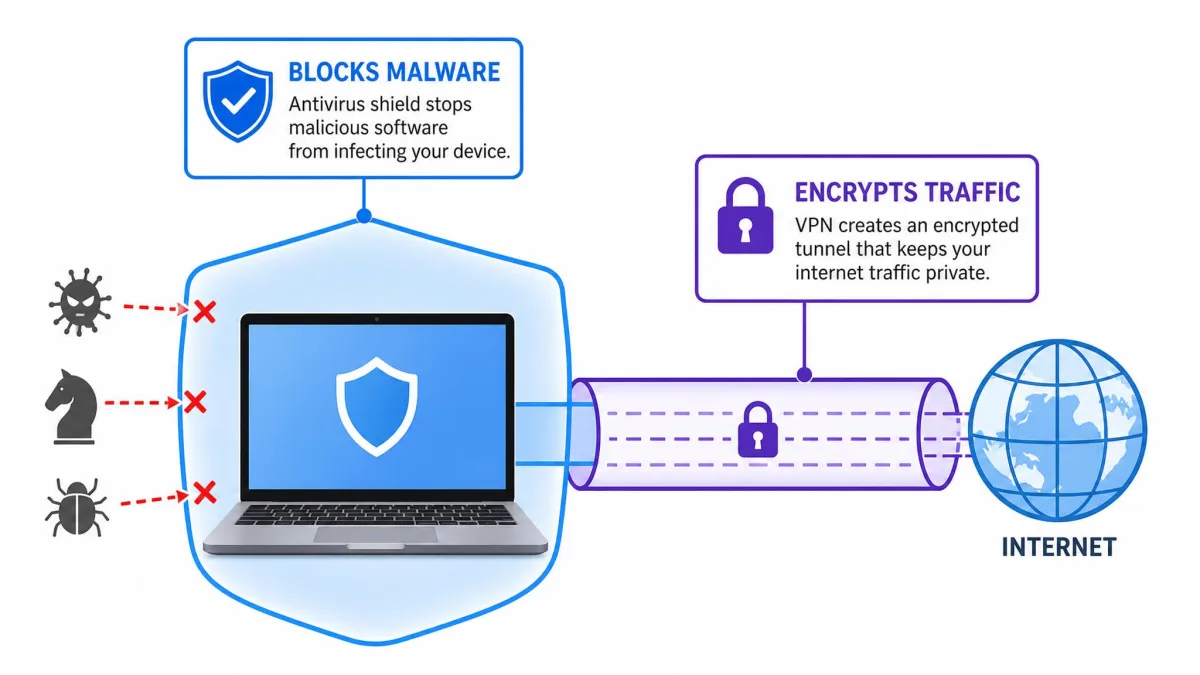
It helps to see antivirus and a VPN as two different locks on two different doors. Antivirus guards what happens on your device: it blocks and removes malware, catches ransomware before it encrypts your files, and stops malicious downloads. A VPN guards what happens between your device and the internet: it encrypts your traffic so nobody on the same network can read it.
Neither one covers the other's job. A VPN will not stop you from installing an infected app, and antivirus will not hide your browsing from the coffee-shop Wi-Fi you just joined. Threats arrive on both fronts, so protecting only one leaves an obvious gap. The scale of the problem is not abstract, either. The FBI Internet Crime Complaint Center logs hundreds of thousands of complaints and billions in losses every year, and those cases run the gamut from malware infections to intercepted data on open networks. Public Wi-Fi is the clearest example of why one tool is not enough. Antivirus keeps the device clean, while the VPN keeps the snoop at the next table from reading your email.
Bundling the two is about convenience and cost as much as coverage. One subscription is cheaper than two strong standalone products, and one company handling both means the apps are built to run together without conflicts. For most people, an all-in-one package removes friction that used to make good security feel like a chore.
Difference Between Antivirus and a VPN
The two tools are easy to confuse because both get sold as "protection," but they work in completely different ways. Antivirus is software that scans files and running processes, comparing them against known threats and watching for suspicious behavior. When it finds something dangerous, it quarantines or deletes it. Its job is detection and removal on the device itself.
A VPN, or virtual private network, does not scan anything. It builds an encrypted tunnel between your device and a remote server, then routes your internet traffic through it. That hides your traffic from anyone on your local network and masks your real IP address from the sites you visit. If you want the technical grounding, the virtual private network explainer on Wikipedia walks through how the encryption and tunneling work.
Put simply, antivirus answers "is this file safe?" and a VPN answers "who can see what I am doing online?" One is a guard inside your house, the other is a tunnel that gets you in and out unseen. You want both because the questions they answer are both worth answering.
A VPN does not make you anonymous or replace antivirus. It encrypts your connection and hides your IP address, but it cannot stop malware or block a phishing page. Treat it as one layer, not the whole wall.
Antivirus-VPN Bundles vs. Standalone Solutions
The honest trade-off with any bundle is that the VPN half rarely matches a dedicated VPN. Standalone providers do nothing but run VPN networks, so they tend to have more servers, faster long-haul speeds, and better streaming access. In our testing, even the best bundled VPN here, Surfshark, gave up more speed on a transatlantic route than a top standalone service would, and Norton's and McAfee's VPNs struggled with streaming that dedicated apps open easily.
There is a flip side worth stating plainly. A standalone antivirus rarely beats the scanners inside these suites, because the security half is the vendor's core business and it shows in the lab marks. What you give up by splitting the two is integration. Two separate apps mean two updaters, two support lines, and the small chance that a firewall and a VPN client argue over the same network settings. A bundle sidesteps all of that, which is a real convenience even before you count the money saved.
A bundle buys you convenience and a lower combined price. A standalone VPN buys you the last 20% of speed and streaming reliability. Decide which of those you will actually miss.
— From our hands-on testing
So who should buy which? If the VPN is a nice-to-have for public Wi-Fi and occasional privacy, a bundle is the smarter buy, because you get solid antivirus and a competent VPN for less than two subscriptions. If you stream region-locked libraries daily, download large files over the VPN, or need the fastest possible long-haul connection, pair a strong antivirus with a dedicated VPN instead. There is no single right answer, only the right answer for how heavily you lean on the VPN.
The one thing we would not do is buy a weak bundle to save money and then buy a standalone VPN anyway. At that point you are paying for two VPNs and using one. Pick a lane.
Is There a Good Free Antivirus With a VPN?
The short answer is that free bundles exist, but the VPN is almost always the catch. Several reputable antivirus programs include a VPN at no cost, then cap the data so tightly that it is useful only in emergencies. Bitdefender's own base tiers are the perfect illustration: the antivirus is genuinely good, but the free-tier VPN is limited to 200 MB per day, which a single video call would blow through.
That pattern is the norm rather than the exception. A free VPN inside an antivirus suite is a teaser for the paid tier, not a full product. If you rely on the VPN for anything beyond a quick check of your bank on public Wi-Fi, a daily cap will frustrate you within a week. Unlimited data is the feature you are really paying to unlock when you move to a bundle like Norton or Surfshark.
Be wary of unknown "free unlimited VPN" apps outside the established security brands. Many fund themselves by logging and selling your traffic, which is the opposite of what a VPN is for. Free antivirus is safer to trust than a free VPN from an unfamiliar name.
If your budget is truly zero, the best move is a strong free antivirus paired with a reputable free VPN that is upfront about its limits, and an understanding that the VPN will be capped. For everyone else, a paid bundle with unlimited data is the cleaner answer.
How to Set Up and Use an Antivirus With a VPN
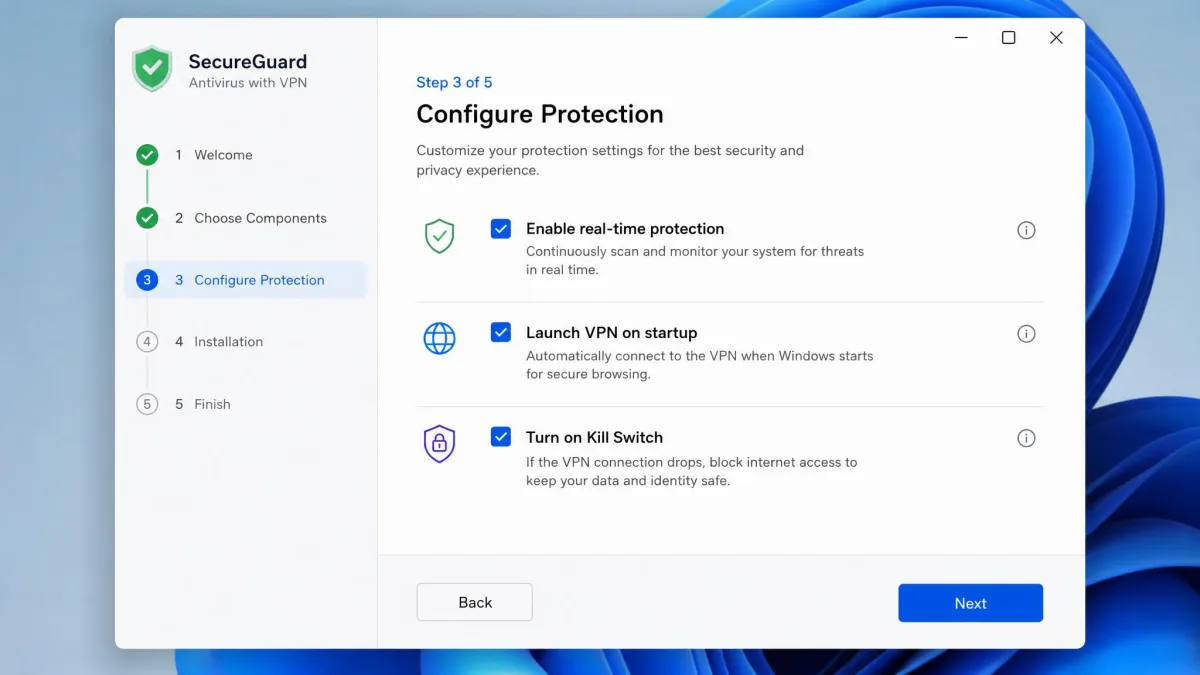
Getting a bundle running is straightforward, and the good ones make it nearly foolproof. After you buy, you download one installer from the vendor's site, sign in with your account, and let it install the full suite. The antivirus turns on real-time protection automatically, so you are covered the moment setup finishes. Run one full scan on day one to clear anything already on the device.
The VPN is a separate toggle inside the same app. Turn it on, pick a server, and confirm you are connected before you rely on it. Set the VPN to launch on startup and, critically, enable the kill switch if the platform supports it, so a dropped tunnel does not silently expose your traffic. Remember that TotalAV and Norton lack a kill switch on some Apple devices, so verify the behavior on your specific platform.
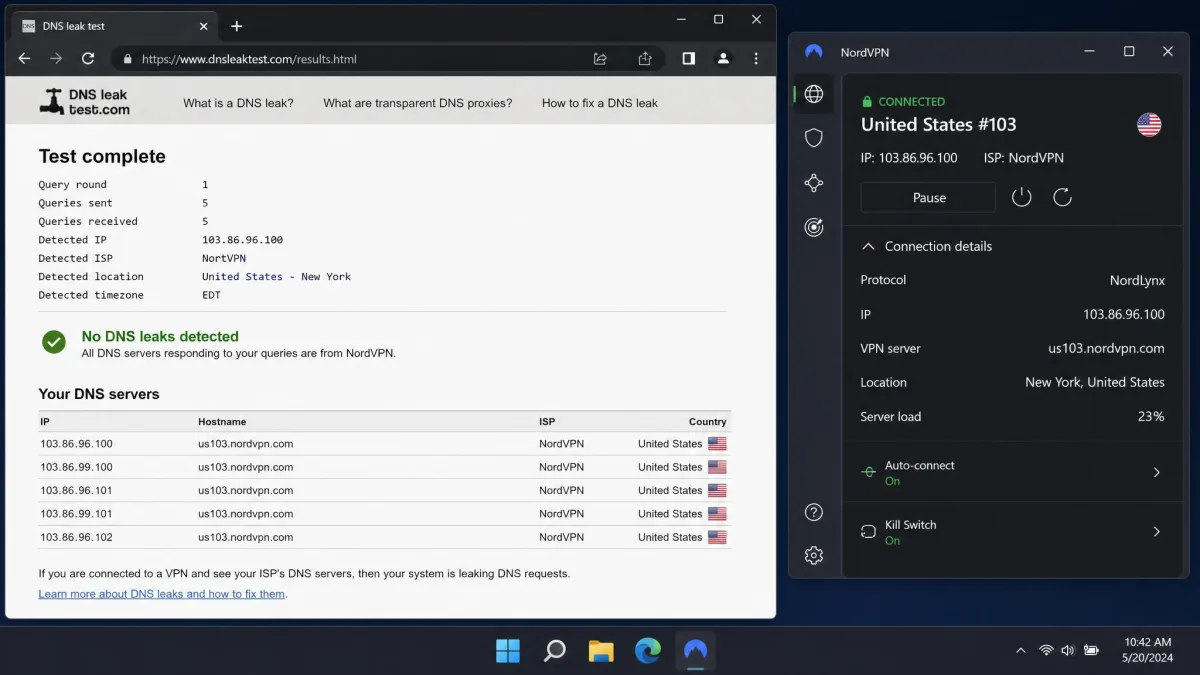
After connecting the VPN, run a quick DNS leak test in your browser. If the test shows your real location or your internet provider's DNS servers, the tunnel is leaking and the connection is not protecting you the way you think.
From there, maintenance is light. Let the antivirus update itself, keep it connected so online detection stays sharp, and turn the VPN on whenever you join a network you do not control. It is also worth spending five minutes in the settings the first week. Turn on scheduled scans, add your everyday folders to the ransomware-protected list, and switch on any breach or dark web monitoring the plan includes, since those alerts only help if they are actually enabled. Once that is done, the routine is genuinely hands-off.
Runners-Up and Brands That Didn't Make the Cut
A few well-known names came close or looked like contenders on paper but fell short of a recommendation. They are worth knowing about, if only so you understand why they are not in the ranked list.
Avira Prime is a capable suite with an unlimited VPN across unlimited devices, and it deserves a look, but we could not confirm its current intro and renewal pricing this round, so we held it back rather than quote a number we were unsure of. Aura and NordVPN both appear on plenty of "antivirus with VPN" lists, yet both are VPN-first products. NordVPN's Threat Protection is useful, but it is not a full real-time antivirus in the way the five picks above are, so we treat them as strong VPNs with security extras rather than true bundles.
Intego is the one to flag specifically for Mac shoppers. Its Premium Bundle X9 is a solid Mac antivirus, but it does not include a VPN in the package; the VPN is sold separately. That makes it a poor fit for this guide despite its Mac reputation. If you want a Mac bundle with the VPN built in, Bitdefender is the pick, not Intego.
Final Verdict: Best Antivirus With VPN
After running each bundle through the same malware, leak, and speed checks, Norton 360 Deluxe is the one we would recommend to most people. It is the rare suite that does both jobs well, catching every malware sample without dragging the system down while bundling backup and identity monitoring the others skip. Its VPN is the weak link, especially on Apple devices, so if that is your priority, look elsewhere.
That "elsewhere" is usually Surfshark One, the pick when the VPN carries the load, or McAfee Total Protection when price and unlimited-device coverage matter most. Mac users who want a light footprint should take Bitdefender, and complete beginners are well served by TotalAV's simple interface, upsells aside. The best bundle is the one whose strong half matches the job you care about most.