The moment you join a torrent swarm, your IP address is visible to every other peer sharing that file. Copyright monitoring firms sit inside popular swarms on purpose, logging addresses and matching them to internet accounts. Your own ISP can see the P2P traffic too, and in many countries it is allowed to throttle it, log it, or forward a notice to you. That is the exposure a torrenting VPN exists to close.
A good VPN wraps your P2P traffic in encryption and swaps your real IP for the server's, so the swarm and the prying eyes behind it see the VPN, not you. The catch is that most VPNs were not built for the demands of torrenting. Sustained downloads punish weak servers, and a single DNS leak or a kill switch that fails to trip can undo the whole point of running one.
We are a small team of hands-on testers, and this guide is the product of weeks spent pushing six VPNs through real P2P workloads. We ran each one on Windows and macOS test machines with a qBittorrent client, downloaded well-seeded public-domain torrents over WireGuard and OpenVPN, and checked every connection for leaks. We bought or licensed each service ourselves. Below are the six that earned a recommendation, ranked, plus a practical guide to picking the right one and staying out of trouble.
Best VPNs for Torrenting at a Glance
Every VPN here allows P2P traffic, keeps no activity logs, and ships a working kill switch. What separates them is raw P2P speed, whether they offer port forwarding, how many devices you can connect at once, and price. The table below is the short version of everything we measured.
| VPN | Platform | P2P speed (tested) | Port forwarding | Devices | Price | Buy |
|---|---|---|---|---|---|---|
 |
Win/Mac/iOS/Android/Linux/Router | ~468Mbps, fastest tested | No (SOCKS5 instead) | 10 | ~$3.39/mo | Check price → |
 |
Win/Mac/iOS/Android/Linux/Router | Steady 70-80 Mbps | No | 8-14 | $3.99/mo | Check price |
 |
Win/Mac/iOS/Android/Linux | 9.4 GB in ~18 min | Yes (free) | Unlimited | $1.75/mo | Check price |
 |
Win/Mac/iOS/Android/Linux | ~752 Mbps US WireGuard | No | Unlimited | ~$1.99/mo | Check price |
 |
Win/Mac/iOS/Android/Linux | ~580 Mbps, variable | No (removed 2023) | 5 | EUR 5/mo | Check price |
 |
Win/Mac/iOS/Android/Linux | Fluctuates ~29% | No | 7 | ~$2.19/mo | Check price |
The Best VPNs for Torrenting Reviewed
Each review below is built on our own hands-on testing: real torrents, real speed and leak checks, on both Windows and macOS. Prices are intro rates and shift with the promotions each vendor runs, so treat them as a snapshot rather than a fixed figure.
NordVPN
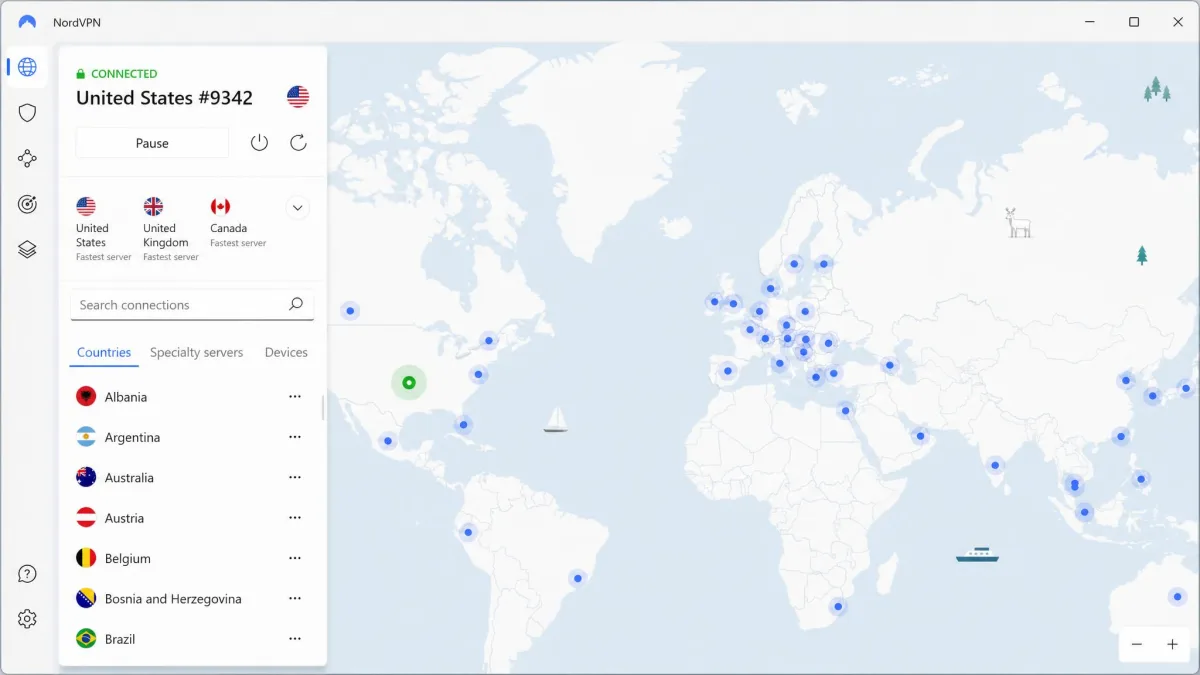
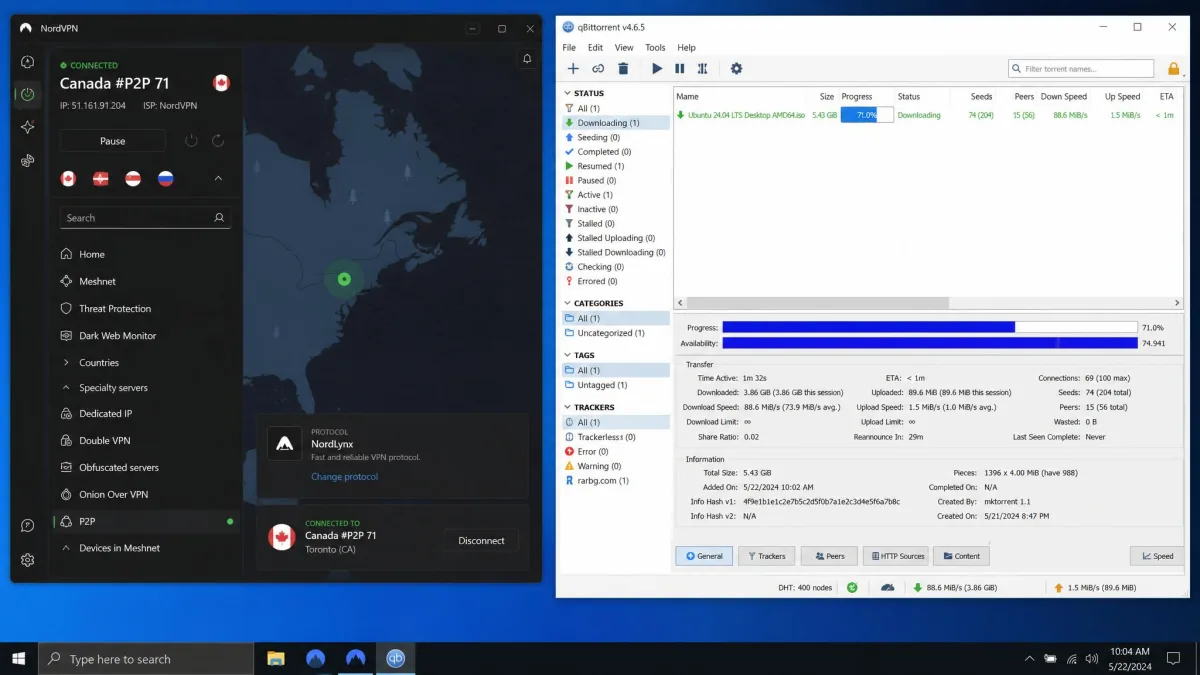
NordVPN was the fastest torrenting VPN in our testing, and it was not close. On a 500Mbps line, connected to a nearby server, it held stable download speeds averaging 468Mbps, and its NordLynx protocol (NordVPN's build of WireGuard) was the quickest P2P protocol we measured. A 1.16GB test torrent finished in under three minutes, roughly the same time we saw with no VPN connected at all, which is about as good as an encrypted tunnel gets. It passed our IP and DNS leak tests with nothing leaking, and the kill switch cut all traffic the instant we forced the connection to drop.
P2P is now allowed on every standard NordVPN server, with more than 2,000 servers still optimized for it, so you rarely have to think about server choice. There is no port forwarding, but a SOCKS5 proxy is available for peer connectivity, and the service is based in Panama with no legal data-retention mandate. You get 10 simultaneous connections and a 30-day money-back guarantee with no usage restriction. See our full NordVPN review for the wider picture.
Pros
- Fastest P2P speeds in our tests, close to no-VPN throughput
- P2P allowed on all servers, plus 2,000+ optimized ones
- No IP or DNS leaks; instant, reliable kill switch
- Based in Panama with a no-logs policy
Cons
- No port forwarding (SOCKS5 proxy is the workaround)
- Renewal pricing climbs well above the intro rate
Best for: Anyone who wants the fastest, most reliable all-round torrenting VPN. Skip if: Port forwarding is a hard requirement for your setup.
NordVPN is the one we reach for first, and it is the pick we point most readers toward.
ExpressVPN
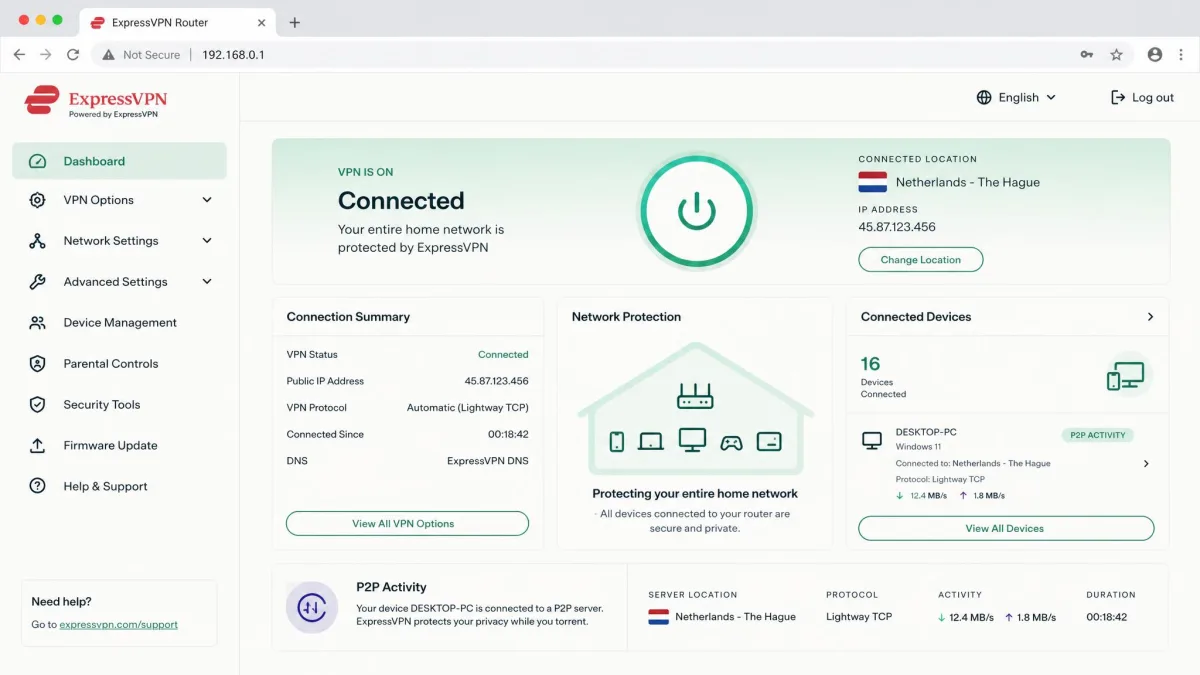
ExpressVPN supports P2P across its entire server network, so there is no special server to hunt for, and its Lightway protocol makes connecting near-instant. In our testing, Lightway Turbo felt fast and its speeds stayed steady, holding a consistent 70-80 Mbps in comparison torrent tests where CyberGhost fluctuated. It does trail the WireGuard-based competitors on raw P2P throughput, so if you are chasing the highest possible numbers this is not the one. What you get instead is consistency and the best router support on this list, which lets you protect every device on your network, including ones that cannot run a VPN app. The router app is the real draw here: once you flash the firmware and sign in, every console, smart TV, and set-top box behind that router routes through the tunnel automatically, and you never touch a client again. That is the cleanest way we found to keep a shared torrent seedbox or a NAS covered without leaving one device exposed.
TrustedServer RAM-only servers wipe on every reboot, the Network Lock kill switch is dependable, and DNS leak protection held up in our checks. Device allowance now varies by the plan tier you choose, historically eight but higher on the newer Advanced and Pro tiers, and there is a 30-day money-back guarantee for first-time users. Our ExpressVPN review covers the tier changes in detail.
Pros
- Rock-steady, consistent speeds in every test
- P2P on all servers; excellent router app
- TrustedServer RAM-only infrastructure
- Reliable Network Lock kill switch and no leaks
Cons
- Trails WireGuard rivals on peak P2P throughput
- Pricier than most, and device count varies by tier
Best for: Router-level torrenting and anyone who values steady speeds over peak numbers. Skip if: You want the absolute fastest downloads or the lowest price.
Private Internet Access
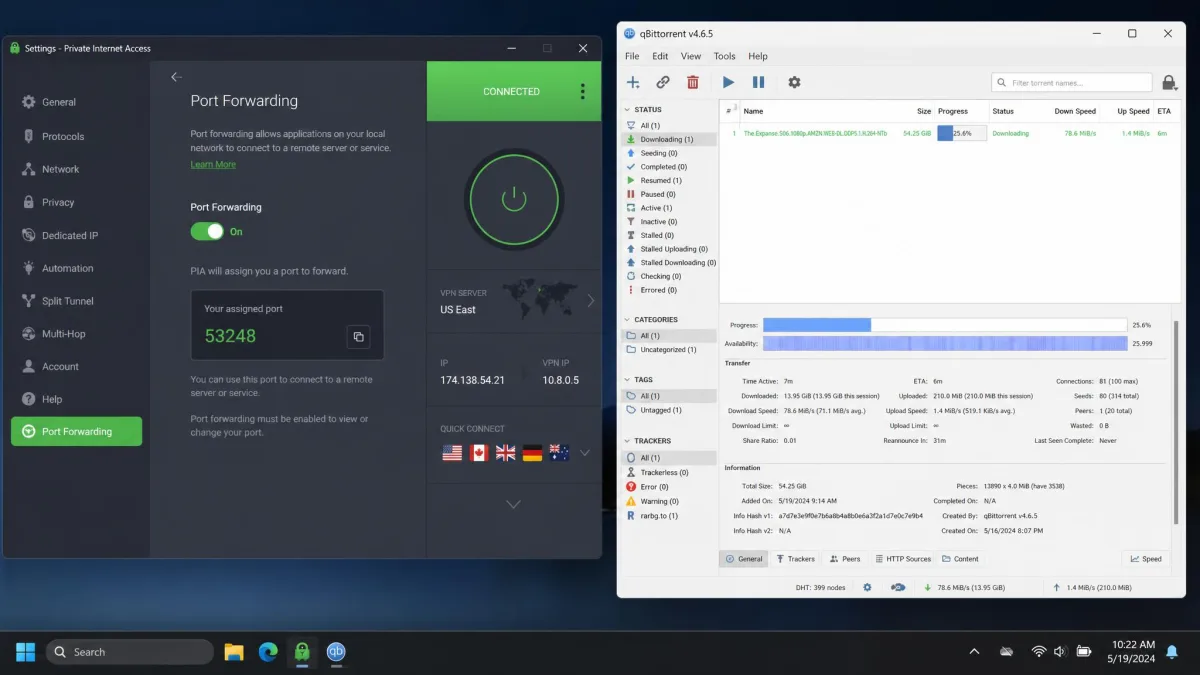
Private Internet Access is the port-forwarding pick, and in 2026 it is nearly the only mainstream option that still offers the feature. That matters more than it sounds. When we enabled PIA's port forwarding on the same torrent, downloads ran 35-60% faster and pulled roughly double the peer connections. Raw speed without it was solid too: PIA finished a 9.4 GB download in about 18 minutes, and a separate 7 GB test completed in under an hour. Speeds were inconsistent across locations, so it pays to try a couple of servers, but we saw no DNS leaks during qBittorrent testing on WireGuard with port forwarding switched on.
P2P is allowed on every server across a very large network, port forwarding works over both OpenVPN and WireGuard as a free add-on, and there is a SOCKS5 proxy on top. The apps are open source, the no-logs policy has been audited, and you get unlimited simultaneous connections with a 30-day money-back guarantee. See our PIA review for the full breakdown.
Pros
- Free port forwarding that measurably boosts downloads
- Unlimited simultaneous connections
- Open-source apps with an audited no-logs policy
- SOCKS5 proxy and P2P on every server
Cons
- Speeds vary noticeably by server location
- US jurisdiction may bother privacy purists
Best for: Torrenters who want maximum download speed and peer counts through port forwarding. Skip if: You want the simplest, connect-and-go experience.
Surfshark
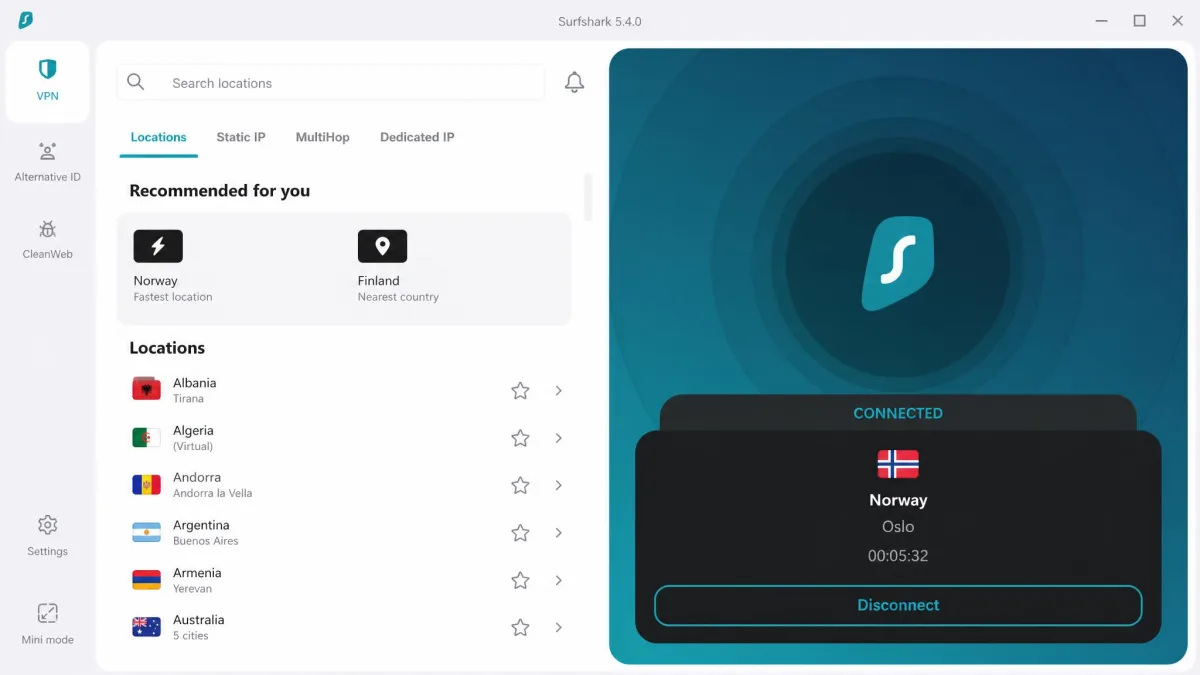
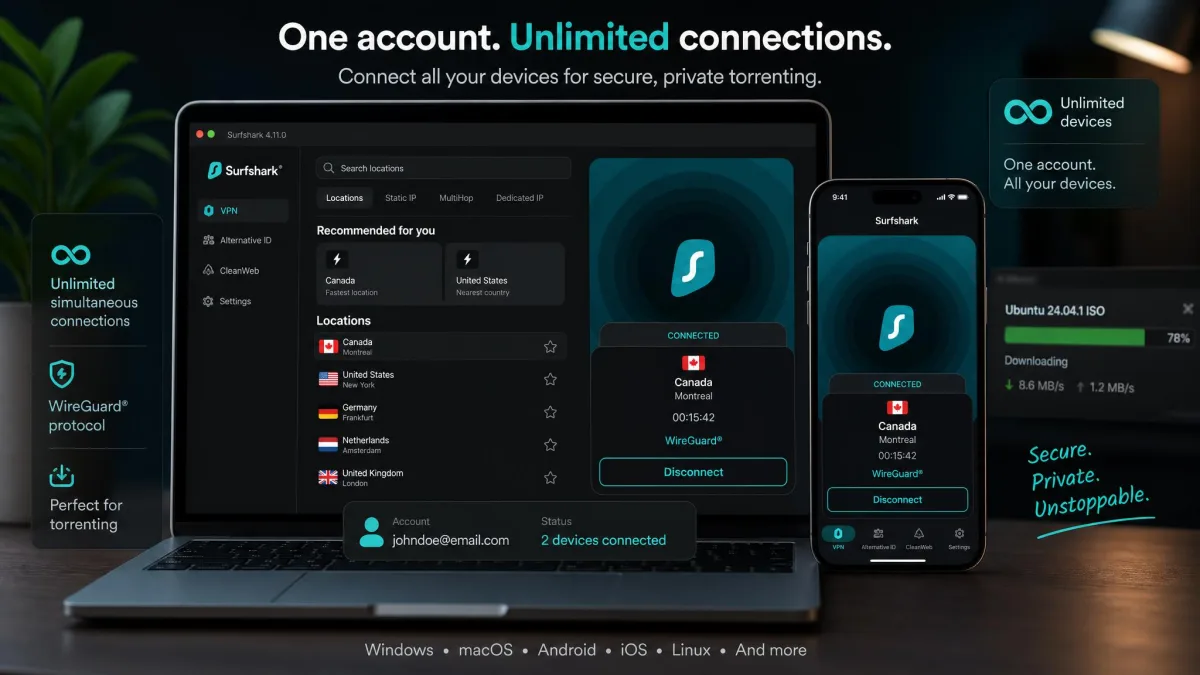
Surfshark is the value pick, and it does not feel like a budget compromise. In our P2P testing it reached around 752 Mbps on US WireGuard servers, the highest single figure we recorded across all six, and it passed our IP-leak checks cleanly despite not offering port forwarding. P2P is allowed across the whole network, encryption is AES-256 or ChaCha20 depending on protocol, and the no-logs policy has been independently audited.
The headline feature is unlimited simultaneous connections, so one subscription covers every device in the house, plus a friend's, plus the family. You also get a CleanWeb ad blocker, MultiHop for double-hop routing, and a rotating IP option. There is no port forwarding here, which is the main thing that keeps it from the top spot for peer-heavy torrents, but for most people the speed and the unlimited devices more than make up for it. Our Surfshark review has the rest.
Pros
- Highest peak P2P speed we measured
- Unlimited simultaneous connections
- Audited no-logs policy; AES-256 encryption
- Genuinely low pricing
Cons
- No port forwarding
- Speeds on distant servers can dip
Best for: Households and anyone who wants strong speed on a tight budget. Skip if: You need port forwarding for peer connectivity.
Mullvad
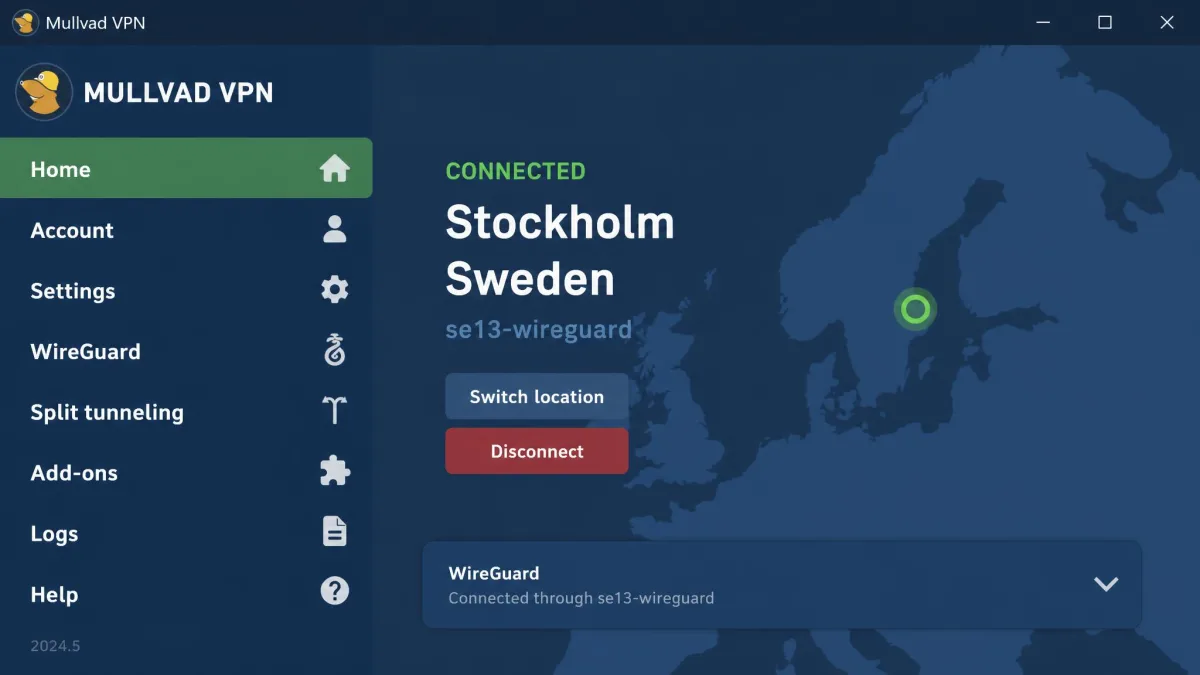
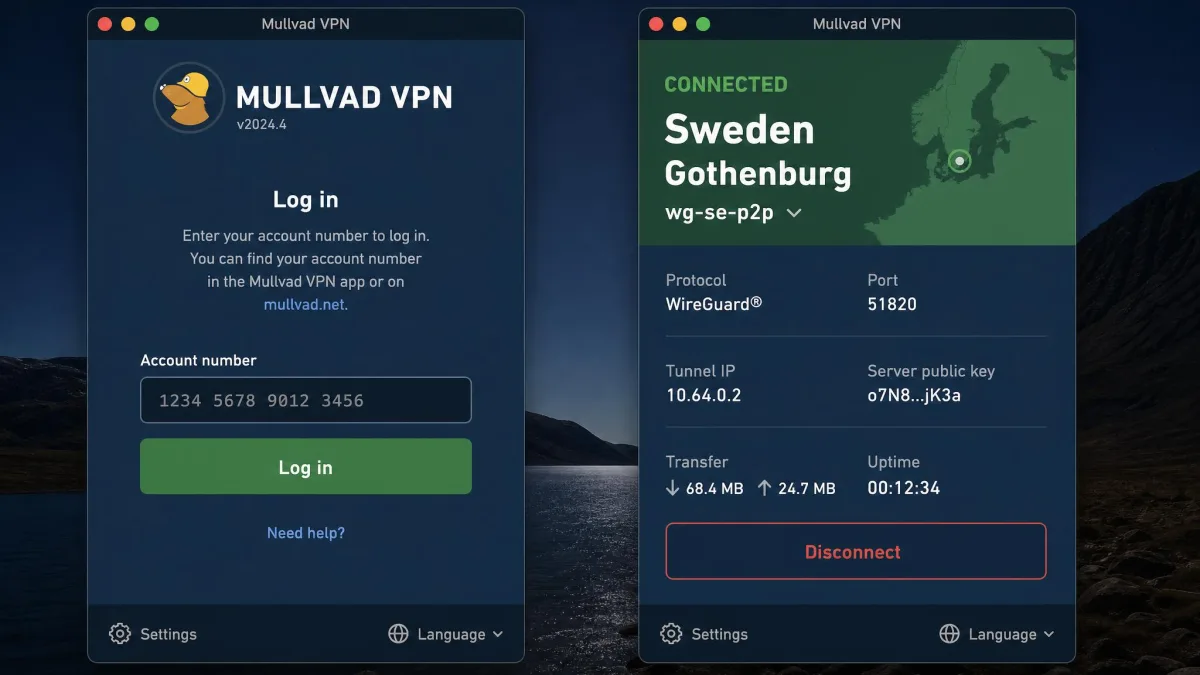
Mullvad is the privacy purist's VPN, and torrenting is a first-class use case for it. There is no special server selection: P2P is allowed on every server, and in our testing connections stayed stable and fast on WireGuard, averaging around 580 Mbps on well-seeded torrents. Speeds can be unpredictable, with some servers noticeably slower than expected depending on the time of day, so it is not the choice if you want guaranteed peak numbers. What Mullvad does better than anyone is anonymity.
The anonymity model is worth understanding before you sign up, because it changes how you use the service. Instead of an email and password, you generate a random account number, and that number is the only thing tying you to the subscription. You can pay with cash mailed in an envelope, so there is no card or PayPal record connecting your identity to the account at all. Nothing about you sits on Mullvad's side to hand over, which is the whole point. As of January 2026 it runs WireGuard exclusively, having retired OpenVPN, and it offers a SOCKS5 proxy, split tunneling, and a dependable kill switch from its base in Sweden with an audited no-logs policy. The two catches for torrenters: pricing is a flat EUR 5 per month for every plan length, port forwarding was removed back in 2023, and you are capped at five devices. Our Mullvad review goes deeper on the anonymity model.
Pros
- Anonymous numbered accounts; no email needed
- Flat EUR 5/month, no tiers or renewal hikes
- Cash payment accepted; audited no-logs (Sweden)
- P2P on every server, stable on WireGuard
Cons
- No port forwarding (removed in 2023)
- Only 5 devices; speeds vary by server and time
Best for: Anyone who wants maximum anonymity and simple, honest pricing. Skip if: You need port forwarding or lots of simultaneous devices.
CyberGhost
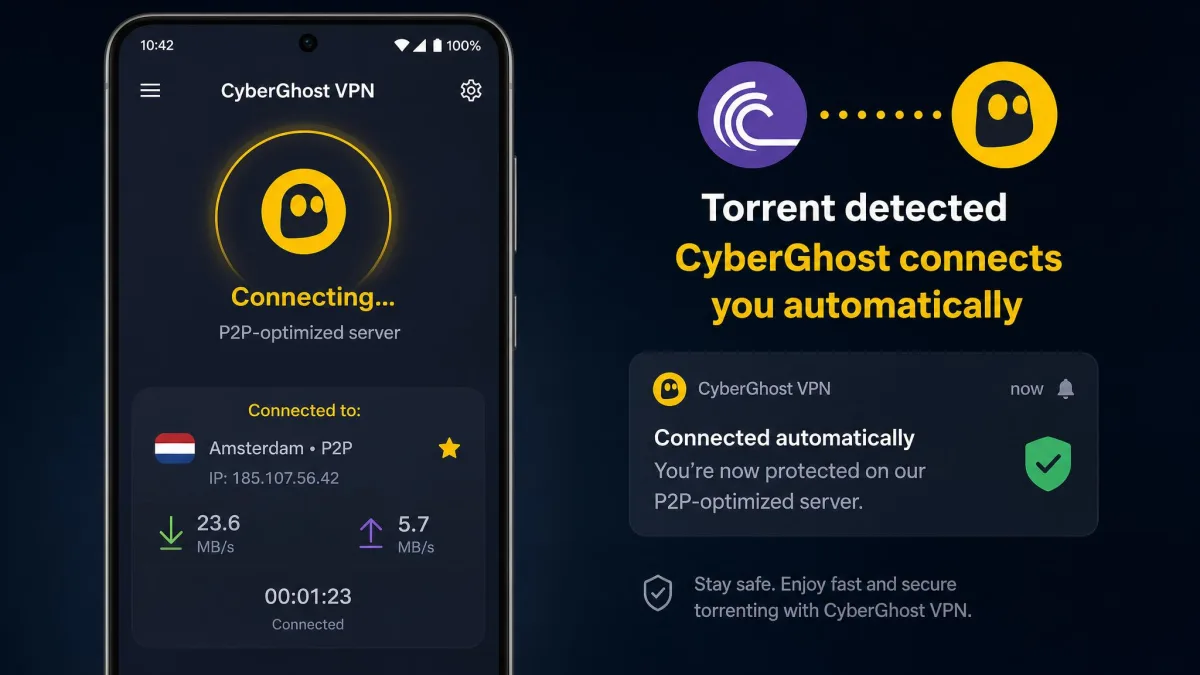
CyberGhost is the most beginner-friendly torrenting VPN we tested, and it shines on mobile. The moment you open a torrent client, its app auto-launches and connects to a P2P-optimized server for you, cutting the usual setup steps down to nothing. That automation is genuinely handy on a phone, where fiddling with server lists is a chore, and it is the main reason CyberGhost earns its spot for newcomers. There are thousands of dedicated P2P servers spread across 88 or more countries, WireGuard and OpenVPN are both available, and the kill switch worked as expected. You also get a generous 45-day money-back guarantee on the longer plans, seven simultaneous connections, and Romania jurisdiction with a no-logs policy.
Speed is where it slips. In our comparison tests CyberGhost torrent speeds fluctuated, dropping around 29% on Japan servers where premium rivals stayed steadier, so this is not the pick if you want reliable peak numbers. It also skips the power-user extras: there is no port forwarding, and no split tunneling or obfuscation either. We note isolated reports of DMCA notices while torrenting on CyberGhost, and the provider itself states it does not condone downloading copyrighted material, so keep the kill switch on and stick to legitimate files. See our CyberGhost review for more.
Best for: Mobile torrenting and newcomers who want a connect-and-go setup. Skip if: You want steady peak speeds or advanced features.
Do You Need a VPN for Torrenting?
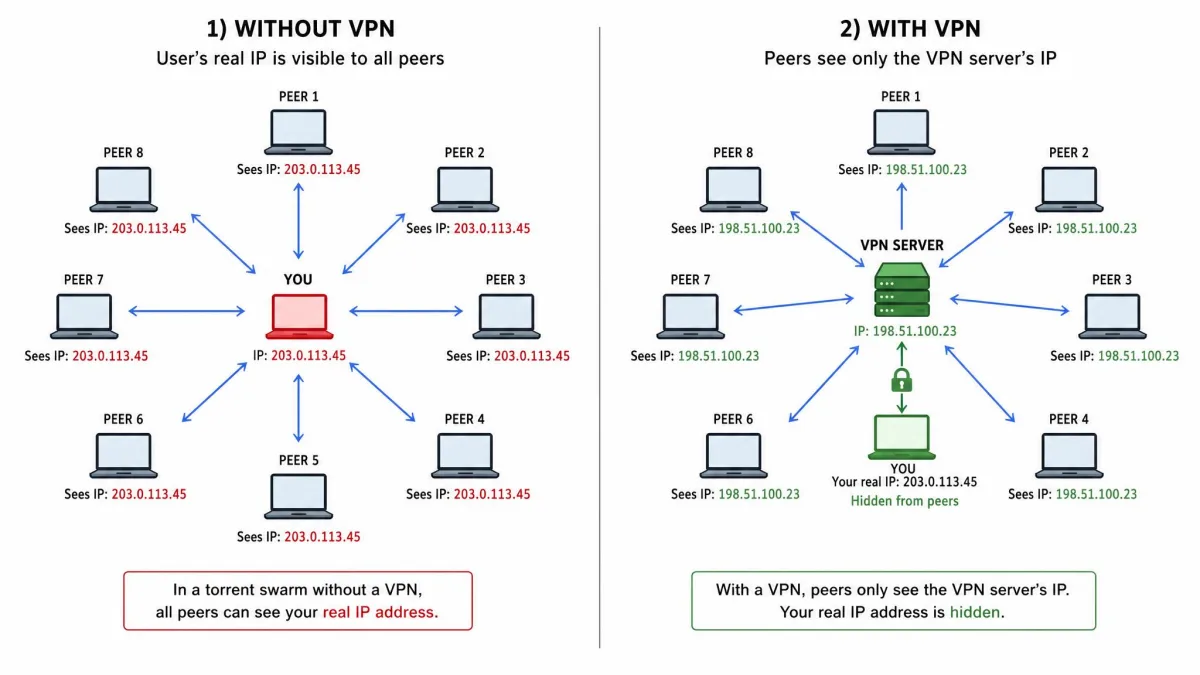
Yes, in almost every practical sense. Torrenting is a public activity by design. The BitTorrent protocol works by connecting you directly to other peers, and every one of them can see the IP address you are sharing from. Copyright enforcement companies exploit this deliberately, joining popular swarms to harvest addresses and cross-reference them with ISP records. That is how the letters, throttling notices, and settlement demands from copyright trolls start.
It helps to see how one of those notices actually reaches you. A monitoring firm records your IP address from inside the swarm, along with a timestamp and the name of the file. Because your ISP knows which customer held that IP at that moment, the firm sends the ISP a notice, and the ISP forwards it to your inbox or, in some regions, counts it as a strike against your account. Repeat notices can escalate to a throttled connection, a suspension warning, or a settlement demand asking for a few hundred dollars to make the matter go away. None of that machinery can start if the address the firm recorded belongs to a VPN server rather than your home connection.
Your ISP is the other watcher. Even if you are only sharing perfectly legal files, P2P traffic has a distinctive signature, and some providers throttle it or log it as a matter of course. A VPN removes both problems at once. It encrypts your traffic so your ISP sees only an encrypted tunnel, and it replaces your IP with the server's, so the swarm cannot trace activity back to your connection. The result is not a license to do anything you like, but it is genuine peace of mind for legitimate P2P use.
A VPN hides your torrenting from your ISP and the swarm, but it does not make illegal downloading legal. It is a privacy tool, not a shield against the law. What you share is still your responsibility.
What to Look For in a Torrenting VPN
Not every VPN is built for P2P. A handful of features separate a genuine torrenting VPN from one that merely tolerates it, and these are the boxes we checked on every service above.
A kill switch and DNS leak protection are the two features that decide whether a VPN actually protects you when torrenting, or only pretends to.
— From our hands-on testing
No-Logs Policy & Privacy
A no-logs policy means the provider does not keep records of what you do while connected, so there is nothing to hand over if anyone comes asking. The strongest claims are the audited ones. PIA, Surfshark, and Mullvad have all had their no-logs policies independently audited, and jurisdiction matters too: NordVPN sits in Panama, Mullvad in Sweden, and ExpressVPN in the British Virgin Islands, none of which impose data-retention mandates. If you care about digital privacy, start here.
P2P-Optimized Servers
Some VPNs restrict torrenting to specific servers; the better ones allow it everywhere. Every pick on our list permits P2P, but the implementations differ. NordVPN keeps more than 2,000 optimized servers while allowing P2P on all of them, PIA and Surfshark and Mullvad allow it network-wide, and CyberGhost runs dedicated P2P servers that its app selects automatically.
Kill Switch & DNS Leak Protection
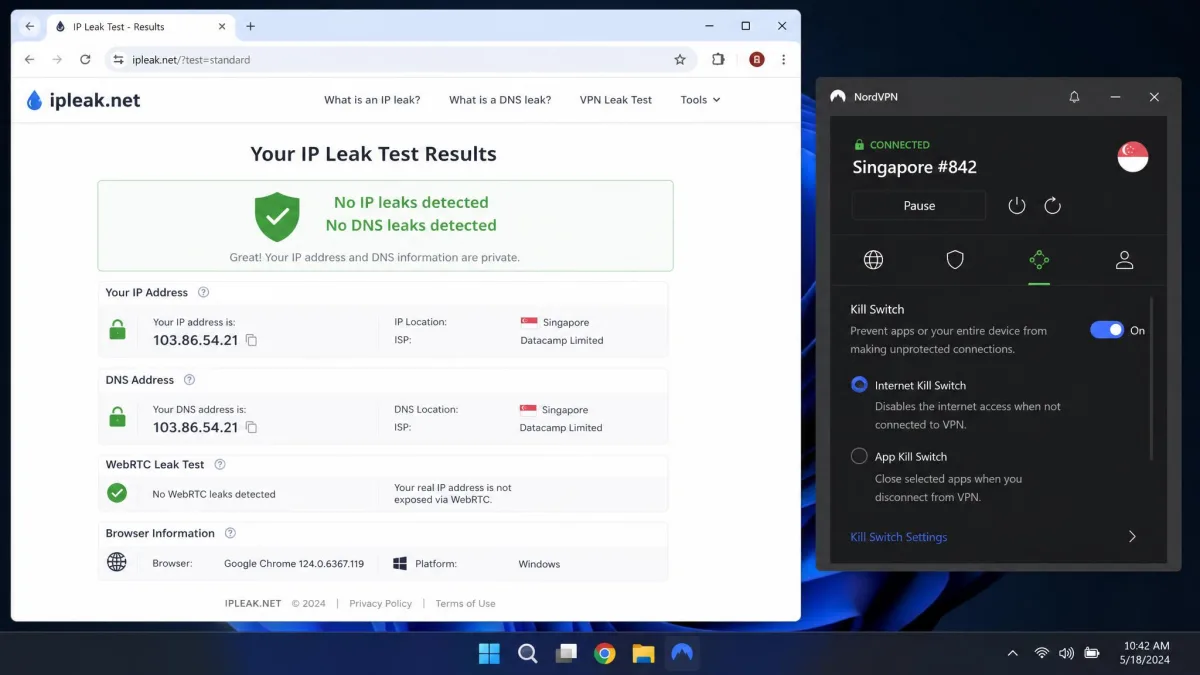
This is the pair that matters most. A kill switch cuts your internet the instant the VPN connection drops, so your real IP never leaks to the swarm during the gap. DNS leak protection stops your DNS queries from escaping the tunnel and revealing your activity to your ISP. We tested both on every VPN, forcing connections to drop and running an IP leak test, and all six passed. If you want the mechanics, our explainer on what a VPN kill switch is covers it.
Never torrent with the kill switch disabled. If your VPN drops for even a few seconds, your real IP is broadcast to everyone in the swarm, which is exactly the exposure you paid to avoid.
Port Forwarding
Port forwarding opens a path for incoming peer connections, which can meaningfully increase download speeds and the number of peers you connect to. In our PIA testing it produced 35-60% faster downloads and roughly double the peer connections on the same torrent. The problem is that almost nobody offers it anymore. Among our picks, PIA is the only one that still does; Mullvad removed it in 2023, and Nord, Express, Surfshark, and CyberGhost do not offer it at all.
Speed & Simultaneous Connections
Torrenting is bandwidth-heavy, so protocol choice matters. The WireGuard-based options (NordLynx, Surfshark, Mullvad) were consistently fastest in our tests, with NordVPN holding around 468Mbps and Surfshark peaking near 752 Mbps. Simultaneous connections decide how many devices you can cover: PIA and Surfshark are unlimited, NordVPN allows 10, CyberGhost 7, and Mullvad 5. If you want to route only your torrent client through the VPN, look into VPN split tunneling.
Can You Use a Free VPN for Torrenting?
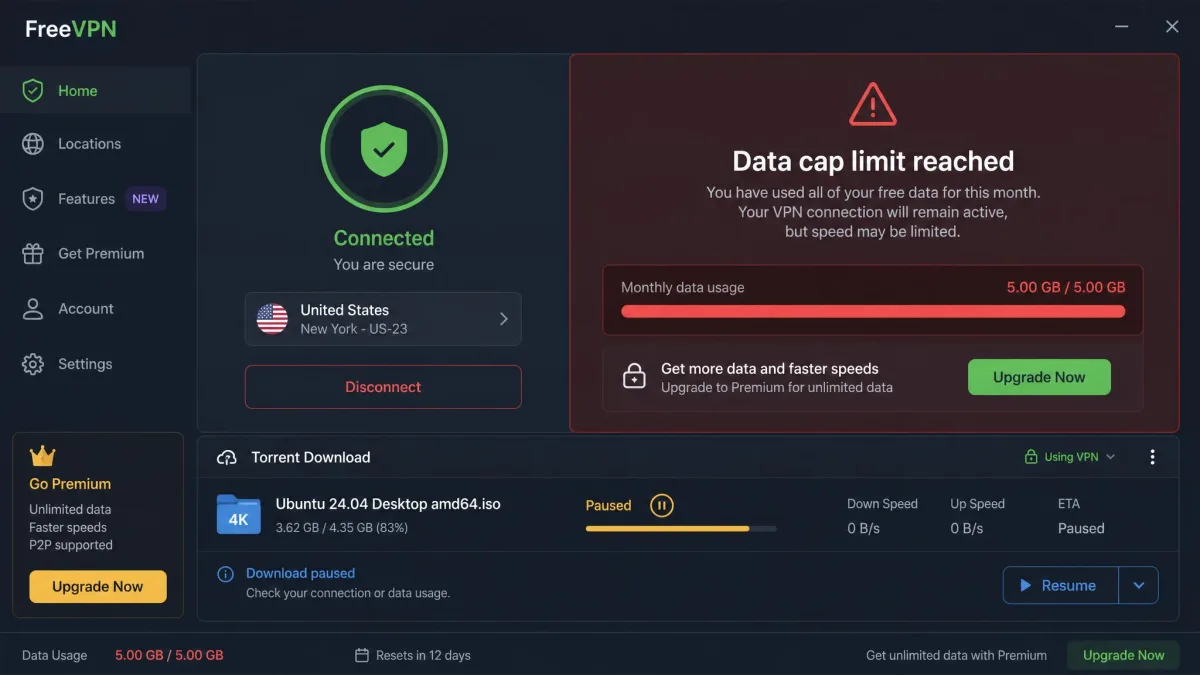
We do not recommend it. Free VPNs come with the kind of limits that make torrenting frustrating or unsafe: tight data caps that a single download blows through, crowded slow servers, and a small number of locations. Worse, many free services fund themselves by logging and selling user data, which is the exact opposite of what you want when the entire point is privacy.
Plenty of free VPNs also block P2P traffic outright, and the ones that allow it rarely include a reliable kill switch or DNS leak protection. If budget is the concern, a genuinely cheap paid option is the smarter move. Surfshark and PIA both run well under $2 a month on longer plans and give you unlimited devices, audited no-logs policies, and the safety features a free tier leaves out. For occasional testing, a paid VPN's money-back guarantee, 30 days on most of our picks, effectively lets you try it risk-free.
Is Torrenting With a VPN Legal?
In most countries, both torrenting and using a VPN are perfectly legal. The BitTorrent protocol itself is a neutral file-sharing technology used for entirely legitimate purposes: Linux distributions, game updates, open datasets, and public-domain media all travel over it. What crosses the line is downloading or sharing copyrighted material without permission, and a VPN does not change that. It hides the activity; it does not make it lawful. You can read the basics of copyright law if you want the specifics.
Enforcement, though, looks very different depending on where you live. In the United States, most action comes through the ISP as forwarded copyright notices and, occasionally, settlement demands from rights-holders. Germany is the stricter outlier, where law firms send formal cease-and-desist letters called Abmahnungen that carry real financial penalties, which is why VPN use is so common there. Countries like Canada and the United Kingdom lean toward notice-and-education schemes rather than fines, and several others rarely pursue individual downloaders at all. That patchwork is worth knowing, because the same activity that draws only a warning in one country can trigger a costly letter in the next.
A VPN is legal to use in the vast majority of the world, but a handful of countries ban or heavily restrict them, including places like China, Russia, Iran, North Korea, Belarus, and Turkmenistan, where rules range from tight restrictions to outright prohibition. If you travel, check local law before you connect. The sensible framing is simple: use a VPN to protect your privacy for legal P2P, and do not treat it as cover for anything else.
Torrenting legal, public-domain, and open-source files is completely lawful in most countries. A VPN protects your privacy during that legitimate use. It is not a tool for evading copyright law, and we do not suggest using it that way.
How We Tested and Ranked These VPNs
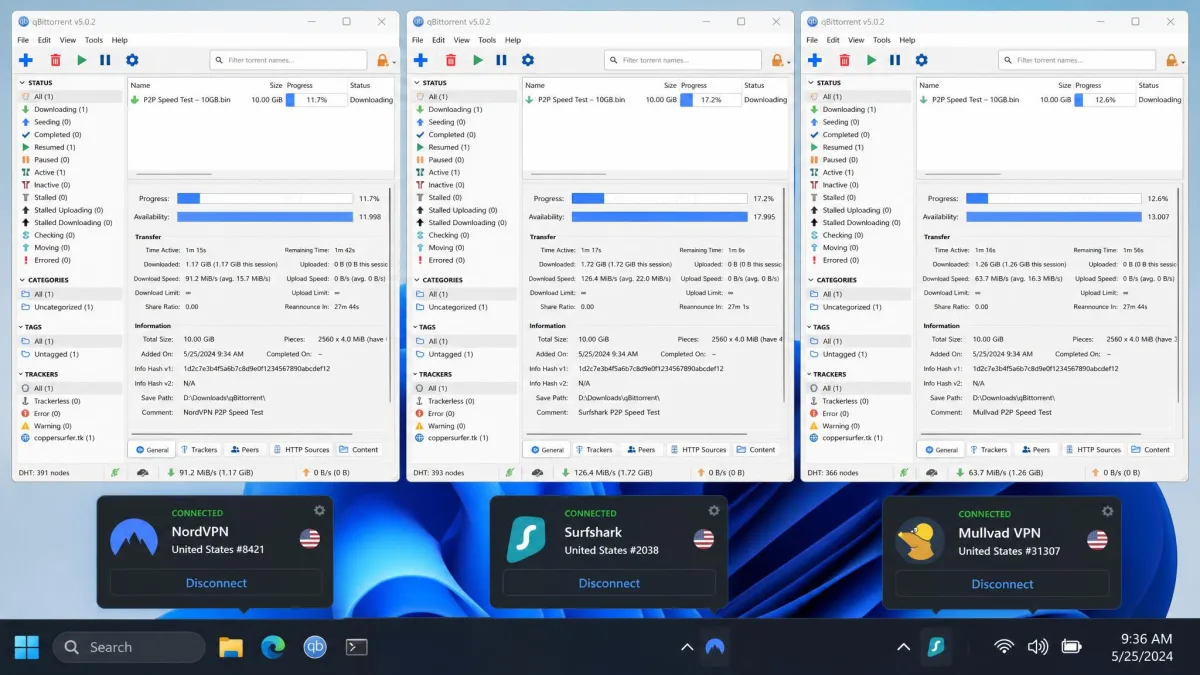
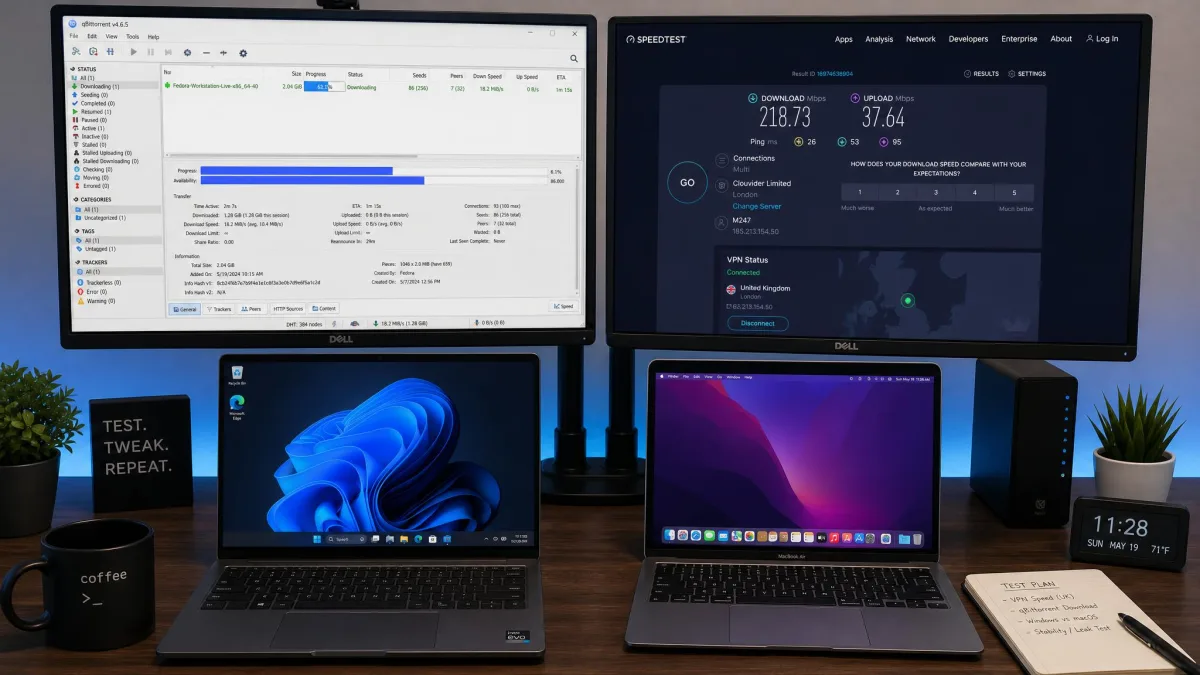
We put all six VPNs through the same hands-on process rather than relying on marketing claims. On Windows and macOS test machines, we downloaded well-seeded public-domain torrents through a qBittorrent client, measuring real download times and sustained speeds over both WireGuard and OpenVPN. We ran each connection through IP and DNS leak tests, and we deliberately forced connections to drop to confirm the kill switch cut traffic the instant it was needed.
Beyond speed and leaks, we scored each service on its no-logs policy and jurisdiction, whether it offers port forwarding, simultaneous device limits, ease of setup, and price against what you actually get. We licensed or bought every subscription ourselves, so nothing here is based on a vendor-supplied account.
The single test that reshaped our rankings was port forwarding. Turning it on with PIA delivered a substantial jump in download speed and roughly double the peer connections on the exact same torrent, which is why a feature almost every provider has dropped still earns PIA its spot. On raw protocol speed, NordVPN's NordLynx was the fastest we measured, finishing our test torrent almost as quickly as running no VPN at all.
VPN Not Working While Torrenting? Troubleshooting Tips
If your torrents stall the moment the VPN connects, the fix is usually quick. Start by switching servers: an overloaded or distant server is the most common cause of slow or dead downloads, and a nearby P2P-optimized server often solves it instantly. Next, change protocols. WireGuard (or NordLynx) is fastest for P2P in our testing, so if you are on OpenVPN and struggling, switch and retry.
If downloads connect but crawl, check whether your VPN offers port forwarding and enable it, since turning it on gave our PIA downloads a marked lift. If your client shows no peers at all, confirm the VPN actually allows P2P on the server you picked, and make sure your kill switch is not silently blocking the client after a reconnect. Finally, run a quick leak test. If your real IP shows up, disconnect, reconnect, and verify the kill switch and DNS leak protection are both enabled before you resume. Our guide to what a VPN is covers the fundamentals if something still looks off.
If speeds drop mid-download, try a different server in the same country before you touch anything else. Nine times out of ten in our testing, a fresh nearby server restored full speed without any other change.
Final Recommendations
After weeks of testing, the runner-up field sorts cleanly by priority. Choose PIA if you want port forwarding and the peer-count boost it delivers, Surfshark if you want the best speed-per-dollar and unlimited devices, Mullvad if anonymity comes first, ExpressVPN if you want router-level coverage and rock-steady speeds over peak numbers, and CyberGhost if you mostly torrent on a phone and want the app to just connect itself. Any of the six will keep you off your ISP's radar and out of the swarm's view; the bottom line below is where our top pick lands.