Bitdefender is best known for antivirus, and its VPN is the add-on that comes bundled with that reputation. It is a budget service that promises private browsing, encrypted connections, and access to content in other countries, all at a price that undercuts most of the big names. The question we set out to answer is simple: does the low price come with real trade-offs, or is this a quiet bargain?
We are a team of hands-on reviewers who run every VPN through the same battery of speed, leak, and streaming tests before we form an opinion. For this review we spent time with the Windows, macOS, iOS, and Android apps, connected to servers near and far, and checked how the service behaved under everyday use. Our goal was to see past the marketing and report what the service actually does.
Bitdefender VPN is worth a close look because it is cheap, easy to install, and backed by a company people already trust for security. But a VPN lives and dies on the details of its privacy policy, its speed, and who really runs the underlying network. Those details are where this review spends most of its time.
Bitdefender VPN at a Glance (1-Minute Verdict)
The pitch starts with the price. At roughly $2.92 per month on the first-year annual plan, Bitdefender VPN is one of the cheapest ways to add a VPN, and cheaper still if you already pay for Bitdefender's security suite. That number is what pulls most people in, and it is the reason the service lands on so many budget lists.
So the review really comes down to one question: what does the low price cost you? For a casual user who wants encryption on public Wi-Fi and the occasional geo-unblock, the answer is very little. For someone who wants an audited, fully featured privacy tool, the audit gap becomes the deciding factor, and we unpack exactly why in the privacy section below.
The rest of this review walks through the apps, the speeds we measured, the streaming results, and the ownership chain behind the network. Read on to work out which side of that one question you land on before you spend anything.
Pros and Cons
Pros
- Low first-year price, and cheaper still bundled with Bitdefender security
- Clean, beginner-friendly apps on Windows, macOS, iOS, and Android
- Up to 10 simultaneous device connections, or 15 on the Family Pack
- Passed our WebRTC and DNS leak tests
- Servers across 100+ countries
Cons
- No published independent no-logs or security audit
- Split tunneling and kill switch coverage vary by platform
- Streaming access is inconsistent across services
- Support responses can be slow
- The underlying network is run by a third party, not Bitdefender
Pricing and Plans (Free vs. Premium)
Pricing is the strongest part of Bitdefender VPN's pitch. According to Bitdefender's VPN plans, Premium is sold on an annual subscription that works out to about $2.92 per month in the first year, or roughly $34.99 billed for the year. That is aggressive pricing, and it is the number that lands this service on most budget VPN lists.
The catch is renewal. After the first year the price climbs to around $5.83 per month, which is closer to the mainstream rate. If you prefer to pay month to month without a commitment, the monthly plan runs about $6.99. As with most VPNs, the long-term annual plan is where the savings live, and the monthly option exists mostly for people who want to test the waters.
There is a free tier, but it is limited in a way that makes it more of a taster than a usable daily service. The basic tier is capped at 200 MB of traffic per day, which is enough to check your email or load a few pages but not enough to stream or browse heavily. It also picks the server for you rather than letting you choose a location.
If you want to try Premium properly, Bitdefender offers a 7-day free trial, and every paid plan is covered by a 30-day money-back guarantee. That combination gives you a fair window to run your own tests before committing, which is exactly what we would recommend.
The first-year price is the headline, but budget for the renewal. Set a calendar reminder before the year is up so the jump to about $5.83 per month does not catch you off guard, and compare against current promotions before you auto-renew.
One more note on value: if you already pay for a Bitdefender security suite, a VPN allowance is often folded in, though the bundled version has historically carried its own data limits. Check what your existing plan includes before you buy the standalone VPN, because you may already have part of what you need.
Features and What You Get
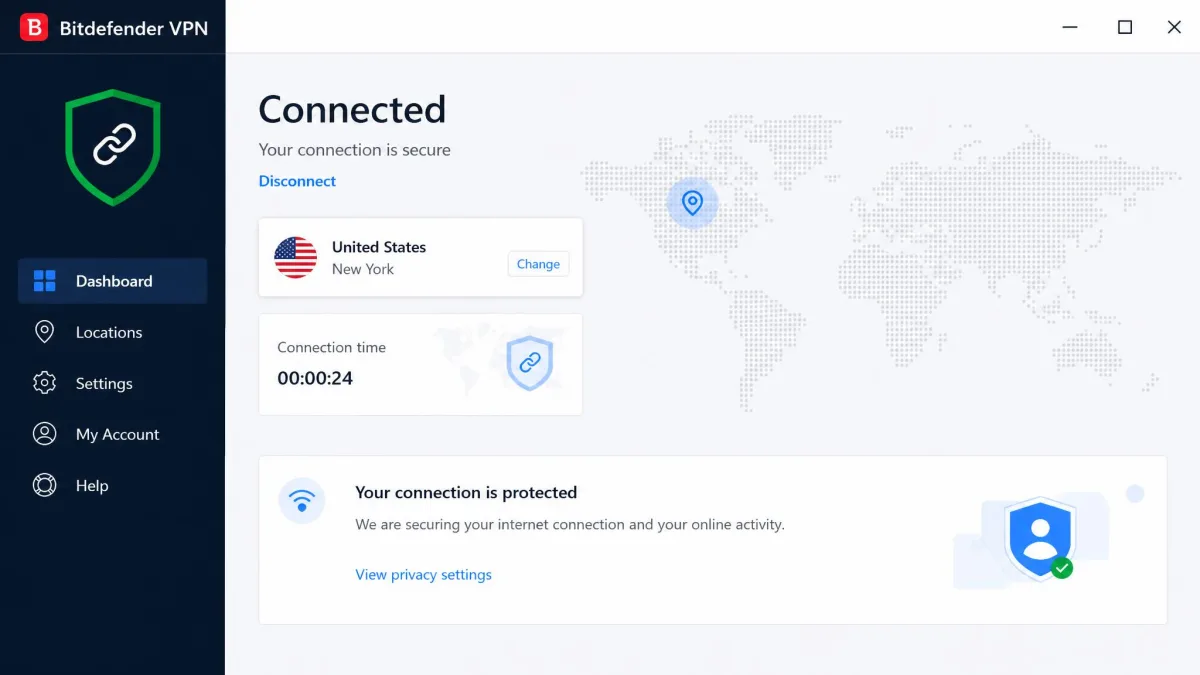
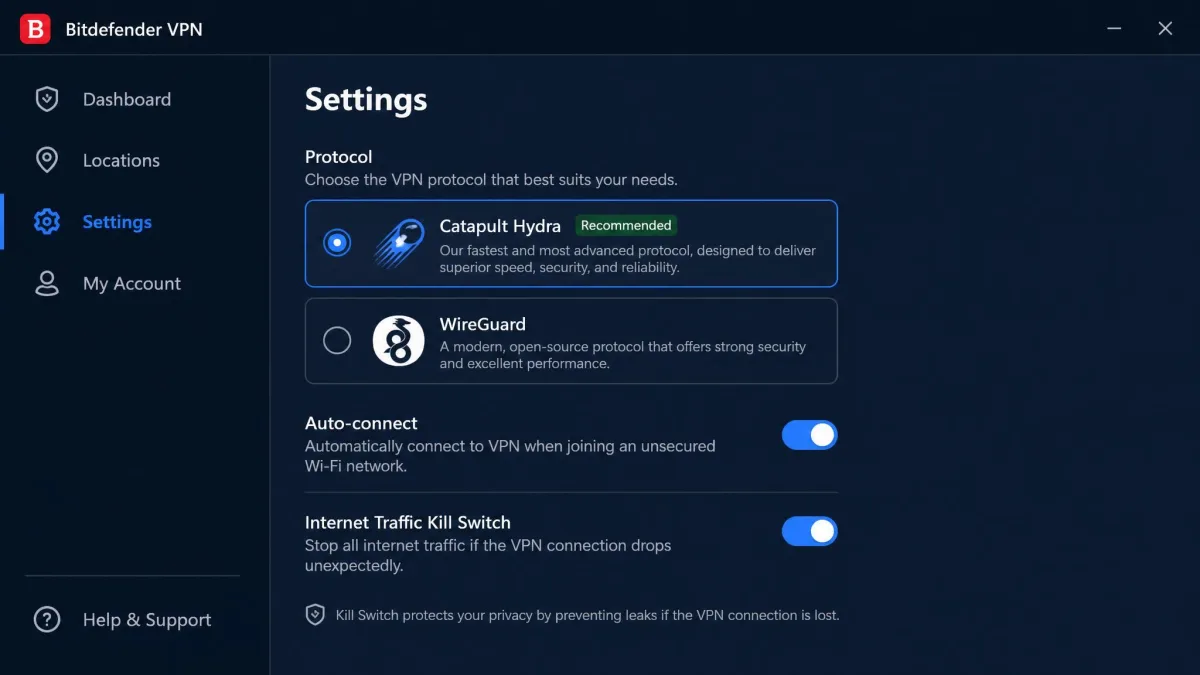
Bitdefender VPN keeps things deliberately simple. You get AES-256 encryption with Perfect Forward Secrecy, automatic connection options, a choice of server locations, and a small set of extras layered on top. The apps are clean and beginner-friendly, and in our testing that simplicity is both the appeal and the limit. Everything you need for basic privacy is one tap away, but the deeper controls that enthusiasts expect are either missing or buried.
The service runs on Hotspot Shield's Catapult Hydra protocol, with WireGuard offered on newer versions of the apps. Hydra is tuned for speed rather than configurability, which fits Bitdefender's audience but means you have fewer protocol knobs to turn than you would on a service built around OpenVPN and WireGuard from the start. We cover the ownership side of that arrangement in the privacy section below, because it matters more than it first appears.
Compared with mainstream VPNs, the feature set is bare. There is no sprawling menu of specialty servers, no multi-hop, and no large library of advanced toggles. For most people that is fine. For anyone migrating from a fully loaded service, the smaller toolbox is noticeable.
Split Tunneling, Kill Switch, and Ad/Tracker Blocking
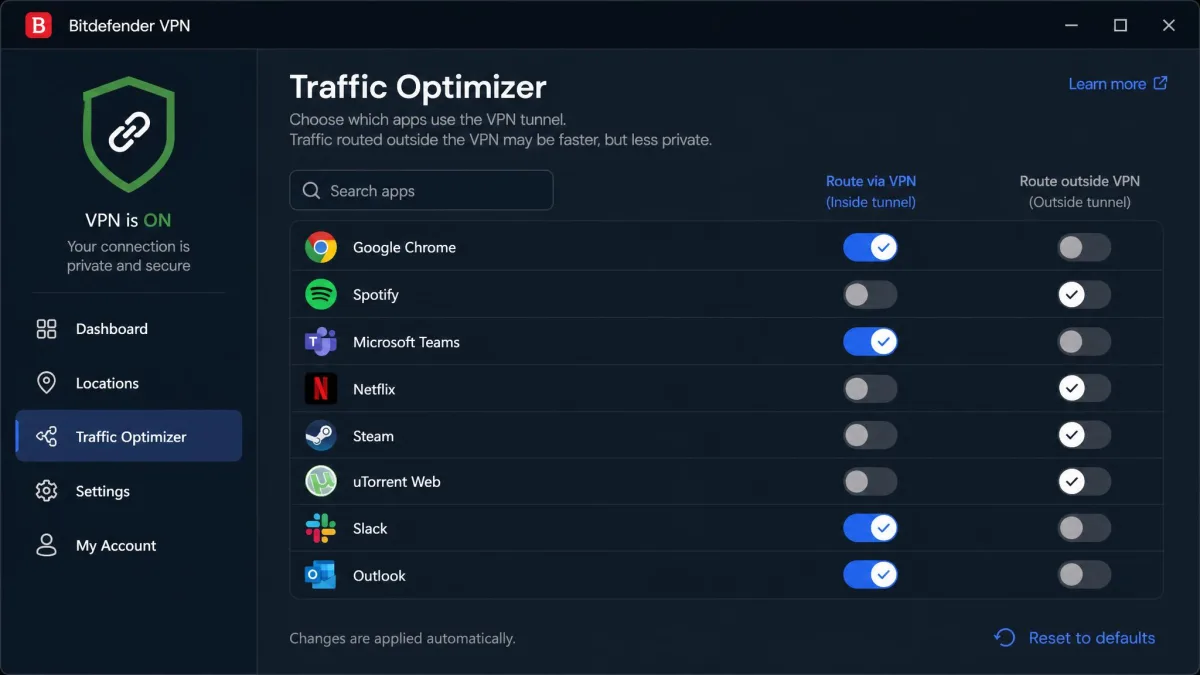
Split tunneling is where the story gets murky. Bitdefender lists a feature it calls App Traffic Optimizer, but reports on whether classic split tunneling exists, and on which platforms, are inconsistent. In practice, treat split tunneling as platform-dependent and check it on your own device during the trial rather than assuming it will be there. If routing specific apps outside the VPN is important to you, verify it before you pay.
The kill switch is similarly uneven. It is present, but coverage varies by platform, and it has most often been reported on iOS and Android rather than switched on everywhere by default. In our hands-on notes the kill switch could occasionally misfire, and auto-connect did not always trigger the way we expected. That is not a dealbreaker for casual use, but it is the kind of inconsistency that privacy-focused users will not love.
On the blocking side, Bitdefender includes ad and tracker blocking to cut down on intrusive content and some of the trackers that follow you around the web. It works at the network level rather than as a full content blocker, so treat it as a useful bonus rather than a replacement for a dedicated blocker in your browser.
Do not assume the kill switch is on. Because coverage varies by platform and is sometimes off by default, open the settings on each device and confirm the kill switch is enabled before you rely on the VPN for anything sensitive.
Supported Platforms and Apps (Windows, macOS, iOS, Android)
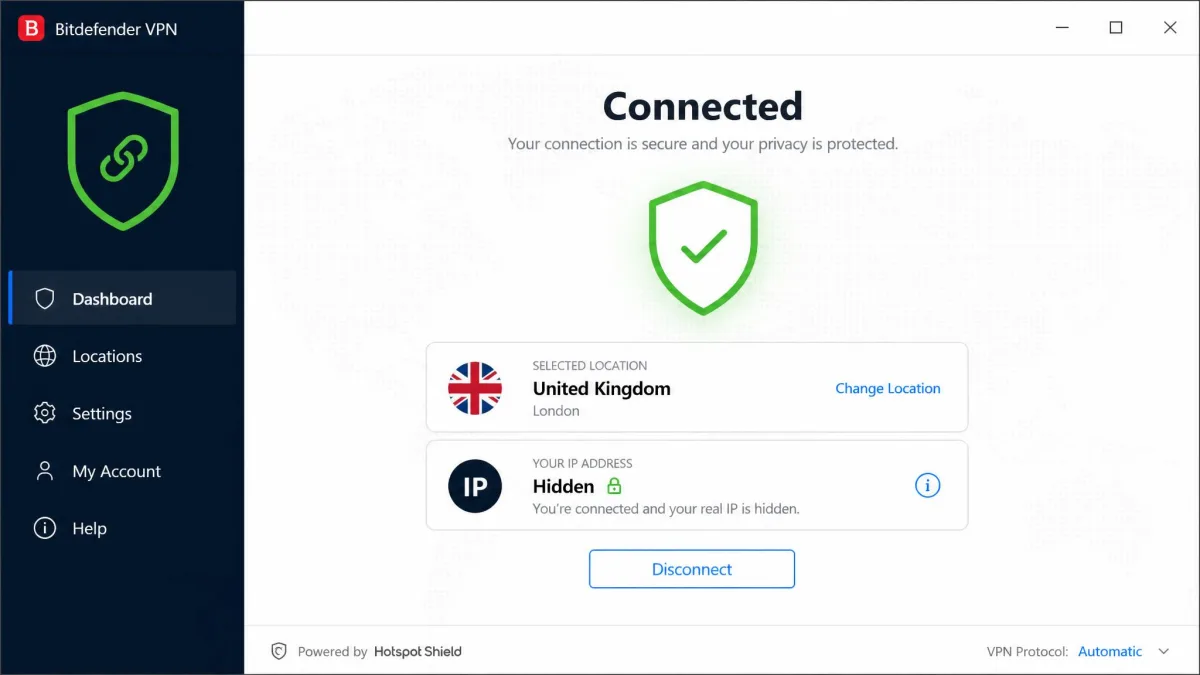
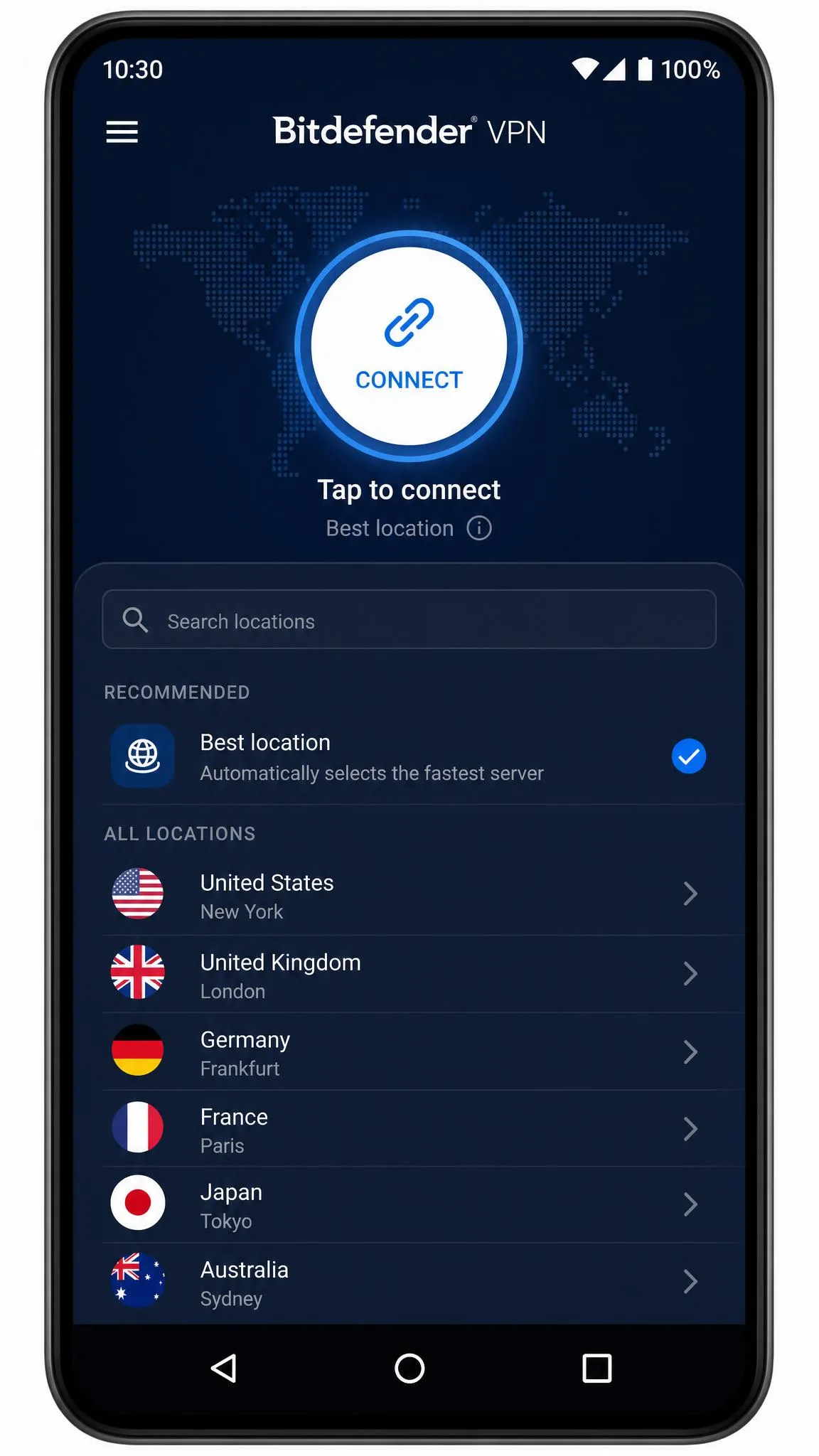
Platform support is solid and covers the devices most people actually use. Bitdefender VPN runs on Windows, macOS, iOS, and Android, and it extends to Android TV and Amazon Fire TV and Firestick for living-room streaming. Across the desktop and mobile apps we tested, the layout stays consistent, so moving between your laptop and your phone does not mean relearning the interface.
You can connect up to 10 devices at the same time on a standard Premium plan, and the Family Pack raises that to 15. Ten connections is generous and matches what NordVPN offers, so a typical household can cover its phones, laptops, and a TV without running out of slots.
The apps installed quickly on every platform in our testing, and the beginner-friendly design means a first-time VPN user can connect without reading a manual. One caveat worth flagging: there have been reports of Wi-Fi connectivity problems on iPad after installing the app, so if you run into a network hiccup on a tablet, that is a known rough edge to watch for.
Privacy and Logging Policy
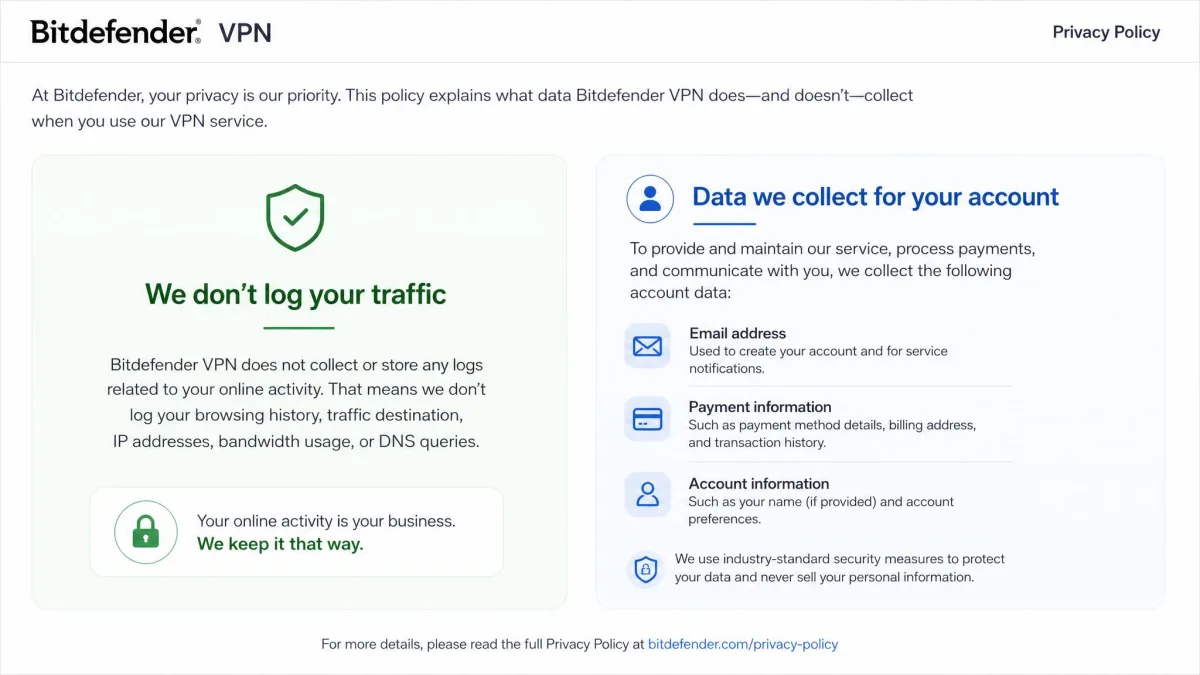
Privacy is the area where a budget VPN has to earn trust, and Bitdefender's picture is mixed. The service states that it does not keep traffic or activity logs, which is the claim you want to see. At the same time, it does record account data such as your name, email, payment information, and anonymized device identifiers, which is normal for a paid service but worth understanding.
The complication is that the evidence is mixed on exactly what connection metadata is retained. Some independent testing concludes that IP addresses are not logged, while other testing suspects more is held than the marketing implies, including the possibility that some browsing history is retained. Because of that disagreement, we do not treat the no-logs claim as cleanly verifiable. It is probably fine for everyday privacy, but it is not the airtight, audited guarantee that the top privacy VPNs can point to.
In our tests we treated the privacy claims the way we treat any unverified marketing line: with cautious optimism. The encryption and leak behavior checked out on our machines, but the logging policy is only as strong as the audit behind it, and here there is no public audit to lean on. If a court-proof no-logs promise is your priority, that gap matters.
Who Owns the Underlying VPN Tech (Hotspot Shield / Catapult Hydra / Aura)
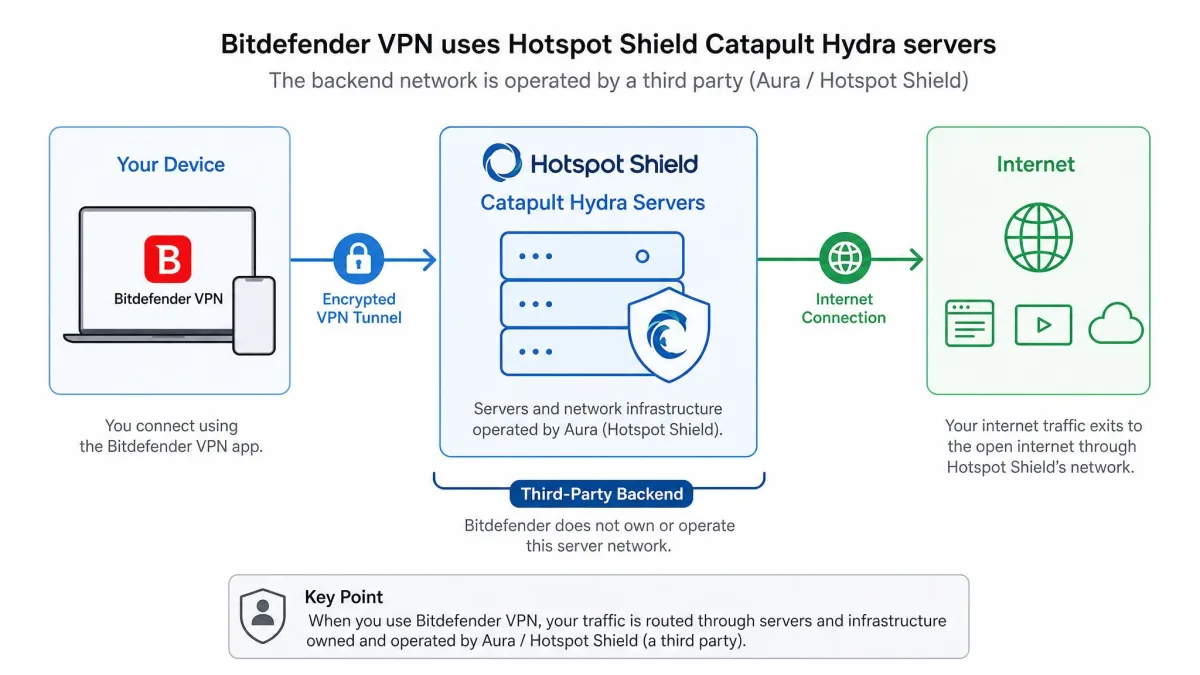
This is the detail that surprises most buyers. The VPN you install under the Bitdefender name is not built on Bitdefender's own network. It runs on the Catapult Hydra protocol from Hotspot Shield, and the backend is operated by Hotspot Shield's parent company rather than by Bitdefender itself. That parent has traded under several names over the years, including Aura, Pango, and more recently Point Wild, so the corporate chain behind your traffic is longer than the Bitdefender branding suggests. If you want the full picture of that platform, see our review of Hotspot Shield, the tech behind Bitdefender VPN.
That arrangement is common in the industry, where a security brand licenses a white-label VPN rather than building one. It is not inherently bad, and Hydra is a fast, mature protocol. But it does mean your privacy depends on the practices of a third party, and it splits responsibility between two companies. Bitdefender handles the app, the account, and the billing, while the parent behind Hotspot Shield operates the servers your internet traffic actually passes through. When you weigh the no-logs claim, you are really weighing two policies at once, and a promise is only as strong as its weaker half.
Audits, Jurisdiction, and Data Handling
The single biggest gap in Bitdefender VPN's privacy story is the lack of a published independent audit. Rivals have all opened up their claims to outside firms. NordVPN's no-logs policy has been checked by Deloitte. Surfshark has run repeat Deloitte no-logs verifications alongside Cure53 security work. ExpressVPN has been audited by both KPMG and Cure53. Bitdefender has not published that kind of verification for its VPN. Its privacy promises rest on trust rather than external proof.
That gap matters more here than it would for a VPN that owns its stack, because responsibility is split between two companies. Bitdefender the brand is well established, with a long track record in security. That counts for something. But the backend is run by a separate provider. The jurisdiction and data-handling questions apply to both parties at once, and neither has opened its VPN logs to an independent firm the way the big three have. For a casual user, that is an acceptable trade. For anyone with a serious threat model, the missing audit is the line that would push us toward an audited competitor. An unaudited no-logs claim is a claim you have to take on faith.
Security: Encryption and Leak Tests
On the core security mechanics, Bitdefender VPN does what it should. It uses AES-256 encryption with Perfect Forward Secrecy, which is the standard the entire industry has settled on and is not something we can fault. The encryption itself is not where budget VPNs usually fall down; the leaks and the kill switch are.
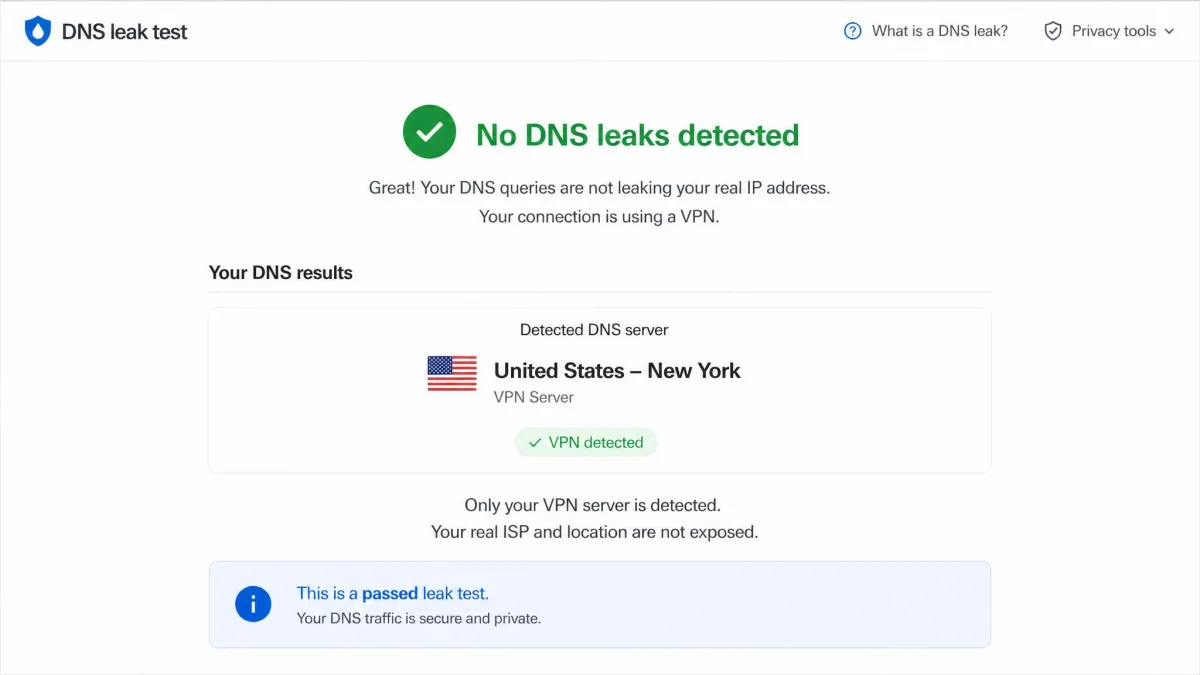
We ran the connection through our usual leak checks, and in our testing it passed both the WebRTC and DNS leak tests. That means your real IP address and your DNS requests were not spilling out around the tunnel during our checks, which is the result you want. Combined with the AES-256 encryption, the fundamentals here are sound.
The asterisk is the kill switch, which we covered above. A leak-free connection only protects you as long as the tunnel holds, and if the kill switch does not reliably cut your traffic when the VPN drops, a brief exposure is possible. Because kill-switch behavior varies by platform, we would test it deliberately on your own device: connect, then disable your network to force a drop, and confirm your traffic actually stops.
Speed and Performance (Our Test Results)
Speed is where Bitdefender's Hydra-based network shows its strengths and its limits. On nearby servers, performance held up well. Download speeds dropped in the general range of 10 to 34 percent from our baseline on the fastest locations. That is a normal, usable range for a modern VPN. On a fast home connection you are unlikely to feel it while browsing or streaming. Even at the top of that range, a fiber line has headroom to spare, and a 30 percent haircut still leaves plenty of bandwidth for HD video and large downloads.
The weakness shows up on distant servers, particularly on Windows. There, ping and latency can spike dramatically. The Hydra protocol is tuned to hold download throughput, so the megabits often survive a long hop better than the latency does. A slow round trip is what you feel on a video call. High latency barely dents page loads. It does hurt anything real-time, so gaming and video calls over a far-flung server can feel sluggish. If low latency matters to you, stick to the closest servers. Test before you commit to a long session. In our runs, a nearby server felt snappy and one several thousand miles away felt laggy, even when the raw download figure looked acceptable.
We ran our speed passes with our speed-test tool on the same connection before and after connecting, so the percentage drops reflect the VPN's overhead rather than a noisy network. The pattern was consistent: nearby servers were fine, and the further we reached, the more the latency climbed, especially on Windows.
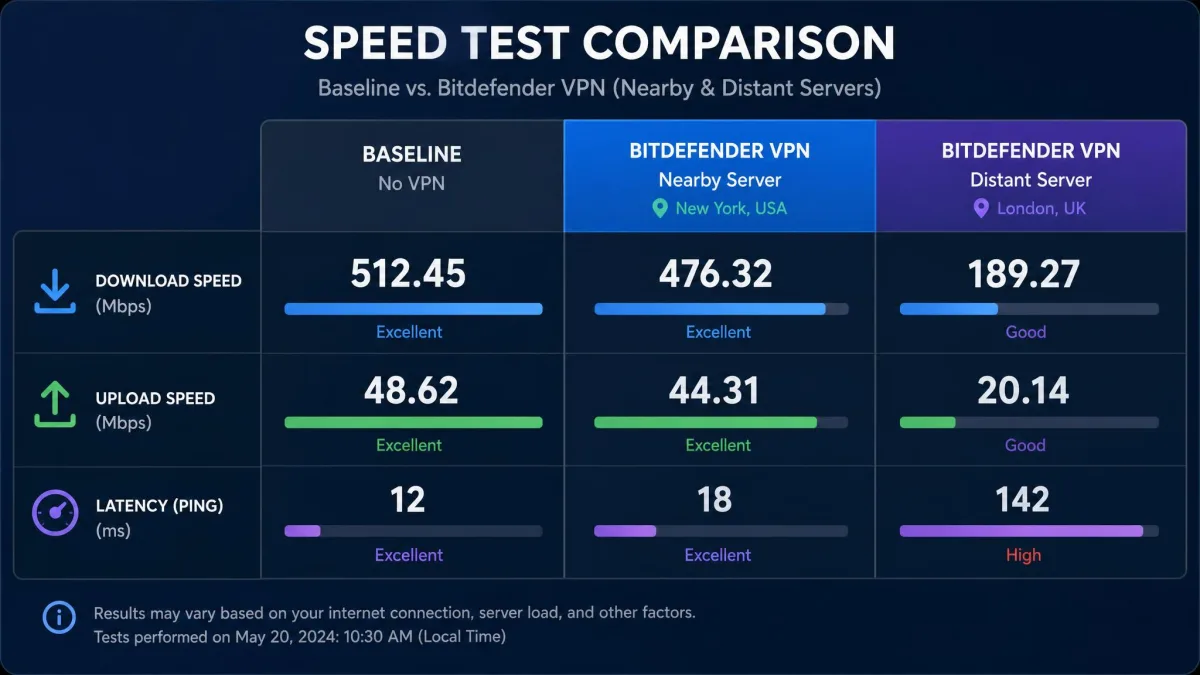
Speed numbers vary widely by platform and server distance, so treat any single percentage as a ballpark rather than a promise. The Windows latency outliers in particular are inconsistent, showing up on some distant servers and not others, which is why we would not lean on a single benchmark either way. The honest summary is that Bitdefender VPN is fast enough for everyday use on close servers and less predictable the further you travel.
Streaming Performance (Netflix and Others)
Streaming is one of the most common reasons people buy a VPN, and here Bitdefender is genuinely hit or miss. In many tests it unblocks Netflix in regions such as the US, UK, and France, along with Hulu, Disney+, and BBC iPlayer. When it works, it works cleanly, and casual streamers will get what they came for.
The problem is consistency. Access varies per service rather than being uniformly good or bad. A US Netflix library might load on one session while the same server fails on the next. A platform that streams smoothly for us could be blocked for you in a different country. At least one recent test could not reach Netflix or Hulu at all. We also saw firewall interference in some cases, where the VPN connects but the streaming site's own defenses still see through it. So streaming is often fine, but it is not the reliable, always-on unblocker that streaming-focused VPNs advertise. If a specific service in a specific country is your main reason for subscribing, use the free trial first. Test the exact combination of streaming website and region you care about rather than trusting a general claim that it unblocks Netflix.
If streaming is your top priority, it is worth comparing against services built for it. Our roundup of the best VPNs for streaming covers options that unblock more services more reliably, though usually at a higher price than Bitdefender's first-year rate.
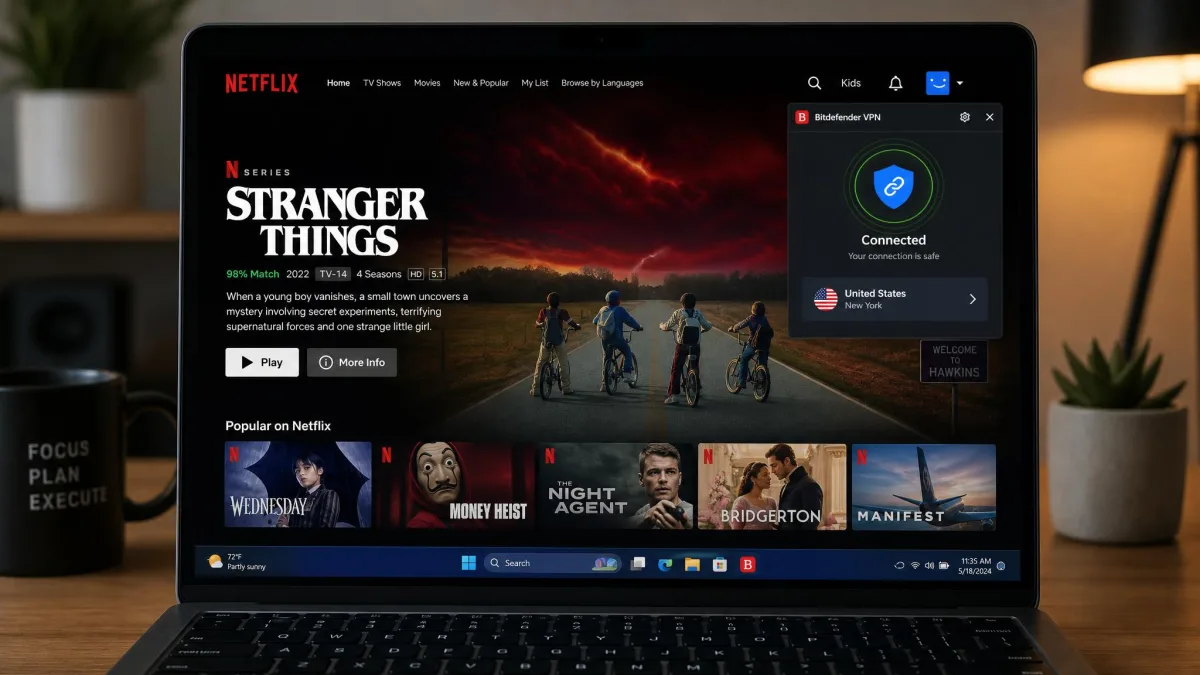
Streaming access can change week to week as services update their blocking. If a platform stops working on one server, try another location in the same country before assuming the VPN cannot unblock it, and lean on the 30-day guarantee if it never cooperates.
Servers and Server Locations
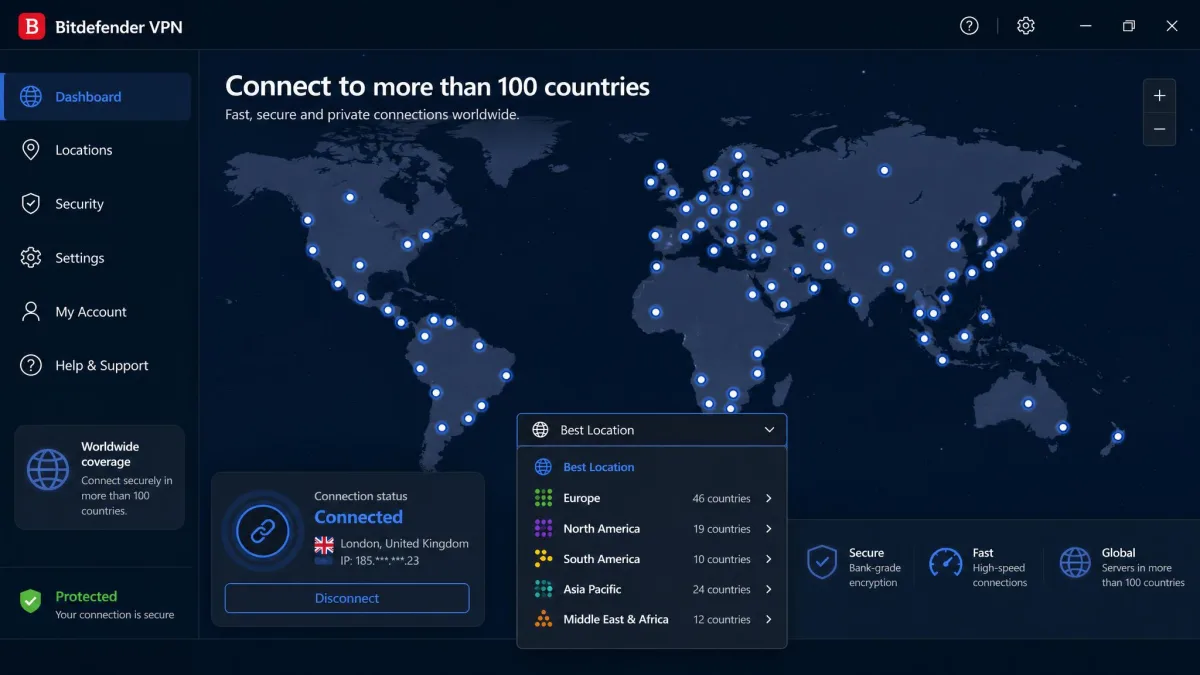
Bitdefender VPN's network reaches servers across 100+ countries, which is a wide footprint that puts a nearby server within reach for most users. Broad country coverage is genuinely useful, because the closer you can connect, the better your speed and the more likely a regional streaming catalog will load.
The raw server count is harder to pin down. Published figures vary from around 1,300 to over 4,000 depending on the source, so we treat the exact number as approximate rather than a firm spec. What matters more in daily use is that we consistently found a fast server near us, and country coverage was broad enough that we were not hunting for a location.
For most people the practical takeaway is straightforward: the network is large enough that server availability is not a concern. Enthusiasts who want to know the precise server count, or who need specialty server types, will find the details thinner and the options fewer than on the big three.
Customer Support
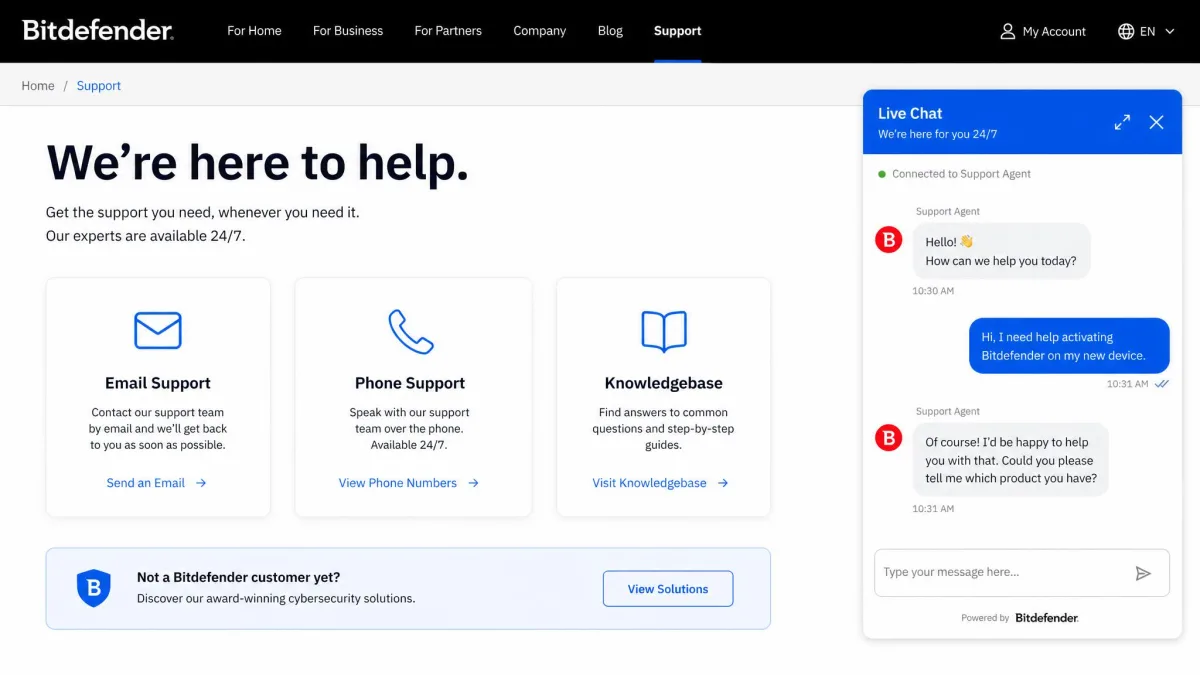
On paper, Bitdefender's support is comprehensive. The company offers 24/7 live chat, email, and phone support, plus a knowledgebase for self-service, which is a broader set of channels than many VPN-only companies provide. Having phone support at all is unusual in this category.
The reality is more uneven. Support responses can be slow, and waits past 24 hours have been reported for some queries. When you reach an agent the help is generally competent, but the speed does not always match the always-available promise. For a service that markets simplicity, that is a frustrating gap, because the users most likely to need help are the least likely to want to wait a day for it.
Our advice is to lean on the knowledgebase for common questions and reserve live chat for issues that genuinely need a person. Most setup and connection problems have documented fixes, and you will usually solve them faster than waiting in a queue.
How Bitdefender VPN Compares to Alternatives (NordVPN, Surfshark, ExpressVPN)
Placed next to the big three, Bitdefender VPN competes on price and loses on depth. It matches NordVPN on device count and undercuts most rivals on first-year cost, but it trails all three on audits, split tunneling consistency, and advanced features. The table below lays out where it stands.
| VPN | Intro price | Servers / countries | Devices | Split tunneling | Independent audit |
|---|---|---|---|---|---|
| Bitdefender VPN | ~$2.92/mo (1-yr) | ~3,000-4,000 / 100+ | 10 (15 Family) | Platform-dependent | None published |
| NordVPN | ~$3.39/mo (2-yr) | 7,000+ / 118+ | 10 | Yes (Win/Android) | Deloitte no-logs |
| Surfshark | ~$2.49/mo (2-yr) | 3,200+ / 100 | Unlimited | Yes (all platforms) | Deloitte + Cure53 |
| ExpressVPN | ~$4.99-6.67/mo | 105 countries | 8 | Yes | KPMG + Cure53 |
The comparison tells a clear story. Surfshark matches Bitdefender on price, adds unlimited devices, and brings audited privacy, which makes it the tougher value pick. NordVPN offers a much larger network and an audited no-logs policy for a little more money. ExpressVPN costs the most but pairs a wide footprint with two respected audits. Bitdefender's edge is the low first-year rate and the comfort of an established security brand, not its feature list.
Where Bitdefender makes the most sense is as a low-friction add-on, especially if you already trust the Bitdefender name or pay for its security suite. If you are shopping purely on privacy credentials or features, the audited competitors are the safer buy. For more budget options, our guide to the best cheap VPNs, tested puts these prices in wider context.
The Verdict: Is Bitdefender VPN Worth It?
Who is this VPN really for? Picture someone who already trusts the Bitdefender name, wants encryption on coffee-shop Wi-Fi, and would rather not think hard about protocols or server counts. For that person, the low first-year price and the one-tap apps are a comfortable fit, and the thin feature set never comes up in daily use. This is the buyer Bitdefender VPN was built for.
Who should skip it? Anyone whose main reason for buying a VPN is privacy assurance or streaming reliability. If you would only trust a no-logs claim that an outside firm has checked, or you need a specific service to unblock every night without fail, this is not the tool that will satisfy you. An audited rival will cost a little more and reward it. The rating and the bottom line below sum up exactly where we land.
Pros
- One of the cheaper VPNs in the first year
- Simple, beginner-friendly apps across major platforms
- 10 device connections, or 15 on the Family Pack
- Passed our WebRTC and DNS leak tests
- Backed by an established security brand
Cons
- No published independent audit
- Runs on a third-party network (Hotspot Shield)
- Split tunneling and kill switch vary by platform
- Streaming and support are both inconsistent
- Renewal price jumps after the first year