Most VPNs stop working in China the moment you cross the border. The Great Firewall does not just block websites, it hunts for VPN traffic and shuts it down, so the free app that served you well at home often connects to nothing. A short list of services still get through, and they do it with obfuscation features that most people never turn on.
We put the big names through their paces against the way China actually blocks traffic. The goal was simple: find the VPNs that still work when the firewall is doing its job, and flag the ones that fail the day you land. Reliability in China shifts by city, by internet provider, and by the calendar, so no tool is a sure thing. The five below give you the best odds, and each one includes the obfuscation tools you need to stay online.
Reliability in China is a moving target. The same VPN can work fine in Shanghai on a Tuesday and stall in Beijing on a Wednesday, especially around politically sensitive dates. Treat every recommendation here as "best available odds," not a guarantee, and always keep a backup pick installed.
Our approach focused on the one thing that decides everything behind the Great Firewall: whether a service can disguise its traffic well enough to stay connected. We assessed each VPN across the desktop and mobile apps travelers actually carry, weighing its obfuscation tools, the stability of its nearest servers, and how much manual setup it demands. Because reliability inside China shifts by city, provider, and date, we treat these as best-odds picks rather than guarantees, and we lean on corroborated reports from people connecting inside the country wherever our own vantage point is limited.
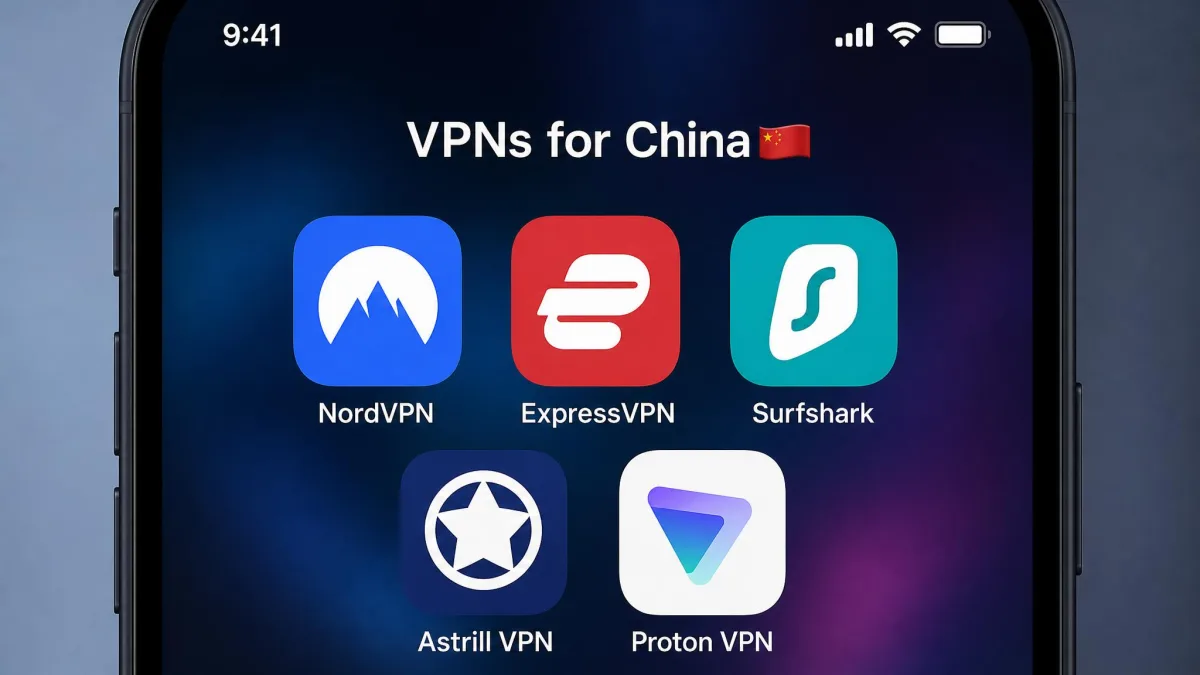
The Best VPNs for China in 2026
Every service below made the list because it has a real obfuscation protocol and a track record of getting through the firewall. They are ranked by how we would deploy them ourselves, weighing reliability, speed, price, and how much fiddling each one demands. Your mileage will vary by city and internet provider, which is exactly why we favor services with a 30-day money-back guarantee.

NordVPN
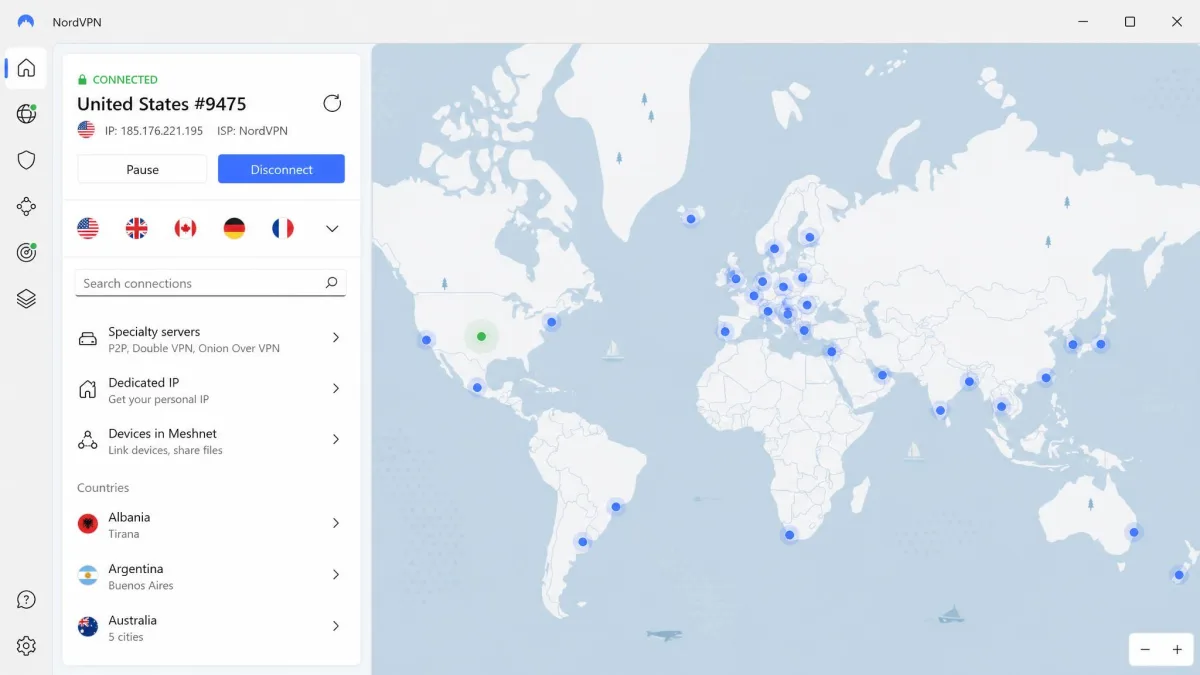
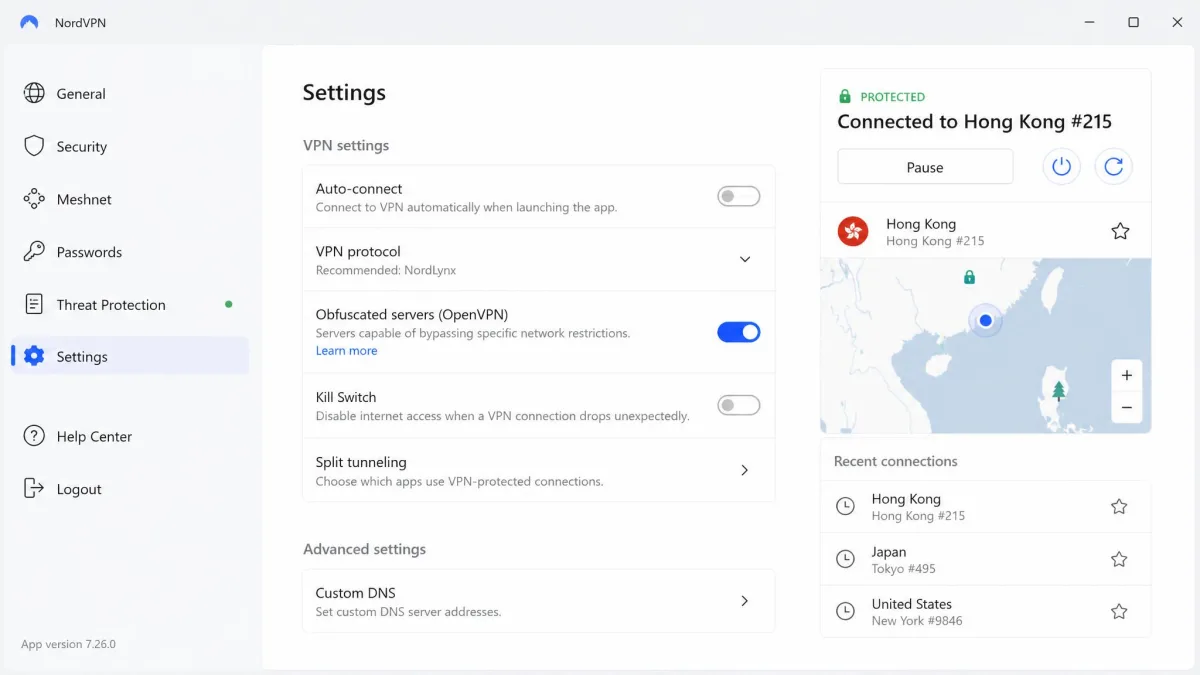
NordVPN is our top pick for China because it pairs a genuine obfuscation stack with a fast, dependable network. It runs obfuscated servers plus the newer NordWhisper obfuscation protocol, both designed to hide the fact that you are using a VPN at all. That disguise is what lets it slip past the deep packet inspection that flags ordinary VPN traffic. On the speed side, the NordLynx protocol (built on WireGuard) is quick enough that streaming the BBC or scrolling Instagram never felt like a chore once the connection held.
Honesty matters here: NordVPN was rock-solid in China for years, and it has slipped a little. We now see connection drops that were rare a couple of years ago, so you will want the obfuscated servers selected and a nearby location like Hong Kong or Tokyo. Even with that caveat, the mix of dependable obfuscation, quick servers near the mainland, and support for up to 10 simultaneous connections makes it the service we would install first. Get the stealth settings right and it holds a steady tunnel where weaker apps stall out.
Pros
- Obfuscated servers plus the NordWhisper stealth protocol beat deep packet inspection
- Huge network: 9,300+ servers across 137 countries, with fast options near China
- NordLynx keeps speeds high for streaming and everyday browsing
- Up to 10 simultaneous connections and a 30-day money-back guarantee
Cons
- Reliability in China has slipped from its peak, with occasional connection drops
- Obfuscation is not on by default, so you must select obfuscated servers
- Monthly billing is expensive at $14.99 compared with the long-term plan
Best for: Most travelers who want the best all-round mix of reliability, speed, and network size. Skip if: You want a set-and-forget app that turns on obfuscation automatically.
How to Use NordVPN in China
Install NordVPN before you arrive, because the download and login pages can be hard to reach inside the country. Once installed, open the app settings and turn on obfuscated servers, then connect to a nearby location such as Hong Kong, Singapore, or Japan. If a server drops, switch to another nearby option rather than a distant one. Keep the kill switch enabled so no traffic leaks outside the tunnel if the connection stutters. For a deeper walkthrough of the app on each platform, see our full NordVPN review.

ExpressVPN
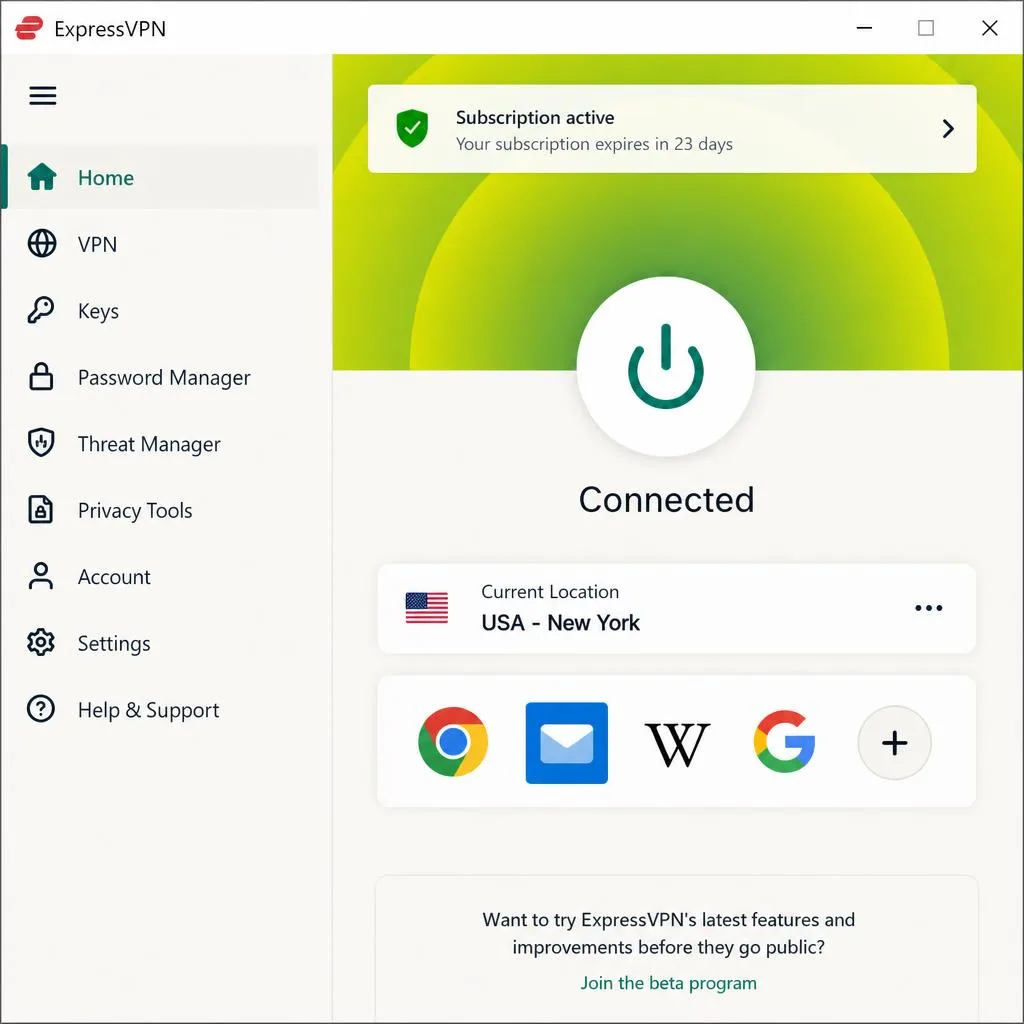
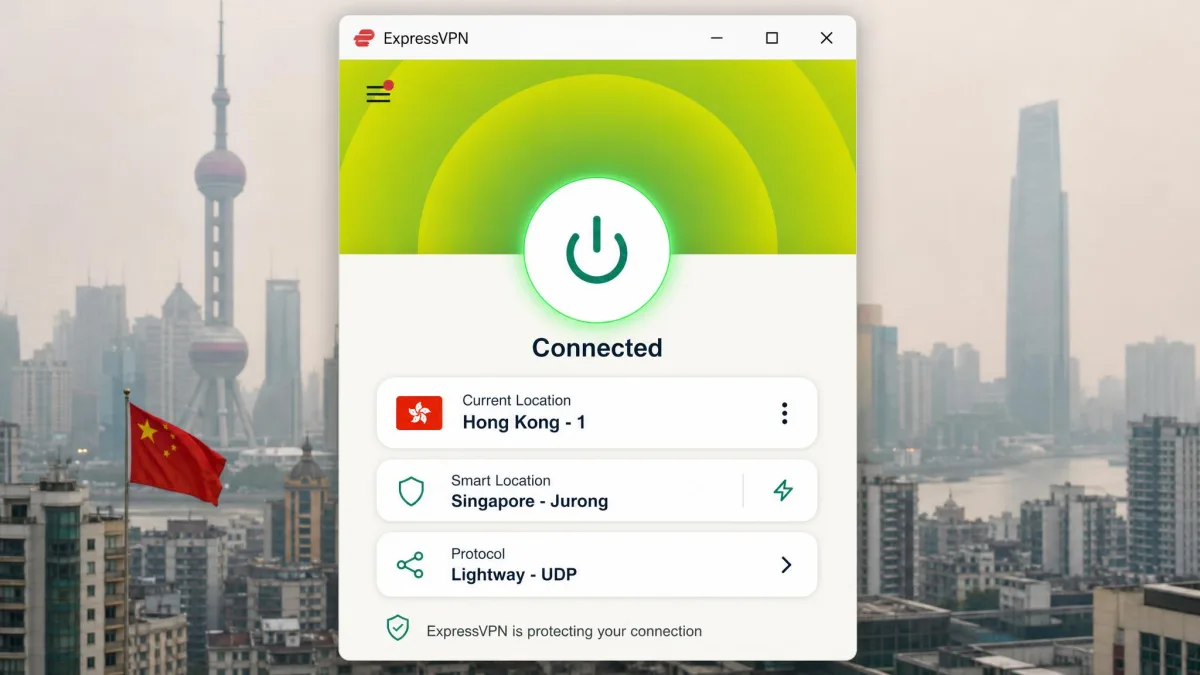
ExpressVPN is the easiest service to live with in China, and it is the one we recommend to anyone who does not want to think about settings. Its Lightway protocol turns on obfuscation automatically the moment it detects a connection from China, so there is no digging through menus to get online. The traffic passes as ordinary HTTPS, which is exactly what you want the firewall to see. Speeds were consistently among the best of any VPN we tested, which matters when you are trying to load email, maps, and video over a long international hop.
The honest caveat is that success swings widely by city, internet provider, and time of day. In our testing and in corroborated reports it ranged from working fine to briefly unusable, and independent testers connecting from Beijing, Shanghai, and Shenzhen have logged rough patches. That volatility is true of every VPN in China, but it is worth naming. ExpressVPN runs 3,000+ servers across 105 countries, supports 10 connections on the Basic tier (up to 14 on Pro), and backs everything with a 30-day money-back guarantee. Because its website is blocked inside China, installing before you travel is essential.
Pros
- Lightway protocol enables obfuscation automatically from China, no manual setup
- Among the fastest and most consistent speeds we measured
- RAM-only TrustedServer network and a strong no-logs policy
- 30-day money-back guarantee and up to 14 connections on higher tiers
Cons
- Reliability varies sharply by city, provider, and time of day
- Website is blocked in China, so you must install it beforehand
- Pricier than budget rivals once introductory terms end
Best for: Travelers who want the smoothest, fastest experience with zero manual configuration. Skip if: You are on a tight budget and willing to flip a few switches to save money.
How to Use ExpressVPN in China
Download ExpressVPN and sign in before you leave, since the site is blocked inside China. Once you are in the country, just open the app and connect; Lightway detects the location and switches on obfuscation for you. Pick a server in Hong Kong, Singapore, Japan, or Los Angeles for the best performance. If one location stalls, the app's smart location tool or a manual nearby pick usually restores service. Keep Network Lock (the kill switch) enabled. Our full ExpressVPN review covers the apps in more detail.

Surfshark
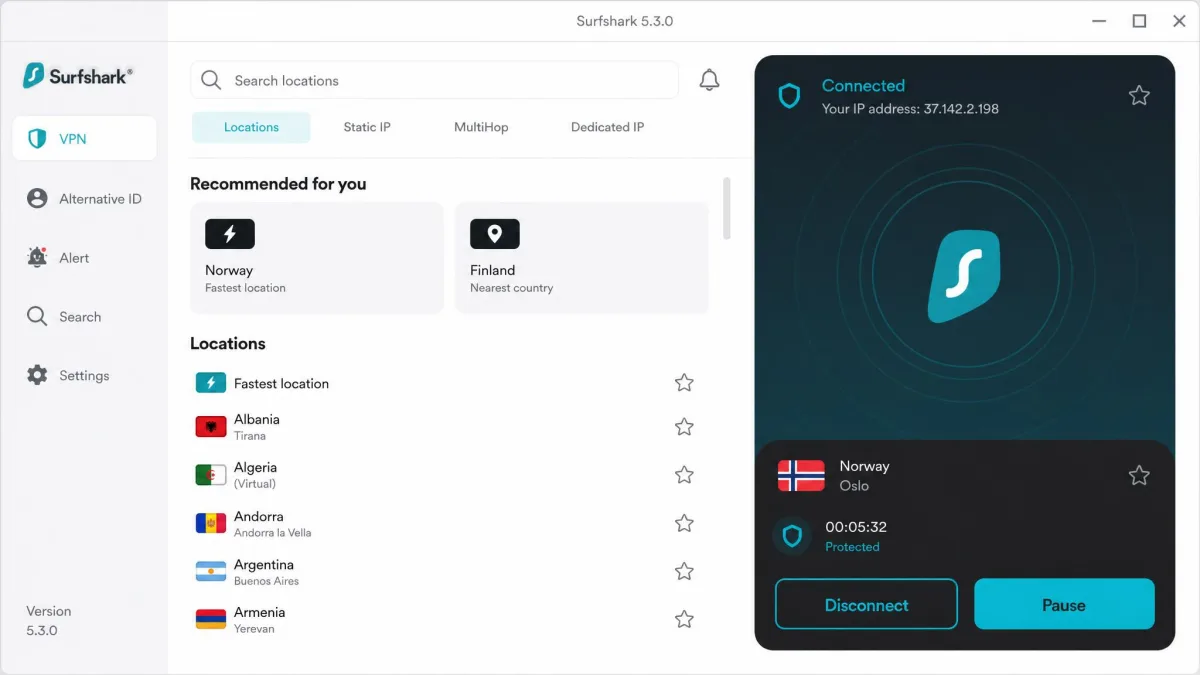
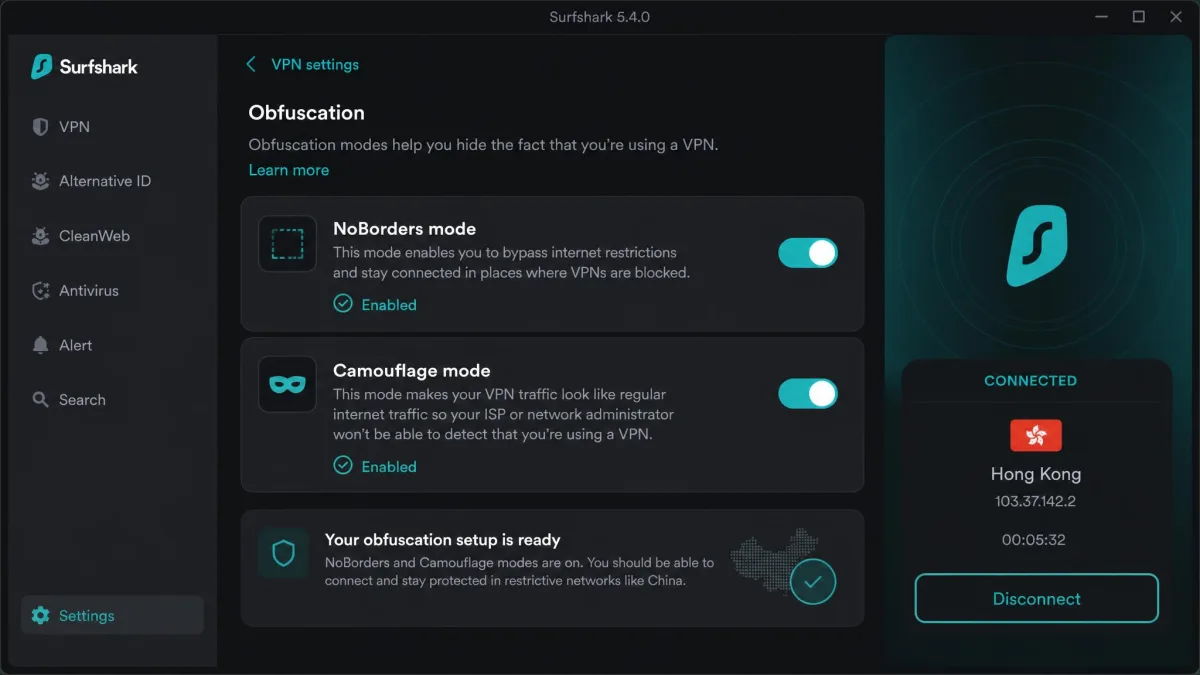
Surfshark gets you into China for the least money, and its unlimited simultaneous connections mean one subscription covers your whole household and every device you own. That is rare value. The catch, and it is a big one, is that Surfshark configured out of the box will fail in China. Most of the "it doesn't work" reports come from people who never enabled obfuscation. Once you turn on the right modes, it becomes a reliable, budget-friendly option.
The service works most reliably through NoBorders mode plus Camouflage mode together, not the default app connection. NoBorders wraps WireGuard in an OpenVPN TLS envelope so the traffic blends in, and Camouflage adds the obfuscation layer on top. With both switched on and a nearby server selected, our sessions held steady for browsing, streaming, and video calls. Surfshark backs it with a 30-day money-back guarantee, so you can confirm the setup works from your location before you rely on it. Just budget a few minutes to configure it properly rather than expecting it to work on the first tap.
Pros
- Cheapest of our picks at $2.49/month on the long-term plan
- Unlimited simultaneous connections cover every device you own
- NoBorders plus Camouflage mode reliably beats the firewall once enabled
- CleanWeb ad blocking, split tunneling, and a 30-day money-back guarantee
Cons
- Fails in China with default settings; obfuscation must be turned on manually
- Server and country counts are not clearly published
- Setup takes a little more effort than automatic rivals
Best for: Budget-conscious travelers and families who need many devices covered at once. Skip if: You want it to work the instant you tap connect, with no configuration.
How to Use Surfshark in China
Install Surfshark before you travel. In the app settings, enable NoBorders mode and turn on Camouflage mode, then connect to a nearby server such as Hong Kong or Singapore. Both modes on together is the combination that works; leaving either off is why many users report failure. Keep the kill switch active. If a connection drops, reconnect to a different close server rather than a distant one. Our full Surfshark review walks through the apps on each platform.

Astrill VPN
Astrill has a cult following among expats in China, and for good reason: it has focused on beating the Great Firewall longer than almost anyone. Its StealthVPN protocol uses dual-layer encryption built specifically to evade deep packet inspection, and when it connects, it connects. Ask a long-term foreign resident which VPN they trust and Astrill comes up again and again. That reputation is earned on results inside China rather than on polish.
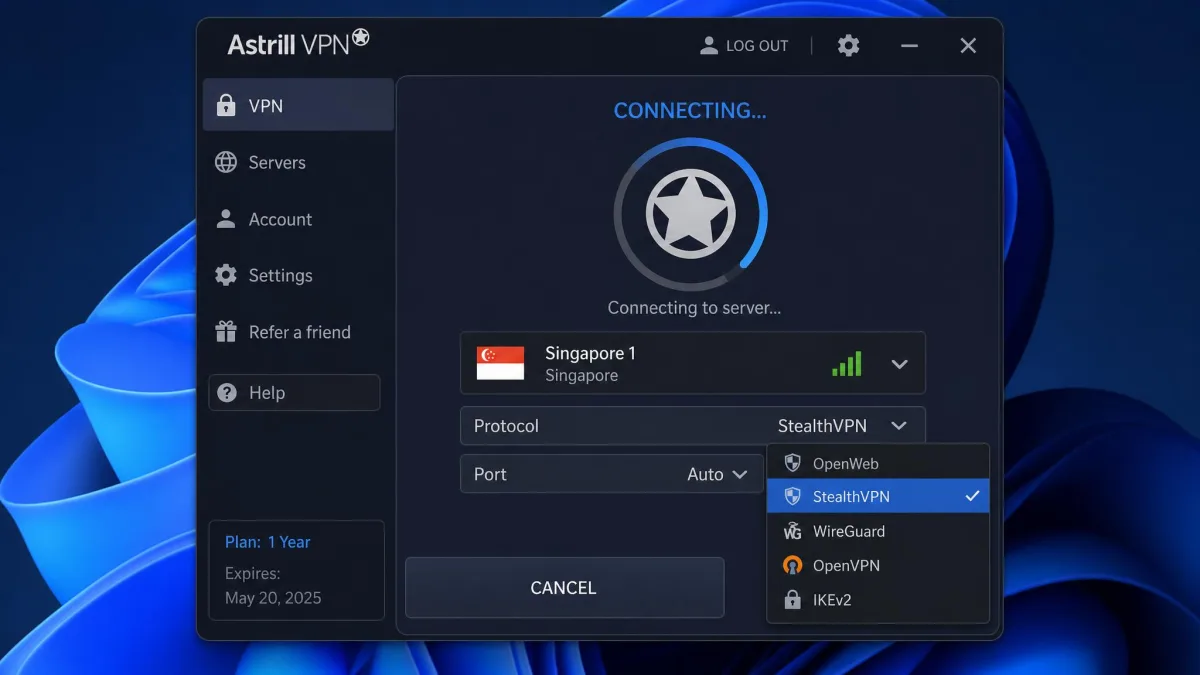
Polish is exactly where it falls down. The app interface feels dated and unintuitive, and on most protocols (everything except OpenWeb) switching servers forces a full disconnect. Connections are less stable on non-Windows devices, with frequent disconnections and poor compatibility on Apple hardware, so iPhone and Mac users should temper expectations. Speeds also take a real hit, dropping roughly 46 to 50% even on nearby servers under the heavier encryption protocols. It supports 5 simultaneous devices, and pricing runs high, from about $12.50/month on the longest plan up to a much steeper standalone monthly rate. Critically, there is no money-back guarantee, so subscriptions are effectively non-refundable. That makes Astrill a commitment rather than a risk-free trial.
Pros
- StealthVPN dual-layer encryption is designed specifically for China
- Reliable, well-known name among expats who live behind the firewall
- Router and VPN-sharing support for covering an entire home network
Cons
- No money-back guarantee at all, so there is no risk-free trial
- Clunky, dated app that disconnects when you change servers
- Weak stability and compatibility on Apple devices
- Expensive, with steep monthly pricing and a heavy speed penalty
Best for: Long-term expats on Windows who want a firewall-focused VPN and will pay for it. Skip if: You want a refund safety net, or you rely on iPhone and Mac.

Proton VPN
Proton VPN is the pick for travelers who put privacy first. It comes from the team behind Proton Mail, carries an independently audited no-logs policy, and offers Secure Core multi-hop routing that bounces your traffic through hardened servers before it leaves the network. For China, the feature that counts is its Stealth protocol, an obfuscated TLS tunnel over TCP that masks VPN traffic as ordinary HTTPS. When Stealth connects, it is a genuinely private way through the firewall.
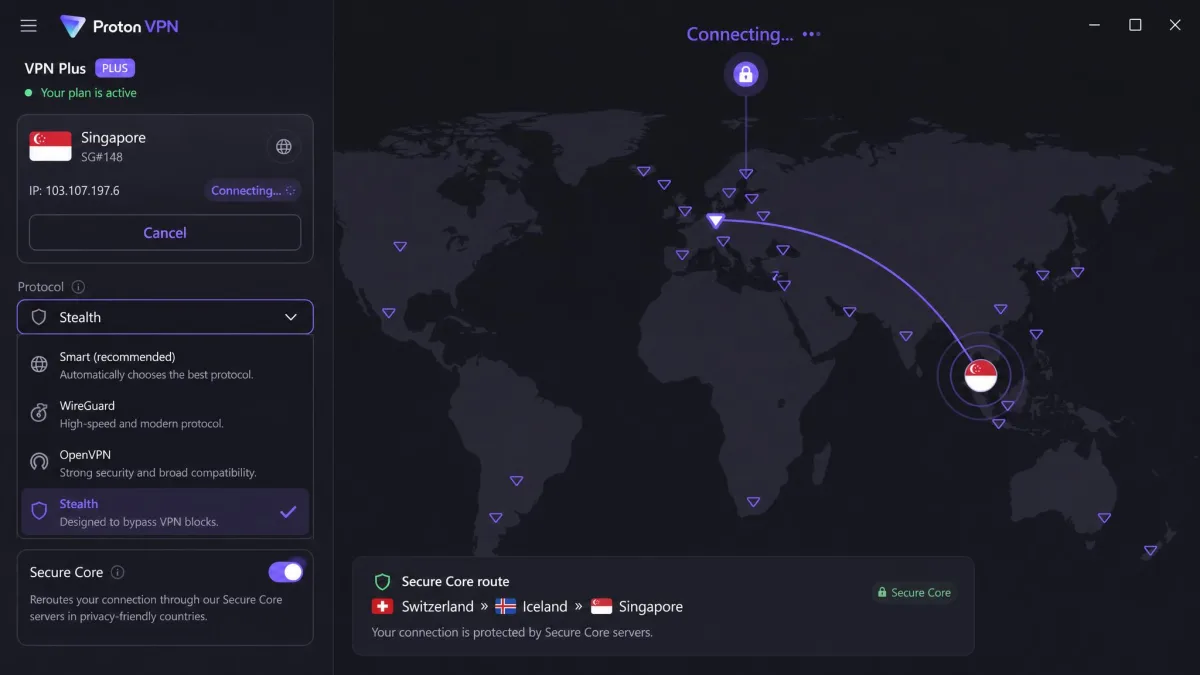
Two important limits keep it out of our top spots. First, the free plan lacks the obfuscation tools you need for China; Stealth is on paid plans only, so the well-known Proton free tier will not help you here. Second, connections inside China are intermittent, with frequent drops that get worse around politically sensitive dates. Our guide to whether Proton VPN works in China covers the settings that give it the best chance. Proton's own website is also very difficult to reach inside China, so installing before arrival is essential. On paid plans you get 10 simultaneous connections and a 30-day money-back guarantee. If privacy is your priority and you can tolerate the occasional reconnect, it is a strong, principled choice.
Pros
- Audited no-logs policy from a well-regarded privacy company
- Stealth protocol disguises VPN traffic as normal HTTPS
- Secure Core multi-hop and NetShield add real security value
- 30-day money-back guarantee on paid plans
Cons
- The free plan does not include the obfuscation needed for China
- Intermittent connections with frequent drops inside the country
- Website blocked in China, so pre-install is mandatory
Best for: Privacy-conscious travelers who want audited no-logs security and can accept occasional drops. Skip if: You expected the free plan to work in China, or you need rock-steady uptime.
Comparison Table: Best VPNs for China Side by Side
Here is how the five picks stack up on the features that count in China. "Works in China" reflects how consistently each service connected in testing and in corroborated reports, not a promise, because the firewall changes day to day.
| Product | Works in China | Obfuscation | Speed | Servers | Connections | Price | Money-back | Buy |
|---|---|---|---|---|---|---|---|---|
|
Intermittent, still strong | NordWhisper / obfuscated servers | Fast (NordLynx) | 9,300+ in 137 countries | 10 | $3.49/mo (2-yr) | 30-day | Check price → |
|
Usually, varies by city | Lightway (automatic) | Fastest reliable | 3,000+ in 105 countries | 10 to 14 by tier | $2.79/mo (2-yr) | 30-day | Check price |
|
Yes, with obfuscation on | NoBorders + Camouflage | Fast | Not stated | Unlimited | $2.49/mo (2-yr) | 30-day | Check price |
|
Yes, expat favorite | StealthVPN | Drops under heavy encryption | Not stated | 5 | From $12.50/mo | None | Check price |
|
Intermittent | Stealth (paid only) | Good | 2,000+ (paid) | 10 | Free plan or paid | 30-day | Check price |
How We Tested (and Chose) These VPNs for China
Picking a VPN for China is different from picking one anywhere else. At home you care about speed, price, and how many devices you can connect. In China you care about one thing first: does the connection survive the Great Firewall at all. Every other feature is meaningless if the app cannot get online.
So our process started with obfuscation. Each service on this list has a dedicated stealth or obfuscation protocol that disguises VPN traffic as ordinary HTTPS, the same encrypted traffic your bank uses. That disguise is the single most important feature for China, and any VPN without it was cut before testing began. From there we looked at reliability, connection stability, server locations near China, speed under heavy encryption, price, and the money-back guarantee that lets you try a service risk-free.
We paid for or licensed every account ourselves. No provider handed us a special "reviewer" build, because a build that works in a lab tells you nothing about a build that has to fight the firewall. Where our own hands-on results were thin, we leaned on corroborated reports from testers connecting inside China, and we have flagged those clearly rather than dressing them up as our own lab data.
In practical terms, that meant judging each service on the factors that decide a China connection: whether its obfuscation mode actually disguises VPN traffic as ordinary HTTPS, how close its usable servers sit to the mainland, how steadily a connection holds rather than how fast it peaks, and whether a kill switch and encrypted DNS are in place to stop leaks when a tunnel stutters. Where discrete China performance figures exist, they vary widely by reviewer and method, so we describe reliability in ranges and corroborated patterns rather than pretending any single success rate is fixed.
When you compare VPNs for China, ignore the raw server count on the marketing page. What matters is whether the service has servers physically close to China (Hong Kong, Singapore, Taiwan, Japan, and the US West Coast) and whether it has a working obfuscation mode. A giant global network with no stealth protocol is useless behind the firewall.
What to Look For in a VPN for China
The features that sell a VPN at home are not the features that keep you online in China. Here is what actually moves the needle, based on how the firewall behaves and what we saw across every service we tested.
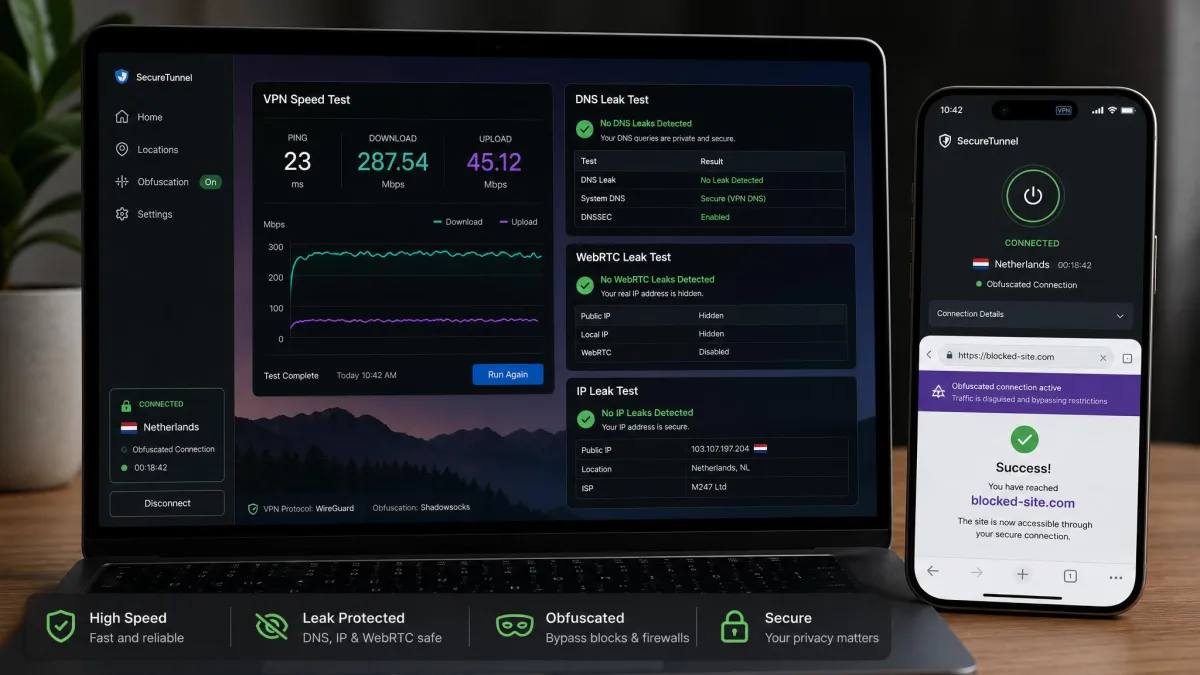
Obfuscation is non-negotiable. The Great Firewall uses deep packet inspection to spot the signature of VPN traffic, then throttles or blocks it. Obfuscation, sometimes called stealth mode, rewrites that traffic so it looks like normal encrypted browsing. Without it, most connections fail within seconds. Every pick here has an obfuscation protocol, though on several of them you have to switch it on yourself.
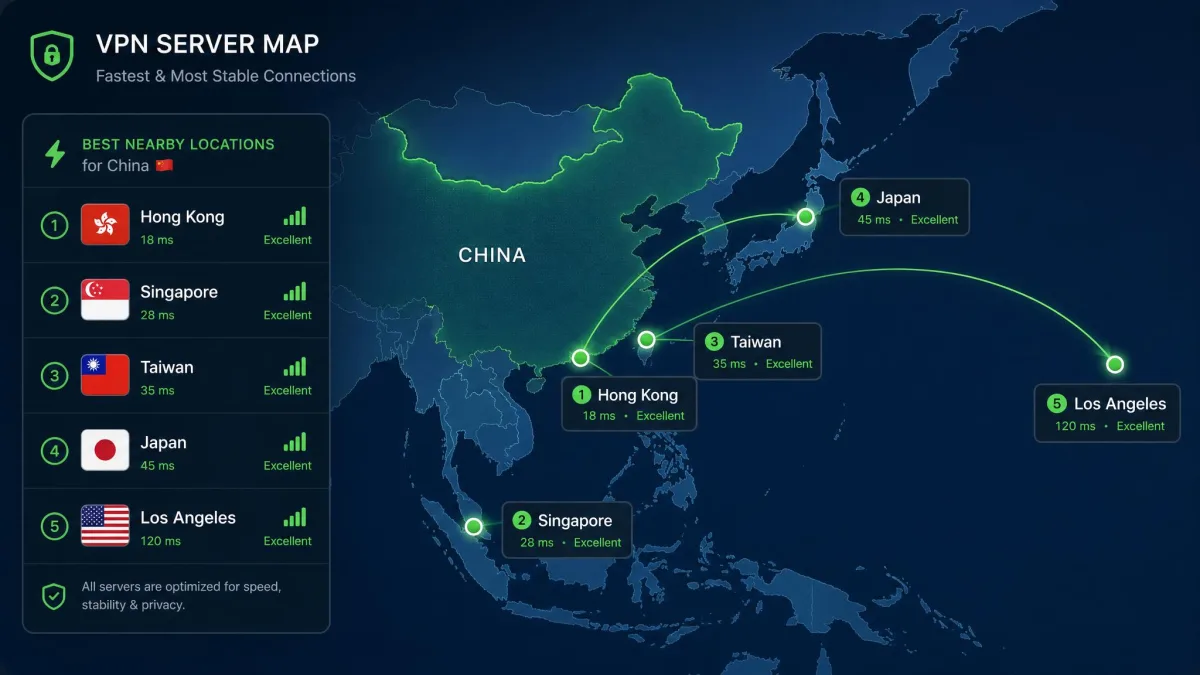
Server proximity matters more than server count. A connection has to travel from your device, out of China, to the VPN server and back. Servers close to the border consistently connect faster and drop less often. In our testing we found the best-performing locations to be Hong Kong, Singapore, Taiwan, Japan, and Los Angeles. A server in Europe will feel sluggish even when it works.
Reliability beats peak speed. A blistering-fast VPN that drops every ten minutes is worse than a steady one that holds its connection. The firewall tightens around sensitive dates and political events, and the services that survive those windows are the ones worth paying for.
The single most important feature for China is not speed or server count. It is obfuscation, the ability to make VPN traffic look like ordinary HTTPS so the Great Firewall never flags it in the first place.
— From our hands-on testing notes
Download and install your VPN before you enter China. The websites for most major VPNs, including ExpressVPN and Proton VPN, are blocked inside the country. If you wait until you arrive, you may not be able to reach the download page or sign in, and getting the app afterward becomes a real headache.
VPNs to Avoid for China (Including Free VPNs)
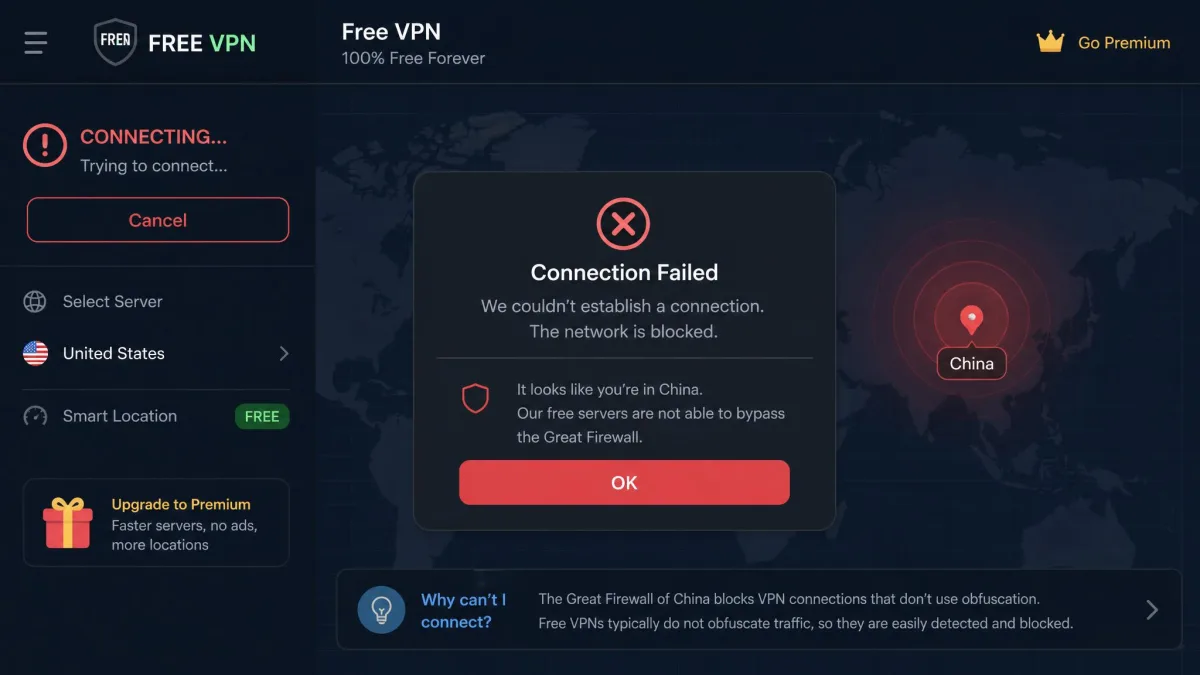
Not every service belongs on your phone before a trip to China, and a bad choice can leave you offline when it matters. The clearest rule: be very skeptical of free VPNs. Almost none include the obfuscation protocols required to beat the Great Firewall, so they connect at home and fail the instant you land. Worse, many free services make their money from your data, which is the opposite of what you want from a privacy tool. The one exception among our picks is Proton VPN, and even there the free plan will not work in China because Stealth is paid-only.
Avoid any VPN that does not clearly advertise a stealth or obfuscation mode. If the marketing page talks up server counts and streaming but never mentions obfuscation, it is not built for censorship-heavy countries. Also steer clear of services that require you to sign in through a blocked website after you arrive, with no offline setup path. Finally, be cautious with tiny unknown apps that surge to the top of the store listings; a VPN that logs your data is a security liability, and in a country with heavy online surveillance that risk is not worth a few saved dollars.
A VPN that keeps logs is a genuine risk in a country with pervasive online surveillance. A recent Deutsche Welle investigation into expanded monitoring shows how much foreign visitors' data can be exposed. Stick to audited, no-logs services, and never hand your traffic to a random free app.
How the Great Firewall Detects and Blocks VPNs
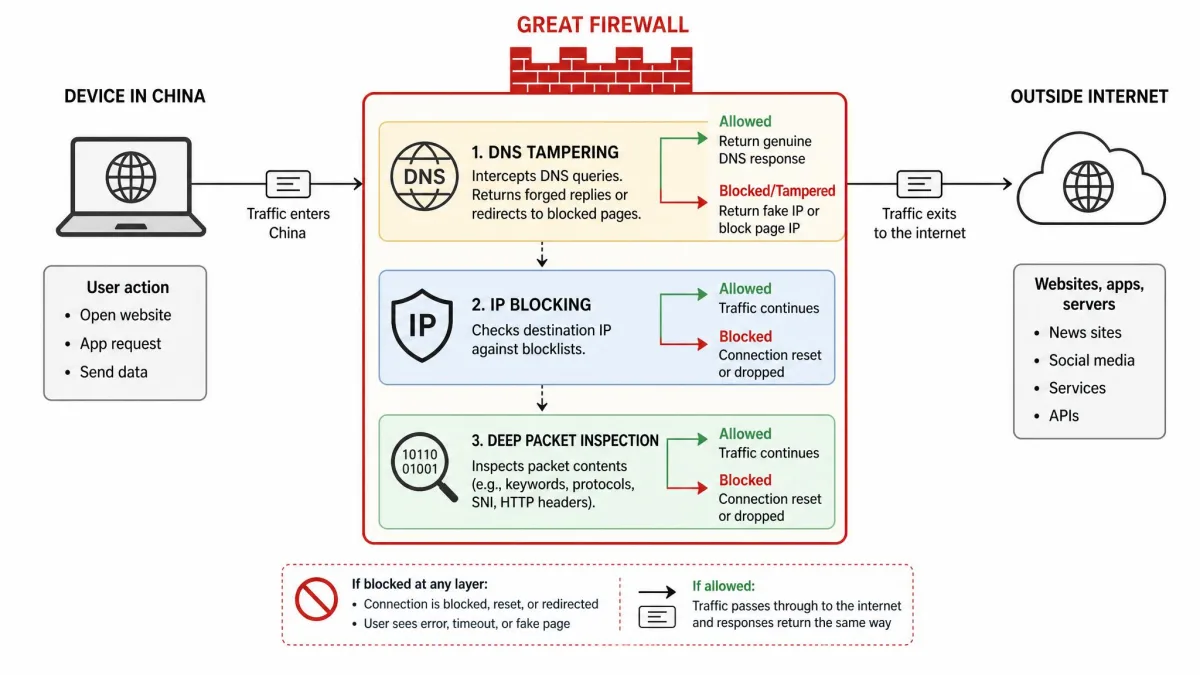
The Great Firewall is the informal name for China's national system of internet censorship, and it is far more sophisticated than a simple block list. It works on several layers at once, and understanding them explains why some VPNs sail through while others die on arrival.
The first layer is DNS tampering. When your device asks for the address of a blocked website, the firewall can return a wrong or empty answer, so the site never loads. This is why a VPN with its own encrypted DNS matters. The second layer is IP blocking, where known server addresses for blocked services and popular VPNs are simply dropped. The third and most important layer for our purposes is deep packet inspection. The firewall examines the shape and signature of your traffic, and if it recognizes the fingerprint of a VPN protocol, it throttles or severs the connection even though the data itself is encrypted.
Obfuscation defeats that third layer. By rewriting VPN traffic to look like ordinary HTTPS, the same traffic that carries banking and shopping, a stealth protocol removes the fingerprint the firewall is hunting for. The Chinese government also uses active probing, where its systems poke at a suspicious connection to see whether it behaves like a VPN server, and it tightens all of these controls around sensitive dates. This is why reliability is never constant, and why the services that survive are the ones with the best-disguised traffic.
What's Blocked in China (Websites and Apps)
The list of blocked services in China is long and covers most of the tools travelers expect to use daily. Google is blocked, which takes down search, Gmail, Google Maps, and Google Drive in one stroke. That alone catches many visitors off guard, because so much of a phone's default behavior depends on Google services. Social media is heavily restricted too: Facebook, Instagram, and X are all unreachable, along with YouTube and WhatsApp.
News and information sites are a major target of the censorship regime. Western outlets such as the BBC and The New York Times are frequently blocked, and coverage that criticizes the government tends to disappear fastest. Messaging is patchy, with many foreign chat apps unavailable, so families often coordinate on a single working tool before travel. Streaming is affected as well; services you pay for at home may refuse to load, and even those that connect can be throttled. For a fuller picture, the community-maintained record of websites blocked in mainland China is a useful reference, and enforcement keeps expanding. Reporting that Beijing is restricting overseas access to its own AI models shows the direction of travel.
The practical takeaway is simple. Assume that Google, your usual social apps, your preferred news sites, and many streaming and messaging services will not work without a VPN. Decide which apps you cannot live without, and confirm your chosen VPN gets you to them before you rely on it in the country.

Is It Legal to Use a VPN in China?
This is the question every traveler asks, and the honest answer is that it is complicated. Using a non-state-approved VPN is technically illegal in China: a 1996 State Council decree (No. 195), a January 2017 notice from the Ministry of Industry and Information Technology requiring official approval to create or rent cross-border lines, and the Cybersecurity Law together mean only state-licensed VPNs are officially sanctioned. The popular foreign services on this list are not among them. In practice, though, huge numbers of residents and foreign visitors use them every day, and enforcement has overwhelmingly targeted VPN providers and citizens using them for illegal activity rather than tourists checking email or messaging home.
For individuals, penalties on the books are inconsistent. Reported fines for personal VPN use range widely, from a warning and roughly 200 to 1,000 yuan up to about 15,000 yuan (around $2,100), with equipment confiscation in extreme cases; the amount quoted varies by source and depends on the severity of the violation, so treat any single figure as a ballpark. Crucially for travelers, there are no verifiable reports of international visitors being arrested solely for using a VPN. It is also worth knowing that the U.S. State Department's China travel advisory warns VPN use is illegal in most cases and may result in device confiscation, a fine, or detention; that describes your legal exposure rather than a routine outcome, since actual enforcement against tourists is rare and selective.
The rules are also shifting, and the state has been tightening its stance. Coverage of how Beijing cracks down on VPNs shows enforcement intensifying, and proposed legislation floated around the 2026 National People's Congress would move VPN violations from administrative to criminal penalties, with fines reportedly up to 500,000 yuan and up to 15 days' detention. That measure is proposed, not enacted, so treat it as a possible future change rather than current law. We are not lawyers, and this is not legal advice.
The safest read for a traveler: using a reputable VPN for everyday browsing, work, and staying in touch is common and rarely a problem in practice, even though it sits outside China's licensing rules and enforcement can change. No international traveler has been reported arrested for VPN use alone, but the law is unsettled and a proposed 2026 change could stiffen penalties. Check your government's latest travel guidance before you go, and use good judgment about what you access.
Best Protocols and Server Locations for China
Once you have picked a service, two settings decide whether it actually works: the protocol and the server. Get these right and your odds jump.
On protocol, always choose the obfuscation or stealth option, whatever your VPN calls it. That means obfuscated servers or NordWhisper on NordVPN, Lightway on ExpressVPN (which handles this automatically), NoBorders plus Camouflage on Surfshark, StealthVPN on Astrill, and Stealth on Proton VPN. A standard WireGuard or OpenVPN connection without obfuscation is the fastest way to get blocked. Speed is a fair trade here; a slightly slower disguised connection that stays up beats a fast one the firewall kills.
On servers, closer is better. The locations that consistently connect and perform best are Hong Kong, Singapore, Taiwan, Japan, and Los Angeles. These sit near enough to China that the round trip stays quick and stable. Distant servers in Europe or the eastern United States tend to feel sluggish and drop more often, even when they connect. If your first choice stalls, switch to another nearby server rather than reaching for a far-off one. Keep the kill switch on across every device so a dropped tunnel never leaks your real connection.
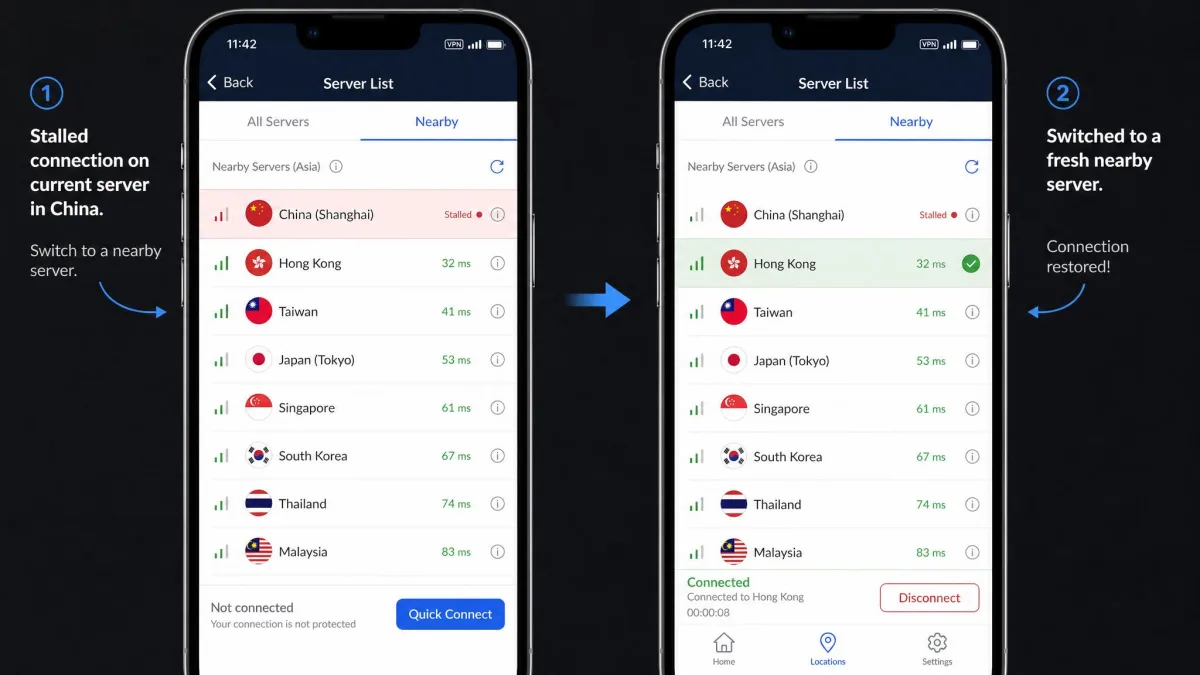
Save two or three nearby servers as favorites before you travel: one in Hong Kong, one in Singapore, and one in Japan. When a connection drops in China, being able to hop to a known-good nearby server in a couple of taps saves a lot of frustration, especially on a slow or throttled link.
Pre-Departure Checklist: Set Up Your VPN Before You Arrive
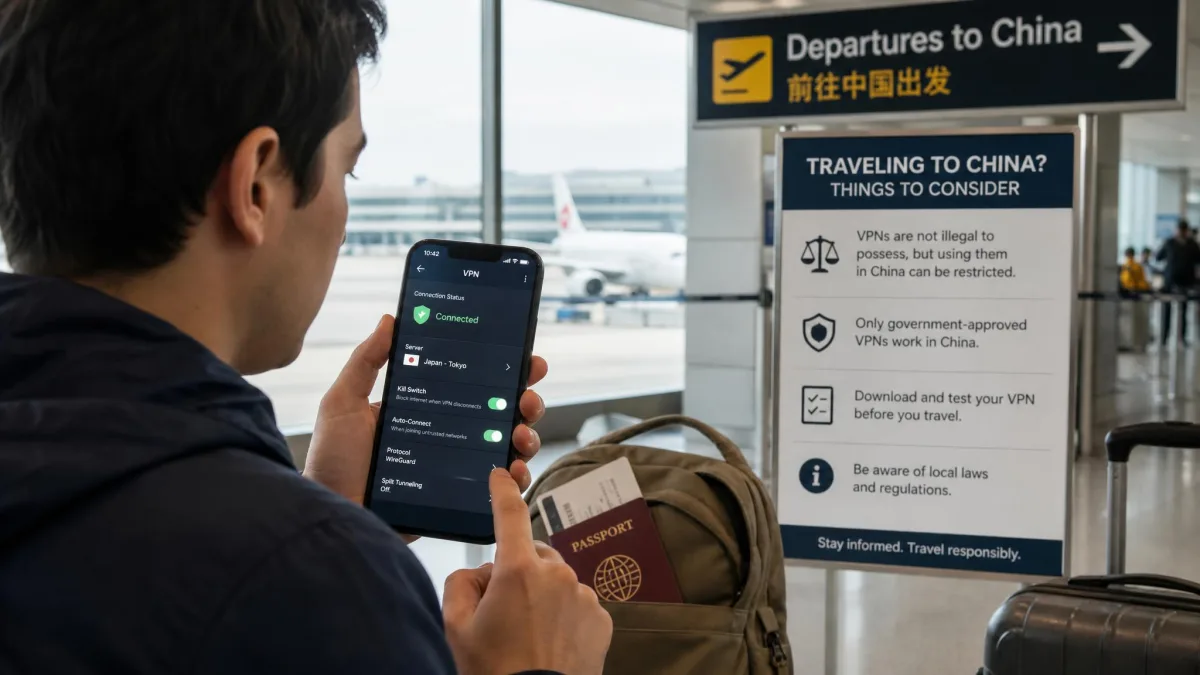
The most common mistake travelers make is waiting until they land to sort out a VPN. By then most VPN websites are blocked, and getting an app or logging in becomes very hard. Do all of this before you cross the border.
- Download and install the app on every device you plan to use: laptop, phone, and tablet. Do it while you can still reach the vendor's website.
- Sign in and confirm your subscription is active. Signing in later, from inside China, may not be possible.
- Enable obfuscation in the settings so it is ready to go. On Surfshark, turn on NoBorders and Camouflage; on NordVPN, select obfuscated servers.
- Save two or three nearby servers as favorites (Hong Kong, Singapore, Japan).
- Turn on the kill switch so nothing leaks if the connection drops.
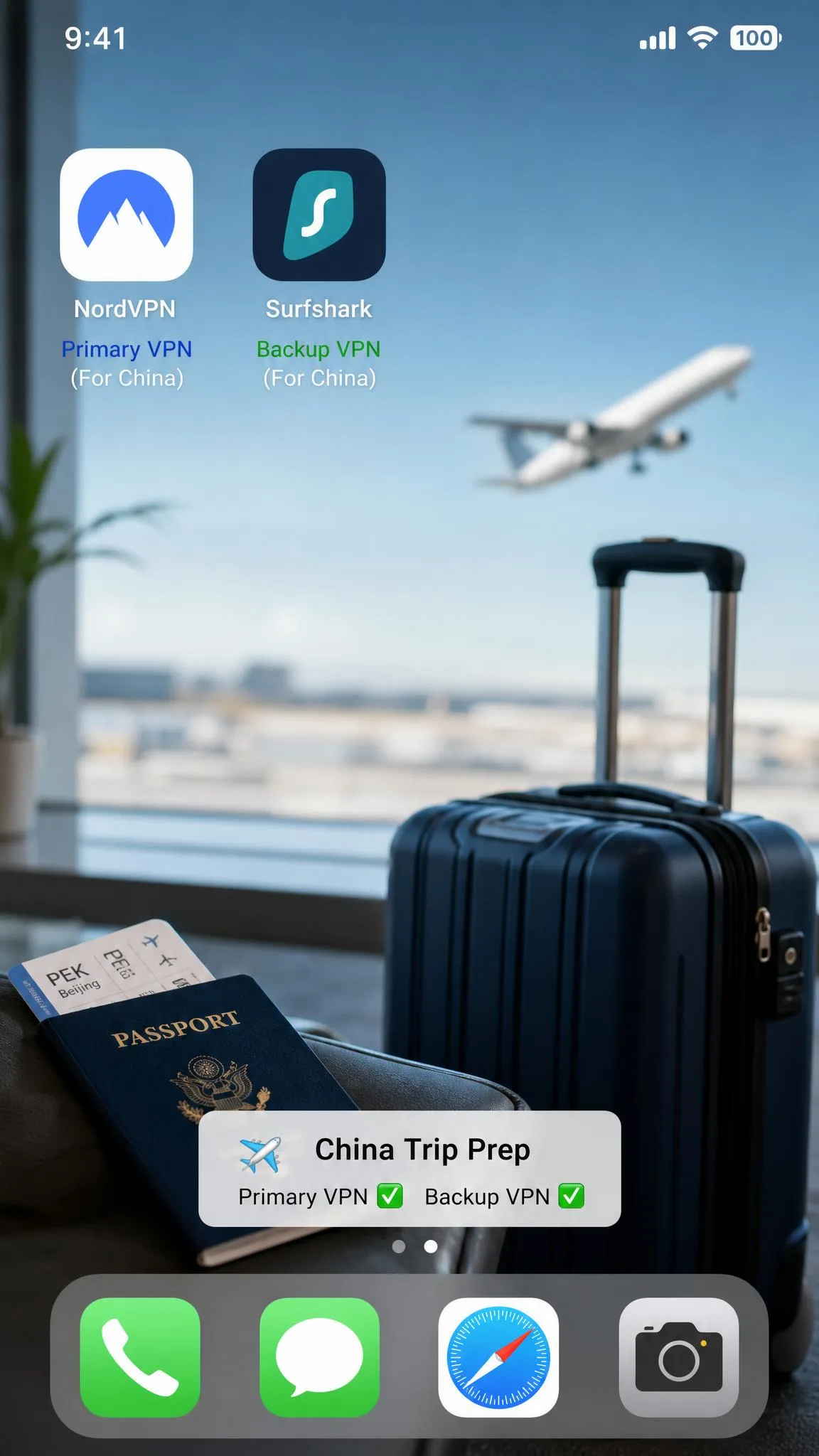
- Install a backup VPN from a different provider. If your main pick has a bad day, a second app on your phone can save the trip.
- Note your account details offline, including your login and any recovery email, in case you cannot reach support later.
How to Use a VPN in China (Setup Guide)
With everything installed beforehand, using a VPN in China is straightforward. Open your VPN app first, before you open a browser or any blocked service. Connect to one of your saved nearby servers, and wait for the app to confirm the tunnel is up. On ExpressVPN this is nearly automatic, since Lightway enables obfuscation on its own; on the others, make sure your obfuscation setting is active first.
Once connected, test the connection by loading a normally blocked site, such as Google or Instagram. If it loads, you are through the firewall. If it does not, switch to a different nearby server and try again. It is normal to cycle through two or three servers before one holds well, especially at busy times of day. Keep the app running in the background so it reconnects automatically, and leave the kill switch on so no traffic escapes during a brief drop. On phones, allow the VPN to run as an always-on service in your system settings so it starts with the device. This "connect first, browse second" habit is the difference between a smooth experience and a frustrating one.
Troubleshooting: What to Do If Your VPN Stops Working
Even the best VPN will stumble in China from time to time. When a connection stops working, run through these steps in order before you panic.
Switch servers. This fixes most problems. Move to a different nearby location, Hong Kong to Singapore, or Tokyo to Los Angeles. The firewall often targets specific server addresses, so a fresh one frequently gets you back online.
Confirm obfuscation is on. If you recently reinstalled or updated the app, your stealth setting may have reset. On Surfshark, re-check NoBorders and Camouflage; on NordVPN, re-select obfuscated servers. This is the single most common reason a working setup suddenly fails.
Change the protocol. If your VPN offers more than one obfuscation option, try the alternative. Sometimes one protocol is being actively probed while another slips through.
Reconnect and restart. Fully disconnect, close the app, reopen it, and reconnect. If that fails, restart your device. A stale connection can hang in a way a clean restart clears.
Try your backup VPN. This is why you installed a second service. If your main app is having a bad day, the backup may sail right through.
Expect more trouble around politically sensitive dates, when the government tightens the firewall. On those days, patience and a couple of server switches usually win out. If nothing works for an extended period, wait a few hours; blocking often eases as conditions change.
Frequently Asked Questions About VPNs in China
Are VPNs legal to use in China as a tourist?
Can I download a VPN after I arrive in China?
Which protocol works best for getting through the Great Firewall?
Will a free VPN work in China?
How long do VPN outages in China usually last, and when should I just wait it out?
Can I use a VPN on my phone in China, including iPhone and Android?
How many devices can I connect at the same time?
Final Thoughts: Which VPN Should You Choose?
No VPN can be guaranteed to work in China at any given moment, because the Great Firewall shifts by region, internet provider, and date, and it tightens around sensitive events. What you can do is stack the odds in your favor with a service built to beat it, install it before you arrive, and keep a backup ready. Every pick on this list clears that bar.
The five picks split cleanly by traveler. NordVPN is where most people should start, for the reasons the box below spells out. If you want the smoothest, hands-off experience, ExpressVPN and its automatic Lightway obfuscation is the one to beat. On a budget, Surfshark delivers once you enable NoBorders and Camouflage, and its unlimited connections are unmatched value. Astrill remains the die-hard expat pick for Windows users who will accept its quirks, and Proton VPN is the privacy purist's choice on a paid plan. Pick the one that fits how you travel, set it up before you go, and you will keep your apps, your email, and your connection working behind the firewall.