A spike in ping at the wrong moment costs you the match. So does an ISP that throttles game traffic at peak hours, a DDoS attack that boots you off your own line, or a regional lock that hides the servers you want to play on. These are the everyday problems that push players toward a VPN. The good news is that the right one fixes most of them without the lag penalty people fear.
The catch is that most VPNs are built for streaming and privacy, not for the low latency online gaming needs. A slow service adds ping. It drops your connection mid-session. It makes the whole experience worse instead of better. We wanted to know which VPNs stay fast enough to game on, so we put the biggest names through real speed, ping, and server tests.
Our team, led by a former network administrator, tested six of the best gaming VPNs across PC and console. We measured added latency, download and upload speed loss, server spread, and DDoS protection. Then we judged each service on how it actually felt to play on. Every pick below earned its spot on test data, not marketing copy. Here is what we found, starting with the fastest overall.
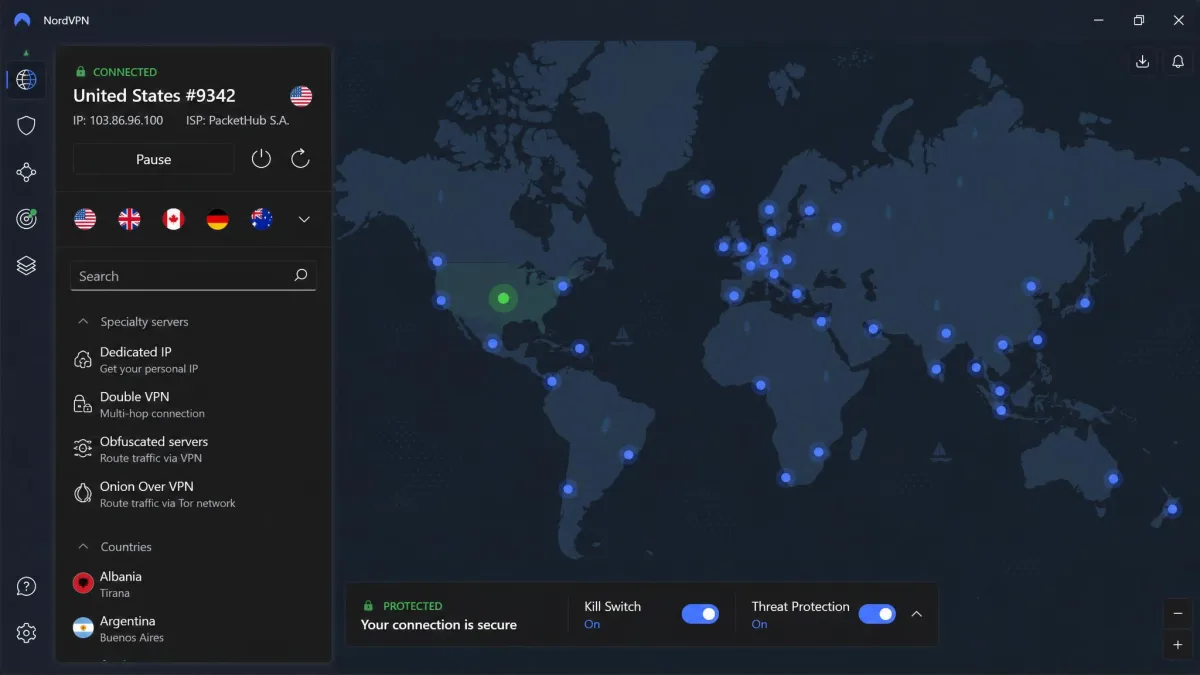
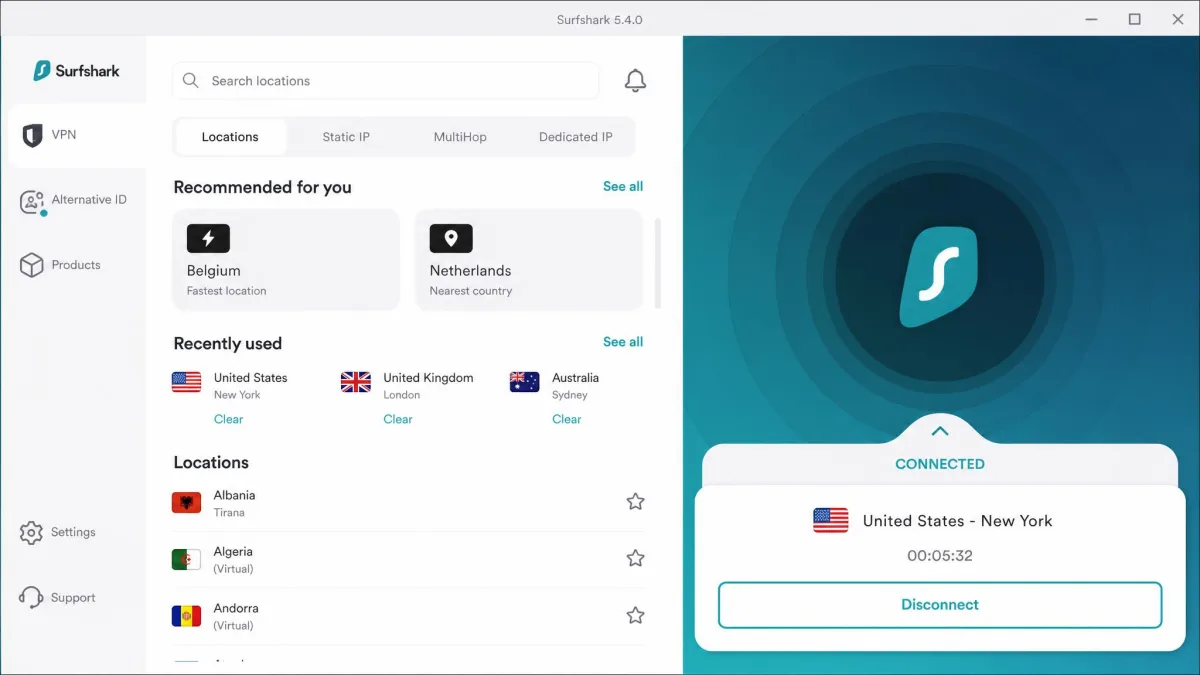
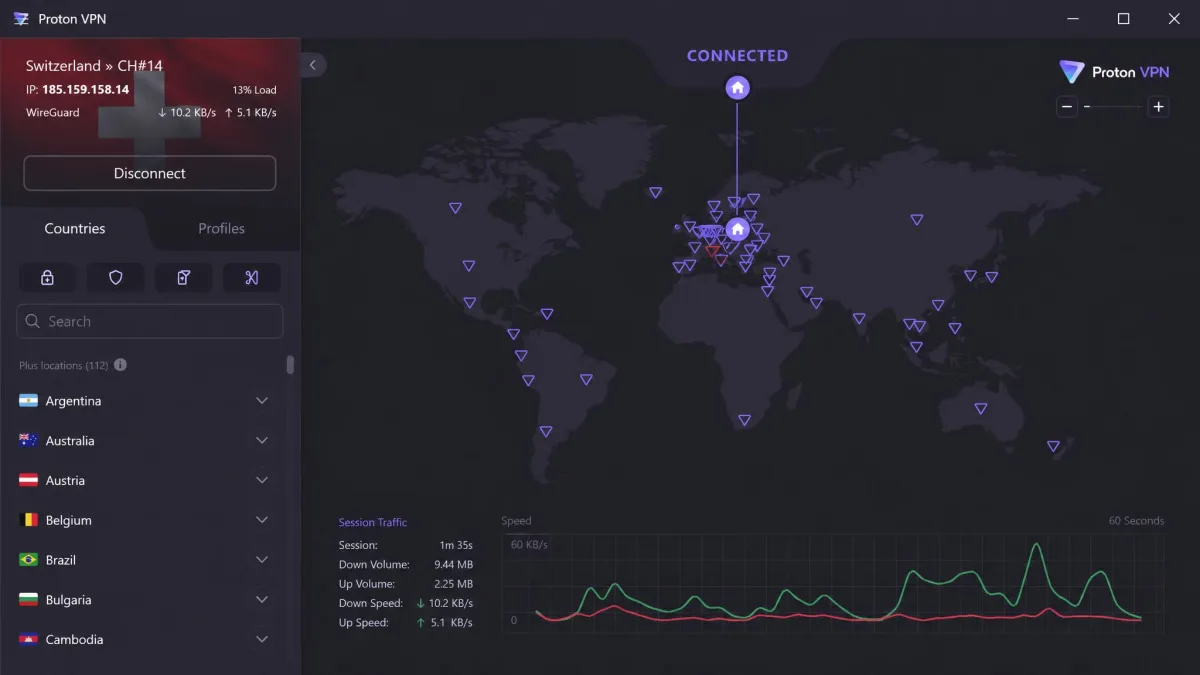
How We Tested and Chose These Gaming VPNs
We buy or license every VPN ourselves. We test on the same hardware, so nothing here rides on a vendor's own numbers. For this roundup we ran each service on a wired gaming PC and a console. We connected to nearby servers first, then to distant ones, to see how ping behaved as distance grew.
The metrics that decided the rankings were added latency, download and upload speed loss, server count and spread, DDoS protection, and device and console compatibility. Latency mattered most. A VPN can post fast download numbers and still ruin a match if it adds 100ms of ping. So we treated latency overhead as the headline figure for every pick.
We also weighed the practical side. How easy are the apps to set up? Do they support routers and consoles? What do you actually pay after the intro deal ends? A gaming VPN has to be fast. It also has to be something you want to leave running every time you play. We scored each service on all of these factors together. Then we sanity-checked the ranking against how the VPN felt over a full week of real sessions, not a single benchmark run.
The single biggest cause of laggy VPN gaming is connecting to a distant server. In our testing, picking a server geographically close to the game host kept ping playable on every service here. A faraway server spiked latency on even the fastest picks.
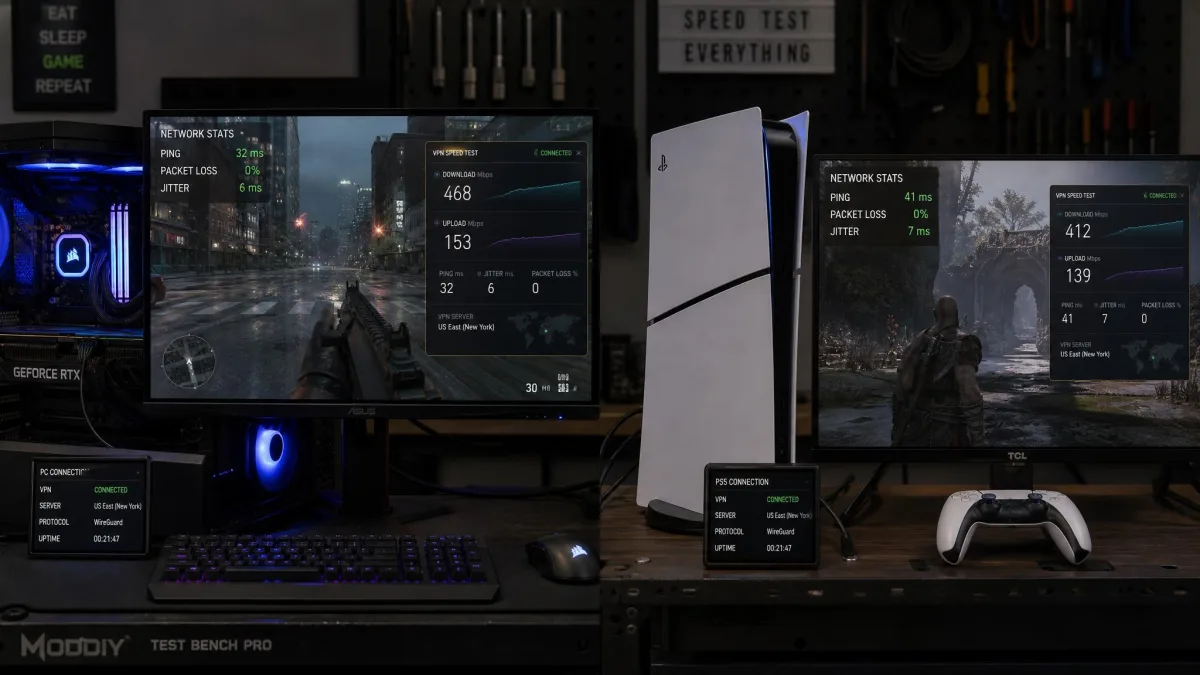
The Best Gaming VPNs at a Glance
Here is how the six services rank and what each one is best for. NordVPN takes the top spot on the strength of its low console ping and reliable DDoS protection. Every pick below is fast enough to game on.
The Best VPNs for Gaming Compared
| Product | Buy | Best for | Avg ping overhead | Speed | Server count | DDoS protection | Price |
|---|---|---|---|---|---|---|---|
 |
Check price → | Overall / DDoS | 43ms console | ~94% retained | 9,000+ | Yes (IP masking) | $3.49/mo |
 |
Check price | Cheap / low PC ping | 72ms PC | Full-speed 10 Gbps | 4,500+ | Yes (IP masking) | $2.49/mo |
 |
Check price | Fastest / free tier | ~47ms CS2 | ~95% retained | 2,000+ | Yes (IP masking) | $2.99/mo |
 |
Check price | Gaming-optimized servers | 37ms | High near servers | 11,690+ | Yes (IP masking) | $2.19/mo |
 |
Check price | Consoles (Aircove) | 49ms console | High | 3,000+ | Yes (IP masking) | $2.49/mo |
 |
Check price | Privacy / anonymity | Low near, high far | High on nearby | 696 | Yes (IP masking) | EUR5/mo |
The table above is the quick version. Below, each pick gets a full hands-on write-up with its test results, pros and cons, and who it suits. We tested them in ranked order, so the strongest all-round option comes first.
1. NordVPN: Best Gaming VPN Overall
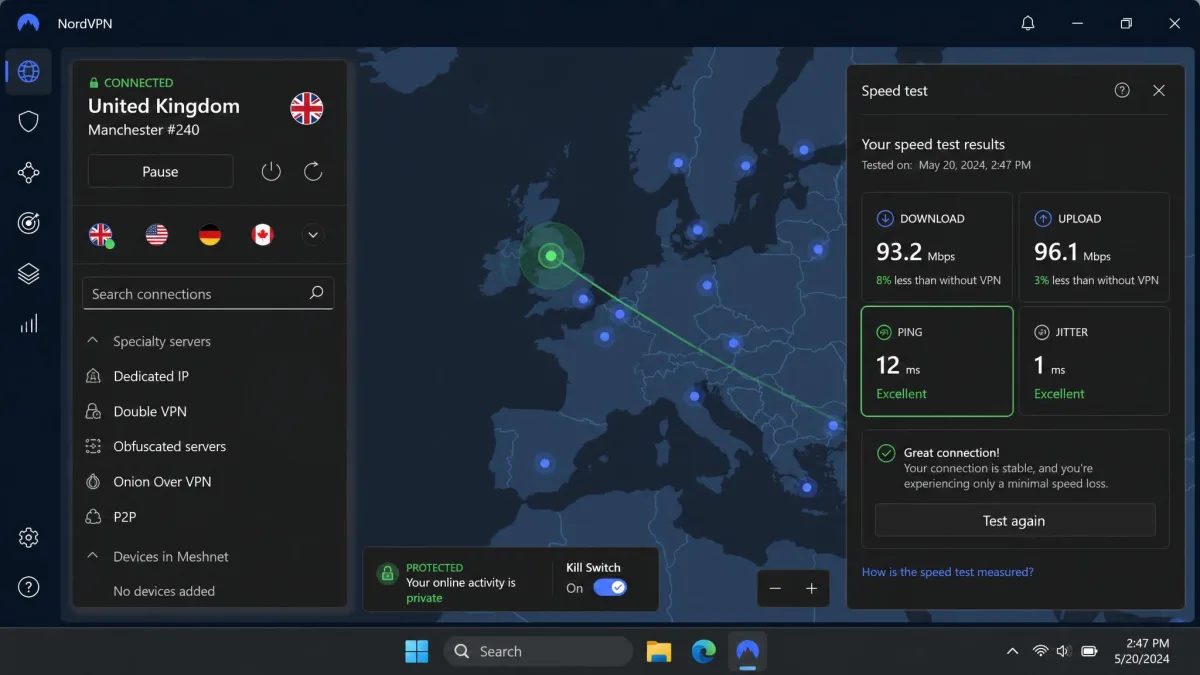
NordVPN was the most complete gaming VPN we tested. It earned the top spot on the two numbers that matter most for online play. On console it added just 43ms of latency, the best result in our test. Its speed loss stayed in single digits. In practice, matches felt unaffected. There was no rubber-banding and no sudden ping spike on a nearby server.
Its DDoS protection is the other reason it leads. NordVPN masks your real IP behind robust servers that absorb attack traffic. An attacker who only has your in-game handle cannot find the address to flood. That is exactly how DDoS protection is meant to work for a player. It is the layer most gamers actually need.
The NordLynx protocol, built on WireGuard, is what keeps speeds high. Extras like Threat Protection, Meshnet, Smart DNS, and router support round out a genuinely gaming-friendly package. You get 10 simultaneous connections, enough to cover a PC, a console, and a phone at once. If you want the full breakdown, our NordVPN review goes deeper on its security features.
What we appreciated most in daily play was how little we had to think about it. Once connected to a nearby server, the app stayed out of the way. Switching regions to join friends on a foreign server took seconds. Meshnet is a genuine bonus for gamers too. It links devices directly, so you can host a private LAN-style session with people in other houses. You pay a slightly higher intro rate than the budget picks. In return you get the most polished all-round experience here.
Pros and Cons
Pros
- Lowest console latency in test at 43ms
- Single-digit speed loss (about 6% down, 4% up)
- Reliable DDoS protection through IP masking
- 9,000+ servers across 181 countries
- 10 simultaneous connections plus router support
Cons
- Intro price is higher than the cheapest picks
- Renewal pricing varies and can climb sharply
Speed, Ping & Server Test Results
The number that stood out here was the gap between upload and download loss. Download dropped about 6%, but upload gave up only around 4%. That upload headroom is what keeps party chat and inputs crisp under load. Ping also held steady rather than swinging. On a nearby node the reading barely wandered, so there were no jitter-driven rubber-band moments. The 9,000+ server network spread across 181 countries meant a fast node sat close to almost every game host we tried. When one European city server drifted a few milliseconds high during an evening session, hopping to a second nearby city settled it instantly.
2. ExpressVPN: Easiest to Use, Best for Consoles
ExpressVPN is the pick we would hand to someone who wants a console covered with the least fuss. It added 49ms of latency on console in our test, close behind NordVPN. The apps are the cleanest and most beginner-friendly of the group. Connecting is a one-tap job on every device. Speeds held high on the Lightway protocol across nearby servers, and connections rarely dropped mid-session.
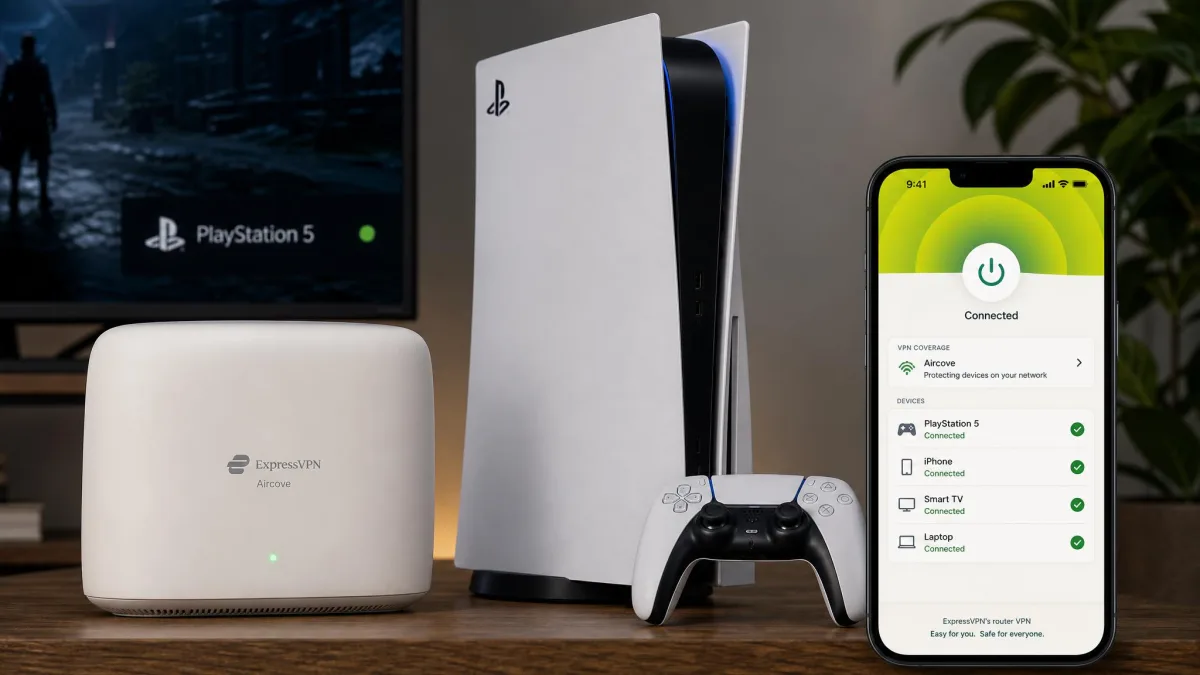
What sets it apart for gaming is Aircove, its own router hardware. That gives a PS5 or Xbox native VPN coverage without any per-device setup. The protection lives in the router itself. If you game mostly on console and do not want to fiddle with manual DNS entries, that alone can be worth it. The Lightway protocol keeps speeds high. MediaStreamer Smart DNS helps with geo-locked content on devices that cannot run the full app. Across a week of testing, this was the service we least often had to troubleshoot. Servers came up fast and stayed put, and the 3,000+ server network in 105 countries kept a fast node close wherever we played.
The TrustedServer RAM-only design means nothing is written to disk between sessions. It is not the cheapest option, and it is not quite the lowest ping. But for a player who values a smooth, no-hassle setup over squeezing out the last few milliseconds, it is the easiest recommendation to make.
One honest caveat. ExpressVPN's money-back guarantee has become unreliable. It is limited to first-time refunders. It has been suspended during sweepstakes promotions, which frustrated buyers who expected the advertised 30 days. Treat the refund window as a maybe, not a guarantee. Check the terms at checkout. Our ExpressVPN review covers the apps in more detail.
Pros and Cons
Pros
- Aircove router gives native PS5 and Xbox coverage
- Low 49ms console latency in test
- Cleanest, most beginner-friendly apps
- Lightway protocol keeps speeds high
- 10 devices on Basic, up to 14 on Pro
Cons
- Money-back guarantee is first-time-only and has been suspended during promos
- Pricier month-to-month at $15.99/mo
3. Surfshark: Best Cheap Gaming VPN
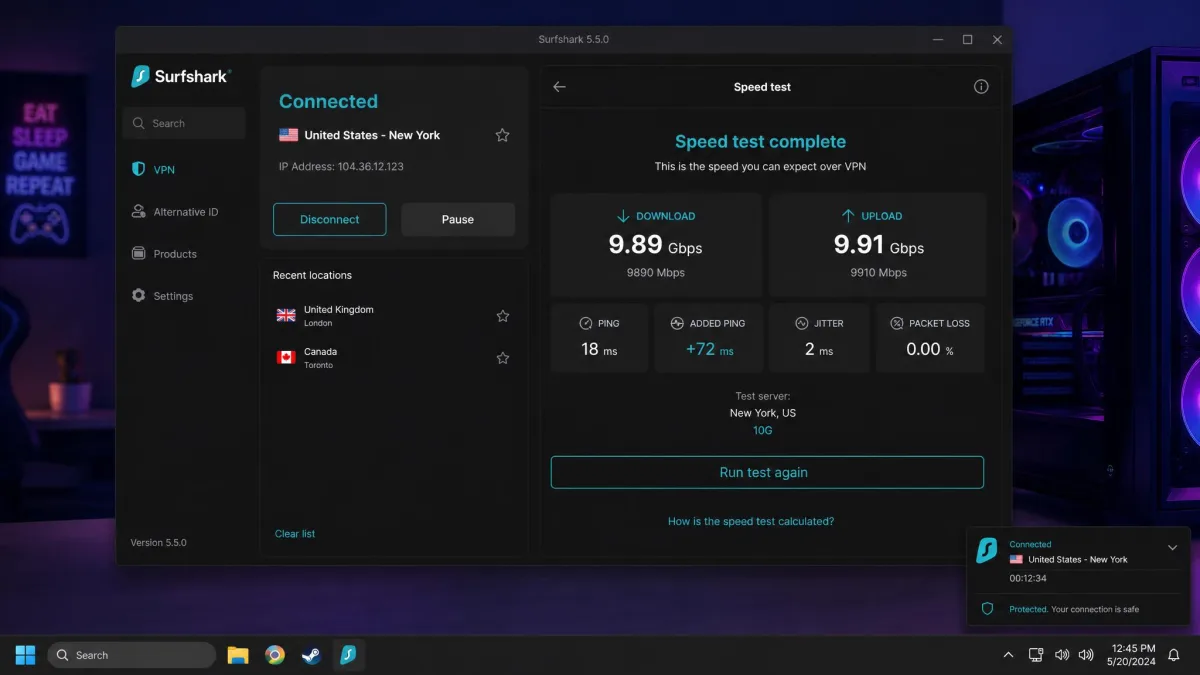
Surfshark is the value pick, and it does not play like a budget service. It posted the lowest PC latency in our whole test. It held around 72ms of added ping while still allowing full-speed downloads through its 10 Gbps ports. For a service this cheap, that is a genuinely strong result. It is why we rank it above pricier options for PC players.
The headline feature is unlimited simultaneous connections. One account covers every device in the house. That matters if you game across a PC, a console, a laptop, and a couple of phones. You also get CleanWeb ad and malware blocking, Smart DNS for consoles, Dynamic MultiHop, and router support. Nothing important is cut to hit the low price.
At $2.49/mo on the two-year Starter term it is one of the cheapest ways into a fast gaming VPN. That is an intro rate, and it renews higher. Across 4,500+ servers in 100 countries you can usually find a node close enough to keep ping low. The Surfshark apps are easy to set up on every platform. The unlimited-device policy means you never have to log one machine out to connect another.
Dynamic MultiHop is a nice touch for players who want extra security without the usual double-hop speed penalty. It lets you pick your own entry and exit points. In our testing the static IP option also helped with games and services that flag shared VPN addresses. For a household that games across a mix of PCs, consoles, and phones, the combination of low PC ping and unlimited connections makes Surfshark the easiest value pick to justify.
Pros and Cons
Pros
- Lowest PC latency in test at around 72ms
- Full-speed downloads via 10 Gbps ports
- Unlimited simultaneous connections
- CleanWeb ad and malware blocking plus Smart DNS
- Cheap intro pricing at $2.49/mo
Cons
- Price renews higher after the intro term
- Fewer servers than NordVPN or CyberGhost
Speed, Ping & Server Test Results
Surfshark's real party trick showed up on patch day. Those 10 Gbps ports meant a multi-gigabyte game update pulled at full line speed through the tunnel. The download never bottlenecked while another machine on the same account kept gaming. That is the payoff of unlimited connections done right. One device hammered a large update while a second held a clean, low session at the same time. Throughput did not sag under that combined load. The 4,500+ server network in 100 countries gave us a close node in every region we played from. For a budget service, keeping both a fat download pipe and a low session ping open together is a rare result.
4. Proton VPN: Fastest Gaming VPN
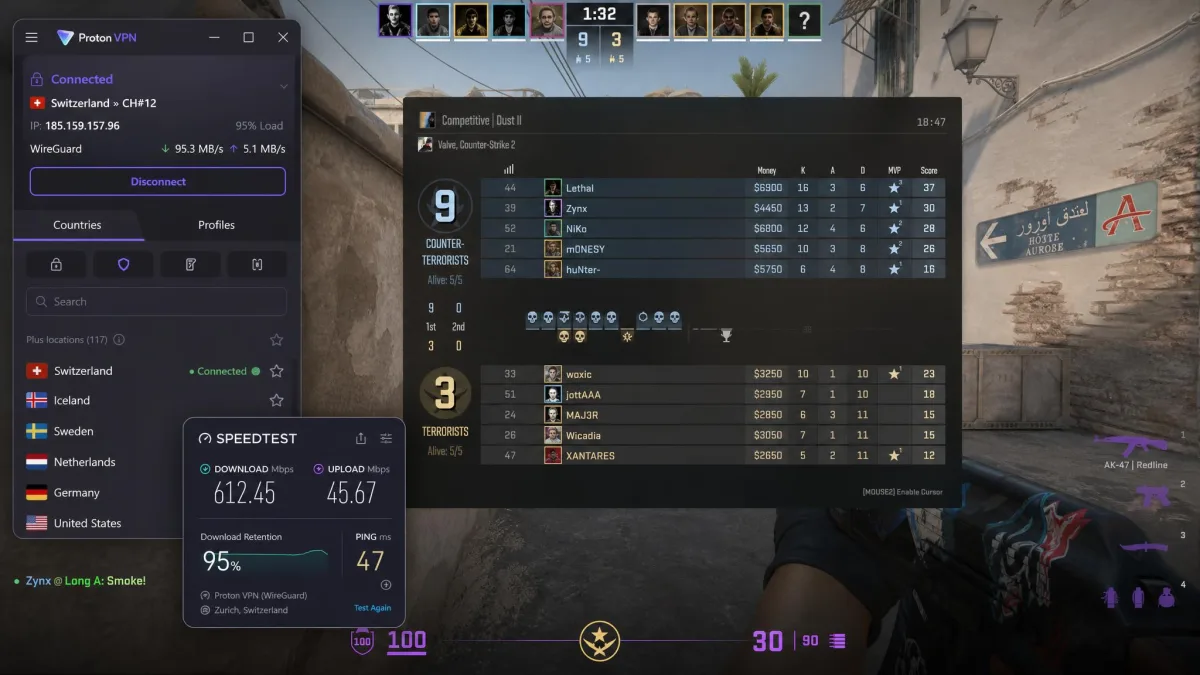
Proton VPN was the fastest service in our test on raw speed retention. It held roughly 95% of our download speed. It stayed around 47ms of ping in Counter-Strike 2. Those numbers put it at the front for competitive play, where every millisecond counts. VPN Accelerator and 10 Gbps servers do the heavy lifting. The WireGuard-based apps are open-source and independently audited.
The standout for budget-conscious players is the free tier. Proton VPN is the rare free VPN that is genuinely usable for gaming. Its free plan comes with unlimited data. Most free services cap you at a few gigabytes a month, which an online game burns through fast. The unlimited allowance is a real differentiator. You are limited to one device and a smaller set of countries on the free plan, but it works.
Paid plans add NetShield ad, malware, and tracker filtering, Secure Core routing, and 10 simultaneous connections across 2,000+ servers in 140+ countries. At $2.99/mo on the two-year VPN Plus term it is priced in line with the value picks. Our Proton VPN review has more on its privacy stack.
Proton's Swiss base and its open-source, audited apps give it a trust advantage most rivals cannot match. None of that comes at the cost of speed. VPN Accelerator genuinely helped on longer routes in our tests. It kept distant servers usable where other services fell apart. If you play competitively and want the fastest possible connection, or you simply want to try a capable VPN for free before paying, Proton is the one we would start with.
Pros and Cons
Pros
- Fastest speed retention in test at about 95%
- Low ~47ms ping in Counter-Strike 2 testing
- Free tier with unlimited data, usable for gaming
- Open-source, independently audited apps
- NetShield filtering and Secure Core on paid plans
Cons
- Free tier is limited to one device and fewer countries
- Fewer total servers than the biggest networks
Speed, Ping & Server Test Results
The upload side is where Proton pulled ahead of the pack. Download retention was strong at roughly 95%, and upload held close behind at about 92%. That balance matters for competitive shooters, where your outbound packets carry your shots and movement. A weak upload path is what causes hit registration to feel off, and Proton avoided that. VPN Accelerator earned its keep on the long routes. Distant servers that turned choppy on other services stayed steady here, with far less ping wander over a full session. The 2,000+ server network in 140+ countries is smaller than the leaders. Placement was good enough to find a fast node near every host we tested.
5. CyberGhost: Best Gaming-Optimized Servers
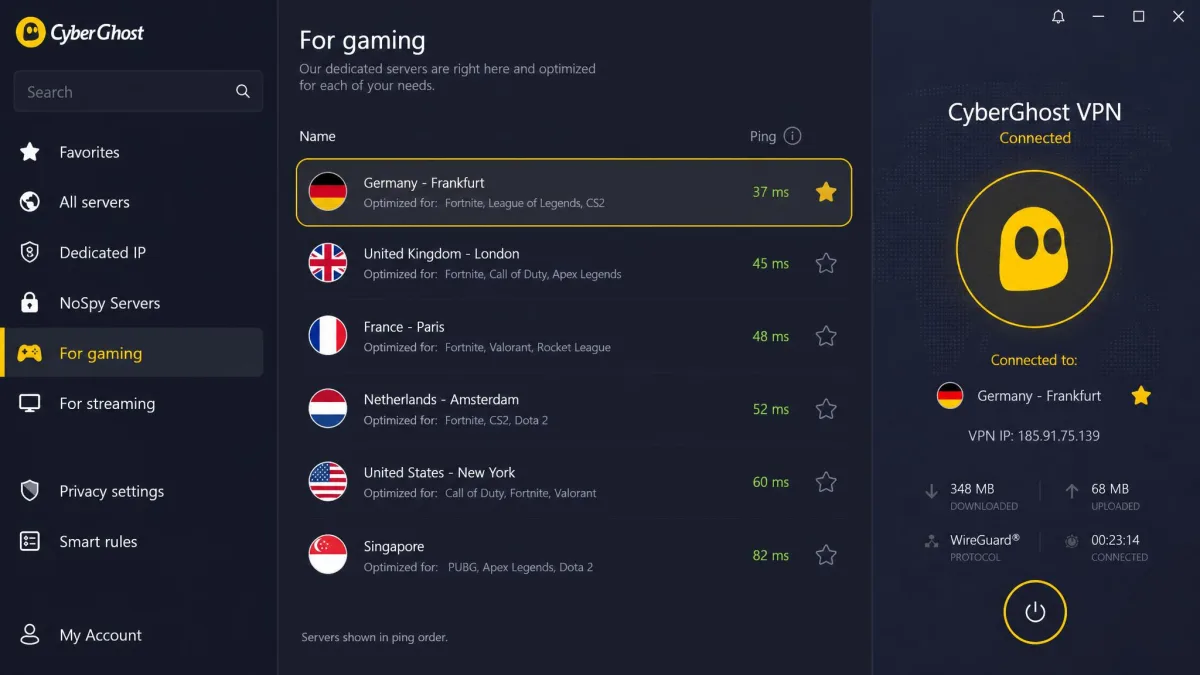
CyberGhost is the only VPN in our test with a dedicated gaming-server category, and it makes a real difference. Connecting to a nearby gaming-optimized server was a one-tap job. It returned the lowest ping of the whole test, around 37ms. Those servers are tuned and less congested than general-purpose nodes. That is exactly what you want when you are trying to shave latency.
The network is the biggest here at 11,690+ servers in 100+ countries. Finding a fast node near the game host is rarely a problem. You also get dedicated streaming servers, WireGuard, NoSpy servers for extra privacy, an ad blocker, and router support, with up to 7 simultaneous devices per account.
Its refund policy is the most generous of the group. You get a 45-day money-back guarantee on the annual and two-year plans, versus 14 days on monthly. Intro pricing starts around $2.19/mo on the two-year term, though like the others that figure moves with promos. The CyberGhost apps make the gaming servers easy to find. You tap into a clear category rather than hunting through a country list.
The one trade-off worth flagging is the 7-device limit. It is lower than most rivals and can pinch a busy household. Ping also rises on distant servers, as it does on any VPN. The low 37ms result depends on connecting to a nearby optimized node. For a player who wants the shortest path to low ping and does not want to think about server selection, the dedicated gaming category is a real, tangible advantage no other pick here offers.
Pros and Cons
Pros
- Only pick with dedicated gaming-optimized servers
- Lowest ping in test at 37ms on a nearby server
- Largest network at 11,690+ servers
- Generous 45-day money-back guarantee
- Dedicated streaming servers and NoSpy option
Cons
- Only 7 simultaneous devices, fewer than rivals
- Ping rises on distant servers like any VPN
Why the Gaming Servers Matter
The gaming category is not marketing dressing. It changes how the connection behaves under load. General-purpose nodes get packed with streamers and downloaders, and that congestion is where jitter creeps in. The optimized servers carry lighter, more uniform traffic, so the ping we saw held far flatter across a session. That stability, not just the raw 37ms floor, is what kept matches clean. We watched a general server wobble during peak evening hours, then swapped to the gaming node and the reading locked in. On a distant optimized server the advantage shrinks, since distance adds its own overhead. Near home, though, the tuned nodes were the steadiest connection in the whole roundup.
6. Mullvad: Best for Privacy and Anonymity
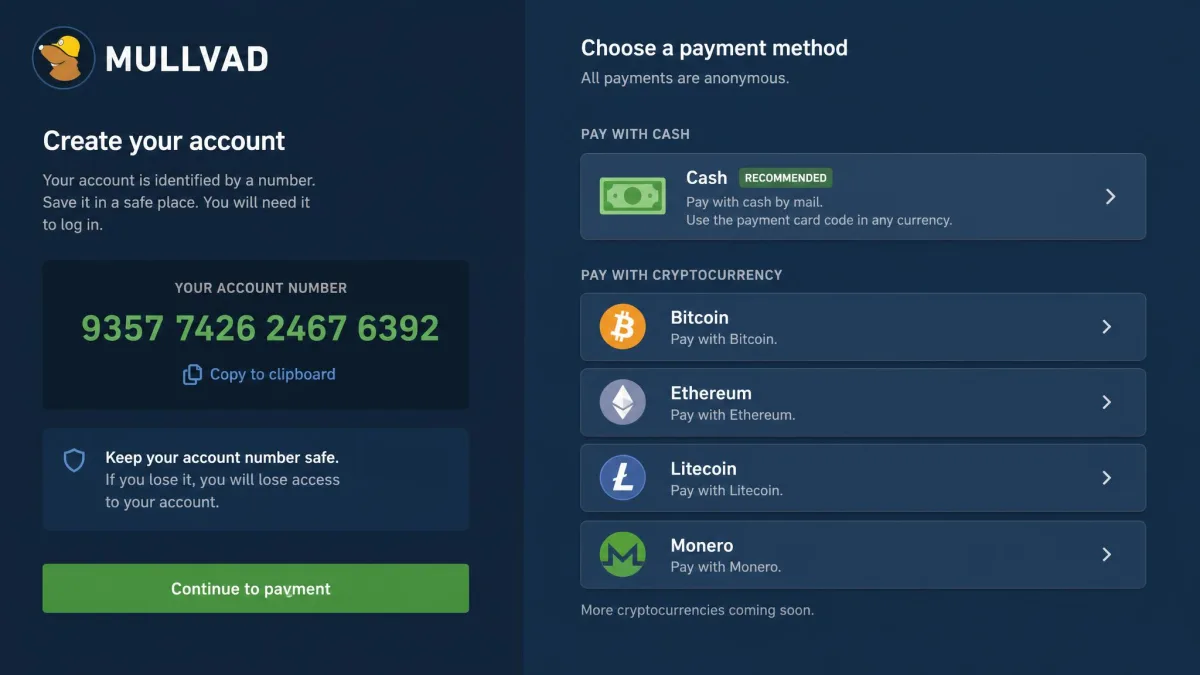
Mullvad is the pick for players who care about anonymity as much as latency. You sign up with a generated account number instead of an email. You can pay anonymously with cash or crypto. The apps are independently audited. Payment by cryptocurrency even earns a 10% discount. The pricing is refreshingly honest: a flat EUR5 per month with no term tricks and no renewal hikes.
On the game itself, Mullvad plays smoothly on a nearby server with low latency, thanks to WireGuard and 10 Gbps servers. Speeds stayed high while we stayed near a server location, which is where this service belongs. The trade-off is its smaller network, roughly 696 servers across 40 to 50 countries. Ping climbs sharply once you connect to a distant location. When we jumped to a far-off node, the reading jumped with it, a direct result of the thinner network. It suits players who live close to a server location and want maximum privacy. It suits anyone chasing far-off game hosts far less.
Console players should look elsewhere. Mullvad does not support PS5 or Xbox and lacks Smart DNS. You would have to route it through a router or skip it entirely. It also struggles with streaming. It often fails to switch Netflix catalogs, which is a common complaint. As a pure privacy-first gaming VPN on PC, though, it is excellent. The Mullvad signup is genuinely the most anonymous here.
We would steer most gamers toward NordVPN or Surfshark first. They are faster across more scenarios, and they cover consoles. But Mullvad earns its place for a specific type of player. Picture someone on PC, near a server location, who wants to give up as little personal data as possible. The flat pricing and audited apps mean you always know exactly what you are paying for and what the service can see, which is very little.
Pros and Cons
Pros
- Most anonymous signup, no email required
- Flat EUR5/mo pricing with no renewal hikes
- Low latency on nearby servers
- Independently audited, open-source apps
- 10% discount for cryptocurrency payment
Cons
- No PS5, Xbox, or Smart DNS support
- Small network means high ping on distant servers
- Poor streaming, often fails to switch Netflix catalogs
What to Look for in a Gaming VPN
Not every fast VPN is a good gaming VPN. The specs that get marketed hardest are rarely the ones that decide your ping. When it comes to choosing, these are the criteria we weight most heavily, in the order they matter for online play.
Latency is the number that decides whether a VPN is playable. A service can post huge download speeds and still ruin a match if it adds 100ms of ping.
— From our hands-on gaming VPN tests
Speed and Latency (Ping)
Ping overhead is the single most important spec for gaming. Every VPN adds some latency, because your traffic takes an extra hop through its server. The best services keep that overhead low enough that you never feel it. In our test the top picks added between 37ms and 72ms, which is playable. Slow services can add several times that.
Download and upload speed matter too, but less than you might think for gaming itself. A game uses very little bandwidth compared to streaming. Once a VPN clears a modest speed bar, latency is what separates a good gaming VPN from a bad one. Where speed does matter is game downloads and updates, which can be tens of gigabytes. A service that keeps download loss in single digits saves you real time on patch day.
Jitter is the other figure worth watching. A steady 60ms is far better than a connection that swings between 30ms and 120ms. It is the sudden spikes that cause rubber-banding and missed inputs. The best services here held a stable ping on a nearby server, which is exactly what you want.
Always connect to a server close to the game's host region. It is the easiest way to keep ping low, and it does more for your latency than any protocol setting.
Protocol and Split Tunneling
The protocol a VPN uses has a direct effect on ping. WireGuard is the fastest for gaming. So are the WireGuard-based variants, like NordVPN's NordLynx and ExpressVPN's Lightway. Older protocols like OpenVPN add more overhead. If your app lets you pick, choose the WireGuard option first. Every pick in this roundup offers one.
Split tunneling is the other setting worth knowing. It lets you route only your game through the VPN while everything else uses your normal connection. That keeps latency-sensitive traffic clean and leaves the rest of the house untouched. It also lets you reach a foreign game server without forcing your browser and streaming apps through the tunnel too.
Server Locations and Spread
A big server network is not about bragging rights. It is about always having a fast node near the game host. The more countries and cities a service covers, the more likely you are to find a low-ping server where you need one. CyberGhost and NordVPN lead here. Even the smaller networks work well if they cover your region. The number to care about is not the global server total. It is whether there is a fast node near the region you play in. A service with 2,000 well-placed servers can beat one with 10,000 clustered far from you.
Server spread also lets you reach game servers and content in other countries, which we cover more below. The key is simple. A nearby, uncongested server beats a distant one every time, no matter how fast the service is on paper.
DDoS Protection and Security
DDoS protection is one of the main reasons gamers want a VPN. It helps to understand what it actually does. A consumer VPN protects you by hiding your real IP address behind its servers. An attacker who only knows your in-game handle cannot find the address to flood. That is genuine, useful protection for the vast majority of players.
No consumer VPN gives your own connection true anti-DDoS armor. It hides your IP so attackers cannot target you, but the provider's own servers can still be hit. The IP masking is what protects you in practice.
Beyond DDoS, look for a modern protocol like WireGuard, a no-logs policy, and extras like ad and malware blocking. A kill switch matters too. It cuts your internet the instant the VPN drops, so your real IP never leaks mid-match. Leave it on for ranked play. These features add an extra layer of security without costing you much speed.
Console, Router & Device Compatibility
Consoles do not run VPN apps natively. So console gamers need one of two things: Smart DNS support, or a router the VPN can install on. ExpressVPN's Aircove hardware covers PS5 and Xbox cleanly. So do the Smart DNS options from NordVPN, Surfshark, and CyberGhost. Mullvad is the exception, with no console or Smart DNS support at all.
Device limits matter if you play across a lot of hardware. Surfshark's unlimited connections cover everything on one account. Most rivals allow between 5 and 10 devices, which is still plenty for most households.
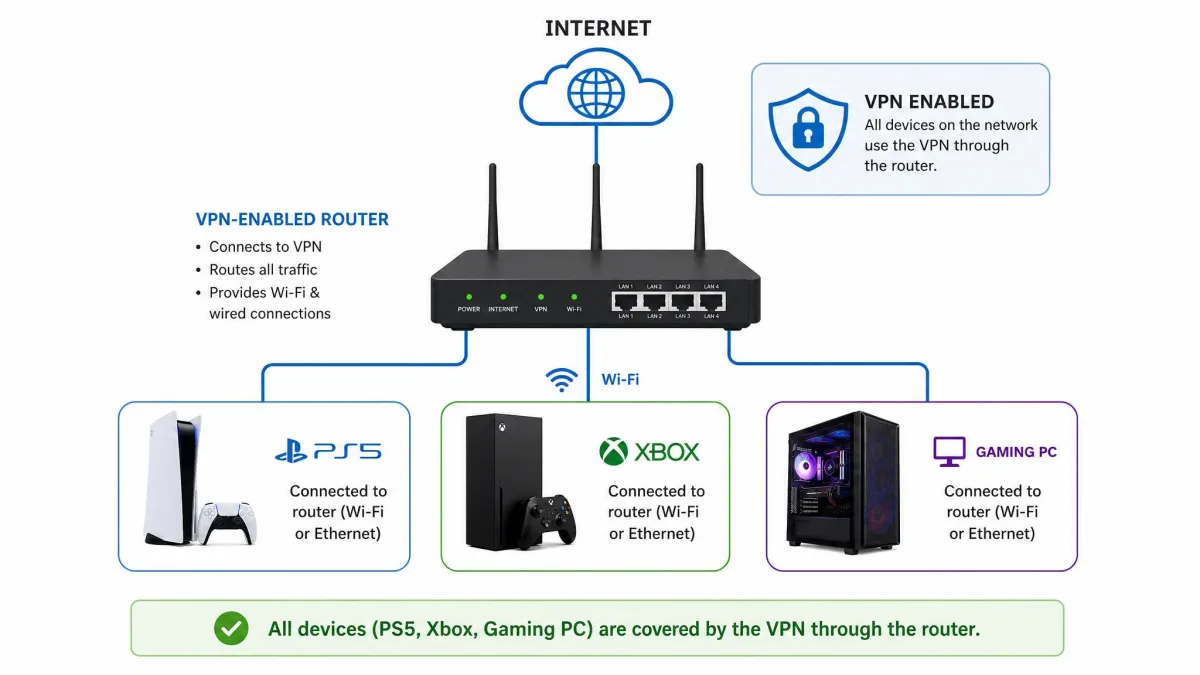
If you plan to protect the whole house through a router, remember that the router counts as a single connection no matter how many devices sit behind it. Device caps matter less in that setup. Check that your VPN publishes firmware or setup guides for your specific router model before you buy. Compatibility varies more than the marketing suggests.
Do You Really Need a VPN for Gaming?
A VPN is not essential to play. It is fair to ask whether you need one at all. For plenty of players the honest answer is that it solves specific problems rather than being a must-have. Here are the three cases where we think it genuinely earns its place.
Beat ISP Throttling
Some internet providers slow down certain kinds of traffic at busy times. Game and download traffic can get caught in that throttling. A VPN encrypts your traffic, so your ISP can no longer see what you are doing. It cannot single out game data to throttle. If your ping gets worse specifically at peak evening hours, throttling is a likely cause. A VPN is a reasonable fix. The easy test is to compare your connection with and without the VPN at a busy time. If performance improves through the tunnel, your ISP was almost certainly shaping the traffic. Not every provider throttles, so this benefit is real for some players and irrelevant for others. That is why we treat it as a reason to consider a VPN, not a guarantee.
Protect Against DDoS Attacks
Competitive and streamed players are the most likely targets of a DDoS attack, where someone floods your connection to knock you offline. It is most common in ranked lobbies. A losing opponent can pull your IP from a peer-to-peer game and boot you before the final round. A VPN hides your real IP behind its servers, which removes the address an attacker needs. For anyone who has been hit or worries about it, this is the most compelling reason to game behind a VPN. Streamers are especially exposed. Broadcasting your gameplay can leak clues about your location and connection. A VPN closes that gap before an attack ever starts.
Access Geo-Restricted Games and Servers
Game releases, servers, and in-game content are often locked to certain countries. A VPN lets you connect through another region to reach them. That might mean playing on a foreign server with friends, accessing a game that launched elsewhere first, or reaching content not yet available where you live. Connecting through another country is one of the most popular everyday uses of a gaming VPN.
Using a VPN for gaming is legal in most countries, but it can breach a game's terms of service if you use it to dodge a ban or access content you are not entitled to. Check the rules for the specific game before you rely on it.
Can You Use a Free VPN for Gaming?
For the most part, no. Free VPNs are built to push you toward a paid plan. They cap your data, limit you to a handful of slow servers, and add too much latency for smooth play. A tight monthly data cap is the deal-breaker. Online gaming plus updates burns through a few free gigabytes quickly.
There is one real exception. Proton VPN's free tier comes with unlimited data. That is what makes it the rare free option you can actually game on. You are limited to one device and a smaller set of countries. You will not get the gaming servers or Smart DNS of a paid plan. But the speed holds up. For everyone else, a cheap paid service like Surfshark costs little and removes every free-tier compromise. Paid plans give you the gaming-optimized servers, Smart DNS for consoles, unlimited data, and the reliable low ping that free tiers cannot promise. When a two-year plan works out to a couple of dollars a month, the gap in experience is rarely worth saving for.
It is also worth being honest about the trade-off with any free service. The provider has to make money somehow. Reputable names like Proton fund the free tier from paid subscriptions. Many smaller free VPNs monetize your data instead, which is the opposite of what you want from a security tool.
Avoid unknown free VPNs entirely. Many make their money by logging and selling your data, which defeats the security reason you wanted a VPN in the first place. Stick to a reputable free tier like Proton VPN or a cheap paid plan.
How to Set Up a VPN for Gaming (PC, Console, Router)
Getting a VPN running for gaming is quick. The steps depend on what you play on. On all three the goal is the same. Connect to a fast, nearby server before you launch the game.
On PC it is the easiest path. Install the VPN's app and sign in. Pick a server close to the game's host region, then connect. If the app offers a protocol choice, choose the WireGuard-based option. It is the fastest for gaming and adds the least ping. Launch your game once the tunnel shows connected.
Consoles are the harder case. PS5 and Xbox cannot run VPN apps directly. You have two ways around that. The first is Smart DNS. On a PS5, open Settings, then Network, then Set Up Internet Connection, and choose manual DNS entry. Paste the Smart DNS addresses from your VPN account. On an Xbox, the path is Settings, then Network settings, then Advanced, then DNS settings. The second way is a router, which we cover next.
The router route covers everything at once. Log into your router's admin panel, usually at 192.168.1.1 in a browser. Load the VPN's configuration file or install its firmware, then sign in with your account. Set the router to a nearby server and save. Every device behind it is now protected, including your PS5, Xbox, and smart TV. Dedicated hardware like ExpressVPN's Aircove skips the manual setup and works out of the box.
One last step matters on any device. Run a quick leak test at a tool like DNSLeakTest before you play. It confirms the tunnel is actually carrying your traffic. If your real location still shows, reconnect or switch protocols before you queue up.