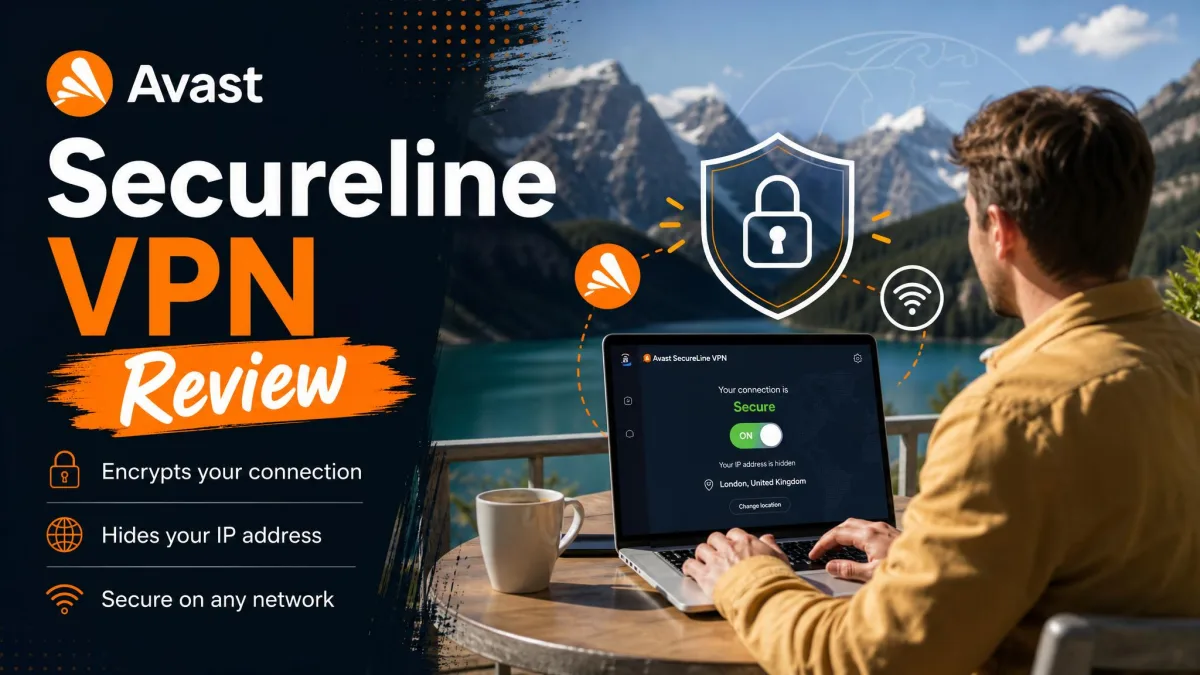
Avast SecureLine VPN is a consumer VPN from the same antivirus brand millions already trust for malware protection. It encrypts your connection, hides your IP address, and gives you a one-click app on Windows, Mac, iOS, and Android. The balanced bottom line up front: it is a smooth, beginner-friendly service that does the basics well, but average speeds, a thin server network, and Avast's own data-selling history keep it out of the top tier.
A VPN lives or dies on trust and performance, and Avast SecureLine VPN is an interesting case on both counts. The performance is solid without being special, and the trust question is complicated by the company's past. Over the following sections we work through what the service actually delivers, what it costs, how private it really is, and how it stacks up against the VPNs people usually cross-shop it against.
We tested Avast SecureLine VPN across desktop and mobile, checking speed, streaming, and the app experience on each platform. This review pulls those results together with what the service costs, how its privacy story holds up, and where it sits against rivals like ExpressVPN. If you want the short answer on whether it is worth it, the verdict box below has it. If you want the evidence, keep reading.
We approach every VPN the same way: real-world speed runs, streaming attempts on the platforms people actually use, and a full walk through the apps before anything earns a recommendation. Nothing here is taken from a spec sheet alone.
Avast SecureLine VPN at a Glance (verdict box + rating)
Avast SecureLine VPN scores 6.5 out of 10 in our testing. It earns solid marks for ease of use, encryption strength, and cross-platform apps. It loses ground on speed, server count, streaming reliability, and trust. The service is a reasonable convenience purchase if you already run Avast antivirus, but it is not the VPN we would pick if privacy or streaming is your main goal.
Think of it as the family sedan of VPNs. It is comfortable, familiar, and gets you where you need to go without drama, but it does not win races and it is not the car you buy when reputation is everything. The sections that follow break down each score, starting with what you get and who it suits, then pricing, features, the privacy record, and our speed and streaming results.
Pros and Cons
Before the detail, here is the quick balance sheet from our testing.
Pros
- One-click connection with clean apps on Windows, Mac, iOS, and Android
- Strong 256-bit AES encryption with a kill switch and DNS leak protection
- Up to 10 simultaneous device connections
- Generous 60-day free trial on desktop
- Backed by a familiar, well-resourced security brand
Cons
- Average speeds that trail top-tier providers
- Small server network compared with rivals
- Inconsistent Netflix access and limited P2P support
- Renewal price jumps sharply after the first year
- Serious past privacy scandal and still no published independent audit
What Is Avast SecureLine VPN and Who Is It For?
A VPN routes your internet traffic through an encrypted tunnel to a remote server, which hides your real IP address and shields your data on untrusted networks. If you are new to the category, our guide to what a VPN is covers the concept in plain terms. Avast SecureLine VPN is Avast's take on that idea, built to be as simple as possible for people who are not networking experts.
The service is aimed squarely at mainstream users. It suits someone who wants basic protection on public Wi-Fi, a little more privacy from their internet provider, and a way to change their apparent location without fiddling with settings. The single connect button and the automatic server selection make that easy, and support for up to 10 devices covers a whole household of phones, tablets, and laptops on one subscription.
Picture the ideal buyer. They already know Avast from its antivirus, they connect from cafes and airports, and they want a shield that turns on with one tap and then gets out of the way. For that person, Avast delivers exactly what they expect, and the familiar brand removes the guesswork of choosing among dozens of names they have never heard of.
It is a weaker fit for demanding users. There is no Linux app, no router support, and no obfuscation to disguise VPN traffic, so it struggles in restrictive regions like China. Torrenters and privacy purists will also find the feature set thin, missing extras such as ad and malware blocking and multi-hop connections that rivals bundle in. In short, this is a convenience VPN for casual needs, not a power tool.
Where does that leave the decision? If your needs are covered by the phrase "encrypt my connection at the coffee shop and let me watch a show from another region now and then," Avast fits comfortably. If your list includes torrenting at scale, bypassing censorship, or provable no-logs privacy, this is not your VPN, and no amount of polish in the app changes that.
Pricing and Plans: How Much Does Avast SecureLine VPN Cost?
Avast keeps its plan structure simple, and that simplicity cuts both ways. There is no true monthly desktop plan. On computers you commit to a year at minimum. According to Avast SecureLine VPN's own pages, the first year runs at an introductory price of roughly $55 to $60, depending on the term and region you buy in. That headline rate is competitive on paper and undercuts several premium rivals for the initial term.
The catch arrives at renewal. Introductory pricing varies by term and region. It also jumps sharply once the first year ends, renewing at around $99.99 per year. That near-doubling is the single biggest pricing weakness we found. The upfront desktop cost is already high with no monthly option, and the renewal climbs well above the rate that got you in the door. Budget for the real second-year number, not the promotional one, because that is what you will actually pay long term.
This pricing shape is common in the VPN world, but Avast leans into it harder than most. Cheaper providers often lock in a low rate on multi-year plans. Here the best value is really just the first 12 months. If you plan to keep a VPN for years, calculate the total cost over your expected ownership rather than reacting to the introductory sticker.
It is worth being clear-eyed about what you are paying for at that renewal rate. Around $100 a year buys you a top-tier VPN elsewhere, one with more servers, faster speeds, and a published audit. So while Avast's first year is a fair deal, its steady-state price asks you to accept a mid-pack service at a premium-adjacent cost. That mismatch is the crux of the value question.
One plan covers up to 10 simultaneous device connections, which is generous and helps justify the annual outlay for a family. Avast also sells the VPN as part of its larger security bundles. If you already pay for Avast antivirus, check whether a suite works out cheaper than a standalone subscription before you buy the VPN on its own.
Avast's renewal pricing roughly doubles after the first year. Set a calendar reminder before your term ends so you can decide whether to renew, switch, or cancel rather than paying the higher rate by default.
Free Trial and Refund Policy
Avast is more generous than most on trials. There is a 60-day free trial on desktop, which is long enough to run the service through real daily use before paying, although it does require payment information to start. On mobile, the trial is shorter at 7 days through the app stores. Stating both matters, because the desktop and mobile offers are very different lengths and it is easy to assume the two-month window applies everywhere.
If you buy and change your mind, a 30-day money-back guarantee applies. In practice, getting that refund can mean navigating a convoluted process with several exceptions, so read the terms before you count on it. The long desktop trial is the safer way to evaluate the service, since you can cancel inside the window without wrestling with a refund request. Our advice is to treat the 60-day desktop trial as your real evaluation period and make the buy-or-drop decision before it ends.
Features and VPN Protocols
Avast SecureLine VPN covers the core feature set most people need and skips a lot of the extras enthusiasts look for. You get a kill switch, DNS leak protection, split tunneling, a no-logs claim, Double VPN, IP rotation, a smart auto-connect mode, and P2P support on select servers. What you do not get is telling: no Linux app, no router support, no traffic obfuscation, and no anonymous payment option. It also lacks the ad and malware blocking and the multi-hop options that several rivals bundle in.
Split tunneling deserves a mention because it is genuinely useful. It lets you route some apps through the VPN while others use your normal connection, which is handy when a banking app dislikes foreign IPs but you still want your browser protected. Double VPN and IP rotation add extra layers for the privacy-minded, though most casual users will never touch them.
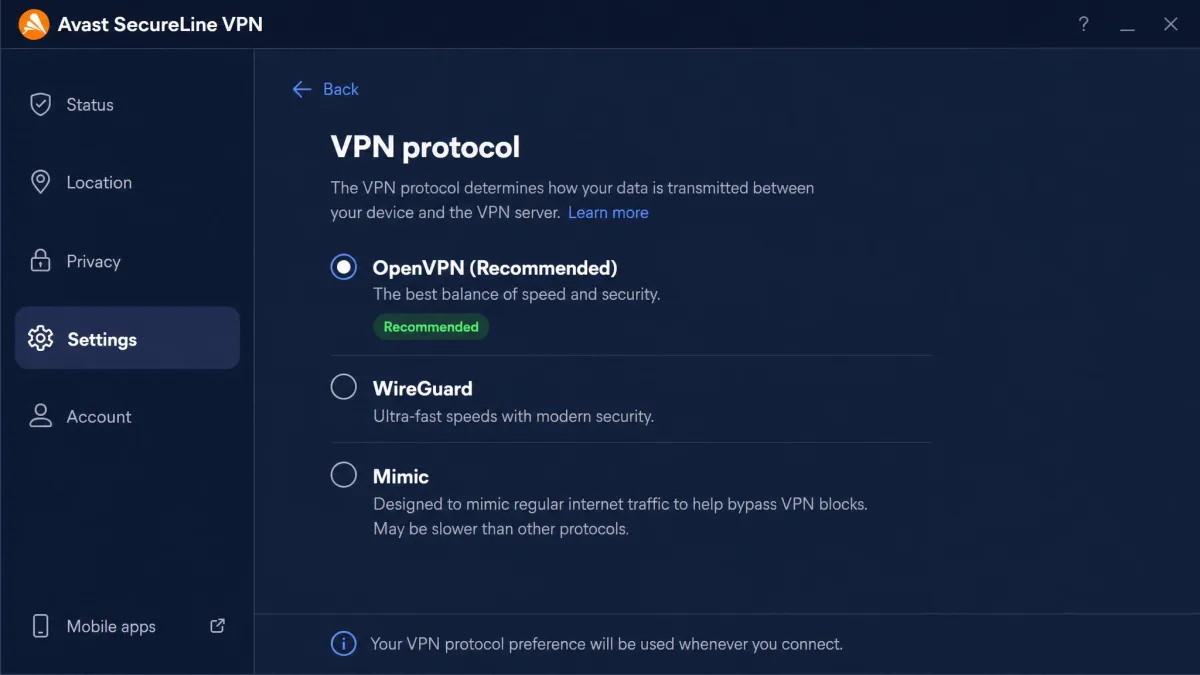
On protocols, Avast is up to date. The service runs OpenVPN, WireGuard, and its own Mimic protocol, with IPsec used on iOS and macOS. WireGuard in particular keeps the connection modern and efficient, and it is the protocol we would default to for the best balance of speed and security. Rather than trusting the marketing sheet, test the protocols that matter to your setup during the trial, since real-world behavior varies by platform.
Encryption and Security
Encryption is where Avast is on firm ground. The service uses 256-bit AES encryption, the same standard banks and governments rely on, with ChaCha20 also used on some platforms. That is as strong as anything in the category, and nothing about the cipher suite gives us pause. In plain terms, the math protecting your data is not the weak link here.
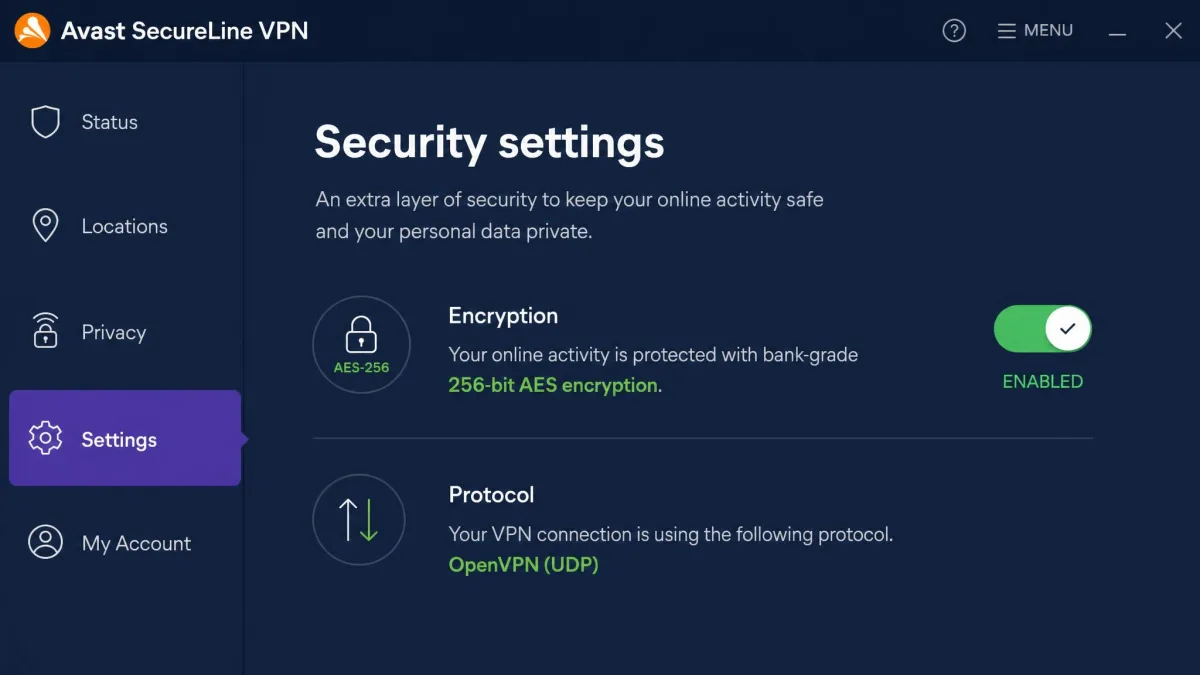
Avast also includes DNS leak protection, which keeps your real address from slipping out through DNS requests while the tunnel is up. Strong encryption is only useful if the app does not leak around it, so having that protection built in matters. It is a table-stakes feature, and it is good to see it present rather than missing or bolted on as an afterthought.
Kill Switch and DNS Leak Protection
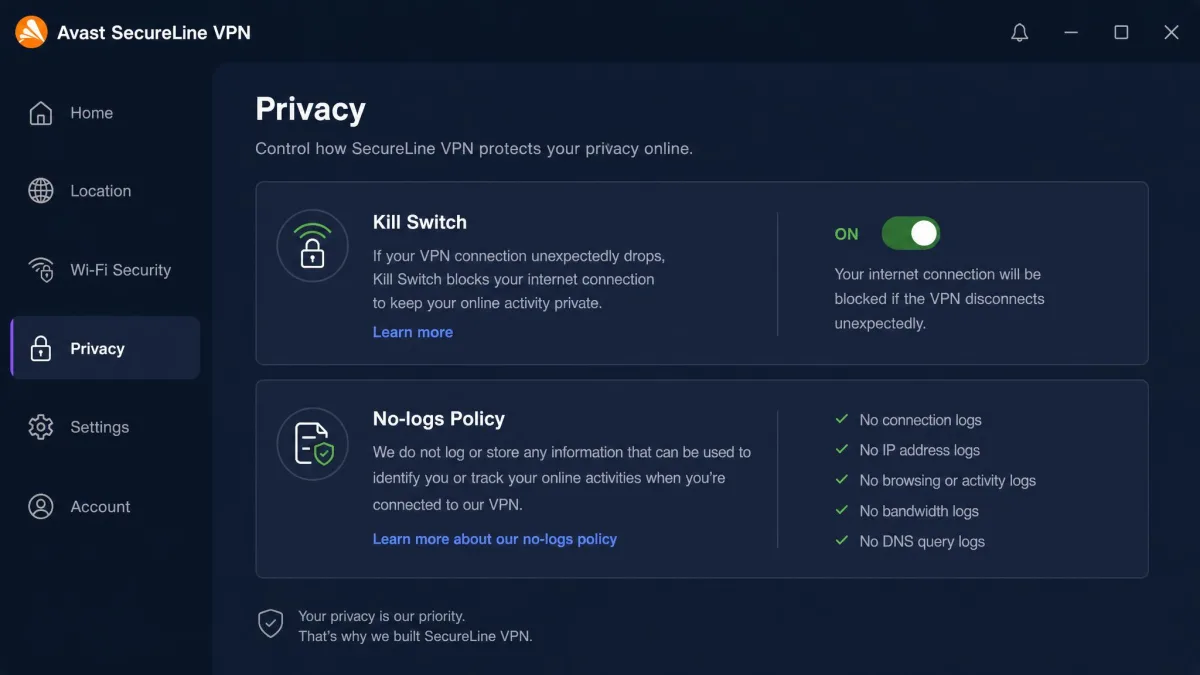
The kill switch is the safety net that cuts your internet if the VPN connection drops, so your traffic never falls back to an exposed connection without you noticing. Avast includes a working kill switch. When it is active, a dropped tunnel means network access stops until the VPN reconnects, which is exactly the behavior you want from the feature.
DNS leak protection is built in as well. These are table-stakes features, and it is good to see them present and functional rather than missing or half-baked. They are also the reason the service is safe to use on public Wi-Fi for everyday tasks, even if the wider feature set is modest.
Privacy and Logging Policy: Is It Safe? (incl. the Avast/Jumpshot data-selling history)
This is the section that should shape your decision most, because Avast carries baggage no encryption strength can fully offset. From 2014 to 2020, Avast collected its users' browsing data, over 8 petabytes of it, and its subsidiary Jumpshot sold user browsing data to advertisers and data brokers. This is not a rumor. The US Federal Trade Commission ordered Avast to pay $16.5 million and banned it from selling browsing data, with the settlement announced in February 2024 and finalized that June.
That history matters for a product whose entire value is trust with your traffic. The whole point of a VPN is to hand one company visibility into everything you do online in exchange for their promise to protect it. Avast broke that promise once already, on a massive scale, which is a heavier thing to weigh than a slow server or a missing feature.
Avast's current VPN carries a no-logs claim, and the FTC order now legally bars the data-selling behavior that caused the scandal. But two things temper the reassurance. First, despite the no-usage-logs claim, connection metadata such as timestamps, VPN server IPs, and data volumes is retained for about 30 days. Second, Avast has still not published a third-party independent audit of the VPN, which weakens the no-logs story precisely when independent proof would count for the most. Rivals at this price routinely commission and publish audits, so its absence is conspicuous.
Avast was fined $16.5 million by the FTC over its past browsing-data sales through Jumpshot. If your reason for buying a VPN is to keep your activity private from the company running it, weigh this record carefully and consider an audited, no-logs provider instead.
So is it safe? For encrypting a coffee-shop connection against local snoops, yes. The encryption is strong and the leak protection is built in. For trusting the provider itself with a full picture of your browsing, the honest answer is that Avast has not yet earned back that trust the way audited rivals have. Both things are true at once, and which one matters more depends entirely on your threat model.
Speed and Performance: How Fast Is It?
Speed is where a VPN either disappears into the background or gets in your way. Avast SecureLine VPN lands in the middle. In our testing, speeds sit in the average range. That is fine for browsing and HD streaming, but noticeably behind top-tier providers like ExpressVPN and NordVPN. Nearby servers felt responsive, and pages loaded without the drag you get from a badly overloaded network.
Nearby-server performance is the story most everyday users will care about, and it is where Avast is at its best. Connect to a server in the same country or a neighboring one and the initial handshake was quick. The connection settled fast, with latency low enough that browsing, email, and video calls behaved as if the VPN was not there. Page loads did not stutter. A 1080p stream started promptly and held its quality without buffering. On those short hops the overhead a VPN adds is small enough that you stop noticing it, which is exactly what you want from a service aimed at casual protection.
The gap shows up on longer hops and heavier tasks. Connect to a distant server and you feel the drop. A raw download that flies on a faster VPN takes visibly longer here. Reaching across an ocean, the latency climbed and the throughput fell off more sharply than it does on the fastest providers. A large download that would finish quickly on a nearby node dragged on noticeably. WireGuard helped, giving us the best numbers of the available protocols, and switching to it from OpenVPN was the single most effective way to claw back some of that lost speed on long-distance connections. Even at its best, though, the service did not close the gap with the fastest names in the field.
For most everyday use, checking email, watching a show, general browsing, the speed is perfectly usable and you will rarely think about it. If you routinely move large files, run big backups over the tunnel, or want the fastest possible 4K stream, this is not the service that will deliver it. Match your expectations to your actual habits and Avast holds up fine for the majority of them. One practical note is that speeds also depend on how busy a given server is, so if a nearby location feels slower than expected at peak times, trying an alternate server in the same region often recovers the difference.
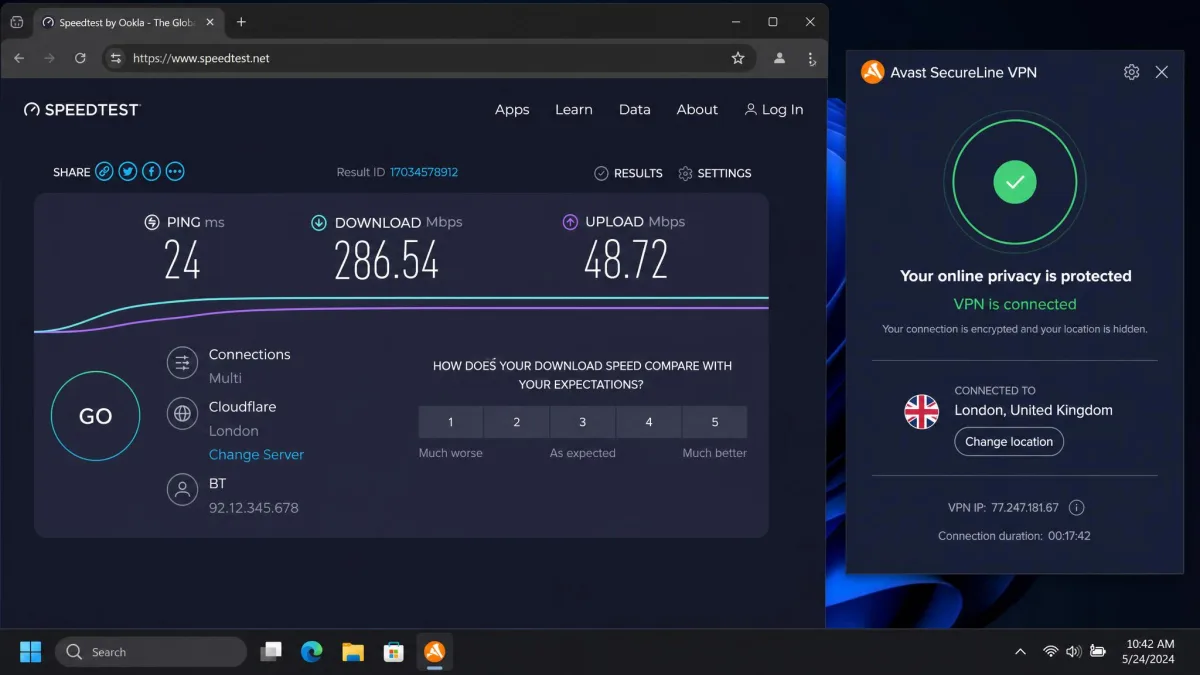
For context, a good VPN experience is one where you forget it is even running. On nearby servers, Avast reached that bar for us: video kept streaming at full quality, video calls stayed clear, and general browsing felt no different from an unprotected connection. It is only when you reach across the world or push a sustained transfer that the ceiling becomes obvious, and that ceiling sits lower than the premium field.
Servers and Server Locations
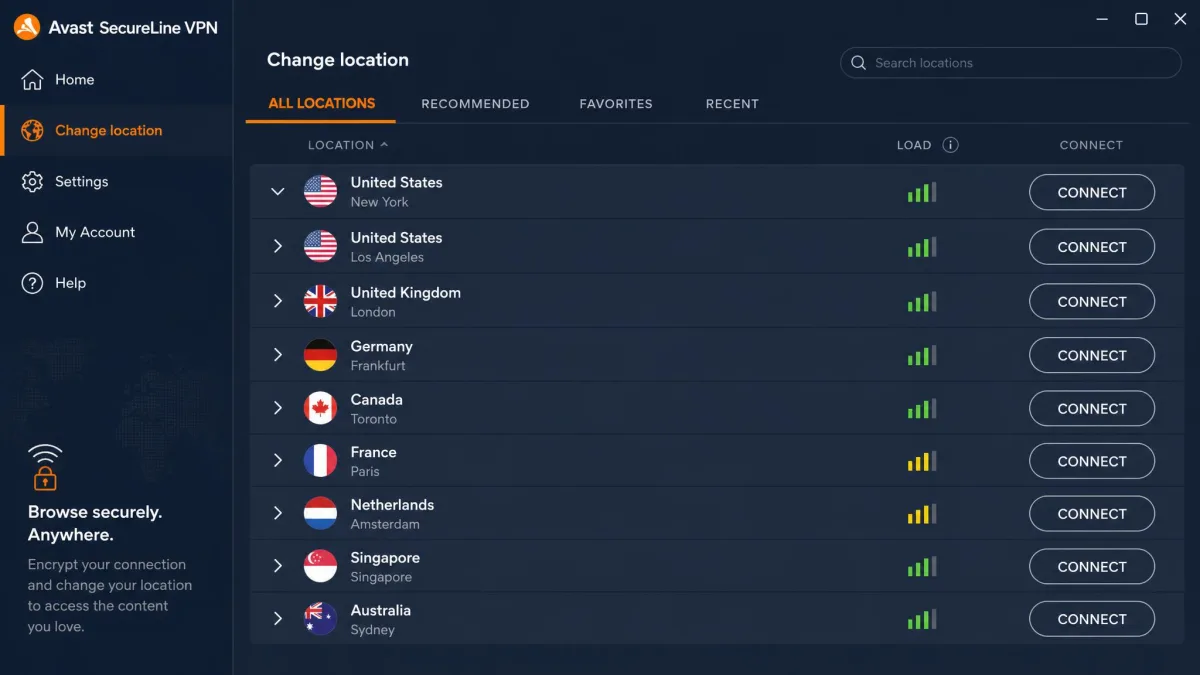
Avast's network is modest, and the numbers are murky. Independent counts put it at roughly 58 to 59 server locations across 34 to 37 countries. Avast's own marketing cites "100+ locations." We would treat the smaller, independent figures as the realistic picture, because the verifiable count lands far below the marketing number and the footprint has shifted over time.
That coverage is enough for mainstream needs. The popular regions are all well represented. North America has multiple United States and Canadian locations, and Western Europe covers the usual anchors such as the UK, Germany, France, and the Netherlands. The major Asian and Pacific hubs like Japan, Singapore, and Australia are present too. For the vast majority of buyers, that means a fast nearby server for daily protection and a solid spread of foreign options for changing location or reaching regional content. Where the network thins out is beyond those anchors. Coverage across Africa, the Middle East, South America, and Eastern Europe is sparse to nonexistent, so anyone who specifically needs an exit point in one of those regions is the most likely to come up short.
Compared with rivals that span 90-plus countries, the choice is limited. A smaller network can also mean more crowding on popular servers at peak times. If you need a server in a specific, less-common country, check the current list before you buy rather than assuming it is covered. This is another reason the free trial matters: it lets you confirm the exact locations you care about are available and performing well before any money changes hands.
Server count is not everything, and a smaller, well-run network can outperform a bloated one. But network breadth buys you options: more choices when a server is congested, more countries for accessing regional content, and better odds of a fast nearby node wherever you travel. Avast gives you enough for common needs and not much headroom beyond them, so the fit really comes down to whether the countries you rely on sit inside its well-covered core or out in the thin edges.
Streaming and Torrenting (Netflix, P2P)
Streaming with Avast is a mixed experience, and Netflix is the sticking point. In our testing, Netflix works on some servers and fails on others, so unblocking it takes trial and error rather than a reliable one-click result. When a working server is found, playback is smooth at HD, but the hunt to find it is frustrating and has to be repeated as servers stop working.
Other services fared better in our attempts, and the difference between them is worth spelling out. Disney+ loaded more dependably than Netflix and generally connected on the first or second server we tried. Amazon Prime Video behaved similarly, recognizing the VPN connection less aggressively and letting us settle into a library without repeated blocks. Max was likewise more cooperative, connecting more readily and staying stable once we were in, where Netflix was the one platform that consistently forced us to cycle through servers. The pattern is clear: if your main streaming target is anything other than Netflix, Avast is likely to serve you with far less friction, and playback across all four held at HD once a working server was in place. Because streaming platforms and Avast both keep adjusting their systems, expect the specific working servers to change over time, so treat any list of "known good" servers as temporary.
Torrenting is similarly limited. P2P traffic is confined to a handful of P2P-marked servers, and in our experience that availability has been unreliable. If frequent torrenting is your priority, a VPN built around P2P with a wide server choice will serve you far better. Avast can handle occasional downloads on the right server, but it is not a torrenting-first tool and does not pretend to be.
The practical upshot for streamers is a routine: connect, check whether your service loads, and switch servers if it does not. That works, but it is more effort than the best streaming VPNs demand, where a single connection usually just works across the major platforms. If effortless streaming is the whole reason you want a VPN, factor that friction in before you buy.
If you mainly want a VPN for streaming, test Netflix and your other services during Avast's 60-day desktop trial before committing. Working servers change, so confirm the ones you need actually unblock your libraries first.
Ease of Use: Apps for Windows, Mac, iOS, and Android
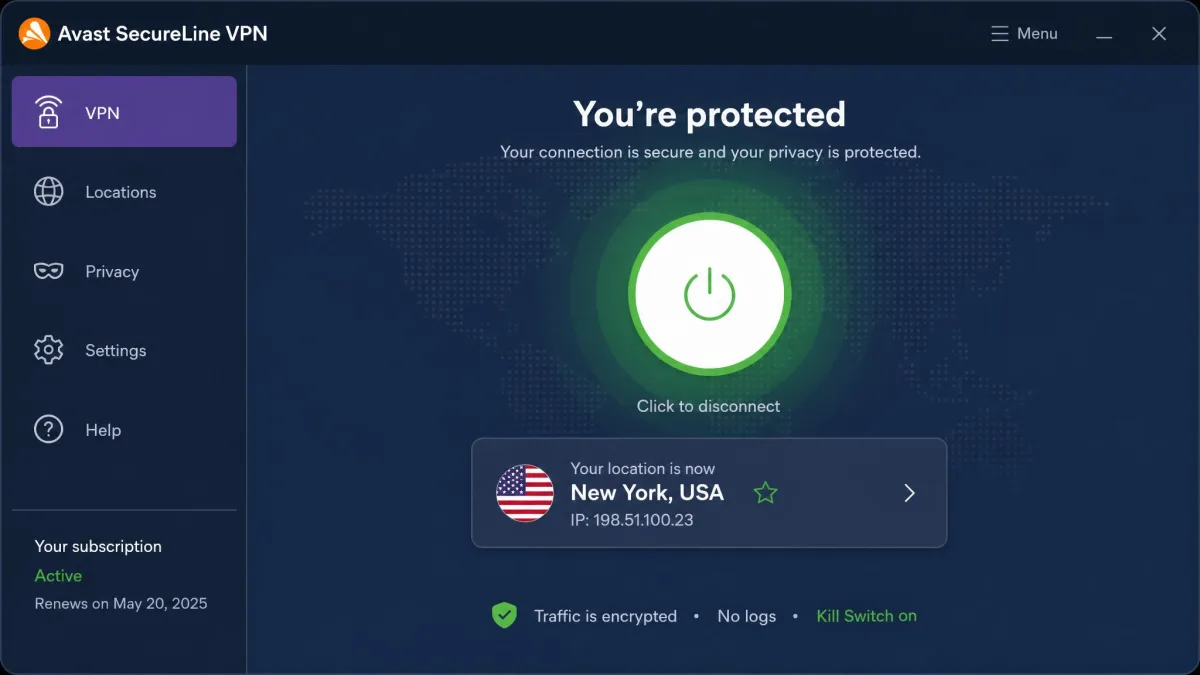
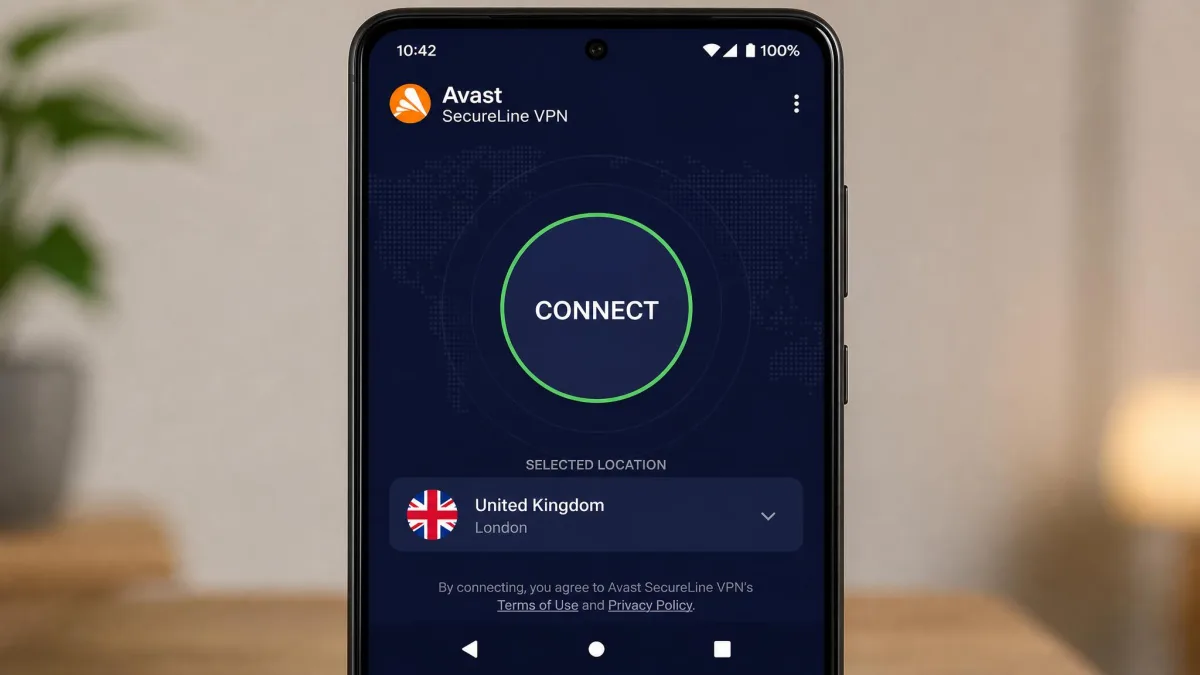
Ease of use is Avast's strongest suit. The apps for Windows, Mac, iOS, and Android are clean and easy to set up, connecting with a single click. Installation is quick, the interface puts one large connect button front and center, and the smart auto mode picks a server for you if you would rather not choose. Someone who has never used a VPN before can be protected within a couple of minutes of installing.
The design stays consistent across platforms, so moving from your laptop to your phone feels familiar. There are no cluttered menus or jargon-heavy settings to wade through for basic use, and the options that power users want, such as protocol choice and split tunneling, are tucked into a settings screen rather than cluttering the main view. That layered approach is smart: simple by default, deeper if you go looking.
When it comes to getting non-technical people connected quickly, Avast does this as well as anyone in the category. If you have ever had to talk a relative through setting up a VPN, the one-button design here is a genuine relief, and the automatic mode means they rarely have to make a decision at all.
Customer Support
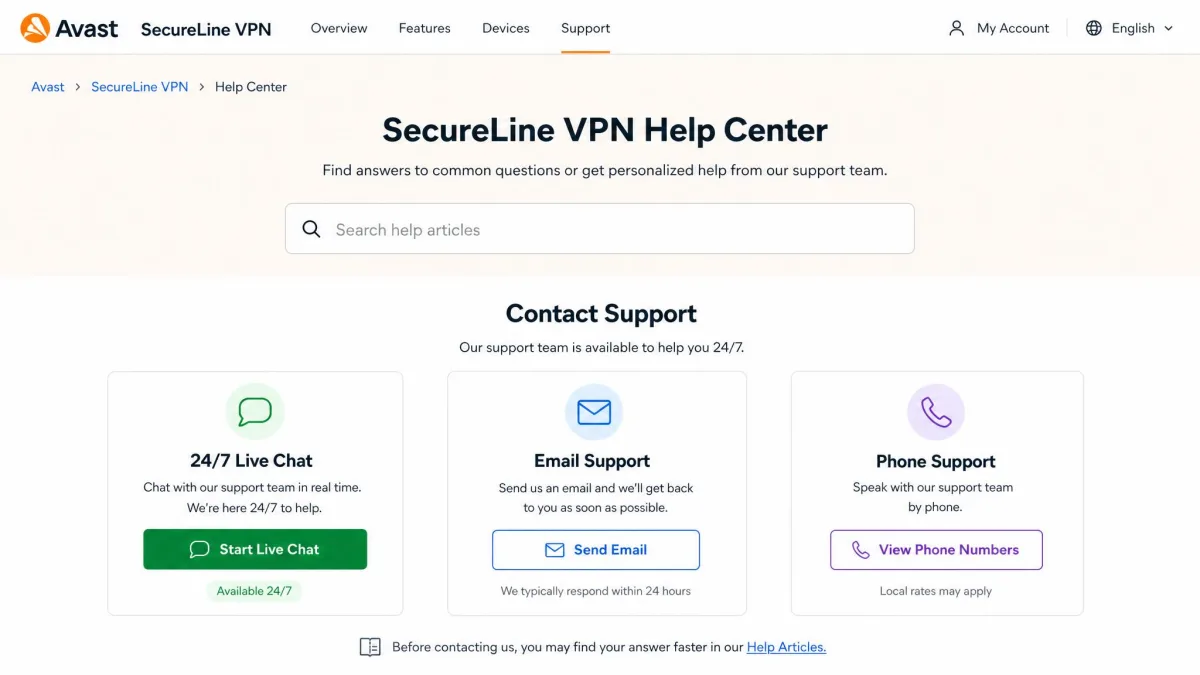
Support is reasonably well staffed. Avast offers 24/7 live chat, plus email and phone support, which is broader coverage than many VPN-only companies provide. Having a real phone line is unusual in this category and a genuine plus for less technical users who prefer to talk a problem through rather than typing into a chat box.
The round-the-clock chat is the channel most people will reach for, and it is the right tool for setup snags or connection questions. Email suits less urgent issues where you want a written record. The one caveat sits with refunds rather than technical help. Because the money-back process has several exceptions, lean on the long desktop trial to evaluate the service and keep support interactions for the questions where the round-the-clock chat is most useful.
How Avast SecureLine VPN Compares to Other VPNs
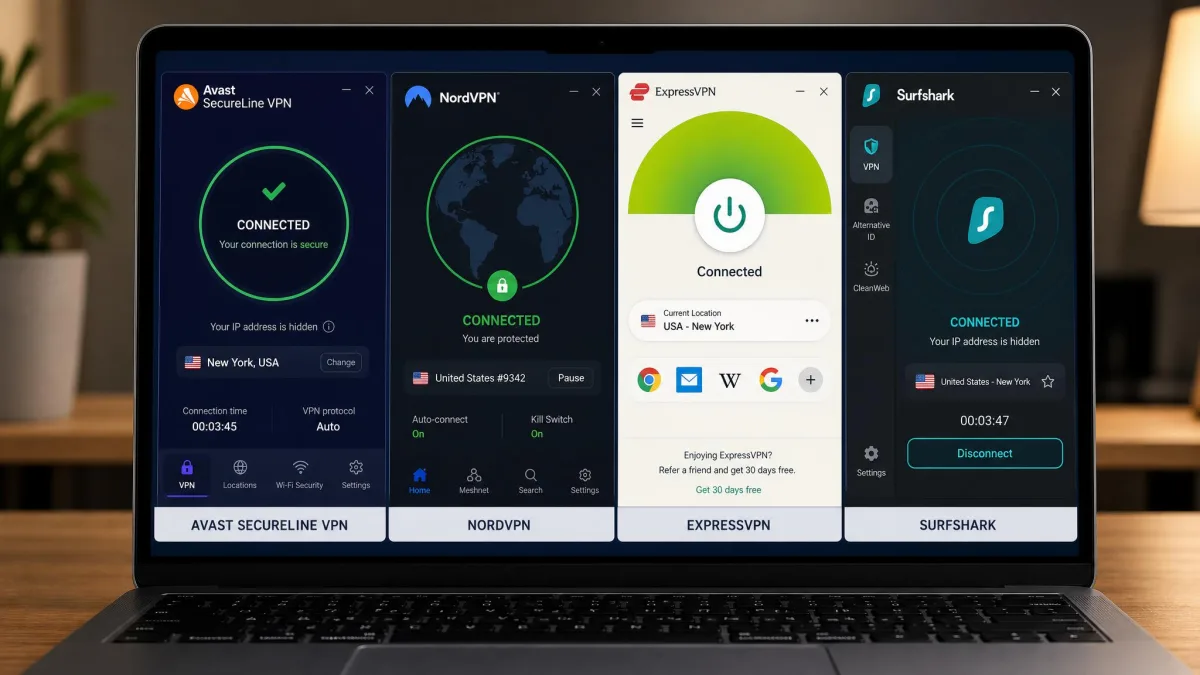
Placed next to its peers, Avast looks like a competent middle option rather than a leader. Where ExpressVPN pairs a huge server network with an audited no-logs policy and reliable streaming, Avast offers a smaller network, no published audit, and inconsistent Netflix access. The trade is simplicity and a familiar brand against speed, transparency, and reach, and for most buyers who care about privacy the balance tips toward the audited rival.
Among fellow antivirus-brand VPNs, the picture is closer. F-Secure VPN is similarly simple with a limited network and little torrenting focus, while Bitdefender VPN is built on Hotspot Shield's Catapult Hydra technology and bundles neatly with Bitdefender's security suites. If you are choosing a VPN to sit alongside your antivirus, all three are convenience plays, and price and your existing subscription usually decide it. The table below lays out the key specs side by side.
| Product | Buy | Intro price | Servers | Protocols | Streaming | Independent audit | Devices |
|---|---|---|---|---|---|---|---|
 |
Check price → | ~$55-60 first year | ~58-59 locations, 34-37 countries | OpenVPN, WireGuard, Mimic | Inconsistent | None published | 10 |
 |
Check price → | Higher, discounted long term | 105 countries | Lightway, OpenVPN, WireGuard | Reliable | Audited no-logs | 8 |
 |
Mid-range | Limited network | OpenVPN, WireGuard, IKEv2 | Limited | Yes | Multiple | |
 |
Low, bundled | 4,000+ servers (Hydra) | Catapult Hydra, WireGuard | Limited | Vendor-backed | Multiple |
The takeaway from the comparison is consistent with the rest of this review. Avast is competitive on device count and first-year price, but it lags on network size, streaming reliability, and the transparency that an independent audit provides. If those last three are your priorities, a rival almost certainly serves you better for a similar outlay.
Frequently Asked Questions
Is Avast SecureLine VPN safe?
Does Avast SecureLine VPN work with Netflix?
Does Avast SecureLine VPN allow torrenting?
Is there a free trial?
How much does Avast SecureLine VPN cost?
Can I use Avast SecureLine VPN on Linux or a router?
The Verdict: Is Avast SecureLine VPN Worth It?
Avast SecureLine VPN is easy to like on the surface and harder to recommend on reflection. The apps are the best thing about it: clean, consistent, and one click from protected on every platform, backed by strong encryption and a kill switch. For a household that wants simple public-Wi-Fi protection across up to 10 devices, especially one already inside the Avast ecosystem, it does the job without fuss.
But the weaknesses are the kind that matter. Speeds are only average, the server network is small, Netflix access is a gamble, and the renewal price nearly doubles. Above all, a company that once sold its users' browsing data and still has not published an independent audit is asking for more trust than it has yet earned back.
When it comes to whether it is worth it, the answer depends on your priorities. As a convenience add-on for casual protection, it is fine, and the long desktop trial means you risk nothing to find out. As a privacy-first or streaming-first purchase, it falls short of faster, audited, better-value rivals, and that is where most serious buyers should look instead. You can start Avast's long desktop trial to judge for yourself before paying.