Mullvad is a privacy-first VPN from Sweden built around one idea: it should not know who you are. You sign up with a random 16-digit number instead of an email, you pay a flat €5 a month with no tiers to compare, and the company keeps no activity logs at all. That combination makes it a natural fit for people who care more about anonymity and verifiable trust than about a huge server map or one-click Netflix.
We put Mullvad through our usual hands-on process across Windows, macOS, Linux, Android, and iPhone. We ran speed tests on nearby and distant servers, checked for DNS and IP leaks during forced disconnects, tried to stream from several countries, and lived with the app for day-to-day browsing. The short version: the privacy story is excellent and the pricing is refreshingly honest, but streaming is weak and a few missing features will matter to some buyers.
Above all, this review is about whether Mullvad is worth it for you specifically. We will walk through what it costs, how the no-logs model actually works, the security settings that matter, which protocols and platforms it supports, and where it falls short, so you can decide before you spend a cent.
We tested Mullvad over several weeks on our own accounts, paid for out of pocket, across a Windows 11 desktop, a MacBook, an Ubuntu laptop, an Android phone, and an iPhone. We measured speeds on nearby and long-distance servers, forced repeated connection drops to confirm the kill switch held, and tried streaming and torrenting the way a normal user would.
Mullvad VPN at a glance (verdict, rating, pros & cons)
Mullvad earns its reputation as one of the most trustworthy VPNs you can buy. The privacy engineering is genuine, not marketing: anonymous accounts, RAM-only servers, open-source apps, and a real-world police seizure that came up empty. What holds it back from an easy top score is everyday polish. Streaming is unreliable, split tunneling is fiddly, and there is no live chat when something goes wrong.
Pros
- Genuinely anonymous: a 16-digit account number, no email required
- Verifiable no-logs model, RAM-only servers, and repeated independent audits
- Flat €5/month with no tiers, upsells, or multi-year lock-in
- Always-on kill switch that held through every drop we forced
- Fully open-source apps on GitHub, with cash and crypto payment options
Cons
- Weak for streaming: Netflix and BBC iPlayer were usually blocked in our tests
- Port forwarding has been removed, which hurts heavy seeding
- No Apple TV app and no official Chrome extension
- Only 5 simultaneous devices, fewer than most big-name rivals
- Email-only support, with no live chat
How much is Mullvad VPN?
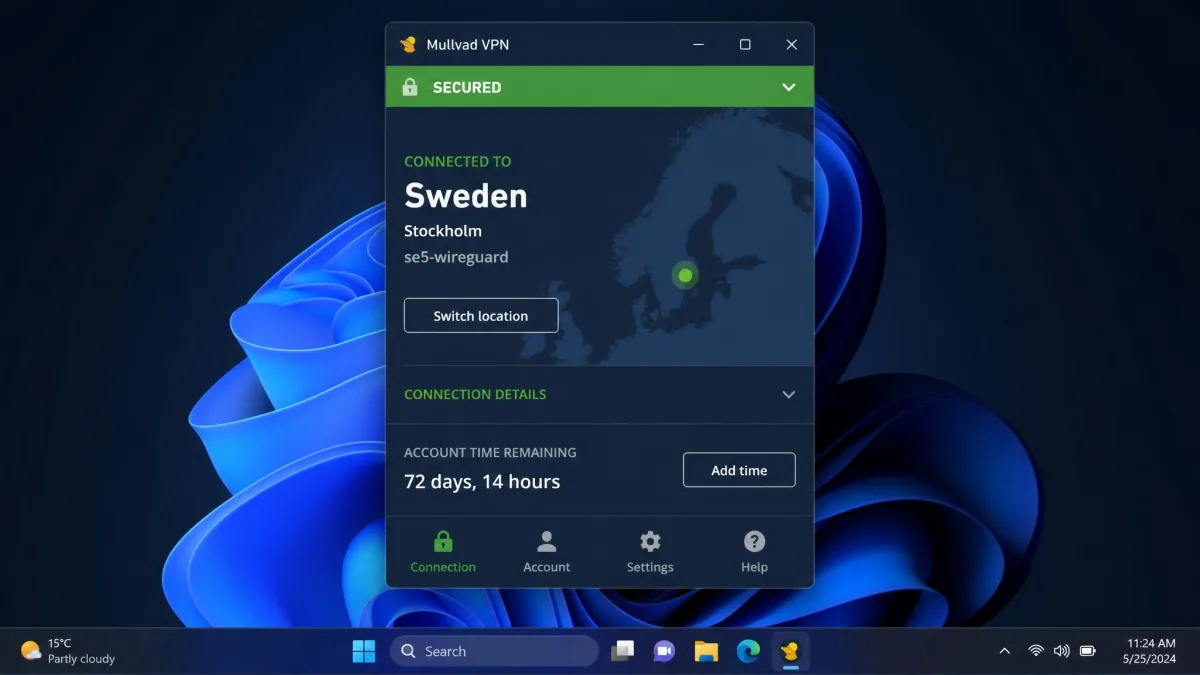
Mullvad costs a flat €5 per month, and that is the whole pricing page. There is no annual discount, no three-year mega-deal, and no premium tier with extra features locked behind it. You pay for the months you want and stop whenever you like. In our testing that simplicity was a relief after the countdown timers and renewal traps that clutter most VPN checkout pages.
In US dollars the charge lands at roughly $5 a month, though the exact figure floats a little because Mullvad bills in euros and the dollar amount depends on the exchange rate at checkout. There is a 14-day money-back guarantee on card payments, but no free trial, and refunds do not apply to cash or crypto payments.
The flat €5/month model: one plan, no tiers, no lock-in
There is exactly one plan. Every feature, from DAITA to multihop to the DNS content blocker, is included at the same price for everyone. Because there is no multi-year commitment, you never get punished at renewal, and there is no cheaper "basic" version that quietly drops the good stuff. It is the most honest pricing structure we have reviewed in this category.
The catch is that Mullvad will not reward loyalty with a discount the way rivals do. If you are the kind of buyer who happily signs a two-year deal to shave the monthly price, you can beat €5 elsewhere. Mullvad's pitch is that a predictable, unlinkable payment is worth more than a promo rate.
Anonymous payment: cash, crypto and cards
Payment is where the privacy philosophy shows up in practice. You can pay by card, PayPal, bank transfer, or Swish, but you can also send cryptocurrency like Bitcoin or Monero, or literally mail cash in an envelope with your account number written on a slip. That last option means a paying customer can exist with no digital trail linking a name to the account at all.
The cash and crypto options are not a gimmick. Because your account is just a 16-digit number, an envelope of cash plus that number is enough to add time with no name, email, or card attached to it anywhere in Mullvad's systems.
Buying Mullvad on Amazon (activation-code vouchers)
Mullvad also sells physical activation-code voucher cards on Amazon in the US, Sweden, and roughly a dozen other countries. These come as 6- and 12-month cards good for 5 devices, with the 12-month card running about $60. The codes are scratch-off, so the Amazon order cannot be linked to the code you actually redeem, which keeps the anonymity intact even through a mainstream retailer.
Can you use Mullvad on multiple devices?
One account covers up to 5 simultaneous devices. That is enough for a phone, a laptop, a tablet, and a desktop with room to spare, and you can install the app on as many machines as you like as long as no more than five are connected at once. It is worth flagging that rivals are more generous here: Proton VPN and NordVPN allow 10, and ExpressVPN allows 8.
Privacy and trust: does Mullvad keep logs?
Privacy is the reason to choose Mullvad, and it holds up to scrutiny better than almost anything we have tested. The company keeps no activity logs of any kind, and it has built its whole system so that even a determined adversary would find nothing useful to seize.
Anonymous 16-digit accounts, no email
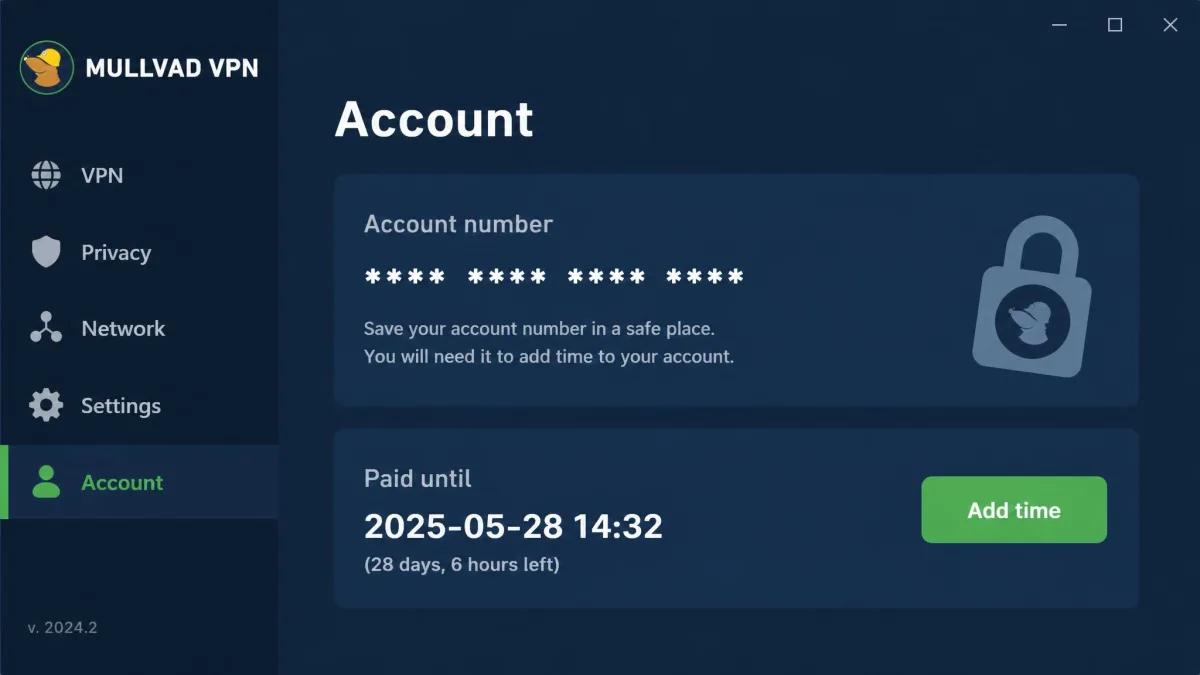
When you sign up, Mullvad generates a random 16-digit account number and that is your entire identity. There is no email field, no username, no password, and no personal detail to hand over. You keep the number somewhere safe, top up time when you want, and that is the account. It is the cleanest expression of "we cannot leak what we never collect" we have seen.
There is one everyday cost to that anonymity. In daily browsing behind Mullvad, we hit captcha challenges far more often than usual, because many sites treat the shared, anonymous exit addresses as suspicious. It is a minor but persistent annoyance across a lot of websites.
Sweden jurisdiction, independent audits and the police-seizure track record
Mullvad is based in Sweden, which has no mandatory data-retention rules for VPN providers. More importantly, the no-logging policy is backed by repeated independent audits. The GotaTun WireGuard engine was audited by Assured Security Consultants in early 2026 with only two low-severity issues and no major vulnerabilities, and the account and payment systems were covered by a public X41 D-Sec audit report in January 2026.
The strongest proof is what happened in the real world. In the 2023 search-warrant incident, Swedish police arrived at Mullvad's Gothenburg office intending to seize servers, and left with nothing because there was no customer data to take. That is the difference between a marketing claim and a policy that survives contact with law enforcement.
A no-logs policy only means something when it is tested. Swedish police came for Mullvad's servers in 2023 and left empty-handed, because there was nothing on them to seize.
— From our review of Mullvad's privacy record
RAM-only servers and open-source clients on GitHub
Mullvad runs its servers in RAM only, with no disk storage, so any reboot wipes state and nothing persists to be copied. Combined with the audited no-logs policy, that is why the police seizure came up empty. And because the apps are open source, these are not claims you have to take on faith. Anyone can read its open-source apps on GitHub, where the clients are built in Rust with signed commits and tags.
Security features and settings
Beyond the no-logs core, Mullvad bundles a strong set of security features at no extra cost, and it makes the safe choices the default rather than something you have to hunt for.
Does Mullvad have a kill switch? (on by default, Lockdown Mode)
Yes, and it is one of the best we have tested. The kill switch is built in, on by default, and cannot be disabled, which is a deliberate design choice: if the tunnel drops, your traffic stops rather than falling back to your real connection. Across repeated simulated connection drops on both desktop and mobile, our real IP address stayed hidden every single time.
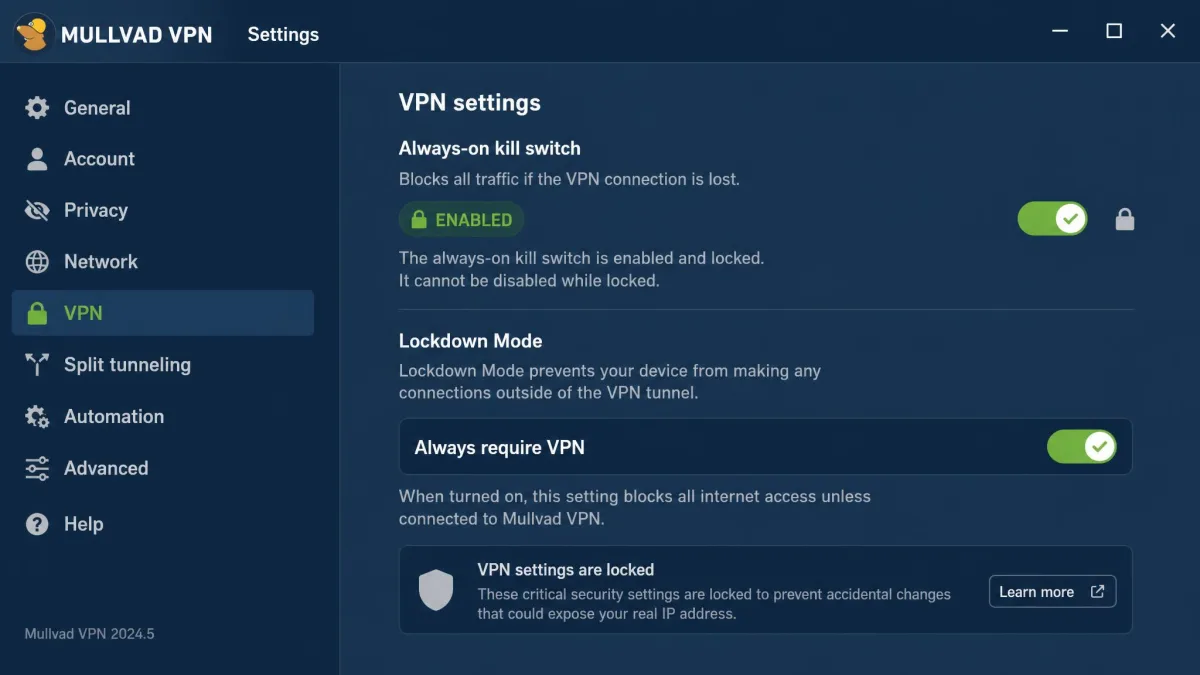
For an extra layer, Lockdown Mode (labeled "Always require VPN") blocks all internet access whenever the VPN is not connected, so nothing slips out during the moment before the tunnel comes up. If you want the strictest possible posture, turn it on and forget it.
For torrenting, pick a nearby server rather than a distant one. Every Mullvad server allows P2P, so the closest location almost always gives you the best speed. Pair that with Lockdown Mode so a dropped tunnel never exposes your download.
DAITA, quantum-resistant tunnel, multihop and split tunneling
The feature list punches above the price. DAITA (Defense Against AI-guided Traffic Analysis) adds cover traffic to make your patterns harder to fingerprint, there is a quantum-resistant tunnel option, and multihop routes you through two servers for extra separation between your entry and exit points. Split tunneling lets you route some traffic outside the VPN.
Split tunneling is the one feature that frustrated us. Rather than a simple per-app on/off toggle, it is configured by IP address and port on desktop, which adds real friction for non-technical users. It works, but expect to spend a few minutes setting it up.
Open-source clients and DNS content blocking
Mullvad includes DNS-level content blocking in the app, with toggles for ads, trackers, malware, gambling, adult, and social content. It is a handy bundled extra, though in our testing it did not catch everything, so keep your expectations for ad blocking modest and treat it as a convenience rather than a replacement for a dedicated blocker.
All of Mullvad's clients are open source on GitHub, built in Rust with signed commits and tags. That means the no-logs and kill-switch behavior can be independently verified in code, not just trusted from a policy page.
Which VPN protocols does Mullvad support?
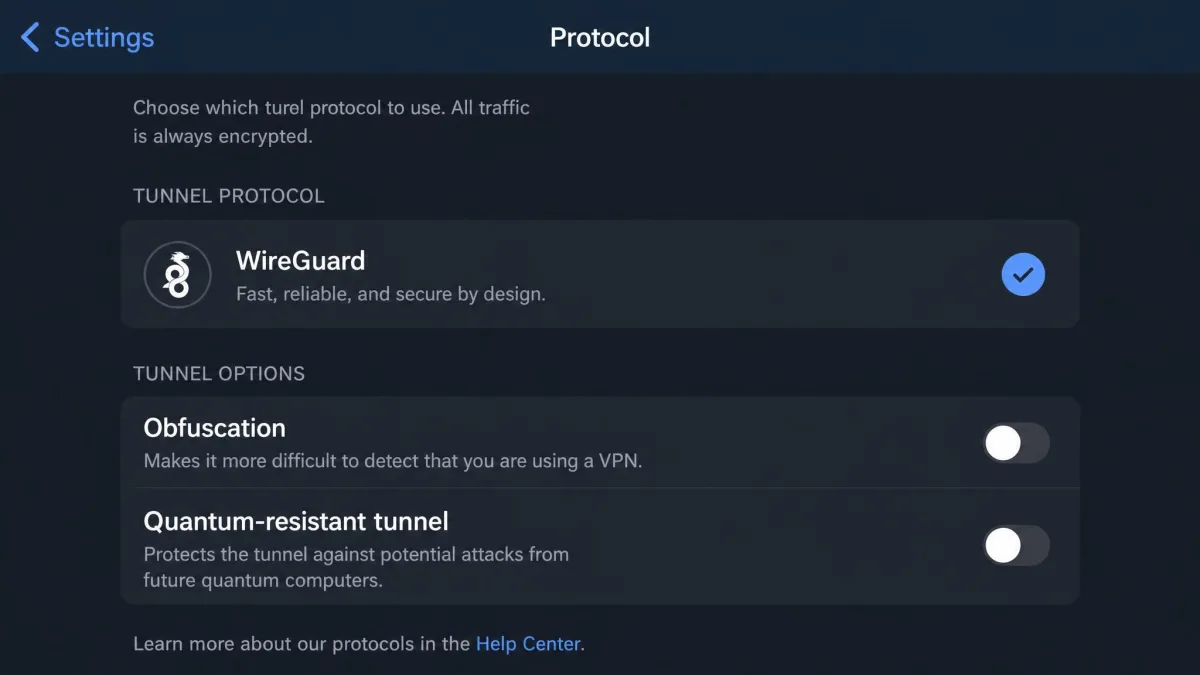
Mullvad is now WireGuard-only. WireGuard is the modern, fast, lean protocol Mullvad began adopting back in 2017, and today it is the sole option in the app.
WireGuard-only: OpenVPN removed (app 2025.14, servers offline Jan 15 2026)
If you were relying on OpenVPN, it is gone. Mullvad removed OpenVPN from the desktop app in version 2025.14 on December 10, 2025, and took all OpenVPN servers offline on January 15, 2026. The company frames the move as a performance and stability win, and in practice WireGuard connected faster and reconnected more cleanly than OpenVPN ever did.
The trade-off is flexibility. A handful of restrictive networks historically played nicer with OpenVPN over TCP port 443, and that specific escape hatch is no longer available. Mullvad's answer is obfuscation built on top of WireGuard: QUIC, LWO, Shadowsocks and UDP-over-TCP, which we break down in our guide to Mullvad's stealth protocol options.
Server network and locations
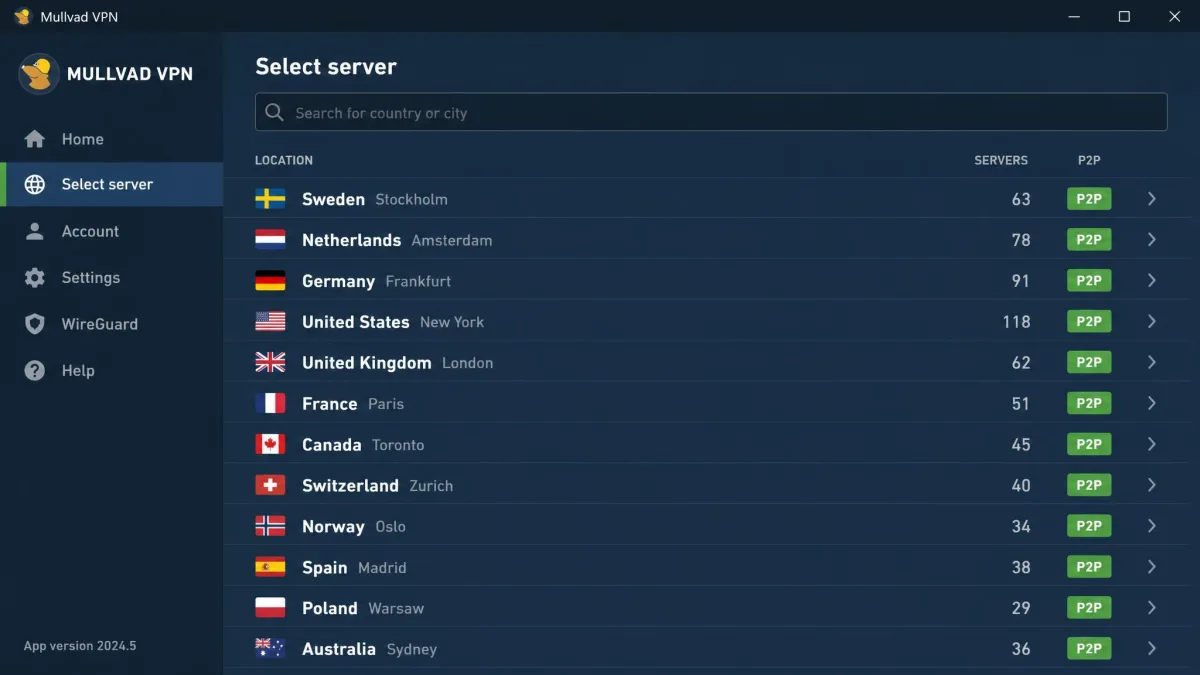
Mullvad's official server list shows 569 servers across 50 countries and 91 cities. That is a mid-sized network rather than a sprawling one, and you will not find the "5,000+ servers" marketing numbers that some rivals advertise. In our experience the coverage was more than enough for everyday routing, with solid options across North America and Europe and reasonable reach elsewhere.
Because every server supports P2P and there are no bandwidth limits, you do not have to hunt for a special "torrent-friendly" subset the way you do on some networks. The whole map is available for everything.
Speed and performance (our test results)
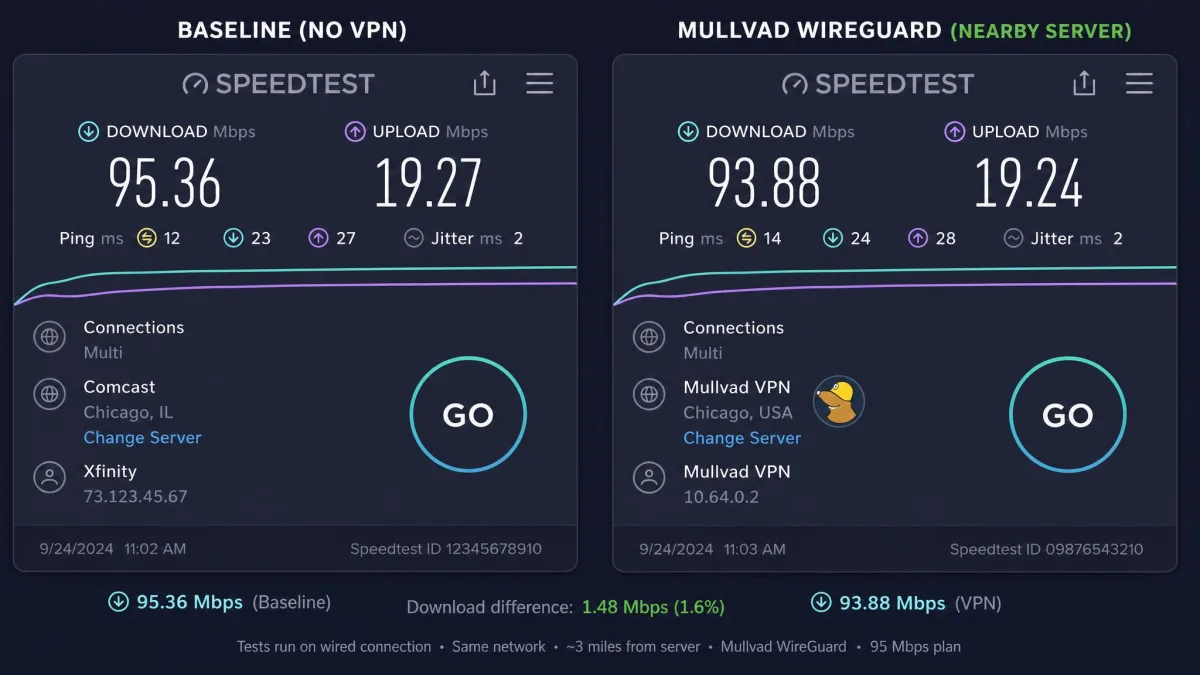
WireGuard makes Mullvad fast when the server is nearby. On a roughly 95 Mbps line, a New York server delivered about 92 Mbps, and even a long haul to South Africa held around 71 Mbps, which is well within usable range for a distant hop. Nearby connections felt indistinguishable from an unprotected line for browsing and video calls.
Speeds do vary quite a bit server to server, though. On a gigabit line one Seattle server hit an excellent 384 Mbps while a London server managed only 62 Mbps in the same session. Not every server is fast, so if one feels sluggish, switch to another in the same region and retest. We used Speedtest for consistent before-and-after measurements.
Streaming with Mullvad: Netflix and unblocking
Streaming is Mullvad's clear weak spot, and it is the main reason this is not a higher score. Every US server we tested threw Netflix's standard VPN detection error, and BBC iPlayer failed consistently. If you are buying a VPN mainly to unblock catalogs, this is not the one.
To be fair, the experience is unpredictable rather than flat-out broken. Some servers occasionally connect to a service flawlessly, then get blocked the next day as the platforms rotate their VPN detection. There is also no Smart DNS feature, so streaming boxes and consoles are not covered at all.
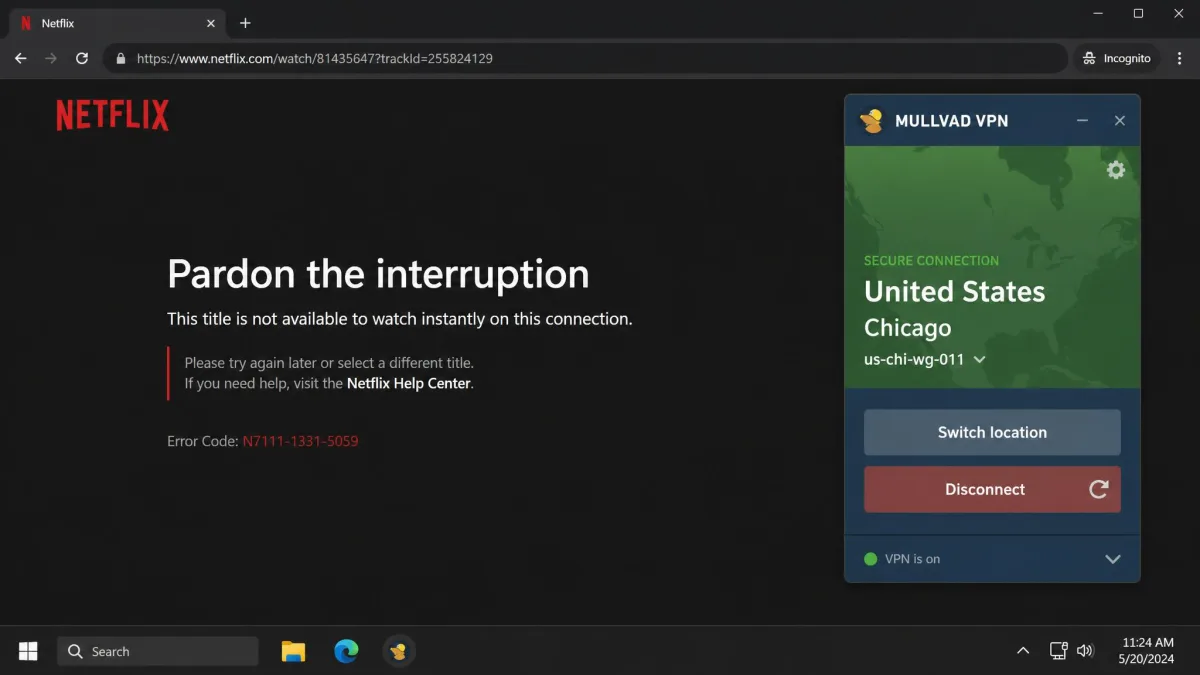
Do not buy Mullvad for streaming. Netflix and BBC iPlayer were blocked on most servers in our tests, access is inconsistent when it does work, and there is no Smart DNS for devices that cannot run the app. If unblocking is your priority, Proton VPN, NordVPN, or ExpressVPN are far stronger.
Can you torrent with Mullvad?
Yes, and for private downloading it is one of the better choices. P2P is allowed on every server with no bandwidth caps, and the audited no-logs policy plus the always-on kill switch mean your activity and IP stay protected while you download. Torrenting worked on every server we tried.
P2P on all servers, port forwarding removed, binding your client
The big caveat is that Mullvad removed port forwarding after abuse issues, with new forwards stopped on May 29, 2023 and all existing mappings gone by July 1, 2023, and it has not been reinstated. For plain downloading that changes nothing, but for heavy seeding to peers behind their own NAT it is a genuine limitation. Speeds also vary server to server, which can blunt Mullvad's usefulness as a dedicated torrenting VPN.
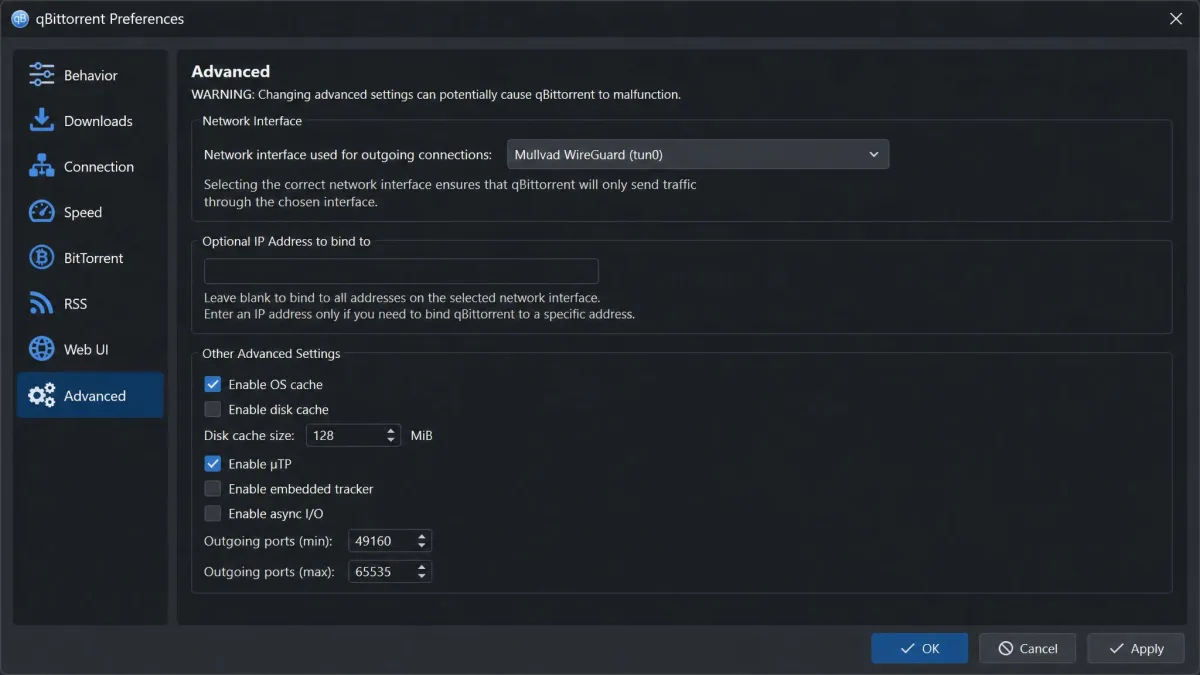
For safety, bind your torrent client, such as qBittorrent, to the Mullvad network interface. That way the client only sends traffic while the tunnel is up, so a dropped connection cannot leak your real IP mid-download. Net verdict: excellent for private downloading, compromised for heavy seeding.
Platforms and apps: where Mullvad works
Mullvad covers the major platforms with native apps and a genuinely consistent interface across them. One account and its 5 device slots work everywhere below.
Windows and macOS
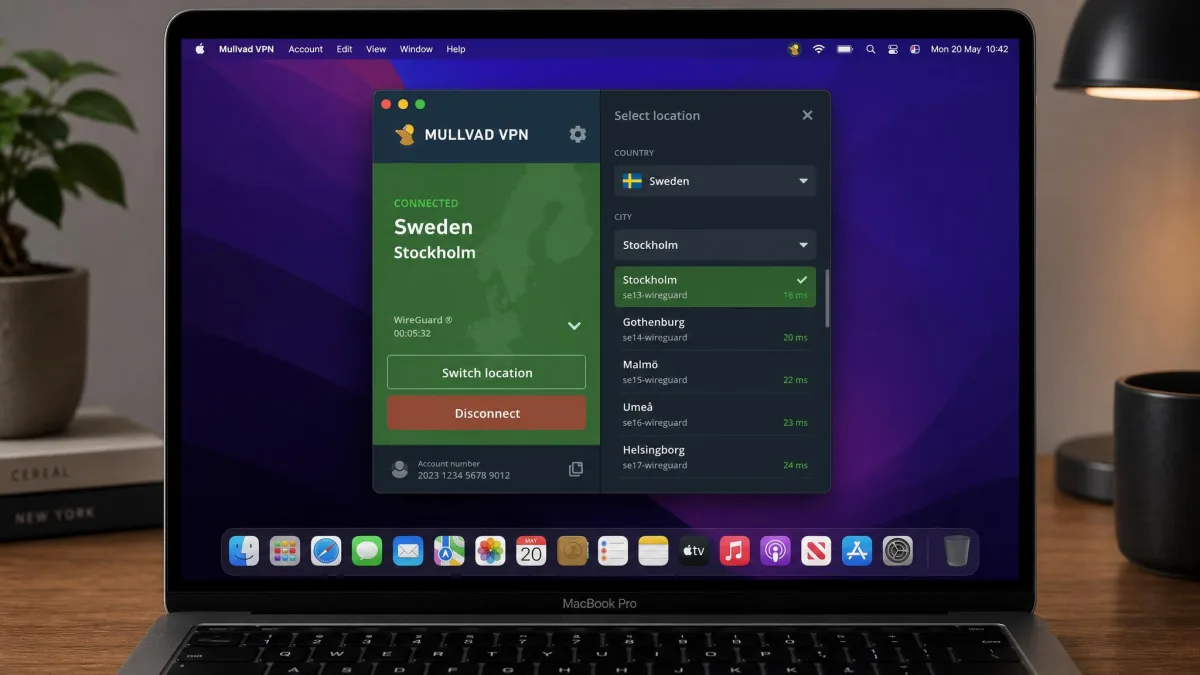
The Windows app (Windows 10 and up) and the macOS app (macOS 13 and up) are the most polished. Both connect in a couple of seconds, expose the same settings, and run the always-on kill switch by default. This is where we did most of our leak and speed testing, and both were stable throughout.
Linux (Ubuntu/Debian/Fedora repos, CLI, split tunneling; Arch via AUR)
Linux support is a genuine strength. Mullvad publishes self-hosted repositories for Ubuntu, Debian, and Fedora, ships a full command-line interface, and supports split tunneling. Arch Linux is not officially supported, but the app is available in the Arch repo and AUR as mullvad-vpn-bin, so Arch users are covered in practice.
Android and Amazon Fire TV
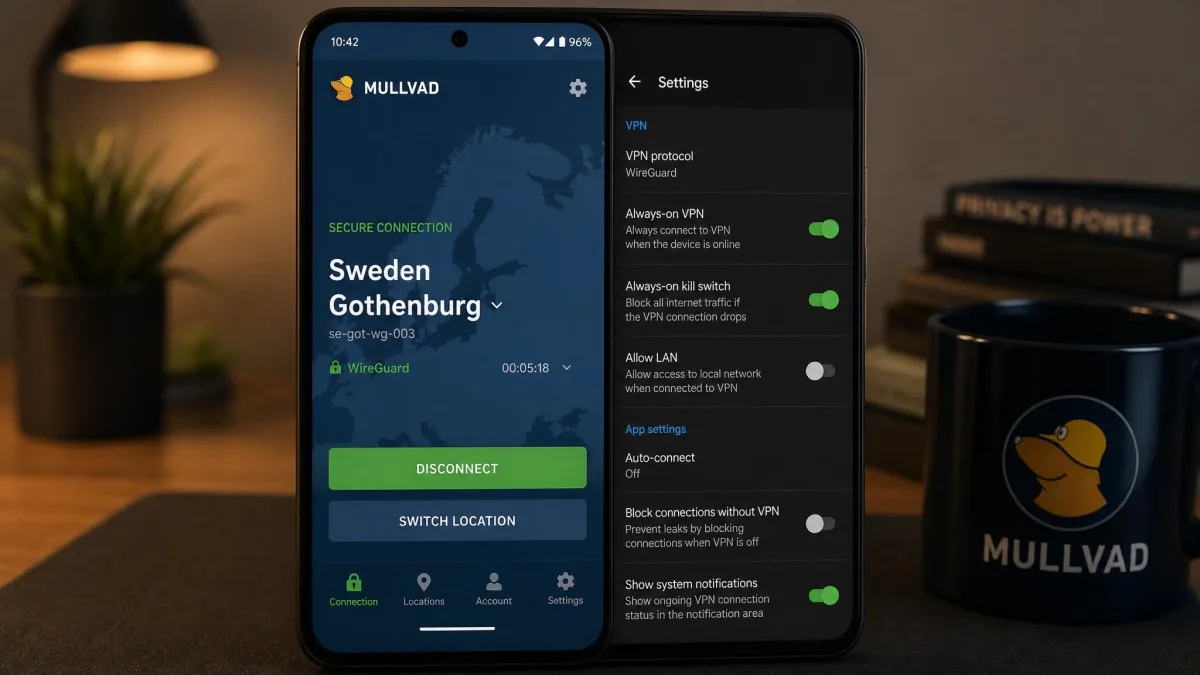
The Android app requires Android 9 or later and installs cleanly from Google Play. Because it is an Android app, it also runs on Amazon Fire TV devices, which is one of the few ways to get Mullvad onto a TV-adjacent screen.
iPhone and iPad
Mullvad works on iPhone and iPad through the App Store, with WireGuard key rotation and a kill switch on the mobile app. We did occasionally hit a "won't connect" hiccup on iPhone, which was reliably cleared by switching to a different server location.
Apple TV, browser extensions and other edge cases
There is no official Apple TV app as of 2026. Your only routes onto tvOS are workarounds: running Tailscale with a Mullvad exit node, or importing a WireGuard configuration. There is also no Smart DNS. On browsers, the Mullvad browser extension is Firefox-only and explicitly not compatible with Chrome or Chromium, so despite steady demand, the honest answer is that there is no official Chrome extension.
Two gaps to know before you buy: there is no Apple TV app (only Tailscale or WireGuard workarounds), and there is no Chrome extension, only a Firefox one. If either matters to your setup, factor it in now.
Ease of use and the in-app auto-updater
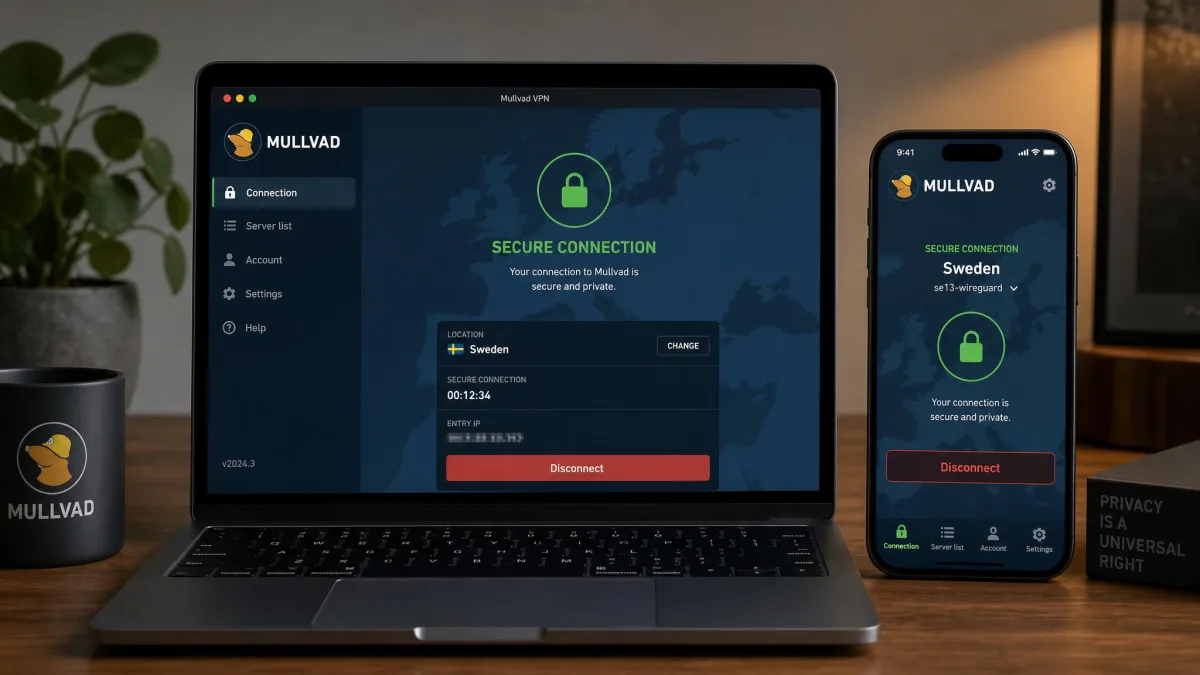
Day to day, Mullvad is simple: open the app, hit the big button, and you are connected. The interface is the same across platforms, which makes moving between a laptop and a phone painless. The main friction points are the ones already noted, namely the IP-and-port split tunneling and the frequent captchas that come with anonymous exit addresses.
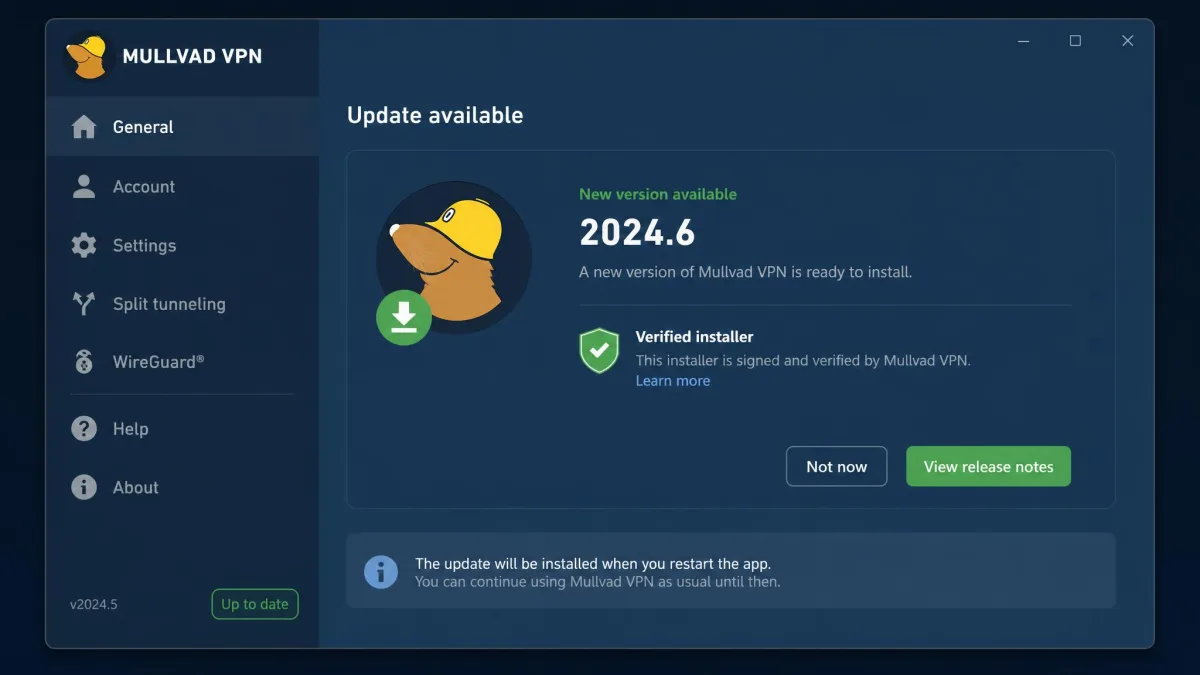
The app includes a built-in auto-updater that pulls installers from CDNs and cryptographically verifies them before applying, so you stay on a current, signed build without manually chasing releases. Mullvad ships new versions frequently, so that quiet updater does real work.
Customer support
Support is email-only, with no live chat. That will disappoint anyone used to instant help, but in our experience replies were genuinely useful and typically arrived within about six hours. Mullvad also maintains a thorough help center and detailed guides, including a restrictive-locations page for tricky networks, which resolved most of our questions before we ever needed to email.
How Mullvad compares to Proton VPN, NordVPN and ExpressVPN
Against the big names, Mullvad wins on privacy purity and pricing honesty, and loses on streaming and device count. Proton VPN, NordVPN, and ExpressVPN all unblock more services and allow more simultaneous devices, but none matches Mullvad's anonymous-account model or its flat, no-tricks price.
| Product | Price | Protocols | No-logs / audits | Streaming | Devices |
|---|---|---|---|---|---|
 |
€5/mo flat, one plan | WireGuard-only | No-logs, Sweden, audited | Weak | 5 |
 |
~$4.49/mo (2-yr), free tier | WireGuard, OpenVPN, Stealth | No-logs, Switzerland, audited | Strong | 10 |
 |
~$3-4/mo (multi-year) | NordLynx, OpenVPN, NordWhisper | No-logs, Panama, audited | Strong | 10 |
 |
~$6-8/mo (longer plans) | Lightway, WireGuard, OpenVPN | No-logs, BVI, audited | Strong | 8 |
Competitor prices above are typical promotional rates on longer plans and generally renew higher, whereas Mullvad's €5 is the same every month with no term to lock into. Also worth noting: Mullvad works only partly in China. The Great Firewall blocks its Asian servers, so you need US servers plus obfuscation (QUIC, LWO, Shadowsocks or UDP-over-TCP), and even then roughly half of connection attempts succeed and speeds are slow. If reliable access from heavily censored networks is essential, treat Mullvad as a maybe and lean on its restrictive-locations guide.
Who Mullvad VPN is for
Mullvad is for the privacy-focused user: the person who wants a VPN that genuinely cannot identify them, backed by audits and a real seizure that proved the point. It suits torrenters who value no-logs privacy over seeding performance, Linux users who want first-class CLI and repo support, and anyone tired of confusing tiered pricing.
It is not for the streaming-first buyer, the household that needs more than five connected devices, or the person who wants an Apple TV app or a Chrome extension. Those users are better served by Proton, Nord, or Express.
Final verdict: is Mullvad VPN worth it?
Yes, if privacy is why you are buying. Mullvad delivers the most convincing no-logs story in the category, an always-on kill switch that never failed us, fully open-source apps, and a flat €5 price with none of the industry's usual renewal games. The anonymous account and cash payment options are the real thing, not a marketing angle.
Just go in clear-eyed about the trade-offs. Streaming is weak, port forwarding is gone, there is no Apple TV app or Chrome extension, and you get only five devices. If you can accept those, Mullvad is an easy recommendation and one of the best privacy-first VPNs available in 2026.