Kaspersky VPN Secure Connection is the standalone VPN from the antivirus maker Kaspersky, and it bundles a WireGuard-based tunnel, a kill switch, and a free 200MB-per-day tier into one clean app. On paper it looks like a tidy, budget-friendly option for everyday privacy. In practice, it is a fast but stripped-down service that carries a serious trust question you cannot ignore.
We spent time putting it through our usual routine: speed and leak tests, streaming checks, and a close look at what the apps actually let you control. The short version is that the connection is quick and the app is genuinely easy to use, but the feature set is thin and the Russian ownership makes it a hard sell for anyone handling sensitive data.
This review walks through every part of the service, from encryption and the no-logs claim to Netflix, torrenting, and whether it works in China. We ran our checks across the Windows and macOS desktop apps and the Android client, connecting to nearby and distant servers so we could see how the tunnel behaved under different loads. Our goal is to help you decide if the low price is worth the compromises before you spend anything.
Quick Verdict & Rating
Kaspersky VPN earns a 6.5 out of 10 from us. It is a competent, fast, and cheap service with an interface that beginners will find refreshingly simple, and the free plan lets you try it before you pay a cent.
Who is it actually for? If you want a light layer of privacy on public Wi-Fi and the occasional region switch, you are comfortable with the ownership question, and you are outside the US, it does that job without fuss. Anyone handling sensitive data, or who wants an audited no-logs policy and advanced controls, should look to a more established name instead. The takeaways above and the pros and cons below lay out the specifics behind that split verdict.
Pros and Cons at a Glance
Here is the balanced picture before we dig into the detail. The strengths are real for casual users, and the weaknesses matter most if you care about privacy or advanced control.
Pros
- Fast paid-tier speeds on nearby servers
- Clean, beginner-friendly apps across Windows, macOS, Android, and iOS
- Free 200MB-per-day tier to test with no card required
- Kill switch, split tunneling, and P2P support included
- Low subscription price and a 30-day money-back guarantee
Cons
- Russian ownership and a US sales ban raise a serious trust concern
- No published independent security audit
- Netflix unblocking is unreliable and inconsistent
- Thin feature set with no obfuscation, multi-hop, or browser extensions
- Ticket-only support with no live chat
Pricing & Plans (and the US Availability Problem)
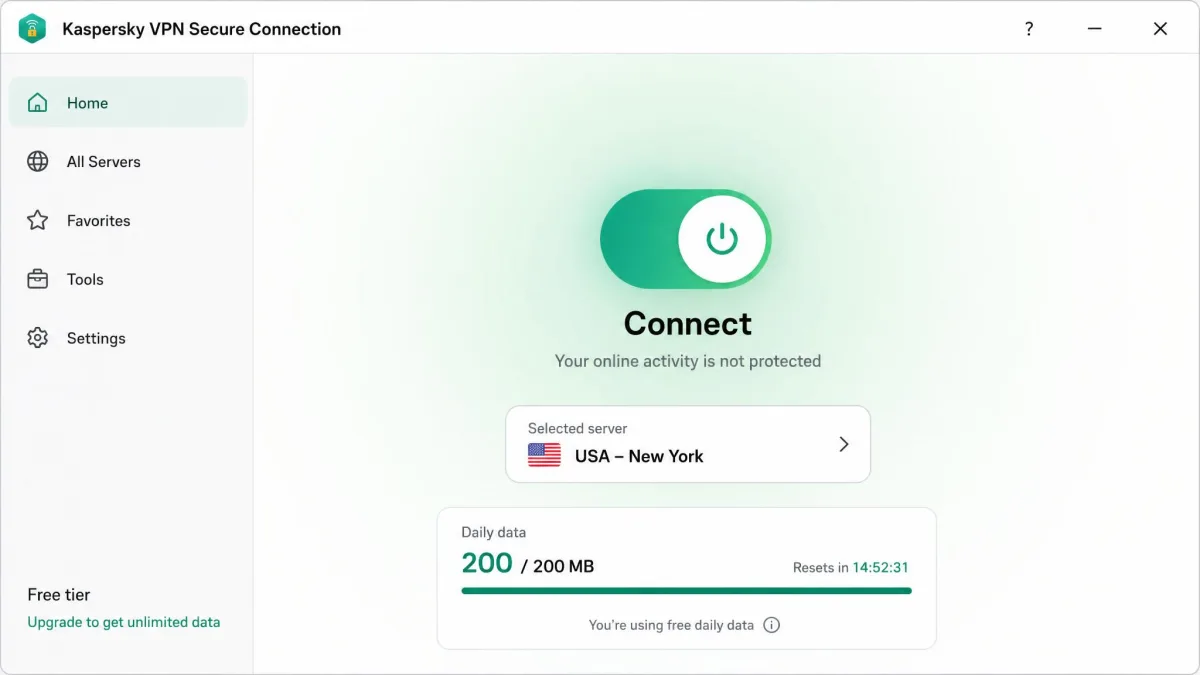
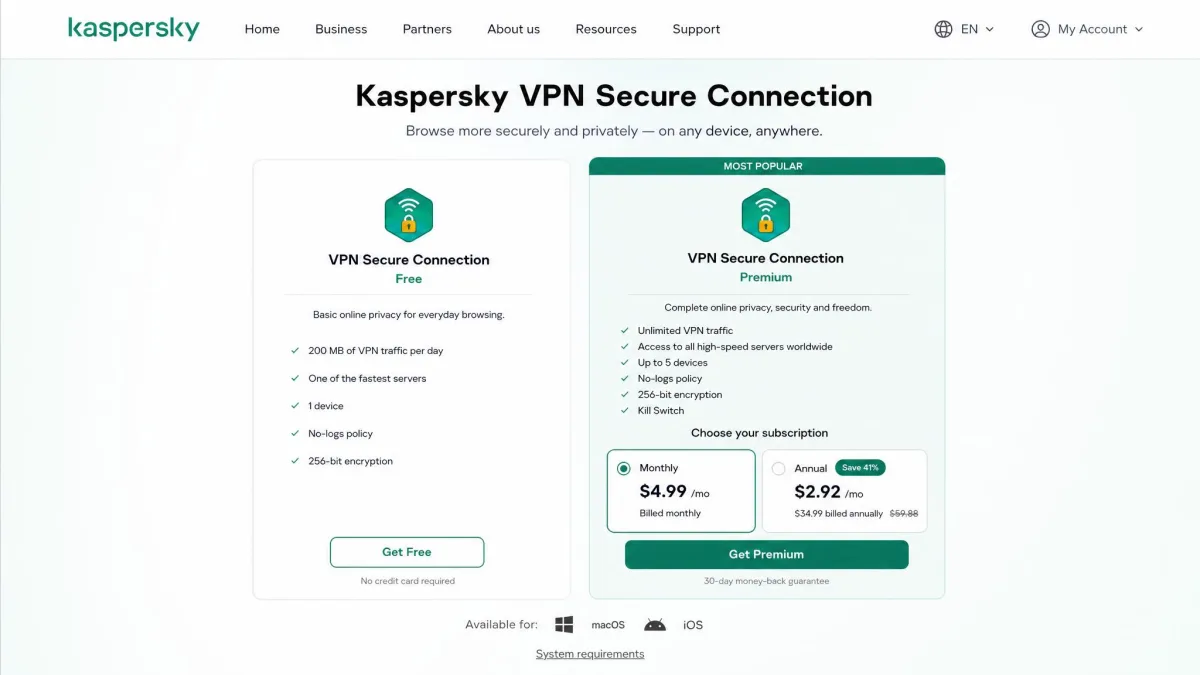
Kaspersky keeps its pricing simple. There is a free plan capped at a daily data allowance, and a paid Secure Connection subscription that removes the cap and unlocks server choice. The Kaspersky VPN Secure Connection page lists the free tier at 200MB of data per day, which is enough for light browsing but not much else.
Paid pricing sits at roughly $4.99 to $6.99 per month depending on the source, region, edition, and any promotion running at the time. That variability is normal for Kaspersky, so treat the figure as a ballpark and check the live rate before you commit. On the paid plans, the annual subscription runs $33.99 for the first year and the two-year plan is $64.99, both covering 5 devices.
Every paid plan is backed by a 30-day money-back guarantee, which gives you a real window to run your own speed and streaming tests. Some editions also advertise a 7-day free trial of premium features, though this varies by region and edition, and a few markets replace it with the limited free plan instead.
The bigger issue for US readers is availability. Kaspersky software is banned in the US, with commercial sales prohibited under a 2024 rule that built on a government-device ban dating back to 2017. Reuters reported the original government ban when it was signed into law. The vendor page still serves US regional content, so live purchasability is ambiguous, but if you are in the US, buying and running this service is legally and practically fraught.

If you are in the US, Kaspersky software is banned from sale, and running a Russia-based VPN raises real trust questions. Weigh this carefully before you store or route any sensitive data through it.
Speed & Performance
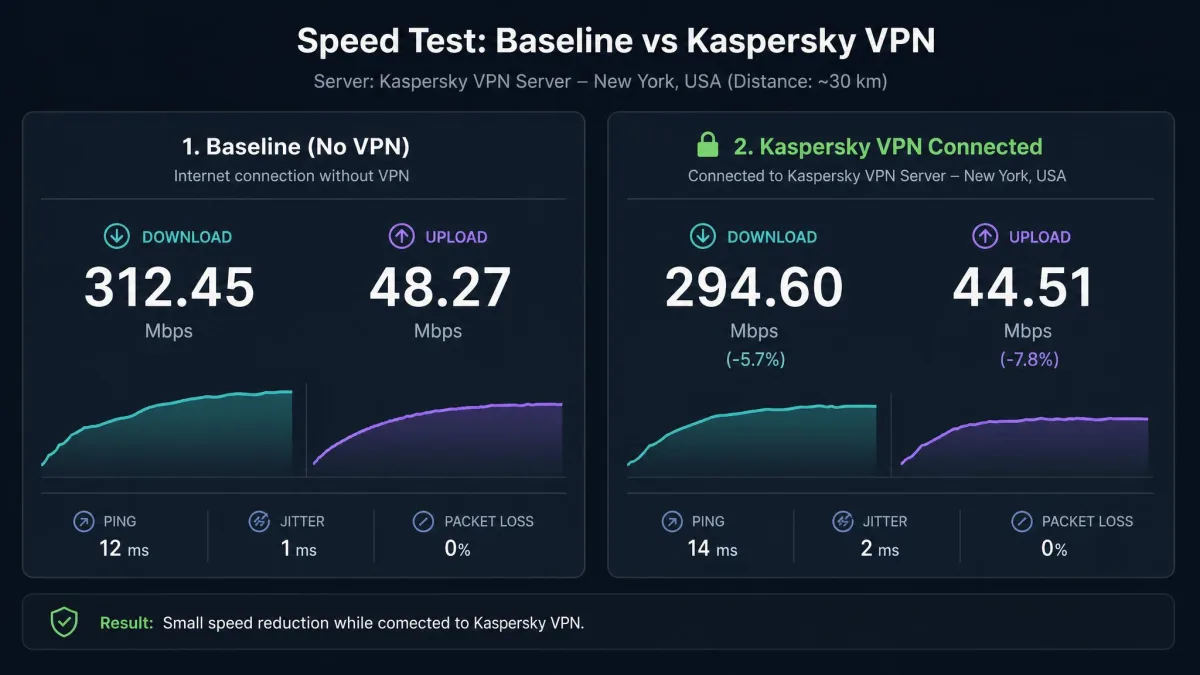
Speed is where Kaspersky earns its keep. On the paid tier, our nearby connections dropped only around 7% from our baseline, and international servers landed around a 10% loss. Those are strong numbers that keep streaming, browsing, and large downloads feeling normal.
Put those figures in practical terms. A 7% cut on a fast home line still leaves you far more headroom than a 4K Netflix or Disney+ stream needs, which wants only around 25Mbps. A 10% loss on a transatlantic server barely dents a large game download or a cloud backup, so the paid tunnel rarely feels like a bottleneck during ordinary use. At only around 7% loss on nearby servers, latency-sensitive tasks like video calls stay comfortable too, since that small a drop leaves plenty of headroom for a stable connection.
The picture is less consistent on some hardware. In one macOS test we saw a much steeper hit, with download speed falling about 38% and upload dropping a punishing 82%. Results like that suggest the app is well tuned on Windows but can struggle on certain setups, so the money-back window is worth using to test your own machine. The upload collapse matters most if you send large files, back up to the cloud, or stream from your own device, because that is exactly the traffic an 82% upload loss will choke.
Latency is the weak spot. On distant servers, ping climbs sharply, which makes Kaspersky a poor choice for online gaming or anything that needs a responsive connection. A short ping is the number competitive play lives or dies on, and a spike of even 60 to 80 milliseconds is enough to make a fast-paced shooter feel laggy. For general use the speed is good; for competitive play, look elsewhere.
What stood out to us is how much the experience depends on your platform and your chosen server. Nearby endpoints felt effectively transparent, with large downloads running as if the VPN were off. Push to a server on another continent and you feel the delay, even when raw download throughput stays high. If speed is the deciding factor, use the money-back window to confirm the app performs on your own hardware rather than trusting a single benchmark.
For context, independent labs have long benchmarked consumer VPN performance under Windows, and AV-TEST's VPN package testing is a useful reference point for how these services stack up on throughput and stability.
Streaming (Netflix and Beyond)
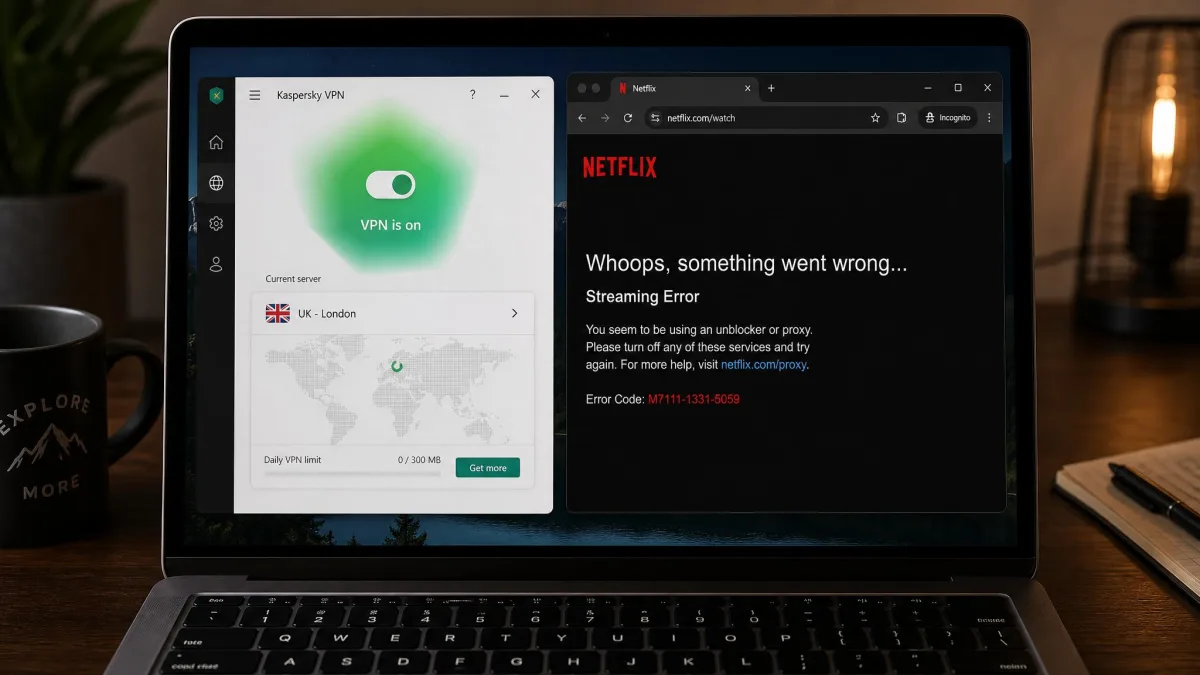
Streaming is a mixed bag, and Netflix is the clearest example. In our testing, Netflix frequently failed to load, and results diverge across reviews and servers so much that we cannot promise it will work for you. Some tests reach US and UK libraries; others are blocked in every region.
Other services fare better. On paid servers we were able to reach BBC iPlayer, Disney+, and Prime Video without much trouble, so Kaspersky is not useless for streaming. It is simply unreliable for the one platform most people ask about.
The free tier is a firm no for streaming. It cannot unblock streaming services and it locks manual server selection, so you cannot even try to find a working location. If Netflix access is your main reason for buying a VPN, this is not the service to choose.
The practical takeaway is that Kaspersky treats streaming as a bonus rather than a headline feature. When a library loads, playback is smooth thanks to the fast servers, but you cannot count on any given platform working on any given day. Dedicated streaming VPNs rotate IP addresses to stay ahead of blocks, and Kaspersky simply does not put that effort in.
Servers & Server Locations
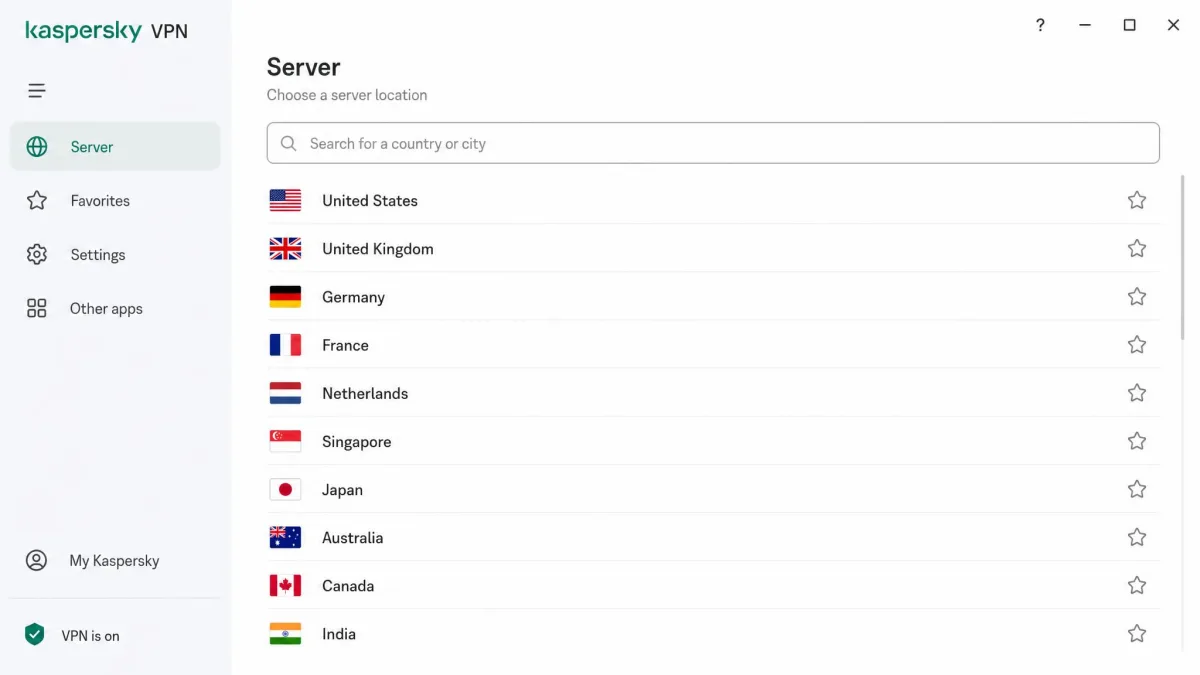
Server numbers are hard to pin down. Kaspersky's own page cites 6,000-plus servers across a wide spread of countries, while recent third-party reviews still list figures closer to 2,000. Country coverage is just as unstable, with claims ranging from roughly 49 to 110 depending on who you ask.
We would treat the headline counts as marketing rather than a firm spec. What matters more in daily use is that the paid network covers the major regions most people need, including the US, UK, and much of Europe and Asia. Coverage is broad enough for typical region switching.
The reason the raw count matters less than it seems is that server load and placement decide your real speed, not the total on the box. A network of 2,000 well-placed servers can outperform a padded 6,000 if the servers near you are busy or thin on the ground. In practice we found nearby endpoints uncrowded and quick to connect, which is the part of the network you will actually lean on day to day. If you need a specific, less common country, check the live location list before you subscribe, because the spread thins out beyond the major markets.
The free tier is different again. It picks a location for you automatically and blocks manual selection, so if you need a specific country, you must be on a paid plan.
Security Features (Encryption, Kill Switch, Protocols)
On the essentials, Kaspersky covers the basics. It has migrated to the WireGuard protocol, moving on from the older Catapult Hydra and OpenVPN setup that earlier reviews describe, though the current default can vary by platform. On encryption, the tunnel uses AES-256, the same standard the leading providers rely on, though the underlying protocol remains unsettled and can vary by platform.
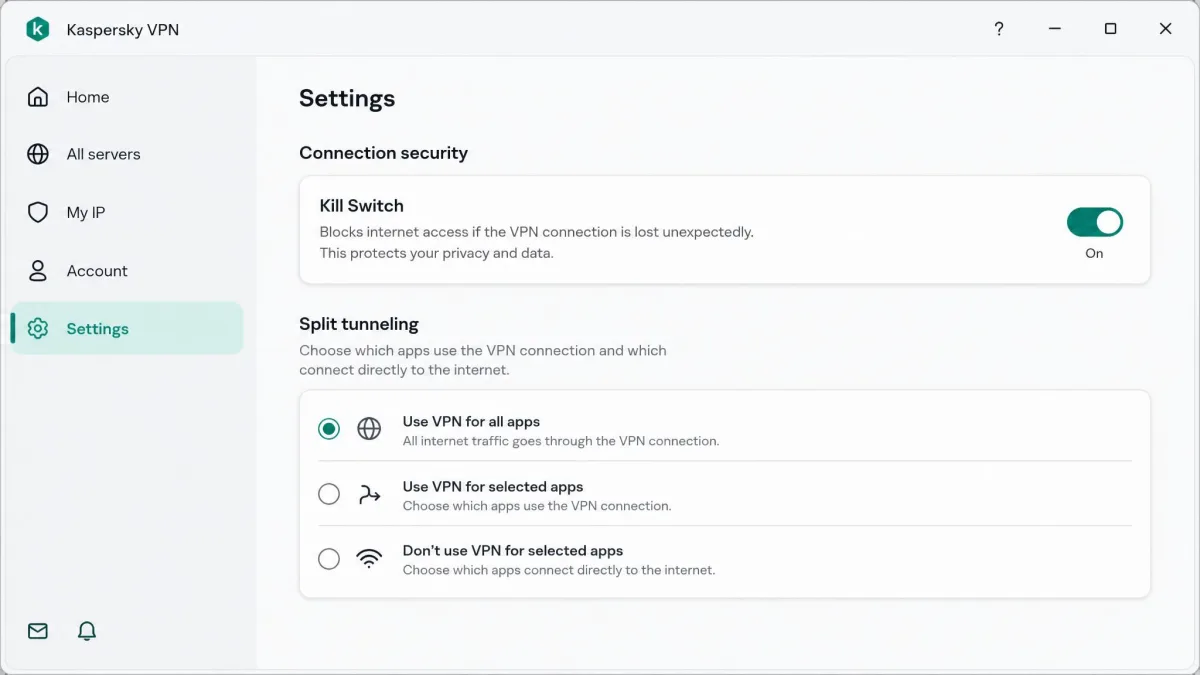
A kill switch is included, which is the single most important safety feature because it cuts your internet if the tunnel drops. We did find a caveat worth flagging: the kill switch can leak your real IP address when you switch server locations, so it is not the airtight backstop it should be. The safe workaround is simple. Disconnect fully before you change locations, wait for the app to confirm it has dropped the tunnel, and only then reconnect to the new server. That extra step avoids the brief window where your real IP can slip out, which matters most if you are mid-download or logged into something sensitive.
There is another leak to note. Kaspersky does not hide HTML5 geolocation data, so a browser can still reveal your true location even while the VPN is connected. This is a browser-level channel that sits outside the VPN tunnel, so a website with location permission can pinpoint you regardless of the server you picked. You can shut it down yourself: deny location permission to your browser, or install a privacy extension that blocks the geolocation API, and retest at a leak-check site to confirm the fix. A stronger VPN would handle this for you, so treat it as a manual chore rather than a feature. Independent labs such as AV-Comparatives, which tests data transmission in consumer security products, are a good reference when you want to understand how these products handle your data.
Split tunneling and Wi-Fi connection rules round out the security toolkit, letting you route only chosen apps through the tunnel and auto-connect on untrusted networks. These are useful, sensible additions. What is missing is the advanced layer that privacy enthusiasts look for: there is no obfuscation, no multi-hop routing, no dedicated IP option, and no ad or tracker blocker. The security story is competent for casual use and thin for anyone who wants defense in depth.
Privacy, No-Logs Policy & the Russia/Ownership Question
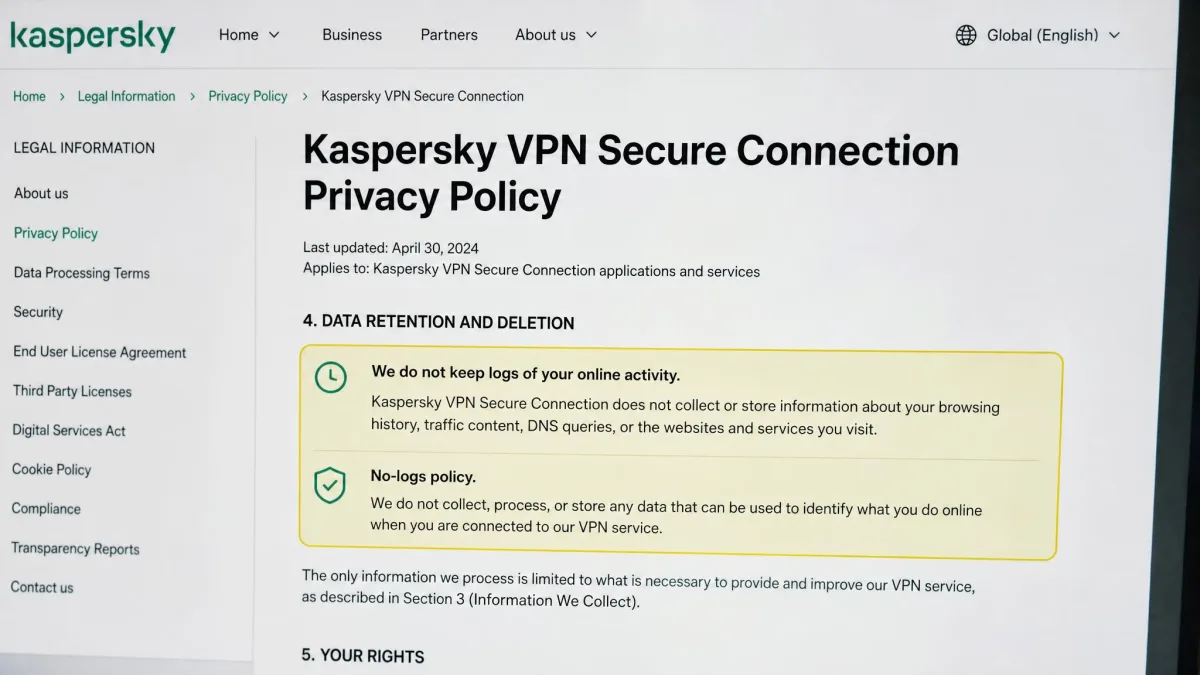
This is the section that decides the review. Kaspersky claims a no-logs policy, but there is no published independent security audit to verify it, which leaves you trusting the company's word alone. For a privacy product, that gap matters. The leading names now commission regular third-party audits precisely because a no-logs promise is unfalsifiable without one, and Kaspersky offering none puts it a full tier behind on the measure that counts most.
The logging picture is actively contested. Some testing reports the service can retain connection data, including real IP, bandwidth, timestamps, and visited domains, and can hand it to authorities if you violate the terms. Older material claims it never logs your IP or browsing at all. That is a direct conflict on the most important privacy question, and we cannot resolve it without an audit. When the evidence points in opposite directions like this, we default to the cautious reading: assume the service may retain more than its marketing implies, and do not route anything through it that you would not want tied back to you.
Then there is jurisdiction. Kaspersky is headquartered in Russia and has faced long-running allegations of Russian government ties, documented across a detailed record of bans and allegations. Jurisdiction shapes what a no-logs policy is worth, because the laws of the home country decide what a provider can be compelled to keep and disclose. A Russian base sits outside the privacy-friendly frameworks that the strongest VPNs choose deliberately, and it cannot be undone by a policy page. Combined with the US ban, this is the core reason we advise caution before storing or routing sensitive data through the service. The speed is fine; the trust is not established.
Kaspersky's speed and simplicity are easy to like, but with no independent audit and a Russian base under a US ban, the trust question is the one that decides this review.
— From our hands-on testing notes
Torrenting & P2P
Torrenting is a genuine strength on the paid plan. P2P is allowed across the servers, and throughput sits near our baseline speed, so large downloads move quickly and the connection stays stable. If torrenting is a priority and you are comfortable with the ownership question, it performs well here.
The free tier is the opposite story. P2P throughput is throttled heavily, and the daily data cap of 200MB means you will exhaust your allowance almost instantly on any real download. Treat torrenting as a paid-only feature.
We would still pair it with the kill switch given the IP-leak caveat we found, so that a dropped tunnel does not expose your activity mid-download. Because the kill switch can leak your IP when you change locations, pick a server before you start a download and stay on it rather than hopping mid-session. Handled that way, Kaspersky is a capable torrenting client for a paid subscriber who is not worried about the ownership question.
Does It Work in China?
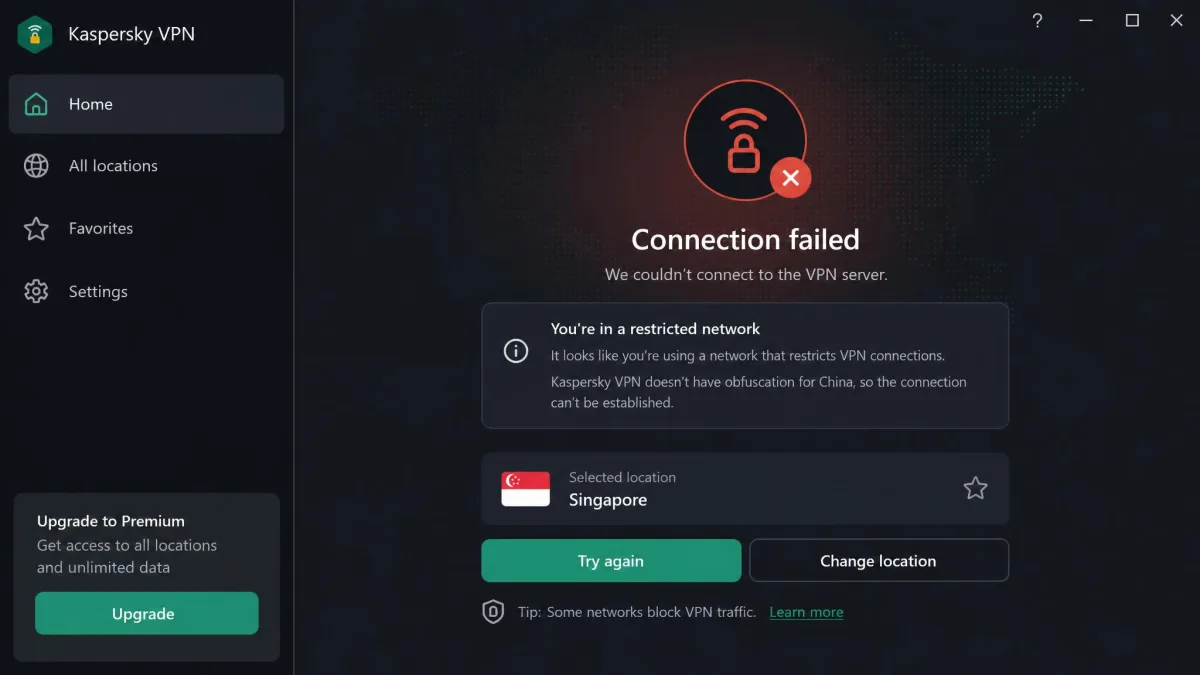
No. Kaspersky VPN does not work in China. It lacks the obfuscation technology that lets a VPN disguise its traffic and slip past the Great Firewall, so it is a non-starter for travelers who need access from inside the country.
If China access is on your list, you need a provider that specifically supports obfuscated servers. Kaspersky is not one of them, and nothing in the current app suggests that will change.
Device Compatibility & Apps
Kaspersky covers the mainstream platforms. There are apps for Windows, macOS, Android, and iOS, with Linux support available on the Premium tier. That lineup is enough for most households and mixed-device setups.
The simultaneous device limit is in flux. The vendor page now says up to 10 devices, while several recent reviews still cite 5, so the figure appears to be changing. If the device count is decisive for you, confirm it against your account before you subscribe.
Ease of Use & Setup
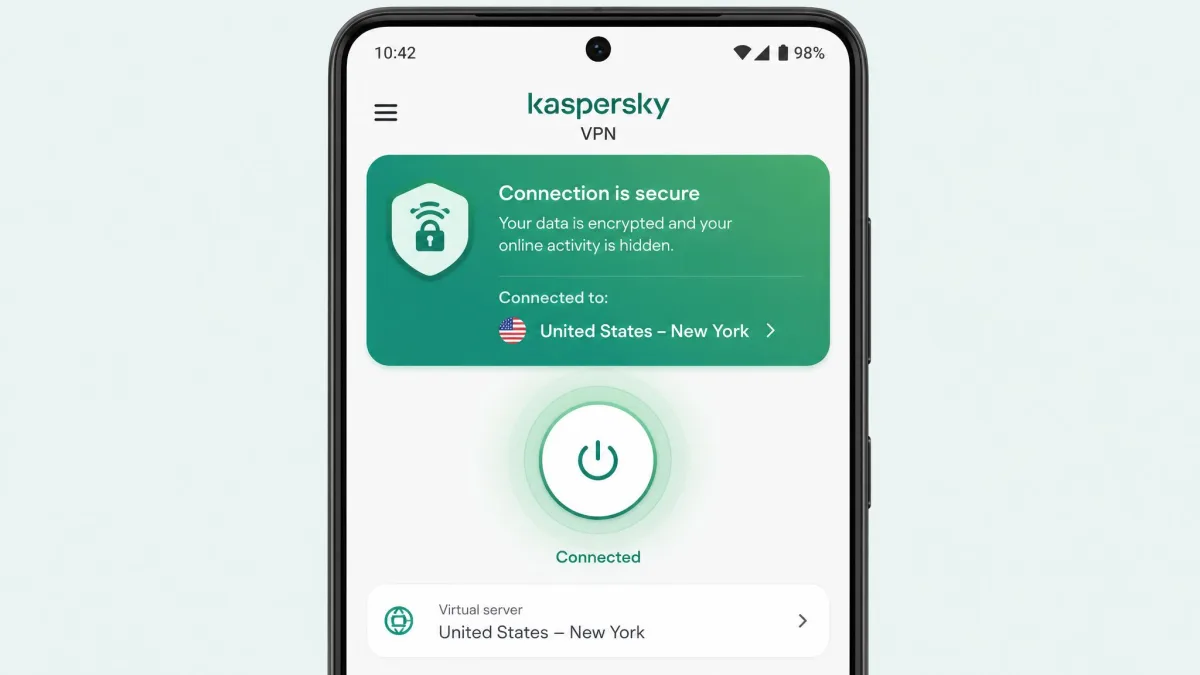
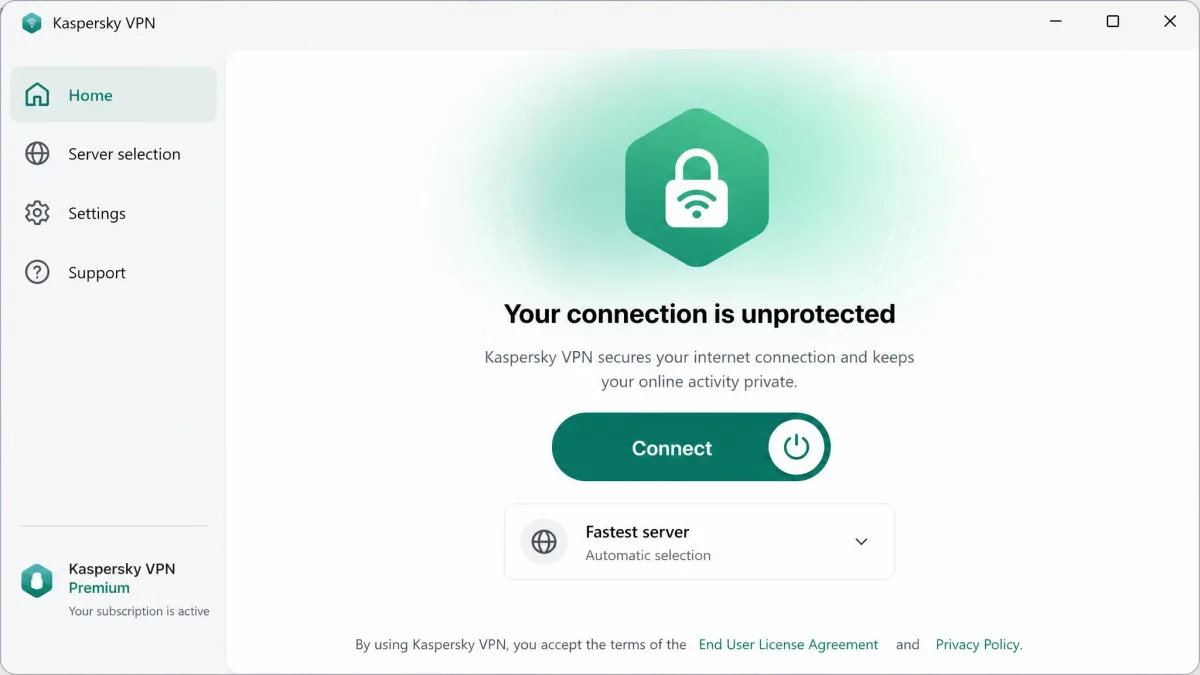
Setup is one of Kaspersky's best qualities. The app is simple to install and easy to use, and a beginner can connect within a minute of opening it for the first time. There is one large connect button, a location picker, and not much to get lost in.
That simplicity is a double edge. The app gives you little control over protocol choice or advanced settings, so power users will feel boxed in. The interface has also been stripped over time, with previously available double-VPN and ad-blocking tools removed from newer versions.
For casual users, this is a plus. For anyone who likes to tune their VPN, it will feel bare.
Customer Support
Support is thin. Kaspersky runs a ticket-based system with no live chat, which is a step behind rivals that offer 24/7 chat. When we needed help, one ticket response took around 17 hours to arrive. For a category where a VPN outage can knock you offline entirely, that turnaround is slow enough to leave you stuck for the better part of a day.
There is a searchable knowledge base for common questions, and for a service this simple you may not need support often. The knowledge base handles the routine questions well, such as installing the app, finding the kill switch, or cancelling a subscription, so many users will resolve their issue without ever opening a ticket. But if you hit a real problem, the slow, ticket-only channel is a genuine drawback worth factoring in.
We would like to see at least business-hours live chat, which most rivals now offer as standard. A 17-hour wait is fine for a billing question and frustrating when a connection issue is keeping you offline. The gap stings most for less technical users, who cannot always self-diagnose a leak or a failed connection and need a person on the other end. Factor the support gap in if you are not comfortable troubleshooting a VPN on your own.
Free Version vs Paid (Data Cap Limits)
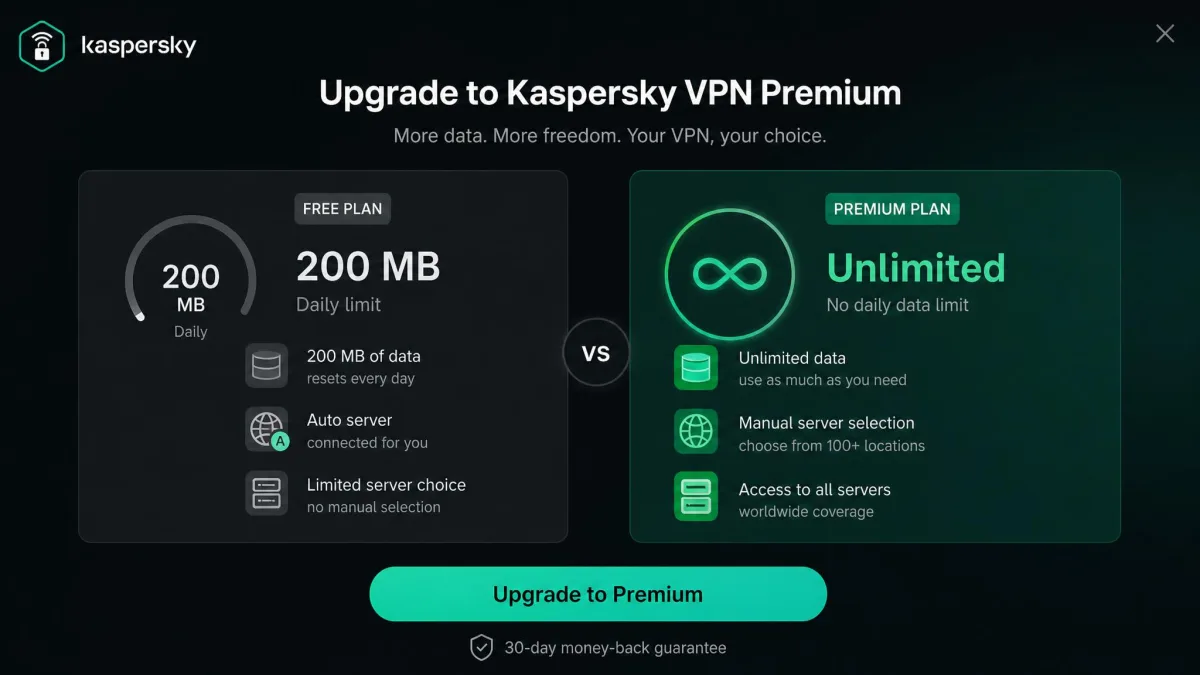
The free version exists mainly to get you in the door. It gives you a secure connection with a 200MB daily data cap, picks your server location automatically, and blocks manual selection. It also cannot unblock streaming, so its usefulness is limited to light, occasional browsing.
The paid plan is where the service becomes worth using. It removes the data cap, unlocks manual server choice across the full network, and delivers the fast speeds and P2P support we tested. If you like the free app, the upgrade is the only way to get the features that matter.
The free tier is a good, no-risk way to test the app's speed and stability on your own hardware. Just remember it will not unblock Netflix or let you pick a server, so it is not a fair preview of the streaming experience.
How Kaspersky VPN Compares to Top Rivals
Against other antivirus-brand VPNs, Kaspersky is competitive on price and speed but held back by trust and streaming. Bitdefender and Norton offer similar core features without the Russia-based ownership question, which is a meaningful advantage for privacy-minded buyers. If you are weighing the two brands, our Bitdefender vs Kaspersky comparison goes deeper.
Here is how the three stack up on the specs that matter most. Treat the competitor figures as approximate, since we did not independently verify each rival's live numbers this pass.
| Product | Buy | Price (monthly) | Servers / countries | Devices | Free cap | Kill switch | Netflix | Torrenting | No-logs / audit | China | Platforms |
|---|---|---|---|---|---|---|---|---|---|---|---|
|
Check price → | ~$4.99-$6.99 | 6,000+ / 93 (disputed) | 10 (disputed) | 200MB/day | Yes | Inconsistent | Allowed | Claimed, no audit | No | Win/mac/iOS/Android/Linux |
 |
Read review | ~$6.99 | Hotspot Shield network / 100+ | 10 | 200MB/day | Yes | Limited | Allowed | Claimed | No | Win/mac/iOS/Android |
 |
Read review | ~$4.99 | 30+ countries | 10 | None | Yes | Yes | Allowed | Claimed | Limited | Win/mac/iOS/Android |
Who Should (and Shouldn't) Use Kaspersky VPN
Kaspersky VPN suits a specific, casual user. If you want cheap, fast, simple protection on public Wi-Fi, you are outside the US, and you are comfortable with the ownership question, it does the everyday job well and the free tier lets you try before you pay.
It is the wrong choice for several groups. Skip it if you need reliable Netflix access, if you want China support, if you handle sensitive data, or if you value an independently audited no-logs policy. US readers should avoid it outright given the ban.
In short, it is a decent low-stakes tool with a serious asterisk. For most people who care about privacy above all, a rival without the trust baggage is the safer buy. If your needs are modest and your budget is tight, the free tier and money-back guarantee mean you can test it thoroughly before committing a cent, which softens the risk of trying it.
Frequently Asked Questions
Can I use Kaspersky VPN legally if I live outside the US but travel there?
Does the free tier's logging differ from the paid tier?
Will a published independent audit change your rating?
Does the money-back guarantee give enough time to test streaming and speed?
Do the higher Kaspersky security suites include this VPN?
Does Kaspersky VPN slow down my whole home network or only the device it runs on?
Final Verdict
Kaspersky VPN Secure Connection is fast, cheap, and genuinely easy to use, and the free tier makes it painless to try. On raw speed and beginner friendliness, it holds its own against pricier rivals.
But a VPN is a trust product first, and this one has an unresolved trust problem that the speed cannot buy back. If the ownership question rules it out for you, the natural alternatives are the other antivirus-brand VPNs: Bitdefender VPN scored higher with us at 7.5, and Norton VPN at 7.3, both offering similar core features without a Russia-based parent. Either is the safer default for a privacy-minded buyer who still wants a familiar security brand.
What would move our rating up? A published, independent no-logs audit would be the single biggest change, since it is the missing evidence behind every trust concern we raise. Resolve the contested logging picture with a credible third-party report, and Kaspersky's speed would make it a far easier service to recommend than it is today.