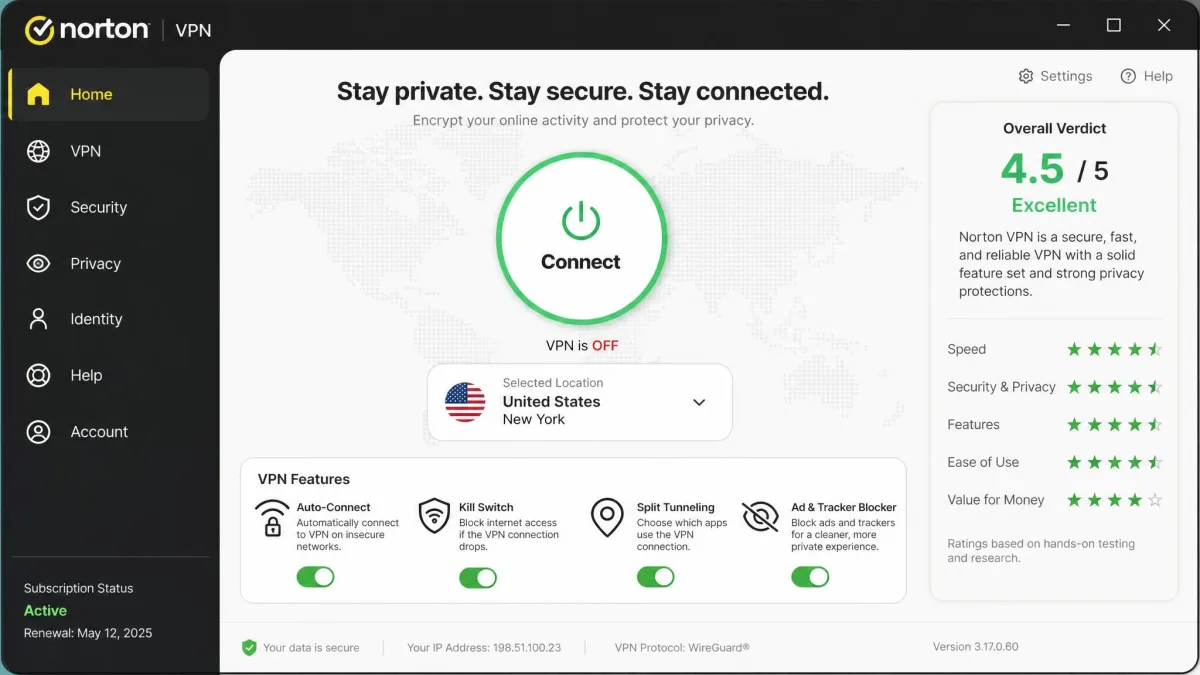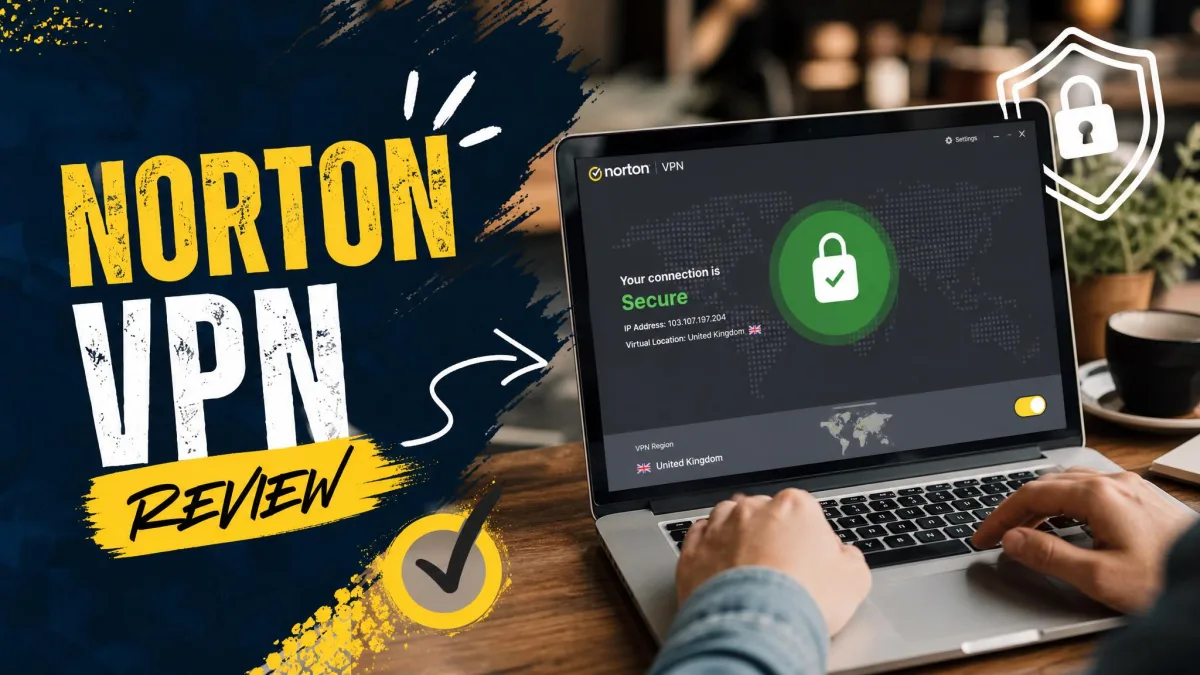
Norton VPN is a solid, easy-to-use VPN that has come a long way since its clunky Secure VPN days, but it is not yet a match for the top tier. The rebuilt app is fast on nearby servers, unblocks the streaming services most people care about, and passed every leak test we ran. The catches are a small server network, no Linux or router support, patchy torrenting, and a renewal price that more than doubles after year one.
That mix is exactly what you would expect from a security giant that treats the VPN as one feature inside a broader protection suite. Norton VPN is made by Gen Digital, the company behind Norton 360, Avast, and LifeLock, so it arrives with real brand pedigree and a familiar account system. When it comes to raw VPN specialism, though, the likes of NordVPN, ExpressVPN, and Surfshark still cover more ground, and much of this review is about weighing Norton's convenience against their depth.
We spent our testing time putting Norton VPN through the same real-world checks we use on every VPN we review: back-to-back speed runs on near and distant servers, streaming trials across the major platforms, DNS and WebRTC leak tests, and a close look at the privacy policy and audit history. We ran the app on Windows and Android, where the feature set is fullest, and cross-checked behavior on macOS and iOS. We also bought the subscription ourselves rather than accepting a vendor account, so nothing you read here reflects a special review build. This review lays out what held up and what did not, section by section, from pricing through the final verdict.
Norton VPN Pricing and Plans
Norton VPN sells three annual tiers. The gap between the first-year price and the renewal price is the single most important thing to understand before you buy. The Standard plan starts at $39.99 for the first year. The Plus plan starts at $49.99. The Ultimate plan starts at $59.99. Those are competitive introductory numbers, especially from a brand this size. They routinely undercut the first-year cost of the big three specialists.
The renewals are where the mood changes. Standard renews at $79.99 a year, so the price roughly doubles at the first anniversary. Plus renews at $109.99 a year. The Ultimate tier renews at around $129.99 a year, though one source we checked lists $119.99. Confirm the current figure on Norton's checkout page before you commit. In our experience this renewal jump is the complaint that comes up more than any other, and it is a fair one. A VPN you signed up for at $39.99 suddenly costs $79.99. It feels like a different product at a different price, even though nothing about it has changed.
What separates the tiers is device count and extras, not core VPN quality. Standard and Plus both cover 5 simultaneous devices. Ultimate raises that to 10 devices and layers in identity-focused features such as fuller dark web monitoring. All three run the same underlying VPN. A Standard subscriber gets the same speeds, servers, and protocols as an Ultimate subscriber. That is worth stressing. It means you never have to pay for the top tier just to get the best connection quality. You pay more only for device headroom and the identity extras.
Every annual plan carries a 60-day money-back guarantee. That is unusually generous, well beyond the 30 days most rivals offer. Monthly plans, by contrast, come with only a 14-day guarantee, and their per-month cost is far higher than the annual equivalent. Because the annual guarantee is so long, we treat it as the real trial. You can subscribe, run every test that matters to you, and still get a full refund inside two months if it does not fit. That reframes the value equation. The introductory year is inexpensive and low-risk. The honest way to shop Norton VPN is to plan around that first year and decide before the renewal whether it has earned another.
The 60-day annual guarantee is one of Norton VPN's quiet strengths. It gives you far more room to test streaming, speed, and torrenting on your own connection than the typical 30-day window, so use it deliberately rather than trusting the marketing sheet. Test the servers and platforms that actually matter to you.
Is There a Free Trial or Free Version?
There is no free version of Norton VPN, and the free-trial situation is murky. Norton's own pages mention free trials that require a payment method, but the duration is not clearly stated, and it varies by region and promotion. That uncertainty is frustrating, because a clear, no-card trial is exactly the kind of thing that would ease first-time buyers in. Rather than chase an unclear trial, we would sign up for an annual plan and lean on the 60-day money-back guarantee, which functions as a no-risk trial that covers every feature and every server. Add a reminder for day 55, run your tests before then, and cancel for a refund if it disappoints. One practical note: the guarantee applies to the purchase, so start your testing the day you subscribe rather than weeks later, and keep the confirmation email handy in case you need to reference the order when you request the refund.
Across our hands-on time with the rebuilt app, three things stood out: speed retention on nearby servers was genuinely good, every leak test came back clean, and the kill switch was the one core feature we could not fully trust on every platform. Those findings shape the rest of this review, and we come back to each of them in detail below.
Norton VPN Features
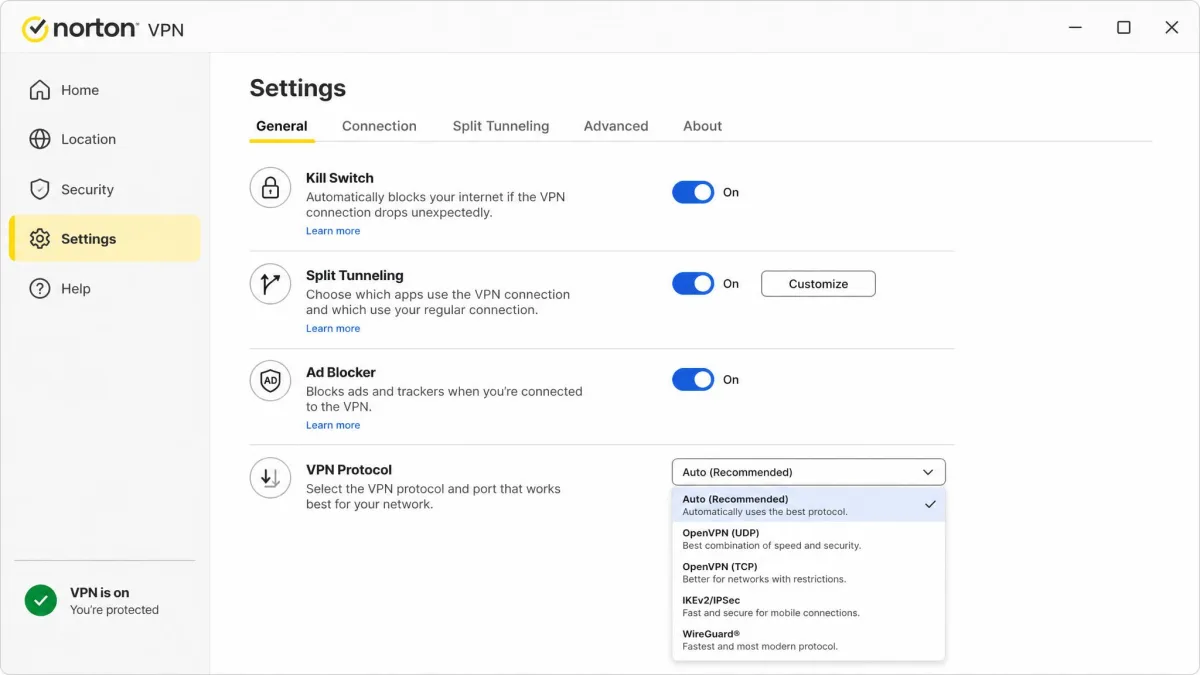
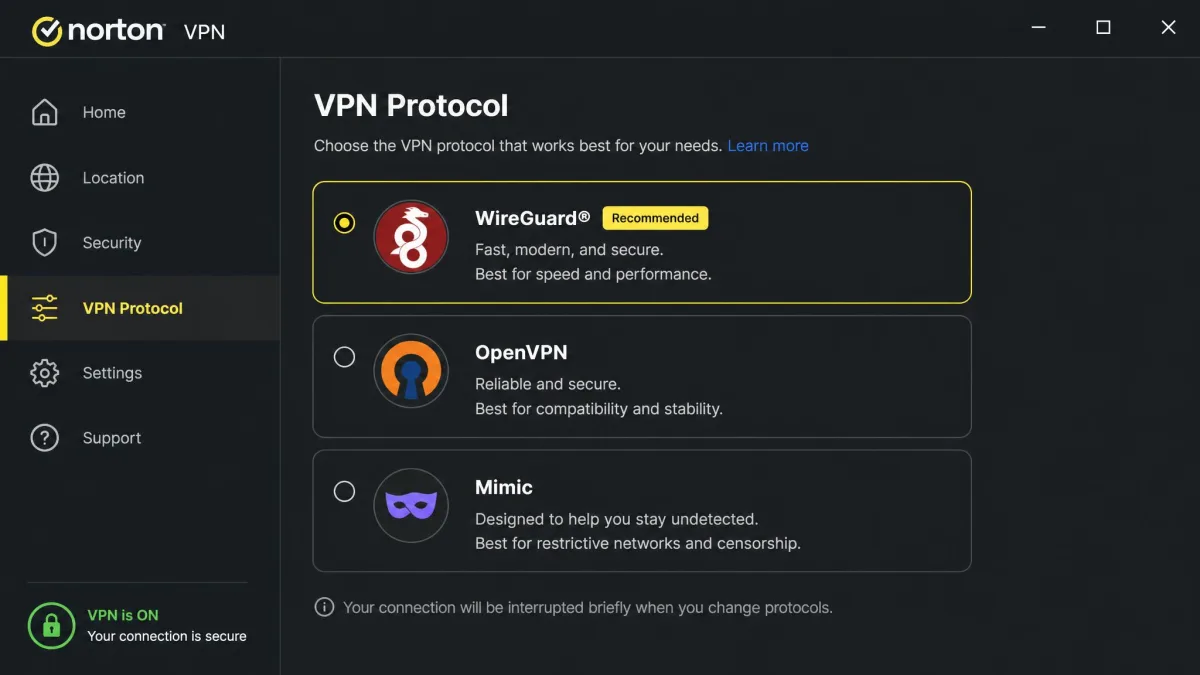
Norton VPN's feature set is broad on paper and covers everything most users need, though a few pieces work only on certain platforms. The core list includes a kill switch, split tunneling, an ad and tracker blocker, Double VPN, IP Rotation, the Mimic obfuscation protocol, dark web monitoring on Plus and Ultimate, and a privacy monitor. Protocol support spans WireGuard, OpenVPN, and Mimic, depending on your device.
The important caveat is that platform coverage is uneven, so the feature you rely on may not be present on the device you use most. This is the recurring theme of Norton VPN: the ingredients are all here, but they are distributed unevenly across operating systems. We break down the pieces that matter below, and note where each one is and is not available so you can check it against the devices you actually own.
Kill Switch and Split Tunneling
The kill switch and split tunneling are the two features where platform matters most. Both work on Windows and Android, and both are missing on macOS and iOS. If you are a Mac or iPhone user who considers a kill switch non-negotiable, that gap alone may rule Norton VPN out, because a kill switch is the feature that stops your real IP from leaking the instant a connection drops.
Even where the kill switch exists, it was the one core feature we could not fully trust. In our testing it did not always hold during network interruptions on some platforms, and a kill switch that occasionally lets traffic slip during a reconnection is doing only part of its job. We would rather see a kill switch that is boringly reliable, and this one was not always. Split tunneling, by contrast, behaved as expected on Windows and Android, letting us route chosen apps outside the tunnel without fuss, which is handy for keeping a banking app or a local device on your normal connection while everything else runs through the VPN.
Treat Norton VPN's kill switch as a helpful layer rather than an absolute guarantee, and remember it is absent entirely on macOS and iOS. If a rock-solid kill switch on every device is a hard requirement, a specialist VPN is the safer choice.
Ad / Tracker Blocker
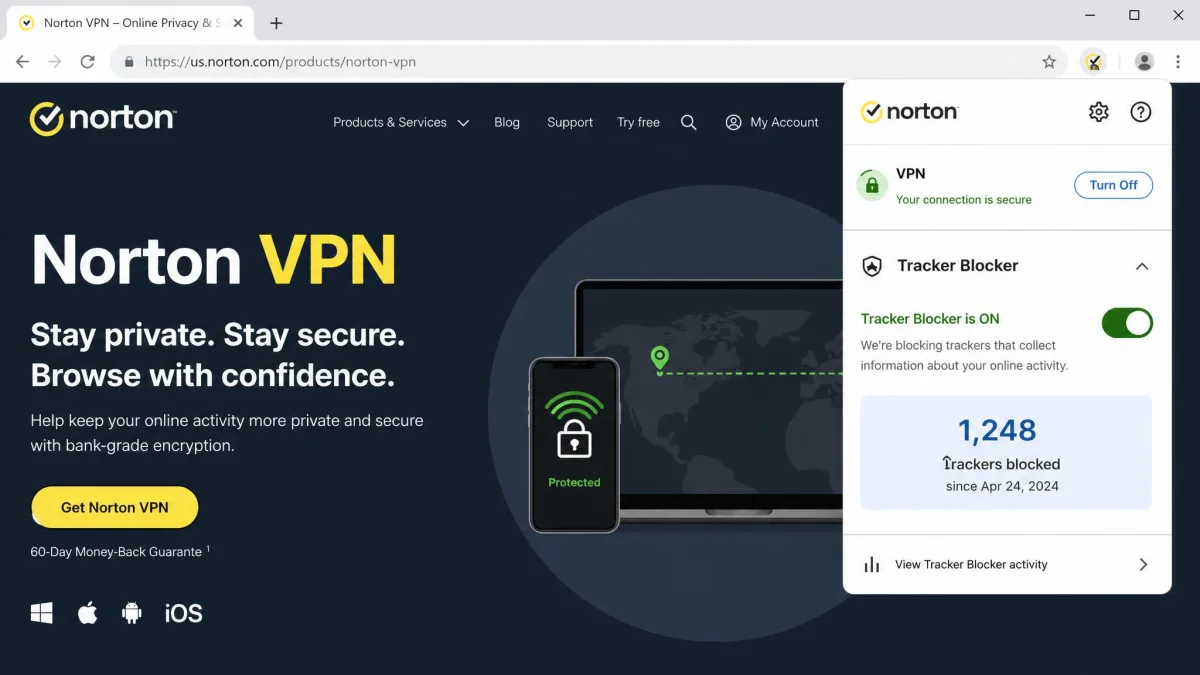
The ad and tracker blocker is a nice inclusion, but it is not the strongest we have used. It runs on desktop browsers and cuts down on ads and trackers, yet in our testing some invasive scripts still got through. It is a reasonable convenience feature rather than a replacement for a dedicated content blocker, so keep your browser extension if you rely on airtight ad blocking. As a bundled extra it adds value; as your only defense against trackers it underperforms.
Double VPN and Mimic Protocol
Double VPN routes your connection through two servers for an extra layer of privacy, which is useful for anyone who wants a bit more distance between their traffic and their identity, at the cost of some speed. Mimic is Norton's obfuscation protocol, designed to disguise VPN traffic as ordinary traffic so it slips past networks that try to block VPNs. Mimic is genuinely useful on restrictive networks such as some workplaces, schools, and hotels, and it was independently audited alongside the no-logs policy, which gives us more confidence in it than in a typical unaudited stealth mode. IP Rotation, which periodically changes your assigned address, rounds out the privacy-focused extras and makes it harder for a site to tie a session to a single VPN address.
Extras (Dark Web Monitoring, Privacy Monitor)
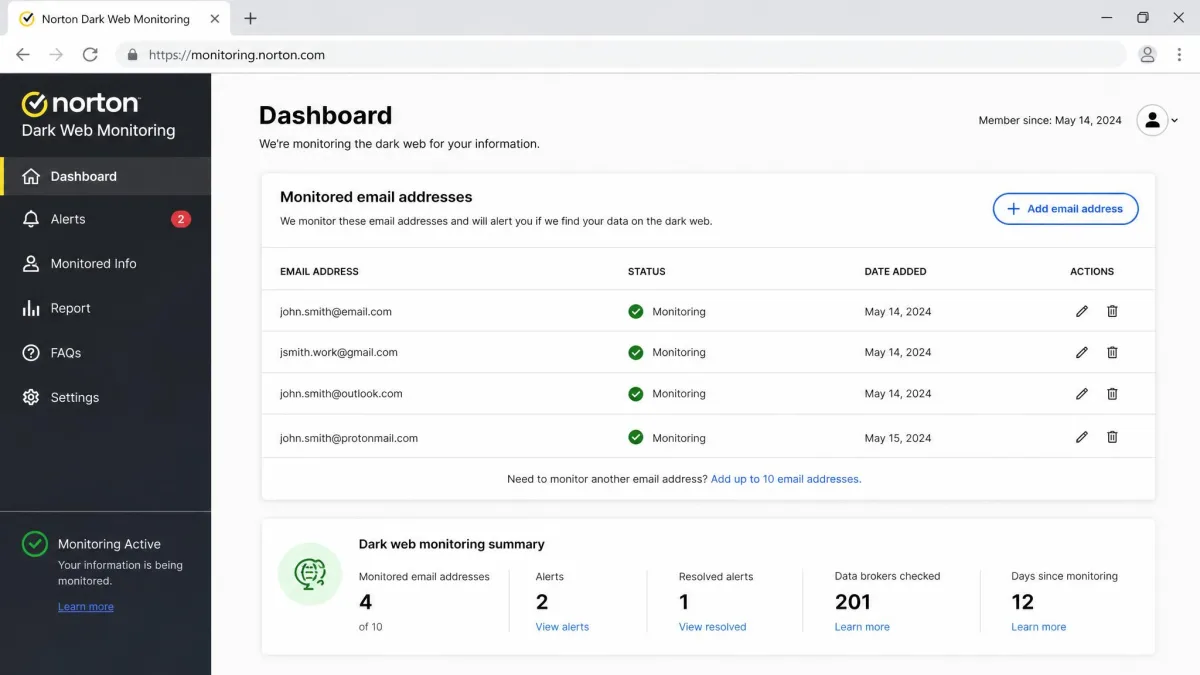
Dark web monitoring and the privacy monitor are the headline extras on the Plus and Ultimate tiers, and they nudge Norton VPN toward being a small security suite rather than a pure VPN. They are worthwhile in principle, scanning for exposed credentials and helping you scrub personal data from broker sites, and they are the kind of feature a VPN-only rival simply does not offer.
The execution is where they stumble. In our testing, both features kicked us out to the Norton web account instead of running inside the app, which breaks the flow and makes them feel bolted on rather than built in. You start a task in the VPN client and finish it in a browser, which is not how a polished, integrated suite should behave. The functionality is there and it works, but you should expect the experience to be split across the app and the web account rather than living in one place.
Speed and Performance
Speed is where the rebuilt Norton VPN earns most of its goodwill, and where the difference between the old and new apps is starkest. The rebuilt app feels fast and clean, with strong speed retention on nearby servers and only short lagging breaks on distant locations. In recent testing it held roughly 66 to 73 percent of baseline download speed, which is a solid result and enough for everyday browsing, video calls, and high-definition streaming without noticeable drag.
We ran the numbers across two scenarios rather than one, because a single server tells you very little about a network. Our first scenario was the everyday case: a same-country server a short hop away, the kind of connection most people leave running all day. Here the app connected in a couple of seconds and held the top of that 66 to 73 percent band through repeated runs, with download rates that never dipped enough to interrupt a call or a stream. The second scenario stretched the connection across an ocean to a far server, and the pattern shifted as expected. Throughput settled toward the lower end of the range, the short lagging breaks became more frequent, and the initial connection took a beat longer to lock in. Neither result surprised us, but the gap between them is the practical lesson: Norton VPN rewards you for connecting close and penalizes you for reaching far, more than a top-tier network with denser server coverage would.
One important note on context: speed results diverge sharply between the older Norton Secure VPN build and the rebuilt app. Older tests were poor, while recent tests of the new client are strong. We are describing the rebuilt app here, and we would not trust older benchmarks to reflect what you will get today. If you read a review from the Secure VPN era complaining about crawling speeds, treat it as history rather than a current warning, because the underlying app has been rebuilt.
Distance is the main variable. Nearby servers stayed quick and responsive throughout our runs, connecting fast and holding a stable rate through repeated tests, while far-away connections introduced the short lag breaks you would expect from any VPN reaching across the world. Latency climbed on distant servers, as it does with every provider, so gamers and anyone sensitive to lag should stick to the closest server that meets their needs. For most people connecting to a server in their own country or a neighboring one, the performance is more than good enough for anything short of competitive gaming. If your typical use is browsing, working, and streaming from a nearby location, the speed you get is not the reason you would pass on Norton VPN.
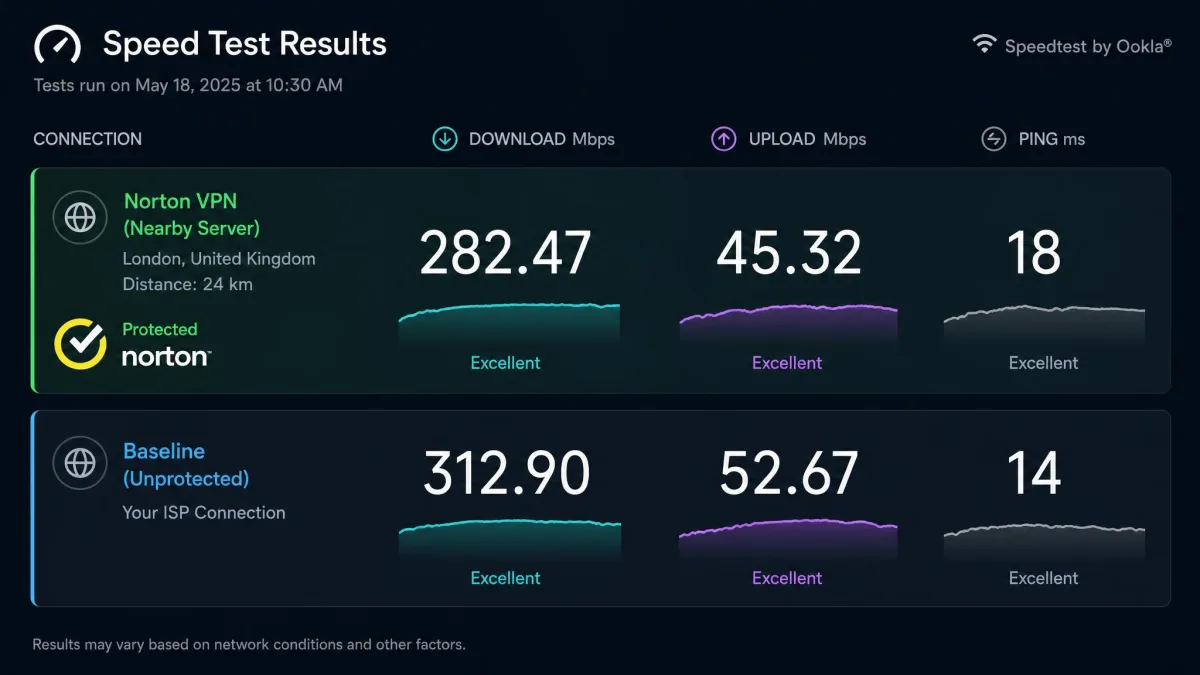
The rebuilt app held roughly 66 to 73 percent of our baseline download speed on nearby servers, a night-and-day improvement over the old Norton Secure VPN client.
— From our hands-on speed tests
Server Network and Locations
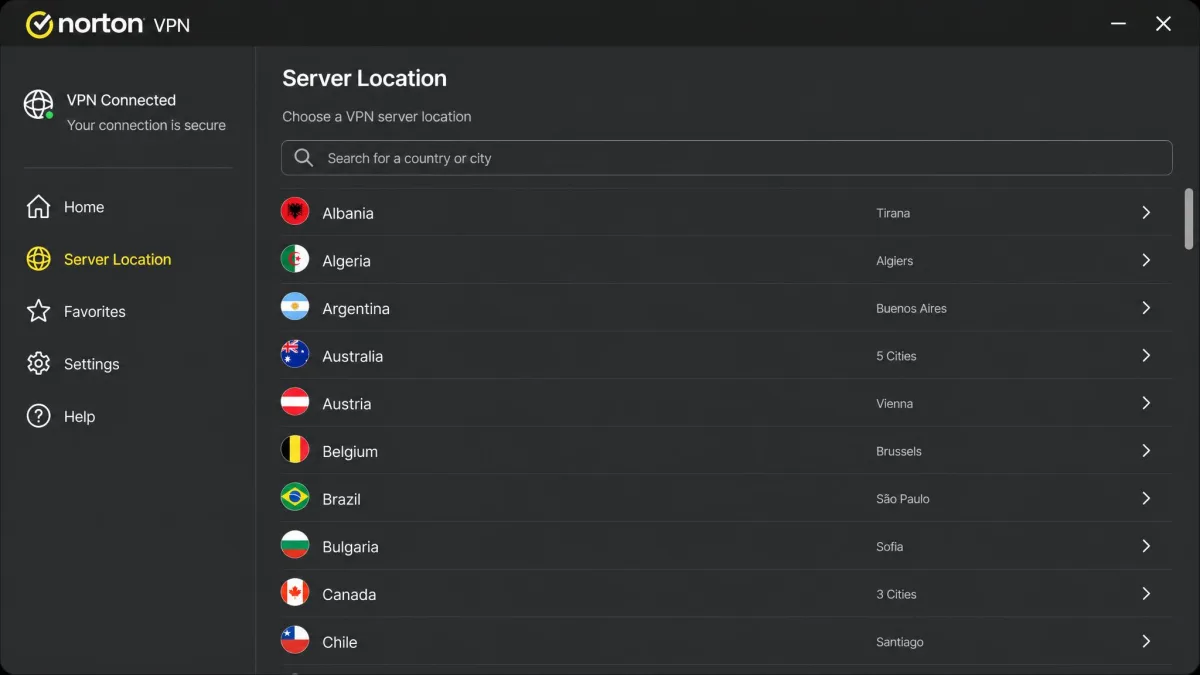
Norton VPN's server network is one of its clearest weaknesses. It is where the small-brand reality shows through. Norton operates around 100 server locations globally, which is modest next to the specialists. The country count is harder to pin down. Reviews report anywhere between 30 and 67 countries depending on the source and app version, because Norton expanded its network during the rebuild. We would treat the coverage as a moving target in the low-to-mid dozens of countries rather than a fixed number. Check the current list against the countries you actually need before subscribing.
It is worth understanding why that count is so slippery. The spread is unusually wide for a single product. Some reviews put the figure near 30 countries, others past 60. The difference is not sloppiness so much as timing: the network grew through the rebuild, so a review written six months apart from another can honestly land on a very different number. Norton itself leads with the location count rather than a headline country total, which adds to the fog. The practical takeaway is simple. Do not buy on the strength of any one figure you read, ours included. Open the current server list before you commit, and confirm the specific countries you care about are present in the build you will run.
Who does this actually affect? Mainstream users are largely fine. If your needs are the US, UK, Canada, Australia, or the major European countries, those are well covered and the nearby servers are fast, so the thin network never bites. The people it hurts are the ones with specific, less-common destinations. Think of someone who needs a server in a particular smaller country to reach a regional bank, a niche streaming catalog, or a service that only accepts connections from inside one nation. For those users a low-dozens country list is a real constraint. It is the single biggest gap between Norton VPN and the specialists. A smaller network also means fewer nearby options, more crowding on popular servers at peak times, and less flexibility when your first choice is busy.
One workflow gap compounds the small network: there is no way to save favorite connection presets. Every time we wanted to reconnect to a specific server, we had to find it again in the list. That slows down repeat connections. It is a small thing, but on a daily-driver VPN small friction adds up. It is the kind of quality-of-life feature the bigger providers have offered for years.
Streaming and Unblocking (Netflix, BBC iPlayer, Disney+)
Streaming is a genuine strength, and for many buyers it will be the feature that justifies the subscription. On recent builds, Netflix US, UK, and Japan all unblocked reliably in our testing, as did BBC iPlayer, Disney+, Hulu, and Prime Video. That is a strong lineup that covers the services most people actually pay for, and it is an area where a small network does not hold Norton back much, because the popular streaming regions are exactly the ones it covers well.
Picture quality held up too. 4K streaming ran lag-free on nearby servers, with the stream starting quickly and staying stable through a full episode. The one caveat is distance, again: on far-away connections the same 4K content stuttered and buffered, and some Asian servers were blocked outright by the streaming platforms. For unblocking your home country's catalog while traveling, or reaching a major foreign library from nearby, Norton VPN does the job well. For reaching a distant catalog on the other side of the world in flawless 4K, expect more friction.
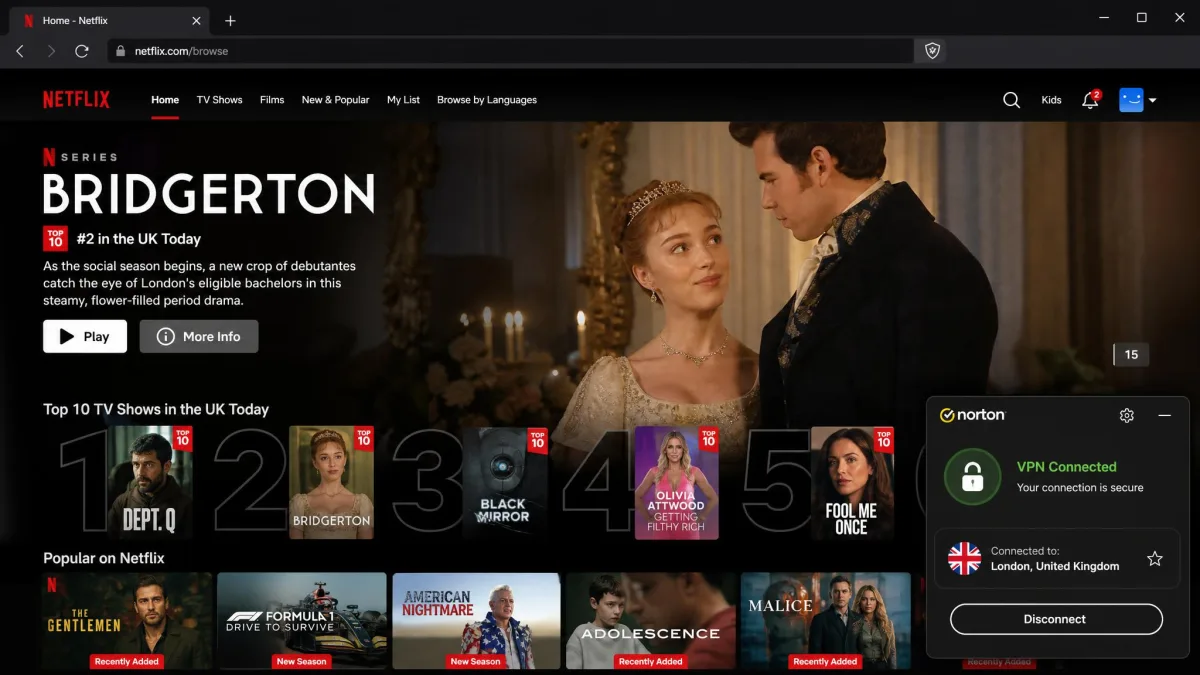
For the smoothest streaming, pick the nearest server that gives you the library you want. A UK server for BBC iPlayer or a nearby US server for Netflix US will hold 4K far better than a distant connection halfway around the world.
Torrenting and P2P Support
Torrenting is the most inconsistent part of Norton VPN. The honest answer is that it depends on your build and location. Support has changed across versions. On some builds P2P is outright blocked. Newer builds offer P2P-optimized servers in a handful of countries. There is no broad, network-wide P2P allowance like you get from the specialists. The optimized servers are limited to a small number of locations, so your ability to torrent may hinge on whether one of those countries is a good connection point for you.
The inconsistency is worth unpacking. It explains why two reviews of the same product can flatly disagree about whether it allows torrenting at all. Older Norton Secure VPN builds simply blocked P2P traffic, so anyone testing that version came away certain the answer was no. Newer rebuilt clients take a different approach. They expose a small set of P2P-optimized servers concentrated in only a few countries, rather than opening the whole network to it. Both accounts are accurate for the version each reviewer ran. That leaves you two things to check before relying on it. First, confirm the build you install actually surfaces P2P-optimized servers. Second, confirm at least one of those locations is close enough to give you usable speeds. If the nearest optimized server sits across an ocean, the speed penalty we saw on distant connections will drag your download rates down, regardless of whether P2P is technically permitted.
If torrenting is a core use case, Norton VPN is not the tool we would reach for. The lack of a consistent, network-wide P2P policy, combined with the small server list, makes it unreliable for heavy downloading. NordVPN, ExpressVPN, and Surfshark all allow P2P far more broadly and clearly. We would choose one of them for this specifically. Norton VPN can handle the occasional download from an optimized server, but it is not built for a torrent-heavy workflow. Before you rely on it for P2P, confirm the current app version exposes optimized servers in a country close to you. That availability is the piece most likely to have changed since the last review you read.
Privacy and Security
Privacy and security are where Norton VPN mostly reassures, with one caveat worth flagging. The encryption is strong, the no-logs policy has been independently audited, and our leak tests came back clean. The complications are jurisdiction and a question mark over exactly what metadata the app collects. We take those in turn below, because for a privacy tool these details matter more than any single feature.
No-Logs Policy and Independent Audits
Norton VPN's no-logs policy and its Mimic protocol were independently audited by VerSprite in 2025, which is exactly the kind of third-party verification we want to see. An audited no-logs claim carries far more weight than an unaudited promise, and it puts Norton VPN ahead of many mid-tier rivals on this measure. You can read the details in Norton's independent no-logs audit writeup and cross-reference its transparency report, which covers how it responds to data requests.
The caveat is jurisdiction. Norton VPN is based in the United States, a Five Eyes member, which is not ideal for anyone whose threat model includes intelligence-sharing alliances. An audited no-logs policy mitigates this, since a provider that holds no logs has nothing to hand over, but privacy purists tend to prefer providers based outside the Five Eyes countries. There is also a wrinkle worth watching: the app's data handling has drawn questions about device names, operating system details, and URL data, so we would read the Norton VPN privacy policy closely if minimal metadata collection matters to you. It is a point of tension between the audited no-logs framing and what the policy describes, and it is worth understanding before you trust the service with sensitive browsing.
Encryption and Protocols
Norton VPN uses modern, strong encryption and offers a good set of protocols, though availability differs by platform. WireGuard, OpenVPN, and Mimic are all present on Windows and Android. On Mac and iOS the options are more limited, leaning on IKEv2/IPSec and Mimic, and WireGuard is not available on every platform. WireGuard is the protocol we would pick for the best balance of speed and security where it is offered, and its absence on some platforms is a minor mark against the app. Most users will be fine with the defaults, but if you specifically want WireGuard, check that your platform supports it before you buy.
Leak Test Results
Leak testing is a pass-or-fail check for us, and Norton VPN passed.
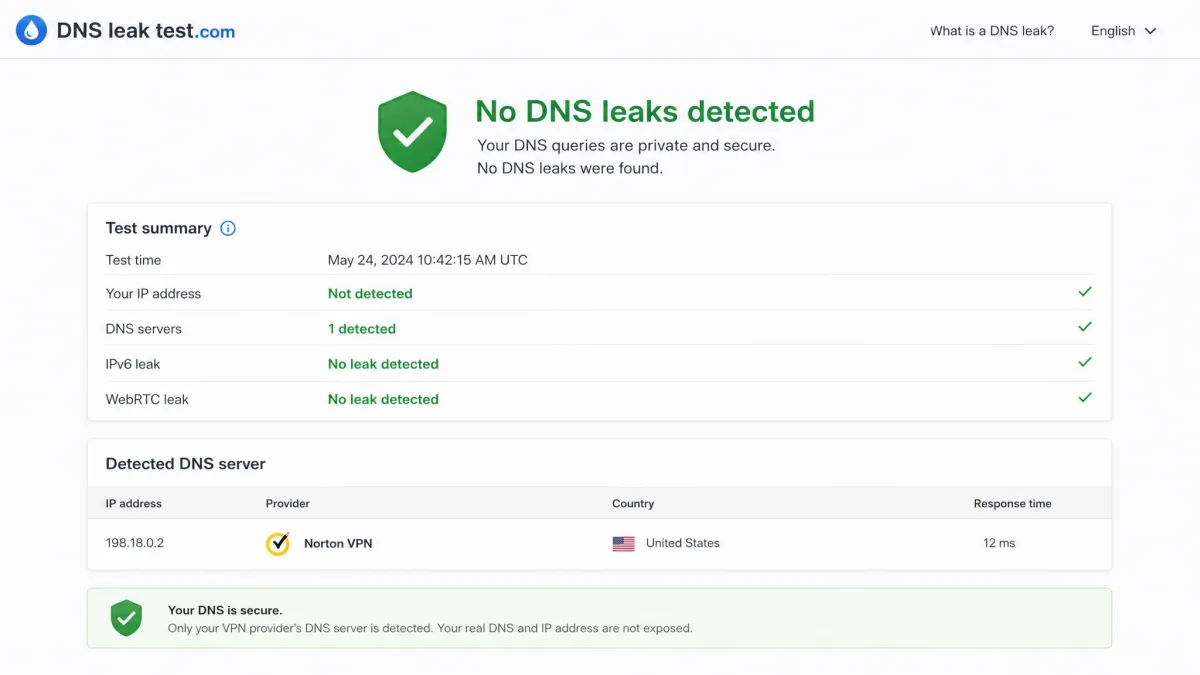
We detected no DNS, IP, or WebRTC leaks in our testing, meaning your real address and DNS requests stayed inside the tunnel across the connections we checked. This is the baseline any VPN must clear to be worth using, and Norton VPN cleared it cleanly on every server we tried. Combined with the audited no-logs policy, the leak results give us real confidence in the day-to-day privacy the app delivers, even with the jurisdiction and metadata caveats noted above.
On malware protection, Norton's Safe Web feature blocked 11 of 13 malicious test sites, roughly 85 percent, in our checks. It is a useful bonus layer, though it is not a substitute for full antivirus, and Norton 360 remains the better route if malware protection is your priority.
Apps, Ease of Use, and Device Compatibility
Ease of use is a genuine highlight, and it reflects Norton's long history of building consumer software. The rebuilt apps are clean, uncluttered, and easy to navigate, so connecting takes a tap or two and the important toggles are easy to find. For a first-time VPN user, this is one of the friendlier apps we have tested, with none of the intimidating settings walls that some privacy tools throw at newcomers.
Device compatibility is the sticking point. Norton VPN covers Windows, macOS, Android, and iOS, but there is no Linux app and no router support. Linux users are shut out entirely, and without router support you cannot protect an entire home network from one connection or cover devices like smart TVs and consoles that lack a native app. Add the feature gaps on macOS and iOS, where the kill switch and split tunneling are missing, and the platform story becomes clear: excellent on Windows and Android, more limited on Apple platforms, and absent on Linux. Your experience of Norton VPN depends heavily on which devices you own.
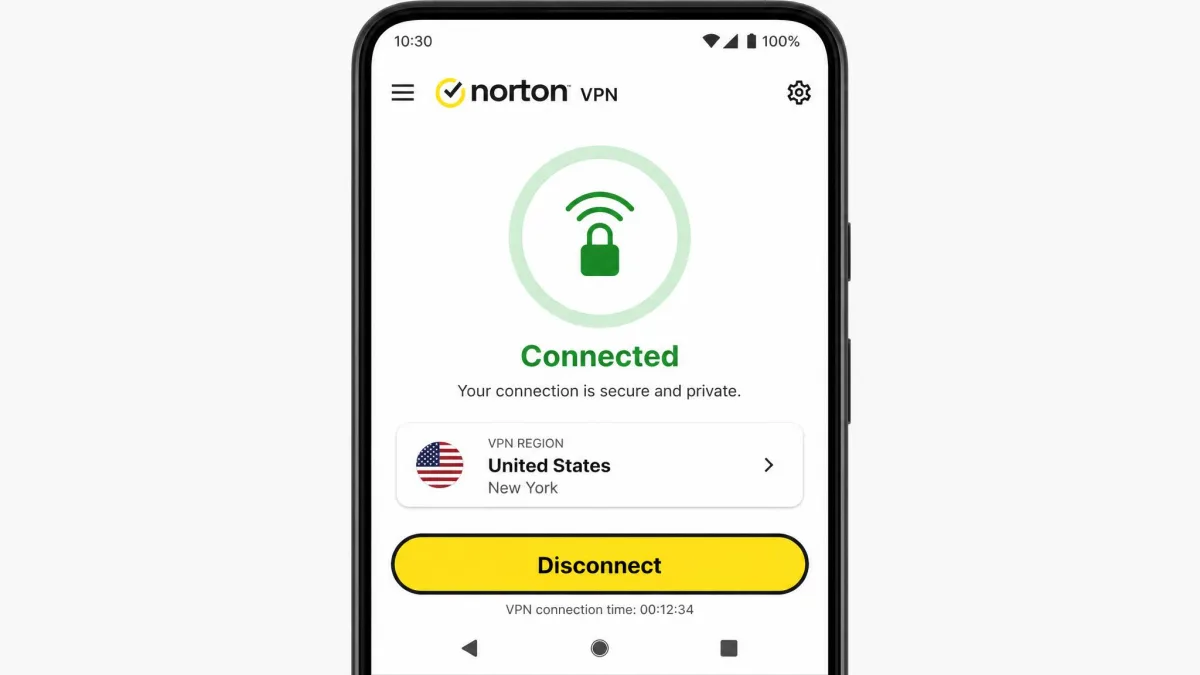
Device limits track the plan you buy. Standard and Plus cover 5 simultaneous devices, and Ultimate covers 10. Five is on the lower side for a household these days, where phones, laptops, tablets, and smart devices add up quickly, so families with lots of gear should factor the Ultimate tier or its higher renewal cost into the decision. If you want to cover an unlimited number of devices, Surfshark's model is a better fit, and we say more about that in the comparison below.
Customer Support
Support is another area where Norton's size works in your favor. 24/7 live chat and phone support are both available, which is more than many VPN-only brands offer, and in our testing live chat connected in about a minute. The agents were responsive and helpful, and quick to solve the issues we raised, which is the experience you want when a connection problem is standing between you and your work.
We put support through more than one query to see whether that first good impression held. Our first contact was a connection question over live chat, and it went smoothly: a short wait, a real agent, and a clear answer without being bounced through a script. Our second contact was a billing and account question, the kind of thing that separates a genuinely staffed support operation from a thin one, and here the phone line proved its worth. A live voice walked through the account details directly rather than looping us back to a help article, and the matter was settled in a single call. Across both interactions the pattern was the same: once you reach a person, the help is prompt and capable, and it is the kind of real-time support that smaller VPN brands, which often lean on email tickets alone, simply cannot match.
The one friction point is navigation. Getting to the right support path can be clunky, since the VPN sits inside Norton's larger support structure and it is not always obvious which menu leads to VPN help specifically. We spent longer than we would like hunting for the VPN-specific chat entry rather than a general Norton one. Once you reach a human, though, the experience is good. For a mainstream user who wants real-time help when something goes wrong, this is a meaningful advantage over smaller providers that offer email tickets and little else. The phone line is the part we value most, because a live voice is still the fastest way to resolve a billing or account problem that a chat bot would loop on.
Norton VPN vs the Competition (NordVPN, ExpressVPN, Surfshark)
Set against the specialists, Norton VPN is a capable all-rounder that trails on network size, torrenting, and platform breadth. NordVPN, ExpressVPN, and Surfshark each cover far more countries, allow P2P broadly, support Linux and routers, and carry their own independent audits. Where Norton VPN competes is ease of use, streaming, its audited no-logs policy, and the value of bundling with the wider Norton ecosystem. The comparison table below lays out the headline differences, and the paragraphs after it explain how each rival actually stacks up.
| Product | Buy | Price | Servers / countries | Devices | No-logs audit | Torrenting |
|---|---|---|---|---|---|---|
 |
$39.99/yr intro, $79.99 renewal | ~100 locations, 30-67 countries | 5 (10 on Ultimate) | VerSprite (2025) | Limited / inconsistent | |
 |
Check price → | Higher renewal | ~167 countries | 6-10 | Audited | Allowed |
 |
Check price → | Higher renewal | ~105 countries | 8 | Audited | Allowed |
 |
Check price → | Lower renewal | 100+ countries | Unlimited | Audited | Allowed |
NordVPN is the all-round benchmark. It spans roughly 167 countries, runs the fast WireGuard-based NordLynx protocol, offers its own Double VPN and threat protection, allows P2P, and covers 6 to 10 devices. Against Norton VPN it wins on network size, torrenting, and platform support, including Linux, and it matches Norton on the audited no-logs front. Norton's counter is a lower first-year price and a simpler app, but on raw capability NordVPN is ahead.
ExpressVPN competes on polish and reliability. It covers around 105 countries, uses its own fast Lightway protocol, runs RAM-only TrustedServer infrastructure, allows P2P, and supports 8 devices with strong streaming. It is typically the priciest of the three, and Norton VPN undercuts it on the first-year cost, but ExpressVPN delivers a more complete and dependable package across more platforms. If you want a premium specialist, our ExpressVPN review covers it in full.
Surfshark is the value play, and its standout feature is unlimited simultaneous devices, which directly answers Norton VPN's stingy 5-device baseline. It also runs WireGuard, carries an audited no-logs policy, includes the CleanWeb ad blocker and MultiHop, allows P2P, and streams well, all usually at a lower renewal price than Norton VPN. For a household with many devices or a tight budget, Surfshark is the more sensible choice.
Where does that leave Norton VPN? If you want the deepest server network and broadest device support, one of the three specialists is the better buy. If you are weighing bundled antivirus VPNs specifically, our guide to the best antivirus with VPN puts Norton in context, and our best VPN for privacy roundup is the place to start if a non-Five-Eyes jurisdiction is a priority. Norton VPN's case rests on simplicity, streaming, and integration rather than on beating the specialists at their own game.
Norton VPN Review: Quick Verdict (rating + pros/cons)
After all our testing, here is where Norton VPN lands. The pros and cons below sum it up.
Pros
- Rebuilt app is fast, with strong speed retention on nearby servers
- Clean, beginner-friendly apps that are easy to navigate
- Norton brand pedigree with 24/7 live chat and phone support
- Unblocks Netflix, BBC iPlayer, Disney+, Hulu, and Prime Video reliably
- Passed our DNS, IP, and WebRTC leak tests, with an audited no-logs policy
- Generous 60-day money-back guarantee on annual plans
Cons
- Small server network at around 100 locations
- No Linux app and no router support
- Only 5 simultaneous devices on Standard and Plus
- Torrenting support is limited and inconsistent across builds
- Renewal price more than doubles after the first year
- Questions remain over device and URL metadata collection
Final Verdict: Is Norton VPN Worth It?
Norton VPN is worth it for a specific buyer: someone who values simplicity, wants reliable streaming and privacy on Windows or Android, and ideally already uses Norton's other products. For that person the rebuilt app is fast, the interface is friendly, the leak results are clean, and the audited no-logs policy backs up the privacy claims. The 60-day guarantee keeps the risk of trying it low, so that buyer can subscribe, test, and keep it only if it fits.
It is not the right pick for everyone. Linux users cannot run it at all, macOS and iOS users lose the kill switch and split tunneling, heavy torrenters will hit walls, and anyone who needs a wide spread of server countries will find the network thin. The renewal price is the final consideration: budget for the year-two jump, not just the introductory rate, and set a calendar reminder before it renews so the higher price never catches you by surprise.
Weighed together, Norton VPN is a good VPN that is not yet a great one. It does the mainstream jobs well and leaves the demanding ones to the specialists. If you fit its profile, it is an easy recommendation, and the first-year price makes it a low-risk one; if you do not, a dedicated VPN like NordVPN, ExpressVPN, or Surfshark will serve you better for the money over the long run.