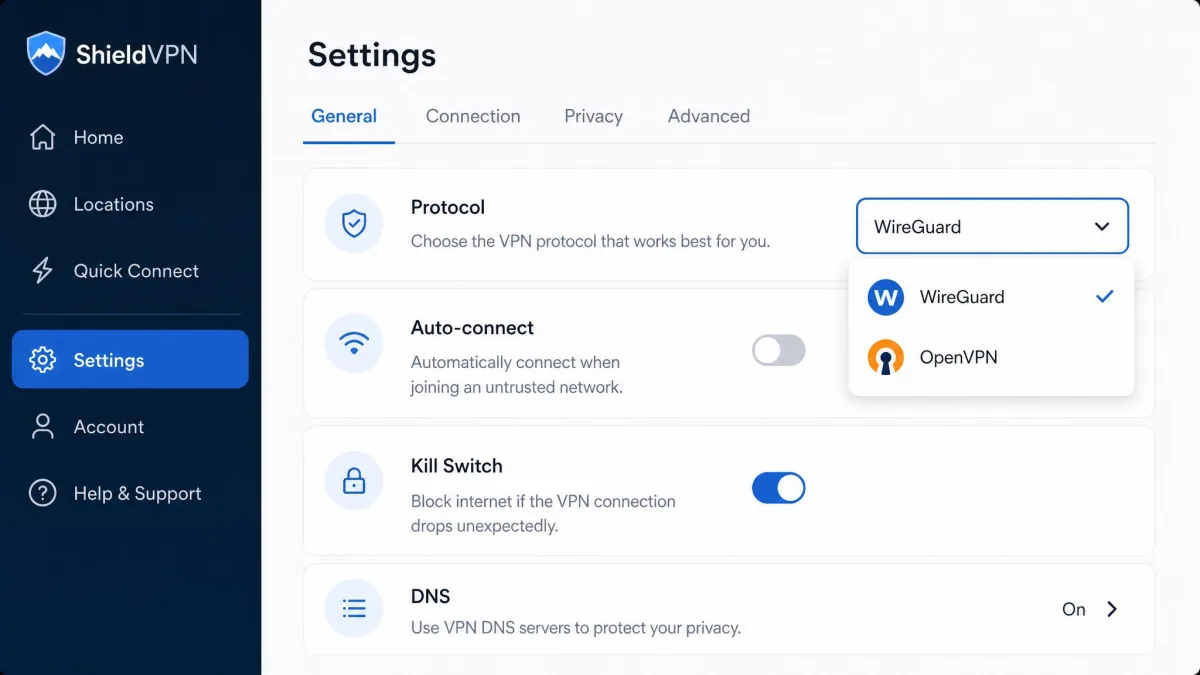
You open your VPN app, tap the protocol dropdown, and there they are: WireGuard and OpenVPN. Most apps default to one, let you switch to the other, and offer almost no guidance on which to pick. That single choice affects your speed, your battery, and how reliably you connect on a locked-down network.
We spent weeks running both protocols across US servers, mobile networks, and restrictive Wi-Fi to see where each one actually wins. This guide breaks down the seven differences that matter, then tells you which protocol to choose for your situation.
What Is WireGuard?
WireGuard is a modern VPN protocol first released in 2016 and built to be small, fast, and easy to audit. It runs entirely over UDP, encapsulating your IP packets inside encrypted UDP datagrams, and it authenticates each peer with a simple public and private key pair.
Its defining trait is size. The whole codebase is only around 4,000 lines, which makes it quick for security researchers to read and reason about. WireGuard was merged into the mainline Linux kernel in version 5.6, released in March 2020, and Windows kernel support followed in August 2021. You can read the design goals in the official WireGuard whitepaper.
![A WireGuard configuration file open in a text editor, showing the short [Interface] and [Peer] sections with a private key, public key, and a single server endpoint address.](wireguard-config-key-pair.webp)
What Is OpenVPN?
OpenVPN is the veteran of the two, an open-source protocol that has been the industry standard for well over a decade. It is mature, feature-rich, and highly configurable, and it runs on nearly every operating system, router, and VPN setup you can name.
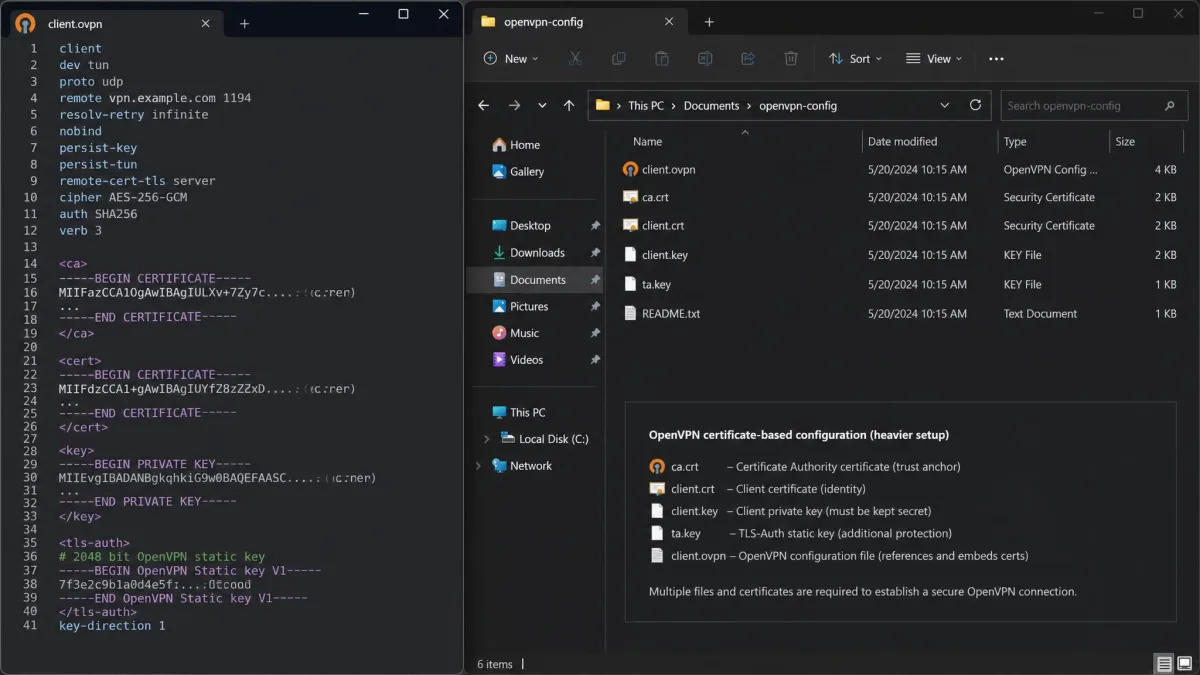
Unlike WireGuard, OpenVPN speaks both UDP and TCP, and it leans on the OpenVPN project's integration with the OpenSSL library for its encryption. Connections are defined in .ovpn config files that bundle certificates and settings, which makes it flexible but heavier to set up. That long track record and deep configurability are why so many corporate networks still run it today.
WireGuard vs OpenVPN: Key Differences at a Glance
Here is how the two protocols stack up across the dimensions that shape day-to-day use. We cover each row in detail below.
| Dimension | WireGuard | OpenVPN |
|---|---|---|
| Speed | About 1.5x to 4x faster in our tests | Slower, with heavier per-packet overhead |
| Encryption | Fixed suite: ChaCha20-Poly1305, Curve25519, BLAKE2s | AES-128 or AES-256, optional ChaCha20-Poly1305 |
| Codebase size | Around 4,000 lines | Roughly 400,000 lines |
| Auditability | Small and quick to audit, but newer | Mature, with multiple independent audits |
| Platform support | Windows, macOS, Linux, iOS, Android | Nearly all systems, routers, and legacy hardware |
| TCP/UDP | UDP only | UDP and TCP, including TCP port 443 |
| Battery | Low CPU overhead, better battery life | Higher CPU use, more drain |
| Setup | Key pair plus a server address | Config files, certificates, sometimes firewall rules |
Speed and Performance
Speed is where WireGuard makes its case most clearly, and our benchmarks backed that up every time. WireGuard connects and reconnects noticeably faster than OpenVPN, and its stateless design lets it roam smoothly as you move between Wi-Fi and mobile data.
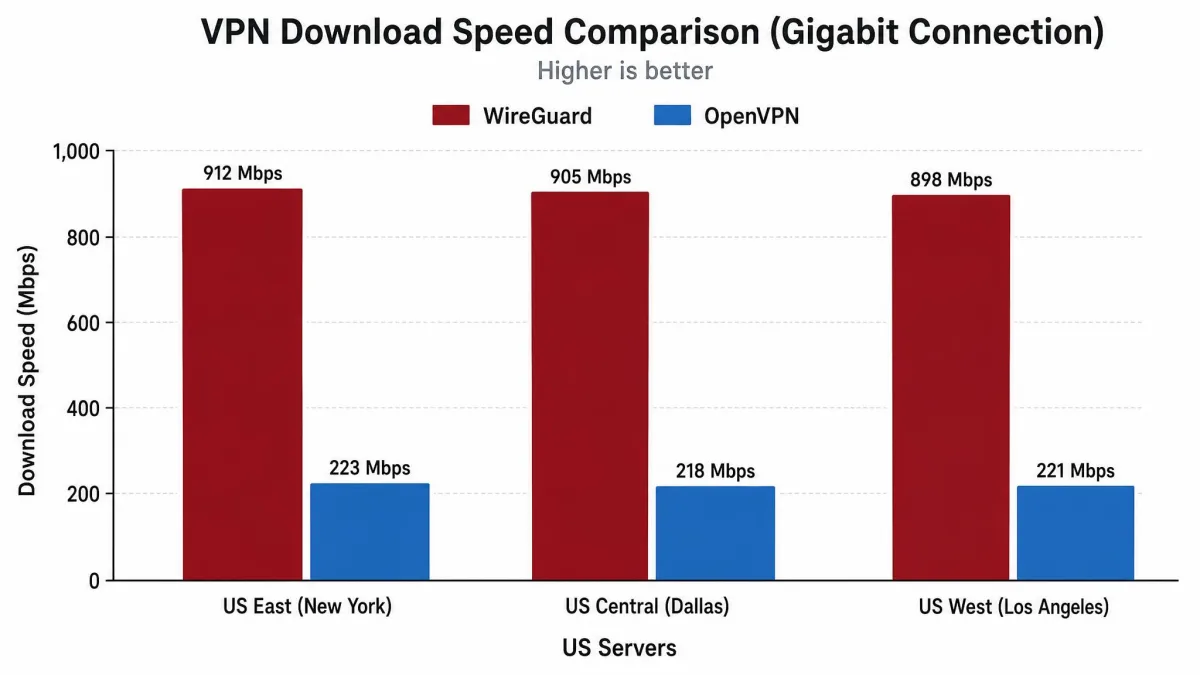
The raw throughput gap is large. On a single New York server, OpenVPN reached around 120 Mbps while WireGuard pushed close to 180 Mbps, roughly 1.5 times faster. On a 1,000 Mbps wired line the difference widened dramatically: WireGuard averaged close to four times faster across US servers, hitting 903 Mbps in Seattle and 825 Mbps in New York against OpenVPN's 222 Mbps on the same routes.
On a gigabit line, WireGuard ran close to four times faster than OpenVPN on the same servers, turning a throttled connection back into a usable one.
— From our hands-on speed tests
The exact multiplier depends on your line speed and how loaded the server is, so treat these as a range rather than a fixed number. The direction never changed in our testing, though. WireGuard was faster on every route we tried, and the gap grew as the underlying connection got faster.
Encryption and Cryptography
Both protocols are secure, but they take opposite design approaches to encryption. WireGuard ships a single fixed suite with no options to misconfigure: ChaCha20 for encryption, Poly1305 for authentication, Curve25519 for key exchange, and BLAKE2s for hashing. The whole thing is built on the modern Noise protocol framework.
OpenVPN goes the other way and offers a menu. Through OpenSSL it supports AES in 128-bit and 256-bit modes, with optional ChaCha20-Poly1305 as well, and it handles key exchange over TLS, usually with Diffie-Hellman. That flexibility is powerful, but it also means the security of an OpenVPN connection depends on how it was configured.
WireGuard's fixed cipher suite is a deliberate security feature. Fewer options means fewer ways to accidentally weaken your own connection, and it lets the whole protocol stay small. The ChaCha20-Poly1305 construction it uses is standardized in RFC 7539.
If you want a plain-English primer on the building blocks, our guide to what VPN encryption is covers the ciphers and key exchange in more depth.
Security and Attack Surface
Encryption strength is only half of security. The other half is attack surface, meaning how much code an attacker could probe for flaws, and here the two protocols differ enormously. WireGuard's roughly 4,000 lines present a tiny target, while OpenVPN's codebase runs to hundreds of thousands of lines once you include its OpenSSL dependencies.
A smaller codebase does not automatically mean fewer bugs, but it does mean the whole thing can be read and reviewed far more quickly. That is a genuine security advantage, and it is one reason WireGuard earned early praise from kernel developers.
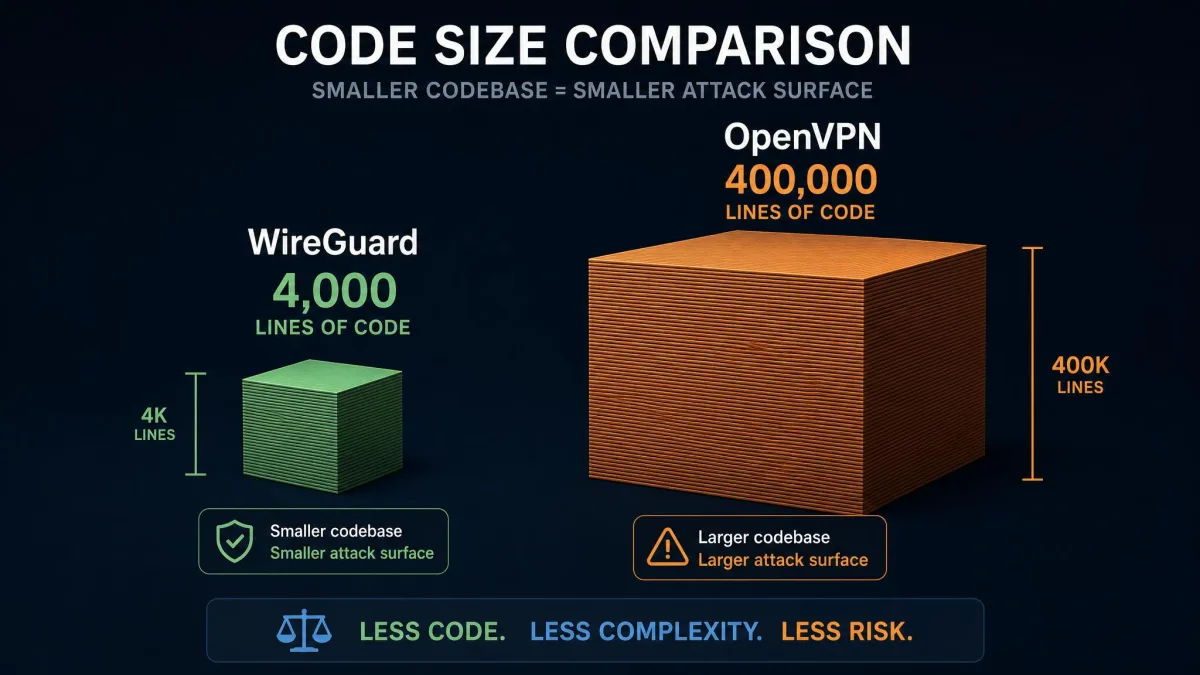
OpenVPN answers with maturity. It has been through multiple independent security audits over its long history, with no known major vulnerabilities, and that battle-tested reputation carries real weight. Both protocols are considered secure today. WireGuard wins on a lean, reviewable design, and OpenVPN wins on years of scrutiny.
Codebase Size and Auditability
This difference deserves its own section, because it drives so much of the rest. WireGuard's small codebase is fast to audit and easy to reason about, which is exactly why it was accepted into the Linux kernel where code quality standards are strict. Linus Torvalds famously called it "a work of art" next to OpenVPN and IPsec.
OpenVPN's size is the flip side of its flexibility. All those features, cipher options, and platform integrations add up to a lot of code, and while that code is well audited, no single person can hold it all in their head. If you value being able to verify what your VPN actually does, WireGuard's transparency is hard to beat.
The audit trail matters most if you self-host. A protocol you can read end to end is easier to trust on your own server than one you have to take on faith.
Configuration and Ease of Setup
Setup is the everyday difference you will feel first, especially if you ever run your own server. WireGuard setup is minimal: you generate a public and private key pair, point the client at a server address, and you are connected. The config file is short enough to read at a glance.
OpenVPN asks for more. A typical setup means juggling .ovpn config files, CA certificates, and sometimes manual firewall or NAT rules to get traffic flowing. It is well documented and thousands of guides exist, but there is simply more that can go wrong.
Pros
- WireGuard connects with just a key pair and a server address
- Short config files are easy to read and hard to misconfigure
- Fewer moving parts means faster troubleshooting
Cons
- OpenVPN's certificate and config-file setup takes longer
- Manual firewall or NAT rules are sometimes needed
- More options means more ways to get the config wrong
For most people using a commercial VPN app, none of this matters, because the provider hides all of it behind that protocol dropdown. It only becomes real when you set up a server yourself.
Compatibility and Platform Support
WireGuard is cross-platform and covers all the major systems: Windows, macOS, Linux, iOS, and Android, plus it lives inside the Linux kernel from version 5.6 onward. For a modern phone or laptop, support is a non-issue.
The gap appears at the edges. WireGuard support can still be missing on older operating systems and some routers, whereas OpenVPN runs almost everywhere, including legacy hardware that will never see a WireGuard update. If you need a VPN on an aging router or an unusual device, OpenVPN's near-universal reach is a deciding factor.
Check your router firmware before committing to WireGuard. Plenty of older routers support OpenVPN but have no WireGuard option, and firmware updates for discontinued models may never arrive.
Battery and Mobile Usage
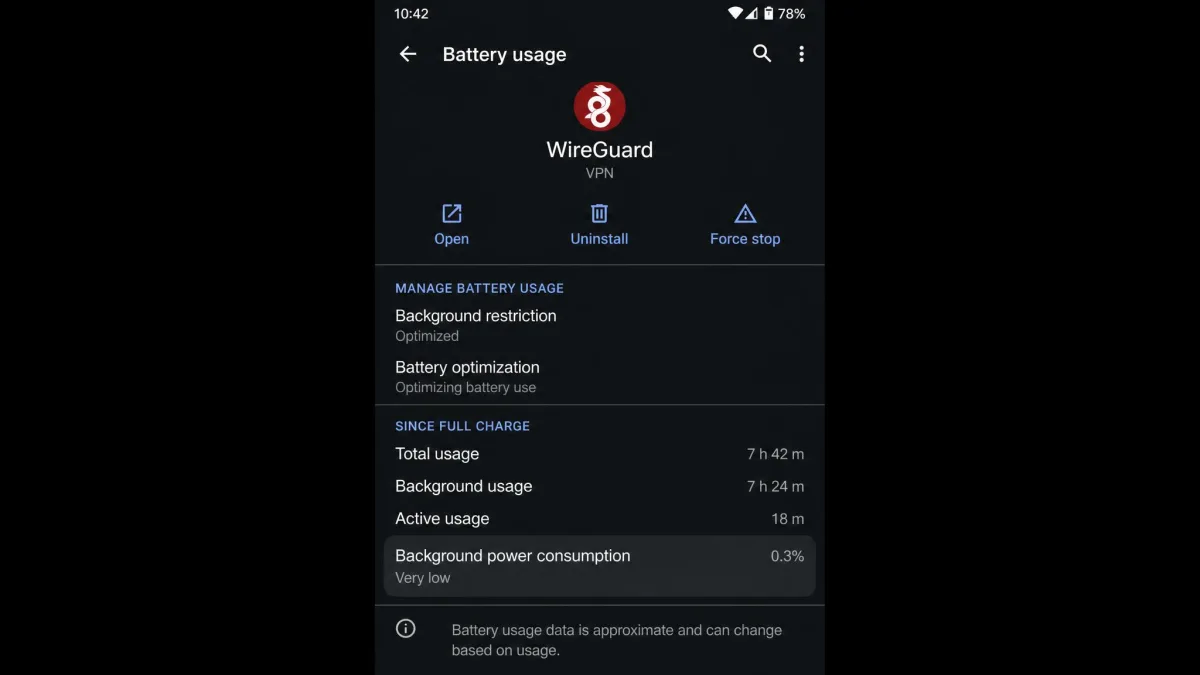
On phones, the protocol you choose shows up in your battery percentage. WireGuard drains less battery because of its low CPU overhead, while OpenVPN's heavier encryption burns through more CPU cycles to move the same data.
Its stateless design helps on mobile in a second way. WireGuard roams smoothly between Wi-Fi and mobile data without dropping the tunnel, so you spend less time reconnecting as you move around. For anyone running a VPN all day on a phone, that combination of lighter load and smoother roaming makes WireGuard the comfortable default.
Firewall Traversal, Censorship, and TCP Fallback
This is the one section where OpenVPN clearly pulls ahead, and it can be decisive. WireGuard's UDP-only design is fast, but UDP is exactly what restrictive and censored networks tend to block. On some hotel, campus, or country-level networks, WireGuard simply will not connect.
OpenVPN's TCP mode is the escape hatch. Running over TCP port 443, an OpenVPN connection looks like ordinary HTTPS web traffic, so it slips through firewalls that drop everything else. In our testing on locked-down Wi-Fi, this was the difference between no connection at all and a working tunnel.
If you travel to places with heavy network filtering, keep OpenVPN over TCP 443 available as a backup even when you use WireGuard by default. Many commercial apps switch automatically, but manual control is worth having.
Privacy
Both protocols protect your traffic well, but WireGuard has one privacy wrinkle worth understanding. By default it stores the connected user's IP address on the server for the life of the session, which is not ideal for a no-logs VPN.
Providers solve this in software rather than changing the protocol. Some use a double-NAT system so no single server maps you to your real address, and others erase connection data on a very short cycle, on the order of a few minutes. This is handled by your VPN provider, not by you, so the practical privacy of WireGuard comes down to how well your provider implements it. OpenVPN does not have this specific default, but a trustworthy no-logs provider closes the gap either way. If you are still weighing a VPN against a lighter tool, our explainer on Proxy vs VPN: what's the difference is a useful next read.
Which Protocol Should You Choose?
For most people in 2026, WireGuard is the better default. It is faster, lighter on battery, simpler to set up, and easy to audit, and modern VPN apps handle its privacy wrinkle for you. OpenVPN remains the specialist's choice for hard networks and old hardware. If you want the wider landscape, see our ranking of the best VPN protocol, ranked.
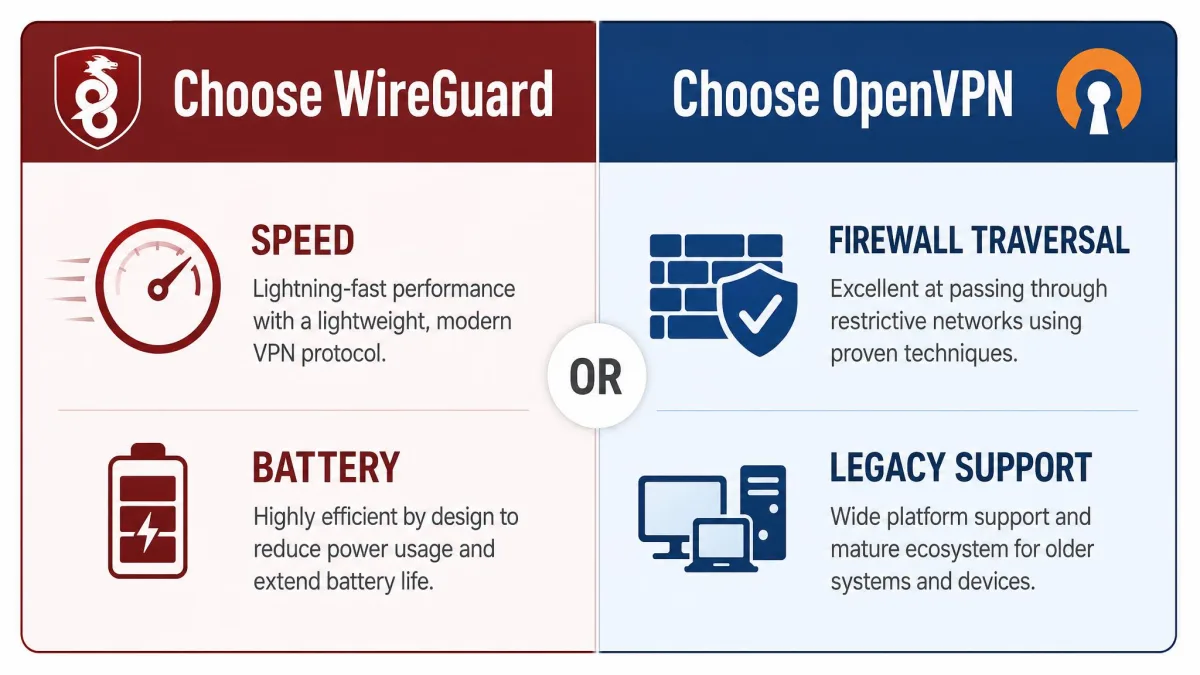
Choose WireGuard if...
- You want the fastest connection, especially on a fast home line.
- You use a VPN heavily on a phone and care about battery life.
- You value a small, auditable codebase you can actually verify.
- You are on modern hardware and a mainstream network.
Choose OpenVPN if...
- You connect from restrictive or censored networks that block UDP.
- You need it on an older router or legacy device without WireGuard support.
- You want maximum configurability and a long, audited track record.
- You rely on TCP port 443 to disguise VPN traffic as normal HTTPS.