
Private Internet Access is a low-cost, open-source VPN built for privacy-minded users who want deep control over their connection without paying a premium price. It is a strong, honest choice for everyday privacy and torrenting, and its no-logs record has held up in real court cases. It is not the fastest service we tested, and its US home base puts off some buyers, so the value verdict depends on what you actually need.
We ran Private Internet Access across Windows, macOS, Android and a Fire TV Stick, checking speed on nearby and long-haul servers, leak protection, streaming access, and how quickly support answered. When it comes to raw numbers, PIA sits in the middle of the pack, but its privacy story is one of the most tested in the industry. Here is what we found, section by section, so you can decide if it is the right VPN for you.
Our verdict: Is PIA a good VPN? (quick expert summary)
PIA suits privacy-minded users, torrenters and multi-device households on a budget far more than it suits speed-chasers or frequent long-haul travelers. Here is the short answer, with our full reasoning in the box below and a section-by-section breakdown after that.
Pros & Cons at a glance
Here is the short version of what we liked and what gave us pause after testing across several platforms.
Pros
- No-logs policy audited by Deloitte and proven in real court cases
- Unlimited simultaneous device connections on one account
- Very cheap on multi-year plans, with a 30-day money-back guarantee
- Open-source apps with deep, granular settings and a three-level kill switch
- Reliable Netflix and streaming access on the right servers
Cons
- Long-haul speeds trail the fastest rivals we tested
- US-based jurisdiction inside the Five Eyes alliance
- The desktop interface looks dated next to newer apps
- No phone support line, and no free tier on desktop
What is Private Internet Access? (and who owns it)
Private Internet Access, usually shortened to PIA, is a consumer VPN service that launched in 2010 and has built its reputation on privacy and transparency. It routes your internet traffic through an encrypted tunnel, hides your real IP address, and lets you appear to browse from another country. The apps are open-source, which means the code is public and can be inspected by anyone, a rare level of openness in this market.
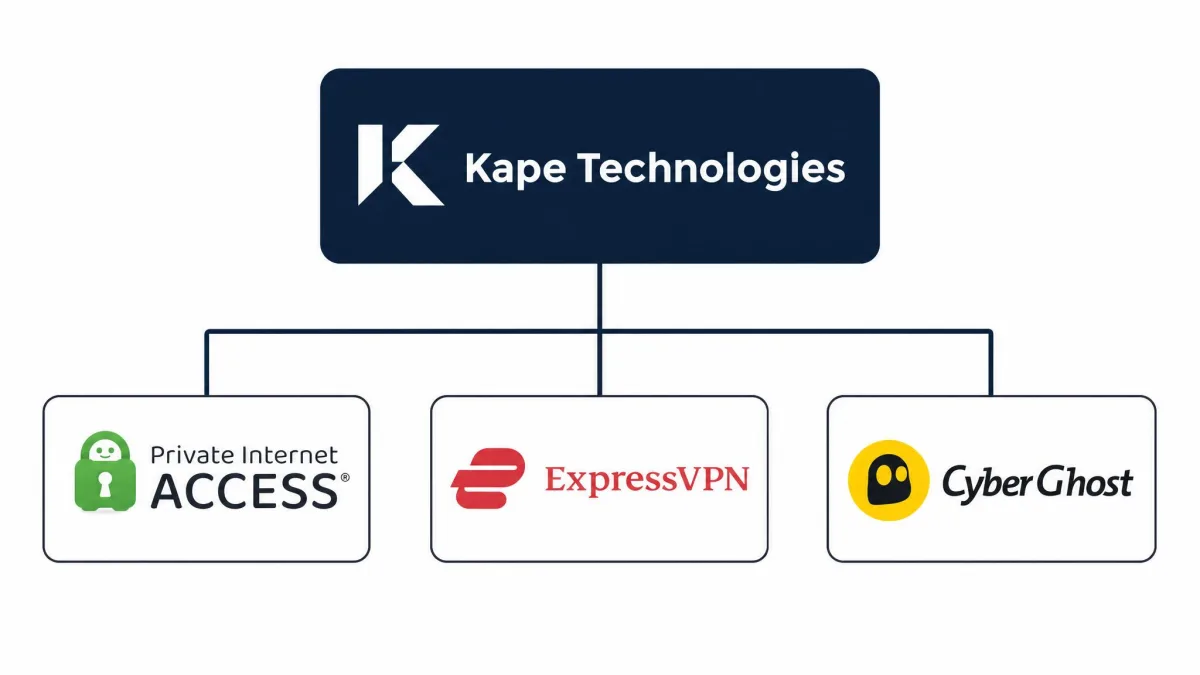
The company is now owned by Kape Technologies, which acquired PIA in November 2019. Kape also owns CyberGhost, ExpressVPN and Private Internet Access under one roof, so if you have read CyberGhost, PIA's fellow Kape-owned VPN review, some of the corporate background will look familiar. We dig into what that ownership means for trust further down.
Is PIA safe and how secure is it? Trust, no-logs & security
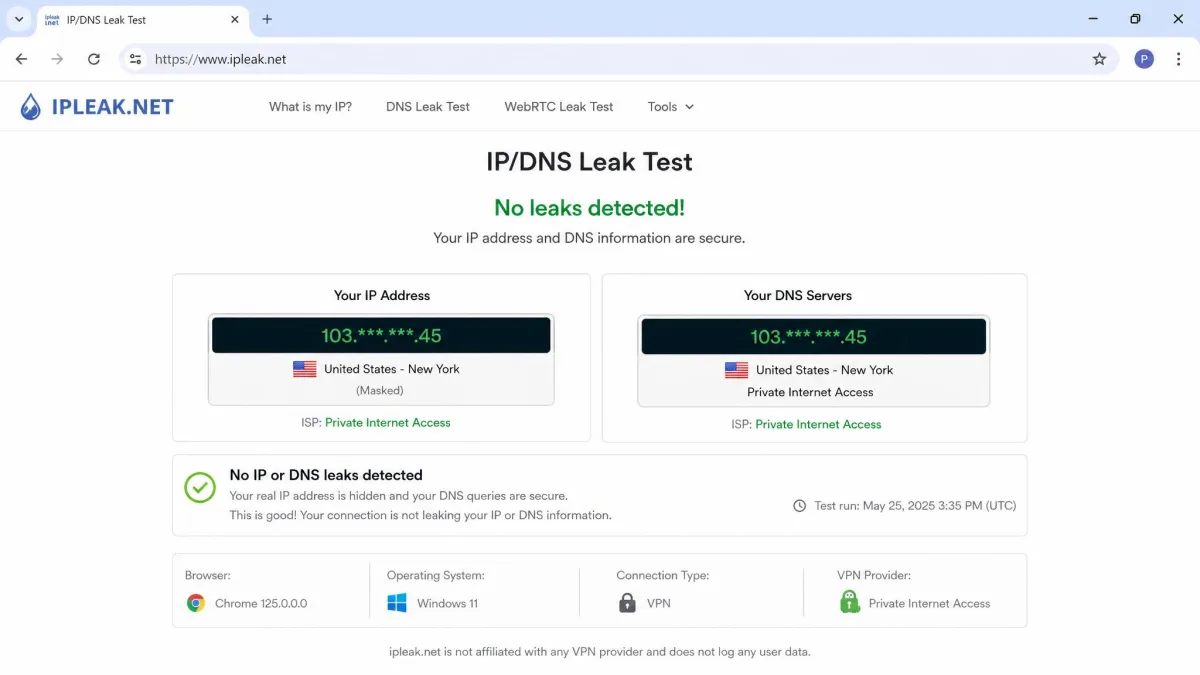
Security is where PIA has spent years building its case, and in our testing the fundamentals hold up. The service uses strong encryption, offers both OpenVPN and WireGuard, and blocked DNS and IP leaks in every test we ran. The bigger question for most buyers is trust, and PIA answers it with audits and court records rather than marketing claims. We break the security story into the parts that matter most below.
Encryption & protocols (OpenVPN, WireGuard, .ovpn config)
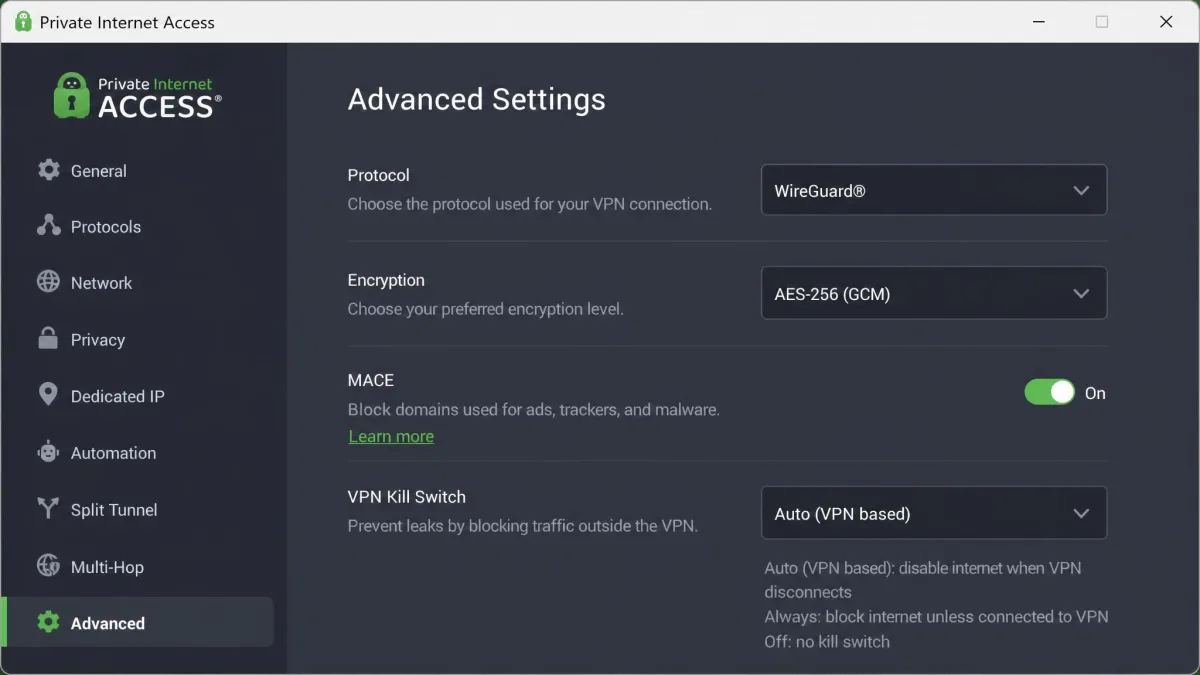
PIA supports both OpenVPN and WireGuard, the two protocols that matter most today, and lets you choose AES-128 or AES-256 encryption. WireGuard is the faster, more modern option and is what we used for most of our speed tests, while OpenVPN remains the more configurable choice for advanced users. You can also export .ovpn config files to use PIA with third-party OpenVPN clients or on routers, which is handy for network setups the app does not natively support.
The app exposes an unusually deep set of advanced settings, including your choice of encryption, handshake and data authentication. That level of control is a genuine strength for tinkerers, though it can feel overwhelming to a first-time user opening the app for the first time. Most people can leave the defaults alone and stay well protected.
If the settings screen feels like too much, switch the protocol to WireGuard and leave everything else on default. That gives you the best balance of speed and security without touching the advanced options.
No-logs policy: audits, court cases & transparency reports
PIA operates a strict no-logs policy, meaning it does not record what you do online, and that claim has been tested in ways few rivals can match. Deloitte completed an independent no-logs audit in June 2022, and a second Deloitte assessment confirmed the no-log infrastructure again as of early 2024. Two audits from a Big Four firm is strong external validation, and you can read the specifics in PIA's no-logs privacy policy.
More convincing than any audit are the court cases. In a 2016 FBI case documented in court records, PIA could only produce a cluster of east-coast IP addresses and no record of user activity. A 2018 court case where PIA could not provide data again showed the company held no logs of files accessed. When a company is legally compelled to hand over data and simply has nothing to give, that tells you more than any privacy page. Among the best VPNs for privacy, that track record puts PIA in rare company.
A no-logs audit is a snapshot in time, while a court case is a real-world stress test. PIA is one of very few VPNs that has passed both, which is why we weight its privacy claims heavily.
The Kape/Crossrider ownership question: can PIA be trusted?
This is the honest sticking point for a lot of readers. PIA is owned by Kape Technologies, and Kape previously operated as Crossrider, a platform that was historically misused by third parties to distribute adware and malware. That history understandably makes privacy-conscious users nervous, and it is a fair concern to raise before you subscribe.
Our read is that the Crossrider name describes what the company was years ago, not what PIA does now. The apps are open-source, the no-logs policy has been audited twice since the acquisition, and the court records that prove the no-logs claim all stand. We would rather judge a VPN on verifiable evidence than on a former corporate identity, and on evidence PIA still earns trust. If the ownership question is a dealbreaker for you, a service like our Mullvad review covers a more independent alternative.
PIA is based in the United States, a member of the Five Eyes intelligence alliance. There are no data-retention laws forcing VPNs to log, and the no-logs record proves the point, but if you want a VPN outside Five Eyes jurisdiction on principle, factor that in.
MACE ad, tracker & malware blocking
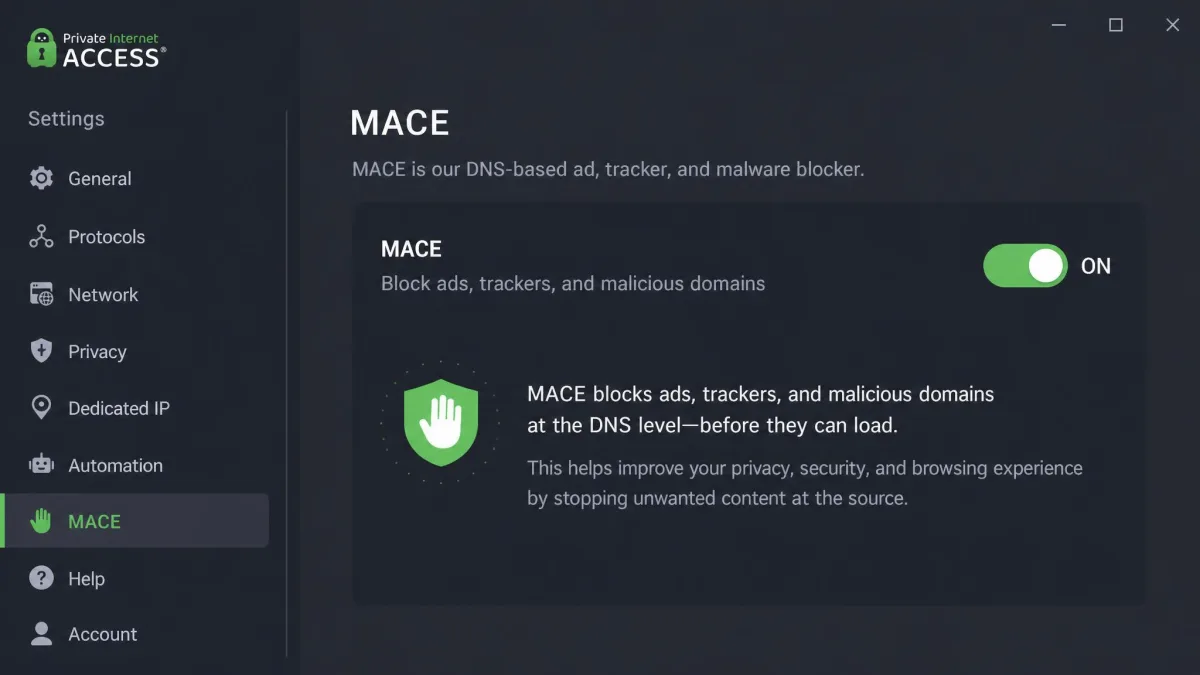
MACE is PIA's built-in blocker for ads, trackers and malicious domains, and it works at the DNS level so it applies across every app on your device, not just your browser. In our testing it reliably caught malicious domains and a good share of ads, and it is a nice extra to have switched on by default. It is not a full ad blocker, though. MACE mainly targets known bad and ad domains rather than blocking everything, and it underperforms the more aggressive blockers built into NordVPN and Surfshark. Treat it as a useful safety net, not a replacement for a dedicated content blocker.
Kill switch, DNS leak protection & SOCKS5/proxy
PIA includes a three-level kill switch, which you can set to Off, Auto or Always. The Always setting blocks all internet traffic unless the VPN tunnel is active, which is the safest option if a dropped connection must never expose your real IP. DNS leak protection is built in and passed every check we ran, with your DNS requests staying inside the tunnel. PIA also offers a SOCKS5 proxy for apps that support it, which we cover in the torrenting section, along with multi-hop for routing through two servers.
How much does PIA cost? Pricing, plans & value
Value is one of PIA's strongest selling points, especially if you commit to a longer term. Pricing rotates with PIA's rolling sales, so treat the figures below as the deal live at the time of writing rather than a fixed rate.
Monthly vs multi-year plans and the current sale/discount
Paying month to month costs $11.95, which is in line with rivals but poor value if you plan to keep the service. The one-year plan drops the effective rate to around $3.99 per month at the time of writing, billed as a single annual charge. The real savings come on the multi-year plan, which was running near $2.03 per month during a multi-year sale when we checked, billed as one lump sum every few years. Because the flagship multi-year rate and the exact term rotate with each promotional cycle, we recommend treating any headline per-month figure as the current sale price, not a permanent one.
| Product | Monthly price | Multi-year (per month) | Money-back | Simultaneous connections |
|---|---|---|---|---|
| Private Internet Access | $11.95 | ~$2.03 | 30-day | Unlimited |
| NordVPN | ~$12.99 | ~$3-4 | 30-day | 10 |
| Surfshark | ~$15.45 | ~$2-3 | 30-day | Unlimited |
For a closer look at how PIA stacks up against those two, our NordVPN review and our Surfshark review go deeper on each, and PIA also features in our roundup of the best cheap VPNs we tested.
30-day money-back guarantee and free-trial reality
Every plan comes with a 30-day money-back guarantee for new subscribers, which is the safest way to test PIA on your own devices. If you are not satisfied within the window, you request a refund and get your money back, with the usual exclusion for purchases made through third-party app stores. On top of that, PIA offers a 7-day free trial on iOS and Android, so mobile users can try the full app before paying anything. There is no free trial on desktop, so the money-back guarantee is your risk-free path there.
The best-value move is to buy the multi-year plan and use the 30-day money-back guarantee as your real trial. If it does not meet your needs on your own connection, you have a full month to get a refund.
Is PIA free? (and the "lifetime plan" myth)
No, PIA is not free. There is no free desktop tier, only the paid subscriptions and the mobile trial described above. You will also see people searching for a "PIA lifetime VPN," and it is worth being direct: no lifetime plan exists. PIA only sells monthly, annual and multi-year subscriptions, so any site advertising a one-time lifetime PIA license is not selling a legitimate product. The closest thing to long-term value is the multi-year plan, which spreads a low per-month rate across a single upfront payment.
Dedicated IP and optional add-ons
For an extra fee of around $2.50 per month on top of your subscription, PIA offers a dedicated IP address, which is useful if you need a consistent IP for remote access, or to avoid the CAPTCHAs that shared VPN IPs sometimes trigger. The add-on price varies with the length of your underlying plan and the current promotion. For most users the standard shared IPs are the better privacy choice, since a dedicated IP is tied to you alone, so only add it if you have a specific reason to.
PIA apps & device support
PIA covers just about every platform you are likely to own, and it is one of the few services that places no cap on how many devices you connect at once. That single feature makes it a genuinely good choice for a whole household or a person with a lot of gadgets. Below is the platform picture and the app features worth knowing.
Platform matrix (Windows, Mac, Linux, iOS, Android, ChromeOS, Firestick)
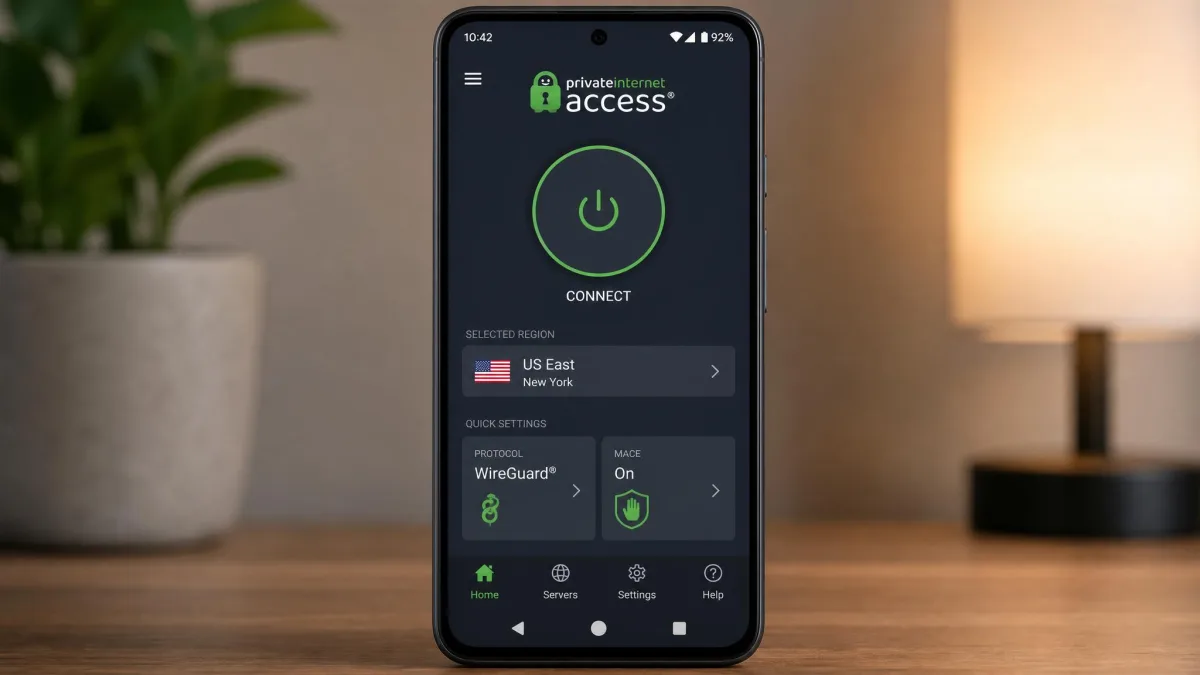
PIA has native apps for Windows, macOS, Linux with a full graphical interface, iOS and Android. There is a native Amazon Fire TV and Firestick app, which is a real plus for TV streaming, and ChromeOS is covered through the Android app on Chromebooks. Browser extensions are available for Chrome, Firefox and Opera, though it is important to understand these are proxy-only extensions that secure your browser traffic rather than encrypting your whole device. For full protection you want the desktop or mobile app, not just the extension.
| Platform | Support |
|---|---|
| Windows / macOS / Linux | Native app (Linux has a full GUI) |
| iOS / Android | Native app, plus Android APK download |
| ChromeOS / Chromebook | Via the Android app |
| Amazon Firestick / Fire TV | Native app |
| Chrome / Firefox / Opera | Browser extension (proxy-only) |
Per-app split tunneling, Live Activities & simultaneous connections
Split tunneling is one of PIA's more useful features, letting you choose which apps go through the VPN and which use your normal connection on a per-app basis. That is handy when you want your torrent client protected but your banking app on your regular network. On iOS, PIA supports Live Activities, so you can see connection status from your lock screen, and the app will ask you to allow Live Activities from PIA VPN on first setup. The headline feature, though, is unlimited simultaneous connections. You can protect every device you own on a single account with no device limit to manage.
Ease of use
Connecting is simple: open the app, hit the big button, and you are protected on the nearest recommended server. The friction comes if you go looking under the hood. The app exposes so many advanced settings that a newcomer can feel lost, and the desktop interface looks dated next to newer, more polished rivals. It works well and nothing is hidden, but PIA has not modernized the look in a while, and that shows. If a clean, guided experience matters most to you, our ExpressVPN review covers a slicker alternative.
Streaming & unblocking with PIA
Streaming is a common reason people buy a VPN, and PIA does the job better than its budget price suggests, with one caveat: success varies by server. When you land on the right server, unblocking is reliable, and PIA offers streaming-optimized servers that work best for this. We had to switch servers occasionally to find one that a service accepted, which is normal for any VPN. Below is what worked in our testing.
Netflix, and which libraries work
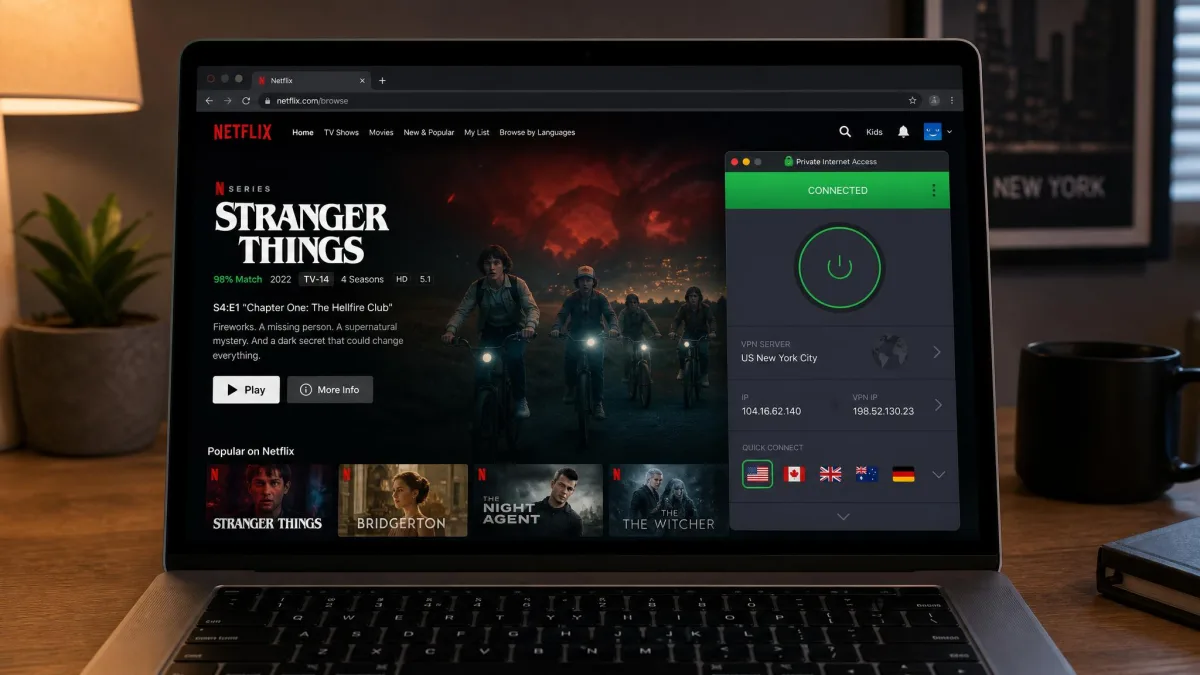
Netflix unblocking worked well for us across many libraries, including the US, UK, Canada, Japan and Germany, among others. If one server was blocked, connecting to another in the same country usually fixed it, and the streaming-optimized servers gave the most consistent results. For the most-searched question, does PIA work with Netflix, the answer is yes, reliably, as long as you are willing to switch servers if the first one is blocked.
Hulu, BBC iPlayer, Kodi & Firestick
Beyond Netflix, PIA also unblocked Hulu, Disney+, BBC iPlayer, Amazon Prime Video and HBO Max in our testing, again with the caveat that results depend on the server. BBC iPlayer in particular can be strict, so expect to try a couple of UK servers. Because PIA has a native Firestick app, it is a solid choice for a TV streaming setup, and it pairs well with Kodi for media playback through the same connection. The Fire TV app can occasionally hit login hiccups; if it is stubborn on your Firestick, a quick reinstall clears it up.
No VPN unblocks every service on every server all the time. Streaming access is a moving target as platforms update their blocks, so treat PIA's streaming as reliable-with-effort rather than guaranteed on the first try.
Torrenting, port forwarding & SOCKS5 proxy
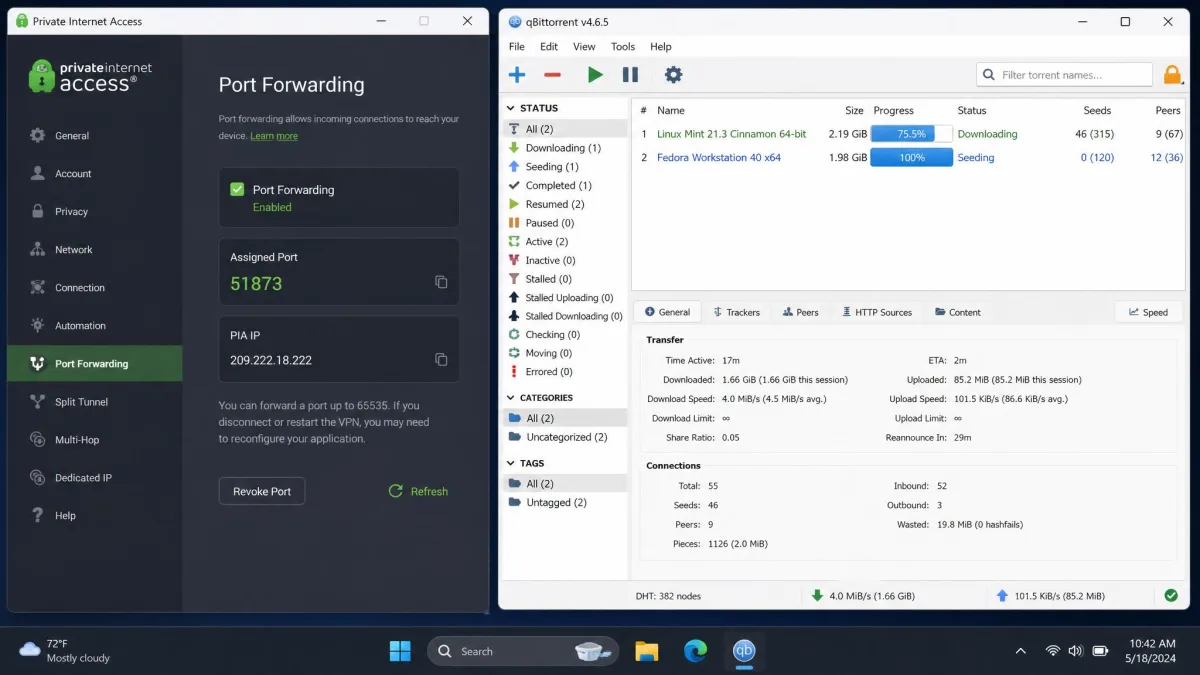
PIA is popular with torrenters, and it supports the features that crowd cares about: P2P on all servers, port forwarding to improve peer connectivity, and a SOCKS5 proxy for apps that support it. The SOCKS5 proxy is available and useful, though it runs slower than the full VPN tunnel, so we would use the tunnel for most torrenting. The honest caveat is that PIA's middling speeds and its US jurisdiction, which falls under DMCA takedown rules, make it a less ideal torrenting pick than a faster, non-US rival, despite the bundled port forwarding. It still works, but it is not the class leader here.
Servers, regions & speed
Server reach is broad and speed is the area where PIA gives ground to the top tier. The network is large, the regional coverage is thorough, and nearby performance is fine for everyday use, but long-haul connections lose more bandwidth than we would like. Here is the detail.
Server network & footprint (incl. AU, Canada, London/UK, all 50 US states)
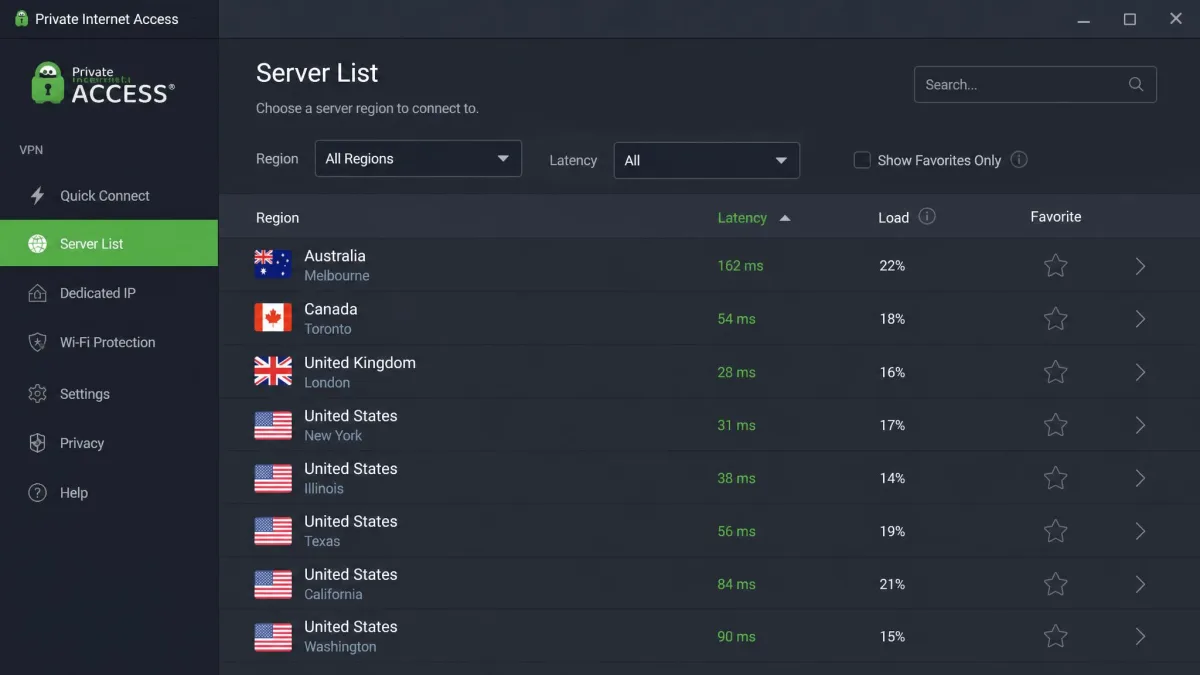
PIA runs servers in more than 90 countries, or roughly 150 locations when you count them individually, so the figure depends on how it is measured. The exact server count is best described as tens of thousands, since PIA no longer publishes a precise live number and any specific figure is a third-party estimate that drifts over time. Regional coverage is a strength: there are servers in Australia, Canada and the UK including London, and PIA is one of the few services with coverage in all 50 US states, which is genuinely useful if you need a specific state's IP for local content or services.
Speed test results: is PIA slow?
This is the fair complaint about PIA, and the honest answer is: it depends on distance. On nearby servers, speeds held up well for us, staying above 150 to 200 Mbps, which is plenty for streaming, browsing and video calls, so the speed loss rarely disrupts normal use. On distant servers the drop is steep. A Seattle server on WireGuard lost roughly 75% of a 1 Gbps line, landing near 299 Mbps, and long-haul locations like Australia and Singapore fell to the 60 to 90 Mbps range. For comparison, NordVPN hit around 903 Mbps on the same Seattle route where PIA managed about 299 Mbps. So PIA is not slow for daily use, but it trails the fastest rivals on long-distance connections.
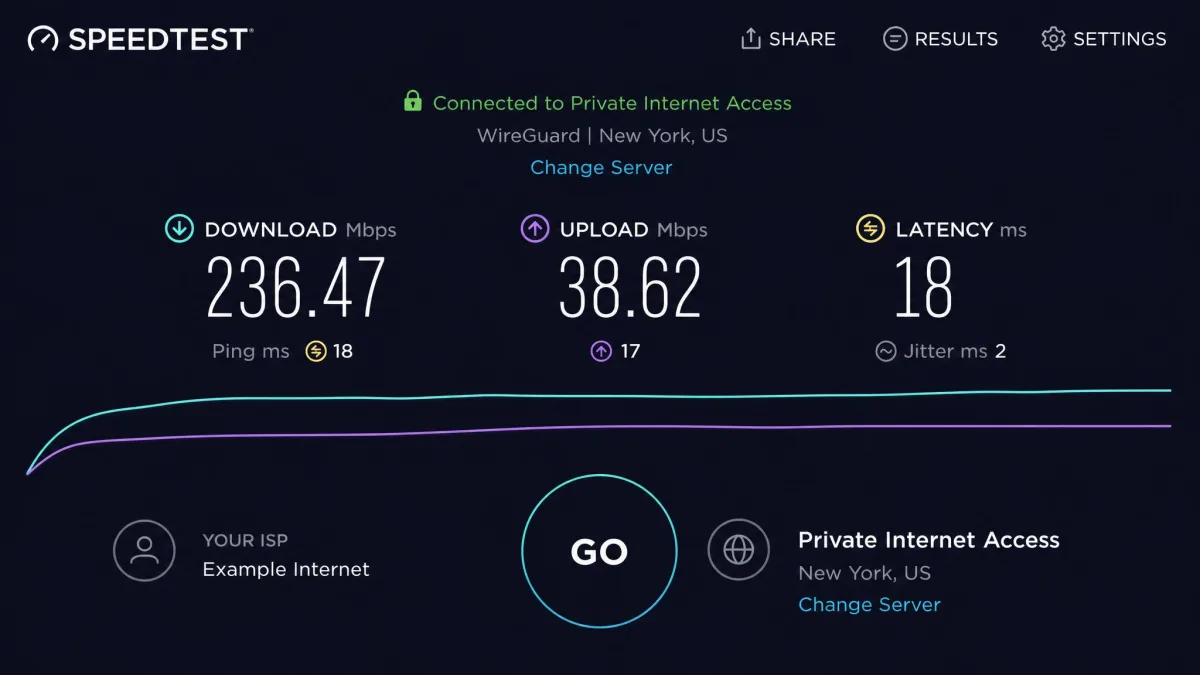
PIA is not slow for everyday browsing and streaming on a nearby server, but on long-haul routes it gives up more speed than the top-tier VPNs we test.
— From our hands-on speed testing
Virtual/geolocated servers & bandwidth
Like most large networks, some of PIA's more remote locations are virtual servers, meaning the IP is geolocated to a country while the physical hardware sits elsewhere, which is a common and safe practice for reaching regions with poor infrastructure. Bandwidth is unlimited across the network, with no data caps or throttling on any plan, and PIA has been rolling out 10 Gbps servers to improve headroom. If you want the fastest possible connection, pick the closest server that meets your needs rather than a distant one.
How to download, install & set up PIA
Getting PIA running takes only a few minutes on any platform. The process is the same in spirit everywhere: download the app, sign in, connect. Here is how to do it per device, plus how to remove it cleanly if you decide it is not for you.
Downloading PIA per platform (PC, Mac, Android APK, browser extension)
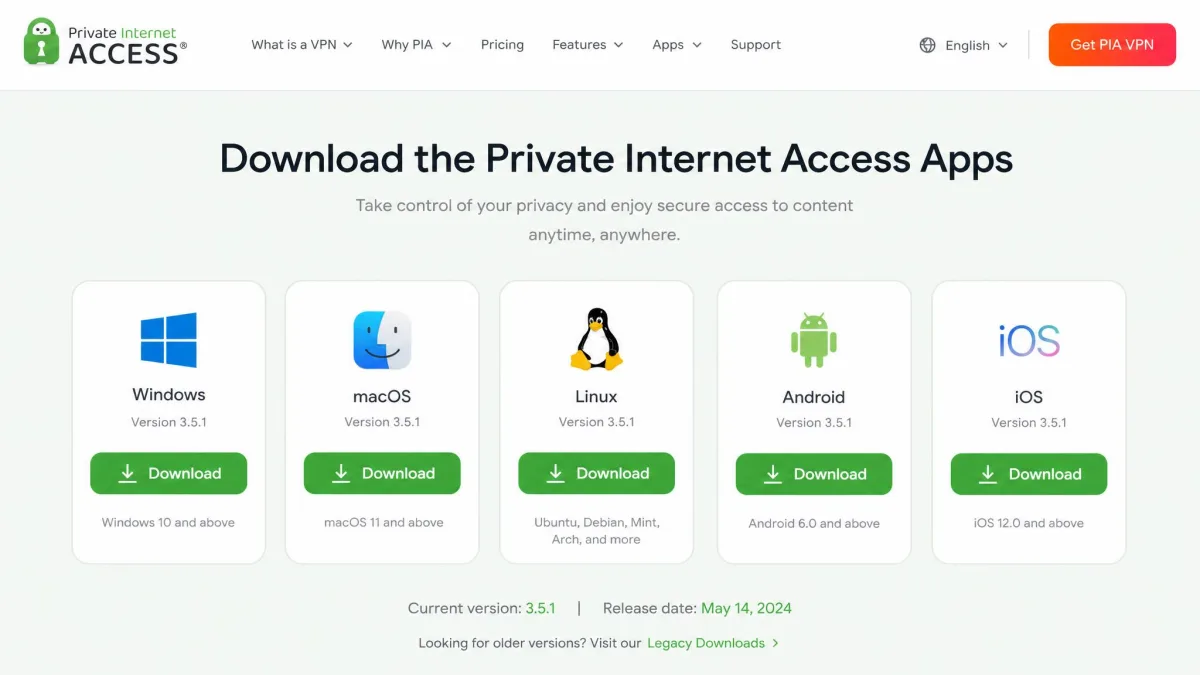
On Windows and Mac, download the installer from the PIA apps page, run it, and sign in with your account. On Android, the easiest route is the Google Play Store, but PIA also offers a direct APK download for devices without Play access, which you install after allowing installs from unknown sources. On iOS, use the App Store. For the browser, install the Chrome, Firefox or Opera extension from that browser's add-on store, remembering that the extension is proxy-only and does not encrypt your whole device. Always download from PIA's official site or the official app store to avoid tampered installers.
Quick setup walkthrough
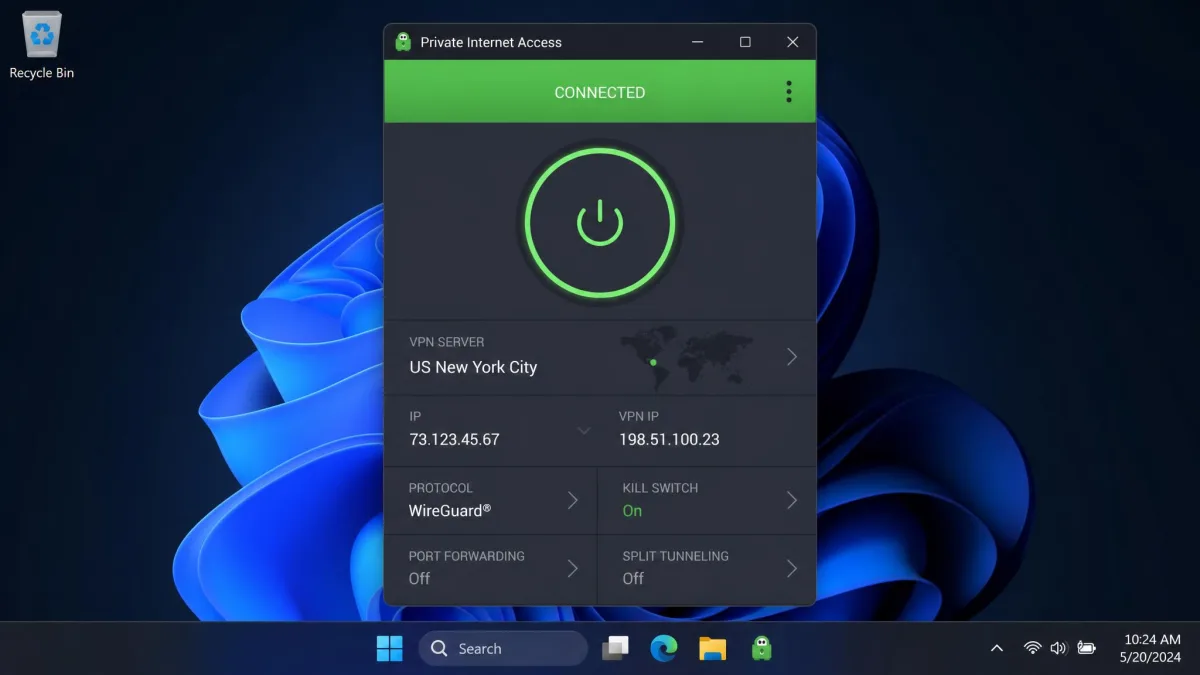
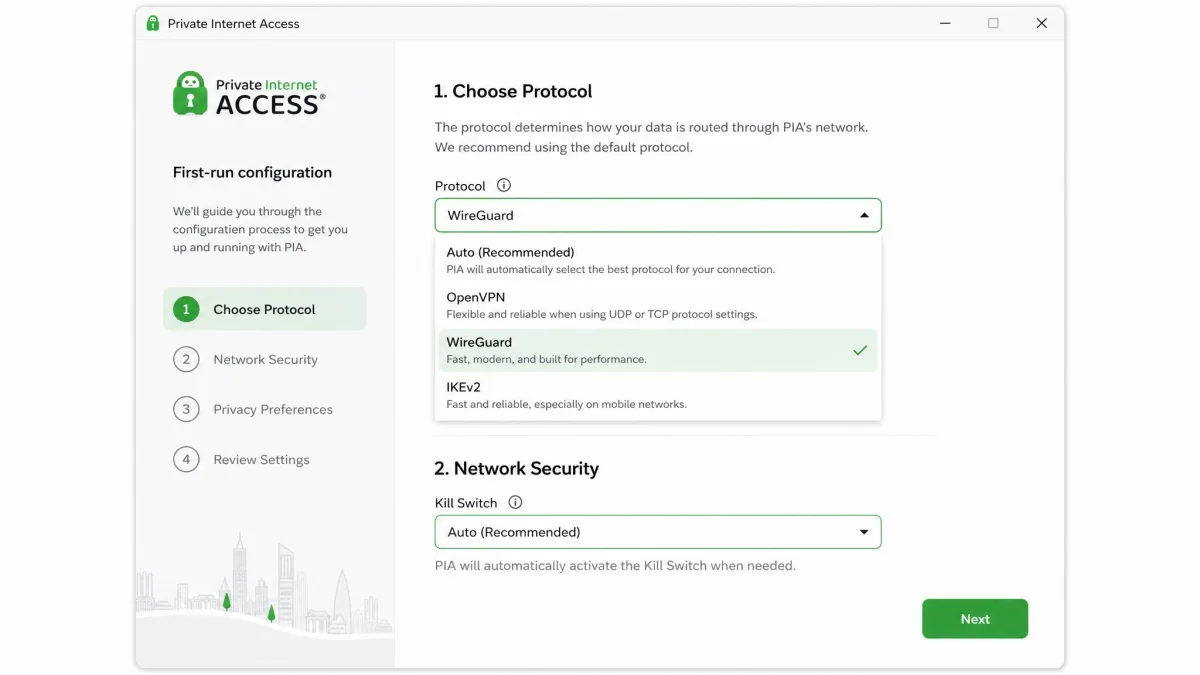
Setup is refreshingly quick. After installing, sign in with your username and password, and the app connects you to a recommended server with one tap. To change location, open the region list and pick a country or city. We suggest three quick tweaks for new users: set the protocol to WireGuard for speed, turn the kill switch to Auto or Always, and leave MACE on for ad and tracker blocking. That is all most people need to be fully protected.
On mobile, take advantage of the 7-day free trial before you commit. It gives you the full app so you can check speeds and streaming on your own connection with nothing to lose.
How to uninstall PIA cleanly
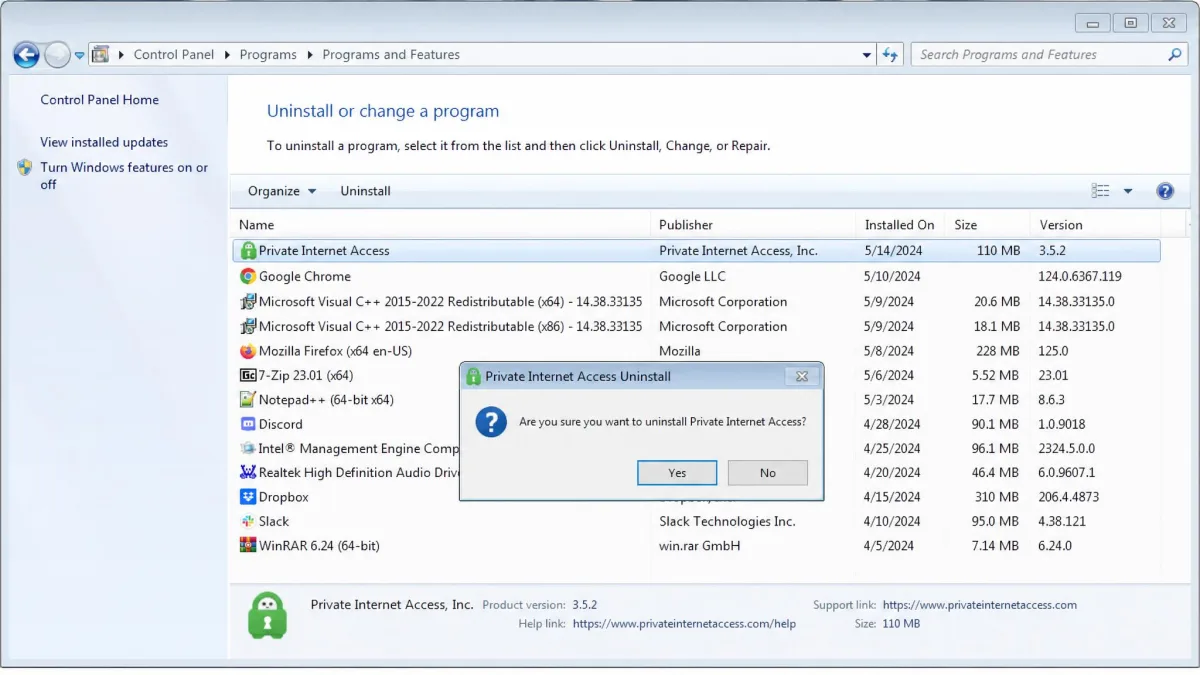
If you decide to remove PIA, do it through the normal uninstaller for a clean removal. On Windows, use Add or Remove Programs, select Private Internet Access, and follow the prompts, then restart to clear the network driver it installs. On Mac, PIA includes an uninstaller in the app menu that removes the app and its network components properly, which is better than dragging the app to the Trash. On mobile, uninstall the app as you would any other. If you are within the 30-day window, request your refund before or after uninstalling.
Customer support & contact
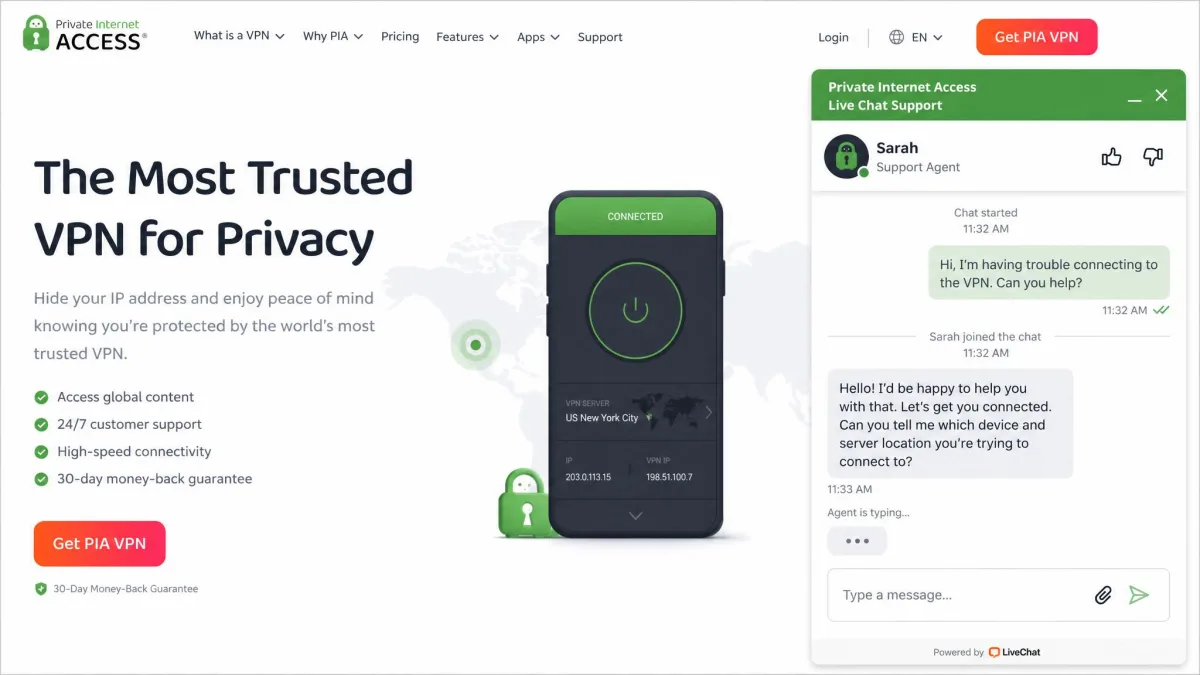
PIA offers 24/7 live chat, and in our experience it is fast and helpful: an agent was typically reachable in under a minute and gave clear, direct answers. You do not need to hand over an email address just to start a chat, which is a nice touch. There is also a searchable knowledge base and a ticket system for issues that need a paper trail. The honest limitation is that PIA does not publish a phone or contact number, so if you specifically want to call a human, this is not the service for you. For a VPN, chat-first support is normal, and PIA's is among the more responsive we have used.
Should you use PIA? Final verdict
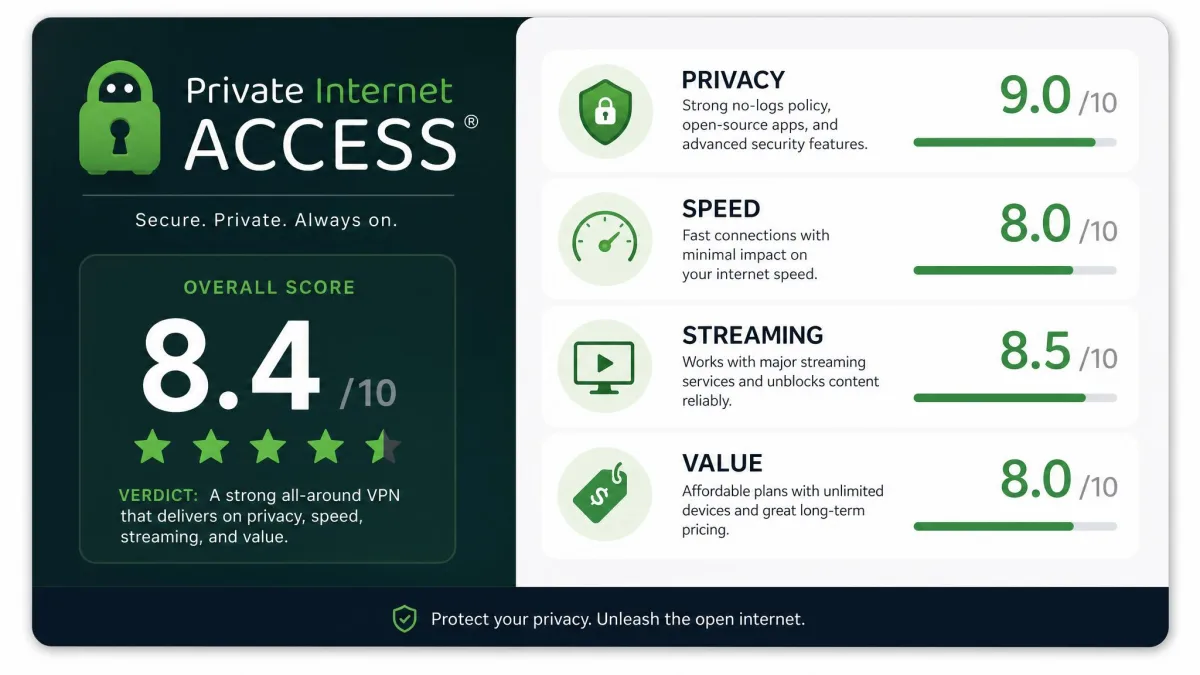
For most privacy-focused users on a budget, yes, PIA is a smart buy. You get a no-logs policy that has been audited twice and proven in real court cases, unlimited device connections, reliable streaming on the right servers, and some of the cheapest multi-year pricing available. That combination is genuinely hard to beat at this price. The compromises are honest ones: long-haul speeds trail the fastest rivals, the app looks dated, and the US jurisdiction will not suit privacy purists who want an offshore provider.
So who should skip it? If you routinely connect to servers on the other side of the world and need maximum speed, or if you want a VPN based outside the Five Eyes alliance on principle, look elsewhere first. For everyone else, PIA delivers excellent value and a level of proven privacy that most rivals cannot match. With the 30-day money-back guarantee, you can try Private Internet Access risk-free and judge the speeds on your own connection.
If PIA is not quite right, our guides to the best VPNs for privacy and our Proton VPN review cover strong alternatives worth comparing.







