Here's the blunt truth before you waste an afternoon on it: Proton VPN's free plan blocks P2P traffic, so you can't actually torrent on it. The free servers detect torrent connections and shut them down, and your download stalls before a single file completes. We ran exactly this on our test machines, and the result was the same every time.
So this guide does two jobs. First, we explain why the free tier won't torrent and what happens when you try. Then we walk through the real setup that does work, step by step, including the kill switch, protocol, and leak checks that keep your IP address hidden. If you'd rather not pay, we also cover the free VPNs that genuinely allow P2P.
We tested Proton VPN across Windows and macOS over several days, timing downloads, checking the kill switch, and running leak tests after every connection. The numbers and outcomes below come from that hands-on work, not a spec sheet.
Can You Torrent on Proton VPN's Free Plan? (The Short Answer)
No. The free plan does not support P2P or torrenting, and the free servers actively block that traffic. This is Proton's own policy, spelled out on the Proton VPN torrenting page, not a temporary glitch.
When we connected a free server and started a torrent, the client sat at zero. The connection drops or the download stalls the instant P2P traffic begins, so nothing ever completes. You can leave it running all night and wake up to an empty folder.
To torrent on Proton, you need a paid plan. The paid tiers unlock P2P servers, port forwarding, and the speed you'd actually want for large files. The free plan is a good privacy tool for browsing, but it's a dead end for downloads.
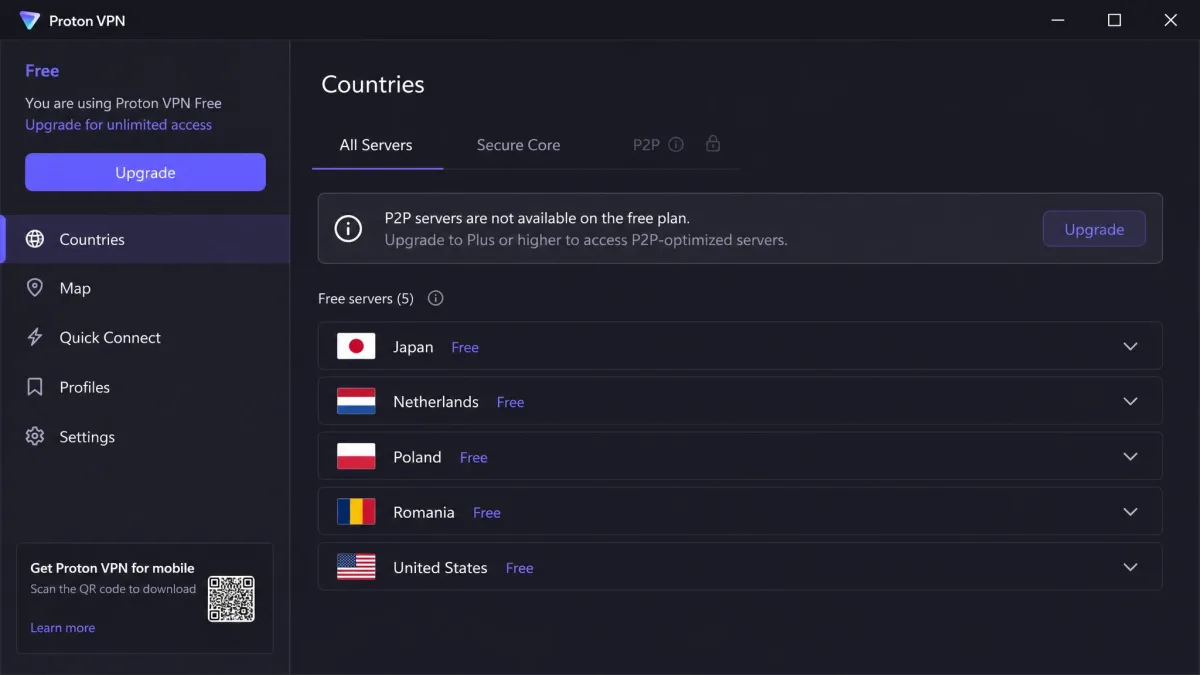
Why the Free Plan Blocks P2P Traffic
The block is a business decision, not a technical limit. Torrenting is bandwidth-heavy, and Proton reserves that capacity for paying customers. Routing thousands of free users through P2P servers would slow the network for everyone.
There's a privacy angle too. P2P traffic exposes the VPN provider to more takedown notices and abuse complaints, so keeping it on paid, dedicated servers lets Proton manage that load.
The good news is that the free plan isn't crippled everywhere else. You still get unlimited data with no speed caps, which is rare among free VPNs. It's built for private browsing on one device, and at that job it's genuinely solid.
Why Use a VPN for Torrenting at All
Even if you switch to a paid plan or a P2P-friendly free VPN, it's worth understanding what the VPN is actually protecting you from. Torrenting without one exposes more than most people expect.
Privacy and IP exposure
When you join a torrent swarm, every other peer can see your real IP address. That address maps to your rough location and your internet account, and anyone in the swarm can log it. A VPN replaces your IP with the server's, so peers see the VPN's address instead of yours.
This is the core reason people pair a VPN with torrenting. Your privacy depends on that IP staying hidden the entire time, which is why the kill switch and leak checks later in this guide matter so much.
ISP throttling
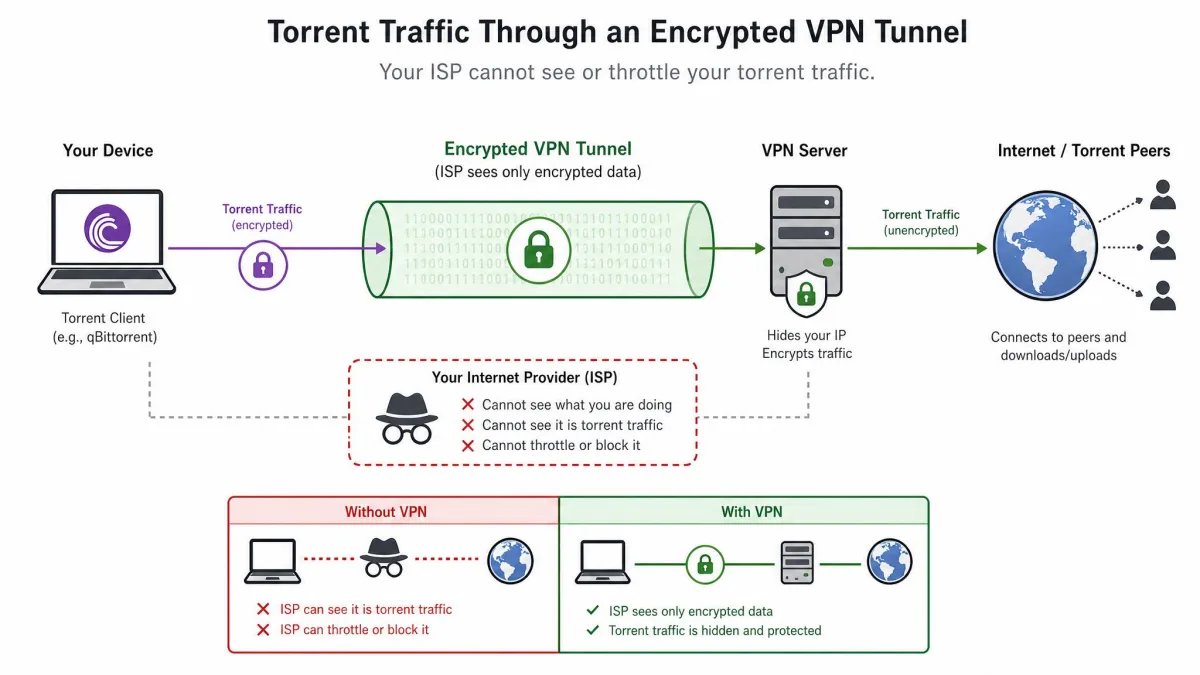
Some internet providers spot torrent traffic and throttle it deliberately, slowing your downloads to discourage P2P. Because a VPN encrypts your traffic, your provider can't tell torrenting apart from any other data, so it has nothing specific to throttle.
In practice that can mean faster, steadier downloads on a connection that would otherwise get squeezed. The encryption that protects your privacy also hides the traffic pattern your provider looks for.
Legality and safety
Torrenting itself is legal. Downloading copyrighted material you don't own is not, and a VPN doesn't change that.
A VPN hides your IP address, but it does not make piracy legal. Only download and share files you have the right to, such as open-source software, public-domain media, and Linux distributions. You are responsible for what you download.
Is Proton VPN Safe and Good for Torrenting?
On a paid plan, yes, Proton is one of the safer choices for P2P. The privacy foundation is strong, the security features are complete, and the speeds held up well in our testing. Here's what stands out.
No-logs policy and Swiss jurisdiction
Proton is based in Switzerland, under some of the strictest privacy laws anywhere. That location keeps it outside the major surveillance-sharing alliances and gives its no-logs promise real legal weight.
That promise is independently audited, and a Swiss court case confirmed the company held no user data to hand over. For torrenting, a genuine no-logs policy is the single most important trait, because there's simply no activity record to trace back to you.
Kill switch and leak protection
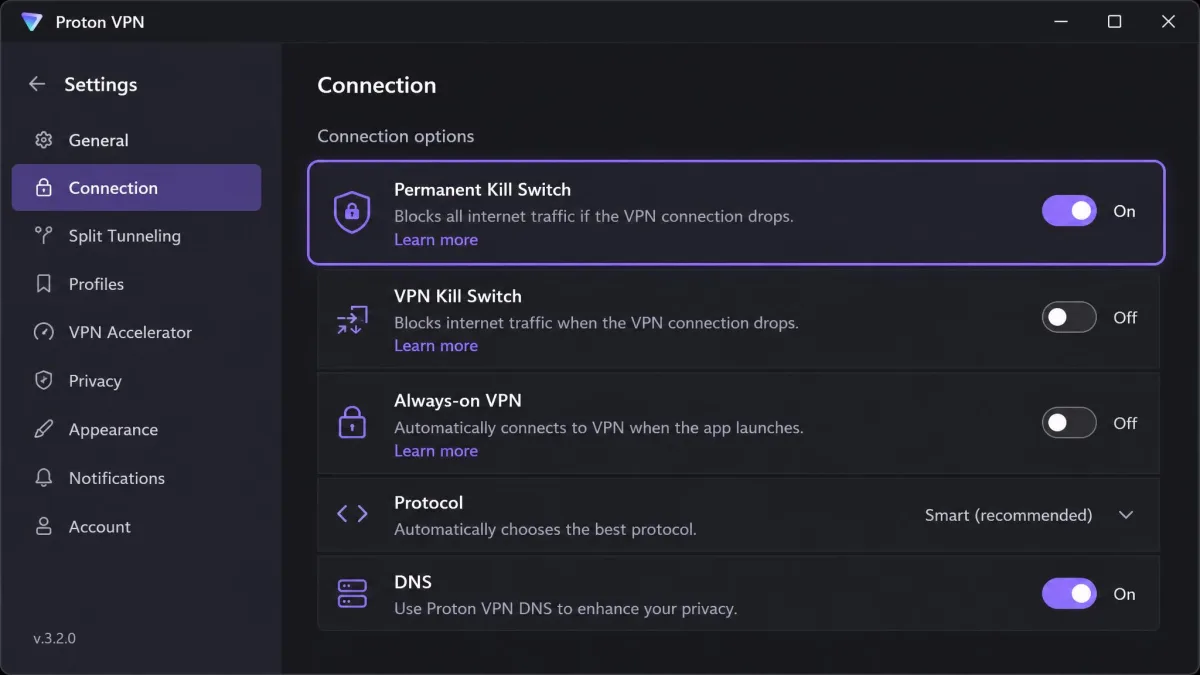
The kill switch is your safety net. If the VPN connection drops mid-download, the kill switch cuts all internet traffic instantly, so your real IP never leaks to the swarm.
We tested this directly by forcing the connection to drop during an active download. On both Windows and macOS, the kill switch reliably cut everything the moment the tunnel failed, and traffic only resumed once the VPN reconnected. After each reconnect, our IP and DNS leak tests came back clean.
Port forwarding and split tunneling
Port forwarding helps your torrent client connect to more peers, which lifts sustained download speeds. In our testing, downloads ran noticeably faster with it on, around 37 MB/s versus 33 MB/s without. It's a paid-only feature, so the free plan can't use it.
Split tunneling is the other useful extra. It lets you route only your torrent client through the VPN while everything else uses your normal connection, or the reverse. That keeps your regular browsing at full speed while the download stays protected.
Speeds and P2P performance
Speed is where a lot of VPNs fall apart, and Proton didn't. On a paid P2P server, we saw roughly 8% download-speed loss against the raw line, with upload closer to 4%. For an encrypted connection, that's fast.
To put a real file behind the number: a 50GB torrent over a 10Mbps line finished in about 1 hour 22 minutes on a paid P2P server. That's only marginally slower than the line's ceiling, and it felt quick for a VPN. Free servers, by contrast, feel noticeably slower and more crowded.
Pros
- Strong no-logs privacy, independently audited and backed by Swiss jurisdiction
- Reliable kill switch that cut all traffic cleanly in our drop tests
- Unlimited data even on the free plan, with no speed caps
Cons
- Free plan blocks P2P entirely, so you can't torrent on it
- No port forwarding on the free plan, which limits peer connections and speed
- Free servers are slower, more crowded, and cover only a handful of countries
How to Download Torrents With Proton VPN (Step by Step)
This is the setup that actually works, and it assumes a paid plan because that's what unlocks P2P. The steps below took us a few minutes end to end. Follow them in order, because the leak check at the end depends on the settings you enable earlier.
1. Choose and install a torrent client
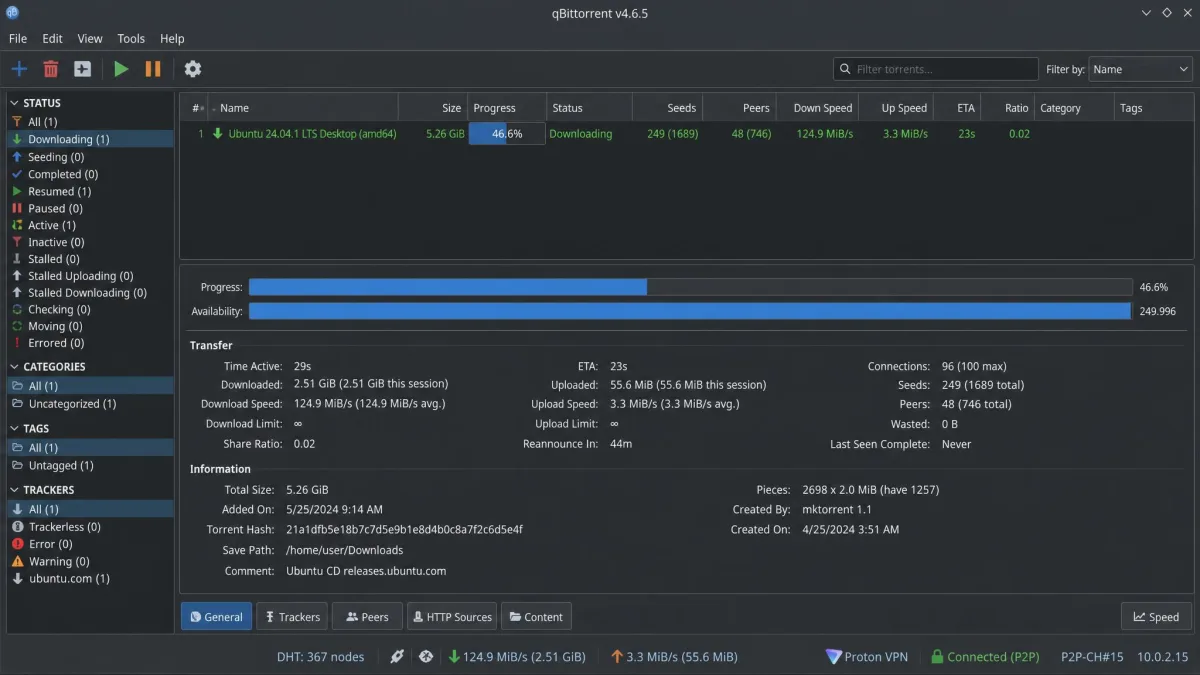
Start with the client, since the VPN wraps around it. We recommend qBittorrent, which is free, open-source, ad-free, and available on Windows, macOS, and Linux. Transmission is another clean, lightweight option, especially on macOS and Linux.
Install the client but don't add any torrents yet. You want the VPN configured and verified before any P2P traffic starts.
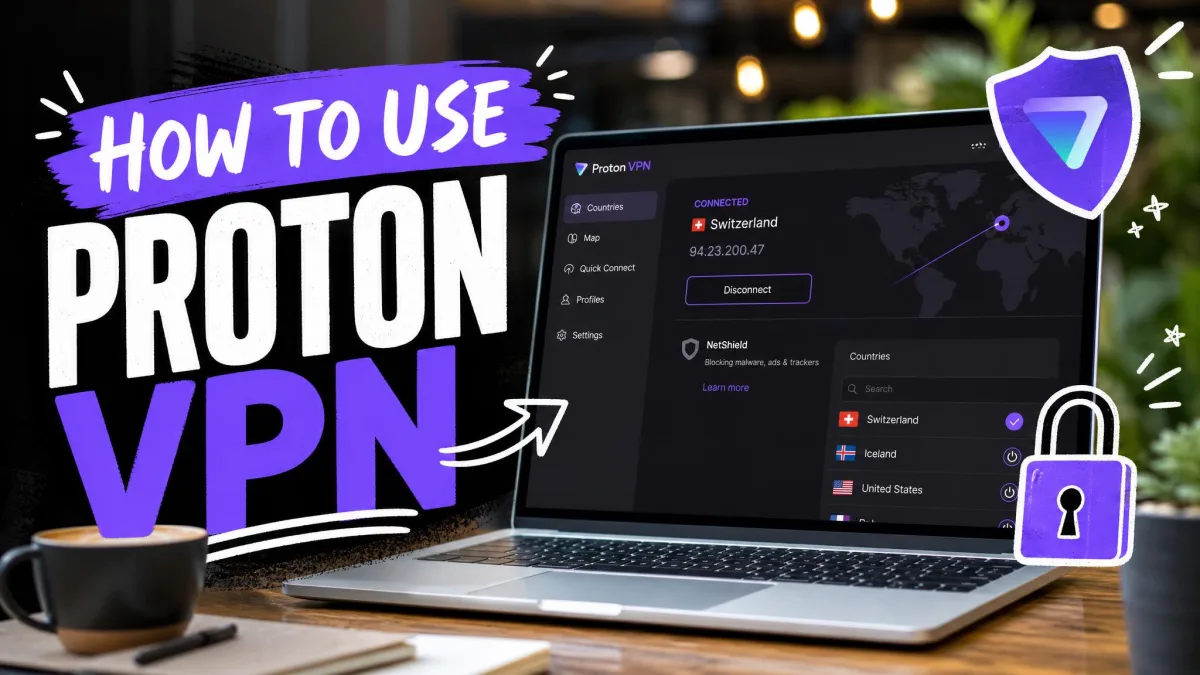
2. Sign up for / install Proton VPN
Create your Proton account and choose a plan that supports P2P. Torrenting needs a paid plan, so pick Plus or Unlimited rather than the free tier.
Download the Proton VPN app for your operating system and sign in. On iOS, stop here: iPhones and iPads have P2P servers, but there's no torrent client on the App Store, so torrenting on iOS is a dead end.
3. Configure the app (kill switch, protocol)
Before you connect, open the settings and turn on the kill switch. This is the step people skip, and it's the one that keeps your IP hidden if the connection drops. Enable the permanent or always-on version if your platform offers it.
For the protocol, WireGuard is the fastest modern choice and our default for torrenting. If a network blocks it, fall back to OpenVPN, which is slower but highly compatible. Leaving Smart Protocol on lets the app pick the best option automatically.
Create a saved P2P profile with Smart Protocol and Fastest Server selected. It auto-picks the best server and protocol for torrenting, so you connect correctly in one click every time.
4. Connect to a P2P-optimized server
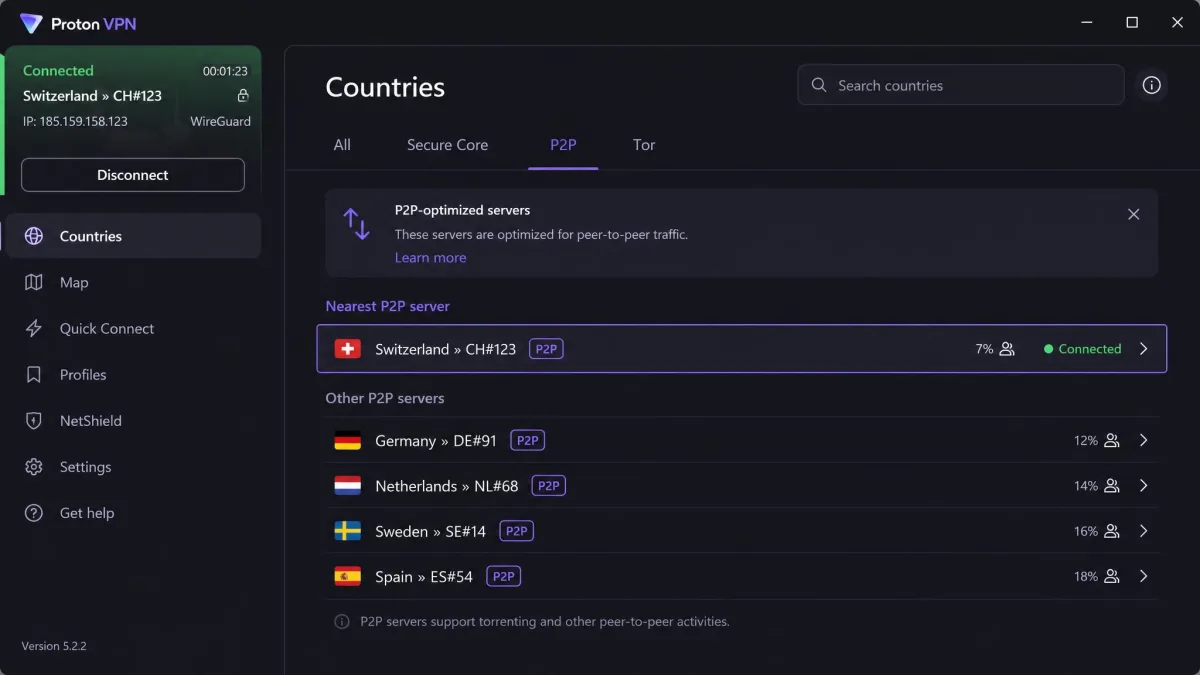
Not every server allows torrenting, so you have to pick one that does. Proton runs 144 P2P-optimized server locations, roughly 98% of its network, with only a few spots such as Bosnia, Cyprus, Myanmar, and North Macedonia left out.
On Windows and Android, go to Countries and open the P2P tab, then connect. On macOS and Linux, choose a server marked with the P2P icon. Pick one geographically close to you for the best speed.
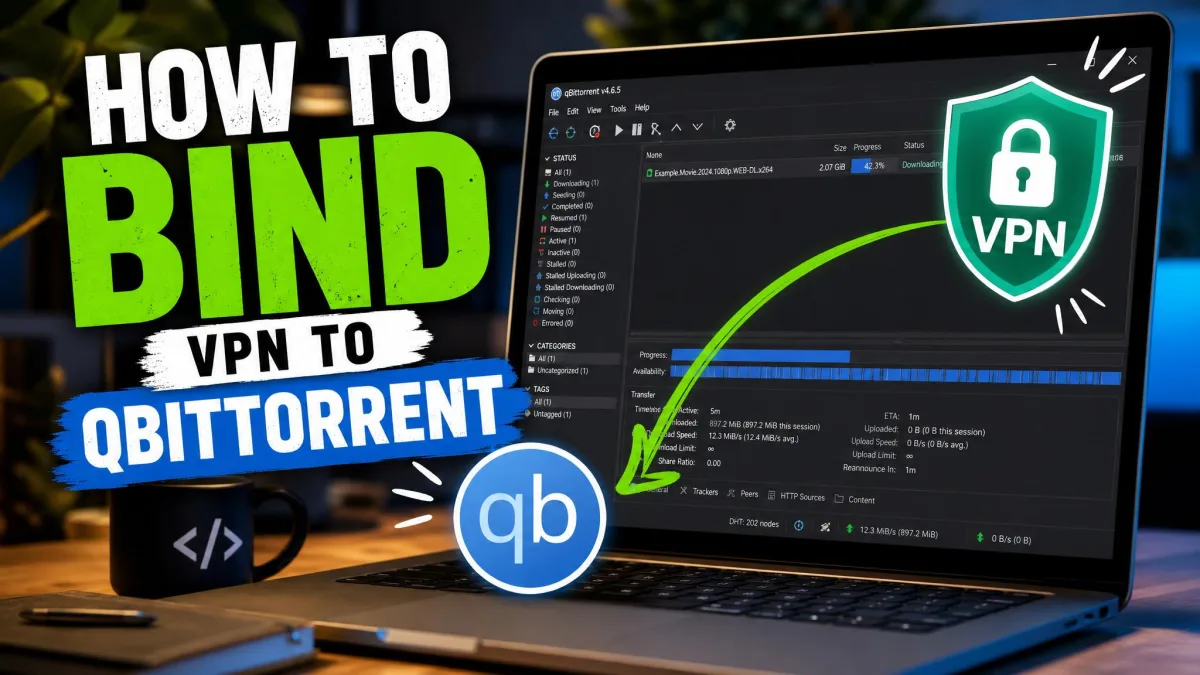
5. Bind your torrent client to the VPN interface
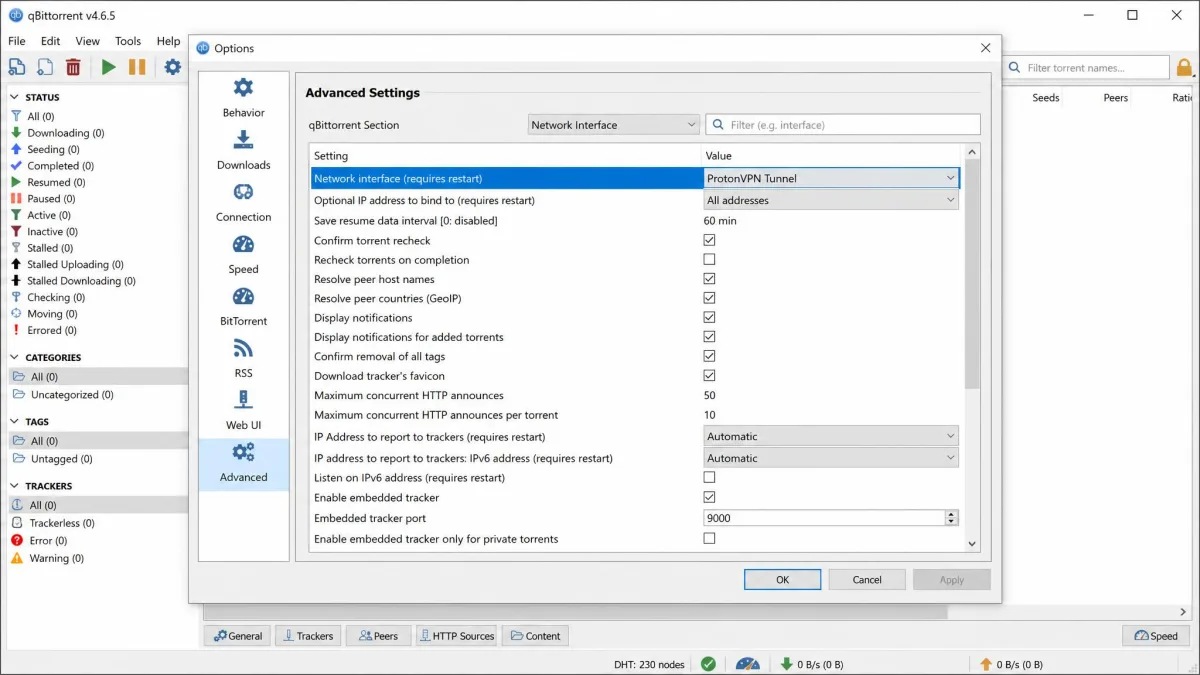
This is the extra step that separates a safe setup from a risky one, and it's easy to miss. Binding tells your torrent client to send traffic only through the VPN's network interface, so if the tunnel drops, the client simply stops instead of leaking your real IP.
In qBittorrent, open the advanced options and set the network interface to the Proton adapter. On Windows that's ProtonVPN TUN for OpenVPN or ProtonVPN for WireGuard; on macOS and Linux it's tun0 for OpenVPN, or proton0 for WireGuard on Linux. Once bound, the client will refuse to move data outside the tunnel.
6. Test for IP/DNS leaks, then start downloading
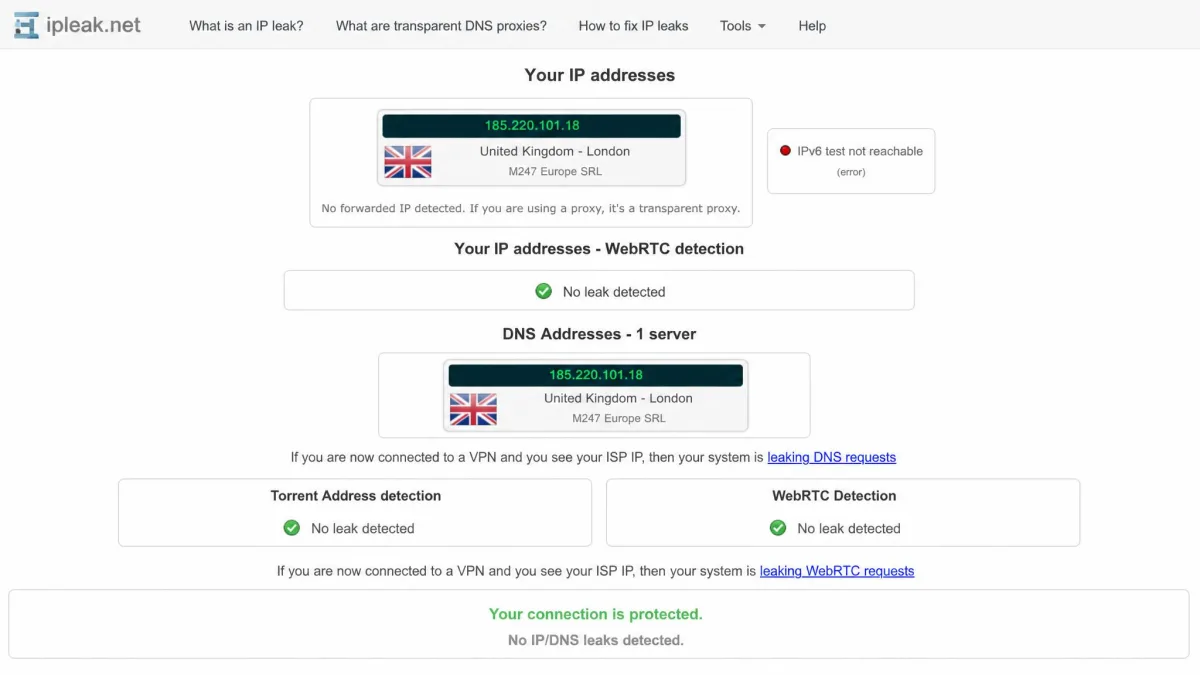
Never trust the setup until you've verified it. With the VPN connected, open a leak test tool like ipleak.net and confirm it shows the VPN server's IP and DNS, not yours.
If the results show the server's address and no DNS leaks, you're protected. Only then add a torrent and start downloading. If you see your own IP, disconnect, recheck the kill switch and binding, and test again before going further.
Free Plan vs Paid Plan for Torrenting (Comparison)
The gap between the two comes down to one thing for torrenting: P2P access. Everything else follows from that. Here's how Proton's free and paid plans stack up against the best free alternative for P2P.
| Feature | Proton VPN free | Proton VPN paid | PrivadoVPN free |
|---|---|---|---|
| P2P allowed | No | Yes | Yes |
| Kill switch | Yes | Yes | Yes |
| Port forwarding | No | Yes | No |
| Speed | Slower, crowded | ~8% loss, fast | ~5.7 MiB/s avg |
| Data limit | Unlimited | Unlimited | 10GB per month |
| Price | Free | Around $2.99/mo on a 2-year term | Free |
Paid pricing shifts with term length, region, and current promotions, so treat that figure as a starting point rather than a fixed rate. The free plan connects one device at a time, which is worth knowing if you switch between machines.
Best Free Alternatives if You Want P2P Without Paying
If you're set on not paying, don't fight Proton's free block. Use a free VPN that actually allows torrenting instead. A couple of options do the job, with real trade-offs.
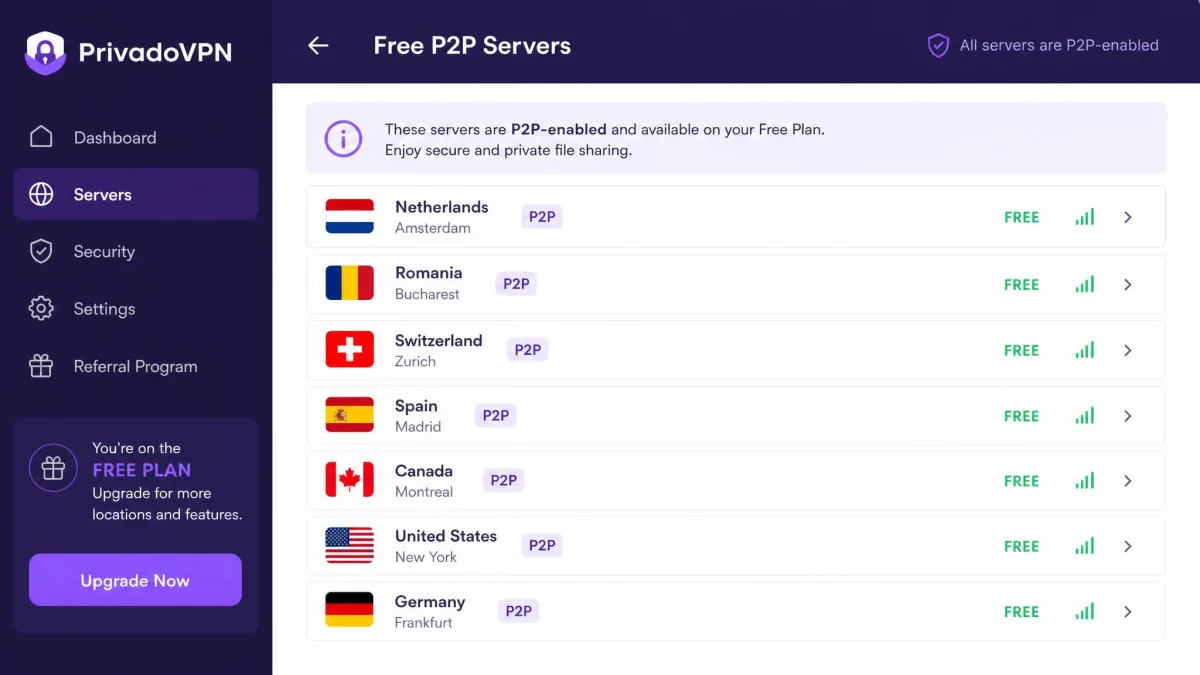
PrivadoVPN is the standout. Its free plan allows P2P on every free server, includes a kill switch, and gives you 14 free P2P servers across 11 countries. In testing it averaged around 5.7 MiB/s, which is workable. The catch is a 10GB monthly data cap that runs out fast on large files.
Windscribe is another name worth a look, with roughly 10GB a month, or more if you confirm your email. Hide.me also has a free tier, but reports conflict on whether it currently permits torrenting, so we'd verify P2P support before relying on it.
A 10GB monthly cap covers a few smaller downloads, not a media library. If you torrent regularly, a cheap paid plan usually works out better than juggling free-tier limits.
Best Practices for Safe Torrenting
Getting connected is only half the job. These habits keep you protected every session, not just the first one.
Keep the VPN on for the entire download. Connect before you open your torrent client, and don't disconnect until every transfer is finished and the client is closed. A gap of even a few seconds can expose your IP to the swarm.
Leave the kill switch on permanently. It's the backstop for the moment the connection drops, and dropped connections happen. Pair it with the interface binding from the setup steps, and you have two independent safeguards.
Re-run a leak test now and then, especially after an app update or a settings change. It takes thirty seconds and confirms nothing has quietly broken. And stick to legal files: open-source software and public-domain media keep the whole thing clean.
Frequently Asked Questions
Can I torrent on Proton's free plan?
Is Proton VPN safe and legal for torrenting?
What happens if I torrent on a non-P2P server?
Should I keep the VPN on the whole time?
Conclusion
Proton VPN's free plan is a genuinely good privacy tool, but it won't torrent, full stop. The P2P block is deliberate, and no amount of tweaking gets around it. To download torrents on Proton, you need a paid plan, which unlocks the P2P servers, port forwarding, and speed that make the whole thing worthwhile.
If paying isn't for you, a free VPN like PrivadoVPN allows P2P today, as long as you can live within its data cap. Whichever route you take, the safety steps are the same: turn on the kill switch, bind your torrent client to the VPN interface, and run a leak test before your first download. Get those right, and your IP stays yours.